Search the Community
Showing results for tags 'bug'.
-
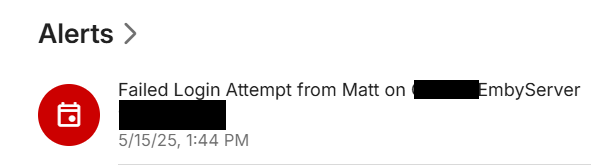
Some idiot discovered my Emby server and logged into most of the user accounts (they had no password). No harm done, but I figured I'd give all accounts passwords to be safe. The first time logging in after assigning the password I get an auth error on the client, and the server shows After that, everything is fine.
-
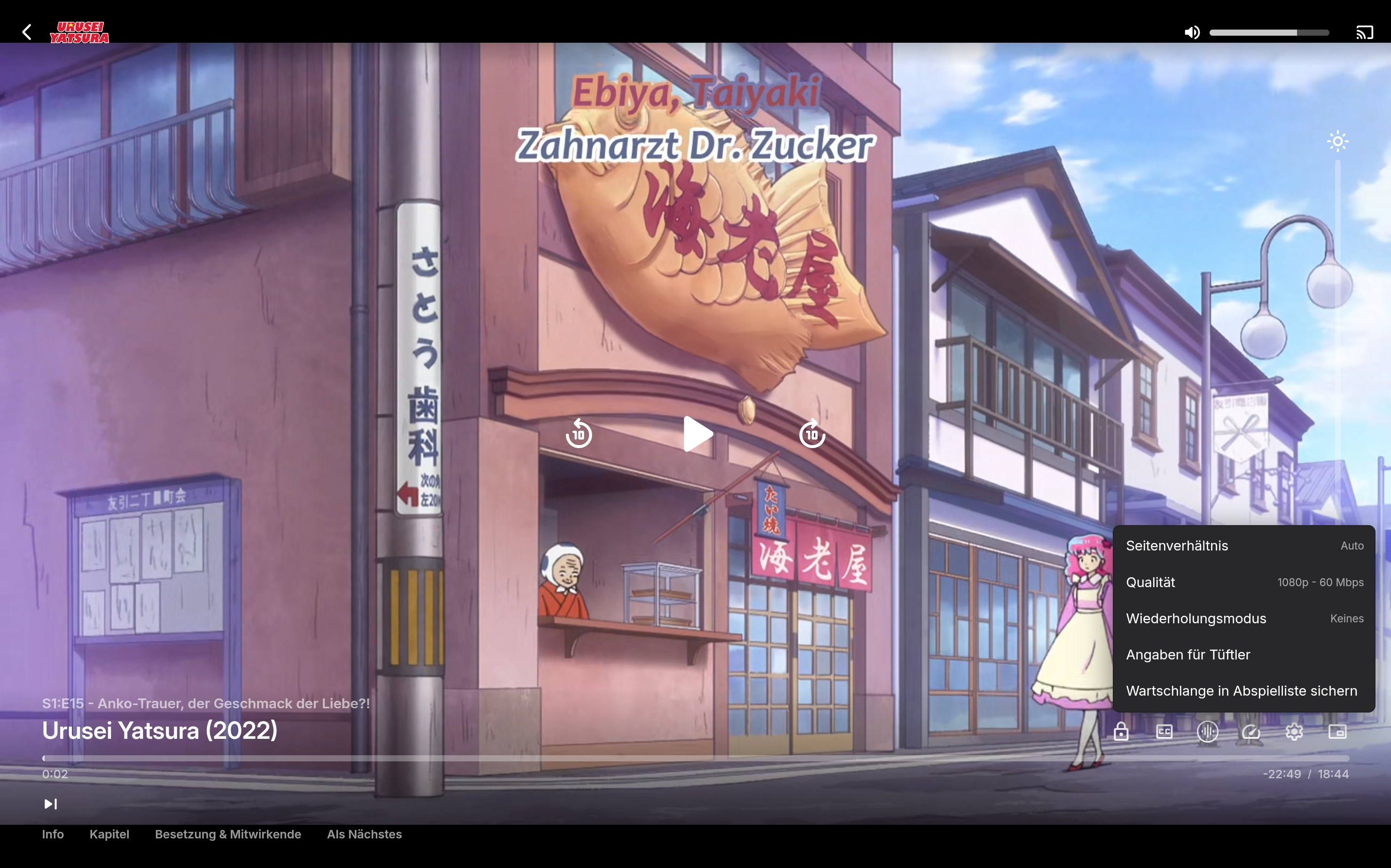
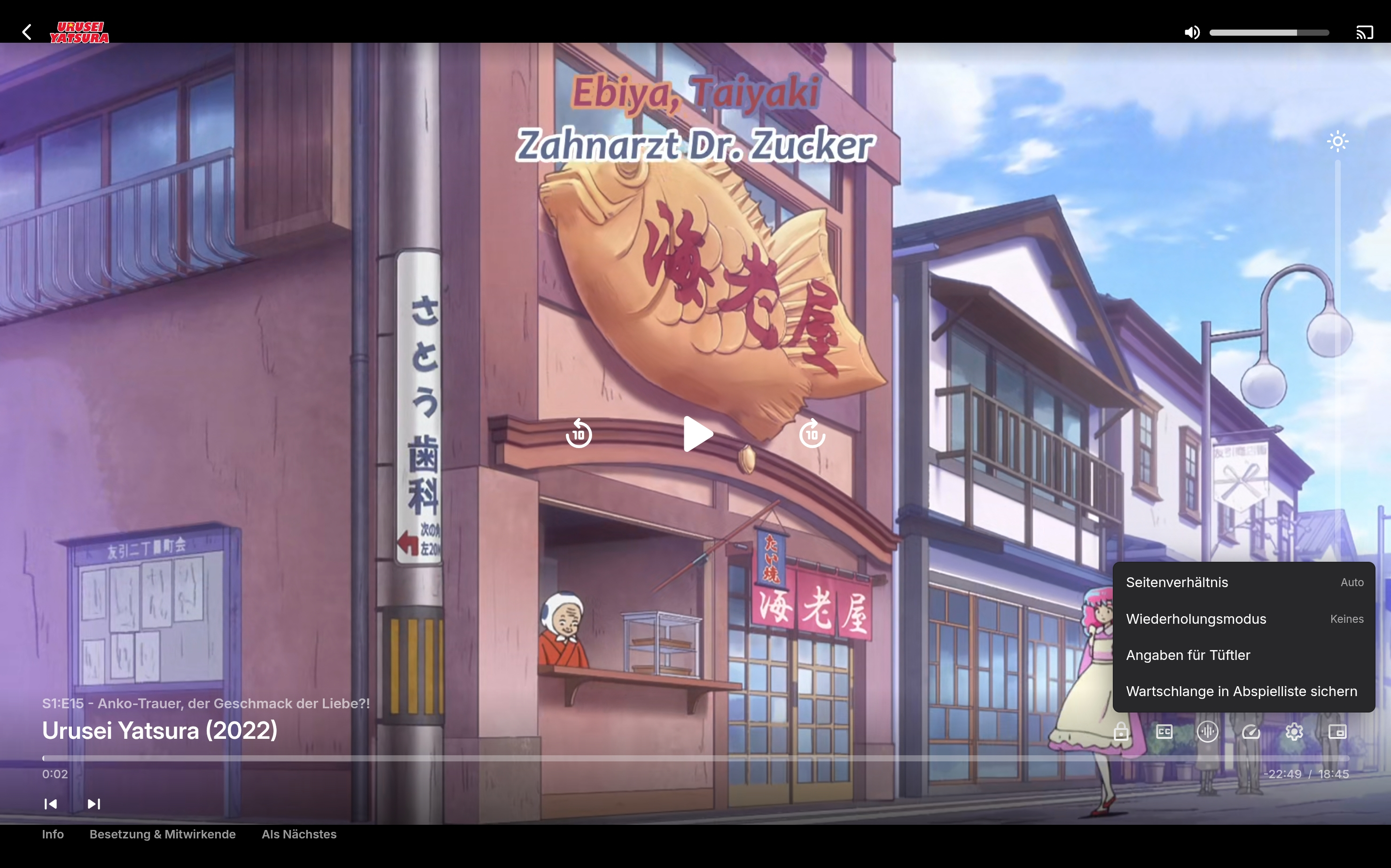
While playing content, you can exit the app and the media will move to a picture-in-picture player. When returning to the Emby app by either reopening it or pressing the return button on the PIP player, the media continues playing, but the screen is black.
-
Hello everyone! I think I may have mentioned this as an aside in another bug report I made about the "Continue Listening" section being inconsistent, but I figured this deserves its own post here in the appropriate forum section. Context: I have an audiobook library loaded with various audiobooks, mostly in M4B with a few MP3 format. The continue listening function works fine on most of my client devices except the windows app. Currently running Emby for windows 2.219.2.0 Issue: In emby windows if I click a book to resume from the Continue Listening section, it will play the appropriate audio file that I was on, but it starts that file from the very beginning rather than resuming where I left off. This is painful on certain audiobooks where there are only 1 or 2 multi-hour audio files for the whole book rather than a file per chapter. I have tested this with multiple books and it appears to happen for both M4B and MP3 files.
-

[BUG] Apps error out when there are Internet connectivity issues
lagarto_san posted a topic in General/Windows
ISPs are not up 100% of the time. Sometimes, the service goes down and you have no Inet access (e.g. scheduled maintenance, etc). This causes Emby to error out and become unusable even when the only thing I'm doing, or trying to do, is play locally hosted content, i.e. content stored in my own server within my own LAN. This behavior needs to be fixed. Hopefully, it's pretty obvious that the main point of locally hosting content is to be able to use it without any sort of dependency on, and especially when there's a lack of, Internet connectivity. I've run into this problem multiple times and, I must say, it's quite frustrating. I've seen this happen when using the mobile and NVIDIA Shield apps. I didn't have enough time to check if it was reproducible from the desktop via the browser. I've attached a screenshot of the error that pops up on mobile (Android) when this happens. Thanks in advance.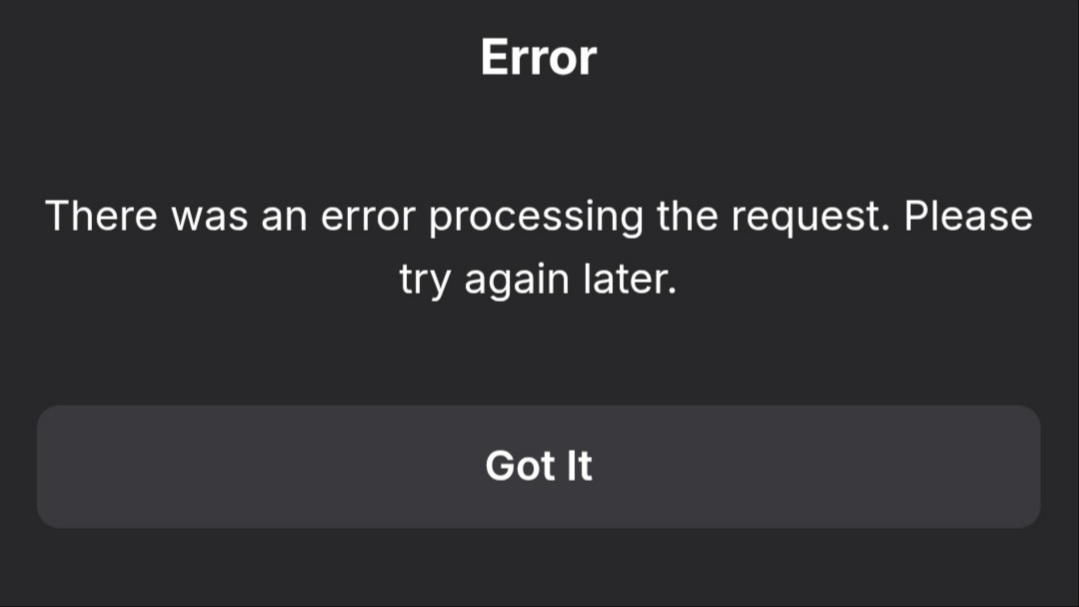
-
When attempting to access emby server via direct ip address I get the error `Could not find a part of the path '\dashboard-ui\index.html'` I am running Windows 11 and have emby server installed in a docker container and proxied using nginx proxy manager. I can access it via `emby.localhost` just fine, or `localhost:8096` but I cannot access it using `http://my-ip-address:8096` or `127.0.0.1:8096`. I am also unable to connect to it using the app and ip address If I disable the proxy host in NPM I get the same thing. docker-compose.yml: ``` emby: image: emby/embyserver container_name: emby ports: - 8096:8096 - 8920:8920 volumes: - C:/Servarr/emby:/config - E:/Movies:/mnt/movies - F:/TV Shows:/mnt/tv environment: - PUID=1000 - PGID=1000 - TZ=Australia/Sydney restart: unless-stopped ``` Settings in NPM are ``` domain names: emby.localhost scheme: http forward hostname / ip: emby forward port: 8096 ``` I activated debug logging but it the access attempt doesn't appear to add any entries to embyserver.txt
-
Dear Emby Team, I’ve encountered an issue with subtitle loading when playing transcoded videos on web-based platforms (e.g., browsers). Specifically, subtitles often take a long time to load or sometimes fail to load entirely. This problem becomes especially noticeable when the playback device has a poor network connection. For example, even after 30 seconds of video playback, subtitles may still not appear, and in some cases, they don’t load at all before the video ends. The worse the network conditions, the longer the delay in subtitle loading. I’d like to note that this issue seems to be specific to web-based playback, as I haven’t observed it in the latest version of the Emby client. Original (Chinese): 主题:错误报告:基于 Web 的平台上的字幕加载问题 在基于 Web 的平台(例如浏览器)上播放转码后的视频时,我遇到了字幕加载问题。具体来说,字幕通常需要很长时间才能加载,或者有时无法完全加载。当播放设备的网络连接不佳时,此问题变得尤为明显。 例如,即使在视频播放 30 秒后,字幕可能仍然不会显示,在某些情况下,字幕在视频结束前根本不会加载。网络状况越差,字幕加载延迟越长。 我想指出的是,这个问题似乎特定于基于 Web 的播放,因为我还没有在最新版本的 Emby 客户端中观察到它。
-

Emby 4.8.11.0 Linux Server After the client exits, the GPU is still occupied
zimrigeek posted a topic in Linux
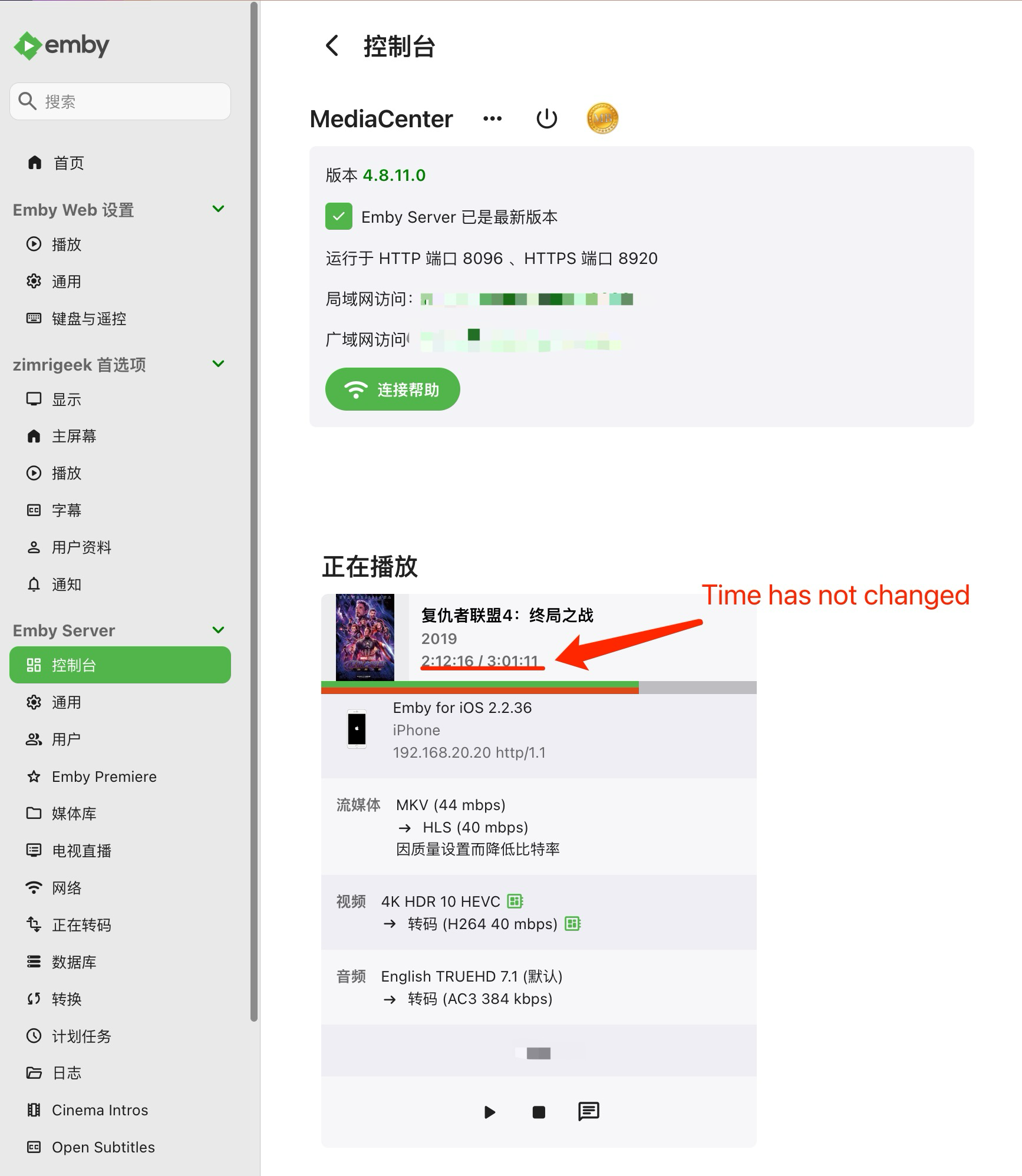
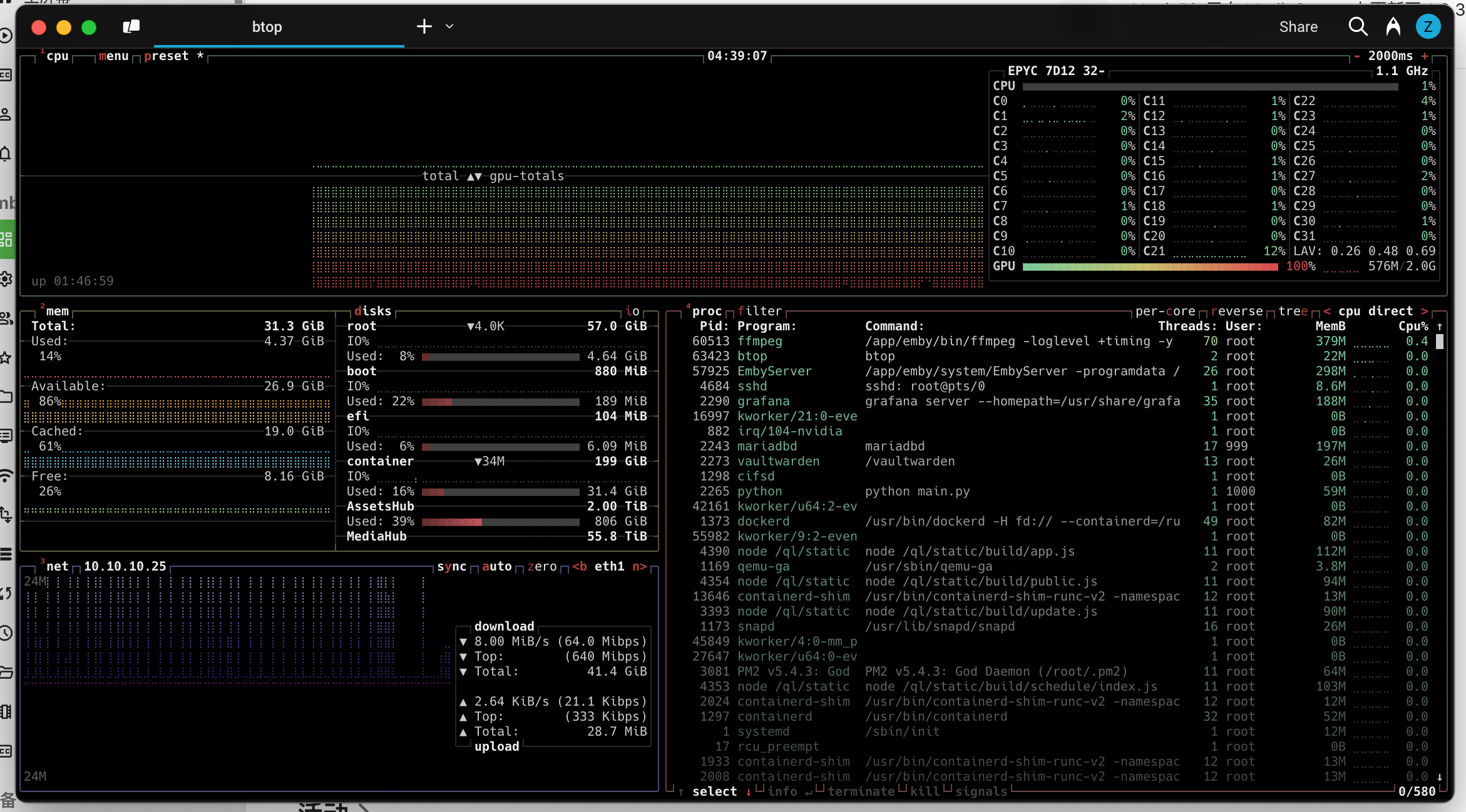
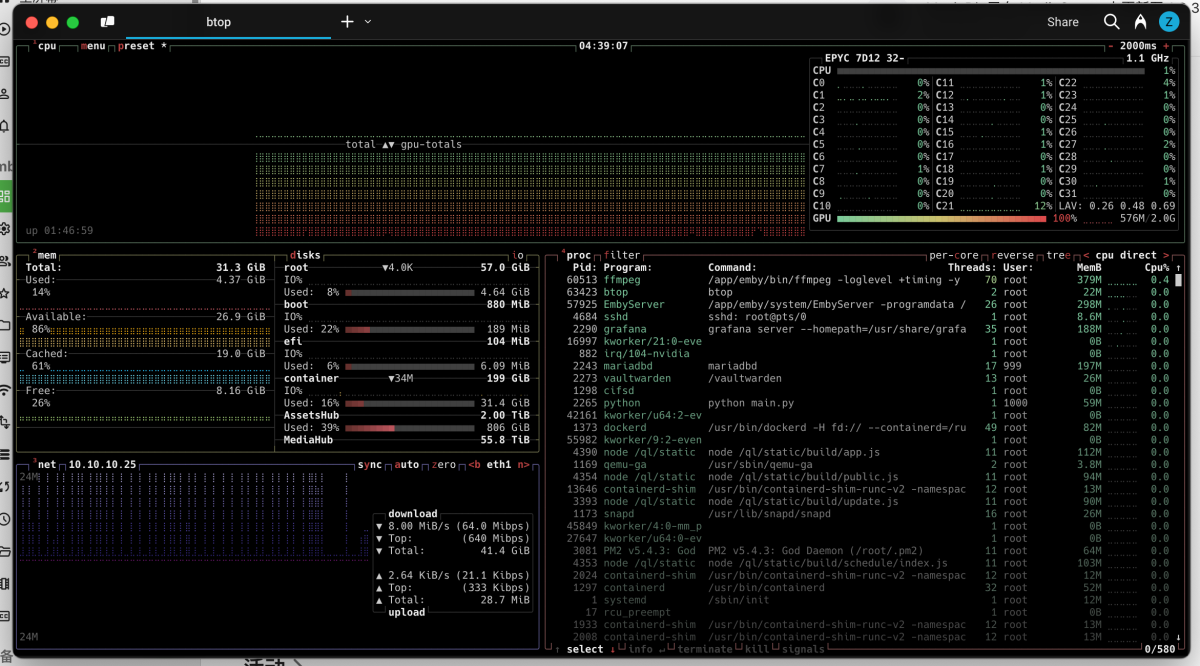
Server Version: 4.8.11 Running on Docker Nvidia based on Ubuntu 24.04 LTS CPU: AMD EPYC 7D12 GPU: Nvidia Quadro P400 Mobile settings: iPhone IOS 18.3 Emby App: 2.2.36 Problem description: If you use EmbyAPP in IOS and open a movie that needs to be transcoded and it plays normally, use IOS to swipe up to exit EmbyAPP and the BUG will be triggered: Impact: 1. The EmbyServer Web backend prompts "Playing" but the actual time does not change as shown in the figure: 2. GPU is occupied: The usage rate and the video memory occupation of more than 500M; (Expansion: If I repeat the BUG reproduction operation many times, then my GPU will consume all the video memory and start to occupy the CPU until all resources are consumed, which will start to affect the stability of the entire system) When I provided the screenshots, no device was viewing them.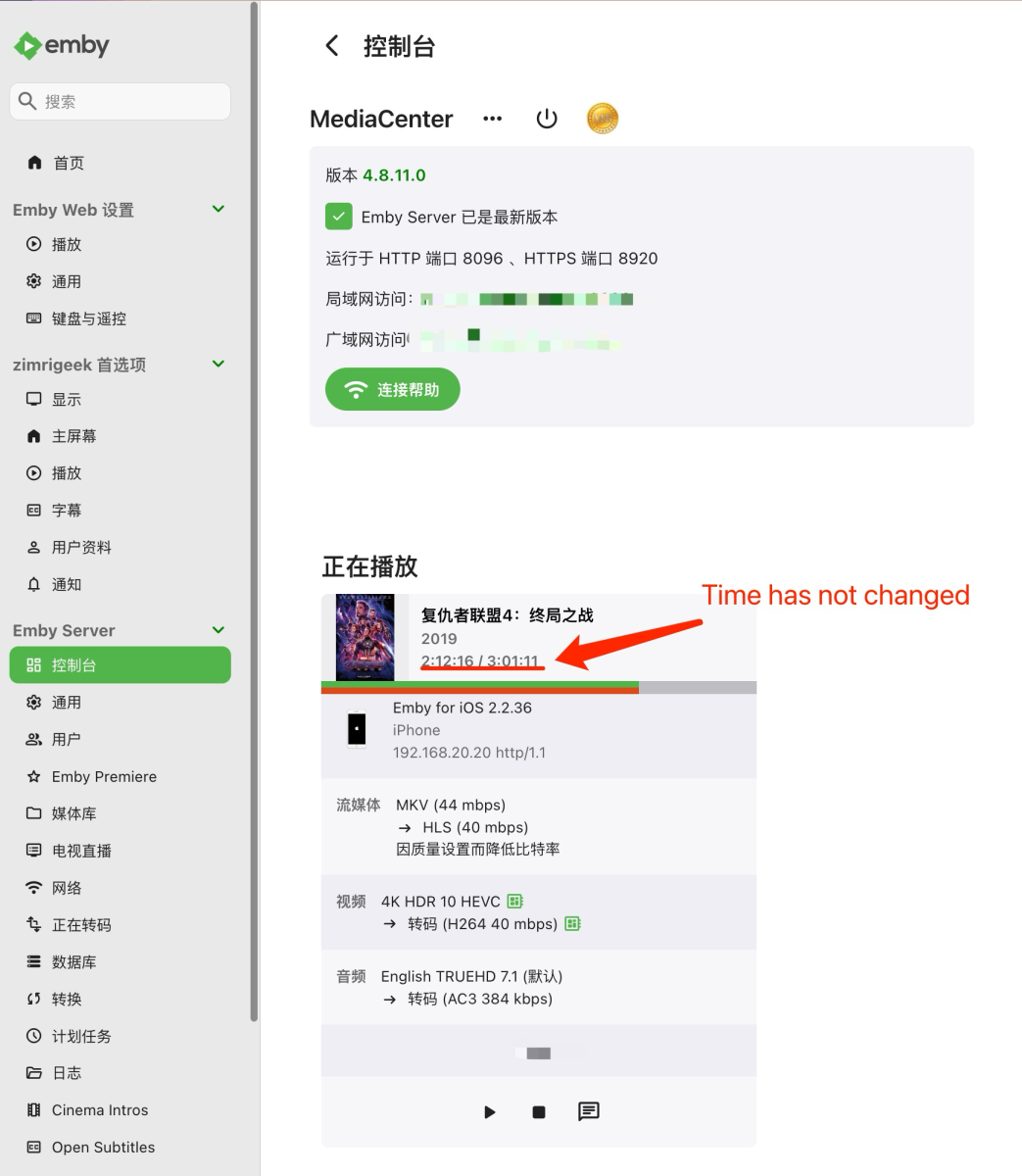
-

New Emby store app has same navigation problem as old desktop app...
stettler posted a topic in Windows & Xbox
Seems the navigation problems of the old desktop app were carried over to the new store app: When navigating the libraries menu (at the top) to reach the profile / setting icon, it often jump back to the first library except if you stop a little time on the last library entry: Also, there is still no way to disable closing Emby when doing a back from the side menu? It's really annoying for a HTPC as you then have to use a keyboard/mouse. If that's a "feature", could you please at least ask for a confirmation? (Do you really want to exit Emby? Yes/No ) -
Hey! Having the almost exact same problem. Win 11 Pro, Emby Windows App 2.219.2.0. Some music files simply do not start. And I have the same format on all my music files, flac. All encoded with the same software. Files play fine in other players. Also, no error message. Nothing happens at all when trying to start playing.
-
Hello. I'm contacting you because I have a problem with Emby Server with a Premium license concerning the DLNA server. My Windows Server 2019 server rebooted last night for an unknown reason and since then DLNA doesn't work anymore. Until a few hours ago everything was working fine and now I'm not sure why it doesn't want to work anymore. The only difference I can see is that yesterday I installed the DotNet 7 SDK and ASP Net Core 7. I reinstalled Emby Server but it didn't change anything. I do have an error in the DLNA logs, as follows: Thank you in advance for your support, as DLNA is completely indispensable in my home installation. Sincerely embyserver.txt
-
Since the last update or two I've been having issues with using Emby Windows app to play music. Background: I use emby on my work PC to play music while I'm working. Normally this consists of just picking a playlist and clicking the "shuffle" button for that playlist, then adjusting the emby player volume to a rather low volume. After that I leave it playing in the background (window open on an extra monitor, but not in focus). Occasionally I'll use the basic play/pause and skip buttons on my keyboard as needed, but I haven't noticed any correlation between this and the issues I'm having. Admittedly because I'm just using it for background music, I don't always notice right away, so I can't confidently say how many songs it gets through. But it is a very regular occurrence for me to realize my music is no longer playing, and when I check the emby app it either paused exactly at the beginning of a song, or the player has closed altogether (leaving my back on that playlist page). If it is just paused, I can get the next song to start by manually hitting play and it will work like nothing ever happened, but that solution is only temporary until the next pause or crash. Interestingly enough, I don't recall that I've ever had it happen when I manually skip a song, only when a song finishes and it goes to start the next one. On some rare occasions it does do the random pause in the middle of a song, but those are much more rare. The above issue seems to be limited to the Windows app, I don't experience this problem in the browser interface, android app, or roku app.
-
Just discovered that the Emby Theater app has been replaced by the new Emby App, so I downloaded it. Issue 1: the "Emby" titlebar is constantly visible at the top of the window, and it's not clear that hitting F11 is necessary to send Emby into fullscreen. The only way I knew to even try was because of knowing its web origins. Issue 2: There is no minimize/maximize/close on the overlay anymore when a video is playing like Emby Theater had (or in the browsing screen) It's a windows app and there's plenty of times that I need to minimize it without stopping my video, so I'm not sure why this feature is missing? Similarly- Issue 3: There is no volume slider on the overlay anymore like there was in Emby Theater. I need to be able to quickly adjust the volume during playback without affecting the volume of the rest of the system or relying on "just turn the tv down." Not sure why this long-standing feature also disappeared? Issue 4: I still cant type into the search box with a keyboard anymore. This used to be possible but some time ago in Emby Theater I suddenly became forced to use the on-screen entry. I can understand this for a touch system, but I'm not sure why I am being prevented from using it as a textbox like any of the other textboxes in the app? I'm running the app on Windows 11 if that matters. I have my display set to "TV" because that seems to be the only way to have it show in the horizontal style shown in the original Emby Theater screenshots instead of the "I'm looking at a webpage" style view that opening emby in a browser gives. Not sure if this is affecting it. I'm hoping these issues can be resolved, as they're big thorns for adopting the new app as standard. EDIT: I should mention that the whole F11 fullscreen issue would probably be addressed by the min/max/close returning, as that's how Theater went fullscreen previously.
-
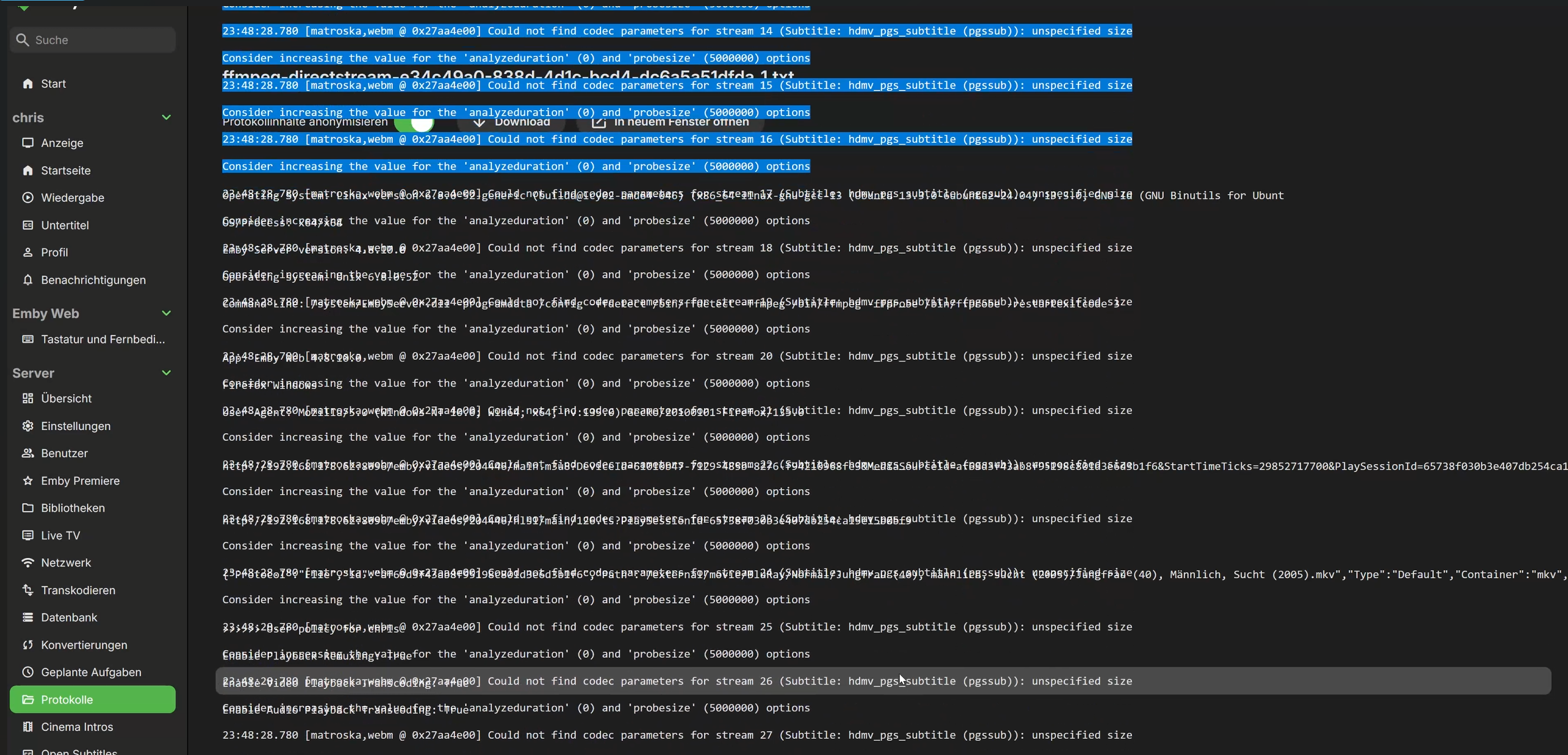
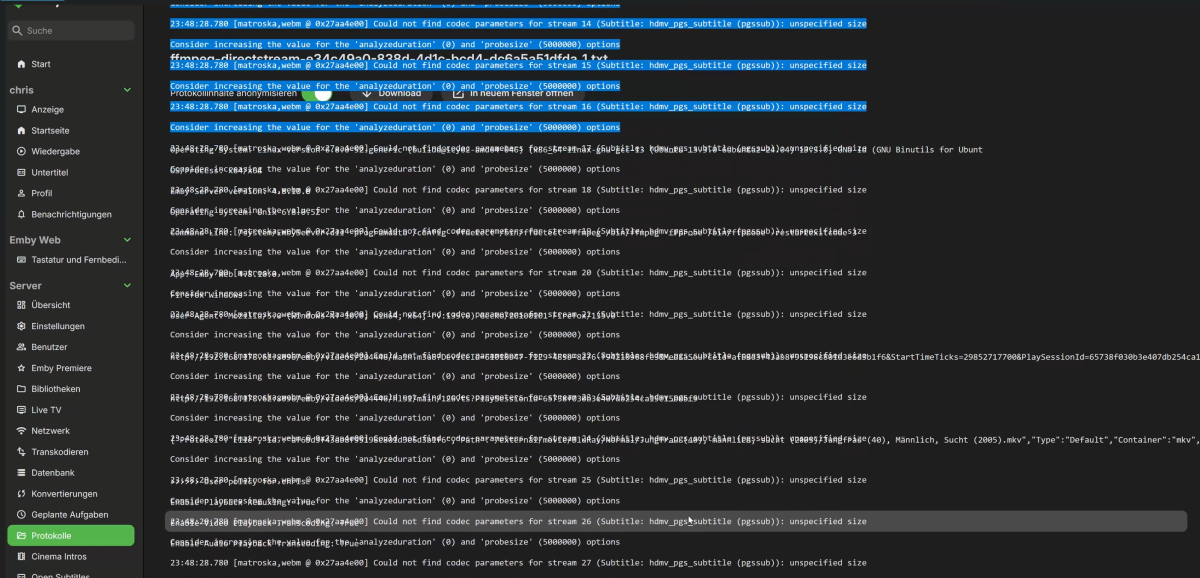
I had this error several times now. Unfortunately, my server is still quite underpowered at the moment, which i guess is certainly contributes to the error. Error description: Sometimes I click on movies or logs and the data takes a long time to load. I can't say exactly how, but by reloading or clicking on the same menu item again, the UI is then loaded twice and displayed one inside the other. This can be seen in the screenshot (I also have a video). Calling up the page via IP and port solves the error again directly. Where does the error occur? WebUI Which browser: Firefox 135.0.1 (64 bit) Emby version: 4.8.10.0 OS: Linux (Ubuntu) Where did I have the error: 'Logs' view and my movie list
-
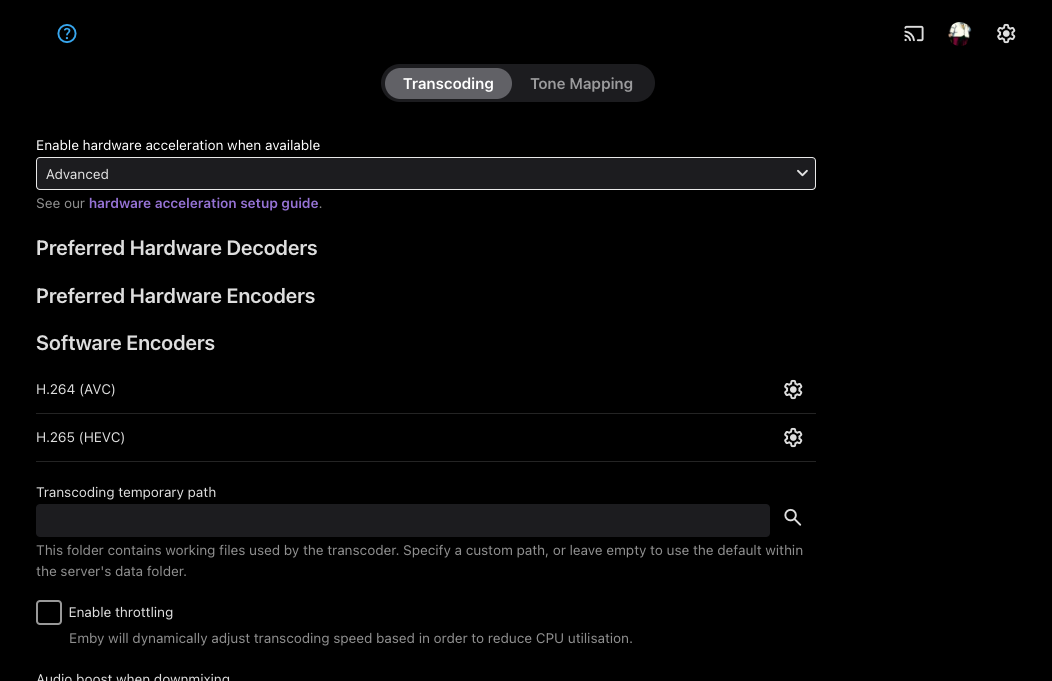
Hello I am running into this issue again that the GPU is recognised by Emby but the options for hardware transcoding are not showing. This issue was previously fixed with Version 4.8.10.0 but appears to be happening again. Just to be clear, Passthrough available (non-NVIDIA) is selected from TrueNAS. Hardware logs attached: hardware_detection-63867970936.txt
-
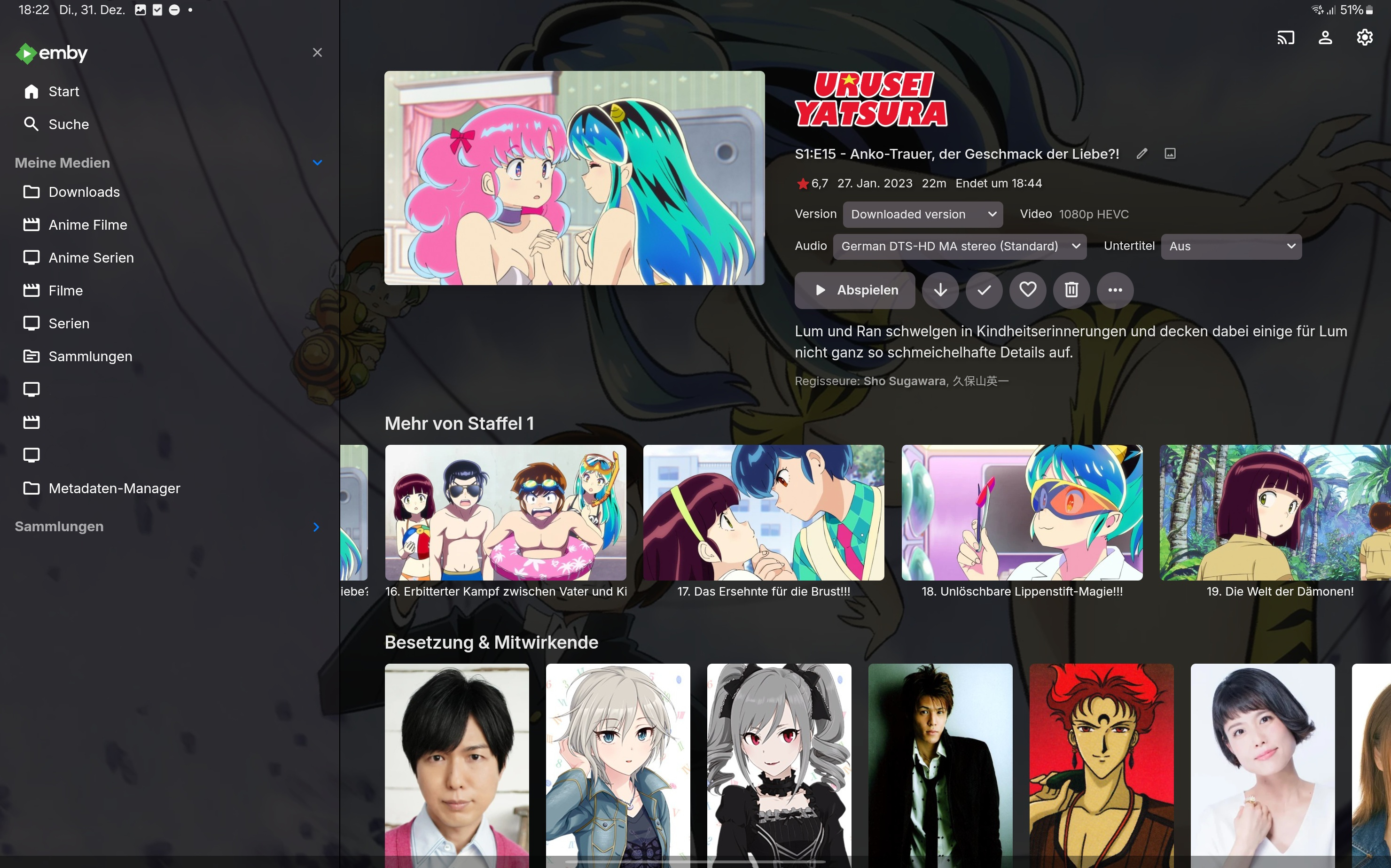
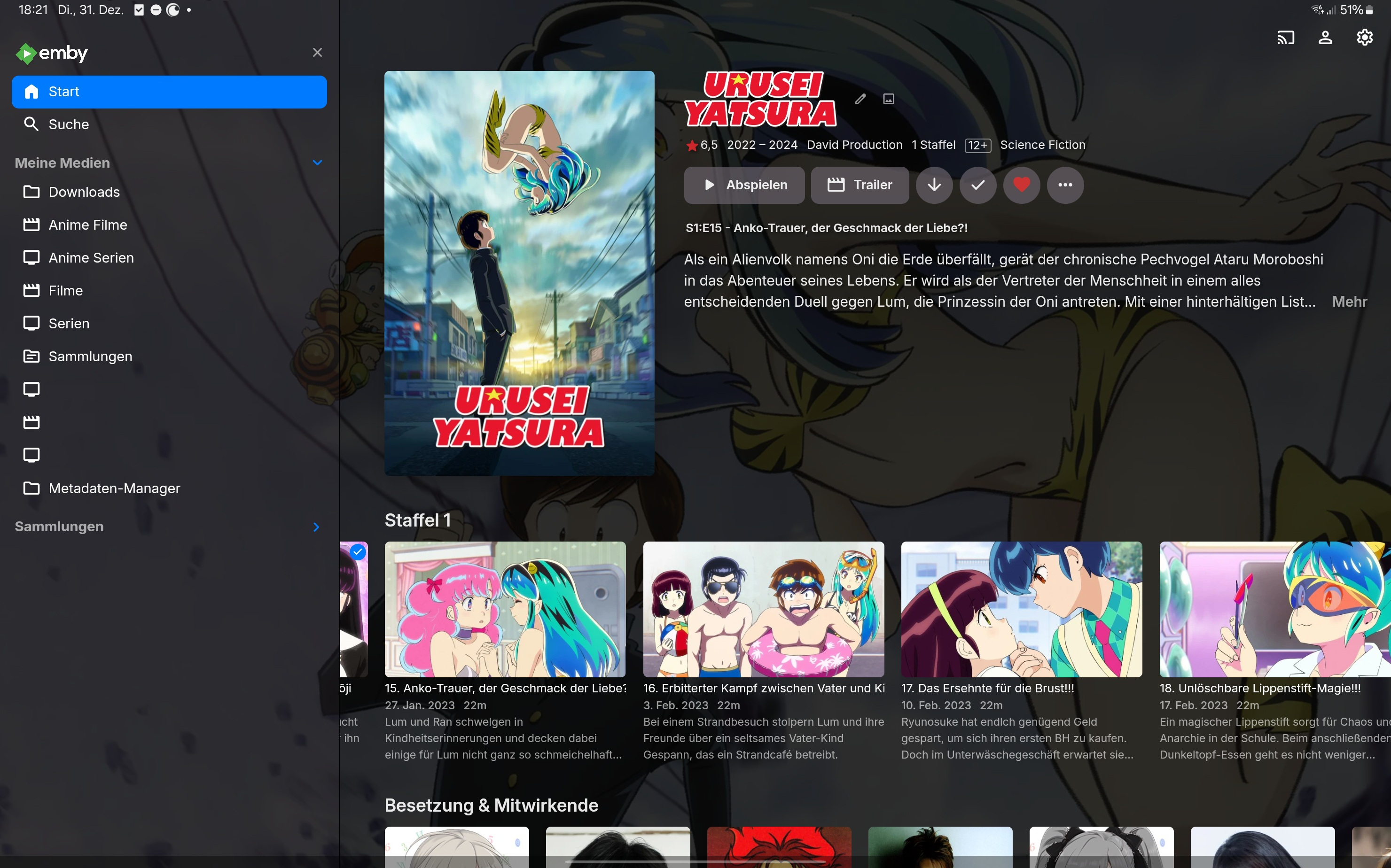
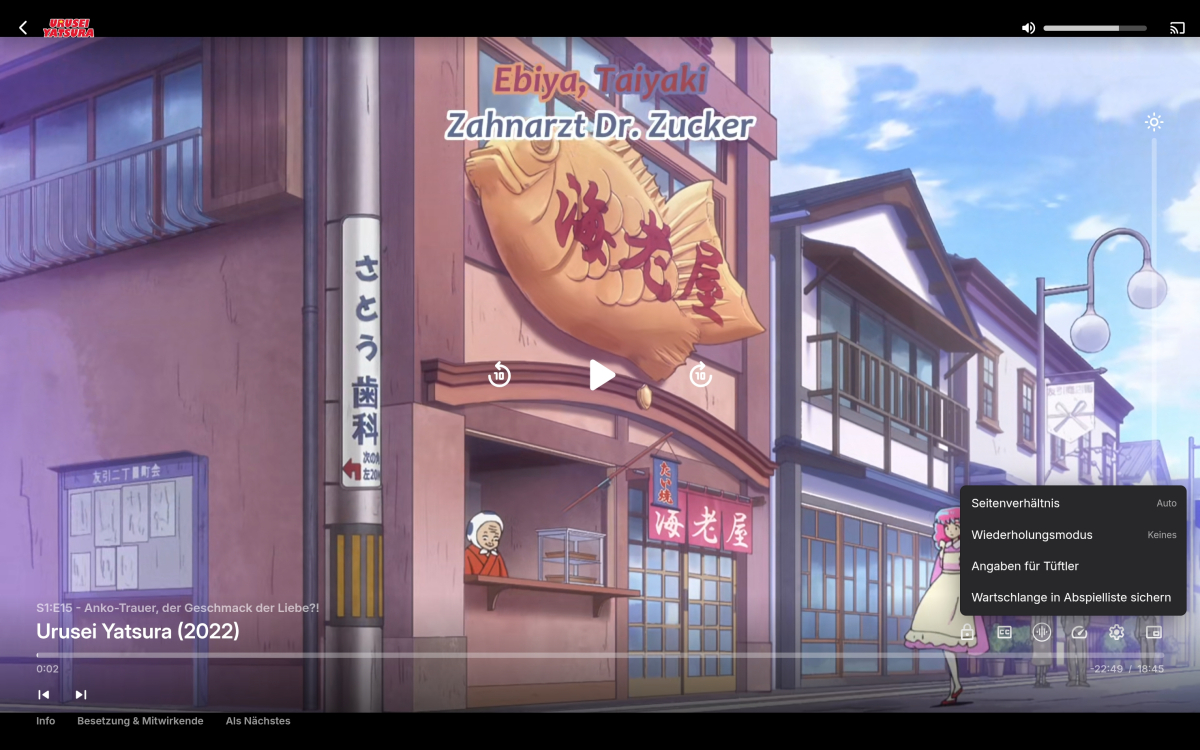
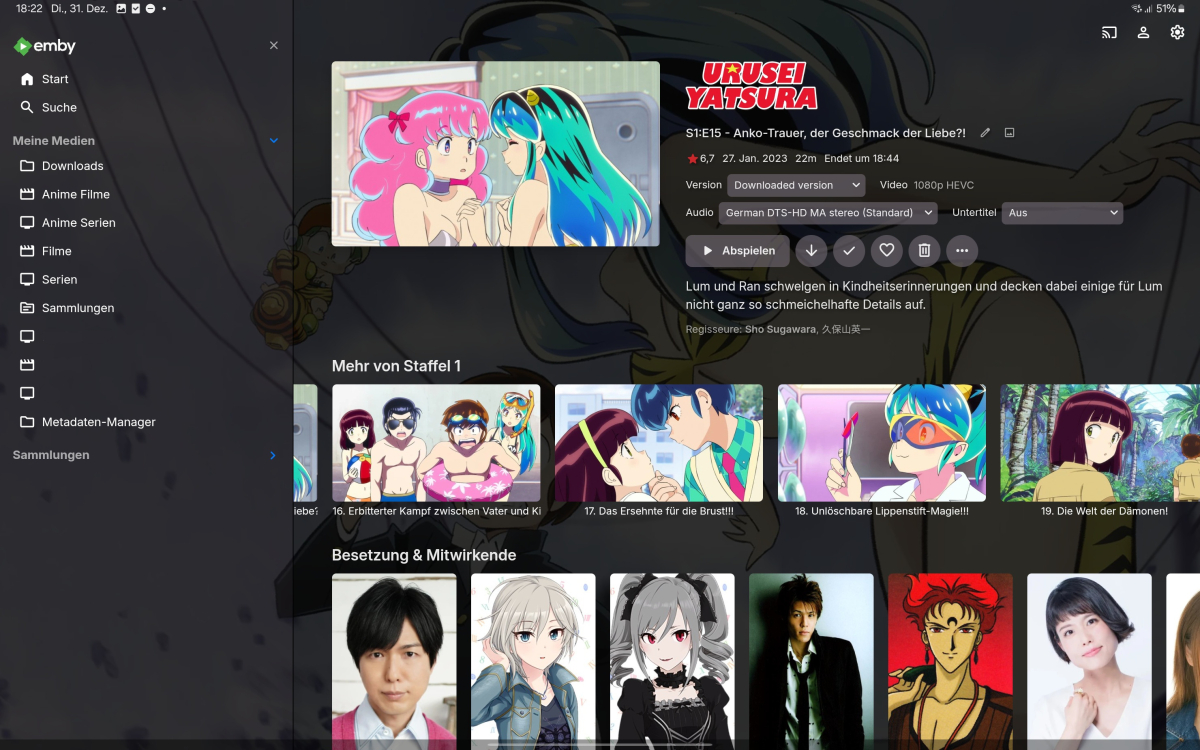
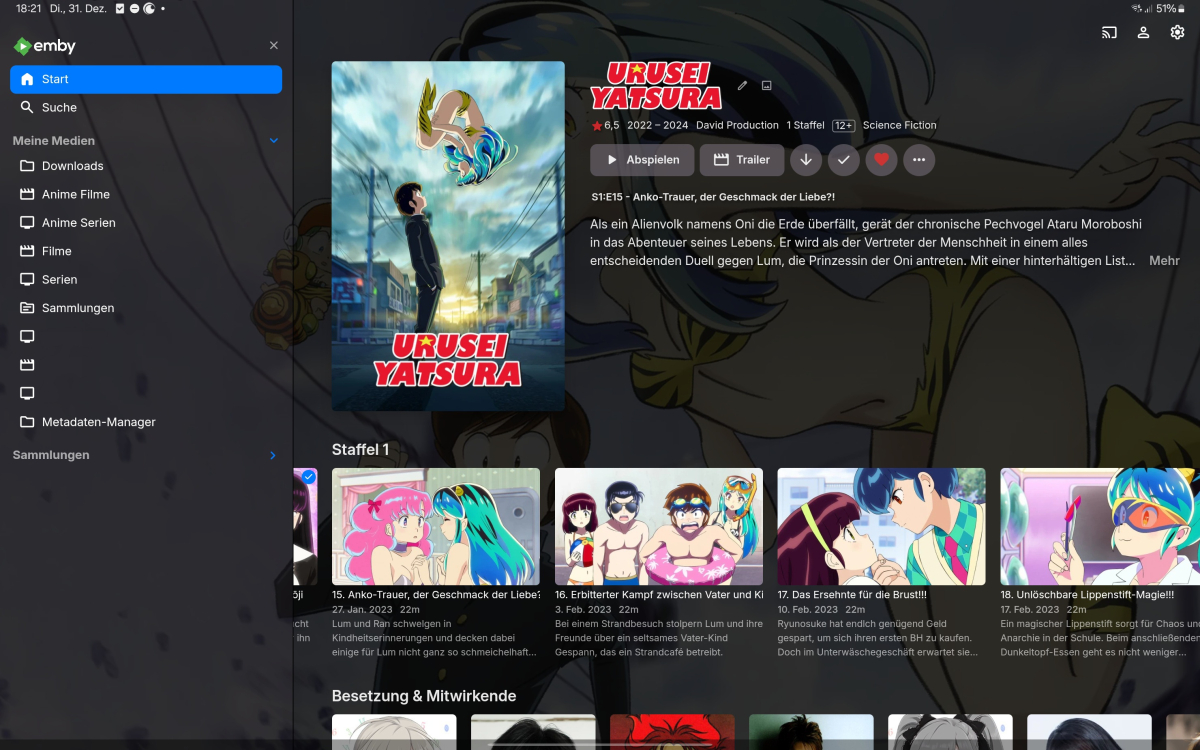
When clicking "Next Episode" while playing a downloaded version in the APP, it switches to the server version
DragonSkills99 posted a topic in General/Windows
Hey @Luke, after some fiddling with downloaded episodes I've found some behaviours I strongly believe are bugs (all tests were done with a series with all episodes downloaded): 1. When I open a series throug the Library or "Continue Watched" and directly hit play on the episode, it's no starting the downloadedd version, but streaming it. 2. When I open the episode it may start this one episode as the downloaded version, but the next episode Emby will stream instead again 3. Only when I go through the downloaded entries it will not fall back to streaming, but whenever a episode is played back from the downloads "Skip Intro" will not be available. It would be nice if the skip intro meta data could als be downloaded along with the episode (should not even be a kilobyte) so that feature also is available offline. 4. When an episode has multiple versions (e.g. a different video-file for different language dubs) it's not possible to choose, which version to download and it's not rare for emby to choose the wrong one. Best Regards and a Happy New Year DragonSkills99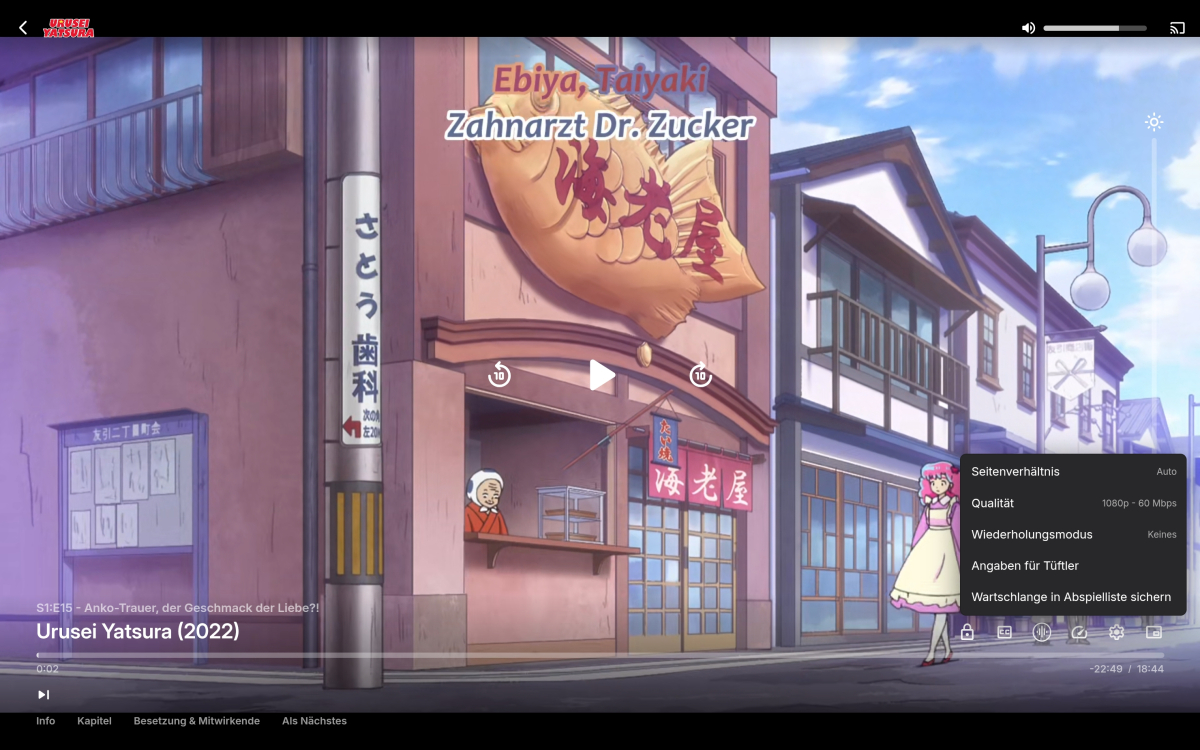
-
.thumb.jpg.1ea4e6b27fd5921ad22171468034b3f4.jpg)
Emby Theater stops playing songs in the music playlist on Windows
Tormentor667 posted a topic in Windows & Xbox
Dear developers, I have downloaded the latest version of the Emby Theater App on my Windows 11 and I have a strange problem which doesn't occur if I use the web client through Firefox or Chrome. If I play a list of songs (for example in a folder by clicking on "Play all" or "Random playback", it happens that after switching to the next song in line the playback simply stops. It's not automatically continuing with the next song but instead I have to click on the "Play" icon again to make it continue playing. I tried this now on several different file formats and albums and it's always the same. On top of that it takes very long on the Emby Theater App to even start a song. I hit "play" on a single song and it takes about 2-3 seconds until it plays. This doesn't occur in the browser web client as well. Also skipping to the next song doesn't lead to the song being played instantly. It also takes about 3-4 seconds before it starts playing. Using the progress bar isn't possible either. If I play a song and click on any random position of the bar, it skips to the next song but doesn't play it but pauses until I hit play. I tried this on two different computers so I can tell it's either a software issue or an issue with my server version of Emby (latest beta currently). Any ideas or suggestions? Kind regards, Dan -
Hi, I think I found a bug in the Auto Organizer: Whenever a multi-episode is organized, the season number is mixed up. I could reproduce this multiple times. Setup: Auto Organize 1.7.4.0, Emby Server 4.9.0.38 beta Logs: 2025-02-24 16:21:22.263 Info App: Sorting file /import/Grimm-s05e21e22.mkv into series /tv/Grimm 2025-02-24 16:21:22.266 Info App: Sorting file /import/Grimm-s05e21e22.mkv to new path /tv/Grimm/Season 05/S50E21-E22 - Der Anfang vom Ende.mkv 2025-02-24 21:11:20.616 Info App: Sorting file /import/Mr.Robot.s02e01e02.mkv into series /tv/Mr. Robot (2015) 2025-02-24 21:11:20.618 Info App: Sorting file /import/Mr.Robot.s02e01e02.mkv to new path /tv/Mr. Robot (2015)/Season 02/S20E01-E02 - eps2.0_unm4sk-pt1.tc.mkv
-
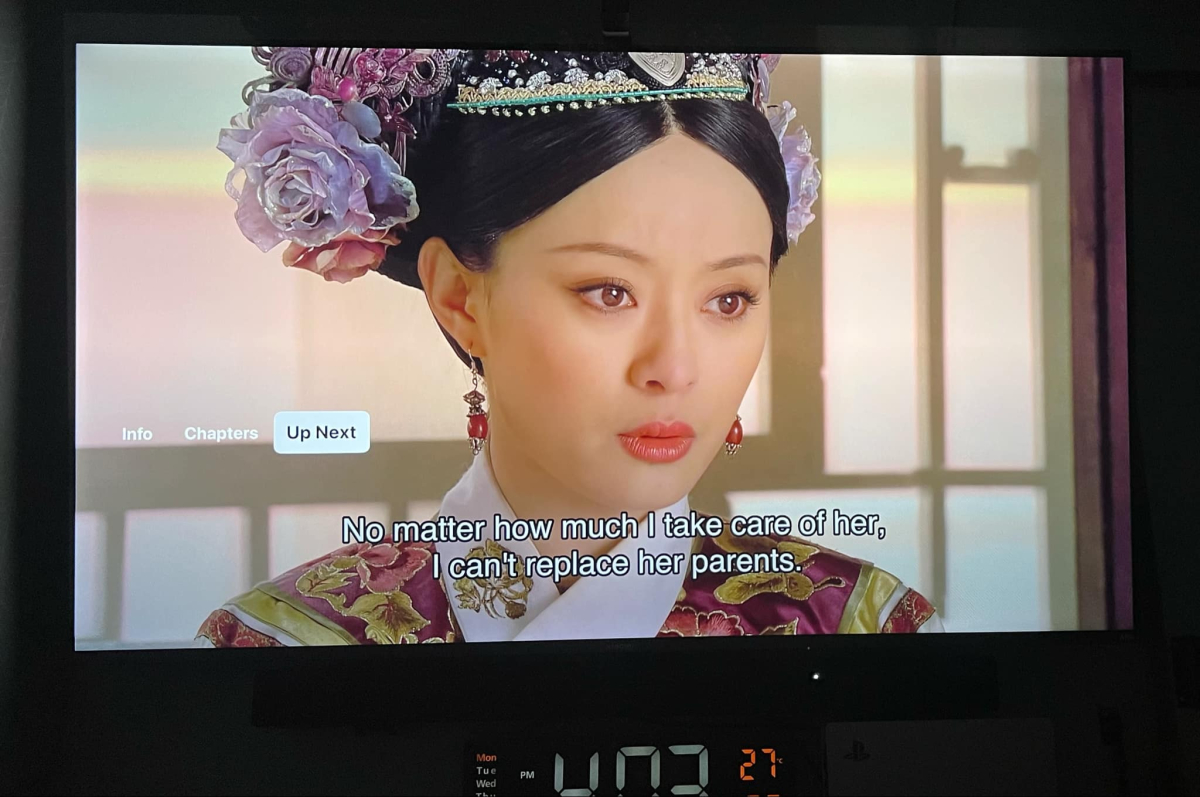
No up next option on Apple TV. When using the web version I have it. Can this be fixed
-
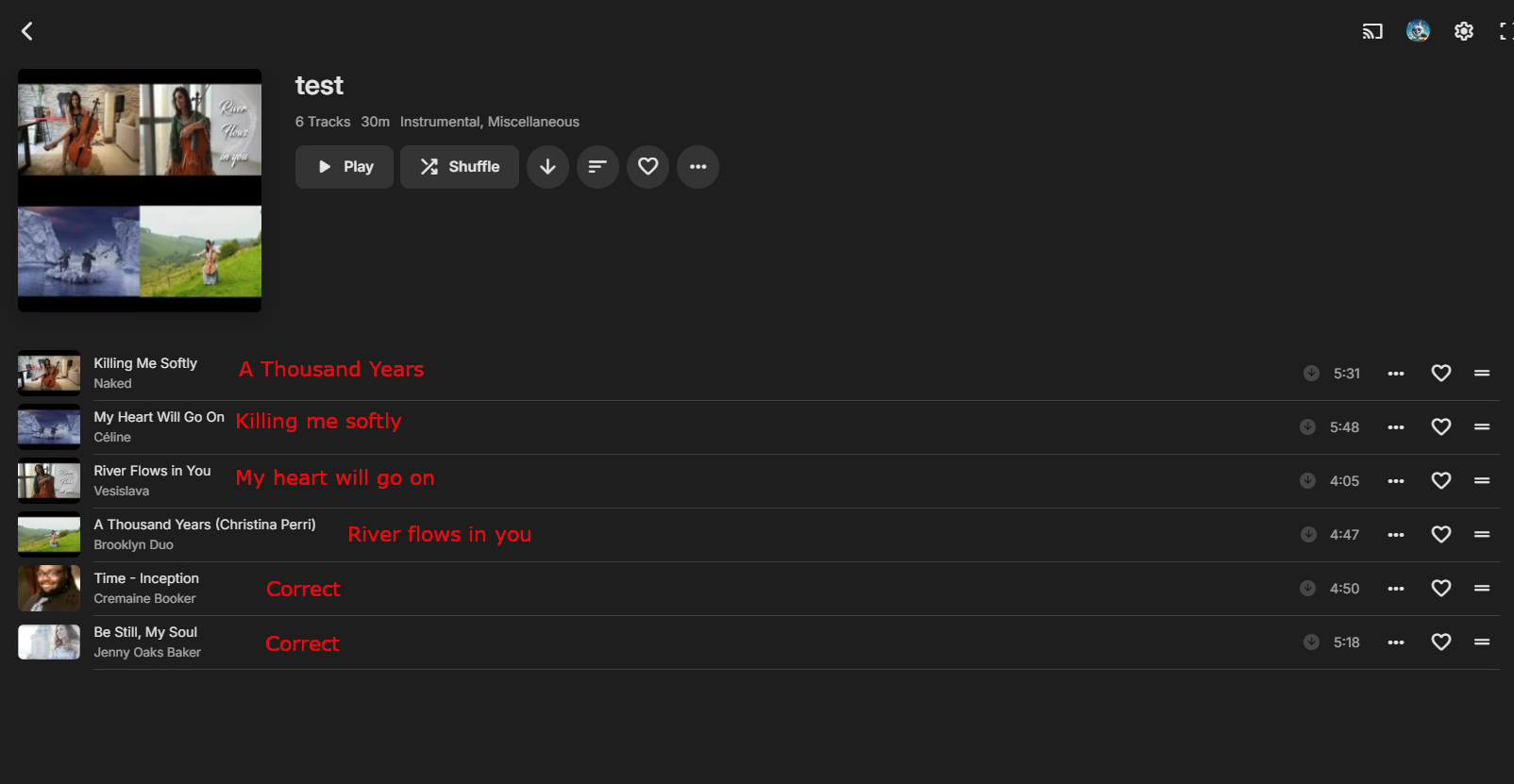
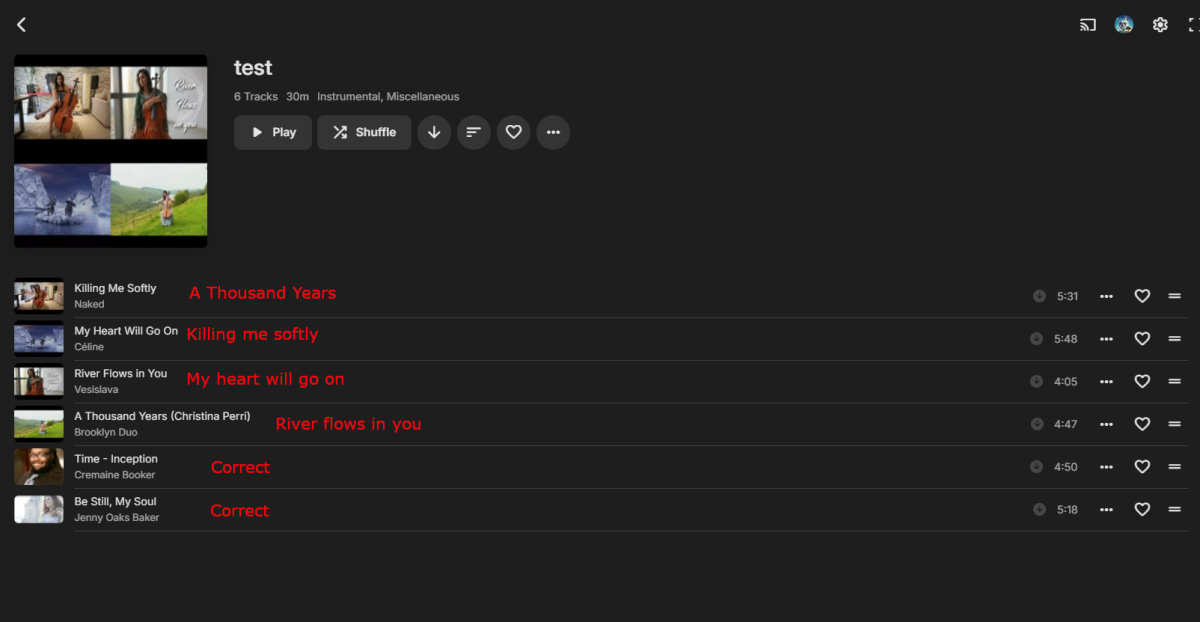
I've recently come across a bug in the new Emby windows 2.210.2.0 when downloading music using playlists. Context: I have a music playlist with a few hundred songs in it. If I use the three dots on the playlist to download the playlist, after it has downloaded the tracks I will find that the music in my playlist is now randomized. The playlist will still appear the same, and will still list the songs in the correct order. But selecting a song to play will result in another song from that playlist playing while the UI is telling me it's playing the song I selected. Testing I've done: So I have uploaded a photo of a test I did to recreate this bug. In the screenshot I show the test playlist I created and in red next to each song is the song that ACTUALLY plays when you select that song. For example if I select "Killing me softly" it will tell me it is playing "Killing me softly" with the appropriate graphics and details such as duration. But in actuality the song coming out of my speakers will be "A thousand years" which is several tracks below it in the playlist. How to recreate/test: Create a small playlist with easily identifiable tracks Play through tracks normally This works fine Click the ellipsis on the playlist page and select download. After the playlist has successfully downloaded, navigate to the playlist and begin playing tracks The names and icons will (often) no longer match up with what track is actually being played If you go to the item page directly, or get to it through another page like the album, artist, or even another playlist it will play fine. Issue only happens when playing it from the downloaded playlist. Go to App Settings >> Downloads >> Manage downloads >> ellipsis next to playlist >> remove download Navigate to playlist and begin playing tracks The song and details on the UI will now perfectly match what is actually being played.
-
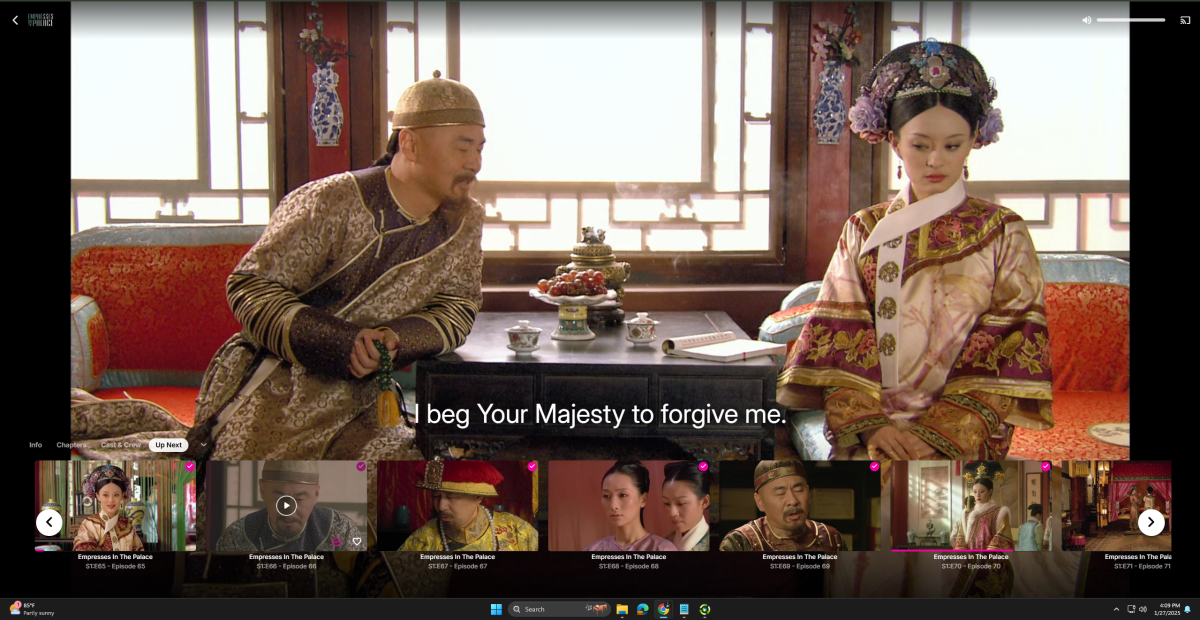
screen goes black after Picture in Picture on iPad and iPhone.
-

Bug Report - Incorrect Subtitle Language Selection during Transcoding in Emby
jacksen168 posted a topic in General/Windows
Subject: Bug Report - Incorrect Subtitle Language Selection during Transcoding in Emby Dear Emby Team, I am writing to report a bug I encountered while using Emby. When transcoding a HEVC MKV file with multiple language subtitles (including Simplified Chinese and Traditional Chinese) into an AVC MP4 format on the Emby server, the extracted subtitle is not in my preferred language. I prefer Simplified Chinese, but after transcoding, only Traditional Chinese is provided. This issue affects my viewing experience, and I believe it would be beneficial to have the option to select the desired subtitle language during the transcoding process. Thank you for your attention to this matter. I look forward to a resolution in future updates. Best regards, jacksen168 Original (Chinese): 主题:错误报告 - Emby 转码期间字幕语言选择不正确 我写信是为了报告我在使用 Emby 时遇到的一个问题。当在 Emby 服务器上将内封有多国语言字幕(包括简体中文和繁体中文)的 HEVC MKV 文件转码为 AVC MP4 格式时,提取出来的字幕不是我喜欢的语言。我更喜欢简体中文,但转码后只提供了繁体中文。 这个问题影响了我的观看体验,我认为在转码过程中增加选择所需字幕语言的选项会很有帮助。 感谢您对此事的关注。我期待在未来的更新中能解决这个问题。 -

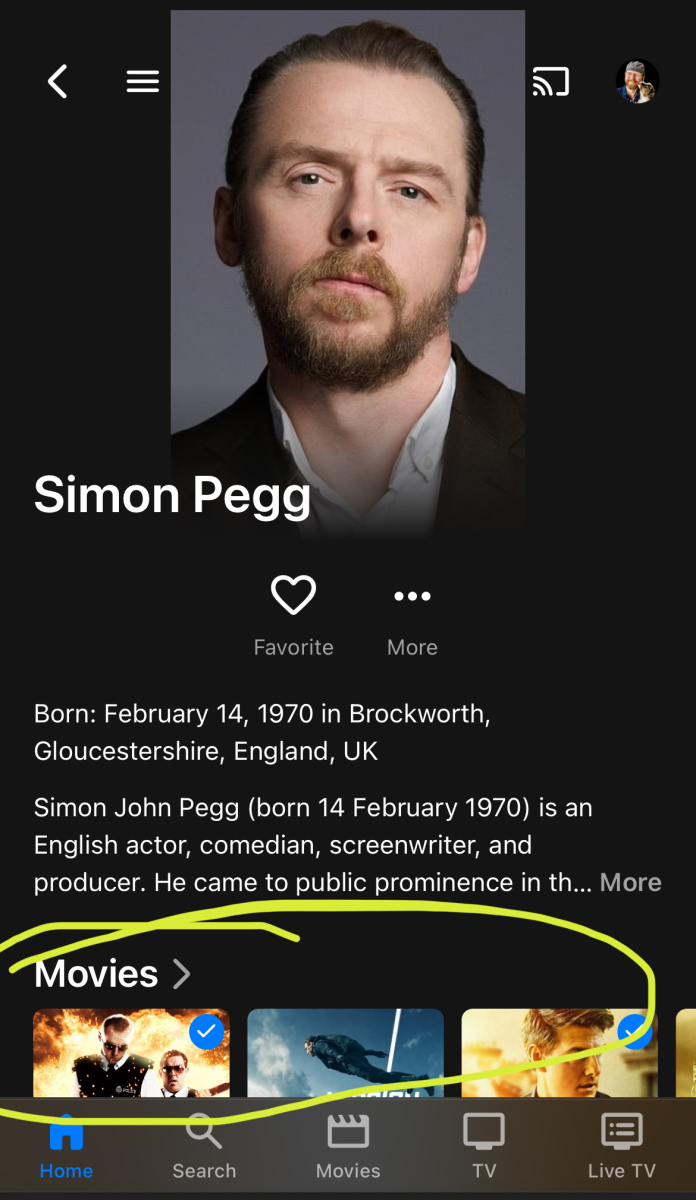
Person page: iOS not showing other media featuring the person
rekit posted a topic in Apple iOS / macOS
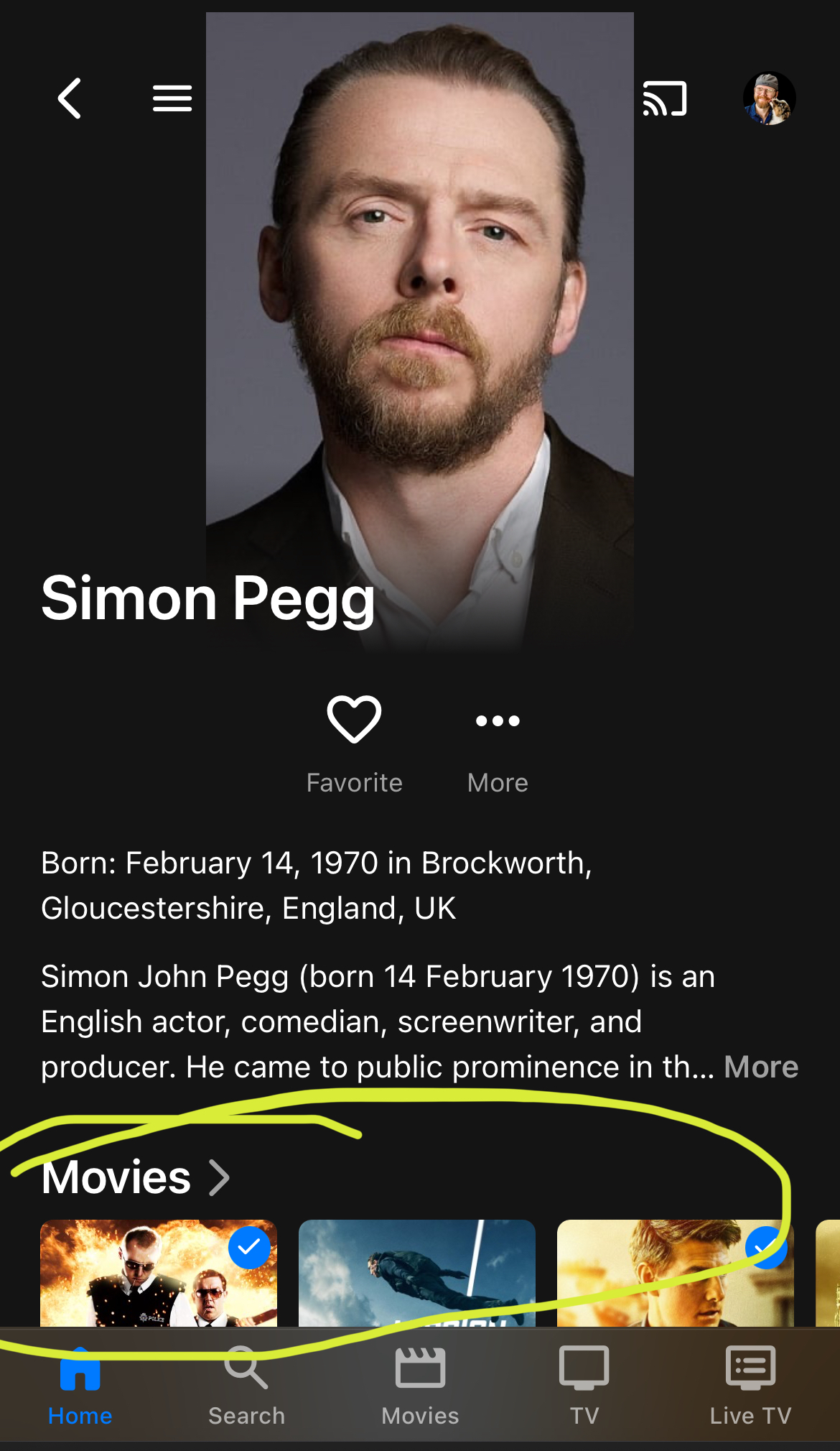
Screenshots attached. iOS v2.3.33 doesn’t show other media featuring the person, but the webui in Safari does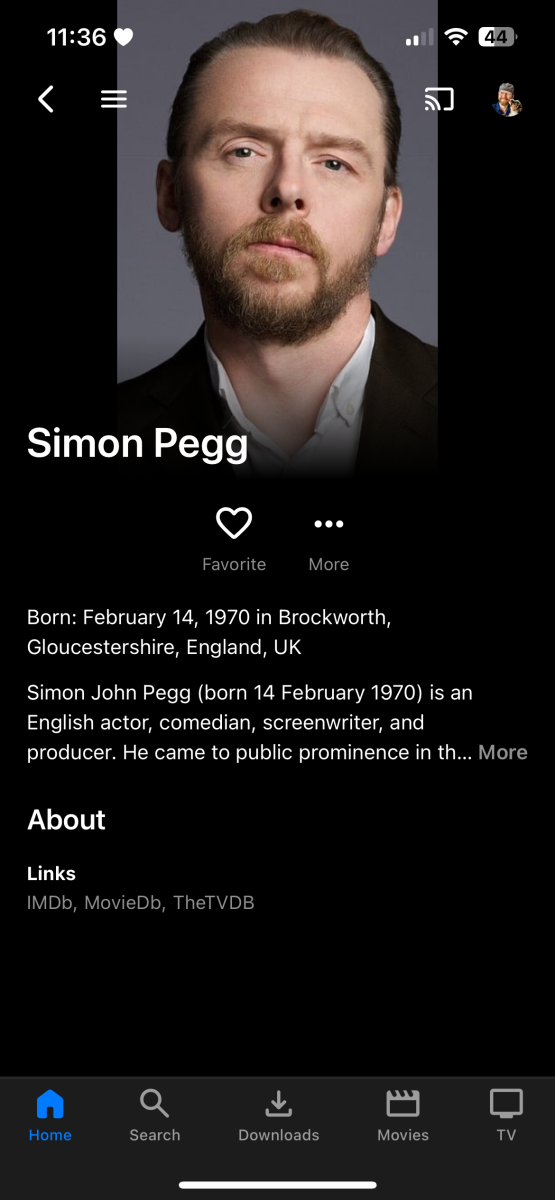
-
Just noticed this today, most recent non-beta windows server and android tv (Shield) client. I added the most recent episode, did the TV library scan and the episode shows up as the next to play. However, as you can see in the screenshot, it shows that episode as missing. I looked at this about 30 minutes after doing the scan. Not sure if this is a bug or just some scheduled task needs to run and pick it up.
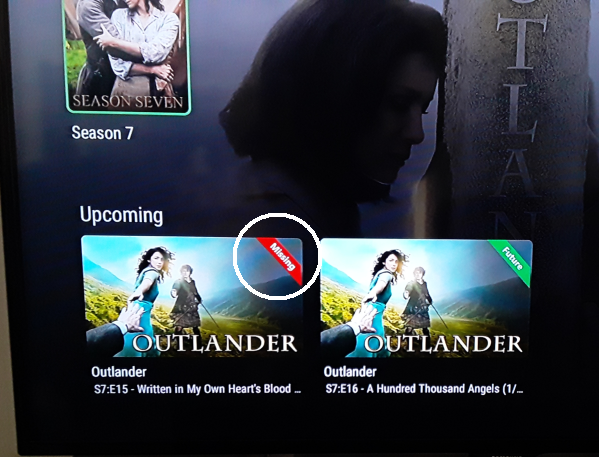
-
I hope you guys aren't getting sick of hearing from me, but I'm trying to do my part by reporting small bugs as I see them. Also, going by my posts you'd probably be lead to believe I mostly use emby for listening to podcasts. But I promise that's not the case. It's just that emby seems to work so smooth for movies and tv so there's nothing to report, and after I finally got used to having to manage music/audio books through tags, that one is fine as well. My current bug is only semi-related to podcasts this time at least. Context: For the context of this explanation, there are only two libraries involved, an Audiobooks library, and the Podcasts library that appears from using the podcast functionality. Under Home Screen in the app settings both the audiobook library as well as the podcast library are checked to "Display in secondary home screen sections such as latest media and continue watching". But, depending on the device I'm using they may or may not show under continue listening. While playing with this to try to understand and troubleshoot before making this post, I found the behavior shifted on me and certain devices started working as they should. So apparently there is some way I can trigger it to behave correctly, but I don't know how I did it. Roku TV (last night): Only podcasts appeared in continue listening Roku TV and Roku stick (today): Both libraries correctly display in continue listening. FireTV Stick: Only the audiobooks library displays in continue listening Android smartphone app: Only the audiobooks library displays in continue listening Windows (microsoft store) Emby Theater (multiple PCs): Only the audiobooks library displays in continue listening Browser UI (Chrome, multiple PCs): Only the audiobooks library displays in continue listening What lead me to discover this was last night I went to turn on an audiobook on the roku tv in my living room, but when I got to the emby homepage there I noticed the "Continue Listening" section only contained the podcasts I'm currently listening to. I can't say for certain if it's always been like that or if this was a one off as usually when I turn this roku tv on it's so my wife and I can catch a tv show or movie. Anyway, I decided to manually go find my audiobook and resume it. Upon navigating to it and specifically navigating to the chapter I knew I was on, the roku did not show a continue play point on the track like my android app did. So I had to check where I was at using the android, then manually fast forward to the appropriate point. My guess is doing this might have kicked it into gear because the roku is now working perfectly with the continue watching for audiobooks and podcasts. That being said, I started paying more attention to it and realized the rokus are the only devices that actually show my podcasts in the continue listening. Everything else (including the android app I use for doing 99% of my podcast listening) only shows the audiobooks section. If it wasn't for the fact that my roku devices initially showed ONLY podcasts and now show both libraries, I would have put this in as a bug with podcasts not appearing in continue listening. But I truthfully think there's more at play here than that. To test if playing the podcasts on one of these devices would suddenly get them to start populating in continue listening, I went to my windows emby theater and found a podcast/episode I knew I was partway through. Again, it didn't show on this device that I had any continue point, but when I hit play it automagically jumped to the point where I last left off. I played this podcast for a good 30 seconds then stopped it and closed and reopened Emby theater, but no dice, this trick did not seem to resolve it for me like it did on the roku devices. Sorry that's a long wall of text, it's sincerely my hope that giving a detailed background of what I've seen and experienced can be of help for troubleshooting this. Either way here's the TLDR: Certain devices only show certain libraries in the "Continue Listening" section, and while I've accidentally fixed some devices, it's not repeatable. Also there doesn't necessarily seem to be any correlation to which device was the one that did the previous listening that needs to be continued and whether or not said device can see said "continue listening" on the home screen. If there's additional specific tests anyone can think of to have me run, feel free to mention them and I'll be glad to do what I can to help troubleshoot this.
-

Emby client on Nvidia Shield Pro 2019 is skipping lines from srt file
Amdir posted a topic in Android TV / Fire TV
Hello, This is most certainly a very annoying bug. Emby client (Android TV) on Nvidia Shield Pro 2019 is skipping lines from srt file while Emby for Android on Shield and Emby for Android on an Android phone is not doing that. Maybe this will help you in debug: In additional tests, Plex client on Shield is having the same bug! Haven't find the time to test Jellyfin but why 2 different media servers' clients having the same bug on the same place. (Skipped lines from srt files are at the same place for both clients) From the attached subtitle. 87 is missing from video screen: There lots of missing lines on screen from subtitle file from now on. It begins with this line. Sharing screenshot from Android client and AndroidTV client: Jujutsu. Kaisen. S01E01. 1080p. WEB-DL. x265. 10Bit. 2CH. HEVC-sLaX.srt