Jump to content

Search the Community

Showing results for tags 'Roku 3'.

  • Search By Tags

    Type tags separated by commas.
  • Search By Author

Content Type


Forums

  • General
    • Announcements
    • Emby Premiere Purchase/Subscription Support
    • Feature Requests
    • Tutorials and Guides
  • Emby Server
    • General/Windows
    • Android Server
    • Asustor
    • FreeBSD
    • Linux
    • NetGear ReadyNAS
    • MacOS
    • QNAP
    • Synology
    • TerraMaster NAS
    • Thecus
    • Western Digital
    • DLNA
    • Live TV
  • Emby Apps
    • Amazon Alexa
    • Android
    • Android TV / Fire TV
    • Windows & Xbox
    • Apple iOS / macOS
    • Apple TV
    • Kodi
    • LG Smart TV
    • Linux & Raspberry Pi
    • Roku
    • Samsung Smart TV
    • Sony PlayStation
    • Web App
    • Windows Media Center
    • Plugins
  • Language-specific support
    • Arabic
    • Dutch
    • French
    • German
    • Italian
    • Portuguese
    • Russian
    • Spanish
    • Swedish
  • Community Contributions
    • Third Party Apps
    • Fan Art & Videos
    • Tools and Utilities
    • Web App CSS
  • Testing Area
    • WMC UI (Beta)
  • Other
    • Non-Emby General Discussion
    • Developer API
    • Hardware
    • Media Clubs

Blogs

  • Emby Blog

Find results in...

Find results that contain...


Date Created

  • Start

    End


Last Updated

  • Start

    End


Filter by number of...

Found 5 results

  1. xooni

    Playback problems

    Hi! Will the new update work for general streaming issues with Roku? For the last several weeks I've had playback errors, saying there are no compatible streams, trying to play any show or movie on my Roku tv.
  2. GothsterC

    Emby not loading on Roku

    Hello, I searched the forum and found situations similar to mine but not quite so I thought I would start a new topic. I have a Roku 3 device. It's been working fine and after finishing up a viewing, I logged out. This is in the log: 2025-10-03 22:47:15.433 Debug SessionManager: Removing active session DeviceName: RecRoomRoku ReportedDeviceId: 083dee1a-e885-58e1-8679-3b5cfb30bbf8 DeviceId: 134 Then after a while I came back to watch something else and as soon as I clicked on Emby, I would get the logo followed by Welcome to Emby, then it just goes back to the main Roku app screen. I tried this over and over without luck. I also tried restarting the Roku box both with the interface and by unplugging it. Nothing helped. I reinstalled the app. That didn't help. I removed the Roku box from the Devices list in the Emby server. Still get the same behavior. I have the latest Emby server fully updated with latest plug-ins running on Windows. The Roku box has the latest updates and same with the Roku app. These loading attempts are not showing up in the Emby server logs. I also have no trouble loading other apps on that box such as YouTube and Netflix. I also have no trouble loading Emby on other devices like on my web browser or phone. One more data point: I'm running 4.1 build 49. Also the Roku Emby app (same version) is running on my Hisense RokuTV without problems. So it appears only to be the Roku 3. Did something get messed up when I logged out or when I removed the device from the Emby server? Any ideas?
  3. Dgfj

    Disappearing

    Hi when I add a server to emby app works fine but when I change app then go back the server has gone again is there a way to stop this?
  4. I have a HDHomerun Prime 3-tuner device that had been running flawlessly with Emby until a couple of days ago. I run Emby Server at startup (not as a Windows service) and I subscribe to Schedules Direct. I have the Emby TV plugin and have successfully recorded live TV in the past. I have three Roku 3 devices and they were all able to play live TV (Charter Cable is my cablecard provider). I could also watch Live TV by opening the Emby Server in a Chrome browser on any PC or Tablet device in my house. There were no streaming /stuttering issues. Suddenly, within the past two days, I can no longer watch live TV at all (not even at the Emby Server host PC, not on Roku, or anywhere else on my network). I can open the SiliconDust HDHomeRun View app and it plays live TV flawlessly from any device on my network. I've rebooted the host computer, restarted the HDHomeRun Prime Tuner, tried running Emby as a service, etc., but nothing seems to work. I'm running Windows 10 64-bit on a very capable Dell XPS 8-core PC and everything related to Live TV from the Emby server just stopped. Any ideas on what could have caused everything to stop working? I have attached a recent log server-63576952823.txt. I'm too new at this game to interpret what the logs mean.
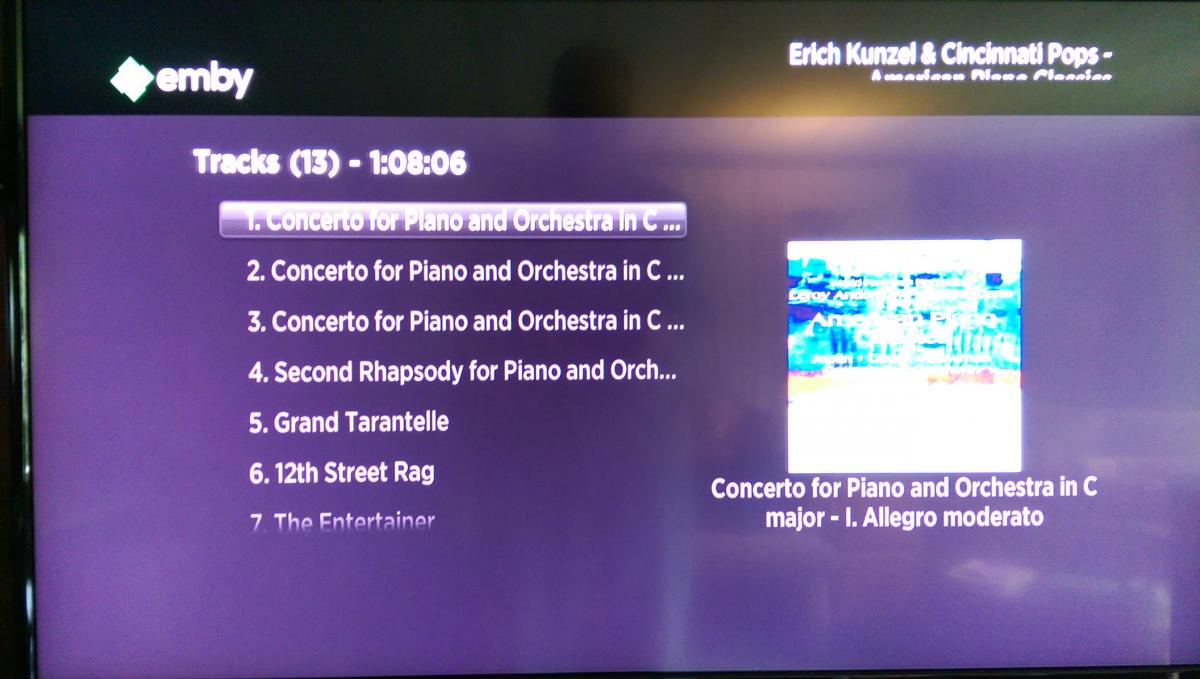
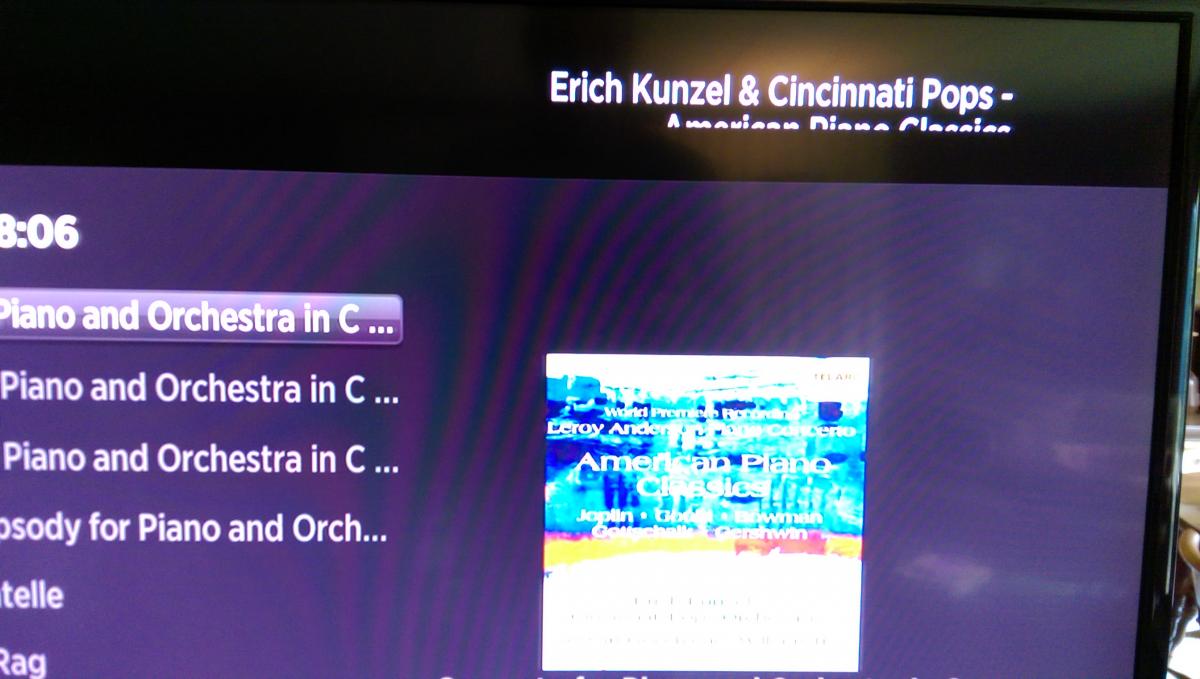
  5. When playing music on the screen showing album tracks, the Artist - Album title is displayed in the upper right corner. With long names the text wraps. For me, the second line of the text is cut off only showing the top portion (not truncated). Not sure if this is a Roku 3 or Emby issue, any ideas? Two pics have been added...
×
×
  • Create New...