Media backdrops
A backdrop is a background composition associated with media that must remain useful under crop, interface overlays and the chosen display environment.
A backdrop supplies visual context behind other interface content. A detailed scene can look attractive on its own while competing with the title, controls or descriptive text drawn over it.
The composition includes the interface
An original wide scene has a prominent subject on its right side and relatively quiet space on the left. Placing text in that quiet area can retain both recognition and readable foreground content.
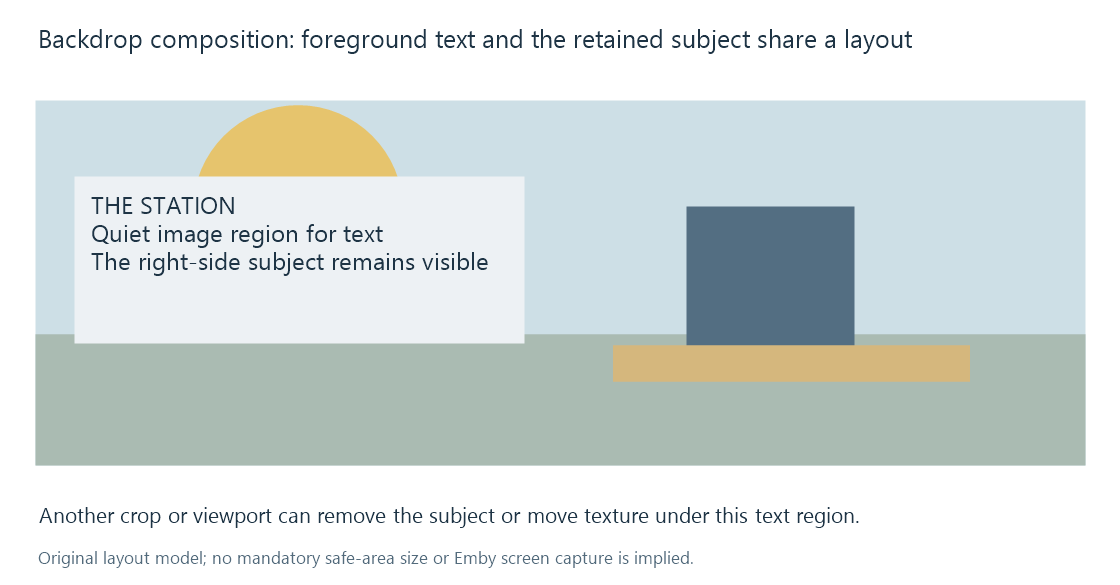
This is an original layout experiment, not an Emby screenshot or a mandatory safe-area specification.
Text readability can depend on local image contrast, an overlay treatment and the actual type size. The backdrop's image resolution does not establish those relationships by itself.
Cropping changes the useful region
A narrow screen can retain another portion of a wide backdrop than a widescreen presentation. A subject near the edge may be removed, while a centered crop can preserve another image better.
Image resizing develops contain/cover geometry. The selected app's layout decides which operation is used.
A wide backdrop should not automatically be turned into a portrait poster; its composition and missing title treatment can have been authored for another role.
One work can have several background resources
Emby's image-type documentation describes backdrop use and the possibility of clients alternating backgrounds. Those resources remain images associated with the same entity.
The order/selection of that set is different from movie playback order. A stale or wrong backdrop can also concern cached artwork rather than a wrong video file.
Keep the image's entity, language/text treatment and chosen role with its source. That makes an artwork correction specific to the background being presented.