Media artwork roles
An artwork role describes an image's presentation purpose and entity relationship, separately from its file format, dimensions or source.
Artwork identifies or supports a media presentation. Its role describes where and why an image is used, rather than which decoder opens its bytes.
Purposes have their own resources
| Role | Purpose |
|---|---|
| Poster | A principal portrait-style identification image |
| Backdrop | A wider background behind the interface |
| Transparent logo | A compositable title/branding layer |
| Embedded cover | An image carried inside a media file |
| Episode image | An image associated with an episode |
| Chapter image | A preview associated with a programme position |
Embedded describes carriage, so an embedded image still needs its intended cover or other presentation role.
Role, format and dimensions differ
A JPEG can be a poster or backdrop. A PNG can be a transparent logo or an opaque rectangle. Width alone does not decide the entity or role.
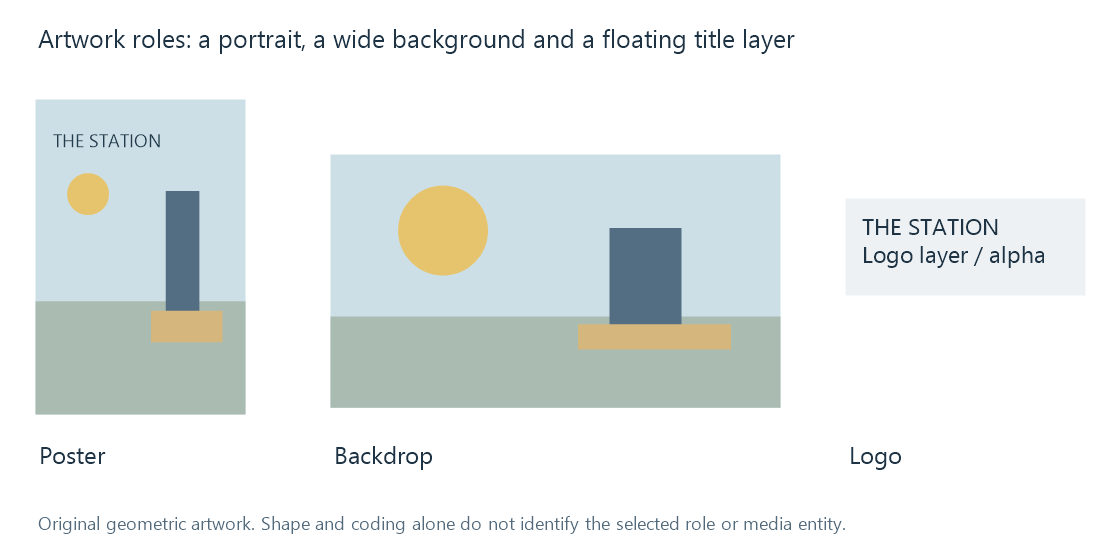
The selected image should also belong to the right movie, series, season, episode or album relationship. A high-resolution image for another edition or episode can be technically valid and visually unsuitable.
Emby's image-type documentation describes role-aware views and applicable fallbacks. That product context is distinct from a provider's resource labels.
A fallback serves a missing slot
A view can use a primary image where its preferred role is absent. That supplies something to display; it does not transform the composition into an equally suitable poster, logo and background.
The app's fitting/cropping rules can change what remains visible. A title near the top of a portrait poster can disappear when a centered wide crop is applied.
Keep selected role and available fallback separate when evaluating the result.
Selection combines several requirements
Identity, role, language, dimensions, alpha and the available source all contribute. A larger wrong-language image need not be preferable to a smaller adequate match.
Artwork language selection develops that choice. Image resizing explains what happens after a resource is selected.
See Also
- Media posters
- Media backdrops
- Transparent media logos
- Artwork language selection
- How metadata providers work