All Activity
- Past hour
-
 Hussain_95 joined the community
 -
 leyawa joined the community
 -
 gayanaftali joined the community
 -
 cifofo6 joined the community
 -
 luisramirez3 joined the community
 -
 wakima joined the community
 -
 vekipok joined the community
 -
 kamrul42 joined the community
 -

Emby for Android 3.5.28 does not support Unicode characters in subtitles
ThomasPdt posted a topic in Android
Hi, I noticed that the Emby for Android app (version 3.5.28) replaces Unicode characters in SRT subtitles with rectangles (for example, the Unicode character for the music symbol). I tested the same subtitle in the Emby for Android TV app and that one shows the Unicode characters correctly. Could admins update the app to support Unicode characters in subtitles ? Thanks in advance -
 Corradon joined the community
 -
 biyefa joined the community
 -

Hide Playlists from Included In & Group Albums by Release Type + Decade
user24 replied to user24's topic in Web App CSS
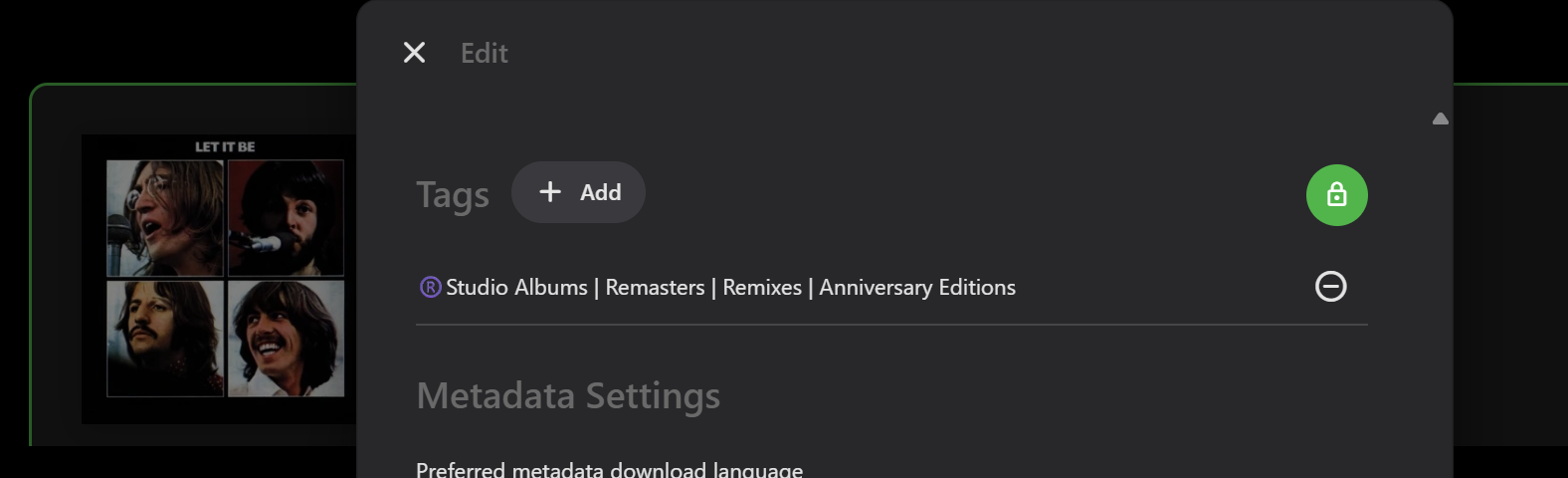
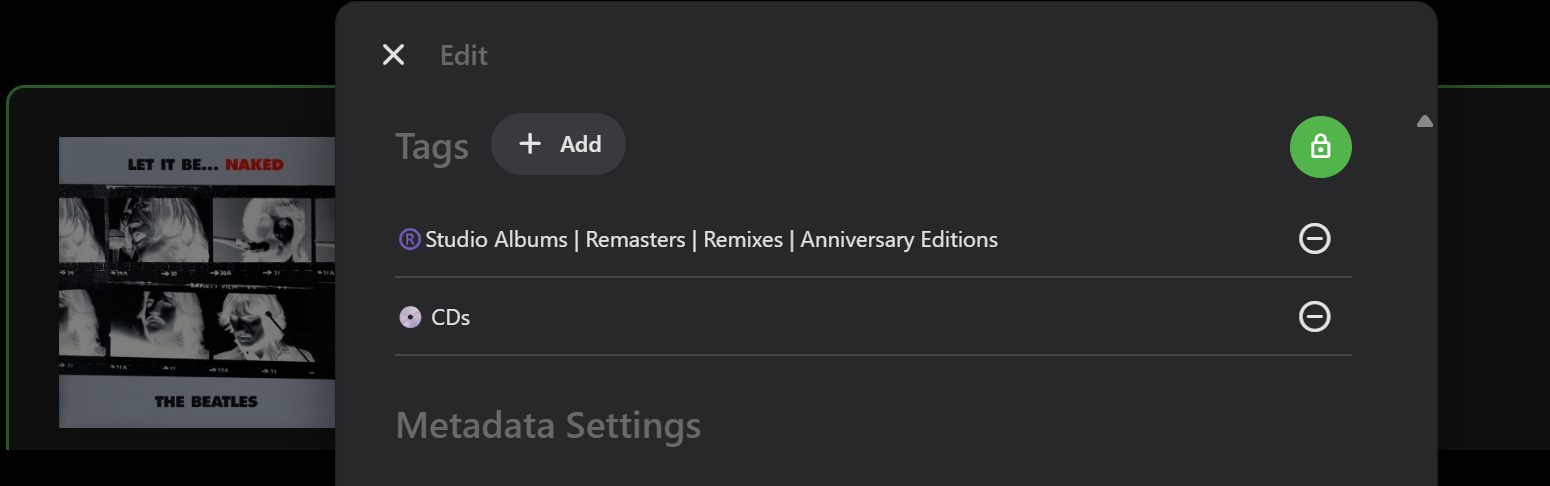
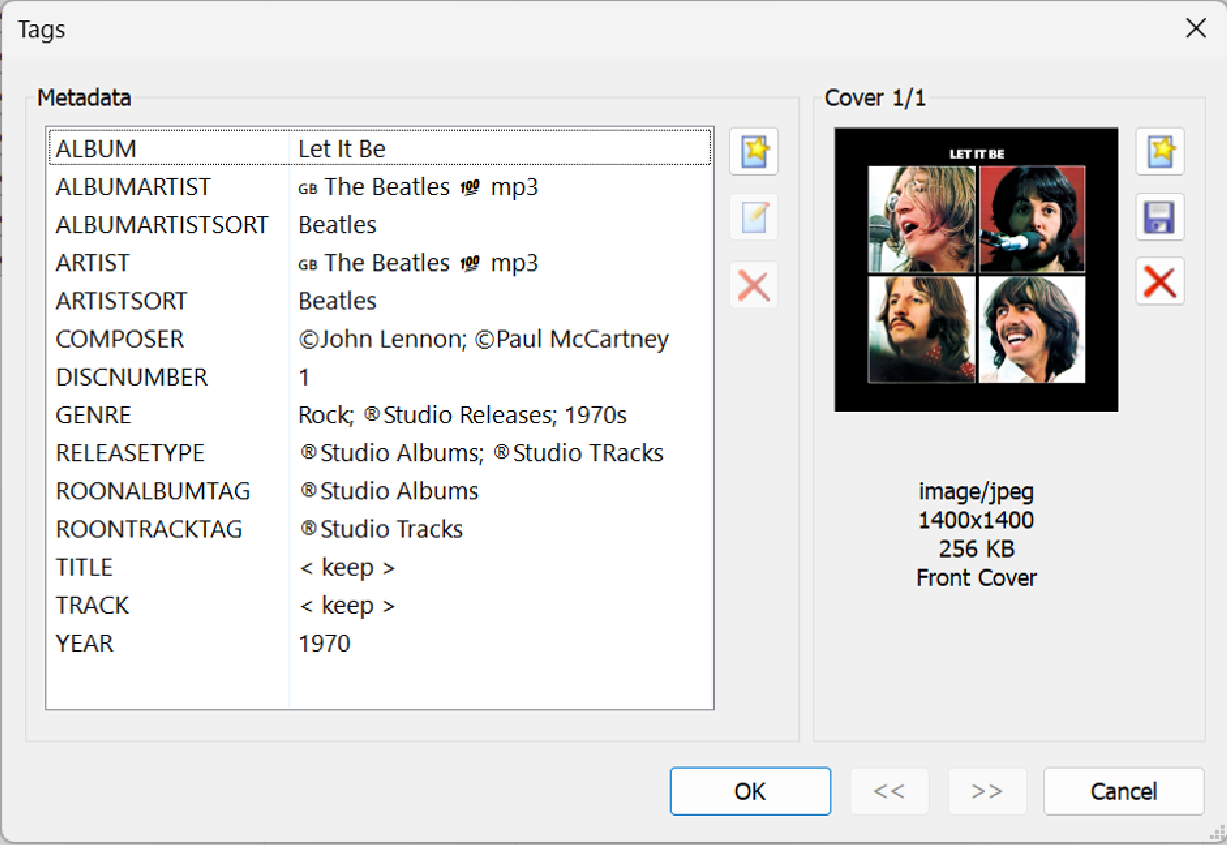
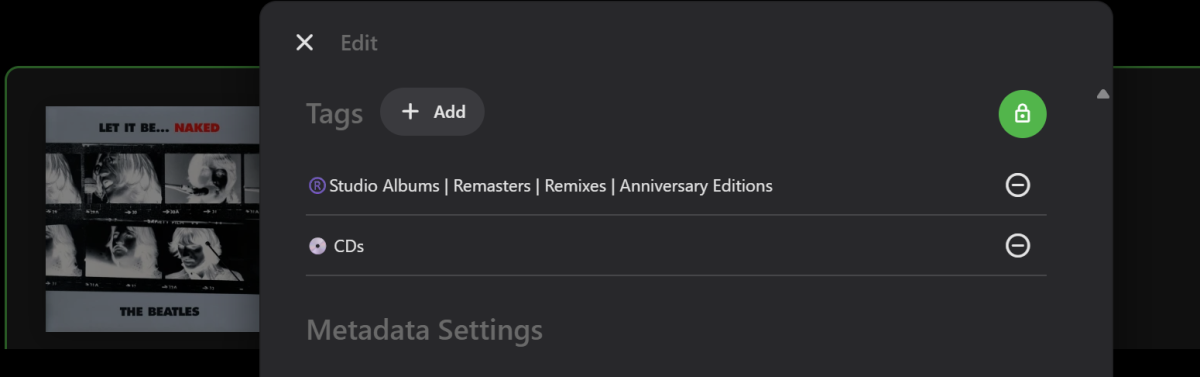
Albums in the first group mostly have one tag, as follows: One Album has two tags as per second screen shot.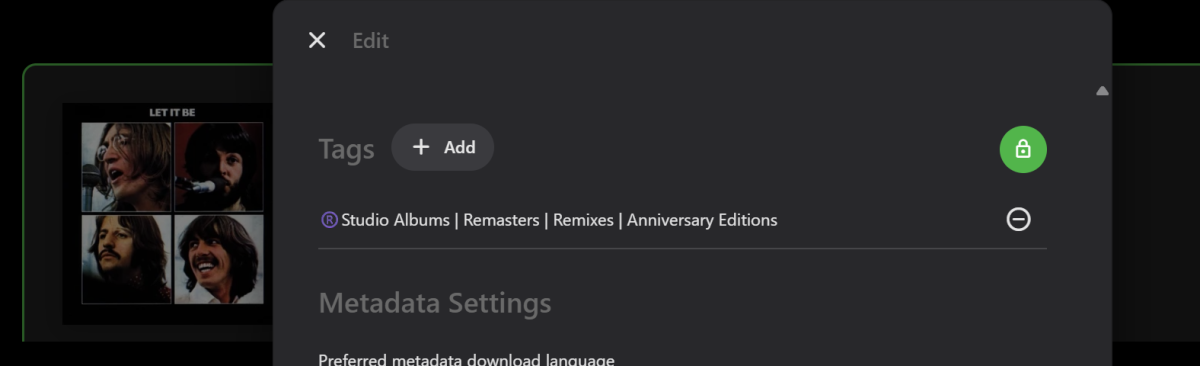
-
Hi, I'm having issues with the way Emby handles ordering and playing of special episodes. I've tried lots of possible configurations and I'm unhappy with all of them. My specials are stored in each season folder. What I would like is for Emby to: - show a season's specials at the end of the episode list of that season; - go through normal season episodes without being interrupted by a special (for example, when finishing season 1, I want Emby to start playing episode 1 of next season, not a special); I know it's possible to change `Airs before episode` to tell Emby to show a special at the end of a season after all normal episodes, but this doesn't answer my requirement as Emby will play all specials before going to the next season. Basically, all I want is to have the specials in the list of episodes of the season but I don't want Emby to play them automatically, is there anyone who can tell me how to do this ? N.B. Please note that the Emby's documentation on specials ordering is outdated as it refers to fields that don't exist anymore, it would be nice if admins could update it. https://emby.media/support/articles/Ordering-TV-Specials.html Thanks in advance
-

Hide Playlists from Included In & Group Albums by Release Type + Decade
GrimReaper replied to user24's topic in Web App CSS
I don't use it at all. This is literally the first time I'm encountering these things. Now, we need to take a step back as there's a disconnection in our mental maps: Can you tell me, albums in the first group, which tags they have? You can just show me Edit metadata dialog Tags section for one of them. -
Hide Playlists from Included In & Group Albums by Release Type + Decade
user24 replied to user24's topic in Web App CSS
Yeah, its hard not being in the same room to figure it out.... and I forget you don't use music very much... In ROONALBUMTAG there would mainly be the release type tags that start with "" e.g. "Studio Albuns, etc, etc" or ".Live Albums, etc, etc". the full length names I have used Then these can have the custom sorting order in the script. There would likely only be one per Album, thus putting the Album into one group only, as most albums per the page screenshot. Additionally, if i wnat to put an Album into " CDs" because I have that physical CD, then that becomes a second tag in ROONALBUMTAG. Then that album will appear on the page twice becuase it is in two groups. semi-colon ; is very safe to always be the separator for me. It is also commonly used for music and widely used in MP3tag/Emby by others. -
Hide Playlists from Included In & Group Albums by Release Type + Decade
GrimReaper replied to user24's topic in Web App CSS
I'm finding it a bit hard to wrap my head around all the possible branching combinations and permutations: If you had only this: Then you cannot have this: as for that kind of grouping the whole tag would have to literally be: "Studio Albums | Remasters | Remixes etc..." Also, if you have that and import both the tags (or multiple tags, there's no issues with that tag being multi-value field), you'll have that album showing twice: Studio Albums group CDs group Also, is it safe to use semi-colon as a delimiter, it will never be a part of the type/group name? -
New stable release - Version 3.3.0.0 Download .dll and full release notes: https://github.com/soderlund91/HomeScreenCompanion/releases/tag/v3.3.0.0 This updates focus on bug fixes and improvements to fully work with the home screen settings. Also introducing a Cleanup menu/function. This release is not that significant by itself, but it's a milestone for the plugin as a whole. With Emby Server v4.10.0.8, all bugs seem to have been fixed for filters in the home screen sections setting, and this allows this build of the plugin to fully take advantage of this. My ambition with this plugin has been to manage all sections and settings for the home screen in the plugin itself, which now is possible. In other words - this plugin is the only tool you need to have a fully managed and curated home screen! IMPORTANT! Minimum required Emby server v4.10.0.8 Note Make sure to back up your settings before updating, just in case. Note Included a .NET V6 release, this is for MacOS or legacy support. This version is NOT tested. New features Created a "Cleanup" menu. This allows to quickly remove tags and collections (also those that are not created by the plugin). Removing a tag or collection that is managed by the plugin will ask if you want to disable that group (to prevent repopulate). Added an option in settings menu how empty sources should be handled (keep latest or empty the tag/collection). Default is set to preserve latest. Updates & Improvements Updated plugin to fully operate with Emby server 4.10.0.8. Embys native menu and the plugin menu for home screen section now mirrors each other, meaning you can do all managing for sections in the plugin. Improved performance Remade comma separated lists into line separation. One value per line/row If a "schedule priority override" returns zero, now treat it as the schedule is inactive Fixes Fixed an issue where episodes got tagged even tough "Series" was selected as tag. Fixed a bug where collection wasn't able to get tagged when the collection name contained a comma. HomeScreenCompanion.dll HomeScreenCompanion_NET6_MacOS.dll
- Today
-
Hide Playlists from Included In & Group Albums by Release Type + Decade
user24 replied to user24's topic in Web App CSS
Yes, I think that is the best pragmatic approach. I just put all the tags in that I thought might be useful for testing purposes. If ROONALBUMTAG is workable, what I would do is create the release type tags in RELEASETYPE in Mp3tag (because that is where they belong) and then copy them into ROONALBUMTAG to be able to import into Emby. It is a trivial task to do the copying. (This is what I am able to do at a track level now with ROONTRACKTAG.) Yes, it is a ; separator. Just go with ROONALBUMTAG. Ideally it would be a multi-field, if possible, but not a showstopper, if not. A more practical example as per previous script screenshots woud be: ROONALBUMTAG: Studio Albums; CDs In most cases there is only going to be one actual release type per album. -

Emby Android TV app not sign in at all
colorstmg replied to colorstmg's topic in Android TV / Fire TV
Moreover, android app and iOS app also working on same network. Only android TV app is giving this issue. -
Hi everyone, Today i found (imho) a bug in the Emby app. When you start playback and minimize the app ro check mails or so and try to increase the volume, nothing happens. But in the moment you go back to the Emby app, all klicks suddenly were made and the volume increases terribly. Please change . Best Regards Max
-
Hide Playlists from Included In & Group Albums by Release Type + Decade
GrimReaper replied to user24's topic in Web App CSS
Based on this image, wouldn't it be better to take just ROONALBUMTAG and disregard RELEASETYPE tag, as latter contains both Album and track tag? How would software differentiate between those unless there is a set of predefined values? Or there is always just a single "ALBUMTYPE; TRACKTYPE" (comma-separated) in that tag?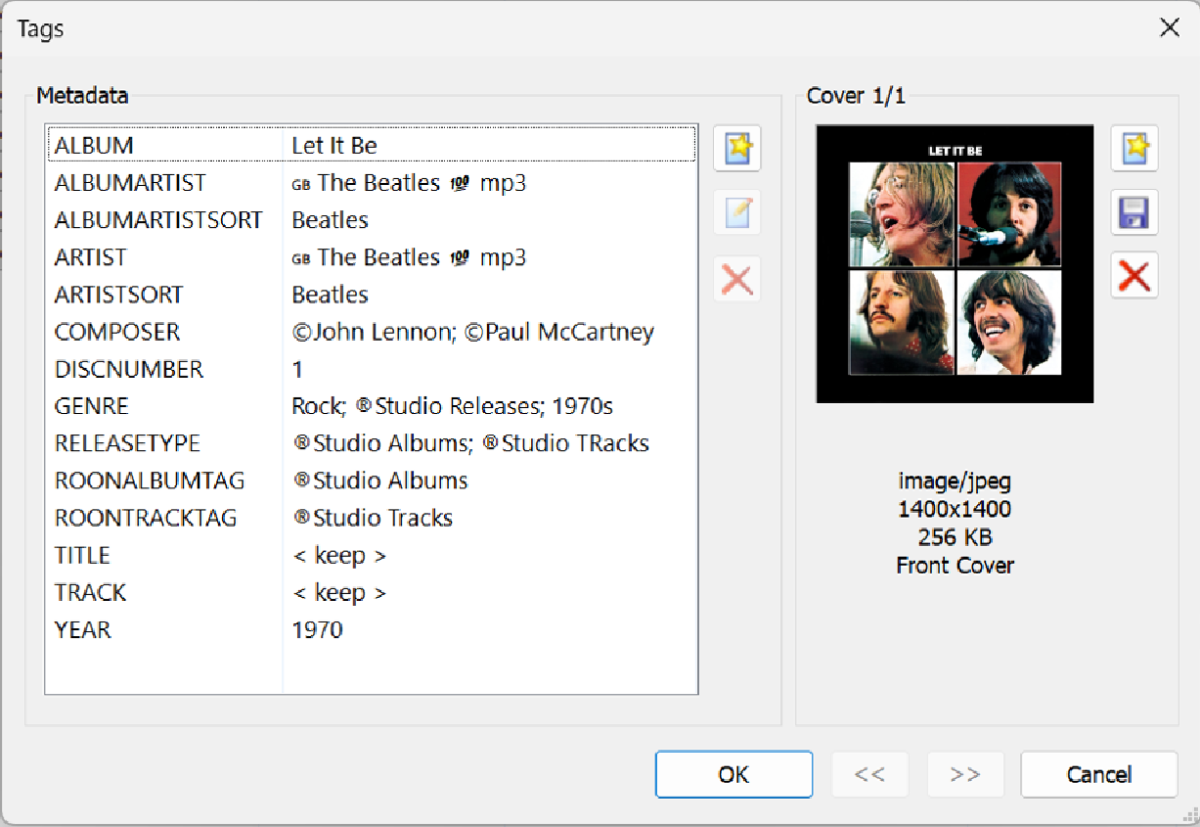
-
Hide Playlists from Included In & Group Albums by Release Type + Decade
GrimReaper replied to user24's topic in Web App CSS
That is what I'm working on. -
Emby Android TV app not sign in at all
colorstmg replied to colorstmg's topic in Android TV / Fire TV
No. Home Internet is a CGNAT Network by ISP. But it’s common in our country. I configured Emby on Kodi to overcome this. It’s working fine without any issues. -

I'm moving and have to give up having a fixed IP - how do I share outside my LAN?
sfatula replied to Mendocinotim's topic in MacOS
I don't think that will work for Starlink. As far as I know, barring a business plan, Starlink uses cgnat, which cannot be used with port forwarding of any type. You'll need to look into options for bypassing cgnat. For me, I am using tailscale which has a way around cgnat but that requires every client to also be running it. Not sure if that is an option for you or not. -
Hide Playlists from Included In & Group Albums by Release Type + Decade
user24 replied to user24's topic in Web App CSS
Fair enough - probably my bad wording and I am confusing the issue??? All I really meant was the optimum solution would be RELEASETYPE built-in to Emby. I wasn't meaning that I wanted this resolved by you. Sorry if I am being misleading here. The script is great as is, but the individual data-entry is going to be painful for many thousands of albums. -
Hide Playlists from Included In & Group Albums by Release Type + Decade
GrimReaper replied to user24's topic in Web App CSS
I think I'll just ditch all the ARTISTSORT/ALBUMARTISTSORT stuff and just focus on release types, which were the subject of this topic to begin with. Gimme few hours and I should have something workable. -
Hide Playlists from Included In & Group Albums by Release Type + Decade
user24 replied to user24's topic in Web App CSS
Oh no!!! I've accidently widened the discussion instead of narrowing it, but I do have an answer (sorry, I mean opinion) for you on this... First, lets widen this again (oops!) to ALBUMARTISTSORT, ARTISTSORT, COMPOSERSORT. What happens when one entity (e.g. Person or Group) is all three (ALBUMARTIST, ARTIST, COMPOSER) and the SORT embedded metadata tags all happen to be different and all three map to the same "Sort Title" field??? Emby needs to ultimately make the management call (e.g.): Our customers are more likely to be contemporary-music-focussed, rather than classical-music-focussed - therefore ARTISTSORT takes precedence over COMPOSERSORT, where conflicts arise. Our customers are more likely to be contemporary-music-focussed, rather than classical-music-focussed - therefore ALBUMARTISTSORT takes precedence over COMPOSERSORT, where conflicts arise. Our customers are more likely to be song-focussed, rather than album-focussed - therefore ARTISTSORT takes precedence over ALBUMARTISTSORT, where conflicts arise. Of course, a different philosophy (or system architecture) will create a different set of precedences to follow. My examples are just examples, they may not even be logically correct(?) and they are not my own preferences (I am more contemporary-album-focussed myself). Whatever the "rules" are, could then possibly be documented so everyone knows what they are. "First/Last" would probably seem very inconsistent and confusing - because the "rules" would seem to be changing all the time. So, Emby makes the consistent rules, which then define the coding logic. Of course, consistent and creative tagging gives everyone control over their own set-up, with potentially no conflicts or priority issues to complain about, unless errors are made. Anyway, getting back to my main concern... With no easy way to currently get Album Tags into Emby (e.g. ROONALBUMTAG) and no native bulk editing of Tags within Emby, it is going to take me about 150 hours to add RELEASETYPE Album tags for my music library - and then, what if I change my mind and want to alter this - another 150 hours??? (Emby is a part-time hobby, not a full-time job - so the initial set-up is likely 6+ months - I could likely do this in 6 weeks with Mp3tag - and ongoing changes would be relatively easy.) The script that you created lets me set up EXACTLY the custom Discography pages I want, but I don't want to spend all my time on data entry!!! -

version 4.9.1.80 - Add option to group notifications???
Teredactle replied to Teredactle's topic in General/Windows
What about now? "Are we there yet?" -
Since Apple updated their tvOS to 26.4 and you can now enable continuous audio in settings to fix low audio when using sound bars, I get no audio from Emby app. i do however get perfect audio through infuse app which plays my Emby server content without problem. anyone else seen this. I’m guessing Emby app will need an update? Thanks Gary
-
OK, i finally figured out how to update emby without updating it at all i forced it to update to the latest version with this method for anyone else wanting to update emby on truenas scale. Follow these instructions to a t and it will update to the latest emby. go into the truenas scale dashboard go to apps Click on emby move over to the right side where it says emby and has edit and 3 dots click those 3 dots you will see convert to custom app and let it convert emby into a custom app and wait for the emby server to reload and start again.. Then click edit you will see the hyml for your emby app pop up scroll down to the line that says image you will see on this like the version of emby. change this version of emby to the new emby version available and scroll all the way to the bottom of this page when done and click save let it do it's thing and once done it will have updated your emby server to the latest version because it pulled the update that you forced and updated it. That is all you need to do and now you can do it every single time there's an update showing that you can't get because the one's in charge don't send updates out to us,
-

Notifications/Alerts for limits being reached
displayname0504 replied to displayname0504's topic in Feature Requests
This is client based? https://emby.media/support/articles/Premiere-Limits.html -

Notifications/Alerts for limits being reached
ebr replied to displayname0504's topic in Feature Requests
The first two would be the easiest because the server is the one enforcing the limit so it could do this without any involvement of the apps. -
Notifications/Alerts for limits being reached
displayname0504 replied to displayname0504's topic in Feature Requests
I can see 3 possible limit notifications: 1. Max Simultaneous video streams (system) 2. Max simultaneous video streams (users 3. Device limit We should also have guidance how to remediate these. -
Hi - I had it happen again once the other day, but I can't replicate it. I turned on debugging until reboot, so hopefully it will catch something. I was pretty confident of the time.
-

Webhook Notifications - Test works, but real notifications are never sent
Multitude9588 posted a topic in Plugins
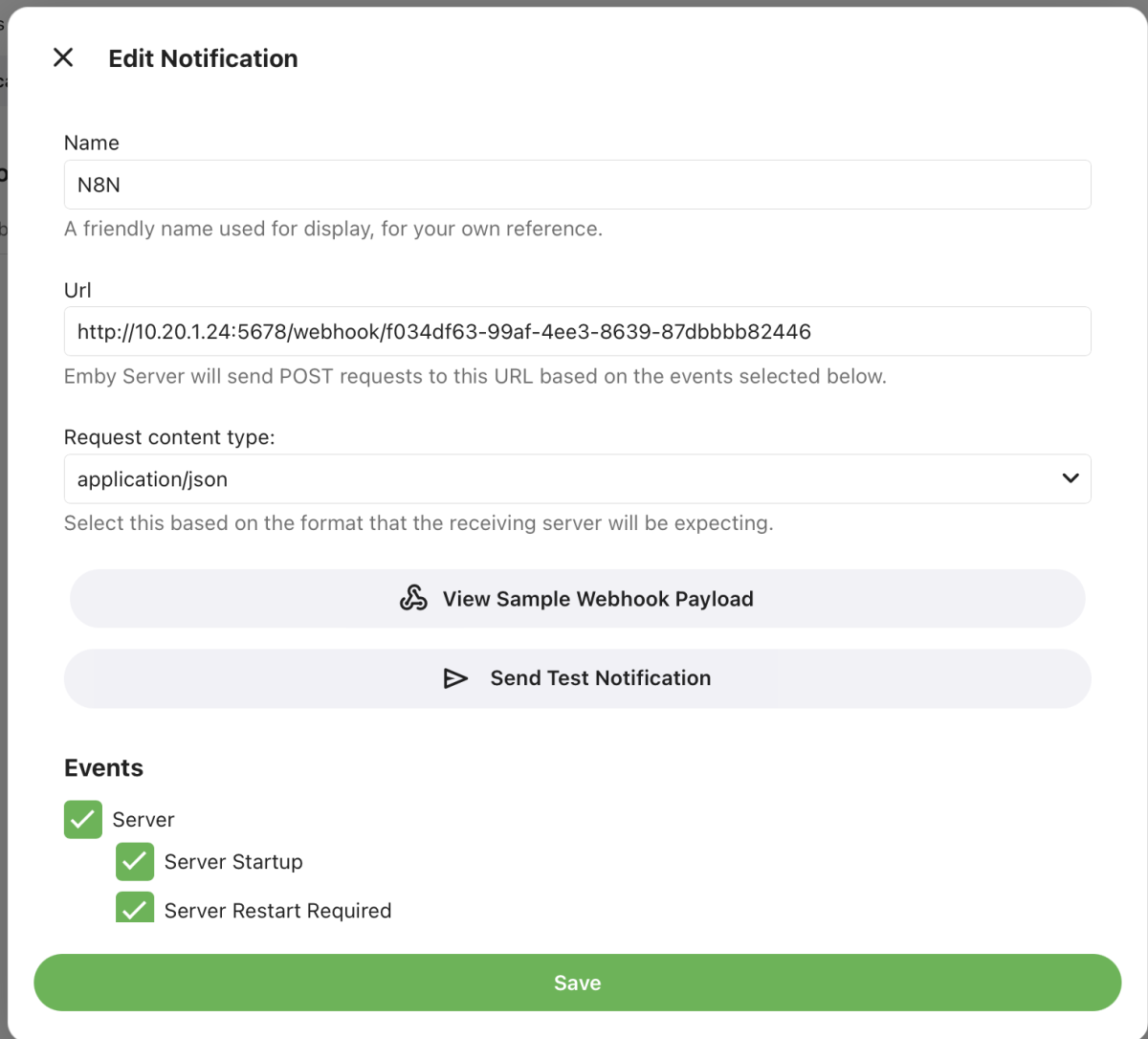
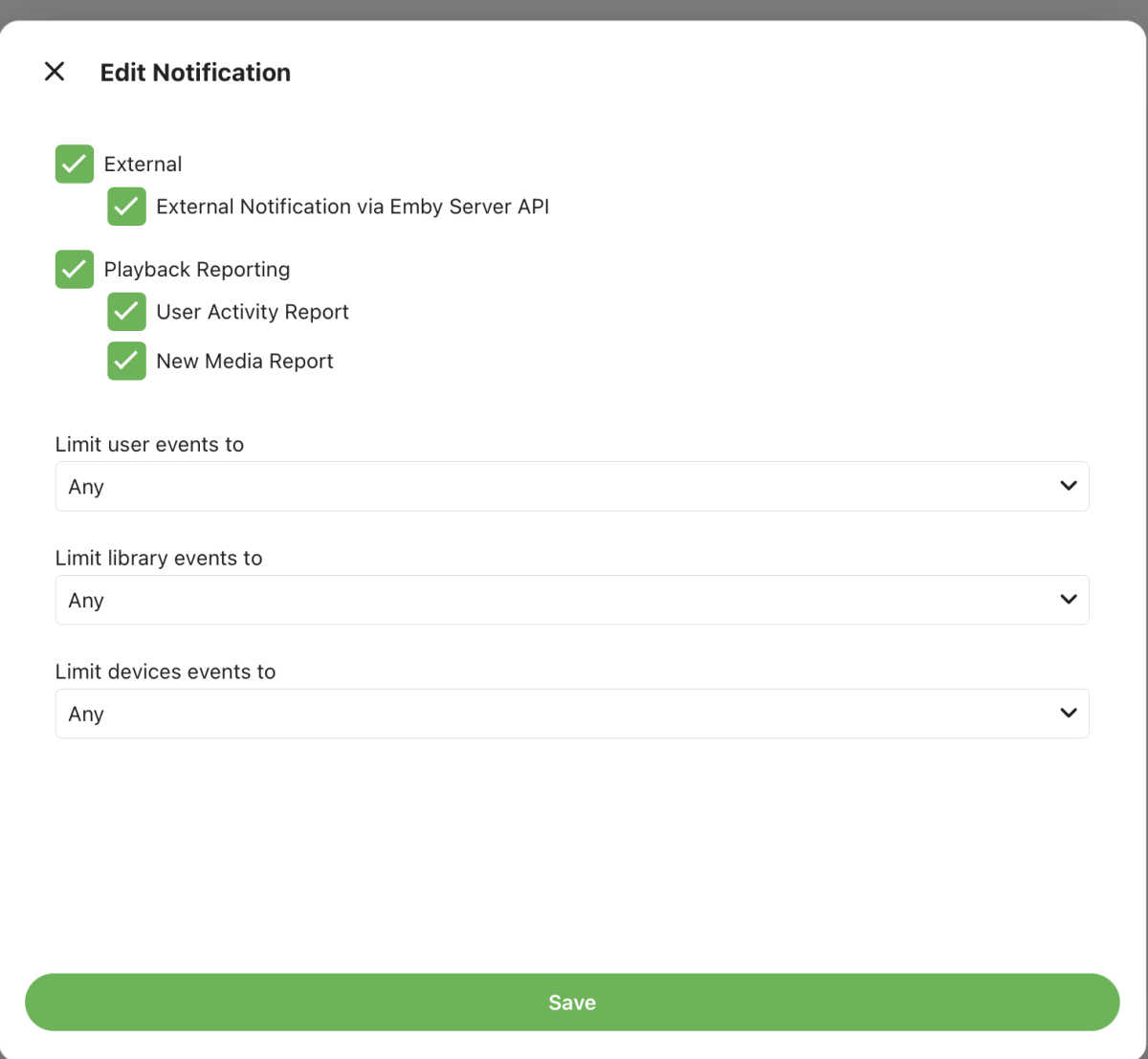
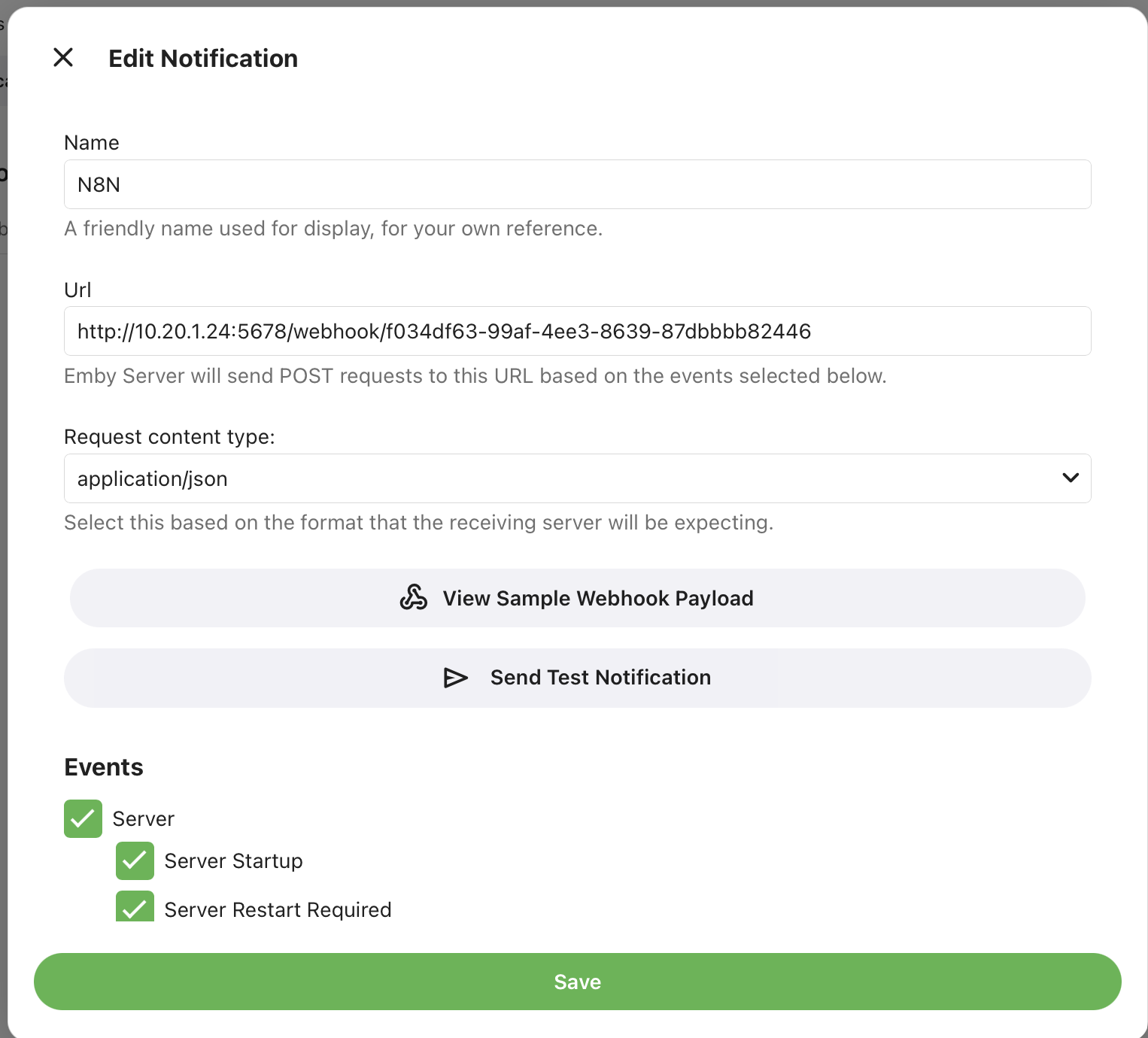
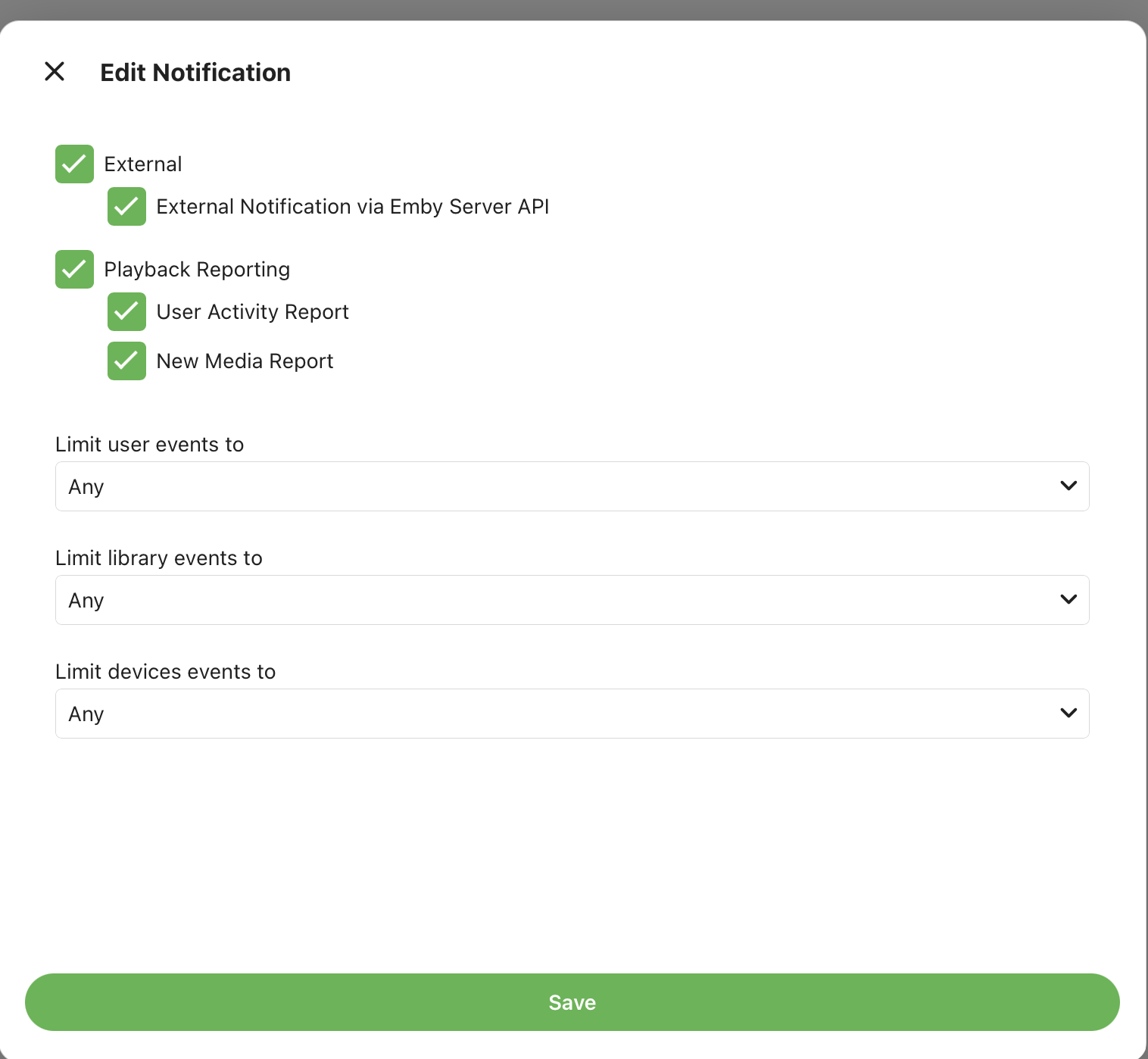
Hello, I am trying to send Emby notifications to a webhook endpoint (n8n). The problem is: the Test button for the notification service works but actual notifications from real events do not seem to reach the webhook at all What I am trying to accomplish I want Emby to send real notification events to my webhook endpoint, for example authentication events and report notifications such as new media notifications. What happens When I click Test in the notification service configuration, Emby sends an HTTP POST to my webhook endpoint and gets HTTP 200 back. But when real events happen, Emby only logs: Debug Notifications: Sending notification to Emby Server User Notifications N8N: ... and then nothing is received by the webhook endpoint. What I expected I expected Emby to send an HTTP POST to the configured webhook endpoint for real events, just like it does during the test. What I already checked I tried to narrow this down as much as possible: Webhook test works In the Emby logs, testing the notification service produces a real outgoing HTTP request and a successful response: Info HttpClient: POST http://10.20.1.24:5678/webhook/... Info HttpClient: Http response 200 from http://10.20.1.24:5678/webhook/... after 139ms So the endpoint is reachable and the URL is correct. Real notifications appear to stop before the actual HTTP request For real events, the logs show lines like: Debug Notifications: Sending notification to Emby Server User Notifications N8N: martin Has Authenticated on Martins-NAS ... Debug Notifications: Sending notification to Emby Server User Notifications N8N: New Media Report Notification But I do not see a following HttpClient: POST ... line for those real events, and nothing arrives at the webhook endpoint. Debug logging is enabled I enabled debug mode and reproduced the problem again. I have enabled almost all notification options without a limit on user or library: Any Any help is appreciated. embyserver.txt