All Activity
- Past hour
-
 mohnned joined the community
 -
 vappereau joined the community
 -
 CarlosZA joined the community
 -
Additional test: pure HDR10 (no Dolby Vision) converts correctly and plays fine on mobile. The issue only occurs when the source contains a DOVI configuration record.
-
 elene_ncy joined the community
 -

[Beta] ROMote – play your retro game collection in the browser (NES → PlayStation)
GrimEvil replied to digitalirony's topic in Plugins
Thank you for a great plugin -
 ryanberry joined the community
 -
Hi, I have a long-standing issue with offline conversions (Download / Convert Media) of Dolby Vision content. Setup: Emby Server 4.10.0.40 NVIDIA Tesla P4 (NVDEC + NVENC) Hardware tone mapping enabled (tested Hable, Mobius, Reinhard) Source: 4K Dolby Vision Profile 8.1 (HDR10 compatible) HEVC Main 10 What works: Live on-the-fly transcoding (HLS) works fine. Converting regular 4K H.264 → 1080p H.264 works fine. What fails: When converting DV Profile 8.1 → 1080p H.264 for offline use, the resulting file does not play on mobile devices (black screen). Analysis from logs: Tone mapping is applied correctly: tonemap_cuda=...:format=yuv420p setparams=color_primaries=bt709:color_trc=bt709:colorspace=bt709 Output video stream is correctly tagged as: cuda(tv, bt709, progressive) However, the DOVI configuration record is still present in the side data of the output file: Side data: DOVI configuration record: version: 1.0, profile: 8, level: 6, rpu flag: 1, el flag: 0, bl flag: 1, compatibility id: 1 This residual Dolby Vision side data on an H.264 stream causes many mobile players to fail. I also tested Parameter Adjustment with -bsf:v filter_units=remove_types=6 — the parameter is applied, but the DOVI configuration record remains. Conclusion: Emby correctly tone-maps the pixels to SDR BT.709 during offline conversion, but does not strip the DOVI configuration record from the output container. This breaks playback on mobile clients. Is this a known limitation of the offline conversion pipeline? Any chance this can be fixed so that DOVI side data is removed when tone mapping to SDR H.264? I can provide full ffmpeg logs if needed. Thanks.
-
 Faisalooh joined the community
 - Today
-

Latest Emby Update - RAM usage creep - Anyone else seen it ? Docker/Linux.
vaise replied to vaise's topic in General/Windows
Its pushed past 8GB now - Just 5 sessions of direct lay happening........ [2026-09-29 09:05:03] MEMORY WARNING: Emby is currently drawing 5.442GiB of system RAM. [2026-09-29 09:10:02] MEMORY WARNING: Emby is currently drawing 5.418GiB of system RAM. [2026-09-29 09:15:02] MEMORY WARNING: Emby is currently drawing 5.47GiB of system RAM. [2026-09-29 09:20:02] MEMORY WARNING: Emby is currently drawing 5.452GiB of system RAM. [2026-09-29 09:25:02] MEMORY WARNING: Emby is currently drawing 5.49GiB of system RAM. [2026-09-29 09:30:02] MEMORY WARNING: Emby is currently drawing 5.476GiB of system RAM. [2026-09-29 09:35:02] MEMORY WARNING: Emby is currently drawing 5.495GiB of system RAM. [2026-09-29 09:40:02] MEMORY WARNING: Emby is currently drawing 5.502GiB of system RAM. [2026-09-29 09:45:02] MEMORY WARNING: Emby is currently drawing 5.483GiB of system RAM. [2026-09-29 09:50:02] MEMORY WARNING: Emby is currently drawing 5.557GiB of system RAM. [2026-09-29 09:55:02] MEMORY WARNING: Emby is currently drawing 5.559GiB of system RAM. [2026-09-29 10:00:02] MEMORY WARNING: Emby is currently drawing 5.565GiB of system RAM. [2026-09-29 10:05:02] MEMORY WARNING: Emby is currently drawing 5.569GiB of system RAM. [2026-09-29 10:10:03] MEMORY WARNING: Emby is currently drawing 5.57GiB of system RAM. [2026-09-29 10:15:02] MEMORY WARNING: Emby is currently drawing 5.576GiB of system RAM. [2026-09-29 10:20:02] MEMORY WARNING: Emby is currently drawing 5.576GiB of system RAM. [2026-09-29 10:25:02] MEMORY WARNING: Emby is currently drawing 5.575GiB of system RAM. [2026-09-29 10:30:03] MEMORY WARNING: Emby is currently drawing 5.564GiB of system RAM. [2026-09-29 10:35:02] MEMORY WARNING: Emby is currently drawing 5.645GiB of system RAM. [2026-09-29 10:40:02] MEMORY WARNING: Emby is currently drawing 5.762GiB of system RAM. [2026-09-29 10:45:02] MEMORY WARNING: Emby is currently drawing 5.725GiB of system RAM. [2026-09-29 10:50:03] MEMORY WARNING: Emby is currently drawing 5.706GiB of system RAM. [2026-09-29 10:55:04] MEMORY WARNING: Emby is currently drawing 5.705GiB of system RAM. [2026-09-29 17:35:02] MEMORY WARNING: Emby is currently drawing 6.584GiB of system RAM. [2026-09-29 17:40:02] MEMORY WARNING: Emby is currently drawing 6.601GiB of system RAM. [2026-09-29 18:50:03] MEMORY WARNING: Emby is currently drawing 7.804GiB of system RAM. [2026-09-29 18:55:02] MEMORY WARNING: Emby is currently drawing 7.916GiB of system RAM. [2026-09-29 19:00:02] MEMORY WARNING: Emby is currently drawing 7.916GiB of system RAM. [2026-09-29 19:05:02] MEMORY WARNING: Emby is currently drawing 8.049GiB of system RAM. -
Just trying this plugin now - it looks amazing - thanks for sharing! Sorry if this has already been asked (I have searched) but will 'top shelf' ever support TV shows (at the show level)?
-
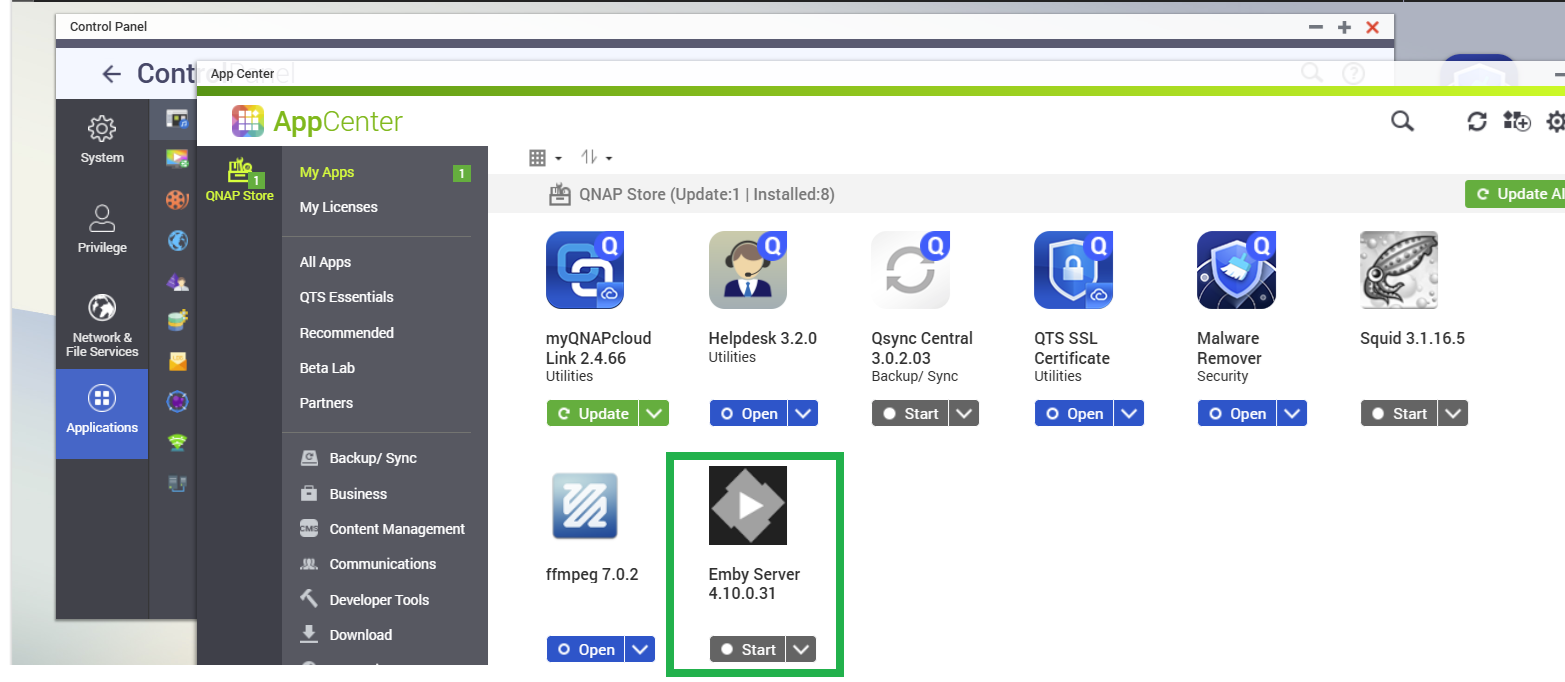
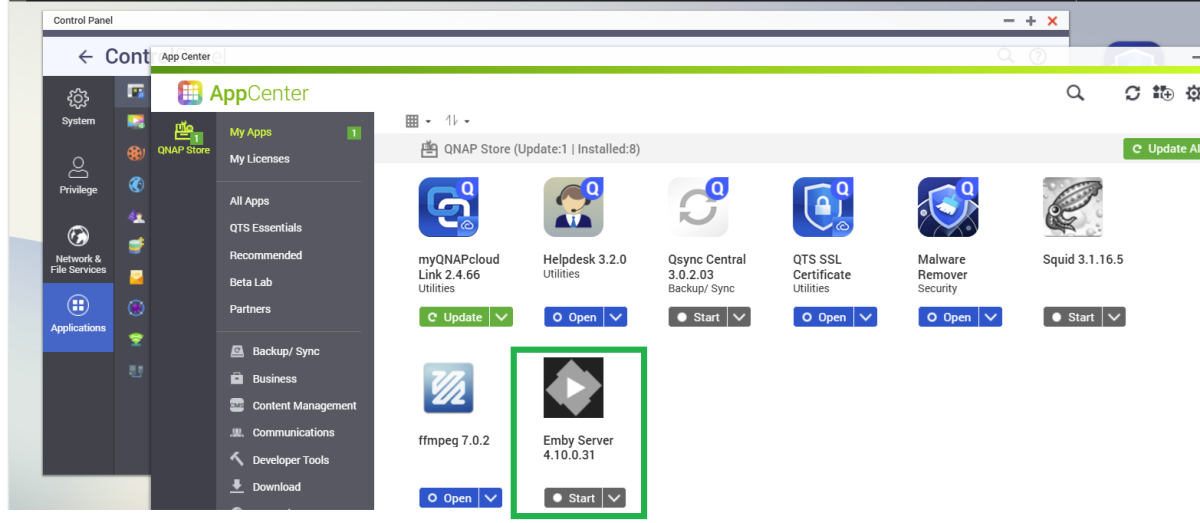
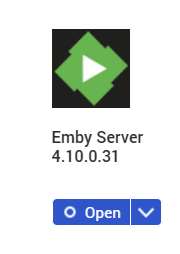
Hi Have you tried port 8096 instead of 8920? http://192.168.0.2:8096 Is the QNAP dashboard accessible through http://192.168.0.2:8080 ? You can open up App Centre and see if Emby Server is running or not If the drop-down action button below the Emby Server app icon shows "Start" then it is not running and you can click on "Start" to launch it If the drop-down shows "Open" then it should be running and clicking on Open should open Emby Web browser session on the default port which is 8096
-

Latest Emby Update - RAM usage creep - Anyone else seen it ? Docker/Linux.
seanbuff replied to vaise's topic in General/Windows
@sa2000 -
Latest Emby Update - RAM usage creep - Anyone else seen it ? Docker/Linux.
vaise posted a topic in General/Windows
I have been battling a few out of memory crashes on Emby that are quite new to me. These have only appeared since the new release. I am using an Unraid server, and docker container. This used to be set to 8GB ram, but I increased it to 12gb after another OOM issue, now its sitting on 16GB. I have added a 5 minute check on the memory - It emails me and writes to a log file once it gets to an amount. I set that monitor to start alerting at 4GB, then increased to 5GB, then increased to 6GB and so on.... It is slowly rising, after 24 hours, it is now sitting at 6.5GB after growing slowly (and never reducing) from the 1.3 it started with at 5PM yesterday. I have now set it to 8GB, which prior to this release, it never got to before (I never have a need to check what it was, it has just never OOM's before). The things I have done - Removed any third party app access, minimised any transcoding (it did that to disk anyway) - the vast majority is direct play, but I have now set some users to not be allowed to transcode (they have old emby clients), turned off subtitles on the fly etc. I don't have periodic library scans or anything like that. So now I am just in 'close monitoring' mode, collecting the memory usage, seeing what happens, one screen on the logs, to see if anything jumps out. It seemed to crash at 7pm-8pm so I would say at higher usage time. I also put in an automated restart of the embyserver if the admin page times out for any reason - It scans for that every 5 minutes also - That will stop be being harassed by friends and family members like I was the other night, while I was sick in bed. These are the log messages for the last crash - root@Tower:~# grep -i -E "oom-kill|killed process" /var/log/syslog.1 Sep 27 19:37:49 Tower kernel: .NET TP Worker invoked oom-killer: gfp_mask=0xcc0(GFP_KERNEL), order=0, oom_score_adj=0 Sep 27 19:37:49 Tower kernel: oom-kill:constraint=CONSTRAINT_MEMCG,nodemask=(null),cpuset=b97da7bac43b338bf1d841bf5354fc45938e51688c1bf1adb84d74d1cd71ca3e,mems_allowed=0,oom_memcg=/docker/b97da7bac43b338bf1d841bf5354fc45938e51688c1bf1adb84d74d1cd71ca3e,task_memcg=/docker/b97da7bac43b338bf1d841bf5354fc45938e51688c1bf1adb84d74d1cd71ca3e,task=EmbyServer,pid=350997,uid=99 Sep 27 19:37:49 Tower kernel: Memory cgroup out of memory: Killed process 350997 (EmbyServer) total-vm:37996784kB, anon-rss:8054944kB, file-rss:81484kB, shmem-rss:89096kB, UID:99 pgtables:16952kB oom_score_adj:0 root@Tower:~# -

"Continue watching" between devices seems to "corrupt" content
Spymaster replied to Spymaster's topic in LG Smart TV
Hi! Have you been able to investigate this issue from the logs I provided? Is there a possible fix? Thanks! -
Have you updated port forwarding on your router as you say the new server has a new local IP address? Or perhaps give your new server the same IP address as the old one.
-
Printing from the browser works great for coloring pages. If you ever need durable, waterproof labels for outdoor use, I’ve had good results with a color label maker from LabelBasic. Their pigment inkjet printers handle harsh conditions and smudge-free prints, which is handy for labeling things that get wet or handled a lot.
-

Kodi becomes unresponsive on exit, every time
quickmic replied to billcw's topic in Emby For Kodi Next Gen
Use flatpak Kodi, that's what I'm using and works fine -

Kodi becomes unresponsive on exit, every time
billcw replied to billcw's topic in Emby For Kodi Next Gen
Yeah, I noticed that. Kodi is the default version supplied by apt, so I'll have to look at the alternatives and see if I want to bother. Thanks! -
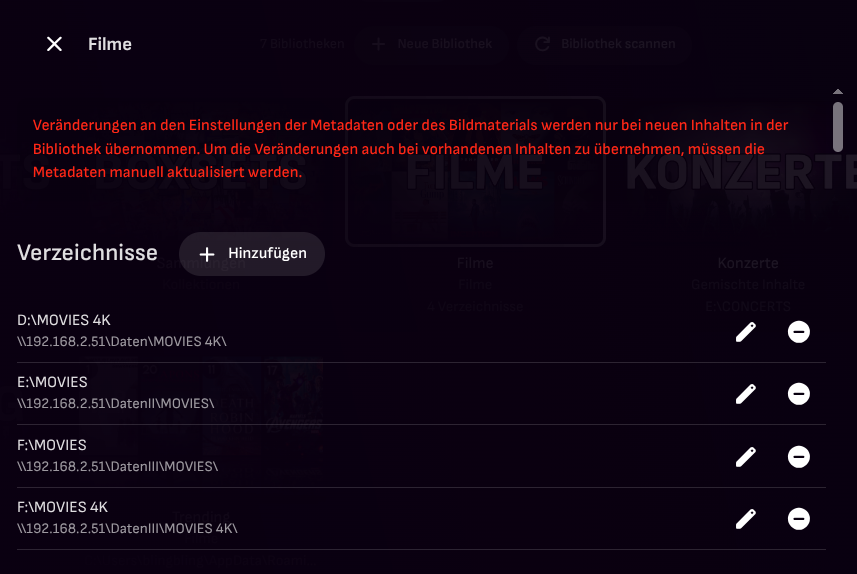
@Jokke212 U moet de mappen op de schijven toewijzen binnen de instellingen van de betreffende bibliotheek.
-

A new approach to making IPTV behave more like traditional tuners
PowerCC replied to PowerCC's topic in Third Party Apps
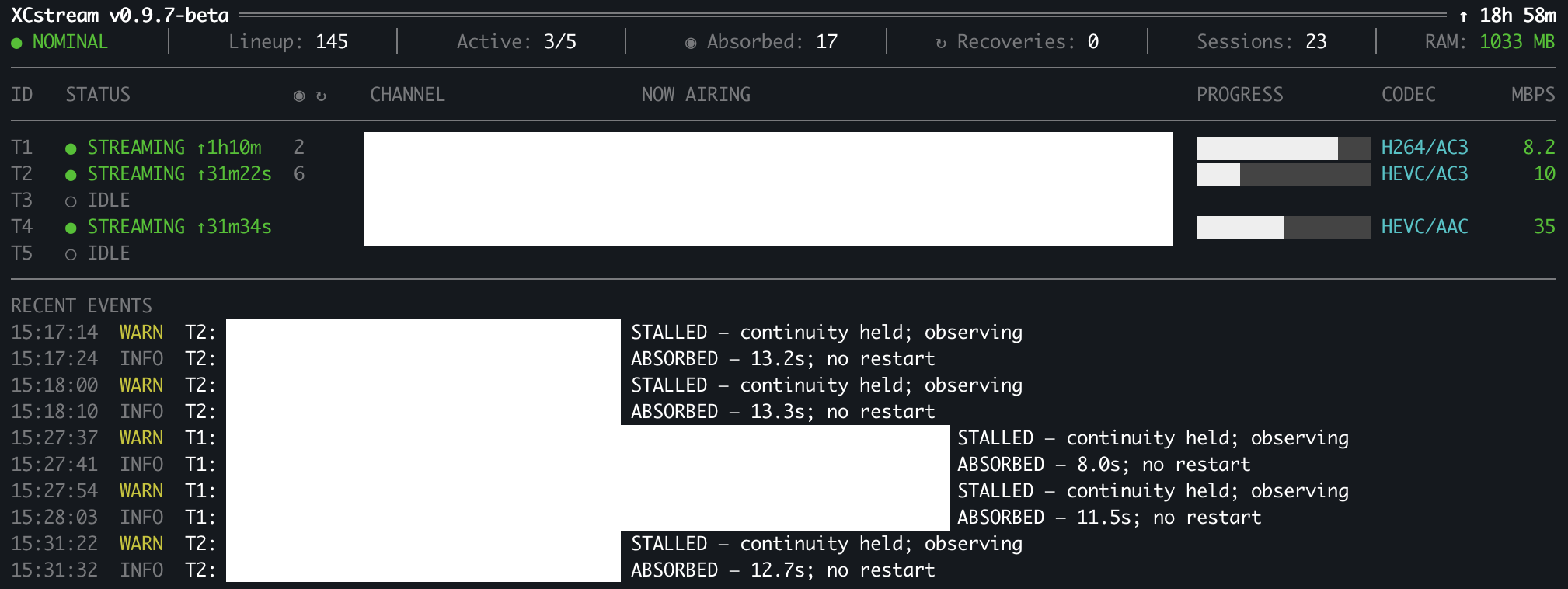
Quick XCstream update—the project has reached a pretty major milestone. XCstream 0.9.7-beta is now essentially where I wanted the standalone beta to be. The core has been tightened around session ownership, stale-data fencing, outage/recovery handling, writer survival, and cleaner tuner reuse, while a lot of older diagnostic and repair baggage has been removed. The screenshot below is the current 0.9.7-beta Terminal HUD. I finally have the interface at a point where it feels clean and useful without hiding the stream state that actually matters. At the same time, work has already started on 0.9.8-beta, and this is where the architecture takes a much bigger step: XCstream is adding native integration with Kernel Media Server (KMS). Until now, XCstream has primarily operated as a standalone continuity layer using its own lineup. With 0.9.8, KMS will be able to hand XCstream the actual live source directly. XCstream then owns what it was built for—buffering, validation, outage containment, recovery, and keeping the MPEG-TS session alive—while KMS continues to own the lineup, EPG, DVR, and downstream client delivery. That changes the role of XCstream considerably. It is no longer limited to behaving like a proxy or platform-specific add-on. Another media server can integrate with XCstream directly and use it as the continuity engine. The core idea is still the same one that started this thread: An upstream failure should not automatically mean the playback or recording session has to die.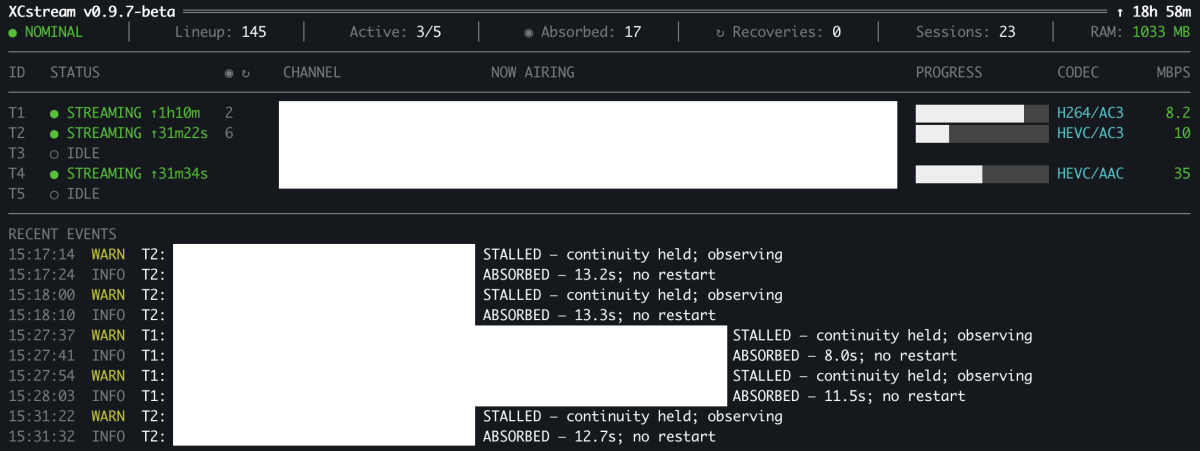
-
Kodi becomes unresponsive on exit, every time
quickmic replied to billcw's topic in Emby For Kodi Next Gen
The most import thing, you should really updates your Kodi and emby for kodi versions. This all is incompatible to Emby server. -
Exactly! That's sort of what I've been wanting to achieve, in some form or another, for a couple of years now. I have a few half-baked ideas that I've been trying on-and-off. Things like: Genres > Genre > Sub-Genres > Sub-Genre Decades > Decade > Years > Year Countries > Country There's likely various combinations of: Library > Tag > Collection > Item that will achieve some of this. It's just a matter of finding them AND figuring out how to seamlessly integrate it. My Music Library Header Menu Tabs currently look like this: I decided I wanted more info at my fingertips (touchscreen) so used icons to fit in some extra custom tabs in the available space: Gray = standard tabs (but rearranged in my preferred order) Green = Collections management (via Photo Libraries cross-referencing because Collections doesn't show directly in Music) Yellow = specific Collections/Playlists (e.g. Countries, Decades) Still a long way to go with it, but I'll need all the groupings that Emby has right now to achieve a good end-result!

-

Mark specific season as watched still possible?
Samkook replied to Samkook's topic in General/Windows
Nice, great to see the change was optional after all, thanks. -

Mark specific season as watched still possible?
GrimReaper replied to Samkook's topic in General/Windows
Select "Always show season folders" under your user Display settings.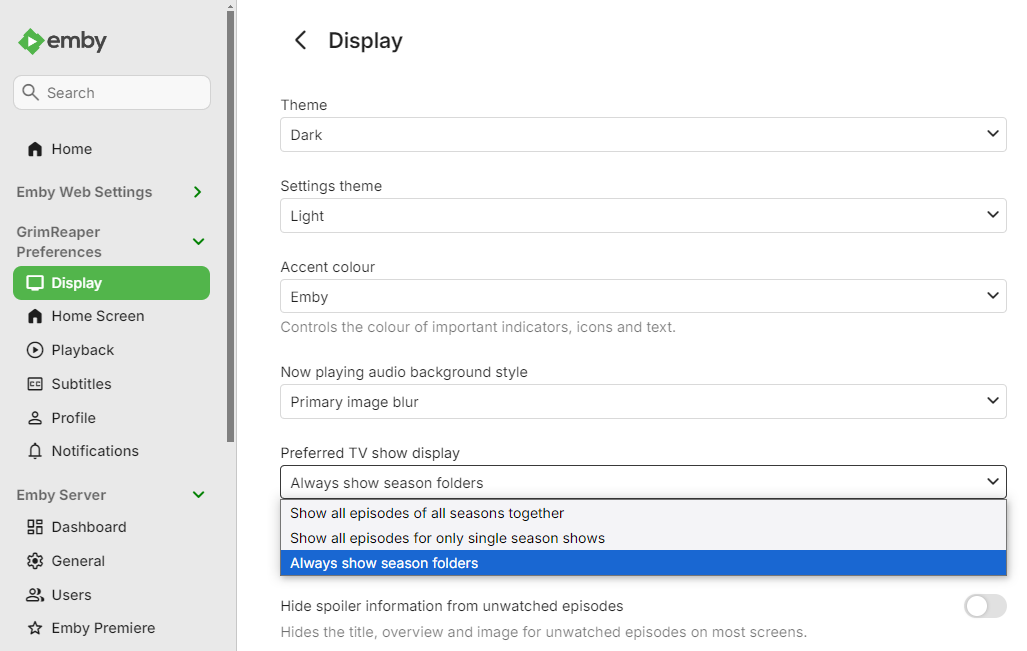
-
That's a nice example of combining Collections and Tags! I'm curious - tell me more please... Is this Tag page showing any other content, or is it just Collections and these contain the Movies themselves only? Do the Movies have the same Tag - I'm assuming no, but not sure of exactly how Collections work for Movies. I've tried something similar for Music, but it only seems to work if I have a lower level media item added into the mix.
-

Grey letterbox bars on HDR playback with Emby for Android universal - Sony TVs.
kricker replied to kricker's topic in Android
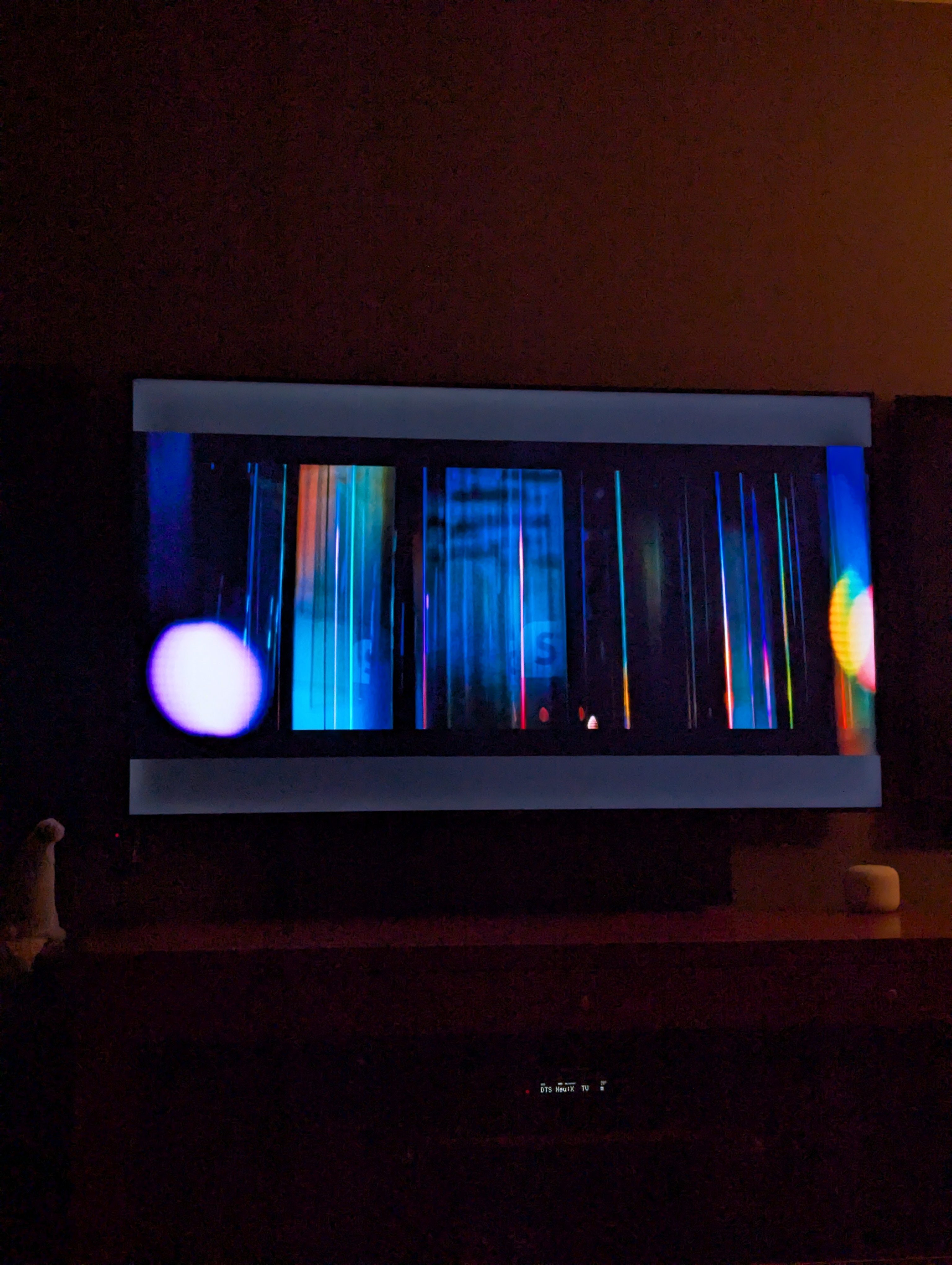
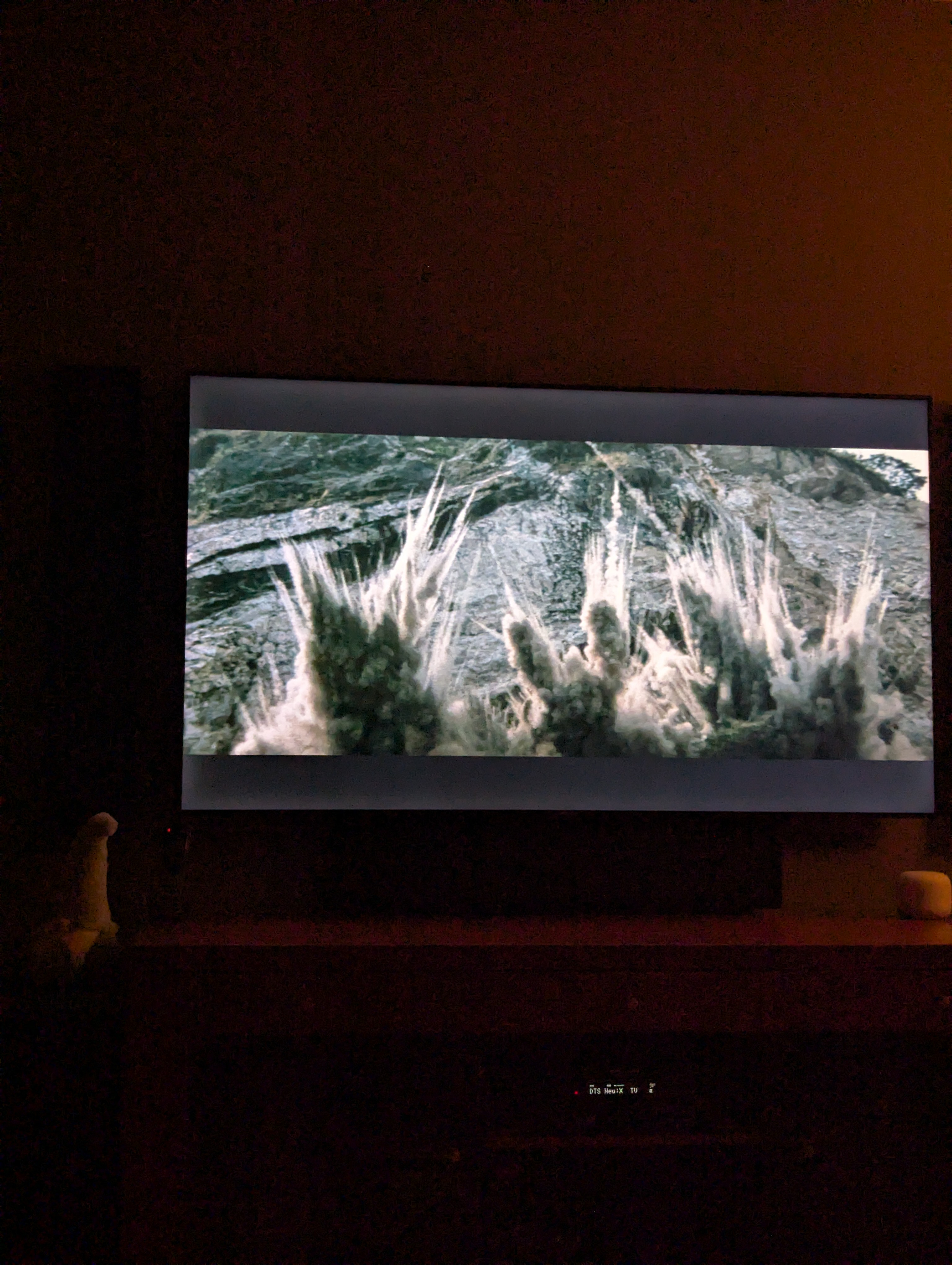
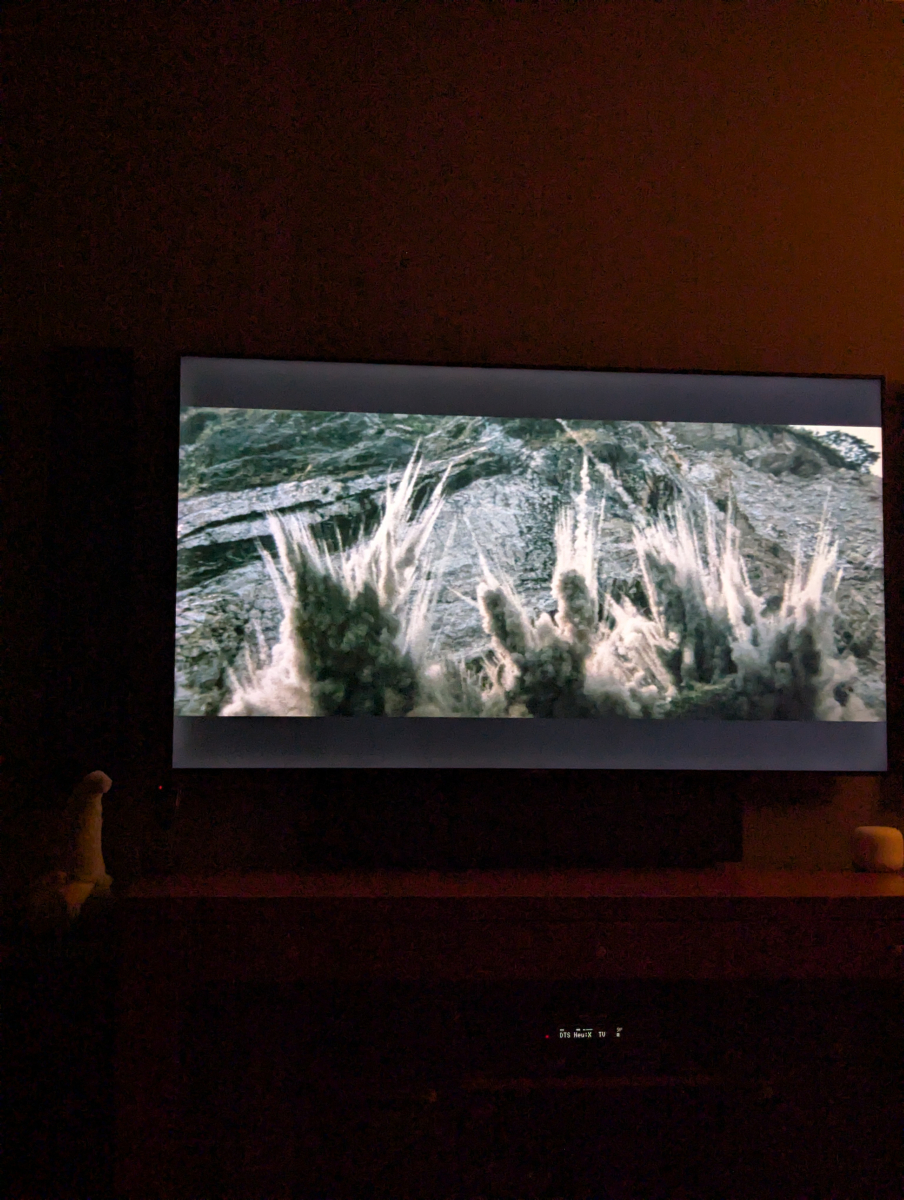
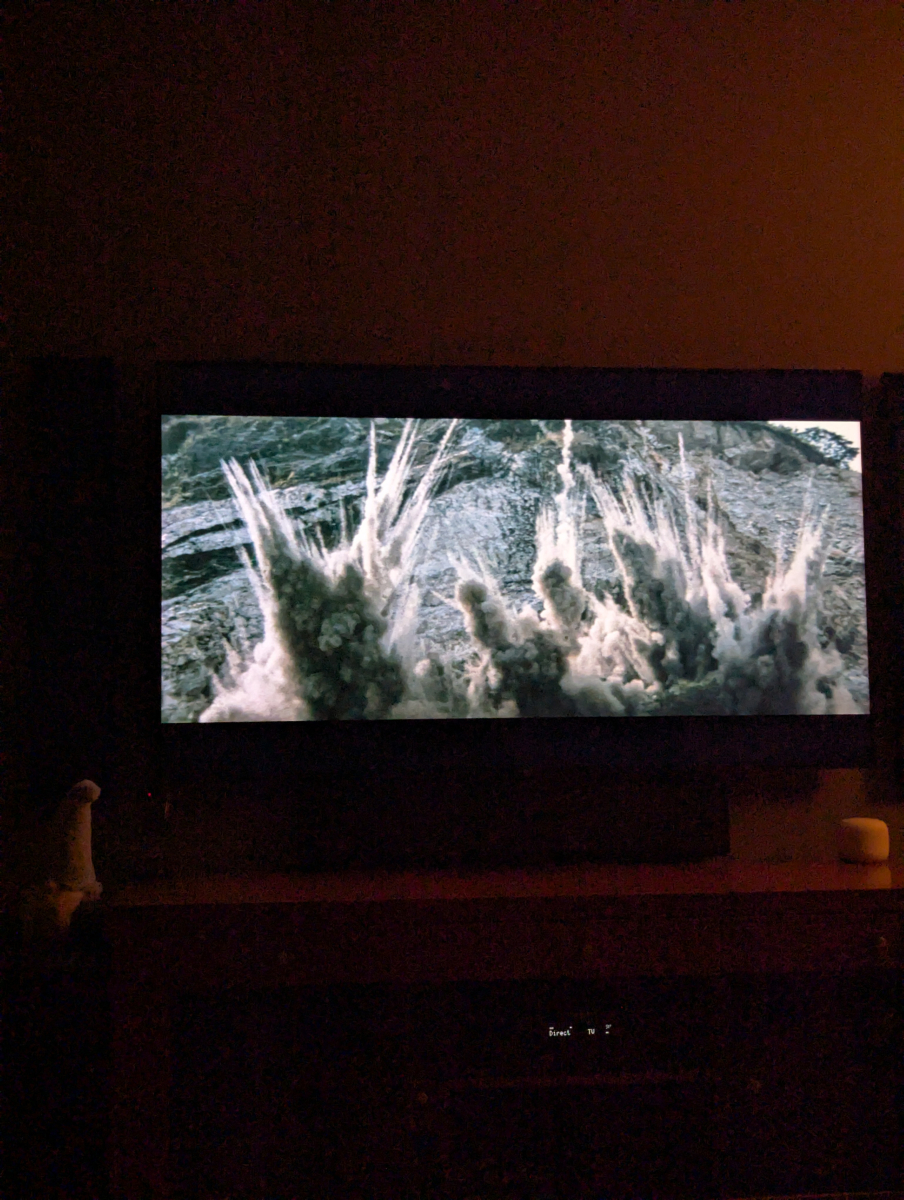
Tried again tonight with 3.5.63. It is still an issue. This happens with any HDR content that is not at 16:9 aspect ratio. Here are screen shots of the same movie in each: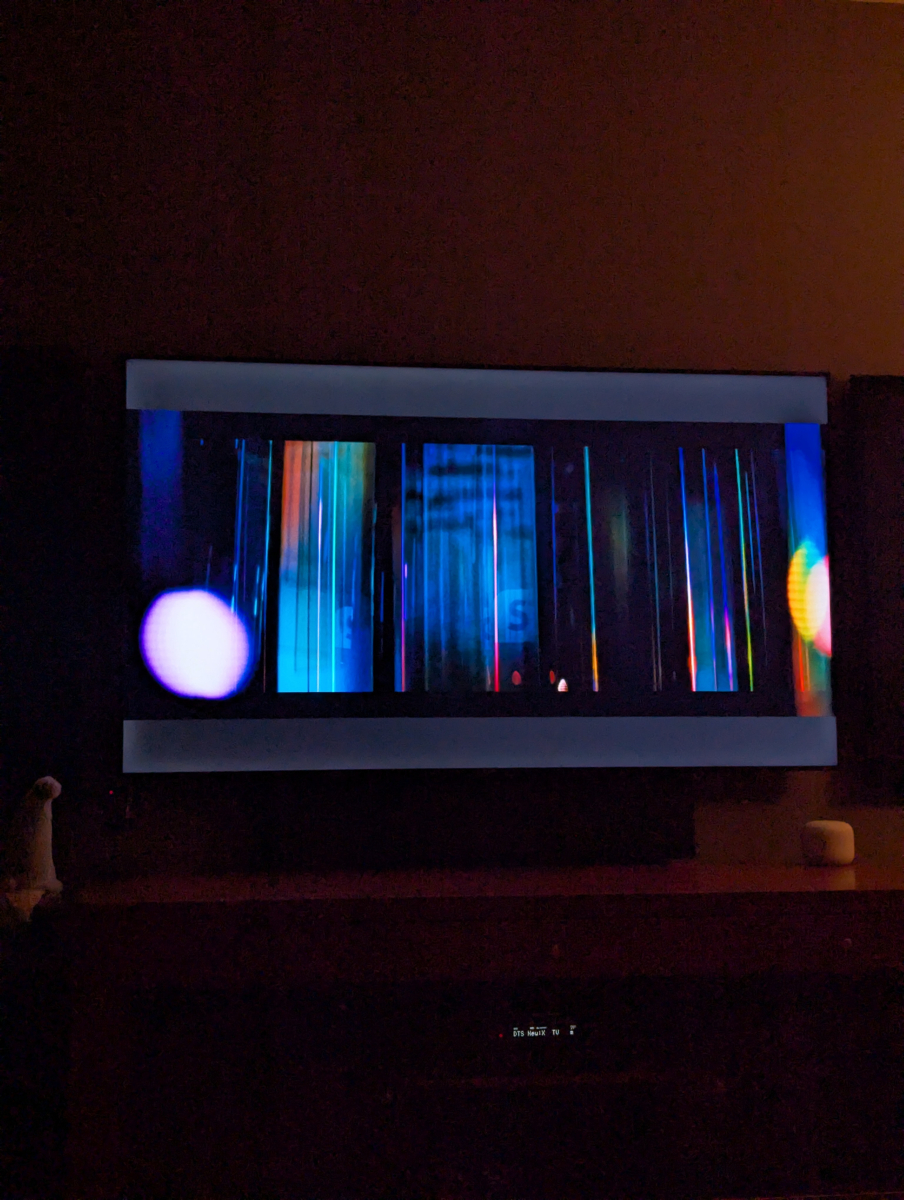

-
Follow-up: I narrowed down the Emby JPEG XL issue. Emby ignores an album’s cover.jxl, but if I copy the exact same file bytes to cover.png and refresh the album, the correct artwork appears. The file is still JPEG XL; only its name changed. So Emby’s image decoder can handle the file. The local music-artwork scanner appears to exclude .jxl from its supported filename extensions. Adding jxl to that discovery list may be all that’s needed, though the Emby team would need to confirm whether there are other paths to update.
-
I've been trying to figure out how to set a whole season as watched manually in the web ui instead of doing it episode by episode, but I can't find a way to do it. If someone knows how to achieve this, I would really appreciate it. Before the UI was changed, it was very easy since the seasons were clickable, but now it's annoyingly a dropdown and we can't see the specifics of each season or have any control over them apparently. I really wish this would be an optional choice, the old was was much better and this new way is causing me too many problems now so I have to try and figure this out.
-
Sorry for the late reply. Was out of town Those thumbnails are all black. Same thing as the chapter thumbs: error 500 "Response Content-Length mismatch" with 1 extra byte too many for each thumbnail. Works fine without the CDN.
-

Tips to set up emby on a QNAP NAS using Docker with HW Transcoding
Ikario replied to Ikario's topic in QNAP
Haven't tried this myself yet because I've been busy, though I did encounter the error, but I find it's a bit of a convoluted way of doing something way easier: just add on your docker compose file LD_LIBRARY_PATH=/usr/nvidia as an environment variable and that's pretty much it and doesn't need the ldconfig. Seems way easier in my opinion and much more elegant.