All Activity
- Past hour
-
 FMPEV joined the community
 -
 Sabrina1020 joined the community
 -
 Lestat11 joined the community
 -
 Bibbo72 joined the community
 -
 Gala200 joined the community
 -
 Nko87 joined the community
 -
 cactusjac joined the community
 -
 Qazwsxedcrf joined the community
 -
 sijunlee joined the community
 -
From what I've gathered, neither of those devices offer support for any HDR standard. Sure does, both for them and yourself on those two devices, just not DV Profile 5 - as HDR layer (if present) will be transcoded and tonemapped for playback on SDR displays (like DV Profile 8).
-
Thank you for your answer, I fear they don't.... didn't find any infos about them supporting DV profiles. Both devices are quite "older" ones..... TV: Panasonic Plasma TX-P42G15E Beamer: Panasonic PT-AE4000 ### So, offering HDR+ or DV Content obviously doesn't make sense, if any of my "Users" equipment doesn't support HDR+ or DolbyVision
- Today
-
You're getting HTTP 500 response, which typically indicates generic back-end issue (likely), but doesn't completely exclude frontend issue (less likely). You could try doing a hard refresh, clear browsing data or just use another browser. Anyway, @ebrwill see the log and recheck/reconfirm everything is in order at Emby's side. As a side note, your log is flooded with Backup & Restore plugin errors due to no write access, you might wanna review your permissions.
-
New patch release - Version 4.1.4.0 Download .dll and full release notes: https://github.com/soderlund91/HomeScreenCompanion/releases/tag/v4.1.4.0 Bugfix release IMPORTANT! Minimum required Emby server v4.10.0.17 Release notes Fixes: Tagging collection: Fix issue where tagging a collection name containing a comma isn't working (Eg. "1,001 Movies to watch") Playlist: Fixed a bug where new items where added to the end of the list, now it correspond with the order of the source. Top-list: Fixed an bug with "resume playing" when switching between different versions of the movie (added ffprobe to the .strm files on creation to get playtime etc.) HomeScreenCompanion.dll
-
You'd need to check your exact TV and/or beamer model and which DV profiles they support (if any); as you're trying to play DV Profile 5 (no fallback HDR layer), transcoding can't solve that, all devices in the chain have to support that profile as it has to be Direct Played only.
-
thank you in advance. I have tried with existing users and new test users to save the email, but get this error every time. embyserver (1).txt
-

Missing guide channels 20.8 thru 20.13 98685
sa2000 replied to gdbrow's topic in Emby Provided Guide Data
@gdbrowI have referred the above 20.8 to 20.13 list to gracenote as i can see the channel names on https://www.tvpassport.com/tv-listings for Portland, OR region -
Missing guide channels 20.8 thru 20.13 98685
sa2000 replied to gdbrow's topic in Emby Provided Guide Data
Tahnks @gdbrow Are these the same channels as what shows on https://www.ontvtonight.com/guide/listings/PortlandNight.html for Portland With regards to 20.8 to 20.13, are you able to tell me what the callsigns are showing on the tuner (screenshot?) and confirming what is being broadcast According to rabbitears, they show as 20.8 Jewelry TV 20.9 Shop LC 20.10 COZI TV 20.11 NBC True CRMZ 20.12 Salem News Channel 20.13 America's Voice Español I need confirmation that this list is accurate before referring it to gracenote Thanks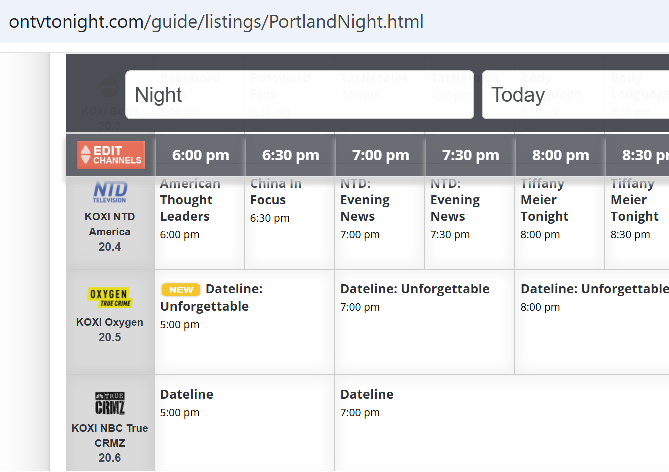
-

LiveTV isn't working good on my TV but working good on my PC (Plugin)
XDavidT replied to XDavidT's topic in Android TV / Fire TV
Hi @Luke& @pünktchen, I'm short on time this days, I'll reply ASAP. -
The latest one. Can you share a picture of how that looks for you, I'm very interested to see that. I mean, I can see a clear difference between my 1080p and 4k screens. On the 1080p is crisp.
-
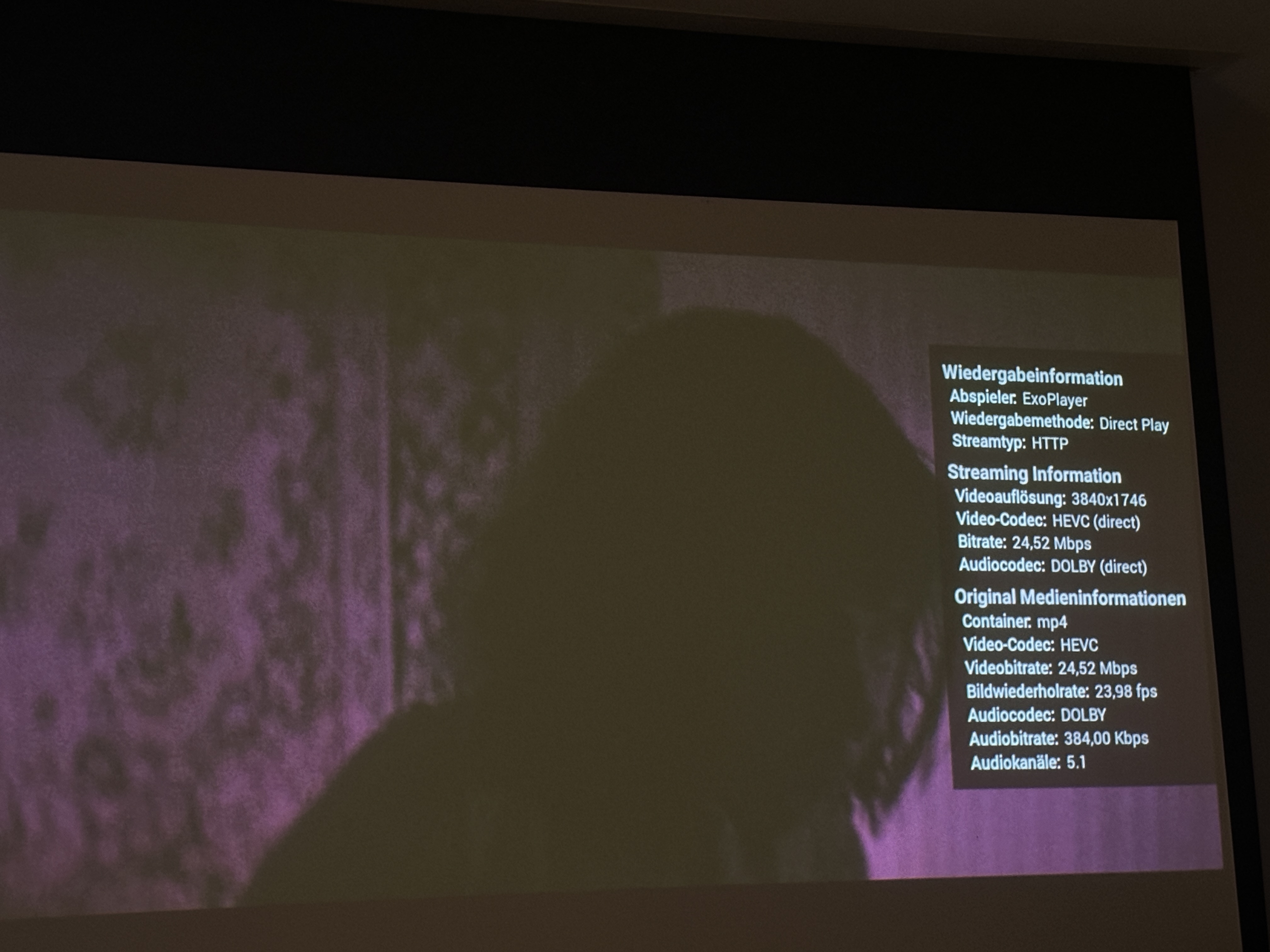
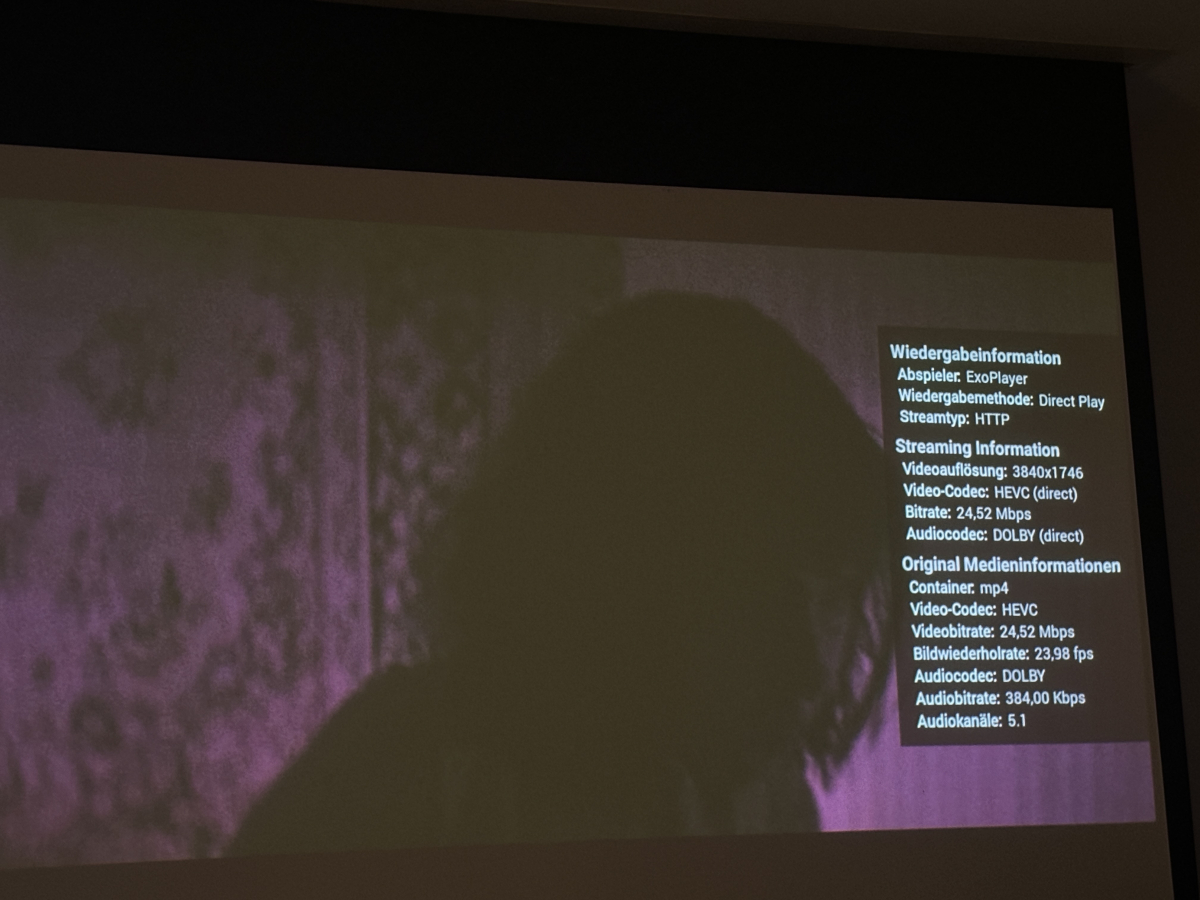
Hi, don't know if there's a way to fix/handle this..... Situation: I got some DolbyVision .mp4 files Format : HEVC Format/Info : High Efficiency Video Coding Format-Profil : Main 10@L5@High HDR-Format : Dolby Vision, Version 1.0, Profile 5, dvhe.05.06, BL+RPU, no metadata compression Codec-ID : dvh1 Dauer : 59 min 52s Bitrate : 24,5 Mb/s Breite : 3 840 Pixel Höhe : 1 746 Pixel Watching them with EmbyApp 2.2.53 (on OSX Sonoma 14.8.7) works with no issues, also on OSX on emby/safari-browser. I also have correct playback on my Panasonic (TV-55Z95AEG with Fire-TV operating system). But: With my other fire-tv hardware and playback on my "only" full-hd tv or beamer, the picture stays "purple" and at the playback-beginning I get the info: "Video not compatible with this Display. DolbyVision not supported on your system." Is there somewhere a setting I can fix this? (Kind of "downscale") I tried turning off HDR dynamics under fire-tv-hardware settings (display), no difference. Using QNAP version 4.9.5.0 / Fire-TV 2.1.29a. Thanks for thoughts.... (please let me know if you additionally need playback log)
-
Will be available on the next update
-
No worries, just go through the above links, download and install server; if you hit a wall at any point during the process, just post again here.
-
-

Pixelsmash Vulnerability in ffmpeg (CVE-2026-8461) - Is Emby vulnerable?
TeamB replied to CHBMB's topic in General/Windows
WTF dude, are you ok?, do you really need to respond like this? I feel the Emby team could have handled this better. All that was needed was once the Emby team had a handle on the issue they should have released a notice. Nothing grand but a short announcement with the impact and recommendations for users. -
1.5-2M items is a pretty typical size for the big IPTV services FYI. But that includes Live TV streams too. So yes, a pre-filter would be a huge help.
-
Hey up, for some basics check out here: https://emby.media/about.html Quick Start Sure is: https://emby.media/download.html Edit: Btw, you're allowed to say PLEX, we don't bite. Edit2: Though I do keep a tool at hand (or in hand, depends how one looks at it). Swoosh!!!
-

Emby doesn't have an option to downmix 5.1 to Stereo...
Mkilbride posted a topic in Android TV / Fire TV
I see it on the Server, but on my NVIDIA Shield there's no option, so if I plug in headphones and my media file only has 5.1 available, it comes out very low and I need to turn my Amp up considerably to get proper volume. I checked all the options. It's simply not downmixing and there's no way to force it. I tried both Apps. -
Hello Robert526, ** This is an auto reply ** Please wait for someone from staff support or our members to reply to you. It's recommended to provide more info, as it explain in this thread: Thank you. Emby Team
-
I had windows home media server until they stopped support, so I was forced to use server 2016 and at the time pl""x was the big player so I got a lifetime pass. Now over 10 years they became so complicated that sharing even files to my self is 4 weeks of forum support and seems they want to get into everything but not stick to their core values. Im a simple man that wants to share pics, movies, docs across home network and through apps. I need a simple setup that just works. Id post this in a server forum but didnt see that option. Whit apps I mean the native app I can install in my car and stream my movies or share them with wife. Nothing crazy and something easy to setup on network without getting comcast involved. Im tired of what I have but would this be a good fit for me? if so and how. I dont see a windows server download for this, is this supported?
-
Please provide the server log from when you get that error. Log Files
-

Emby asking for Premiere Subscription when accessing from outside LAN
ebr replied to kicsrules's topic in General/Windows
Hi. I suspect something is blocking your browser or other client from validating with our servers. -
What version of the app are you running? This is a very old discussion. I run Emby on a 110" screen and don't notice any real issues. Note that the Android UI is 1080p regardless of the panel resolution. So it is being upscaled regardless.
-

Emby en FireTv viendo series no se sincroniza el audio
Luke replied to coyotecabreado's topic in Spanish
Hi there, let's look at an example. Please attach the information requested in how to report a media playback issue. Thanks! -

Alexa stop playing after the first song ends on multi echo devices (3rd generation).
Goober77 posted a topic in Amazon Alexa
Hello Emby Support, First time using Emby and bought the lifetime to use with my Alexa and music collection. Any help would be appreciated. Alexa stop playing after the first song ends on multi echo devices (3rd generation). Plays fine on a single echo dot and continue to next song. You can ask it to paly next song and it's fine but after the song ends, it stop playing. Cloudfare domain and SSL cert port 443 Reversed proxy Command used: alexa, ask m. b. home to shuffle playlist Party Alexa echo set to automatically recognize echo group and plays from multi device 2026-07-08 20:54:42.171 Info SessionManager: PlaySession 5d57587150e745919a9583bb3abde42c has gone idle while playing 2026-07-08 20:54:42.171 Info SessionManager: Playback stopped reported by app Alexa 1.0.0 on Amazon Echo playing Unnamed item. Position: unknown ms. PlaySessionId: . IsPaused: False 2026-07-08 20:54:42.171 Info SessionManager: Removed playSession 5d57587150e745919a9583bb3abde42c from session f3a3e39d8e41b3d9107ca2ecbd92d010 2026-07-08 20:54:42.171 Debug EncodingManager: ReportPlaybackStopped PlaySessionId: 2026-07-08 20:58:08.906 Debug TaskManager: IntervalTrigger fired for task: Refresh Emby Connect Data 2026-07-08 20:58:08.906 Debug TaskManager: Queueing task RefreshAuthorizationsScheduledTask 2026-07-08 20:58:08.906 Debug TaskManager: Executing Refresh Emby Connect Data 2026-07-08 20:58:09.237 Debug TaskManager: Refresh Emby Connect Data Completed after 0 minute(s) and 0 seconds Which version of the skill you are using: Release or Beta. - Release What time you got the error message. If you are unsure, try to recreate the bug and include the time. - about 9pm PST Which language you are using: English US, English UK, etc. - English A description of the problem you are experiencing. What did you say exactly, what Alexa think you said and the behavior you expected.