Library access permissions and the user’s media scope
Library access permissions scope which media an application user may request, with library/folder policy separate from the server process’s filesystem access and client presentation choices.
One shared server library can provide different users with different media access. The server retains its collection; the user’s applicable policy determines the permitted scope.
Library and folder choices can combine
Use this original reduced policy:
{
  "user": "U1",
  "allowedLibraries": ["L1"],
  "allowedFolders": ["L1/Family"],
  "requests": ["L1/Family/Item7", "L1/Other/Item8", "L2/Family/Item9"]
}
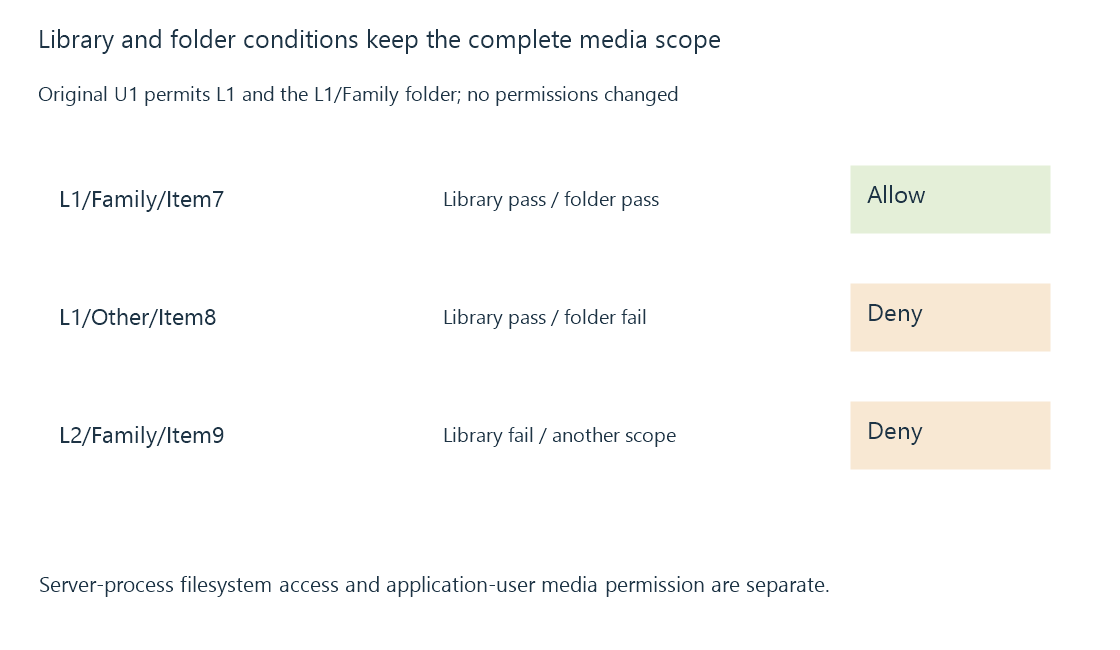
For this exercise, a request must satisfy both its library membership and selected folder scope.
| Request | Library condition | Folder condition | Model result |
|---|---|---|---|
| L1/Family/Item7 | Pass | Pass | Allow |
| L1/Other/Item8 | Pass | Fail | Deny |
| L2/Family/Item9 | Fail | Outside selected L1 scope | Deny |
The complete folder key retains the library. Reusing only the label Family would incorrectly merge different collection contexts.
Emby’s content-access documentation describes library and channel selections, with folder-level access for libraries containing multiple configured paths. Its folder-based reference explains the shared-library/different-user-view role.
The server’s filesystem identity is another boundary
The Emby process needs the appropriate storage access to scan/read the relevant media. That operating-system identity is different from the application user U1.
A readable file can still lie outside U1’s permitted library scope. A permitted U1 request can also encounter storage the process cannot presently read.
The first is an application-policy issue; the second is an availability/operating-system access issue. Granting every user library access does not repair a missing mount or server-side read failure.
A client view is a presentation of the policy
Removing a card, favorite or library shortcut in one app does not establish that the corresponding resource request is denied by the server.
The policy needs to be applied at the relevant operation boundary. A later direct playback request has its own resource and user context.
Likewise, hiding a library is different from removing its indexed items or deleting its physical media.
Other content rules still have inputs
A library permission can pass while rating/tag restrictions exclude an item. A permission to play can coexist with a denial of deletion or administration.
Authorization develops those operation distinctions. Rating restrictions follows the metadata-dependent content check.
See Also
- Media server authorization and operation-specific access
- Rating-based restrictions and unknown metadata
- Library scanning and catalogue reconciliation