Leaderboard




Popular Content
Showing content with the highest reputation since 03/04/26 in all areas
-
Is it time to explore this either in Emby core or as a plug-in if possible? https://letsencrypt.org/2026/01/15/6day-and-ip-general-availability6 points
-
Since the service is not selfhosted I will not use it. Giving out my Emby login, password, api key and External IP / domain to a external service is not for me. What happens if the external service gets hacked? Or all my info is sold to highest bet?6 points
-
There is a new bug fix out for this version!!! ----- New version out (v2.3.4) at yocksers/EmbyCredits Github. Added: Plugin now checks when a video has changed and sees if the time stamps are still there and if not restore them if they are present in the backup files. This feature can be turned on and off. This has been made to fix the problem of Emby sometimes deleting time stamps. Added a Chapter edit function, this can be found in the Chaper Edit tab. This was heavily inspired by Teams B Chapter API so a special thanks to him! Added an automatic skip intro blocker. When activated for a series it will stop intros from being automatically skipped if configured in Emby. This is for is people want to automatically skip some intros but not others. Changed: Backup system has been changed to save files per TV show instead of one big backup file. This was done for user friendliness but also to make the auto restore system work better. Fixed: Minor bug fixes that should not be noticeable to users. Special thanks as always to @Neminemfor help with the plugin. @spk2010@DarWunI finished and added the "fix" to Emby deleting the time stamps. Hopefully this will fix all the problems with Emby doing that until the devs look into the problem.5 points
-
ah...in my response I hadn't considered the server access sellers and the support angle, I'm aware of that side of course and they are pretty easy to spot. I also think there are wannabe sellers, or even someone recently who sounded as if they had inherited a server lol As for the helping burnout, in some way it's probably because emby as a project is pretty much solid for the core functionality. Yes there are nice to have's and some of us want a particular feature, but there is more than enough which is stable and feature-complete, and where not there are easy and well understood hacks and workarounds. Things were a lot more fun when trying to get emby working on a Synology NAS and then within Hyper-V, I think I spent most of my time tinkering than actually watching anything, now it is the other way around. Helping is difficult as people with simple issue who don't want to invest their own time in simple investigation and reading are tiring. I don't want to deal with them at work, why would anyone want to do this out of work... But hey we are all still here because Emby is an amazing piece of work, I don't even class it as a product.4 points
-
I tent to agree. Most new user are Emby server users that don't own and have installed there own servers. Asking 1 time questions about there experience / failed attempts to connect to, what they call there own server, and never again reply. Share sellers redirecting there support to this forum or just don't care. Sadly this started after the big purge, where the forum was deleting old unused accounts with on forum activities, meaning 0 posts or replies. As a result share sellers are making them ask 1 question, most topic "KJHJKHK" Body "djfhk" 1 thing I have noticed is that some of the old account / helpful people have stopped helping new people, sadly I'm 1 of them. I have hade enough of people asking for help directly via PM or getting a smirky reply they cooked up via some AI. Or they never get back to you if that helped them Then there is the other people asking for help that don't want to supply logs or read the linked "how to guide" and supply where that fail them. So spending 1 - 2 hours trying to help them is going unanswered, and right now I feel like I'm waisting my time.4 points
-
Netflix and AppleTV use DD+ Atmos not TrueHD Atmos. The Emby app should pass DD+ Atmos also. As far as I know Sony apps still don't passthrough TrueHD. However, if you want to test this out turn off audio transcoding on the server. This will tell Emby to just pass the audio untouched and let the hardware try and handle it. Edit: if you try turning off audio transcoding make sure it's actually coming out as TrueHD and triggering Atmos. Some devices will auto convert using hardware to something like PCM 2.04 points
-
Beta if people want to help test. I've been testing and re-testing this for a while now and i seem to have gotten the auto-restore fixed so that time stamps gets restores after Emby removes them. Would love more to test it so it's sure to be bug free. WARNING!!! This is a beta and there might be bugs, as always use at your own risk. EmbyCredits.dll
 4 points
 -
Updated to add in ordering for About, and fixed that ugly orange box around the episode season/title as shown in the screenshot above. Emby Navy and Gold v2.8.css4 points
-
What's stopping you?4 points
-
I'm currently working on a play count for all users, so with that you almost get what you are looking for. I might look into adding watchtime aswell. Will be in the next update Working on this right now, will be in the next release. We do still need it if you use external list for example, or local collection. Thank you! And thanks for trying it out!4 points
-
For me it sadly does and others have reported the same. Anyway.. It's sadly out of my hands and needs a change in Emby it self from the devs.4 points
-
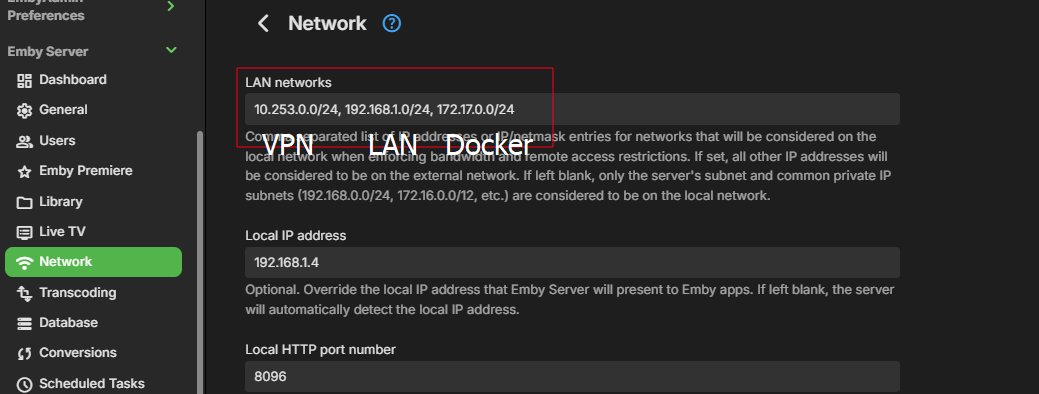
You might need to add you VPN Ip subnet to your LAN networks. Just be careful not to make mistakes, you can get in an situation where you lock your self out of the server, even on local lan. I do it like this.
 4 points
 -
Major release - Version 3.0.0.1. Download .dll here and full changelog: https://github.com/soderlund91/HomeScreenCompanion/releases/tag/v3.0.0.1 This release contains major updates, improvements and bug fixes. New name - Home Screen Companion Read why below. Warning No longer support for Emby server version 4.9.x.x. Requires 4.10+ How to update from AutoTag (Optional/Recommended) Download a backup from the plugins settings menu Download HomeScreenCompanion.dll and put it in your /plugins folder. Remove AutoTag.dll from /plugins folder Restart Emby (Optional) If everything has migrated well you can remove AutoTag.xml.old from /plugins/configurations folder _____________________________________ New Home Screen manager: Added a new function that copies the home screen sections from a selected user to others. You no longer need to manually edit the home screen for multiple users. For example, if you create a tag or collection that you want to show on the home screen, you now only need to set it up for one user and then automatically copy it to all selected users in one go. Unlike Emby’s built-in copy function, this only copies the home screen sections. Improvements Local media information: Added ability to match with "NOT" logic. For example, you can filter movies that do not speak English. Local media information: Added an info popup with help to understand the symbols for equal, greater etc. Schedule override: Added ability to override a tag/collection based on schedule. Example: if you use the tag "spotlight", but for Halloween you want that to override during October and also use the tag "spotlight". Then the ordinary spotlight tag will become inactive, and only the Halloween one will get the tag spotlight. (If multiple overrides are used at the same time and for the same tag, they will be combined) Emby's scheduled tasks: Moved the tasks from "Library" into a separate Home Screen Companion title Fixes: Collection images: Uploaded images are now deleted when unused. Bug fix: Fixed a bug where you could select a non-existing date in the recurring schedule, for example Feb 31. v3.0.0.1: fixed a bug for home screen copy if the source and copy to was the same. Now prevented _____________________________________________________ Why change the name? What started as a simple script to add tags from an external list has grown into much more. The plugin is now also used to create collections, and a "smart playlist" feature has been implemented using local media information. The idea behind this plugin was originally to create tags to use in conjunction with Emby’s new Home Screen Sections. I mainly build this plugin for my own needs. My goal is to have a plugin that helps manage and automate the home screen as much as possible. Now that I’m adding the ability to actually manage the home screen directly, I feel that the original name no longer describes the plugin accurately. It's still the same plugin, just with more and more functionality being added. However, it is evolving into a companion for managing the home screen — hence the name. HomeScreenCompanion.dll4 points
-
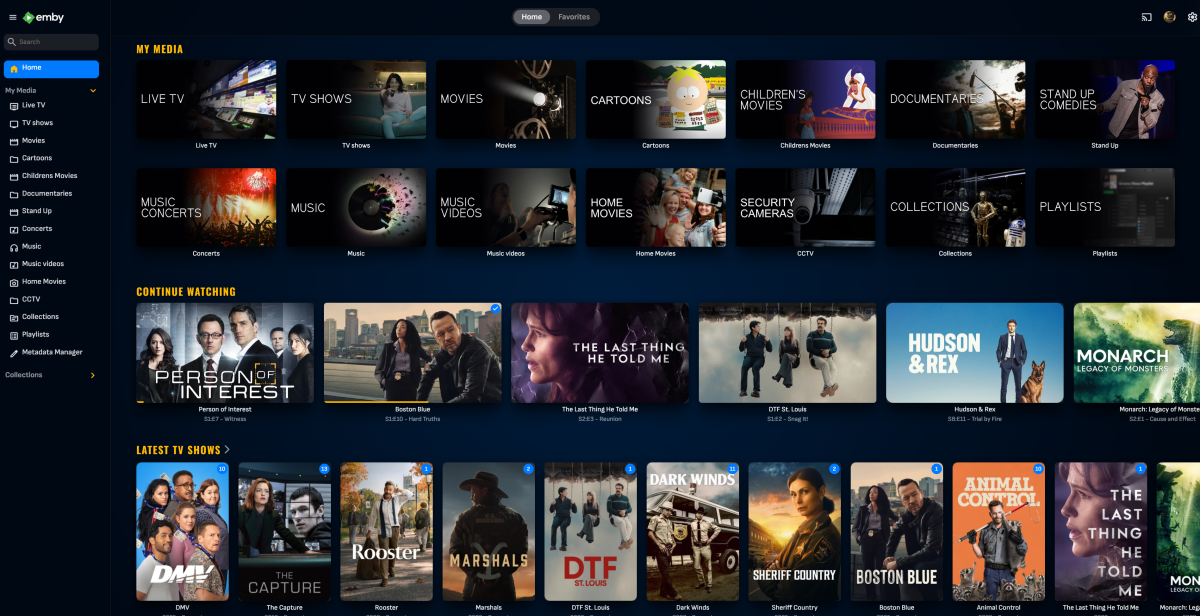
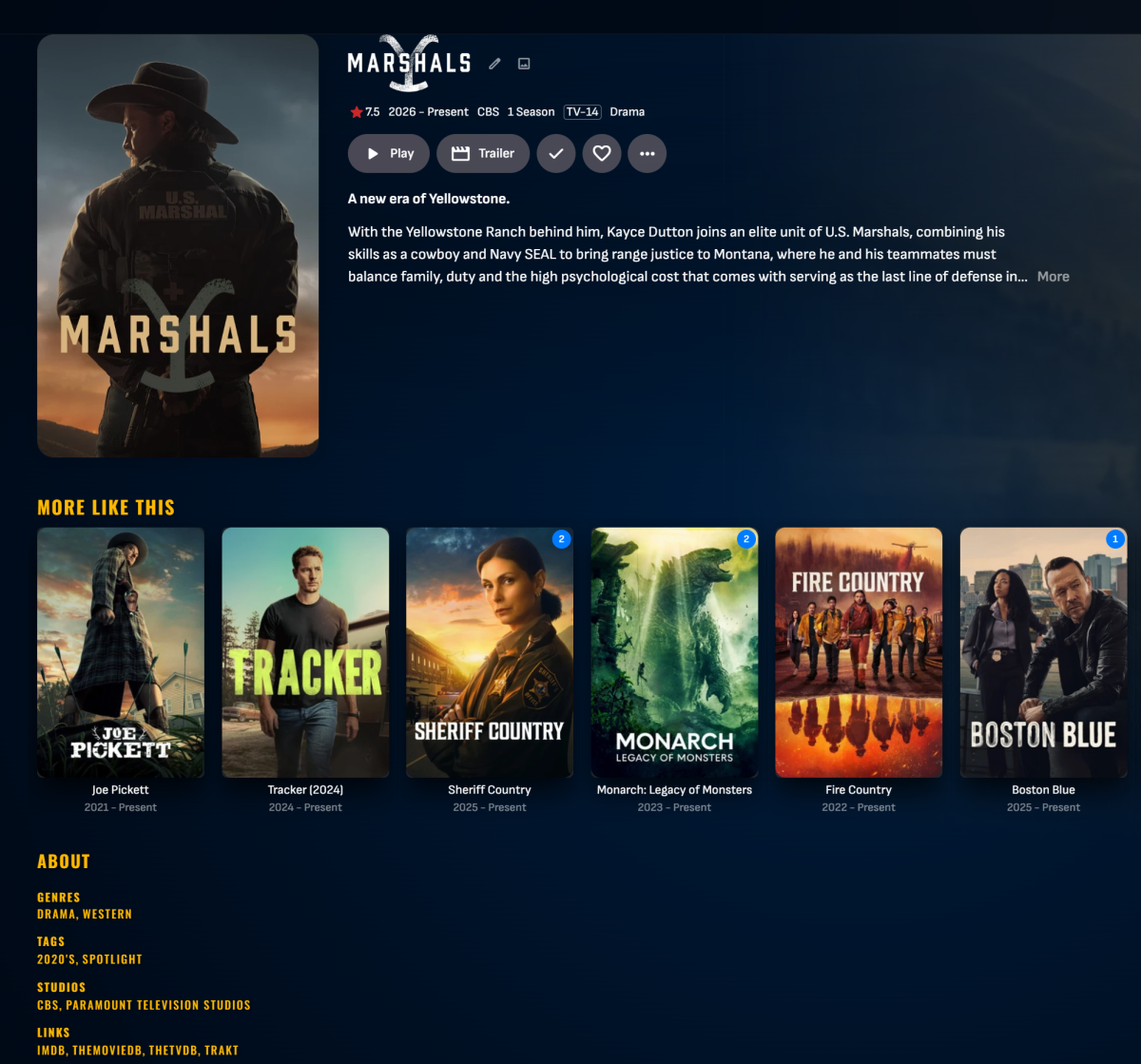
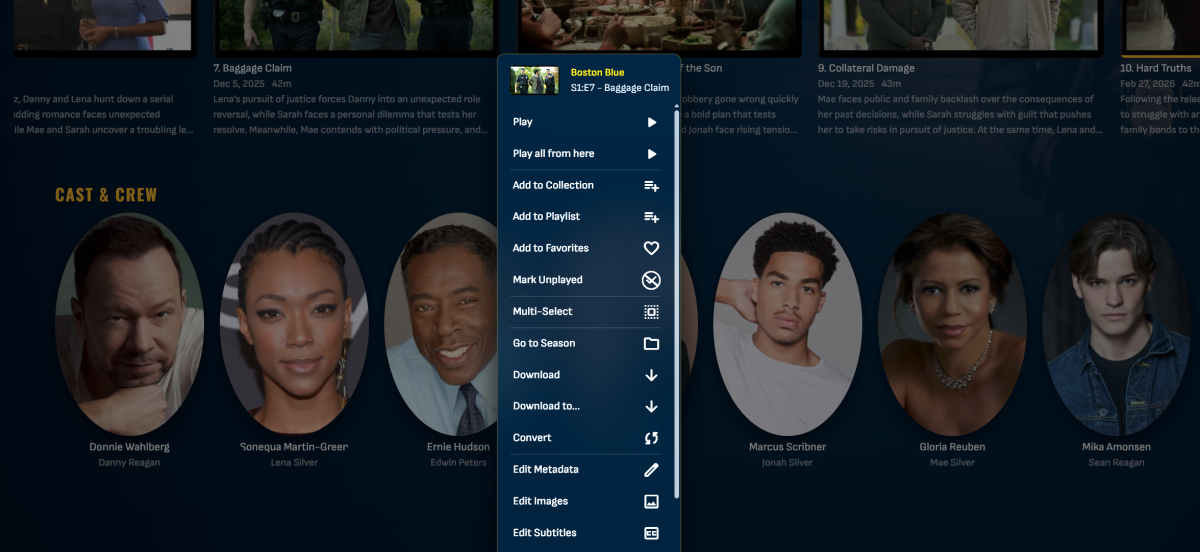
Just starting to get my hands wet w/ Emby themes and trying to design my own for once. Mostly used AI to help generate this but I feel it looks good so far but still a work in progress... Feel free to share any updates you make.. (Currently only works properly on the 4.9 Stable release.) Edit: Updated to fix backdrop bleeding. Emby Theme.css
 3 points
 -
New minor release - Version 3.3.1.0 Download .dll and full release notes: https://github.com/soderlund91/HomeScreenCompanion/releases/tag/v3.3.1.0 This updates contain various bug fixes. IMPORTANT! Minimum required Emby server v4.10.0.8 Note Make sure to back up your settings before updating, just in case. Note Included a .NET V6 release, this is for MacOS or legacy support. This version is NOT tested. Fixes Fixed an issue where multi-line option didn't work. For example entering multiple actors in the Smart playlist filters. Various minor bug fixes HomeScreenCompanion.dll HomeScreenCompanion_NET6_MacOS.dll3 points
-
The latest beta server build has a hidden config switch. so if you open up the /config/system.xml file, set ValidateImageTags to true and then start the server. this will make the image tag value required, which will be unique per image and therefore you won't be able to guess a url anymore. It's an opt-in config switch for now to allow for time to identify cases where that param may not be supplied.3 points
-
Hello, this Information is already being recieved from TVDB according to this Thread: I understand this is very niche, but i think this could still be useful to have.3 points
-
Not everyone will and they are very clunky to operate.3 points
-
To enlarge on this a little: the way to get separate folders to remain visible as such in Emby is to specifically avoid using the names it recognises - precisely because those get combined! However, if these "unrecognised" folders contain names which Emby recognises as being specials (e.g. with s00e0n in the name) these may appear in the Specials folder as well - care and experimentation is required to get a tidy result, and future versions of Emby may break it again, because it's not supported. Paul3 points
-
I released v1.0.3.8 of the RatingPosterDB Emby plugin, it should resolve all reported issues, along with adding a LOT of new features: - Themes! - Theme position - Font size / weight - Image preview area in the settings - Many many new stylings settings and much more A full list of all plugin settings can be seen here: https://github.com/RatingPosterDB/RPDB-Emby-Plugin/blob/main/README.md#settings-screenshot If you find any issues with this new version, please make sure to notify me.3 points
-
LG does not allow apps to DirectPlay TrueHD. TrueHD is only supported when played from an input source via HDMI. The reason why it 'appears' to work when you disable transcoding on the server is this. When the LG TV encounters an audio track that is not supported, it automatically plays the next supported track in the file. It does not report this, so Stats for Nerds will show TrueHD as that is what we think is playing, but that is not what is being played. Test this by finding (or creating) a file with only a single TrueHD audio track and no other audio tracks, or find a file where the audio track after the TrueHD track is either a different language or a commentary track. In this case, you will be able to tell which track is really playing.3 points
-
What you both don't seem to understand is that access to your server is exactly the same, whether you're using a regular web browser or a bespoke installable emby application/client. They all access the server through the exact same means/endpoints: the servers API, which is secured with user authentication tokens. The only difference is whether the interface you're viewing was downloaded on the fly to present to you (a web page) or already stored on your device (an installed application, or even just a locally cached version of the webpage). An attacker doesn't even need to load the webpage from your server, they could just send raw requests/commands directly to the servers API. Disabling the 'http web server' or 'webpage' or however you want to phrase it, IS to shutdown Emby server entirely. (or prevent EVERYTHING from accessing it at all, apps included). Emby server is primarily an http server that responds to http requests from every client application. This includes the actual video streams too. Point is: your request has not and very likely will not be implemented because it does nothing useful. Preventing users from being able to load the webpage would not improve security in anyway (and honestly would likely lead to people locking themselves out of their servers unknowingly). It's completely superfluous. Like removing the knocker from your door; it doesn't stop people seeing your house/door and knocking anyway or even just trying to enter. That's why we have locks (authentication/access controls). If you're that worried about which client a user will use; use the device access controls to limit them. Or just have a discussion with the people you share your server with and stop sharing with people that won't respect your rules... It's your server after all.3 points
-
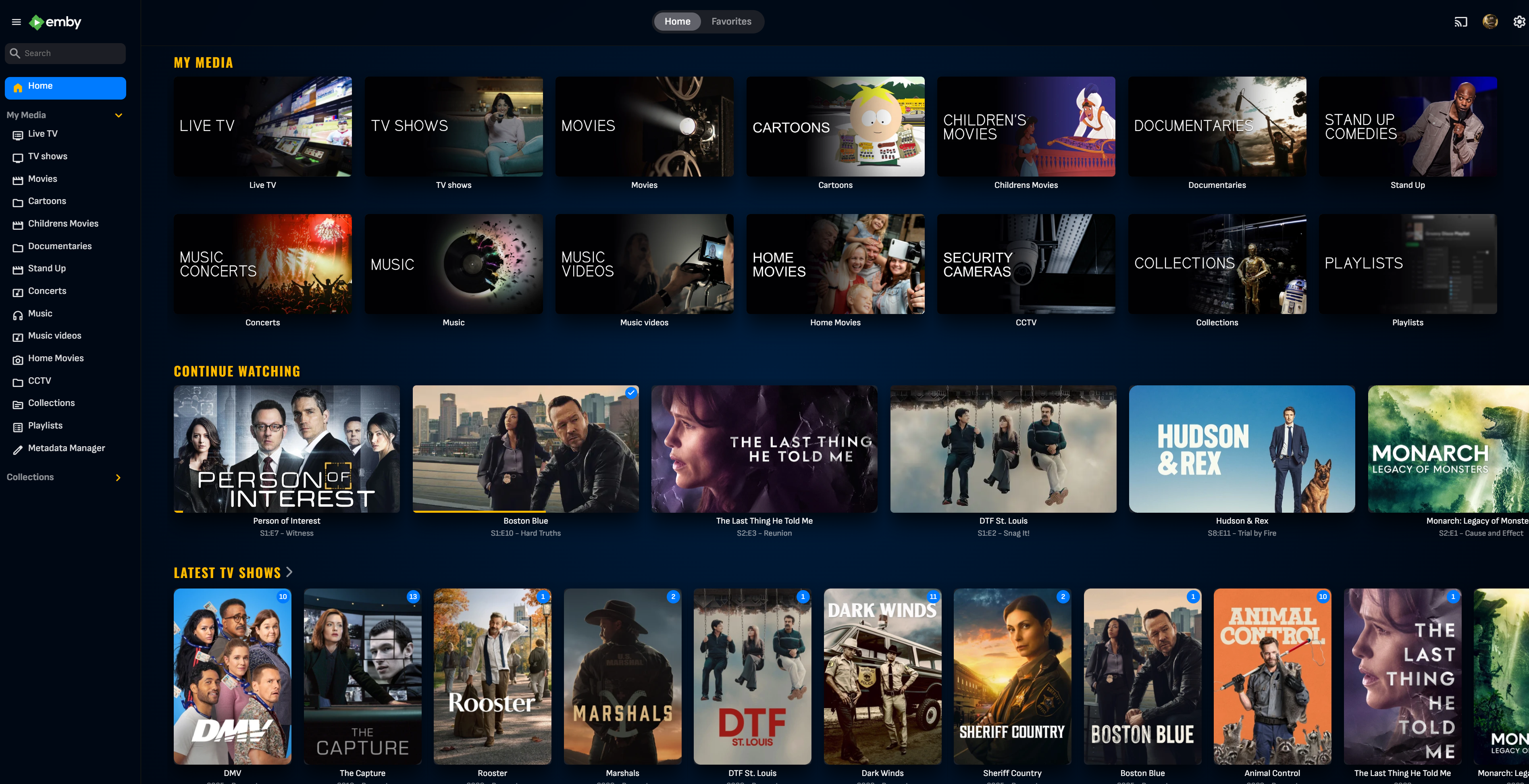
Very simple little plugin. Customize the new banner feature in the Emby server beta. Cycle between messages - It's not a live cycle so requires reload of mainpage. Show Movie, Show, Episode, Video count. Show latest movie and/or TV show. Add Emojis (for what ever reason ) Can look into adding more if people want it. ONLY WORKS WITH EMBY SERVER BETA!! Can be found at: yocksers/EmbyBanner.
 3 points
 -
Update: Moved to 4.10.0.6 problem still exists.3 points
-
Samsung TVs do not passthrough audio formats such as TrueHD or DTS. Look for the table similar to the one in the link below in your user manual. https://developer.samsung.com/smarttv/develop/specifications/media-specifications/2022-tv-video-specifications.html Any audio codec not in that list has to be transcoded by Emby or the file will not play. You can test this out by turning off allow audio transcoding in your user playback settings on Emby server. Turning that off will force Emby to passthrough all audio formats. The solutions are: allow the server to transcode any unsupported audio select a supported audio format before clicking play. Most UHD discs come with an alternate AC3 track at 640kbps hook up an external box such as nVidia Shield which supports TrueHD, DTS, etc to the input port of your soundbar and use the Emby client app for that device instead.3 points
-
I ignored the first rule of a home network. When in doubt reboot the router. I was blindsided that everything else was working and Emby server could be accessed by external PC and local Android Tablet. One tends to forget that (in the UK) the routers from BT and Virgin etc are cheap as chips electronics from Taiwan/China etc. Anyway - rebooted router - loaded Emby on Firestick - found my Win11 Server straight away and we are back in business. Not the first time in my 40 years in computing that I missed the obvious.3 points
-
Die brauchst du auch niemanden geben, es werden einfach alle gescannt von irgendwelchen Bots oder so, die finden dich schon von ganz alleine Und wenns dann irgendwo ne Lücke gibt...3 points
-
Global search?3 points
-
The ATV app has received a lot of recent updates, but you'll need to either side-load or sign up for the beta. See here:3 points
-
I agree that for immediacy and non-technical users something is better than nothing. But we also have to be careful and not give those same users a false sense of security. Don't want them to think that changing their port range is a one-and-done fix and now they're secure...all good! As @rbjtech and many of us have posted before there are basic security hygiene steps the non-technical admins can apply on their servers. This is because out of the box Emby has horrible defaults and very little if any guidance and warnings in the application itself. The devs could do a much better job of initializing Emby with better defaults and opt-in settings in the name of security. And if someone decides to change their external port they should pick a value that services like Shodan don't scan, which is difficult. Shodan says they scan for 250+ ports which is vague and the API has a much longer list. For example: https://api.shodan.io/shodan/ports3 points
-
Automating the scanning and attempts to breach reduce the level of effort to nothing. There's no inherent security in port values and trying to obfuscate the port doesn't add security. Once the server responds to a request then the application will be known immediately. You'd be better off adding Emby to the background noise by using a well known port (443) than trying to isolate it to a range that may confuse users, if you have any. If someone wants to secure their server then proven methods are better than obscurity. TLS is the most basic and facilitates others. A reverse proxy has become a must have. Enable SNI (many do by default) so that IP based requests are rejected. Enable IP geo-blocking. You can continue up the chain with IDS/IPS and more complex and robust measures. It all depends on the level of effort you want to invest and of course knowledge. A reverse proxy with SNI may be a good stopping point for most.3 points
-
Sadly, the Default security configuration for Emby it is imo extremly lacking - it simply does not change when people tick the 'Allow remote Connections to this Emby Server'. Below are just some examples of what COULD be done when the above option is selected : Remote Access is automatically removed for any Admins - you can overwrite this, but it should default to no. This renders any system API useless, as the Admin account has no remote access. If Admin is your only account, then you get asked if you would like to clone it (+ all it's play history etc) and this new non admin account has the remote access. Enforce a decent password for any Admin Account & any account that has remote access. It doesn't need to stupid entropy - nobody is going to be personally brute forcing your emby build (good brute force protection is built into emby) - but it needs to be enough to keep out bots and previously breached passwords. Set 'Hide this user' when remote Set 'Hide this user on devices they've never signed into'3 points
-
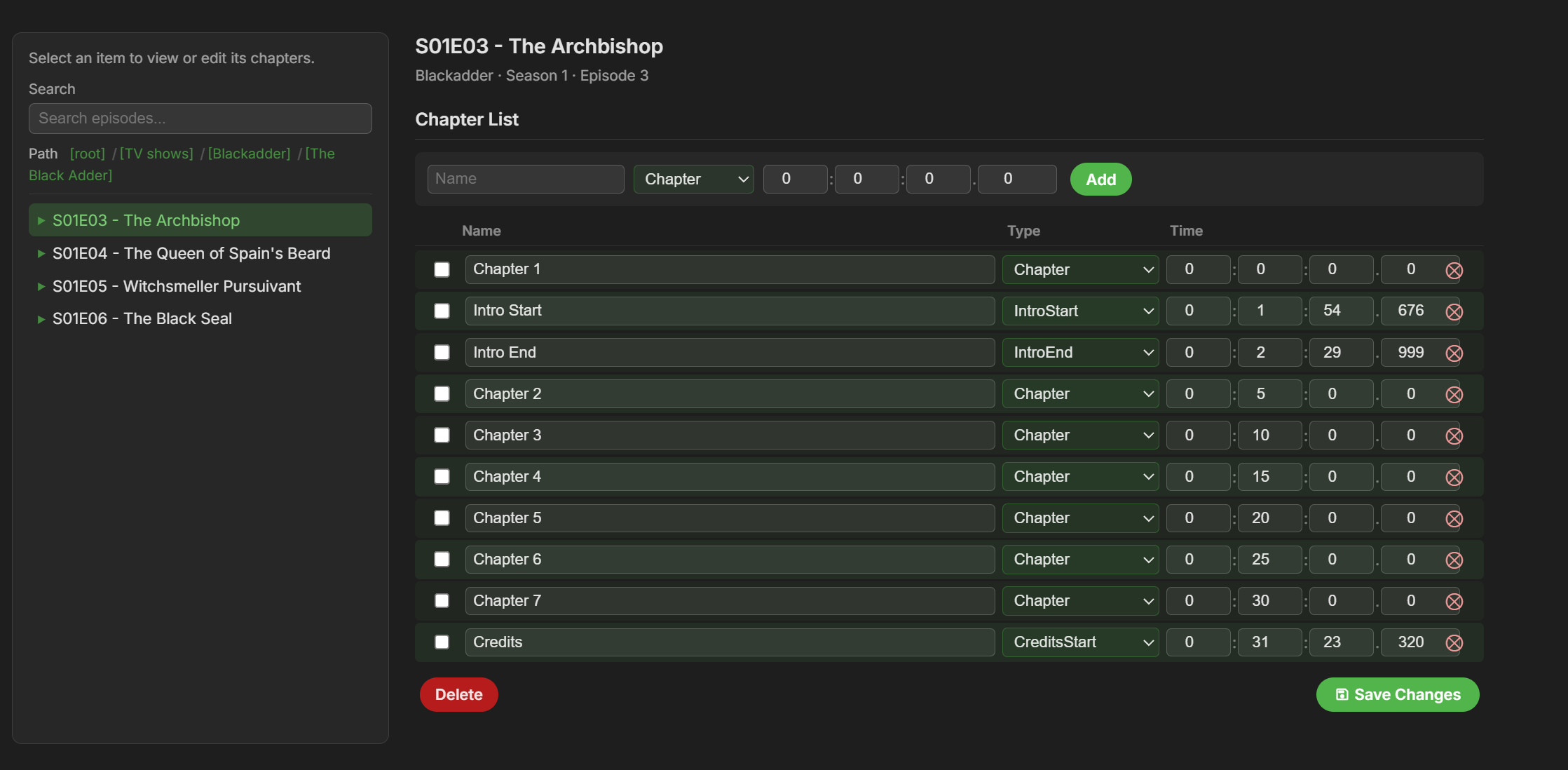
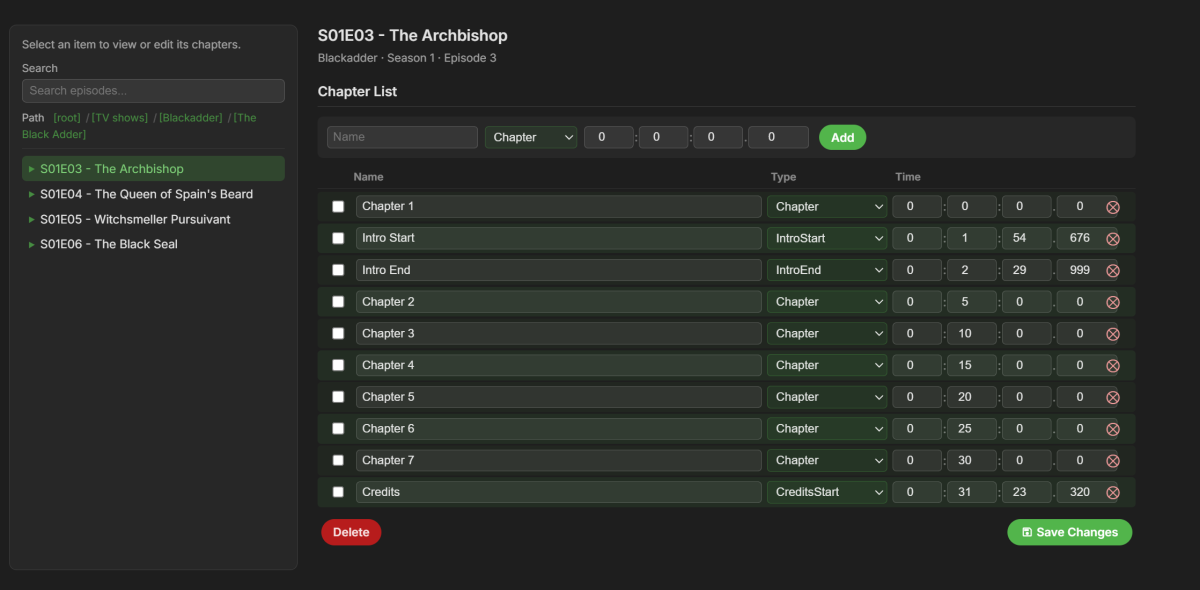
A little sneak preview of next version. This is !!!HEAVILY!!! inspired by Chapter API (a great plugin that i use a lot and can recommend). @rbjtechYou were involved in making Chapter API correct? Is it okay i release this? If not then i will change it instantly and apologize. The layout and functionality of Chapter API is pretty much perfect and people have been asking me to include something like it in this plugin.
 3 points
 -
There’s an app and service called JustWatch, its primary aim is you add what streaming services you have or are interested in. So when you search for a particular film or show it’s shows which service it is available on, or where you can find it to rent/buy/watch. You can also favourite your own shows/movies you like and it will give you recommendations. Trakt is another one although this you can sync with your libraries as well, although I’ve not used it in a few years now so have no idea how well it works now.3 points
-
Tried installing again this morning to replicate the error, but the install was succesful and the client works. This is the first time something like this has happened and I've been using emby for quite a few years now. Strange thing, that at first my wife tried installing it with no luck (uninstall old version -> install new from the same usb she always does), and turned the TV off. I've arrived home later, tried again, installer failed to install package. Sorry to bother you folks with this—hope you all have a nice day!3 points
-
Just for information, I’ll take a break from this for a few days and just enjoining the weekend. Letting you guys play and test the latest beta. I feel I have reached a milestone with the plugin and all the features I wanted to have (and more thanks to your suggestions) is there. Im gonna focus one or two releases into bug fixes and smaller improvements, then I believe this is ready for the official Emby plugin catalog. If you encounter any bugs, have any suggestions for improvements, or any feature ideas, it would help me if you post them on GitHub. It’s fine posting it here as well, but I might miss it or forget. https://github.com/soderlund91/HomeScreenCompanion/issues Thanks!3 points
-
Version 14.0.0 Notes: This is a major version update. Please be sure to read the full changelog. Please remember to leave an updated written review on the Play Store. Your feedback is essential for improving the app’s ranking and helping secure Symfonium’s future. Added: Added many new now playing settings: Added new waveform bar type. (5 modes with precise settings over bars and reflection) Added icon color, overlay transparency and size settings for string buttons. Added precise size control and transparency level to control buttons. Added configurable protection for lyrics over cover. Added new spacer type for buttons, allowing more asymmetric designs. Added 5 toggleable booleans to custom strings, allowing more dynamic screens. Added more precise control of background blur level. Added text formatting controls for custom strings (Bold, Italic, Uppercase, Underline and Strike). Added share file as a possible button and string action. Added horizontal text position setting for the top bar. Added vertical text alignment setting for multiline fixed-size strings. Added control over transparency levels for most overlays and protections. Added new background overlay types and cleaned up the current implementation. Added 3 new customizable strings over cover. Added option to invert overlay and protection colors. Added option to force black overlays. Added new animated glow expanded background style. (Apple Music style, Android 13+). Added new fill size setting for cover in landscape to have it use as much space as possible in its side position. You can now customize the back and forward amount for expanded and compact player buttons. Added option to keep wave bar slider mode even if the data is missing or loading. Added option to swap buttons and collapse button in top bar. Added “album.type”, “output.current”, “renderer.current”, “renderer.type”, “sleep.timer”, “sleep.timer.seconds”, “sleep.timer.eos”, “player.repeat.mode”, “player.shuffle.mode”, “player.paused”, “filepath”, “filename”, “bool1” to “bool5” as possible custom string values. Added many new “string.*” as translatable custom string values to help making custom styles multi languages. Added a few new default now playing styles. Added fixed tertiary container as possible compact player background color. Added many new page settings: Added different background overlay types and transparency levels. Added precise header and image size controls. Added title and version bold and scale factor. Added subtitle and artists as text scale factor. Added option to show Favorite, Composer filter and More buttons in the button row, with option to split them from the playback actions. Added precise blur level control. Added center text, spacing and size control to albums in album and artist pages. Added option to space evenly buttons. Added option for album page to only show distinct artists in song list. Added custom string support as subtitle for Album and Artist page. Added random sorts to albums in Album and Artist pages. Added option to hide track numbers in Album page. Added many new media lists settings: Minimum columns for grids is now 1. Added nearly all display modes to all item types. Added Single line list, Text only list, Round card grid, Overlay grid, Vertical overlay, Landscape background overlay and Landscape overlay display modes. Landscape grid modes now have round and square versions everywhere. You can now hide unwanted buttons from the top button row. Added new settings to enable offline status and/or favorite status as overlay icons in lists for all media types. Added new setting to enable text centering on square grid display mode. Added new setting to control if Text only display mode is single line or not. Added many new home settings: Added precise size control for the top icon. Added 2 more possible shortcuts rows. Added Sync all as possible shortcut. Added tertiary container color as a possible header color. Added custom text as home row header title. Added precise control of header text font size, vertical padding, number of lines and center text option. Refactored overview style selection to split display modes and styles. Enabled many styles for overview items. Added setting to control visibility of the More button for overview lists. Sizes, spacing and padding can now be configured precisely. Added new Overlay grid, Vertical overlay, Landscape background overlay and Landscape overlay styles. Added new Multiline row and Carousel display modes. Added per-row controls to display Favorite, Offline status and Playlist type overlay icons. Added setting to hide subtitles in overview items. Added button to easily copy settings from another home row. Added option to change playlist affected to pinned playlist row. Added new row Recently added album artist. Added back Polish translation, thanks Medo for the work. Added support for MusicBee Love rating tags. (Loved to Favorite, Banned to Excluded from mixes). Added support for channel selection for PEQ filters (All, left or right) and lowered the minimum frequency to 5Hz. Added new setting to disable background and surface color changes when using dynamic colors. Added Stereo to Mono converter to the DSP. Added new Crossfade Setting: “Mix only” allows for seamless track overlaps without fading the volume. Added option to disable lyrics translations colors and word sync. Added option to disable lyric voice color indicator. Added new option to invert sort arrows. Added support for mixed “&&” and “||” operators with parenthesis support to the template system. Added support for mka, webm tag extraction to custom tag parser. Added new main navigation styles: Bottom docked toolbar, Bottom floating toolbar and Bottom floating toolbar with FAB. Added new “originaldate.year” and “releasedate.year” custom strings to only extract year from those values. Added new API calls to toggle the hide status bar and ignore camera hole settings. Changed: There is major changes in many interface settings, most settings should be properly migrated, but it’s possible some special cases requires you to configure again some details. Many default application and now playing styles have been updated. You can still easily modify them to fit your needs. If you never tweaked your interface now if the perfect time to try the new styles. Player keep paused state option is also applied to now playing cover swipes. Now playing queue properly updates favorites, ratings, … on external changes. Application styles export and import now also contain any custom home icon you have configured allowing to share full interface. Song mood and language smart filters now support all range of text filters. Updated the template engine to support combined && and ||, negative integers, double values and many more tweaks. If your custom strings relied on previous engine quirks, it is highly possible that you need to update your templates. Now playing top bar standard subtitle text now displays their associated icon if present. Use custom strings to remove them if necessary. Hopefully small performance gain in the custom tag parser without regression. Please open issue with tag extraction. Fixed: Fixed selection menu sometimes not visible. Fixed unwanted skip count increments in rare cases. Fixed Jellyfin quick connect sometimes not working. Fixed PEQ/GEG pre amp sometimes not applied after a track change. Fixed Plex offline caching (transcoding) sometimes generating bad mp3 instead of opus. Added a workaround to allow playback of invalid mp3 generated by Plex transcoding. Fixed some mp3 tag and images extraction issues on some cloud providers. Starting a radio mix or instant mix from current song in now playing no more restart the current song. Fixed possible Google Drive authentication issue with some accounts. https://support.symfonium.app/t/version-14-0-0-released/127873 points
-
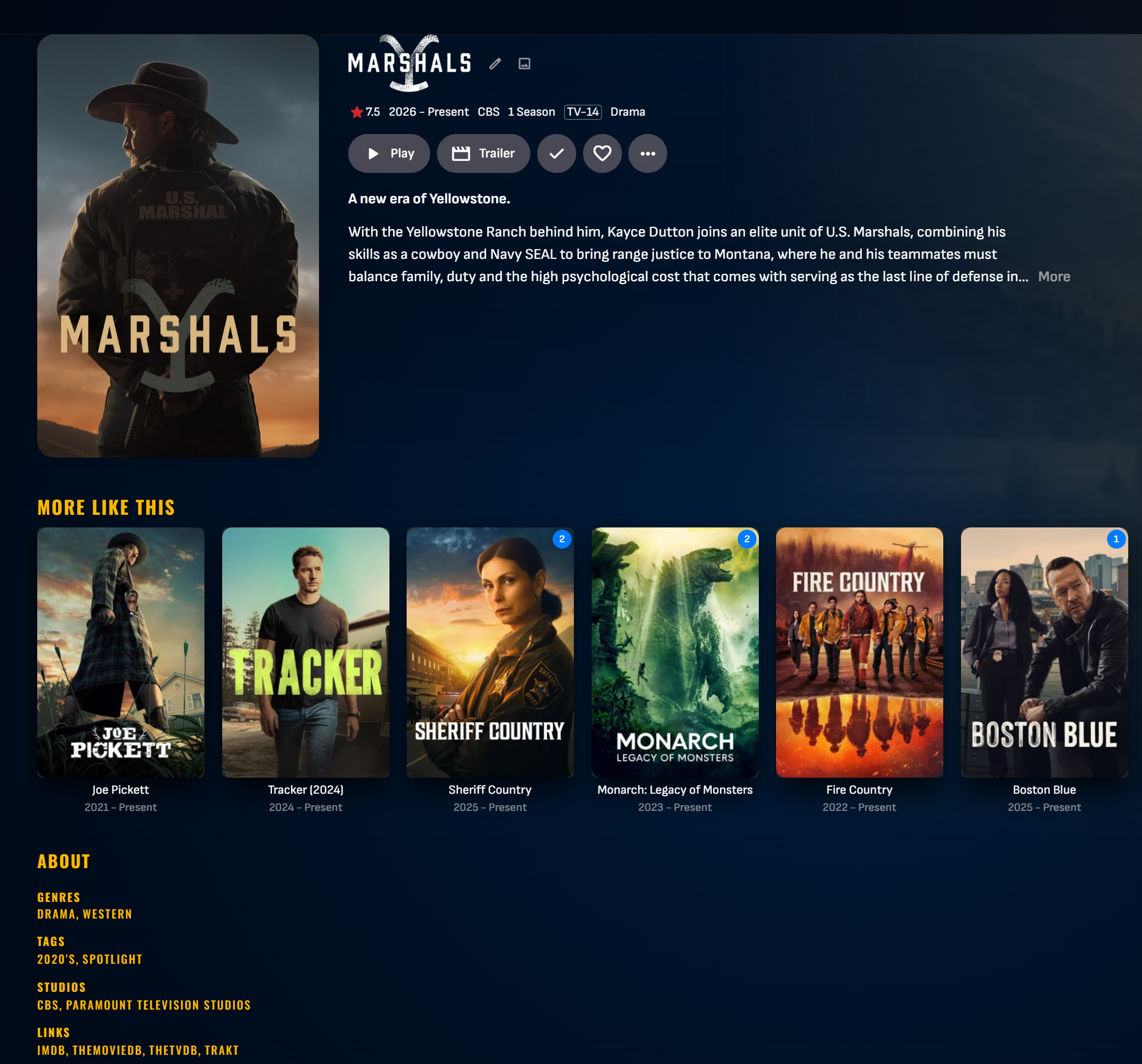
I know i promised that i would get an update out with a fix for the light theme (menu not visible). I got carried away when working on the plugin so I ended up building in some big improvements aswell. So it might take another day or two until next release with that fix, just use dark theme until then if its a big issue. Sorry about the trouble, but... Teaser for next release. Now we can manage each users home screen sections directly from the plugin. We can move the sections and adjust the order. This function is completed and works like a charm! Curently working on a way to create a home screen section directly from the Tag and Collection menu. So when we create an entry for a tag or collection, there will be an option to also create a home screen section for this entry and select what users to give it to. Next step is then to adjust order (with the function above) for one user, and then copy it to all others. All this could possibly be automated aswell. If i can get this working, it will be a HUGE improvement from Embys native way of doing this at the moment.3 points
-
I must say I am also very satisfied. 4K works, live TV with the TVH plugin works. No crashes. Very good work.3 points
-
HI, apologies for the delay. We should have a server update out soon to resolve this. Thanks.3 points
-
As there are so many different music genres it would be great to have the possibility to add a description to each music genre. Similar to the Band Info. And it would be great that paragraphs would be shown correctly when done and not only one long text block.2 points
-
I have a client that was able to connect, but could not play anything. They got a "connection error", but only when the media should start. This was when i was using let's encrypt. When i shifted to ZerroSSL they were able to connect and play.2 points
-
And i was an idiot and forgot that i had quoted you. @GrimReaperto the rescue!2 points
-
The biggest deterrent to plugin devs on Emby has always been around the stable release schedule and the instability of beta builds. Infrequent stable releases push regular users to run beta builds and the beta builds are pushed out with no internal testing and often break things. Expect to be doing regular maintenance releases to keep up with the beta or have people questioning why you only support stable server releases. We've been asking for quarterly stable server releases for years but we are stuck waiting 1-2 years between stable releases. IMO it doesn't make sense to add this to the catalog until the Home Screen Selection make it to a stable server releases.2 points
-
I agree this would a welcome addition. Basically what apps like IMPlayer and others do. There needs to be some way to quickly filter channels on the guide, especially when there can be hundreds now w/ iptv. And it's even more important on the TV clients (Apple TV, etc) vs mobile (which have filtering options on the guide) since navigation is more limited. I keep checking every Testflight in hopes it pops up.2 points
-
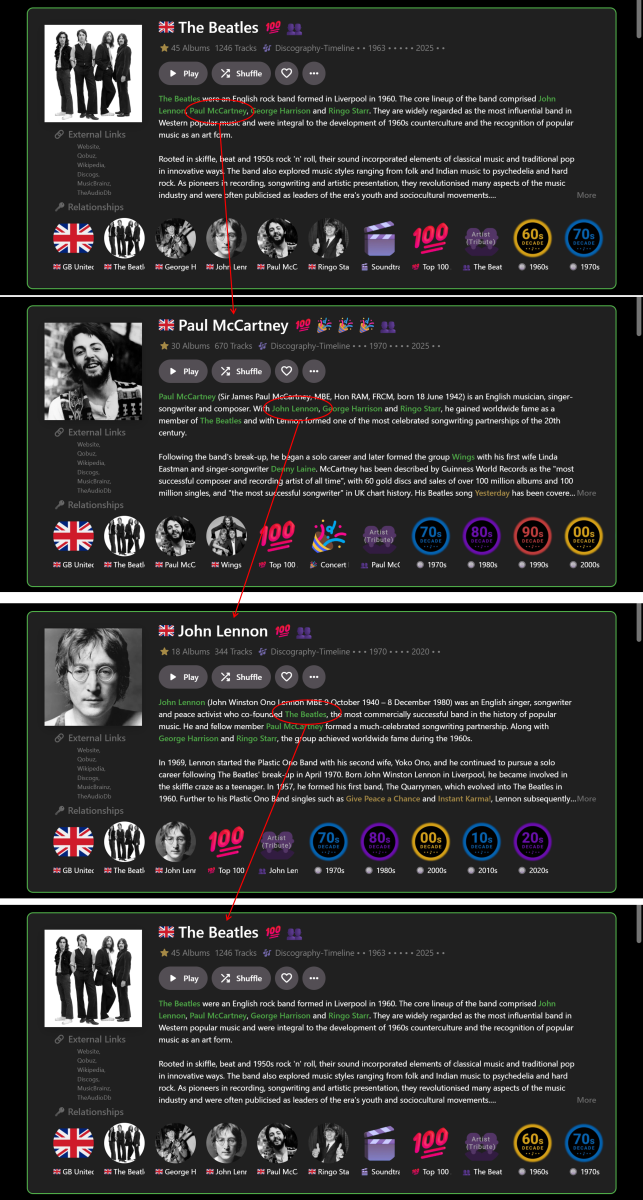
… I’ve recently been experimenting with this a bit more and figured out a way to get it partially working on a limited basis for the web app in Chrome, for my own use: With custom HTML/CSS added within Emby: Use HTML to tag the required entities in the Overview you want to link to (e.g.) <b>Artist</b> (as per my previous post). Use CSS to color highlight the entities (as per my previous post). With custom JavaScript, run from a browser extension: Find the <b>Artist</b> tags. Use a look-up table to map the Artist names to their Artist ID numbers. Create internal links from the Artist ID numbers. All of the above is relatively straightforward BUT the tricky part is that Emby web client is a Single Page Application using Document Object Module processes (I think this is the correct technical terminology). Therefore ‘back’ navigation can easily break the links, so auto page refreshes are needed to rerun the Javascript and restore the links. It really needs a plugin – but that is way beyond what I can figure out myself! Anyway, even with my limited experimenting the result, so far, is a GAME-CHANGER for me. No longer is Emby constrained by (mostly) tree-like branch structure browsing e.g. Genre>Artist>Album>Song>Back>Back>Back. Now I have a Roon-like user experience for music e.g. Artist>Artist>Artist>Artist… in whatever order reading the Overviews takes me. E.g.: When I find more time, I may extend this from just Artists to Albums and Songs? I don't want to post any code that isn't robust and I also don't want to give any detail tips that may help anyone implement dangerous linking. But perhaps the idea has merit for future good features. For a wider proper implementation by Emby it may mean looking at all the Overviews and matching text strings to IDs across the whole range of options. I guess this would be a large task to implement across all the apps…??? Cheers!
 2 points
 -
Yes they should,2 points
-
Should be fixed in the next release. Thanks2 points
-
Good news mate that one seems to be working I have a busy morning with work but I will run some more tests as soon as I catch up and report back.2 points
-
I setup my homescreen and then quickly copied the setting to all other users, so far no complaints. One additional setting is apparently incoming on an upcoming beta, where individual dynamic rows can either hide or show played items. For me this completes things as you can build a pseudo DVR home row for shows or episodes now that are your shows you can about via aperture or just favorites, and hide watched, while still allowing watched to show for other rows where hiding things would potentially break Top Pick ordering and numbered display. I am looking forward to that. Then I will jump back in on aperture updates and upgrades based on user feedback2 points