Leaderboard




Popular Content
Showing content with the highest reputation on 10/22/24 in all areas
-
If you're running Emby Media Server to manage and stream your personal media collection, you probably have heard about hardware transcoding. But what exactly is hardware transcoding and why should you enable it on your Emby setup? In this blog post, we'll break down the benefits of hardware transcoding and explain why it’s a game changer for your media streaming experience. Please keep in mind that hardware transcoding is an Emby Premiere feature and can be purchased HERE. What is Transcoding? Transcoding is the process of converting media files from one format to another, optimizing the content to suit the device you're watching on. For example, if you have a high-bitrate 4K movie on your server, but you’re streaming it on a phone or a non 4k TV over a slow internet connection, Emby will transcode the file to a lower resolution or bitrate to ensure smooth playback. By default, this transcoding happens in software, meaning the CPU does all the heavy lifting. But that’s where hardware transcoding comes into play and can be incredibly helpful. What is Hardware Transcoding? Hardware transcoding uses a dedicated component in your computer, such as a GPU or integrated graphics, to handle the transcoding process instead of relying solely on your CPU. This results in faster, more efficient media conversions, and frees up your CPU for other tasks. Below, we will go into detail as to why hardware transcoding is so important for Emby Media Server. Top 5 Benefits of Hardware Transcoding in Emby 1. Faster Transcoding and Smoother Playback Hardware transcoding significantly speeds up the process of converting video files. Since dedicated hardware like GPUs are designed to handle parallel processing, they can manage transcoding tasks much faster than your CPU. This means no more waiting for videos to buffer when streaming to devices that require transcoding. For users streaming in 4K or on multiple devices at once, the speed boost from hardware transcoding can make a huge difference in ensuring uninterrupted, smooth playback across your media library. 2. Lower CPU Usage, More Efficiency When you use hardware transcoding, you’re offloading the intense workload of video conversion from your CPU to your GPU or dedicated hardware. This reduces the strain on your CPU, freeing it up to handle other tasks more effectively. For home servers running on lower-end hardware or even NAS devices, this can be a crucial benefit. With reduced CPU usage, your system can run more efficiently, leading to better performance for other applications and even energy savings in the long run. 3. Better Multi-Stream Performance If you have multiple family members or friends streaming from your Emby server at the same time, hardware transcoding is a must-have if not every file can be direct played on their client devices. Software transcoding is limited by the power of your CPU, which can quickly become overloaded when handling several streams at once. With hardware transcoding, your server can manage multiple transcoding tasks simultaneously without lagging or crashing. Whether you’re streaming on a tablet in one room and a TV in another, or your family is accessing your media library remotely, hardware transcoding ensures a seamless experience. 4. Support for High-Resolution Content (4K and HDR) Streaming 4K HDR content is demanding, and transcoding such high-quality files puts a significant load on your server. Without hardware acceleration, many servers struggle to downscale 4K videos, leading to stutters, buffering, or even failed streams. Hardware transcoding, especially with modern GPUs and iGPUs, is optimized for high-resolution content. It can handle 4K, HEVC, and other high-bitrate formats much more efficiently than software transcoding, providing smoother playback for high-res media. 5. Energy Efficiency and Longevity Since hardware transcoding is faster and more efficient than software transcoding, it uses less power overall. When your server doesn’t have to push its CPU to the limit, it consumes less electricity, which can be a big plus for those concerned about their energy bills. Additionally, since the hardware is doing the heavy lifting, your CPU experiences less wear and tear over time. This can prolong the life of your system, especially if you're running your Emby server 24/7. How to Enable Hardware Transcoding in Emby Enabling hardware transcoding in Emby is straightforward, but it requires compatible hardware. Many Intel CPUs with integrated graphics, as well as dedicated NVIDIA or AMD GPUs, support hardware transcoding. Check Your Hardware: Ensure your CPU or GPU supports hardware transcoding. Intel Quick Sync, NVIDIA NVENC, and AMD VCE are popular options. Install Necessary Drivers: Make sure the correct drivers for your GPU are installed and up to date. Enable Hardware Acceleration in Emby: - Go to Server Dashboard in Emby. - Navigate to Transcoding settings. - Check the option to Enable hardware acceleration when available. - Select your preferred hardware transcoding engine (e.g., Quick Sync, NVENC) under the advanced tab if preferable. Test Your Setup: Start streaming from a device that requires transcoding or force transcoding and monitor your server's CPU and GPU usage to confirm that hardware transcoding is active. If you’re serious about getting the most out of your Emby Media Server, hardware transcoding is a must. By leveraging the power of your GPU or integrated graphics, you can enjoy faster transcoding times, smoother playback, better multi-stream performance, and energy savings. Whether you’re streaming 4K movies or sharing your media library with family, hardware transcoding ensures that your server runs efficiently and delivers the best possible viewing experience. View the full article4 points
-
If it's local playback, then no issue at all - emby used to allow no passwords at all. If remote , then by having a weak password you open yourself up to easy brute force attacks but the actual account is obviously presented no different to any other - ie any potential attacker does not know it is weak until the password is guessed. For that reason, just adding the same character multiple times to the start, middle or end (ie easy to enter) is actually significantly increasing the entropy of the password - known as padding. ie dog is a bad password but dddoooggg is significantly stronger.4 points
-
If you're running Emby Media Server to manage and stream your personal media collection, you probably have heard about hardware transcoding. But what exactly is hardware transcoding and why should you enable it on your Emby setup? In this blog post, we'll break down the benefits of hardware transcoding and explain why it’s a game changer for your media streaming experience. Please keep in mind that hardware transcoding is an Emby Premiere feature and can be purchased HERE. What is Transcoding? Transcoding is the process of converting media files from one format to another, optimizing the content to suit the device you're watching on. For example, if you have a high-bitrate 4K movie on your server, but you’re streaming it on a phone or a non 4k TV over a slow internet connection, Emby will transcode the file to a lower resolution or bitrate to ensure smooth playback. By default, this transcoding happens in software, meaning the CPU does all the heavy lifting. But that’s where hardware transcoding comes into play and can be incredibly helpful. What is Hardware Transcoding? Hardware transcoding uses a dedicated component in your computer, such as a GPU or integrated graphics, to handle the transcoding process instead of relying solely on your CPU. This results in faster, more efficient media conversions, and frees up your CPU for other tasks. Below, we will go into detail as to why hardware transcoding is so important for Emby Media Server. Top 5 Benefits of Hardware Transcoding in Emby 1. Faster Transcoding and Smoother Playback Hardware transcoding significantly speeds up the process of converting video files. Since dedicated hardware like GPUs are designed to handle parallel processing, they can manage transcoding tasks much faster than your CPU. This means no more waiting for videos to buffer when streaming to devices that require transcoding. For users streaming in 4K or on multiple devices at once, the speed boost from hardware transcoding can make a huge difference in ensuring uninterrupted, smooth playback across your media library. 2. Lower CPU Usage, More Efficiency When you use hardware transcoding, you’re offloading the intense workload of video conversion from your CPU to your GPU or dedicated hardware. This reduces the strain on your CPU, freeing it up to handle other tasks more effectively. For home servers running on lower-end hardware or even NAS devices, this can be a crucial benefit. With reduced CPU usage, your system can run more efficiently, leading to better performance for other applications and even energy savings in the long run. 3. Better Multi-Stream Performance If you have multiple family members or friends streaming from your Emby server at the same time, hardware transcoding is a must-have if not every file can be direct played on their client devices. Software transcoding is limited by the power of your CPU, which can quickly become overloaded when handling several streams at once. With hardware transcoding, your server can manage multiple transcoding tasks simultaneously without lagging or crashing. Whether you’re streaming on a tablet in one room and a TV in another, or your family is accessing your media library remotely, hardware transcoding ensures a seamless experience. 4. Support for High-Resolution Content (4K and HDR) Streaming 4K HDR content is demanding, and transcoding such high-quality files puts a significant load on your server. Without hardware acceleration, many servers struggle to downscale 4K videos, leading to stutters, buffering, or even failed streams. Hardware transcoding, especially with modern GPUs and iGPUs, is optimized for high-resolution content. It can handle 4K, HEVC, and other high-bitrate formats much more efficiently than software transcoding, providing smoother playback for high-res media. 5. Energy Efficiency and Longevity Since hardware transcoding is faster and more efficient than software transcoding, it uses less power overall. When your server doesn’t have to push its CPU to the limit, it consumes less electricity, which can be a big plus for those concerned about their energy bills. Additionally, since the hardware is doing the heavy lifting, your CPU experiences less wear and tear over time. This can prolong the life of your system, especially if you're running your Emby server 24/7. How to Enable Hardware Transcoding in Emby Enabling hardware transcoding in Emby is straightforward, but it requires compatible hardware. Many Intel CPUs with integrated graphics, as well as dedicated NVIDIA or AMD GPUs, support hardware transcoding. Check Your Hardware: Ensure your CPU or GPU supports hardware transcoding. Intel Quick Sync, NVIDIA NVENC, and AMD VCE are popular options. Install Necessary Drivers: Make sure the correct drivers for your GPU are installed and up to date. Enable Hardware Acceleration in Emby: - Go to Server Dashboard in Emby. - Navigate to Transcoding settings. - Check the option to Enable hardware acceleration when available. - Select your preferred hardware transcoding engine (e.g., Quick Sync, NVENC) under the advanced tab if preferable. Test Your Setup: Start streaming from a device that requires transcoding or force transcoding and monitor your server's CPU and GPU usage to confirm that hardware transcoding is active. If you’re serious about getting the most out of your Emby Media Server, hardware transcoding is a must. By leveraging the power of your GPU or integrated graphics, you can enjoy faster transcoding times, smoother playback, better multi-stream performance, and energy savings. Whether you’re streaming 4K movies or sharing your media library with family, hardware transcoding ensures that your server runs efficiently and delivers the best possible viewing experience.3 points
-
Just follow Emby's rules (which allow a lot of options) meticulously and everything will work fine. https://emby.media/support/articles/TV-Naming.html You can bend the rules, quite a lot sometimes, but you need to be clear that you are more likely to confuse Emby the further you stray from the recommendations. Note that in a mixed library, the folder structure is crucial to get reliable results (each movie in its own folder, each series in a folder with with season subfolders) - because Emby uses that folder structure to determine what kind a media each is and where to look them up. Paul2 points
-
This has now been done.2 points
-
You can Mark everything as played via the Home screen library options but can not mark unplayed the same way and something @Lukeneeds to look at as it worked a one point in time but now you have to enter library once you have marked as played and multi-select (enable multi-select on first item, hold SHIFT, select last time) and then select unplayed.2 points
-
Hello all, I have just tried out the Halloween theme. I love the little animation and the jingle. Also that you get recommendations for Halloween time. I wish I could set this as an admin for all connected clients. More calendar themes would also be great. E.g. a Valentine theme :-) Of course also with the appropriate recommendations. Greetings Helix1 point
-
Nope. I've never seen that, and I can't seem to duplicate that on either of my Android boxes playing with several different settings.
 1 point
 -
My son will be happy1 point
-
You're limited on disk space. Playback starts and the transcoder is using disk space as it does its job. At approximately 17 minutes of playback transcoding is halted as it runs out of storage space. The amount of time it takes to run out of storage depends on the particular transcode. Once it halts the transcode it deletes the temp files. This would likely happen again for the next playback. This is from your server log file.1 point
-
Not within a series no. But each series will probably have episodes named 'Bread Week' or whatever. Season 1 1. 1-1 17 Aug 10 Cake (60 min) 2. 1-2 24 Aug 10 Biscuits (60 min) 3. 1-3 31 Aug 10 Bread (60 min) 4. 1-4 07 Sep 10 Puddings (60 min) 5. 1-5 14 Sep 10 Pastry (60 min) 6. 1-6 21 Sep 10 Tea Party (60 min) Season 2 7. 2-1 16 Aug 11 Cake (60 min) 8. 2-2 23 Aug 11 Pastries (60 min) 9. 2-3 30 Aug 11 Bread (60 min) 10. 2-4 06 Sep 11 Biscuits (60 min) 11. 2-5 13 Sep 11 Pies (60 min) 12. 2-6 20 Sep 11 Desserts (60 min) 13. 2-7 27 Sep 11 Semi-Final (60 min) 14. 2-8 04 Oct 11 Final - Street Party (60 min) Season 3 15. 3-1 14 Aug 12 Cakes (60 min) 16. 3-2 21 Aug 12 Bread (60 min) 17. 3-3 28 Aug 12 Tarts (60 min) 18. 3-4 04 Sep 12 Desserts (60 min) 19. 3-5 11 Sep 12 Pies (60 min) 20. 3-6 18 Sep 12 Puddings (60 min) 21. 3-7 25 Sep 12 Sweet Dough (60 min) 22. 3-8 02 Oct 12 Biscuits (60 min) 23. 3-9 09 Oct 12 Patisserie (60 min) 24. 3-10 16 Oct 12 The Final (60 min) Season 4 25. 4-1 20 Aug 13 Cake (60 min) 26. 4-2 27 Aug 13 Bread (60 min) 27. 4-3 03 Sep 13 Desserts (60 min) 28. 4-4 10 Sep 13 Pies and Tarts (60 min) 29. 4-5 17 Sep 13 Biscuits and Traybakes (60 min) 30. 4-6 24 Sep 13 Sweet Dough (60 min) 31. 4-7 01 Oct 13 Pastry (60 min) 32. 4-8 08 Oct 13 Unconventional Flours and Unusual Desserts (60 min) 33. 4-9 15 Oct 13 French Week (60 min) 34. 4-10 22 Oct 13 The Final (60 min) Season 5 35. 5-1 06 Aug 14 Cake (60 min) 36. 5-2 13 Aug 14 Biscuits (60 min) 37. 5-3 20 Aug 14 Bread (60 min) 38. 5-4 27 Aug 14 Desserts (60 min) 39. 5-5 03 Sep 14 Pies and Tarts (60 min) 40. 5-6 10 Sep 14 European Cakes (60 min) 41. 5-7 17 Sep 14 Pastry (60 min) 42. 5-8 24 Sep 14 Advanced Dough (60 min) 43. 5-9 01 Oct 14 Semi-Final - Patisserie (60 min) 44. 5-10 08 Oct 14 The Final (60 min) Season 6 45. 6-1 05 Aug 15 Cake (60 min) 46. 6-2 12 Aug 15 Biscuits (60 min) 47. 6-3 19 Aug 15 Bread (60 min) 48. 6-4 26 Aug 15 Desserts (60 min) 49. 6-5 02 Sep 15 Alternative Ingredients (60 min) 50. 6-6 09 Sep 15 Pastry (60 min) 51. 6-7 16 Sep 15 Victorian (60 min) 52. 6-8 23 Sep 15 Patisserie (60 min) 53. 6-9 30 Sep 15 Chocolate (60 min) 54. 6-10 07 Oct 15 The Final (60 min) Season 7 55. 7-1 24 Aug 16 Cake Week (60 min) 56. 7-2 31 Aug 16 Biscuit Week (60 min) 57. 7-3 07 Sep 16 Bread Week (60 min) 58. 7-4 14 Sep 16 Batter Week (60 min) 59. 7-5 21 Sep 16 Pastry Week (60 min) 60. 7-6 28 Sep 16 Botanical Week (60 min) 61. 7-7 05 Oct 16 Dessert Week (60 min) 62. 7-8 12 Oct 16 Tudor Week (60 min) 63. 7-9 19 Oct 16 Patisserie Week (60 min) 64. 7-10 26 Oct 16 The Final (60 min) Season 8 65. 8-1 29 Aug 17 Cake Week (75 min) 66. 8-2 05 Sep 17 Biscuit Week (75 min) 67. 8-3 12 Sep 17 Bread Week (75 min) 68. 8-4 19 Sep 17 Caramel Week (75 min) 69. 8-5 26 Sep 17 Pudding Week (75 min) 70. 8-6 03 Oct 17 Pastry Week (75 min) 71. 8-7 10 Oct 17 Italian Week (75 min) 72. 8-8 17 Oct 17 Forgotten Bakes Week (75 min) 73. 8-9 24 Oct 17 Patisserie Week - Semi-Final (75 min) 74. 8-10 31 Oct 17 The Final (75 min) Season 9 75. 9-1 28 Aug 18 Biscuit Week (75 min) 76. 9-2 04 Sep 18 Cake Week (75 min) 77. 9-3 11 Sep 18 Bread Week (75 min) 78. 9-4 18 Sep 18 Dessert Week (75 min) 79. 9-5 25 Sep 18 Spice Week (75 min) 80. 9-6 02 Oct 18 Pastry Week (75 min) 81. 9-7 09 Oct 18 Vegan Week (75 min) 82. 9-8 16 Oct 18 Danish Week (75 min) 83. 9-9 23 Oct 18 Patisserie Week - Semi-Final (75 min) 84. 9-10 30 Oct 18 Final (80 min) Season 10 85. 10-1 27 Aug 19 Cake Week 86. 10-2 03 Sep 19 Biscuit Week (75 min) 87. 10-3 10 Sep 19 Bread Week (75 min) 88. 10-4 17 Sep 19 Dairy Week (75 min) 89. 10-5 24 Sep 19 The Roaring Twenties (75 min) 90. 10-6 01 Oct 19 Dessert Week (75 min) 91. 10-7 08 Oct 19 Festival Week (75 min) 92. 10-8 15 Oct 19 Pastry Week (75 min) 93. 10-9 22 Oct 19 Patisserie Week - Semi-Final (75 min) 94. 10-10 29 Oct 19 The Final (75 min) Season 11 95. 11-1 22 Sep 20 Cake Week 96. 11-2 29 Sep 20 Biscuit Week 97. 11-3 06 Oct 20 Bread Week 98. 11-4 13 Oct 20 Chocolate Week (75 min) 99. 11-5 20 Oct 20 Pastry Week (75 min) 100. 11-6 27 Oct 20 Japanese Week (75 min) 101. 11-7 03 Nov 20 1980s Week (75 min) 102. 11-8 10 Nov 20 Dessert Week (75 min) 103. 11-9 17 Nov 20 Patisserie Week - Semi-Final (75 min) 104. 11-10 24 Nov 20 The Final (75 min) Season 12 105. 12-1 21 Sep 21 Cake Week 106. 12-2 28 Sep 21 Biscuit Week 107. 12-3 05 Oct 21 Bread Week 108. 12-4 12 Oct 21 Dessert Week (75 min) 109. 12-5 19 Oct 21 German Week (75 min) 110. 12-6 26 Oct 21 Pastry Week (75 min) 111. 12-7 02 Nov 21 Caramel Week (75 min) 112. 12-8 09 Nov 21 Free-From Week (75 min) 113. 12-9 16 Nov 21 Patisserie Week (75 min) 114. 12-10 23 Nov 21 The Final (75 min) Season 13 115. 13-1 13 Sep 22 Cake Week 116. 13-2 20 Sep 22 Biscuit Week 117. 13-3 27 Sep 22 Bread Week (75 min) 118. 13-4 04 Oct 22 Mexican Week 119. 13-5 11 Oct 22 Dessert Week (75 min) 120. 13-6 18 Oct 22 Halloween Week (75 min) 121. 13-7 25 Oct 22 Custard Week (75 min) 122. 13-8 01 Nov 22 Pastry Week (75 min) 123. 13-9 08 Nov 22 Patisserie Week (75 min) 124. 13-10 15 Nov 22 The Final (75 min) Season 14 125. 14-1 26 Sep 23 Cake Week 126. 14-2 03 Oct 23 Biscuit Week 127. 14-3 10 Oct 23 Bread Week 128. 14-4 18 Oct 23 Chocolate Week 129. 14-5 24 Oct 23 Pastry Week (75 min) 130. 14-6 31 Oct 23 Botanical Week (75 min) 131. 14-7 07 Nov 23 Dessert Week (75 min) 132. 14-8 14 Nov 23 Party Week (75 min) 133. 14-9 21 Nov 23 Patisserie Week (75 min) 134. 14-10 28 Nov 23 The Final (75 min) Season 15 135. 15-1 24 Sep 24 Cake Week 136. 15-2 01 Oct 24 Biscuit Week 137. 15-3 08 Oct 24 Bread Week 138. 15-4 15 Oct 24 Caramel Week (75 min) 139. 15-5 22 Oct 24 Pastry Week (75 min)1 point
-
I haven't yet, I can try updating tonight and see.1 point
-
Hi Luke, I've redownloaded the emby for Android app - That is the one I'm currently using. Exactly the same behaviour as I've described.1 point
-
Hi, we'll take a look at it. Thanks for reporting.1 point
-
I had not, but I will now.1 point
-
I have run into this issue aswell, hopefully just the one file. OP says it was resolved with the changing of a Sonarr setting, What one though?1 point
-
@feerlessleadrYes you understand properly. I have created all of the basic parts to build both ideas. I am still recovering from the two hurricanes that hit Florida. So, my programming hours are limited for this week and possibly next week. I should have something to test later this week. Vic1 point
-
Hi. Can you try searching for our standard android app (Just "Emby" on Amazon and "Emby for Android on Google) on the same device's app store and see how that compares? Thanks.1 point
-
HI, yes it is coming very soon so stay tuned !1 point
-
I was thinking it would be kind of cool to be able to mark a movie as "Featured" and have it show up on the home page. So when looking at the movie synopsis (as the admin) you could mark it as featured, similar to the "watched" option. I'm not sure how complex this would be, but it would be cool - so that during the Easter season for example, I could have a featured section that showcases that specific content. Thanks for reading!1 point
-
I'll check these out, thank you.1 point
-
DTS audio is maybe part of the issue. I don't use transcoding, so I really don't know info on this. I know that DTS audio cannot play back directly on any Windows browser. I think it may also have issues with Apple OS. It is a licensed audio codec that, I believe, needs payments from software or hardware that uses it. I just convert all DTS to AAC surround at a high bit rate and never put up media with DTS. There might be a way for everything to direct play perfectly, somehow. The only way DTS audio works for me is if the mkv file is burned onto a datadisk blu-ray and then it plays correctly on a high end Panasonic blu-ray player, which sort of surprised me that this was possible. I think Emby transcoding can handle DTS, but I think everything has to be just right for that to happen. I am guessing a copy of the media DTS converted to AAC audio codec would playback better.1 point
-
Hi Luke. The Echo Show 15 appears to be somewhat picky and must be spoken to "slowly" to recognize commands being send to Emby. Video will not work as per earlier explanation by Hatharry but music appears to run fine.1 point
-
Force the wired Apple TV to transcode to the same as it would do via mobile 4/5G - say at 4Mbit/sec. If you then get a smooth playback experience - ramp it up until it starts to stutter. I suspect it's bandwidth related and possibly Cloudflare limiting/throttling your throughput. You don't get the throttling with 4/5G because you never get to the higher bandwidth when Cloudflare activate it.1 point
-
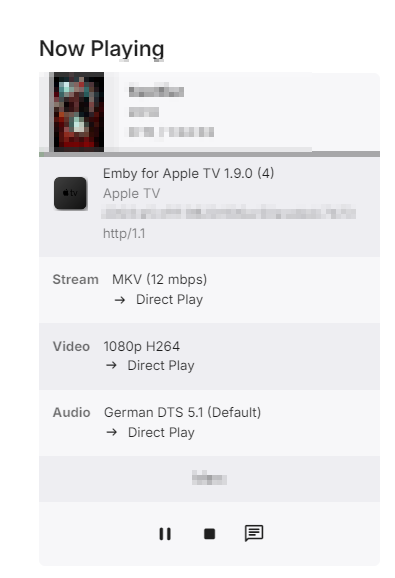
@Luke My friend is currently using 1.9.0 (4) I am asking him to check if an update is available @visproduction Wow... thank you for your detailed post. I appreciate every thought. First point I think we can exclude Wifi as the cause. The Apple TV of my friend is a wired connection and there is still the issue. My upload speed is only 25MBit so I don't think any wifi connection is too slow. Yes I copied the cloudflare settings from this sticky: Yes I turned Pseudo IPv4 for testing purposes as I thought it might be an IPv6 problem. My friend had the same problem before I edited this setting. The AppleWebKit/538.1 you see in the logs is from another parallel session of my wife on our local TV > No problems there My friend who is having problems is using Apple TV as this client. That's a very good idea. I will keep that in mind. But my friend has this problem even when he is doing "direct play": I checked these settings as mentioned in this thread because I saw a similar error message: Don't know I'm pretty lost at the moment. Kind regards
 1 point
 -
I will go through the same sequence on a new test server and report back1 point
-
It's only local playback. Thank you.1 point
-
It's been a long time, but I finally found a solution. I simply used MKVToolNix GUI to re-encode the MKV. I didn't have to exclude any tracks. I just ran that over the existing MKV and it fixed all of the errors and the resulting file works perfectly.1 point
-
[play] [playlist] "rock" is more reliable than [play] [list] "Rock" to avoid the double "play" try saying "play the playlist rock"1 point
-
Let me play a little bit more and I'll be back. Thanks.1 point
-
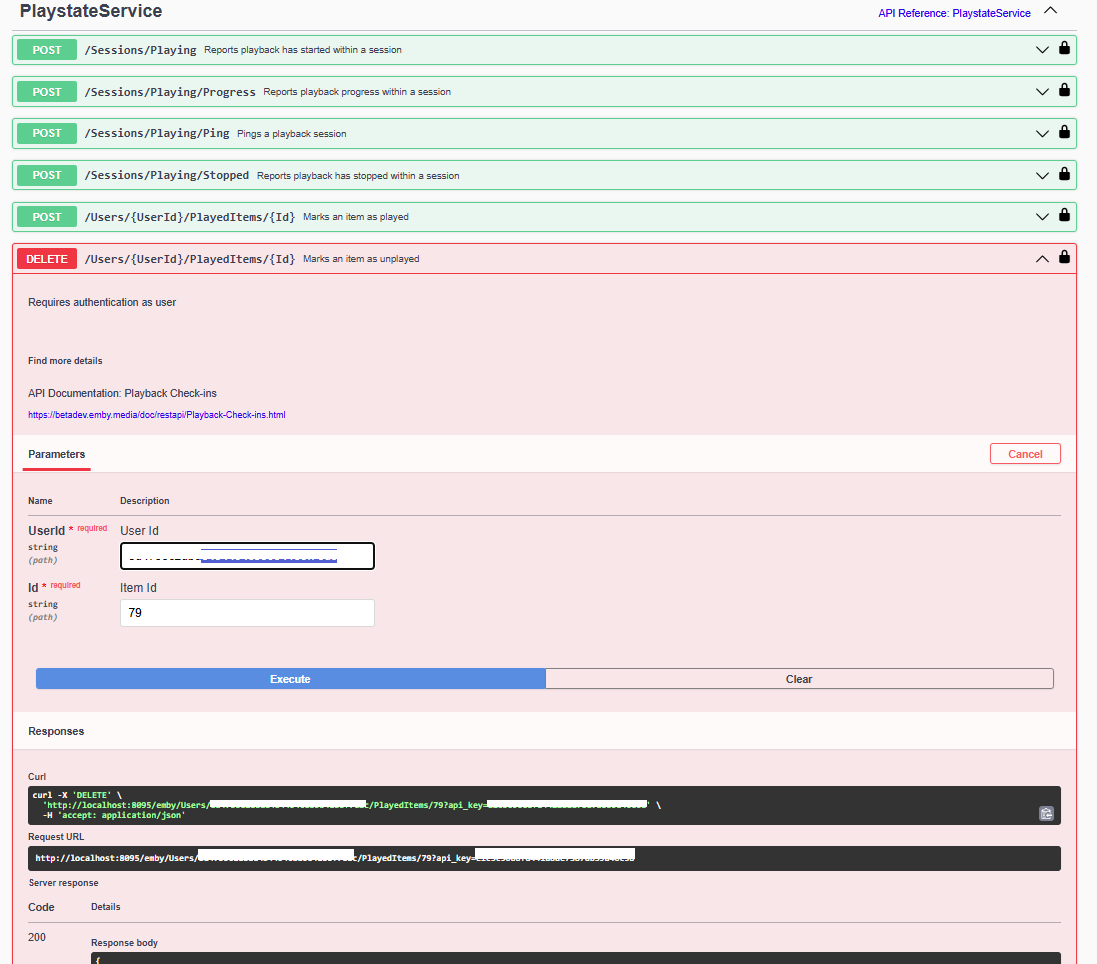
Or learn the api and rest per library id to POST to change entire library PLAYED or DELETE to change UNPLAYED but both options above and here are a per user operation. Or even this POST endpoint to clear the library id played status.
 1 point
 -
Hi @Luke, You're right. There is a Library filter. My apologies. I kept looking at the Search functionality to see if we could pass it through the search bar, but I realize you have to go into your Library (only for Movies), click on Filter, select Audio Language, and select the appropriate language code. Would like to see this on TV shows as well1 point
-
@feerlessleadrand @Tremas, @TZTZoroand I have made progress. Attached below is the latest code. It illustrates our first try at the GUI for building custom playlists. This is a starting place. It's not fully implemented or even tested. Vic PseudoTV.zip PseudoTV.dll1 point
-
Hi, we'll take a look at it. Thanks for reporting.1 point
-
BTW, just concatenating two ts files is absolutely not valid.1 point
-
HI, yes ultimately we plan to hook this into the multi-version system that we have for normal video files. Thanks.1 point
-
HI, are you still seeing this with Emby for Apple TV 1.9.1?1 point
-
I've seen aspect ratio changes, bandwidth changes, audio stream changes and others, but I've never seen a DVB stream changing from interlaced to non-interlaced during a broadcast of a program. I guess German broadcasters are too professional to do such things. Also, the provided *.ts snippets were in some way processed by ffmpeg - not original broadcast streams, that's why I was asking about the origin.1 point
-
I'm actually in the process of switching from trueNAS Core to Scale so some of the paths are no longer correct.. I cleaned some of them up last night and gave up before heading to bed.. as of this morning i see the library scan was able to run and complete successfully. It found my current library and imported it as required.. I think all looks good as of now.. thank you.1 point
-
HI, there is already a filter on audio language.1 point
-
What Ghz band is your friend using for his mobile Wifi connection? 2.4 Ghz is suppose to go faster, but usually sits at around 80 mbps. Although that seems like it may be enough, any other Wifi use or setup issues at his location not being 100% Wifi perfect could easily cause lost packets resulting in the speed test failure and a forced transcoding to either a low res or to a res that should work, but if his / her wifi is not working 100%, then that fails at some point and you get stuttering. Why would encapsulated packets inside 4 or 5G mobile data make it work better? The filter bypass is Cloudfare, correct? Maybe packet handoff to mobile networks don't need the cloudfare filter. Also just a guess. Your Cloudfare setting has IPv6 switched off and Pseudo Ipv4 turned on. What happens here? Does cloudfare handle part of the traffic in IPv6 and then convert it to IPv4? Don't you need to have this on all the time, because you don't know if your users all have IPv6? Can't Cloudfare just keep everything in IPv4? Seems like switching back and forth must take some bandwidth and cause issue. Again I am guessing. Better to use with 5GHz Wifi or better with the new gear and be close enough to the router so there is no drop off, within about 25 feet. see: https://www.reddit.com/r/appletv/comments/16oni9p/apple_tv_4k_slow_wifi_24_ghz_instead_of_5_ghz/ Your Embyserver.txt log shows AppleWebKit/538.1 This is listed as being a service used by Samsung TV's from 2017. I am not sure if this is correct interpretation. Does the user have this TV type? Sometimes TV's are limited in what they can pass directly in playback and that can cause a forced transcoding, I believe. This is a guess. see: https://developer.samsung.com/smarttv/develop/guides/fundamentals/retrieving-platform-information.html What about creating a couple of test videos, high quality video h.264 and AAC audio so there is no transcoding needed. Do a few different bitrates starting as low as 2000 kbps total. See if this works all the way up to 6000 kbps with no issue. Wouldn't that tell you that the problem is not host or flipping back and forth anywhere? If these tests play perfectly, then something is up with the transcoding process. If these tests also stutter at the high end then the issue is somewhere in the connection. I think these test help narrow it down. Maybe someone will see something more out of the logs. Anyway, hope that helps.1 point
-
Maybe it's stupid what I'm going to say but, what about sending an email to all your users (all of them friends and family) with something like this ? Dear XXX, Please before recording from LiveTV a TV Show, check if the show is already on TV Shows in Emby. I've noticed that one of my users is repeately scheduling a recording of TV Show XXX that is already in the server. Recording uses space and Hard Disks Live time from my server and it's a waste of usage and resources to record something that is already there. Thanks for your understanding. In fact I had this issue with one of my 5 users 1 year ago, and an email like this stopped this behaviour. Hope this helps.1 point
-
Like hulu has the huluween section, every season like christmas etc have a section at the top.1 point
-
Some other filters that would also be useful to users: - by director, writer or actor. You already have by studio. ANOTHER SUGGESTION: allow user to start typing in a name, then offer a shorter drop down list to select from. The studio list is quite long and selecting one late in the alphabet involves a good bit of scrolling. This would also likely be true for actors, etc, if you add that. - A date range - not just decades (though this can be accomplished by individually selecting all the years you want in the year filter, entering a range would be easier). Perhaps even allow for multiple date ranges?. - A way to overlap filters by AND (instead of assuming OR) so that only movies matching ALL criteria are selected (instead of all those matching EITHER). Perhaps even allow complex searches (e.g. [action OR mystery] AND year range = 1940-1960). This would be a powerful option.1 point
-
We wanted to share a quick review of Emby that was recently done by Sergio Ambrosio, a popular tech blogger in Spain. We are excited to see that people are taking note of the product that we pour a lot of effort in to here and look forward to more reviews in the future. Thank you Sergio for taking the time to review Emby! You can read the article HERE Later this week, we will be posting another blog focused on transcoding and some best practices to make sure your server is setup properly to utilize this great feature! View the full article1 point
-
The Appears On section definitely needs to be selectable and expandable for music, perhaps like the Songs and Albums sections are now? This would be consistent with the current UI and not negatively impact on anyone not needing the expanded view. In many instances I would have 100+ albums in this row, making it quite difficult to view/browse them all efficiently. Sometimes there are more Albums for a given Artist in the Appears On section than what there are in the Albums section!!! Picking a random example from my library - Chuck Berry: Albums: 6 Appears On : 87 (As Appears On currently combines Artists and Composers the item count can become very large very quickly.) This is NOT an isolated-outlier-use-case for me and I imagine it would be quite common for anyone with a large music library. I've also been customising the Album Artist / Artist / Composer pages (to show some different useful views) and the single row horizontal scrolling of Appears On is a limiting factor with achieving useful functionality. Emby is already very good. Improvements in this area would make Emby so much better!
 1 point
 -
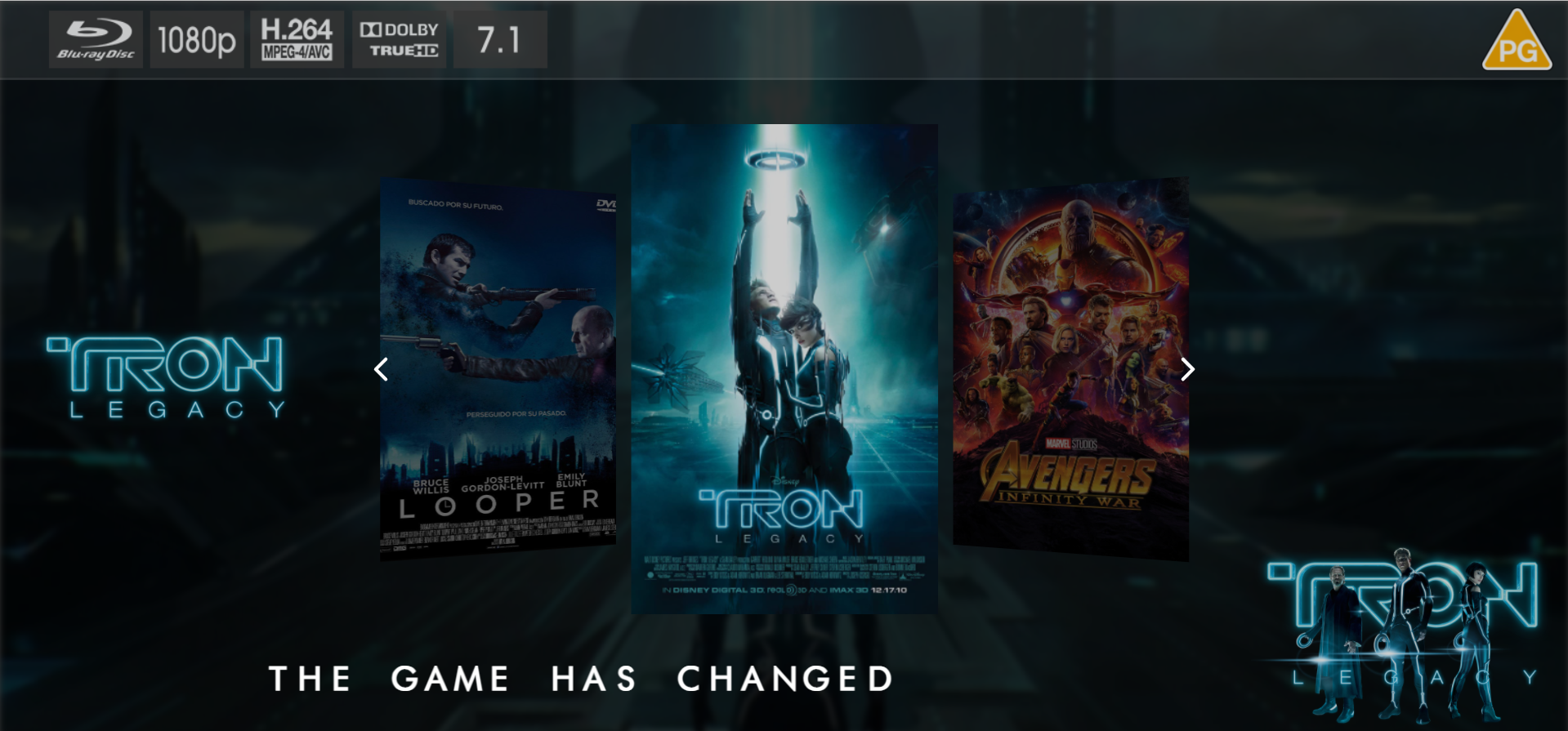
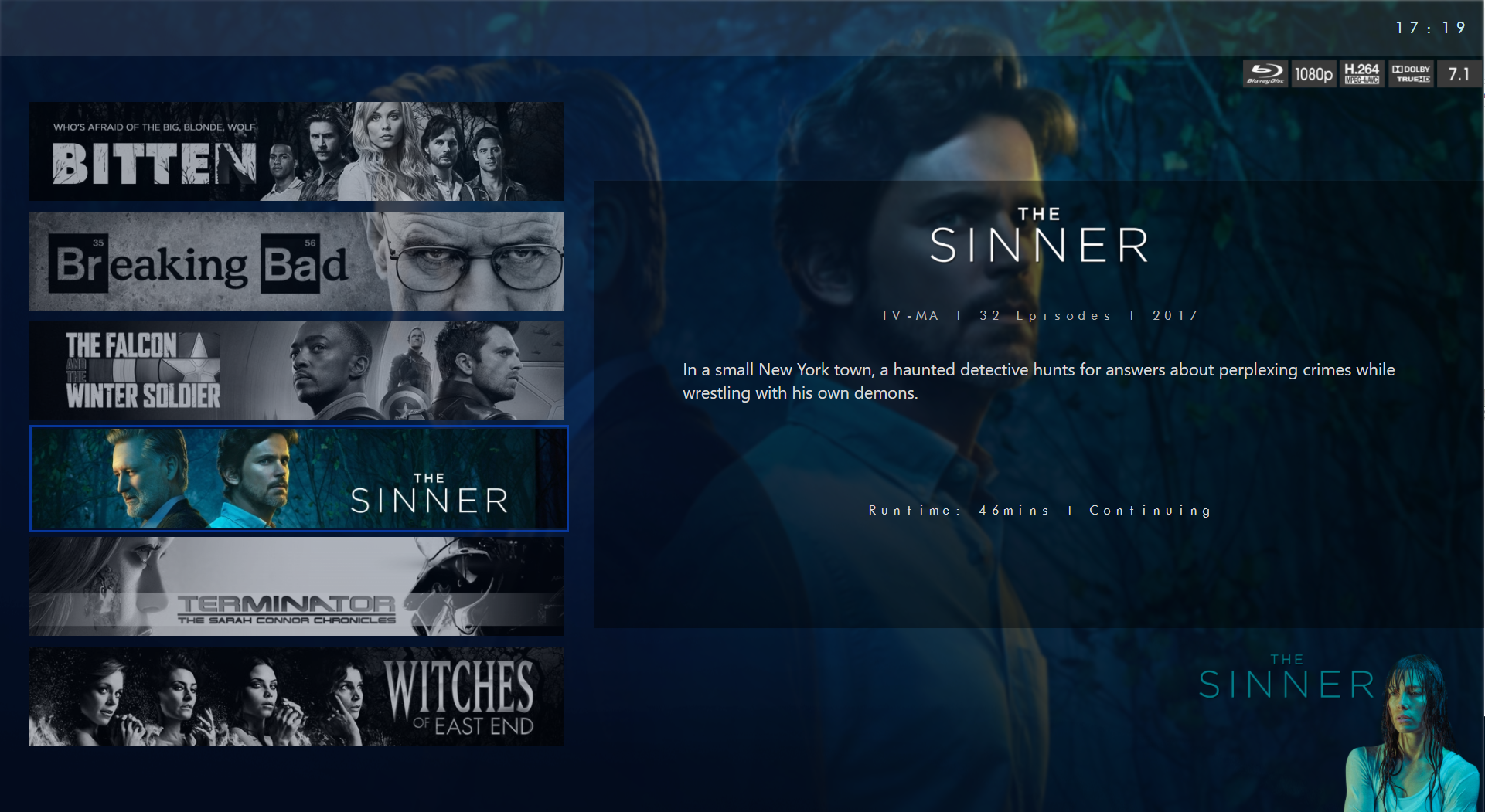
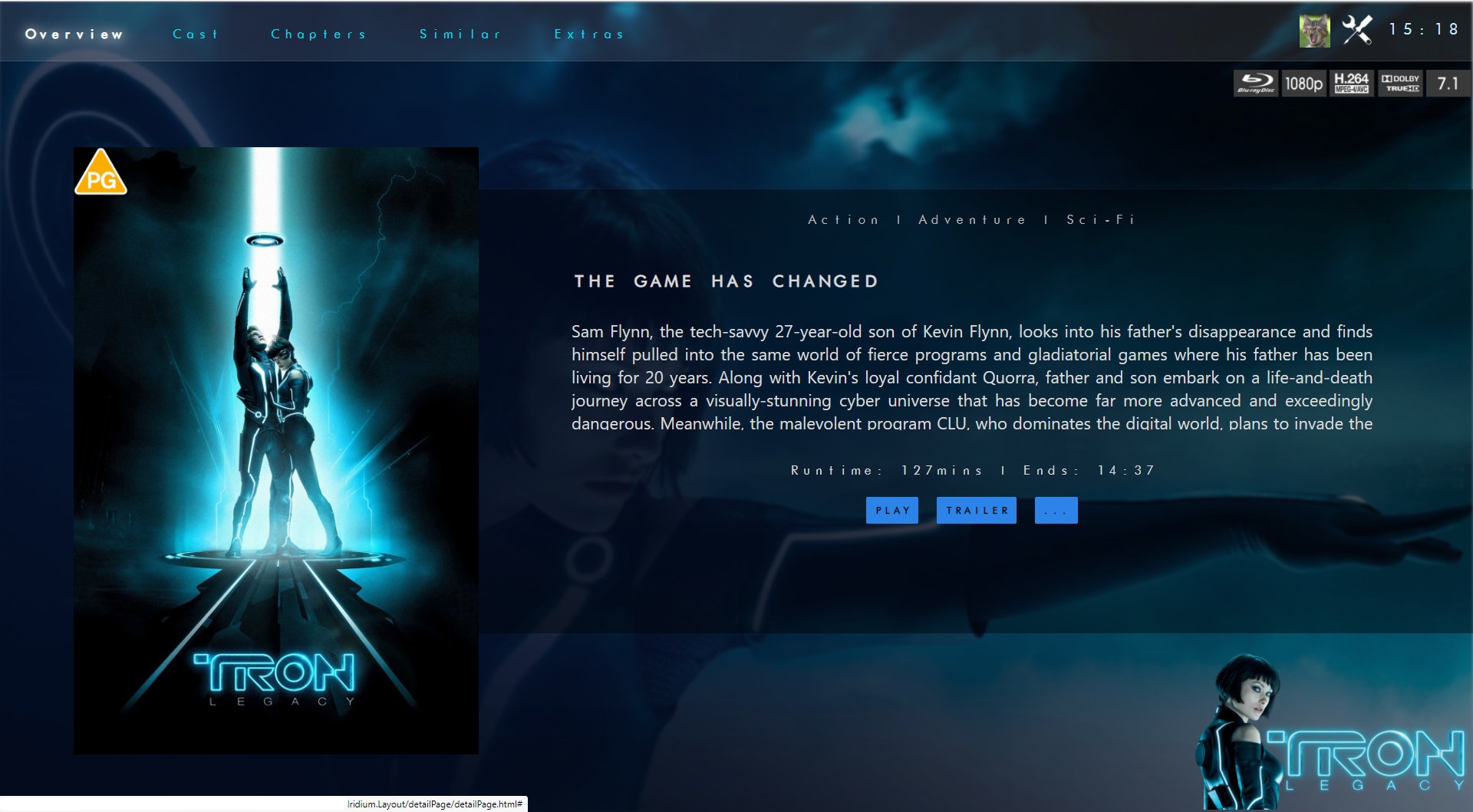
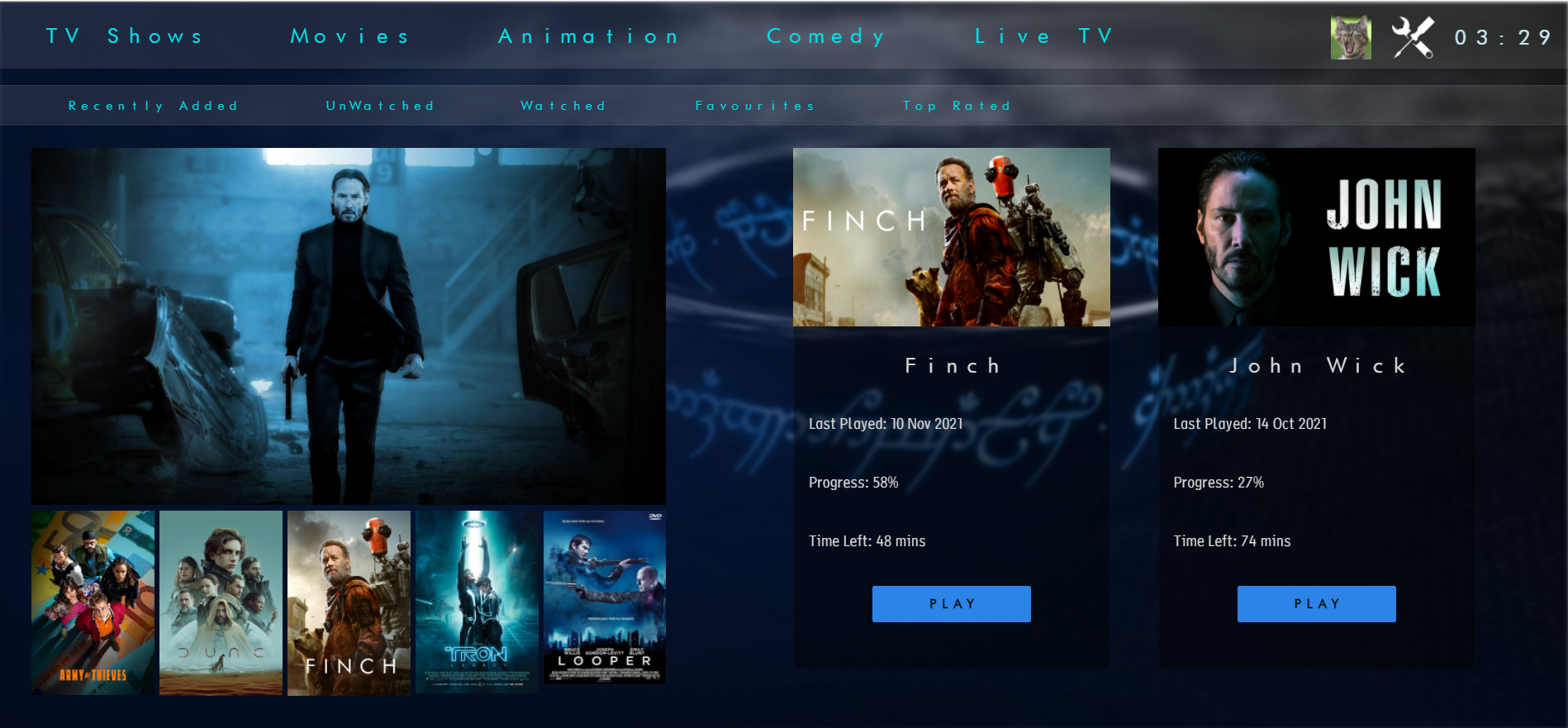
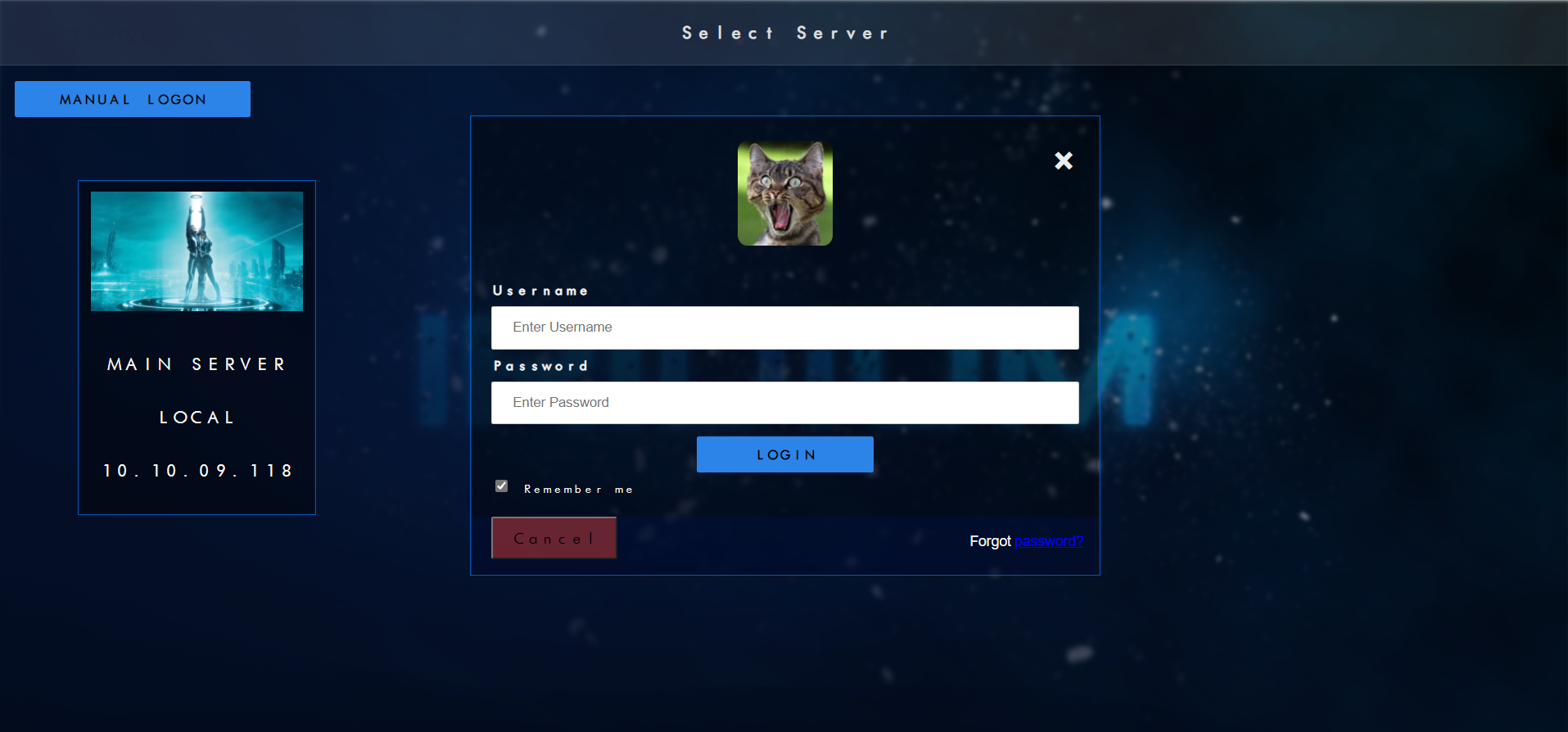
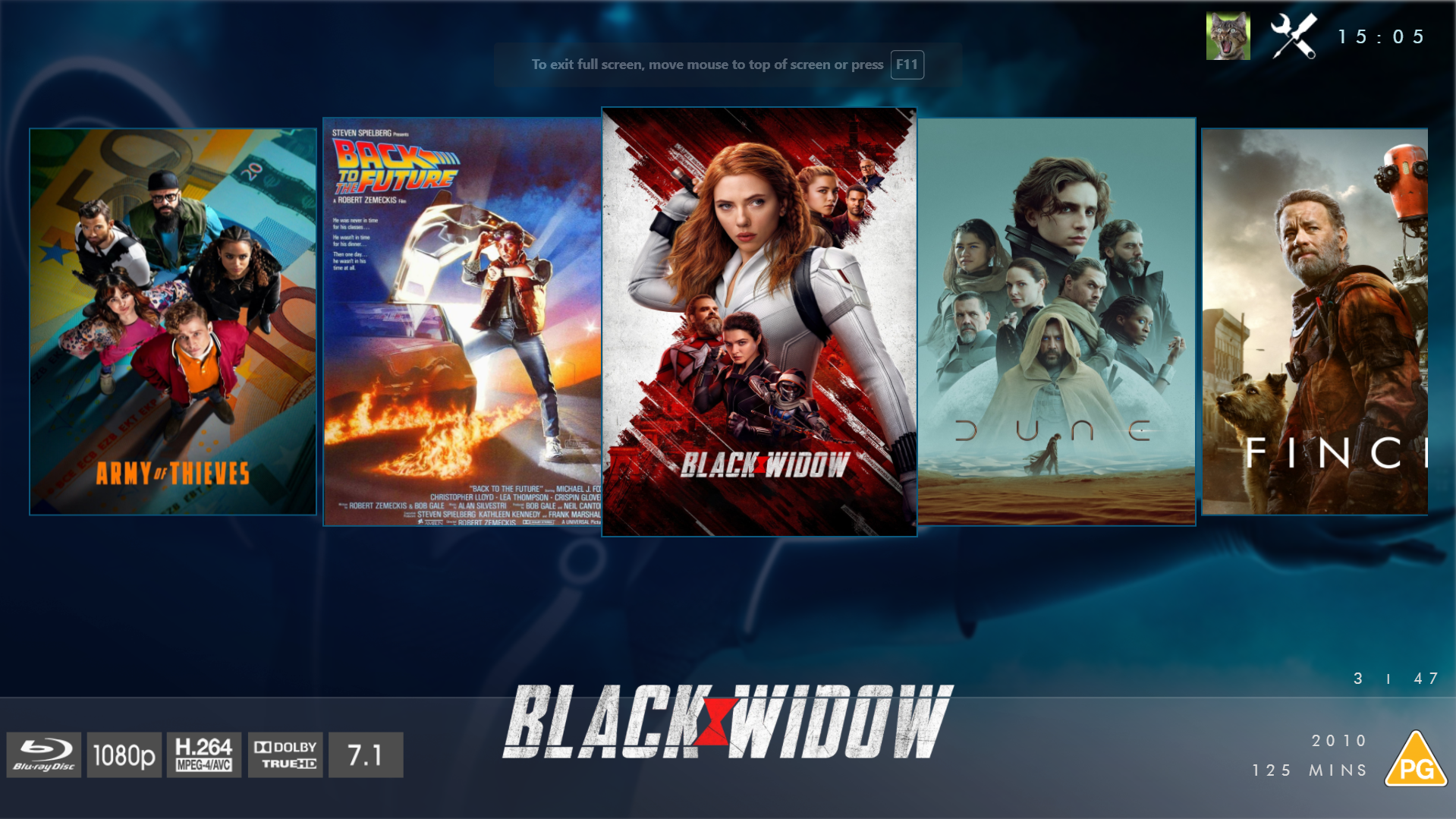
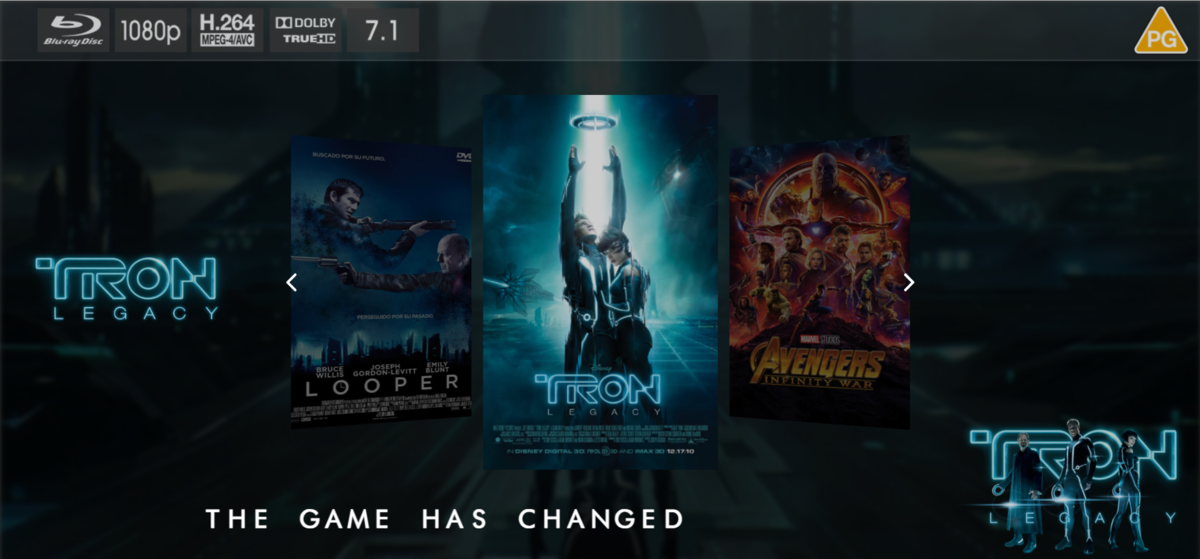
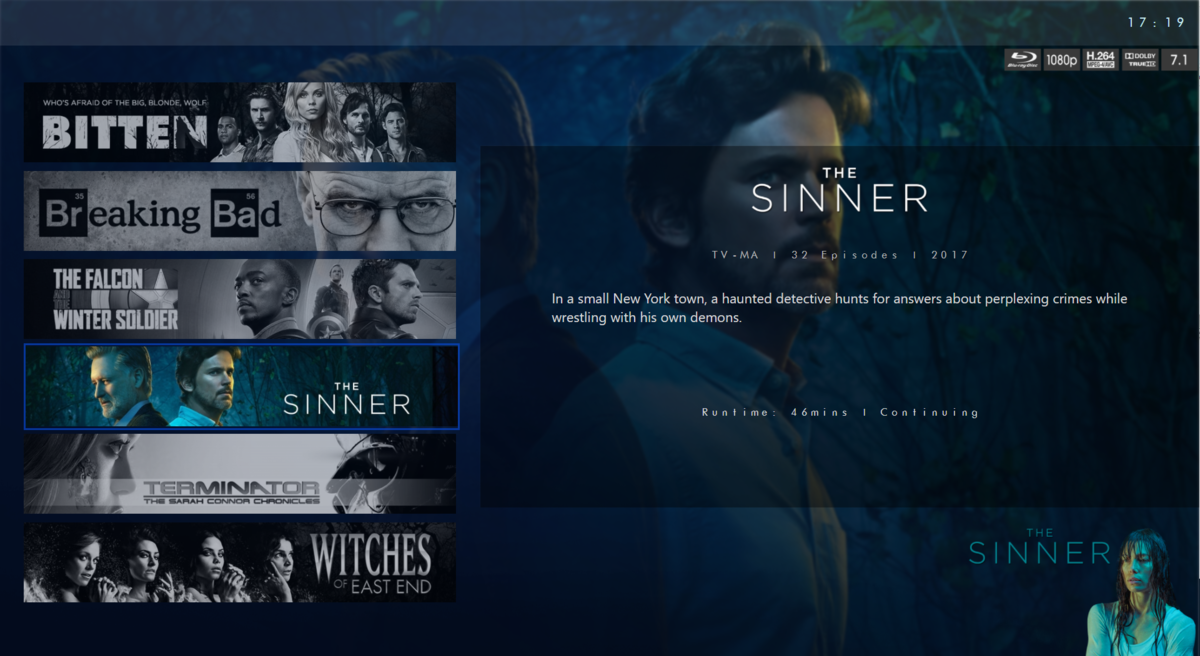
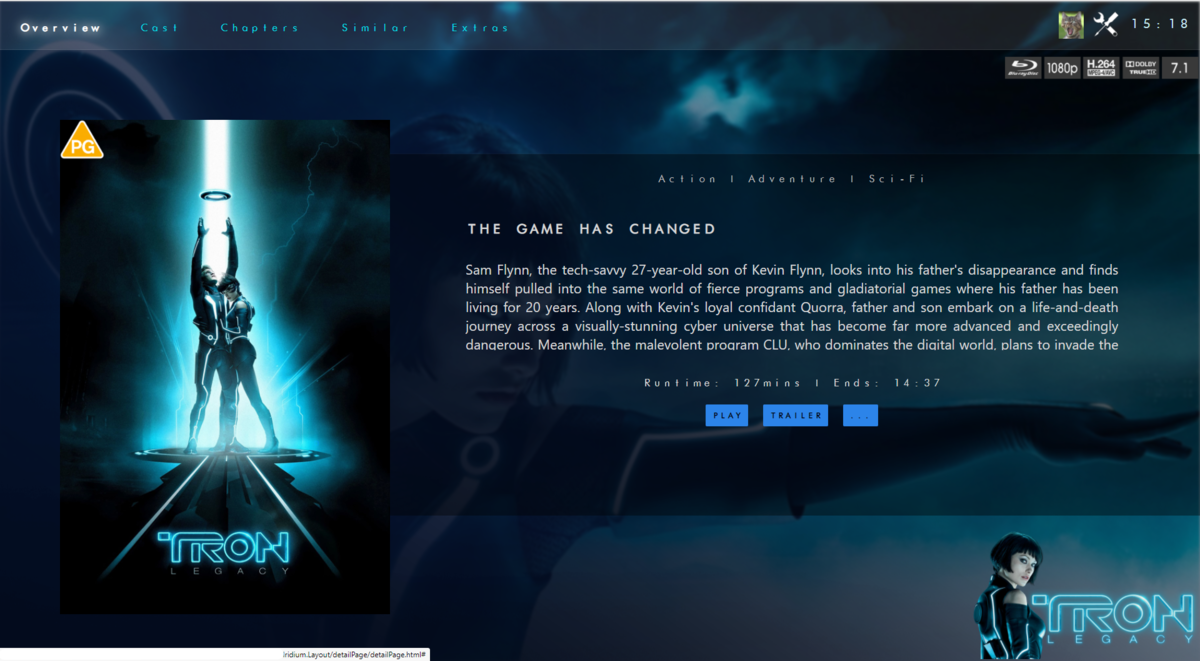
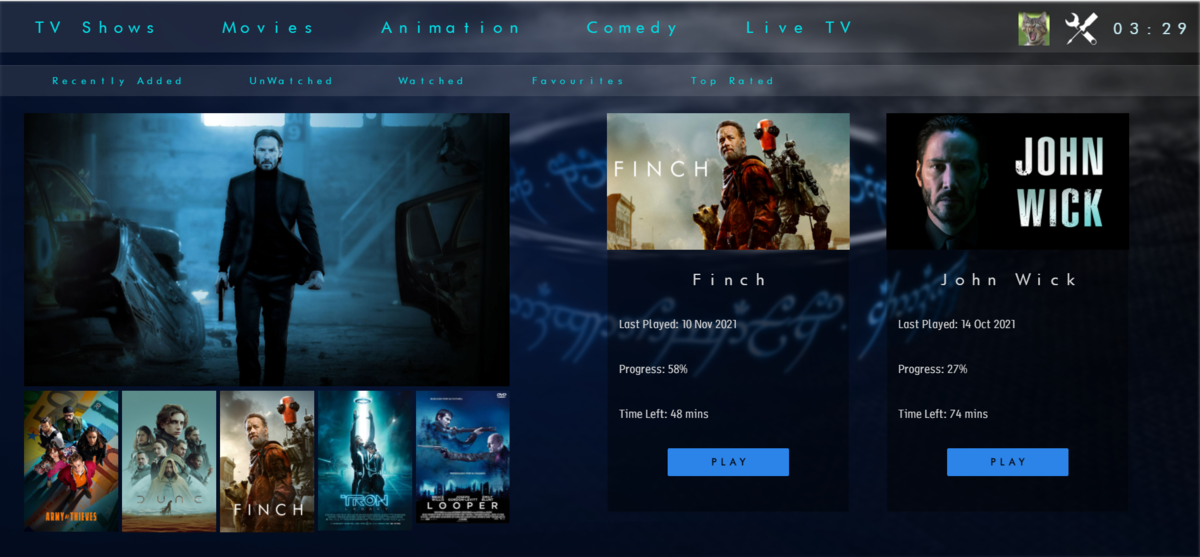
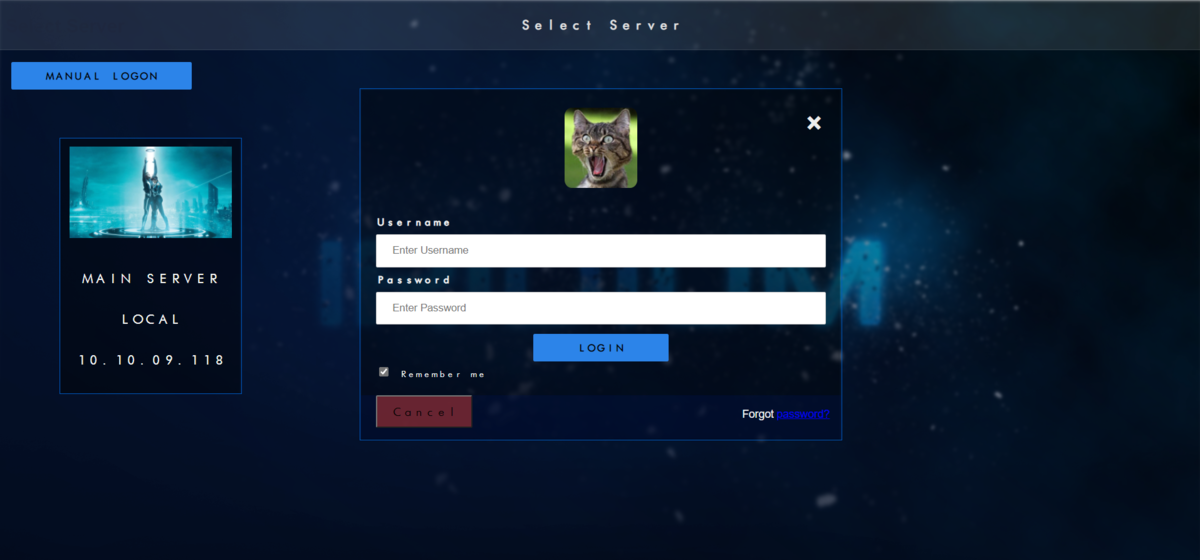
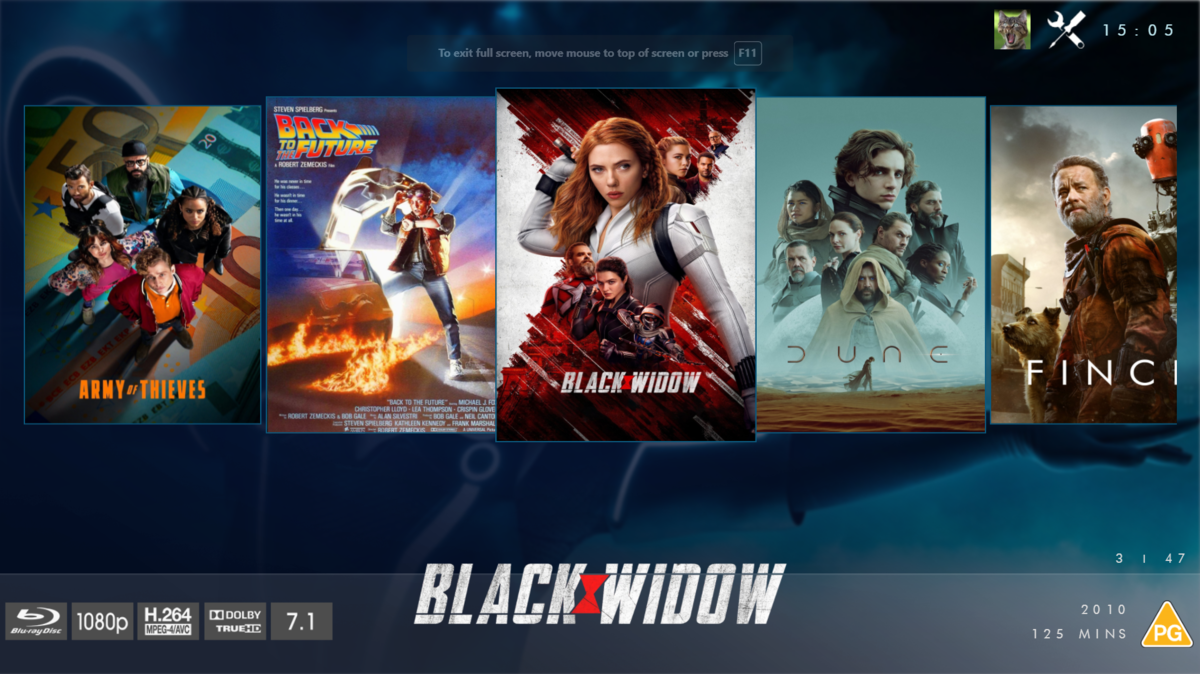
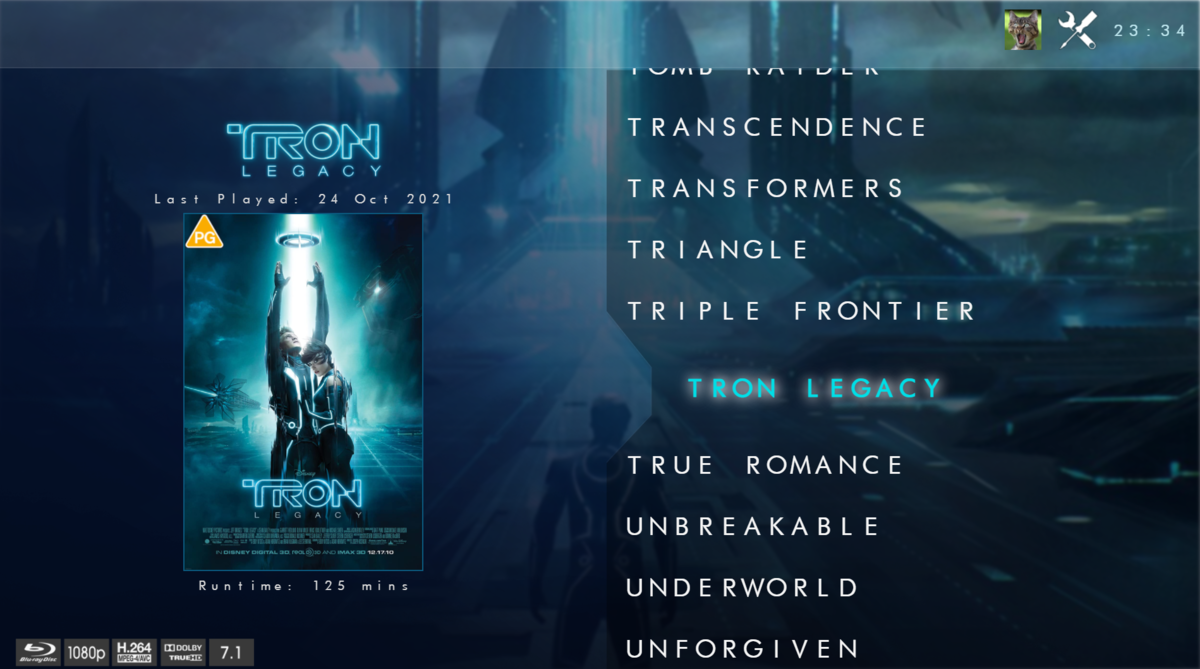
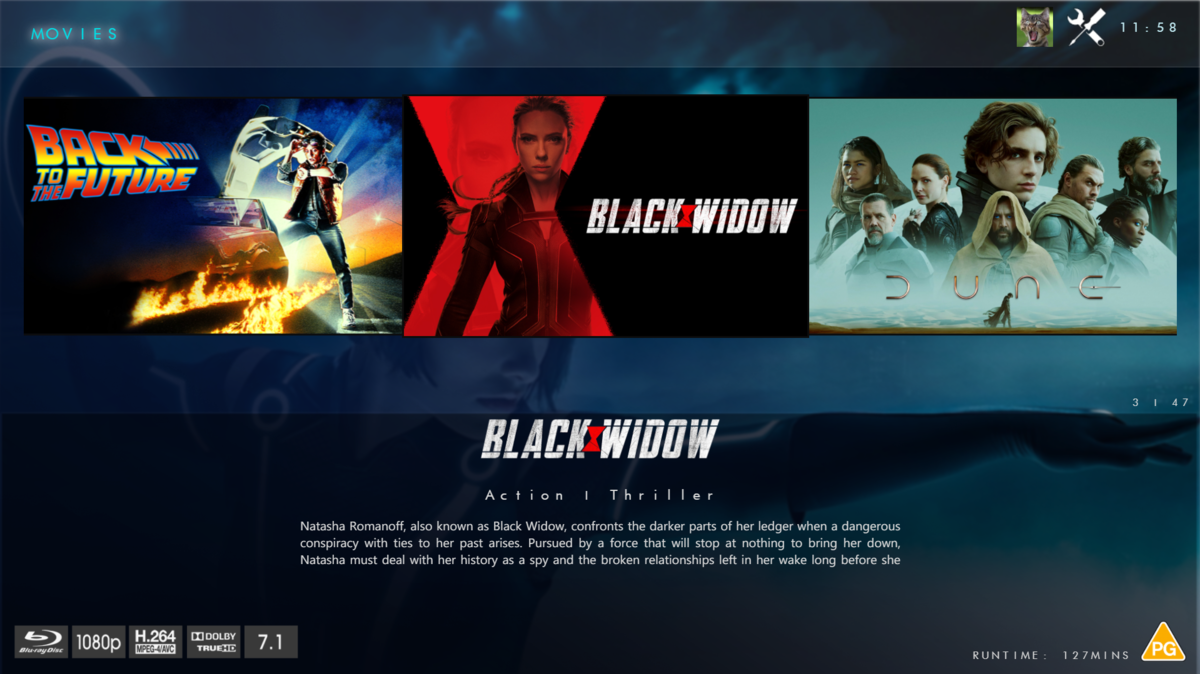
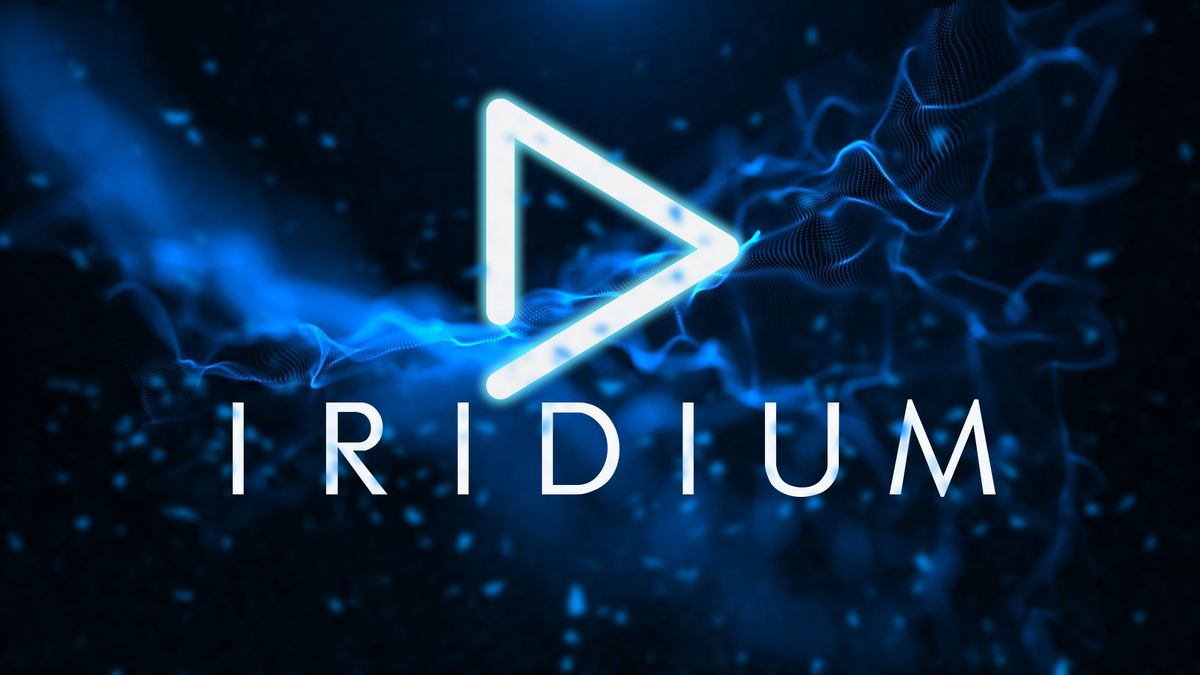
@chef @Cheesegeezer Another amazing production is about to be brought to you from devs - Cheesegeezer - I have started a new theme to bring to the masses. I am a long way off completion however we can continue to update you on the progress. The layouts are about 80% complete and once completed we can start to work on the code behind. We are interested in a closed group of testers when the time comes. I would just like to say that this was originally designed for Emby WMC back in 2014 and was just release there when M$ ditched support for WMC and the project died. @shaefurr did an amazing job with the concept artwork for me to work with back then, and this theme pays homage to him. So with out further ado... here's some of the layouts that are now coded. IRIDIUM - One theme to conquer all LOGON SCREEN HOME PAGE FIRST VIEW TYPE - COVERFLOW COVERFLOW 2 BANNER VIEW FINAL DETAILS PAGE LIST VIEW THUMB VIEW
 1 point
 -
Hi, yes this is something that needs to be looked at. We will look into it. Even still, for the best experience possible we recommend joining the files. Thanks for reporting.1 point
-
FYI I just cleared my app data on my son's tablet then re-set up. Seems to have worked.1 point
-
I know this is an old thread/topic, but I too would like some way to do this. I have numerous series that I will on occasion decide to binge watch again. In order to track my progress in "Up Next" you have to set the entire series to "Unwatched" which also seems to removes all previous "Played Date" information. I'm usually looking for this information when my wife starts complaining "You are watching that again!" and I need supporting evidence that it's been 2 years since I watched it last. It would be nice if there was a separate function to "rewatch" a series or movie. Or at the least retain any "Played Date" information in the logs/tracking information even when marking a show as unwatched.1 point