Leaderboard




Popular Content
Showing content with the highest reputation since 05/12/26 in all areas
-
Jellyfin is more popular as pirates hate to pay for stuff. Period. The fact it's open source means nothing. Jellyfin is extremely fragmented and still based on Luke's ancient code. Remember, Jellyfin was created because someone didn't like the fact there was a nag screen to pay for an open source product. They created Emby Unlocked and went forward and forked what is now Jellyfin. It's an inferior product that works well enough that people are willing to put up with its issues as it costs them zero dollars, yet costs them time and frustration.9 points
-
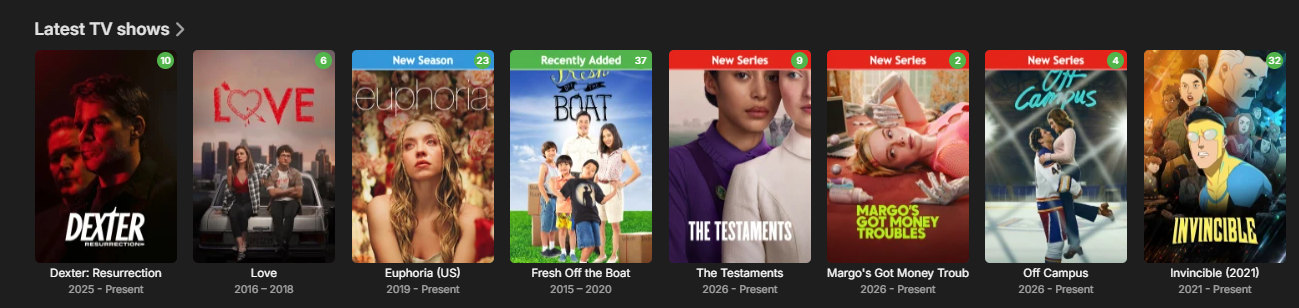
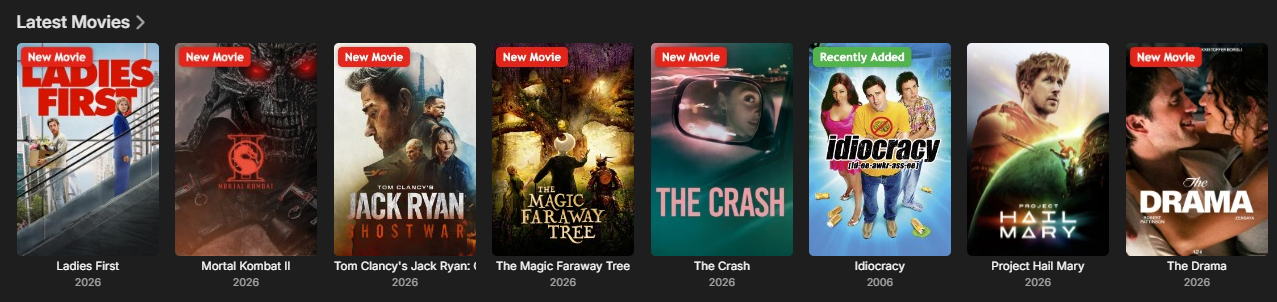
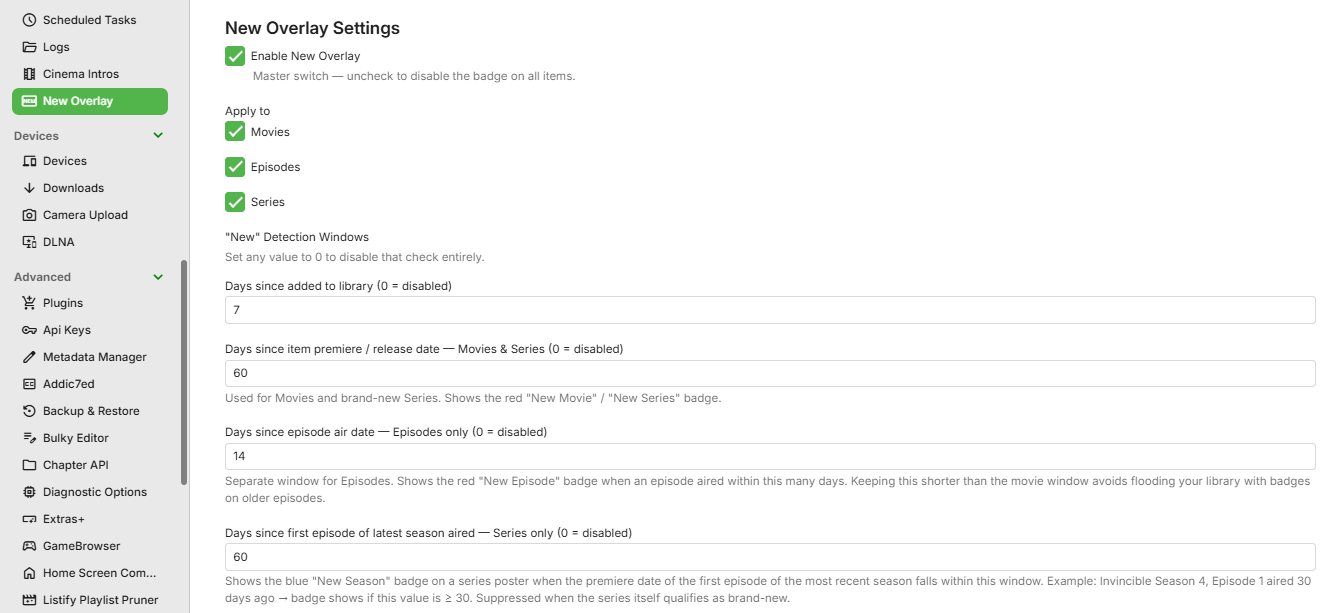
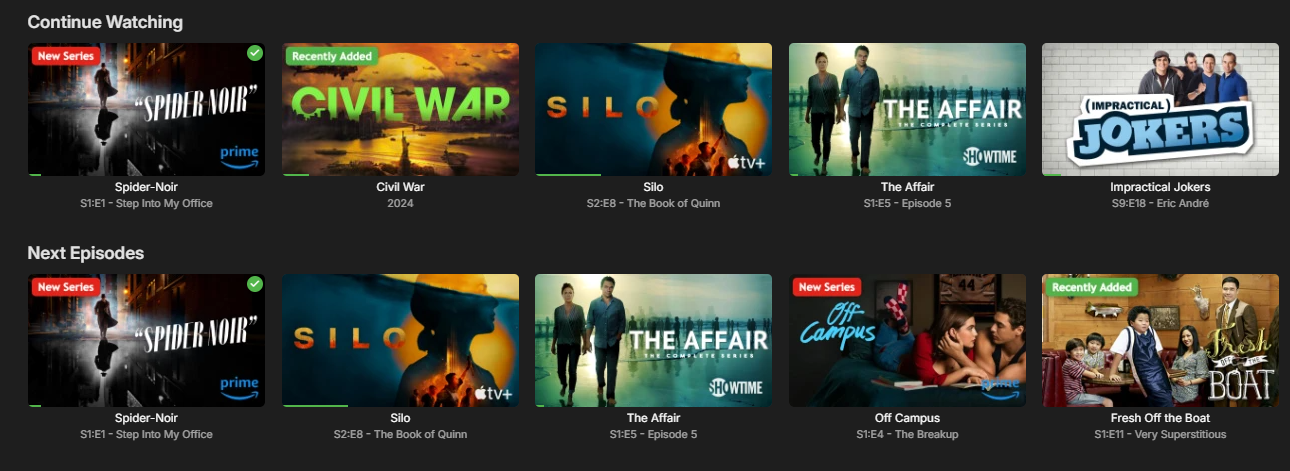
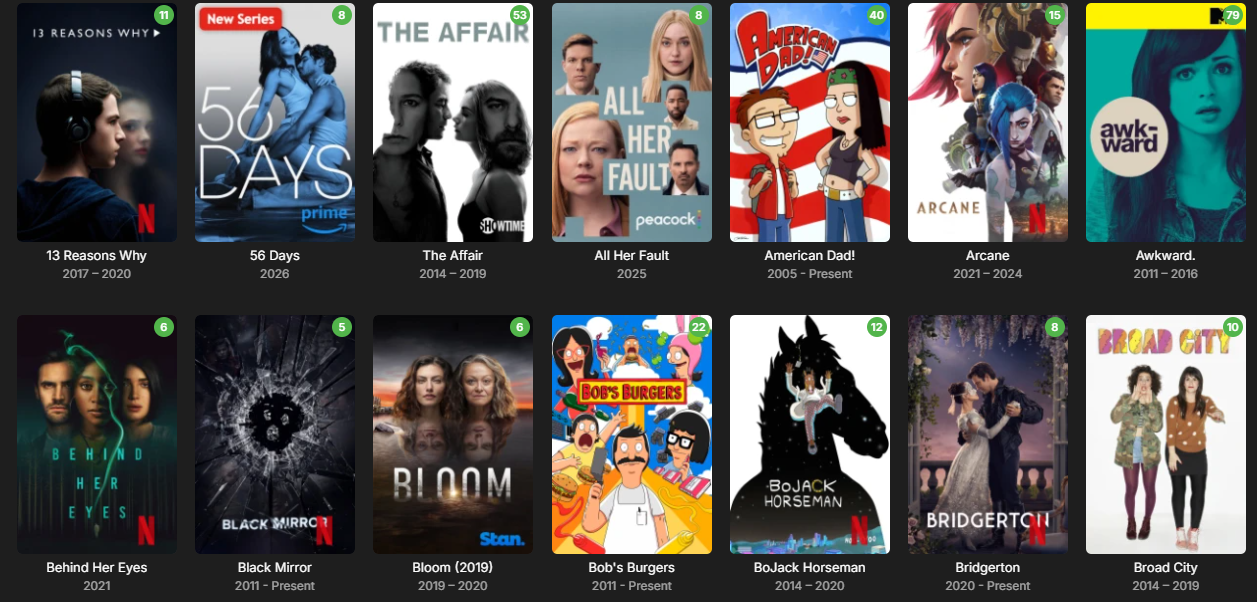
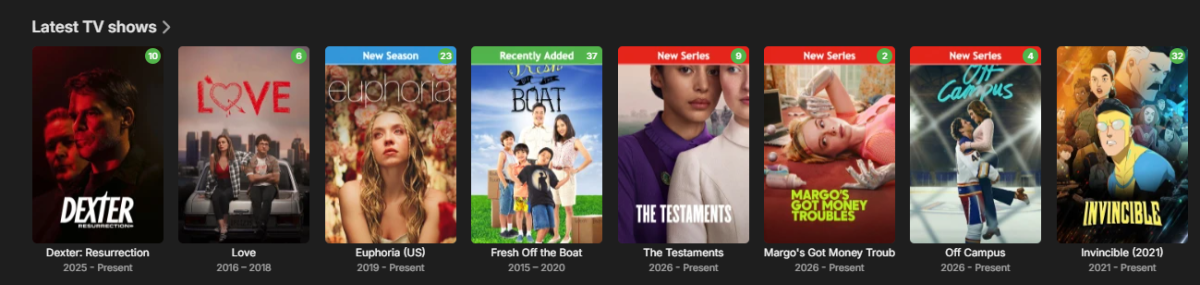
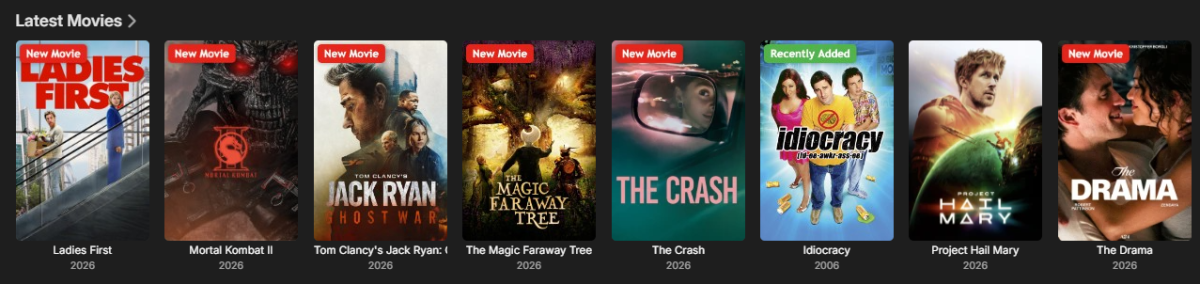
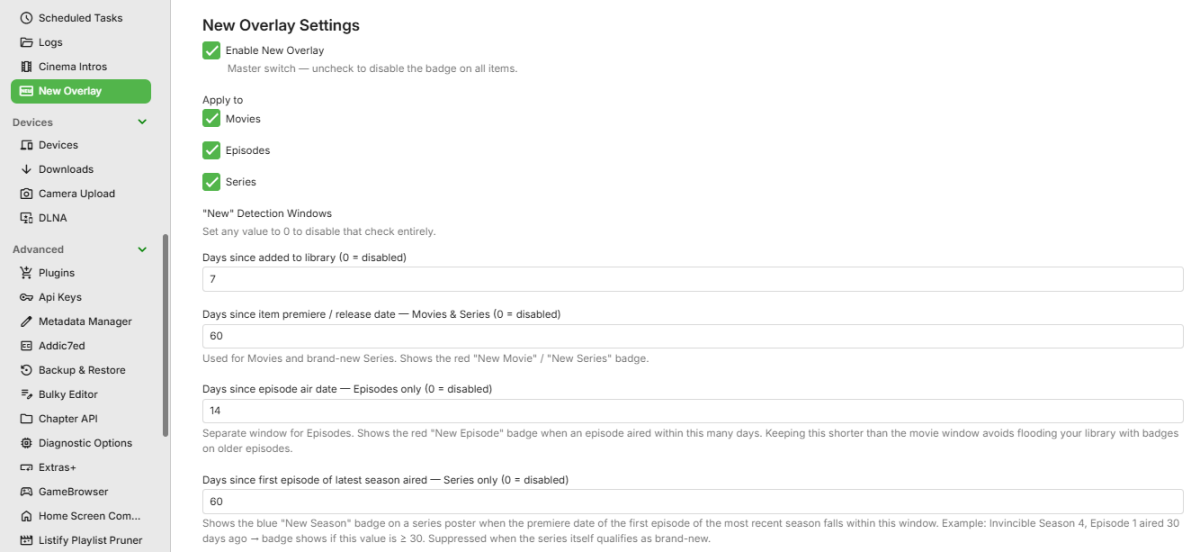
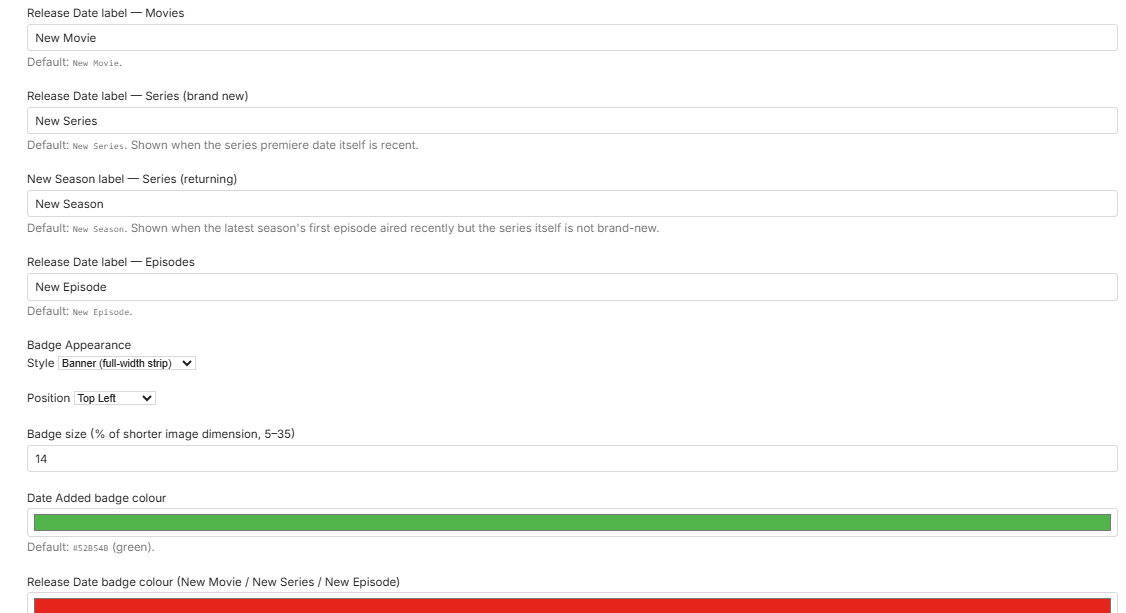
I created a plugin that adds customizable “New” badges, banners, or ribbons to library items based on release date or date added. It works with movies, TV series, and episodes, making it easier to highlight newly released or recently added content in your library. Give it a try and let me know what you think. Here are some screenshots: EmbyNewOverlay.dll
 7 points
 -
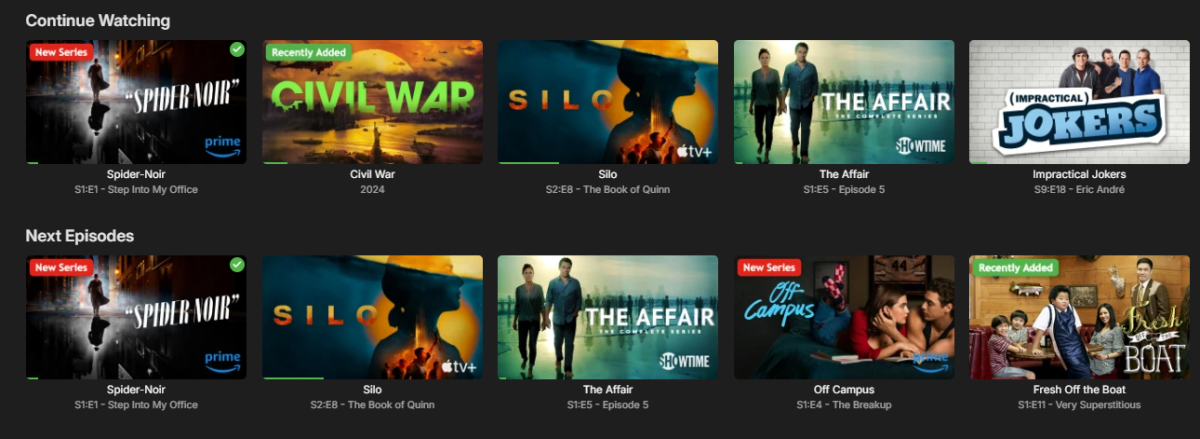
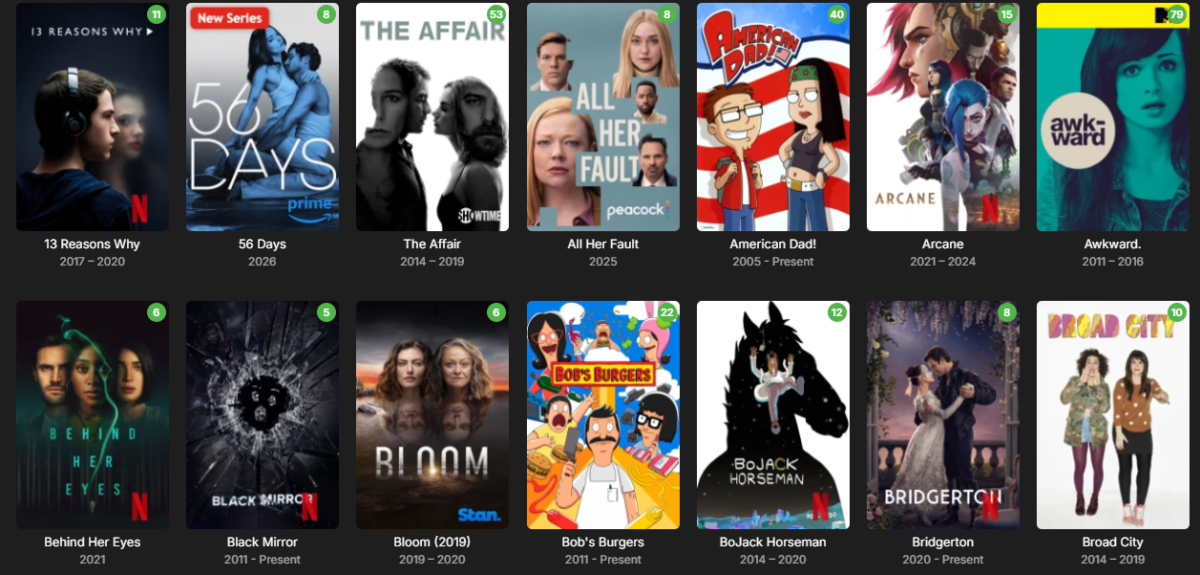
Sneak peek at the next update! Packed with dynamic studio logos (like Netflix and Prime Video), the ability to upload your own custom studio logos, and other new features. Coming soon.
 5 points
 -
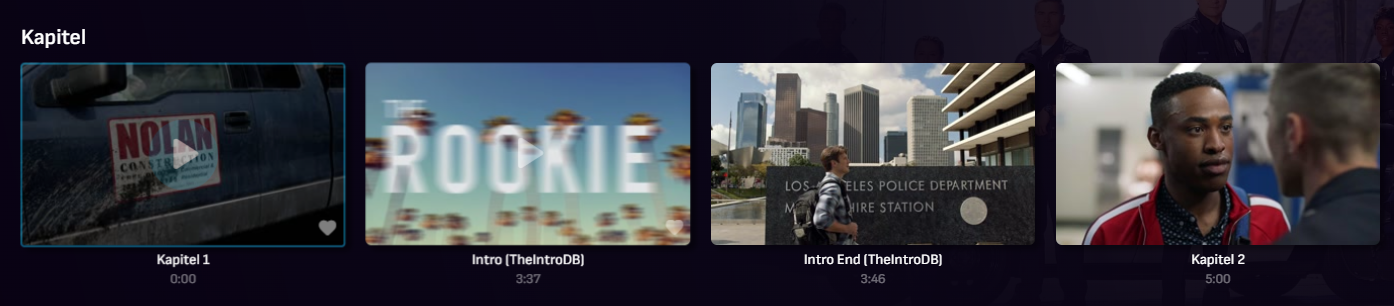
Hey, I'm Pas, the creator of TheIntroDB! I'm glad to see the community already adopting the plugins and sharing them before me lol. Currently, TheIntroDB has 84,789 public segments across 2,061 TV shows and 282 movies! And because the times are submitted and verified by users, the segments are much more reliable automated identification. Plus, it not only supports intros and credits, but also recaps and previews! I might not be very active on the forum here, but I'm responsive on Discord: https://discord.gg/ZbkSHAwWPg You can find more info and help contribute here! https://theintrodb.org5 points
-
There are also hundreds of people who do not have this issue, so it not as easy as saying "it's on Emby's end". Even if it is something in Emby that could be changed to work better in your environment, there is still the need to find out what is different in your cases. It's hard to know even what questions to ask; but answering those which are is at least a step. Paul5 points
-
About time this plugin gets it's own page instead just being mentioned in the EmbyCredits thread. This is a plugin for editing time marks metadata in Emby heavily inspired by ChapterAPI (with permission) and with idea from @GrimReaper While similar to ChapterAPI this plugin has some extra filters, a video preview with fint tuning option and other things to help editing time marks in videos. Download at: Releases · yocksers/TimeMarkEdit Please report any bugs you may find. As always, while i have tested and use the plugin my self it is USE AT YOUR OWN RISK!
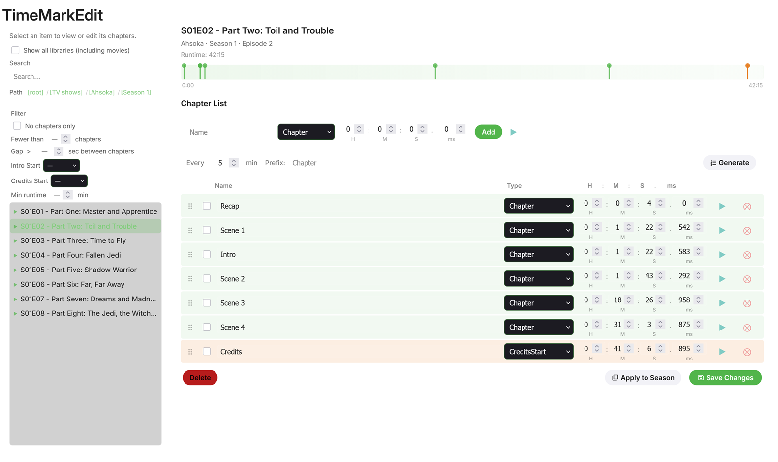
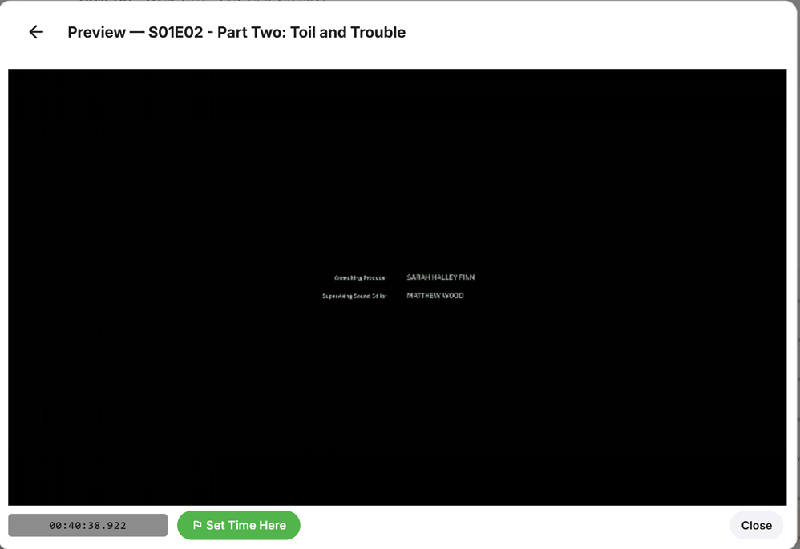 5 points
 -
I am not the creator, but I recently found this Plugin now available for Emby (for people that don't want to spend time on extracting Intro, Credits etc. on their own systems). The DB relies on community feedback. For sure it's not as perfect like e.g. @yocker's tesseract extraction since there are lots of different versions and releases of movies/TV shows, but dev is very responsive and the Emby plugin simply works since last version. Perhaps interesting for a few users here like me. As far as I can see, the plugin sets up an own db in emby data folder and injects identified markers as chapters into Emby. https://theintrodb.org/ https://github.com/TheIntroDB/emby-plugin
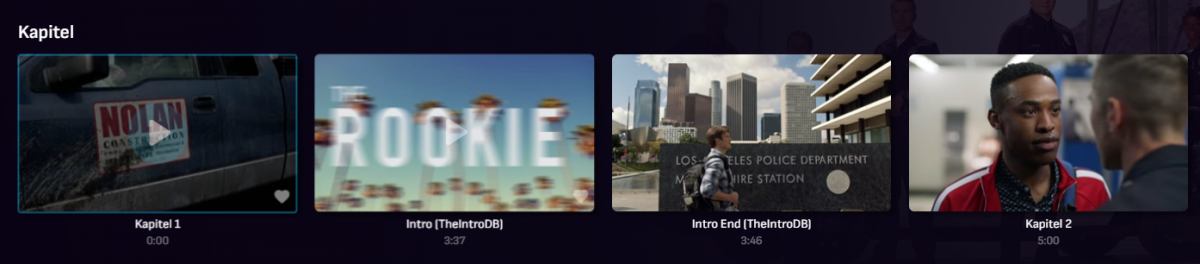 4 points
 -
I'd like the ability to see what auto thinks should be the bitrate vs what the user selects in the app. Does auto run every time and then just honor the manual override? I ask because I have a user that continuously connects and transcodes at 800k, which is like flip phone bitrate and he's on an iPad. If I knew what auto thought, I could recommend to him that he's getting garbage video because that's what he chose, not what the server is capable of. Thanks edit: yes, i know I can go check netdata and see, but when I'm not at home or there's more than 1 user, the admin page is way more meaningful and accessible.4 points
-
I'm really sorry but, i don't want to be the cause of trouble for the developers of Emby. I'm running through some ideas in my head for a key system for it, sadly such things are easily hacked. At any rate, the plugin should work for a good while still as i don't think Emby still change much in any way that will impact the plugin. Good idea, I might just do that.4 points
-
4 points
-
I didn't want to hijack yonker's plug-in thread, so I'm starting this here. I've created 3 sets of icons for this plug in. I called them MaterialLight, MaterialDark, and MaterialBlack. I made them for "me" but would be happy to put them on my GitHub if enough people think they are good enough for them. My main goals were: Readability. Matching Emby's Font and UI as close as possible. Colors that would compliment Emby's, in fact several badges are Emby colors including the available accent colors. Use material design icons, again, going with the usage of Emby's. I attached some screen grabs so you all could get an idea.
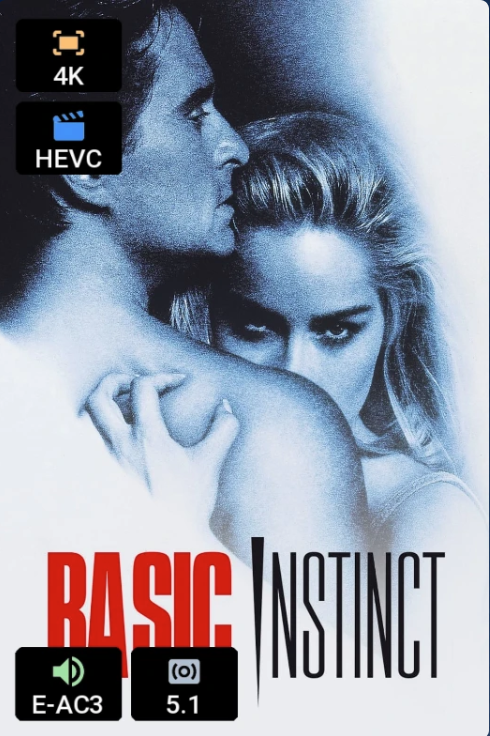
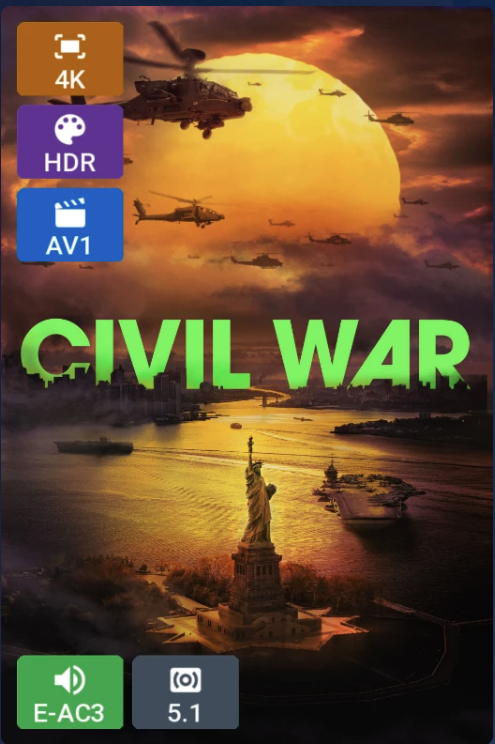
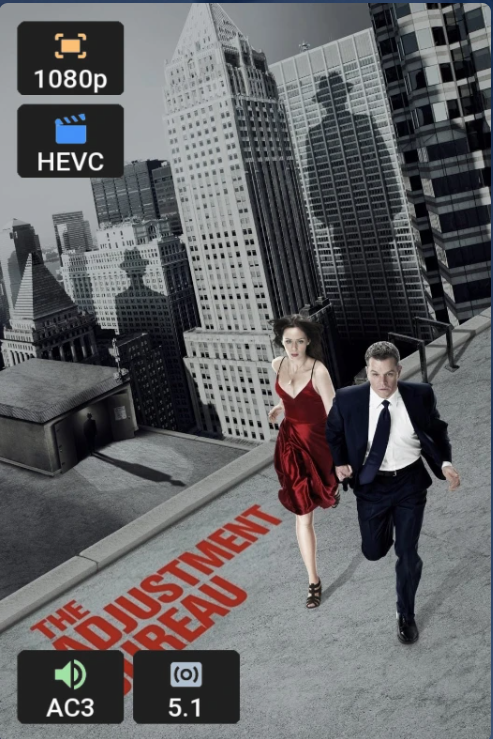 4 points
 -
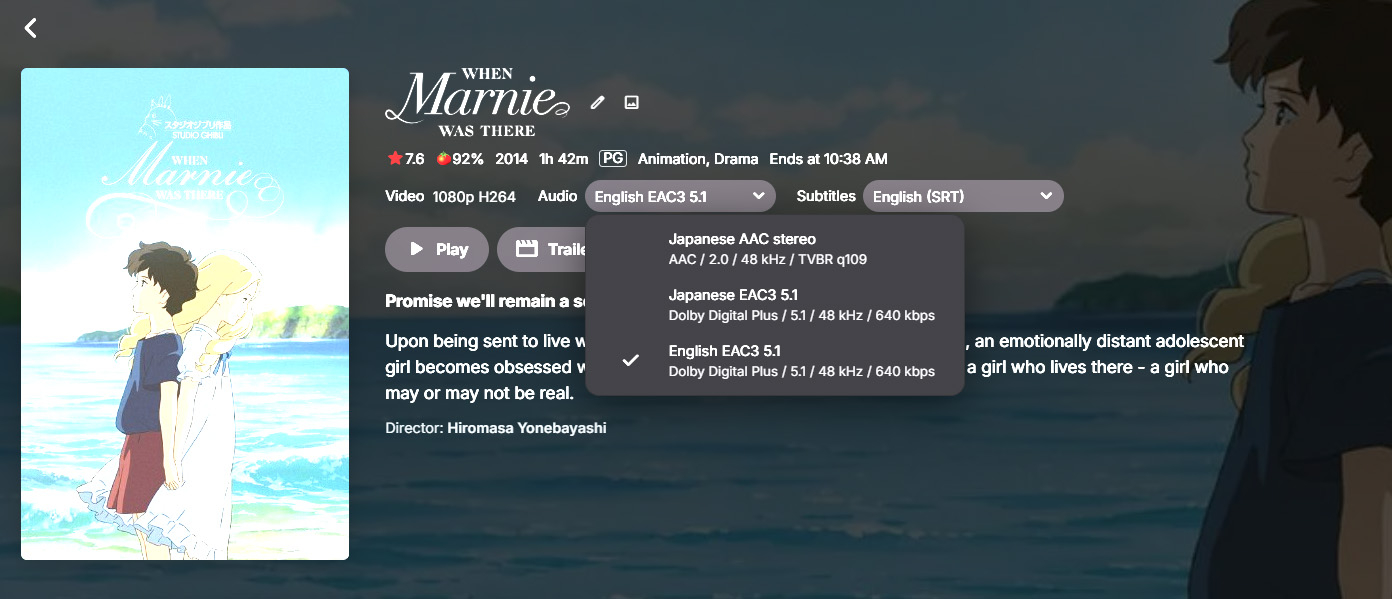
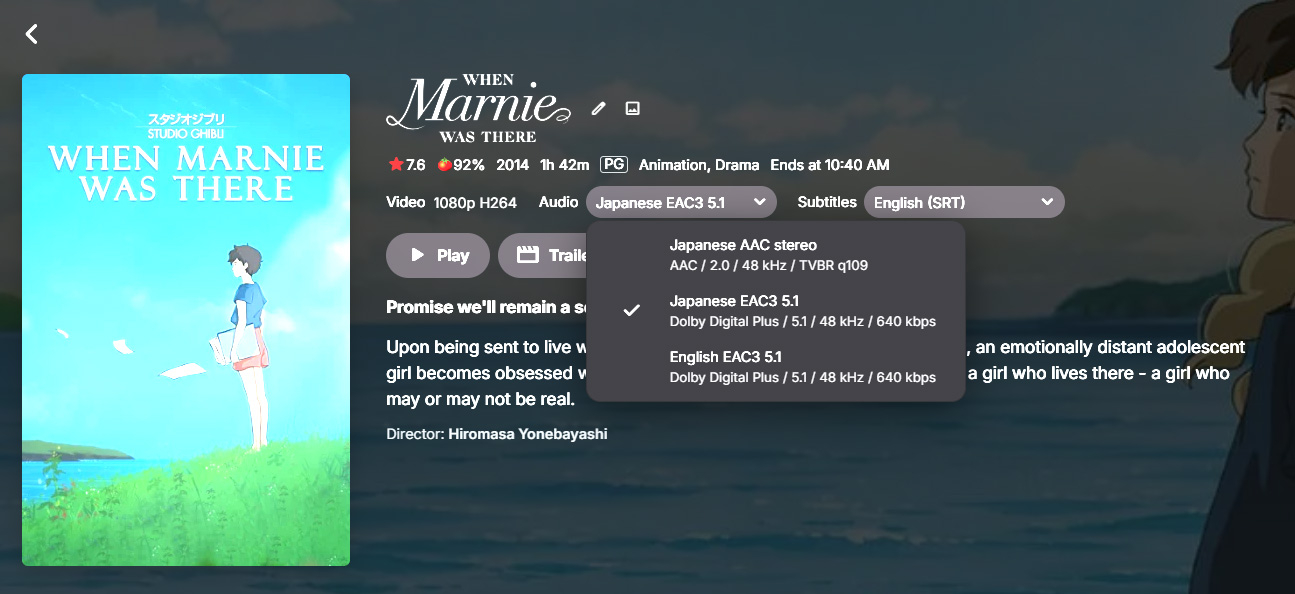
Hi, is there any way to change a movie's poster (also) based on the audio track? Let's say I have an animated movie with two different languages (English and something else), can I select the English audio track and let Emby show the English poster and by selecting the other audio track show a different poster? Would be great for movies with different dubs and even different titles (like Zootopia is called Zootropolis in Europe I think). And it would of course be even greater if there could be an accompanying summary (that you can enter manually, as I don't think the metadata providers provide in other languages than English?) in the user's native language, for example so that kids can read it easier or by themselves. (Sorry for the bad images, these are caused by HDR)
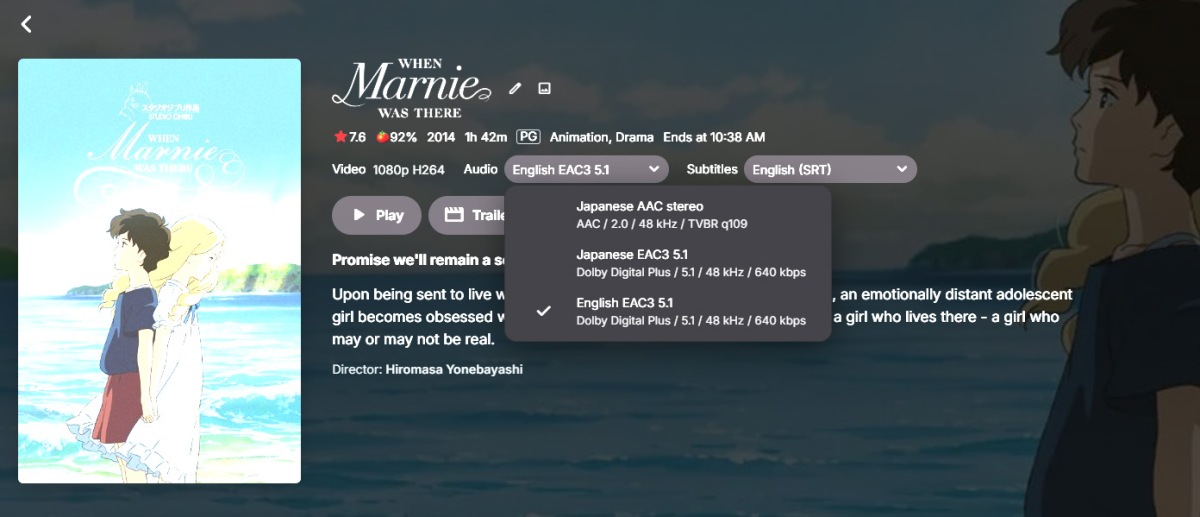
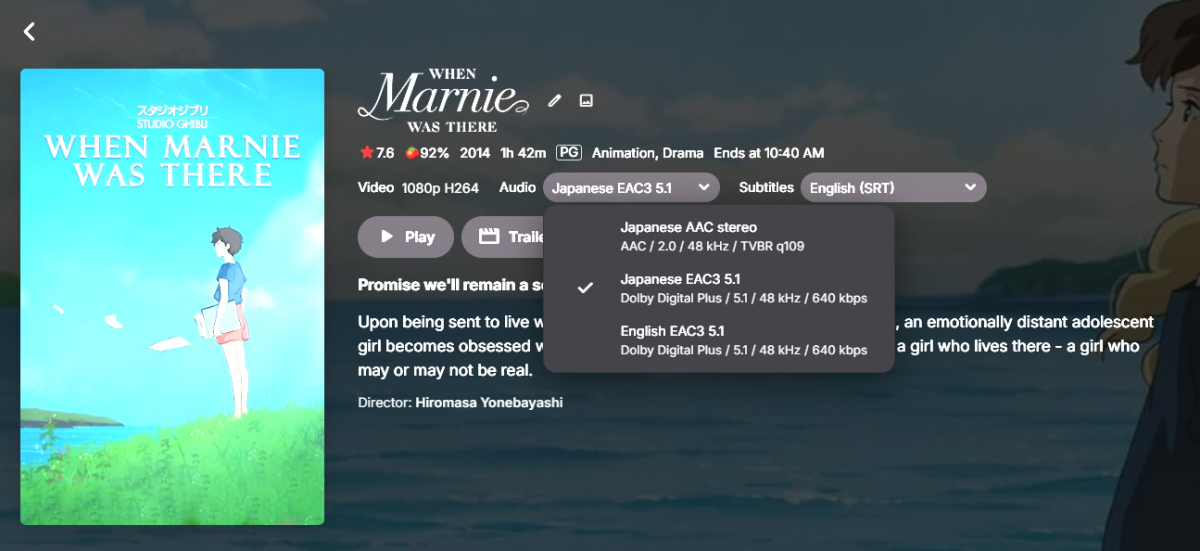 4 points
 -
I frequently use the filter of Unwatched for movies and TV shows. And with music, you get recommendations based upon "similar" artist or songs. I would like a flag option to mark media as "Not Interested" or whatever verbiage would be better for the masses. This would have to be at the user level and not stored in a NFO file since I would like to filter out things my family likes, but only on my profile. As my libraries grow, I am having more content for my family. Since I am the only male in the house, my users have tastes that are distinctly different from mine. Whether it be real surgery shows, true murder, sappy romances, or telenovelas; these are things that I will never - and I do mean never - watch. The same thing goes for the music collection. I don't mind classic musical soundtracks, but my daughters collection of Broadway musicals is vast. And annoying. Now I could make them as Watched, but then that would go into the algorithm "Since you watched this, you might like this...", I would like to avoid doing that. I've poked around quite a bit, but I don't see anything like this currently nor did I see anything like this requested. If it has been requested but called something else, I would love to know about it so I can like that post. Thanks in advance.4 points
-
I for 1 don't have connection issues Its always something in the server admins setup that's not setup right. Or has not been done.4 points
-
Two words.. It's free!4 points
-
I think there might be an issue with the themoviedb.org API key in this version. 2026-05-19 22:12:38.397 Info HttpClient: GET https://api.themoviedb.org/3/person/886?api_key=f6bd687ffa63cd282b6ff2c6877f2669&append_to_response=credits,images,external_ids&language=en-US 2026-05-19 22:12:38.500 Info HttpClient: Http response 200 from https://api.themoviedb.org/3/person/886?api_key=f6bd687ffa63cd282b6ff2c6877f2669&append_to_response=credits,images,external_ids&language=en-US after 103ms 2026-05-19 22:12:38.501 Error App: Error in TheMovieDb *** Error Report *** Version: 4.9.5.0 Command line: C:\Program Files\EmbyServer\system\EmbyServer.dll Operating system: Microsoft Windows 10.0.26100 OS/Process: x64/x64 Framework: .NET 8.0.27 Runtime: C:/Program Files/EmbyServer/system/System.Private.CoreLib.dll Processor count: 20 Data path: C:\Program Files\EmbyServer\programdata Application path: C:\Program Files\EmbyServer\system System.Runtime.Serialization.SerializationException: System.Runtime.Serialization.SerializationException: Type definitions should start with a '{', expecting serialized type 'PersonResult', got string starting with: � ���n�Z�&x�O��Q�� �J��,y�<�s탍ErQ��A� Y>H at ServiceStack.Text.Common.DeserializeTypeRefJson.StringToType(ReadOnlySpan`1 strType, TypeConfig typeConfig, EmptyCtorDelegate ctorFn, KeyValuePair`2[] typeAccessors) in /home/runner/work/ServiceStack/ServiceStack/ServiceStack.Text/src/ServiceStack.Text/Common/DeserializeTypeRefJson.cs:line 28 at ServiceStack.Text.NetCoreMemory.Deserialize(MemoryStream memoryStream, Boolean fromPool, Type type, DeserializeStringSpanDelegate deserializer) in /home/runner/work/ServiceStack/ServiceStack/ServiceStack.Text/src/ServiceStack.Text/NetCoreMemory.cs:line 178 at ServiceStack.Text.NetCoreMemory.DeserializeAsync(Stream stream, Type type, DeserializeStringSpanDelegate deserializer) in /home/runner/work/ServiceStack/ServiceStack/ServiceStack.Text/src/ServiceStack.Text/NetCoreMemory.cs:line 173 at ServiceStack.Text.JsonSerializer.DeserializeFromStreamAsync[T](Stream stream) in /home/runner/work/ServiceStack/ServiceStack/ServiceStack.Text/src/ServiceStack.Text/JsonSerializer.cs:line 238 at Emby.Common.Implementations.Serialization.JsonSerializer.DeserializeFromStreamAsync[T](Stream stream) at MovieDb.MovieDbPersonProvider.FetchPersonResult(String id, String language, CancellationToken cancellationToken) at MovieDb.MovieDbPersonProvider.EnsurePersonInfo(String id, String language, IDirectoryService directoryService, CancellationToken cancellationToken) at MovieDb.MovieDbPersonProvider.GetMetadata(RemoteMetadataFetchOptions`1 options, CancellationToken cancellationToken) at Emby.Providers.Manager.MetadataService`2.ExecuteRemoteProviders(MetadataResult`1 temp, LibraryOptions libraryOptions, String logName, TIdType id, IRemoteMetadataProvider`2[] providers, MetadataRefreshOptions options, CancellationToken cancellationToken) Source: ServiceStack.Text TargetSite: System.Object StringToType(System.ReadOnlySpan`1[System.Char], ServiceStack.Text.TypeConfig, ServiceStack.EmptyCtorDelegate, System.Collections.Generic.KeyValuePair`2[System.String,ServiceStack.Text.Common.TypeAccessor][])4 points
-
Quite a number of times now I've lost metadata I was editing because I clicked in the wrong part of the screen, or hit the wrong key on the keyboard. If I do something to exit the metadata editor other than clicking the Save button, and I've made changes to the metadata, it ought to prompt if I want to discard them.4 points
-
Oh the people are smart enough, but if you refuse to give the information required for people to help you, there is nothing the community can do. It's like going to the doctor and saying "I'm in pain" and the doctor asks you where, what happened, and for how long, and you decide to start talking about how crappy a doctor they are, how bad their waiting room is, their staff, etc, instead of answering the questions4 points
-
HI, we've pushed an update to the Emby lastfm plugin to resolve this. Thanks guys.4 points
-
I agree. Everybody should be able to find their best compromise. Sometimes you feel it landed a bit one sided. Like your side got nothing, and the other side got their way. That is why I choose to avoid making decisions that way and find a way to code in something that pleases both sides. Having it card style spotlight diminishes the spotlight. Its just a card. Having the spotlight as fullscreen removes that card. Then you see the full image as expected. The bottom portion might be shaded a bit. But otherwise you should get a cleaner look without having other stuff in the view. With card style other cards to the left and right are there. Small slices of those other cards. The fullscreen style that isn't happening. It just provides a very clean way to show the spotlight. Allowing the image of the card style spotlight to also get changed to a different style would also be interesting. Because then the style of the card would dictate more the size of the card. You would need several sizes of the larger hero card to fit each different type of image. Since you wouldn't want that placeholder to show. Even then you couldn't predict some oddball images which would produce the placeholder effect. The zoom eliminates the oddball images and placeholder effect. That is why it was done. Because it was easier? Sure. Because it was the best way to do it? Sure. Because it isn't finished yet? Sure.. You can say that too. That is likely what happened. It just isn't finished yet and we are blaming it for things that haven't had time to be incorporated yet? Maybe? Probably? I am guessing so. I know lots of stuff has to get worked on at once and at the end of the day you only can do so much. So only so much time can be spent on certain things without other stuff falling behind. Lots of moving parts and you have to move with them. Eventually the spotlight will get something better and even I am unsure of what that may be. The future will tell us what that is. User demand will too. Your posts will help decide too. Thank you for the input.4 points
-
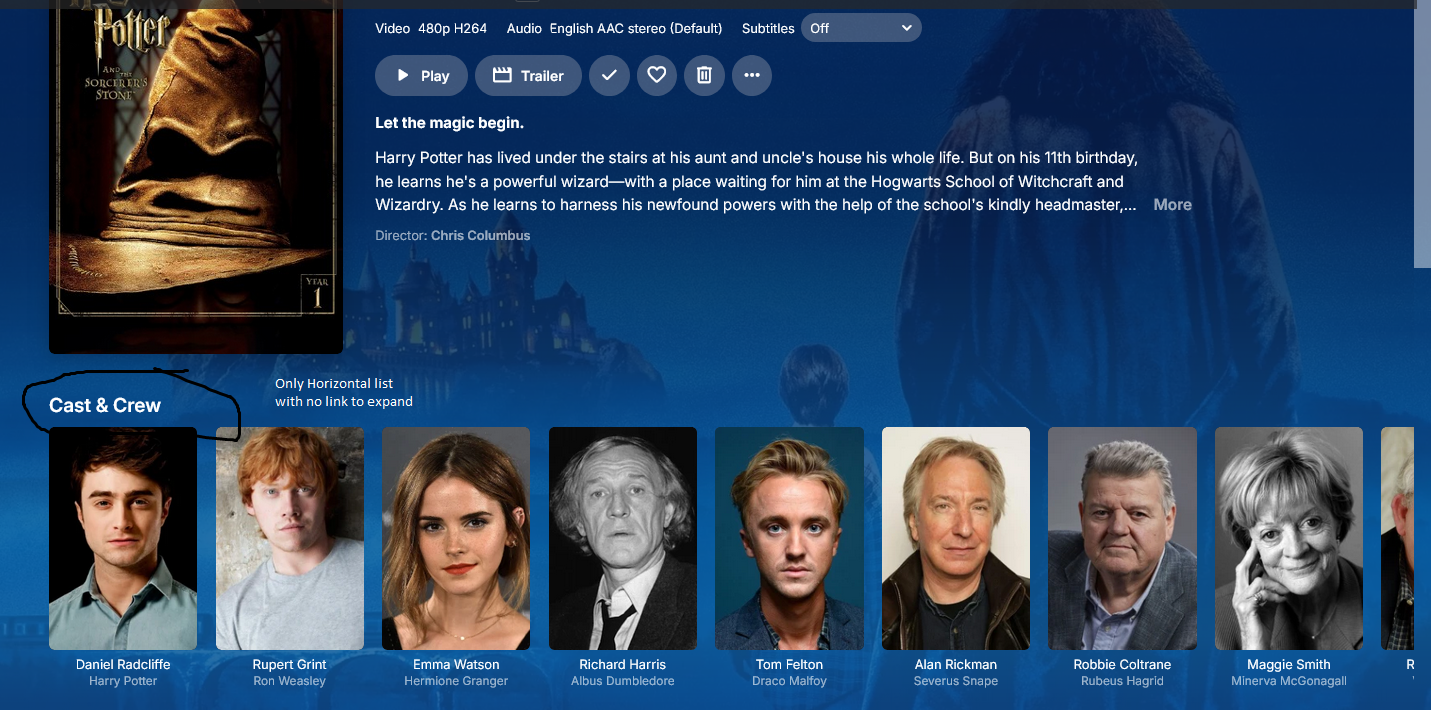
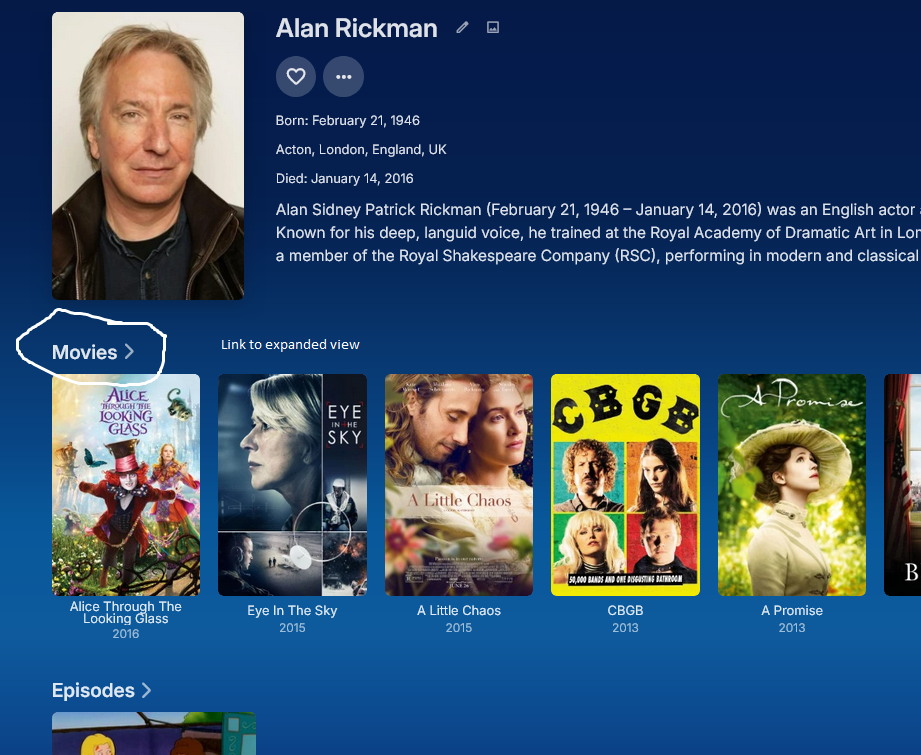
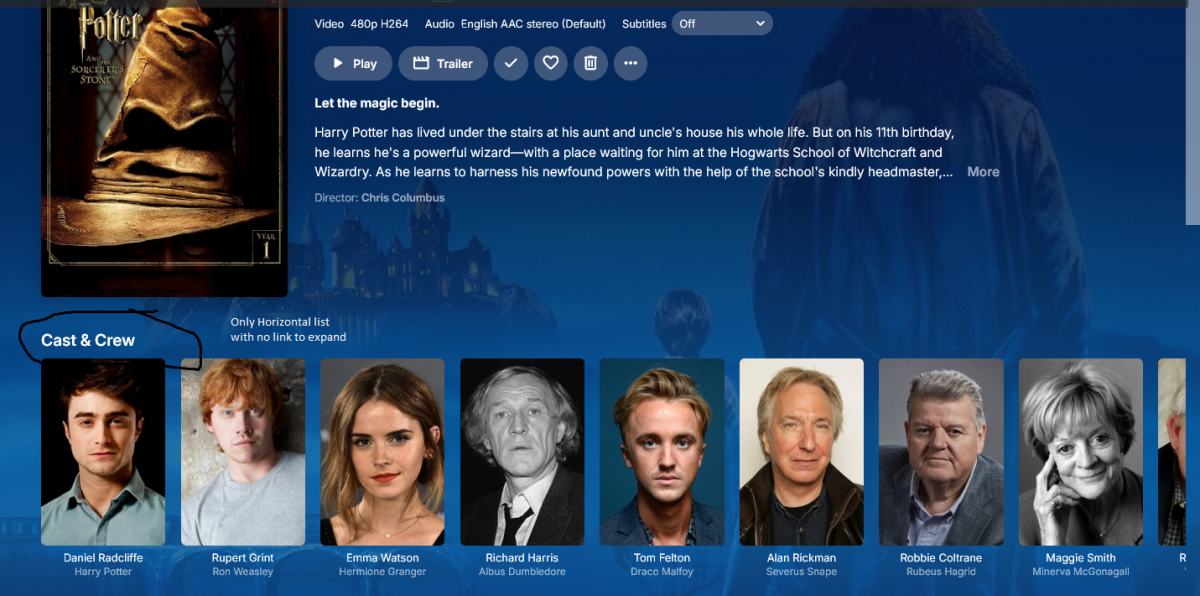
I see there are several requests regarding searching thru the cast & crew list. In Movies and TV, a short list is shown horizontally with a link on the header to expand into a full listing. But there's no such option with Cast leaving us to hit the scroll right arrow 7, 8, 10 times. How about creating the same short horizontal view with a link to the expanded screen?
 4 points
 -
Being not just a lazy person, but also one who prefers keyboards over mouse clicks I sure would love the ability to search the plugin catalog! Horizontally scrolling through each category is needless tedium, IMO. A search box would be heaven-sent! BTW, I wasn't too lazy to search the FR section for prior requests on this subject...if this is a duplicate, it wasn't for want of searching (BTW, this forum software is really crummy at it. Booleans operators like "AND" are ignored as far as I can tell).3 points
-
I wanted to share something I've been experimenting with, in case it's useful for this request. It turns out that delivering the video over HLS with fMP4 (fragmented MP4) segments opens up a really nice path for these MKV HEVC HDR files on the Apple TV. Rather than transcoding (and tone-mapping) the video, the server can simply remux the MKV into fMP4 over HLS and stream-copy the HEVC video untouched — it's essentially just a container rewrite, so it's very light on the server and, importantly, it keeps the HDR intact. Here's the result on an Apple TV 4K, playing a 4K HEVC Dolby Vision (Profile 8.1) title: (Jellyfin + Custom Jellyfin Apple TV app -developed by myself-) ffmpeg … -i "….mkv" -map 0:0 -map 0:2 -map -0:s \ -codec:v:0 copy -tag:v:0 hvc1 -bsf:v hevc_mp4toannexb \ -codec:a:0 copy -f hls -hls_segment_type fmp4 … Stream mapping: Stream #0:0 -> #0:0 (copy) Stream #0:2 -> #0:1 (copy) The -codec:v:0 copy is the key part — the HEVC HDR stream is passed through as-is and plays in HDR on the TV, with no tone mapping and negligible CPU. One small thing on the client side, in case it's helpful: with a multi-variant HLS playlist (an HDR remux rendition plus an SDR fallback at the same bandwidth), the native AVPlayer tends to pick the SDR one unless the client specifically selects the VIDEO-RANGE=PQ variant. Once the client targets the HDR rendition, it plays great. So the fMP4/HLS remux route looks like a genuinely useful option here — gentle on the server and it preserves HDR on the Apple TV. Just sharing in case it helps, and happy to go into more detail. FFmpeg.Remux-2026-06-07_17-01-04_32ce8d77902368b0e4edd358b2059492_8848d63c.log3 points
-
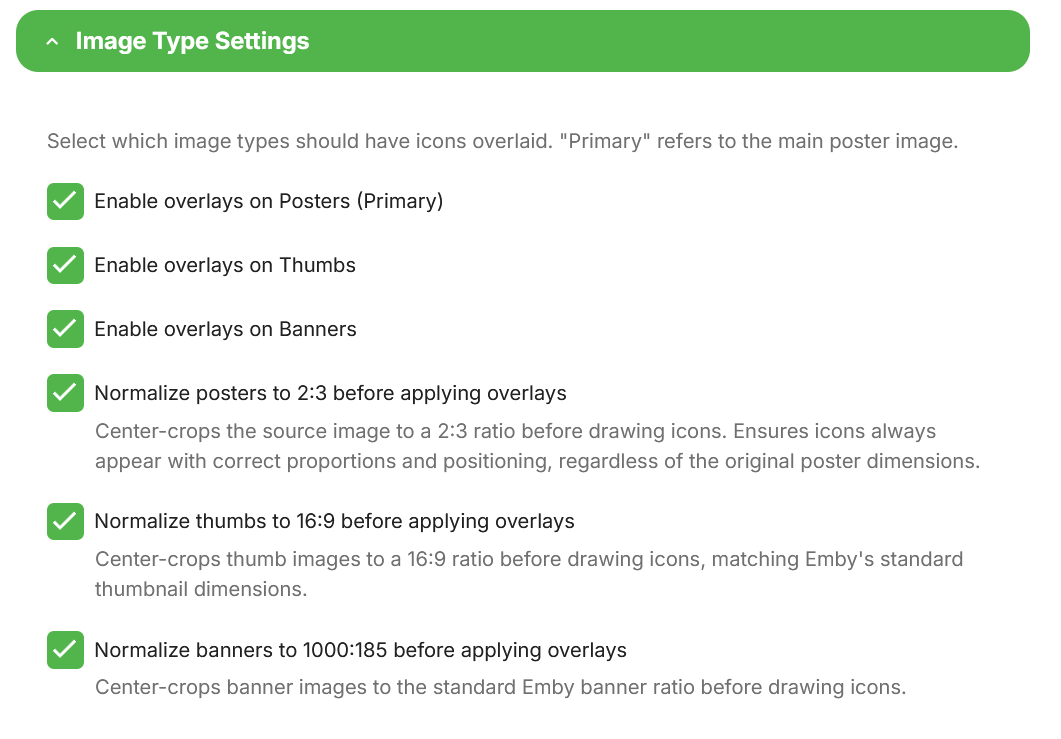
@Asdepique777It's done. You can get the new version from the catalog, beta v5.54.2.0. This should give some options to play with. I suggest testing horizontal mode and report back to me, as i might not have hit that correctly. Now unless there are bugs then i WILL get my vacation!! No more plugins until summer is over and i run out of beer!
 3 points
 -
Thanks @pwhodges, yes my wan address and "what is my ip" give the same IP and it is NOT in 100. range. My router does not have an IPv6 address and my dns has no aaaa record. ipconfig/all on my windows server gives no ipv6 address. so my best guess is i am solidly on ipv4. If im not on CGNAT then i think i just went down a wormhole of misguided hypothesis/analysis...maybe i just have an alexa issue.3 points
-
Just an added Note: Why not stick with what works? And test the new stuff? Note: EBR still seems to take pride in making the ATV app Great Some day the other version will be better, but after many years it’s still not!3 points
-
@soderlundI've added some of the features you requested in the latest update! Pre-filter submissions before media segment scan Add per file/folder selection for scan Add API key test https://github.com/TheIntroDB/emby-plugin/releases/tag/v1.0.3.03 points
-
Not a family man i take it?3 points
-
I just tell my users to f-off if they can't remember there own created password. And tell them to check there email I send them ID10T users are always in the way of my sleeping habits .3 points
-
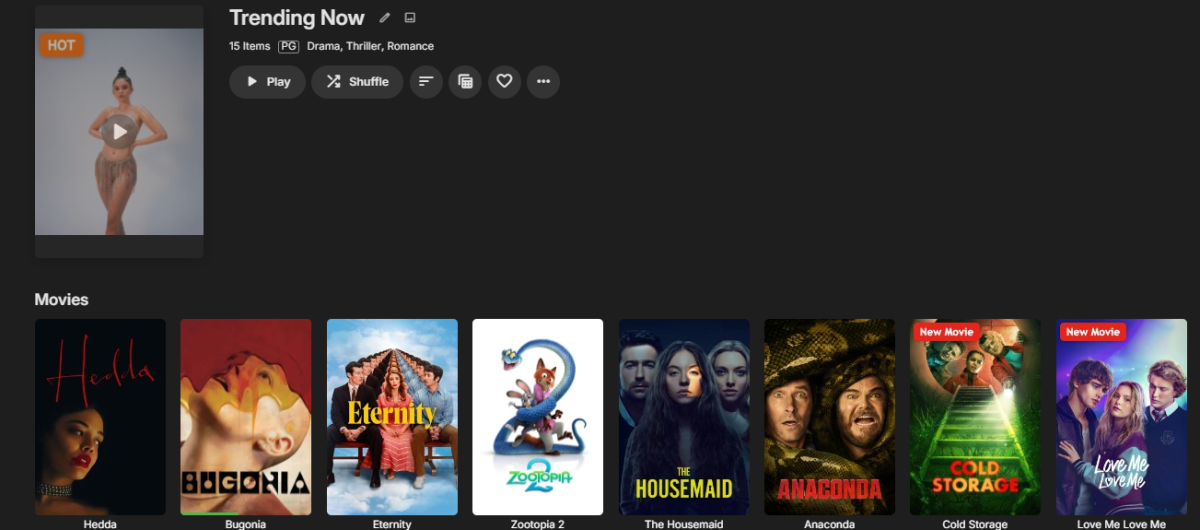
New Update 1.2.0 is coming with some new features including overlay for music library and collection (box-set). It will be ready once I finished it.
 3 points
 -
I created a help section library of my own, that my parents can refer to as many times as they need to, when they forget how to do something. Screenshots / photos / short videos that you can create yourself and drop into a 'Help' section on your home screen. Perhaps this would be an option for you.
 3 points
 -
If that's how you (and others) are using collections, then perhaps we need to consider reinventing them to be more like playlists where they are personal to each user.3 points
-
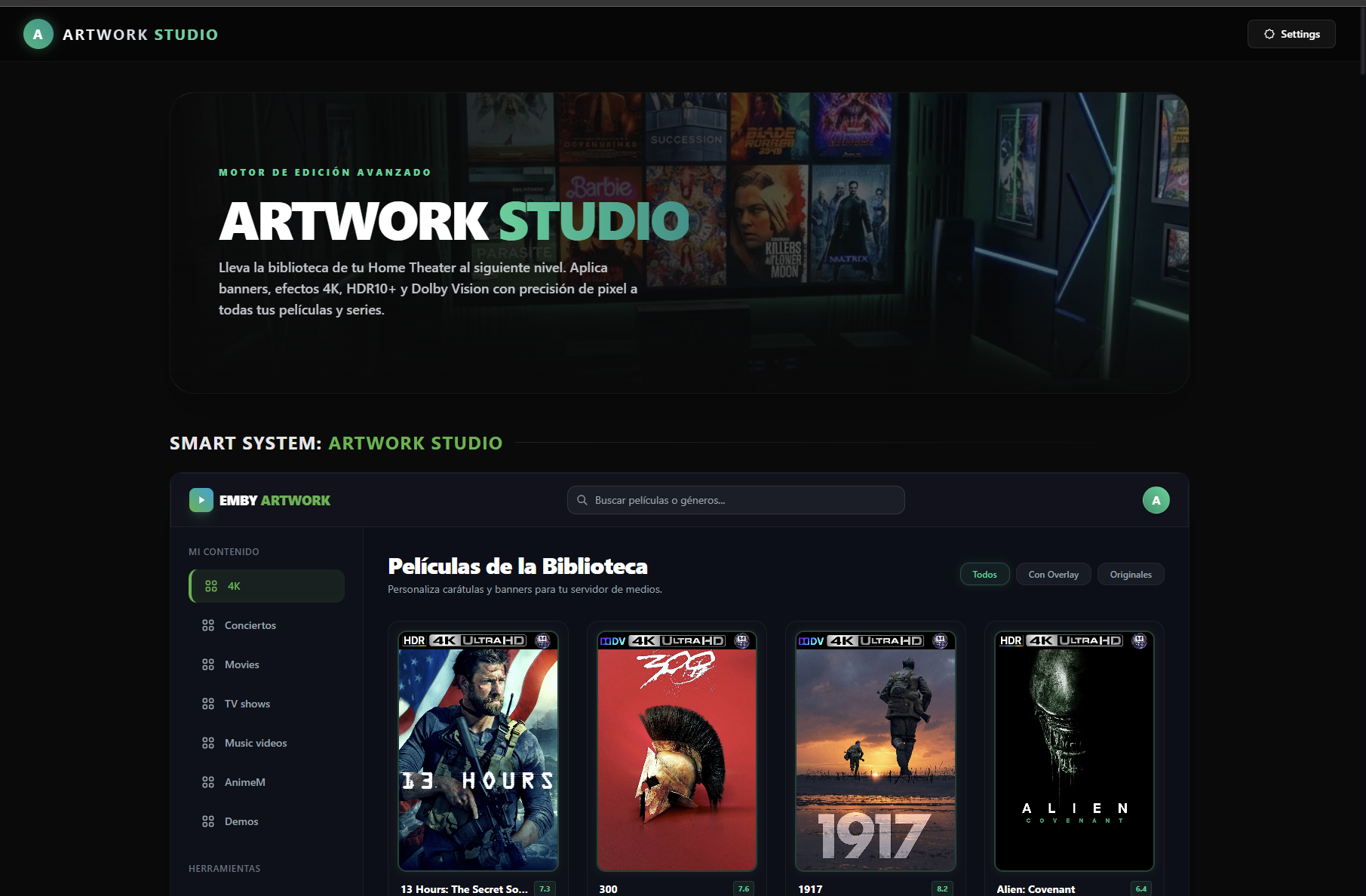
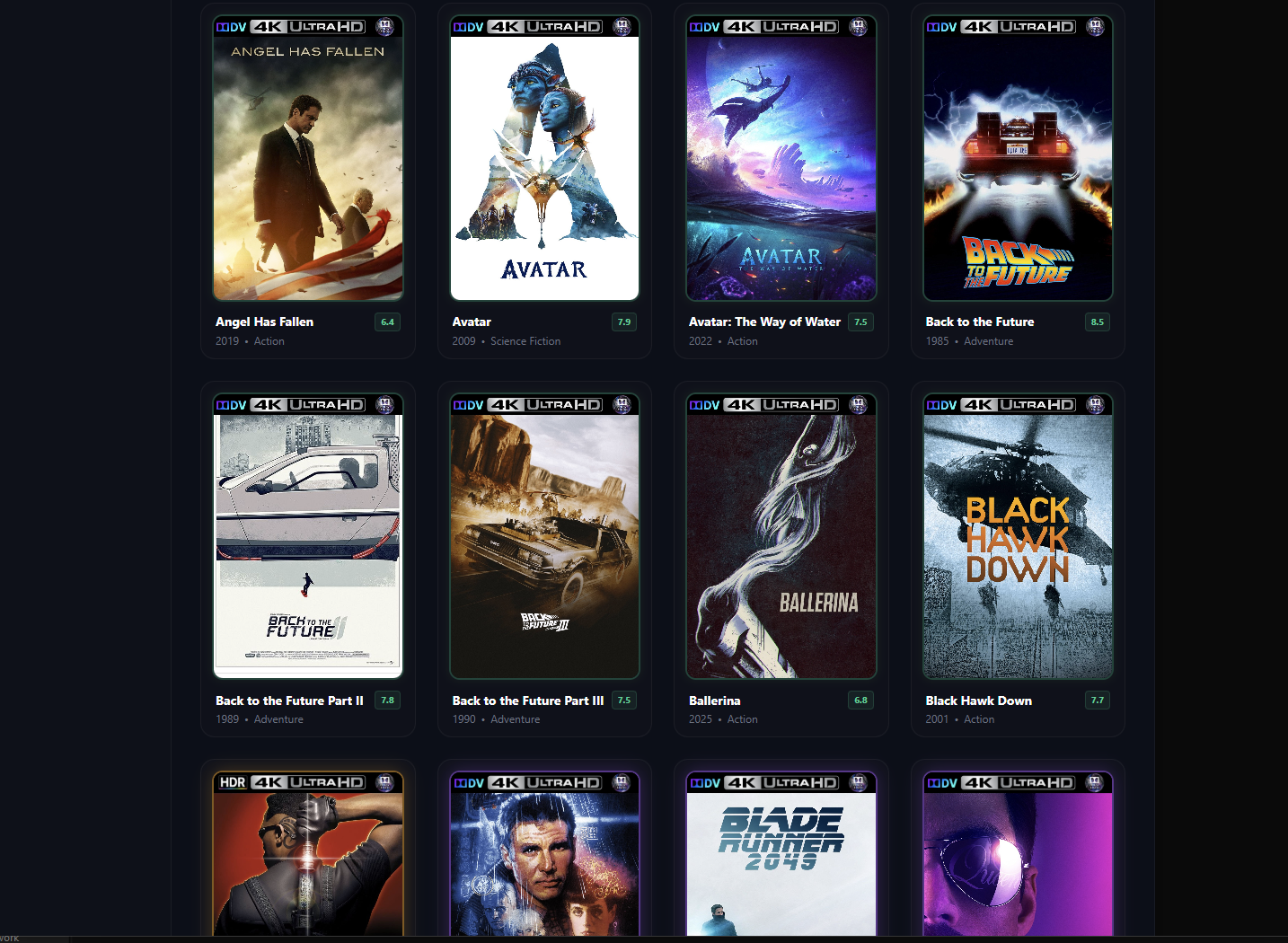
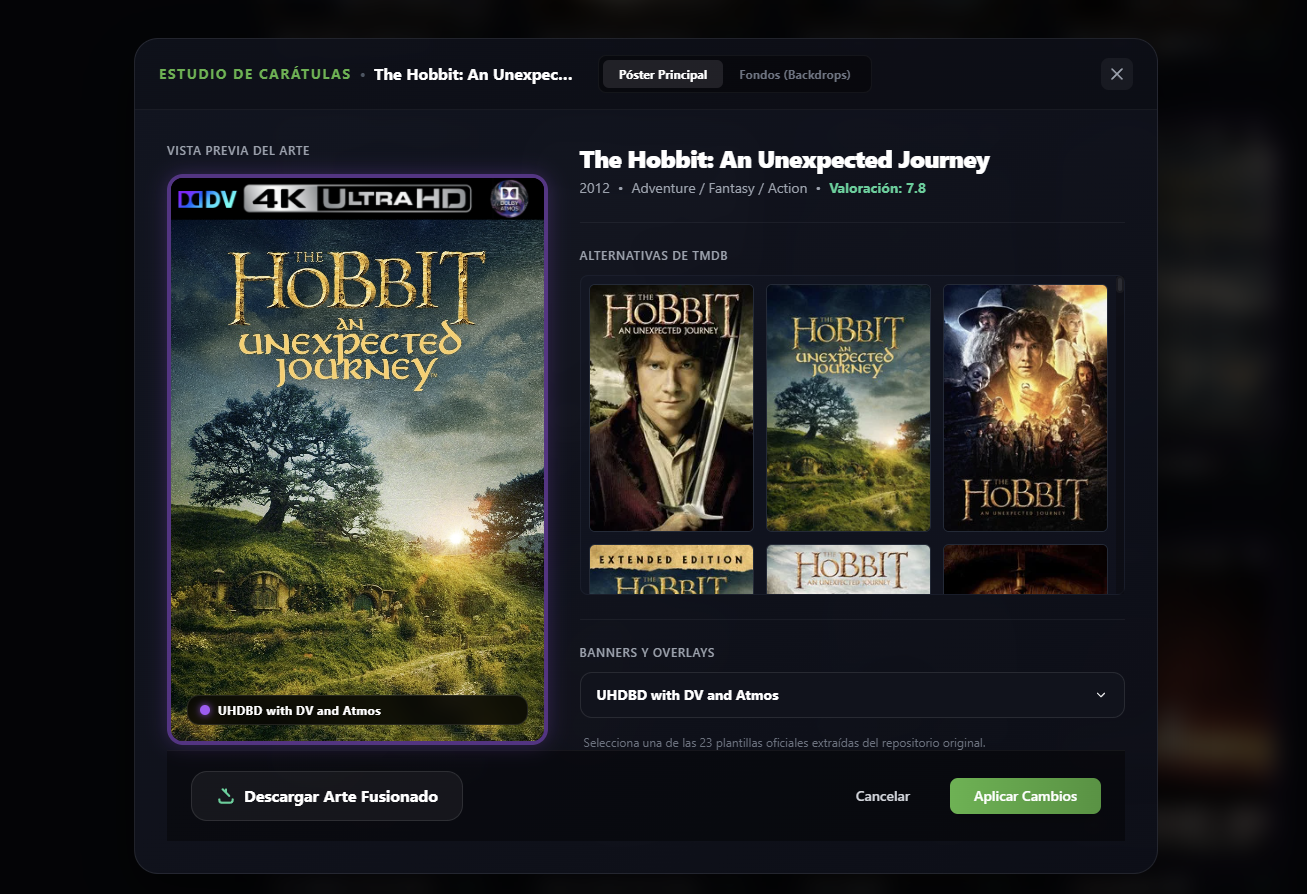
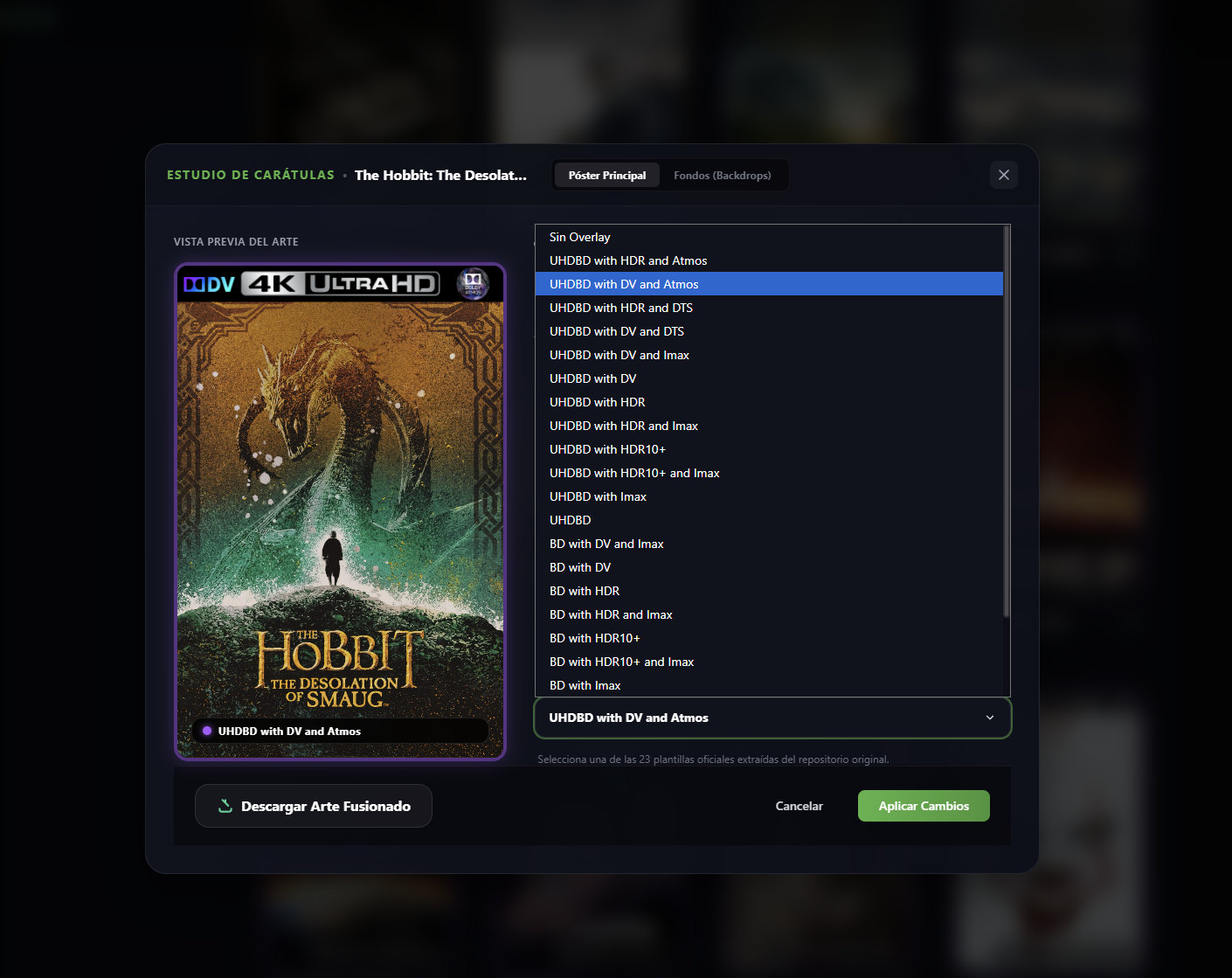
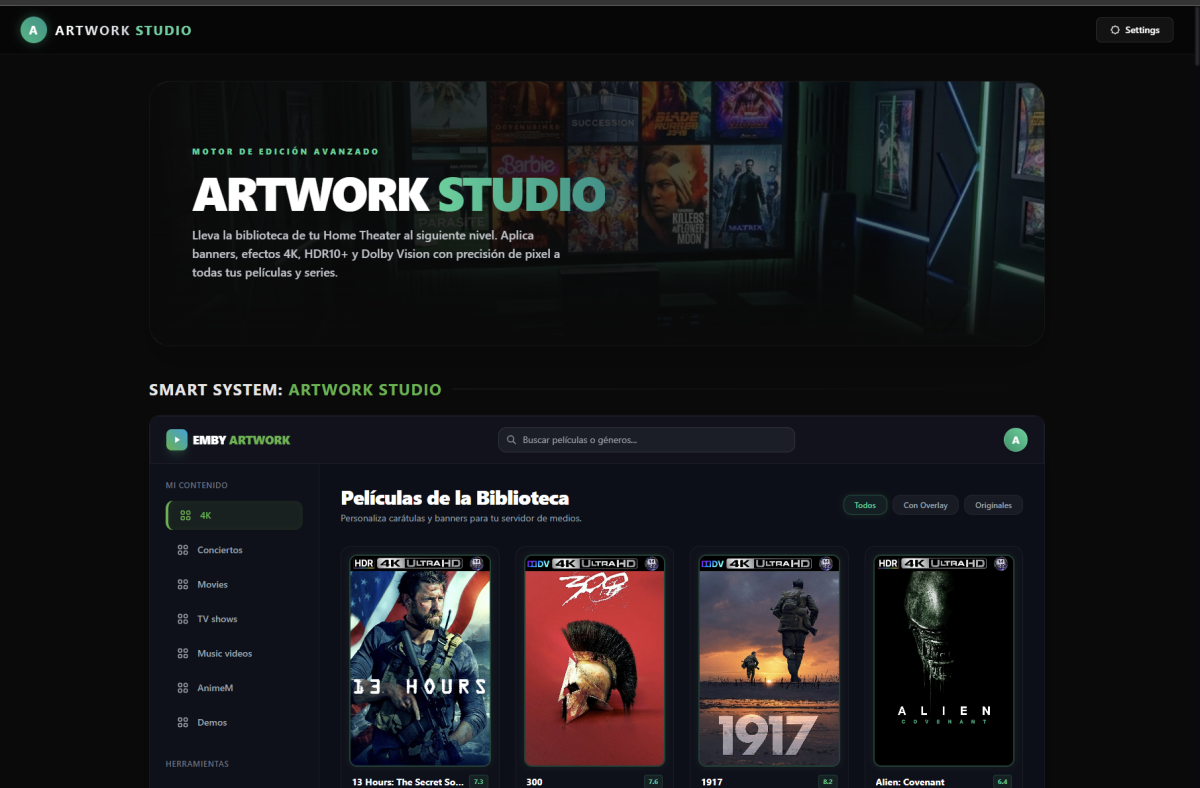
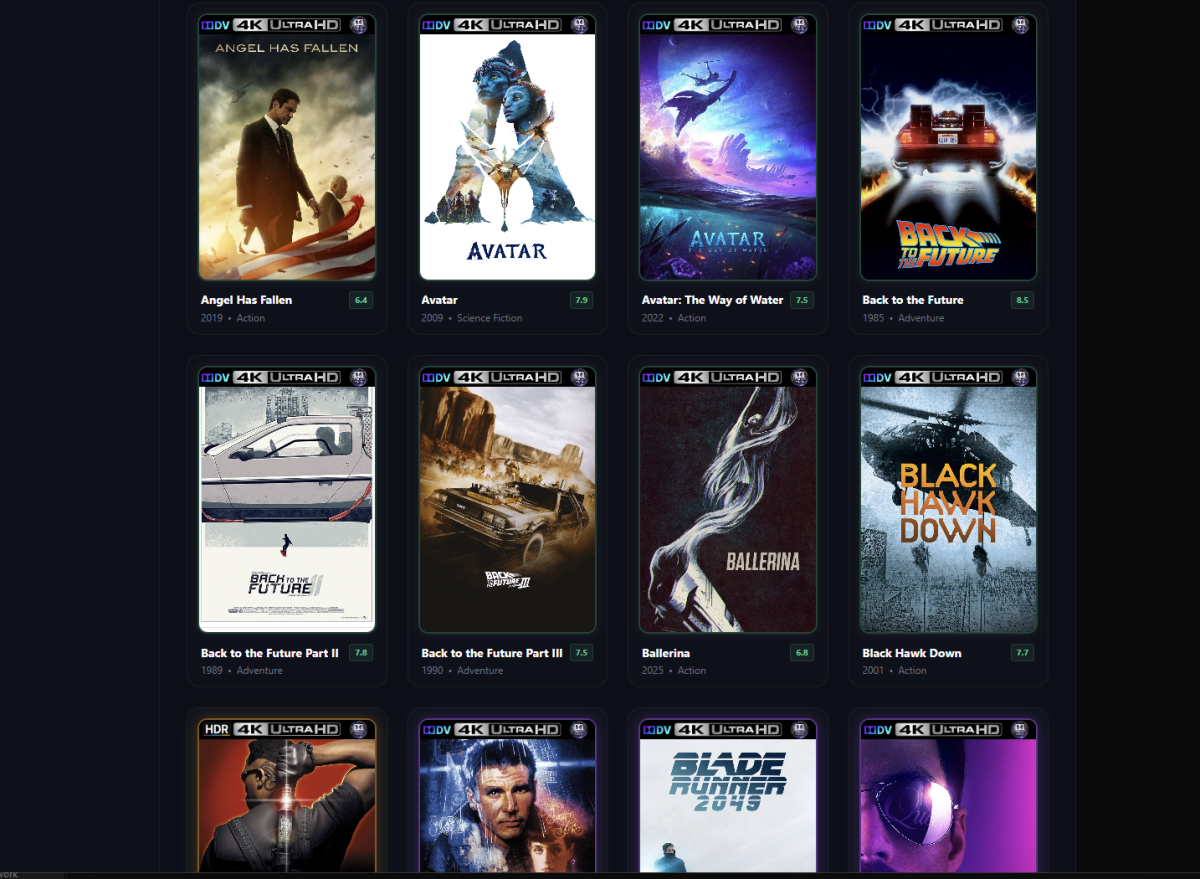
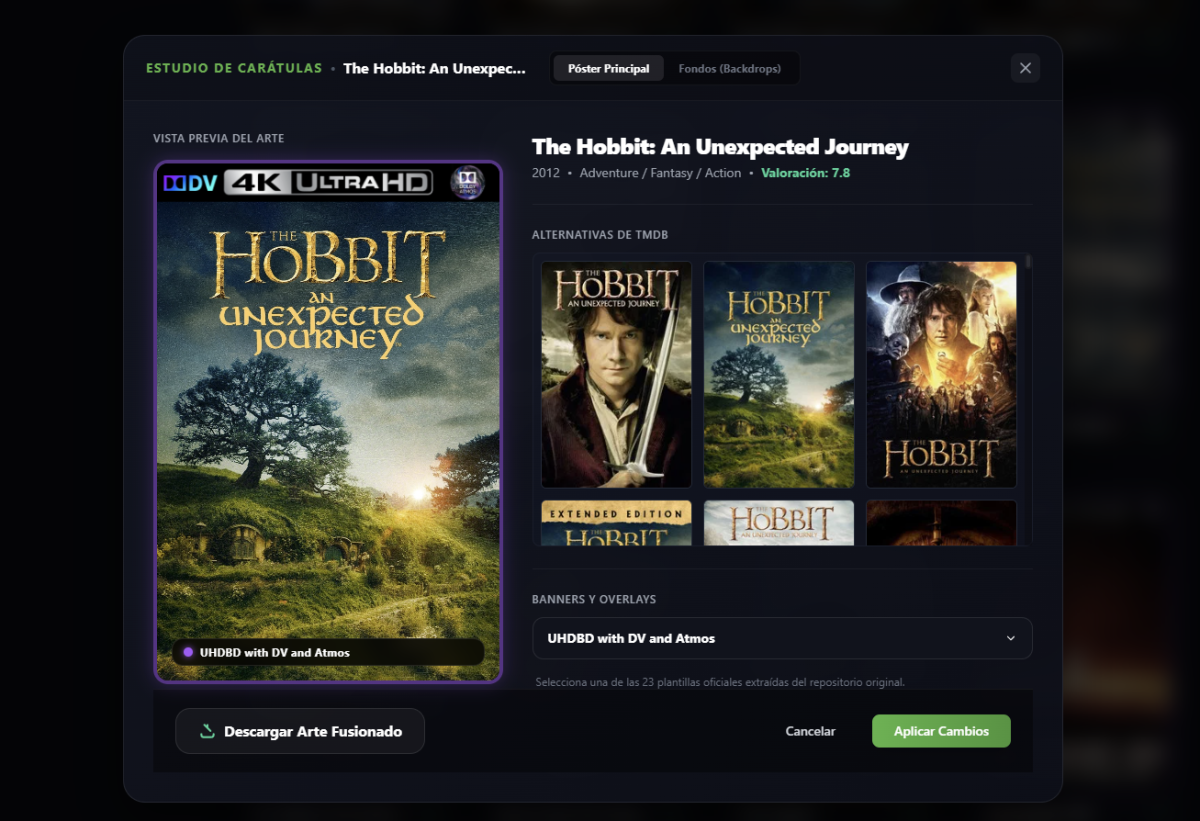
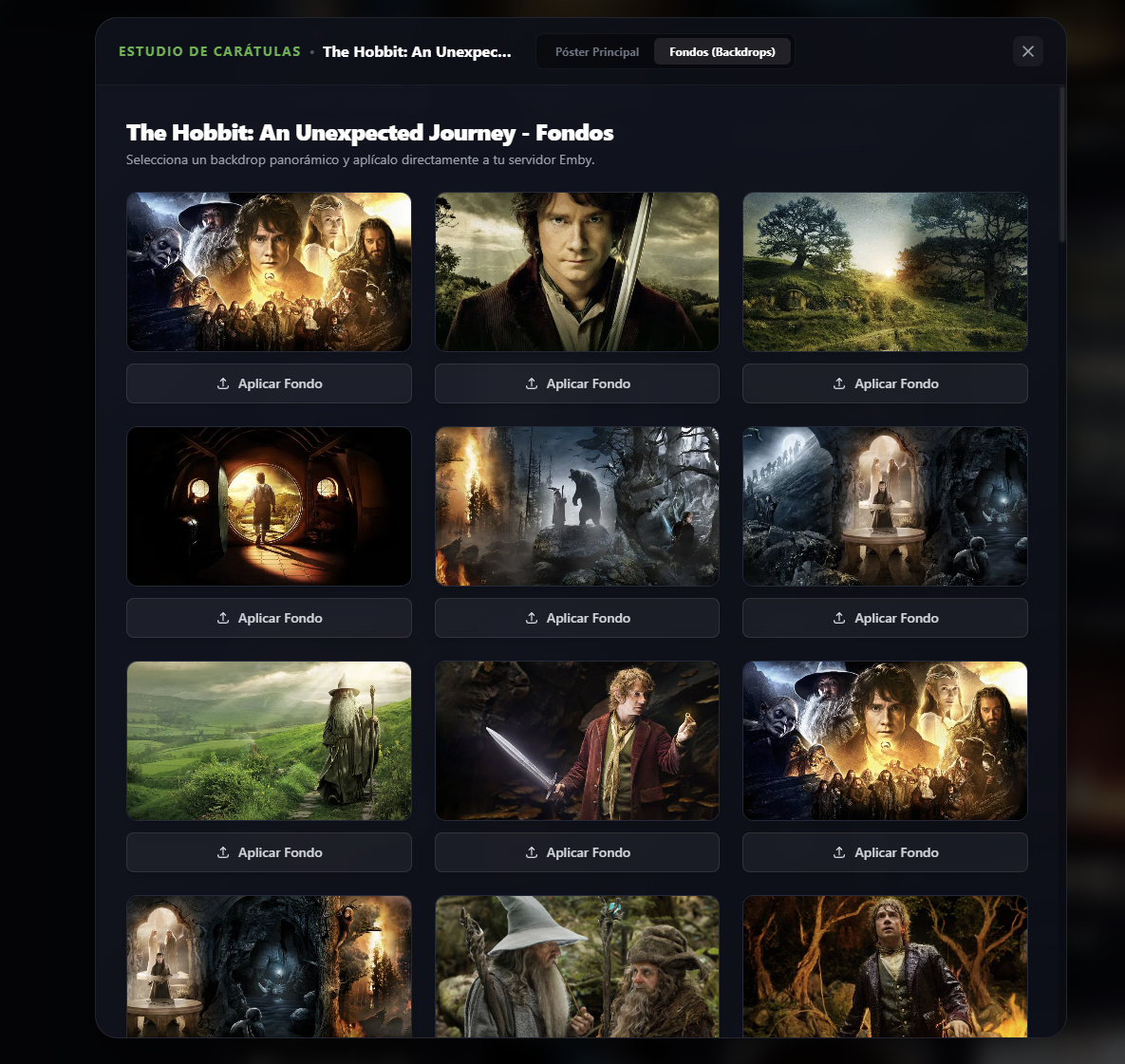
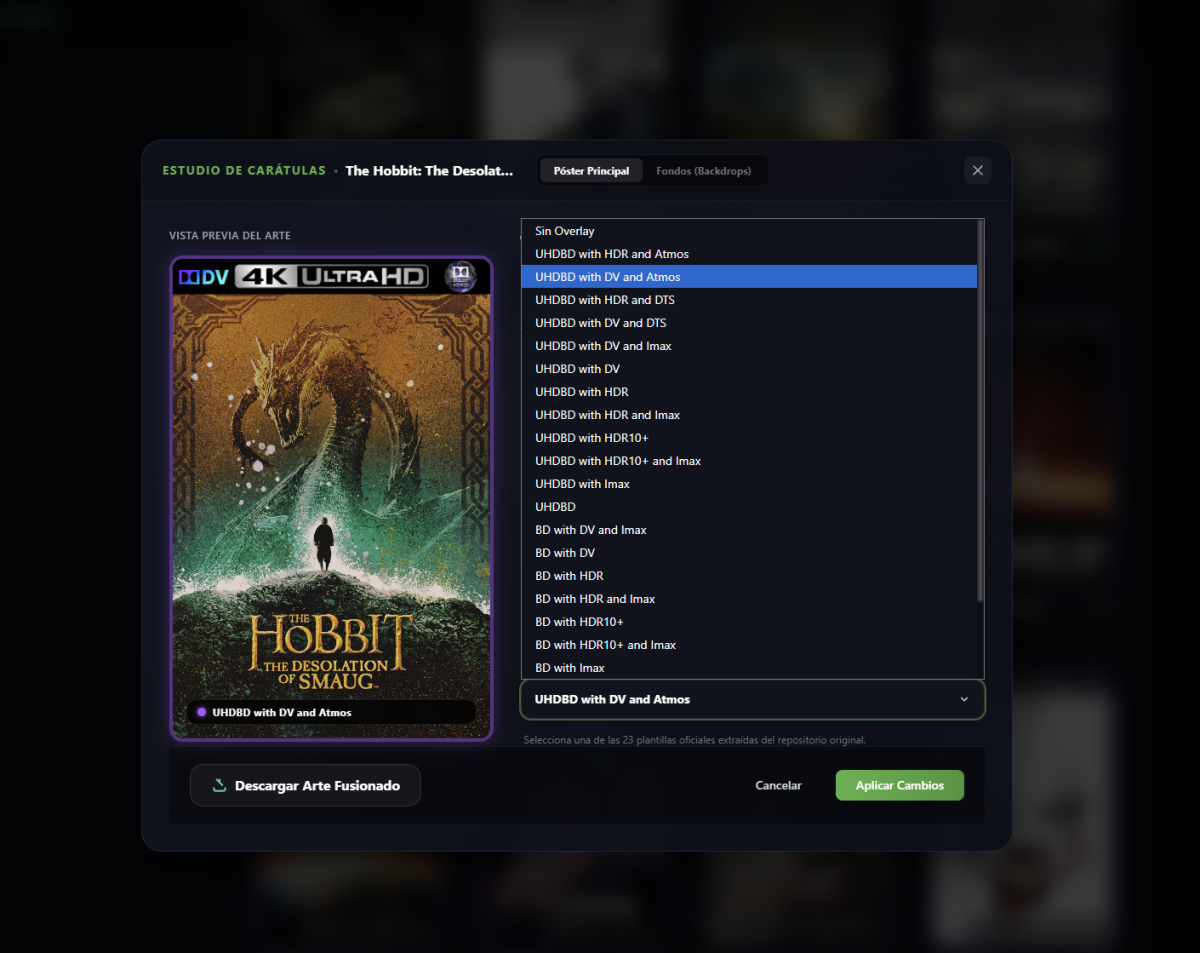
Artwork Studio is a "Homelab" grade tool designed to take your Emby server's visual experience to the next level. Through a sleek, modern UI built with Next.js, it allows you to scan your library, preview movie posters, apply gorgeous overlays (Dolby Vision, HDR10+, etc.), and search/apply widescreen backdrops from TMDb easily. How it Connects to Emby The application interacts directly with your Emby server's official REST API: Libraries and Content: Retrieves available media collections and maps items via the /emby/Library/SelectableMediaFolders and /emby/Items endpoints. Poster and Banner Processing: When applying an overlay, the application downloads the base poster from TMDb, resizes and layers the selected overlay badge using the sharp image library, and uploads the final output as a Base64-encoded string to /emby/Items/{Id}/Images/Primary. Widescreen Backdrops: Downloads backdrop layouts from TMDb and posts them as movie backdrops to Emby via the /emby/Items/{Id}/Images/Backdrop/0 endpoint using Base64. Security & Hardening Features the following security measures have been built-in: Separation of Environment (.env & .env.example): Real API keys and IP addresses are handled via local environment variables. The repository only tracks .env.example containing generic placeholders. Hardened .gitignore: Blocks files containing real configurations (.env, .env.local, .env.production) and build directories (.next/) to prevent accidental leaks. Secure Image Proxy (/api/image-proxy): The frontend never communicates directly with your Emby server when loading movie images. Instead, all images pass through an internal Next.js proxy route. Consequently, your local IPs and Emby API Keys are never exposed in the client's image HTML tags or browser network requests. Decoupled Client Config (LocalStorage & Cookies): Stores connection tokens locally in your browser (localStorage) and sends them to server actions dynamically via cookies only when required, keeping code files completely stateless and clean of secrets. Prerequisites To get the app working, you need to grab these keys and have your server URL ready: Emby Server URL: The local address where your server runs (e.g., http://192.168.1.100:8096). Emby API Key: Generated from the Emby Dashboard (Settings > API Keys > New API Key). TMDb API Key (Optional but recommended): Used to enrich movie metadata, get it by registering for free at The Movie Database. Link
 3 points
 -
Hi. That's because no one in development or testing is able to reproduce it and only a very few users have reported this happening. So, whatever it is, is very specific to some sort of environment. Unfortunately, we cannot fix what we cannot find - but we'll keep trying.3 points
-
We recently built music assistant support and submitted it to them, so I would think it should show up there soon.3 points
-
Of course it's going to be half baked when you have 1400+ contributors..It's a case of too many cooks spoils the broth. Luke alone has 13424 commits in their git, which is almost 50% of all commits. They are still riding on his coat tails almost a decade later.3 points
-
I doubt it. They way its being built is like having a classroom full of kids make a clay sculpture. No one has a plan for what the end product will look like, and it ends up a misshapen lump. It is being directed but at some point it begins to be pulled in too many directions. As it is it uses a ton of system resources vs. Emby. That will not likely change for the good, but instead will continue to become more and more bloated and require more computing power to run.3 points
-
I think we need a new compilation of the app, mine won't install anymore3 points
-
Hi, the USB build has been updated. Thanks.3 points
-
It was meant as a friendly warning for if you pay for access to a server and a troubleshooting step. If you are paying for access to a private server then you are breaking the Emby TOS and we would effectively help you do it. If you are not the admin of the server then some settings on the server could cause the problems and nothing could be done about it. @Suliamuis explaining it very well. To really troubleshoot, replicate the problem and upload a client/server log here. It would make everything much easier to troubleshoot, limit any speculations to what's wrong and help the developers find and fix a protentional problem.3 points
-
We are trying to pinpoint it. If you are not paying for access to a emby-server of some other person, then how do you do it? Are you hosting a (GPU)-Server in a DC in Nicaragua yourself, which does the transcoding for you? (Would be quite the luxury, because again this country is not your typical Datacenter-location) Or is this a server somewhere in a private house in Nicaragua running through a private customer ISP-line? What are the specs of that contract? Are you sure you have enough upload-bandwith to stream 4K HDR? According to open statistics about provider speed Nicaragua offers a median upload speed of 22.97 Mbps. This would be not enough for your file above. And it would explain why you can stream 1080p, but not 4k. And it would explain why Amazon Stick behaves the same. And just to make it clear, most folks here are not hosting in an "economically aspiring country" (to use well-meaning semantics), and nonetheless are sticking with 1080p. Getting 4k to run smoothly, especially across continents, is not that easy Sir i am afraid to say. And since you are not asking those questions from a sysadmin-side, but from the client(watchers)-side, it looks like you are not administering this server yourself, correct? Anyway, if you pay for you it, or you don't, it doesn't matter, but the person you should contact in that case is the person who gave you the access/account.3 points
-
That's still money that people can save if they use Jellyfin. Fact of the matter is, Jellyfin is so popular because it's free and works. It might be much more rough and unpolished than Emby but it still works for what most people want and if it can be gotten for free then that's what most people will get.3 points
-
@youcinezI don't like ads, specially not ones that disguise them self as normal conversation! To anyone reading this, i suggest staying off the website he linked. Edit: Thank you @GrimReaper3 points
-
It's because of double compression: https://www.themoviedb.org/talk/6a0cf9a5dd8f54b8836a37503 points
-
@Lukeappears there's an issue with TheMovieDB fetcher. Multiple reports: https://emby.media/community/topic/147829-person-metadata-failing-to-identify-refresh/ https://emby.media/community/topic/147798-new-emby-server-release-4950/#findComment-1521535 Also confirmed it's happening on both stable and beta server versions.3 points
-
Reading the Plex reddit there are lots of "So what? I already got the pass!" Yeah well.. Soon they will be Introducing Plex V2 mark my words! Better yet, it will no longer have any private server function and be a fully Netflix alternative where they just use private peoples computeres as servers. That price is nothing more than Plex phasing out the lifetime pass.3 points
-
This price increase by Plex is freaking insane. I guess the millionaires that gave them money are demanding a return. Remember, they did get $50 million quite some time ago and were not exactly turning a profit.3 points
-
New Emby server Stable release, v4.9.5.0.3 points
-
Hello ! i waited a ;long time before replying because i wanted to be sure, but it seems to be resolved !!! we didn't have the problem again since i deleted the weather addon ! !!!!!!!!!!! Thank you very much !!!!!!!!!3 points
-
I'd really like to have 2 Factor Authentication added to the login screen. It's just this (optional) extra layer of security to help secure the server (which, especially if people use camera uploads) contains pretty private data. There are for every type of programming language quite a few libraries available, so implementation on a server shouldn't be too hard to realise3 points