All Activity
- Past hour
-
 Matthewspvt joined the community
 -
I'm of gonna have to agree with rbjtech on this. Try to name your groups very specific so you know what they are supposed to do. Use the native/built in home screen section manager to add multiple tags. Then you can have a home screen row with both "spotlight", "christmas_spotlight", "halloween_spotlight" for the same row. That might be easier to administer with scheduler, and not using the override setting for all. I don't really see what more visual things to add. I don't want to clutter the UI. To be honest this sound like trap you have set up for yourself... But give me a good example and it would be easier what type of flags/visuals you want. A picture in Paint is very helpful! The plugin would not load if running 4.9.3.0. From plugin version 3.0 it's built with assets from the beta server that's not available for server v4.9.3. You could give it a try, but my guess is that the plugin wont load in. From my experience the Emby devs are releasing very stable betas. I have always used the beta for my live/production server, with very few issues. Th latest beta gives huge improvements to Emby, so i kind of suggest to try it out! Releasing it as stable is probably not too far away either.
-
 Andre13 joined the community
 -
 Matthewspersonal joined the community
 -
 sigifredomarin joined the community
 -
 jcrawford108 joined the community
 -
JOrtega411 joined the community
-
Well, in case you TheGru run out of ideas when you jump back into further development of existing features in Aperture, here is just some feedback and ideas which are merely suggestions: I mentioned this earlier: Create Collections the same way we can create custom recommendation playlists with genres and example movies. Given the new revamped home logic in Emby, Collections are back in fashion! With that being a permission, admins can grant Collection creation to non-admins in Emby.If that's not technically possible, at least let admins create Collections. Add "Favorites" functionality in Aperture while browsing items that syncs to Emby (when you add an item to Favorites in Aperture, is also added to Favorites in Emby". Align Graph and List Similar Movies items: Currently Graph has more items than in the List (more of a bug maybe?). Also personal preference would be to have the List as the default instead of Graph or maybe make the default a configuration option. And maybe the List view can also benefit from the relation data (eg. Same Director, Shared Actor etc.). More filters in Browse (eg. country, watched/unwatched, household reach) Add Person (next to Movies and Series). Given /person endpoint exists already, it's a same not to easily browse/search for it.
-
 Wanenjo2 joined the community
 -
 Ivan160787 joined the community
 -
 Nonnn joined the community
 -
I think the fix for this would be a new note as that release note has been in the log since the early builds of 4.10.0.2 roughly I think. I'll hold off on updating until we get word.
-
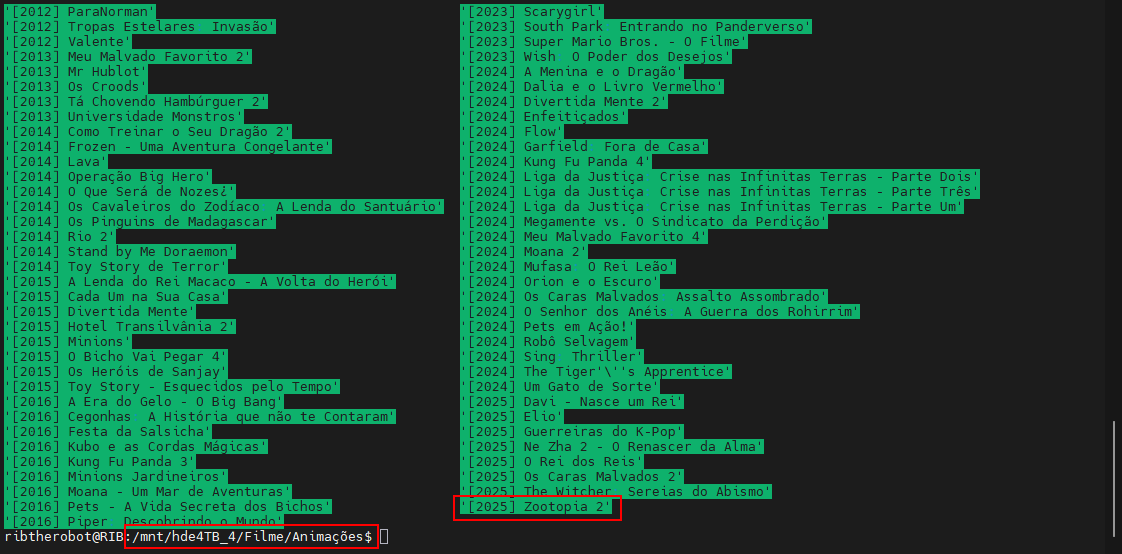
I don't know why it's not finding the movie Zootopia 2. I click on "scan library files" and the movie still isn't found. I've already removed it from the folder and put it back in, and it still doesn't appear in the panel. Does anyone know why it's not showing up to watch? The other libraries are fine; I add them and they appear. It's just this movie that isn't showing up.

- Today
-
I have a router/modem(eero) and I have a mesh system as well(deco). The deco is connected to the eero.
-

Roku sees server, but shows no users and I can't log into my user profile
KylerMarkle replied to KylerMarkle's topic in Roku
Yep, that fixed it. Thank you! -
@soderlundDoes this means that the plugin does not work with 4.9.x.x version at all? Not even as auto tagger? I understand that the Home screen enhancements will not work, however, how about the smart playlist features? Edit: Asking because my 4.9.3.0 server shows New update: v3.1.2.0 available
-
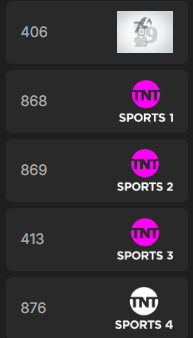
 Hi all, Bit of a weird one here. I've been making some changes to my IPTV setup recently and have an annoying issue going on with the channel logos. I was previously using IPTV Boss to output an m3u channel list and then matching these channels to the Emby Guide Data using Sky Q (London SATELLITE) E1 Postcode as the Lineup, this worked fine in terms of channel logos for about a year. I've recently setup Dispatcharr and now I do the same as before but just with a Dispatcharr creating the m3u file instead of IPTV Boss. I'm using the same guide data and linking it to the same channel number I did with the IPTV Boss setup but now in the channel guide "light with colour" logos are being used when I have a dark theme set. Also the Sky Sports Golf light logos seem to be incorrect. I haven't added a server log output at the moment as I'm not sure if that will show anything helpful for this. But I have included a number of screenshots below to show what I mean. 406 is Sky Sports Golf - See below for the 3 images scaped. The 4 TNT channels are all also using the "Light with Colour" logo, but for some reason TNT 4 is white. And also the "Dark Version" of the TNT logo is smaller vertically so I would prefer this as it makes the channel block narrower which is what I had before as it seemed to default to the "Dark Version" Editing the Sky Sports Golf channel Logo from the guide view: Editing the TNT 4 channel logo from the guide view: These are my display settings for the user. I assume it's meant to pick the logo based on the theme. I have also tried setting the settings theme to dark just in case. I've tried deleting the images from the edit view and then refreshing the guide data and the same thing happens. The logos also display that way for all users I have setup and I've tested from my laptop browser and also from the Android App on my phone and they show the same. Does anyone have any ideas on this as it's annoying me even though it's not breaking functionality. Thank you, Liam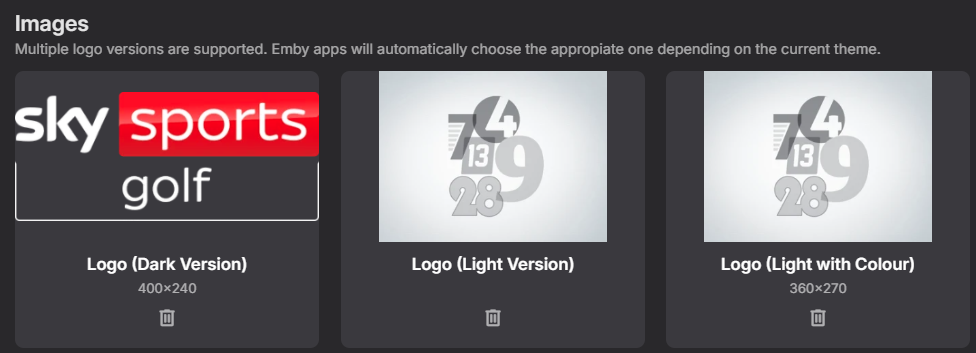
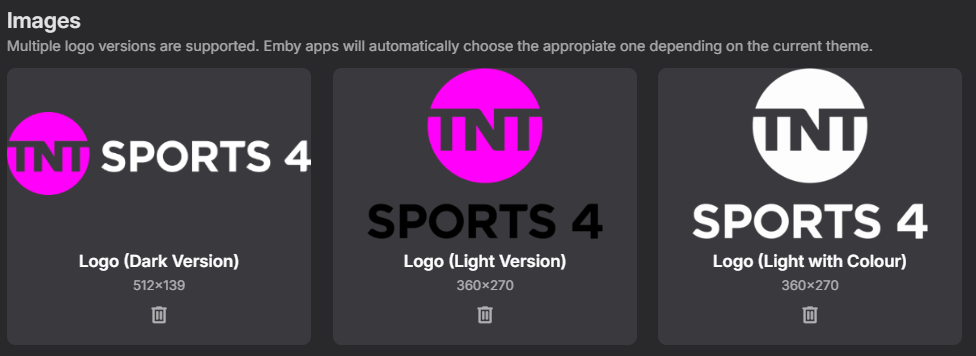
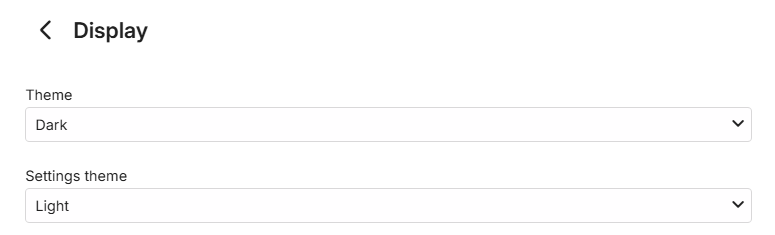
-

Ya no está disponible la aplicación de Emby en Samsung?
Embyconnect290876547444 replied to Embyconnect290876547444's topic in Spanish
Hello It seems Samsung is excluding Emby in Mexico. Is there anything you can do to reverse this? -
Yes, so it's what I m saying, also if you want to display content like it is on the HD using the "folder" view, Emby doesn't display content as it is on the HD but are using a "magic" behavior that can't be disabled (or I didn't find where)... I think this is the point... there is not a simple and basic folder view...
-
You've installed your server on a Windows machine ? Have you tried accessing from a browser on the same machine ?
-
Yes, it never seems to work with a web browser. I've also noticed (but forgot to mention) that sometimes when I tell emby to play a show on my Roku devices, nothing happens. It just removes all the buttons and verbiage from the screen, leaving the background image, but doesn't actually play. I can use the back button and try again and it works on the second attempt. I haven't caught a log file from that because it's fairly rare. Neither of these things ever happened when everything was on my computer, so I'm wondering if it has something to do with synchronizing with the multiple hard drives in the NAS.
-
Hi. HTML is just a presentation layer. Our API is agnostic to the presentation. I'm not really sure how we would block or how you even really distiguish "web access" when everything is just through the API. Some of our "apps" use HTML in their presentation.
-

Roku sees server, but shows no users and I can't log into my user profile
speechles replied to KylerMarkle's topic in Roku
You need to disable IPv6 on your network adapter. Windows updates like to enable some stupid settings. https://support.privadovpn.com/kb/article/879-how-to-disable-ipv6-on-windows-11/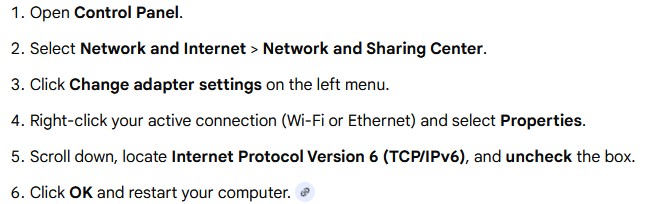
-
I just don't see why I need to expose a HTML webpage to the internet, especially one that has admin dashboard functions. If 8096 is used by the apps, then it would have been smarter to have the HTML interface and admin dashboard on its own separate port Right now it seems like its ALL or None, I either expose everything or nothing Another alternative would be to have a simple on/off flag so you can disable HTML access for users, and restrict them to only use the APPs
-
It keeps telling me that it can't find my server. I have put in the right IP address and I am using the recommended port but when I pull up check Network it tells me it can't connect.
-

Skip Intro markers not being generated despite scheduled task completing
TheFreeMan replied to UsamaWaheed's topic in Linux
Call the Midwife ended season 15 with episode 8, aired on 8 Mar 2026. It was downloaded on the 8th, as well. The most recent episode we've watched was episode 6, aired 15 Feb, downloaded on 15 Feb. My log history only goes back to March 13th, so I don't have logs from previous new episode detections of the show to provide. Next time I note a new episode that doesn't have a Skip Intro, I'll make note of it, grab the log for when it downloaded and ping you here. I appreciate your willingness to dig into this! Yes, I did read this - one of the early bits that I'd seen when I started looking into the issue, even before finding this thread! see this: I do appreciate your time & effort looking through the logs! -
Ya no está disponible la aplicación de Emby en Samsung?
Embyconnect290876547444 replied to Embyconnect290876547444's topic in Spanish
Since when is this known? Have they sent an official statement in this forum? -

Ya no está disponible la aplicación de Emby en Samsung?
coyotecabreado replied to Embyconnect290876547444's topic in Spanish
Hola @Embyconnect290876547444, he estado viendo reportes que en ciertos paises de su zona no estan disponibles aplicaciones ya que Samsung asi lo ha decidido, por lo que la unica opcion (aparte de la instalacion usb) es cambiar el pais desde el menu del televisor. Aun asi yo viviendo en España la aplicacion que esta disponible en el tienda de Samsung es muy anterior al que tenemos disponible por aqui, asi que mientras pueda usar un "usb" se lo recomiendo a todo el mundo junto a una explicacion super facil de entender. Un saludo. -
Does version BETA 4.10.0.6 fix this problem? Its Release Notes mention "Fix subtitle encoding regression with LG TVs," but I'm not so sure this solves the problem since it was present in previous versions as well.
-
Latest release won't install on older Samsung Tizen TV
coyotecabreado replied to verdynius's topic in Samsung Smart TV
Hola @verdyniuseso mismo me paso el Sabado y me quede con la boca abierta, no sabia que era, pero yo si pude desinstalar e instalar la version nueva sin problemas, espero que solucione usted su problema. Saludos -

Emby App for Samsung - Tizen | Issue with Passthrough TRUEHD 7.1 and DTS-HD MA 7.1
FrostByte replied to qwertykolea's topic in Samsung Smart TV
Samsung TVs do not passthrough audio formats such as TrueHD or DTS. Look for the table similar to the one in the link below in your user manual. https://developer.samsung.com/smarttv/develop/specifications/media-specifications/2022-tv-video-specifications.html Any audio codec not in that list has to be transcoded by Emby or the file will not play. You can test this out by turning off allow audio transcoding in your user playback settings on Emby server. Turning that off will force Emby to passthrough all audio formats. The solutions are: allow the server to transcode any unsupported audio select a supported audio format before clicking play. Most UHD discs come with an alternate AC3 track at 640kbps hook up an external box such as nVidia Shield which supports TrueHD, DTS, etc to the input port of your soundbar and use the Emby client app for that device instead. -

Bug: Transcoding causes buffering plus transcoding when sending to LG TV.
GrimReaper replied to yocker's topic in General/Windows
Not sure what do you mean by that? -
Roku sees server, but shows no users and I can't log into my user profile
KylerMarkle replied to KylerMarkle's topic in Roku
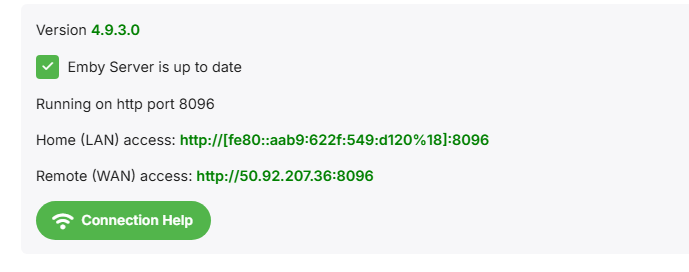
The LAN access also doesn't look like any IP address I've ever seen -
Roku sees server, but shows no users and I can't log into my user profile
KylerMarkle replied to KylerMarkle's topic in Roku
Either of these: First one is about:blank#blocked, the other refused to connect.