All Activity
- Past hour
-

Lifetime Premiere activated on server but clients stuck loading / unpaid
lbwrong posted a topic in Feature Requests
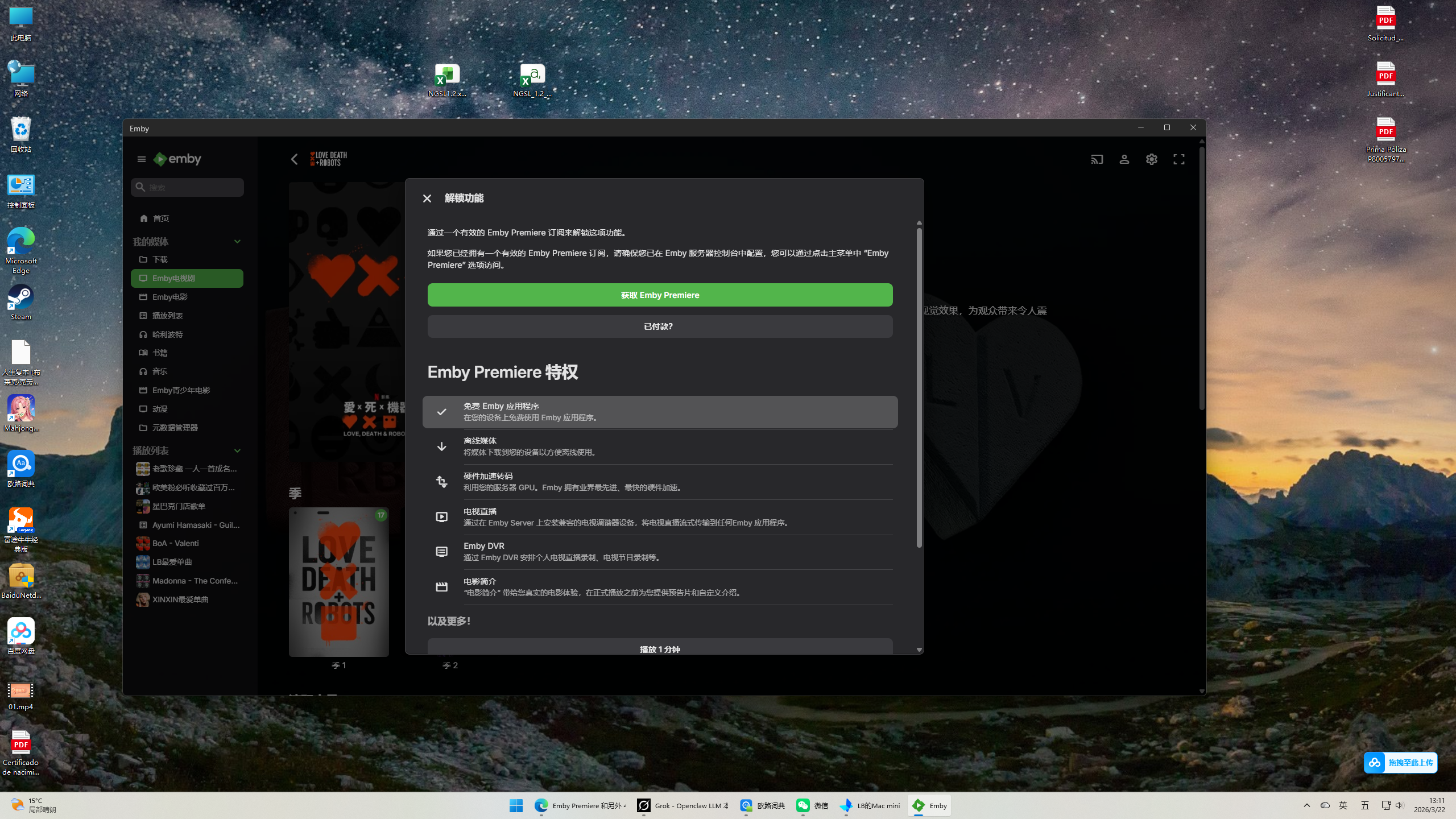
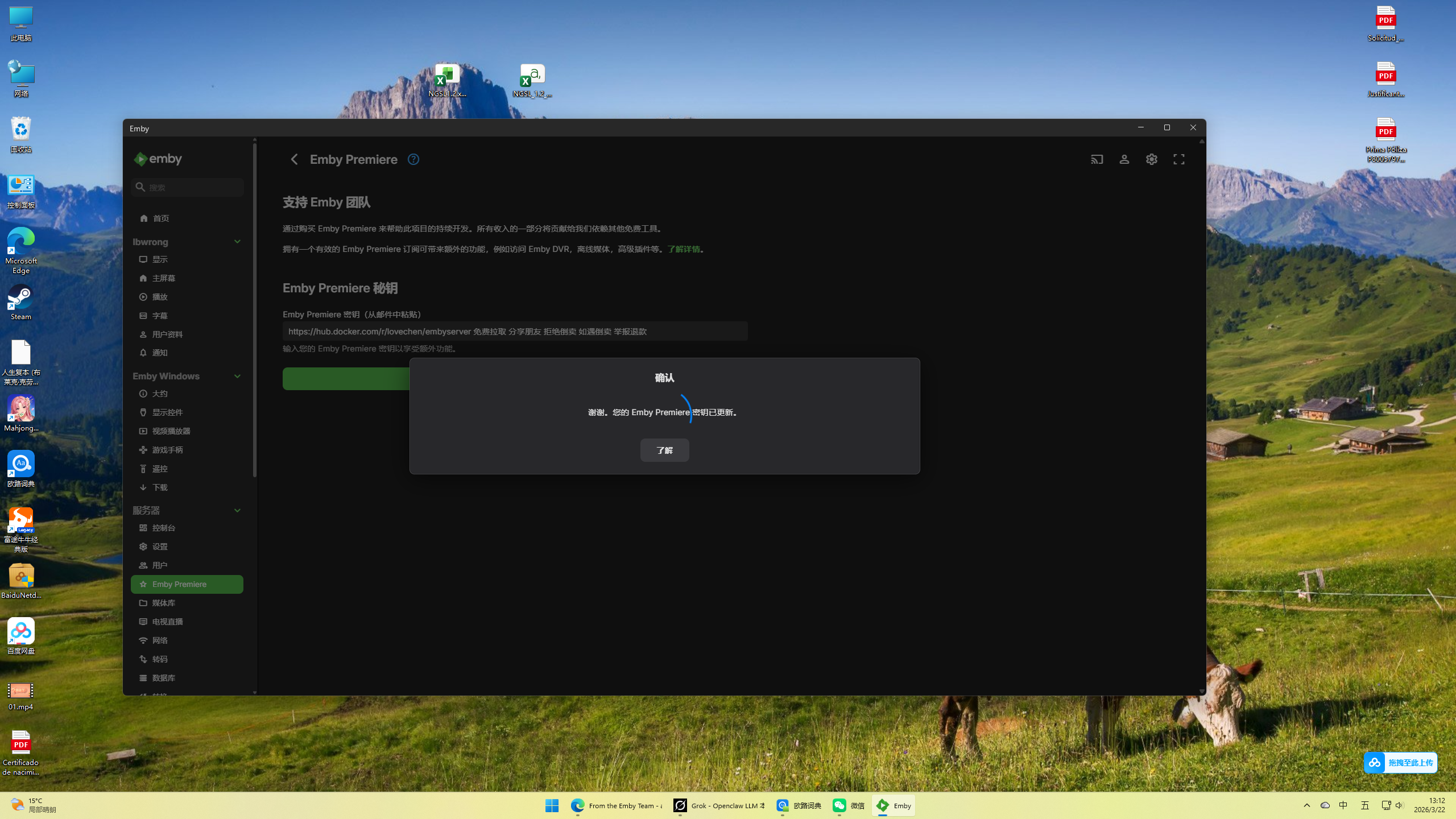
Dear Emby Support Team, I hope you're doing well. I purchased a Lifetime Emby Premiere subscription with the key: 9876c****************c4ace (from official email). The key has been successfully activated on my Emby Server (running on NAS), as confirmed in the server Dashboard (shows Lifetime active) and web interface works perfectly with all Premiere features. However, all native client apps do not recognize the activation: - Emby Theater on Windows - Emby Theater on macOS (Mac mini) - Emby app on iPhone/iOS Symptoms: - Premiere settings in clients show no activation (no green checkmark) - Trying to use Premiere features (e.g., hardware transcoding, offline sync, DVR) prompts "requires payment" or "unlock features" - Web browser access[](http://[NAS-IP]:8096) is completely normal What I have already tried (multiple times): 1. Deactivated and reactivated the key on server side (Dashboard → Emby Premiere) 2. Restarted Emby Server multiple times 3. Cleared client cache folders: - Windows: %AppData%\Emby-Theater\cache and %LocalAppData%\Emby-Theater - macOS: ~/Library/Application Support/Emby-Theater/cache 4. Uninstalled and reinstalled all client apps from official emby.media downloads (latest versions) 5. Verified server logs show no subscription validation errors 6. Confirmed network is stable (no VPN, direct connection, can access emby.media normally) 7. Tested on different devices and networks My Emby account email: a1594102008@gmail.com Emby Server version: [请填你的版本号,例如 4.8.9.0 或从 Dashboard → About 查看] Client versions: latest from emby.media (Windows Theater, Mac Theater, iOS app) I truly love Emby and chose the Lifetime plan to use it comfortably for many years. I would greatly appreciate your help to resolve this client-side sync issue so I can enjoy the full features I paid for. Could you please: - Manually refresh/sync my subscription status on the server side? - Provide any known workaround or fix for this client cache/activation bug? - Or advise on how to force clients to re-validate the Lifetime subscription? I have attached screenshots: - Server Dashboard showing Lifetime active - Client Premiere settings showing unpaid/limited - Activation success popup after entering key Thank you very much for your time and assistance. I look forward to your reply. Best regards, lbwrong Email: a1594102008@gmail.com Location: Spain

-
 Bippul joined the community
 -
 Kacajeca joined the community
 -
 Umair0321mm joined the community
 -
 落梦 joined the community
 -
 rr0605 joined the community
 -
 Augustjbwoy joined the community
 -
 Anonymous961 joined the community
 -

Topwievs in library homescreen broken thumbs
MediaIntelNUC replied to MediaIntelNUC's topic in General/Windows
@GrimReaper Worked it all out! Thanx yet again! N.
-
 鹅鹅鹅 joined the community
 -
 lazynooblet joined the community
 -
Vielen Dank.
-

Emby not available in Firestick App Store (Fire TV Stick 4K Select)
IAmHugh replied to customized's topic in Android TV / Fire TV
And Emby behind the curve again. -

LG 1.0.50 breaks horizontal scrolling on homescreen
unisoft replied to unisoft's topic in LG Smart TV
On the LG G5 (55") OLED TV, the scrolling in the libraries randomly loses position and doesn't scroll down. This is even on 1.0.47. So for example, if I play some music video (Music Video library), then go back to a list under POP genre, then select another video, then go back and try and scroll down the list of covert art for each artist, the screen just stops scrolling down. This is using TV Mode (horizontal view). I think this bug is also on other models of LG we own as well. I have to go back to the list of GENRES being shown again and go back into the genre and select an artist and music video for scrolling to fix. It's like a pointer is lost? I enter Music Videos as FOLDERS view - then a GENRE is shown in that view for POP, Rock, R&B, Soul etc. and then if you click a genre, the ARTIST artwork is then displayed, then the albums under that Artist. -
Both were set to 2 or 4. But neither had a stream going. And they tried again, it did work.
- Today
-

Emby not available in Firestick App Store (Fire TV Stick 4K Select)
jmyers replied to customized's topic in Android TV / Fire TV
well they got me Is Emby going to be coming out with a version to install on the 4K Select? -

LG TV has a problem playing videos with embedded subtitles.
fabien_m2002 replied to trekflix's topic in LG Smart TV
Hello same issue i guess. I hope it will solve soon. Apparently lastest beta did not, so i am afraid there is no solution yet -
It no longer functions, because it hasn't been updated in years. A cursory glance at the last couple of pages would have made that very clear.
-
Nein, aber falls Sie Fragen haben, können Sie diese im Plugin-Thread stellen.
-
Dann wrde ich mich mal einlesen. Hast du es denn auch in Benutzung?
-
Alright, this is getting silly, so lets provide a solution here. I still don't think this is necessary, but to each their own. The easiest way I can think of to effectively disable the web app without disrupting anything else is to replace the index.html file served at both /web/index.html and /emby/web/index.html (the former being the one primarily used). Without this, the browser doesn't know how to load the rest of the app and is stuck displaying whatever you put in that file. I already replace some files using the following method, so I'm just going to list how I do that. It uses nginx to check a folder for files to replace, if a replacement file exists that is what gets served, if not nginx proxies to emby as usual serving whatever emby server responds with. I'm sure you could do the same with other proxies, but nginx is what I'm familiar with so that's what I'll list. I primarily use this to replace a few images like the favicon and some of the emby badging with my own server name, but it works just fine for this too. (I did test this solution before posting) First is the nginx config. I'm just listing the relevant parts, you''ll still need your ssl configs, headers, log files, etc. Checkout the nginx thread pinned in general for further instruction there. server { server_name example.domain.com; listen 443 ssl; root /etc/nginx/html/emby; #look in this folder for replacment files location / { try_files $uri @proxy; # check for files to replace, if none exist proxy instead } location @proxy { proxy_pass http://172.18.0.94:8096; #address of emby server to proxy } } Then inside the folder /etc/nginx/html/emby/web/ and inside /etc/nginx/html/emby/emby/web/ you'll create a file called index.html with whatever contents you want displayed instead of the web app. Here's an example: <!DOCTYPE html> <html><head><meta http-equiv="Content-Type" content="text/html; charset=windows-1252"> <title>Unavailable</title> </head> <body> <h1 align="center">Unavailable</h1> <h2 align="center">The web app is disabled, please use Emby for Android/IOS.</h2> <h2 align="center"></h2> </body></html> Again: All this does is prevent regular users, ALL regular users, from being able to use the web app. It does not improve security. I also have not tested this with Emby Connect as I do not use that feature. I think Emby Connect loads the app from emby.media, so this would not prevent that loading in a browser AFAIK.
-
Das gibt es (obwohl es ein wenig Bastelarbeit erfordert).
-

Topwievs in library homescreen broken thumbs
GrimReaper replied to MediaIntelNUC's topic in General/Windows
Just open Edit Images dialog on each library and delete existing (broken) image, they'll be recreated automatically after next scheduled scan. Nope, that setting relates only to library Folders view (tab), if your library consists of multiple folder paths. -
Guten Morgen, bei mir ist es so, das ich kurz vor Ende der Episode, das der Butten "Nächste Episode" erscheint. Nun gibt es leider viele Serien wo der Abspann leider 10Minuten oder mehr dauern. Somit kommt der Button natürlich nicht rechtzeitig (glaube erst bei 45 sekunden Restzeit) Gibt es ein Tool wo man, ähnlich wie beim Intro-Scan, das der Abspann erkannt wird und dann direkt weiter drücken kann? LG Micha
-
Old un-watched media - Leaving Emby Soon - Media clean up
GrimReaper replied to jw2804's topic in Feature Requests
@jw2804All members are expected to respect Forum rules. Kindly adhere to those. -
Arf dommage, j'ai du mal à blairer Python, je t'aurais aidé avec plaisir si tu faisais en php Après si t'as un problème (t'arrives pas à debug des API ou autre) n'hésite pas quand même (je suis dev)
-
So to really make use of that feature, I would need to add every single device for every user individually. Each time anyone gets a new phone, TV, tablet - they would need to call me so I can temporarily enable access for them from all devices, wait for them to log in* on the new device, then (remember to) go back and lock them down again. That's a nightmare. Does anyone actually do this? Does my suggestion sound more complex than the above scenario? All I'm saying is I might like to ban LG given their security issues, or browsers because unreliable playback, or something else because something else. There are a million reasons anyone might want to ban anything. None of them are anyone else's business any more than it is why you could be - not saying you are, just saying you could be - restricting grandma to the TV in the basement. *I skipped the part where I reset their password because of course they don't know their password because I gave them a good password.
-

Old un-watched media - Leaving Emby Soon - Media clean up
crusher11 replied to jw2804's topic in Feature Requests
Informing you that you're violating the product's terms of service and will not be getting assistance from staff is not “not nice.” Clearly my error is that I was too polite. -
Hi! I changed my server to new C:/ after a harddrive update and everything worked great but with one issue. After scanning the whole library the image in each library now has a broken thunb insted of showing differentg folders, it did at first, now its gone. To my knowledhe its related to the option to show multiple covers in top wiev, and that setting hasnt changed so im out of ideas as to what could be the cause of this, attach pic:s to show the issue, thanx!


-
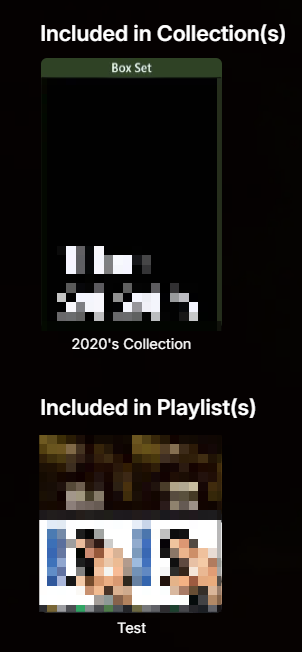
Updated version. playlist_row.js
-

Old un-watched media - Leaving Emby Soon - Media clean up
jw2804 replied to jw2804's topic in Feature Requests
@crusher11 Sorry [redacted], as you can see i'm a noob around here and this was my very first post, I didn't realise it was a "the first rule about fight club is we don`t talk about fight club" situations however your point is taken. Next time you see a noob posting their first comment - as our parent tell us when we are kids "if you don't have anything nice to say don't say anything at all". JW [redacted] -
Old un-watched media - Leaving Emby Soon - Media clean up
jw2804 replied to jw2804's topic in Feature Requests
Hey Vispro, that's a really good idea. I didn't consider that option, the more I think about it the more I like it. I recon with the help of chatgtp I could create such a script. Thanks for your suggestion. JW -
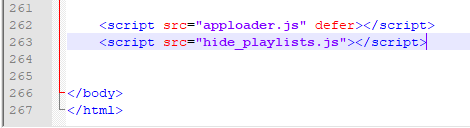
As you've already surmised, it can't be done by CSS alone, you'd need to do it via js script (though it shouldn't take more than a few minutes to set that up). Note that you'd have to repeat that on each server update (not that often/tedious either, I have several scripts of my own, for different purposes). Edit: If you wanna play with it, place the script in your server's \system\dashboard-ui folder; in the same folder, edit index.html and add a line at the very bottom: script src="hide_playlists.js"></script> Hard-refresh browser (Ctrl+F5) or restart server.
-
Hi Luke, any luck finding the issue?