All Activity
- Past hour
-
 Carlos Leyva joined the community
 -
It looks like you have not logged in to the account you setup. Since you profile says Guest. You need to login to your account to delete it.
-
 zarkkkkk joined the community
 -
 liaopeiyu joined the community
 -
 ethan张 joined the community
 -
 justin1400 joined the community
 -
I would like a feature that removed it from radarr/sonarr too. Looking forward to use this plugin. Right now I am using maintainerr. My use case is delete files from radarr/sonarr when they are older than 90days for the files that are in /hdd1/content only. Not from hdd2. Hdd1 - it is used to current content. Hdd2 - long term storage.
-
 jacktaylor joined the community
 -
 uvogi149491 joined the community
 -
 Alialkndry joined the community
 -
 Ayaan Wumpini joined the community
 -
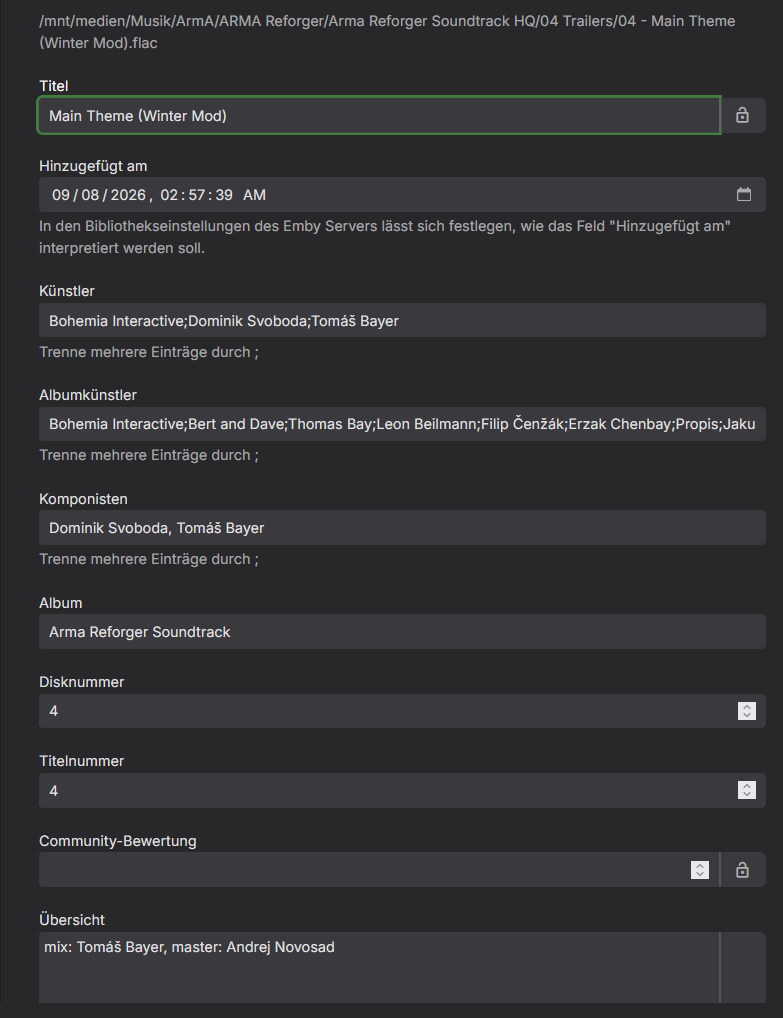
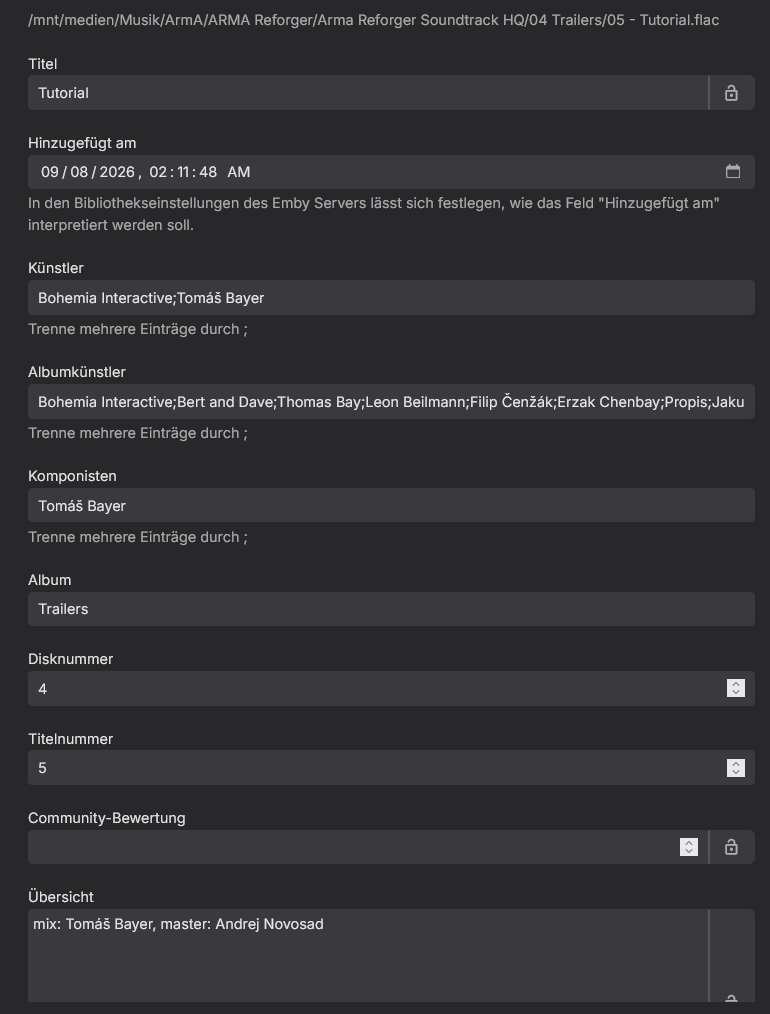
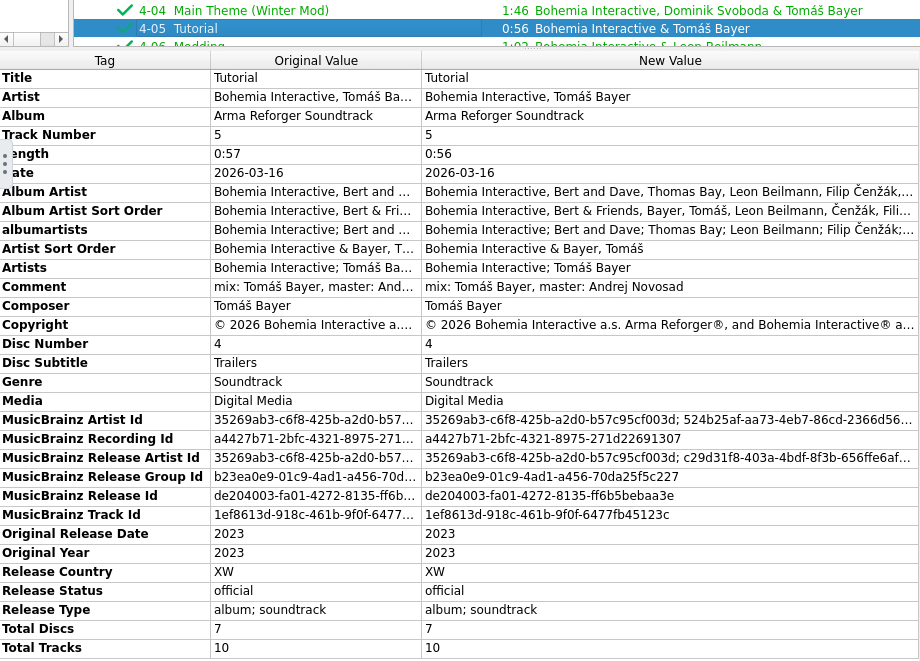
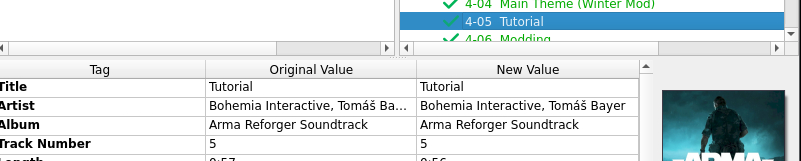
It is the same but the Album name is different, emby picked "Trailers" as the Album name while in the metadata and the MusicBrainz db it is "ArmA Reforger Soundtrack". The file in the working album: The file in the wrong album: Their Album Artists as well as MusicBrainz IDs are the same.
-
 ujgbvxdj joined the community
 -

UPNP setup of Emby Server has suddenly stopped working remotely
Neminem replied to Beta8088_Proto's topic in General/Windows
Have you tried rebooting your router? - Today
-
I don't use Roku and I don't use Live TV, but perhaps if you post in the most relevant forum area then someone else may be able to help? (e.g.) https://emby.media/community/forum/91-roku/ https://emby.media/community/forum/97-live-tv/ Either way, the problem you are having may have nothing to do with the new home screen settings and doesn't seem to be a feature request???
-
To be honest emby worked better on windows 7 then it dose on windows 10 and now they have changed the home screen settings and the problems with having to restart the server because I've made two changes it's becoming unstable and unusable. Even on Roku the live TV doesn't work because it's stuck on schedule and no matter what i do can't fix it even after deleting emby and reinstalling it. (localhost 8096: Object Object) ????? I don't understand what that is. I wish they fix the bugs instead of changing menus and confusing people.
-
Hi, perhaps give some more details about what you find "horrible and confusing" if you want your feedback to be taken seriously. What client app are you using? What type of screen - TV, PC, tablet, phone, other? What is missing from before, that you want to see? What has been newly added, that you don't want to see? Have you investigated the new home screen configuration options to see if you can change the defaults to something that you prefer? I doubt very much that Emby is going to change back to the old version, based upon a general request, but they may consider a specific idea if it gains popular support and/or is easy to implement.
-

Tells me I need a password to my own account for my server
TMCsw replied to Donovan1's topic in Android Server
What site did you get this account from? (Please give the exact URL) -
Hi again, if you have checked all the embedded metadata and it is consistent/correct, but Emby does not update as you expect, and the Emby metadata editor still shows the old info, no matter what you try with library rescans, metadata refreshes etc. Perhaps you could try this as a test... Add a suffix to the Album folder name (e.g.) if it was originally "Album" change it to "Album Updated" or something similar. Just the folder, not the metadata Album name tag. Then rescan your library, or even just the parent folder one level above "Album Updated" may be sufficient. So your folder structure and audio files are all still as they were, with the new metadata, but Emby should see this as 'new' music and delete all the 'old' info from the database and add the "Album Updated" music with the revised metadata and additional Songs, as a whole 'new' Album. Sometimes (not always) I need to do this for modified files. So will be interested to know if this helps you or not??? I know this isn't a "fix-all" solution, and not something to do as a standard process, but perhaps could be useful as a troubleshooting step when all else fails...
-
Hi guys, I don't know if I'm in the good forum, but I'm having a hard time with the Emby Roku app. When it ask for my server, I put my server DNS/URL, I can see my server name, so I put my credentials (I tested mine + a new one I create to try) and it says "Wrong credentials" and in the logs there no mentions of a failed connection or anything. But when I put my IP, now it's working. Problem is the IP changes each time my modem restart so that's why I want to use the URL. Having any thoughts ? Thanks guys !
-

Tells me I need a password to my own account for my server
Donovan1 replied to Donovan1's topic in Android Server
No, I dont even receive the link to try to reset the password because where it saves to, I lack the permission to access the file to reset the password. -

Continue watching stops working at end of season Samsung TV 2.3.6
Ged55 posted a topic in Samsung Smart TV
Hello, I'm having issue with continue watching on my Samsung TV, its a fairly recent issue as it used to work fine before. Upon reaching the end of a season, the continue watching doesn't change to the next season anymore and stays stuck on last episode of season just watched. Selecting it plays an earlier episode and now have to go in to TV Shows, the show, the season and select to play it from there. It will then work normally after Episode 1 completes. -
How long would you expect until the flatpak shows up on flathub?
-

UPNP setup of Emby Server has suddenly stopped working remotely
Beta8088Proto replied to Beta8088_Proto's topic in General/Windows
Yes, it did say "PIN Confirmed", but I waited for 30 seconds or so. And in order to get an accurate test on the TV (in another building) in question, I will have to get to testing this on Monday, so I will report back on this then. -
@LukeGlad to see this in the new stable 4.10 release. So far everything seems to be working, although I had to make the change in the system.xml file to enable it. This shouldn't have any bad side-effects or incompatibilites right? I haven't noticed any, but it would be nice to have some clarification here, along with perhaps some explanation on what kind of validation is happening under the hood with the setting turned on. This topic will likely get buried after it's been marked as resolved, and has been buried several times since it was brought up. Many people are likely unaware of what the issue was, or the fix existing. I might be overlooking it in the release notes, but it doesn't seem to be mentioned there either. I'm wondering what the plan is going forward as it wasn't enabled by default after installing the update. Will users have to always dig into the xml to enable it? Or will there be a gui toggle option or a future update that will turn it on if it isn't already?
-
@Lukedoesn't control the TrueNAS package repository for Emby. That's Stavros-K in the TrueNAS community IIRC. I did however notice the latest Emby released version doesn’t have the same numbering scheme as the previous releases that ended in .0. This “latest” is 4.10.0.40. what was the outcome on versioning for the truenas package team to know a stable version? Was the “stable” tag ever implemented?
-
Give us back the old home screen settings the new layout is horrible and confusing.
-
In the metadata editor in the server, how does the data for the two tracks compare?
-
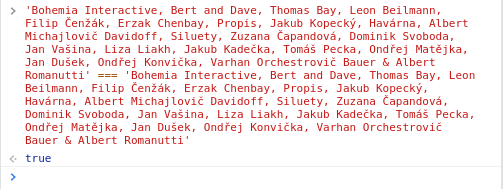
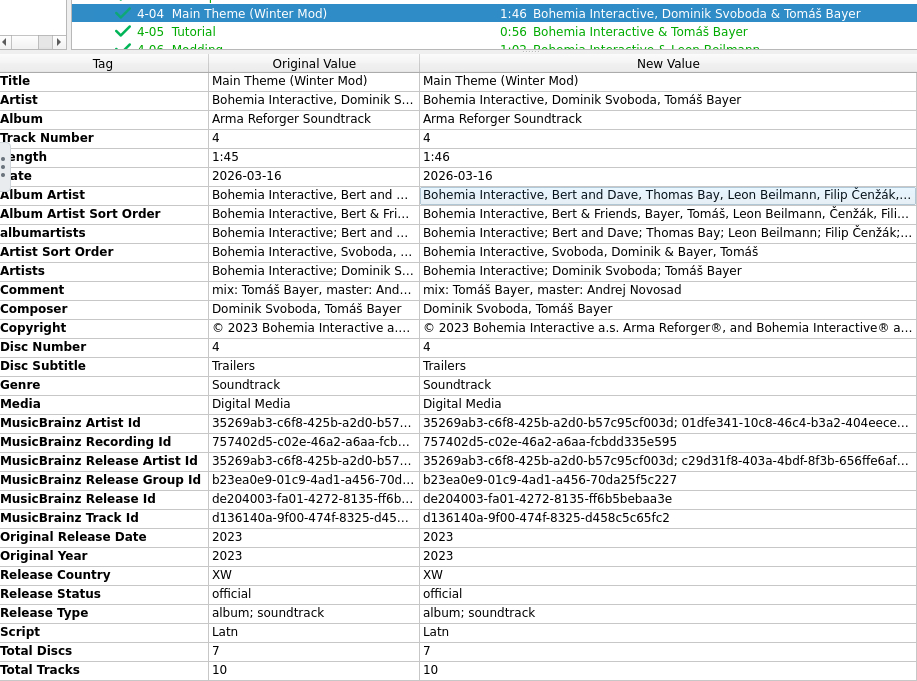
The Album Artist field has the same contents, i copied them from Picard and compared (track 4 & 5): These are the tags of the last "old"/working track from the release: And these are the tags of the first track that has the wrong album created:
- Yesterday
-
OK yes for album artists, the names need to match in order for them to merge.
-
Hi, perhaps try checking your Album Artist field, if you haven't already (couldn't tell from your screenshot). If this happens to be blank or different, then Emby will split the tracks into separate Albums. https://emby.media/support/articles/Music-Naming.html
-
Hey, a release that i have originates from a Steam DLC containing a games soundtrack. This release is being updated with new tracks as content is being released, so i have updated the release group on MusicBrainz by creating a new release with the additional tracks and withdrawing the old release. This is the release on the MusicBrainz site i have created and used in Picard to tag the files: https://musicbrainz.org/release/de204003-fa01-4272-8135-ff6b5bebaa3e I have checked that it is correctly tagged in Picard : When i check the metadata from the emby ui it does show the same MusicBrainz Album ID as the correct album it should have been added to (de204003-fa01-4272-8135-ff6b5bebaa3e). But instead of adding the new tracks to the existing release, emby created multiple new albums named "Trailers" (which is the name of the CD these tracks are on): Any clue what could be wrong here?

-
@Luke I would expect it to show up under Wu-Tang Clan artist page but be displayed as Wu-Tang as it is just a alias of the Artist. So same entity different display name in this case.
-
Really. I'm not even seeing some of the new items listed, so I'd like to know where to find them.
-
It would be nice to show any server software updates in the admin Dashboard Activity log.
-
- 1
-