All Activity
- Past hour
-

Emby Server 4.10.0.40, acts like it's a new install?
Lane03 replied to Lane03's topic in General/Windows
@GrimReaperthanks again for the quick fix! @ebr, @GrimReaper, @Lukebeing that it sounds like my directory structure is "non standard", any recommendations or suggestions to avoid any update issues in the future? I don't mind uninstalling and re-installing emby if necessary, providing I can migrate over my config and not have to reset up my users/libraries... -
Thanks for the response.. Yes I think so ...... Looks a bit too involved for me so I will stick with the "Emby for Fire TV" Will try "Emby" now and again in the hope it gets fixed!
-
 Kalleby07 joined the community
 -
 Lucilia Abreu joined the community
 -
 alneyadi joined the community
 -
 lupus1547 joined the community
 -
 Chenkook joined the community
 -
 frpires joined the community
 -
 Gaykage joined the community
 -
Emby Server 4.10.0.40, acts like it's a new install?
Lane03 replied to Lane03's topic in General/Windows
4.9.5.0. But my initial install was over 10 years ago.
-
Emby Server 4.10.0.40, acts like it's a new install?
Lane03 replied to Lane03's topic in General/Windows
You rock! system.xml was under the \config subfolder. I changed the flag from false to true and looks good now! -

Emby Server 4.10.0.40, acts like it's a new install?
ebr replied to Lane03's topic in General/Windows
Yeah, what version were you running before...? -
I was asking because i wanted to be sure of the conversation. Must admit i have gotten a little curious about the smb thing.
-
 Daniel2203 joined the community
 -
 tomsalinas joined the community
 -
Hi, there's already an open request for this or something functionally equivalent. Please join in and contribute to the existing discussion at:
-

Emby Server 4.10.0.40, acts like it's a new install?
GrimReaper replied to Lane03's topic in General/Windows
@LukeHow did all folders ended up nested under main server folder? It is either a really old install/incremental update or something has got amiss there in the update process; anyway (as your server seems to be running as it's accessible from other devices), do you have system.xml there under \config subfolder? -
 TurkNeko123 joined the community
 -
Same issue?
-
Emby Server 4.10.0.40, acts like it's a new install?
Lane03 replied to Lane03's topic in General/Windows
I don't have a programdata folder. My explorer view shows all hidden and system files btw.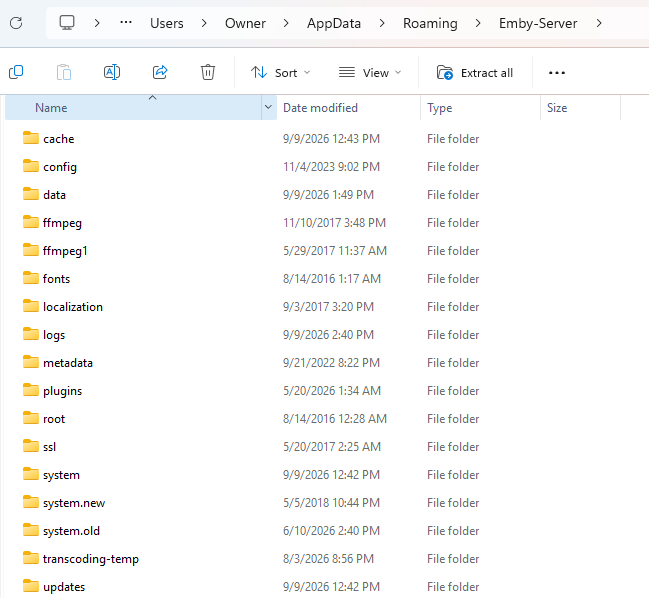
-
We are not currently reconsidering this position. He's well aware of that field. The issue is our Android apps do not currently use it due to the reasons I laid out. Our Windows (and possibly Linux, I'm not positive on that) apps will use that.
-

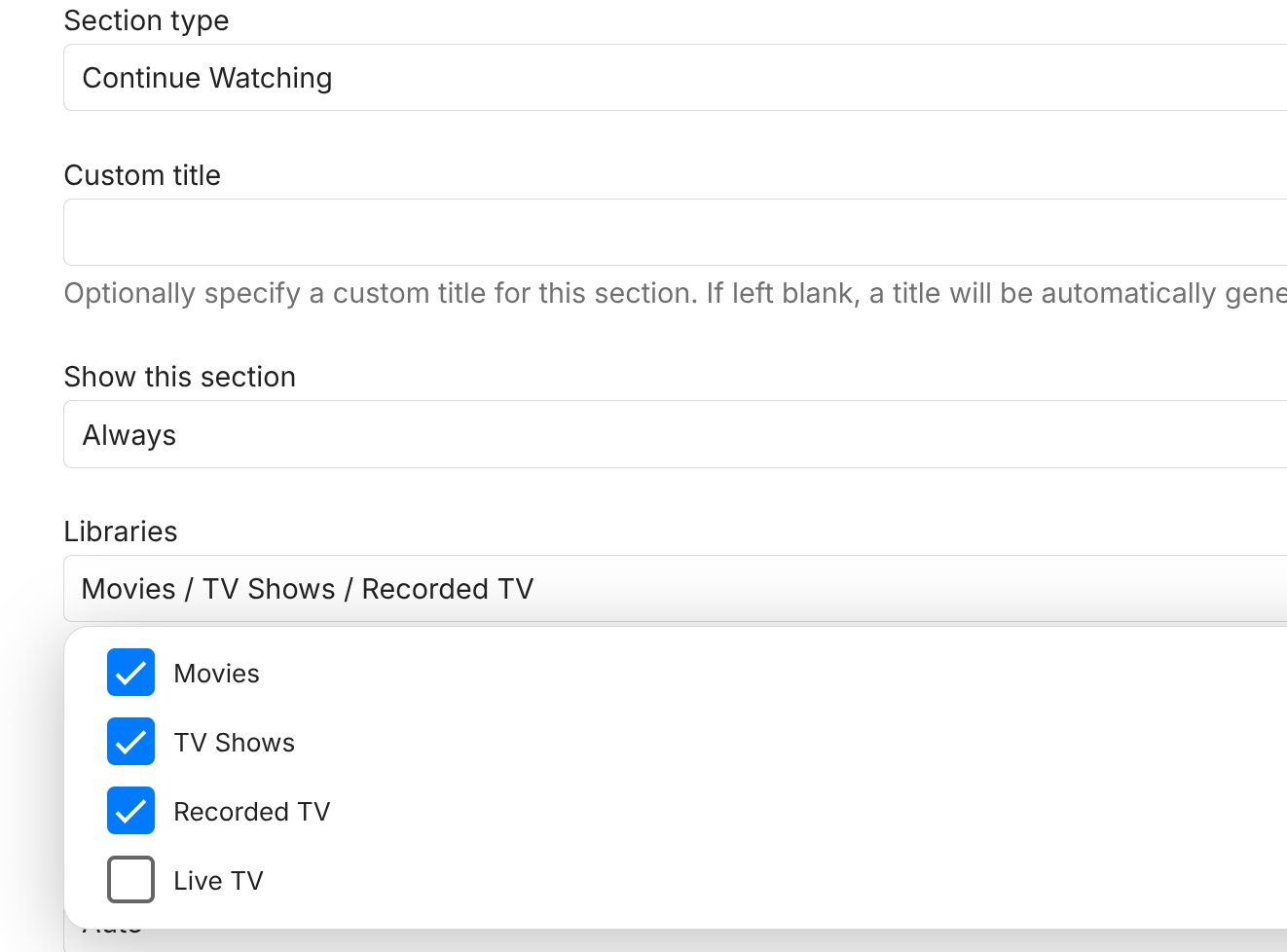
library no longer appears in Continue Watching after upgrading to Emby 4.10.0.40
sa2000 replied to Deihmos's topic in General/Windows
I think it is wrong - becase the "include next up episodes" should be additonal to what would be a candidate for Continue Watching -
Emby Server 4.10.0.40, acts like it's a new install?
Lane03 replied to Lane03's topic in General/Windows
Hi ebr. I'm right clicking on the emby icon in the task bar and selecting (browse library). The path it takes me to is http://localhost:8096/web/index.html which is auto redirected to http://localhost:8096/web/index.html?start=wizard#!/wizard/wizardstart.html. Going to http://192.168.1.105:8096/web/index.html (ip address of the Emby server) on another computer also brings me to the "welcome to emby setup wizard" -
Emby Server 4.10.0.40, acts like it's a new install?
GrimReaper replied to Lane03's topic in General/Windows
Hm, something might have triggered StartupWizard flag reset. You can try shutting down your server, go to "C:\Users\Owner\AppData\Roaming\Emby-Server\programdata\config" folder and edit system.xml file, change tag: <IsStartupWizardCompleted>false</IsStartupWizardCompleted> to <IsStartupWizardCompleted>true</IsStartupWizardCompleted> Save edited file, restart server. -
Is there a way to add the viewed and rated by icon. For example I have 4 users on my Emby server, would be cool to know who viewed already a movie and what they thought about it.
-
library no longer appears in Continue Watching after upgrading to Emby 4.10.0.40
sa2000 replied to Deihmos's topic in General/Windows
Thank you for the confirmation. It appears that time based episodes recordings (ie without season and episode numbers) get excluded in Continue Watching when the "include next up episodes" is ticked. I have reproduced it and referred it to the development team -

UPNP setup of Emby Server has suddenly stopped working remotely
Beta8088Proto replied to Beta8088_Proto's topic in General/Windows
I was using app.emby.media and Emby Connect because using the WAN address directly never once worked, the only way any of this would work was when Emby Connect was used. And yes, I do mean "never". The WAN address and port listed by the server have NEVER resulted in a successful connection, but Emby Server, up until yesterday, somehow managed to connect remotely, despite using the WAN address directly never once working. -
Emby Server 4.10.0.40, acts like it's a new install?
ebr replied to Lane03's topic in General/Windows
Hi. Exactly how are you doing that? What happens if you use a browser on a different machine? -
UPNP setup of Emby Server has suddenly stopped working remotely
ebr replied to Beta8088_Proto's topic in General/Windows
If those two statements are true, then you were not testing properly because Emby Connect is simply using the information from your server to connect directly to it. Were you testing with the WAN address shown on your Emby dashboard? -
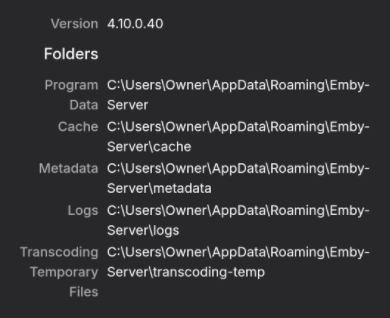
Not sure when this happened, but I do see a new version was released and looking at my Emby-Server\Updates folder, it looks like my Emby server auto-upgraded to this version last night. I can access Emby just fine using my Android and Roku apps, but when I attempt to do so on the Emby Server (Windows 11), it takes me to the new setup wizard as if it's a new installation. Both Emby Server and Windows 11 are set to auto-update and this is the only user account on this machine. Emby is NOT running as a service. Any help would be appreciated, as I don't want to have to set this up from scratch as I've been running this for 10+ years now and that would be a pretty big pain lol. EDIT: Was able to get the server paths from the Android Emby app, all the paths are correct.
-

Atrium — a native tvOS app for your Emby server
Grumpy1 replied to vdatanet's topic in Third Party Apps
loving the updates One suggestion on the continue watching (episodes). Not sure if the name of the show is needed along side the season and episode number , it is right above the logo so kinda just repeats it . infuse and even emby doesn't have it and think it looks better . Just my opinion though -

library no longer appears in Continue Watching after upgrading to Emby 4.10.0.40
Deihmos replied to Deihmos's topic in General/Windows
I just disabled “Include Next Up Episode,” and all of the partially watched shows immediately appeared in Continue Watching. When I enable that option again, they disappear. Is this the intended behavior? -
library no longer appears in Continue Watching after upgrading to Emby 4.10.0.40
Deihmos replied to Deihmos's topic in General/Windows
I’ll get some more details when I get a chance. When I add only one TV library containing my recordings, partially watched shows appear correctly in Continue Watching. These recordings are not organized into season folders. The issue starts when I add a second TV show library. Once that library is added, the recordings from the first library stop appearing in Continue Watching. The shows in the second library are organized into season folders. This setup worked fine before Emby 4.10.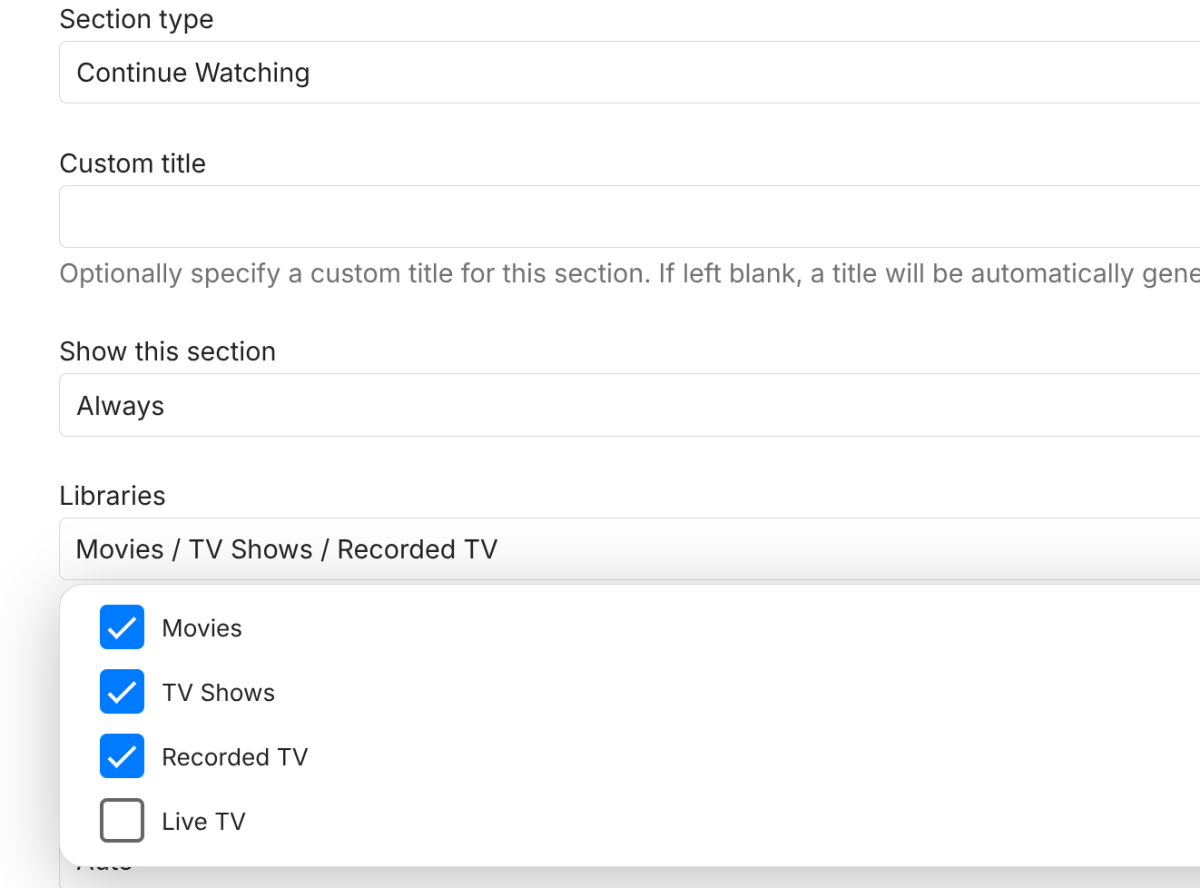
- Today
-
 djmbrfc changed their profile photo
 -
Hi, I am new to emby so not an expert and I would appreciate a bit of help with this issue I have..... There are 2 apps on the firestick for emby the "Emby for Fire TV" and "Emby" "Emby" refuses to play DTS audio. "Emby for Fire TV" plays DTS perfectly. How do I fix the "Emby" app to play DTS? I am using the Firestick 4K 2025 edition Thanks in advance.
-
@Teddyknuddel Is this what you are looking for?