All Activity
- Past hour
-
 kahikom3 joined the community
 -
 Manoliko joined the community
 -
 Simonk94 joined the community
 -
 xociwi7 joined the community
 -
 ToniLeigh joined the community
 -
 Aydin77 joined the community
 -
 lakivaj9 joined the community
 -
 micaho2 joined the community
 -
 azzam4ss joined the community
 -
You don't wanna know how many times I've had that same thought... before rolling up the sleeves and just doing it. Grudgingly, though.
-
Darn. I was hoping I wouldn't have to do any monkeying around with the files. I think Emby could improve the default logic and help the user out. If there is no " - " then just use the extension or something useful.
-
Are you using multi-version naming convention (space-dash-space)? Multi-version Movies
-
When a video is deleted, the file goes away but the meta data doesn't. How do I delete everything about a title so that if I add it again later it is as if Emby never knew it existed before?
-
Same folder, video codec is the same. I shouldn't have to know intimate details of the internals of the file to figure this out, IMHO.
- Today
-
Glad to see it is starting to come out on some platforms, any APK availability or just via the app store? Not sure I understand the Amazon reference though.
-
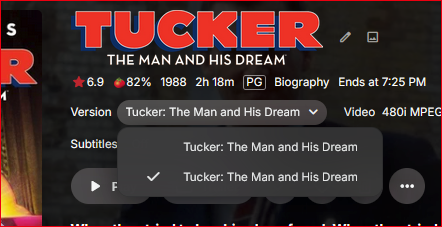
How are those movies grouped, each in its own folder? Also, doesn't the Video stream to the right of the dropdown change with different version selected?
-
I have two files for the same movie video, but I can't tell which is which from the Version drop list. Should I have to guess?
-
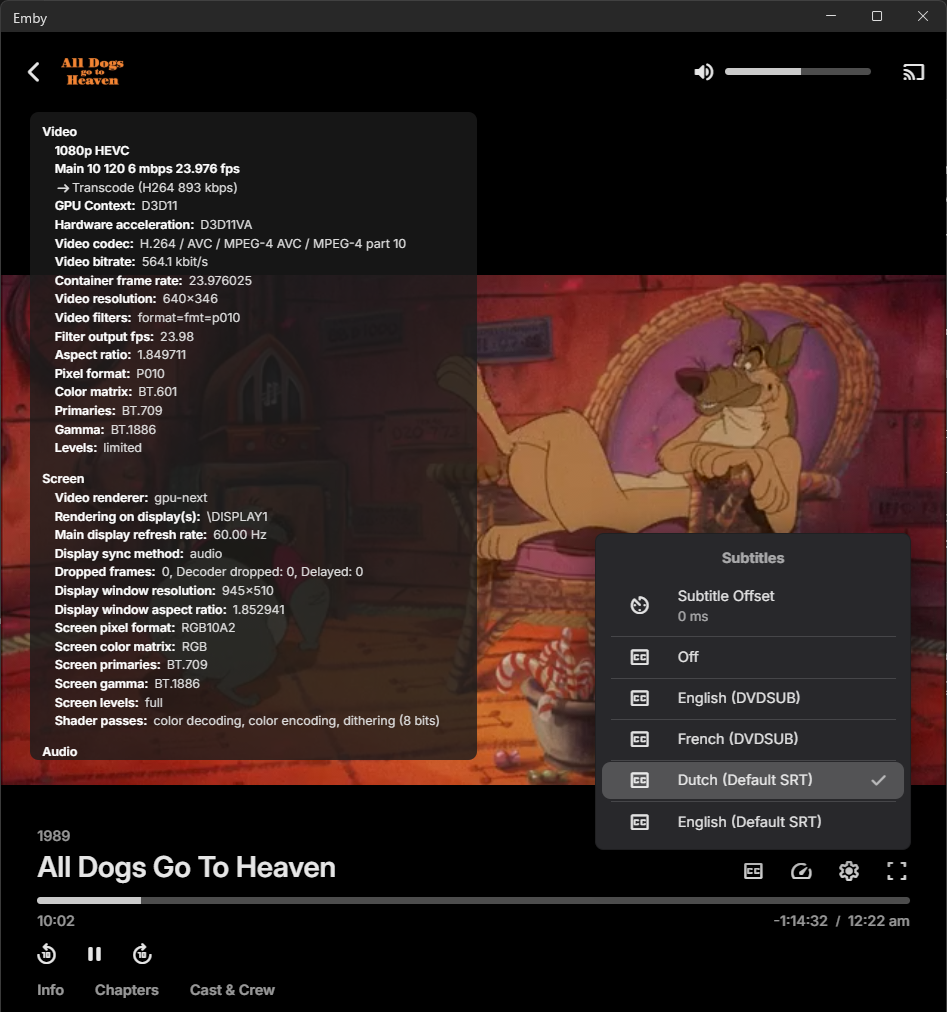
I performed a fresh installation of Emby Server and Emby Theatre for Windows. When playing a movie, it is being transcoded from x265 to x264 (which I don’t want, but I allowed it for testing purposes). However, no subtitles are displayed during playback. Please see the attached logs for details. When I play the same movie using Emby for Kodi, it plays directly without any transcoding, and the subtitles display correctly. Additionally, when using any local media player, the subtitles are shown as expected. The subtitle files are named using the following format: moviename.dut.default.srt moviename.eng.default.srt All tests are being performed on a local network where bandwidth is not a limiting factor. In the settings of Emby for Windows, the subtitle options are configured as follows: Preferred subtitle language: Dutch Subtitle mode: Always embyserver.txt ffmpeg-transcode-b9d1ac04-477c-4773-b211-46e1fef94edb_1.txt
-
Agree with njmckenzie96. If audio gets transcoded i can't get it to choose the compatible track instead. My fix so far has to be setting to compatible track to default and have people with supporting hardware have to choose the better track them self.
-

Subtitles not being remembered after pausing
Jolly181 replied to Jolly181's topic in General/Windows
Hi Luke... I am sorry to be a pain for you guys.. Yesterday after thinking about @visproductioncomments, i decided to take a look at MY settings as well as the EMBY settings and I found the answer that I needed.>!! Subttiles were not not set correctly.. so I changed the setting to "Always Play subtitles" and "Remember subtitle track selections". After that, whenever we played an episode and stopped and came back all was goodness..!!! Cheers -
Hi there, let's look at an example. Please attach the information requested in how to report a media playback issue. Thanks!
-
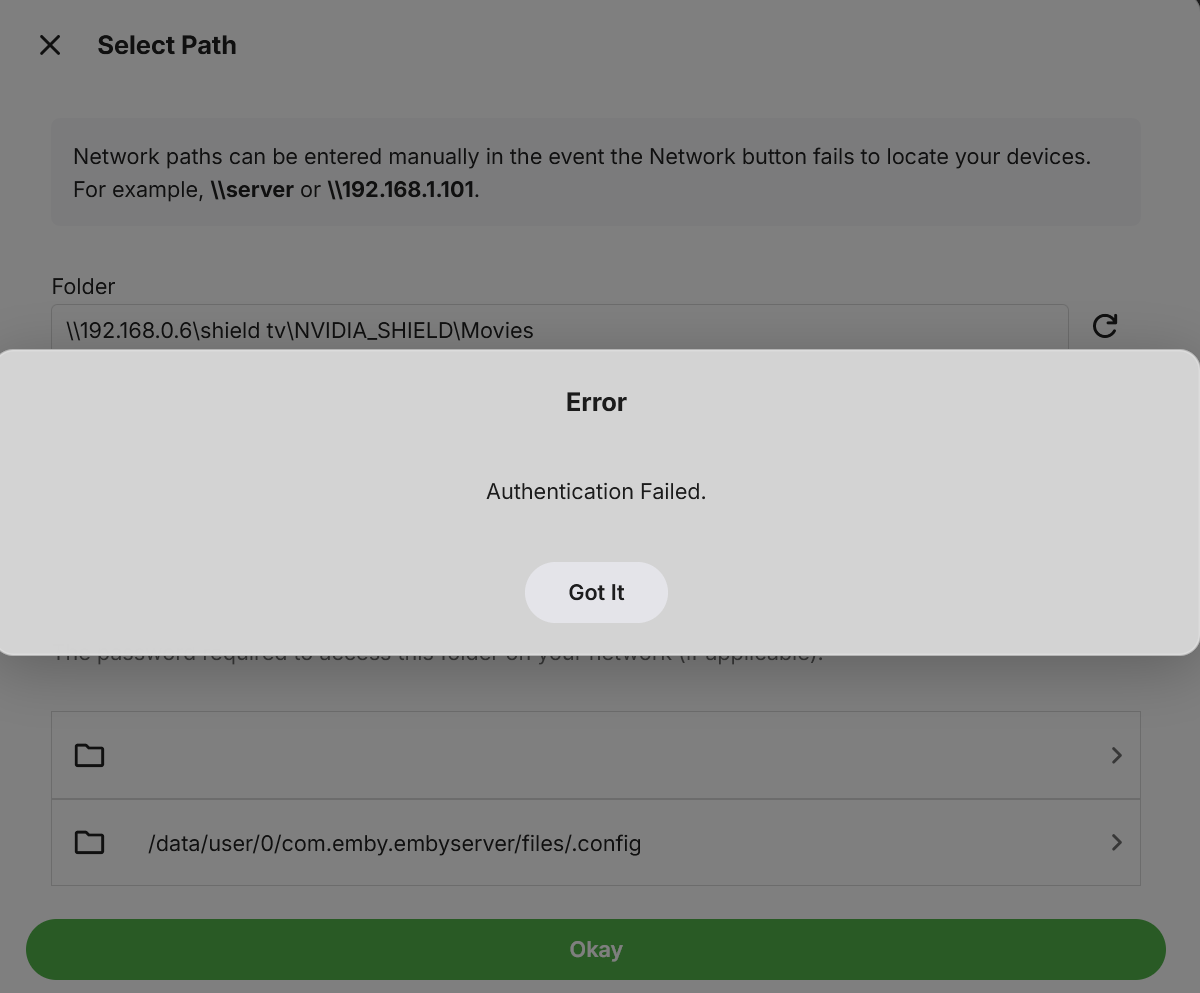
Anyone know why I am getting this error? The read and write permissions are good. I am trying to set up my Nvidia Shield.
-

Select “Continue watching episode,” but the episode listed under it doesn’t match the selected episode.
pwhodges replied to kira yamato's topic in Apple iOS / macOS
This is happening with anything - on an episode details screen the "more from Season" row does not line up with the episode being viewed like it used to. Paul -
Subtitle Encoding Issue After Emby Premiere Activation
pwhodges replied to Andoo's topic in General/Windows
I'm not sure how asking you for information to help diagnose your problem is "absurd". As for "your data" - if you download the server log through the Emby GUI, sensitive information is removed; but if you're still paranoid, logs can be sent directly to the developers rather than posted in the forum. Paul -
I can't for the life of me get remote streams to select the secondary audio. the moment it transcodes the video to also transcodes the audio. if I manually select the secondary compatible audio, then the server only transcodes the video. so like, it is possible to only do the video, but is there a way for it to look for compatible audio before deciding to transcode the audio?
-

[URGENT] Large Server (90TB) — Library Scans Stalling on Synology NAS
BaNanaBlocks replied to BaNanaBlocks's topic in General/Windows
Thank you. I've been planning to migrate the TV Shows library to a new NAS. Once that's complete, I'll see if the problem persists. I'll keep this post updated. -
also does sorting titles not work. it seams to arrange collections in alphabetical order. but sort title for things i want at the top or first in order of collections doesnt work. sort_title: _004_
-
ty for the update just got a chance to try it. it seams adding the emby dll doesn't work. doesn't install on emby and cant find it in catalog or anywhere else. on the plus side it looks like the update are working for collections now, ty. had to trouble shoot some more errors. seams it doesn't like multiple sync:settings for different builders in same collection.
-
Switched to native and worked for me think has something with update ios 26.4 hope they update soon
-

Transcoding in Emby Android but not in Emby Android TV
gnubrew replied to gnubrew's topic in Android
SFN says "embedded subtitles" as reason. But my settings should not lead to transcoding at all. Besides - emby is also transcoding when I play the video with deactivated ST. @tollgate: Emby android played videos directly. Emby Android TV still does it, even with subtitles. -
After reading several other posts on this topic, it is clear that this is not an isolated case. The old filesystem-based method for Persons is no longer reliable in the 4.8+ era, even if nobody wants to just say that plainly. What has made this especially frustrating is not just the behavior itself, but the support pattern around it. I tested the available refresh paths, described the results, and identified the only method that works reliably. At that point, continuing with repeated “one more detail” troubleshooting loops does not really address the core question anymore. That kind of approach may make sense for a one-off UI issue, but it is not helpful for a bulk workflow problem where the real question is whether the old method is still supported at all. I do not understand why that was not stated upfront, because it would have saved a lot of wasted time. At this point I have re-scripted my workflow to use the API instead. That works immediately and bypasses the manual UI/scanner limitations entirely. So for anyone else dealing with large local libraries: stop relying on direct filesystem management for actor images. The API is the only method I have found that reliably updates the database.
-

[URGENT] Large Server (90TB) — Library Scans Stalling on Synology NAS
js28194 replied to BaNanaBlocks's topic in General/Windows
Never had a large library scan prevent any playback. They can happen concurrently with no issues. The better minds would need the EmberServer.txt log file to take a peek. Sounds like drive/access issue. -
Nevermind it worked, I updated the wrong field in Emby which is what caused the issue. Port 80 worked thanks!
-
Now both lan and wan don't work. I set the port from 8096 to 80 inside my Emby server http port. In cloudflare I have: - hostname: emby.server.com service: http://192.168.1.xxx:8096