All Activity
- Past hour
-
 jessicamendes joined the community
 -
 deriek joined the community
 -
 anangpro joined the community
 -
 Nazmul088 joined the community
 -
 Dari 6 joined the community
 -
If have both options listed, use QS instead of VAAPI.Glad you fixed it.
-
 x970502 joined the community
 -
 CarlosBerdon joined the community
 -
 Rubel Hossian 123 joined the community
 -
 MikeVi84 joined the community
 -
I finally got it working. I didn't have any VAAPI options for preferred hardware encoders, just the quick sync, once I disabled those, I guess it fell back to the GPU (preferred hardware decodes are set to VAAPI DG2 Arc A380.
-

[Docker] Add custom fonts (TTF, OTF, WOFF2) to serverside
guilty57 replied to gatherpl's topic in Linux
This need can be solved by attaching the font files into .ass files itself. You can do it using Subtitle Edit. If you need a batch processing, you can try assfont tool. Assfont with GUI: https://github.com/wyzdwdz/assfonts/ So ,we do not need to change the fonts on server side or client side. Note: Do not forget to use Emby App, not Android TV version. Tested on theese platform/devices: Android TV Google TV tvOS iOS Android Mobile Web Client Emby Client for Windows All these devices/os are problem-free with font attached ass subtitles. I've bought Emby Premiere for Lifetime just for this implementation. Btw, @Lukewe're willing to see this feature on Emby for Android TV version. -
IMDb has free available datas and a chargeable membership. As a private person for personal use.... (only me). If emby says that it isn't "free", than should be the query depend on the membership-code.
- Today
-
Hi, just want to chime in that I have the same issue under similar conditions. I used to have an Emby Synology container having the same issues. Now I'm running a Proxmox LXC and quite often I get these unexpected pauses that often resume by themselves if you wait long enoguh but sometimes not. Totally random and not possible to recreate. It's getting a bit annoying which led me here. I'm using an Apple TV.
-

Sky UK (London Area) EPG Showing Wrong info
Lid replied to Nanganator's topic in Emby Provided Guide Data
Hi, Sorry I should have mentioned that in the post. I'm using the same as @Nanganatorthe Sky Q London GBR-1000197-DEFAULT. Not sure if that's the correct thing to be using. -

Sky UK (London Area) EPG Showing Wrong info
sa2000 replied to Nanganator's topic in Emby Provided Guide Data
please let me know the guide identifier. It shows on the Live TV Settings Setup page - it will be something like GBR-xxxxxxx-DEFAULT There is 24 hour caching in Emby Server -

Emby crashing on almost every movie on Shield TV Pro
luca1970it replied to adnaan77's topic in Android Server
Hi! If you’re having playback issues on your Shield TV Pro with TrueHD material, it’s actually quite simple. Based on my experience, if your TrueHD-encoded MKV freezes after a few minutes, it’s usually an audio encoding issue. Go into your TV and Shield settings and check the audio output format. You’re likely running into passthrough issues. I’m telling you this because the same thing happens to me with my LG TV: if I use the built-in app, it freezes after a short while, but if I set it to PCM, everything works fine. Are you sure you haven’t changed anything in your audio/video chain over the last year? What’s happening to you is probably a bitstream output problem. Let me know! -
You are right! That's what I meant. Sorry I accidentally linked the wrong issue! This was the correct comment. And based on this duplicate issue, i hope all alternate orders will be supported.
-
Sky UK (London Area) EPG Showing Wrong info
Lid replied to Nanganator's topic in Emby Provided Guide Data
I still have this issue. I've refreshed the guide data multiple times from the Live TV - TV Sources part of the Emby server management. Is there any other cache that needs clearing to try and get this cleaned up? Because I've matched my channel numbers from Dispatcharr to the Sky channel numbers it should all auto map if that guide data is correct. For example I have Sky Sports Cricket set as 405 and should be pointing to guide data 405 SSPOCRH but every night a refresh runs, I assume, and it keeps changing it to 405 SSPOGOD so I end up with the Golf EPG data on the cricket channel.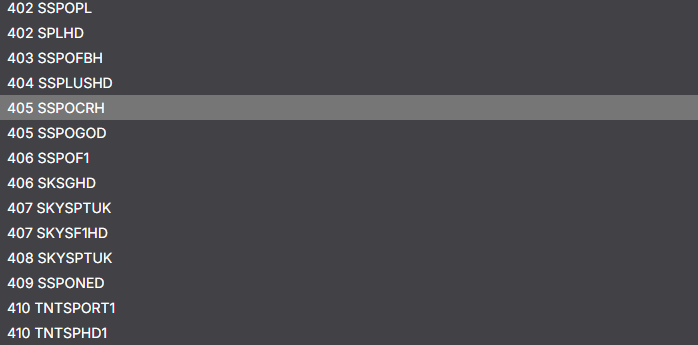
-
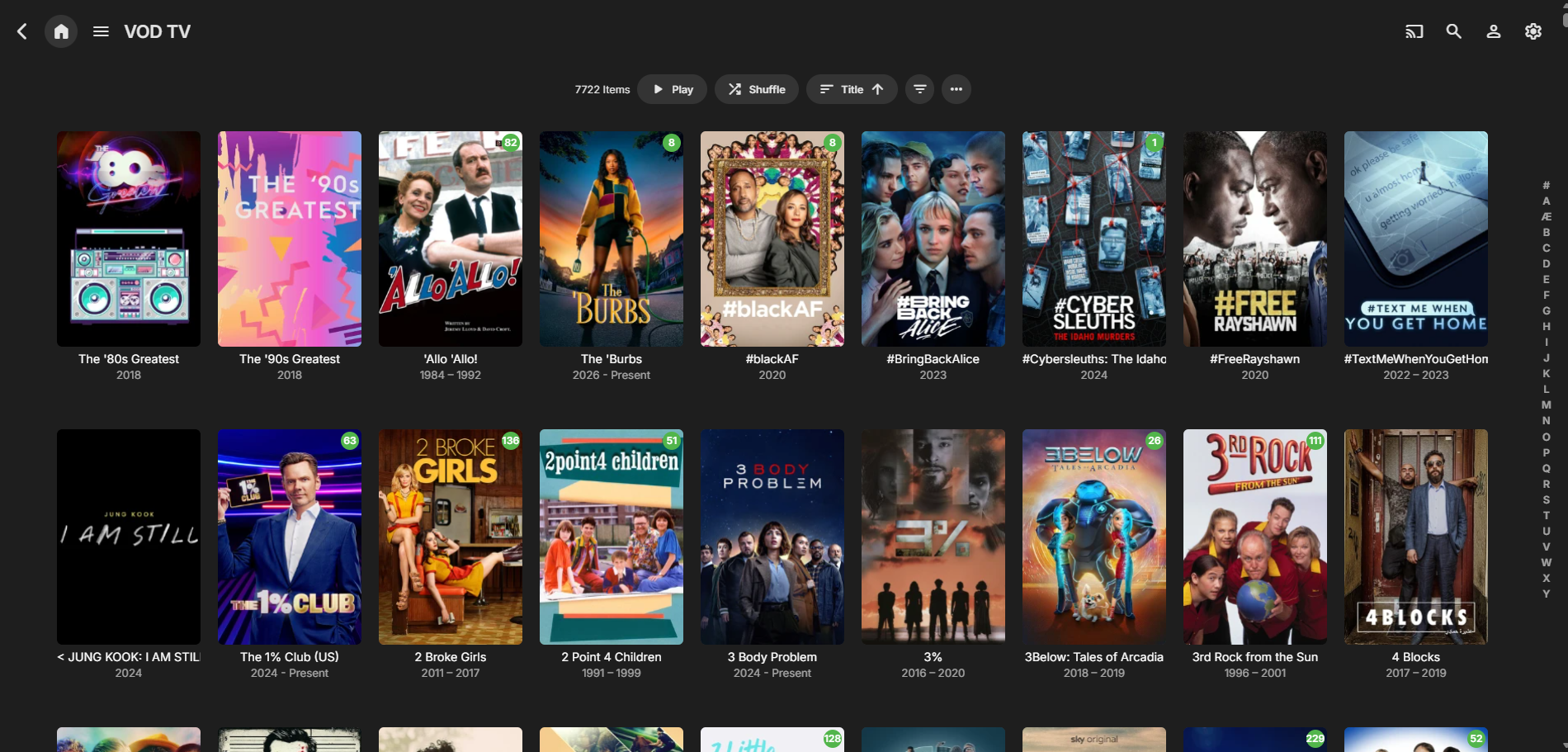
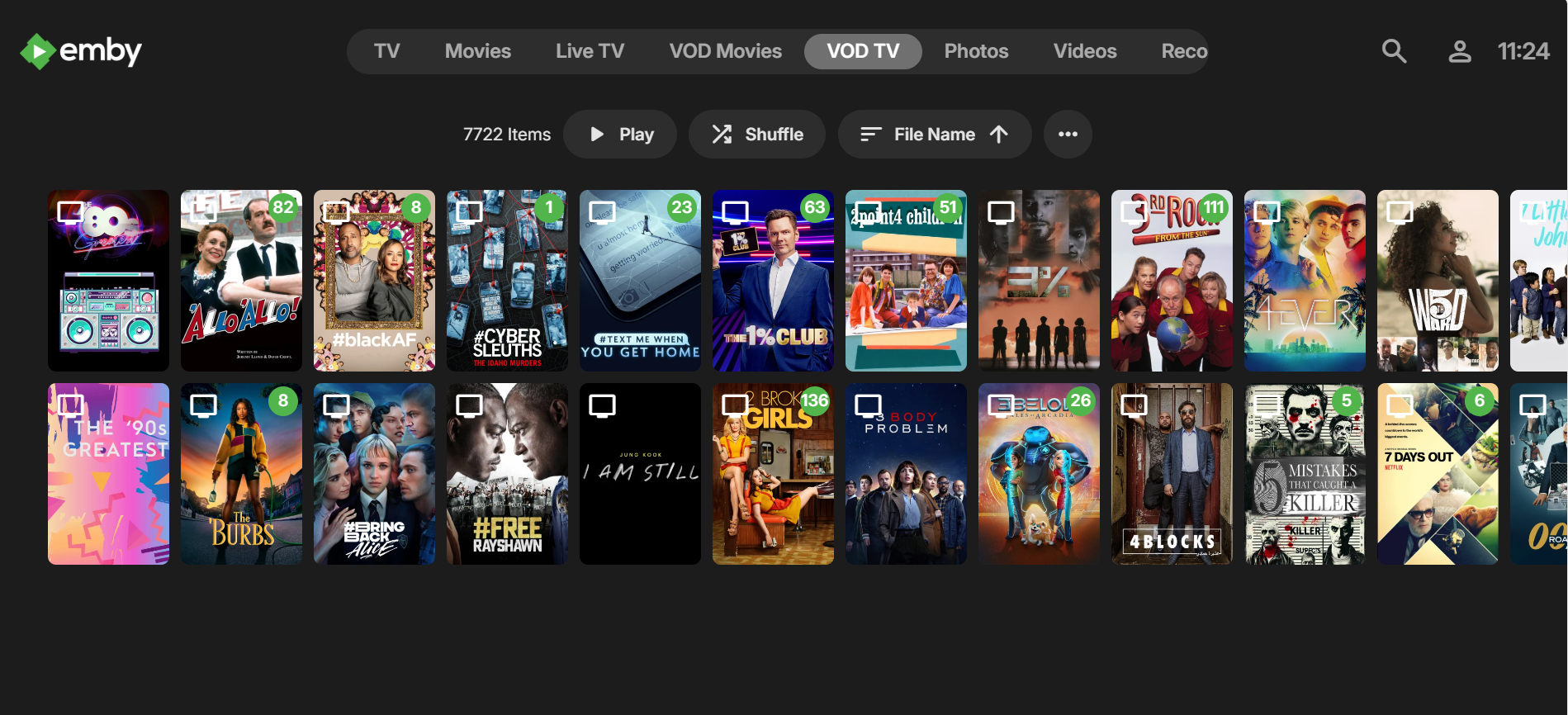
Hopefully this make sense. I've tested this on LG TV App, web browser and Emby Theatre in Windows with the same results. I appreciate that it might seem slightly backwards that I am complaining that the content is displayed in horizontal rows when I set to horizontal mode, but bear with me. When I have TV Display Mode disabled or set to vertical mode. My VOD content coming from the web steam plugin displays as the screen shot below, this is the same view I get for my local library content. Vertical scrolling, has title and year under poster image, has letter jump list, the 3 dot menu has options for what fields to display and I have the option for sorting by a field where it currently shows title with the up arrow. When I have TV Display Mode enabled and set to horizontal, which is my preferred view for using on the LG TV. My local content is displayed in the same view as the above screenshot with the letter jump list and the filter options etc. This has always been the way it's displayed and has always worked well. The "problem" I am having is that when I have TV Display Mode enabled and set to horizontal, my VOD content coming from the web stream plugin displays as the screenshot below. The rows are horizontal scrolling, the name and year under the image is missing as I don't have the option to select which fields are displayed, the letter jump list is missing, and the 3 dot menu only has the option to change the image size. So not only is functionality missing from this view it's inconsistent with the rest of the media views. I'm wondering if it's a structure level type issue because in the horizontal TV mode. The local library content is accessed from TV (at the top bar) which then shows the home screen with continue watching and latest episodes. I then have to select shows (at the bottom) to get to the show view. Whereas the VOD content doesn't have the same level structure as it's accessed directly from the top bar and then displays all of the shows as per the screenshot above. Hopefully that's a bit clearer even if it's a bit long, sorry. Thanks.
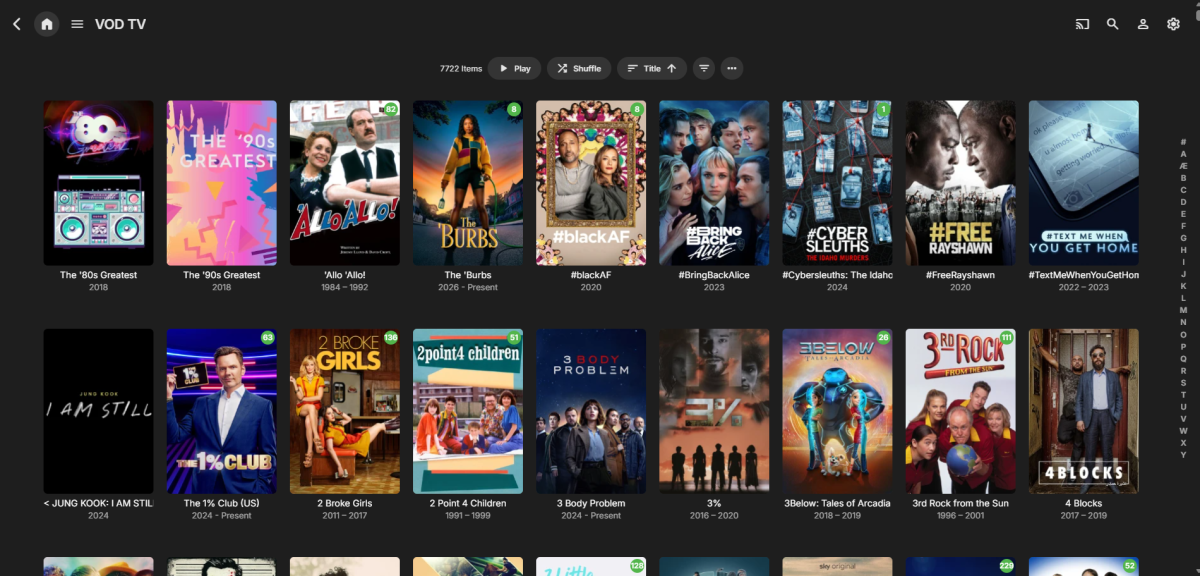
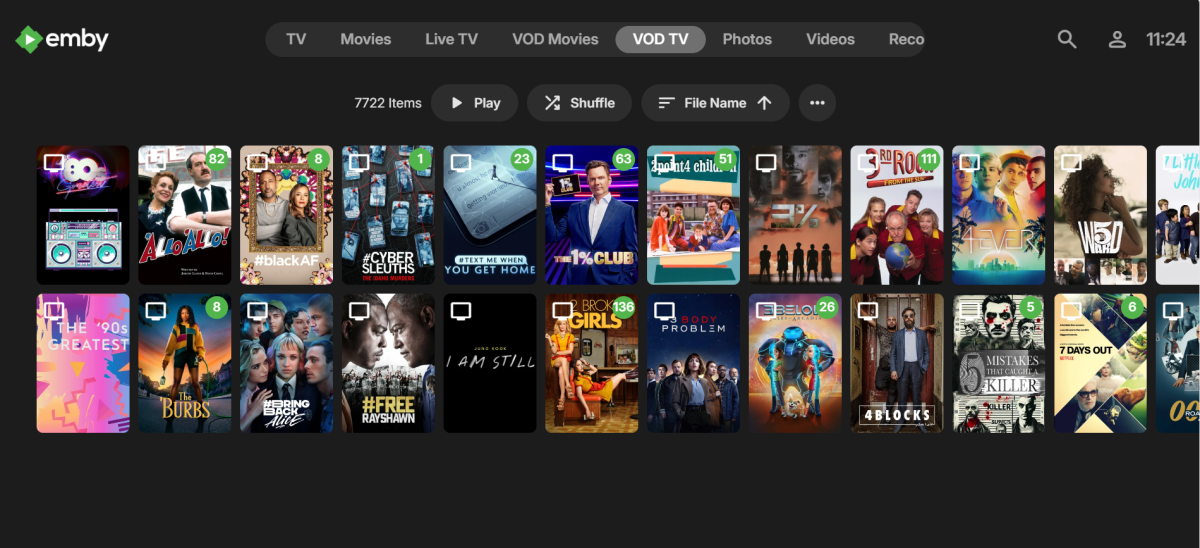
-
Bump kernel to 6.17, i have A310 and A380 working normal.
-
Still doesn't show or accept Estonian as the language... Emby server 4.10.0.10 beta.
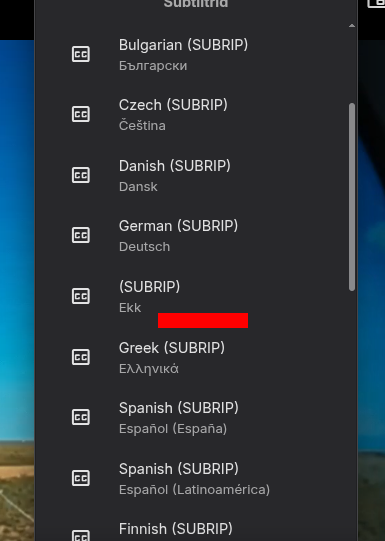
-
In TV Display Mode (Horizontal View) Change Shows, Favourites and Upcoming Icon
Lid replied to Lid's topic in General/Windows
I was just posting to say this as I just went and did some testing on the LG App and on a web browser. I thought I was going mad as I knew I had seen vertical and horiztonal recently. -

In TV Display Mode (Horizontal View) Change Shows, Favourites and Upcoming Icon
GrimReaper replied to Lid's topic in General/Windows
You need to have TV Display mode enabled for the Horizontal/Vertical Home Screen option to appear (else it defaults to/there's only Vertical for other modes) -
In TV Display Mode (Horizontal View) Change Shows, Favourites and Upcoming Icon
Lid replied to Lid's topic in General/Windows
Thanks for letting me know, at least I can stop looking now . I know it would be low priority but if there is any way to make them editable in the future that would be great. I also thought the setting used to be horizontal and vertical under the home screen section. But I can't find that anymore and the "Enable TV display mode" from under "General" for the user is what I have been enabling to get the home screen to look like it does in my screenshot in the first post.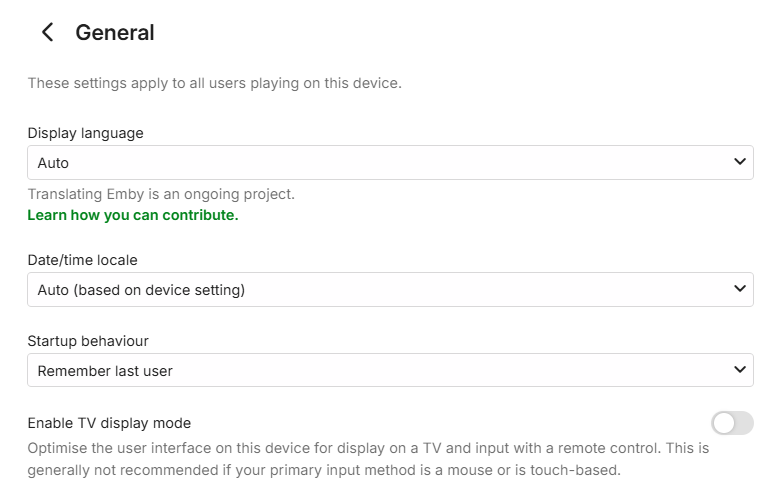
-
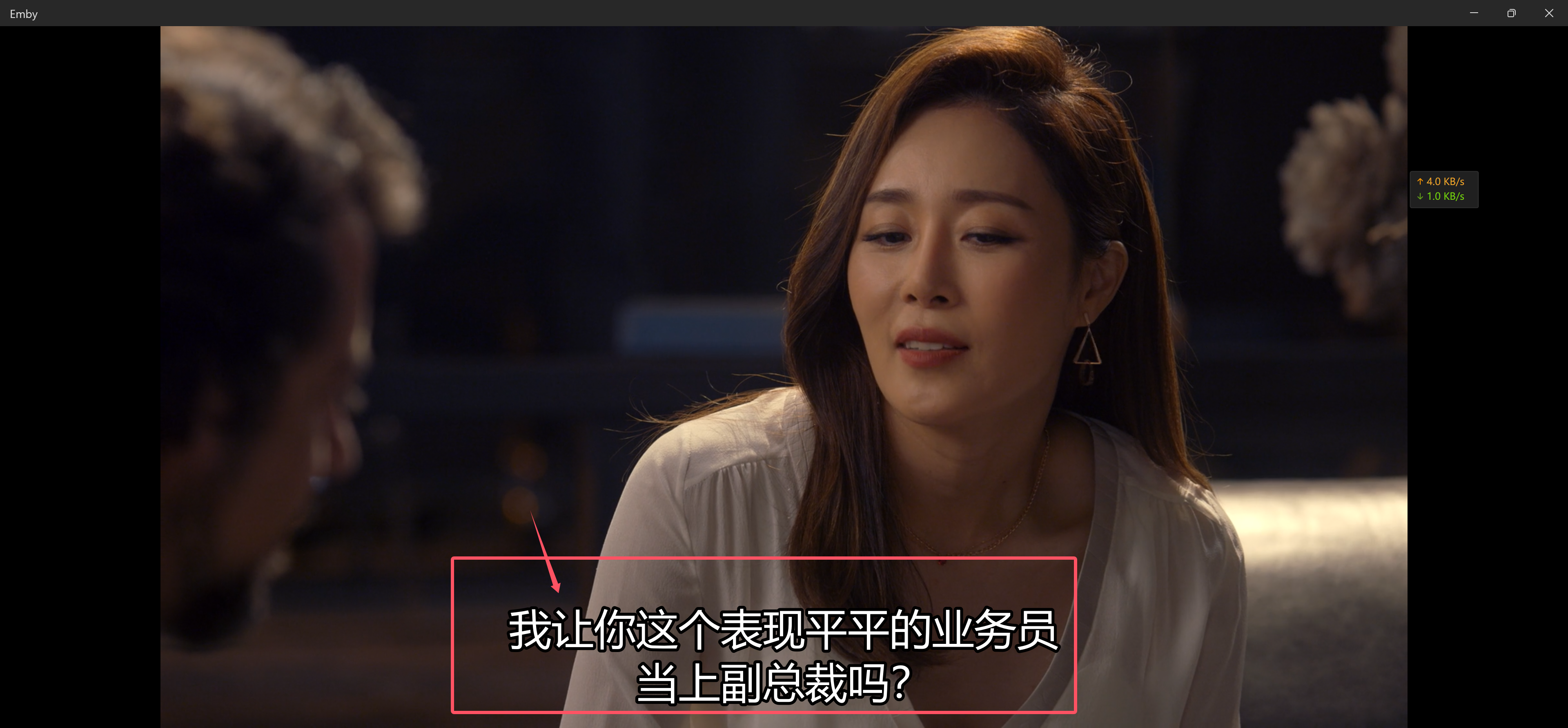
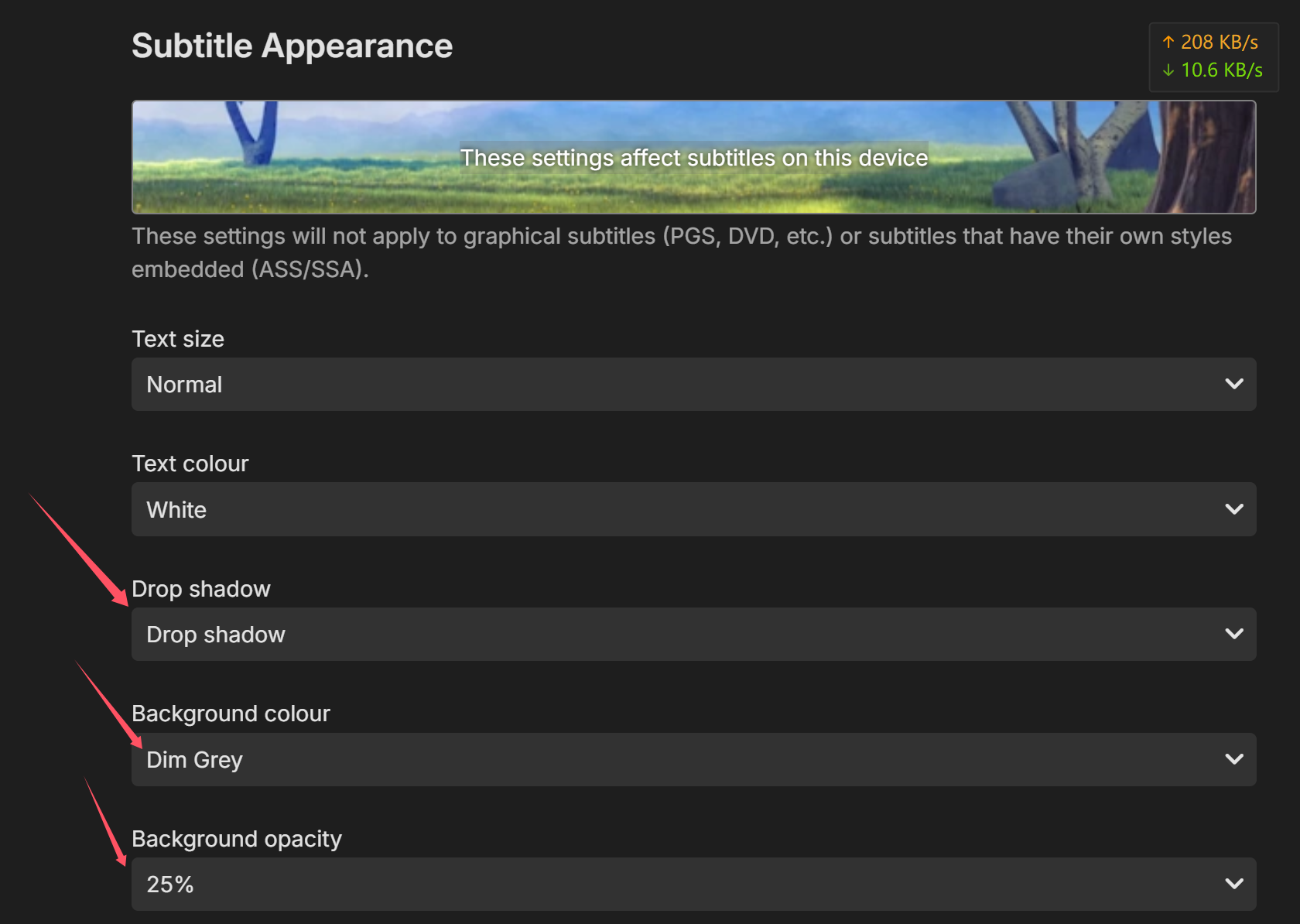
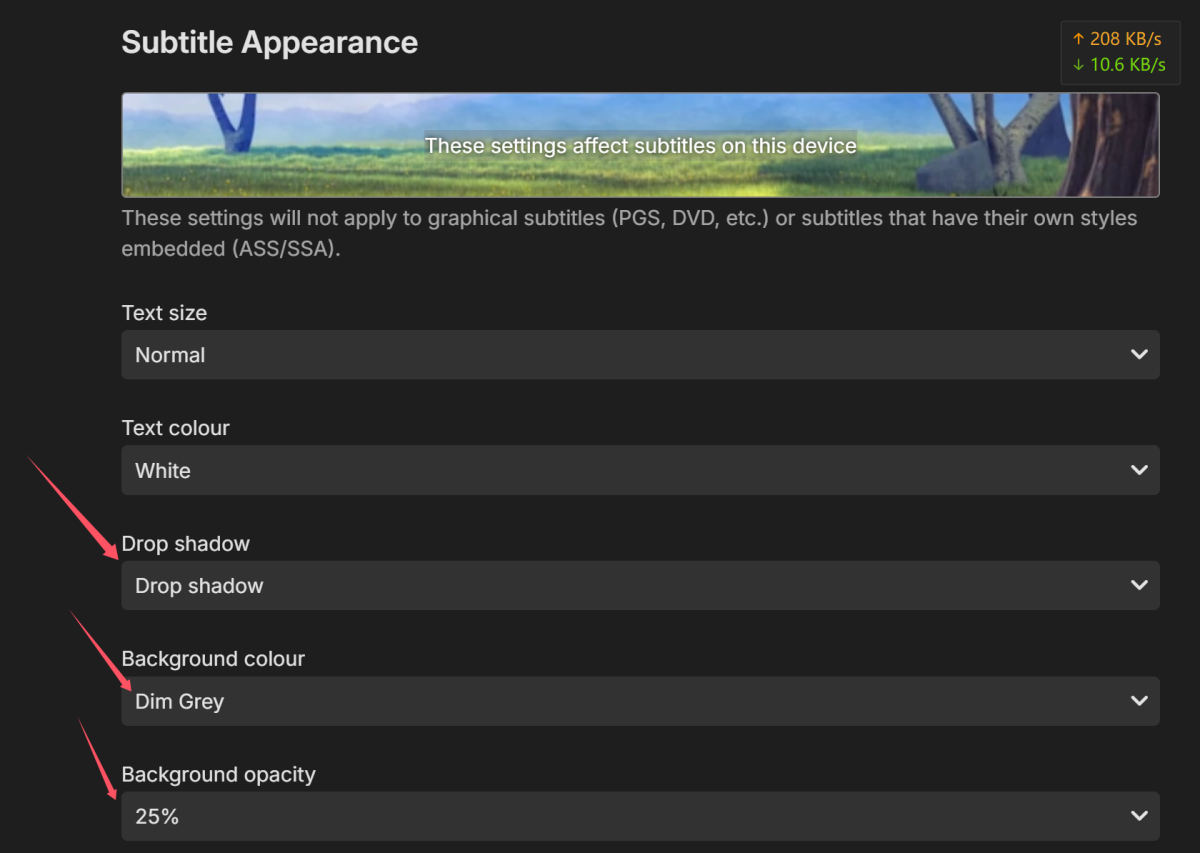
 This bug exists in macOS and Windows. I installed the Emby app from the App Store and Microsoft Store, but they both have a problem where the Drop shadow doesn't work in the subtitle settings. No matter which one I set, the final display effect is the same, and the default effect is that the black border on the subtitles is thick and not very beautiful. But in iPhone and iPad clients, and even in the web interface of browsers, they can achieve the corresponding effect perfectly. I hope to fix this bug in macOS and Windows, but I am not sure if this bug also exists in other clients. Because I only used the Emby client in the macOS and Windows app stores. Additionally, there seems to be an issue with the background color/background opacity, and I hope it can be fixed together. Also, is the macOS client missing too many features, as it seems like it hasn't been updated for a long time. Drop shadow/Background color/Background: the default effect is that the black border on the subtitles is thick and not very beautiful. The above content comes from translation software, and I hope it can clearly express my suggestions.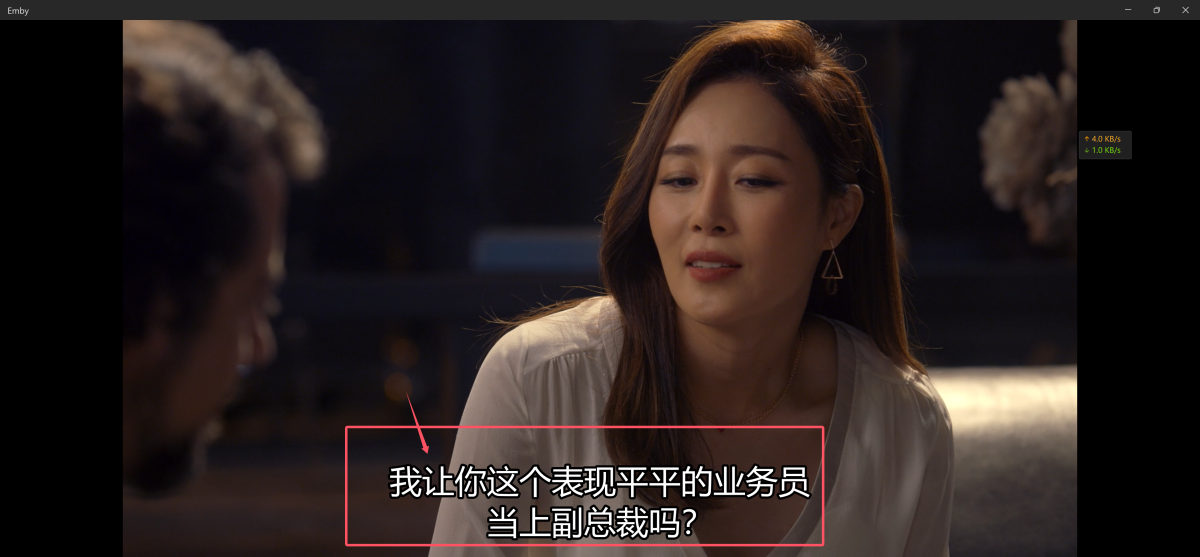
-
what skin is recommended to use with this skin, just Embuary or can we use other skins, and is there some helper for the other skins to auto add library nodes etc? sorry if this has been answered somewhere.
-

The search experience in Android app needs to be fixed
ecrispy replied to ecrispy's topic in Android
so this isn't going to be even considered? I don't know how others are using search using Android app, instead of being able to use voice input like with the ATV app, or onscreen keyboard, there's a phone input entry. -
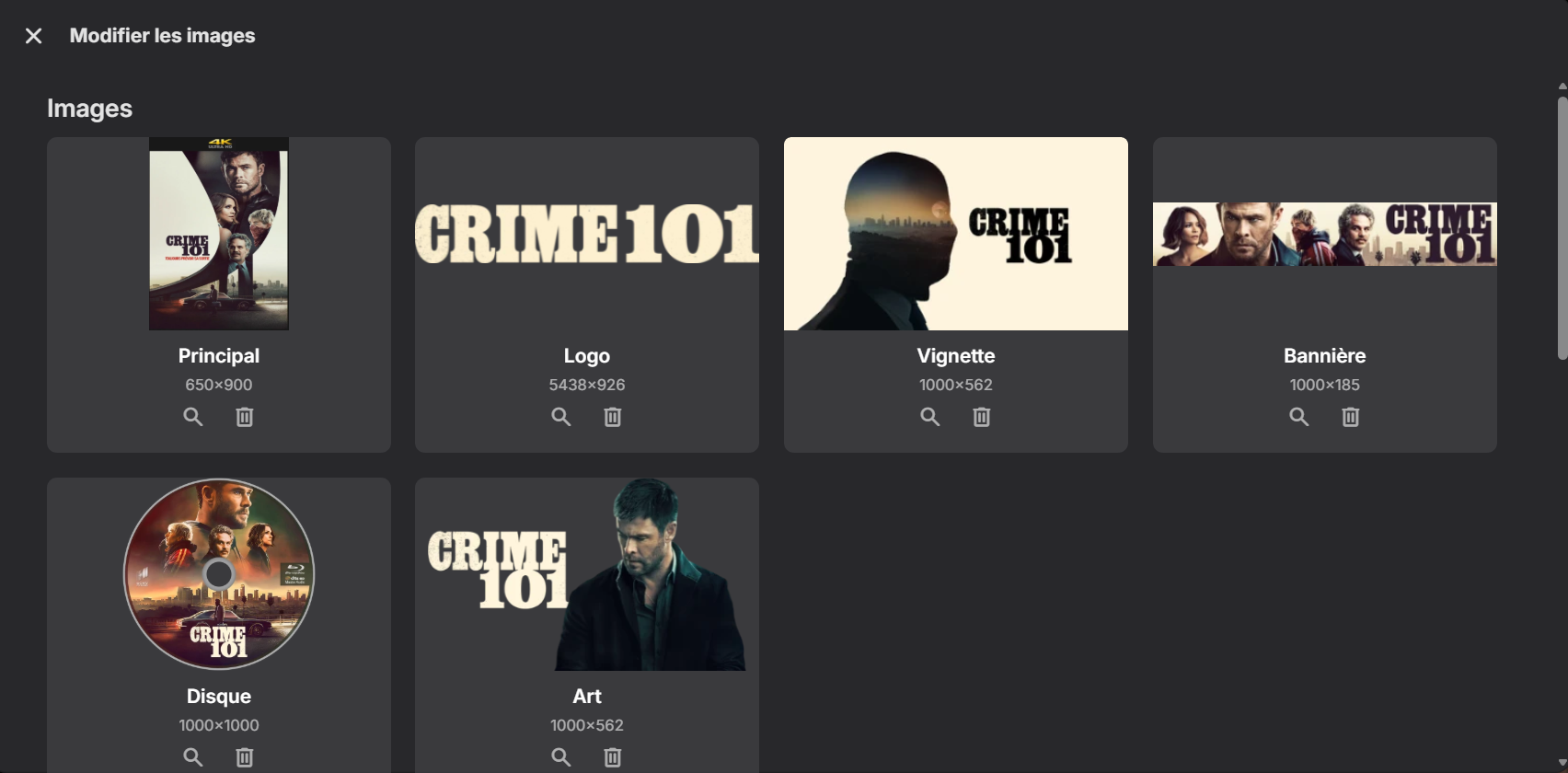
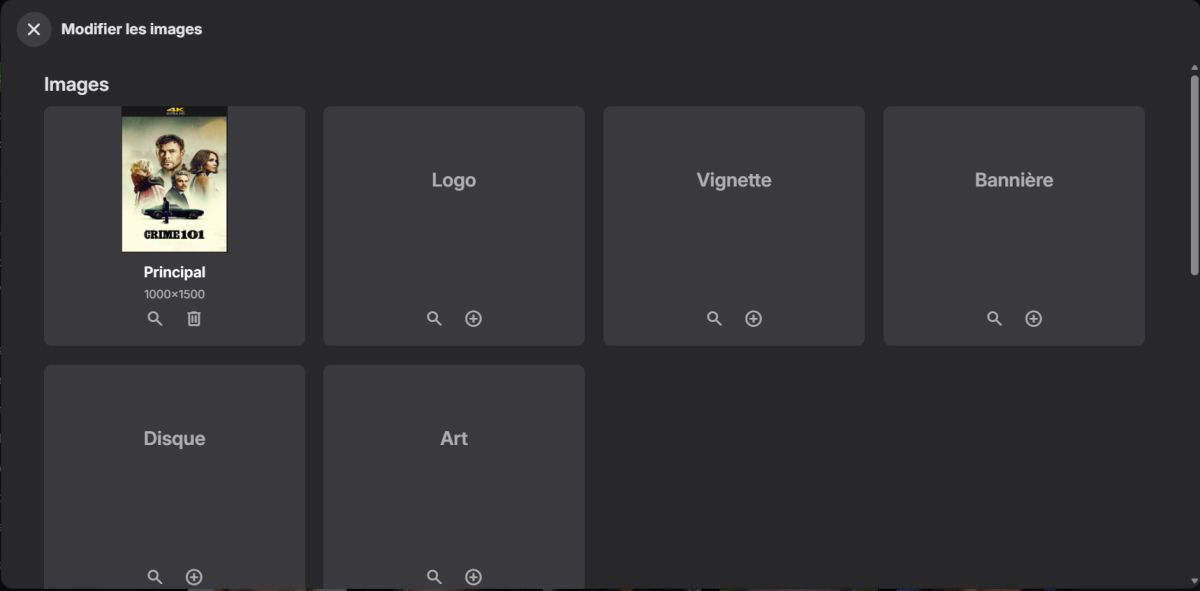
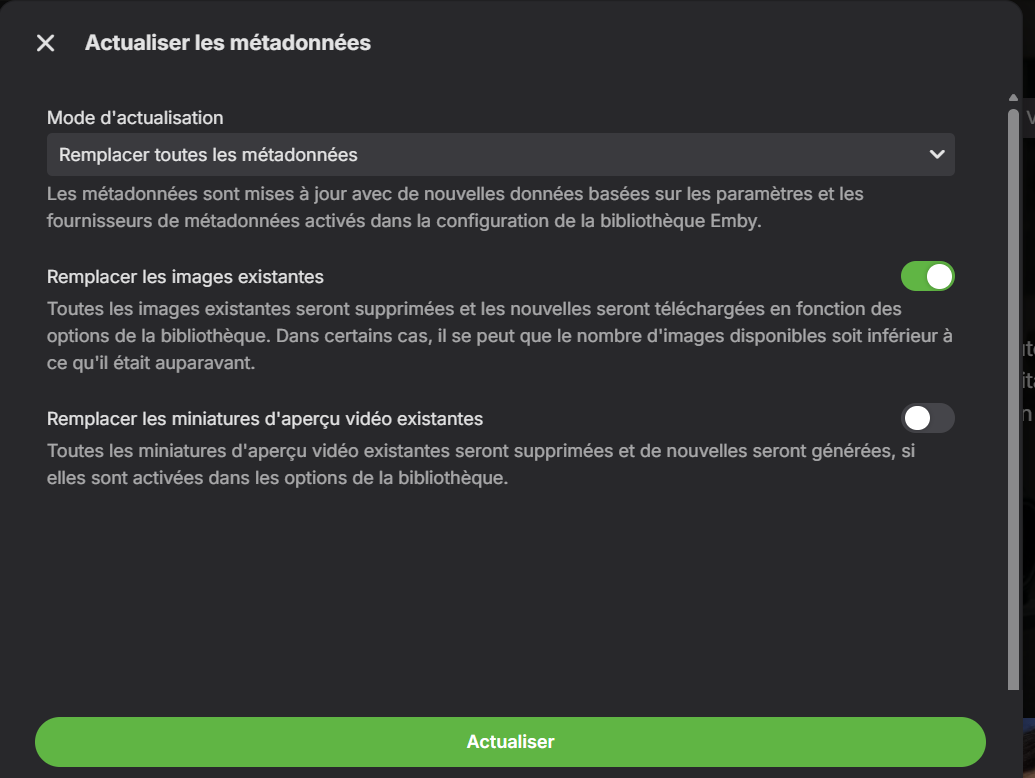
Before : After "Update metadata" with "remplace" and "refresh existing pictures" Only the logo has been added With "identify" and "modify pictures" All picture are added. embyserver.txt @Luke: What do you think? I would have thought that the standard procedure when updating metadata and replacing images would also have added all the images, just like the identify process does, right?
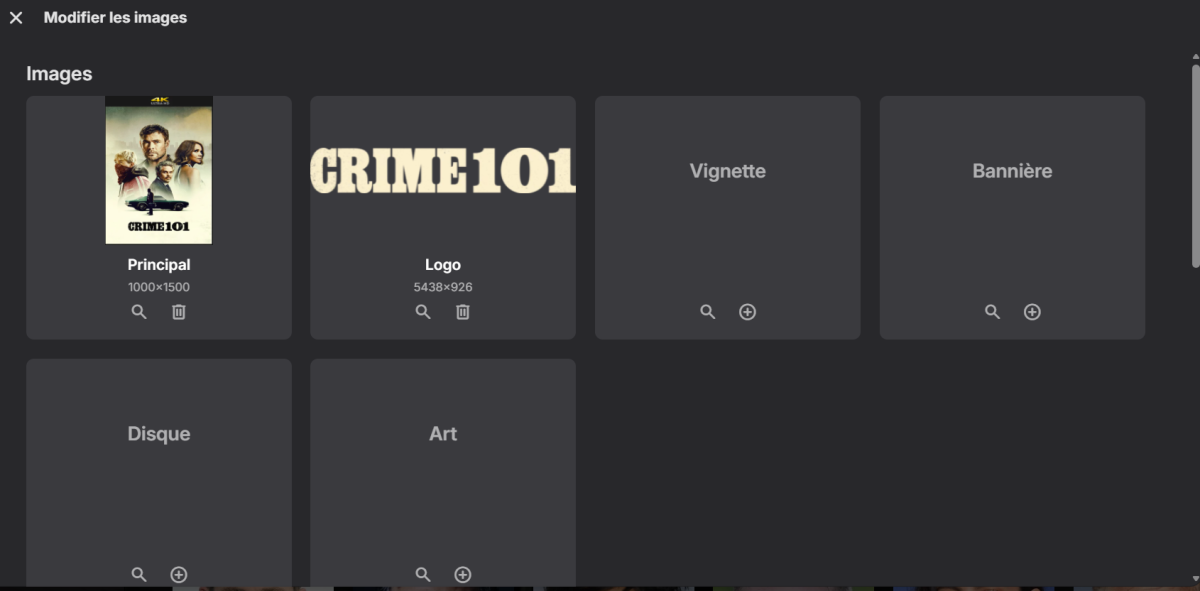
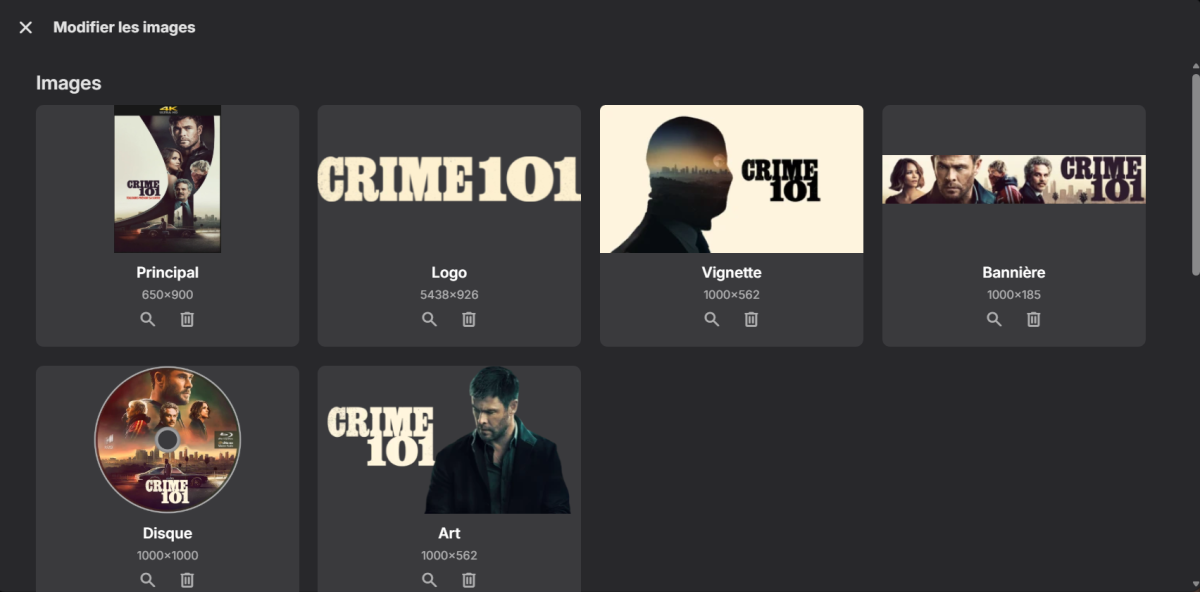
-

Emby Android Screen Share Audio Bug Report (Discord)
Slpy_Law replied to Slpy_Law's topic in Android
@Lukesorry for tagging you but is that something you can fix or is that an Android problem. I tried with Jellyfin and got the same issue. Then I tried with the Plex app and it works fine. Also, I wanted to get some more information with the ADB tools, but I'm too much of a rookie to read the debug logs. Expected vs Actual App Screen Share Audio to Discord Emby Silent but my mic works YouTube Video Audio and mic working Spotify Audio and mic working Jellyfin Silent but my mic works Plex Video Audio and mic working -
Strm Files Pointing To Local Files Cannot Be Played
GrimReaper replied to Eagleheart's topic in General/Windows
Don't think that's a strm files issue per-se (which generally work just fine locally - I have a lot of specials strm-linked to respective movies), but a combination of AVC Hi10p profile and mkv container and ASS subs on Firefox (which is notably the weakest of the bunch for media consumption). Have you maybe tried playing that item from some other, more media-friendly browser (Thorium, Chrome, Edge...?) or playing it without subs selected/using external text-based subs (.srt)? -
That is unrelated discussion relating to translations, nothing to do with episode groups. However, v5.0 milestone does mention DVD ordering support (hopefully it'll embrace other alternate orders as well). https://github.com/Sonarr/Sonarr/issues/255
-
I just wanted to note that Sonarr is going to implement this in v5. So it would be highly appreciated, that Emby would finally support it, too. https://github.com/Sonarr/Sonarr/issues/269#issuecomment-4232845696
-
I was just playing around with the tags and the parental controls feature. If a custom tag is applied to an actor, and then that tag is set to be blocked for a certain user they are still able to search for and view that given actor. Is there a way to have this not happen and for actors to be completely hidden?