All Activity
- Past hour
-
Thermalright has several copper coolers that should do the job. https://www.amazon.ca/Thermalright-AXP90-X53-Profile-2700RPM/dp/B0CNK3R57B/131-5596465-6299526 53mm https://www.amazon.ca/Thermalright-AXP90-X47-Profile-Cooler-TL-9015/dp/B0CYP96DHQ 47mm
-
 swiizyy joined the community
 -
Any update on this becoming enabled again? I occasionally wish this feature existed for sharing with family members and found this thread while wondering about it just now.
-
 Shojj joined the community
 -
 NW78S4ZE joined the community
 -

Plembfin: keep Emby, Plex, Jellyfin and Trakt watch state aligned
Lasikie posted a topic in Third Party Apps
Hi everyone, I’m sharing Plembfin, an open-source, self-hosted sync hub for Emby, Plex, Jellyfin and Trakt. Website: https://plembfin.com Docs: https://github.com/Lasikiewicz/plembfin/tree/main/docs Source: https://github.com/Lasikiewicz/plembfin Plembfin keeps watched and unwatched state, resume positions, and watch history aligned between connected services. It stores a local SQLite record, uses webhooks plus scheduled catch-up sync, and can restore history after media is re-added or a library is rebuilt. It also includes per-destination results and targeted retries, Now Playing, ratings and watchlist features, metadata tools, Seerr support, and backup tools. The intended use case is a household or homelab running Emby alongside another media server, or using Trakt as part of a multi-service setup. It runs in Docker and the local data stays on your own hardware. The project is early, so I am looking for feedback on Emby matching, playback progress, duplicate plays, and sync recovery. Please back up your metadata before testing. Setup and documentation: https://plembfin.com GitHub: https://github.com/Lasikiewicz/plembfin I have used AI coding agents heavily during development, with manual review and testing throughout. It is licensed under AGPL-3.0. This is not affiliated with Emby, Plex, Jellyfin or Trakt. -
 bukoff joined the community
 -
Thanks @Luke. Can we make sure going forward the stable releases are ending in .0? Not sure what happened with the .40 version being the final release instead of going to x.x.1.0. What is determining the versioning for what is considered a "Stable release" if the Stable tag isn't being used in Git? *edit* sorry, also any update on timeline for what the 4.10.1.0 release will be?
-
Yes I find the cutting an issue also.
-
 M.sch.30 joined the community
 -
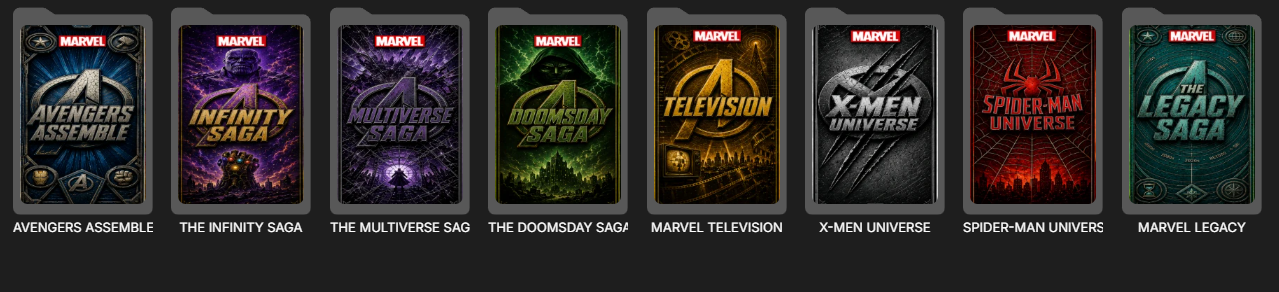
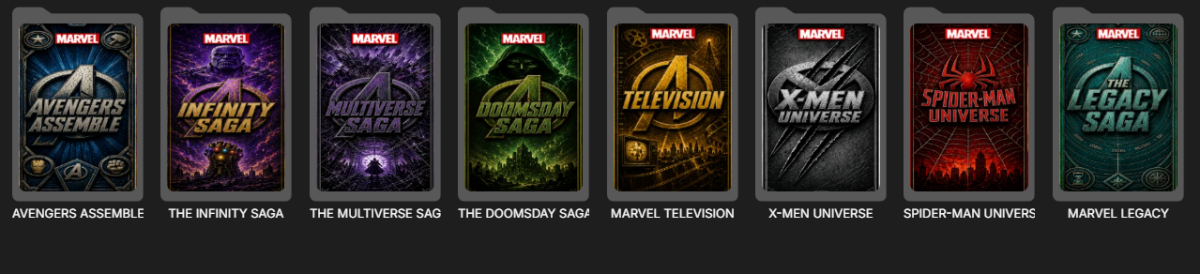
Hallo, bei meinen Emby werden Filme und Serien plötzlich mit einem hässlichen Ordner-Overlay angezeigt. Wird das noch gefixt oder was ist da los? Hello, Films and Series on my Emby are suddenly being displayed with a hideous folder overlay. Will this be fixed, or what's going on?
-
 SoledadMarcos joined the community
 -

The left bar on the dashboard page has been blank
Neminem replied to kira yamato's topic in Apple iOS / macOS
I guess I have the same issue in any of my browsers. -
 TVJCEP joined the community
 -
 LeoXu19980313 joined the community
 -
 Angueje joined the community
 -
Alright, back on this now. Am looking at swapping the CPU from the previous post for a: Intel Core i5-14400 - Core i5 14th Gen Raptor Lake 10-Core (6P+4E) LGA 1700 65W Intel UHD Graphics 730 Processor - BX8071514400 Obviously budget is a consideration but preference is to go with new as have not had much luck with buying used gear. I do share with a number of family members, external, so transcoding is important as well. Next concern is on the CPU Cooler side. System runs in a 2U rack case so vertical space is a big consideration and most fan/heatsink combos won't fit. Will the cooler included with the CPU suffice or do I need to dig for something else. Thanks EDIT: Also thinking about dropping the M.2 SSD as the current system has a good one and that would save a few bucks and save my copying the OS to the new one
-
 Yarin1308 joined the community
 -
I have a Library Structure as HDD1 - Contents - Movies/Shows HDD2 - Contents - Movies/Shows HDD1 is used for content that is released this year. HDD2 is used for the content that i intened to keep long term. The idea is only one HDD remains more active intead of both as most users will access current content. And I am using maintainerr to look for content added for more than 90days (irrespective of it is seen or not) and remove it from radarr/sonarr this will remove it from emby too. if using your plugin files are removed directly from disk, this will only remove them from emby. but will still be present in sonarr/radarr. if those files are monitored they will be download again. if those are unmonitored then this will create unnecessary clutter in radarr/sonarr. I think you have to use api call of radarr/sonarr via emby to remove those movies/shows or tag them as"removed by emby"
-
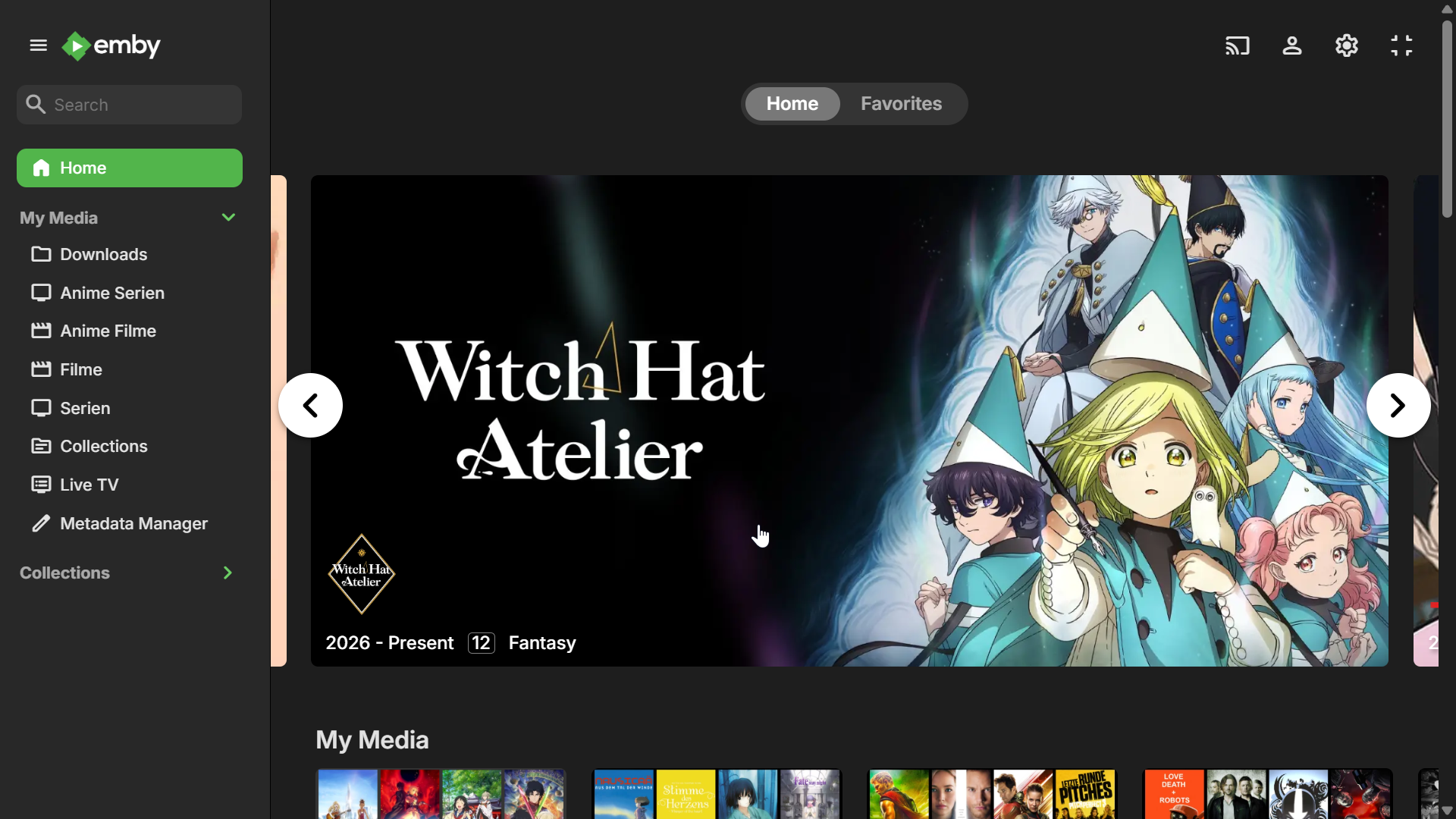
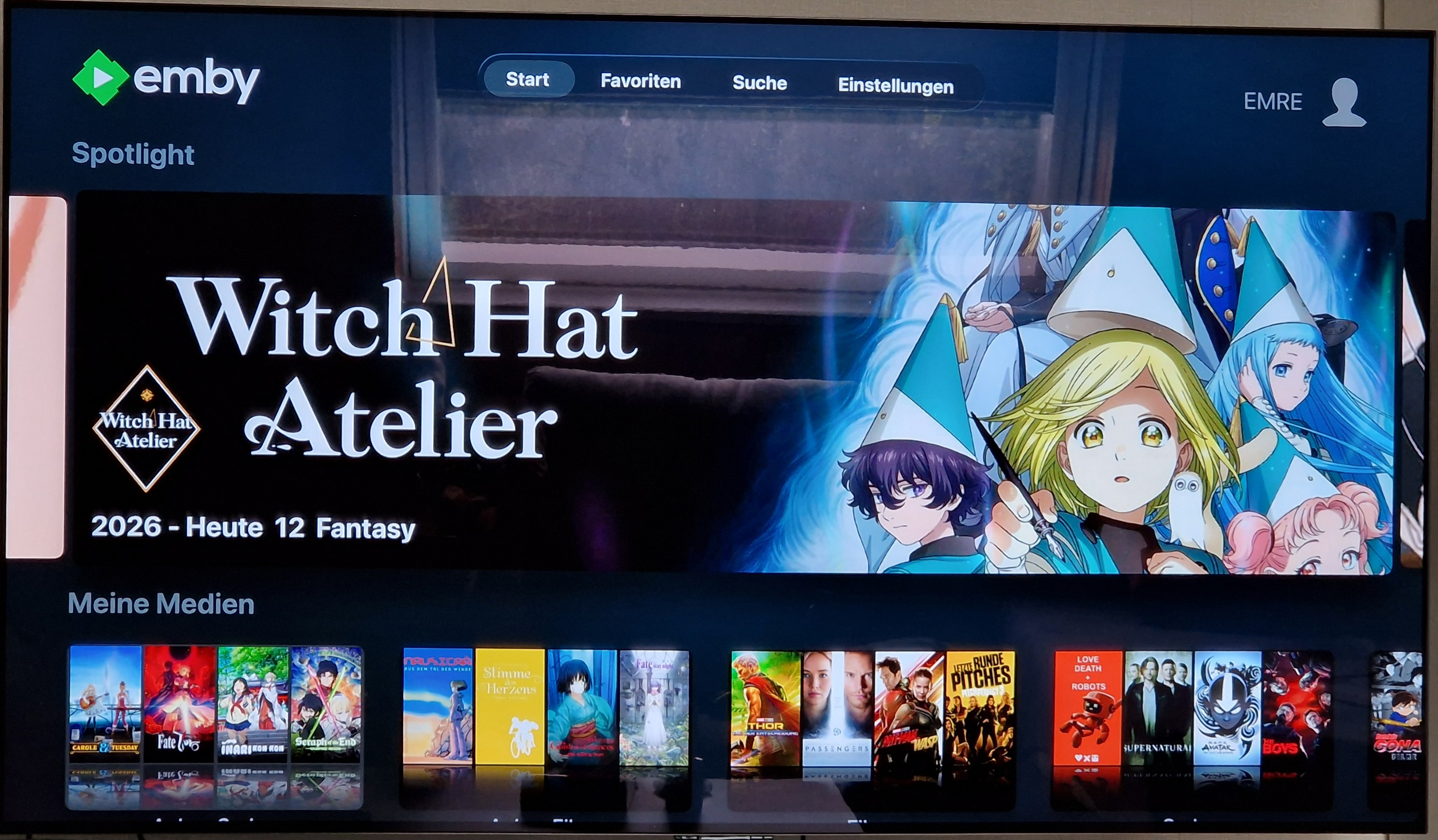
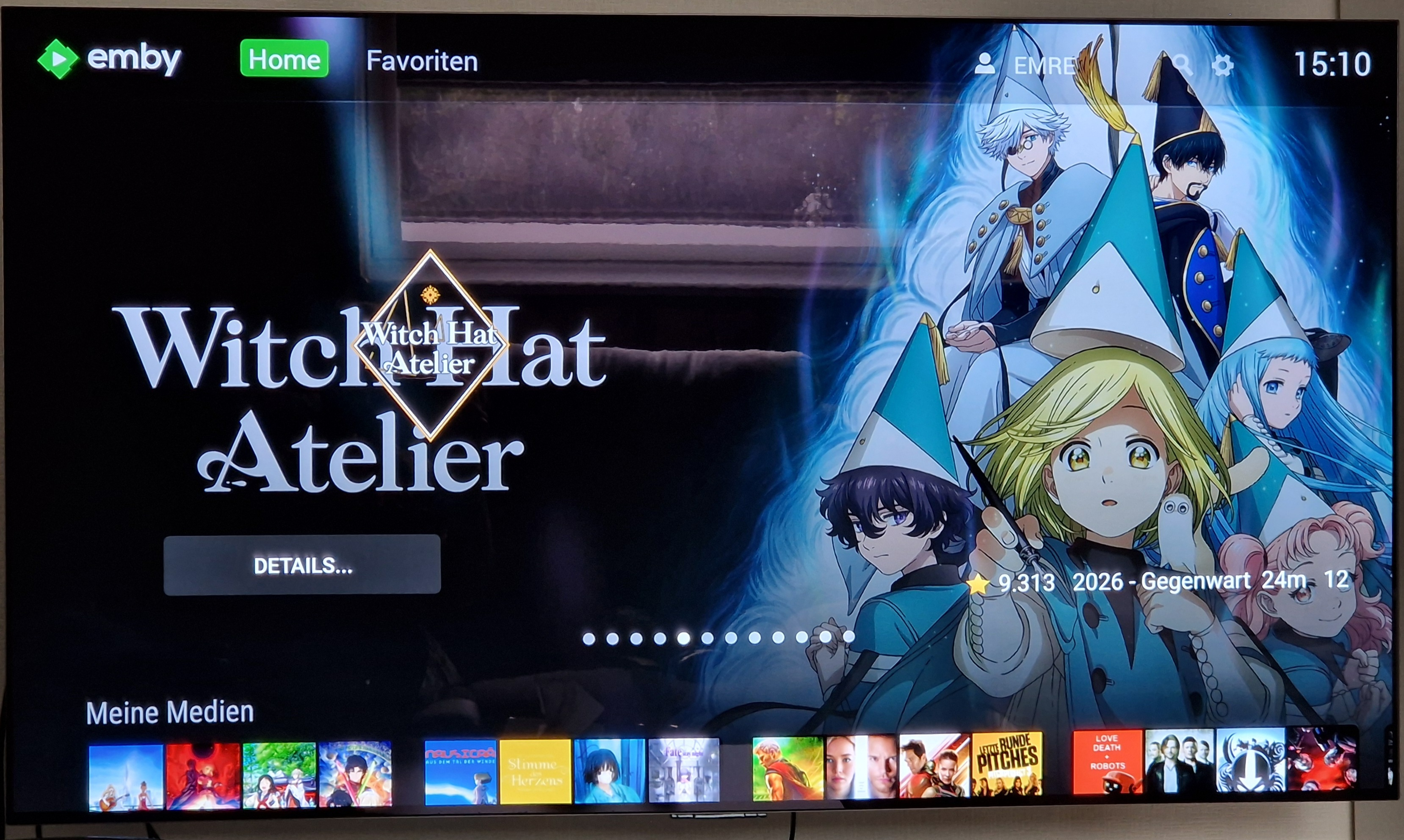
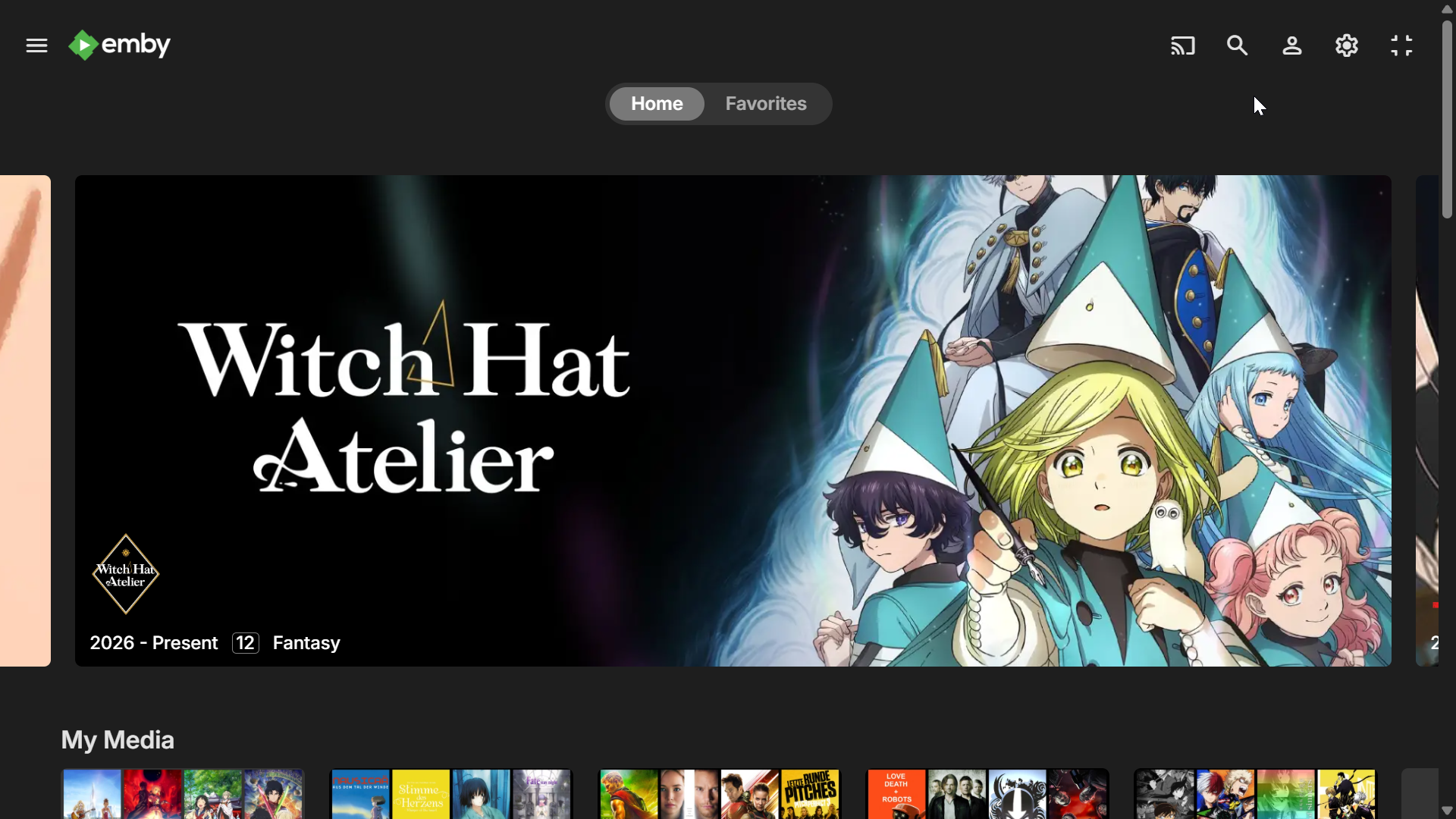
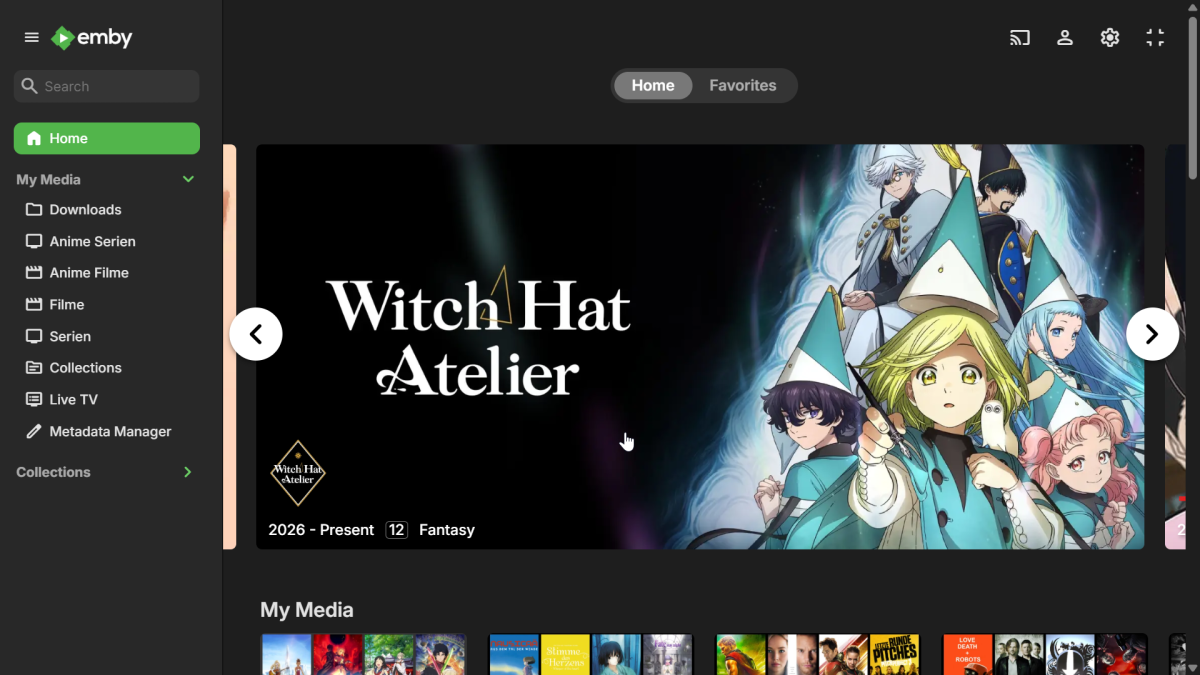
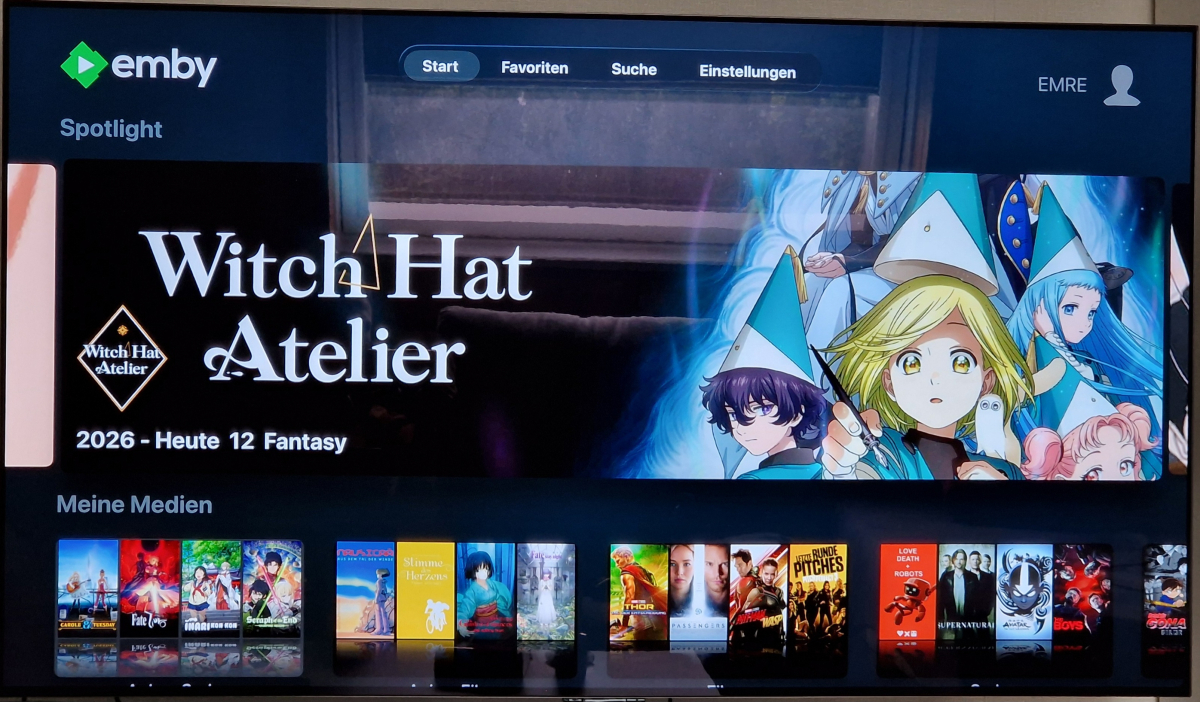
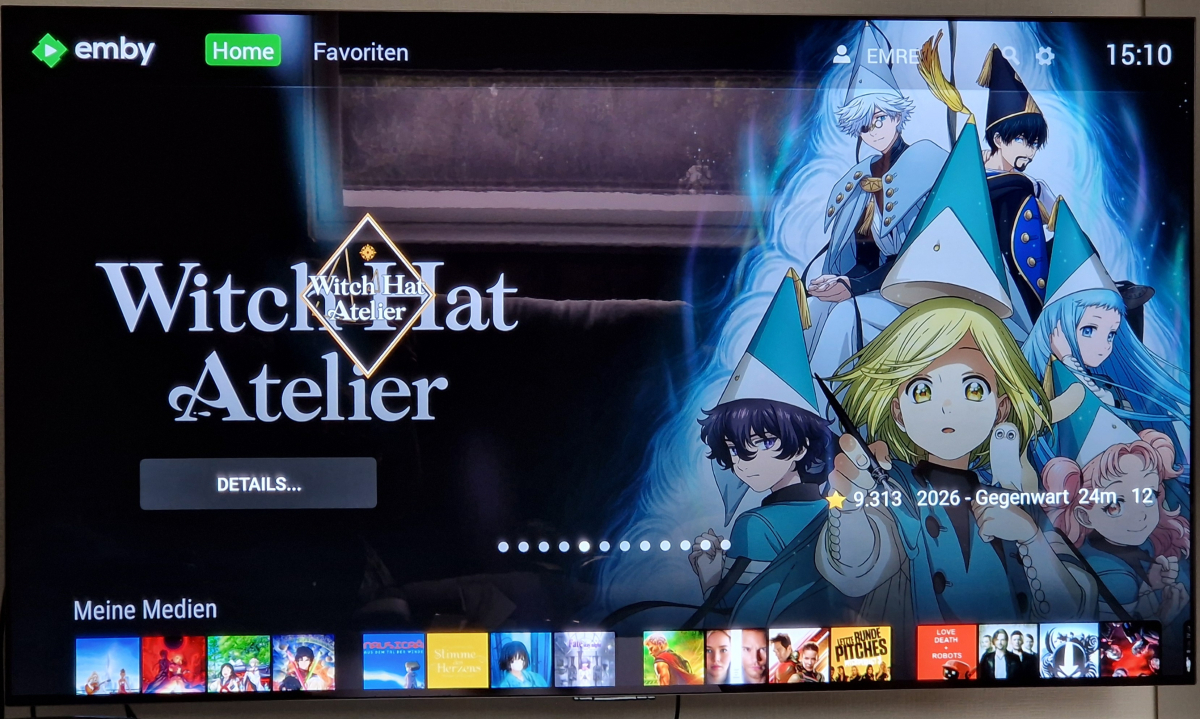
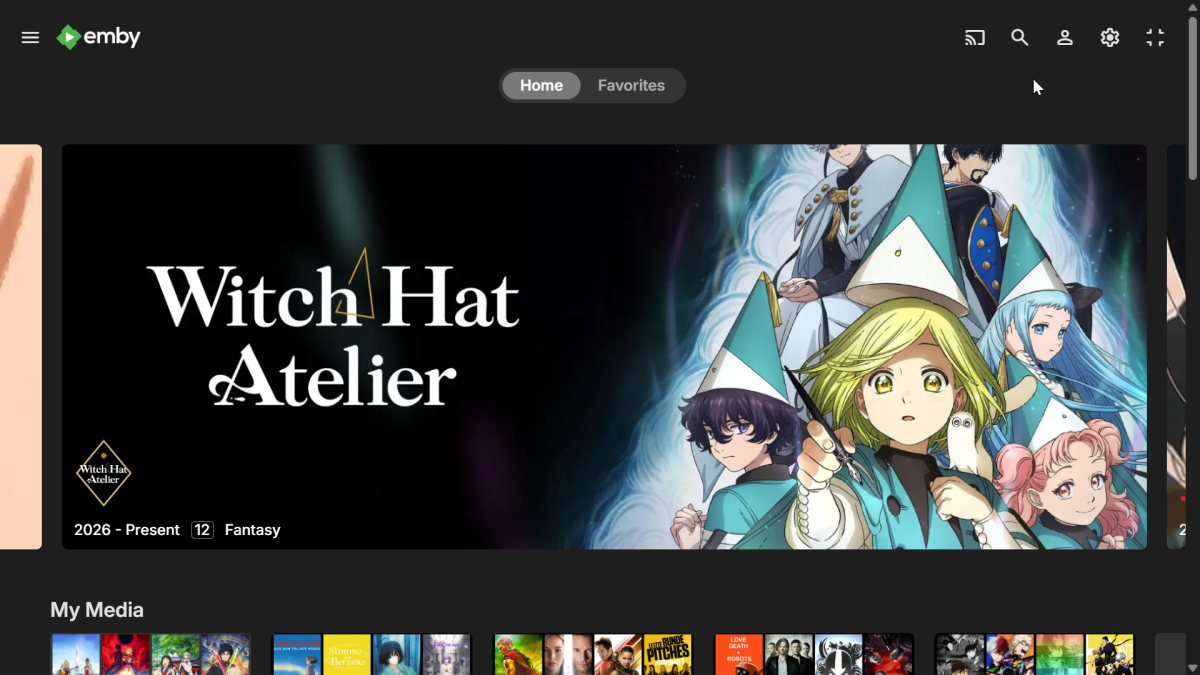
Hello, I like the spotlight feature, but the one in Apple is not really ideal. As a comparison I have the Apple TV, Android TV app and the Windows app. Apple TV: Windows App with Sidebar: Windows app without Sidebar: Android TV (Fire TV): When comparing them the Apple TV cuts just way too much from the picture. The Windows App with the Sidebar does it much better. Though it's worse when the Sidebar is closed. The best approach in my opinion is the Android TV app. Could we get the Android TV version too? Also the Spotlight on the Apple TV seems to be endless, while the other 2 are limited to 12 items.
- 1 reply
-
- 2
-

-

- Today
-
I'm marking this as solved since the fix is now in the stable release. I will report back if I run into any issues down the line or to check on the status of this being the default or having a UI toggle. Anyone coming across this post should definitely set the ValidateImageTags to true in the system.xmp file if your instance is publicly available and/or you have private or adult media on your server.
-
Why it triggers randomly and not all the time is my question at this point. Maybe one out of 10 videos. Nothing to do with length of video. Happens in both a 'Music Video' library and a 'Mixed Content' library that I've seen so far. I'm a little surprised no one has noticed this before. That's why I was asking about Plug Ins. That would be unique to everyone's server configuration. I'm in the process of building a Linux based server (currently Windows 10) and it will be interesting to see if it shows up there.
-
Same. As soon as the browser tab becomes inactive the sidebar stops working.
- 1 reply
-
- 1
-

-
Emby app for MacOS creash after few seconds after a live tv start (more or less 3 seconds of corrupted images. Other client (Apple TV, iOS, WebApp) is working correctly. Following the crash report of Macos: ------------------------------------- Translated Report (Full Report Below) ------------------------------------- Process: Emby [2877] Path: /Applications/Emby.app/Contents/MacOS/Emby Identifier: com.emby.mobile Version: 2.2.58 (56) Code Type: ARM-64 (Native) Role: Foreground Parent Process: launchd [1] Coalition: com.emby.mobile [2827] Date/Time: 2026-09-10 13:10:38.2495 +0200 Launch Time: 2026-09-10 13:09:26.8897 +0200 Hardware Model: Mac14,13 OS Version: macOS 26.6.2 (25G83) Release Type: User Time Awake Since Boot: 16000 seconds System Integrity Protection: enabled Triggered by Thread: 41 com.apple.audio.IOThread.client Exception Type: EXC_BAD_ACCESS (SIGSEGV) Exception Subtype: KERN_INVALID_ADDRESS at 0x0000000000000000 Exception Codes: 0x0000000000000001, 0x0000000000000000 Termination Reason: Namespace SIGNAL, Code 11, Segmentation fault: 11 Terminating Process: exc handler [2877] ------------------------------------- Following the emby client log (anonymized): [2026-09-10 13:18:01.511] [AppDelegate] Device Name: macOS [2026-09-10 13:18:01.512] [AppDelegate] App Version: 2.2.58 (56) [2026-09-10 13:18:01.512] [AppDelegate] System Version: iPadOS 26.6 [2026-09-10 13:18:01.590] [SceneDelegate] Creating view controller for scene session: <SessionID> [2026-09-10 13:18:01.664] [NativeCredentialsManager] start updateConnectionManager [2026-09-10 13:18:01.668] [ApiClient] tryReconnect to server <ServerID> [2026-09-10 13:18:01.669] [BrowseTree] loadBrowseSection [2026-09-10 13:18:01.674] [UploadManager] attachToSession finished for com.emby.mobile.cameraUpload [2026-09-10 13:18:01.674] [UploadManager] attachToSession finished for defaultSession [2026-09-10 13:18:01.693] [DownloadManager] Begin prepareBackgroundSessionWithCompletion [2026-09-10 13:18:01.695] [DownloadManager] Finish prepareBackgroundSessionWithCompletion [2026-09-10 13:18:01.696] [MainViewController] Loading _startUrl emby-local://app/index.html [2026-09-10 13:18:01.704] [SceneDelegate] scene WillConnect [2026-09-10 13:18:01.704] [SceneDelegate] scene WillEnterForeground [2026-09-10 13:18:01.704] [AppDelegate] applicationWillEnterForeground [2026-09-10 13:18:01.704] [CameraUpload] Photo Access NOT granted! [2026-09-10 13:18:01.704] [AppDelegate] applicationDidBecomeActive [2026-09-10 13:18:01.736] [ApiClient] Server Address for 'Crysoft Media' determined at http://host:8096 [2026-09-10 13:18:01.736] [ApiClient] Server Address for 'Crysoft Media' determined at http://host:8096 [2026-09-10 13:18:01.736] [MediaSync] Begin MediaSync for <ServerID> [2026-09-10 13:18:01.736] [MediaSync] Begin checkLocalFileExistence [2026-09-10 13:18:01.736] [ApiClient] Server Address for 'Crysoft Media' determined at http://host:8096 [2026-09-10 13:18:01.737] [MediaSync] Begin processDownloadStatus [2026-09-10 13:18:01.737] [MediaSync] Begin reportOfflineActions [2026-09-10 13:18:01.737] [MediaSync] reportOfflineActions found 0 actions [2026-09-10 13:18:01.737] [MediaSync] Begin getNewMedia [2026-09-10 13:18:01.737] [ApiClient] Getting response from http://host:8096/emby/Sync/Items/Ready?TargetId=4<TargetID> [2026-09-10 13:18:01.743] [MediaSync] getReadySyncItems returned 0 items [2026-09-10 13:18:01.743] [MediaSync] Begin syncData [2026-09-10 13:18:01.744] [ApiClient] Getting response from http://host:8096/emby/Sync/Data? [2026-09-10 13:18:01.747] [MediaSync] Begin afterSyncData [2026-09-10 13:18:01.747] [MediaSync] afterSyncData: Found 0 items(s) to remove [2026-09-10 13:18:01.841] [ApiClient] Getting response from http://host:8096/emby/Users/<UserID>/Views? [2026-09-10 13:18:01.852] [ApiClient] Getting response from http://host:8096/emby/Users/<UserID>/Items/5590? [2026-09-10 13:18:01.852] [BrowseTree] loadBrowseSection reloadData [2026-09-10 13:18:01.899] [MainViewController] -[MyMainViewController webView:didStartProvisionalNavigation:] [2026-09-10 13:18:01.902] [MainViewController] -[MyMainViewController webView:didCommitNavigation:] To Url: emby-local://app/index.html [2026-09-10 13:18:01.951] [InAppPurchase] Found IAP product: emby.subscription.monthly Emby Premiere [2026-09-10 13:18:01.989] [ServerLocator] Finding Servers... [2026-09-10 13:18:01.990] [ServerLocator] UDP Listener State -> Ready [2026-09-10 13:18:01.990] [ServerLocator] UDP Broadcast State -> Waiting POSIXErrorCode(rawValue: 50): Network is down [2026-09-10 13:18:01.990] [ServerLocator] UDP Broadcast State -> Preparinga [2026-09-10 13:18:01.992] [AppDelegate] applicationWillResignActive [2026-09-10 13:18:01.992] [AppDelegate] applicationDidEnterBackground [2026-09-10 13:18:01.994] [ServerLocator] UDP Broadcast State -> Waiting POSIXErrorCode(rawValue: 50): Network is down [2026-09-10 13:18:02.217] [SceneDelegate] scene WillEnterForeground [2026-09-10 13:18:02.217] [AppDelegate] applicationWillEnterForeground [2026-09-10 13:18:02.226] [AppDelegate] applicationDidBecomeActive [2026-09-10 13:18:02.991] [ServerLocator] Found 0 servers [2026-09-10 13:18:02.994] [ServerLocator] Error sending Server Locator packet POSIXErrorCode(rawValue: 89): Operation canceled [2026-09-10 13:18:02.994] [ServerLocator] UDP Broadcast State -> Cancelled [2026-09-10 13:18:02.994] [ServerLocator] UDP Listener State -> Cancelled [2026-09-10 13:18:03.060] [NativeCredentialsManager] Updating credentials [2026-09-10 13:18:03.063] [NativeCredentialsManager] start updateConnectionManager [2026-09-10 13:18:03.063] [NativeCredentialsManager] onServerAddressChanged <ServerID> - http://host:8096 [2026-09-10 13:18:03.079] [NativeAVPlayer] setSubtitleStyles playerItem is nil [2026-09-10 13:18:12.232] [MediaSync] Begin MediaSync for <ServerID> [2026-09-10 13:18:12.232] [CameraUpload] Photo Access NOT granted! [2026-09-10 13:18:12.232] [MediaSync] Begin checkLocalFileExistence [2026-09-10 13:18:12.235] [MediaSync] Begin processDownloadStatus [2026-09-10 13:18:12.236] [MediaSync] Begin reportOfflineActions [2026-09-10 13:18:12.237] [MediaSync] reportOfflineActions found 0 actions [2026-09-10 13:18:12.237] [MediaSync] Begin getNewMedia [2026-09-10 13:18:12.237] [ApiClient] Getting response from http://host:8096/emby/Sync/Items/Ready?TargetId=4<TargetID> [2026-09-10 13:18:12.244] [MediaSync] getReadySyncItems returned 0 items [2026-09-10 13:18:12.244] [MediaSync] Begin syncData [2026-09-10 13:18:12.244] [ApiClient] Getting response from http://host:8096/emby/Sync/Data? [2026-09-10 13:18:12.250] [MediaSync] Begin afterSyncData [2026-09-10 13:18:12.250] [MediaSync] afterSyncData: Found 0 items(s) to remove
-

The left bar on the dashboard page has been blank
JNW1980 replied to kira yamato's topic in Apple iOS / macOS
In the TestFlight iPad app on iPadOS 27, I have been able to regularly reproduce the issue by: Opening Emby -> Open another app sending Emby into a background process -> Wait a couple of minutes and reopen Emby -> Click the Cog -> Dashboard missing sidebar. In the web app using safari on macOS 27 by: Opening Emby -> Right click a library and scan or wait for a real-time scan -> Click cog after scan finishes -> Dashboard missing sidebar. Opening Emby -> Move to another tab in the same browser window -> Wait a few minutes and go back to the Emby tab -> Click cog -> Dashboard missing sidebar. -

Plugin: EmbyCredits, detect end credits and add auto skip.
yocker replied to yocker's topic in Plugins
New version in the catalog v2.7.7.0. Added: 1) Support for strm files added. @enterpr1se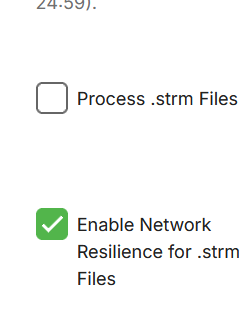
-
Just tested it, and it still works just fine. Did you configure it? try uncommenting one of the examples.
-
Such a great show, can't wait for the next season.
-
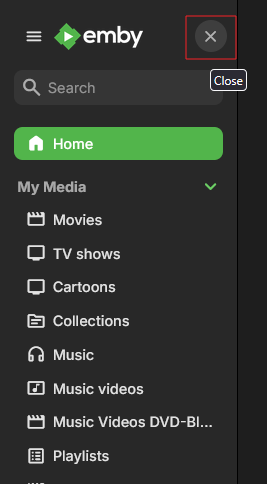
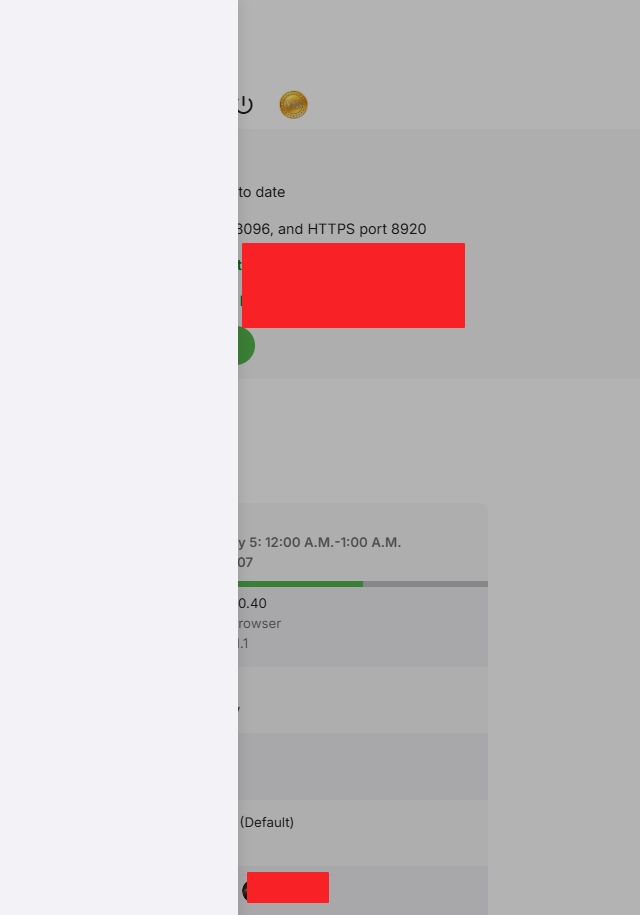
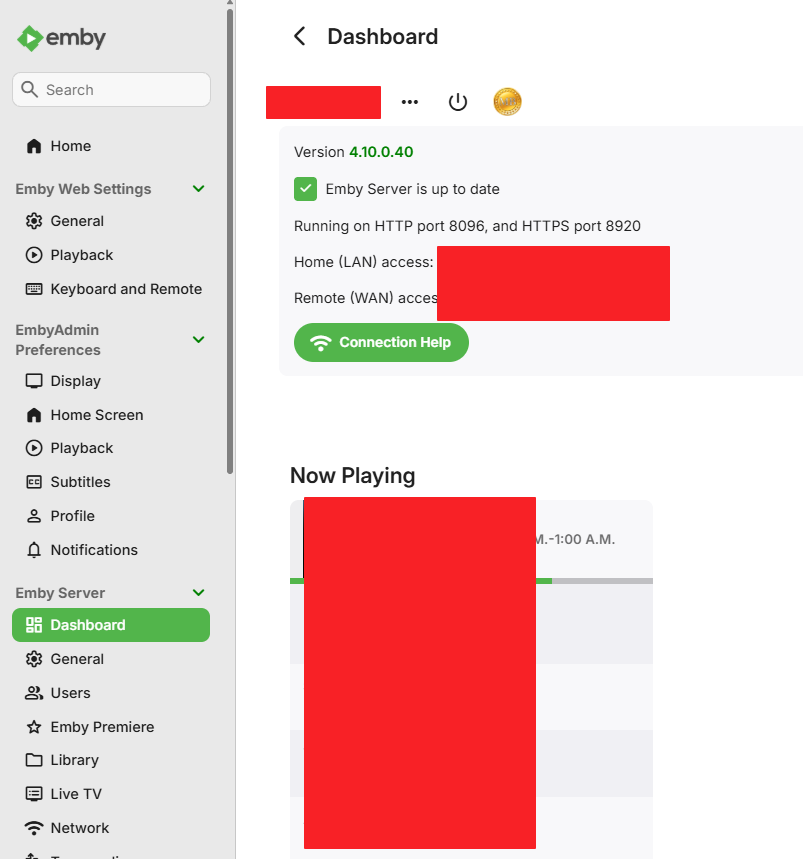
I see this using Edge, Chrome and Firefox. Server 4.10.0.40 running in docker. If i disable the side menu like this. This is important for the issue I have. When the tab in my browser is not active, and I have focus on another tab, for about 15 min. I see this when clicking the cog wheel. If I refresh the browser tab, the sidebar is usable again. If the sidebar is enabled I don't see the issue.
- 1 reply
-
- 1
-
-

LG WebOS Video Freezes When Starting With 5.1 Audio Selected
SamES replied to AndyHN's topic in LG Smart TV
Do you have many files with this type of issue? Can you provide the full media info for one of the files? Maybe even a good idea if you can share a file with me via PM for testing. I suspect that there is an issue with the file that makes it incompatible with the LG. TV media players are a less tolerant of different encodings, so even something that works fine in VLC and other devices isn't necessarily guaranteed to work. I generally haven't seen this type of issue reported, but if we can identify the issue we can possibly handle it better. Regarding your test with the audio tracks, just be aware that the LG internal player will automatically switch to another track if it can't play the selected track. It does this in a way that Emby isn't aware of it, in which case the track we think is playing (and report in stats for nerds) isn't necessarily the track that is playing. If possible, you might be able to check how your A/V receiver is reporting the audio format. -
Uhh is that Frieren is see there, love that show.
-
Vaya ,bueno fue bien el funcionamiento mientras estaba operativo. Gracias al desarrollador
-
.SVG images don't work on the Roku Emby
-
Nevermind! After rebooting server, everything back to normal! sorry about this!
-
Very Nice. Glad you found something to use.