Jump to content

Emby Blog

  • entries
    585
  • comments
    5104
  • views
    3662497

Contributors to this blog

  • Luke 359
  • ebr 70
  • Carlo 31
  • sross44 27
  • 7illusions 15
  • ScottIsAFool 12
  • Abobader 11
  • radeon 8
  • xnappo 8
  • darwindeeds 7
  • Redshirt 6
  • Cheesegeezer 5
  • leedavies 3
  • Aphid 3
  • bigjohn 3
  • snazy2000 3
  • softworkz 3
  • techywarrior 3
  • Soultaker 2
  • chef 2
  • gcw07 2
  • marcelveldt 1
  • hurricanehrndz 1

Emby for iOS 1.02 Released


Luke

1954 views

The following issues have been resolved:

  • Detail screen images sometimes appearing incorrectly
  • Device language being detected incorrectly

To learn more about Emby for iPhone and iPad, check out the original announcement:


http://emby.media/community/index.php?/blog/1/entry-254-introducing-emby-for-iphone-and-ipad/


We've also started a new wiki for the app, so be sure to check that out:


https://github.com/MediaBrowser/Wiki/wiki/iOS
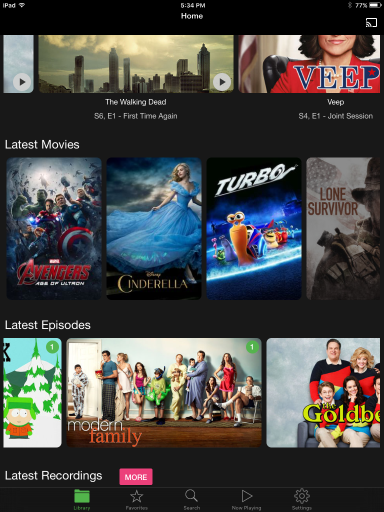
 

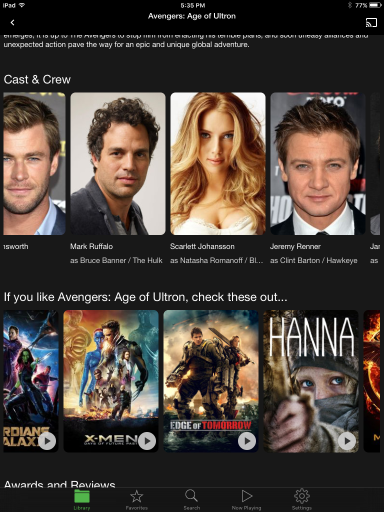
564524e2957d3_sm_IMG_0015.png564524e839360_sm_IMG_0017.png

  • Like 3

3 Comments


Recommended Comments

Dibbes

Posted

Luke, I really like the new Emby app, it's fast, it's easy and does everything as promised... :)


The app seems to be missing subtitle support for MKV's. As this is mentioned in the original post, am I missing something?

Luke

Posted

Luke, I really like the new Emby app, it's fast, it's easy and does everything as promised... :)


The app seems to be missing subtitle support for MKV's. As this is mentioned in the original post, am I missing something?


Hi, the app does support subtitles. Let us know where you're having issues and we'll take a look.

Dibbes

Posted

I just tried the following: 


Update iPad mini to latest iOS version - I was still on version 6 or 7 I think - This solved the issue with the MKV's. I have the CC button now for MKV's.


What I haven't been able to get working is subtitles with .avi files. Folder structure is is the same as for the .mkv's, also naming is correct. I wanted to try with the old MediaBrowser app, but unfortunately I can't find it anymore...

Either way, the subtitles for .avi files do not appear in the web-player or the Windows Phone app either, so I'm starting to suspect the LAV filters on the server.

Create an account or sign in to comment

You need to be a member in order to leave a comment

Create an account

Sign up for a new account in our community. It's easy!

Register a new account

Sign in

Already have an account? Sign in here.

Sign In Now
×
×
  • Create New...