Image orientation
Orientation metadata describes a transform from stored image rows and columns to the intended visual direction, including reflections as well as rotations.
A camera can store its photo as a landscape-shaped pixel grid while recording that the intended viewing direction is portrait. A viewer honoring that orientation shows it upright; a viewer using only the stored rows and columns can show it sideways.
Eight transforms describe more than rotation
The familiar TIFF/Exif orientation values identify the following transforms from stored samples to a normalized display:
| Value | Transform |
|---|---|
| 1 | Identity |
| 2 | Reflect horizontally |
| 3 | Rotate 180° |
| 4 | Reflect vertically |
| 5 | Transpose across the main diagonal |
| 6 | Rotate 90° clockwise |
| 7 | Reflect across the other diagonal |
| 8 | Rotate 90° counterclockwise |
Reflections account for the extra cases beyond the four right-angle rotations. Values 5–8 exchange the visual width and height.
Rotate the sample grid once
For this stored grid:
A B C
D E F
a 90° clockwise display becomes:
D A
E B
F C
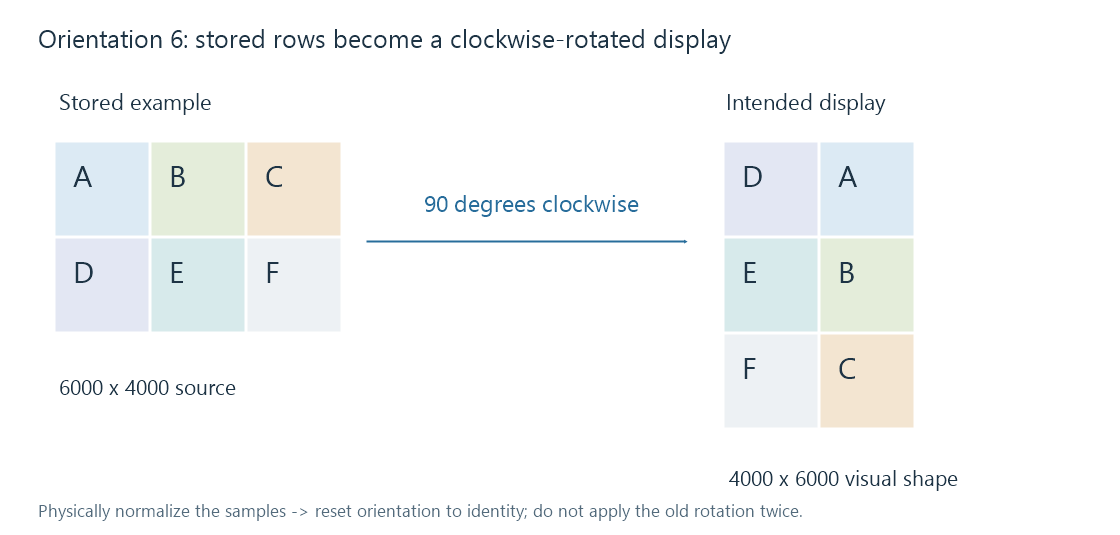
A stored 6000 × 4000 image with orientation 6 therefore has an upright visual shape of 4000 × 6000. Its sample count remains 24 million.
A thumbnail generator should base its fitting/cropping decision on that intended shape. Treating it as landscape before applying orientation can choose the wrong crop or fit.
A normalized derivative has a new orientation state
A process can physically rotate/reflect the samples into their intended direction and write the result with orientation 1. Keeping the old orientation 6 after performing that rotation asks the next viewer to rotate it again.
Another process can preserve the stored grid and its original tag. Both strategies can be valid if every subsequent stage knows which state it receives.
The same requirement applies to an embedded preview: it needs a coherent relationship between its own pixels and any applicable orientation information. An upright preview alone does not prove that the larger source has been normalized.
For Emby photo/artwork comparisons, inspect the source, generated derivative and displayed output separately. Exif explains where orientation belongs alongside capture information.