Proxy buffering, progress and timeout clocks
Proxy buffering and timeout settings control progress between independent upstream and downstream connections, with finite storage and idle clocks distinct from a movie’s total duration.
A proxy can receive media from Emby faster than its client consumes it. It can also spend time waiting for the next upstream bytes while the client waits for delivery.
The two sides have different progress observations. Buffering coordinates their rates; timeouts bound a selected kind of waiting.
A finite buffer temporarily absorbs unequal rates
Use this original constant-rate model:
{
  "upstreamMbitPerSecond": 12,
  "downstreamMbitPerSecond": 8,
  "availableBufferMbit": 24,
  "initialBufferedMbit": 0
}
The queue grows by four Mbit each second. With no other changes, its twenty-four-Mbit capacity is reached after six seconds.
At that point, the proxy cannot continue retaining the same excess indefinitely. It needs another permitted storage destination, reduced upstream progress, a dropped/failed transfer or another implemented policy.
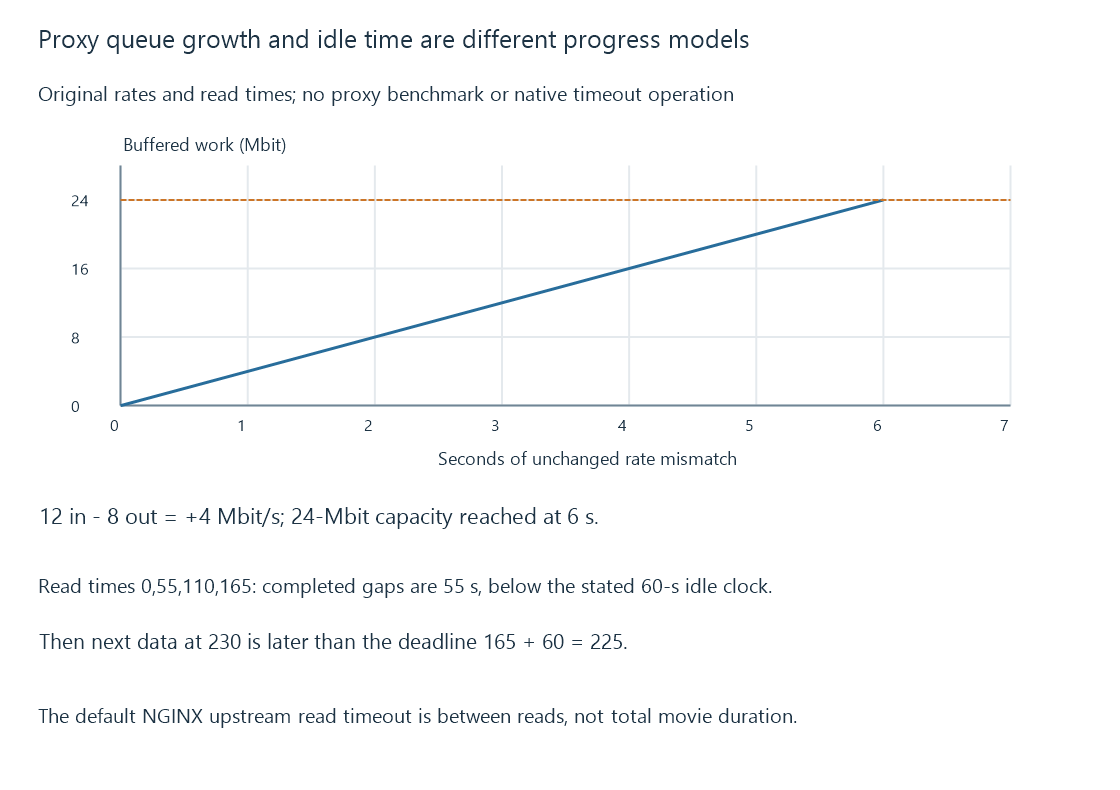
If upstream flow is backpressured toward the client’s eight-Mbit/s consumption, the earlier twelve-Mbit/s rate no longer describes continuous received progress.
Buffering changes where work can wait
A proxy can buffer response data in memory and, under its configured rules, temporary files. That can let the upstream operation progress independently for a while.
With another forwarding policy, upstream reads remain more directly tied to downstream consumption. Smaller retained storage does not automatically make the complete application faster; it changes where rate mismatch is absorbed.
The origin, proxy and client can each have their own buffers. A media player’s presentation reserve is not the same queue as a proxy’s response buffering.
A read timeout is not necessarily a whole-response deadline
NGINX’s documented proxy_read_timeout applies between successive upstream read operations rather than to the total response duration. Its documented default is sixty seconds.
Use this original timing exercise:
{
  "readTimeoutSeconds": 60,
  "successfulReadTimes": [0, 55, 110, 165],
  "nextDataTime": 230
}
Each completed gap is fifty-five seconds, so the declared idle threshold is not exceeded during those reads even though the response has already lasted 165 seconds.
After the read at 165, the next data is delayed until 230, a sixty-five-second gap. Under this reduced clock model, the deadline at 225 arrives before that next data.
Increasing a timeout changes tolerance for that waiting. It does not make the missing bytes arrive sooner.
The selected clock matters
Connect time, upstream response reads, upstream writes and downstream client progress can have separate timeout settings and causes.
An upstream that stops producing media differs from a client that stops accepting it. Both can eventually stop the overall operation, but the relevant clock and queue observations are different.
A WebSocket or another long-lived exchange can also need its own progress/keepalive handling. Successful ordinary-page delivery does not establish every long-lived path’s behavior.
Locate the stalled side before interpreting the result
For an Emby stream that starts and later fails through a proxy, retain upstream progress, downstream progress, buffered work and the timeout that expired.
A 60-second read-idle setting should not be interpreted as “movies must be shorter than sixty seconds.” The timing exercise shows how a much longer healthy response and a shorter stalled interval produce different results.
See Also
- Reverse proxies and the two-sided server path
- TCP: an ordered byte stream for media delivery
- Buffering, ready media and playback reserve
- HTTP Live Streaming (HLS)