Playback sessions and current player state
A playback session describes a current client relationship and player state, distinct from the user, device label and media item involved.
A playback session describes a current relationship between a media server and a client, including the player state available through the relevant contract.
It is different from the user account and from the media item. One user can be active on more than one client, and the same film can be playing in more than one session.
Identify the session before interpreting the state
An original normalized integration view is:
[
  {"session": "S1", "user": "U1", "device": "TV-A", "item": "M1", "paused": false},
  {"session": "S2", "user": "U1", "device": "Phone-B", "item": "M1", "paused": true}
]
The example uses adapter field names. Emby's session API supplies its documented session objects and player fields.
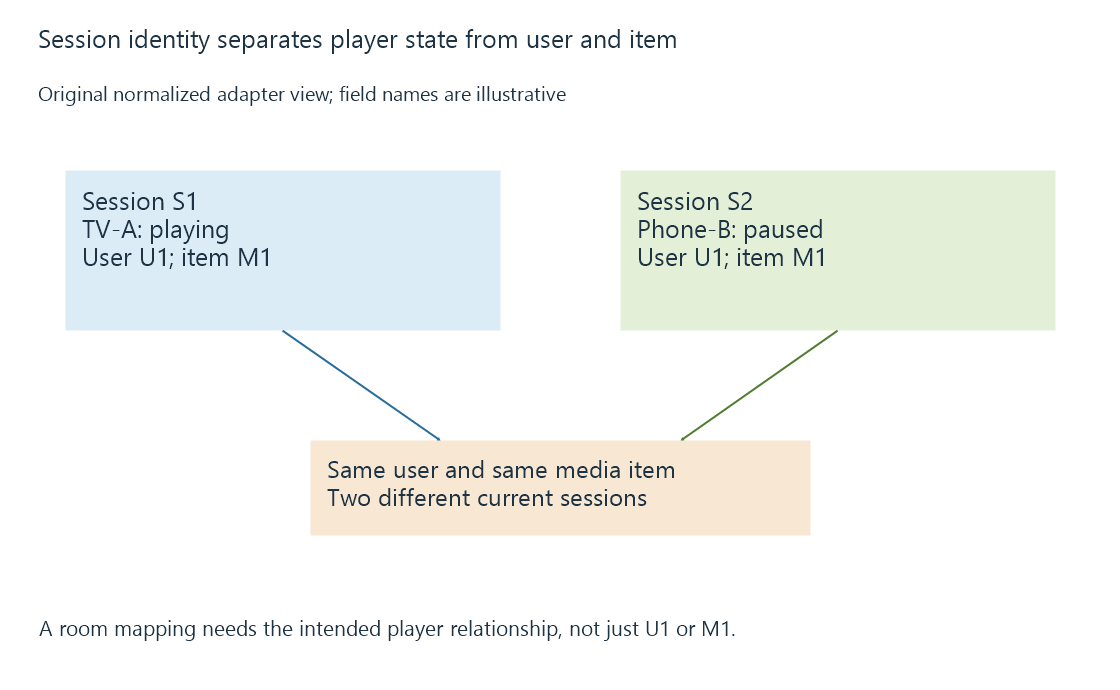
Selecting by user U1 or item M1 alone cannot determine which player the integration intends to control.
A session observation has an age
| Observation | What it does not guarantee |
|---|---|
| Session appeared in a query | It remains connected at the next operation |
| Last position was reported | The player is still at that exact point |
| Device label matches | That label alone authenticates the device |
| A control request was accepted | The desired physical or player effect has completed |
| The session disappears | A complete explanation of why it ended |
Connection loss, reconnects and lifecycle behavior can change session identity or availability. Use the contract's identifiers rather than assuming a display name is a permanent unique key.
Current state and history have different jobs
A session helps inspect what a player is doing now. User playback history records application state across completed observations and sessions.
A room automation should relate the intended client or session to that room, then decide how playing, paused, stopped and unavailable states affect its policy. Treating every session for one user as the television's state can let phone activity change the wrong room.
See Also
- Playback events and dependable home automation
- Polling for updates and observation intervals
- User-specific playback history