Leaderboard



Popular Content
Showing content with the highest reputation on 06/02/26 in all areas
-
New Update 1.2.0 is coming with some new features including overlay for music library and collection (box-set). It will be ready once I finished it.
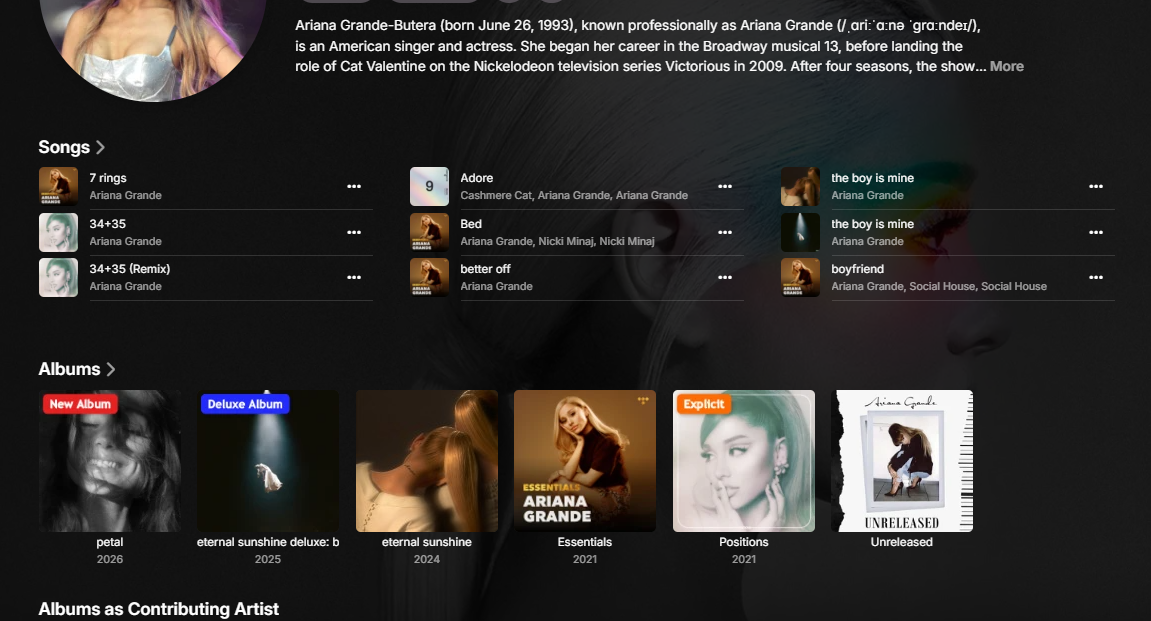 3 points
 -
Yes, that's why I asked a manual toggle to enable/disable DirectPlay. I've been using opus files for 3 years not once I had issues with opus codec in the built in samsung player, so it will be useful if it plays fine in directplay. I thought it will be better if we had an option to choose.2 points
-
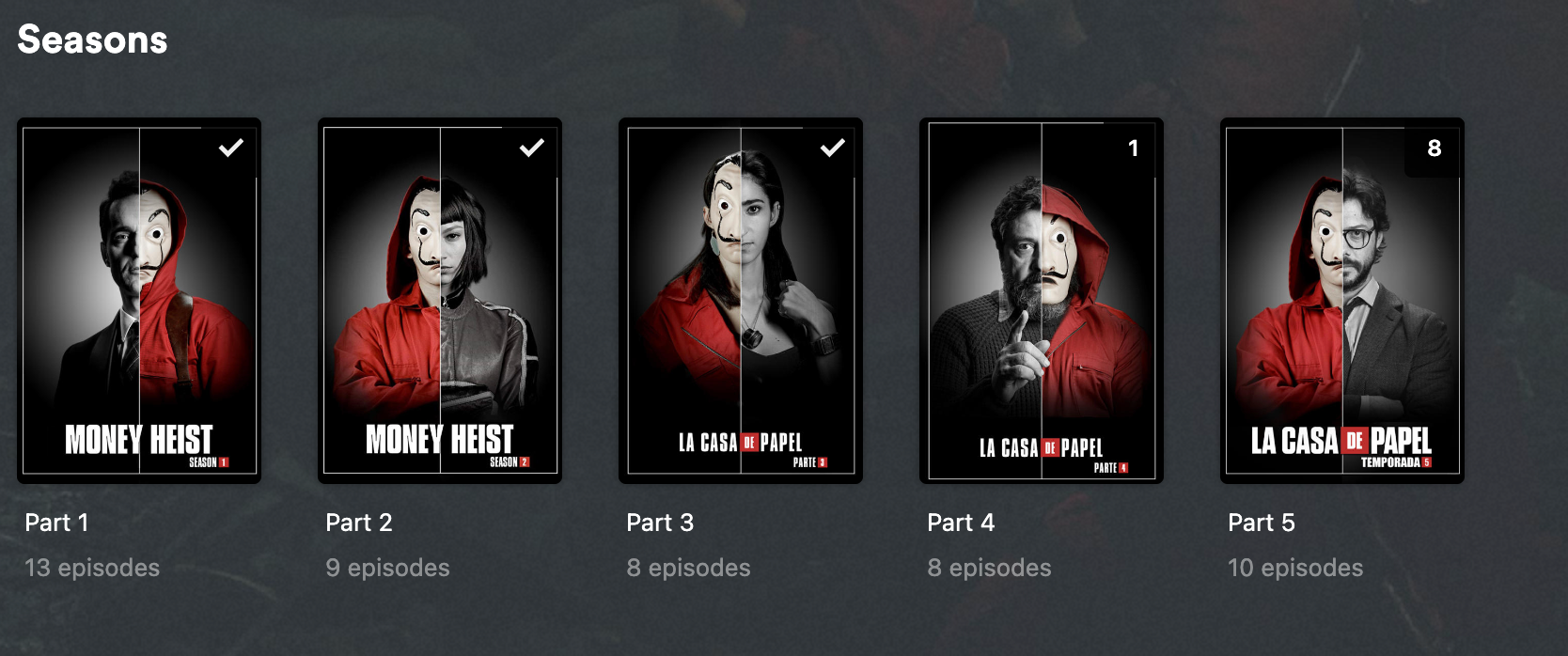
+1 for this i just had to re-add Money Heist which is an absolute nightmare, plex made it easy since it's supports Netflix order and didn't have to mess with file renames, all i had to do is flip a switch.
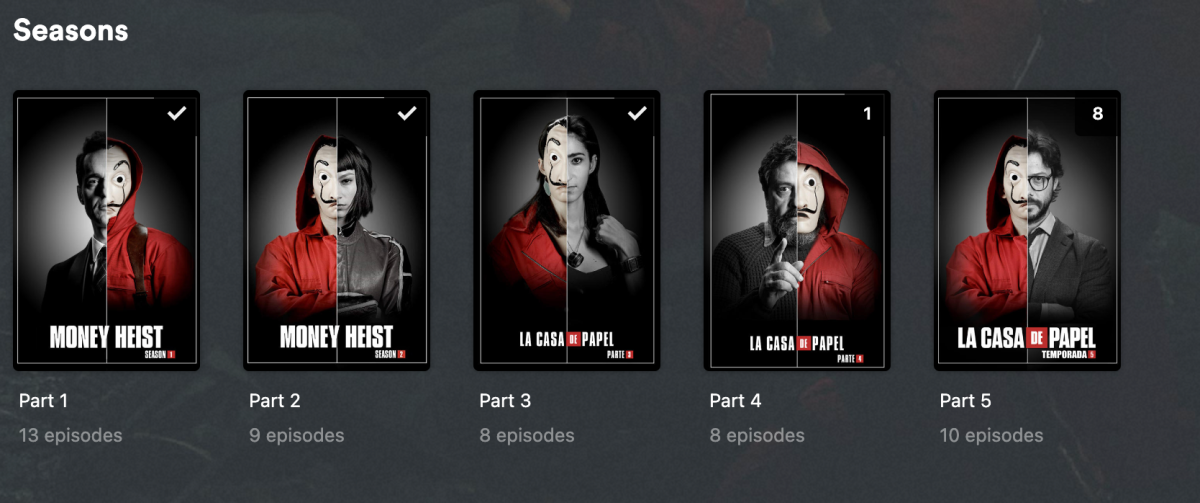
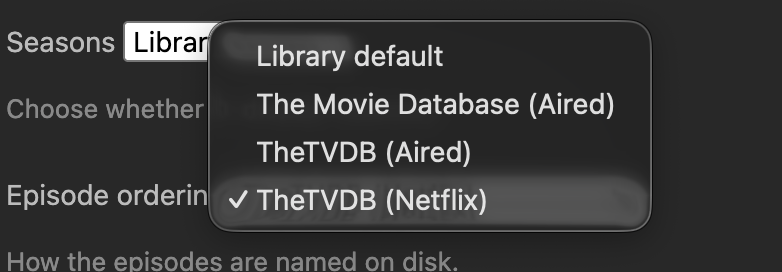 2 points
 -
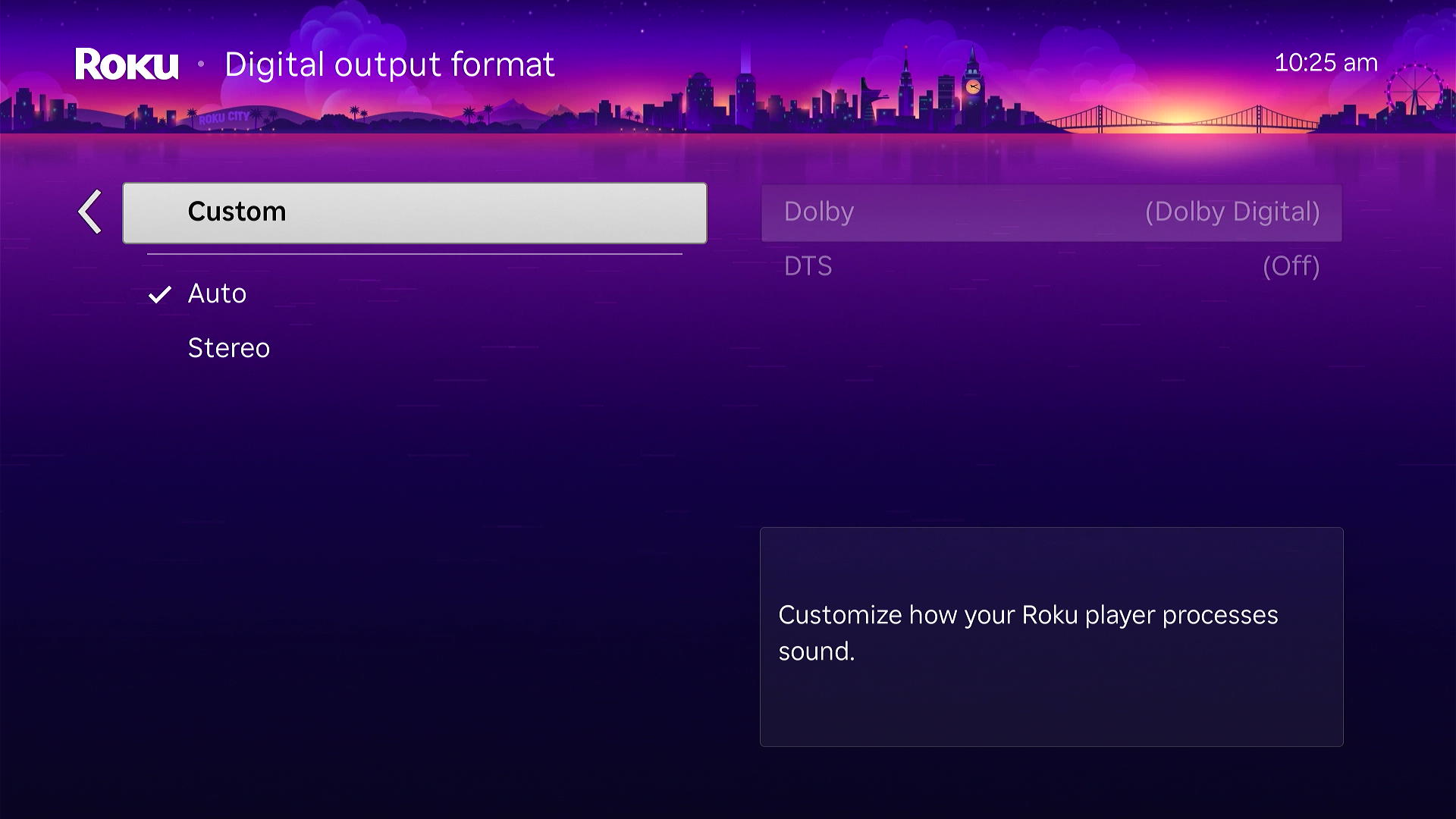
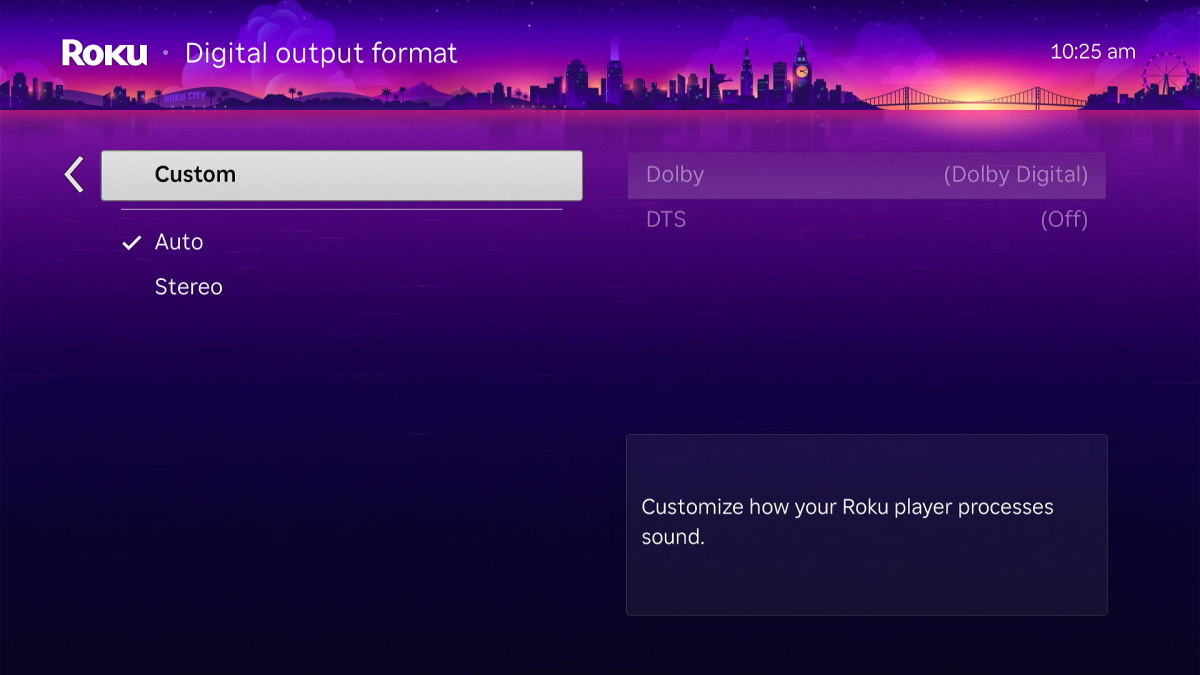
@One2GoOh no. That isn't supposed to happen. If you don't change something we don't arbitrarily force setting changes upon you when the app updates. But our friends at Roku might when the Roku firmware updates. They could change your audio settings and reset everything. That might be what is happening. On your Roku do you have Custom checked or Auto? You might want to select Custom and then Choose Dolby Digital and turn DTS to ON. The Roku audio settings are passed through to the Emby Roku app. The Emby Roku app uses these to build a capabilities profile. If you set those to Auto and depending on the order of the HDMI devices and which is turned on first the Roku may not understand correctly. With Auto it can incorrectly determine you have no support for pass-through at all. Or it might be simply that DTS isn't turned on. But it might also be the recent Roku firmware update which changed how AAC was passed. Before the Roku would assume it could decode AAC 5.1 even if it was converting it to stereo. Now the Roku reports it only has support for AAC 2.0 when it can support AAC 5.1 but convert to stereo. We will probably have an option in the Emby Roku app to handle this so you can still get AAC 5.1 to direct play in stereo. That same firmware change affects the audio. DTS-HD MA was never going to work with Roku using 7.1 channels. It had to passthrough the DTS core with 5.1. But it reported it could decode the full 8 channel DTS-HD MA even though it couldn't. But this might have changed if you turn on DTS and it still doesn't work for you. Once you change audio settings on your Roku you must RESTART the Roku for it to have any affect. Remember this. If Roku did change the DTS to now report a maximum of 6 channel support we could likely make a setting to fix it. Otherwise there will be needless transcoding when the device is fully capable of passing through the DTS core. I am hoping you are simply using Auto and need to change that to Custom and then enable DTS. Hopefully that is all this is. Please tell us what happens when you try. I haven't fully tested this myself. I was on other things and such. If you can try and after enabling DTS and restart the Roku it still doesn't work we will need to dig deeper. Let us know what you find. Thanks. If an ffmpeg log is created seeing that would confirm the suspicion.
 1 point
 -
Hi, we'll take a look at it. Thanks.1 point
-
For the people disagreeing with my previous post, not supporting migration forever means there's little value put on peoples data since that's a guaranteed loss of it and data is the most important thing for users. The cost for the devs is also very small since the migration is basically frozen in time, it only applies to a specific set of data that will never again change since each migration missed should be applied sequentially so it won't ever need maintenance.1 point
-
Sorry, little typo in my last post. the correct way is: In Windows Explorer, I have now linked R:\ directly to the \media folder. For example: \\192.168.0.123\media\1 point
-
Previously, there was a “Movies” and “Series” folder on the root of the NAS. I mapped the network drive directly to these folders in Windows Explorer. For example: \\192.168.0.123\movies Now I've created a “media” folder on the root of the NAS. The ‘Movies’ and “Series” folders are both inside this folder now In Windows Explorer, I have now linked R:\ directly to the \media\movies folder. For example: \\192.168.0.123\media\movies Now Emby recognizes everything. Thank you very much for the help/tip1 point
-
I have done a fair bit of messing around with trying to optimize artwork management for music. What I have found is that the cover artwork used for a song is based off of a combination of the Album/Disc Number/Artist. If those three piece of metadata are the same between files, then the artwork will be that of the first file processed by Emby. This is normally fine, as artwork usually does not change often enough for it to be a problem. However, in the case that artwork does change very often, this system causes a real headache to fix as you have to go to each individual song with the wrong artwork and change it manually. You can name an image file the same name as the music file and it will pull the artwork that way, but then you have to duplicate the cover image for each song and rename it to match the music files individually. Additionally, if you want backdrop/fanart images for specific songs or discs, there is not easy way to do that other than to go to each and every song and set it manually, one at a time. This issue could be mostly mitigated by being able to select multiple items at once and set an image for all of them at the same time, but that is not a feature. It would be very helpful if the artwork management process were improved for music. I think it would be great and far more powerful if metadata tags were created to be able to specify artworks to be used. Like you could add the tag EMBY-COVER to an audio file and it would have the filename of the cover artwork to use, and then you could also have a tag like EMBY-BACKDROP to specify the backdrop to use. This would also make it very easy to change the artwork later if needed.1 point
-
Hi, we are working on it. Thanks.1 point
-
I’ve recently started using Emby for music so I’m literally going through all this as we speak. I’ve come from random MP3s that I haven’t touched in years to an old iTunes library that was reasonable organised but still has tags all over the place. What works for me is to use MusicBrainz Picard before adding to Emby. Add your files to it, scan and hopefully select the right album version and save. This seems to produce a good consistent result for me. If my particular album isn’t found, well I’ve created a free MusicBrainz account so I can add the release in myself and then go back to Picard to find the release version I’ve just created. Yes it’s extra work, but it’s quite satisfying giving back to the community in the hope someone else can benefit from my contributions. Whether someone has the same taste in music as me, well that’s another story.. If you have massive random compilations or maybe your own created compilation. Then I’d recommend mp3tag. I do this where I have tracks that are part of incomplete albums/singes. If your file name contain the track number, title and artist then there is a function to extract them into tags for you. I’d manually add in a disc number and you can create a custom ‘disctotal’ tag (not sure if Emby uses this). The important thing is to define the ‘Album Artist’ tag to something like ‘Various artists’. This way your Emby library appears cleaner in my opinion. So the artists of proper albums appear under Album Artists. Anyone in a compilation appears under the Artists menu. Other things that I’ve found useful is configuring the music metadata providers to download multiple backgrounds for artists, as well as a logo and banner.1 point
-
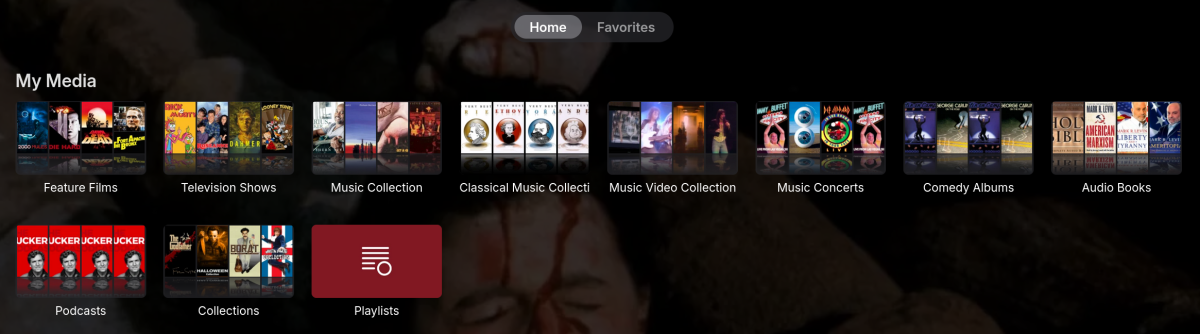
I can confirm that after the initial creation, the images never regenerate. I deleted all the genre images, and then re-tagged a few hundred files. I added genres, removed genres... and although the server picked up the genre changes, it doesn't trigger an image update. The only time an image collage appeared was when I created an entirely new genre which wasn't present before. Would it be possible to provide an option in the "..." menu of the genre to recreate the collage? As a quick fix? Just a button to trigger whatever routine creates the genre collage? Or have it occur when the other collages periodically update, like these do. Of course, you wouldn't want it to overwrite any custom image the user sets. If a user deletes the current collage image for whatever reason, there is no way to ever create it again currently. I prefer the collages to the custom images I currently use, so it would be nice to get them back. Have a great day...
 1 point
 -
I can't delete my previous post but In release now that it is 2004, not 2003, and that fixed it.1 point
-
My regular refresh is for windows itself - Task Scheduler weekly reboot of windows To shutdown and relaunch an app your script could wait for the process and any child processes to disappear before re-launching.1 point
-
@sa2000 I answered the above and now I have another item. You may be onto something. I want emby to refresh every night and I use task scheduler to shutdown emby every night. It must not be shutting down the previous version. I will remove the execution and ensure 1 version is running. Will give an assessment of that later today. AND Yes... I just checked and 2 versions were running. Thanks for spotting this.1 point
-
Just checked it, 2.1.46g version.1 point
-
I love this idea would be great to have a feature like this on emby1 point
-
@LukeWhat's the ETA on this feature ? The feature request was added 6 years ago... You said it was in your to-do list nearly a year ago. This is getting ridiculous.1 point
-
Yes, it would be useful, especially for my case because my intention is to have "Action4" subfolders in many parent folders so when I just see "Action4" I will have no clue on which parent folder am I browsing. Full path however might be too verbose in case your files are in deep structures, so I think if you consider improving this part it would worth making it configurable.1 point
-
Great Job, good app. Would it be possible to have the percentage of views in a given location if a user has watched a film in its entirety or if they have only watched 50% of it? A small bug, the libraries displayed is the names of subfolders and not the names of libraries.1 point
-
You can certainly publish it here and we might even put it into the catalog, but we're not going to inject your code into our store apps like android, windows and iOS. For one, apple has policies against pulling down and executing dynamic code. The others may or may not, but that is only the beginning of it. You could accidentally push an update that breaks the detail screen and then your users will be coming to us for help, leaving 1 star reviews, demanding refunds from the app store, etc. This is something that we already deal with even for plugin updates that run entirely on the server. A plugin injecting code into our UI would bring that risk a hundred times over. You could also publish a new feature with good intentions but unknowingly cause our app to violate one of the store policies. Your javascript and css would have to be able to run on really old web engines. We'd have to have access to your source code and gate your plugin updates with a review process so that we could go over every little detail, test ourselves, etc. And then on top of that whenever we update the app, we'd have to incorporate your plugin into the testing process in order to ensure that the combination of the existing plugin and the updated app doesn't break anything. So it's a lot. I don't want to discourage you though because you can certainly publish it here in the community. If it gets enough interested users then it could be the kind of thing that spurs us towards having the feature built-in. In fact, there is a very similar example in the community right now of a feature I will not name but we ended up hiring the developer to help make it a built-in feature for us.1 point
-
Hi, there is no setting but I think it would be nice if we did full breadcrumbs.1 point
-
Yep all good with that version!1 point
-
OK please try this: MediaBrowser.Plugins.Anime.zip1 point
-
@ebrI'm still hoping to get this plug-in integrated, even if it's just at the web client level currently. I understand a plug-in like this warrants additional scrutiny but I'm willing to submit to any security validation you need to approve it.1 point
-
The latest update seems to have fixed the issue for myself at least! Thank you very much1 point
-
Yes there would need to be new naming conventions for images, as well as lots of decision making in the apps over what image to use at what time.1 point
-
This is not a solution to the actual issue. While this *can* cause the problem it is not the ONLY time you will see the issue. I was initially seeing this problem while organizing my music. I setup a master 'Music' folder and added that folder to emby to index. I then started going through all my music and tagging it properly and gradually adding it to the master folder. I was going nuts because I would copy a folder over, find an error in the tagging once it got indexed, then change it in the tagging program, have emby update the tags/reindex, and the error would still be there. That's why this thread has been open for so long! The actual issue is that whenever emby runs a reindex of your music it is not checking the tags and updating those in the database unless the filenames of the files on disk have changed. While I'm sure this greatly speeds up the indexing process it is not an acceptable way to reindex the metadata! At the very least, there need to be an option that forces emby to reindex the entire library regardless of the name of the file on disk for a specific library or preferably there should be a way (for music libraries at least) to update the internal tagging while ignoring changes to name on disk. Personally, I regard this as a blatant bug. Other media formats do not contain these internal tags (at least not in a way that is as meaningful or could be changed). Not having a mechanism to update the tagging for a song/album without doing something as janky as moving the file out of your library and adding it back is the definition of a bug.1 point
-
EmbyNewOverlay.dll V1.1.0.1 What's new Added item type and expiry date for tag rule.1 point
-
I can say that this happens when you try to resume a movie and it craps out for whatever reason, then it will reset itself to the beginning. (This happens to me quite often because I have one particular array which is slow to restart from hibernation and Emby often times out before it has spun up) Whether this is the same problem or not I cannot say. I never bothered to report it.1 point
-
Been running Emby since 2015, and I also never had an issue with external connections, many ISP's are using CGNAT now, so its not as easy as it used to be with simply opening a port. Basic understanding of Networking is important to make sure you run things securely, otherwise you just open ports and get hacked.1 point
-
Is it possible to link items in your Emby library to other items in the overview section of albums, artists, playlists and collections?1 point
-
I created a help section library of my own, that my parents can refer to as many times as they need to, when they forget how to do something. Screenshots / photos / short videos that you can create yourself and drop into a 'Help' section on your home screen. Perhaps this would be an option for you.
 1 point
 -
But posters aren't tagged with languages in Emby. You'd have to overhaul the database to do that. Completely alter the way you're storing and naming images. Introduce code to change the UI on the fly, which currently doesn't exist. It would be a significant job, for something that very few users are ever going to encounter.1 point
-
Other than the "no way to really tell" what the error was. I have noticed it's very hit or miss as to whether anything will Direct Play on my system (seeming to be closer to 50/50, when I decide to pay attention). Since it seems like there's no "solution" (e.g. why the inconsistency), I just threw a decent size partition at it to let it transcode. I don't like the potential wearing of an SSD at these prices, but it's cheaper than throwing the same amount of RAM at it . I guess the only other half of it is Emby stores the entire transcode until the stream stops. Which means if I want to let the fur kids watch MeTV Toons all day while I'm at work (or a curated channel of Disney movies, if I want to terrorize them about losing a parent... ), I'm going to have to find a sweet spot in partition size and creating a script to delete the transcode files older than a couple hours.1 point
-
Hi, yes we are working on improving this. Thanks.1 point
-
Hello @Luke I'd like to hear from you regarding the 4 points I mentioned. The way I see it, the A-Z search and a clock should be basic functions not needing a feature request. Regarding the chapter selection and a dedicated button for the next episode, those already exist in the android TV app. I could open a feature request for these, if necessary. What do you think of these? Please let me know.1 point
-
Buenas. Desgraciadamente el Fire Stick con los archivos con codificación x265 va fatal, siempre tienen que convertir el vídeo y a veces va bien y a veces no (no sé si por el hardware de servidor o por el del cliente). A mi también me pasa.1 point
-
I think there was more than one issue with both server and client side issues. This is why it has taken a few goes to fully resolve, and for some the server fix is enough and others need the client fix1 point
-
Well I’m using a Xiaomi TV box now and it work’s pretty fine, but it will be very convenient if I’m using only tv system.1 point
-
1 point
-
Hi all, I'm the proud owner of a new LG OLED which looks asbolutely stunning. Since I do plan to keep using it for quite long I am quite concerned about burn-in. I have all the built-in protection enabled but when watching HDR content on emby the subtitles are always blinding me at full brightness. The OLED of my friend already had burn-in there after two years. Therefore it would be pretty cool if I could sett the subtiltes to be a bit dimmer when watching HDR content. Thanks for the awesome app!1 point
-
Is there plans on the roadmap for OpenID. I have searched but not found any indication this is in development. With many admins taking up SSO through Authelia or Authentik to enhance security it would be great for Emby to support it. One of the easier open standards is OpenID which the aforementioned support. Users could continue to use LDAP if they wish while others can use the arguably better SSO experience.1 point
-
For the web client I implemented a pragmatic solution using oauth2-proxy: https://github.com/xyxxyxxy/emby-web-oidc-bridge oauth2-proxy handles the OIDC interaction and provides a session. The emby-web-oidc-bridge uses that session to provision new users via the Emby API and logs them in using injected JavaScript on the index.html. For the user this looks and feels exactly like OIDC login on the web. No modification to the Emby server/client needed. For non-web users there is a /account page showing the generated emby username/password.1 point
-
I am writing to request a feature addition for the Edit Metadata section regarding TV show episode matching. Currently, Emby allows users to choose between Aired, Absolute, and Dvd under the File order setting. However, it is missing International Order (sometimes referred to as Alternate order in other media servers), which is heavily utilized by major metadata providers like TheTVDB for global releases. Without this option, tracking correct season and episode numbers for long-running international shows is highly inaccurate. For example, with the series Pokémon: Aired, DVD, and Absolute Order: The episode "Princess vs. Princess" is categorized as Season 1, Episode 52. International Order: This exact same episode is categorized as Season 2, Episode 1. Because Emby lacks the "International Order" toggle, it makes matching local files to correct internet metadata incredibly difficult for these specific broadcast regions. Other platforms utilize an "Alternate" or "International" order option to bridge this gap. Could you please look into adding International Order to the "File order" dropdown menu in the TV Metadata settings? Thank you for your time and support. Kind regards, Nathan1 point
-
It would be nice to have an option similar to this in Kodi, where you can set diffrent birghtness for the whole UI (including subtitles) when in HDR mode. Even better if there would be choice to either dim only UI, only subtitles or both (plus an option to disable dimming). Right now, not only subtitles are very bright, but a lot of UI elements that appear during pause or seeking as well. For now, adding an option to quickly access subtitle settings from playback UI (just as it was recently added to Android app) and making sure there are darker subtitle colors to choose from (such as grey or darker white) would still help a lot. But still, something like Kodi would be preferable, as it could fix UI being to bright in HDR and users wouldn't have to manually switch colors between SDR and HDR. Also mentioned here.1 point
-
@softworkzis there a roadmap at all? I'm having to use both Jellyfin and emby at the moment but would love to just migrate to just Emby.1 point
-
While Emby already has recommendations built in based on previously watched items I find they are not all that helpful. They seem to be based on genre only, for example, because you watched a comedy here are other comedies in your library. I do like how the also directed by/appear in recommendations work though. What would be great is if Emby could incorporate Trakt's recommendations as they are much more sophisticated. Trakt's recommendations are not only based off of what you have previously watched but also what your Trakt friends and other Trakt users have watched. It takes user ratings and trending/popular media into account. Ideally Emby would include full Trakt integration allowing users to rate media after watching, view lists and recommendations, and view upcoming media all from within Emby but for now I think recommendations would be a nice addition. Trakt has the potential to give Emby that community feel and allow users to discover new media, find something to watch, and recommend media to other users. http://docs.trakt.apiary.io/#reference/recommendations1 point
-
Like I said, it's plausible, but it's not like I know when each update get released and when I actually update. The freebsd official package had been held back for a while too at some point so that might had something to do with it. But for a multitude of reasons, people might held back updating for an undetermined period of time so not supporting migrations forever is just bad.0 points