
Leaderboard




Popular Content
Showing content with the highest reputation on 05/28/26 in all areas
-
I just installed it and it rebooted fine. Now I just need to learn how to use it effectively. Haha2 points
-
I have this running on latest beta, and since @yockeris a champ when it comes to updates i always download the latest dll. from his Github and replace the existing in my programdata/plugins folder the reboot the server, works like a charm everytime.2 points
-
You trying to make my plugin obsolete? Please do! Anything that makes time marks easier and better is absolutely awesome! Good work!2 points
-
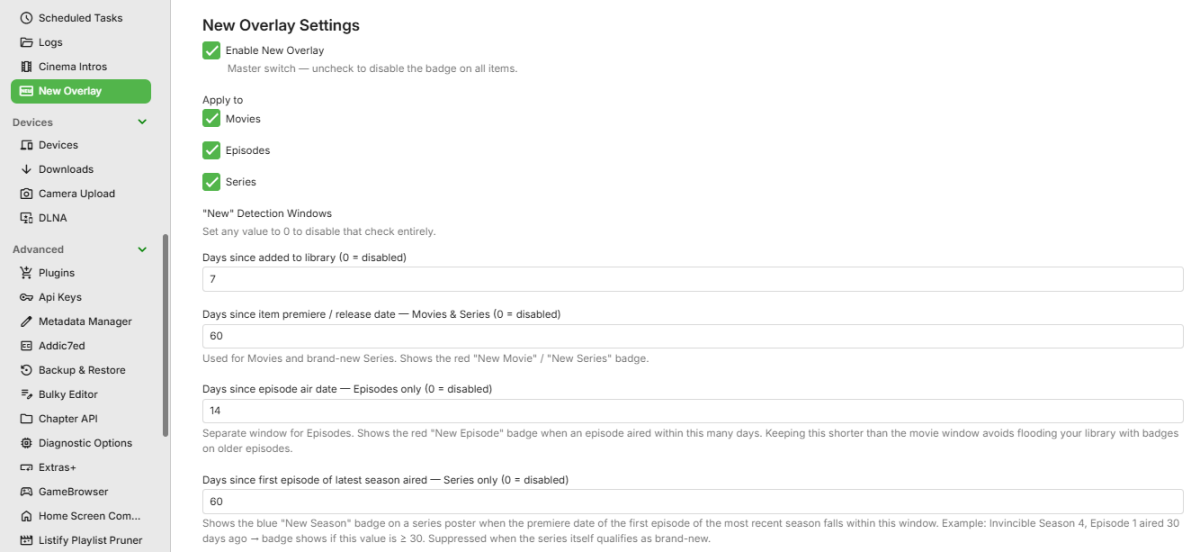
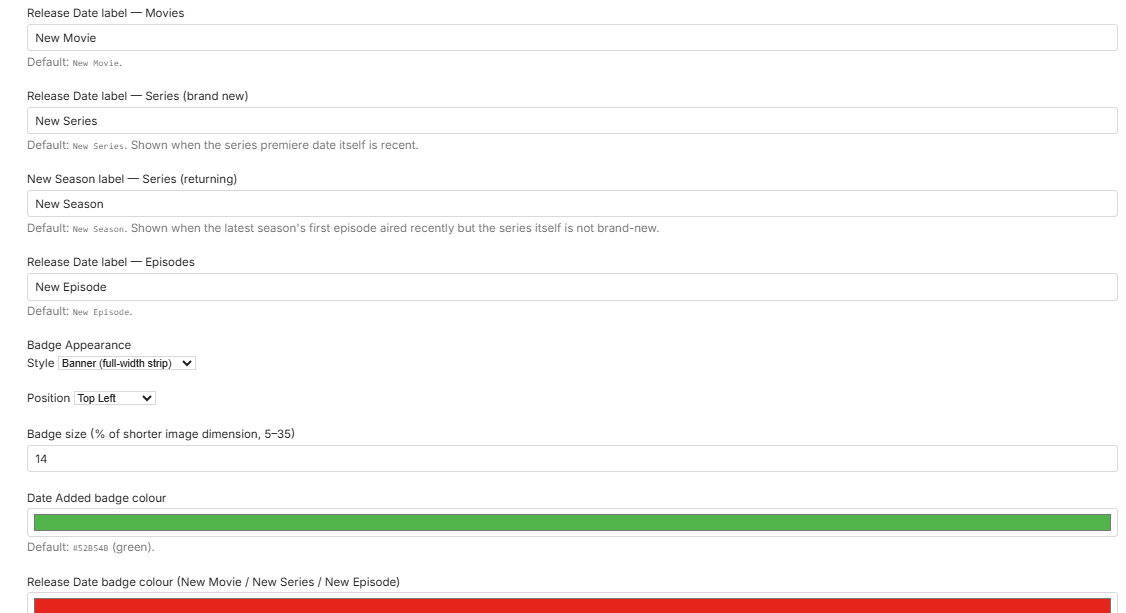
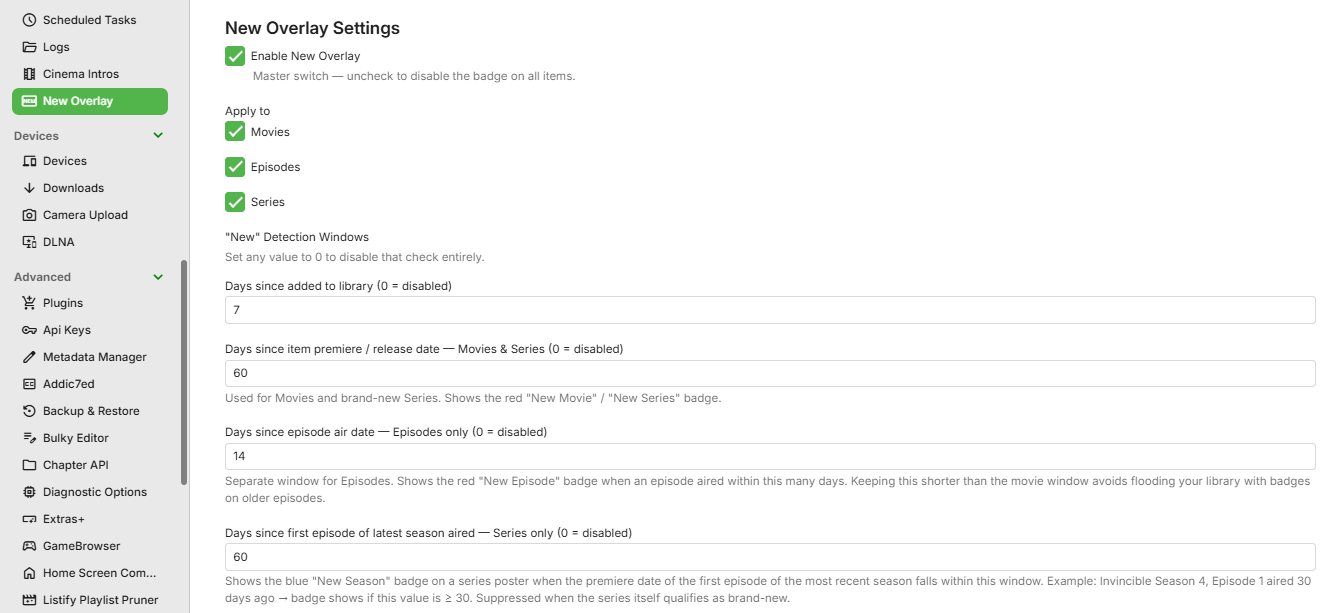
V1.1.0 What's new Fixed ribbon text appearing mirrored/flipped on 3 corners. Implemented year-based filtering for 'New' badges. Added Tag Badge rules — assign a custom label and colour to any Emby tag, (overrides the default date badge). EmbyNewOverlay.dll2 points
-
Been running Emby for a decade now..never had issues with outside connections. Every time someone has had an issue in the forums it has always come down to a problem at their end. Router could not be opening ports, ISP could be blocking traffic, CGNAT messes, etc.2 points
-
I for 1 don't have connection issues Its always something in the server admins setup that's not setup right. Or has not been done.2 points
-
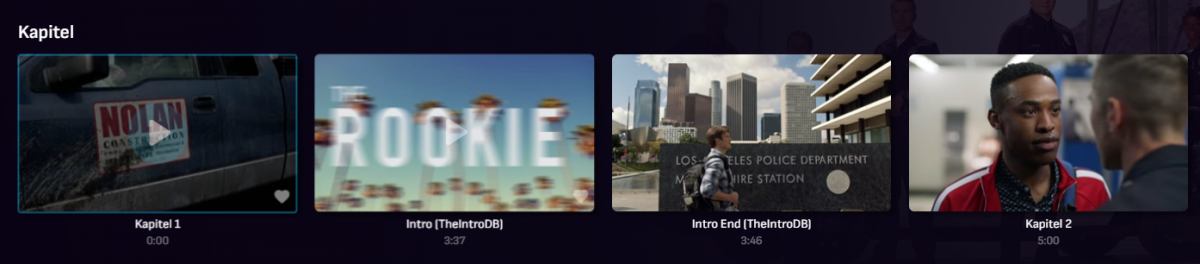
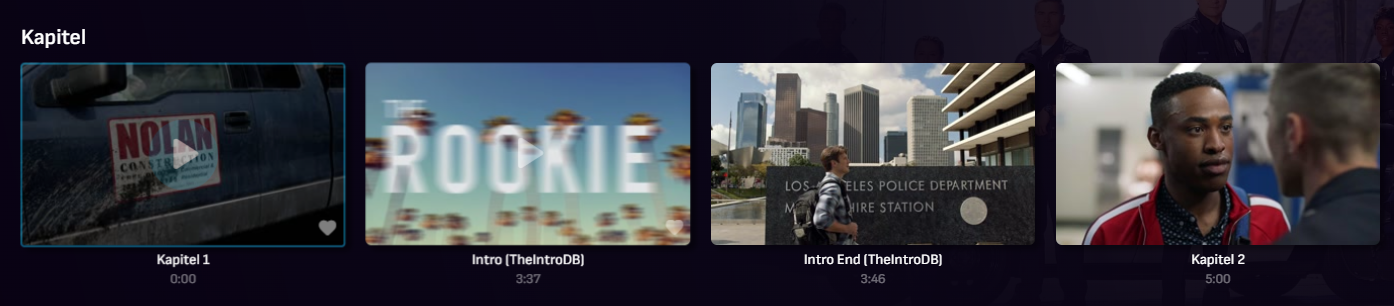
I am not the creator, but I recently found this Plugin now available for Emby (for people that don't want to spend time on extracting Intro, Credits etc. on their own systems). The DB relies on community feedback. For sure it's not as perfect like e.g. @yocker's tesseract extraction since there are lots of different versions and releases of movies/TV shows, but dev is very responsive and the Emby plugin simply works since last version. Perhaps interesting for a few users here like me. As far as I can see, the plugin sets up an own db in emby data folder and injects identified markers as chapters into Emby. https://theintrodb.org/ https://github.com/TheIntroDB/emby-plugin
 1 point
 -
Essentially, I love Emby. I've been a lifetime user since before the rebrand. Thank everybody for their hard work. The android apps are great but they're both off when viewing them on a larger screen, ie. a Google or Android enabled television. The regular Android app¹&² is fully functional but with it's animations and other elements, obviously designed for smaller screens and the for Android TV³ version is designed for bigger screens but missing certain functionalities like trailers and display augmentation for things like playlists. For further detail, instances like viewing the description of a film in the Android app¹&² on a TV turns the entire screen gray, which is jarring, especially when all the other elements are transparent. But on a when viewing on the film description on your phone, it's not only transparent but scrollable. Or when shuffling films in the Android app¹&² on a TV, if you scroll thru the next items, the posters sit atop chapter background artifacts, as opposed to just showing the posters themselves but on a phone it's laid out appropriately. I haven't finishing going thru all the differences between the three versions (the same Android app¹&² on small and large screens, and Android TV³) but these are some of the ones I've noticed and slightly impact viewing.1 point
-
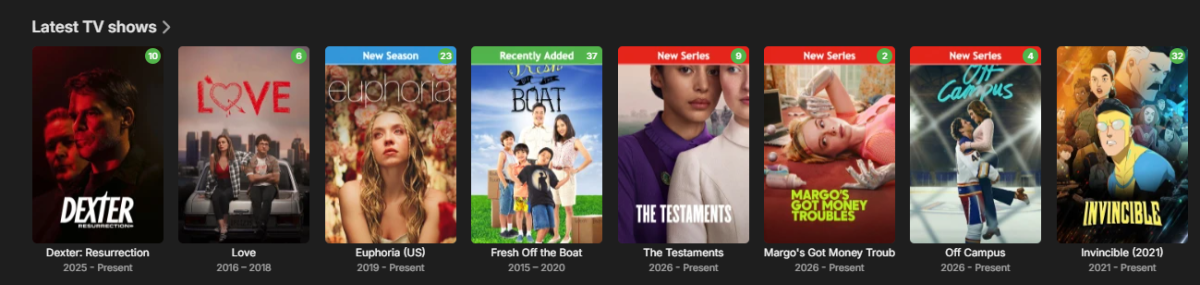
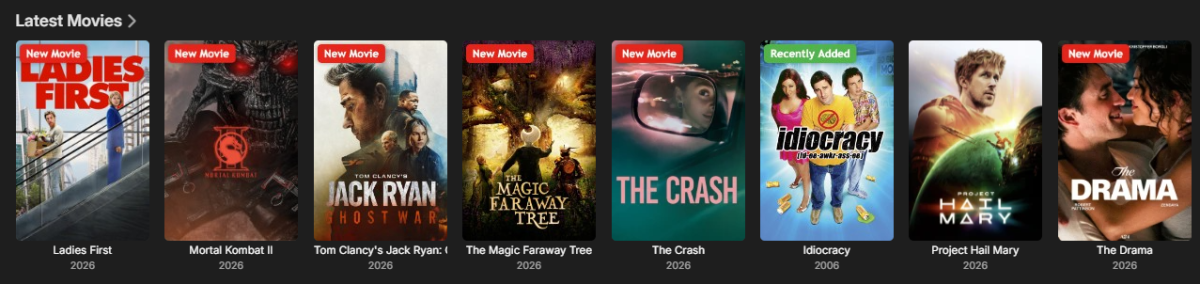
I created a plugin that adds customizable “New” badges, banners, or ribbons to library items based on release date or date added. It works with movies, TV series, and episodes, making it easier to highlight newly released or recently added content in your library. Give it a try and let me know what you think. Here are some screenshots: EmbyNewOverlay.dll
 1 point
 -
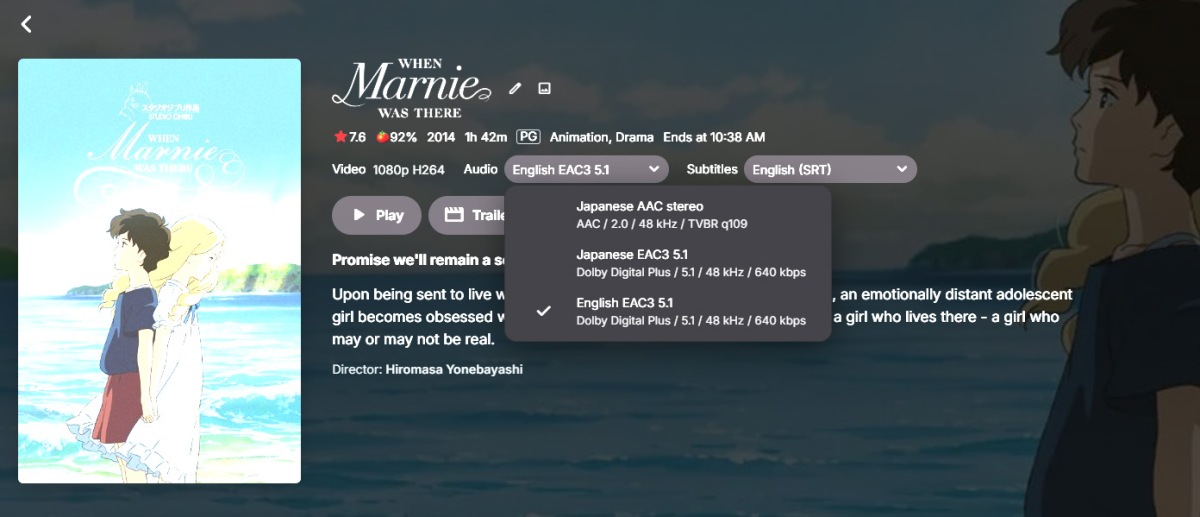
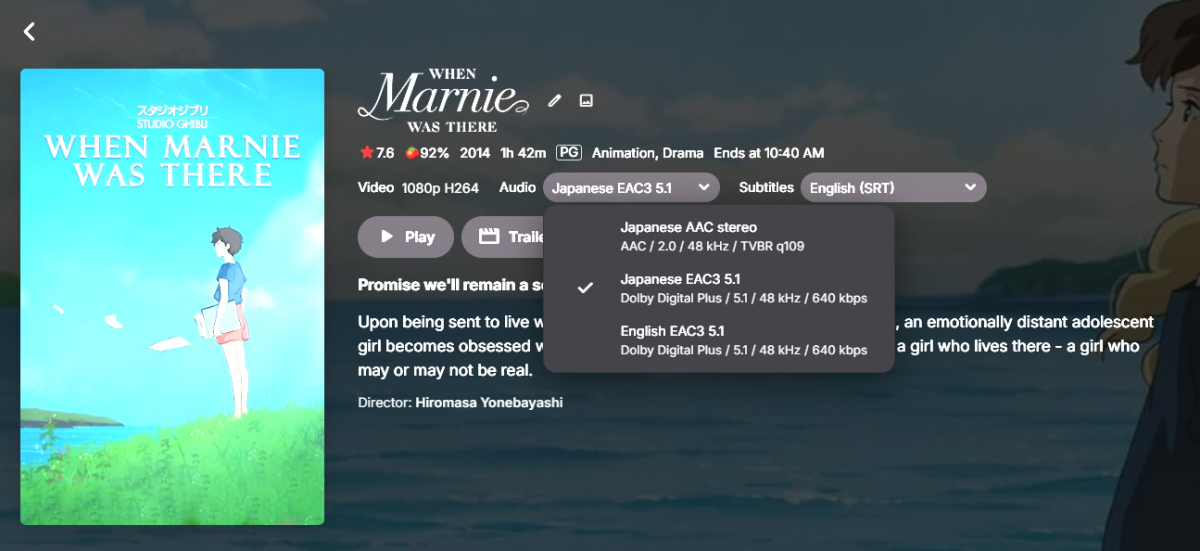
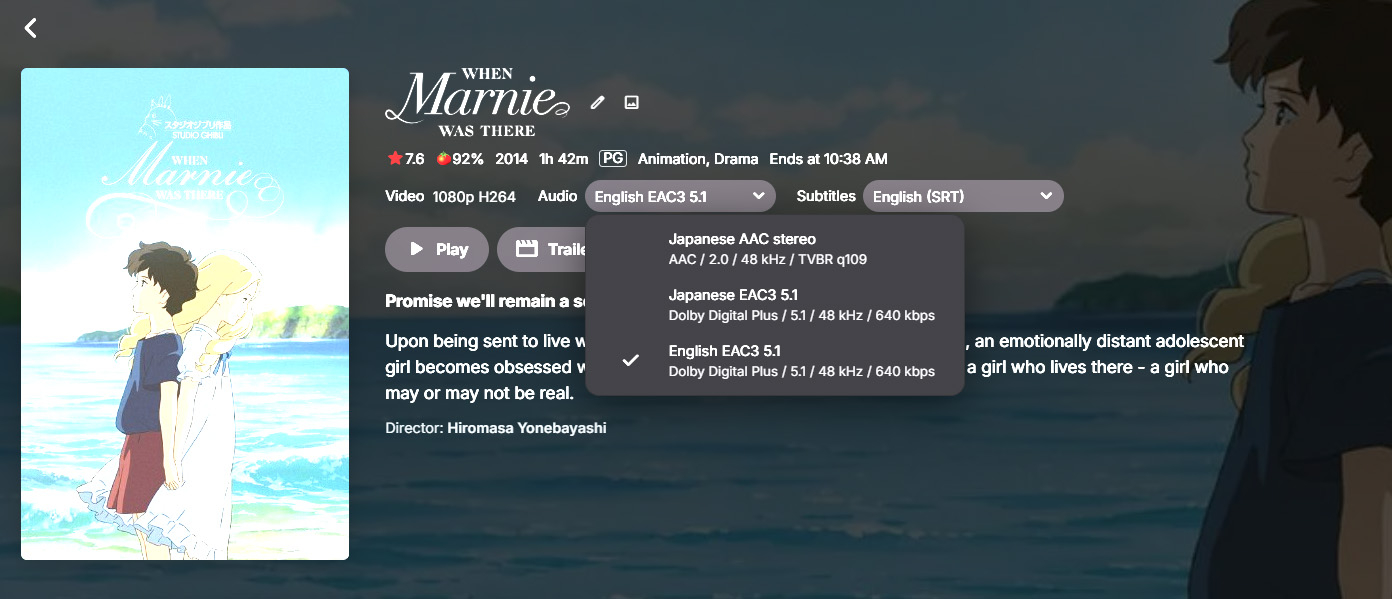
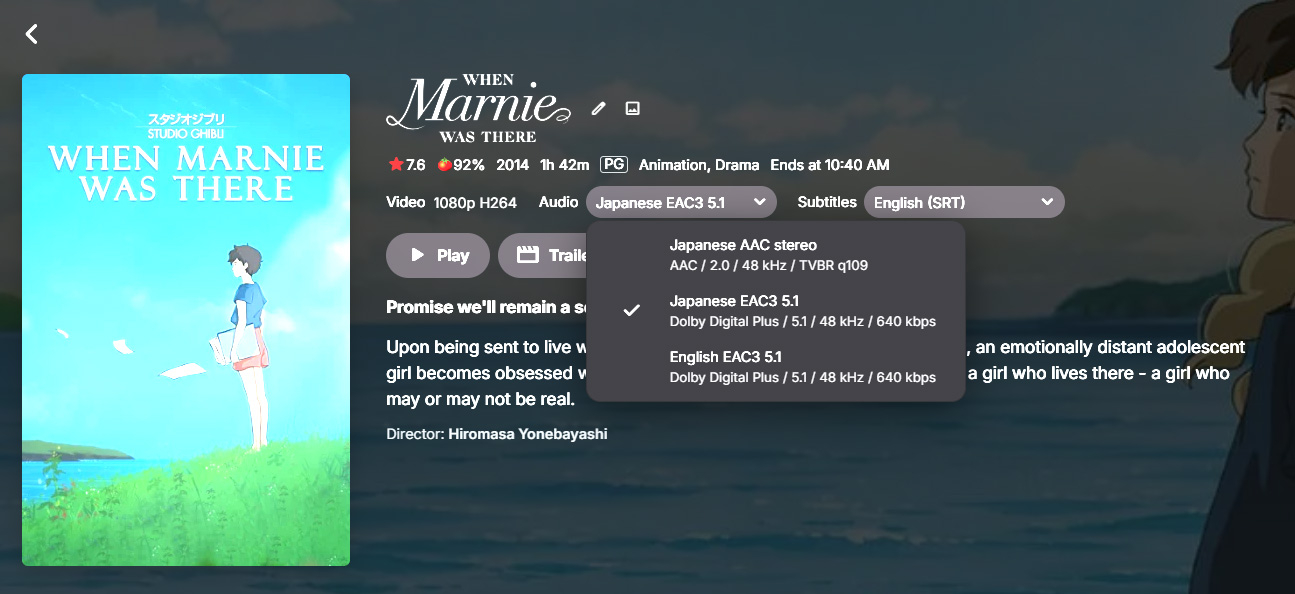
Hi, is there any way to change a movie's poster (also) based on the audio track? Let's say I have an animated movie with two different languages (English and something else), can I select the English audio track and let Emby show the English poster and by selecting the other audio track show a different poster? Would be great for movies with different dubs and even different titles (like Zootopia is called Zootropolis in Europe I think). And it would of course be even greater if there could be an accompanying summary (that you can enter manually, as I don't think the metadata providers provide in other languages than English?) in the user's native language, for example so that kids can read it easier or by themselves. (Sorry for the bad images, these are caused by HDR)
 1 point
 -
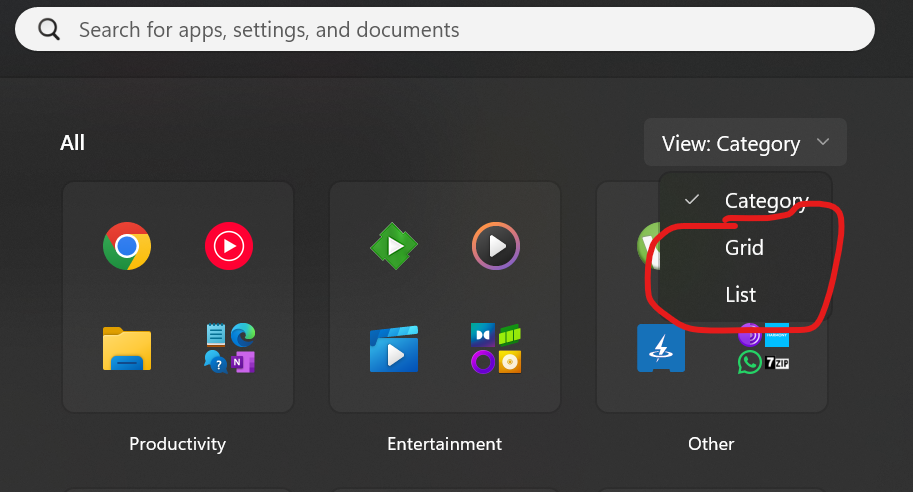
I see the issue in the steps now. Windows 11 defaults to the 'Category' view unless a user changes it. When in category view, you cannot drag and drop apps across. You need an extra step to switch to 'Grid' or 'List' views, to enable dragging and dropping an app from the Start menu. This works for me now thanks.
 1 point
 -
I am back with good news possibly. I don't want to jinx it, but it seems after removing all libraries and re-adding them, things are MUCH more stable. Haven't had it hang in almost 24 hours now.1 point
-
I can add that in the next update1 point
-
Run as administrator.1 point
-
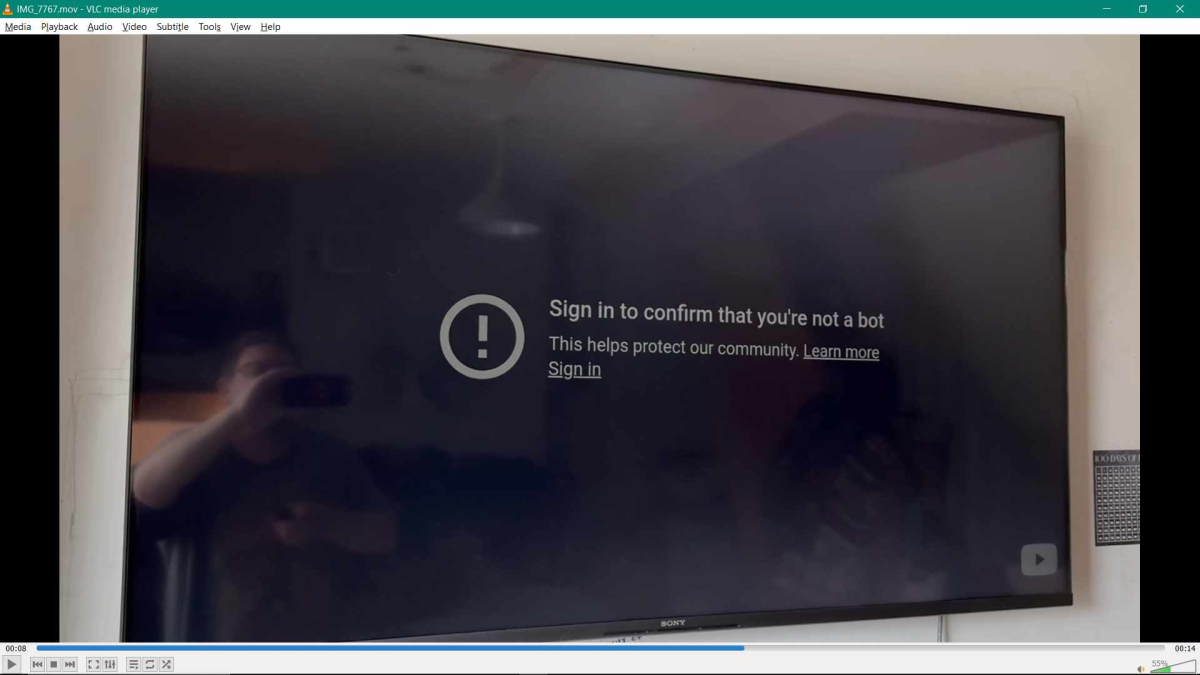
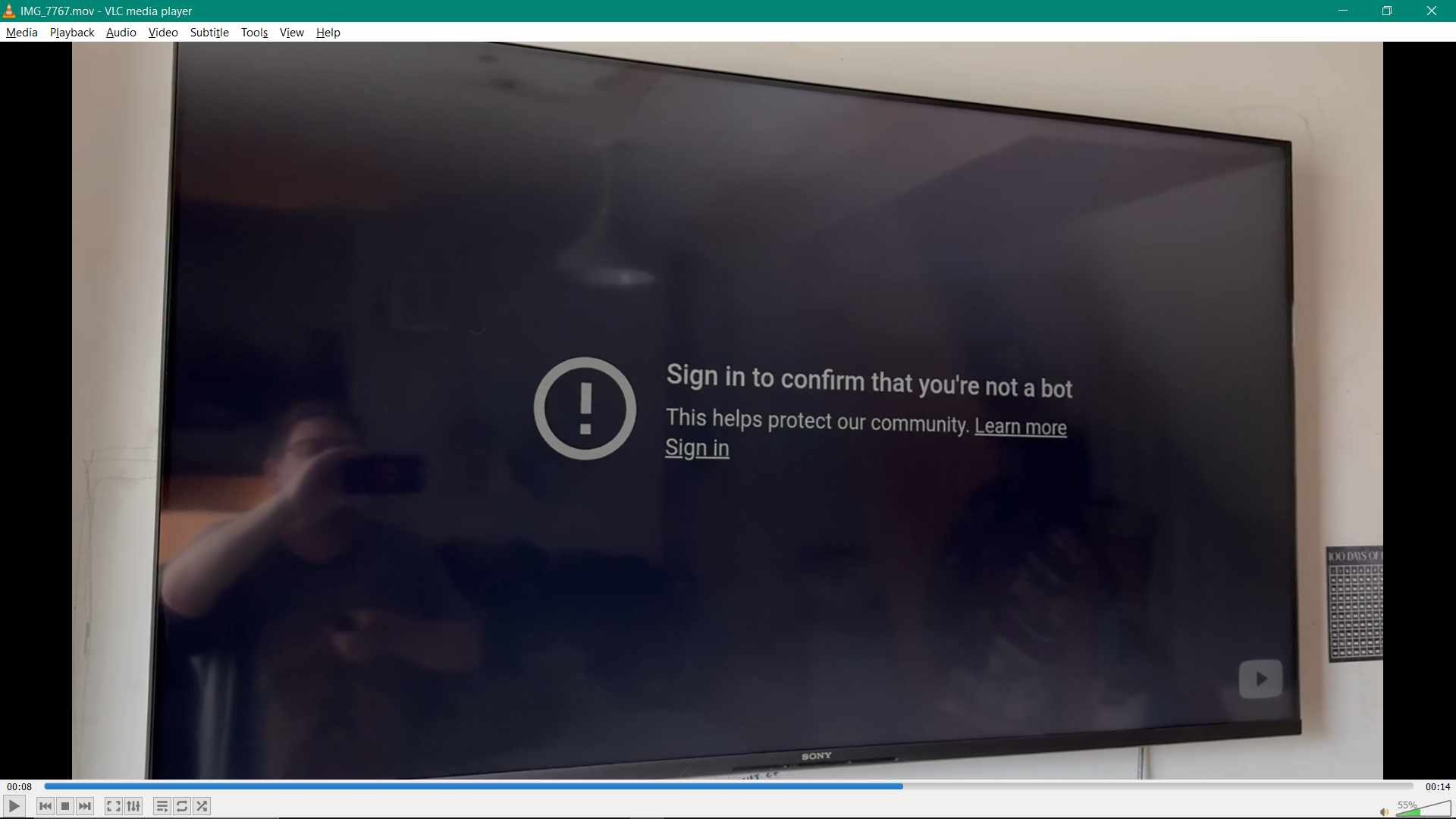
This is a Youtube server alert to protect against bots. I believe having a VPN connectin can cause this alert. I would guess that the VPN is the issue in this case. Sometimes a VPN in the US or Canada might work, while an overseas VPN location is blocked. Also, it could be that youtube account with a cookie saved for that browser or with the TV cache might be required to stop the alert. This is a typical issue from Youtube and it can happen from time to time for different security reasons whenever youtube changes it's security setup for embedded videos. The best fight against this would be to have your own trailer media copies added to a subdirectory trailers in each media directory. Otherwise, you are at the mercy of whatever new security check is added to Youtube's network, often multiple times a year. See: https://wpauthorbox.com/how-to-fix-youtube-sign-in-to-confirm-youre-not-a-bot/ from search: https://duckduckgo.com/?q=youtube+sign+in+to+confirm+you+are+not+a+bot&ia=web You can request that Emby somehow manages all these security issues for all browsers and TV apps. I am not sure that is even possible. Youtube may be demanding no VPN's or that a youtube membership be active in a cookie. If that is true, there is no Emby code trick to get around that.
 1 point
 -
Strange, still having problems? If so then please enable debugging in Emby log AND the plugin, shut down Emby and start it again and then send me the log. I will hopefully be able to to see what is happening then, because from my testing it works as it should with the beta. Also, after you have done that, if you want, you can try and delete the plugin configuration (Remember to take backup) named EmbyIcons.xml located in "plugins/configurations" It might have gotten corrupted somehow or some library settings have changed.1 point
-
Year based filtering works like a charm. Thanks!1 point
-
Hi there! First things first, is it possible to get a log file for when you are doing the scan? Also, some additional info is requered to try and find whats wrong. What is your server installed on? Linux, windows etc.. How is your source media connected to this server? Does anything of the movies etc. you added show up at all? Has this happened before? Have you done any changes in your library/settings recently? How are your settings right now in your server in regards to your library folders, including other relevant folders such as metadata etc. and make sure that it isnt a permission issue when the server is reding the files in this/these folders. N.1 point
-
It's the client code running on the TV that needs to be updated. Not the server code.1 point
-
Looking at your link vs mine it seems the tags have changed: old - docker pull emby/embyserver_arm64v8:latest new - docker pull emby/embyserver:latest-arm64v81 point
-
It was that I didn't have the plugin at all. I think awhile back it wasn't needed, and I never installed it because I was still using cablecards.1 point
-
Thank you This has been referred to the development team1 point
-
It just happened again. Crash File attached. Emby-2026-05-28-102858.ips1 point
-
All segments are submitted by users and contain only the timings. Different media releases (e.g. theatrical, extended cut, etc.) are identified based on the total duration of the media. https://api.theintrodb.org/v3/media?tmdb_id=1084242&duration_ms=72000001 point
-
I did NOT know this. Thank you so much for the tip!1 point
-
You may already know this, but it's a little easier manage the lineup in CDVR (either set favorites or hide channels). If you set favorites in CDVR, you would change the M3U in Emby to http://xxx.xxx.xxx.xxx:8089/devices/ANY/channels.m3u?format=ts&filter=favorites. Also to get two weeks of guide data, you would change the xml guide entry in Emby to http://xxx.xxx.xxx.xxx:8089/devices/ANY/guide/xmltv?duration=1209600.1 point
-
Yep, that was it! Thank you all! Looks like I've got a bit of channel clean up to do, but seems I was able to pull all the Fios channels in fairly easily.1 point
-
I also have the same M3U Tuner plugin, same version. Channels DVR works great as a backend for Emby.1 point
-
I have an m3u plugin though, version 1.0.42.01 point
-
For me, Windows 11 -
.thumb.jpg.70f9a2d99aa01f601ef33e8f37b074ea.jpg) 1 point
1 point -
It's there, just slightly different names. @sa2000can update the docs. Thanks.1 point
-
Well thanks for the feedback. This is just the first release and there will be improvement and new features in the future.1 point
-
Just installed the latest Emby beta for Windows. EmbyIcons seems to work as it should for it.1 point
-
I believe the Emby team has some problems with the latest beta version plus the plugin has never been tested with the beta. I will look into it though. Thanks for reporting it.1 point
-
EmbyIcons hasn't been tested with the latest beta yet so might not work with that.1 point
-
Hey, I'm Pas, the creator of TheIntroDB! I'm glad to see the community already adopting the plugins and sharing them before me lol. Currently, TheIntroDB has 84,789 public segments across 2,061 TV shows and 282 movies! And because the times are submitted and verified by users, the segments are much more reliable automated identification. Plus, it not only supports intros and credits, but also recaps and previews! I might not be very active on the forum here, but I'm responsive on Discord: https://discord.gg/ZbkSHAwWPg You can find more info and help contribute here! https://theintrodb.org1 point
-
Rebooting my Mac seems to have fixedit. I'll keep monitoring. Thanks.1 point
-
Yes - it's just that media.emby.client.beta might change and /opt/Emby-Beta/Emby won't, Also - that shouldn't be done. The apps are different and independent from each other - just FYI. Looking at the full conversation now, I have to say sorry for misguiding you. Whe should have said this: The beta app does not have MPV HW acceleration support for RPI and other ARM devices yet (this is currently in the works). The only way that works reasonably is by specifying the --nompv CLI flag, which will give you Chromium-based video playback. (see https://support.emby.media/support/articles/apps/linux/Emby-Linux-Flags.html).1 point
-
There are also hundreds of people who do not have this issue, so it not as easy as saying "it's on Emby's end". Even if it is something in Emby that could be changed to work better in your environment, there is still the need to find out what is different in your cases. It's hard to know even what questions to ask; but answering those which are is at least a step. Paul1 point
-
Hi, yes this is something we need to look at improving on. Thanks for the feedback.1 point
-
That information is collected from the meta supplier of your choice. All Emby does is collect and display it. In order to make the change you want, you would need themoviedb.com, thetvdb.com and others change the information they display for actors.1 point
-
Hi there, let's look at an example. Please attach the information requested in how to report a media playback issue. Thanks!1 point
-
@gu5gus My tests on Emby Server 4.9.3.0 were ok as well - when the network drive was re-established following having it disconnected and running a scan whilst disconnected, all the images came back except for the library composite image and that required a rescan of the library. So similar outcome to 4.10.0.11 Will need specific examples of a show / movie that had images before and no longer does after the metadata path was remounted and to have logs covering the time of viewing the media show / season or whatever lost the images For the logs you provided the only image related error was to do with one media item not having a backdrop There were logged errors to do with the media paths not being available 2026-05-03 16:57:57.379 Error App: Error in validateChildren for 33313 /mnt/media-library-ro/Audio Books, Radio Plays, Lectures System.IO.DirectoryNotFoundException: System.IO.DirectoryNotFoundException: Could not find a part of the path '/mnt/media-library-ro/Audio Books, Radio Plays, Lectures'. 2026-05-03 16:57:57.380 Error App: Error in validateChildren for 704464 /mnt/media-library-ro/Video/Comics & Magicians System.IO.DirectoryNotFoundException: System.IO.DirectoryNotFoundException: Could not find a part of the path '/mnt/media-library-ro/Video/Comics & Magicians'. 2026-05-03 16:57:57.384 Error App: Error in validateChildren for 575926 /mnt/media-library-ro/Ebook Library/ System.IO.DirectoryNotFoundException: System.IO.DirectoryNotFoundException: Could not find a part of the path '/mnt/media-library-ro/Ebook Library'. 2026-05-03 16:57:57.385 Error App: Error in validateChildren for 704466 /mnt/media-library-ro/Video/Historical Cartoon Collected Works 1930-1970 System.IO.DirectoryNotFoundException: System.IO.DirectoryNotFoundException: Could not find a part of the path '/mnt/media-library-ro/Video/Historical Cartoon Collected Works 1930-1970'. 2026-05-03 16:57:57.386 Error App: Error in validateChildren for 54116 /mnt/media-library-ro/Video/Live Music & Music Videos System.IO.DirectoryNotFoundException: System.IO.DirectoryNotFoundException: Could not find a part of the path '/mnt/media-library-ro/Video/Live Music & Music Videos'. 2026-05-03 16:57:57.387 Error App: Error in validateChildren for 3 /mnt/media-library-ro/Video/Movies System.IO.DirectoryNotFoundException: System.IO.DirectoryNotFoundException: Could not find a part of the path '/mnt/media-library-ro/Video/Movies'. 2026-05-03 16:57:57.387 Error App: Error in validateChildren for 672787 /mnt/media-library-ro/Video/Movies - Extras System.IO.DirectoryNotFoundException: System.IO.DirectoryNotFoundException: Could not find a part of the path '/mnt/media-library-ro/Video/Movies - Extras'. 2026-05-03 16:57:57.388 Error App: Error in validateChildren for 664612 /mnt/media-library-ro/Video/Movies - Rifftrax System.IO.DirectoryNotFoundException: System.IO.DirectoryNotFoundException: Could not find a part of the path '/mnt/media-library-ro/Video/Movies - Rifftrax'. 2026-05-03 16:57:57.389 Error App: Error in validateChildren for 401908 /mnt/media-library-ro/Music System.IO.DirectoryNotFoundException: System.IO.DirectoryNotFoundException: Could not find a part of the path '/mnt/media-library-ro/Music'. 2026-05-03 16:57:57.503 Error App: Error in validateChildren for 22736 /mnt/media-library-ro/Video/Series System.IO.DirectoryNotFoundException: System.IO.DirectoryNotFoundException: Could not find a part of the path '/mnt/media-library-ro/Video/Series'. 2026-05-03 16:57:57.503 Error App: Error in validateChildren for 674872 /mnt/media-library-ro/Video/Series Extras System.IO.DirectoryNotFoundException: System.IO.DirectoryNotFoundException: Could not find a part of the path '/mnt/media-library-ro/Video/Series Extras'. 2026-05-03 16:57:57.504 Error App: Error in validateChildren for 704468 /mnt/media-library-ro/Video/Theater & Opera System.IO.DirectoryNotFoundException: System.IO.DirectoryNotFoundException: Could not find a part of the path '/mnt/media-library-ro/Video/Theater & Opera'.1 point
-
After I did a library scan, the composite library image appeared I do not know if this is because I did the test on the 4.10.0.11 beta I will repeat the test on 4.9.3 tomorrow1 point
-
I just did a test on windows which I hoped would be similar Mapped a network drive to a share on another PC The share has a folder where the metadata folder will be placed under A new Emby Server (I used 4.10.0.11 Beta) created. Metadata Path set to the folder on the network drive and the metadata folder would be created below that by Emby Server Created a TV Library All metadata / posters / people images all ok when tested in Emby Web Shutdown Emby Server Disconnected the Network Drive Relaunced Emby Server with the metadata path being unavailble Emby Web continued to display images (using what was cached from setup time) Emby for iOS had no images at all Shutdown Emby Server Mapped Network Drive again to same root folder as before for the Drive Relaunched Emby Server Went back and forward on Emby for iOS All images appeared ok What was the difference in what happened with your metadata mount? Ought to be similar to the network drive disappearing and then re-appearing1 point
-
I'd really like to have 2 Factor Authentication added to the login screen. It's just this (optional) extra layer of security to help secure the server (which, especially if people use camera uploads) contains pretty private data. There are for every type of programming language quite a few libraries available, so implementation on a server shouldn't be too hard to realise1 point
-
Perhaps @sa2000could help you take a look.1 point















.jpg.9b85f47106ec4ddd408eebcbfb3862ef.jpg)




