
Leaderboard




Popular Content
Showing content with the highest reputation on 04/26/26 in all areas
-
It seems Fastflix has an option now. But it's not automated and the generated output file gets huuuge for some reason so I'm still sticking to DoVi Tools for extraction and injection of DoVI RPU before and after conversion.2 points
-
I would really like to see ReplayGain support for music. I cast music via Chromecast using Symfonium. Although Symfonium has support for RG it would be a lot nicer to have this running on the Emby server.2 points
-
I can recommend Fileflows instead of Tdarr. Easier to work with and more options. Or if you want complete easy mode there is always Unmanic. As Kikinjo said, it's recommended to stay away from AV1. Most devices do not support it so transcoding will be required on the server and AV1 is still somewhat rare on GPUs unless you have a newer one.2 points
-
HI, please take a look again. Thanks.1 point
-
HI, I don't have an update yet but it's something that we're interested in adding. Thanks.1 point
-
There's a brotherly/complementary topic for some expanded usage of those tags here:1 point
-
That works. Tested it with 5 albums. Added 1 tag to all of them and a different seperate tag to 2 others. Imported 2 tags. The n I added a 3rd tag to one with both tags and one with just the first tag and it imported the 3rd tag to both those 3 albums. 18:07:26 Fetching 5 albums from Emby… 18:07:26 Found 5 albums 18:07:26 ✓ A-Reis — New Horizons — ROONALBUMTAG tag written: "Test" 18:07:26 ✓✓ A-Reis — People of the night — multiple ROONALBUMTAG tags found: 2 tags written: "Blag" & "Test" 18:07:26 ✓ A-Reis — Phosphene — ROONALBUMTAG tag written: "Test" 18:07:27 ✓✓ A-Reis — Prominences — multiple ROONALBUMTAG tags found: 2 tags written: "Blag" & "Test" 18:07:27 ✓ A-Reis — Stranger — ROONALBUMTAG tag written: "Test" 18:07:27 Click any section below for details 18:08:25 Fetching 5 albums from Emby… 18:08:25 Found 5 albums 18:08:26 – A-Reis — New Horizons — already tagged, skipped 18:08:26 – A-Reis — People of the night — already tagged, skipped 18:08:26 – A-Reis — Phosphene — already tagged, skipped 18:08:26 ✓ A-Reis — Prominences — ROONALBUMTAG tag written: "Blah" 18:08:26 ✓ A-Reis — Stranger — ROONALBUMTAG tag written: "Blah" 18:08:26 Click any section below for details This is the absolute best thing to happen to my emby server for a long time! Thanks again1 point
-
Just, I'm not sure if a command in Emby is possible. You can do it with a ffmpeg command line and therefore have a batch file or Linux script that syncs the audio and creates a new file. see: https://duckduckgo.com/?q=ffmpeg+change+audio+sync&ia=web AVIDemux has a + - ms command in audio that does it with a remux. Both of these are quick, perhaps 15 seconds per 1 hour media. For 24 fps content every 42 ms is a frame. The likelyhood that the audio is out of sync is probably on one of those marks. It's usually one of the first 10 or so. It's easier to find the best sync by jumping by these numbers. In between is a partial frame and doesn't help. 42, 84, 126, 168, 210, 252, 294, 336, 378, 420, 462, 504, ( 1/2 second) 546, 588, 630, 672, 714, 756, 798, 840, 882, 924, 966, 1008 (1000) (1 second) Maybe someone knows of another way inside Emby to adjust for this. I don't think it's available yet.1 point
-
I meant it would be nicer to have the transcoding running on the Emby server, which is plugged in rather than draining my Android tablet/phone battery. Symfonium also adds a couple second lag to cache and transcode RG when casting which I hope wouldn't be the case if Emby served it up already processed instead.1 point
-
I also discovered a bug. The "Ordering and Layout" section doesn't take into account whether a series includes special episodes, so special episodes are placed at the very bottom of the page instead of right below the episodes, as they were before.1 point
-
For me it's because Symfonium is just one way of interacting with my Emby audio libraries. At home I always use the Emby app to play to my Wiim devices over DLNA as it's a far better experience. Symfonium is for the car and auto Bluetooth playback.1 point
-
I've found a bug in the latest version. It turns out that if you apply filters to a library, for example, "Runtime, Year, and Movie Rating," only the rating is displayed, even if you've selected other criteria. In my case, I have "Rating," "Year," and "Runtime," and only the rating is shown, as you can see in the attached screenshot.
 1 point
 -
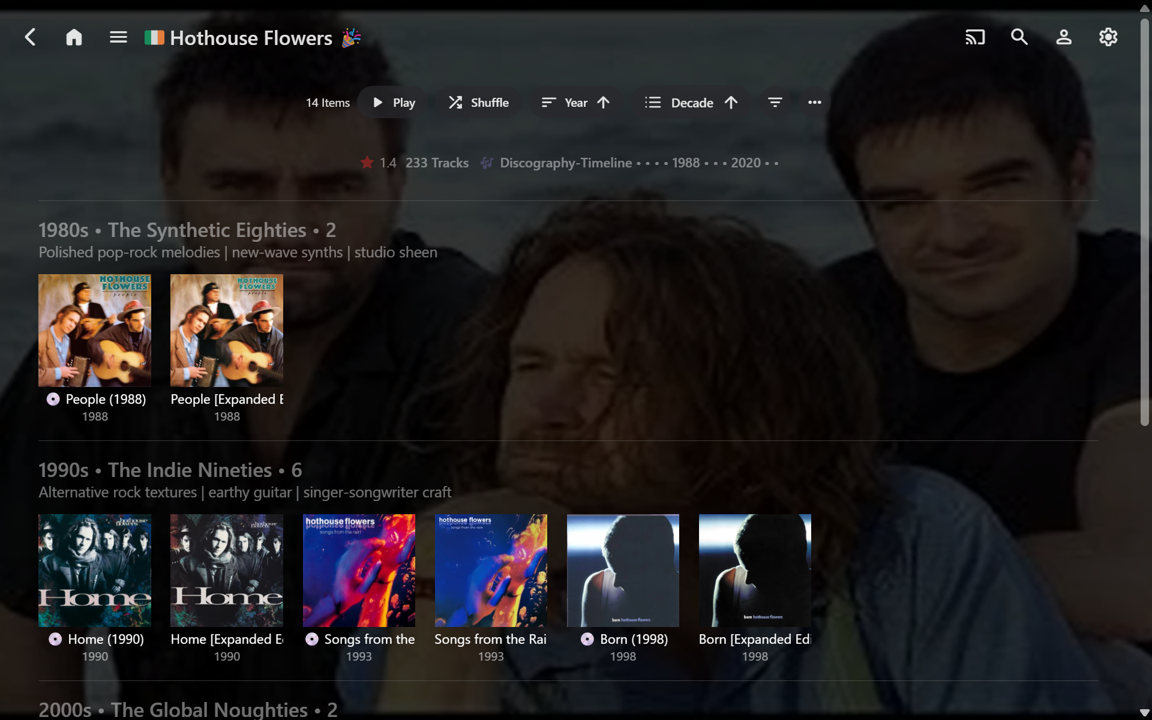
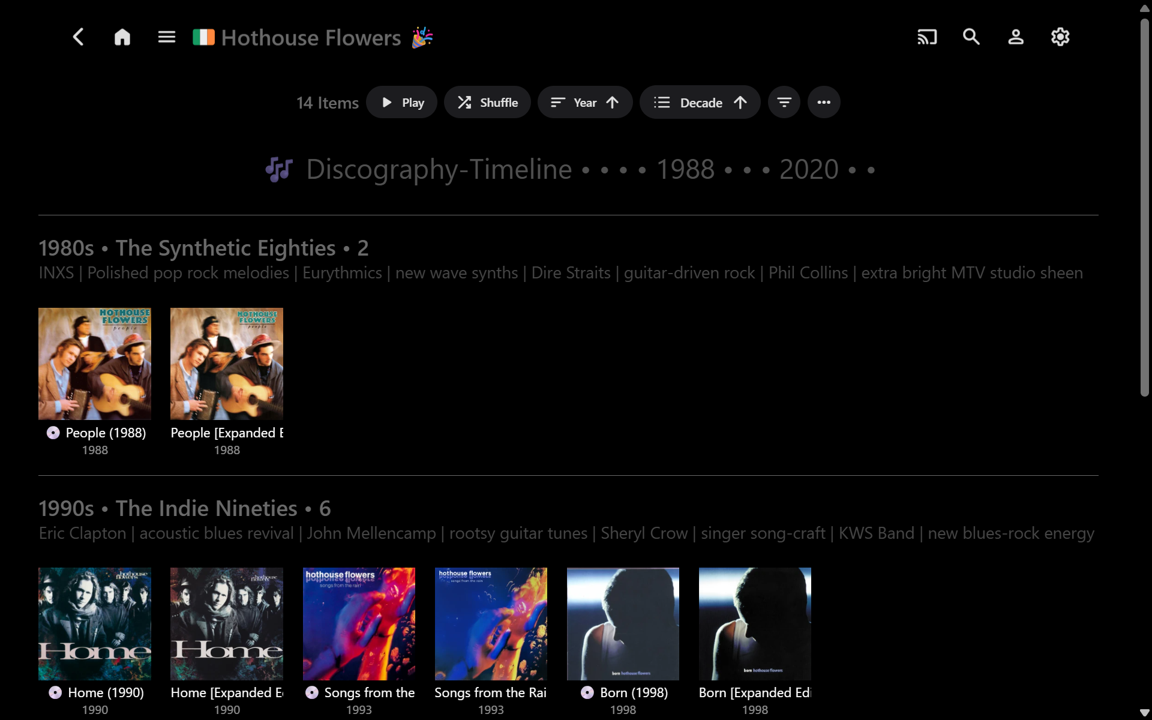
Thanks for the follow-up and the new version v5.. This is looking really good now from a flexibilty viewpoint!. The new CONFIG section is really easy to use. The true/false media info selections give lots of options (I think I tried them all). While the whole config should become "set and forget" after the initial experimenting and set up, invariably, there will likely always be ongoing fine-tuning. There's a lot of flexibilty for either having a very minimalist view or adding lots of info with the subtitle rows. The clickable headers and clickable tracks are quite useful. I always like being able to randomly navigate forward to another associated page view, rather than having to go Back, or start again from Home. (This will become more useful when all my Albums are tagged with RELEASETYPE.) So, I first tried the standard v5 script with no (ouside) custom CSS. Here is an example page: Which looks very good as-is. Then I added back my custom CSS and starting experimenting a bit with the configs, and more... The example above is not final by any means. It's just showing some possible variations. There's probably going to be some sort of "half-way" approach that I end up with??? All seems to be working fine with what I have tried so far.
 1 point
 -
HI, yes this is planned for future updates to the Emby Apple TV app. Thanks.1 point
-
Oh I see, sorry I didn't realize that. I will do that and reply to this thread.1 point
-
That's my real use case. I want to have dummy records in emby that open media in paid services. That will turn emby from a good media player into a fully fledged media dashboard.1 point
-
现在解决了,也不是什么大问题,1 point
-
I've been dealing with this issue for quite a while now, and just now stumbled across this thread. This really needs to be fixed, And it's kind of ridiculous how long it's been going on.1 point
-
Still not working for me. Running 4.10.0.10 beta on Synology with LG client 1.0.501 point
-
I'm afraid the Windows app beta is not public... Everybody in this conversation is invited to join the beta now! And also help test our new beta portal: https://beta.emby.media/1 point
-
I have never played with that, don't need it I want media to be direct playing on all clients.1 point
-
I knew I was late to this party but looks like I'm not alone which has given me some confidence I'm doing the right thing I also should have said I'm encoding to 10-bit H.265. I tried Unmanic and although I got it to work I wanted the challenge of getting Tdarr to work with my particular setup. FileFlows was going to be my next attempt if Tdarr hadn't worked, I still have a few thousand files to go so will spin up FileFlows and see how it looks, thanks.1 point
-
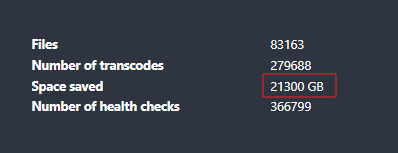
Also using Tdarr transcoding to H265. This is the space I have saved until now That more that 1 20TB HDD I'm also staying away from AV1 for the moment. Most of my family is using old clients or old TV's
 1 point
 -
Uh ? Chrome, Firefox support AV1 native. Edge needs a free extension. Fire TV 4k Max supports AV1, even a NVIDIA Shield (2019) does. But yes, you might need to transcode more often, if your clients are older, i.e. older FireTV Sticks.1 point
-
Using tdarr for years, i have gone easier way, configured % target birate modifer to 50%, i m using Boosh transcode QVS plugin fully automated with my Intel Arc 310 gpu wich is really a small monster for transcoding. already transcoded like 2-3k files. I would suggest to not go for AV1, many clients / hardware / browsers do not support it, stick to plain x265 codec.1 point
-
Between years moved from a Synology Rackstation to self-build TrueNas for storage and to Fedora Linux with a ARC GPU. As I rearranged my drives and moved bit for bit, I decided to encode all my H264 files to AV1-10bit, as prices for new drives where already rising. I tried tdarr years ago and I‘m not a fan of it, so I made decode/encode with ffmpeg. I started around 58TB of media and now I‘m down to 42TB, As for the time … it took around 4 weeks nonstop. Initially it was really slow as I had to adapt the script several times. At the end it was just ploughing through. As this was created by Gemini I‘ll share my script with the community, maybe it can help, not with your specific setup. #!/bin/bash # Erzwinge den Intel Media Driver für Systemd-Umgebungen export LIBVA_DRIVER_NAME=iHD # --- KONFIGURATION --- BASE_DIR="/mnt/Serien" SCRATCH_DIR="/scratch/encode" LOCK_DIR="/tmp/av1_locks" SCAN_FILE="/tmp/scan_list.txt" DEBUG_LOG="/tmp/av1_debug.log" DASHBOARD_URL="http://localhost:8080/api/update" NUM_WORKERS=3 mkdir -p "$SCRATCH_DIR" "$LOCK_DIR" log() { echo "[$(date '+%Y-%m-%d %H:%M:%S')] $1" >> "$DEBUG_LOG"; } # --- AUTOMATISCHER SCANNER --- if [[ ! -f "$SCAN_FILE" ]] || [[ ! -s "$SCAN_FILE" ]]; then log "Scanner: Starte Scan in $BASE_DIR (Suche NUR H264 MKVs)..." ( find -L "$BASE_DIR" -type f -name "*.mkv" -size +50M 2>/dev/null | \ grep -i "\[h264\]" | \ grep -ivE "\[h265\]|hevc|x265|\[AV1\]|#recycle|@eaDir|\.error" > "$SCAN_FILE" log "Scanner: Scan abgeschlossen ($(wc -l < "$SCAN_FILE") Dateien gefunden)." ) & fi notify_dashboard() { local status="$1" filename="$2" saved_mb="${3:-0}" # Dashboard-Update ohne Hintergrundprozess für bessere Zuverlässigkeit curl -s -X POST "$DASHBOARD_URL" -H "Content-Type: application/json" \ -d "{\"filename\": \"$filename\", \"status\": \"$status\", \"saved\": $saved_mb}" > /dev/null } get_dynamic_quality() { local input="$1" local height=$(ffprobe -v error -select_streams v:0 -show_entries stream=height -of csv=p=0 "$input" 2>/dev/null) [[ -z "$height" || ! "$height" =~ ^[0-9]+$ ]] && echo "20" && return if [ "$height" -le 480 ]; then echo "23"; elif [ "$height" -le 720 ]; then echo "21"; elif [ "$height" -le 1080 ]; then echo "20"; else echo "18"; fi } do_work() { local worker_id=$1 sleep $((worker_id * 2)) while true; do for path_file in "$SCRATCH_DIR"/*.path; do [[ -e "$path_file" ]] || continue # Pfade sauber trennen local path_file_name=$(basename "$path_file") local candidate_name="${path_file_name%.path}" local lock="$LOCK_DIR/${candidate_name}.lock" if ( set -o noclobber; echo "$$" > "$lock" ) 2>/dev/null; then cd "$SCRATCH_DIR" local current_in="$candidate_name" local current_out="${candidate_name%.mkv}.out.mkv" # Pfad zum Original aus der .path Datei lesen local original_path=$(cat "$path_file_name") local orig_filename=$(basename "$original_path") local target_quality=$(get_dynamic_quality "$current_in") log "W$worker_id: Start $orig_filename (Q$target_quality)..." notify_dashboard "encoding" "$orig_filename" # --- DER OPTIMIERTE FFMPEG BEFEHL --- # Wir nutzen jetzt exakt die Parameter aus deinem erfolgreichen Test ffmpeg -hide_banner -loglevel error \ -hwaccel qsv -hwaccel_output_format qsv -qsv_device /dev/dri/renderD128 \ -i "$current_in" \ -vf "vpp_qsv=format=nv12" \ -c:v av1_qsv -preset slow -global_quality "$target_quality" \ -map 0:v:0 -map 0:a -c:a copy -map 0:s? -c:s copy \ -y "$current_out" FF_EXIT=$? # VALIDIERUNG if [ -f "$current_out" ]; then NEW_SIZE=$(stat -c%s "$current_out") else NEW_SIZE=0 fi # Mindestens 50MB für eine Folge (Sicherheitsgrenze) if [[ $FF_EXIT -eq 0 && $NEW_SIZE -gt 52428800 ]]; then local size_orig=$(stat -c%s "$current_in") local saved_mb=$(( (size_orig - NEW_SIZE) / 1024 / 1024 )) local folder=$(dirname "$original_path") local clean_base=$(basename "$original_path" .mkv | sed -E "s/ \[[hHxX]26[45]\]//gI") local target_file="$folder/${clean_base} [AV1].mkv" if mv "$current_out" "$target_file"; then # WICHTIG: Nur löschen, wenn Ziel existiert! if [ -f "$target_file" ]; then rm -f "$original_path" log "W$worker_id: Erfolg $orig_filename (-${saved_mb}MB)" notify_dashboard "done" "$orig_filename" "$saved_mb" fi else log "W$worker_id: MV FEHLER" notify_dashboard "error" "$orig_filename" fi else log "W$worker_id: FEHLER (Exit: $FF_EXIT, Size: $NEW_SIZE). Original sicher!" notify_dashboard "error" "$orig_filename" rm -f "$current_out" fi rm -f "$current_in" "$path_file_name" "$lock" break fi done sleep 10 done } do_staging() { while true; do local ready_count=$(ls -1 "$SCRATCH_DIR"/*.path 2>/dev/null | wc -l) if [ "$ready_count" -lt 4 ]; then local next=$(flock -x "$SCAN_FILE" sh -c "if [ -s \"$SCAN_FILE\" ]; then head -n 1 \"$SCAN_FILE\" && sed -i \"1d\" \"$SCAN_FILE\"; fi") if [[ -n "$next" && -f "$next" ]]; then local bname=$(basename "$next") log "Staging: Kopiere $bname..." if cp "$next" "$SCRATCH_DIR/$bname"; then echo "$next" > "$SCRATCH_DIR/$bname.path" log "Staging: $bname bereit." fi else sleep 60 fi fi sleep 20 done } log "--- AV1 ENGINE START (Safety Mode) ---" do_staging & for ((i=1; i<=NUM_WORKERS; i++)); do do_work "$i" & done wait1 point
-
Hi! I'm curious (will test a bit later) if Emby can utilize RK3568's HW capabilities for HW decode/encode of H264 and HEVC files. Will post here my updates and findings, in case anyone have more information as of now, please share it, I'd appreciate it. Thank you very much1 point
-
Hi, yes this is something we’re planning to do. Thanks.1 point
-
Courtesy of @Abobader Sort by Most Reactions at the FR forum:1 point
-
I have all my logos the exact way I want them in the m3u and have logos set to prefer logo from m3u however Emby keeps adding the Emby guide data logo light with color and making that the one displayed. I delete it and then later it reappears0 points














