Leaderboard




Popular Content
Showing content with the highest reputation on 04/22/26 in all areas
-
Will it be in the very next update? I don't think so, but it's definitely something that I agree we should look at.2 points
-
I knew I was late to this party but looks like I'm not alone which has given me some confidence I'm doing the right thing I also should have said I'm encoding to 10-bit H.265. I tried Unmanic and although I got it to work I wanted the challenge of getting Tdarr to work with my particular setup. FileFlows was going to be my next attempt if Tdarr hadn't worked, I still have a few thousand files to go so will spin up FileFlows and see how it looks, thanks.2 points
-
I can recommend Fileflows instead of Tdarr. Easier to work with and more options. Or if you want complete easy mode there is always Unmanic. As Kikinjo said, it's recommended to stay away from AV1. Most devices do not support it so transcoding will be required on the server and AV1 is still somewhat rare on GPUs unless you have a newer one.2 points
-
Using tdarr for years, i have gone easier way, configured % target birate modifer to 50%, i m using Boosh transcode QVS plugin fully automated with my Intel Arc 310 gpu wich is really a small monster for transcoding. already transcoded like 2-3k files. I would suggest to not go for AV1, many clients / hardware / browsers do not support it, stick to plain x265 codec.2 points
-
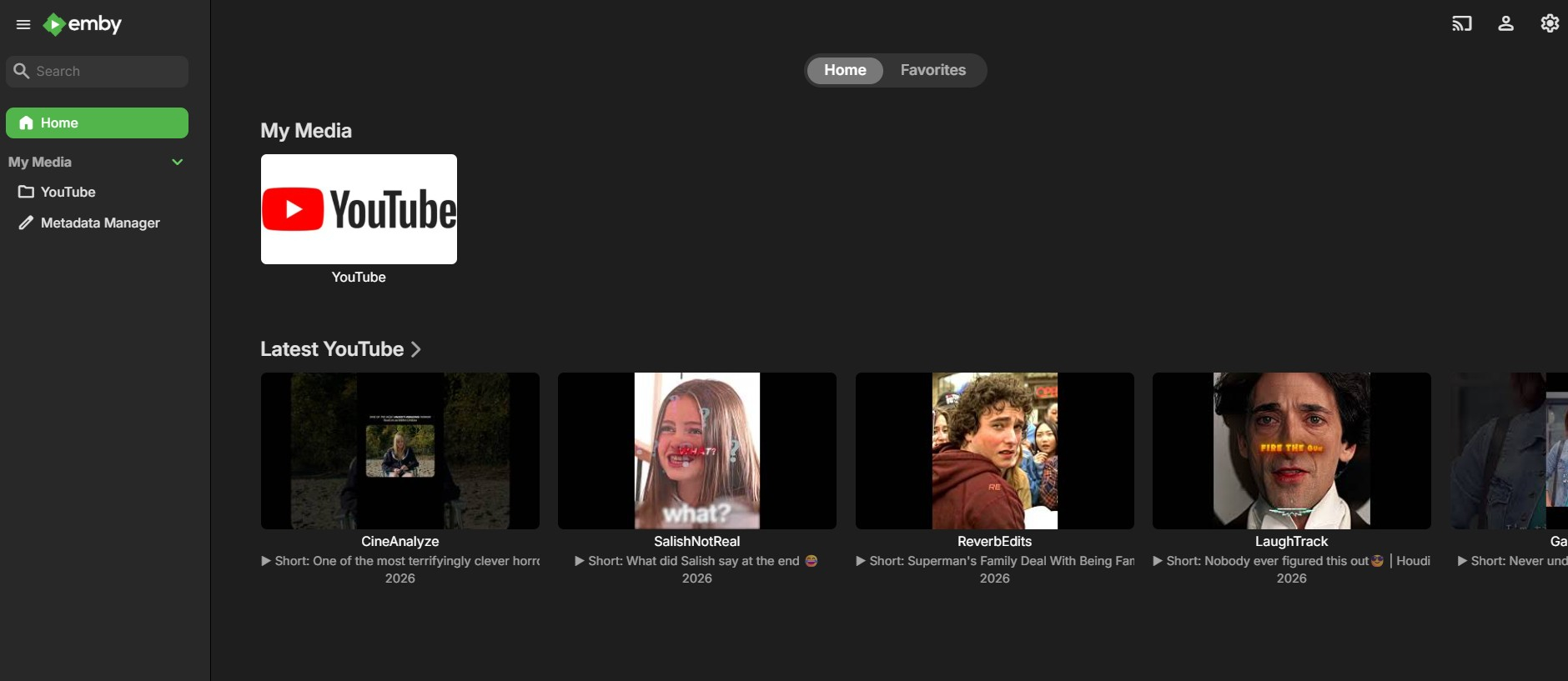
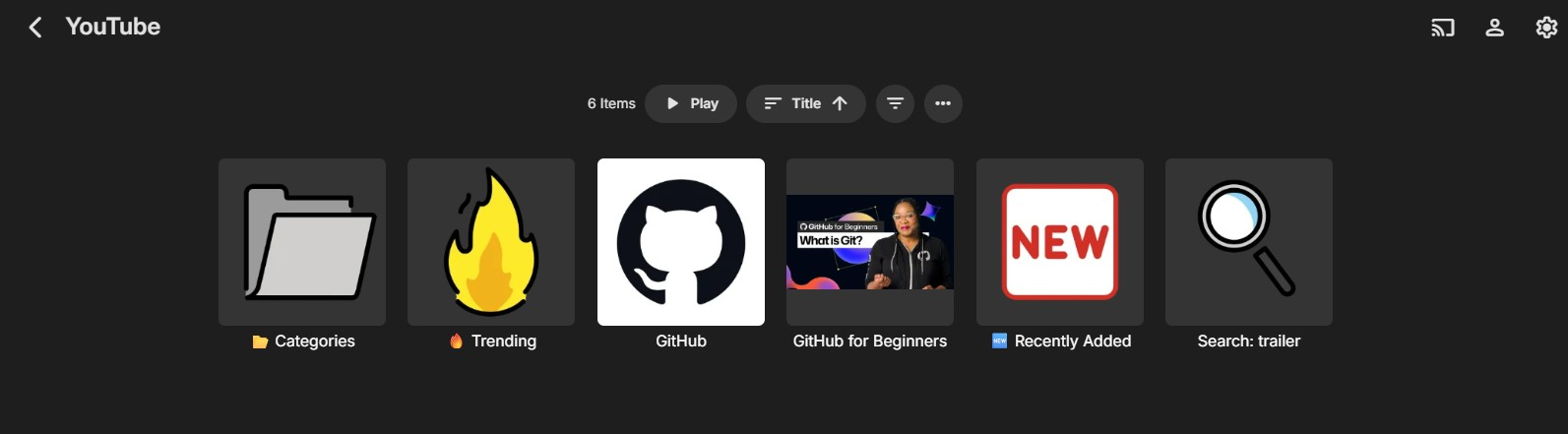
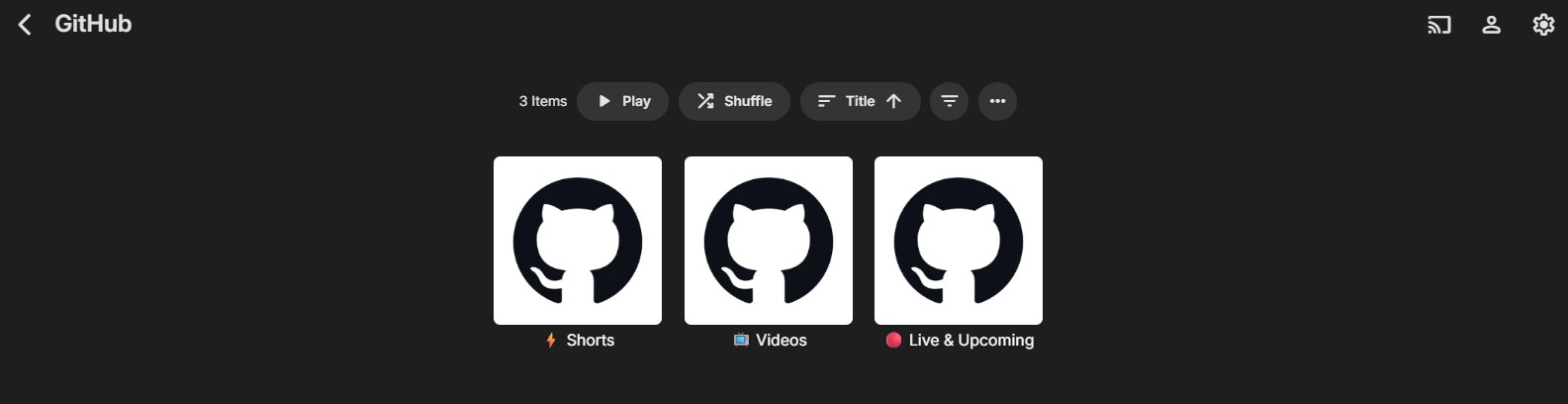
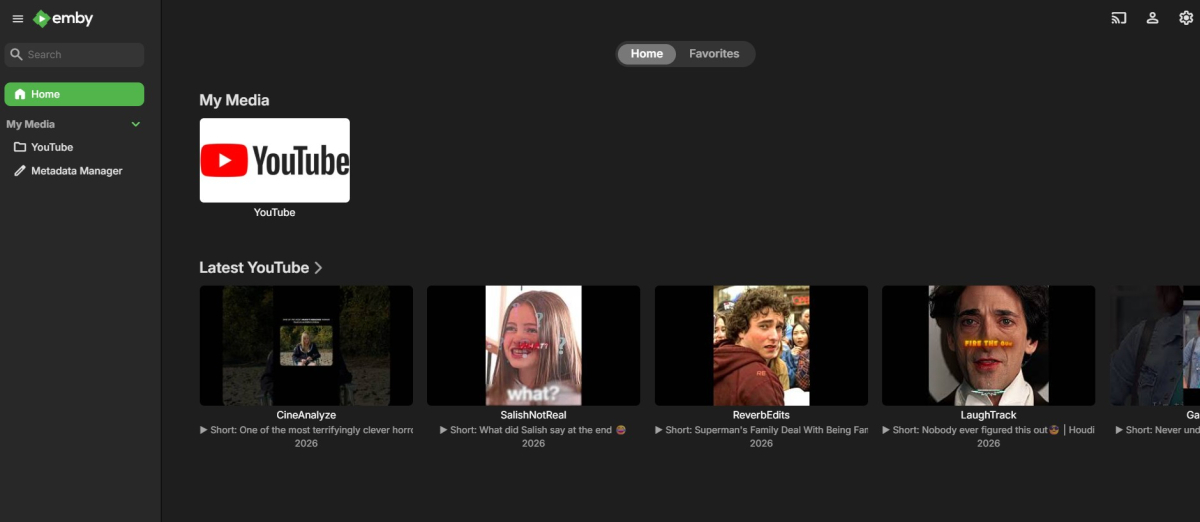
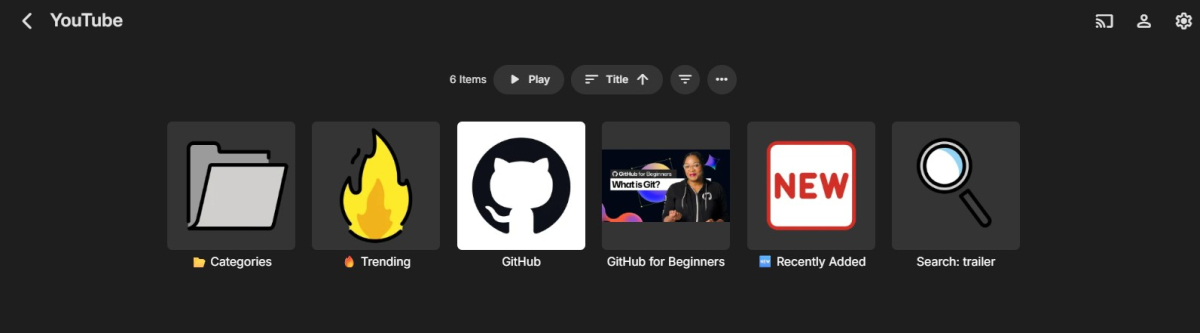
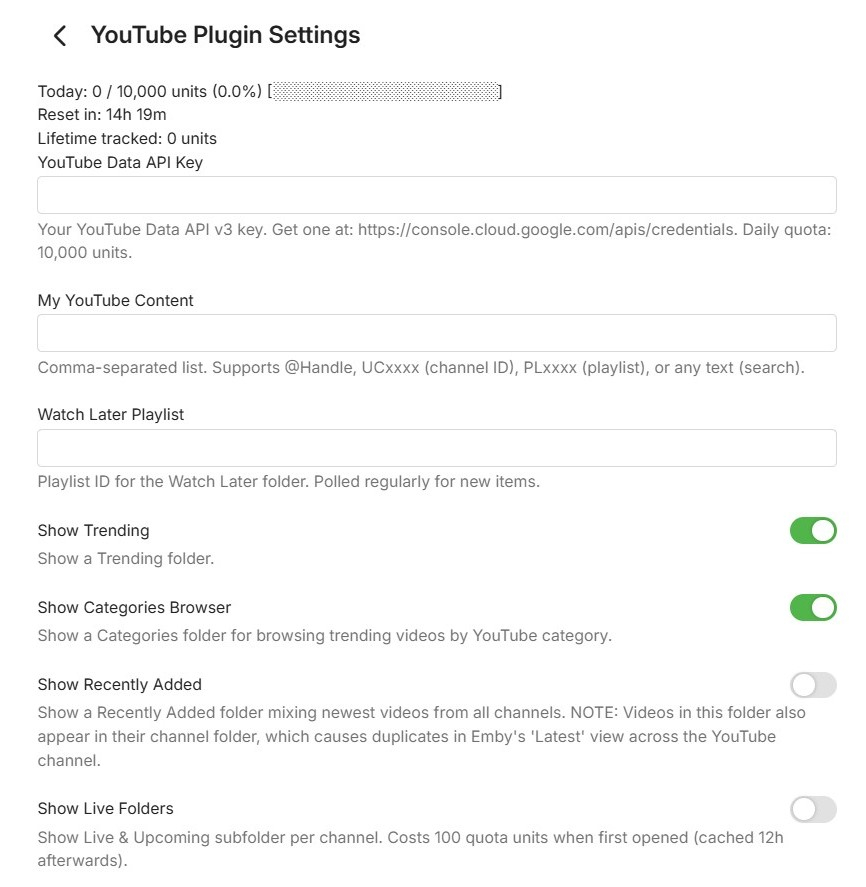
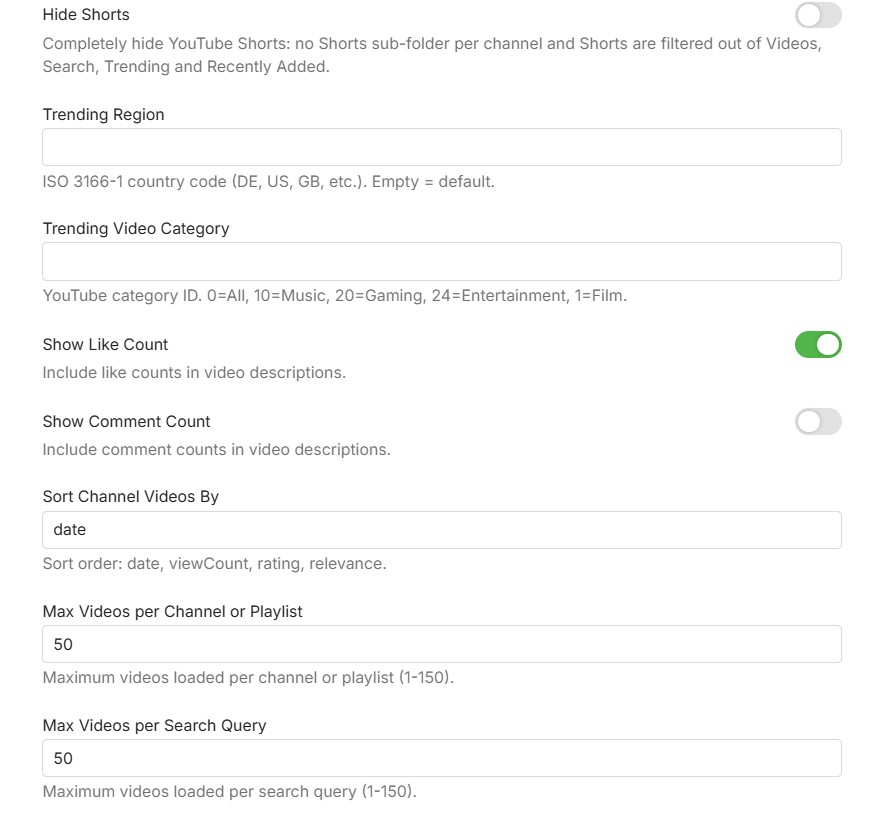
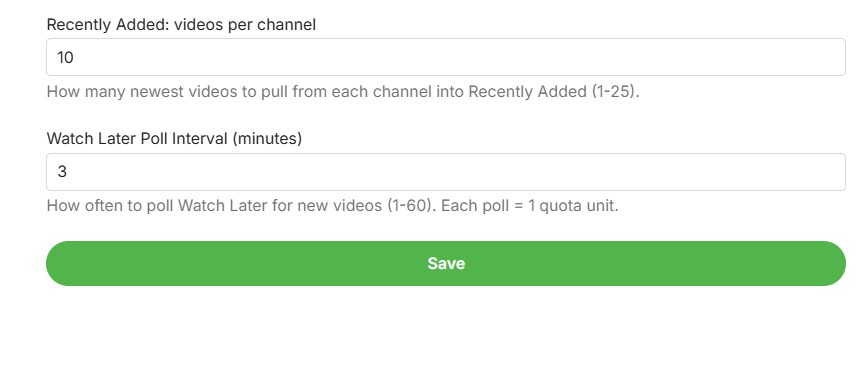
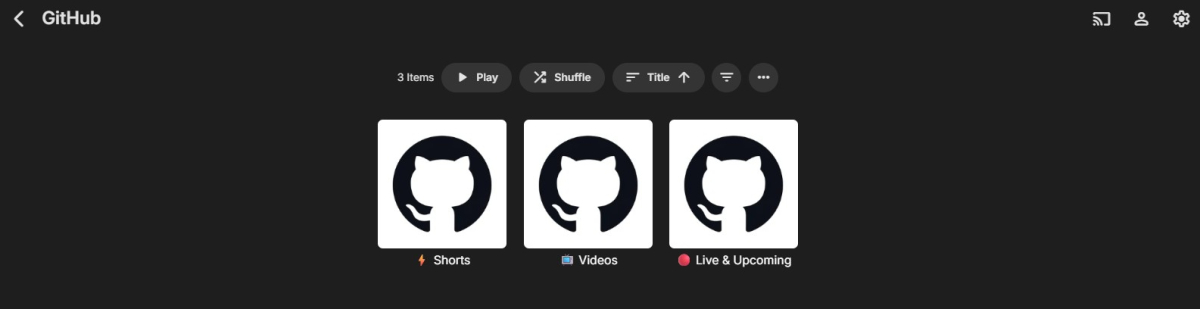
Hi everyone, I would like to share a beta version of my YouTube plugin for Emby. This plugin is focused on clean integration using the official YouTube Data API v3 and embedded YouTube playback. Main plugin overview inside Emby: What the plugin can do: Browse YouTube channels, playlists, and search results directly in Emby Support @handles, UC channel IDs, PL playlist IDs, and free-text search Channel subfolders for Videos, Shorts, and Live/Upcoming Trending view with region/category options Recently Added view across configured channels Optional Watch Later polling Optional Hide Shorts toggle to fully remove Shorts from browsing views Quota tracking shown in the plugin settings Plugin settings: Requirements: Emby Server 4.9 or newer YouTube Data API v3 key Known limitations: Playback uses the YouTube watch page in the embedded web player Resume position cannot be reliably forced by the plugin in this playback mode Audio track/language behavior is controlled by YouTube account/browser settings, not by plugin-side URL forcing Download: Get the latest release from https://github.com/eliasbruno124-dev/Emby-Youtube-Plugin Thank you for testing and helping improve the plugin.
 1 point
 -
I wanted to share a novel way—for me, at least—to enjoy music on Emby. I recently picked up several "Bach Guild" classical albums from Amazon for just 99 cents each. These are massive collections with 6 to 10 hours of music performed by real musicians, not AI. Because they are so long, I found myself constantly listening to the same opening tracks and never reaching the end. Random play wasn't an option since the order of movements is essential in classical music. My solution? Treating them as audiobooks. I used a tool on GitHub called m4bBookmaker to convert the albums. It’s a free program, though I paid $5 for the compiled Windows version to save time. Now that they are in audiobook format, Emby tracks my progress and lets me resume exactly where I left off. I’ve set up a dedicated directory and library in Emby specifically for these, and it works perfectly.1 point
-
i would like to ask you guys if there is a chance to do in new update possibility to force pdf, cbr, cbz files to display first page as a cover. this would be such a great feature. any chances?1 point
-
I'd really like to have 2 Factor Authentication added to the login screen. It's just this (optional) extra layer of security to help secure the server (which, especially if people use camera uploads) contains pretty private data. There are for every type of programming language quite a few libraries available, so implementation on a server shouldn't be too hard to realise1 point
-
Is there a way to turn off the splash screen?1 point
-
Yeah this did work, i can now confirm that for me beta version + deleting cache/subtitles folder fixed the issue for both movies i have posted earlier, will keep you updated in case of any changes but i already tried couple movies and everything seems working just fine now. Thumbs up!1 point
-
Hi. Isn't that already how that option works if you disable it?1 point
-
Yes that looks to be the bug found. Working on a fix now, should have one ready tonight or tomorrow if everything goes as it should. Many thanks for reporting it!1 point
-
just in case here are logs but i quickly looked with ctrl+f for embyicons and there was something related with caching embyserver.txt1 point
-
Thanks for that. That makes it clear.1 point
-
subs.mp4 I am positive all that extra clicking was not needed before1 point
-
Try to "Refresh Internet Channels" task manually, you can find it under Dashboard → Scheduled Tasks → Refresh Internet Channels1 point
-
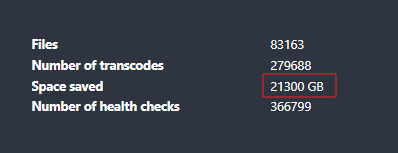
Also using Tdarr transcoding to H265. This is the space I have saved until now That more that 1 20TB HDD I'm also staying away from AV1 for the moment. Most of my family is using old clients or old TV's
 1 point
 -
You can have this; I will not be adding it into the main base as I'm not really trying to transform the look of Emby too much and i don't really like it. But you can add this to the bottom of section 12 (Hotfix Zone). Also, there's the arrow to scroll on a line, I was unable to shift those cells to a newline, it was a fight with the backend JavaScript and I lost. But this should do what you want. or close enough. HOTFIX - Cells for Upcomming.css1 point
-
Between years moved from a Synology Rackstation to self-build TrueNas for storage and to Fedora Linux with a ARC GPU. As I rearranged my drives and moved bit for bit, I decided to encode all my H264 files to AV1-10bit, as prices for new drives where already rising. I tried tdarr years ago and I‘m not a fan of it, so I made decode/encode with ffmpeg. I started around 58TB of media and now I‘m down to 42TB, As for the time … it took around 4 weeks nonstop. Initially it was really slow as I had to adapt the script several times. At the end it was just ploughing through. As this was created by Gemini I‘ll share my script with the community, maybe it can help, not with your specific setup. #!/bin/bash # Erzwinge den Intel Media Driver für Systemd-Umgebungen export LIBVA_DRIVER_NAME=iHD # --- KONFIGURATION --- BASE_DIR="/mnt/Serien" SCRATCH_DIR="/scratch/encode" LOCK_DIR="/tmp/av1_locks" SCAN_FILE="/tmp/scan_list.txt" DEBUG_LOG="/tmp/av1_debug.log" DASHBOARD_URL="http://localhost:8080/api/update" NUM_WORKERS=3 mkdir -p "$SCRATCH_DIR" "$LOCK_DIR" log() { echo "[$(date '+%Y-%m-%d %H:%M:%S')] $1" >> "$DEBUG_LOG"; } # --- AUTOMATISCHER SCANNER --- if [[ ! -f "$SCAN_FILE" ]] || [[ ! -s "$SCAN_FILE" ]]; then log "Scanner: Starte Scan in $BASE_DIR (Suche NUR H264 MKVs)..." ( find -L "$BASE_DIR" -type f -name "*.mkv" -size +50M 2>/dev/null | \ grep -i "\[h264\]" | \ grep -ivE "\[h265\]|hevc|x265|\[AV1\]|#recycle|@eaDir|\.error" > "$SCAN_FILE" log "Scanner: Scan abgeschlossen ($(wc -l < "$SCAN_FILE") Dateien gefunden)." ) & fi notify_dashboard() { local status="$1" filename="$2" saved_mb="${3:-0}" # Dashboard-Update ohne Hintergrundprozess für bessere Zuverlässigkeit curl -s -X POST "$DASHBOARD_URL" -H "Content-Type: application/json" \ -d "{\"filename\": \"$filename\", \"status\": \"$status\", \"saved\": $saved_mb}" > /dev/null } get_dynamic_quality() { local input="$1" local height=$(ffprobe -v error -select_streams v:0 -show_entries stream=height -of csv=p=0 "$input" 2>/dev/null) [[ -z "$height" || ! "$height" =~ ^[0-9]+$ ]] && echo "20" && return if [ "$height" -le 480 ]; then echo "23"; elif [ "$height" -le 720 ]; then echo "21"; elif [ "$height" -le 1080 ]; then echo "20"; else echo "18"; fi } do_work() { local worker_id=$1 sleep $((worker_id * 2)) while true; do for path_file in "$SCRATCH_DIR"/*.path; do [[ -e "$path_file" ]] || continue # Pfade sauber trennen local path_file_name=$(basename "$path_file") local candidate_name="${path_file_name%.path}" local lock="$LOCK_DIR/${candidate_name}.lock" if ( set -o noclobber; echo "$$" > "$lock" ) 2>/dev/null; then cd "$SCRATCH_DIR" local current_in="$candidate_name" local current_out="${candidate_name%.mkv}.out.mkv" # Pfad zum Original aus der .path Datei lesen local original_path=$(cat "$path_file_name") local orig_filename=$(basename "$original_path") local target_quality=$(get_dynamic_quality "$current_in") log "W$worker_id: Start $orig_filename (Q$target_quality)..." notify_dashboard "encoding" "$orig_filename" # --- DER OPTIMIERTE FFMPEG BEFEHL --- # Wir nutzen jetzt exakt die Parameter aus deinem erfolgreichen Test ffmpeg -hide_banner -loglevel error \ -hwaccel qsv -hwaccel_output_format qsv -qsv_device /dev/dri/renderD128 \ -i "$current_in" \ -vf "vpp_qsv=format=nv12" \ -c:v av1_qsv -preset slow -global_quality "$target_quality" \ -map 0:v:0 -map 0:a -c:a copy -map 0:s? -c:s copy \ -y "$current_out" FF_EXIT=$? # VALIDIERUNG if [ -f "$current_out" ]; then NEW_SIZE=$(stat -c%s "$current_out") else NEW_SIZE=0 fi # Mindestens 50MB für eine Folge (Sicherheitsgrenze) if [[ $FF_EXIT -eq 0 && $NEW_SIZE -gt 52428800 ]]; then local size_orig=$(stat -c%s "$current_in") local saved_mb=$(( (size_orig - NEW_SIZE) / 1024 / 1024 )) local folder=$(dirname "$original_path") local clean_base=$(basename "$original_path" .mkv | sed -E "s/ \[[hHxX]26[45]\]//gI") local target_file="$folder/${clean_base} [AV1].mkv" if mv "$current_out" "$target_file"; then # WICHTIG: Nur löschen, wenn Ziel existiert! if [ -f "$target_file" ]; then rm -f "$original_path" log "W$worker_id: Erfolg $orig_filename (-${saved_mb}MB)" notify_dashboard "done" "$orig_filename" "$saved_mb" fi else log "W$worker_id: MV FEHLER" notify_dashboard "error" "$orig_filename" fi else log "W$worker_id: FEHLER (Exit: $FF_EXIT, Size: $NEW_SIZE). Original sicher!" notify_dashboard "error" "$orig_filename" rm -f "$current_out" fi rm -f "$current_in" "$path_file_name" "$lock" break fi done sleep 10 done } do_staging() { while true; do local ready_count=$(ls -1 "$SCRATCH_DIR"/*.path 2>/dev/null | wc -l) if [ "$ready_count" -lt 4 ]; then local next=$(flock -x "$SCAN_FILE" sh -c "if [ -s \"$SCAN_FILE\" ]; then head -n 1 \"$SCAN_FILE\" && sed -i \"1d\" \"$SCAN_FILE\"; fi") if [[ -n "$next" && -f "$next" ]]; then local bname=$(basename "$next") log "Staging: Kopiere $bname..." if cp "$next" "$SCRATCH_DIR/$bname"; then echo "$next" > "$SCRATCH_DIR/$bname.path" log "Staging: $bname bereit." fi else sleep 60 fi fi sleep 20 done } log "--- AV1 ENGINE START (Safety Mode) ---" do_staging & for ((i=1; i<=NUM_WORKERS; i++)); do do_work "$i" & done wait1 point
-
When you say the results "don't look right," I'm curious what you were expecting to see — could you elaborate a bit? If you mean it doesn't match your personal YouTube homepage, that's actually by design. The plugin pulls the regional Trending feed for your selected country (Greece in your case), which shows what's currently most popular and heavily watched across all viewers in that region — not personalized to your individual tastes. Your YouTube homepage is curated based on your subscriptions and watch history, but Trending is a snapshot of what's objectively popular in the entire country right now. That's why you're seeing Greek gaming creators (Siaman, SenseiKoala, LegitGamingGR), and international viral content all mixed together. To confirm this is working correctly, I actually ran the exact same API call the plugin makes: https://www.googleapis.com/youtube/v3/videos?part=snippet&chart=mostPopular&maxResults=50®ionCode=GR&key=YOUR_API_KEY The response matched your screenshot perfectly — the videos you're seeing in Emby (Siaman's Minecraft video, SenseiKoala's Brainrot content, LegitGamingGR's Football Manager video, etc.) all appear in the official YouTube Trending list for Greece right now. So the plugin is doing exactly what it's supposed to — faithfully showing what YouTube itself reports as trending in GR. If you'd prefer a more curated feed that matches your personal interests, I'd recommend using My YouTube Content instead and adding specific channels you follow. That way you get only the creators you actually want, with no algorithmic noise.1 point
-
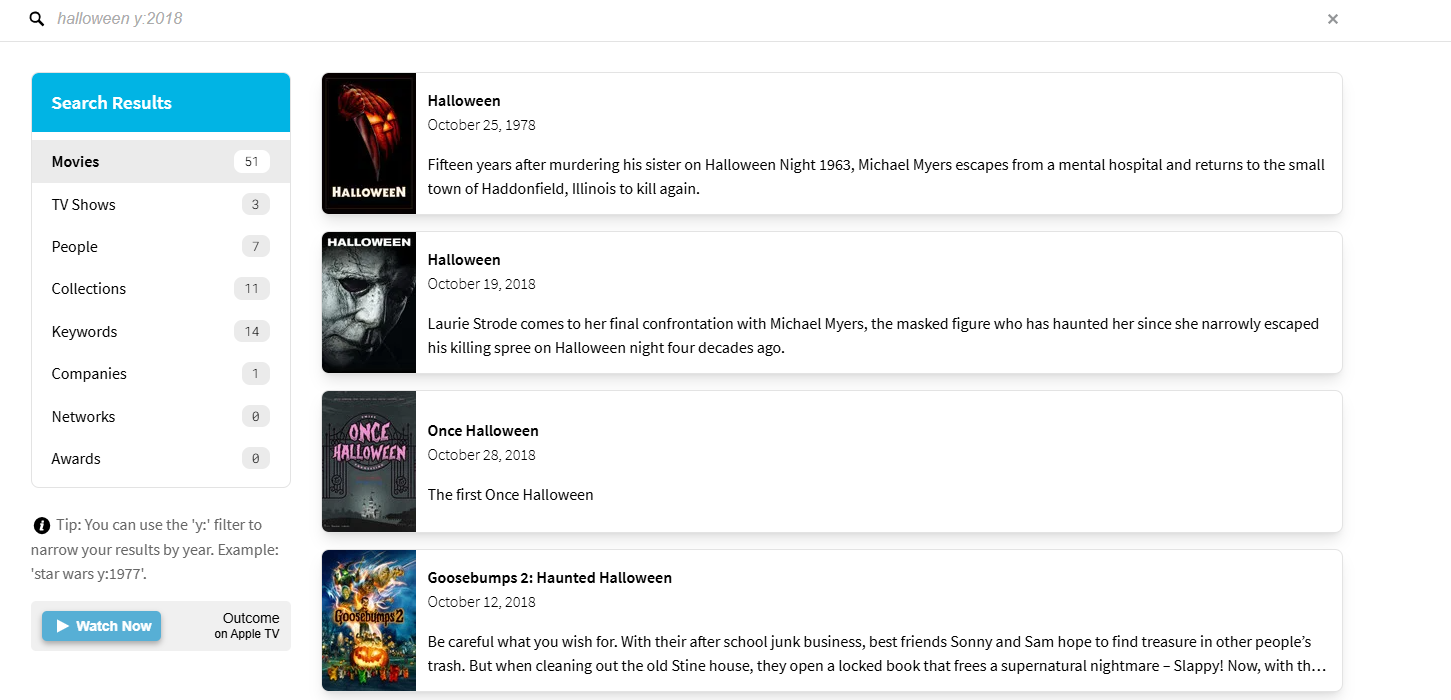
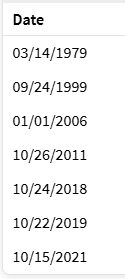
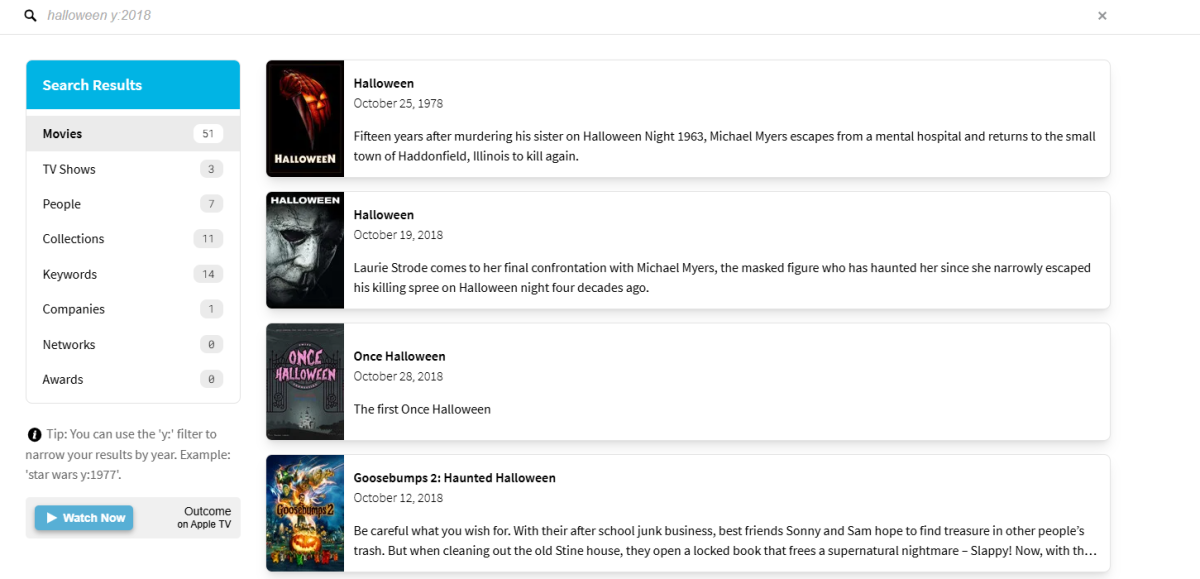
In the end it is a defect of TMDB other country Release dates as the 1978 version has a lot of them
 1 point
 -
No, it's perfectly reasonable as your naming conventions don't meet the standards. It's not Emby's responsibility to address it, it's yours, the user. As per what Luke linked to, you'll notice that the files are in their own folders. If you want them as extras in the same folder, you need to have them named properly, which you do not.1 point
-
Probably replace all.1 point
-
Everything is restored perfectly! This plugin is excellent; it can restore everything. The playlist might be due to the file.1 point
-
Updates: Fix: The progress over media badges when scanning a library was not showing up in the admin library page Fix: Progress bad in the admin library page had a bad hover effect. More Spotlight controls added (Emby Beta 4.10 Feature, also requires Emby Premier) Section 1 Changes: If you customized your CSS, you could keep your section 1 and just update section 2 on down. but here are the important things that were added or changed so you can modify accordingly. New options for the Spotlight section, with a couple sample options you can try out. (Emby Beta 4.10 Feature, also requires Emby Premier) /* --- SPOTLIGHT BANNER ARTWORK --- */ --spotlight-fit: cover; /* Options: 'cover' (Fills box, crops edges), 'contain' (Shows full image, adds bars), '100%' (Stretches) */ --spotlight-position: center top; /* Options: 'right top' (Protects logos/faces), 'center top', 'center' (Emby default), 'left top' */ --spotlight-width: 100%; /* OVERALL WIDTH: 100% (Full screen), 95% (Small edge gap), 50% (2 Cards on the screen), 1200px (Max size lock) */ --spotlight-height: auto; /* OVERALL HEIGHT: auto (Uses Aspect Ratio), 50vh (Half screen), 400px (Fixed height) */ --spotlight-aspect-ratio: 16 / 9; /* SHAPE & SCALE: 16/9 (Default), 21/9 (Ultra-Wide), 24/9 (Cinematic Ultra-Wide), 3/1 (Extreme Banner), 4/1 (Extreme Ribbon), 4/3 (Boxy) */ --spotlight-overlay: linear-gradient(to top, rgba(var(--pure-black-rgb), 0.95) 0%, rgba(var(--pure-black-rgb), 0.6) 50%, transparent 100%); /* TEXT SCRIM: Change the dark fade behind text. (Use 'transparent' to remove it) */ /* Some sample options to try out: */ /*--spotlight-width: 100%; --spotlight-height: auto; --spotlight-aspect-ratio: 32 / 9; --spotlight-fit: cover; --spotlight-position: center 20%; --spotlight-overlay: linear-gradient(to top, rgba(var(--pure-black-rgb), 0.95) 0%, rgba(var(--pure-black-rgb), 0.4) 70%, transparent 100%); /* The Cinematic Ribbon */ /*--spotlight-width: 100%; --spotlight-height: auto; --spotlight-aspect-ratio: 4 / 1; --spotlight-fit: cover; --spotlight-position: center 25%; --spotlight-overlay: linear-gradient(to top, rgba(var(--pure-black-rgb), 0.95) 0%, transparent 90%); /* Extreme Letterbox */ /*--spotlight-width: 1400px; --spotlight-height: auto; --spotlight-aspect-ratio: 24 / 9; --spotlight-fit: cover; --spotlight-position: center 15%; --spotlight-overlay: linear-gradient(to top, rgba(var(--navy-base-rgb), 1) 0%, transparent 100%); /* Framed Billboard */ /*--spotlight-width: 98%; --spotlight-height: 40vh; --spotlight-aspect-ratio: none; --spotlight-fit: contain; --spotlight-position: center; --spotlight-overlay: linear-gradient(to top, rgba(var(--pure-black-rgb), 0.85) 0%, rgba(var(--pure-black-rgb), 0.4) 40%, transparent 100%); /* Uncut Showcase */ /*--spotlight-width: 100%; --spotlight-height: 30vh; --spotlight-aspect-ratio: none; --spotlight-fit: contain; --spotlight-position: center; --spotlight-overlay: linear-gradient(to top, rgba(var(--pure-black-rgb), 0.95) 0%, transparent 100%); /* Thin Letterbox Showcase */ /*--spotlight-width: 100%; --spotlight-height: auto; --spotlight-aspect-ratio: 5 / 1; --spotlight-fit: cover; --spotlight-position: center 20%; --spotlight-overlay: linear-gradient(to top, rgba(var(--pure-black-rgb), 0.9) 0%, transparent 100%); /* Extreme Slit */ Emby Navy and Gold v5.6.css1 point
-
What does "soon" mean?1 point
-
Hi, not currently, but this question has come up before and options are possible for future updates. Thanks.1 point
-
Thanks, I'll check that too. Might be an issue with the Kodi start upsync to Emby for offline content.1 point
-
Any update on this? A couple of short concurrent searches are enough to lock up the server entirely.1 point
-
Hello. I'm experiencing the same issue with subtitles positioned in the upper left corner for some time. Is there any ETA for a fix? I've temporarily switched to another streaming app but it's frustrating to be forced to do this. Thank you.1 point
-
I honestly don't understand the 2fa on just admin accounts. I don't want ANYONE logging into my server that I don't know, admin or not.1 point
-
HI. "Play All" is going to do just that... If you wish to resume, then you would use Continue Watching or the button on the series page that goes automatically to the next up episode.1 point