
Leaderboard




Popular Content
Showing content with the highest reputation on 04/21/26 in all areas
-
Yeah all good thanks for the help lads much appreciated2 points
-
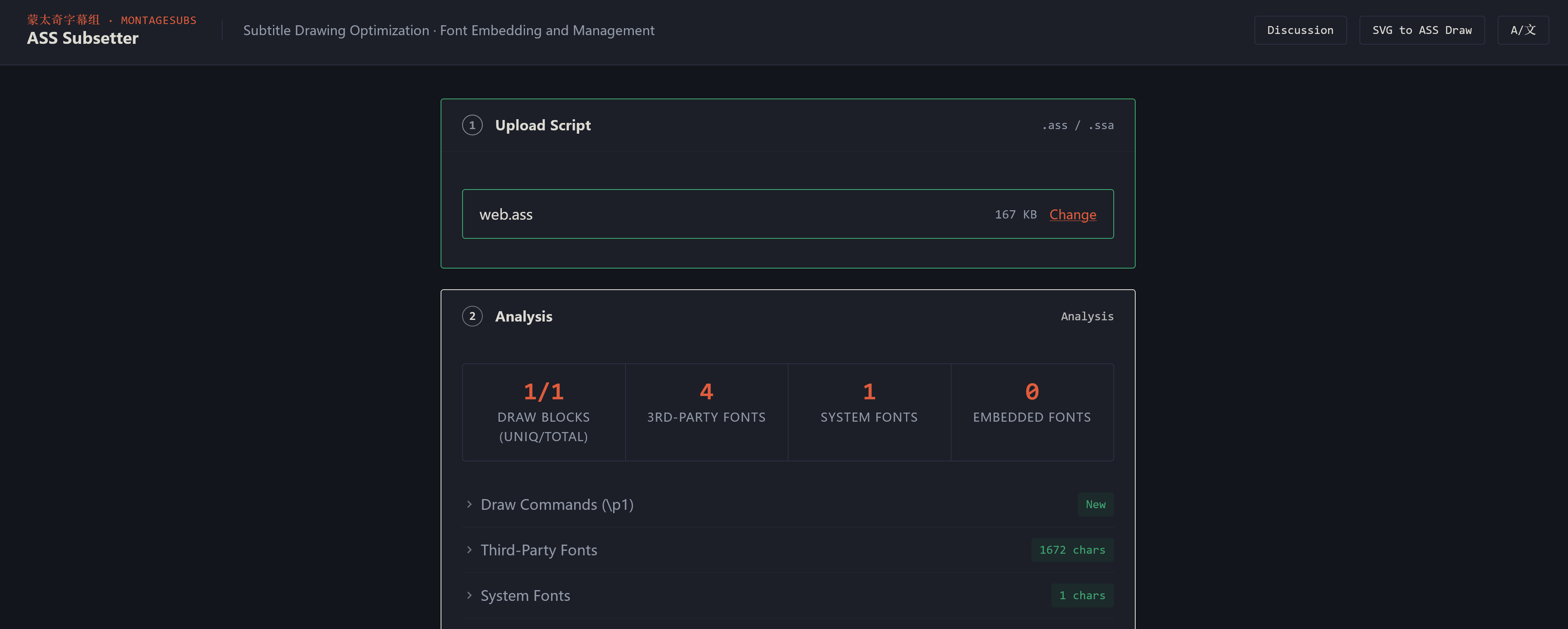
Big thanks to Emby for supporting embedded fonts in ASS/SSA subtitles. I built ASS Subsetter, a browser-based tool that makes it super easy to embed fonts directly into subtitle files. The thing is, this feature barely gets used because there's no user-friendly way to do it—I couldn't find one as a subtitle creator, so I built it myself. Here's something cool: this is actually huge in the CJK community. Why? Because CJK subtitles typically contain thousands of characters, but a single font file has 10,000+ glyphs. Embed 10 full fonts and your subtitle file balloons to 250MB. So the CJK community came up with **font subsetting**—only embedding the characters you actually use. That's how I first discovered this technique. My tool supports both approaches: full font embedding or subsetting. Whatever your workflow needs, you've got options. Give it a try: https://subs.js.org/ass-subset/ Feel free to discuss it on here too: https://emby.media/community/topic/147412-ass-subsetter-embed-fonts-in-ass-subtitles/2 points
-
Here is how i name these pesky movies folder / file : Halloween (1978) {TmdbId-948} / Halloween (1978) {TmdbId-948}.mkv folder / file : Halloween (2018) {TmdbId-424139} / Halloween (2018) {TmdbId-424139}.mkv folder / file : Carrie (1976) {TmdbId-7340} / Carrie (1976) {TmdbId-7340}.mkv folder / file : Carrie (2013) {TmdbId-133805} / Carrie (2013) {TmdbId-133805}.mkv Notice the Tmdbid helps Emby to finde the right metadata.2 points
-
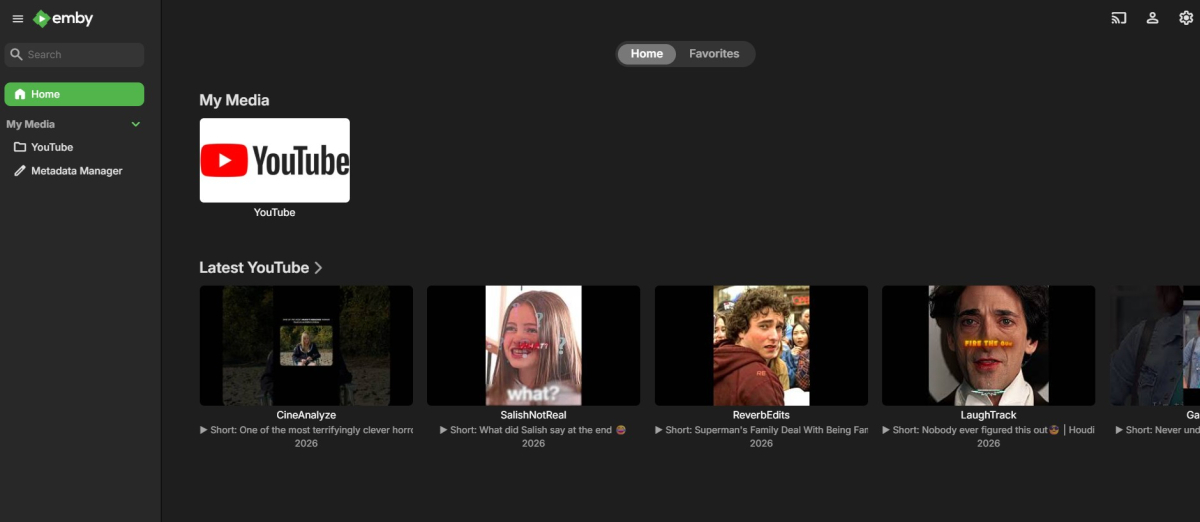
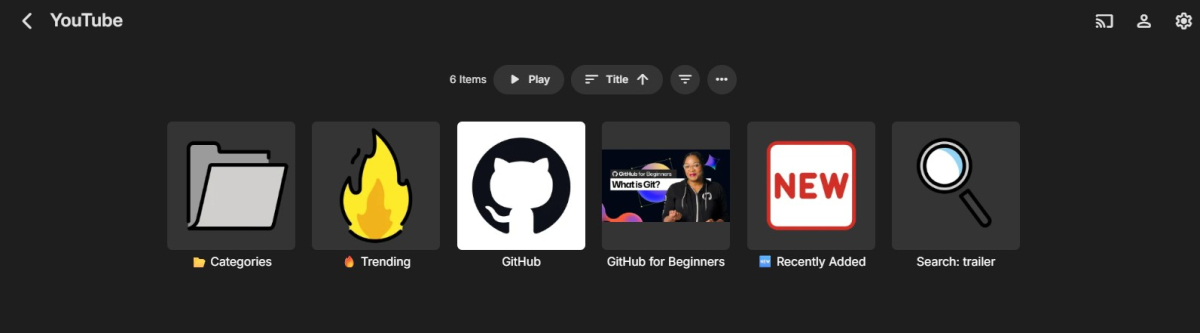
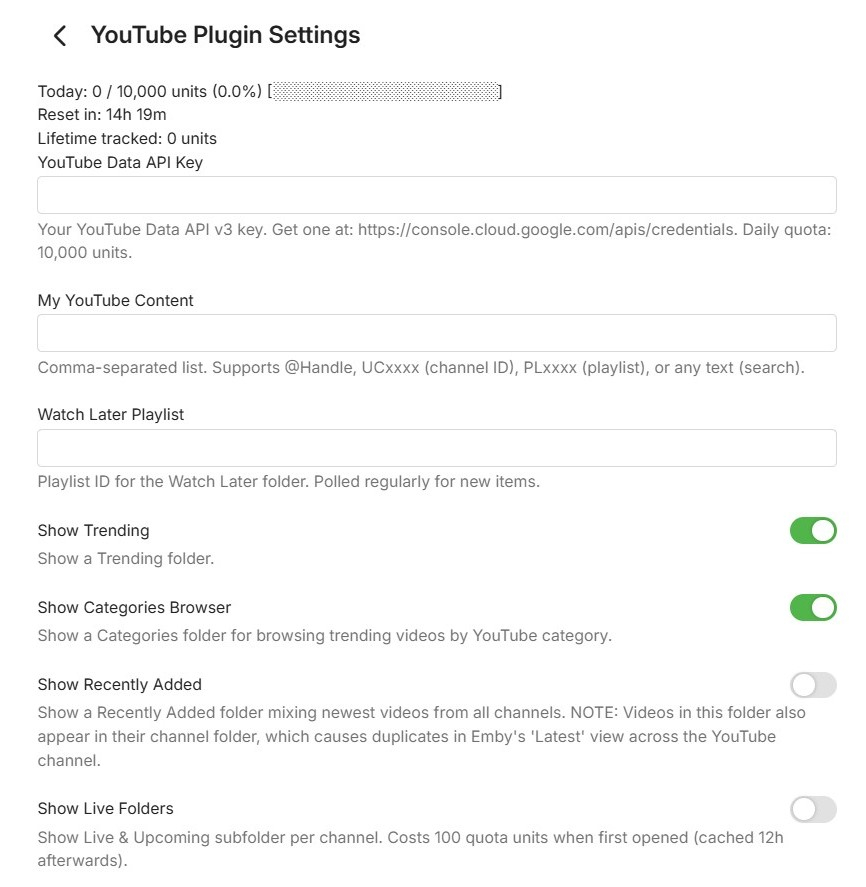
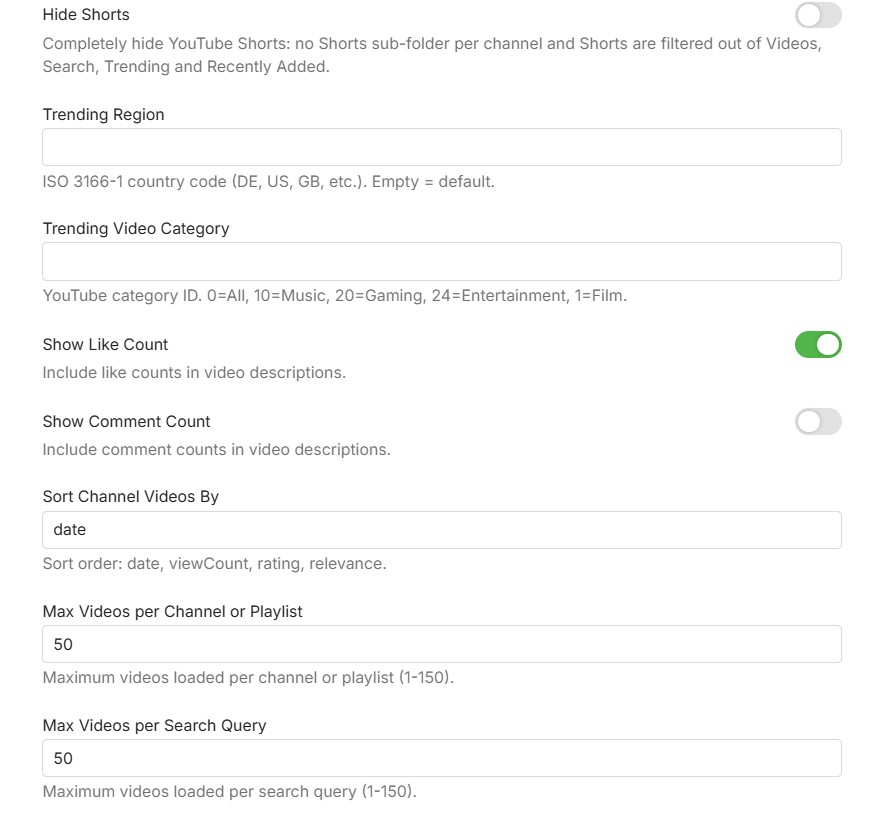
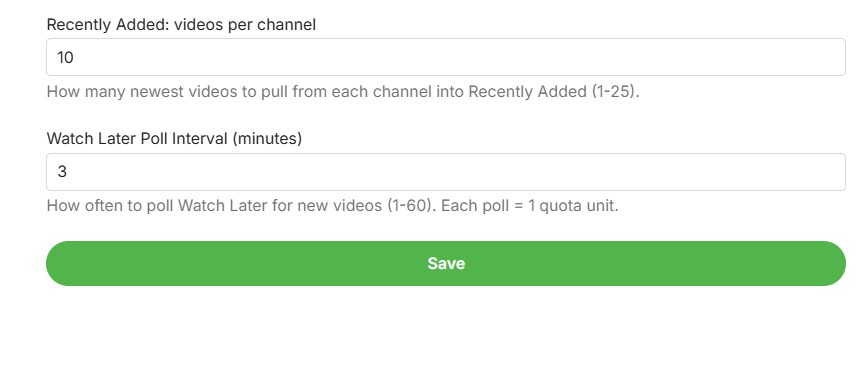
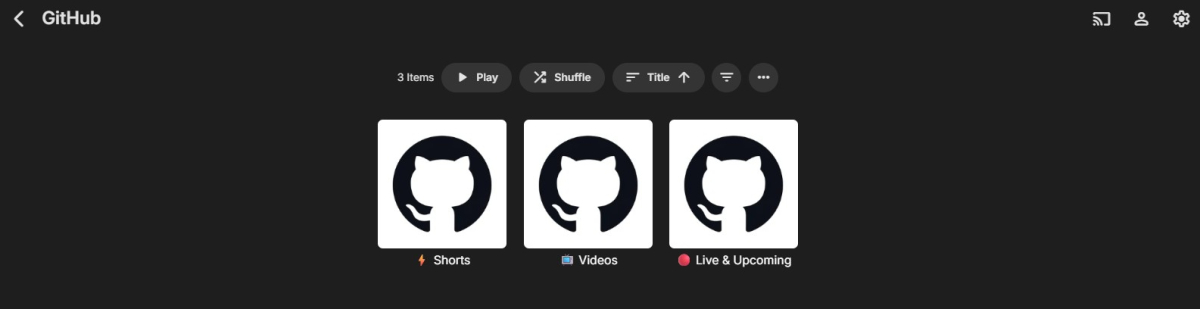
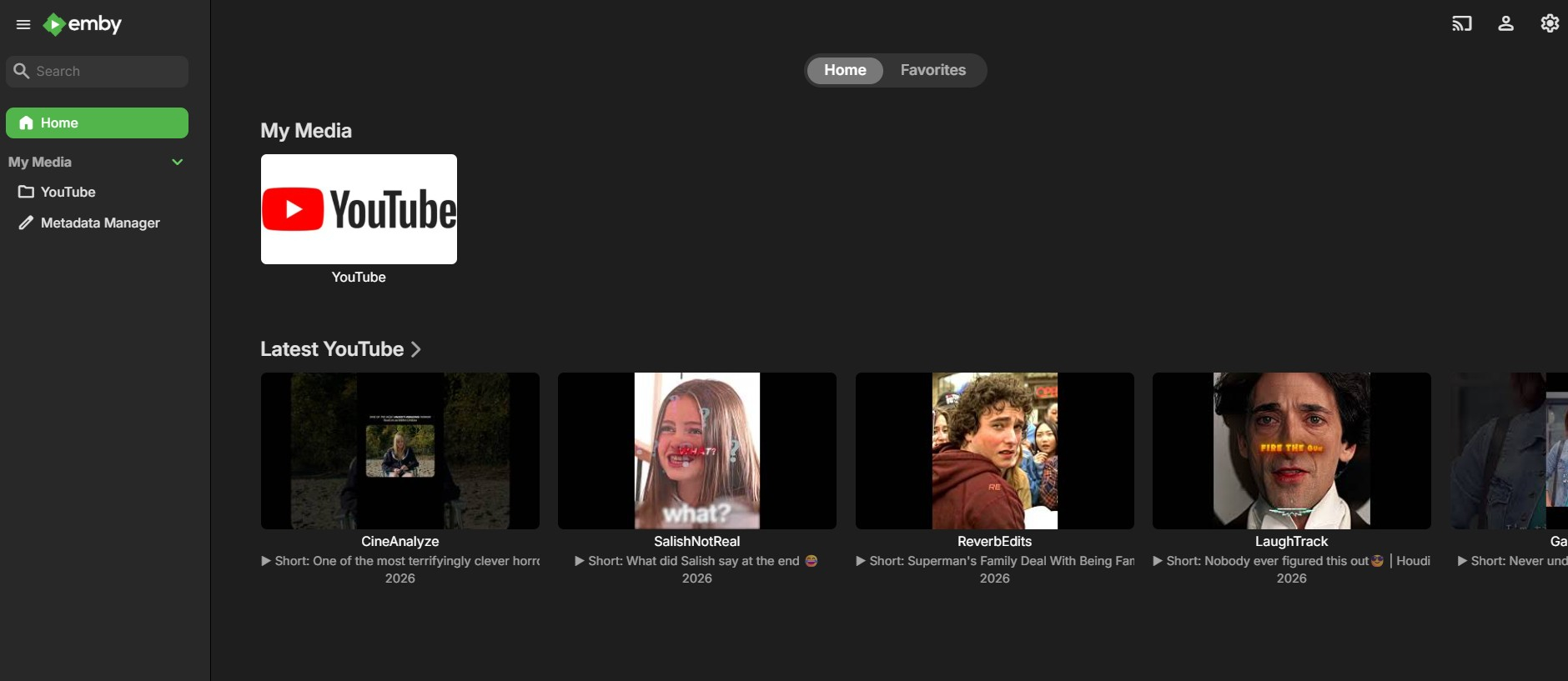
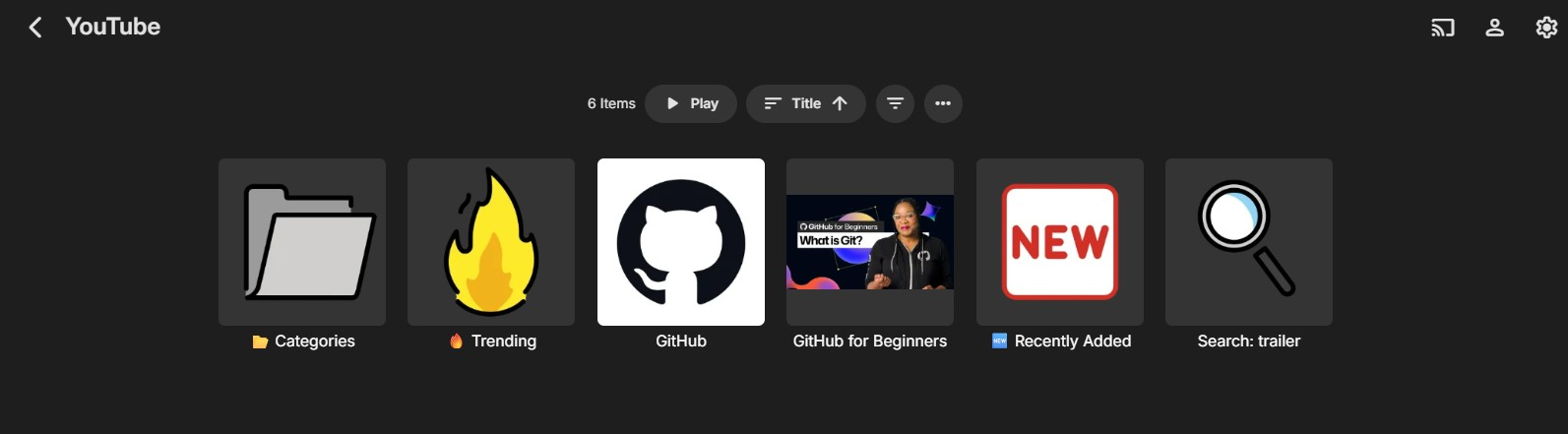
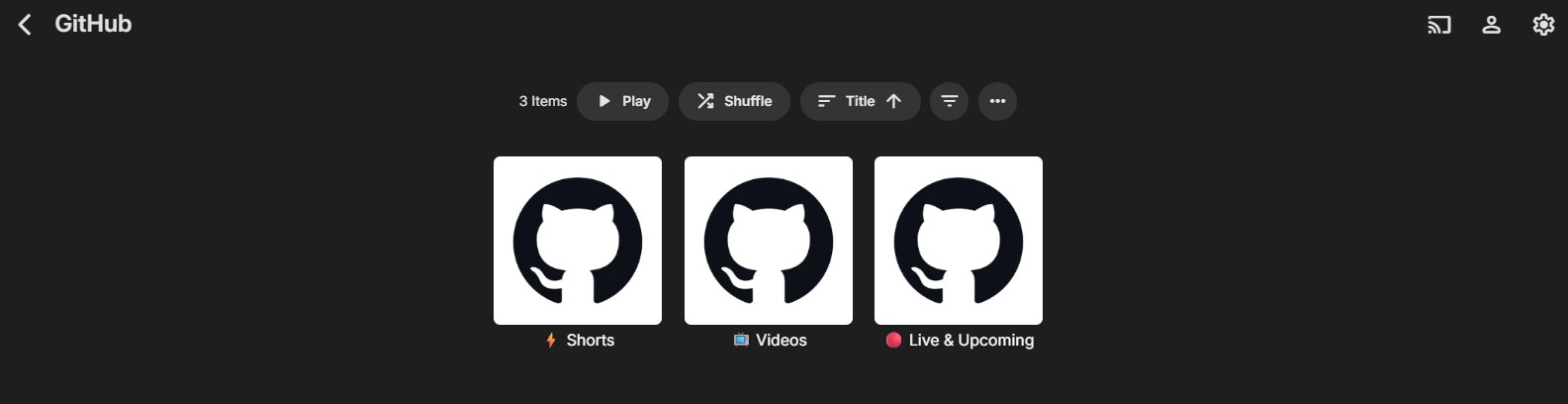
Hi everyone, I would like to share a beta version of my YouTube plugin for Emby. This plugin is focused on clean integration using the official YouTube Data API v3 and embedded YouTube playback. Main plugin overview inside Emby: What the plugin can do: Browse YouTube channels, playlists, and search results directly in Emby Support @handles, UC channel IDs, PL playlist IDs, and free-text search Channel subfolders for Videos, Shorts, and Live/Upcoming Trending view with region/category options Recently Added view across configured channels Optional Watch Later polling Optional Hide Shorts toggle to fully remove Shorts from browsing views Quota tracking shown in the plugin settings Plugin settings: Requirements: Emby Server 4.9 or newer YouTube Data API v3 key Known limitations: Playback uses the YouTube watch page in the embedded web player Resume position cannot be reliably forced by the plugin in this playback mode Audio track/language behavior is controlled by YouTube account/browser settings, not by plugin-side URL forcing Download: Get the latest release from https://github.com/eliasbruno124-dev/Emby-Youtube-Plugin Thank you for testing and helping improve the plugin.
 1 point
 -
i would like to ask you guys if there is a chance to do in new update possibility to force pdf, cbr, cbz files to display first page as a cover. this would be such a great feature. any chances?1 point
-
One thing that's worth checking before we dig into the logs: after pasting the API key and saving, did you get a chance to run the "Refresh Internet Channels" task manually? You can find it under Dashboard → Scheduled Tasks → Refresh Internet Channels — just hit the little play button next to it. Emby otherwise only refreshes channels on its own schedule (roughly every 24h), so the old "Please configure…" message can stick around for a while even though the key is already saved correctly.1 point
-
I did this both on my Roku and browser, and both showing the tags under the detailed view of the show. On the Roku, selecting this tag, leads to the tag page. But still, in the menu on top, there is no tag option, and the genres menu keeps saying there are no items to show... Thanks for both your help so far, much appreciated!1 point
-
We used to automatically retry on every run but then this led to the problem of tying up server resources by trying and failing repeatedly. So currently you have to remove and re-add, although there's room for improvement there.1 point
-
Guess this is a FR and should be posted here. Feature Requests - Emby Community1 point
-
.nfo dateadded data controls the order of media when sorted by Date added Previously the older date added of media with different resolutions also controlled which item shows at the top of the media page resolution list. 1080P 720P 480P The top item used to need to have the oldest dateadded data in the .nfo. I think that has been fixed and now the highest resolution automatically shows on top. This only happens when all copies of the media have the same name, only with dash resolution - 1080P. Star Wars (1977) - 1080P.mkv (dateadded 1/1/2000) - Shows up on page as just 1080P Star Wars (1977) - 720P.mkv (dateadded 2/1/2002) - Shows up on page as just 720P If 1080P had a newer dataadded date, it use to not show up at the top of the Media page pull down list. If the file name is not exactly the same before the dash, then both complete file names show up in the Media page pull down list. I think there may also be a cached memory of the last resolution used to play back each media file. I have not tested this. Hope that helps.1 point
-
Hi. Make sure you don't have any filters engaged.1 point
-
Hi. That isn't suppposed to happen. Can you show us a screenshot of what you mean? Is would help show us if this occurs when using tabs or buttons. We will then get that fixed. Thanks.1 point
-
Everything is restored perfectly! This plugin is excellent; it can restore everything. The playlist might be due to the file.1 point
-
dry Run Toggle was enabled... My bad entirely... Will do more due diligence before asking a question haha Thank you so much for your patience and help! Fantastic work!1 point
-
Notice the Tmdbid helps Emby to find the right metadata. Adding TMDBID (or the rare occasion when I had to use IMDBID) saved the day. Emby has always done a fantastic job of identifying media, but when it needs help with old and/or obscure content the "IDs" really, really help. I use Filebot to make naming a fast and painless process.1 point
-
Backdrops will display in the media detail pages regardless of that setting, the setting in "Emby Web" -> "General" only affects the homepage.1 point
-
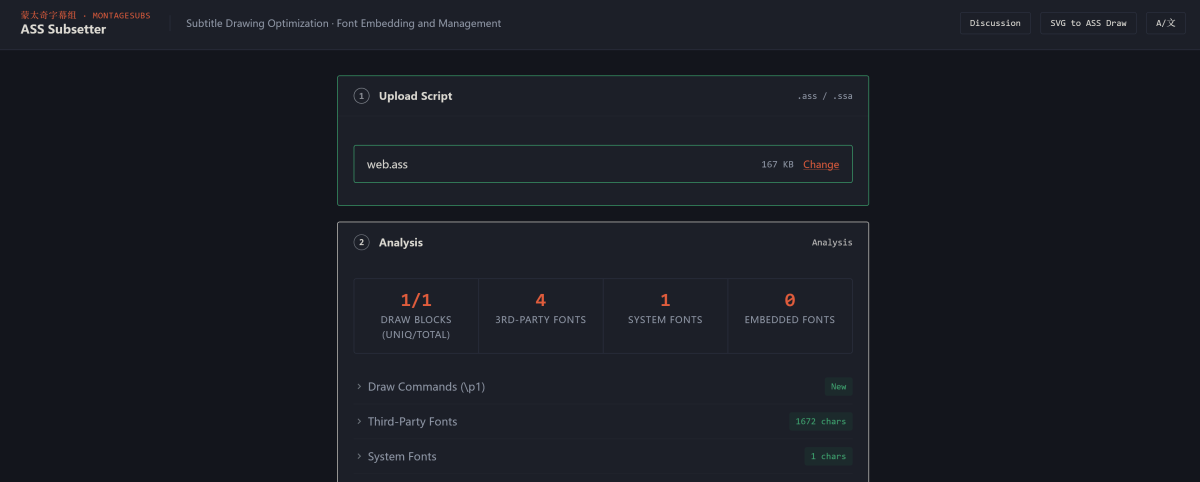
Hi, I'm Meow P from MontageSubs. I'm a subtitle creator. When I design subtitles with custom fonts and careful typesetting, I want that work to look good on every device you watch on. But it often doesn't. Android TV, different players, different systems all render fonts differently. Emby actually supports a solution: embedded fonts in ASS files. If fonts are embedded, your typesetting stays consistent everywhere. But almost no subtitle creators use this feature because it needs command-line tools. There's no simple interface. Font embedding first gained prominence in CJK communities, but it benefits everyone: consistent typesetting across all devices. I built ASS Subsetter, a browser-based tool, so subtitle creators can easily embed fonts. This means better typesetting for you. Features: - Embeds fonts directly into ASS/SSA files - Optimizes draw commands to reduce file size - Runs locally in your browser, no files sent to servers - Supports 10 languages Try it: https://subs.js.org/ass-subset/ Code: https://github.com/MontageSubs/ass-subset Feedback welcome!
 1 point
 -
@LidThe logos for Sky Sports Plus and Sky Sports Golf have now been corrected by Gracenote and the guide refresh after expiry of the Emby Server 24 hour cache period should pick the new images The duplicate channel numbers in the Sky Q London lineup is still there and is open with gracenote1 point
-
Ok, probably it will work. But there are various steps. Let's say on the other side there is my girlfriend that knows a lot of fashion but a little of informatic and has to manually copy files (working on the file system of a headless server that I gave her) to a shared folder etc etc... It would be great if implemented inside the interface of the client. Like the 'download' feature that copies the media from the personal server to the client. Imagine you have a button on your client (connected to server 'A') to request the 'catalogue' of media on the trusted server 'B', select some titles (and the destination library on 'A') and wait for the scheduled task to be done.1 point
-
Thanks That update fixes it!1 point
-
All right!thx.1 point
-
It took a lot of trial and error to finally crack the 'upcoming' cache issue — so I asked Claude AI, and here's what I found What likely actually happens: The Emby developer is correct — Emby does cache Upcoming data. But the cache expires or gets invalidated triggering a fresh lookup. Based on what we saw: Second click was 199ms — that was the cache working First click was 2.6 minutes — that was the cache being rebuilt after expiring So the real problem isn't that Emby has no cache — it's that when the cache expires and rebuilds, it blocks your request for 2+ minutes instead of serving stale data while refreshing in the background. Our fix still works perfectly regardless — we serve the cached data instantly and let Emby rebuild its own cache in the background without you ever waiting. Basically, the cache expires or gets invalidated, triggering a fresh lookup (this happens multiple times throughout the day). As I mentioned before, Jellyfin's "Upcoming" is always instant because the cache does not expire or get invalidated within the 24 hour timeframe. This makes total sense to me because this is what I was experiencing before the fix. Thanks1 point
-
Hi, but don't you want a personal media server rather than something that puts all of your personal information into the cloud to sell to the highest bidder?1 point
-
Because Google is a lot harder to get through review and most of the changes since then are related to the new server beta. There should be an update not too far off, though.1 point
-
Hello Everyone, I wanted to write this topic because it's a series issue that I have been facing for a while now and I haven't discovered the cause of the issue yet. but I have found a way around it. First of all I want to mention why I have switched and subscribed to emby in the first place. I have always used Plex and it was bugging me all the time with their server issues and playback issues and almost every two weeks I had to reinstall the server because it just shuts down by itself. The movies I play on my TV and Soundbar are all 4K with TrueHD 7.1 surround sound. so you can imagine how huge these files were and the power they required to be played. Then I discovered emby. and man I was so happy that I found an app and server that play these movies super fast with no lag and no stutter and no server issues. at that time emby server was on 4.8.3.0. it played everything I throw at it. no server issues whatsoever. I subscribed immediately and transferred my whole library to emby. ditched plex completely. I stayed on version 4.8.3.0. for almost a year without updating my server and it was working amazingly. last year about the end of the year time I decided to update my server, since I saw a huge change log I said to myself it would be even better with these updates. little did I know that updating my server would be the end for emby for me. after that update to 4.9.3 and above and even the beta updates 4.10. My emby couldn't play any movies at 4K TrueHD 7.1. It crashes within the first 3 minutes of playing the movie. I couldn't figure out why or whats happening. I thought maybe the movies are corrupted and I redownload them. whenever I play a movie it just crashes and I have to relaunch the server. like it can't handle that format anymore. I tried to search here for a solution but nothing helped me. And I almost gave up on emby in search for something better or go back to plex because it didn't have that crash issue for me. As a final solution I wanted to try, I remembered why I switched to emby in the first place.. fast, no lag and no crashes at all, and that made me think of the version of emby server the moment I discovered it. I remembered that when I fell in love with emby it was on version 4.8.3.0. So as a final solution to try and fix the issue I said why not to try the old version of the server. And here is the surprise, No more lagging, no more crashing at all. it played my movies smoothly and with no worry that it would crash at any moment. So emby team, this is my message to you. Whatever you did after version 4.8.3.0. please revisit that and see whats changed. because this version never crashes for me. Finally, I hope this helps whoever is having these issues just like me. and sorry for the long essay I just wanted to express my feelings while explaining this issue.1 point
-
Downloaded and ready to try.1 point
-
Hi, it's doable, but it sounds like more of a job for file transfer software.1 point
-
The definition of "your server" - is a server that you own and manage yourself, and that you have personally installed Emby Server software on. So, if it is your server - can you check the status of the Emby Server application and verify that it is actually up and running? If in fact, it is not your sever, and instead a server that was provided to you - then you will need to contact the admin of that server for help, we cannot assist you with that.1 point
-
Hi, it is largely the same as it always has been. We still recommend converting to mkv.1 point
-
@jakeg1235 Glad to hear that you got it working! There are some more posts about it here (towards the end), if you are interested: https://emby.media/community/topic/147197-album-tag-importer/page/4/ It's still very experimental, so there isn't any new code update as yet, but possibly later... You may also be interested in the "importer" tool for Album tagging? Cheers!1 point
-
Should be fixed in the latest version along side a small bug in the loading of the settings page that could make it not show in rare occasions when closed and then loaded to fast. Thank you for reporting it.1 point
-
Thanks, I've also added into my QA test notes to test all 3 sidebar phases in each area. You got a good eye. Updates: Fixed an issue with the mini sidebar conflicting against the --custom-sidebar-width variable. Section 1 Updates: None Emby Navy and Gold v5.4.1.css1 point
-
Apologies. At some point I allocated my emby server with only one vCPU. I'm not sure how this happened. I've provisioned the server with eight vCPUs and searching is no longer a problem.1 point
-
You would honestly be better served to drop the Firestick and move to a actual Android device like an Onn box, or a Shield. Amazon will continue to break things, forcing the dev team to address them, taking them away from more important problems. The fact Amazon has decided to go this route is stupid, and is a slap in the face to consumers.1 point
-
Hi, we are working on an updated ffmpeg that should be in the server beta channel in the near future. Thanks.1 point
-
I'm afraid to say that, but this is farther away than the impression that has been created. Once we have a new ffmpeg version, this will not immediately include RK hwa support. Initially, we will need to test and stabilize all regular functionality with the new ffmpeg. This takes time. And when we integrate the RK hw features in a new and specific ffmpeg build for those devices, this still doesn't mean that it's working automatically. There is development in Emby Server required, so that it will make use of those hwa capabilities. So it's really not something that is like just-around-the-corner. Even though this is not the kind of message you were all hoping and waiting for - I think it's not only fair but also a matter of respect towards users, not to let them get trapped in a long loop of hope and disappointment. It's definitely on the agenda, but not possible to get done by a finger-snip. Thanks1 point
-
Hi, the 4.9 beta server has added support for embedded fonts in the web app. Thanks.1 point
-
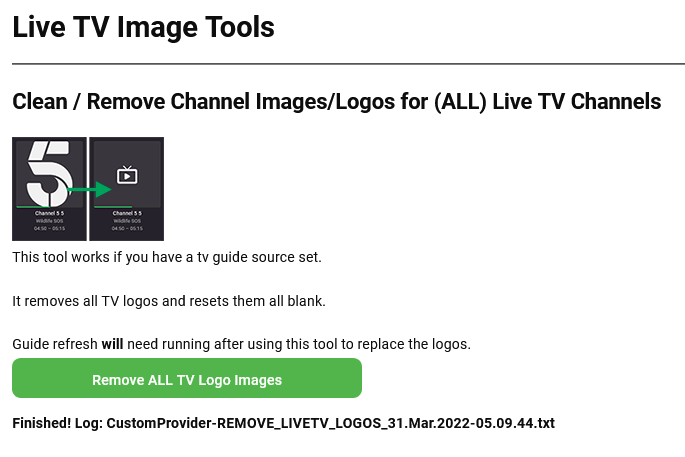
Heres the latest build Stable = use on the stable server Beta = for use with the latest beta server This is in direct response to this thread: https://emby.media/community/index.php?/topic/107259-update-live-tv-channel-icons/ I dont have a clue why this would affect other things, my coded example does not touch anything other than the logo images. Works as described. When a lineup changes or you change make changes the tv channel logos can be showing the incorrect images, this removes them all, so that when the guide is refreshed, they re-appear correctly. Added this to the Clean Tab Running a guide refresh after removing all channel logos in my test replaced them all with the correct logos CustomProvider.zip
 1 point
 -
Here is the entire set without text, so anyone can use their own language or font as they wish. I used Eras Bold ITC font, should anyone want to continue using that. I have also included the background plate for placing images on - in case anyone wishes to use that (you can simply change the colour to something complimentary to whatever image you choose). There are a few I never posted here as well. Feel free to add your creations here too! ( I may have missed a few, so just let me know, thanks.)1 point
-
@Lukeany status on when it'll be available in Beta, this has been waiting for quite a long time!!!0 points












.thumb.png.1ddf135ad99a72646a26d671a28ffe35.png)











