Leaderboard




Popular Content
Showing content with the highest reputation on 04/12/26 in all areas
-
There is a synchronization conflict between Docker, Emby, and TMDB. After my Docker container corrects the air times for upcoming US TV shows, Emby pulls fresh data from TMDB a few hours later. This overwrites the corrections and reverts the shows to the incorrect timezone. To fix this, I’ve bypassed TMDB in favor of Trakt, which respects timezone data more accurately. Additionally, I noticed some upcoming shows fail to appear in Emby entirely, even though they are visible in the Kodi. Kodi uses Trakt for upcoming TV Show.1 point
-
NOTE: My server auto-updated to 4.10.0.10. King of Queens and Highway to Heaven succeeded! I'll try a few more.1 point
-
Updates: Ability to set a custom background image. Section 1 Changes: If you customized your CSS, you could keep your section 1 and just update section 2 on down. but here are the important things that were added or changed so you can modify accordingly. New variables added /* --- GLOBAL BACKGROUND IMAGE --- */ /* OPTION 1 Use Theme Defaults */ --global-bg-image: radial-gradient(circle, var(--navy-mid-solid) 25%, var(--navy-base-solid) 85%); /* Default Theme Colors */ /* OPTION 2: Use a background image at full brightness (Set to your prefered image)*/ /* --global-bg-image: url("https://static.vecteezy.com/system/resources/previews/024/396/102/large_2x/a-view-from-space-to-a-galaxy-and-stars-universe-filled-with-stars-nebula-and-galaxy-panoramic-shot-wide-format-elements-of-this-image-furnished-by-nasa-free-photo.jpg"); /* Full brightness image */ /* OPTION 3: Use a background image but dimmed down (Set to your prefered image) */ /* --global-bg-image: linear-gradient(rgba(0,8,20,0.7), rgba(0,8,20,0.7)), url("https://static.vecteezy.com/system/resources/previews/024/396/102/large_2x/a-view-from-space-to-a-galaxy-and-stars-universe-filled-with-stars-nebula-and-galaxy-panoramic-shot-wide-format-elements-of-this-image-furnished-by-nasa-free-photo.jpg"); /* Image with 70% Navy dimming */ Emby Navy and Gold v4.115.css1 point
-
Ok. I'll try it tomorrow. I'll let you know.1 point
-
@yocker- this one loads just fine. thanks !1 point
-
See if this one works. It should correctly loads the settings page now. The config file is not necessary for the settings page to load and is first created when saving. EmbyIcons.dll1 point
-
Perhaps the Emby dev could start to stop ignoring us and try to find a solution to this problem? @sa2000 @Luke1 point
-
Sorry for delay in response. My qnap died on me and had to buy a new one. I have checked the changes and they have all been corrected Thanks1 point
-
I have noticed a bug in the plugin with Emby 4.10.0.10 regarding playstate. It does no longer sync to Emby when set in the plugin, I'm working on a fix but I'm a bit busy so it might take some days before i get time to fix it. Thanks for your patience!1 point
-
Hi, it's not a bad idea. There's always the question of how important is it compared to other pieces of data that we're trying to show there, and then at what point does it all become too much.1 point
-
please disregard, factory reset my NAS and it installed DSM 7.3 which was not available before1 point
-
Running a 2TB WD BLACK SN850X, not even half full so I doubt that is affecting it. Really wish I could revert to the previous search until a fix is ready to test out.1 point
-
That IS odd. My library is ~80TB but I think the difference in my case might be related to the number of artists/performers/composers that are tagged on my files. I never see the Emby process use more than 15% CPU usage, even when it's locked up from a search query. I also have 10GB allocated to cache size in the settings, but the only time it's ever gotten close to using that is during a database clean/vacuum.1 point
-
@Lukeor @ebrshould respond soon. I'm sure they'll add it to the list to fix, but they might ask for logs.1 point
-
Hey Luke Sorry this old man is blind, HA HA I did not see the Guide button at the bottom when watching the show. Really Du** of me. Great app thanks again.1 point
-
Hi Luke, I have the emby client on the fire tv cube and i only see the guide and then i play a channel but if i want to see whats on the guide again it closes the tv show i am watching. Am i missing something in the client setup? Thanks1 point
-
I may have found something. I have a duplicate movie. There is only 1 filename for both entries. I happened to notice IMDB has an AKA for the name. Black Gold (2011) is also Day Of The Falcon (2011). I have both movies, in different filenames, different folders. But Emby is seeing it as the same movie name and for some reason the same filename. See if your movie title is also known as something else and you have is stored under both names.1 point
-
Haven't played with this for a few days, some updates: v1.3 Clear Method section updated (Clear Specific/Replace Specific buttons added, with modals and dropdown selections) Color accents reworked Selection logic refined RT/ROON mapping modals Map to fields are also dropdowns now (unique tags available in Emby based on current selection) emby_album_tag_importer.py1 point
-
absolute legend for adding the selected collections option so quickly! This will push my home screen exactly into the direction I had in my mind1 point
-
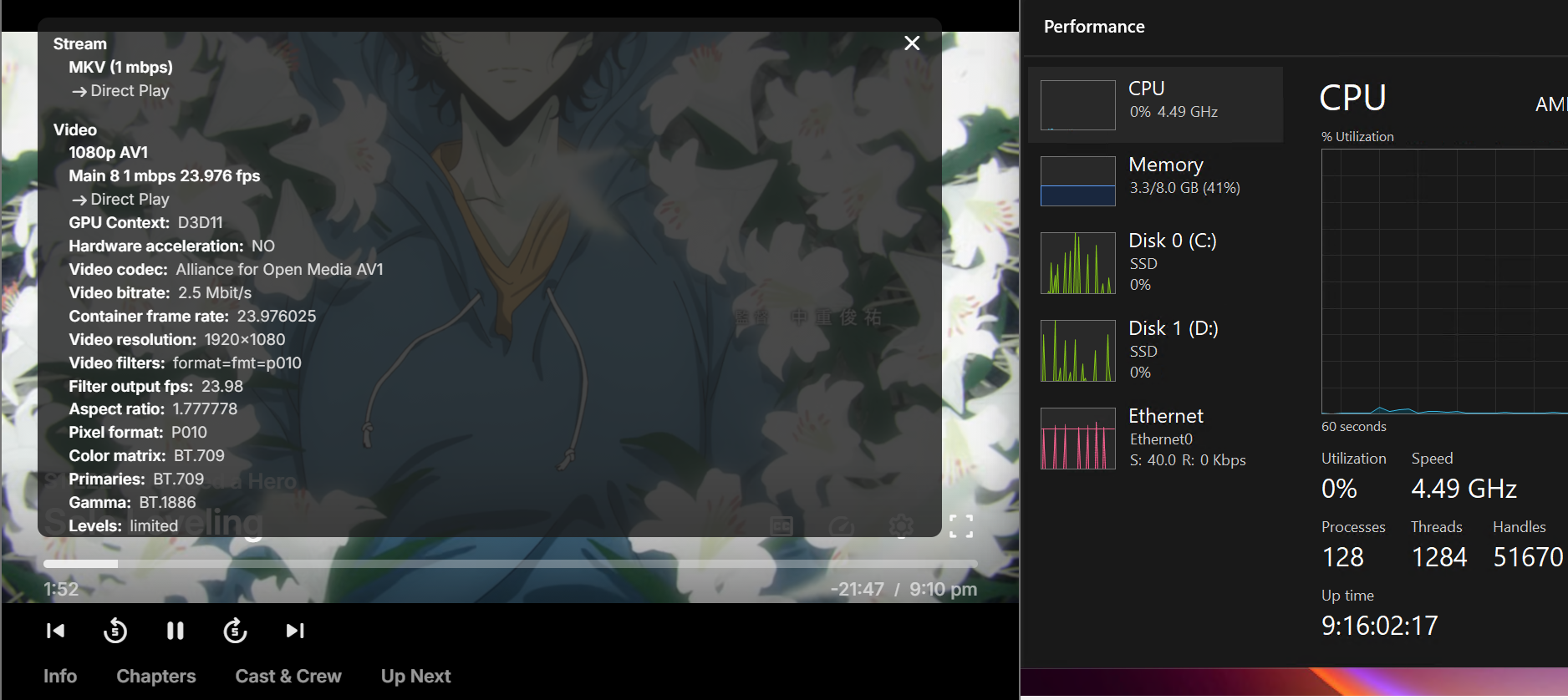
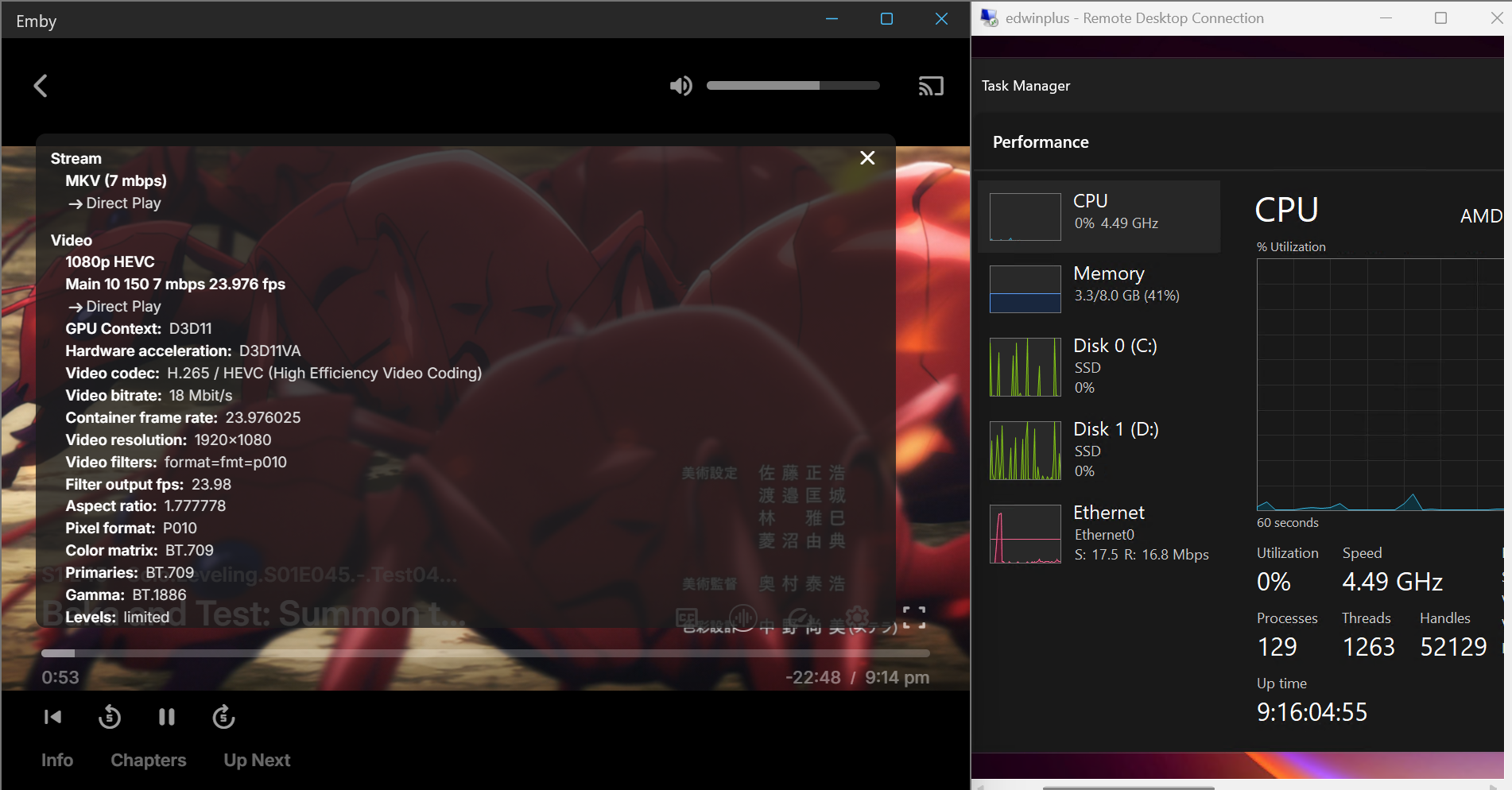
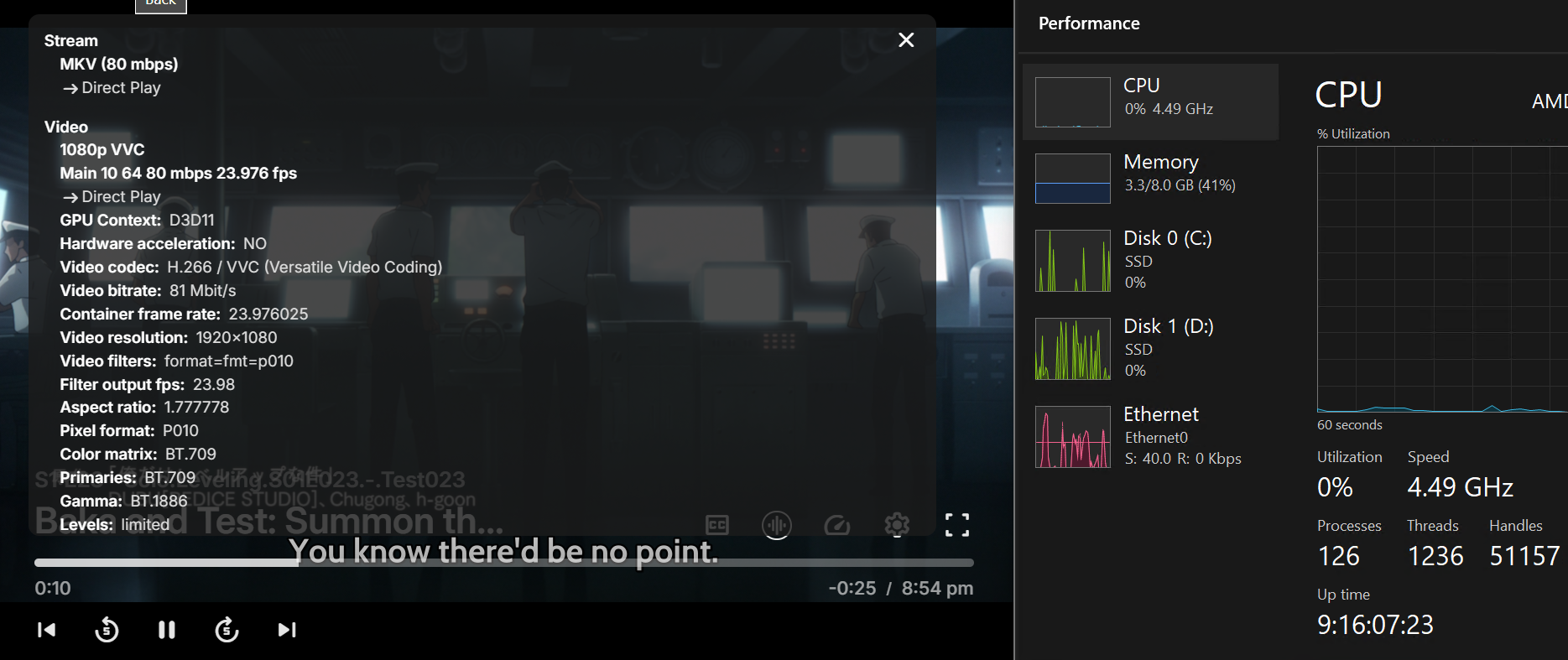
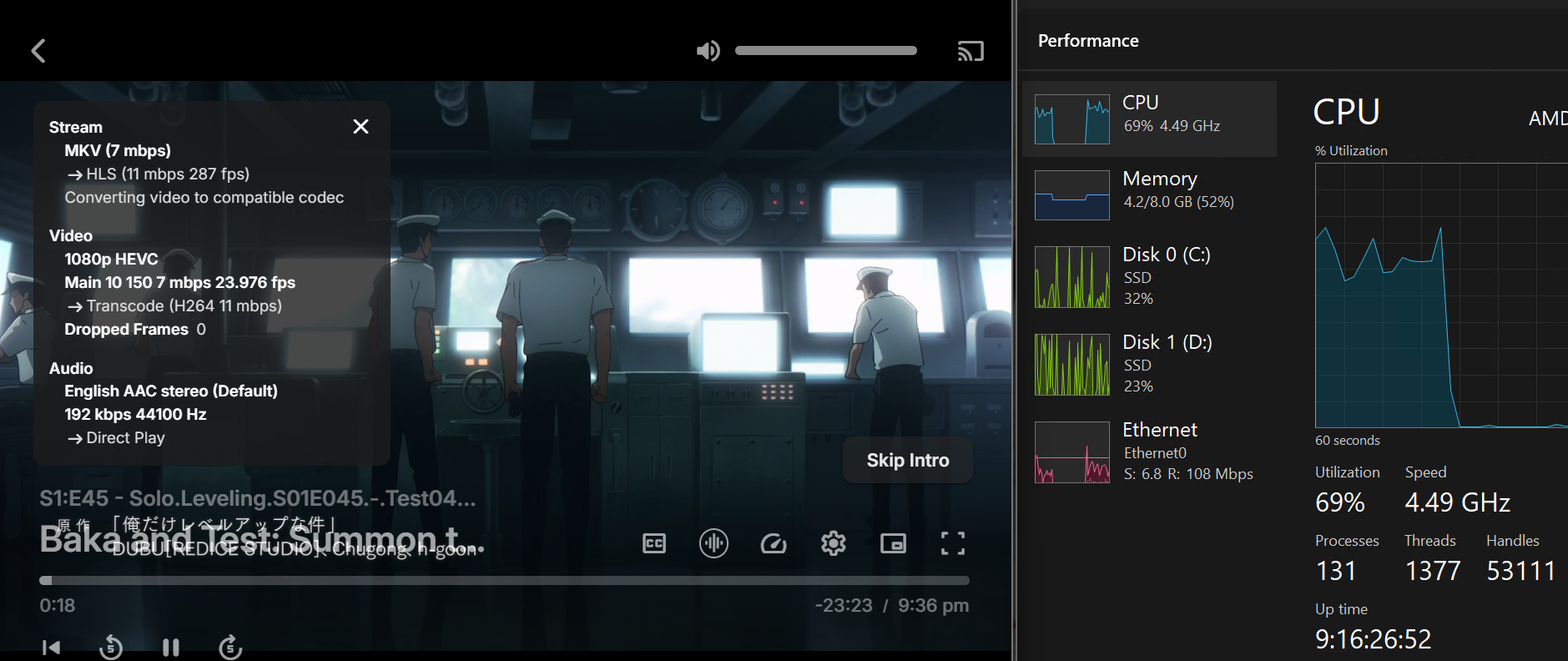
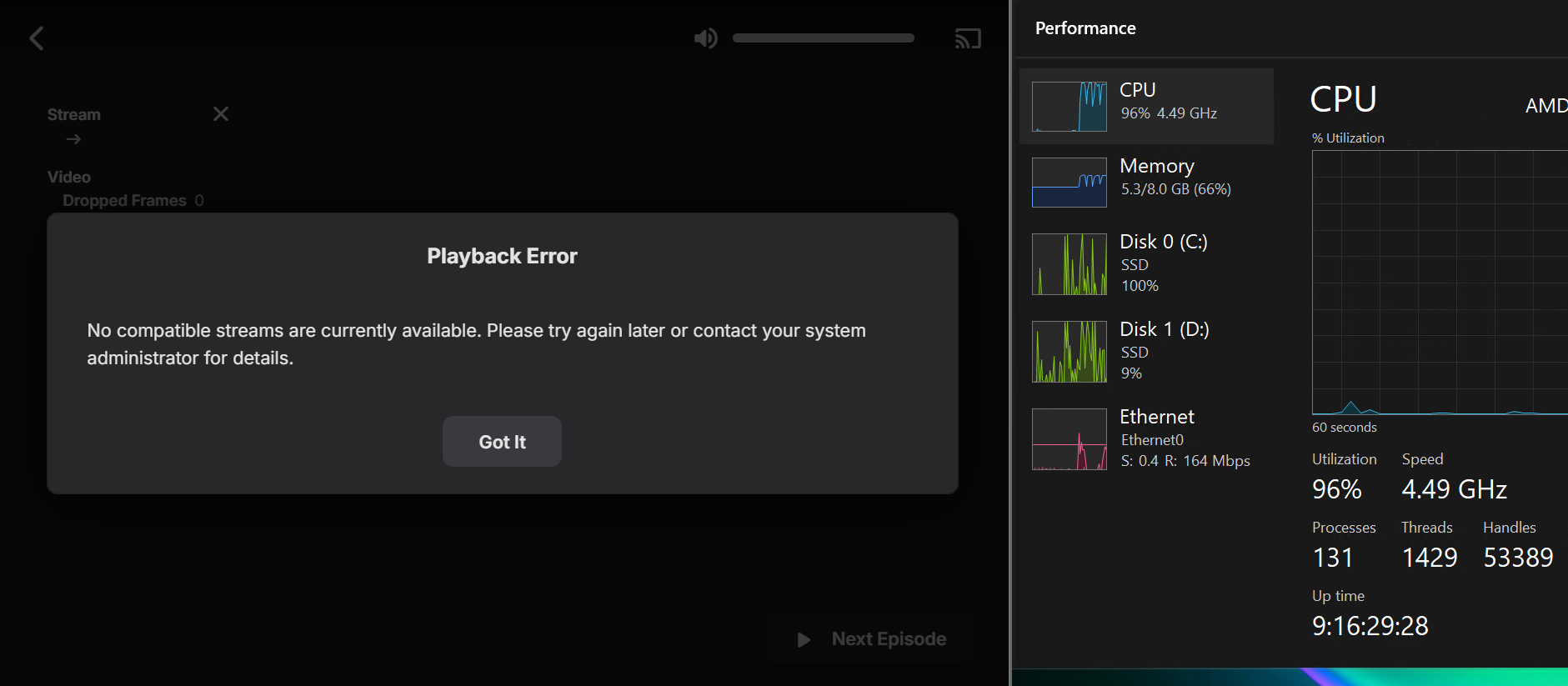
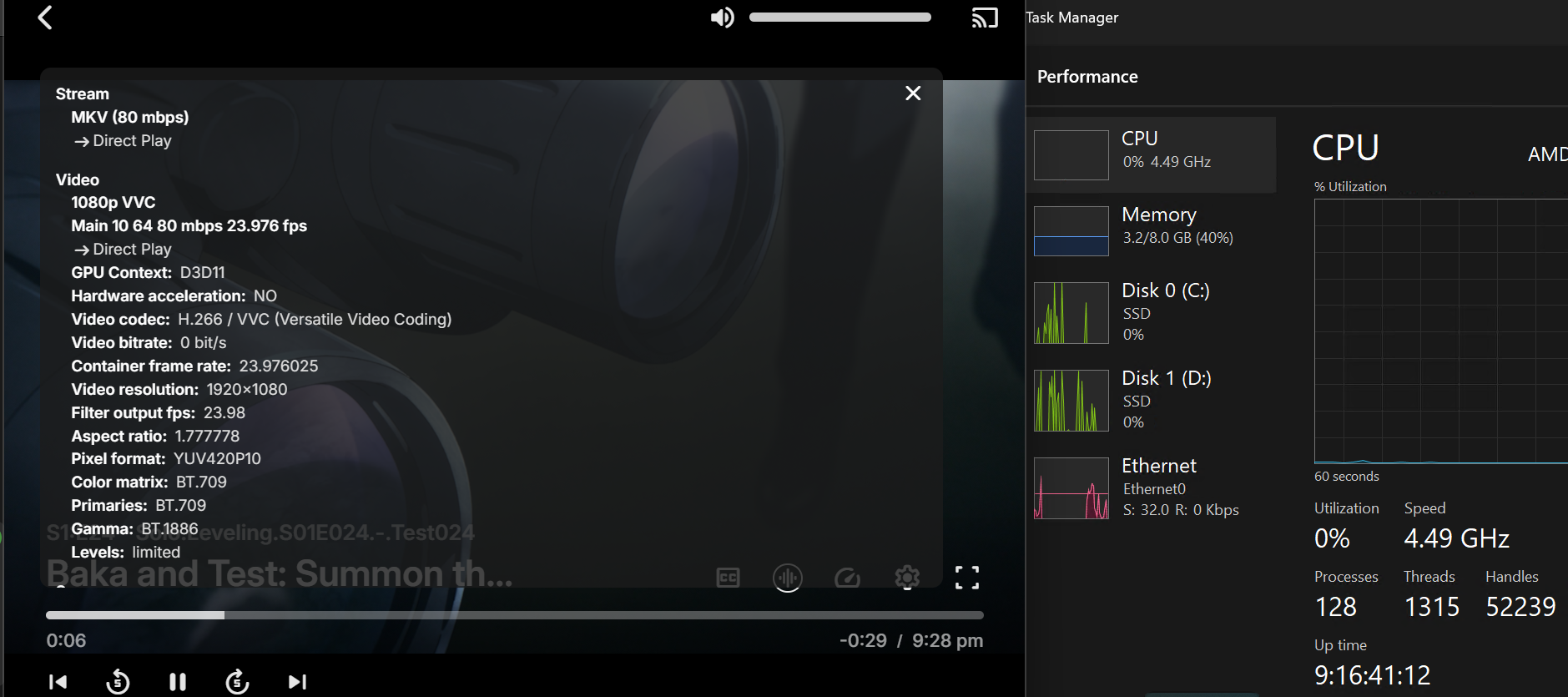
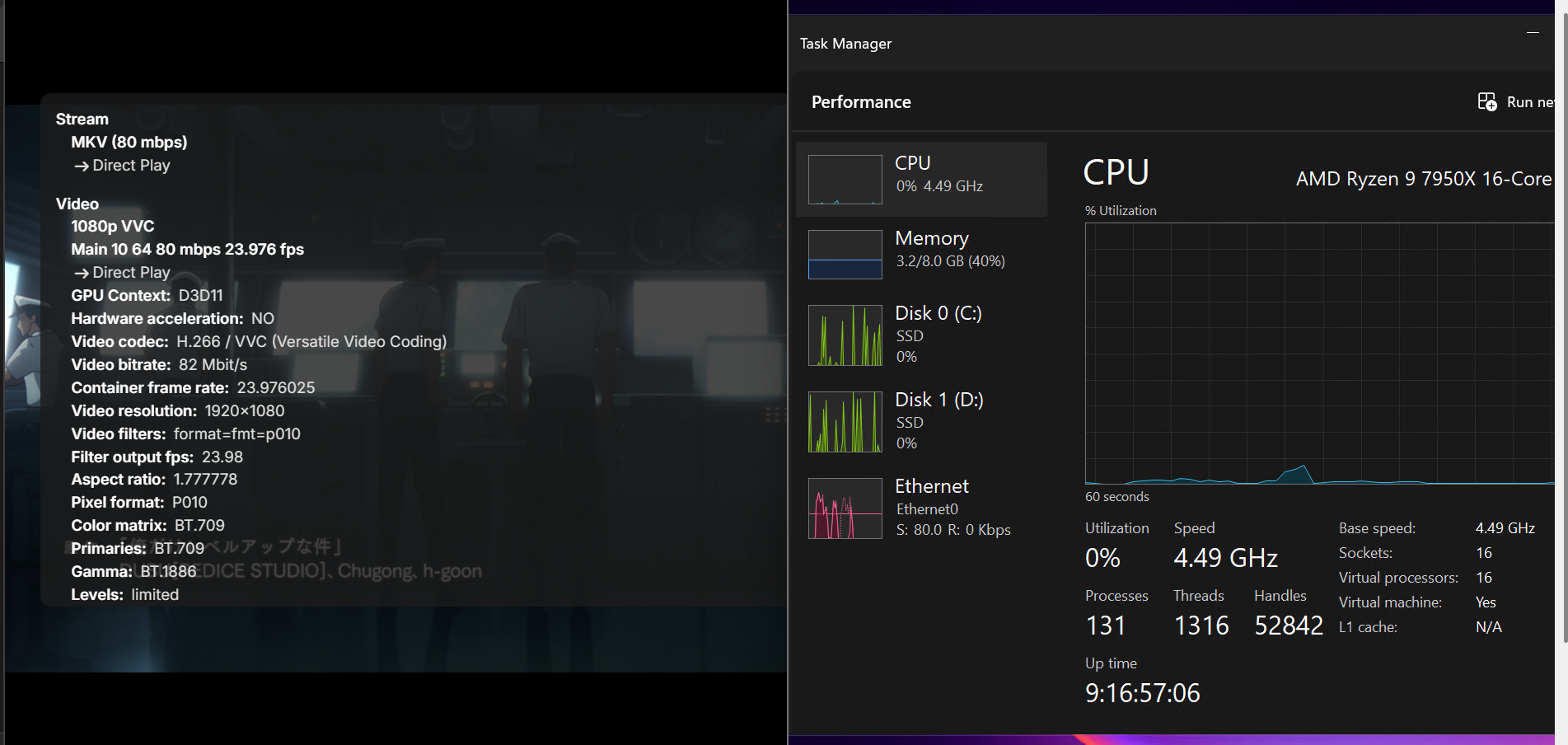
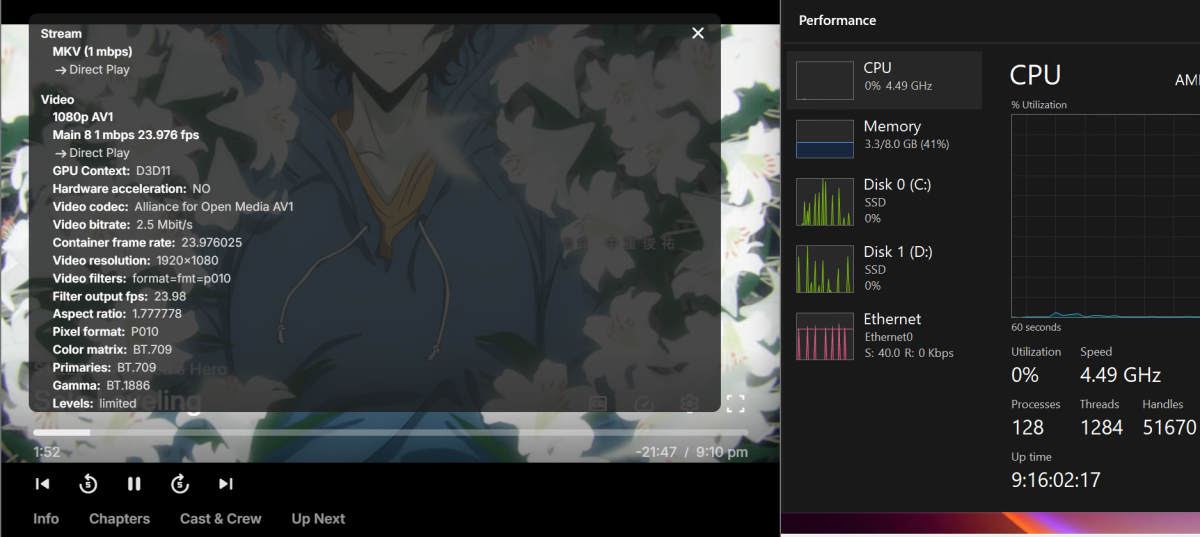
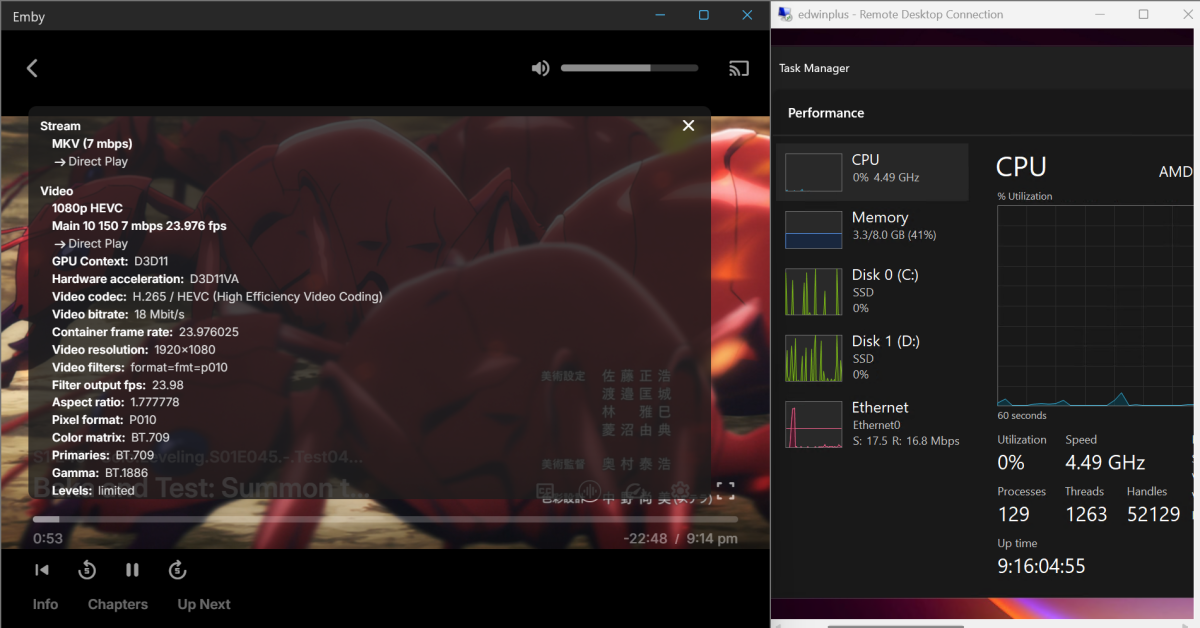
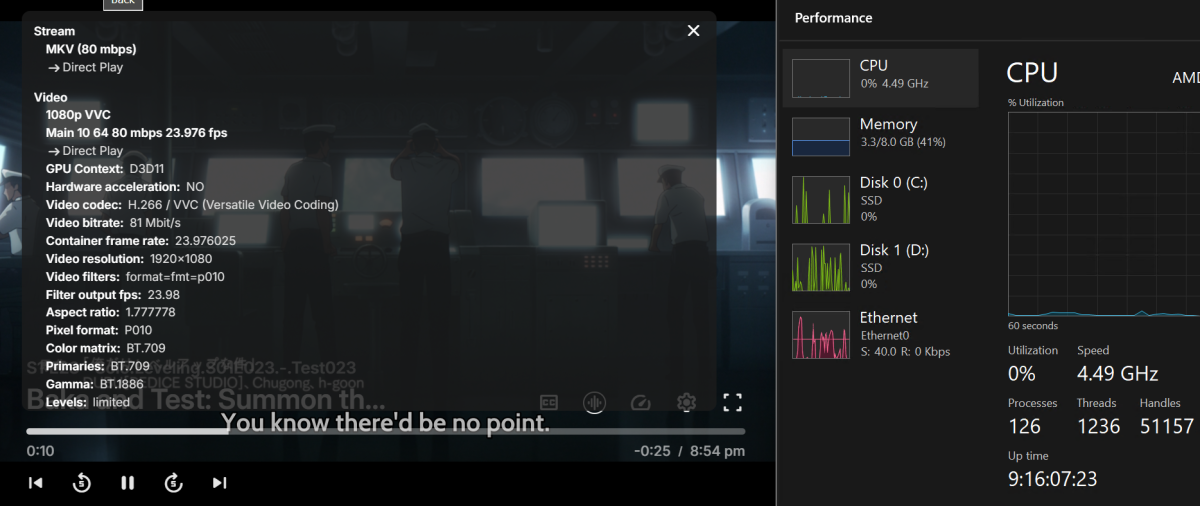
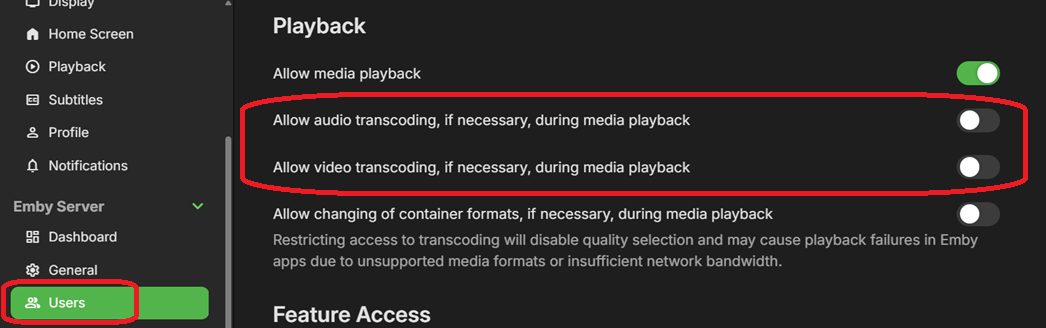
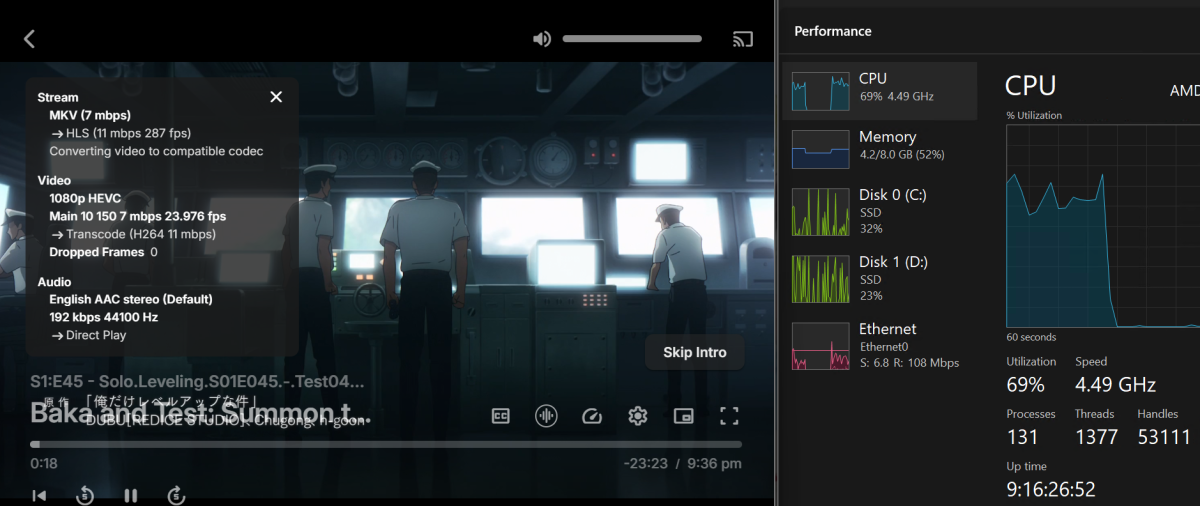
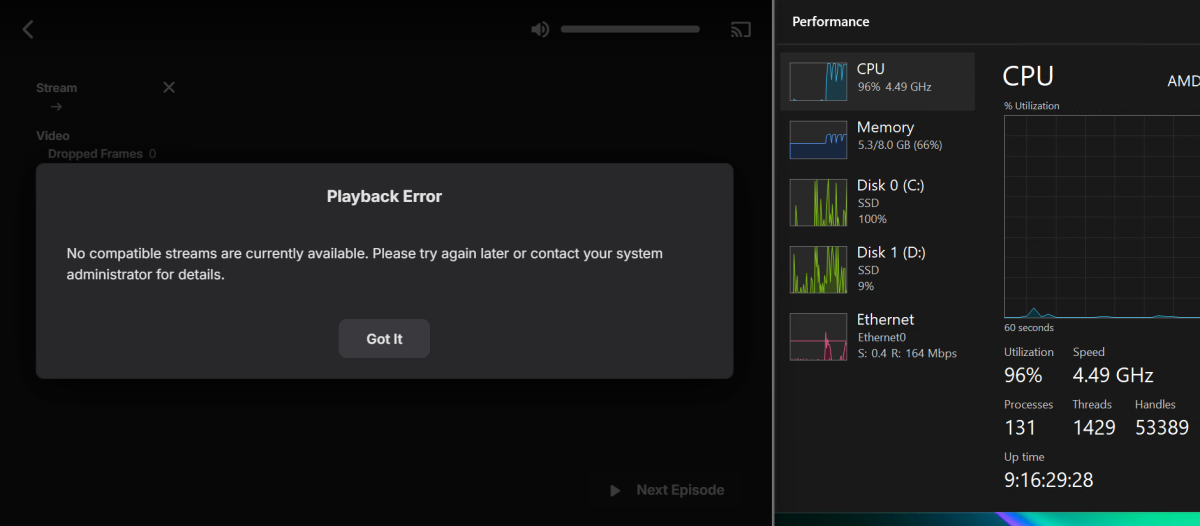
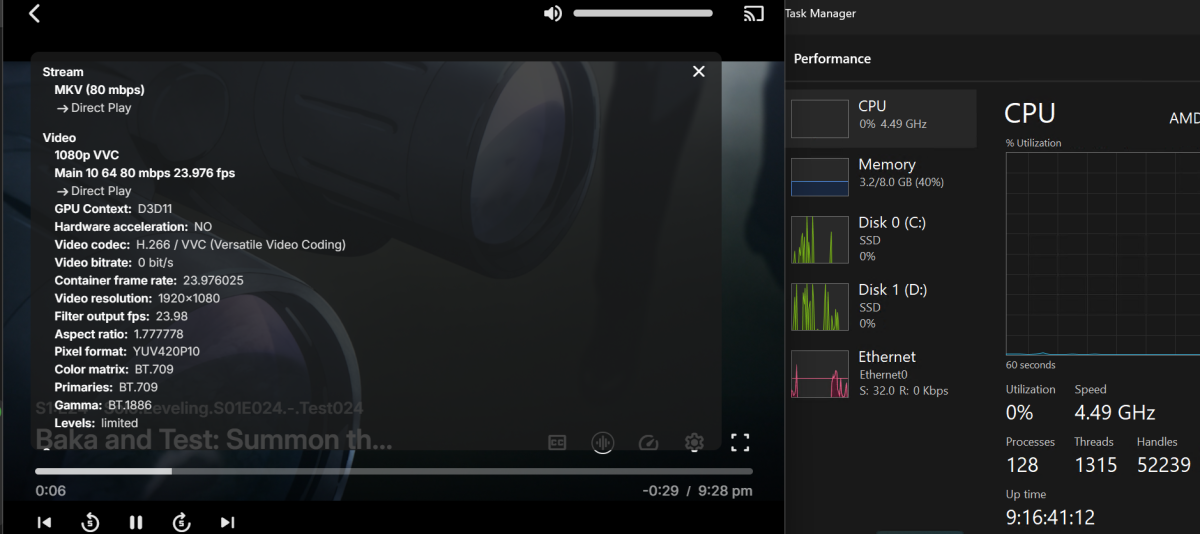
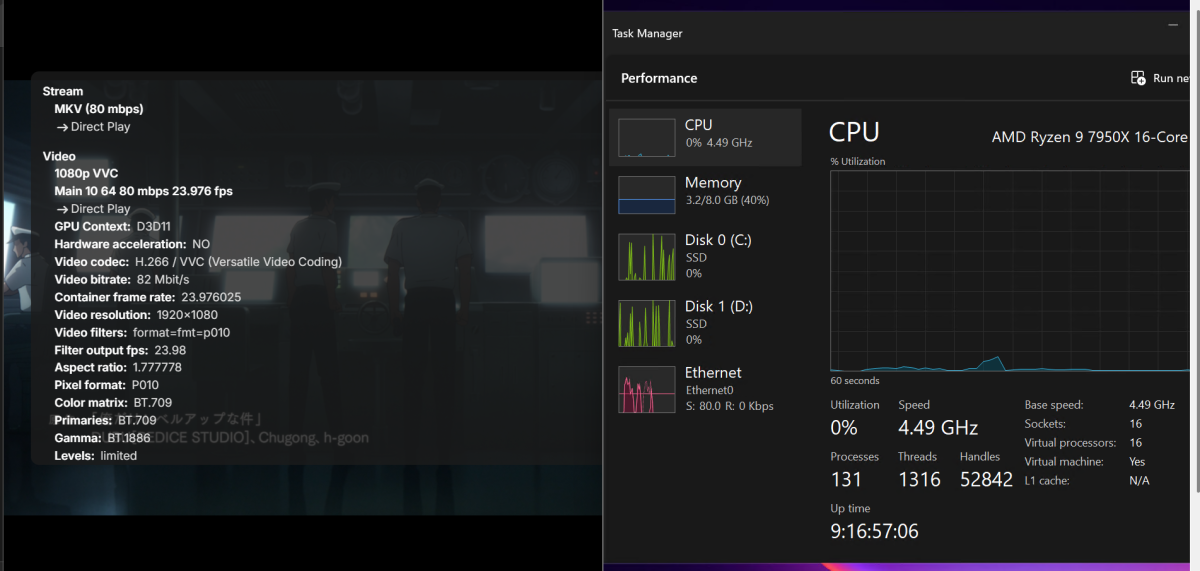
In case someone is interested, I fixed the issue of having to transcode my HEVC (H.265), AV1, and VVC (H.266) video files by following the instructions given here in an earlier post, plus Emby App, plus Emby Premier, as explained below. 1.- Disabling transcoding per user in their settings page. 2.- By downloading the Emby app from the Microsoft Store (on my Windows 11 computer). Unfortunately, the Emby app was able to play all formats without transcoding. This was confirmed by checking Emby server - Win2025 Task Manager performance being normal=very low - By checking Stats for Nerds on videos being played 3.- The new Emby app plays any video, but only for 1 minute unless you have Emby Premiere, which allows you to play videos without time limits. All other browsers I tried (Firefox, Chrome, MS Edge) were unable to play videos at all after disabling Transcoding. RESULTS Before fix: HVEC (H.265) + Chrome + "Transcoding=ON" + Direct Play Left: Google Chrome | Right: Emby host server Task Manager Before fix: VVC (H.266) + "Transcoding=ON" + Direct Play Left: Google Chrome | Right: Emby host server Task Manager After fix: AV1 + Emby App + "Transcoding=OFF" + Direct Play Left: Emby App | Right: Emby host server Task Manager After fix: VVC (H.266) + Emby App + Transcoding=OFF + Direct Play Left: Emby App | Right: Emby host server Task Manager After fix: HEVC (H.265) + Emby App + Transcoding=OFF + Direct Play Left: Emby App | Right: Emby host server Task Manager PS: Please note: - This is my first post here. I hope these screenshots come out well and do not confuse or drive people crazy. - Even when Transcoding is ON, and other browsers trigger Emby Server to use all CPU power on the host server, the Emby App does not force transcoding, instead it uses Direct Play keeping the host server CPU utilization very low, as shown below. But the computer where the player is running, on the other hand, will, you might say, suffer the consequences by having to use more CPU than usual. I am OK with this since even a low end laptop I use for testing, is capable of playing most videos, except for the one shown below, which it has a bit of a difficult time processing it, pausing the video for a fraction of a every now and then, but that video is unnecessarily high quality, very heavy in storage space, and used only for testing. Left: Emby App | Right: Emby host server Task Manager | Below: low end test laptop performance while playing this video
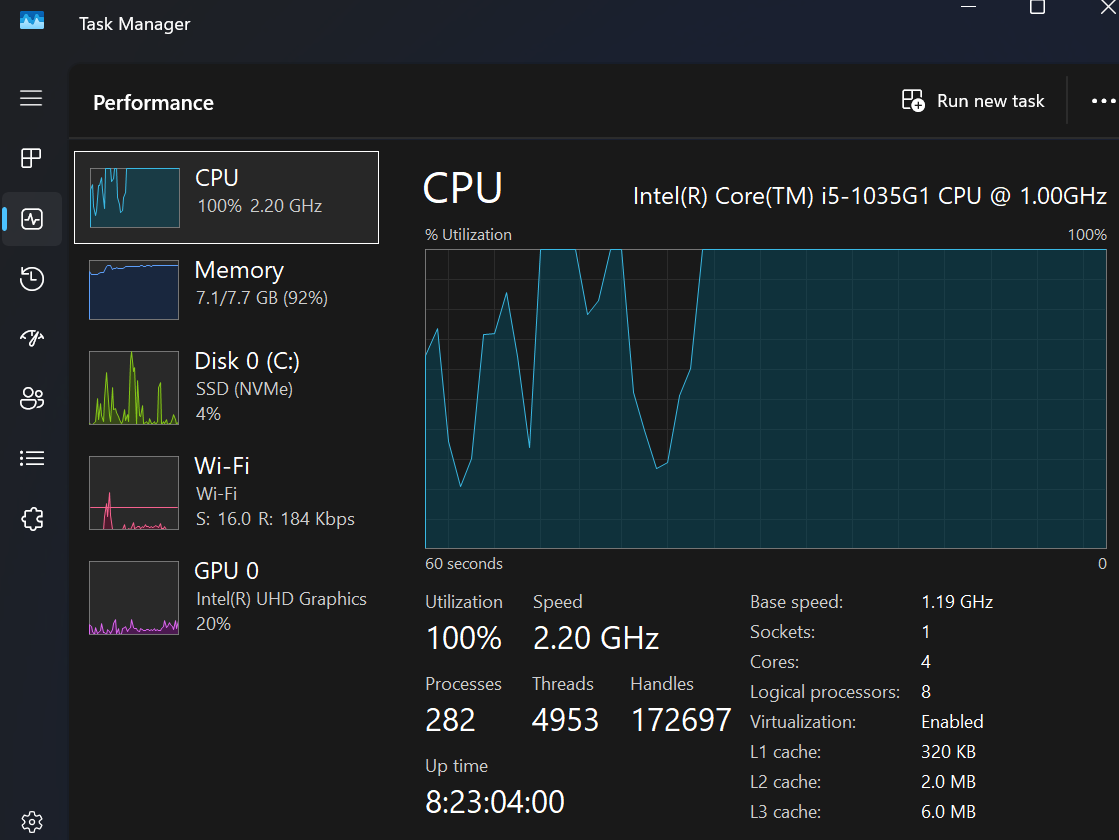 1 point
 -
I've done another round of more thorough testing, and I can again confirm that AV1 is ideal for my use case, and is superior to VP9 in efficiency. Even on HD content, playback/resume/scrubbing are 100% reliable, and everything is showing direct play in stats for nerds. CPU usage on my client hovers around 9% during playback. Server CPU is basically idle. I'm getting excellent results with low bitrates just like with h.265. Scrubbing HD content is still more responsive than even starting an SD video when the server is transcoding everything. I'm used to waiting multiple seconds for updates when scrubbing. I think I've found the sweet spot for bitrates and file sizes and quality and encoder presets, and I'm gearing up to transcode my entire library to AV1. My primary viewing device is an NTSC CRT TV, so having high resolution video files is kindof pointless. I've chosen to transcode to 720p on some titles just because the source material is good, but most of it is 720x480. I'm using 512 kbits/sec for animation, and 1024 kbits/sec for everything else, and there are barely any compression artifacts noticeable. I've only noticed them when I'm actively looking for them. The first pass when using 2-pass encoding goes by a lot faster for some reason when transcoding to AV1. The encoder preset default is 6, and I've found that setting it to 5 is a good balance between time to transcode and perceived quality of the video output. I'd probably set it lower if I had better hardware, but this is more than acceptable. Thanks so much to everyone who chimed in, and thanks to the Emby team for creating and maintaining this software. Keep up the good work.1 point
-
Thanks for posting @visproductionand I'm not saying it's easy, I don't know. My limited experience with running SQL statements tells me things can get very complex. However, it seems this request is just pushed aside for other things; everyone wants something, it's my own opinion that this should be prioritized. Others agree, others don't agree.0 points