Leaderboard




Popular Content
Showing content with the highest reputation on 04/10/26 in all areas
-
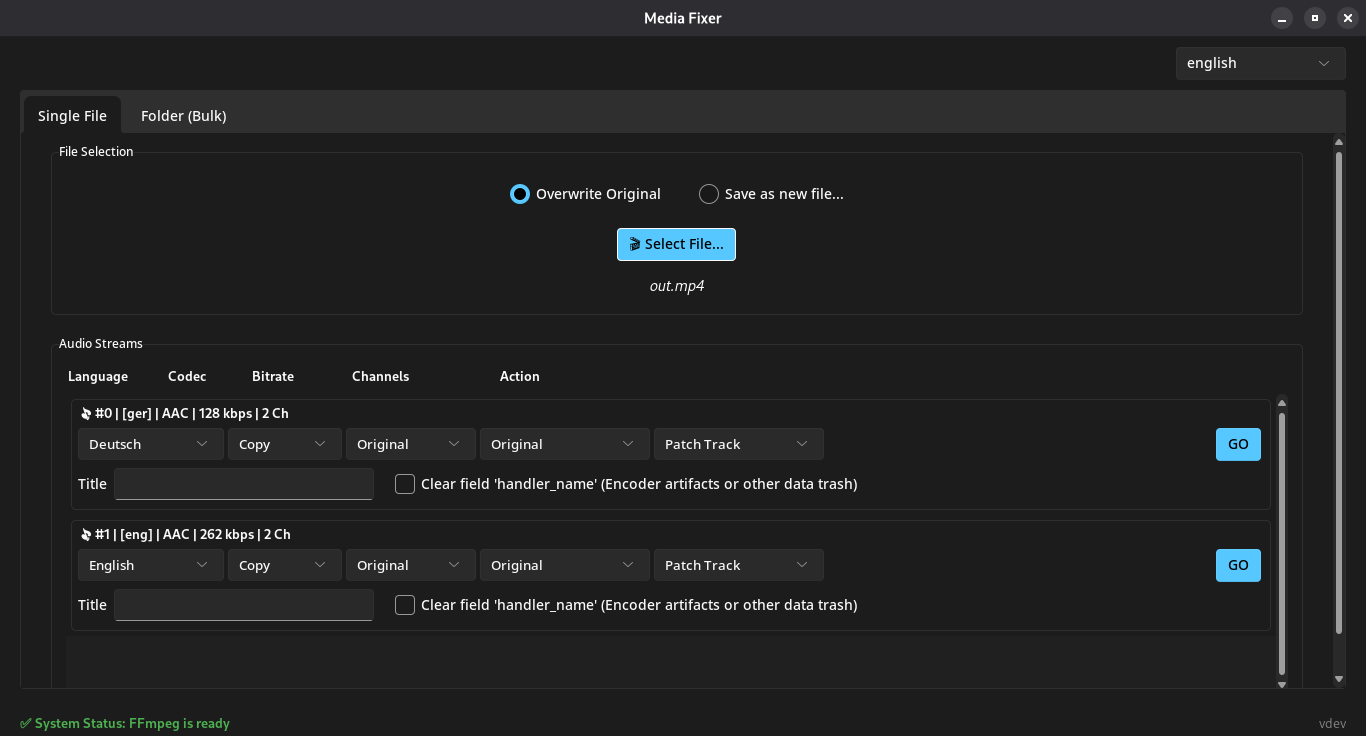
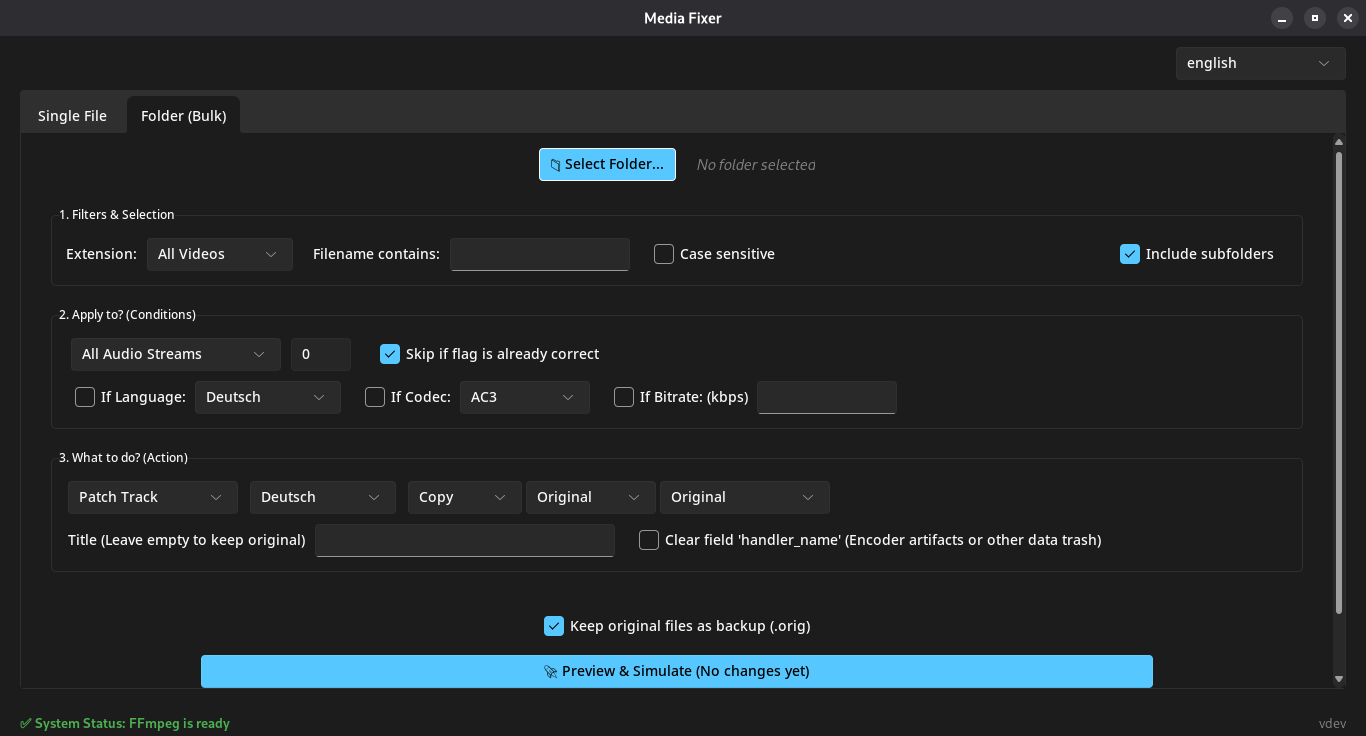
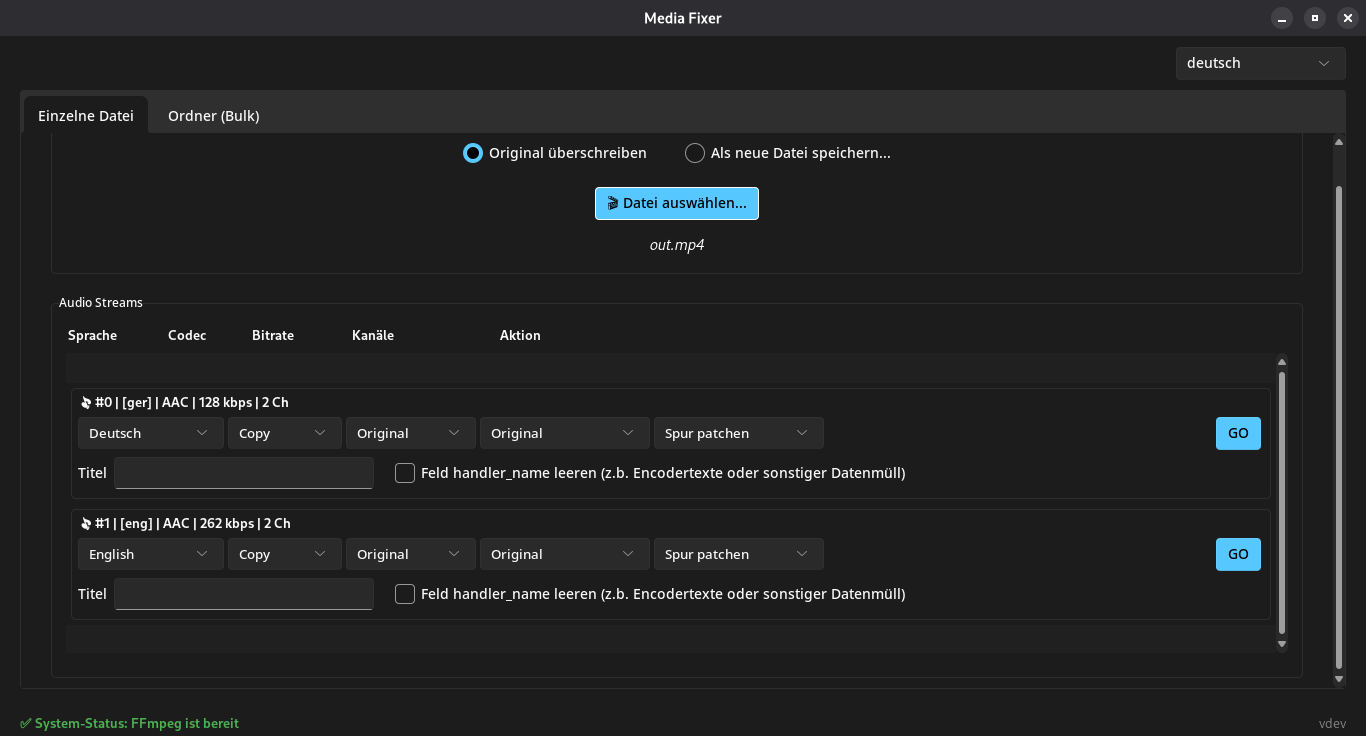
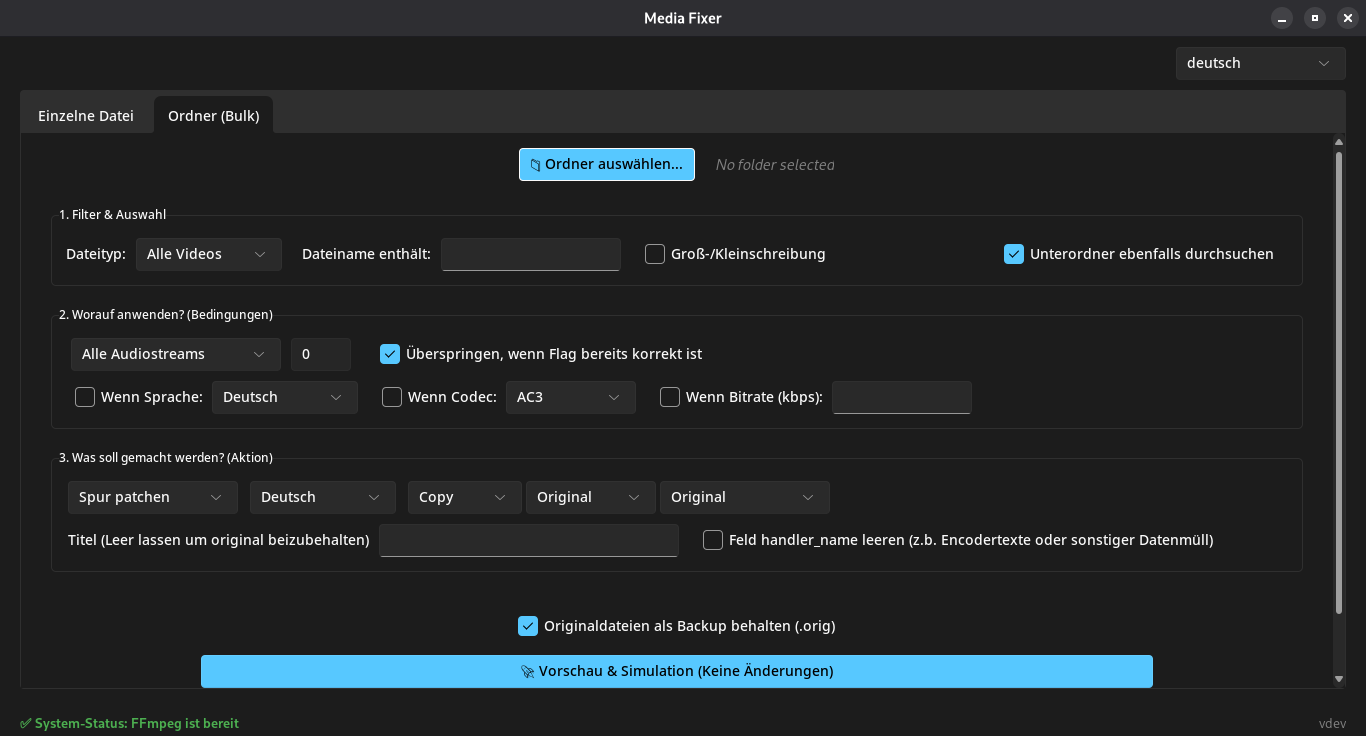
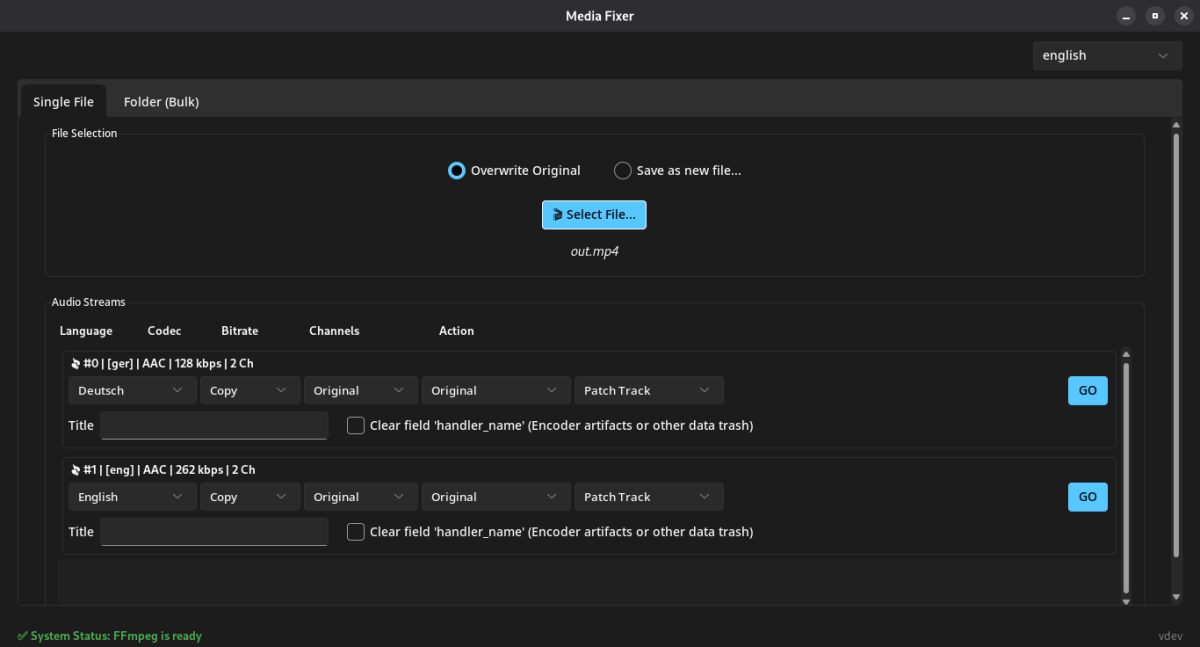
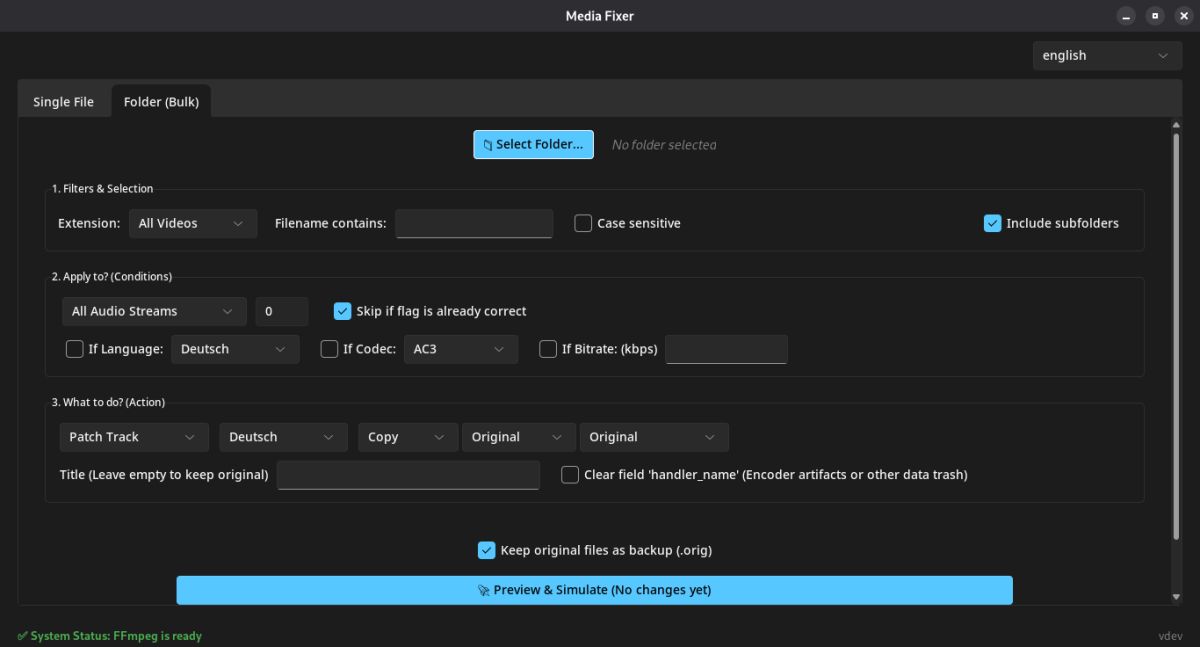
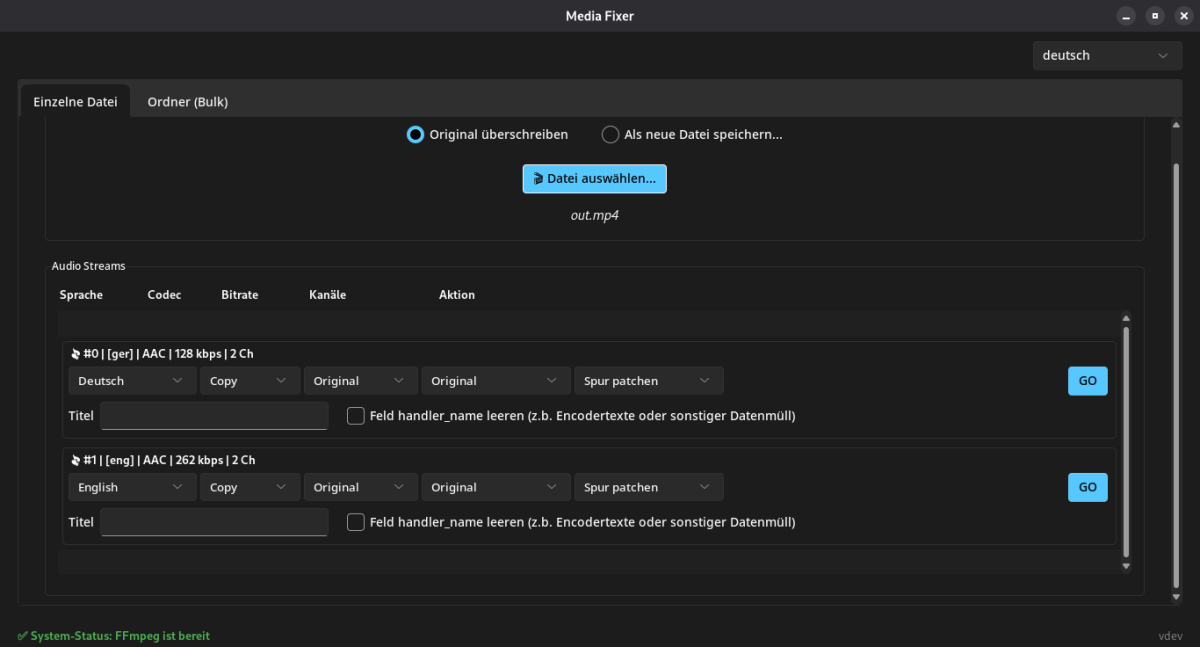
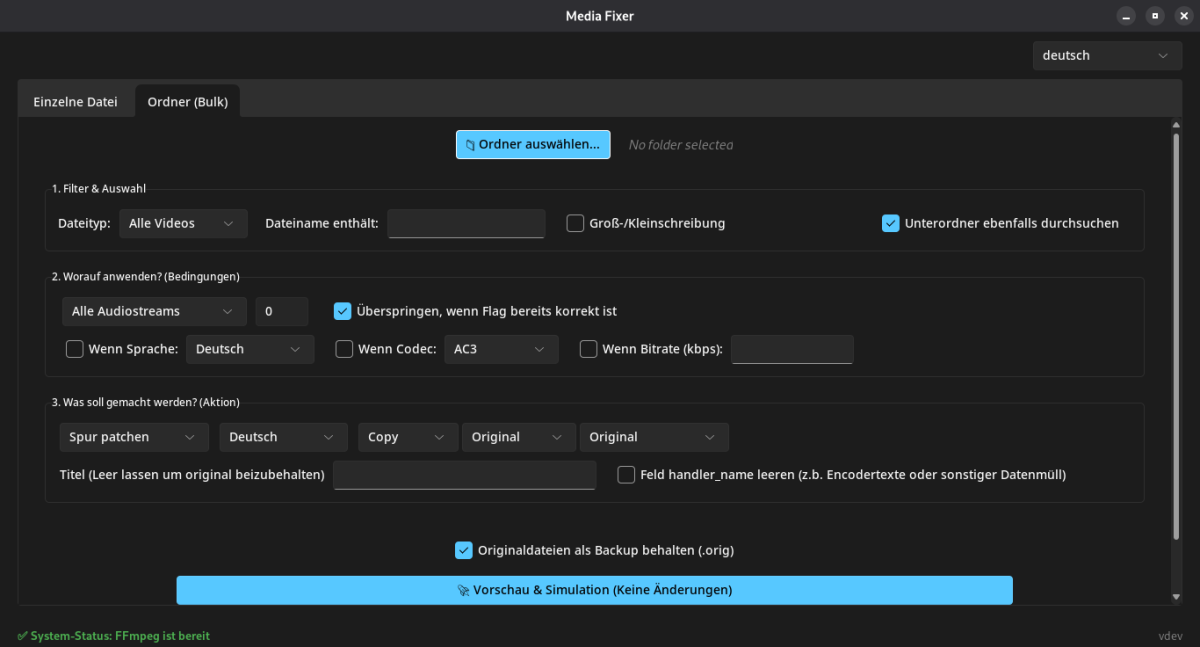
Hey everyone, I wanted to share a small tool I developed (with some help of AI ) to help organize the audio tracks in my media collection before adding them to Emby. I thought it might be useful for others here as well. MediaFixer is a lightweight desktop tool designed specifically for cleaning up audio tracks within video containers (like MKV or MP4). Please note: This is not for editing standalone audio files; it is strictly for patching the audio streams inside your video files. Why use it? If you are tired of seeing "Unknown" language flags in Emby, dealing with incompatible audio codecs that trigger unnecessary transcoding, or seeing messy track titles (like "Encoded by..."), this tool is built to fix those issues. Key Features: Fix Language Flags: Batch-apply the correct language tags (e.g., German, English) to entire seasons or folders so Emby automatically selects the right track. Bulk Audio Patching: Convert audio tracks in a folder to a specific codec (AC3, AAC, MP3), change bitrates, or force a stereo downmix for better compatibility with your client devices. Metadata Scrubbing: Easily rename track titles or completely clear out hidden "handler_name" tags often left behind by encoders. Safe Simulation Mode: The tool includes a detailed simulation mode that previews every planned change before a single byte is written to your drive. Easy Setup: No need to manually install FFmpeg or mess with terminal paths. On Windows, the built-in setup wizard can automatically download the required portable binaries for you. The UI supports both English and German natively and features a simple dark-mode interface. Screenshots & Download: You can find the source code, further documentation, and pre-compiled binaries for Windows and Linux on GitHub. There is a /screenshots folder in the repository if you want to see the UI in action. GitHub Link: https://github.com/sirbenris/MediaFixer The application is built on Python and utilizes FFmpeg and MediaInfo for processing. Since I used PyInstaller for the standalone executables, Windows Defender might flag it as "unrecognized" (a common false positive for unsigned Python tools), but the code is fully open-source for your inspection. I hope this helps some of you keep your libraries a bit cleaner. I’d love to hear your feedback or any suggestions for future features! Best regards, Benny (benris)
 3 points
 -
"...we’ll probably make a go of it.” "...for a theoretical new Shield." It's not a certainty that they will release a newer version but, at least, it's something. Honestly, I don't care about the gaming features, "just" a powerful Android TV box for streaming (including my UHD remuxes using Emby), support for all newer video and audio codecs, without lag. But if Nvidia releases a new one, I'm even afraid to know the price. There's the Homatics R Plus 4K but the issues list of fw updates and overheating, is too long for me to buy it. And, as far as I know, the team behind it is very small. Well, sorry to all for the off-topic.2 points
-
Small overhaul on Github. -> auto stop Trailer when scrolling on Homepage -> button to disable Autoplay from inside the widget (option to disable it globally in JS code still present for Admin). More in changelog.2 points
-
I have had issues with the app just crashing randomly on multiple apple tvs. It runs for a few days most of the time before it does so. Emby server seems to have no issues.2 points
-
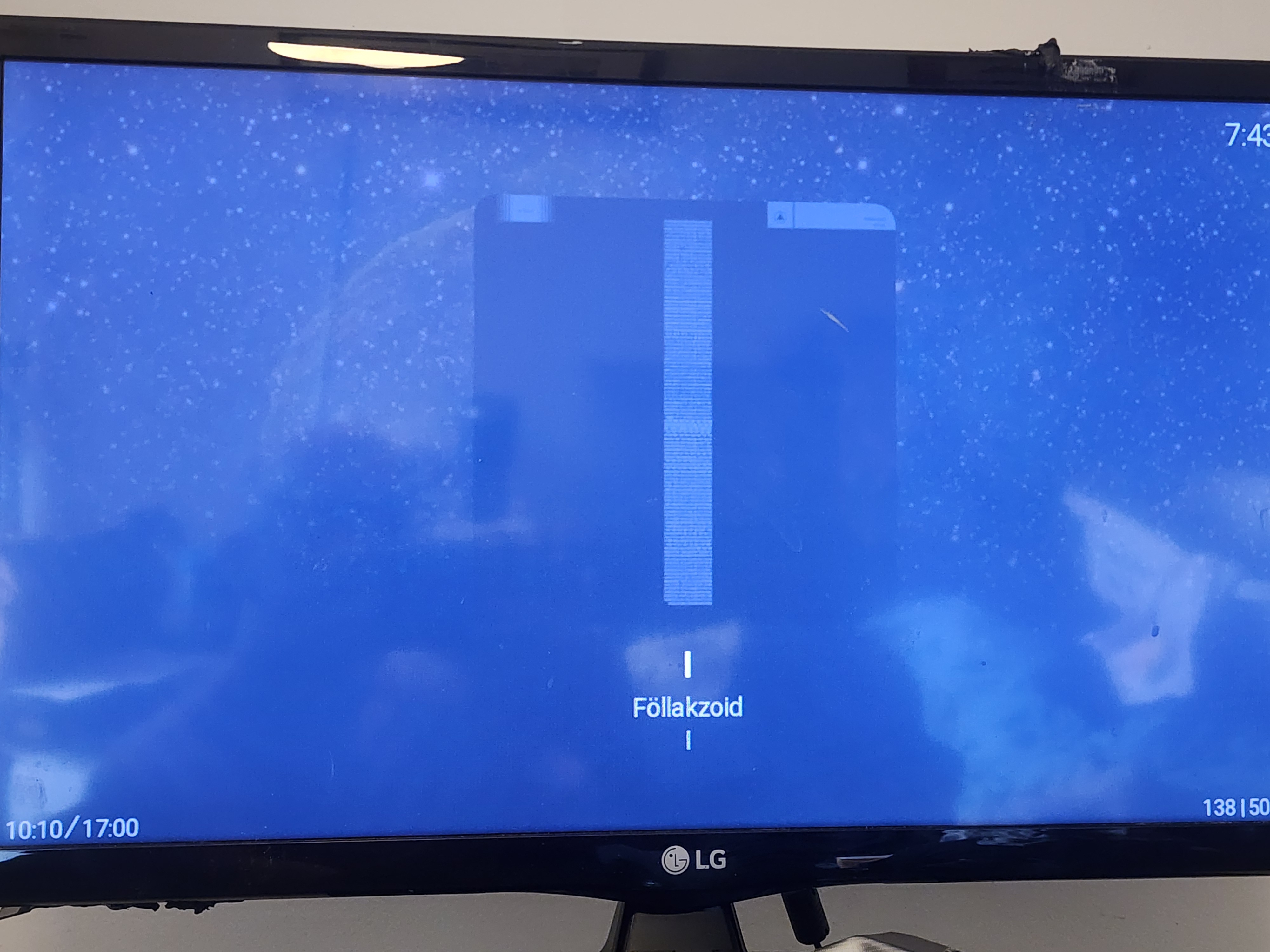
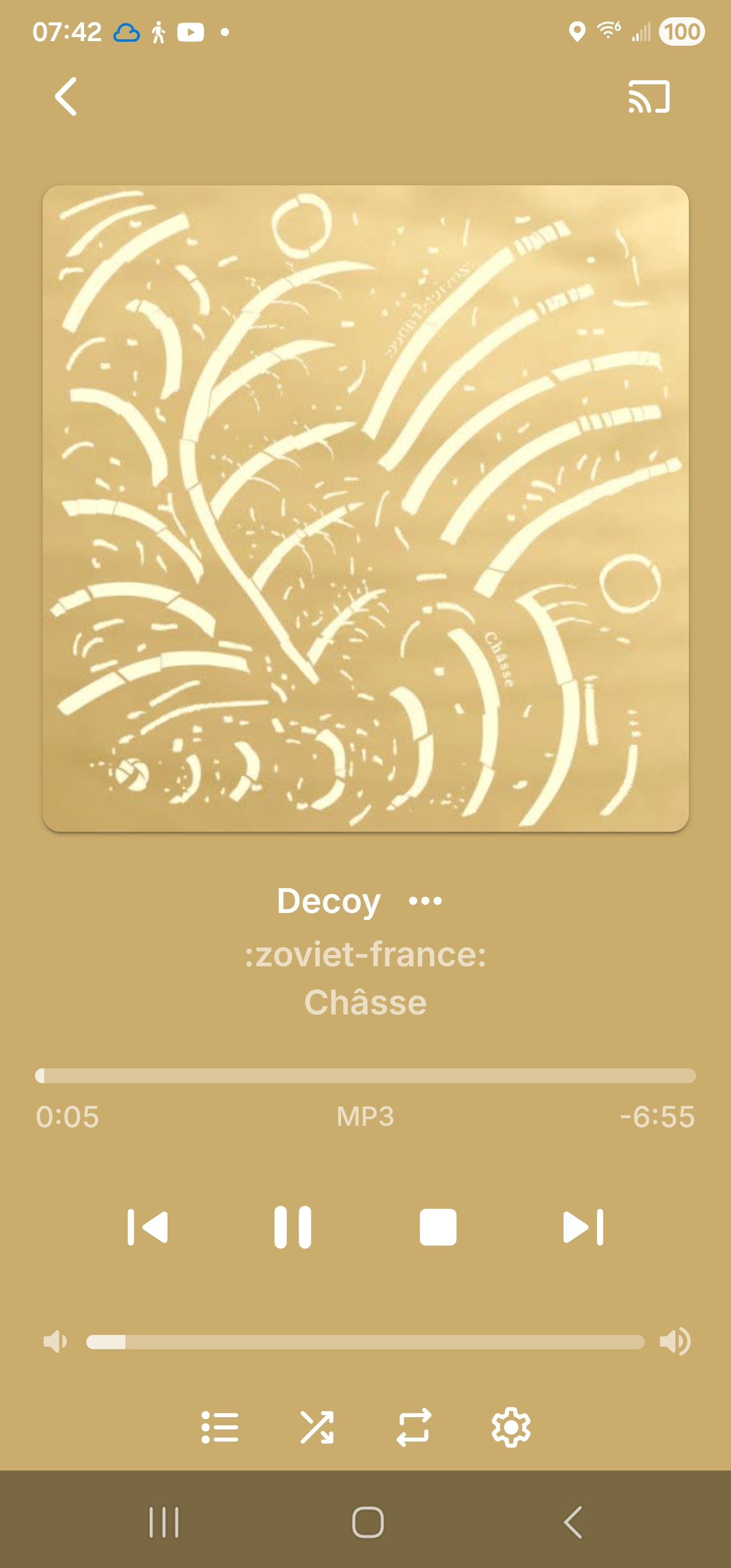
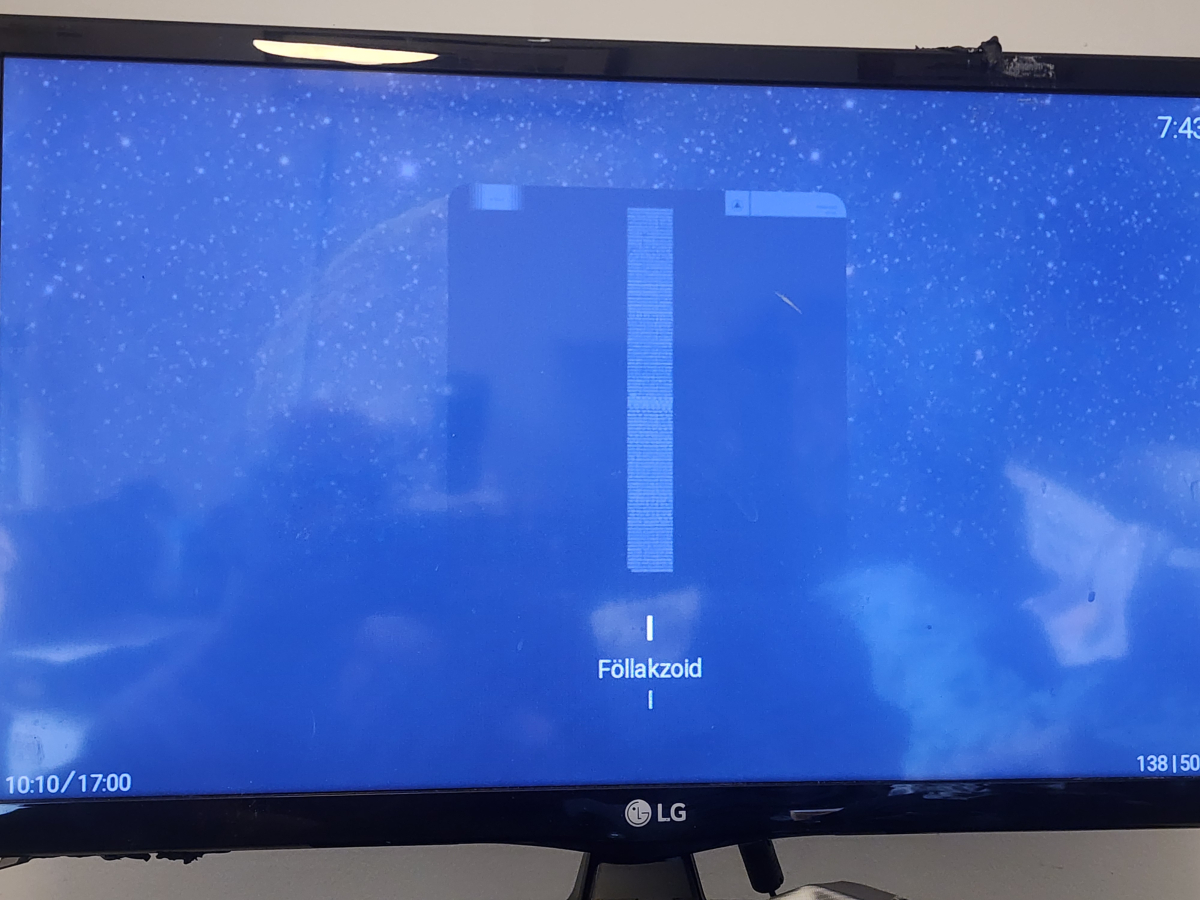
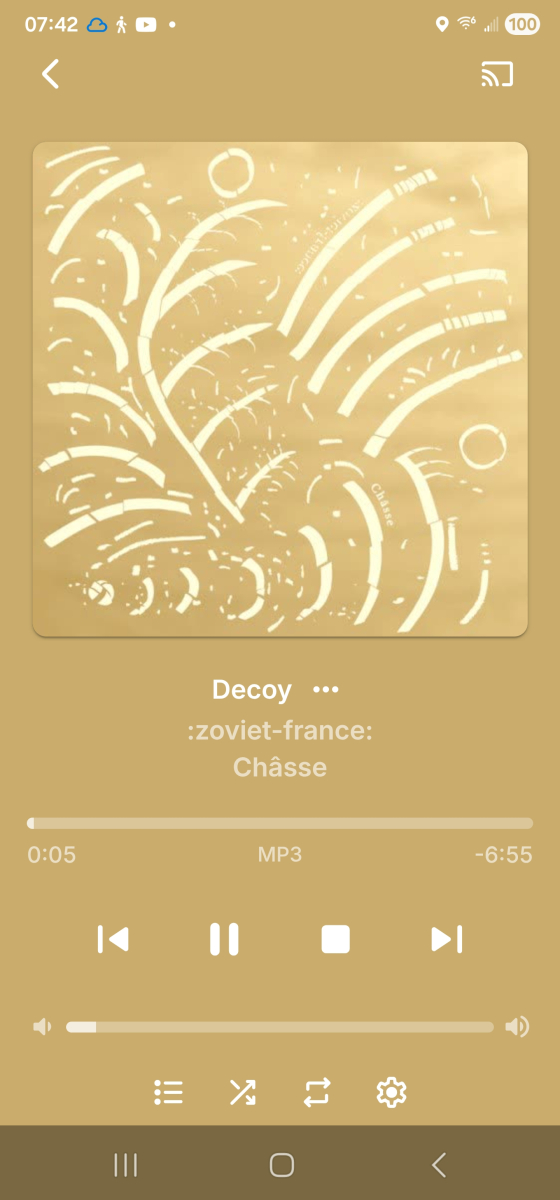
[apologies if this is a dupe, I didn't see it when searching but then all the terms are too common to really narrow a search...] odd that it's not there already, but it's definitely not, either on the server [viz. the :z-f: pic] or the Roku [viz. Follakzoid] Now Playing screens. Since some of my original searching brought up a few places saying "this is because your music isn't tagged with year", also including screenshots showing my music is indeed tagged correctly in the year field.

 1 point
 -
I just installed the beta and scheduled some shows. I'll let you know.1 point
-
Hi, we'll take a look at it. Thanks.1 point
-
Yep. No transcoding. I will wait for other answers and then test other version. Maybe there is something I should adjust in the settings but so far I did not find anything.1 point
-
I'm not the only one in this situation... and I don't think my hardware is the problem either... this problem didn't occur with version 4.7 and below of Emby.1 point
-
Perfect, thank you so much! The extras option is rock solid.1 point
-
It doesn't have them. You'll need to install the "Emby for Android" version from the store.1 point
-
I will sideload and test these newer versions, thanks1 point
-
You have an older version of the AndroidTV app. However, I don't believe those filters are in the newest version of the AndroidTV app either. Latest is 2.1.45 if you want to try it out, but you may have to sideload it or get it from the beta store until ebr can get the issues straightened out with the store. The newer standard Android app v3.5.32 does have the HDR filters you're looking for though, just like the web client.1 point
-
Ich habe mir angewöhnt immer das Erscheinungsjahr mit in den Titel zu schreiben. Also z.B. "Aviator 2004". Bei mir klappt es in den allermeisten Fällen.1 point
-
Thank you for this!!! I take it you’re keeping this up-to-date for Kodi users!!!1 point
-
Yes, I already created a collection, but I have to add the movies manually. Not an ideal solution I am afraid.1 point
-
Will be added in next release, thanks for your advise!!1 point
-
Yeah, with seasons it's sort of many themes in 1, so bloat is unavoidable. I do have an idea in mind that I might try out later, where we just activate the seasons by doing an import off my GitHub to an active theme. But I'm still undecided on that approach. You got it! I think you are referring to the backdrop posters? I will add that option in, no problem. I'll see what I can do there to clean it up some, recently I did reduce the number of variables in those.1 point
-
I am having the same experience.1 point
-
wow! I'm flabbergasted it worked... I just signed out then back in again and now the beta shows up in play store....... sorry for wasting ppls time!1 point
-
Isn't it though I'm glad my project could help. It is working great, in its current iteration. Got some small issues fixed. Using deepseek chat, with 8k token window specified in the llm stage makes it very fast, and cheap, but also very consistent. I have done comparisons where i stripped original subtitles from an episode, comparing it to a generated one from that same episode, and now my transcribe project produces subtitles 93-95% similar to the original, which honestly is more than i could hoped for.1 point
-
Updates: Remapped some heading colors to fix some text issues Pillbar text will be uppercase by default, added in new variables to control that. /* --- TYPOGRAPHY BUTTON TOGGLES (PILLBARS, SUBMIT) --- */ --button-text-transform: uppercase; /* Set to 'uppercase' for all-caps, or 'none' for title-case */ --button-text-weight: 700; /* Set to 700 for uppercase, or 600 for title-case */ --button-letter-spacing: 1px; /* Set to 1px for uppercase, or 0.5px for title-case */ Removed the variable backdrop-opacity. since we moved to rgba with --backdrop-bg-color it was pulling double duty. Removed that backdrop blur option. (it was a misunderstanding, it was ugly, and I don't ever see anybody doing that) Emby Navy and Gold v4.100.css1 point
-
thx alot that seems to work!1 point
-
I would like to report I'm experiencing the same issue. I run libreelic on a rpi5 8GB, with my live TV controlled by dispacharr docker container. And when I stop a live TV program in Kodi, the request is not getting to dispacharr, so it still shows the program is playing, even though Kodi is no longer showing anything. I have to disable the live TV option within the emby Kodi add-on for live TV to work accordingly. I am using the latest version of this add-on. I upgraded from 11.4 ( I know very very old) and this issue was not present. Will keep an eye out for updates...1 point
-
There's a good chance you're right, it is an older installation (although running latest version). I just hope it doesn't become a recurring thing. Removing the entire folder, scanning and then re-adding does indeed fix the problem.1 point
-
New minor release - Version 3.3.2.0 Download .dll and full release notes: https://github.com/soderlund91/HomeScreenCompanion/releases/tag/v3.3.2.0 This updates contain some fixes and some requested features. Biggest one is that we are now able to build a home section row of selected collections as image below: IMPORTANT! Minimum required Emby server v4.10.0.8 Note Make sure to back up your settings before updating, just in case. Note Included a .NET V6 release, this is for MacOS or legacy support. This version is NOT tested. Release notes Improvements/updates Added ability to only show selected collections as a Home screen section. This way you can choose one or multiple collections to show on the home screen (no need to display all of them). See below how to set this up Cleanup menu Made the tags and collections clickable links to its own view (open in new tab) Added a filter for Tags Added a small popup/hover over the name that simply explains where the tag originated Fixes Fixed an issue in the cleanup where tags for some media types didn't populate the list. (Extras is now included with an "include extras" option.) Fixed an issue where blacklist didn't get applied when running a single group sync UI Remade the "Update available" to be dismissible. If dismissed a smaller discreet text will still be visible. _____________________________________________ Below is how to set up a home screen section with selected collections: Source = local collection / *Select what collections to include* Tag = *random tag name* (the selections on what level to tag will be ignored by the plugin) Collection tab: leave blank Blasklist tab: will probably not work **Important!** Home screen section tab: set media type to "Collections", you can play around with all other options Special thanks to @Aleasfor helping out with testing! HomeScreenCompanion.dll HomeScreenCompanion_NET6_MacOS.dll
 1 point
 -
Definitely need this for "Wife Acceptance Factor" lol!1 point
-
Thank you.1 point
-
@Lukehave you any update ? problem to dev it ? Need something ? Please keep us in touch we-re waiting it from 6 years ago1 point
-
Never use autoupdate myself. I want things right now1 point
-
As far as what you see in the store, this is correct. However, the app will not auto update unless you install from the store.1 point
-
Hi. The license is for personal use. 80 devices should cover that adequately. Thanks.1 point
-
Emby is a Home Use server......1 point
-
New PUBLIC TESTING version available 12.1.0: Delta changelog 11.2.1 -> 12.1.0 Kodi 21 and 22 support sort iconnodes fix node labels when label is a number improve incremental sync performance fix minor incremental sync issues add dynamic nodes option to disable local trailers (default off, cause it's slow) fix dynamic node multi-favorites update Chinese langague file, thanks wabisabi926 fix Kodi favorites when quotes used in names add transcoding options by resolution support davs native content support webdav protocol as internal webservice (which is now default) hide dummy sources from views fix minor server login issue fix minor watch together bug lower progress updates to 50 seconds (less server traffic) add multiversion selection option in context menu for episodes and musicvideos add time sync check < year 2000 add support musicvideo links for songs based on MusicBrainzId, Fallback -> Artists/Title (default on) fix c22 in database in movies table -> filepath re-download userimage when deleted from temp folder fix song remove sync issue (edge case) fix updates for downloaded content use xbmcvfs wherever possible (Kodi's virtual file system) fix folder views fix dynamic tag node for picture rewrite backup function, it's possible to restore between major releases fix cinema intros, skip youtube trailers fix cinema intros, playback progress issue improve tvtunes integration support livetv remote playback improve remote playback performance for dynamic content fix remote playback disconnects minor http server communication improvements for async requests set custom resume points Comment: Transencoding with newer ffmpeg only works when "http" is selected as webservice mode I created a pull request to fix the issue for webdav -> https://github.com/xbmc/xbmc/pull/26784 Kodi 22: This version changed something in the multiversion tagging. Maybe this change will be reverted in next versions as it seems to be done by accident. If so, it will break the movie content playback again. Kodi 22 is currently pre Alpha! This version requires a complete resync.1 point
-
"+" on Thumb (or three-dot menu, Insert image from file), browse to fanart.jpg, afterwards Delete icon on Backdrop? 5 seconds?1 point
-
You have to go to the items tagged with those genres and update them as you wish. The genre cleaner plugin can also help with this.0 points
-
Registered to say same problem here. Also Roku 3. Also build 49. It worked Monday. Something is clearly wrong with the Emby app and this version of Roku. I tried factory resetting the Roku, but still nothing. App starts up, says Emby logo. Then "Welcome to Emby" and crashes back to the home. Honestly Roku has sucked for a while now. Laggy, full of ads, tracking your apps, now they have forced arbitration and brick your machine if you don't comply. This might be an opportunity to jump ship to something better.0 points