Leaderboard




Popular Content
Showing content with the highest reputation on 04/07/26 in all areas
-
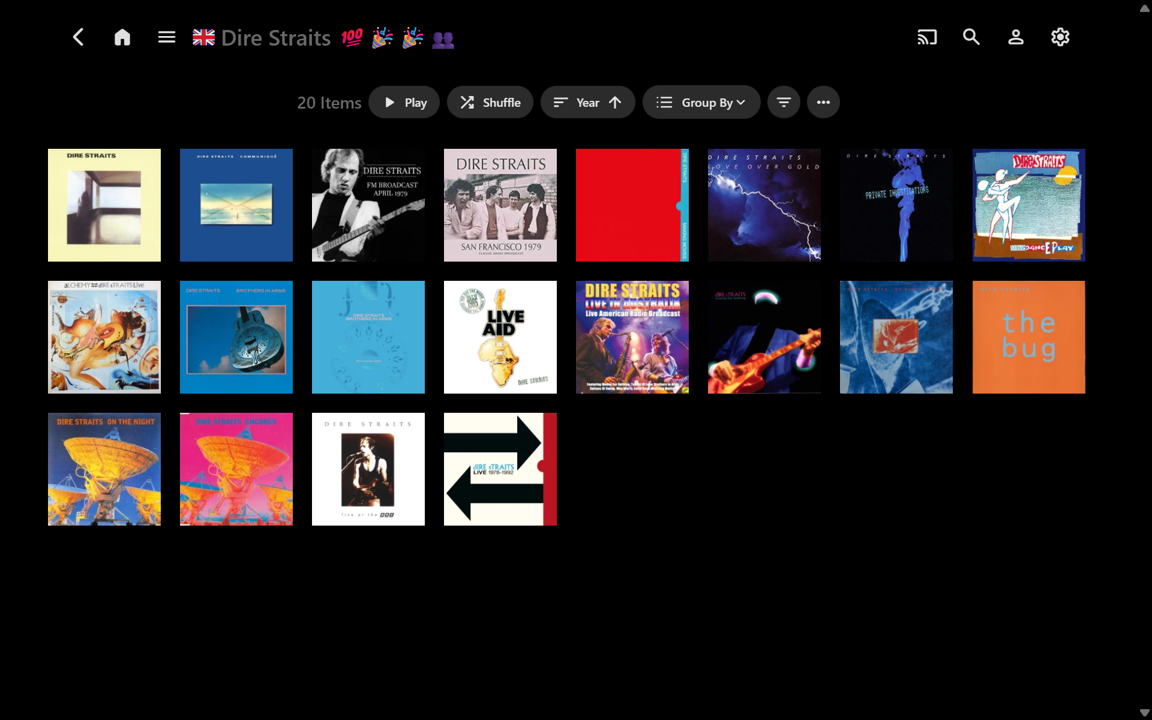
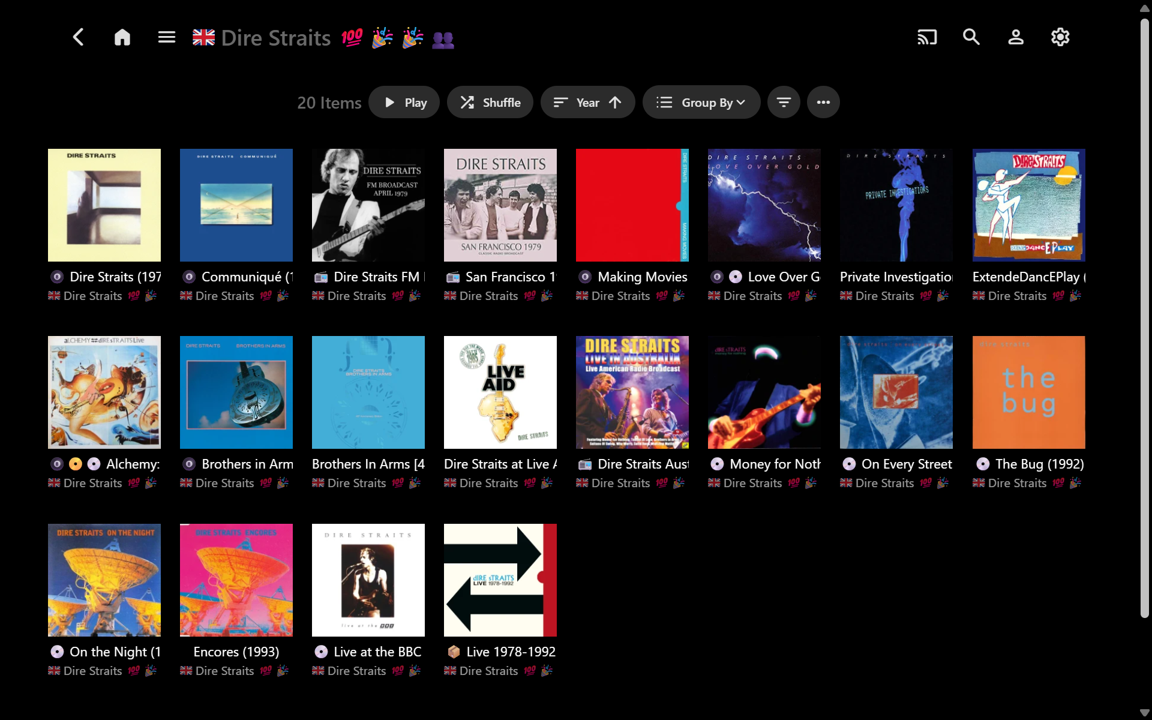
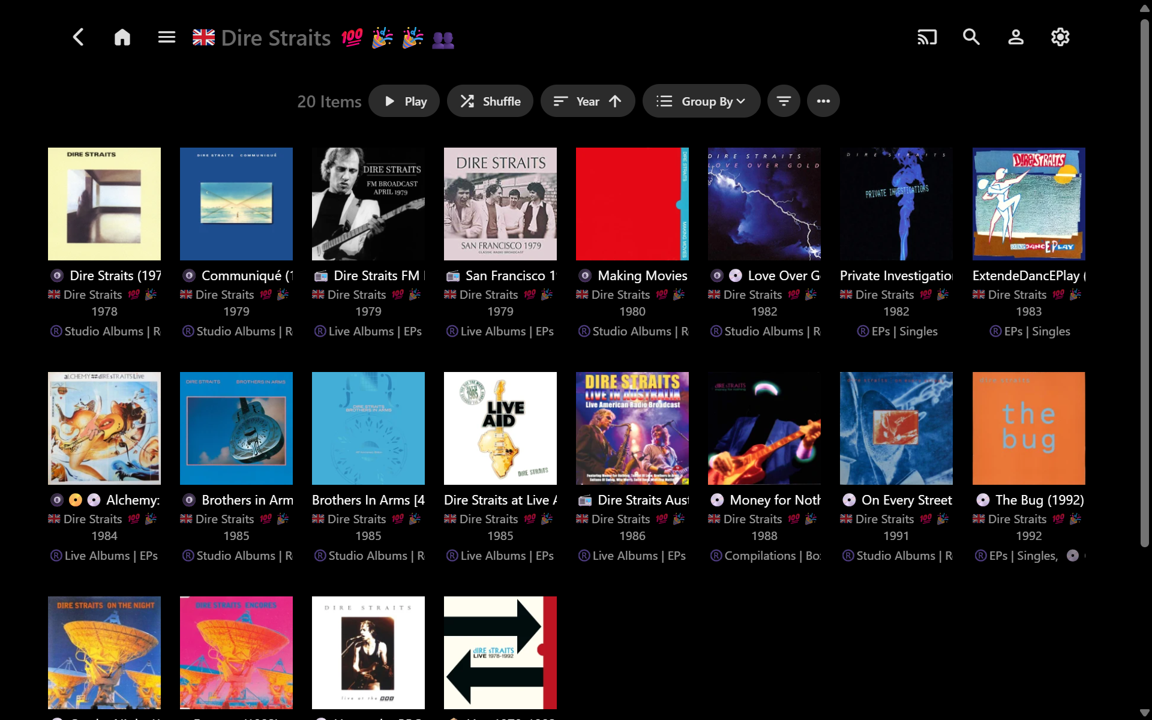
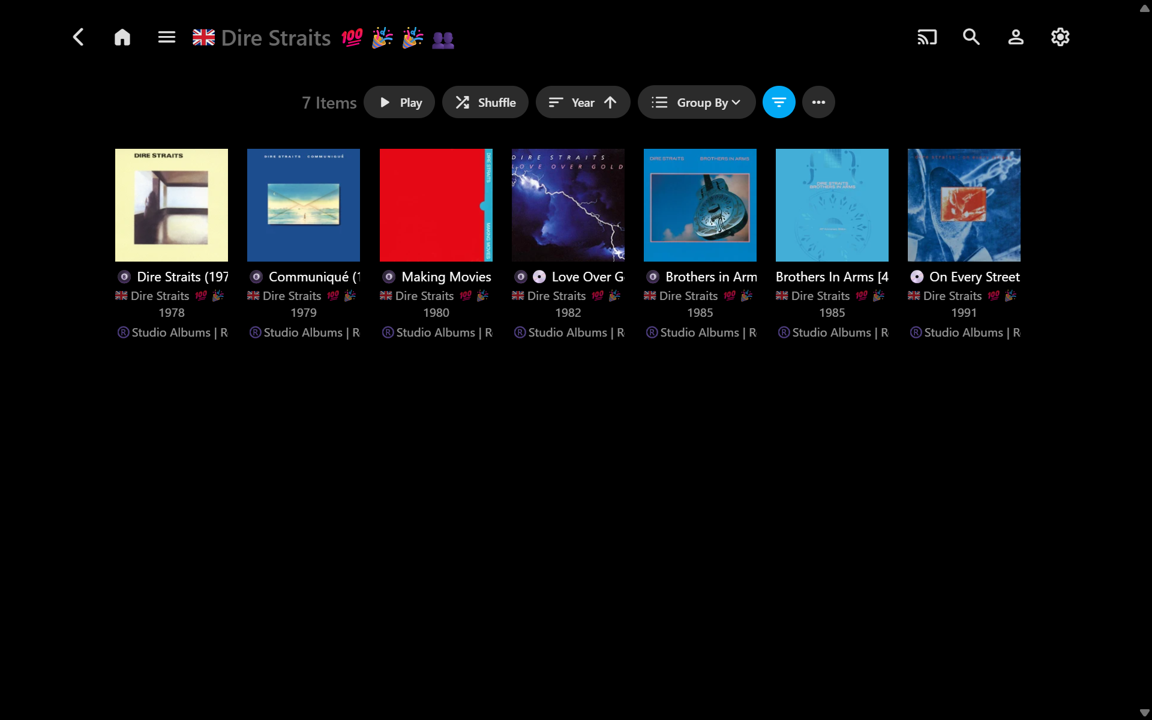
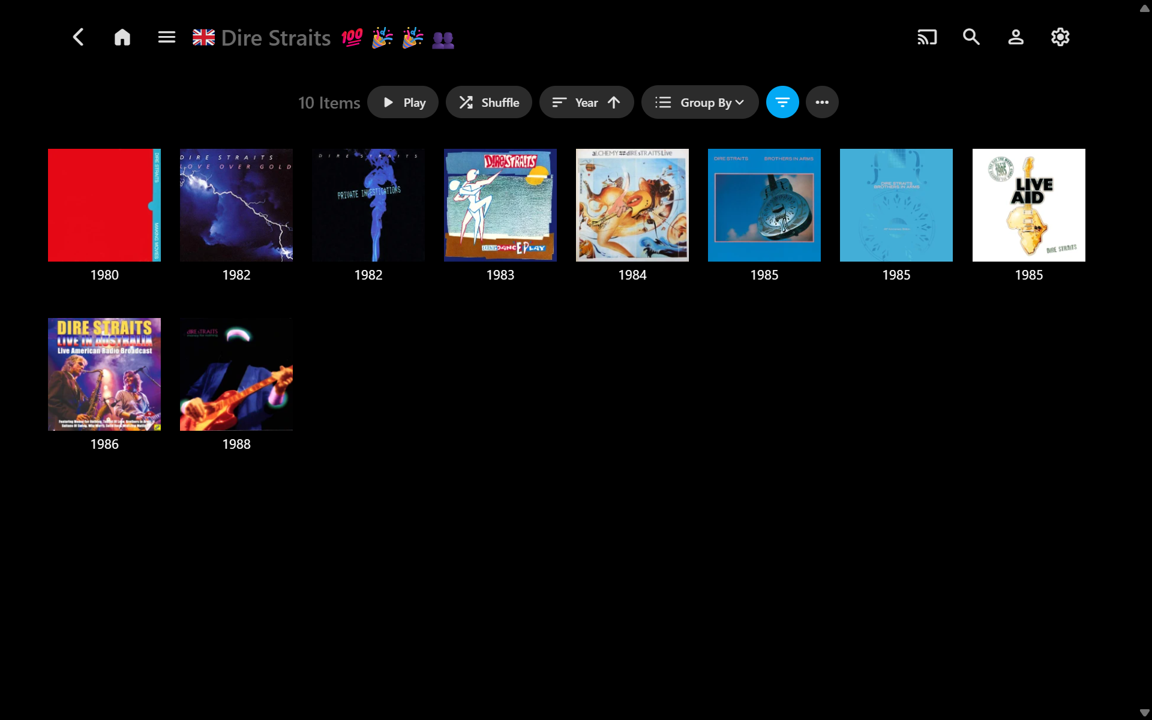
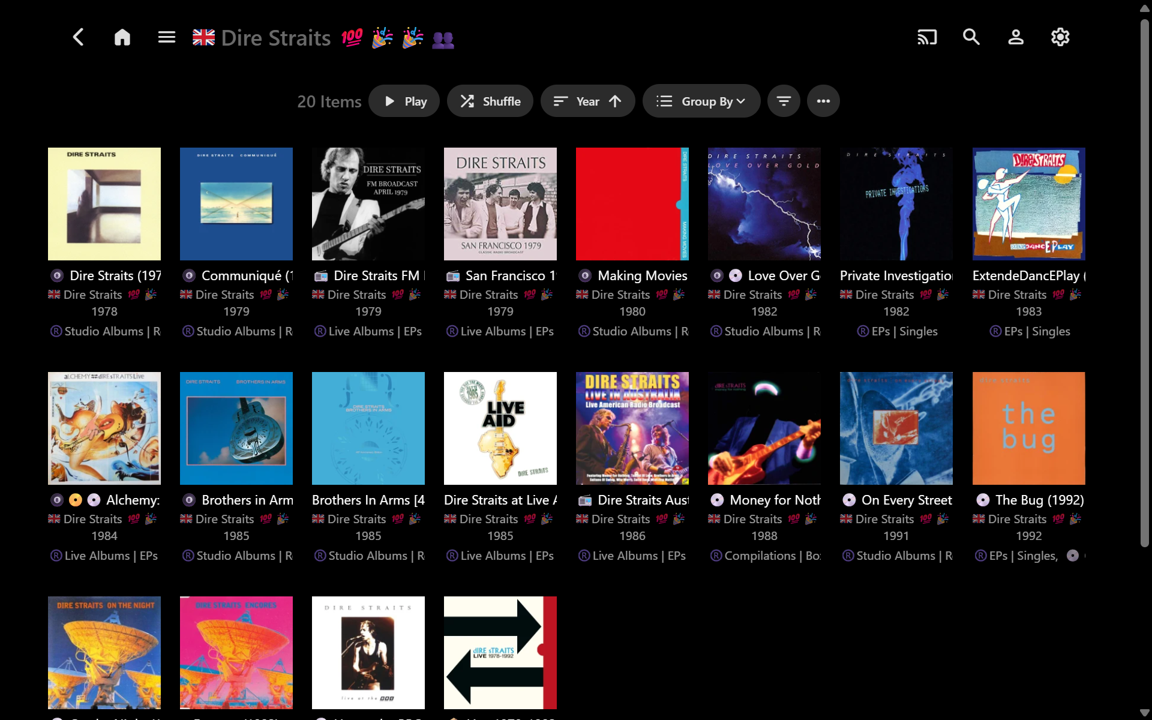
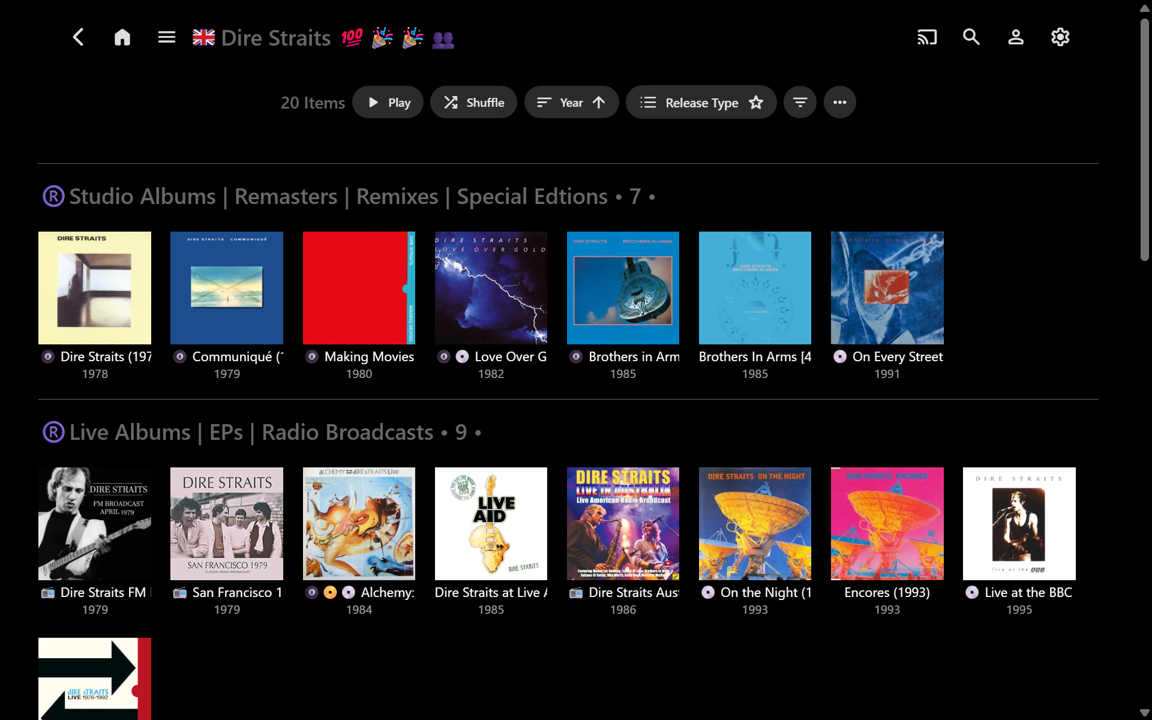
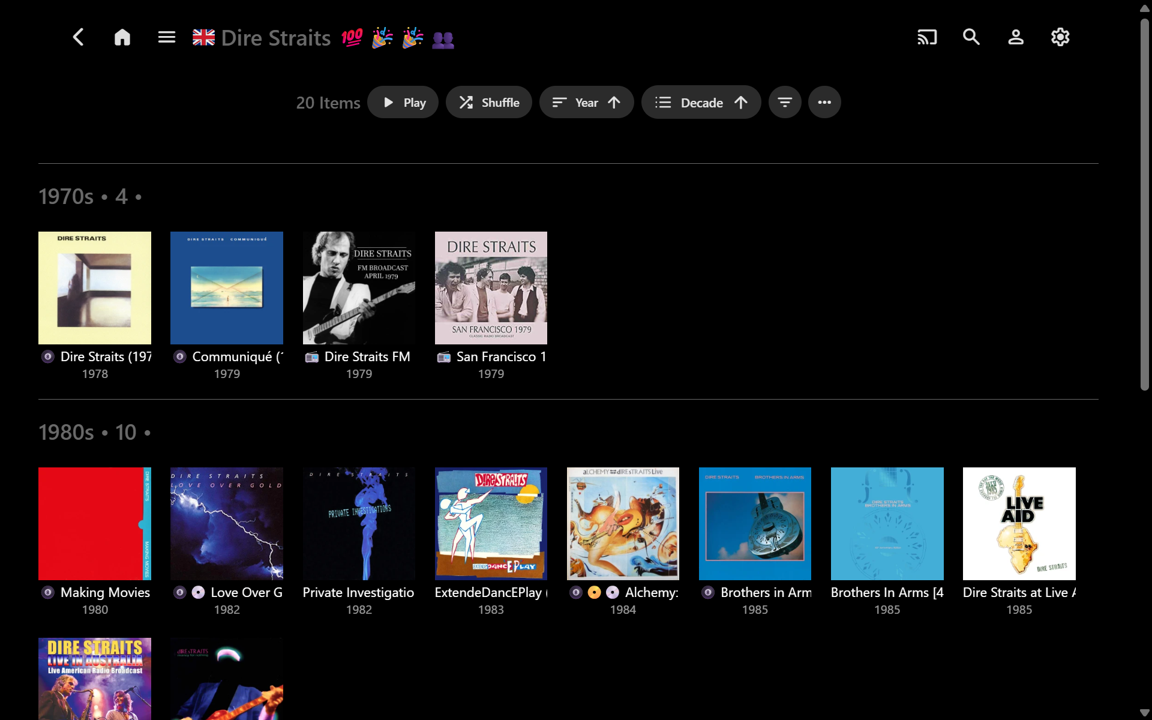
Well, after being nicely distracted on another extremely worthwhile Emby project for a week, I’ve now started using this ‘for real’ on my music library. For anyone interested, here’s a new example, but from the perspective of: useful information vs useless clutter. ease-of-use vs difficulty-of-use. the enormous potential of the “Group By” function, beyond Collections. (All screenshots below are uncropped full-screen, for direct comparison.) The most decluttered view of an Album Artist’s Album page would have all the text fields turned off. This gives a very ‘clean’ view, but there is no supplementary information at all, so you really have to ‘know’ your Album covers!!! A useful side-advantage is more Albums can be seen at once, without scrolling (e.g.): Showing the Album Title is therefore usually needed, but when this is turned on, the Album Arist is also shown by default. There is no separate Album Artist field in the Settings to turn on/off. I think this fixed default may be somewhat redundant because the Album Artist is shown at the top of the page and the Album Artist is typically the same for all the Albums (unless there is more than one, for shared Albums): (Yeah, I use emojis in my text strings – some will likely hate it - I have tried various options that put icons on the Cover Art, but I like the Cover Art with nothing overlaid. All examples shown are just as relevant without the emojis.) I usually also want to know Year and Release Type (currently custom Album Tag) though. These can be turned on and shown. But then the information turns into clutter because the text blocks are almost the same size as the Cover Art... and the info is truncated (e.g.): T All the required info might now be 'at my fingertips', but it becomes visual overload. Where do I want to look??? (e.g.) Exactly how manty Studio Albums are there and when were they released...???... well, I can apply a Filter for this: That’s a reasonably useful sparse information view, but now I immediately decide I want to see all the Albums for the 1980s, but without any extra text clutter at all. It can be done – that’s a 10-selection Year Filter though, plus a change of View Settings: Now it’s very easy to see the years, but in removing the Album Artist sub-text, I have lost the titles again. And, if I now want to see the 1990s in full, that’s another 10-selection Year Filter! I won't bother for now... So let’s reset back to having all the info on display: With the albums_groupby.js script I can select an uncluttered custom Release Type order very easily. “Studio Albums” can be quickly seen and it is trivial to scroll down to “Live Albums” and more... The titles and years are there, but the redundant Album Artist text is gone (e.g.): Changing from “Release Type” to “Decade” is very fast. There are no multi-selection Filters to set up. Scrolling through the Decades is also possible - they can be sorted ascending or descending as well: When I first commented about this Release Type feature (2+ years ago) I initially thought it might only have limited usefulness, depending upon the number of Albums per Album Artist (e.g. If there are only a few Albums then there may not be much point in grouping them). But having used the customised grouping option for just a little while, I think it would be a “killer music feature” for Emby to implement. I think Emby would very likely come up with something better than what the competition already has... Thanks for considering! ...(In the meantime, I don’t think there is any obvious downside to importing embedded RELEASETYPE tags into Emby Album Tags now, along with using albums_groupby.js for fast uncluttered organisation within Emby.)...
 3 points
 -
Ok so seeing how its been 6 years and something as simple and updating the back end of Emby to talk to TVDB's API in order to get the other orders i would like to know how i can have emby just ignore series that have these problems with orders. This way I can go in by HAND and fix them MYSELF because Emby cant seems to do the very thing that its paid version is supposed to do its self. For real @Lukewhen is this going to be looked into and added in a upcoming update. I think 6 years is a little to long for something that is so important like metadata. like that's kind of what makes emby and all other server programs useful. Its the automatic gathering of said metadata that really makes them shine and allows one to put all their media in a Netflix like manner. This really needs to looked into. 6 years is laughable.2 points
-
Yeah, @nt-it-team posted a few workarounds back in 2024: But honestly, it's frustrating. Every time I do this, I ask myself why not just keep using Jellyfin. Everything I miss in Emby, Jellyfin already has. Take a look around the forum, many important feature requests just get brushed off with “Planned for future”. It's basically a running joke already^^ As a developer I can say no, it isn't. And it doesn't seem to be for the Jellyfin developers either, who rely solely on donations. But apparently, it is for the developers of a mostly paid product like Emby2 points
-
You'll have to install it onyour old Windows system, do a backup, copy it across, then try the restore.2 points
-
I would appreciate this too! Have finally a good audio setup with Emby on a Android TV device connected to my amplifier, playing FLAC files, but now noticing the volume differences.2 points
-
TheTVDB now supports more alternative orders than just Aired/Absolute/DVD. Can Emby query these additional orders and add them as options? Two examples of shows I've seen this used are Re:Zero which has a "Director's Cut" display order and Money Heist which has a "Netflix" order. https://thetvdb.com/series/re-zero-starting-life-in-another-world https://thetvdb.com/series/la-casa-de-papel1 point
-
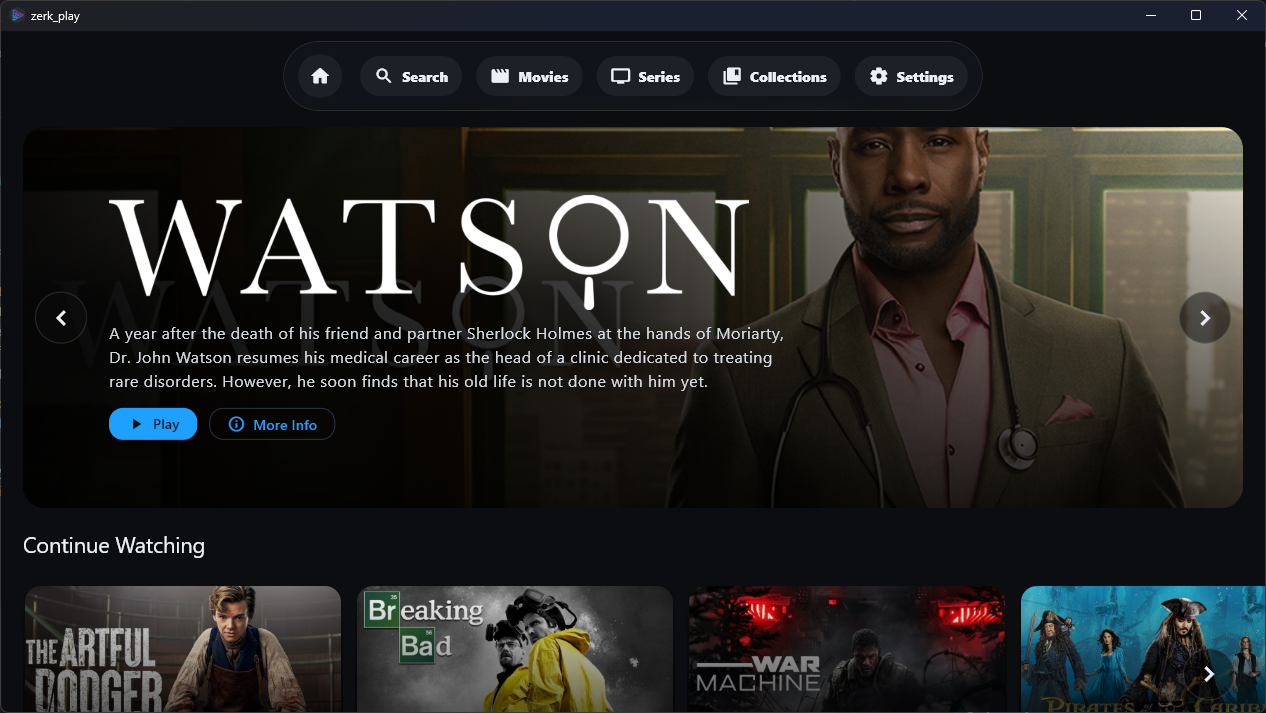
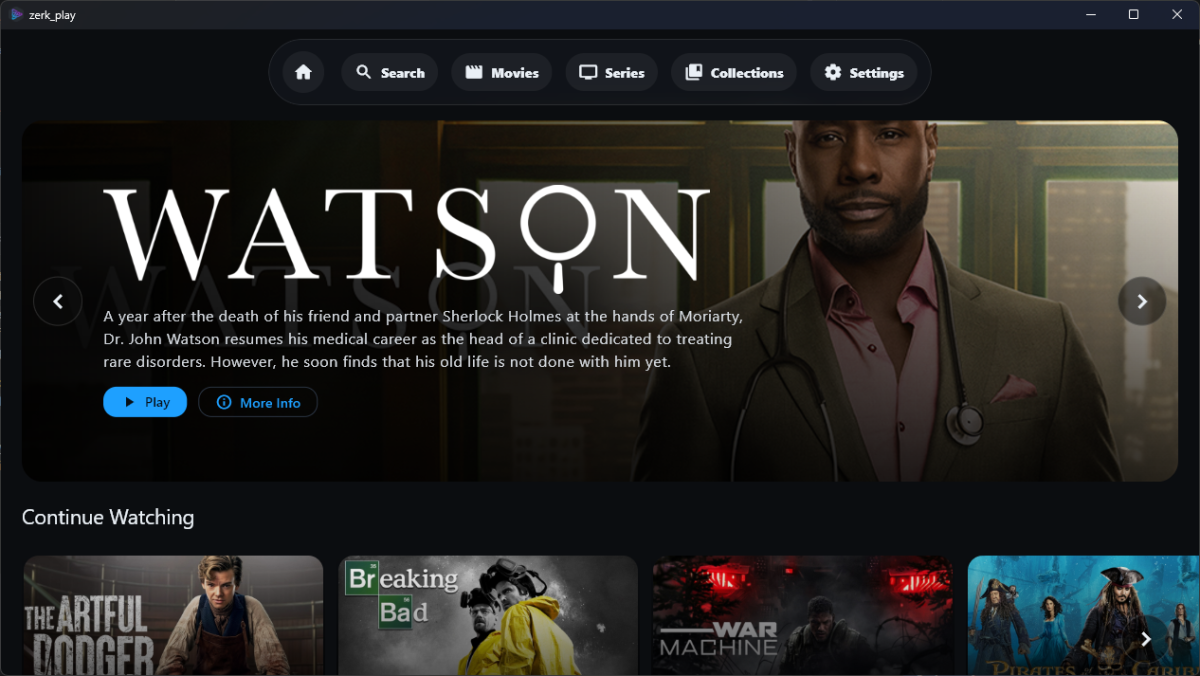
Hi everyone, I wanted to share a project I’ve been working on called Zerk Play. It’s a custom Windows desktop front-end for Emby designed specifically for those who want a "lean-back" experience on a big screen without the overhead of a full browser. What makes it different? Native Direct Play: Powered by media_kit / mpv on Windows, so it handles almost any codec natively without forcing your server to transcode. *Built-in seerr Integration: Seamlessly browse and request content via Overseerr/Jellyseerr directly within the app. If you don't have it, you can request it in one click. Couch-Friendly UI: Designed for fast browsing and high-visibility artwork. Dynamic Recommendations: Includes "Because you watched" and "Trending" rows pulled from your Emby history and *seerr instance. Features: Full Search (Library + Requests) Skip Intro & Autoplay support Multi-language UI (English & Romanian + more to come) Built-in Auto-updater I'm currently focused on the Windows build, but an Android TV version is high on the roadmap and with other versions being considered! Check out the repo for screenshots and the latest release: GitHub
 1 point
 -
The wait is over! We are excited to announce public availability of the new Emby Linux app beta program. Why a Native Linux App? While Emby’s web app works well across platforms, there are limits to what a browser-based player can achieve, especially when it comes to modern video and audio playback. The Linux app was created to go beyond those limits. At the core of this decision is one simple goal: BEST IN CLASS VIDEO PLAYBACK. Browsers continue to improve, but they inevitably lag behind native applications when it comes to advanced video technologies, hardware acceleration, and reliable fullscreen playback. Emby users expect smooth, high-quality playback — and delivering that consistently requires a native application. Benefits Over the Web Player The new Linux app provides several advantages over watching through a browser: More reliable video playback with fewer browser-related limitations Better performance and lower system overhead Improved full screen behavior across Linux desktop environments Direct integration with native video playback technologies A cleaner, distraction free viewing experience By separating video playback from the browser entirely, the app is able to take full advantage of the system and deliver a smoother experience. Designed for Linux Desktops The Emby Linux app is built to feel at home on Linux. It works across major Linux environments . The result is a modern Emby experience that’s faster, more consistent, and purpose built for Linux users. Available Now The new Emby Linux Beta app is now available and we are waiting for your feedback! Want to get started right away? Head on over to the beta instructions page for more! Please provide feedback in this forum: Linux Beta1 point
-
I asked Perplexity.ai to help me find an answer to this question. I didn't want to have to pay any money if I could avoid doing so, and it turns out that Cloudflare is the best method. It doesn't cost anything and doesn't have any limits, so I thought I'm going to give that a try. Perplexity found and gave me step-by-step instructions to set this up. I've tested it, it works, and I don't have to worry about it again. The following is the tail end of that conversation with Perplexity. Why free DDNS services like No-IP and Dynu fail users after months of use and which hold up best Here's the report — it covers all the major failure modes and ranks the options head-to-head. The short version of why they fail: - **No-IP Free** is the biggest offender — it silently kills your hostname if you miss a 30-day confirmation email, and then holds it for a ransom payment to get it back[1][2][3] - **DuckDNS** gets blocked wholesale on corporate and school networks because the `.duckdns.org` suffix is flagged as a generic free-hosting domain — and it has documented outages where connections become erratic for hours[4][5] - **Dynu** is much better but has occasional authentication errors where updates silently stop, leaving your hostname pointing at a stale IP[6][7] The **Cloudflare free DNS + ddclient** combo holds up best long-term for your use case with `your site`: no expiration, no suffix blocking, full custom domain support, and enterprise-grade infrastructure — all completely free. You just transfer your domain's DNS to Cloudflare's nameservers, create an API token, and run `ddclient` as a daemon on your always-on Mac Mini. One A record updates dynamically; your other services hang off it as CNAME records.[8][9][10][11][12]1 point
-
If going the ffmpeg route, I found this: https://stackoverflow.com/questions/39520849/ffmpeg-loading-tracker-files It seems there is already support in ffmpeg (probably why ffprobe recognizes them!), and it should be a simple matter of recompilation with the lib.1 point
-
Updates: Corrected variables to use rgba instead of rgb, thanks @visproduction Fixed multi select banner Fix season view play indicators, checkboxes, etc..etc.. (I swear I've fixed this one like 4 times now) Fixed the favorite icon in in the music mini-osd player Fixed some missing hover borders missing. Fixed filmography inactive pill background. Updated search results page to have our pill button styles Made chromecast & settings buttons use the gold color Removed get Emby premier button from the top header. (But you should still totally get it, it's worth every penny!) Added a variable in typography to adjust the font size. Changed Select dropdown colors Fix to select checkmarks color Fixed a light theme bug where when you would use drag grab handles the background would turn white. (ie: reordering in a playlist) I think run out of bugs, so hopefully this should be it unless there are enhancement requests or issues people find. Enjoy! Emby Navy and Gold v4.75.css1 point
-
OK are you able to use our new app?1 point
-
Good Luck @sergiovassarithis weekend we reached the amazing number of 6 years waiting for this feature ... 6 YEARS !!!!!!1 point
-
1 point
-
Hi, there's already an open request for this or something functionally equivalent. Please join in and contribute to the existing discussion at:1 point
-
Thank you, I did not know that. should have a fix out in a few1 point
-
1 point
-
Color changes using variables in css. rgb does not work, as expected, with var. Either use Hex colors codes #47ed43, or use rgba instead. :root { --color: 240, 240, 240; --alpha: 0.8; } #element { background-color: rgba(var(--color), var(--alpha)); } See: https://stackoverflow.com/questions/40010597/how-do-i-apply-opacity-to-a-css-color-variable1 point
-
Roaming around the db is never advisable, so proceed at your own risk. That said, you can use any editor of your preference, like this one. Just ensure the users have the same db id per server as the users.db assigns them db ids.1 point
-
Watched data is held in the user.db I believe, and you can restore it via the Legacy Backup & Restore plugin.1 point
-
Hm, I honestly don't know as I've never used it under that scenario - but I don't see why it wouldn't, as watchstates/playstates are tracked by item extetnalids which, in theory, should be the same on the new server just as they were on the old one, so that shouldn't matter. Maybe @Lukecan share some insight.1 point
-
Thanks so much for your reply, @GrimReaper In the myriad things of the world, the most real one is: database All the best!1 point
-
Would you like a more emphatic way of saying it as "Hope is just a disappointment with a delay" or just plainly saying it as "Unfortunately, it's db-stored only"?1 point
-
Yeah, i will be doing that and also disable that Option. Try to get the AniList ID through the api.1 point
-
Hi, sorry for taking time, was very busy lately and missed this topic. I've pushed a fix for Ktuvit (v1.2.1.2) and Wizdom (v1.3.1.1) - it should be good now. Please reinstall the plugin, restart Emby server and test. Let me know if you have any further concerns. Sorry for the troubles.1 point
-
Hi, sorry for taking time, was very busy lately and missed this topic. I've pushed a fix v1.3.1.1 and it should be good now. Sorry for the troubles.1 point
-
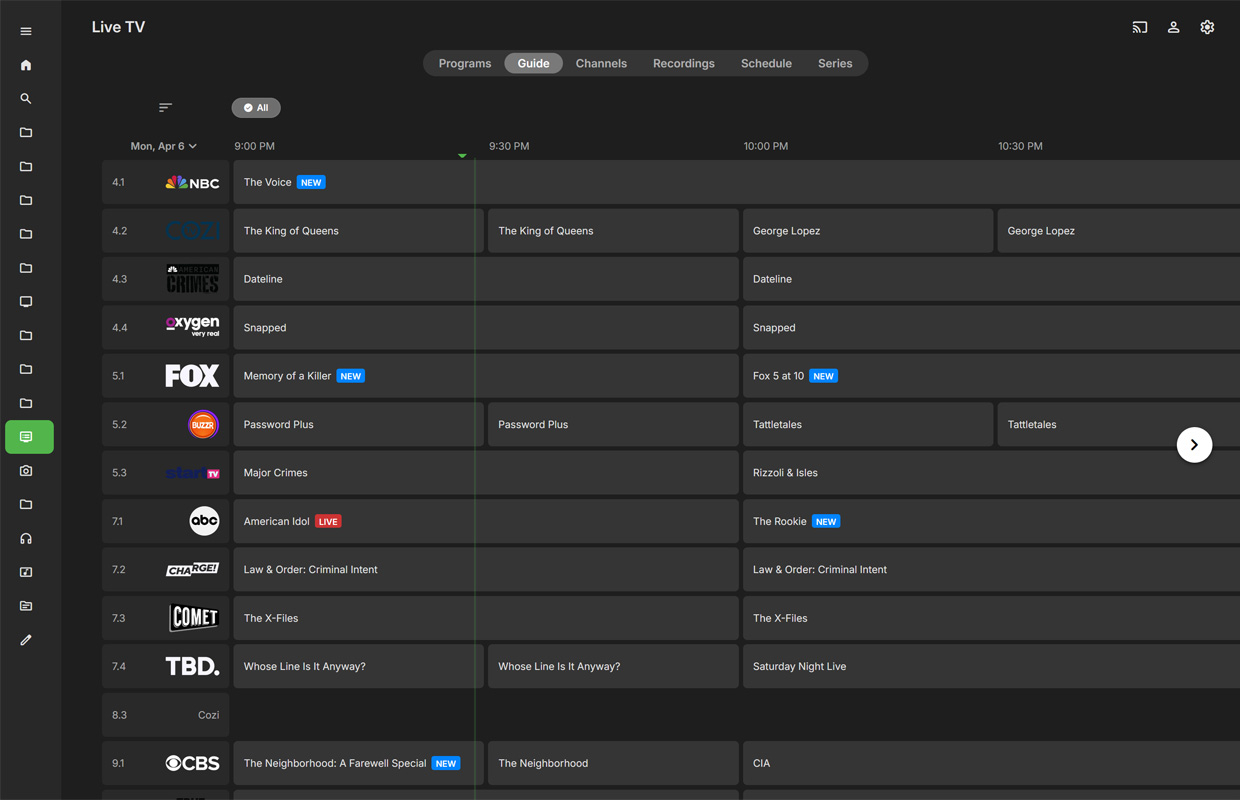
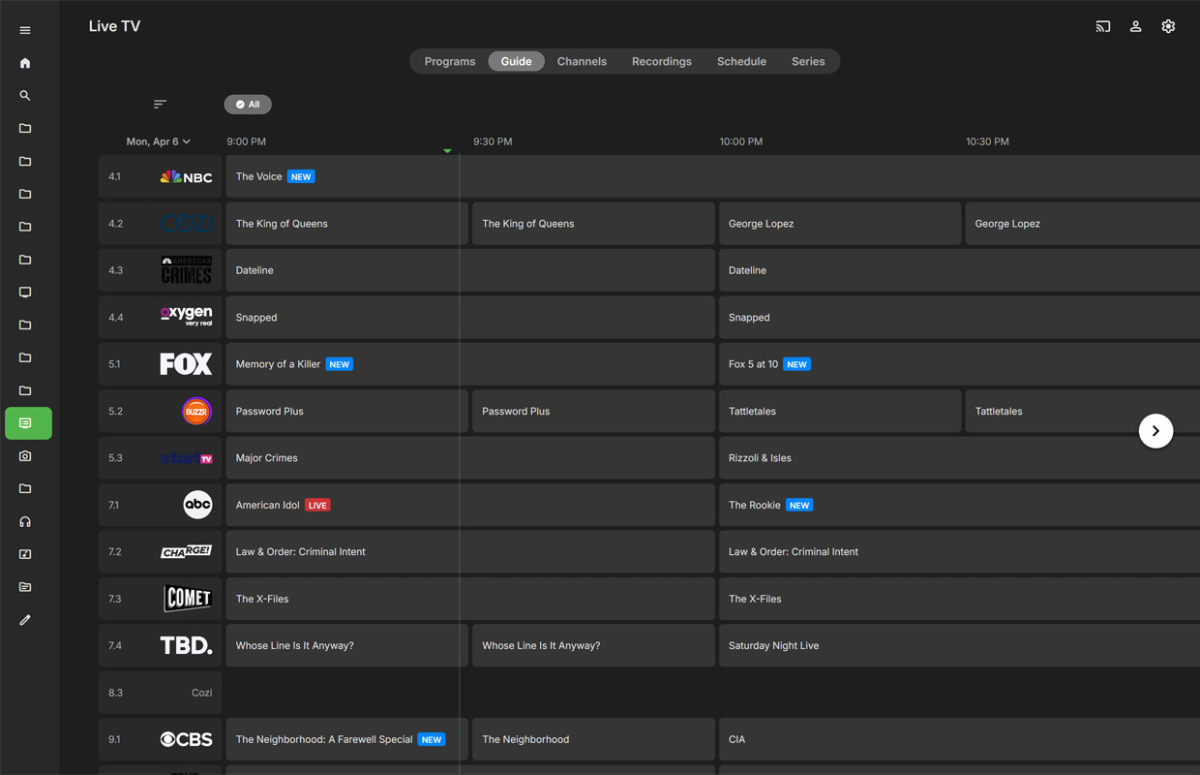
Do you mean live TV like this? I use a HDHomerun tuner and with a premium account you get the data for the TV Guide. Very easy setup with an antenna in the attic connected to it I get like 65 channels in the greater Washington DC area.
 1 point
 -
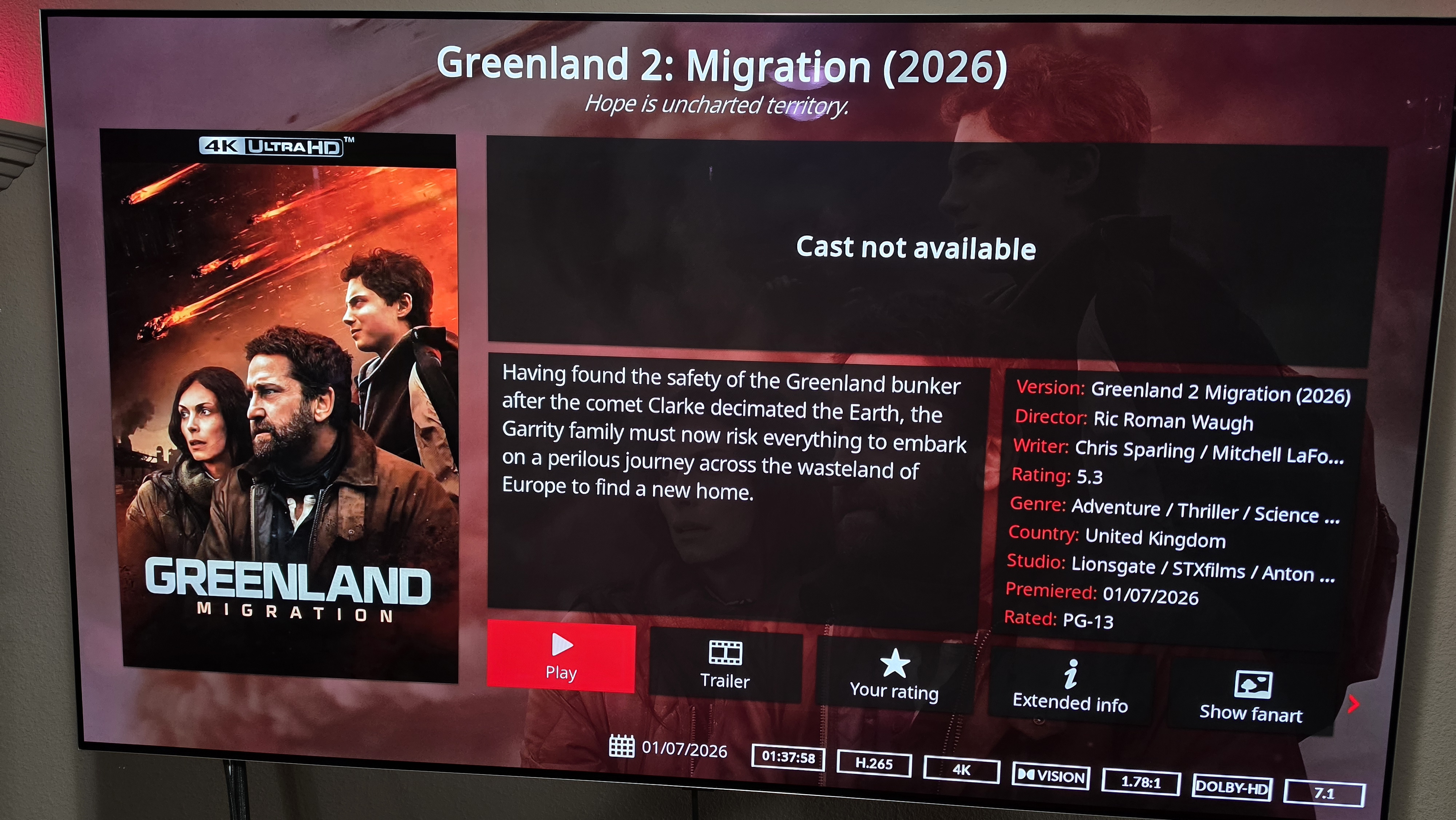
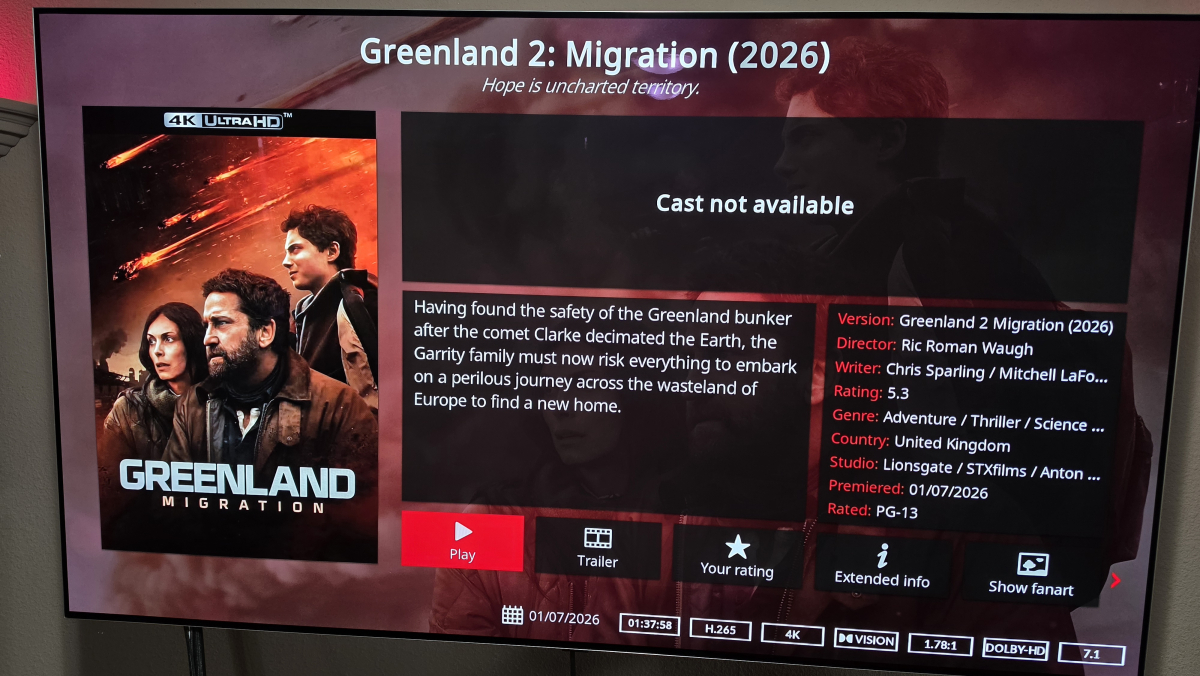
I am not getting any actor info since updating to the latest E4KNG. I haven't made any changes other than just updating x.x.16. Not sure what else it could be. EDIT: Rebooted, restarted Kodi did not work. But logging off profile to my wife's profile and back did refresh the actor section Either way, all good now.
 1 point
 -
HI, apologies for the delay. We are working on getting a new server release out to resolve this. Thanks. You can't install old USB builds. Samsung expires them after 30 days.1 point
-
Aperture v0.7.6 Release Notes This release improves deployment (multi-arch Docker images for amd64 and arm64), user sync with Emby (respect disabled accounts), setup wizard job triggers, and STRM library lifecycle (automatic removal of virtual libraries and output folders when recommendations are turned off). Summary for Users Apple Silicon Macs and 64-bit ARM servers (e.g. Raspberry Pi with a 64-bit OS) can run the same pre-built container image as x86_64; Docker pulls the matching architecture automatically. If your server admin disables your Emby account, Aperture stops treating you as eligible for recommendation jobs once sync-users runs (default every 30 minutes). Initial setup jobs such as Sync Movie Watch History no longer fail with a validation error when started from the wizard. Summary for admins Disabling recommendations and STRM output When you turn off movies, series, or all recommendations for a user (Admin → Users), or when sync-users detects a user disabled on the media server, Aperture attempts to: DELETE the corresponding virtual library in Emby (by library name). Remove that user’s folders under /aperture-libraries/aperture and /aperture-libraries/aperture-tv (inside the Aperture container). Delete matching rows in strm_libraries. Failures talking to the media server (e.g. library already removed) are logged; database and filesystem cleanup still proceed where possible. The scheduled sync-movie-libraries / sync-series-libraries jobs also run a reconciliation pass to clean up stale library records. Docker image architectures Published images are multi-architecture manifests. No separate tag is required per CPU; use your existing ghcr.io/.../aperture image reference. Note: 32-bit ARM (arm/v7) is not a build target; use a 64-bit OS on Raspberry Pi for parity with dependencies (e.g. native modules). API notes (operators) Setup jobs: POST /api/setup/jobs/:name/run — the documented allowed name values now match the server (includes watch-history, embedding, library, and related job ids). Update instructions For Docker users docker compose pull docker compose up -d Apply database migrations per your process (pnpm db:migrate or automatic on startup, depending on deployment). Operator checklist Expect one-time sync — existing users get provider_disabled = false until sync-users runs and reads the current media-server flags. Thank you for running Aperture and reporting setup and deployment edge cases in the wild.1 point
-
Hi, yes this is something that we plan to add in future updates. Thanks.1 point
-
Agree. But maybe it will give the devs some ideas for a report system that does.1 point
-
Aperture v0.7.5 Release Notes This release expands Discovery with JustWatch streaming charts, configurable TMDb genre strips (including exclude genres and flexible year ranges), a clearer Movies / TV browse layout, and multilingual UI improvements. At a glance Theme What shipped Discovery browse layout On Movies and TV Series, sub-tabs separate TMDb popular overall (AI pool, filters, refresh) from Popular by genre (admin-configured TMDb Discover strips). Choice is remembered in the browser. Streaming discovery Discover → Streaming tab (when enabled): JustWatch-backed charts; admin can enable the feature and choose provider strips. Genre strips (admin) Per-strip genres (AND), exclude genres, from / to year (including Today for a rolling end at the current calendar year), heading, origin country, max titles, drag reorder. Multilingual UI Fourteen locales; RTL for Arabic and Hebrew. Deployment-wide language defaults under System settings. Summary for users Where to find things What Where AI discovery pool + filters + Refresh Discover → Movies or TV Series → sub-tab TMDb popular overall Horizontal genre strips Discover → Movies or TV Series → sub-tab Popular by genre Streaming charts Discover → Streaming (only if your admin has enabled streaming discovery for the server) Your UI language User settings (language / locale preferences in the app) Grid/list view and Refresh apply to TMDb popular overall, not to the genre-strip sub-tab. Redundant info alerts about clicking titles were removed from Discovery tab content. Summary for admins Genre strips (TMDb Discover) Path: Admin → Settings → Setup → Genre discovery (third sub-tab under Setup). TMDb must be configured; the tab is disabled until then. Deep link (same page): /admin/settings?tab=setup&setupSub=genre-discovery Configure Movies and TV sections separately. For each strip you can set: Genres — multiple genres are combined with AND (TMDb with_genres). Exclude genres — TMDb without_genres (e.g. Science Fiction but not Animation). From year / To year — optional bounds on release date (movies) or first air date (TV). To year can be No end, Today (current year) (rolling end-of-year bound at fetch time), or a specific year. Optional heading, origin country, and max titles per strip. Drag strips to reorder; use the save control on a strip (or your workflow) to persist. Streaming discovery (JustWatch) Path: Admin → Settings → Setup → Integrations — Streaming discovery block (enable flag, provider strip codes). Deep link: /admin/settings?tab=setup&setupSub=integrations The Discover → Streaming tab appears for users when streaming discovery is enabled for the deployment and their account has Discovery enabled. Language defaults (deployment) Path: Admin → Settings → System — Language defaults (default UI language and default AI language for new users / server-side defaults where applicable). Discovery – TMDb popular overall vs Popular by genre TMDb popular overall — The personalized discovery pool: language/genre/year filters, Refresh, grid or list view, job progress when a discovery job runs. Popular by genre — Read-only horizontal strips driven by admin Genre discovery configuration. Strips load as you scroll (lazy loading). Discovery – Streaming (JustWatch) Charts are backed by JustWatch GraphQL data with server-side caching. TMDb poster paths may be resolved and cached to reduce API load. Exact provider codes depend on region; the admin UI references the bundled provider list. Multilingual UI and RTL Aperture’s web UI is multilingual. Users can work in a supported language (including via browser language detection and stored preference). We do not guarantee completeness or accuracy of translations; no promises are made as to language quality. Supported UI locales (14): English (en), Spanish (es), German (de), French (fr), Italian (it), Portuguese (pt), Dutch (nl), Russian (ru), Japanese (ja), Chinese (zh), Korean (ko), Hindi (hi), Arabic (ar), Hebrew (he). Right-to-left (RTL): The layout uses RTL for Arabic and Hebrew so navigation and mirroring behave correctly for those locales. Update instructions For Docker users docker compose pull docker compose up -d Apply database migrations per your process (pnpm db:migrate or automatic on startup, depending on deployment). Operator checklist Run migrations — 0110–0112 must apply before relying on streaming discovery or poster cache. Should happen automatically. TMDb — Required for genre strips and for sensible Discover behavior. Streaming discovery — Enable and configure provider strips under Setup → Integrations if you want the Streaming tab. Genre strips — Configure under Setup → Genre discovery; use Discover → Popular by genre to verify. Thank you for running Aperture and feeding back on Discovery and translations in real environments.1 point
-
Update: Updated Accent comment to include the term experimental. Control the IMDB ratings star color in the master pallet for both options. Dimmed down the active sidebar pill so you can see the active state icon when accent colors were enabled. Default gold colors made the active state pill a gold color instead of accent color. Emby Navy and Gold v4.62.css1 point
-
@Paramecium302I think you are talking about what happens after a guide refresh. Currently it is what it is, because it was designed that way by me in the early days of the plugin. I've designed it so that when i was running the guide refresh daily, i was always getting the next unwatched tv show episode at the same time every day.1 point
-
Hey Luke. So at least I know I'm not doing something wrong! I'll look forward for this to be implemented in an update, hopefully soon.1 point
-
Keine Ahnung...1 point
-
Ich habe das Problem so gelöst, dass ich den Remote-Ordner gelöscht und anschließend neu erstellt habe.1 point
-
Gerne, jetzt wird wieder der aktuelle Download angeboten. Funktioniert aktuell wieder1 point
-
This resolved. Configuration issue.. SSL, Https port mapping and DDNS setup. After all of that, the dots can play everything, except playlists.. that I am working on.1 point
-
Thanks for following up. I’ve deleted the log file. Is that good?1 point
-
The biggest deterrent to plugin devs on Emby has always been around the stable release schedule and the instability of beta builds. Infrequent stable releases push regular users to run beta builds and the beta builds are pushed out with no internal testing and often break things. Expect to be doing regular maintenance releases to keep up with the beta or have people questioning why you only support stable server releases. We've been asking for quarterly stable server releases for years but we are stuck waiting 1-2 years between stable releases. IMO it doesn't make sense to add this to the catalog until the Home Screen Selection make it to a stable server releases.1 point
-
Because I don't want any of them to play automatically and if I put everything in the season 0 folder, all specials will be mixed up in a Specials season view in the Emby app. If you have tens of specials for a show, it becomes cumbersome to scroll through the whole list of specials to find the specials related to the season you just watched. It's much more intuitive to have them in the season itself (for example, Deleted Scenes of S01E01 in S01 view after all normal episodes of season 1.1 point
-
@UsamaWaheed Initial feedback: This is suspected to be due to the compression on the embedded ASS subtitle stream and the way Exoplayer is setup within the android app. MediaInfo Text #1 ID : 4 Format : ASS Muxing mode : zlib Codec ID : S_TEXT/ASS Codec ID/Info : Advanced Sub Station Alpha Duration : 24 min 39 s Bit rate : 80.6 kb/s Frame rate : 9.353 FPS Count of elements : 13842 Compression mode : Lossless Stream size : 14.2 MiB (1%) Title : Full Subtitles [Kaleido-subs] Language : English Default : Yes Forced : No At this moment it is only possible to play an mkv like this with transcoding to uncompress the subtitle stream and show the text I have opened an issue on this for Emby android app development team1 point
-
Get this..... I just had to restart the pc gotta love tech issues.1 point
-
This is happening with anything - on an episode details screen the "more from Season" row does not line up with the episode being viewed like it used to. Paul1 point
-
OK we'll take a look at it. Thanks.1 point
-
Update: I have a few fixes in progress, for minor style issues and hope to have a new release by May. Mobile @media rules that work Of interest for anyone trying to make a theme... here are the CSS @media rules I use to find all the mobile sizes. I put this at the end of the css theme, listing the smallest mobile first to optimize code delivery. Desktop sizes just ignore everything until the largest size at the end. Small phones, I would assume, are not very fast, get their code sooner and then ignore other mobile sizes. Faster phones with larger screens sort through a few media rules to find their assigned styles. Getting @media to work was tricky. Getting the mobile to show updates - is an issue I have to warn you that most mobile phones will not update their styles easily, so when you make a code change and test it on a phone, your phone won't see the change because, by default, it is stuck using the CSS in browser cache and it's very difficult to get it to forget that, even with incognito or forcing a cache clear. The only work around I found to clear all cache and any cookies or add version parameters at the end of URL links (somedomain.com/index.html?mar-9-26) but you can't do the parameters with Emby. If you have a Browserstack.com account, you can use that to switch to a new phone and get around this issue. If you have a VPN on your phone, switching locations might work. It's a pain to test on the phone. Browser simulation on desktops with Chrome is not exact... so... good luck. If you want to see style changes I used for mobile on my theme, look at the end of the latest version style upload from line 2427 to 3805 which is 1378 lines of @mobile rules! Yikes! Maybe I should have mentioned that first. It's scary. I've added the @media rule code, in case anyone would like to use it to make their own theme. The style in each media size just adds a color to the bottom border of the search icon. This helps you see the @media size changes as you change the browser size on a desktop or test with mobile. Some sizes, I've ignored and they are commented here because Emby uses these sizes in their styles. If you want to change or add colors, here is an online guide: https://www.tutorialrepublic.com/css-reference/css-color-names.php /* 320px width - red bottom border color of round search icon shows this mobile mode: iPhone 5e and some older smaller phones */ @media (max-width: 320px) { .headerSearchButton.headerButton.md-icon.paper-icon-button-light.hiddenWhenBottomNavVisible { border-bottom: 1px solid red; } } /* 321-432px - white: Portrait iPhone XR, 12 to 14, 5, 5e, 6/7/8 & plus, Samsung S12: */ @media (min-width: 321px) AND (max-width: 432px) { .headerSearchButton.headerButton.md-icon.paper-icon-button-light.hiddenWhenBottomNavVisible { border-bottom: 1px solid white; } } /* 433-480px - blue */ @media (min-width: 433px) AND (max-width: 480px) { .headerSearchButton.headerButton.md-icon.paper-icon-button-light.hiddenWhenBottomNavVisible { border-bottom: 1px solid #0000FF; } } /* 481-549px - Pale green: portrait phones up to 540 width Surface Duo. */ @media (min-width: 481px) AND (max-width: 540px) { .headerSearchButton.headerButton.md-icon.paper-icon-button-light.hiddenWhenBottomNavVisible { border-bottom: 1px solid #98FB98; } } /* @media (width >= 31.25em) { } (This is 500px and a size used in Emby code) */ /* 541-640px - brown: portrait e-readers (Nook/Kindle), 600 or @ 640 wide. */ @media (min-width: 541px) AND (max-width: 640px) { .headerSearchButton.headerButton.md-icon.paper-icon-button-light.hiddenWhenBottomNavVisible { border-bottom: 1px solid #A52A2A; } } /* @media (width >= 36em) { } (This is 576px and used in Emby code) */ /* @media (width >= 40em) { } (This is 640px and used in Emby code) */ /* 641-799px - teal: portrait tablets, portrait iPad, landscape e-readers, landscape 800x480 or 854x480 phones */ @media (min-width: 641px) AND (max-width: 799px) { .headerSearchButton.headerButton.md-icon.paper-icon-button-light.hiddenWhenBottomNavVisible { border-bottom: 1px solid #008080; } } /* @media (width >= 45em) { } (This is 720px and used in Emby code) */ /* @media (width >= 50em) { } (This is 800px and used in Emby code) */ /* @media (width >= 55em) { } (This is 880px and used in Emby code) */ /* 800-1024px - Dark Orange: TV 1080P monitor, tablets, landscape iPad, lo-res laptops ands desktops */ @media (min-width: 800px) AND (max-width: 1024px) { .headerSearchButton.headerButton.md-icon.paper-icon-button-light.hiddenWhenBottomNavVisible { border-bottom: 1px solid #FF8C00; } } /* @media (width >= 62.5em) { } (This is 1000px and used in Emby code) */ /* 1025-1280px - indigo: big landscape tablets, laptops, and desktops */ @media (min-width: 1025px) AND (max-width: 1280px) { .headerSearchButton.headerButton.md-icon.paper-icon-button-light.hiddenWhenBottomNavVisible { border-bottom: 1px solid #4B0082; } } /* === Large desktop or notebook bowser windows - gold */ @media (min-width: 1280px) { .headerSearchButton.headerButton.md-icon.paper-icon-button-light.hiddenWhenBottomNavVisible { border-bottom: 1px solid #FFD700; } }
 1 point
 -
Learn more about Emby for Amazon Alexa. View the full article1 point
-
@Luke Device: Apple TV 4K 3rd gen + tvOS 26.1 Emby player: 2.0.2 (5) Settings: Preferred Video Player = Native File: movie.mkv (video = HEVC & audio = AC3) Server: 4.9.1.90 OS: macOS 12.7.6 Problem: playing mkv results in unnecessary transcode to H264 Attempt to fix: disable video transcode on server -> result: audio only, no video playback Log: see attachment Log analysis: ffmpeg is not tagging the output stream as hvc1 & is outputting ts instead of fMP4 Suggested fix: add -tag:v hvc1 & -hls_segment_type fmp4 to the ffmpeg remux commands (and update device profiles to accommodate the compatibility change) (Experiment Control: same movie.mkv file manually remuxed using ffmpeg -tag:v hvc1 -> HEVC plays correctly -- Same Emby Server & Player) Benefits: ability to use the native player with HEVC media files including Dolby Vision. Improved performance and power efficiency. TV correctly switches to HDR mode. Thanks for your time & attention. Hope this gets added soon as it will massively improve HDR playback on Emby on Apple TV. ffmpeg-directstream-60ae0bbc-dcdf-4f6b-8960-a6a6b531d386_1.txt1 point