Leaderboard




Popular Content
Showing content with the highest reputation on 04/05/26 in all areas
-
Aperture v0.7.0 Release Notes Hey everyone I'm back!!!! This one is almost entirely feedback from the comments while I have been busy working on the stuff that pays the bills. This release is a big step for people and discovery: Browse → People, credits gap (GAP) on person pages, richer browse filters, and full Seerr integration improvements. Shows You Watch now syncs with Emby/Jellyfin series favorites instead of building STRM files or virtual libraries—see Breaking changes for what to change on your media server. Baseline: follows v0.6.5 (commit f97f574). Commit range: f97f574..6893d05 (13 commits). At a glance Theme What shipped People & credits gap (GAP) GAP = TMDb filmography titles not in your library, grouped by role and media type; person browse, discover APIs (getPersonCreditsGap), filters, TMDb detail modals, profile cache, actor personId linking Browse Country, watch status, watcher reach filters; preset save/load; countries list endpoints; view mode persistence Seerr User ↔ Seerr mapping, attributed requests, My Requests, rename Jellyseerr → Seerr, settings and migrations Shows You Watch Bidirectional favorites sync; scheduled sync-watching-favorites job; removal of STRM/virtual-library pipeline and sync-watching-libraries Quality SQL fix for movie resolution filter; carousel alignment fix Summary for users Browse has a People tab: open people like titles, with grid/list view modes remembered per area. People GAP (credits gap): on each person page, Aperture compares TMDb combined credits to your library and shows what’s missing—grouped by movie vs TV and by role (e.g. director vs actor), with filters. Open a TMDb detail modal from gap rows (backdrop, metadata, request flow where applicable). Movies and series lists support country, watch status (via your history), and watcher reach (how many users on this instance have watched an item), plus saved filter presets. Seerr: requests can map to your Seerr user; My Requests and clearer Seerr naming (replacing “Jellyseerr” in the product). Shows You Watch stays a list in Aperture but syncs with series favorites on the server. Remove old watching virtual libraries in Emby and use a Home row (see below). People & credits gap (GAP) What GAP is For a given person (actor, director, writer, etc.), GAP is the set of TMDb-credited movies and TV shows that do not map to an item in your Aperture-managed library—“on TMDb but not in your server’s library.” It answers: what am I missing from this person’s filmography? How it works Core: getPersonCreditsGap loads combined TMDb credits (cached via person_tmdb_profile_cache), compares to catalog coverage, and returns role-grouped missing titles (f4cc40c). API: Discover routes expose the credits gap payload (with person browse, portrait push, TMDb movie/TV detail) using Zod schemas (1211fe6). Web: Person page: missing credits grouped by media type and role, filters, TMDb detail modals (cb83c66). MediaPosterCard compact meta for dense rows (d0904e3). Technical summary Migration: person_tmdb_profile_cache for TMDb profile images and combined credits. Helpers: listPeopleForBrowse, getPersonCreditsGap (GAP engine), findPersonMediaServerItemId for portrait push; getTVCredits / getTVExternalIds exported. Media server sync: personId on Emby/Jellyfin actor sync for TMDb linking. Browse → People: TMDb-backed grid, fallbacks, browsePeople + useViewMode (044b636). UI: Carousel align-items: flex-start for mixed-height poster rows (2bc5ba2). Browse filters (movies & series) API (59e5b01 Query params country, watchStatus, minWatchers, maxWatchers on movie and series lists; GET /api/movies/countries and GET /api/series/countries. Watch status uses watch_history; watcher reach uses distinct user counts on the instance. Web (961cd33 FilterPopper — production countries, watch status toggles, min/max watchers; wired to Browse fetch, chips, and preset save/load. Seerr (formerly “Jellyseerr” in-product) User mapping to Seerr user ids (email / username / Jellyfin match, admin override). Settings: optional seerr_require_user_mapping; migrations for seerr_user_id and 0104_rename_jellyseerr_to_seerr. API: /api/seerr — POST /api/seerr/request with userId; GET /api/seerr/requests; admin PUT for seerrUserId on users. Web: My Requests, navigation and settings renamed for Seerr. Core: seerr module, userMapping, listAllSeerrUsers; docs/OpenAPI updated. Breaking changes: Shows You Watch STRM / virtual libraries Aperture no longer: Writes STRM files, symlinks, or NFOs for Shows You Watch. Creates or updates Emby/Jellyfin virtual libraries for per-user watching output. Exposes sync-watching-libraries, STRM vs symlink settings, or the library cover image admin block for that virtual library. Database: strm_libraries rows with library_type = 'watching' and watching_library_use_symlinks are removed by migration (see Database migrations). Emby / Jellyfin: recommended Home screen row Remove the old virtual folder / library that pointed at Aperture’s watching output, and clean up aperture-watching (or similar) on disk if present. Add a Home row with Dynamic Content: Libraries: all TV Series libraries you use. Sort: Date last content added (wording may vary by server version). Sort order: Descending. Playstate: Unplayed. Favorite: Enabled. That surfaces favorited, unplayed series aligned with server favorites instead of a synthetic library. What stays in Aperture user_watching_series and /api/watching CRUD. Favorites reconcile (reconcileWatchingFavoritesForUser). POST /api/watching/refresh — reconcile only (skipped, reason, pushedToServer, removedFromDb, pulledIntoDb, pushErrors). Job sync-watching-favorites; web Shows You Watch with Sync favorites. Bug fixes Movies — resolution filter (b92cdf1 resolution counts use a subquery so GROUP BY stays valid when filtering by resolution. Database migrations Run your usual migration command so these apply in order: Migration Purpose 0101_person_tmdb_profile_cache.sql TMDb person profile / credits cache 0102_users_jellyseerr_user_id.sql Seerr user id on users 0103_jellyseerr_require_user_mapping.sql Optional require-mapping flag 0104_rename_jellyseerr_to_seerr.sql Rename identifiers and system_settings keys to Seerr 0105_remove_watching_strm_libraries.sql Remove watching strm_libraries rows and watching_library_use_symlinks (If some migrations already ran before you tag 0.7.0, confirm db/migrations state for your environment.) Update instructions For Docker users docker compose pull docker compose up -d Database migrations run on startup (or use your usual pnpm db:migrate / deployment process). Operator checklist Migrate the database before API/web versions that need new columns and caches. Emby: remove old watching virtual libraries and configure the Home row above if you used STRM watching. Seerr: confirm URL/API keys and user mapping; set admin seerrUserId overrides when auto-match fails. Jobs: schedule sync-watching-favorites; remove any references to sync-watching-libraries. API quick reference Browse filters: country, watchStatus, minWatchers, maxWatchers; GET /api/movies/countries, GET /api/series/countries. Discover (people): browse; credits gap (GAP); portrait push; TMDb movie/TV detail (see OpenAPI under discover). Watching: POST /api/watching/refresh — favorites reconcile (no written / libraryCreated). Seerr: /api/seerr/* — request, requests list, user mapping admin. Full changelog (commits since v0.6.5) f4cc40c feat(core): TMDb person cache, people browse, credits gap, portrait helpers b92cdf1 fix(api): movie resolutions filter after GROUP BY 1211fe6 feat(api): discover person routes and TMDb movie/TV detail 2bc5ba2 fix(ui): align carousel items to flex-start d0904e3 feat(web): MediaPosterCard compact meta layout 044b636 feat(web): browse people tab and view mode persistence cb83c66 feat(web): person page credits gap, filters, TMDb detail modal 59e5b01 feat(api): browse filters — country, watch status, watcher reach 961cd33 feat(web): browse filter UI for country, audience, and presets 10c58ed feat(seerr): attribute requests to users, My Requests, rename Jellyseerr to Seerr 764f9ec feat(watching): sync Shows you watch with Emby/Jellyfin favorites db84e48 feat(jobs): add sync-watching-favorites as separate scheduled job 6893d05 Remove Shows You Watch STRM libraries; keep favorites sync3 points
-
Good lord making this thing multi-language is a huge pain in the ass!2 points
-
It's supposed to be a list of the actors who are in the movie, not an assortment of pretty pictures. Why on earth would anyone ever want this?2 points
-
On a movie or episode's item details screen, if it's in one or more collections there's an "Included In" section which lists the collection(s) that item is, well, included in. It would be nice to have "Remove from Collection" as an option on the three-dot menu of these collections, to enable quickly removing an item from multiple collections, or quickly removing an item from a collection if the error is spotted on the item details screen.1 point
-
Very simple little plugin. Customize the new banner feature in the Emby server beta. Cycle between messages - It's not a live cycle so requires reload of mainpage. Show Movie, Show, Episode, Video count. Show latest movie and/or TV show. Add Emojis (for what ever reason ) Can look into adding more if people want it. ONLY WORKS WITH EMBY SERVER BETA!! Can be found at: yocksers/EmbyBanner.
 1 point
 -
As many of us, I am not a native english speaker, nor are many of my friends and family that use my Emby instance. Thus, I am constantly asked for subtitles for various tv-shows and movies. Now I have a VIP account on Opensubtitles.com and that is well and good, but often the subs are missing or sync is wrong. I have used AI tools both as a hobby and professionally for several years already, but until these last months, getting reliable AND cheap translations of whole movies and episodes has been a challenge.. that is .. until now. I have made a project that uses whatever llm you would like, either local, if you have some hefty hardware, or via API calls to commercial LLM's like chatgpt, claude, deepseek etc. This project has A LOT of redundancies built in, and uses batch translation to keep context, and ensure the llm understand the actual plot and handles slang and such in a good way. It is super easy to use, just edit the config files to reflect what are your target language, point the script to a folder with either a tv-series, a movie, or even a whole library, and it will go forth and find ALL embedded subtitles in mkv's extract one (there is a priority list you can use) translate it, and mux it into the mkv. For other file formats, eg. .mp4, .avi etc, it uses external files, and will translate those, and putting them back with the right language tag and filename. There is A LOT more to this, but if I can come with a simple suggestion: Use Deepseek API. It is really good for translation, and it is so cheap to use, I still can't wrap my head around it. If you need something like this, take a look at my repo, where all you need to know is, including one line installers. The project is of course fully open source, MIT license, so you can do with it what you want, and also it includes script wrappers for both powershell for use on windows, and bash scripts for use on Linux. (debian / ubuntu). One more thing, just to get it out of the way.. I take no responsibility for anything that happens by using the script. I have done all in my power to make it idiot-proof (mostly for myself :-)) but you never know what some people are capable of.. so use on your own risk.. Here is the repo: https://github.com/dexusno/Translate_Subs Best regards, dexus - Norway.1 point
-
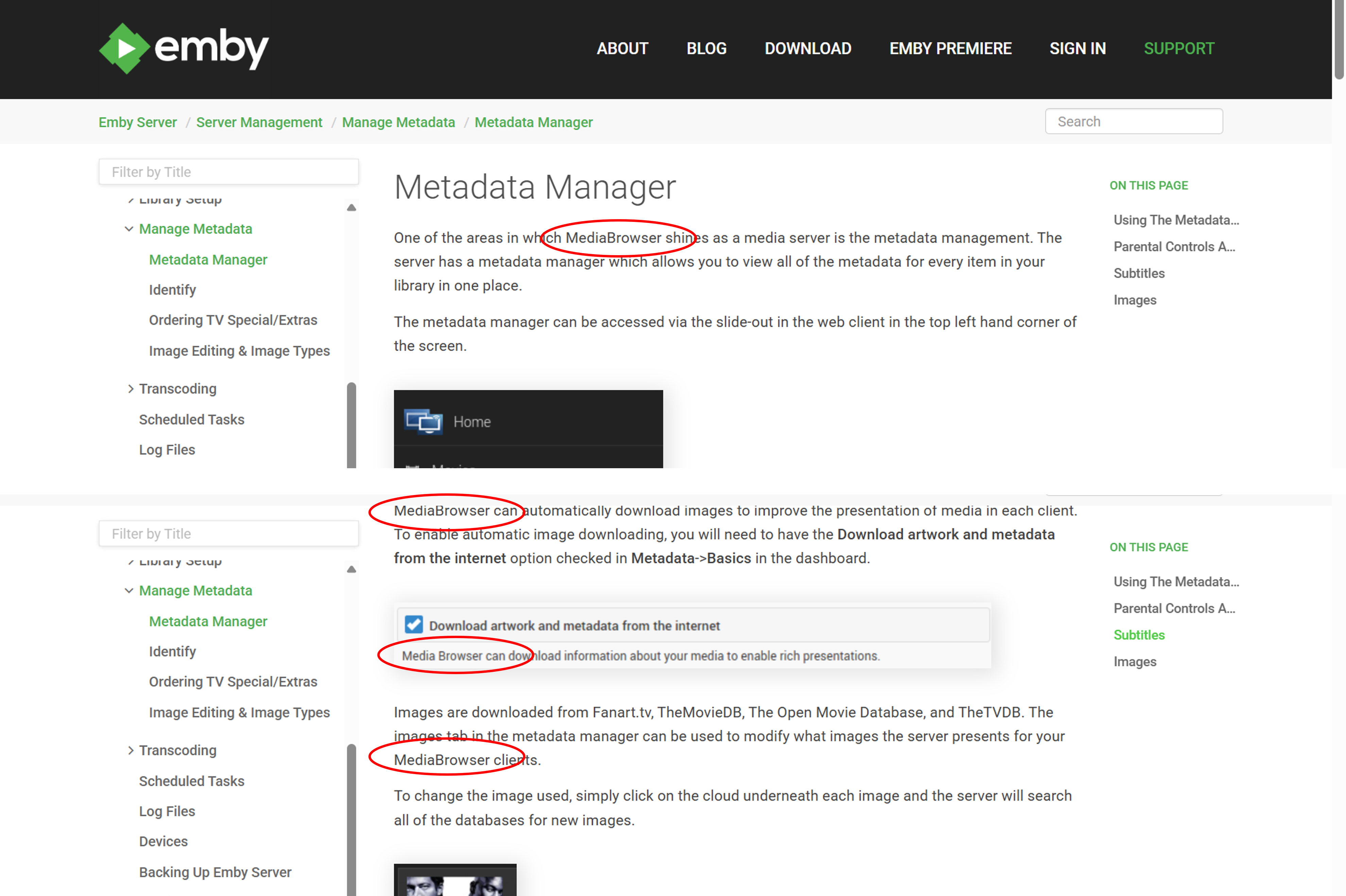
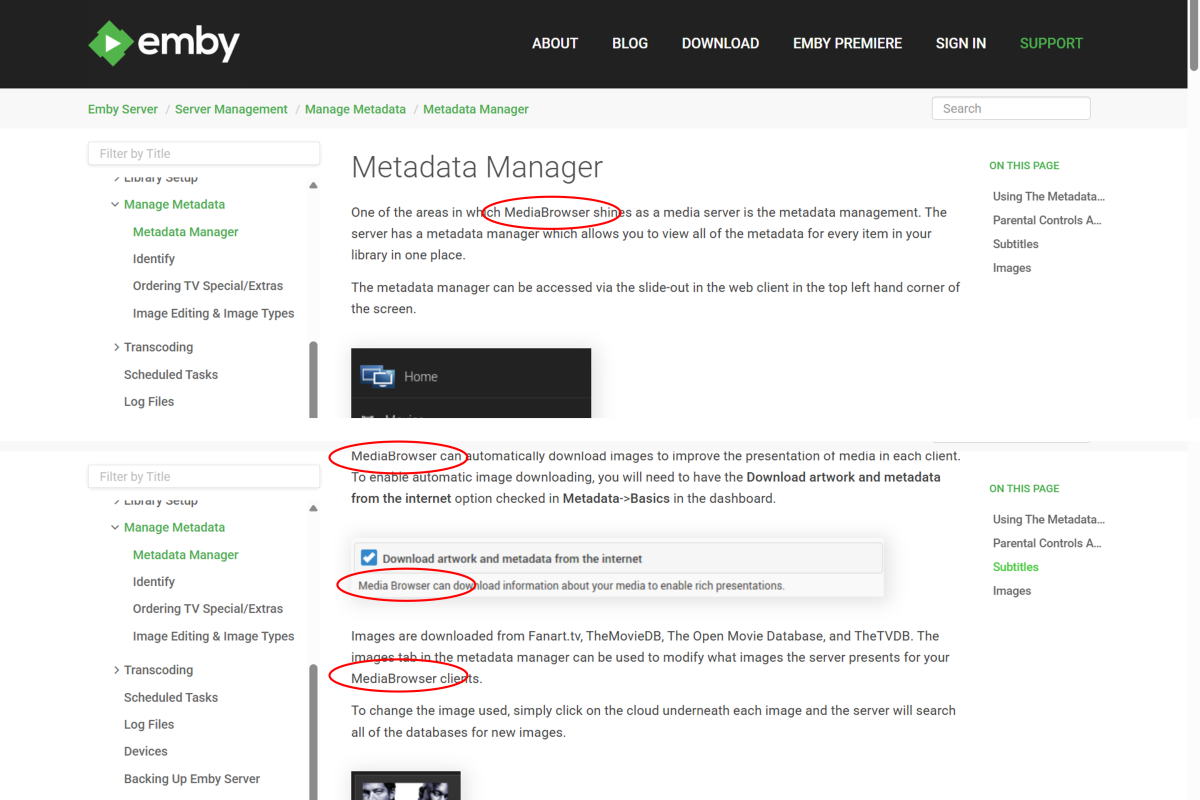
Hi, I just came across some old MediaBrowser references here: https://emby.media/support/articles/Metadata-manager.html Perhaps the page needs updating or maybe the navigation is just incorrectly linking to an old page? I think the images are all from a much older GUI as well.
 1 point
 -
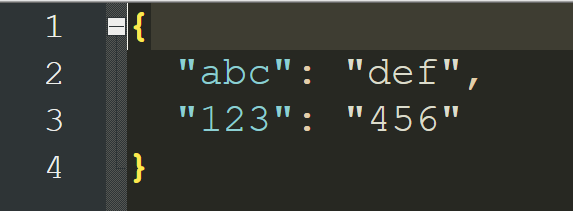
This is small quick follow-up test on V1.0 (will catch up soon) Found the JSON file. I suppose I was initially expecting a pop-up window like "Save As" rather than "Save". It seems to Save ok (e.g.) (Hmmm - this has actually given me a vague idea for a completely different project I'm working on, where I need to map Album Artists to their IDs). Yep. Found this out the hard way. I need to read the instructions!!! Just me getting used to how it works. Moving on to the newer versions now...
 1 point
 -
Update: Updated Accent comment to include the term experimental. Control the IMDB ratings star color in the master pallet for both options. Dimmed down the active sidebar pill so you can see the active state icon when accent colors were enabled. Default gold colors made the active state pill a gold color instead of accent color. Emby Navy and Gold v4.62.css1 point
-
LOL! I am actually working on one that does that as well, but also uses api calls to an LLM to fine-tune the subs, and keeping them in the "netflix rules" for subs, correcting grammar, punctuation and shortening sentences that are longer than the standard etc. Refinement stage. In the translation project there is alot more to it than meets the eye.. it uses quite advanced processes to ensure that we have bulletproof timing and that the llm doesn't f*ck it up.1 point
-
I am not going to get into the Ai vs no Ai argument here.. Truth is there is too many facets to that discussion. Me personally see it as a tool as any other, and use it both professionally and privately. If anyone wishes to not use it, good on you. I won't try to convince you. That said.. I have made myself a tool that I use to get Norwegian subtitles when none exist, based on existing subs in other languages (any language in fact). I DOES use AI, because a good LLM is needed to get great translation, as it understands context and slang etc, making the subtitles feel normal and with a good flow. In my opinion, it makes virtually flawless subtitles. It is very easy to use, and you can utilize both API calls to external LLM's or local if you have hefty hardware.. but to be honest, API calls to a very capable LLM is the way to go as of now, if you want flawless subs. I use DeepSeek API, and yes.. I know.. it's chinese. I don't care. It is by far the cheapest option, and costs virtually nothing to use compared to other options.. And ALL i send them is subtitles to be translated, nothing else. If you would like to check the project out, it is here: https://github.com/dexusno/Translate_Subs It is of course fully open source with an MIT license so you can do with it what you want, and is python based.. with wrappers for powershell and bash (debian / ubuntu). AND of course you can translate to ANY language of your choice, from any language that is available. To be clear, I do respect everyone that does not want to use AI, but the truth is, we can't put the cat back into the bag, it's here to stay. And I for one, will use the tool, rather than ignore its existence. Still, everyone must decide for themselves. I also believe that AI is not needed in the base Emby code, but plugins are always welcome.. That way everyone has a choice.1 point
-
You are most welcome. Also, I discovered a tiny bug, and looking at your screenshot you seem to prefer the blue colors. So, I had a little fun, I think you might enjoy this option. Updates: Fix table hover backgrounds (was using user accent theme colors) New Option: you can say nope to the gold and have everything use a user accent color. Look for this option in the variables: Being easter I didn't have time to fully test it, but on the surface it looks good. /* --- CUSTOM MASTER PALETTE --- */ /* OPTION 1 - USE THE THEMES GOLD COLOR */ --my-gold: rgb(var(--my-gold-rgb)); /* Solid gold fallback for borders and text accents */ --my-gold-light: rgb(var(--my-gold-light-rgb)); /* Brighter gold fallback for highlight gradients */ --retro-navy: rgb(var(--navy-base-rgb)); /* Darkest navy fallback for main backgrounds */ --retro-navy-light: rgb(var(--navy-mid-rgb)); /* Mid-tone navy fallback for panels and cards */ /* OPTION 2 - USE THE USERS ACCENT COLOR PREFERENCES */ /* --my-gold: hsl(var(--theme-primary-color-hue, 204), var(--theme-primary-color-saturation, 100%), var(--theme-primary-color-lightness, 50%)); /* --my-gold-light: color-mix(in srgb, var(--my-gold) 70%, white); /* Solid gold fallback for borders and text accents */ /* --retro-navy: rgb(var(--navy-base-rgb)); /* Brighter gold fallback for highlight gradients */ /* --retro-navy-light: rgb(var(--navy-mid-rgb)); /* Mid-tone navy fallback for panels and cards */ Maybe we should harass Luke now to add in more accent colors Emby Navy and Gold v4.60.css1 point
-
Thank you, this update makes it look fantastic!1 point
-
It should, but what if you set the secure connection to disabled? It's possible that the client also has https connection cached and is falling back to it, which is why I suggested deleting the connection, then recreating it using plain http. However, regarding the https connection it is sounding identical to this issue below which is also using sectigo root and intermediate certificates that were recently updated (and I think also a 2021 model TV). If your TV is a 2021 model, and the certs are valid from 2021, then I'm almost certain that the TV doesn't have the the root certificates updated to include them. I suspect that the past certificates were being signed by sectigo using an older certificate chain and they have recently updated them which is why these issues have started. You mention that the cert was updated on the 18th, but it stopped connecting after the server update around the 28th. Just keep in mind that even if you update the certificates on the server, they don't take effect until the server is restarted which would have happened as part of the server update. I suspect that maybe the certs were updated on the 18th without the server bing restarted until the 28th, at which time the new certificates took effect and the problems began.1 point
-
Was playing a bit with colors to better indicate workflow/selection, tell me which version works better. v1.1b emby_album_tag_importer.py1 point
-
Double click on the inline image during editing, then you can set the size1 point
-
Thanks, it looks great. To make the side menu a little wider in the settings, what would I need to edit? And to make the edges of this image more rounded, what would I have to edit?
 1 point
 -
1 point
-
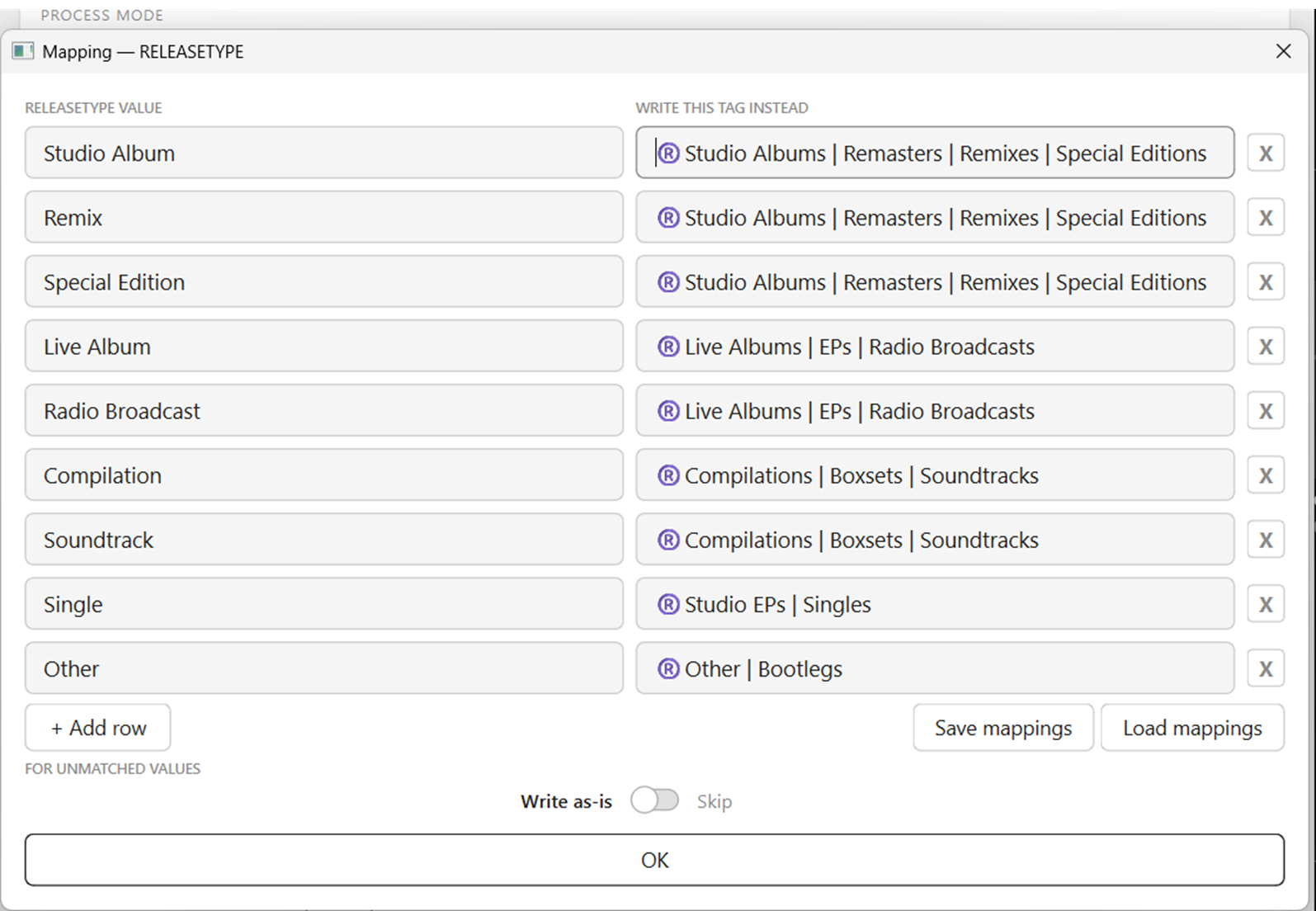
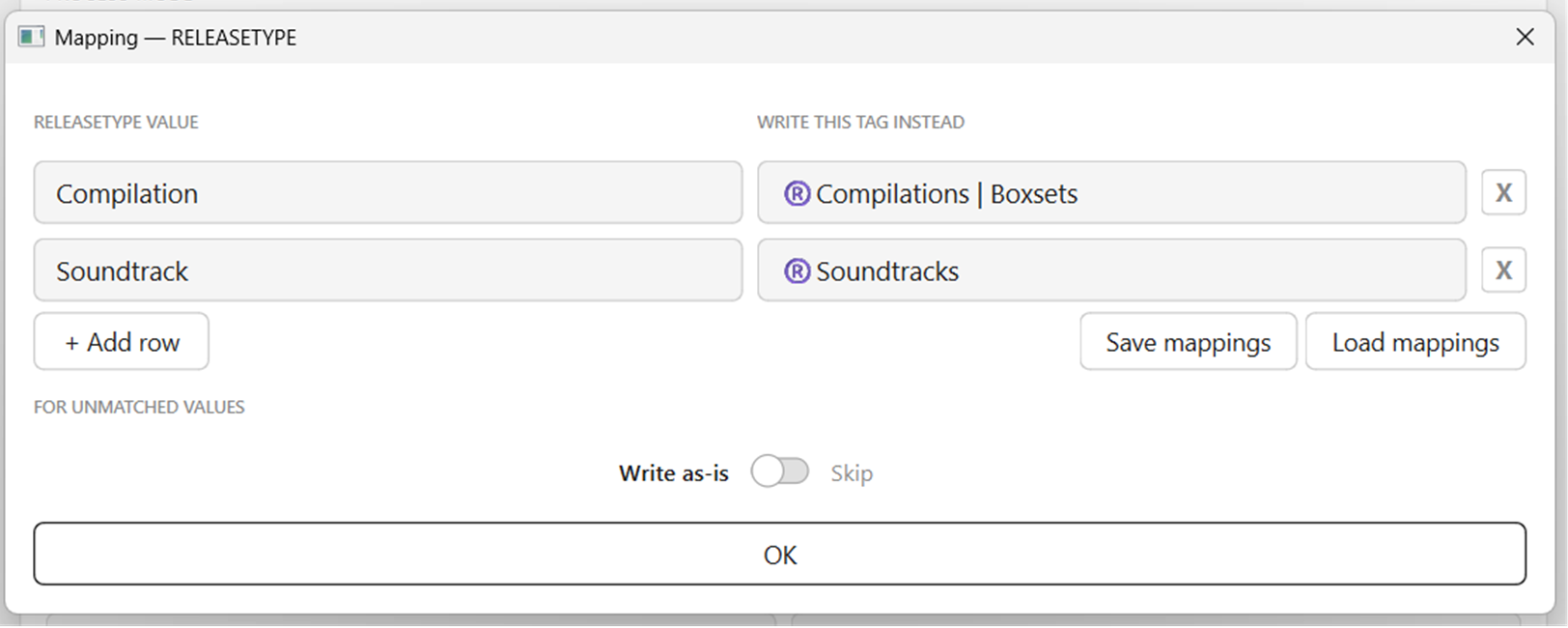
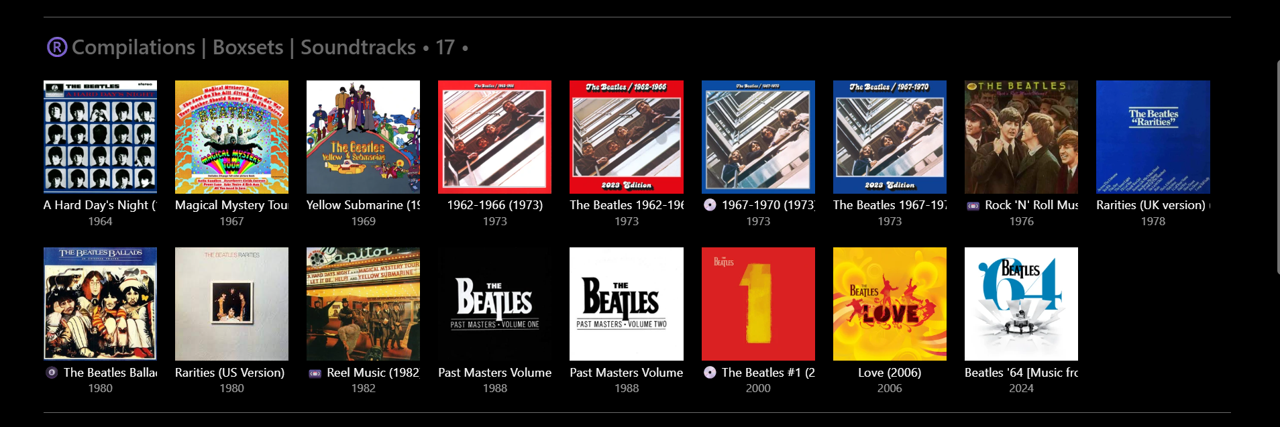
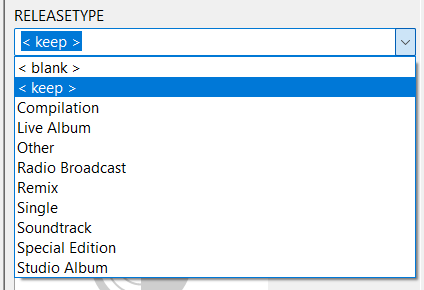
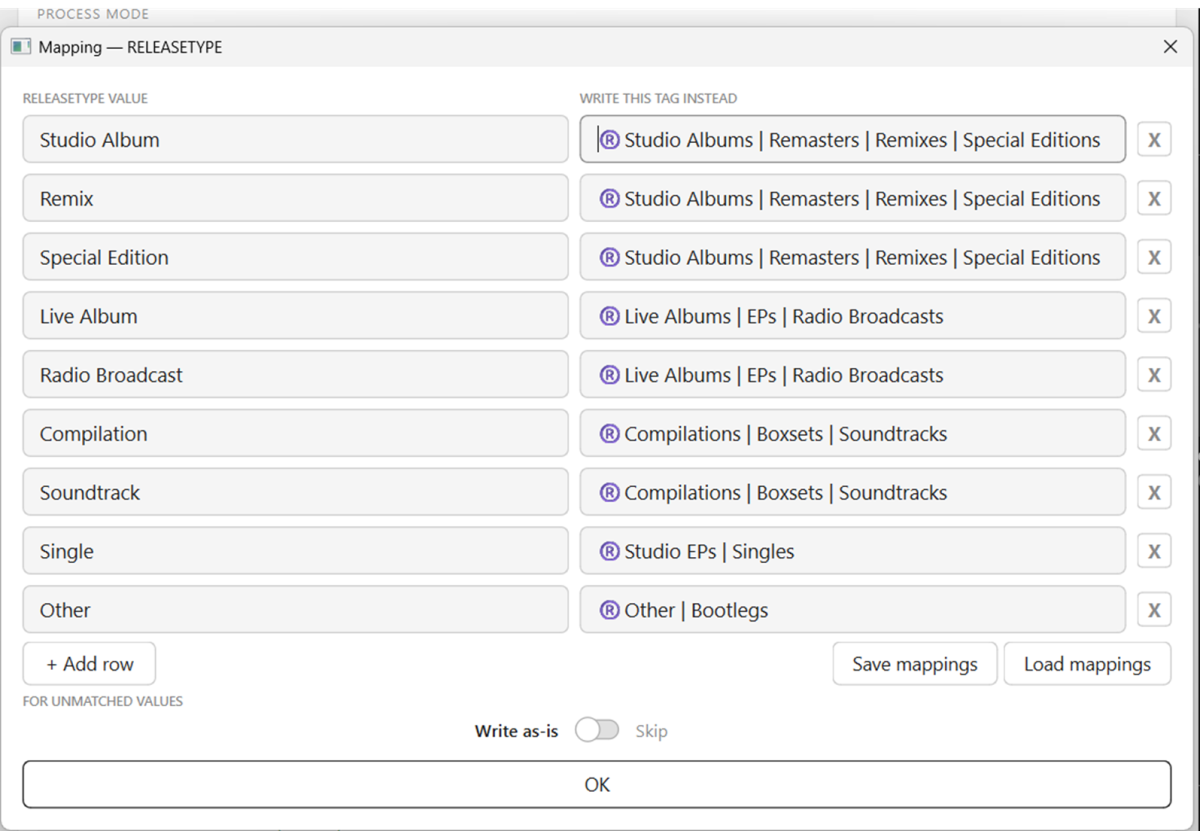
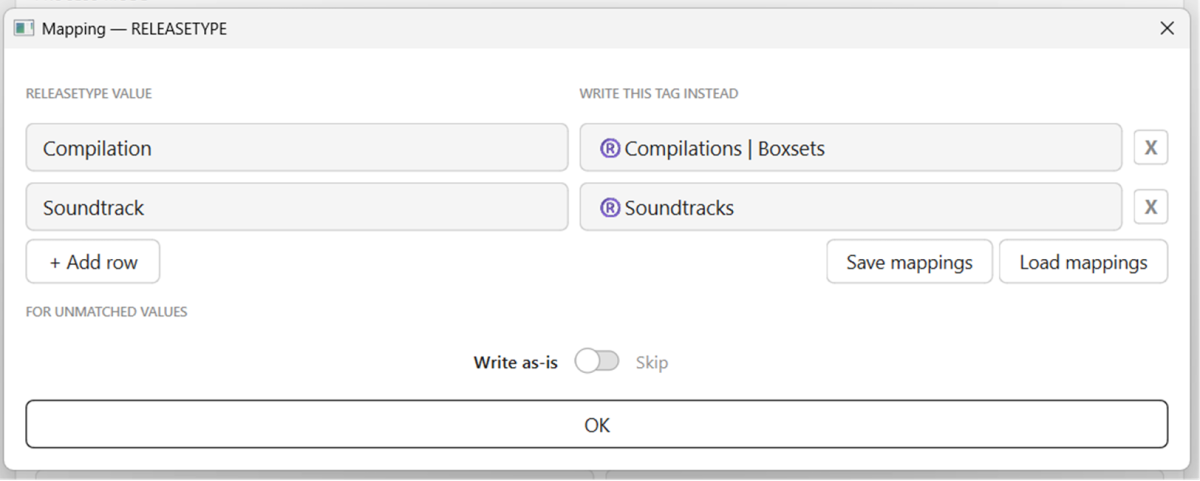
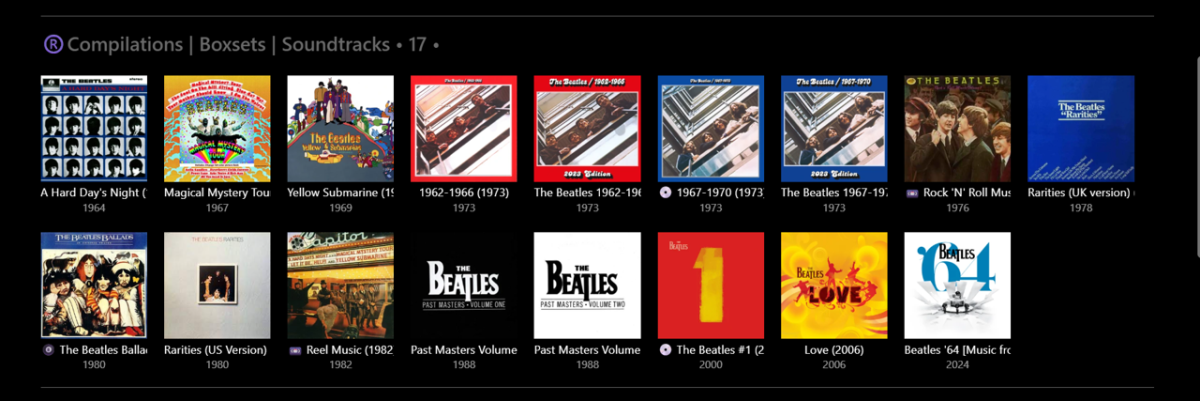
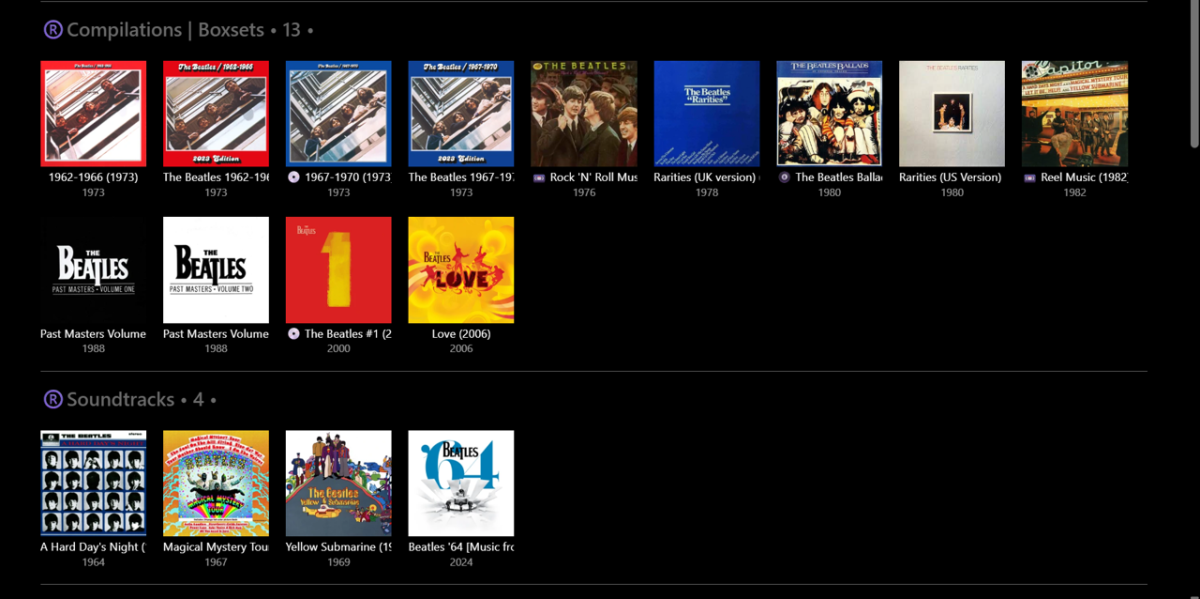
V1.0 RELEASETYPE Mapping test... Using Importer - Bulk Cleared all Album Tags in Emby (45 "The Beatles" Albums) - extremely easy and fast to do Using Mp3tag - rewrote all RELEASETYPE tags as short single descriptors (somewhat similar to MusicBrainz): Using Importer - mapped these tags to "omnibus" tags: (first go at this - no problems) Using custom Group By - all Albums appeared in their relevant groups in Emby: Note: Doing this manually in Emby, one Album at a time, (e.g.) 1min per Album = 45min. With Importer - probably 5min max!!! Then, tried a scenario where I change my mind and want to split Soundtracks away from Compilations... Using Mp3tag - not required now, as Albums have single descriptors already. Using Importer - remap the tags: Using custom Group By - these Albums then appeared in their new groups in Emby: Time taken - perhaps 1-2min??? Only problem was I could not figure out how to "Save mappings". Clicking this did nothing. Clicking "Load mappings" opens up a window to access saved files - but I had nothing previously saved to try. Closing Importer and opening again (didn't shut down PC) retains the previous mapping settings. Perhaps I am missing a step in the process somewhere? I'll give it another go later on... plenty of other combinations and permutations to try... This is going to be SO EASY to properly 'album tag' my whole library and import into Emby now!
 1 point
 -
v1.0 - MUSICBRAINZ_ALBUMTYPE tag support added - Export Log function added emby_album_tag_importer.py1 point
-
I have 3 main reasons why I'm looking to moving off Emby, and exploring Jellyfin. This is one of them. I'd like to hear from developers why such a basic search function is not given more priority. I find this a basic function, and getting cookie cutter responses on fixing basic functionality seems to a be a brush off; it's why initially move away from Plex - focusing on anything else but fixing basic functionality.1 point
-
I did not check my other two Apple TV's yet, but the main one I use had this issue as well. Did mostly the same troubleshooting, restarting apple tv, force closing app, re-installing app, rebooting/confirming Onkyo sound setting, and asked my friend of shared server if there were issues on their side and there wasn't. Googled the issue this was top of the search feed and can confirm as well: I was able to get audio to work only if I changed Audio Format in the Apple TV settings. It was set to auto as well and changing it to Convert to Dolby Digital or Stereo made it work.1 point
-
when external player will get added to Microsoft store version ?1 point
-
And i was an idiot and forgot that i had quoted you. @GrimReaperto the rescue!1 point
-
There is and it's continuous process, but it's simply a losing Whack-a-mole game. There's simply too much of them and too few of the team.1 point
-
Any update on the audio only capability? I enjoy listening to documentaries while I work, and having it native on android auto while I drove would be very convenient for playtime tracking1 point
-
You can do it with tags with EmbyIcons. It's a manual process though so will be fiddly.1 point
-
The latest beta server build has a hidden config switch. so if you open up the /config/system.xml file, set ValidateImageTags to true and then start the server. this will make the image tag value required, which will be unique per image and therefore you won't be able to guess a url anymore. It's an opt-in config switch for now to allow for time to identify cases where that param may not be supplied.1 point
-
Since the service is not selfhosted I will not use it. Giving out my Emby login, password, api key and External IP / domain to a external service is not for me. What happens if the external service gets hacked? Or all my info is sold to highest bet?1 point
-
I am switching over from a Win7 box running MBC to Chromecast dongles. With the Win7 box I had a HDMI to Cat6 setup that allowed me to stream to up to 4 displays/TVs simultaneously. It was great while it lasted, but involved stapling cables to the ceiling to run it from room to room - plus it has borked Can there be an option to multi-cast to several receivers at once? i.e. simultaneously play to Chromecast dongles in my office and living room and kitchen simultaneously so i can walk from room to room without stopping and restarting the movie or show all the time? I realize that bandwidth could POTENTIALLY be an issue, but i have a fill gigabit network and a multi-port NAS so that really is the least of my worries... Thank you!1 point
-
Bear in mind this will likely cause servers that don't run Skia to crash. What's needed is a modular implementation that will vary depending on what image processor(s) the server has available. so that will be needed if you intend to get this into the catalog, but for forum distribution you can obviously do whatever.1 point
-
The main difference there is that playlists are user-created while genres are virtual in that they are derived from the metadata of your items - so they come and go without any user intervention or knowledge. There also can be a lot of them and the number of people who would manually edit an overview for them would be very very small. However, it should be a relatively easy add and, if harmless for the default case, then is something to be considered. Thanks.1 point
-
Is the description of what "Rock" is really something that needs to take up valuable, top-line, screen real estate?1 point
-
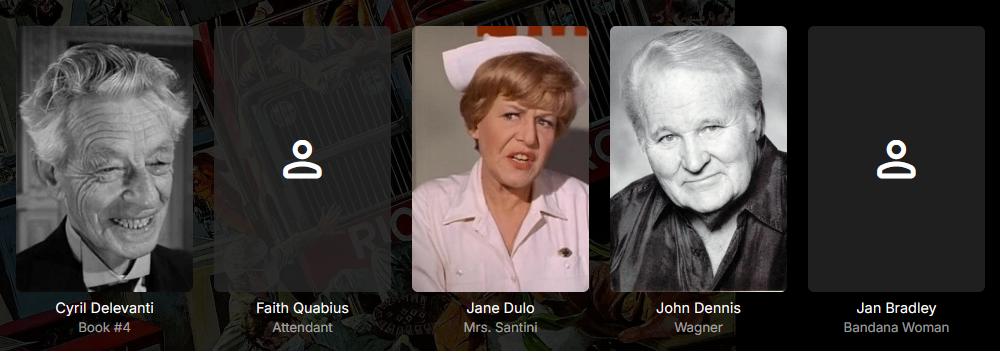
It would be nice if we could hide the actors for whom no picture was found. Is that possible?
 0 points
 -
HI, there currently isn't such a setting, but I agree that it would be a nice thing to add.0 points
-
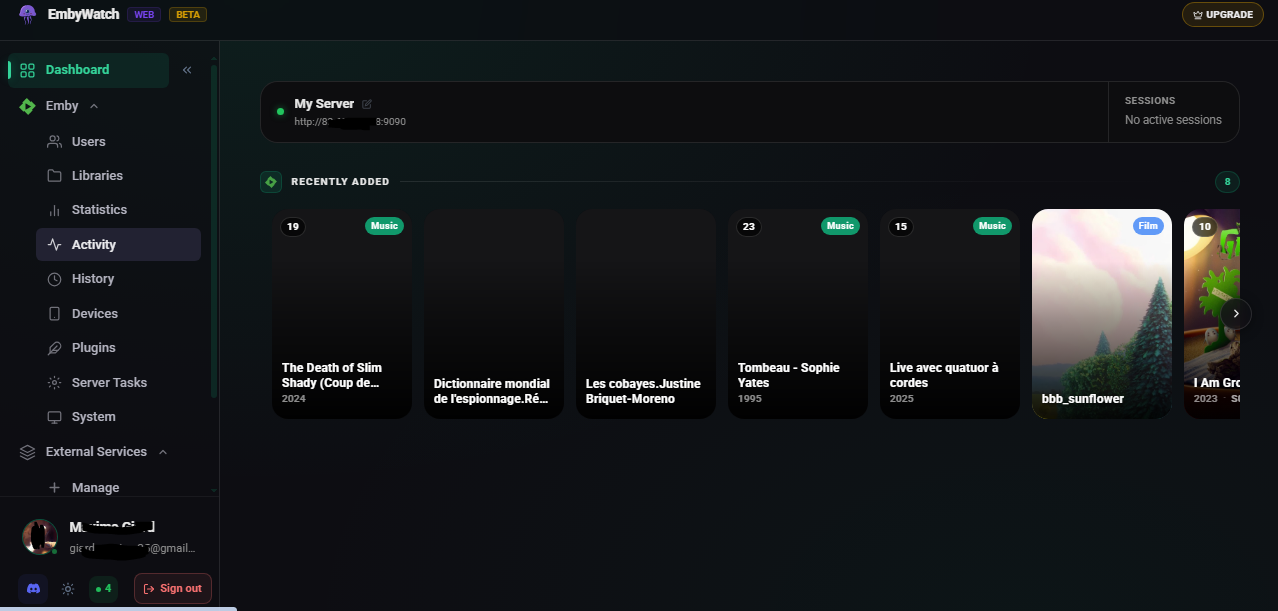
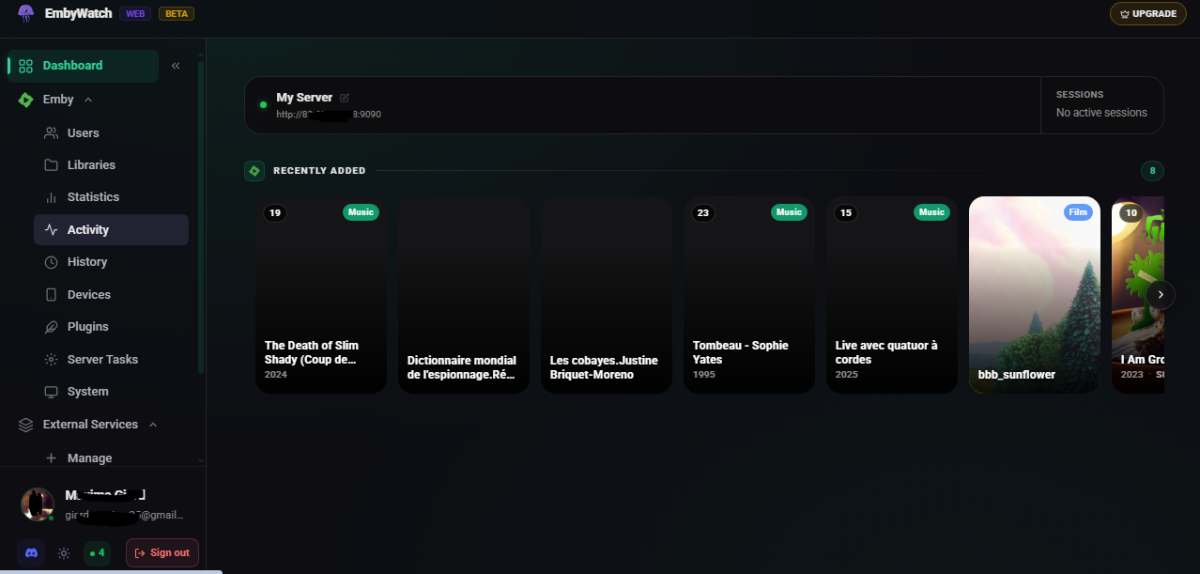
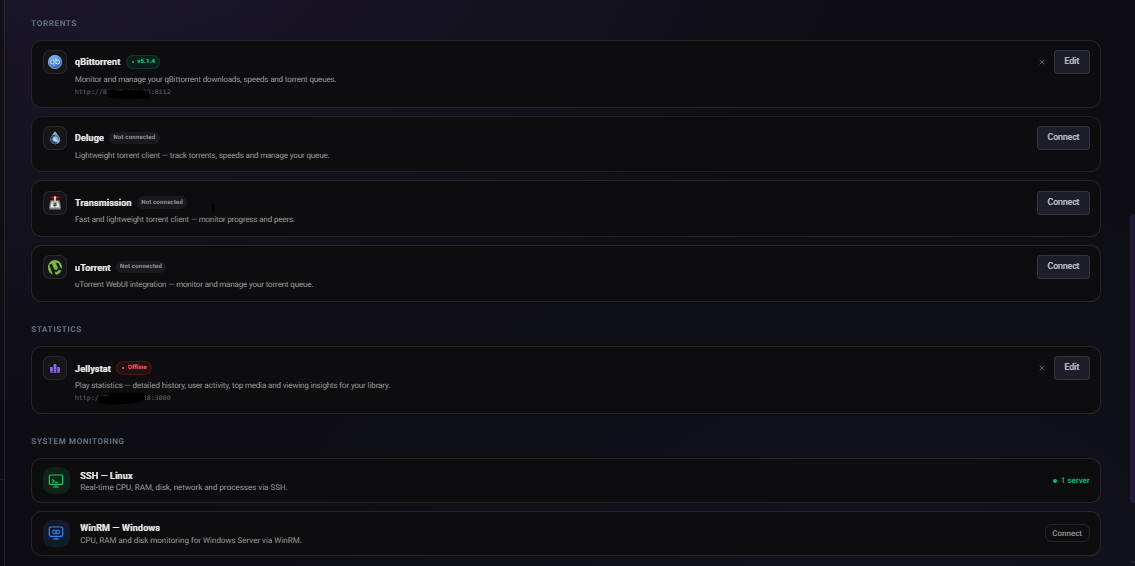
What is EmbyWatch Web? EmbyWatch Web is a browser-based application designed to monitor, manage, and control your Emby Media Server remotely. Unlike the Android version, no installation is required. It runs directly in any modern web browser. Compatible with: Windows / macOS / Linux Android iOS (iPhone / iPad) Tablets Chromebooks Smart TVs with a web browser This means everyone — including iOS users — can access it without platform restrictions. What Does EmbyWatch Web Do? EmbyWatch Web is built for: Real-time session monitoring User and permission management Remote server control Viewing logs, statistics, and scheduled tasks Main Features Category Description Real-time monitoring View active sessions: who is streaming, what media, playback progress, codec, bitrate, and device User management Display users, recent activity, permissions, and send messages Connected devices See all connected clients (TVs, browsers, phones) with device details and connection time Library overview Access all media libraries (movies, shows, music, photos) with item counts and stats Scheduled tasks View and trigger tasks (library scans, cleanups, metadata refresh) Plugins Check installed plugins, versions, and update availability 🖥 System information Server technical details (OS, Emby version, IPs, ports, uptime, CPU load) Logs & history Browse detailed logs with filters (user, event type, time range) ▶ Remote playback control Start or stop playback remotely (if permitted) Highlights Works on any modern browser Fully compatible with iOS devices Fast and responsive interface Available in multiple languages Ideal for administrators managing shared servers Advantages Over the Android Version EmbyWatch Android EmbyWatch Web Requires installation No installation required Android only Works on all platforms Updates via Play Store Instant updates via web Android widgets Accessible from anywhere Limitations Requires web access to your Emby server Some features require administrator permissions Performance depends on browser and network quality Not a full media player — focused on monitoring and administration https://embywatch.app/app
 0 points