Leaderboard




Popular Content
Showing content with the highest reputation on 03/27/26 in all areas
-
Ah v. interesting. I'll have a look into implementing that and see how it goes. It'd be good to have this bug fixed, though - or just give us some more control over the live TV pipeline. Thanks for your help though.2 points
-
You will be used to using the excellent web based Tool created to Bulk Edit any of your media Items This is now being converted to be run directly from the plugins Section inside Emby Server. An extremely powerful tool that saves time Current Status: Development Testing This is currently under development and is consistently evolving. For this reason the dll files will be posted at the bottom of this thread. Bug Reporting & Issues: Please report bugs and Issues in this thread. corrected the problem with critic rating Feature Requests: While we welcome feature requests, please note that bugs and issues take priority and that feature requests will be subject to review and may or may not make it to the plugin. CURRENT VERSION: DEV 1.0.13.43 INSTALLATION - NOTE: Default Target for installation is Emby-Server/programdata/Plugins - Please download the "dll" file below copy and paste dll to the plugins folder. restart your emby server as this is in Development you will need to clear your browser Cache after each install, or the new changes will not appear Enjoy DOWNLOAD CHANGELOG: Filtering has now been added Bugs and Issues Reporting link - NOW WORKING Added "Image Not Found" image removed backgrounds added a spinner fixed several bugs with save IsFavorite and Played finally fixed saving UserData (IsFavorite and Played) fixed a bug in the custom editor - the edit buttons are now displayed for the results of a search fixed bug in bulk save added managing collections added managing playlists when you edit metata data for an item you can cast the video to a tv or monitor on your network. I added this just for fun added the ability to edit live tv channel meta data changed Shift click to work more in the traditional was - you can select segments you can now change primary images added the ability to remove specific tags simplified the code retained image aspect ratios added show folders button removed "cast to tv" from the edit menu, added it to the Movie and TV screens fixed the "Image Not Fpund" for none video items removed "Folder" button from screens where it didnt belong fixed button problem with custom filter added better file not found images added "emby data" and "channels" fixed bugs enhanced Channels rewrote Explorer Bulky is a collaboration between @Cheesegeezerand @VicMoore Bulky is an Emby plugin and it is in the Emby plugin library.
 1 point
 -
You don't wanna know how many times I've had that same thought... before rolling up the sleeves and just doing it. Grudgingly, though.1 point
-
Are you using multi-version naming convention (space-dash-space)? Multi-version Movies1 point
-
Never had a large library scan prevent any playback. They can happen concurrently with no issues. The better minds would need the EmberServer.txt log file to take a peek. Sounds like drive/access issue.1 point
-
Nevermind it worked, I updated the wrong field in Emby which is what caused the issue. Port 80 worked thanks!1 point
-
Domains point at IP addresses, NOT port numbers. Your domain only points to 192.168.1.xxx. With http, web browsers will try port 80 unless told otherwise. (https, they'll try 443) Cloudflare however is a proxy that is listening to port 80/443, and proxying to port 8096. Set your 'public http port number' to 80 under 'dashboard'>'network', and the address displayed on the dashboard will work.1 point
-
Hi, there's already an open request for this or something functionally equivalent. Please join in and contribute to the existing discussion at:1 point
-
I didn't want to publish my data, it seems like an absurd solution to me. I chose Jelyfin and I'm happy with it to this day. But thank you for trying to help and good luck to you.1 point
-
Haha, yeah thats a bit odd.. But I did use Claude Code to find what it could have been. And I build a function in the last version to make a call within Emby that is not exposed as an API, and this is similar to the same way malware works, and that's probably why the false-positive detection. I remade the function in the plugin to use another method that seems to be working. I have updated the .dll with a fix for this. (Didn't bother to update the version number)1 point
-
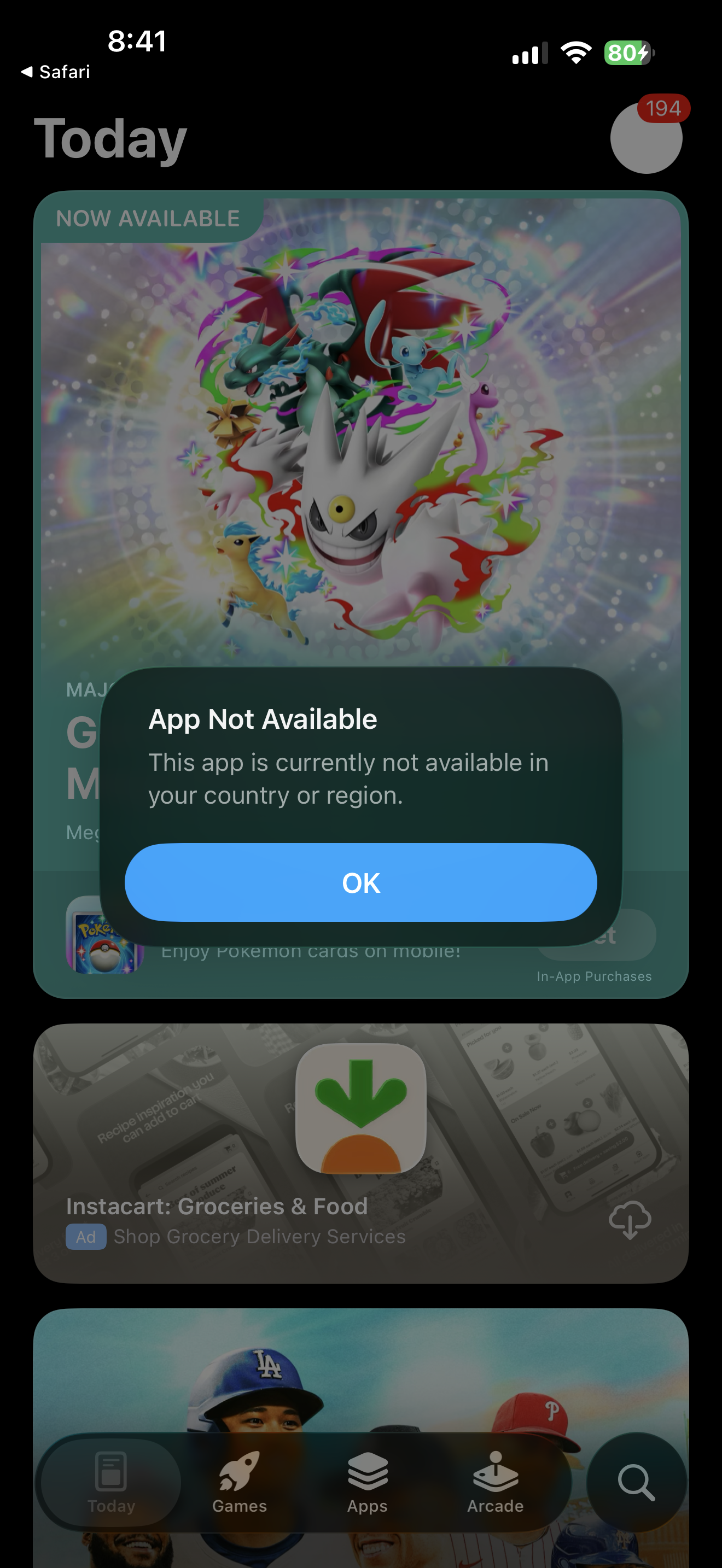
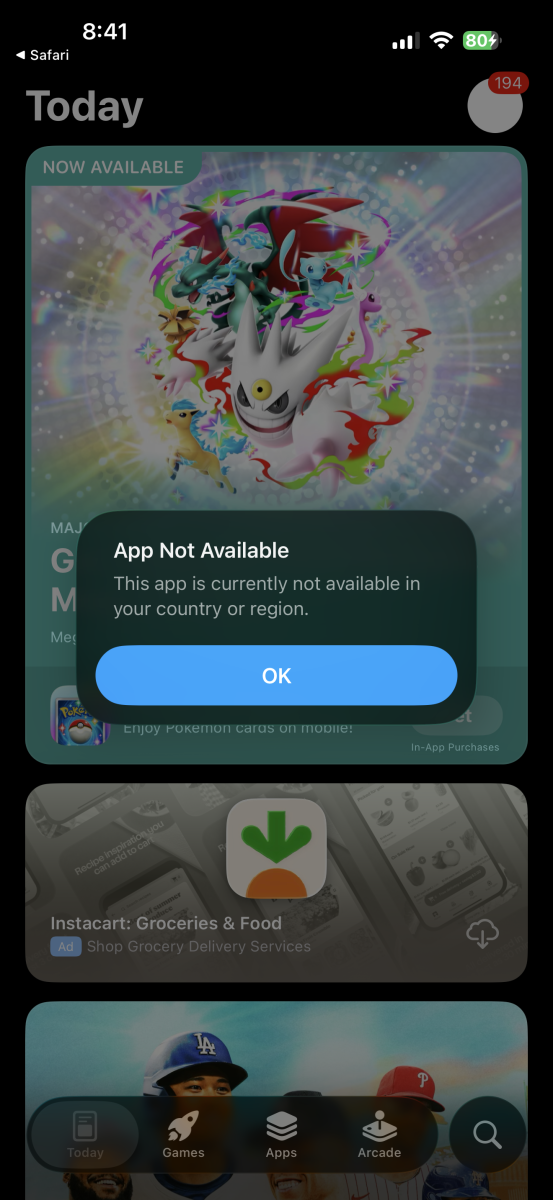
its back here as well. Thanks! Clicking on link on emby website to get app on iphone shows not avail in region. in texas.
 1 point
 -
Thanks. That's odd numbering TMDB has, they're keeping absolute episode numbers but divided by seasons. Personally, would switch to TVDB but using TMDB is completely legit.1 point
-
Hi there, let's look at an example. Please attach the information requested in how to report a media playback issue. Thanks!1 point
-
from moviedb https://www.themoviedb.org/tv/378541 point
-
This is a 2020 year model TV. Samsung don't typically update the root and intermediate certificates on their TV, so if xolphin have started signing with a newer Sectigo certificate then this is probably the issue. I suspect that this is most likely your issue, especially if the web browser is also reporting wrong ssl certificate. Unfortunately, if that is the case, there isn't really much that can be done to avoid it. The other option is to avoid using https on the Samsung TV. Looking at the root/intermediary certs in the ssl certifcate chain, they appear to have been generated from 2021 so it is very likely that the root certificate is missing in the TV. Unfortunately it's very unlikely that Samsung will update them. Quite some years ago the same issue occurred with LetsEncrypt certs which were very commonly used, and as far as I know, they still haven't been updated on older models. I think plain http on the TV is going to be the only option.1 point
-
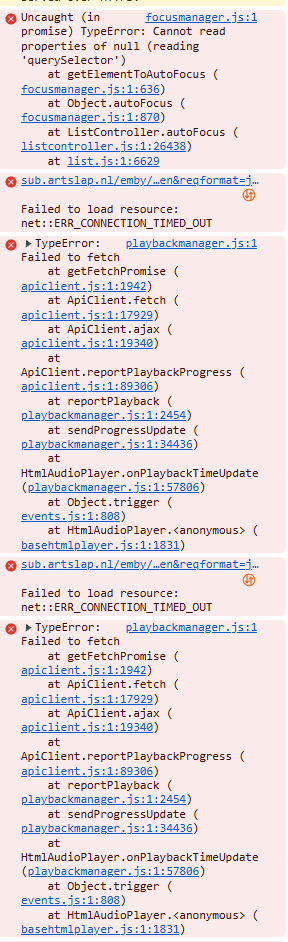
Had another freeze, this time it seems that it was caused by `focusmanager.js`: I'm not really sure which element it was that broken, but since that the fetch is causing timeouts / failures. The server has been responsive throughout this freeze (since I was coincedentally connected and working on it remotely).
 1 point
 -
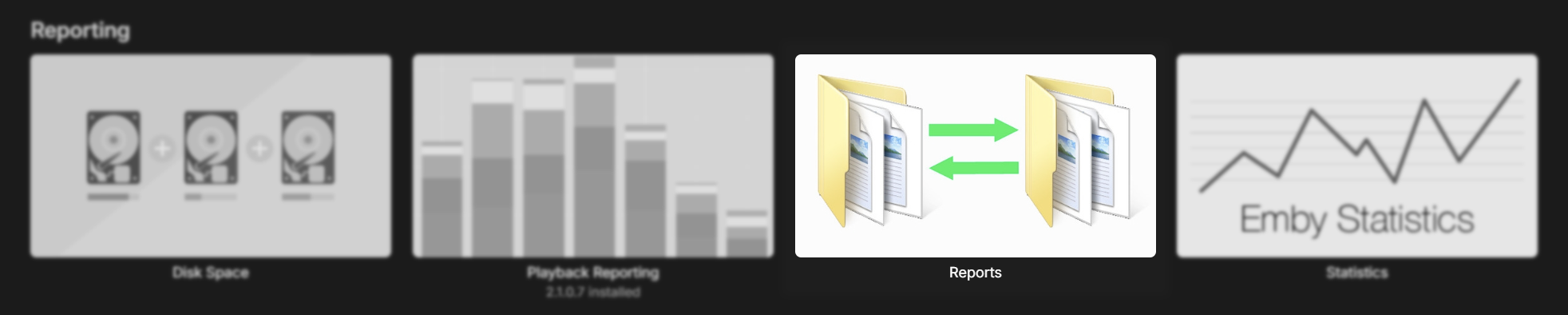
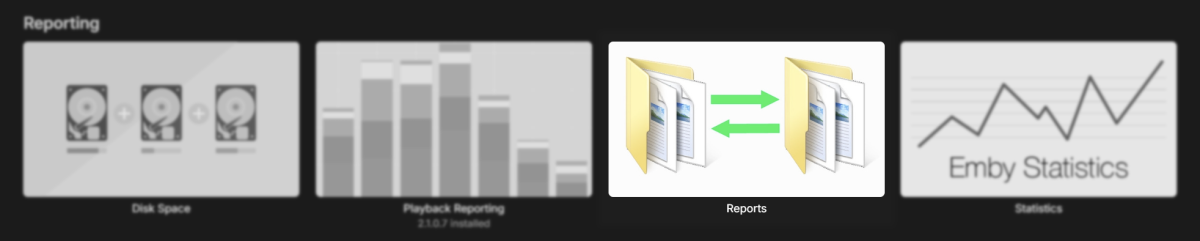
You can use the 'Reports' plugin to do that
 1 point
 -
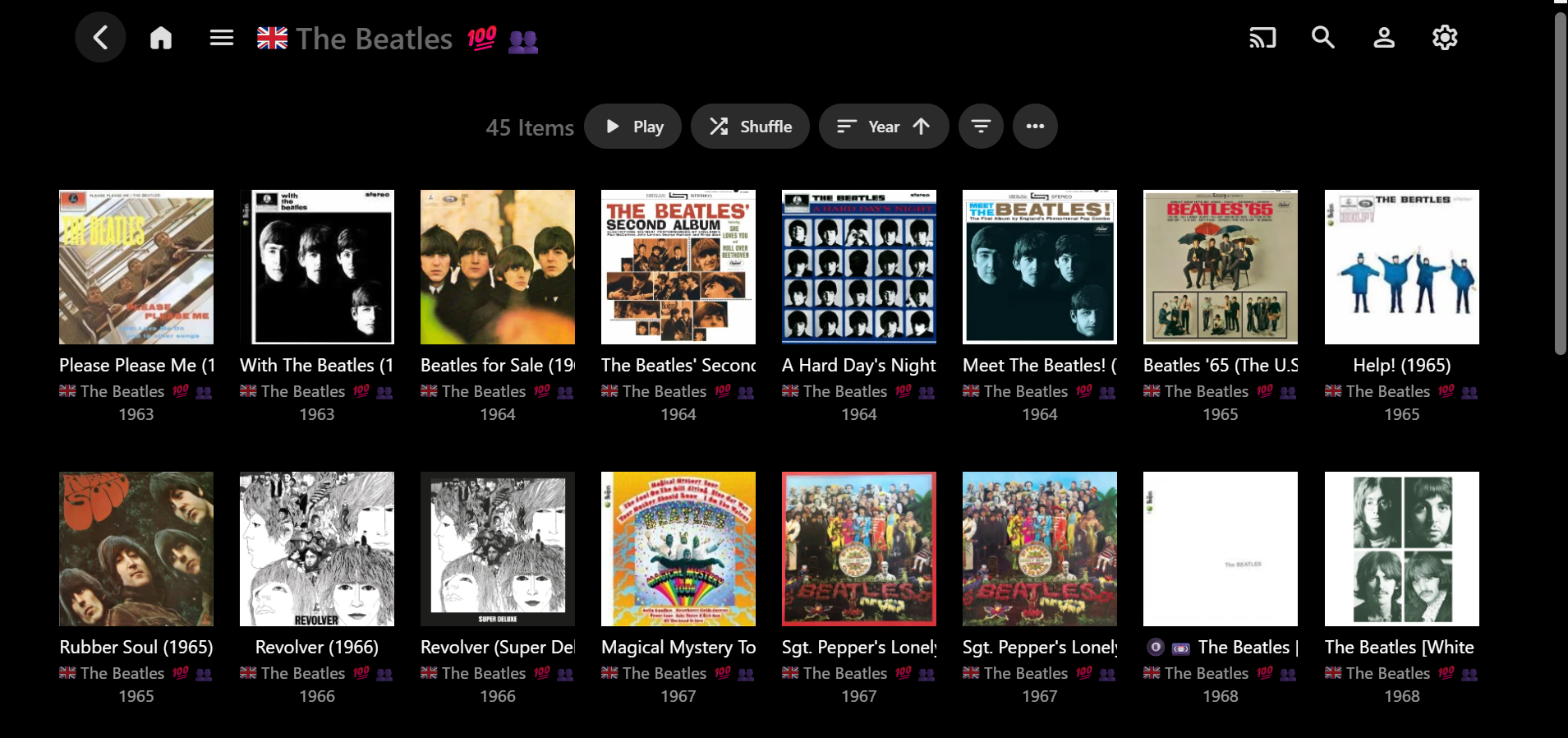
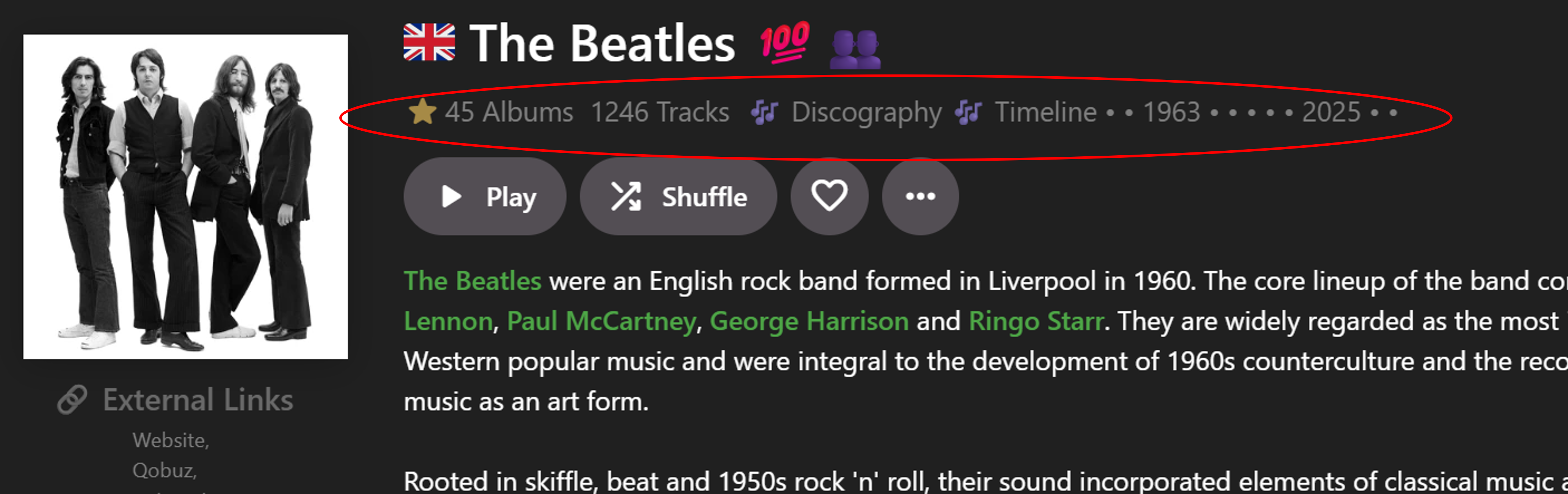
I've been wanting to group Artist Albums into sub-categories for quite a while. So this is related to the detail Album pages which, in primary view, show one group of albums in a grid (e.g.) So rather than one whole block of Albums, there woud be two possible new groups, split into sections: Release Type (Studio Albums, Live Albums, etc.) Decades (1950s, 1960s, etc.) Release Type has been asked for by myself and others in various topics. E.g. group albums into Studio Albums, Live Albums, Compilations, Singles & EPs (or whatever main categories you want). There is an embedded metadata field for this, but I was thinking just to use Emby Tags on Albums because album-only tags cannot be imported. It may take me 6+ months to tag all of my albums like this in Emby, but waiting for a Feature Request to possibly eventuate could take a lot longer! Decades could possibly be determined by the Year tag, but decade album tags could be used if Years didn't work. Decade groupings, etc has also been asked for elsewhere, across all media, but I don't think anyone has yet discussed both Release Type AND Decades together as alternative Album groupings. If Emby were to implement this, then ideally, to match the current UI and how Collections can group now, there would be a Group By button in the menu and you would be able to select: None (default) Release Type Decade Anyway, that's the basic idea. Beyond that, I've recently re-purposed the row under the Artist name on the Artist pages: The Community Rating star field now shows Albums count and links to the Albums page (usinig a workaround + JavaScipt) The Tracks count now links to the Songs page (using Javascript) Discography (in the Genre field) now links to the Albums page (using JavaScript) Timeline (in the Genre field) now links to the Albums page (using JavaScipt) That's about the limit of my progress (and knowledge) so far. The next step would be to somehow achieve: Albums links to standard Album page grouped by None (but perhaps with an "All Releases" heading) Discography links to Album page grouped by Release Type (with relevant headings) Timeline links to Album page grouped by Decade (with relevant headings) I have no idea yet whether or not this is even possible, I only just thought of this linking and grouping possibility because your script worked for spliitng the "Included In" row! Hopefully that explains the idea well enough? Perhaps you would know what may be technically feasible or not? Or other ways to potentially achieve the same end result? Let me know if you want any more info... and, as before, help is not expected, but always appreciated!
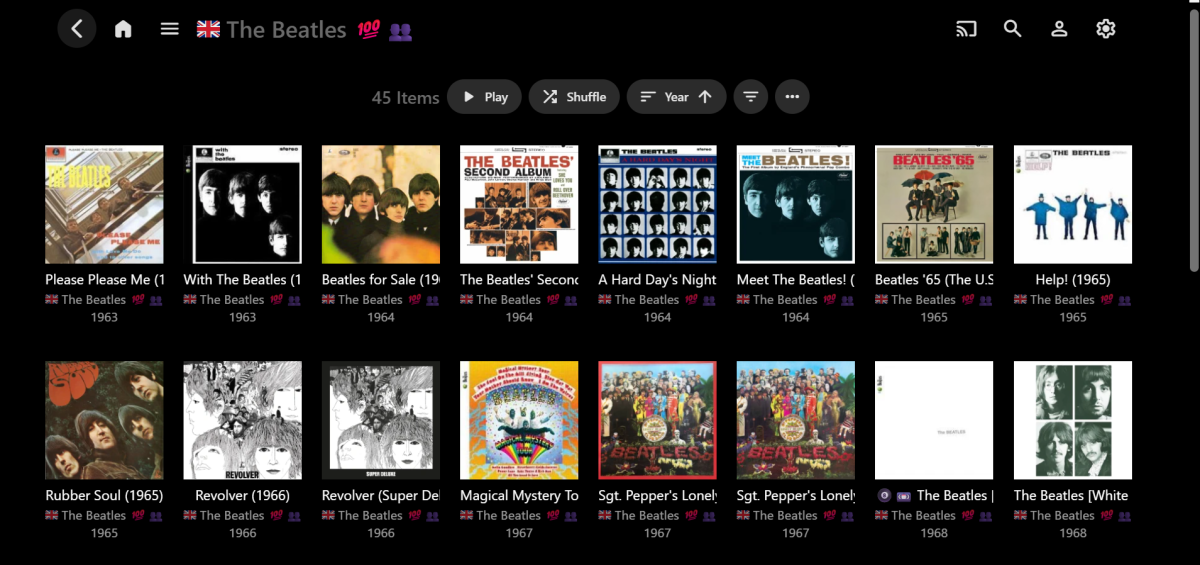
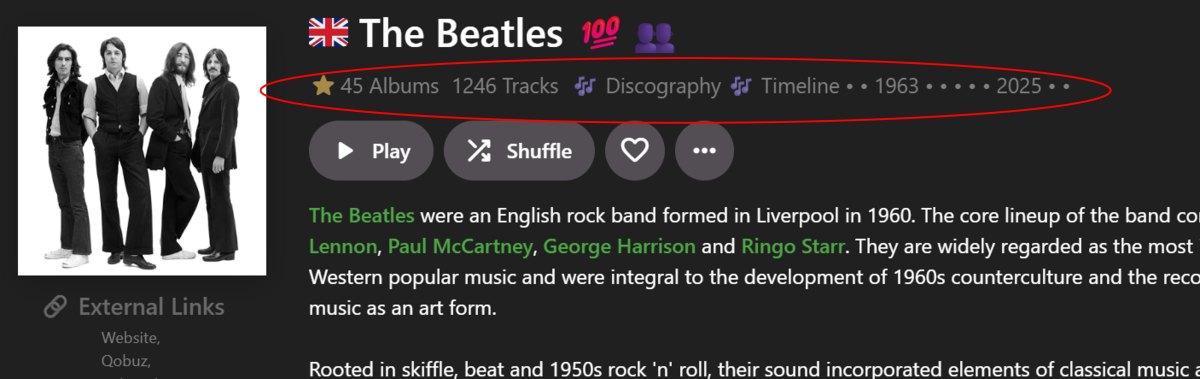 1 point
 -
Jolly, Can you look at the media to see if the subtitles are embedded or with separate files. Also can you see which subtitle type is being shown and if the media content is being transcoded or not.? This is important There are about 10 variables and perhaps over 100 combinations that might be happening. It's sort of hard to guess which one you have unless we see a log file.1 point
-
[continued] - Then I call [EMBY_API_URL]/Sessions` and filter for a matching ip, user id, and device type i can get the active session id - Then I call [EMBY_BASE_URL]/Sessions/[session.Id]/Playing?itemIds=[embyId]&playCommands=PlayNow Some things I've observed... - This seems to work fine for movies, even if a movie is already playing - In the case of TV eps, it seems to fail if an ep is already playing... you have to exit back to a main screen prior to the next call - Obviously, if there's a failure in the ios calls to open the app, a session wont be created so all emby-api calls will fail - Some odd rights stuff if you have multiple users... if you create a session with a user with limited access, then call to play a movie with that session that shouldn't have access, it still plays Like I said above, I'm blown away by how capable the api is. I'd love to see a deeplink that pens emby, prompts for a pin if the most recent user has one, and once auth is complete either plays or fails to play the related movie based on if the currently auth'd user has access to the releated embyId1 point
-
Following up here.. To the credit of the API, it is definitely possible to implement a workaround but I've founds some odd behaviors and still think universal / deep link support for tvOS would be more reliable... - I've found that if I use ios shortcuts to 'wake' the appleTV and then open Emby, this creates an emby session. - Then I call [EMBY_API_URL]/Sessions` and filter for a matching ip, user id, and device type i can get the active session id1 point
-
Pretty much. In the latest stable release you have the ability to override the Auto setting at the user level with a bitrate value from the server. Not perfect but you can use it to reduce unneeded transcoding. The transcoding workload shouldn't be a problem with your server though the reduced quality from incorrect Auto detection is a hassle in itself.1 point
-
3.5.31 fixed the issue on Android Thank you for your responsiveness. Would it be possible to apply this fix to iOS (iPhone) and Emby Server Web as well ?1 point
-
Confirmed, back available in Canada1 point
-
1 point
-
I still have a Fire TV Box model 2014, the little flat one with a built in RJ45 port. Still rocking Emby on it on a non-smart TV.1 point
-
OK we will have a new ffmpeg build on the server beta channel soon so we’ll see if that resolves this, thanks.1 point
-
Thanks. Yes the TV ratings are shown by default in some views but they dont show up in some eg I think maybe collections? Collections are weird because you cant sort and filter them or have parental ratings show, at least in the web browser, and maybe TV as well as far as I remembver. Its confusing since the platforms are very different and also change over time. But you are right that the TV app shows parental ratings by default now, which is great ... Wish it did in the browser but yeah it seems to have improved i think? (I know you can change it in the TV app but setting that each time using a remote is not gonna happen).1 point
-
@MediaEmby1968@Nathanaelv 2.3.4 is available to download on GitHub now.1 point
-
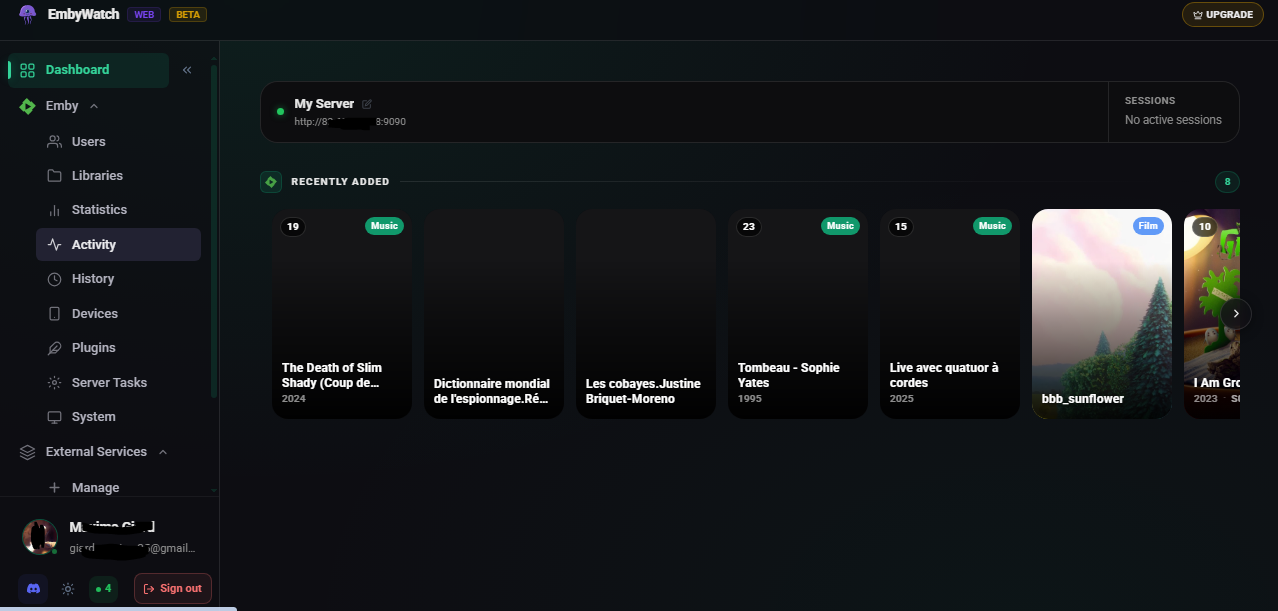
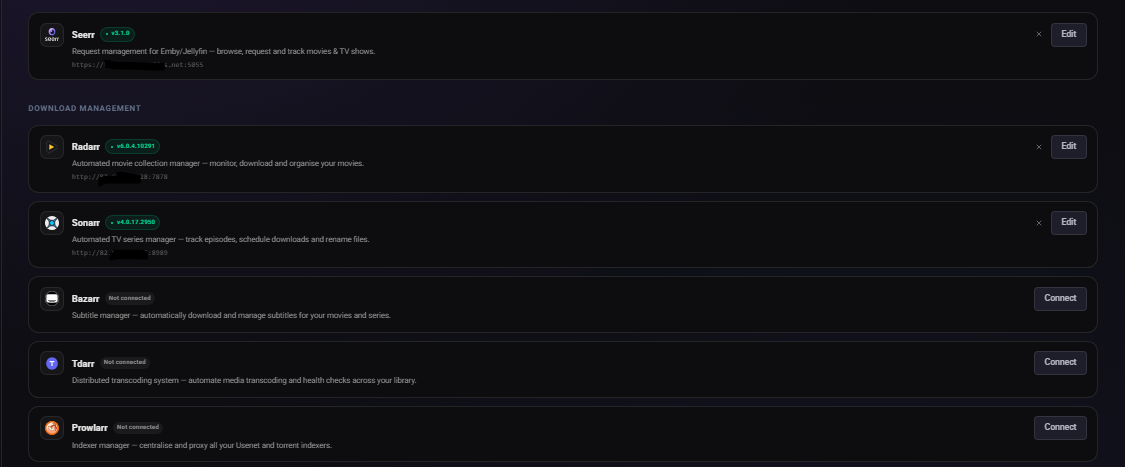
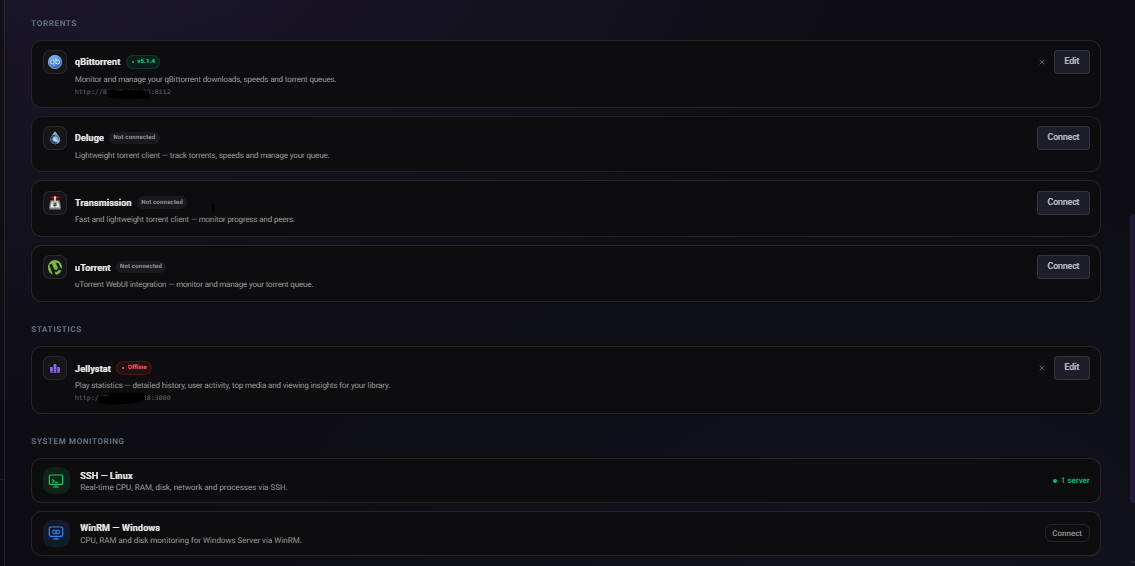
What is EmbyWatch Web? EmbyWatch Web is a browser-based application designed to monitor, manage, and control your Emby Media Server remotely. Unlike the Android version, no installation is required. It runs directly in any modern web browser. Compatible with: Windows / macOS / Linux Android iOS (iPhone / iPad) Tablets Chromebooks Smart TVs with a web browser This means everyone — including iOS users — can access it without platform restrictions. What Does EmbyWatch Web Do? EmbyWatch Web is built for: Real-time session monitoring User and permission management Remote server control Viewing logs, statistics, and scheduled tasks Main Features Category Description Real-time monitoring View active sessions: who is streaming, what media, playback progress, codec, bitrate, and device User management Display users, recent activity, permissions, and send messages Connected devices See all connected clients (TVs, browsers, phones) with device details and connection time Library overview Access all media libraries (movies, shows, music, photos) with item counts and stats Scheduled tasks View and trigger tasks (library scans, cleanups, metadata refresh) Plugins Check installed plugins, versions, and update availability 🖥 System information Server technical details (OS, Emby version, IPs, ports, uptime, CPU load) Logs & history Browse detailed logs with filters (user, event type, time range) ▶ Remote playback control Start or stop playback remotely (if permitted) Highlights Works on any modern browser Fully compatible with iOS devices Fast and responsive interface Available in multiple languages Ideal for administrators managing shared servers Advantages Over the Android Version EmbyWatch Android EmbyWatch Web Requires installation No installation required Android only Works on all platforms Updates via Play Store Instant updates via web Android widgets Accessible from anywhere Limitations Requires web access to your Emby server Some features require administrator permissions Performance depends on browser and network quality Not a full media player — focused on monitoring and administration https://embywatch.app/app
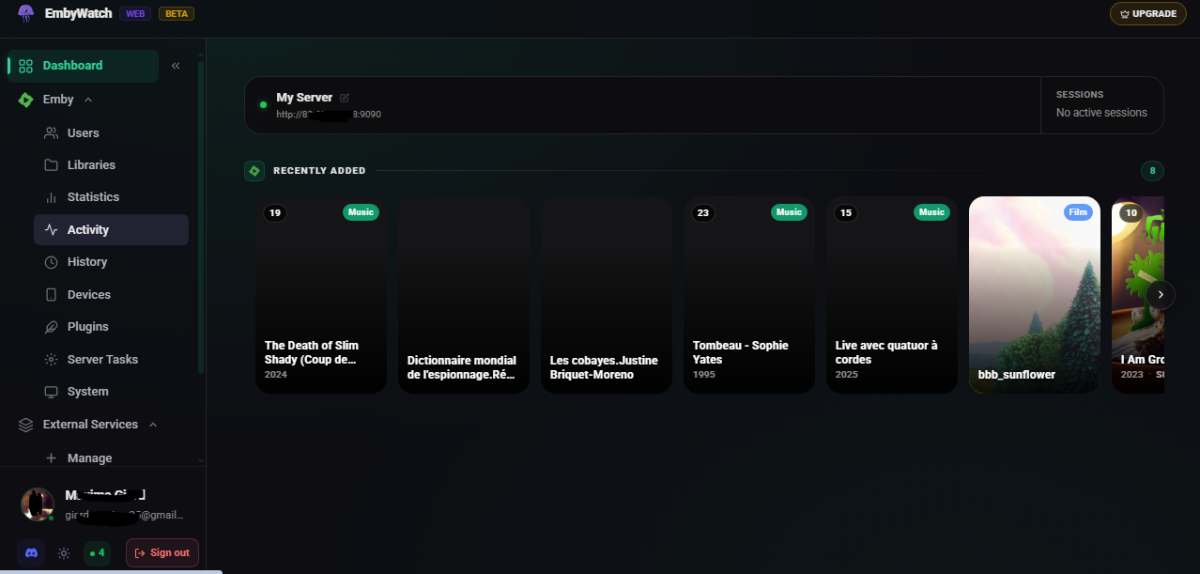
 1 point
 -
The real problem was that the "isolate" environment used by Emby for ffmpeg was not compatible with my hardware (cpu Kaby Lake) and software (Debian 12). I wrote the attached guide that describes the the steps that I implemented to get the trasconding working on my system. Dan Technical Guide - Enabling Intel HDR Hardware Tone Mapping.pdf1 point
-
Emby Server 4.8 will support the .actors folder in a read-only fashion, meaning it will be able to use images from the .actors folder underneath a series or movie folder. The Emby Server database is still the same as before, meaning it's still one image per actor. That means if you have an actor that appears in multiple movies or series, it will be one shared image that is used in all places, and it will be whichever one happens to get scanned in first. But this will allow for basic support of the .actors folder convention.1 point
-
I started using Emby a week ago, I resolved all the big issues I had reading/using this forum; great community! But it looks like this hurdle is the biggest one yet for me. I'm coming from Plex, and selecting multiple medias to tag them (i.e. Change/Add/Remove genre(s) or a rating or lock metadata, etc...) it's really important.1 point
-
1 point
-
1 point
-
I too am still waiting for this functionality.1 point
-
Well the first post hasn't that many likes at all, did add mine to it, though I currently have little use for it just yet, may be handy in the future1 point
-
After reading several other posts on this topic, it is clear that this is not an isolated case. The old filesystem-based method for Persons is no longer reliable in the 4.8+ era, even if nobody wants to just say that plainly. What has made this especially frustrating is not just the behavior itself, but the support pattern around it. I tested the available refresh paths, described the results, and identified the only method that works reliably. At that point, continuing with repeated “one more detail” troubleshooting loops does not really address the core question anymore. That kind of approach may make sense for a one-off UI issue, but it is not helpful for a bulk workflow problem where the real question is whether the old method is still supported at all. I do not understand why that was not stated upfront, because it would have saved a lot of wasted time. At this point I have re-scripted my workflow to use the API instead. That works immediately and bypasses the manual UI/scanner limitations entirely. So for anyone else dealing with large local libraries: stop relying on direct filesystem management for actor images. The API is the only method I have found that reliably updates the database.0 points