Leaderboard




Popular Content
Showing content with the highest reputation on 03/26/26 in all areas
-
Thanks @FrostByte, Downloaded, Installed and working2 points
-
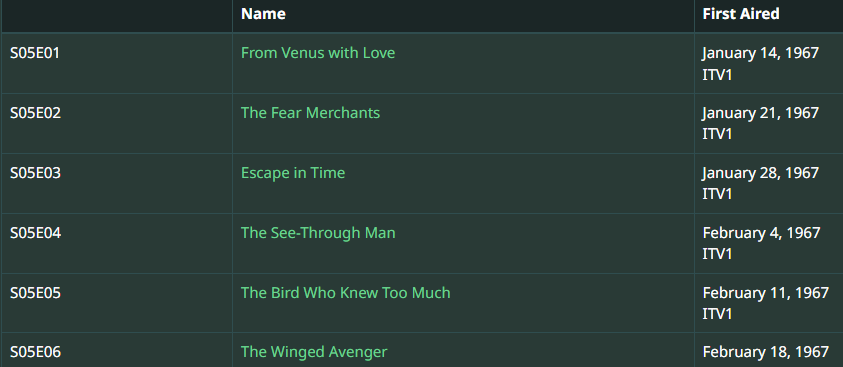
TVDB The Avengers - Unknown - Season 5 - TheTVDB.com TMDB The Avengers: Season 5 (1967) — The Movie Database (TMDB) Not that IMDB is ever directly used but looks the same as other providers. I will guess as it translates slightly different on google but your S05E02 is "Escape in Time" so you do not have Aired Order. DVD order from TVDB Emby currently does not offer alternate orders from TMDB. So the issue becomes is all your content in DVD order? If so then you would Edit metadata on the Series and change the Display Order from Aired to DVD and Refresh metadata on the series ensuring you Replace images also.
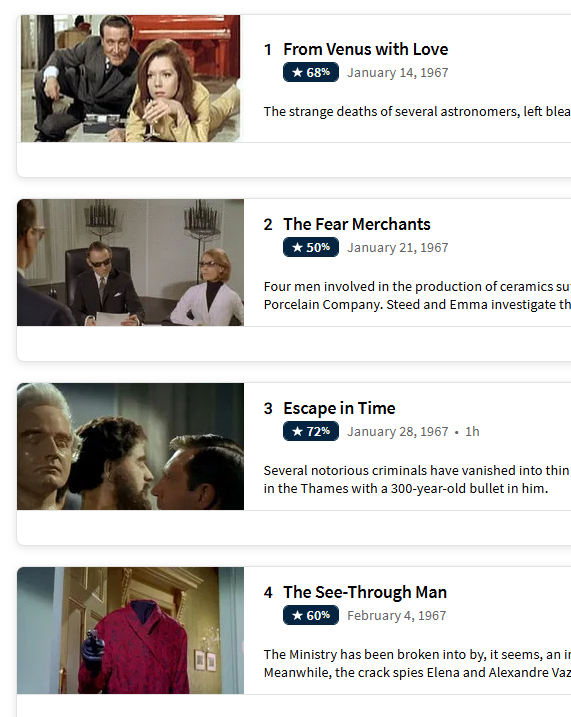
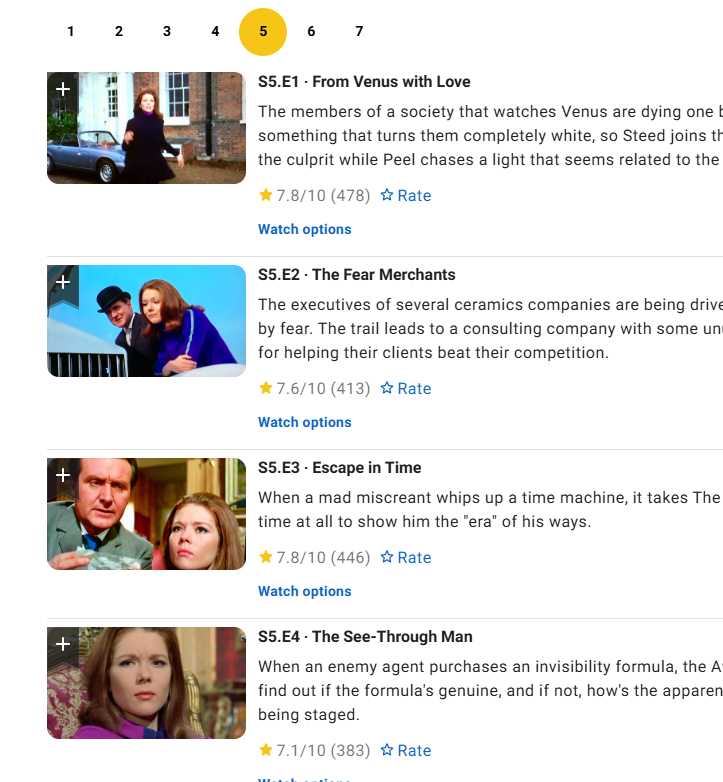
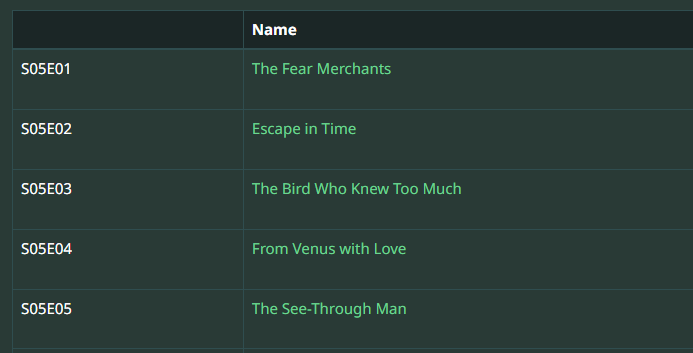

 2 points
 -
Same as the other topic, ffprobe does not like VTT in MKV. Unsupported codec with id 0 for input stream 2 https://emby.media/community/topic/130082-emby-cant-see-subtitles-inside-the-mkv-file/#findComment-1367381 VTT has to be extracted from MKV in order for the sub to be seen (currently).2 points
-
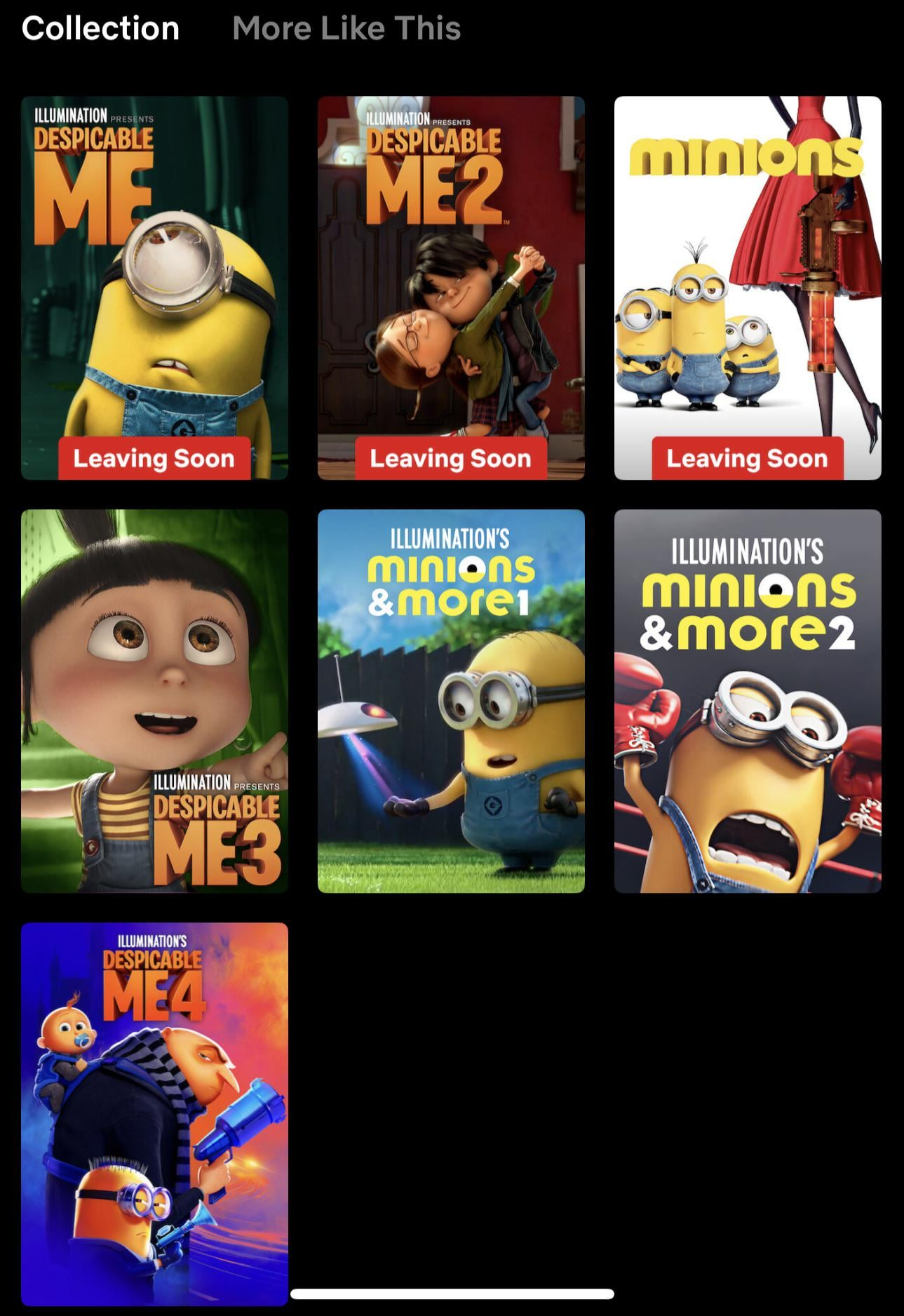
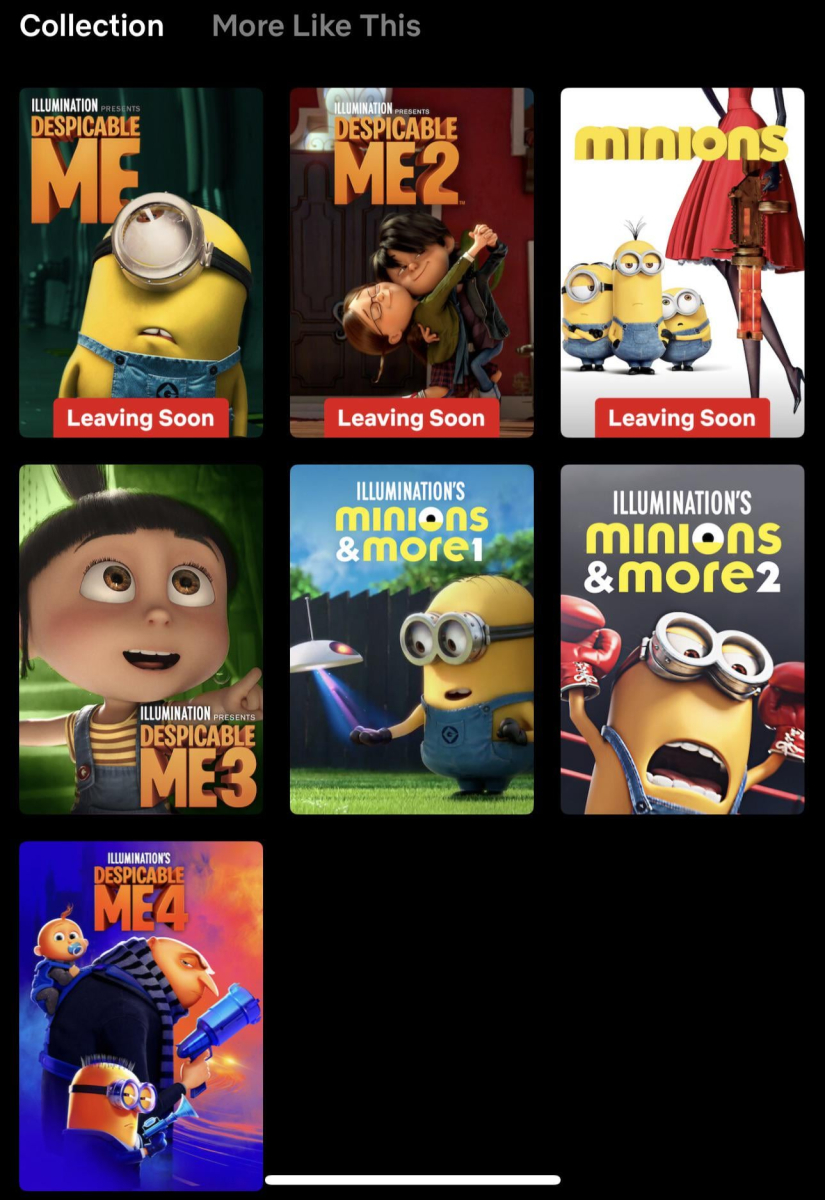
Being able to add labels to content as shown in the visual would be great. Allowing this label to be entered from the metadata editing step would provide significant ease of use.
 1 point
 -
Hi. The license is for personal use. 80 devices should cover that adequately. Thanks.1 point
-
Seeing as hes talking about customers in another thread i doubt that hes using at it as such.1 point
-
OK we’ll take a look at it. Thanks.1 point
-
i did switch locations and reverted back. although the recordings still act the same, i have set up some stuff to record to see if it acts the same. will report back. thanks1 point
-
Wow! Been dealing with samne exact issue since the day I flipped plex "the brid" but couldn't figure the issue out! Absolutely works on my TCL Smart TV!1 point
-
For others reading, @SamEScan summarize what was said over PM. Thanks.1 point
-
Emby is a Home Use server......1 point
-
@visproductionthat's the upnp plugin telling emby it can't configure the router. And that's not what this is about.1 point
-
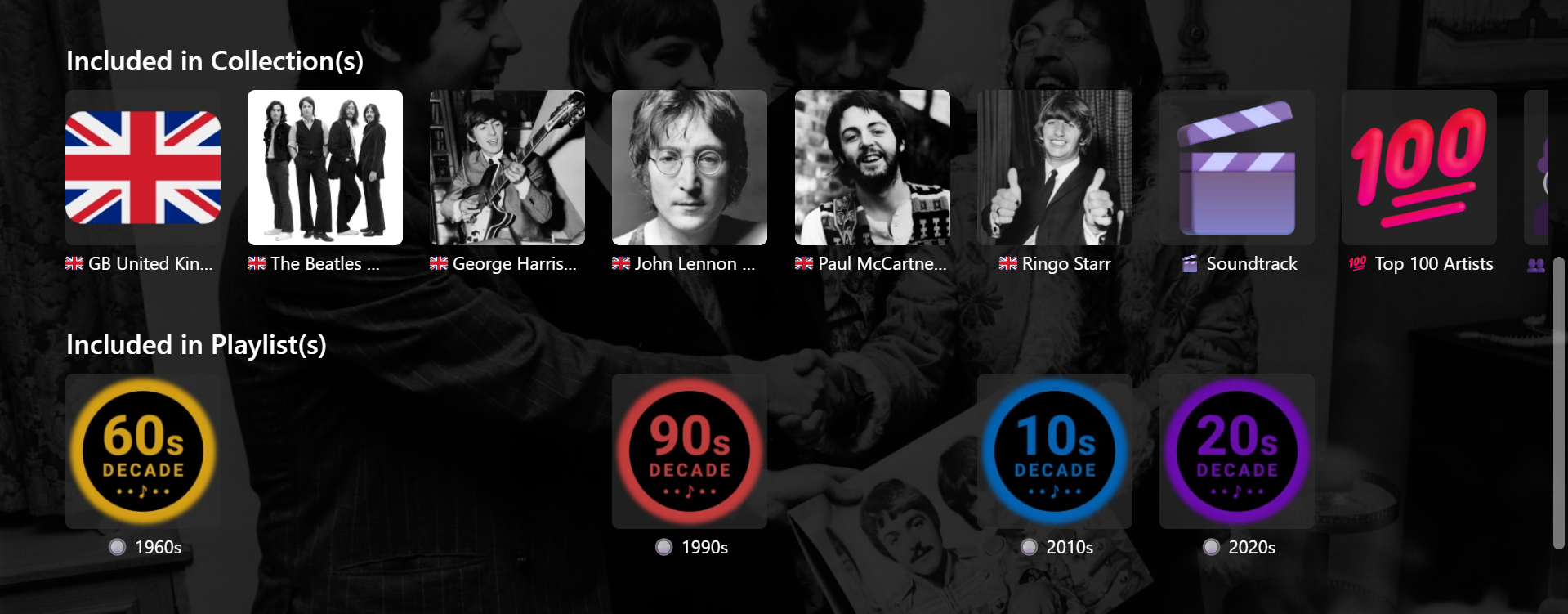
@GrimReaper This version works much better. Just had to fine-tune a couple of things. Needed my local server number in place of yours and had to change the 202px spacing to 145px. Not sure why (????) as DevTools showed 202px. Also played around a bit with CSS for hiding individual selected Playlists as follows (e.g.) /* 1970s */ .appearsOnListsSection .virtualScrollItem:has(img[src*="/Items/688474/"]) { display: none !important; } But, then the hidden items need to be sorted to the end of all Playlists, otherwise blank spaces occur. Probably not a problem for me though, as my Playlists and Collections are sorted into sub-categories anyway and would only ever be shown or hidden as a set, according to these categories. There's probably some combination of splitting the row into two and hiding selected items on certain pages that will end up being useful. Thanks and Cheers !!
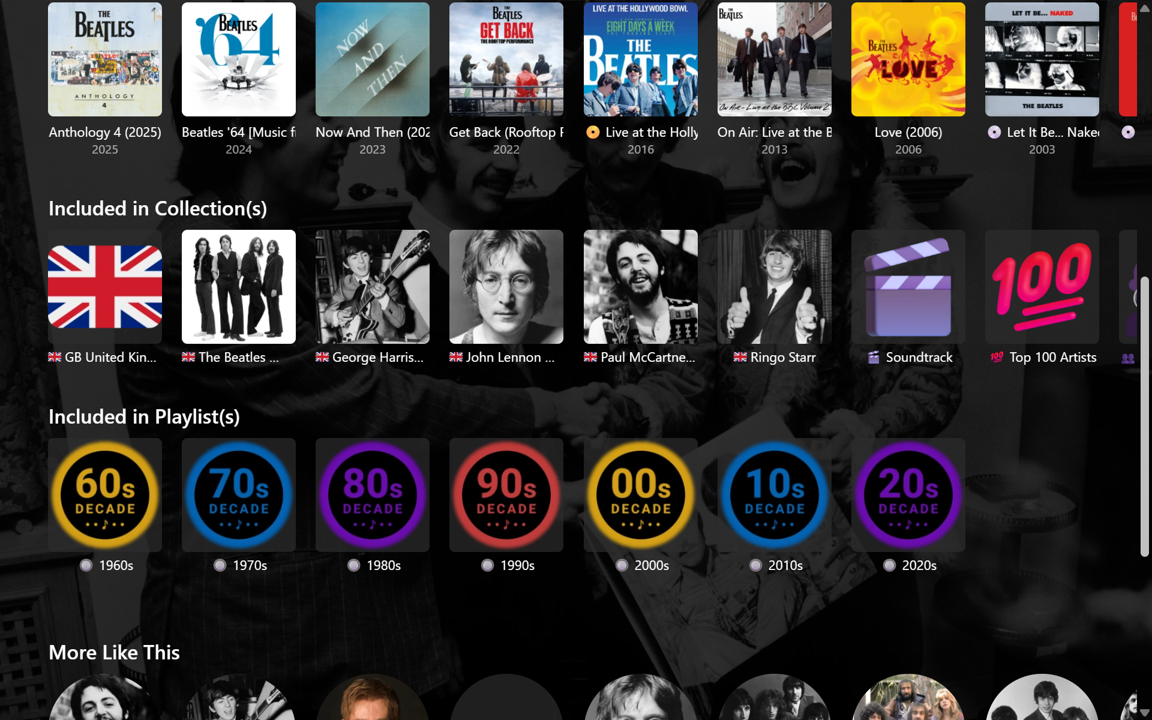
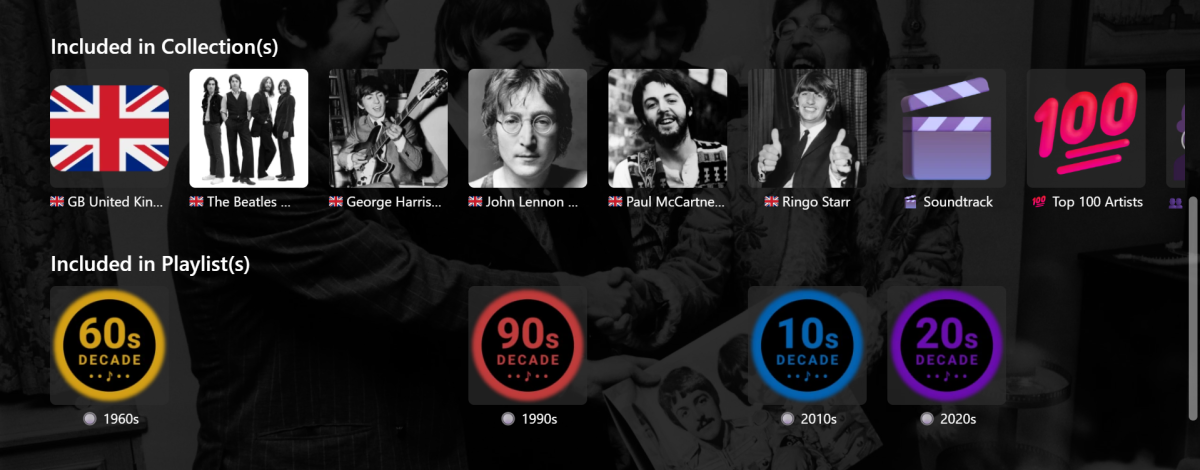 1 point
 -
1 point
-
I'll get that NFO for you..1 point
-
Unfortunately, still the same issue using the beta1 point
-
I did not know until I went through process myself on a different device. That is why I took a picture of it and posted it. What is obvious to one, might not be so obvious to others and visa versa. Thanks again for your help.1 point
-
Wondering if this has been considered more than just a nice thing to add?1 point
-
Loads and loads up updates here: Some include but not limited to: - Fixed table view to reflect the theme. - Option to control play button visibility on the home page, disabled by default (you can control in the variable section.) - New popout buttons, enabled by default (you can control in the variable section.) - Popout media artwork, disabled by default (you can control in the variable section.) - Active tab style popout, enabled by default (you can control in the variable section.) - Unwatched count style popout, enabled by default (you can control in the variable section.) - played indicator style popout, enabled by default (you can control in the variable section.) - media info badge style, disabled by default right now. (you can control in the variable section.) - Seasonal Event Toggles! Right now, I've only done Easter, but it will completely transform your experience, I guess you could say there's a lot of easter eggs to find with this enabled. (I would love to hear what you think about this. and suggestions for other holidays) - And lots more... Emby Navy and Gold v2.39.css1 point
-
the firewall has been running three weeks no issues. i reinitialized the default tasks and scans two week before firewall. so thats been 5 weeks and no issues, dont know whsat the underlying cause could be. but fingers crossed its managed to right itself. Appreciate everyones help and advice1 point
-
+1 Agree with that feature. Since Emby updated the home screen customization , I immediately thought about removing the “Downloads” section, which can already be found in several other places. Would it be possible to implement an option to delete or remove this section on the home screen ? Thanks1 point
-
This is not, and has never been, true. I'm not aware of any media player ever being able to play multiple subtitle files, and even if one with such functionality exists that is not what the “forced” flag is supposed to do. The “forced” flag means that subtitle will display regardless of which audio is selected: it's for situations where some portion of the dialogue is not in the main language of the audio track, and therefore still needs to be subtitled even though the user speaks the language the audio track is flagged with.1 point
-
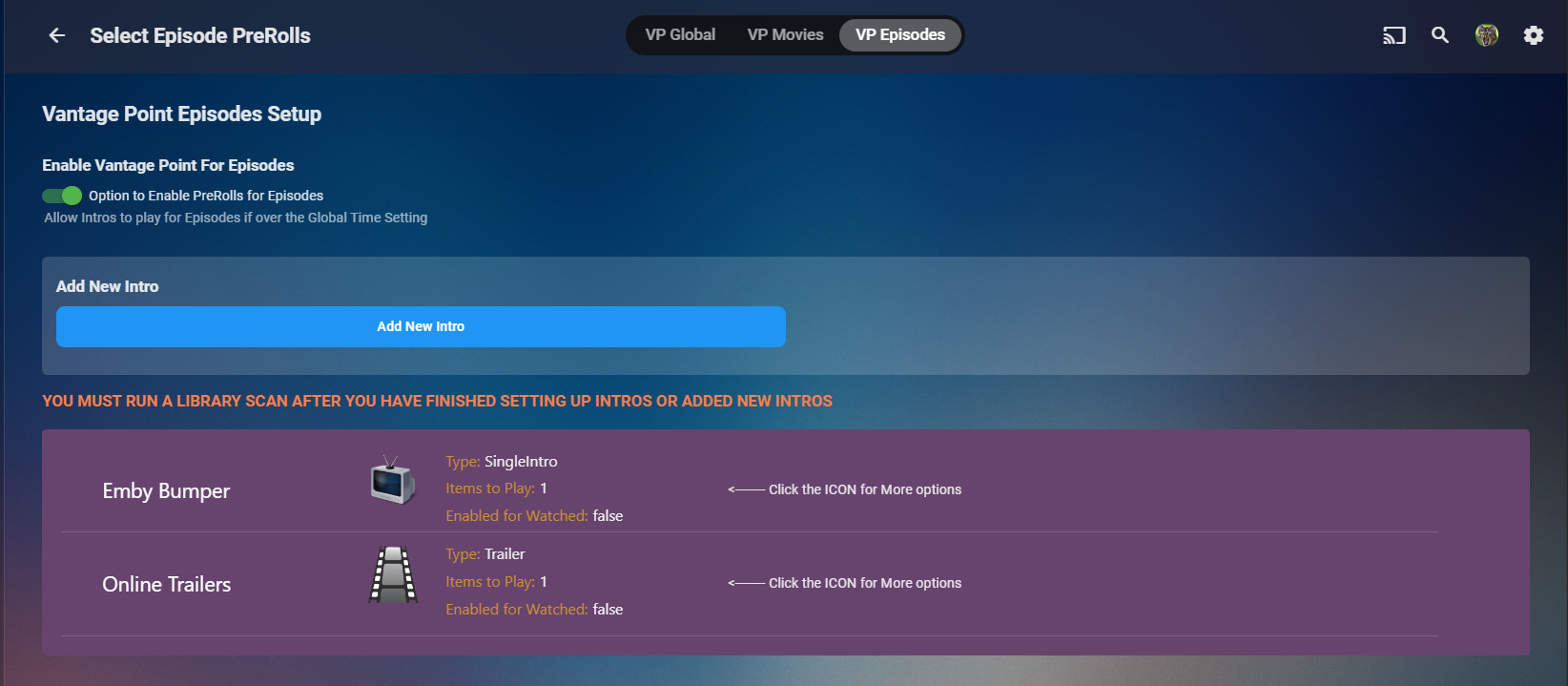
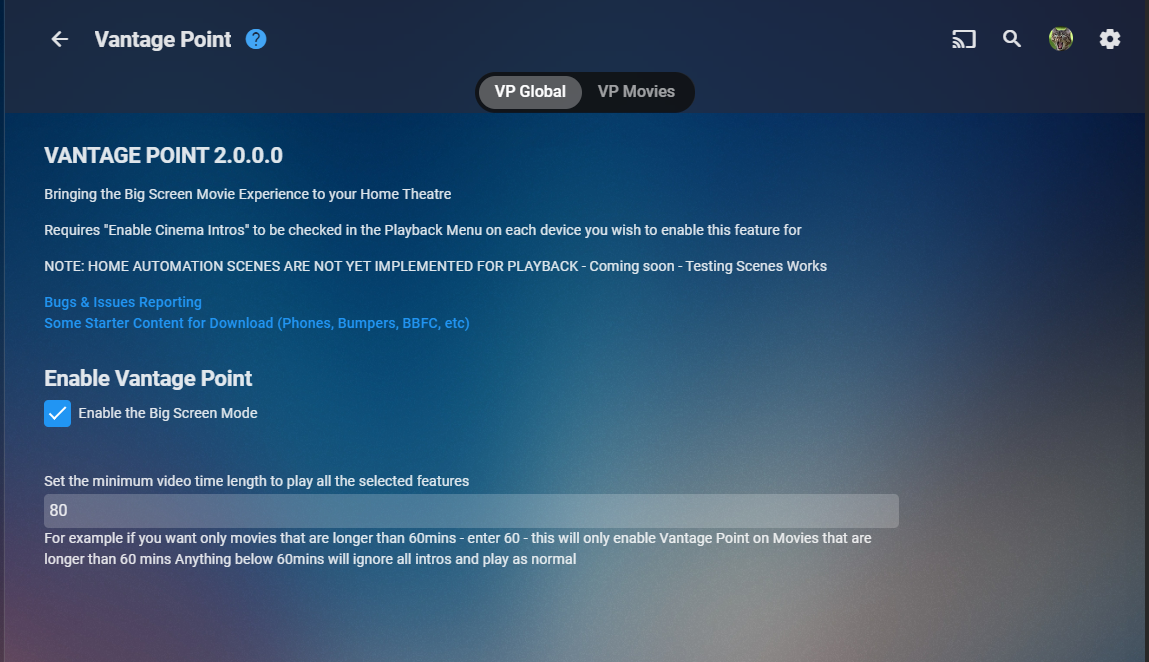
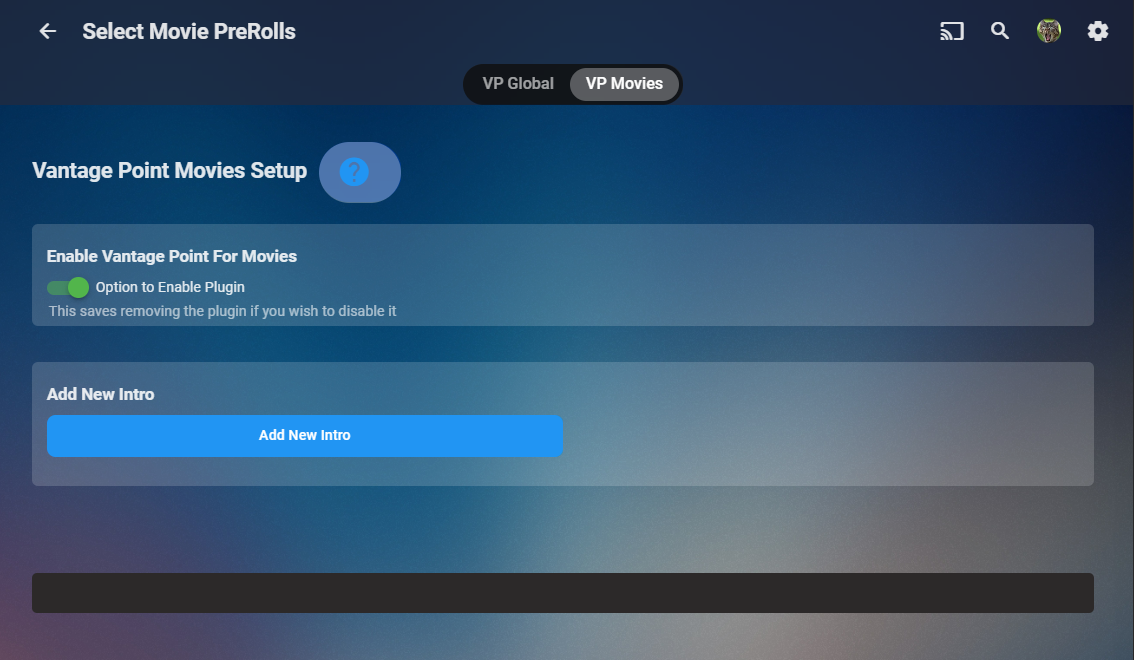
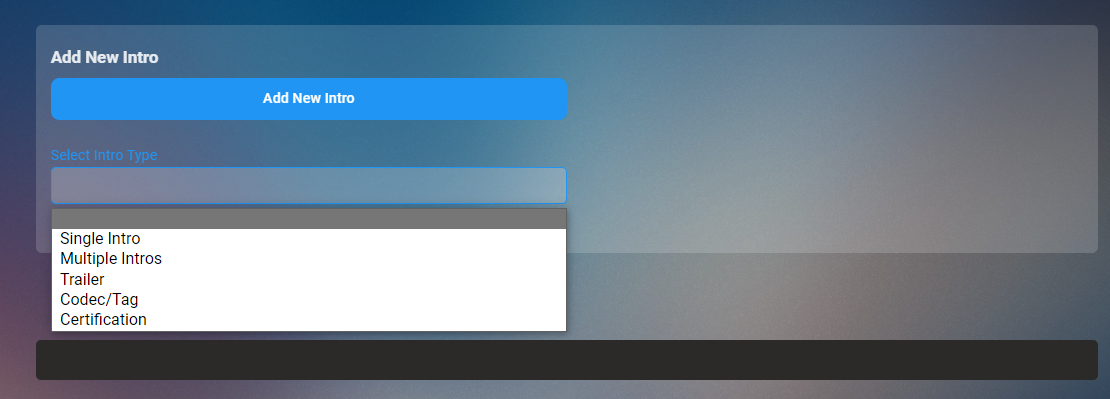
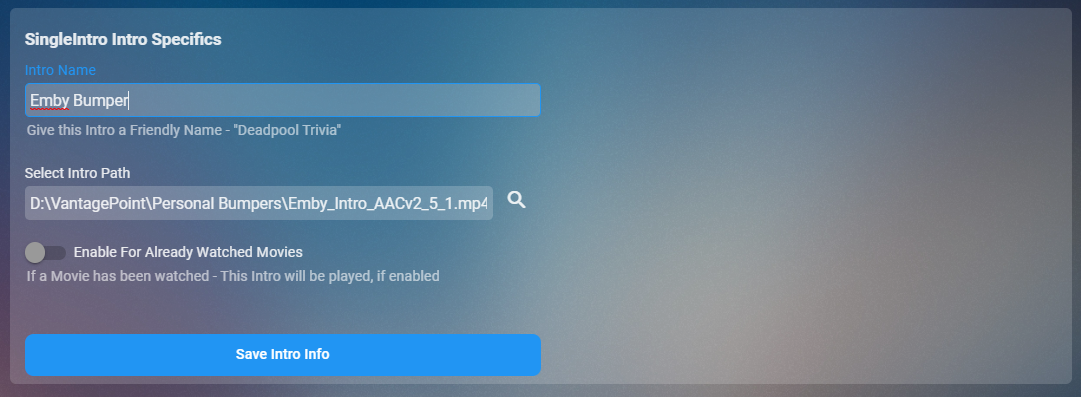
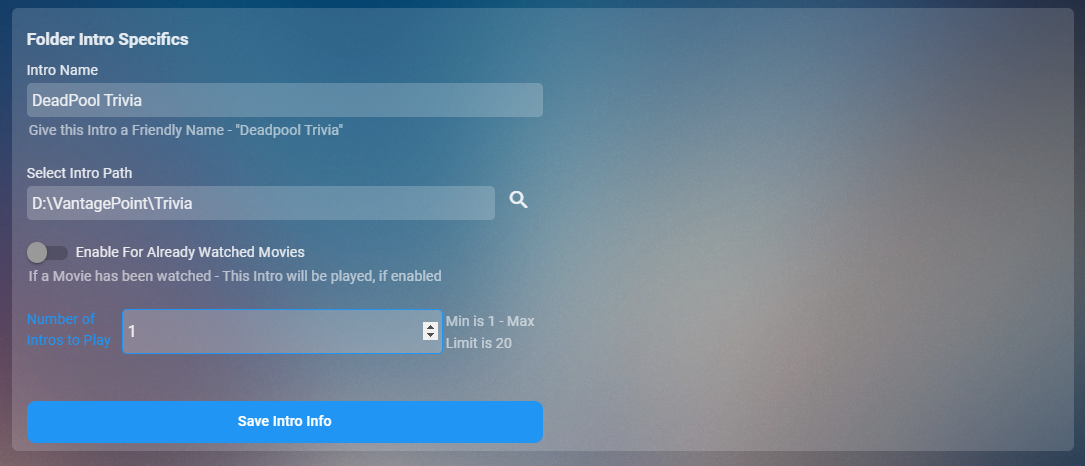
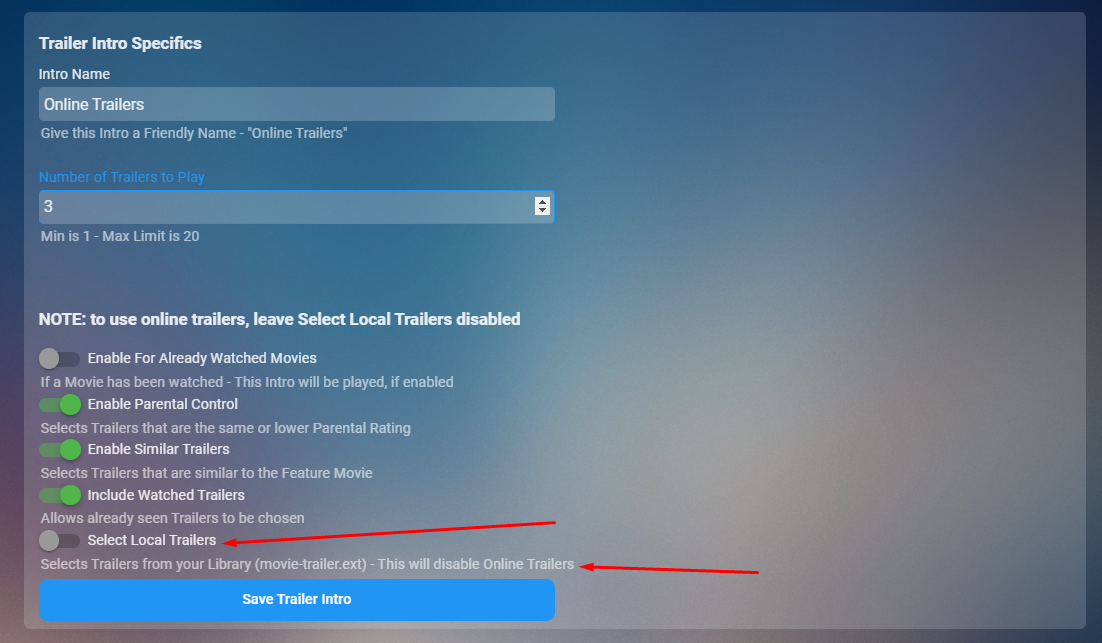
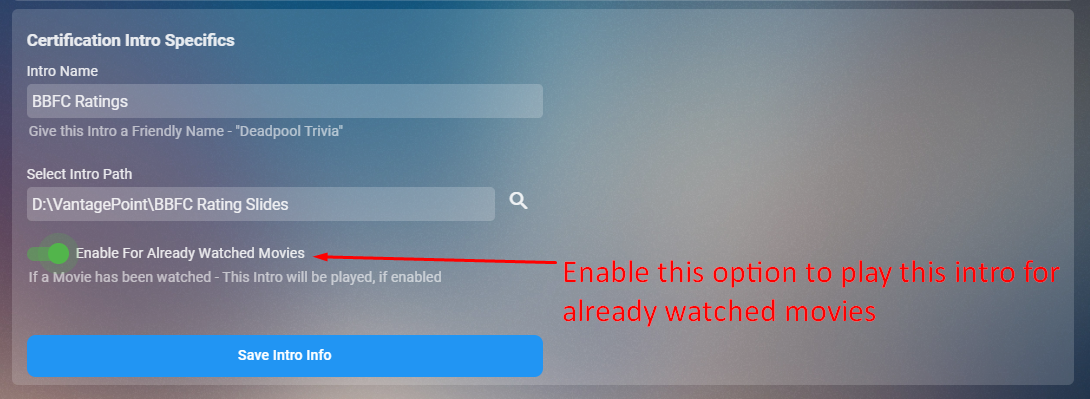
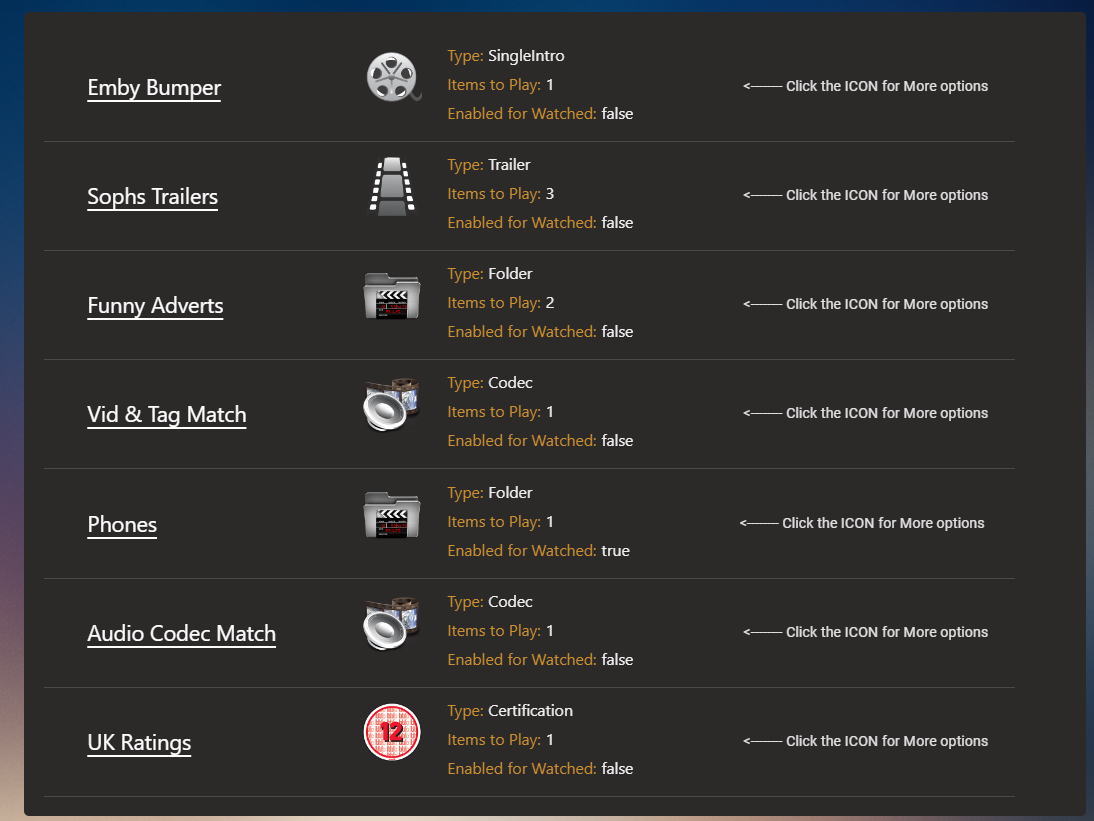
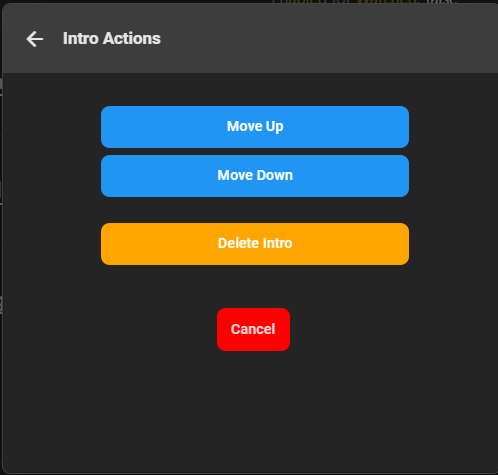
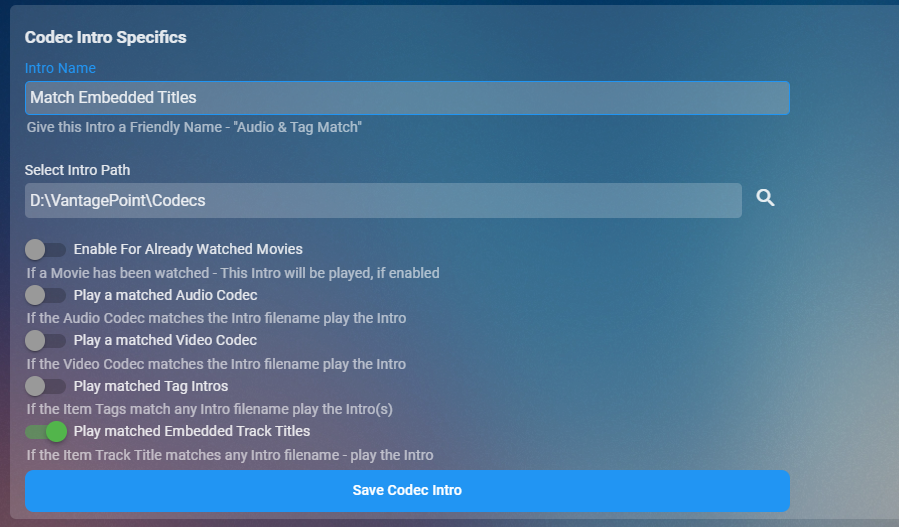
Cheesey Productions brings you Vantage Point 2.0 PreRoll Intros for that Cinema Experience The original VP was both confusing and cumbersome to organise your PreRoll Intros. Now after a complete rework with both the configuration UI and the backend workers, it's intuitive, easy and the possibilities are endless to create your intros. The new UI VP GLOBAL TAB VP MOVIES TAB Click on Add New Intro and then select from the following options YOU CAN GIVE YOUR INTROS A FRIENDLY NAME TO HELP YOU KNOW WHAT IT'S DOING Single Intro - Use this option to select a single video file to play Multiple Intros - Use this option to select a folder of video files. Random selection is done during playback Trailer - Select this to use online trailers or local trailers(trailers inside movie folders) if local trailers is switched to enabled - online trailers are dismissed if local trailers is not switched to enabled - online trailers will be played. Codec and Tags - Select Video, Audio and/or tags, Embedded Track titles can also be matched - requires a video file with the same name as the codec/tag in a folder Certification - This is MPAA, BBFC, FSK, etc ratings. video file must be the same as emby Rating. eg GB-12A.mp4 Your intros will populate in the list below Click on the Icon to get more options, where you can move the intro around in the sequence TV Episodes has now been added Hope you enjoy it. V2.1.0.1 RELEASED Adds functionality for TV Shows Changes "Rated R" rating to just "R" custom Strings for matching embedded Track Titles is now removed. If you are using these you will need to delete and create a new intro based on next point #4 Match Embedded Track Title switch has been added. Minor Bug Fixes


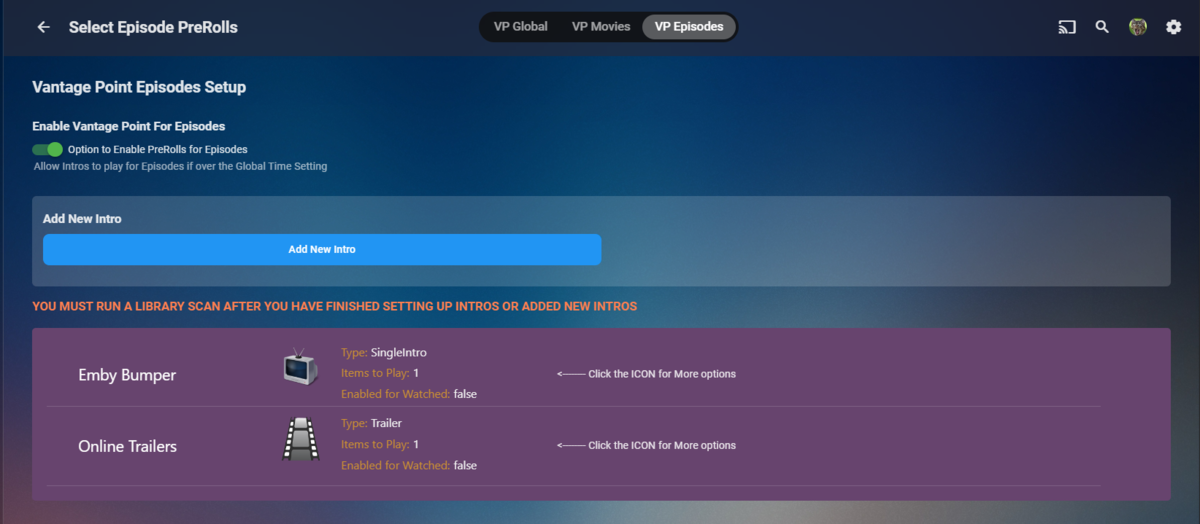 1 point
 -
No, I can't but I can just leave one intro in the folder, so Cinema Intro will play only that. There is always a workaround.1 point
-
Hello support Could you increase the limit for Emby Premiere? 80 clients is a very small number, considering that an Emby server has much more capacity than that. Would it be possible to purchase a larger limit?0 points
-
English clearly isn't their first language, so I wouldn't read too much into the use of “customers,” but if your family has 80 people in it...0 points
-
Your log: line 5 Emby menu visible but streaming fails - LG OLED. Apparently this may be resolved with LG setup options. Often different brands and models require permissions and settings. Viewing an Emby page on a TV app does not mean that all streaming should be working. Video streaming may be blocked by a TV setting, as well. see: https://www.reddit.com/r/LGOLED/comments/1did7lk/lg_smart_tv_shows_connected_but_does_not_load/ And https://duckduckgo.com/?q=LG+Oled+video+streaming+Invalid+Args+error&ia=web0 points

.thumb.jpg.a44951e234bae6ac09f6071c2916c924.jpg)