Leaderboard




Popular Content
Showing content with the highest reputation on 03/03/26 in all areas
-
Ignore that and just added Emby as read/write under the system internal users and it's working. Very odd because I haven't done this with my video collection and that works ok.3 points
-
I'll throw some other information out while we wait for a response. These are all things conveyed in the past here which affect the speed of return. You can't necessarily compare one company to another as far as the speed their apps are processed. There are different tiers of support for which the price rises the higher you go. The higher tiers can affect the speed and the age of the TVs supported also. For instance, Samsung typically won't test the Emby app for TVs after 4 years (though Luke can do a special request once in a while for older models now). However, the Netflix app gets updated for older models all the time because they pay for the higher tier support. I've only had 1 store app update so far in the last 4 years on my 2018 model because my TV is no longer tested in the normal updates with the others. An app update is already in the queue Some apps are more complicated and will take more time to test. The Emby app will be in the same category and tested by the same people who test Netflix, Disney+, etc. Sometimes the app gets kicked back for changes. You can't do an app update and add regions/countries supported at the same time. For instance, when Emby adds South Korea to the supported countries all app testing will stop for that app. Each year and model group of TV models is tested separately. For instance, a 2025 Premium, Standard, and Basic model is tested (sometimes by different people) and can be held back for different reasons. This is why you will sometimes see someone say their model has the update and others even within the same year don't see the update yet. Holidays Anyhow, we'll have to wait and see if Luke wants to get into the weeds on why your TV doesn't have the new app yet. Just wanted to convey it's not always a simple comparison.2 points
-
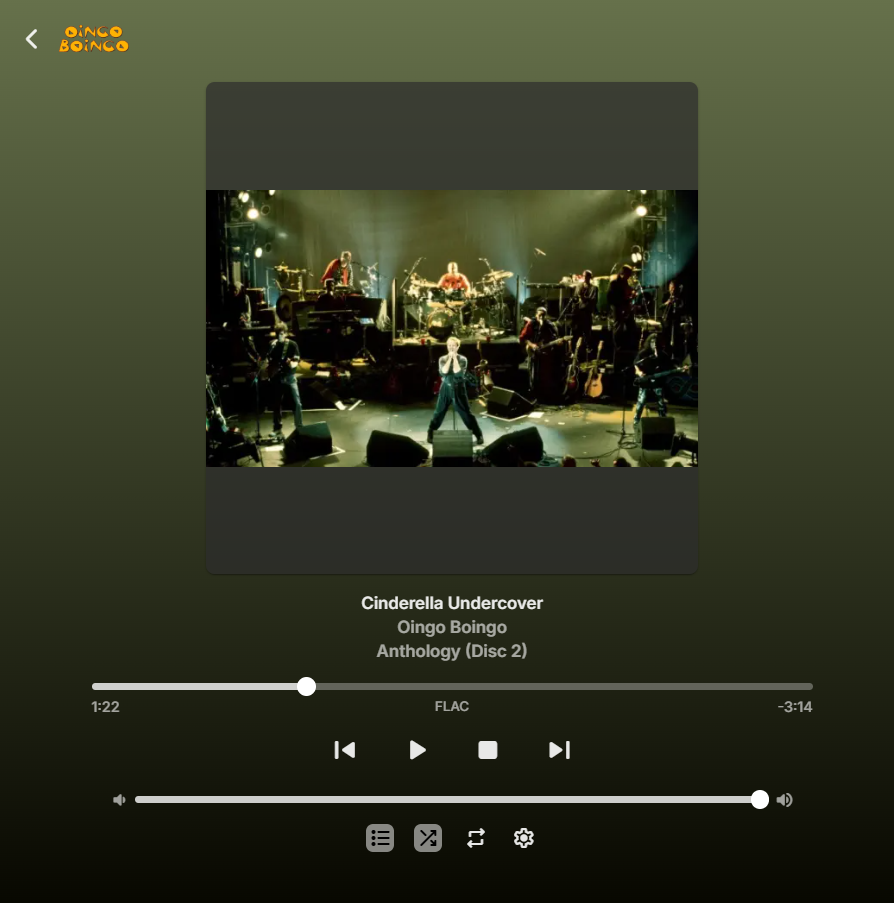
As I'm starting to use Emby more and more as a media player, I'm also starting to discover more and more features. I just now wanted to add the song I was listening to, to my favorites to see if I could try and use that feature. So I opened the tab and tried looking for the "add to favorites"-button: Hm, there doesn't seem to be an action to add the item to my favorites here? Maybe I'll check the playlist: Maybe the context menu? There it is! While making this post I also found out there's a hover-action on the album art, which also has the favorites and settings buttons: In my opinion it would be nice to have the "add to favorites"-button also within the player itself, always visible. If it took me a little while to find these I can imagine other, less tech-savvy people not being able to find them at all.

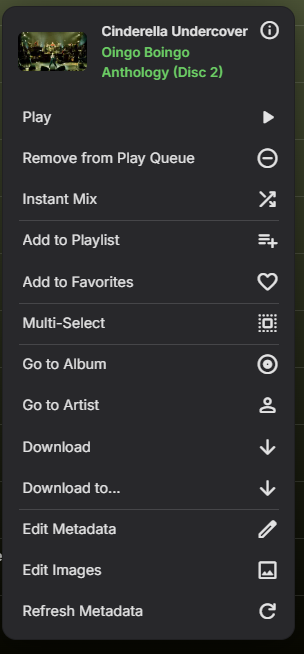
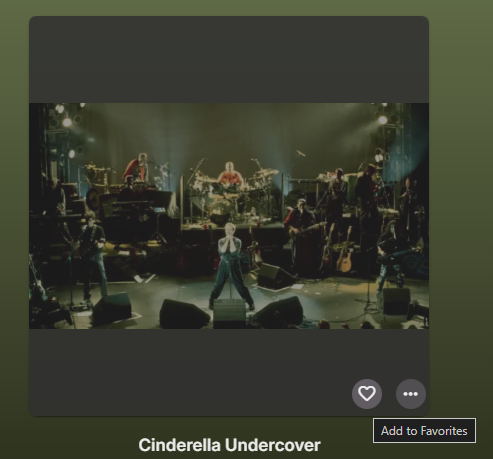 1 point
 -
Not sure what's up here, but I'm using an Onn 4k box. As I got a new Onn 4k plus and I've heard that the android tv version will eventually be supplanted by the android app version, I installed the android (non-tv) version and it's 3.5.28. I notice on the remote, when I'm in the guide, if I use the channel up/down buttons (not the circular D-pad), then the guide moves in the opposite direction. Clicking the channel up makes the guide go down and channel down goes up in the guide. Having used the android tv version, I thought this was weird since there, channel up moves the guide up one page and channel down goes down one page.1 point
-
Happy to test mate, sitting here working from home so can test in between jobs haha1 point
-
Still no love @yockerI made a video so you can see what i see, have tested in both Firefox and Edge, neither work. 2026-03-04_09-58-08.mp41 point
-
The default sort order is set to 'Folders'. I would prefer to have all libraries I select to default to release date. I know I can manually set it, but I have to do that for every folder in the library. I would like to see the ability to have it automatically set the default sort order for all new folders I create.1 point
-
Works great, thanks @GrimReaper1 point
-
thanks for that context @FrostByteand all that makes sense. However, those of us with *slightly* older TV (mine is a 2022 Art Frame which doesn't feel "that old" to my bank account) feel trapped as (a) we get treated like second class citizens by Samsung and (b) Samsung impose a 1 month timebomb any app that is sideloaded so we just can't win here. I get that's not an "EMBY" fault but someone's gotta fight the fight. I use the trailer feature a lot for my media collection and have been without this feature for what feels like a year now.1 point
-
Confirmed great mystery now has listings Thanks1 point
-
I'll fix that in next version...1 point
-
1. 2. 3. 4.
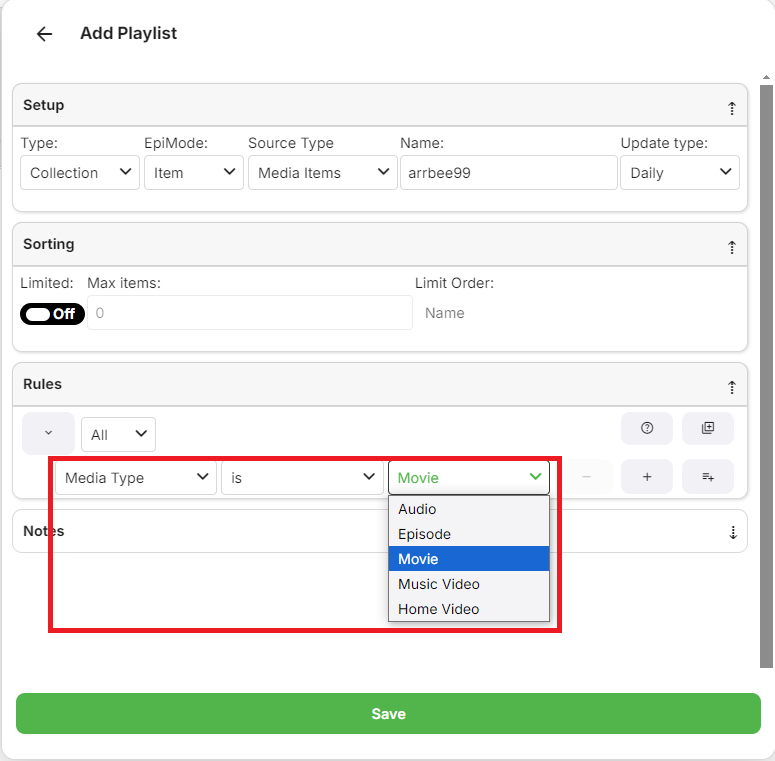
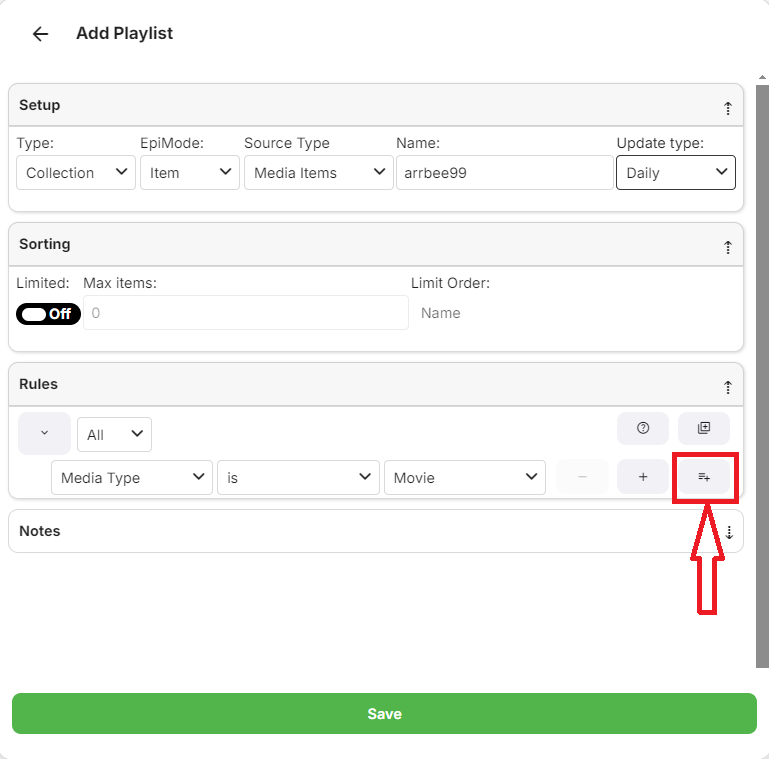
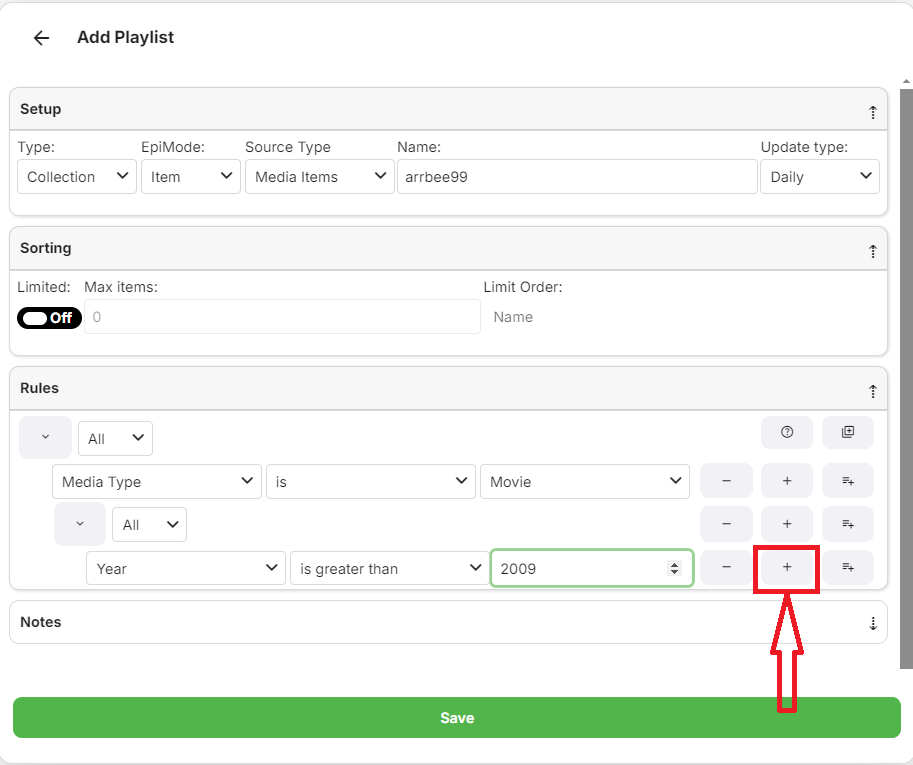
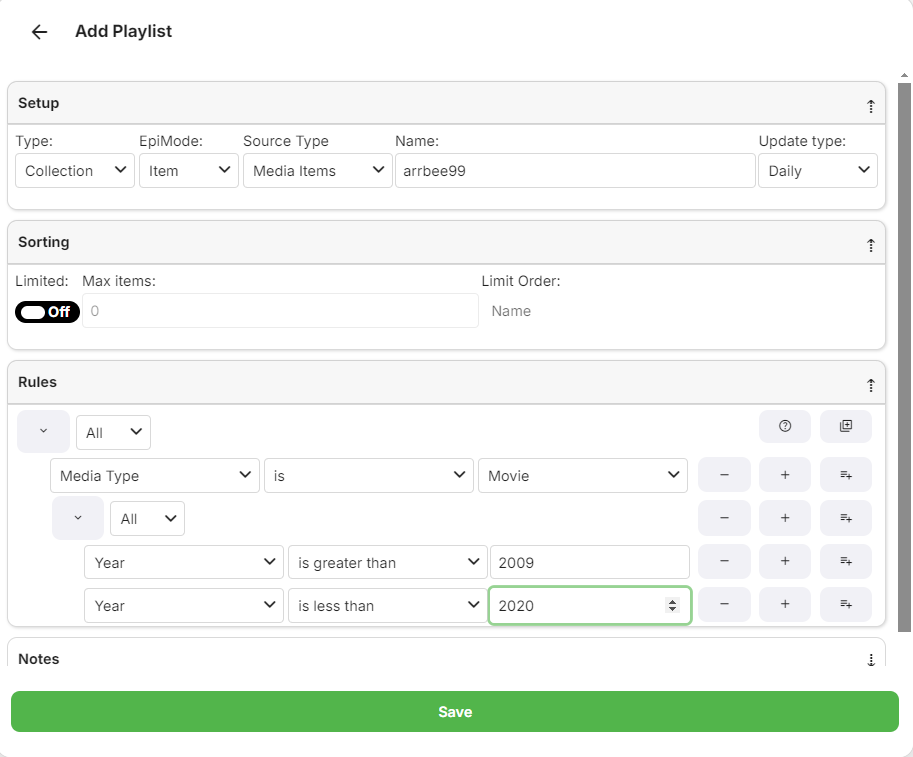 1 point
 -
+1 to country filter1 point
-
Matrix Notifications Plugin for Emby Based on my Telegram Notifications Plugin i build a Plugin suitable for the Matrix Messaging Protocol. the simple advantage is that you can host your own server for it which does not rely on other people. Nope it is not in the Plugin catalog, because there are only plugins by developers which are "willing to fully support it. That means keep it up to date with server versions as well as fix any issues and respond to user help requests." Because of the closed source code of Emby and the lack of Plugin development documentation that is something i cannot ensure. What it does? It simply forwards the Messages of the Emby Notification Framework to a Matrix Room. Not more, not less. Sorry no fancy posters etc. because the Standard Notifications of Emby dont support it. That could be hacked into, but those things can break easily on every update. Install Install the Plugin by downloading the DLL (or build it yourself using VS2017/VS2019) and putting it into your Emby Plugin folder Restart your Emby Server Grab yourself the Element Messenger and curl (of something similier to talk with the API) Your server needs a user account on the matrix instance to use, so register on for it Start Element with your own account and create a room, deactive encryption (important), i made mine invite only. Invite your Emby Server to the room Head to the room settings you will find the internal Room ID, something like: !klblablabla:matrix.org an note it Now it is time to start playing with curl to get Access Token of your Emby user and join the room Mind changing the TLD etc accoring to your needs. Start with getting your Access Token curl -XPOST -d '{"type":"m.login.password", "user":"EMBYSERVERUSER", "password":"EMBYSERVERPASSWORD"}' "https://matrix.org/_matrix/client/r0/login" Join the room (the ! in the room ID must be exchanged with ah %21) curl -XPOST -d '{}' "https://matrix.org/_matrix/client/r0/rooms/%21klblablabla:matrix.org/join?access_token=ACCESSTOKEN" Test the connection curl -XPOST -d '{"msgtype":"m.text", "body":"hello"}' "https://matrix.org/_matrix/client/r0/rooms/%21klblablabla:matrix.org/send/m.room.message?access_token=ACCESSTOKEN" Go to the Plugin settings page and fill in the Access Token, Room ID (like you copied it from Element aka with the ! at front), and the Server TLD (dont forget the / at the back) Send a Test Notification Activate the Matrix Notifications Plugin in the desired Server notifications Known Issues? It does not support E-2-EE because there is no SDK for it. Of course TLS will be used. Where to get it? You can download the Source and DLL on Github or attached to this thread. https://github.com/bjoerns1983/Emby.Plugin.MatrixNotification/releases Have fun with it. If you have a cool idea simply open a Github Issue. Would be cool to have this registration process handled on the settings page, but thats beyond my Scope. PR welcome! Emby.Plugin.MatrixNotification.dll
 1 point
 -
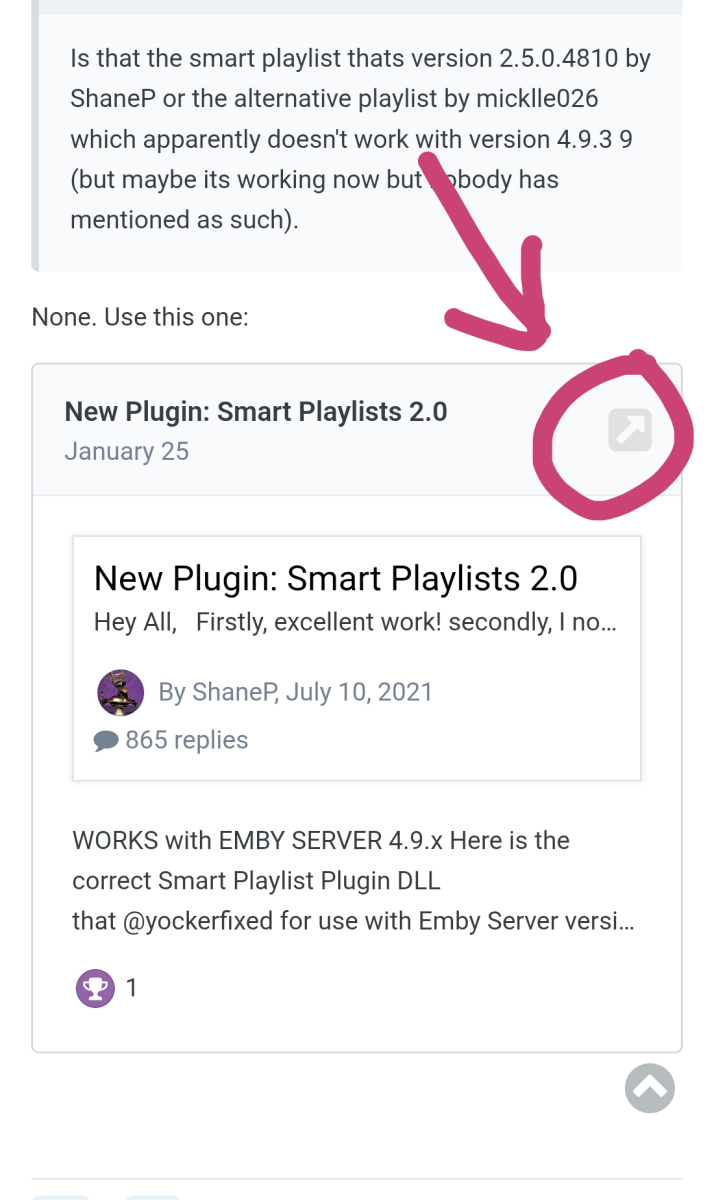
Click here, it'll take to you to exact post in the thread, not the first one.
 1 point
 -
1 point
-
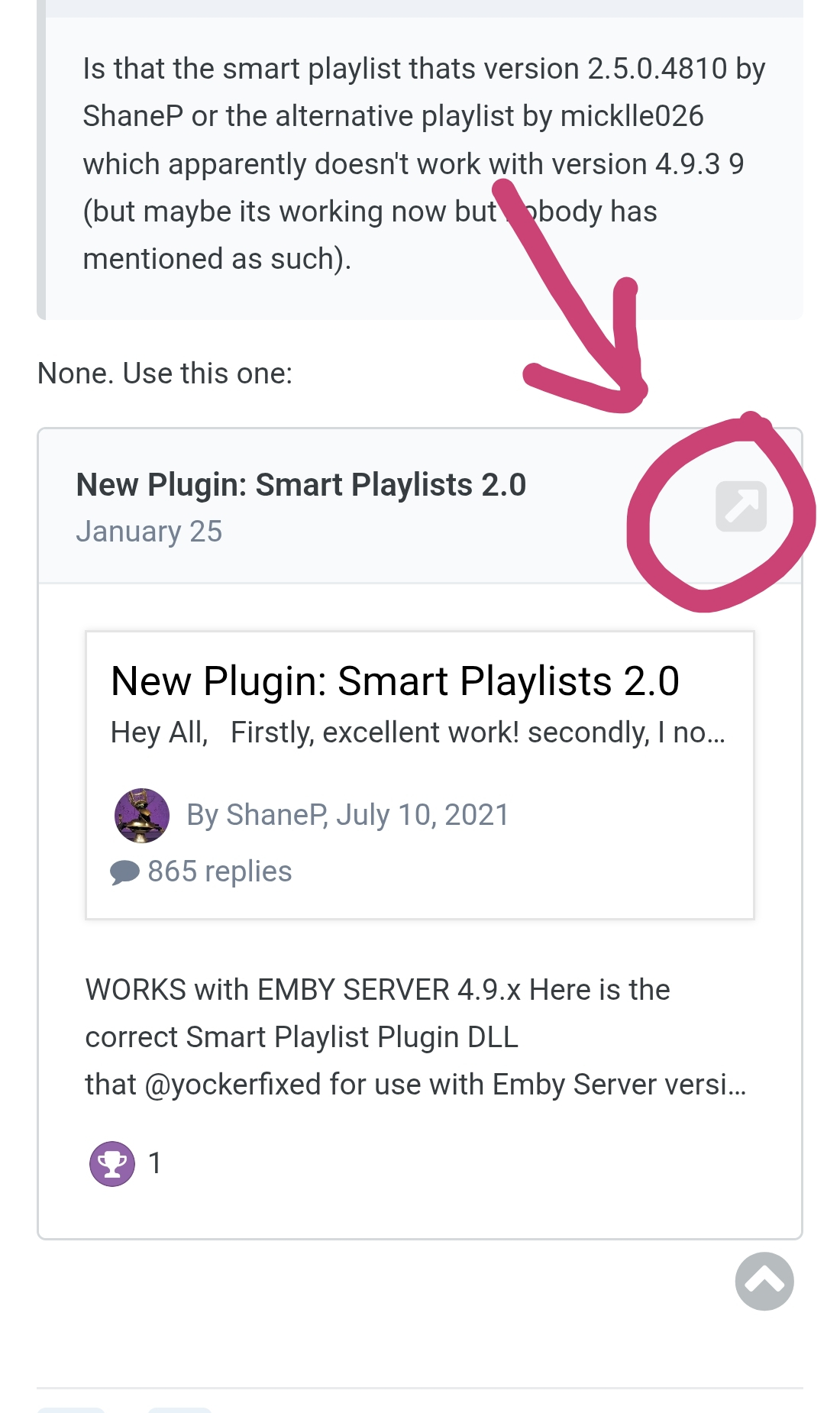
None. Use this one:1 point
-
Why don't you install SmartPlaylists plugin so they'd auto-update?

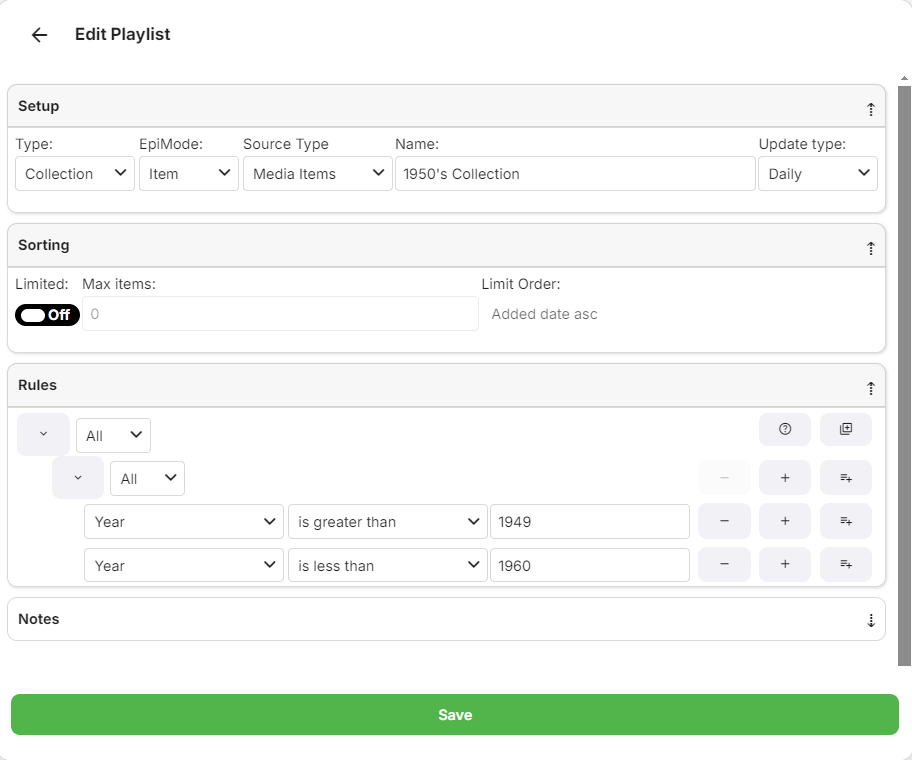
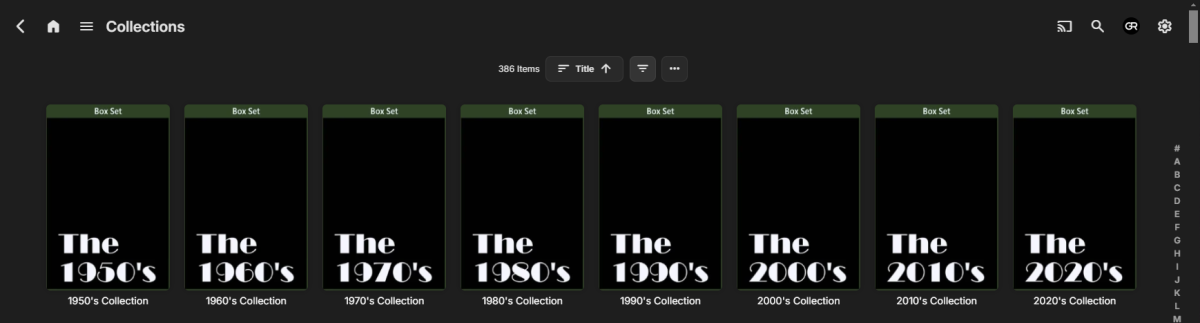 1 point
 -
Not sure.. But i mean the function is there in the settings so why not? I had an older plugin doing it, not the new home screen ofc but all other library settings (library order for example). So i'm gonna investigate it and see what can be done. EDIT: Here is some infomration I found: https://betadev.emby.media/reference/RestAPI/ContentService.html1 point
-
Nope, it hasn't happened since. I guess the machine got in a bad state or something. Thanks.1 point
-
I already switched some time back to Narjo - https://narjomusic.com/ Which works perfectly with CarPlay and Emby.1 point
-
Anyway, due to being low priority for devs. Started with small sideproject for myself, PlexAMP kind of App for Emby. I have a rough prototype, currently only supporting playlists and their playback. It will be IOS only (we have plenty of Android music players for Emby anyways).1 point
-
Hi Quickmic, I'm not sure exactly when this started, but after selecting a live TV show (IPTV addon), Kodi will not release the tuner when I stop the TV show it in the GUI. When selecting Live TV to record using the Kodi context menu, It will record and stop properly with no issues. If I reboot the Emby server, The tuner is released. I'm currently running Kodi Piers Alpha2 Ver 22.0 Compiled 2026-02-27 and E4K Ver 12.4.5 HDHomerun 2 tuner box. Please let me know if you need further info. Thanks!1 point
-
1 point
-
Please don't cater to the lazy bums that don't want to tidy up there libraries. And just download sh#t, and lob it in there folder structure, thinking it's ok.1 point
-
+1 for adding this to Emby!1 point
-
I use checked and it is working correctly. Thank you so much for your efforts in getting this schedule corrected. This is real service!1 point
-
Maybe a fluke, maybe related but restarting the Emby server app did not help but a complete restart of my physical server seems to have cleared the issue for recording completed after the restart. The recordings made before the restart still did not work. @LukeWhat I saw was the "No compatible Streams Available" message on Roku but did play fine on the PC through the web app. Thanks guys.1 point
-
Because the previous check was that the third number (4.9.4.1) wasn't 0. The check was changed to the fourth number being 0 just a couple of weeks ago.1 point
-
I agree. I was pleasantly surprised to find it on AUR. Works great for me on cachy as well. I cant wait till the new client releases. The emby beta worked on my fedora and cachyos installs, but the repo no longer works for me, which is why I had to go back to the version I found on AUR1 point
-
Yep - and this is what I tried to do with my 'Recommended' script/hack - remembering that at the time, we had no homescreen options. It used the new Playlist functionality (now the ability to share a playlist and provide permissions on it) to then convert to a library. But it was a hack at best. I wish Emby would just replace the 'Favorites' with a 'Watchlist' and be done with it - or add the ability to add to a Watchlist - as a USER. That is the critical part here - the Users want ot be able to do this themselves, thus collections, tags etc are all out of the picture. Watchlist has been on the Requested list for years - so while I'm really grateful for the recent homescreen functionality - I can't see it being natively implemented anytime soon - all clients would need an update for starters ..1 point
-
Well, for example, all TV shows where the title contains "law & order." Tagging by genre, director, actor, etc. as well. It's November? Spotlight film noir. David Lynch died? Spotlight films he directed. Robert Redford died? Spotlight films he starred in. Release date, too. Films with the genre "film noir" released between 1940 and 1950, to filter out neo-noir. Films celebrating their 100th anniversary this year. There's so much metadata already on the server, it just feels silly that I have to manually curate lists elsewhere. I do love the Trakt integration for Trending and the like though. Can you clarify how I get an API key? You can already Spotlight a collection, but if I could use this to dynamically tag its contents I don't need to go reconfigure the Spotlight once I'm done spotlighting that collection and want to go back to tags.1 point
-
Please don't take this the wrong way as it might sound like a rant, i'm just trying to clarify something! This is not my plugin, i am NOT maintaining this plugin and i have no plans for doing it either. Writing to me about any problems with the plugin will be in vain and ignored. Any code i had was also misplaced some where (possibly doing a machine migration) so even if i wanted to i have no way of maintaining it without fixing it all over again. Sorry for sounding harsh but just want it to be as clear as possible, nothing more.1 point
-
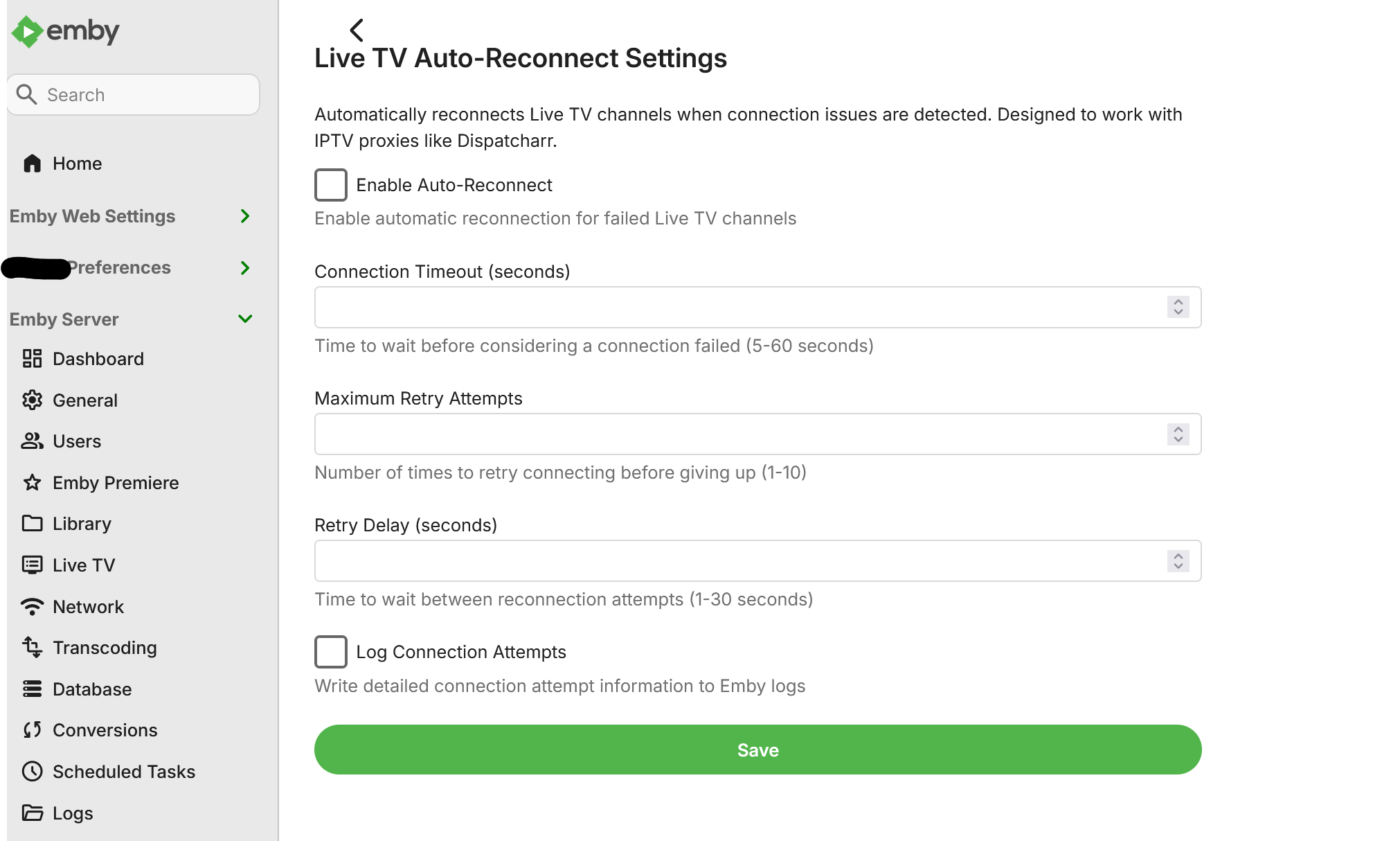
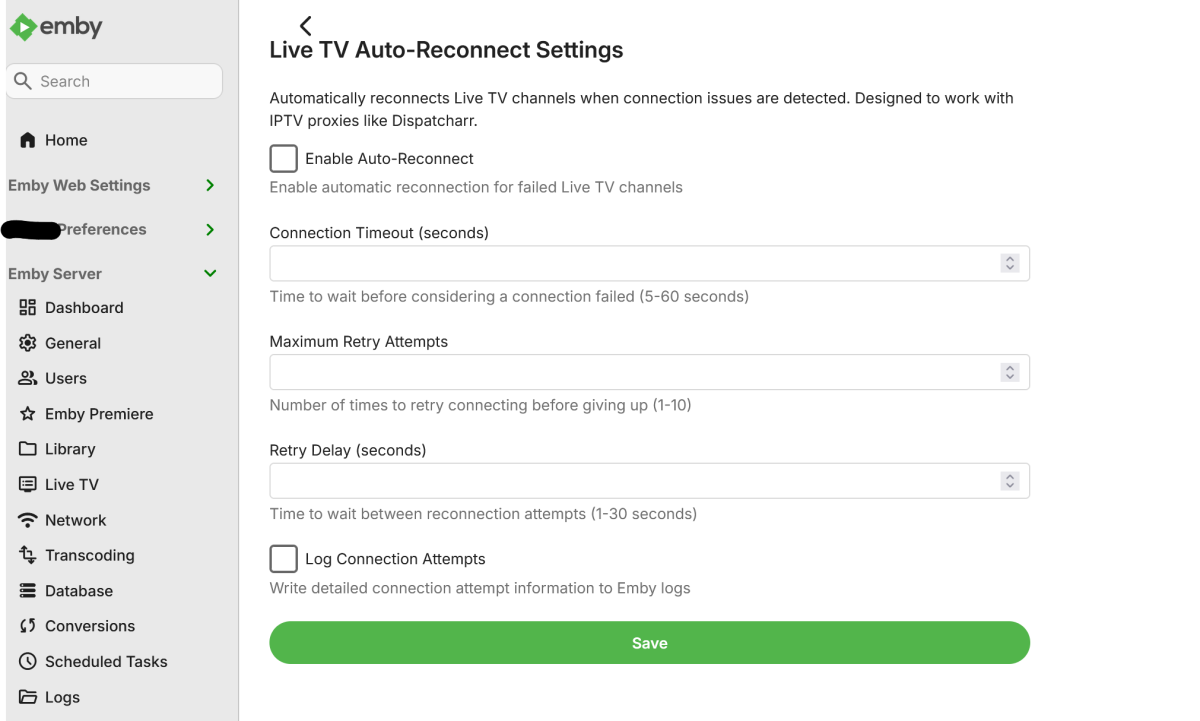
Example configuration page.
 1 point
 -
The presence of 4K using SDR is something that should be highlighted as it is not the norm. On my MediaInfo Plugin I explicitly add SDR into the title rather than just ignoring it (ie no HDR, be it HDR10, HLG or DV) so that I am aware of this. Likewise, for HD, I don't add SDR - as it is assumed to be SDR, but I do add the HDR type if it is - because that is useful info and I should expect HDR to be engaged if my TV supports it. It's all about showing useful info especially if it's not the norm - nothing should be assumed imo.1 point
-
You might be thinking about plugins. The built-in trailer functionality that plays YouTube videos directly from YouTube is great, on Android TV, when it works.1 point
-
I'm somewhat content with the Emby for Android app at this point. It isn't perfect but it's at least usable for me now. Removal of the side bar would probably get me to being fully content. My biggest gripe is how the two different apps exist on the app store and how much confusion it adds to users. The Emby for Android app should have been developed in a beta channel or as a side load only until it was ready to be a complete replacement for the Emby for Android TV app, at which point it should have replaced it under the same Google Play listing. Now there is two versions floating out in the wild, one of which will no longer be supported. Any one who doesn't frequent the forums would have no idea about the two versions and would just install whatever one comes up first when you search "Emby" which happens to be the Emby for Android TV version. To get the Emby for Android version on a streamer you need to search "Emb". That's not intuitive at all. Just last week at had a user message me about trailers not working on their Android box. I had to explain to them that the reason it didn't work is that the Emby app they were using hasn't been updated with a fix for YouTube trailers yet and that they should switch to the "new" Emby app. To do this they needed to search for "Emb" and not "Emby". Want to guess how confused they were? Very.1 point
-
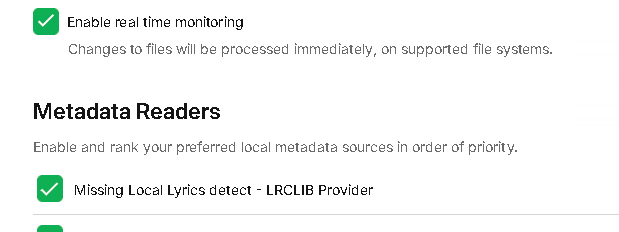
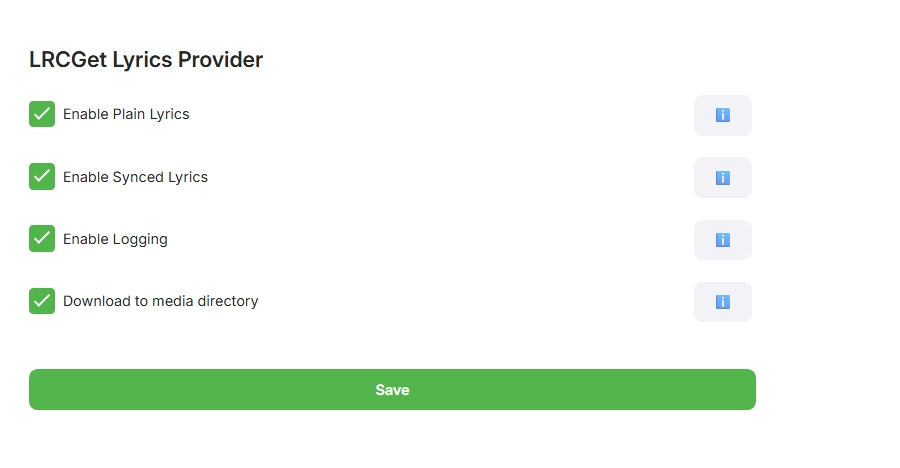
This plugin leverages the metadata reader call on metadata refresh. So it really pretends to be a local file reader but its not. It accesses the only free (no paid tiers) api database there is at the moment for lyrics, both LRC and TXT. It is triggered by either "Replace metadata" or "search for missing metadata", you dont need replace metadata if you already have it, missing metadata is much faster. It does therefore trigger ffprobe. Unzip the archive and copy the dll to the plugins directory, restart the server. You will find the config at the plugin and enable it, in your library. The config screen allows you to choose what to download, It operates seemlessly with a metadata refresh on the song track or Album, or if a newly added item being scanned in. Luke recommends I should do this as a subtitle plugin and via scheduled tasks, instead of this way ( I think because it will add time to a library scan with both ffprobe and then fetching the data) , my testing showed about 1 sec per track to fetch the data - what do you think? Anyway have a play and let me know what you think. Accurate? Fast enough? Improvements? Things like that LRCLIBProvider.zip
 1 point
 -
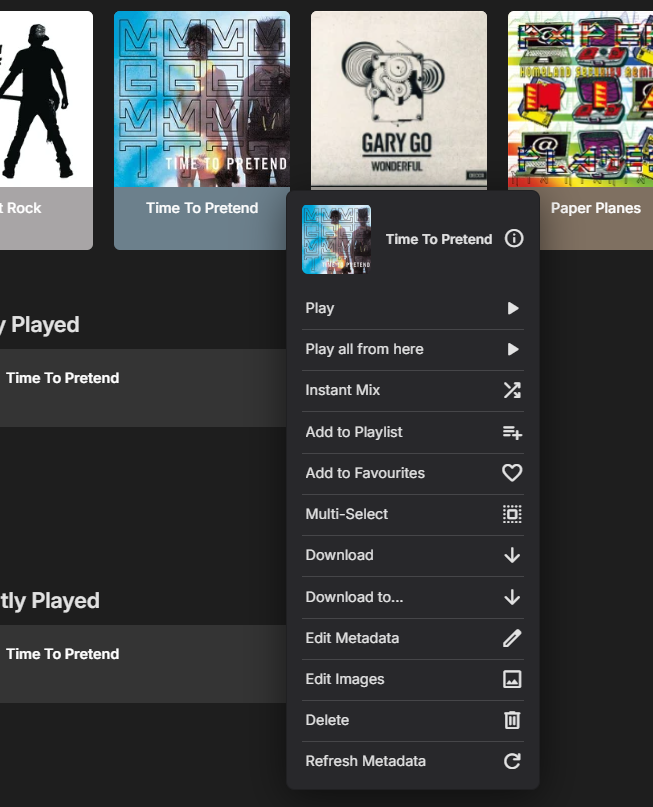
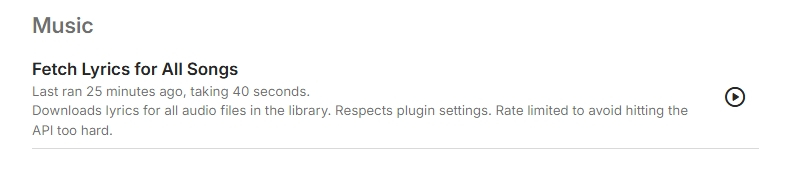
This is a totally new build, it runs during library scans, metadata refresh or as a Task, it has also got enabled for downloading like subtitles, but that's not working in the UI. This version is in testing, it still needs a few more tweaks. So its only attached for the DEVS to look into the subtitle (Lyric) download I have implemented the subtitle interface, it doesn't show in the UI, It enums the audio as video content, there is no other options for audio. public class LrcSubtitleProvider : ISubtitleProvider { private readonly ILogger _logger; public LrcSubtitleProvider(ILogger logger) { _logger = logger; } public string Name => "LRCLIB Lyrics"; public IEnumerable<VideoContentType> SupportedMediaTypes => new[] { VideoContentType.Audio }; what do i need to do for it to show, or is that on the devs? @Luke I can pm my code if your need me to, but here is the subtitle interface namespace LRCLIBProvider { public class LrcSubtitleProvider : ISubtitleProvider { private readonly ILogger _logger; public LrcSubtitleProvider(ILogger logger) { _logger = logger; } public string Name => "LRCLIB Lyrics"; public IEnumerable<VideoContentType> SupportedMediaTypes => new[] { VideoContentType.Audio, }; public async Task<IEnumerable<RemoteSubtitleInfo>> Search(SubtitleSearchRequest request, CancellationToken cancellationToken) { var results = new List<RemoteSubtitleInfo>(); try { string artist = request.ProviderIds.TryGetValue("Artist", out var a) ? a : ""; string title = request.Name ?? ""; if (string.IsNullOrWhiteSpace(artist) || string.IsNullOrWhiteSpace(title)) return results; var root = await LyricApiClient.FetchLyricsAsync( artist, title, 0, Plugin.Instance?.Configuration.ServerUrl, cancellationToken ); if (root != null) { if (!string.IsNullOrWhiteSpace(root.syncedLyrics)) { results.Add(new RemoteSubtitleInfo { Id = $"synced:{artist}:{title}", Name = "Synced Lyrics", ProviderName = Name, Language = "en", Format = "lrc" }); } if (!string.IsNullOrWhiteSpace(root.plainLyrics)) { results.Add(new RemoteSubtitleInfo { Id = $"plain:{artist}:{title}", Name = "Plain Lyrics", ProviderName = Name, Language = "en", Format = "txt" }); } } } catch (Exception ex) { _logger.ErrorException("Error in LrcSubtitleProvider.Search", ex); } return results; } public async Task<SubtitleResponse> GetSubtitles(string id, CancellationToken cancellationToken) { try { var parts = id.Split(':'); var type = parts[0]; var artist = parts.Length > 1 ? parts[1] : ""; var title = parts.Length > 2 ? parts[2] : ""; var root = await LyricApiClient.FetchLyricsAsync( artist, title, 0, Plugin.Instance?.Configuration.ServerUrl, cancellationToken ); string text = type == "synced" ? root?.syncedLyrics : root?.plainLyrics; if (string.IsNullOrWhiteSpace(text)) text = ""; if (Plugin.Instance?.Configuration.DownloadToMediaDirectory == true) { try { var filePath = Path.Combine( Environment.GetFolderPath(Environment.SpecialFolder.LocalApplicationData), $"{title}.{(type == "synced" ? "lrc" : "txt")}" ); File.WriteAllText(filePath, text, Encoding.UTF8); _logger.Info($"Saved lyrics to {filePath}"); } catch (Exception ex) { _logger.ErrorException("Failed to save lyrics file", ex); } } var bytes = Encoding.UTF8.GetBytes(text); return new SubtitleResponse { Format = type == "synced" ? "lrc" : "txt", Stream = new MemoryStream(bytes) }; } catch (Exception ex) { _logger.ErrorException("Error in LrcSubtitleProvider.GetSubtitles", ex); return new SubtitleResponse { Format = "txt", Stream = new MemoryStream(Encoding.UTF8.GetBytes(string.Empty)) }; } } } } LRCLIBProvider.dll
 1 point
 -
Theme songs are heavily contribution based so you can sometimes get some strange ones. It is dependent on the tbdbid and tmdbid so double check they're correct. Frustratingly I used to have a report feature which would take themes offline after a certain amount of reports but it never got used and after a fairly big overhaul, the feature was removed. Maybe it's time to re add it back in.1 point