Leaderboard




Popular Content
Showing content with the highest reputation on 03/02/26 in all areas
-
Ok I am just about in a place where I can jump back in on Aperture, stay tuned!3 points
-
Please don't cater to the lazy bums that don't want to tidy up there libraries. And just download sh#t, and lob it in there folder structure, thinking it's ok.2 points
-
I'll also leave a . as I'm also interested in auto-gain / normalization. Especially useful when using speakers or casting to an audio set so I don't have to change the volume for some songs when working hehe.2 points
-
Thanks, that was the solution.2 points
-
https://www.nvidia.com/en-us/geforce/forums/shield-tv/9/582849/shield-experience-upgrade-924-22526/ Enhancements: Security patches are updated to Jan 2026. Resolved Bugs: Resolved Disney+ playback issue. Resolved 3rd party remote connection issue with Xbox after sleep mode. Resolved a crash issue which turns on SHIELD and CEC devices during sleep mode. Resolved 3rd party Bluetooth remote frequent disconnect issue. Resolved Settings page closes when triggering NVIDIA share on top of settings page.1 point
-
I already switched some time back to Narjo - https://narjomusic.com/ Which works perfectly with CarPlay and Emby.1 point
-
1 point
-
Emby has a portmapper plugin that utilizes Upnp to automagically take care of port forwarding. Tech Savvy people have this disabled and turned off and "manually" handle ports. Since you haven't really explained your environment (from what I can read) and honestly, don't know much about eero what their web interface looks like for port forwarding its difficult to assist. If you goto whatsmyip.org from a laptop or computer and display the first 2 octects of your ip, we can tell if you are behind CGNAT or not. I would never take the ISP word for it as generally fist level support don't even know what that means. By first 2 octects I mean EXAMPLE your ip is XXX.XXX.XXX.XXX so if the first two are the first two XXX.XXX again Example, if you have 10.xxx or 172.xxx or 192.xxx you are definitely behind CGNAT. If you have let's say 99.xxx you have a public IP. your INTERNAL network will most likely always be 10, 172 or 192. The idea is to port forward all incoming requests from EXTERNAL 99.xxx port 8096 to INTERNAL 192.xxx Thats the first step.1 point
-
I use checked and it is working correctly. Thank you so much for your efforts in getting this schedule corrected. This is real service!1 point
-
Bei mir wird Ähnlich wie diese angezeigt1 point
-
@NCC1701A Schau mal hier Leider kann man das aktuell wohl nicht ausblenden. Gruß Eddie1 point
-
I agree. I was pleasantly surprised to find it on AUR. Works great for me on cachy as well. I cant wait till the new client releases. The emby beta worked on my fedora and cachyos installs, but the repo no longer works for me, which is why I had to go back to the version I found on AUR1 point
-
Strange, never seen Emby show a selector when only one version is available.
 1 point
 -
Will look into it.1 point
-
Why is the only version that is trash is the Apple TV version of Emby. Can we please make it just like the android version. IOS and Mac, even windows is a better experience than Apple TV. Let’s get a resolution going.1 point
-
HI, yes the a-z picker is planned for a future update to the app. Thanks.1 point
-
Hi, has this happened again? It looks like it just stopped because the tuner wasn't sending back any data.1 point
-
@yockerhave now tested a watch party and all seems to be good apart from one thing. The search to select a movie or tv show does not seem to be working, only way to find a movie is via the drop down and that does not work well at all when you have 12,000 movies lol1 point
-
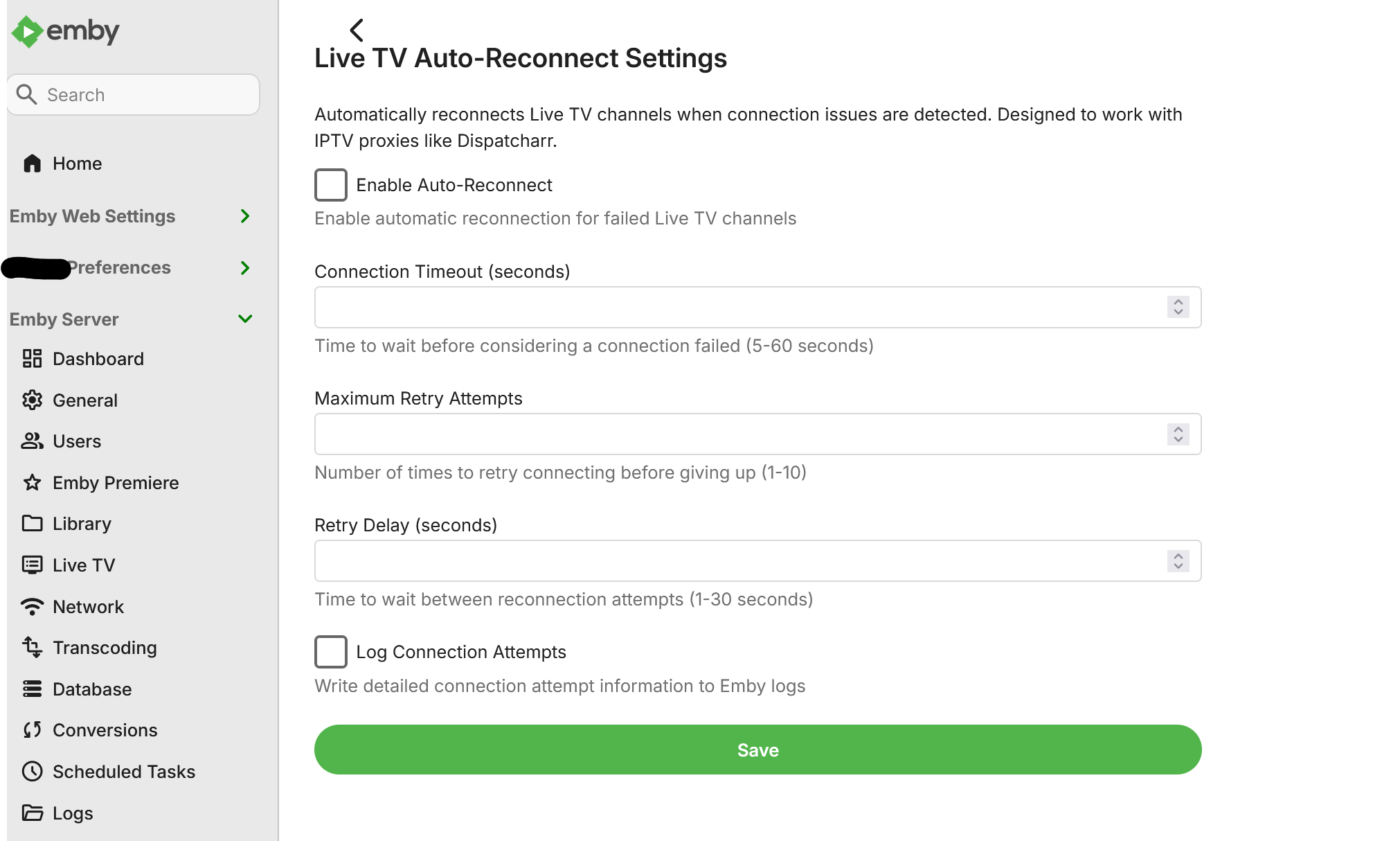
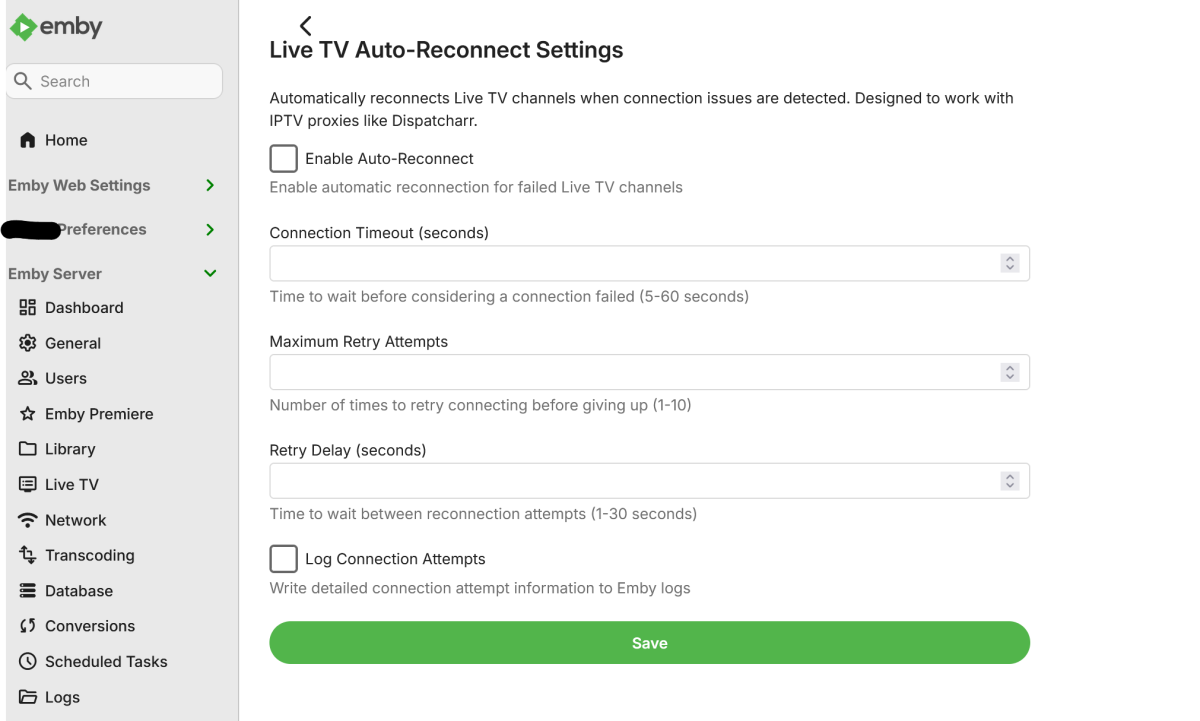
I’d like to echo this feature request, as it addresses an important gap in Live TV recording. The core functionality for manual timers and reconnect/re-record already works, but without programid support in the REST API, those reconnects and re-records can’t operate fully seamlessly. In addition, there currently isn’t a way to configure timeout behavior or define maximum reconnect attempts, which limits reliability in real-world scenarios. If the REST API could support programid for manual timers and allow configuration of timeout handling and reconnect limits, this would make the feature far more robust and predictable for everyone. Examples of existing approaches can certainly be shared if helpful—the goal is simply to make this work cleanly and natively within Emby for all users.1 point
-
@yockerI worked it out mate, downloaded and installed the latest and once again it wasn't working, checked everywhere to make sure ports were clear and when I opened up the firewall advanced settings, the netsh command pushed through powershell (yes it was in admin) the rules were not there, so I manually created the inbound rule and she all came good. Now I can actually test some watch parties lol FYI This is on Win Server 2019 if anyone else comes across the same problem.1 point
-
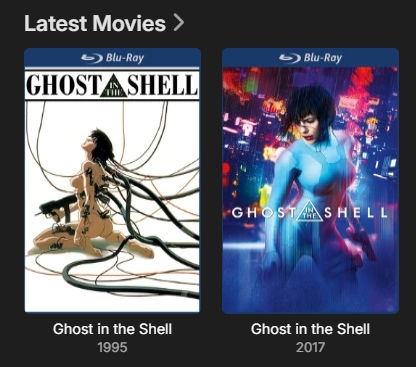
Thanks again for the suggestion. Just to confirm, this was indeed the fix and the expected outcome is now working.
 1 point
 -
I would love to remove these icons as well1 point
-
+1 to this one Same case with me. I prefer original audio but in case of Anime I like Japanese. Often when double audio is available the English is first. +1 to setting preferred audio language per library so I can set Japanese on anime lib.1 point
-
Should be very soon.1 point
-
Hi. Do all of those suggestions have the genre "Comedy"?1 point
-
I can only assume share-sellers would have a field day with that one...1 point
-
Upgrade went okay with mine. Projectivy boot loader seems to still work.1 point
-
Hi everyone I wanted to share a project I’ve been working on called Aether — a modern Emby client built specifically for people who care about direct play, quality, and control. Aether The Definitive Direct-Play Experience for Emby Platforms: Windows, Android TV License: MIT Source: https://github.com/DanielVNZ/Aether What is Aether? Aether is a community first Emby media player. It is designed to avoid server-side transcoding entirely wherever possible and always request original streams, delivering the highest possible audio and video fidelity. If your server is already set up correctly and your media is well-encoded, Aether aims to get completely out of the way and just play it — cleanly and efficiently. Key Features Premium Experience Modern UI/UX Built with React, featuring smooth transitions designed for both desktop mouse use and the “10-foot” couch experience (…mostly still work to do on d-pad navigation). Dynamic Home Screen Continue Watching and personalised recommendations synced directly with your Emby account. (optional TMDB API key, also builds recommendations from your watch history) Technical Focus Direct Play First No forced transcoding, no unnecessary quality loss. Aether explicitly requests original streams whenever possible. Stats for Nerds Real-time playback stats including bitrate, resolution, codec info, and buffering health. Rust-Powered Desktop/Android TV App Built with Tauri, giving lightweight, secure, and fast native Windows builds without the Electron bloat. Current State This is still early-stage and under active development. There will be rough edges, and some features are still evolving — but the core playback and navigation goals are already in place. Feedback Welcome I’d really appreciate: Feedback from Emby power users Bug reports Feature requests Anyone interested in contributing Repo & docs are here: https://github.com/DanielVNZ/Aether1 point
-
just a follow up on this in case it benefits others: EMBY SERVER AND HAUPPAUGE TUNERS You not only need to purchase and install wintv10 for Emby to work with a HAUPPAUGE tuner, you also need to immediately configure the default recording folder and pause buffer location. Wintv10 should catch this, but either way, without these settings Emby will not record or play and live tv. Fortunately my Hauppauge tuner is recent enough that wintv10 does not need to remain running in the background after these settings are made.1 point
-
They do have one, but unfortunately it’s accessible to subscribers only. Checking those on your list just now: Sky Sports Cricket: 405 Sky Sports Golf: 406 Sky Sports F1: 407 Sky Sports Tennis: 408 Sky Sports Action: 412 Sky Sports Arena: Does not exist, but I have Sky Sports+ on 404 TNT Sports 3: 413 TNT Sports 4: 414 Racing TV: 424 TNT Sports Ultimate: I don’t have this on the EPG I’m afraid1 point
-
IPTVBoss - https://iptvboss.pro - you can use the free version.1 point
-
I ran into the exact same issue on my setup (Intel Arc A380 / DG2, Emby 4.9.x on Unraid) and spent some time digging into the root cause. What's happening: Emby's ffdetect queries the Intel MFX runtime for HEVC encoder capabilities, and the runtime returns MaxLevel = 153 (HEVC Level 5.1). Emby then maps Level 5.1 to a max bitrate of 39 Mbps per the HEVC spec, and rejects the hardware encoder for any content above that threshold — falling back to software libx265. But it's not a hardware limitation. The Intel vpl-gpu-rt driver source code sets MaxcodecLevel = MFX_TIER_HEVC_HIGH | MFX_LEVEL_HEVC_62 (Level 6.2 High Tier) in its codec description. The Level 5.1 value returned by the runtime query seems to reflect the minimum guaranteed level for default parameters, not the hardware's actual ceiling. As @embart0r demonstrated, ffmpeg with hevc_qsv happily encodes at 80-100 Mbps on the same hardware without issue. I've confirmed this on my Arc A380. After working around the cap, I've been running multiple concurrent 4K HEVC transcodes at 50-67 Mbps, all on hardware with the CPU basically idle. Workaround: I put together a script that patches Emby.Media.Model.dll to raise the Level 5.1 bitrate cap from 40,000 kbps to 160,000 kbps (a 2-byte hex edit). It's reversible, idempotent, and designed to be re-run after Emby updates. Details and source here: https://github.com/jesposito/emby-hevc-qsv-fix I also filed this as an issue with the Emby team: https://github.com/MediaBrowser/Emby/issues/3956 Ideally Emby could address this properly... perhaps by allowing a user override for the reported max bitrate, or by querying the hardware capability more aggressively. To be clear, the script is not tested by anyone but me and anyone using it does so at their own risk. @Cobester — you mentioned seeing the same 39 Mbps cap on a 14th gen CPU. The script should work for your setup too since the root cause is the same (MFX runtime reporting Level 5.1). Would be great to get confirmation on non-DG2 hardware if you're willing to try it.1 point
-
Thanks! Also PM'd you for a TestFlight invite.1 point
-
OK, more options to control this are certainly possible. Thanks.1 point
-
Example configuration page.
 1 point
 -
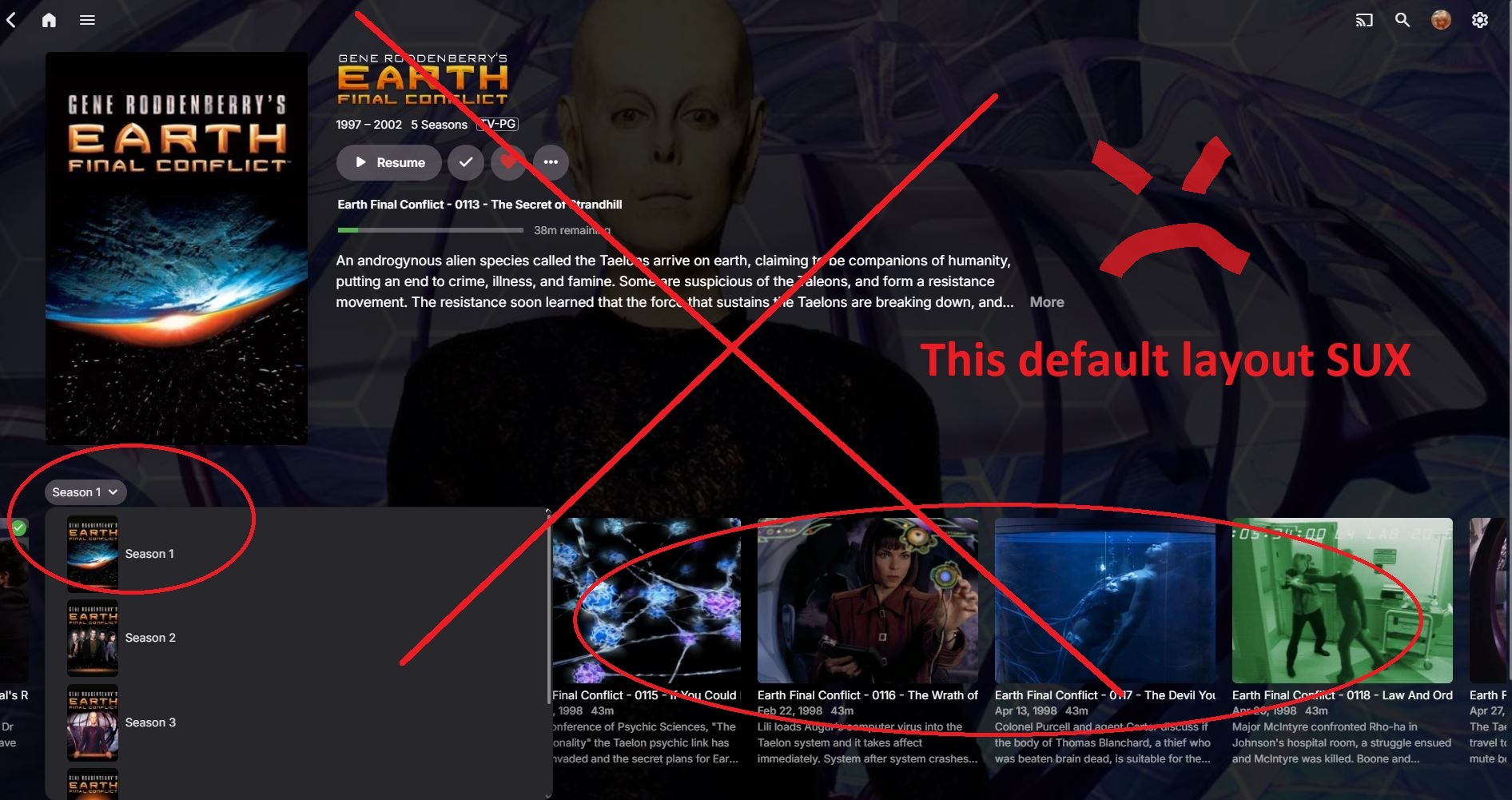
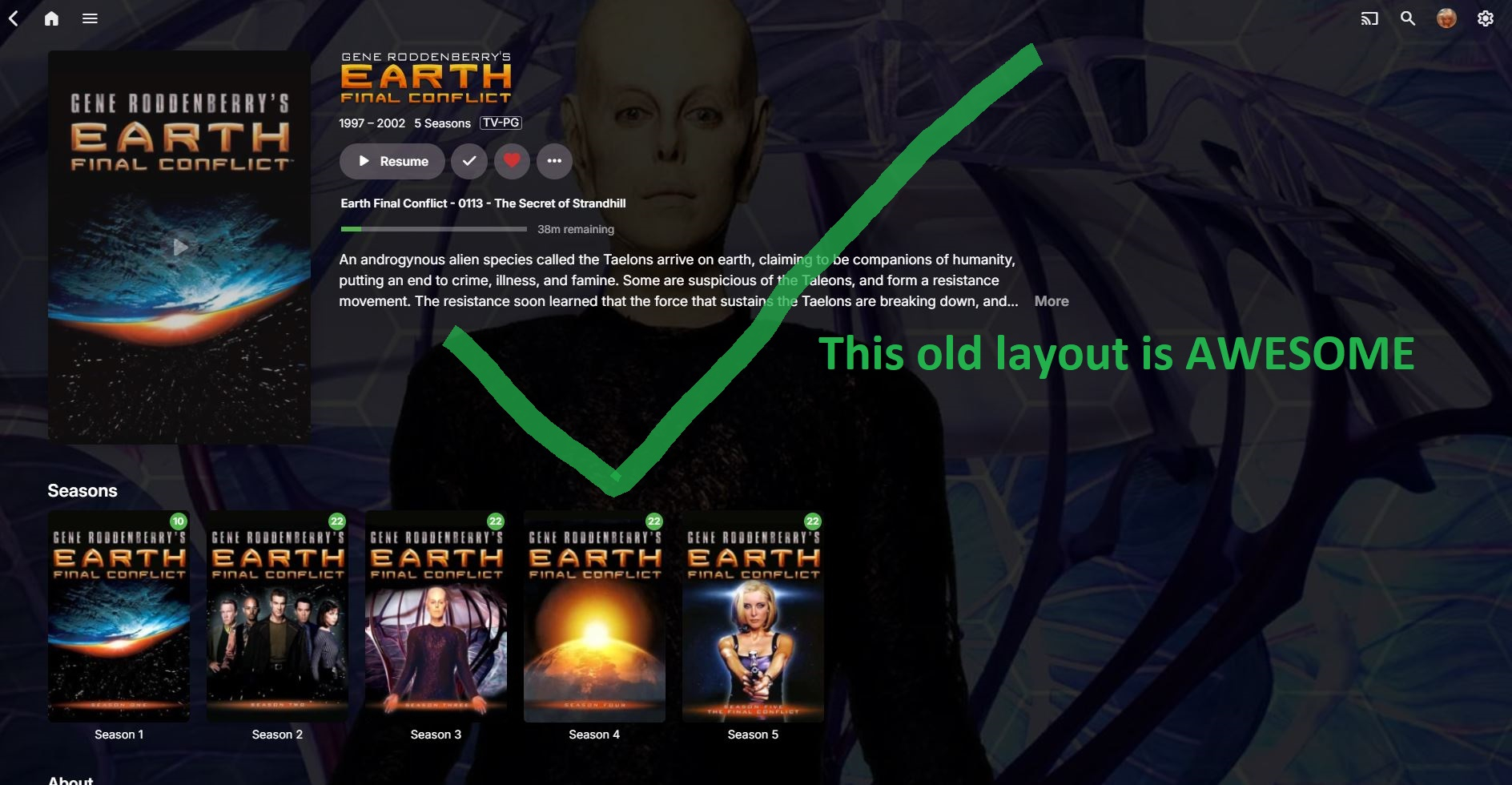
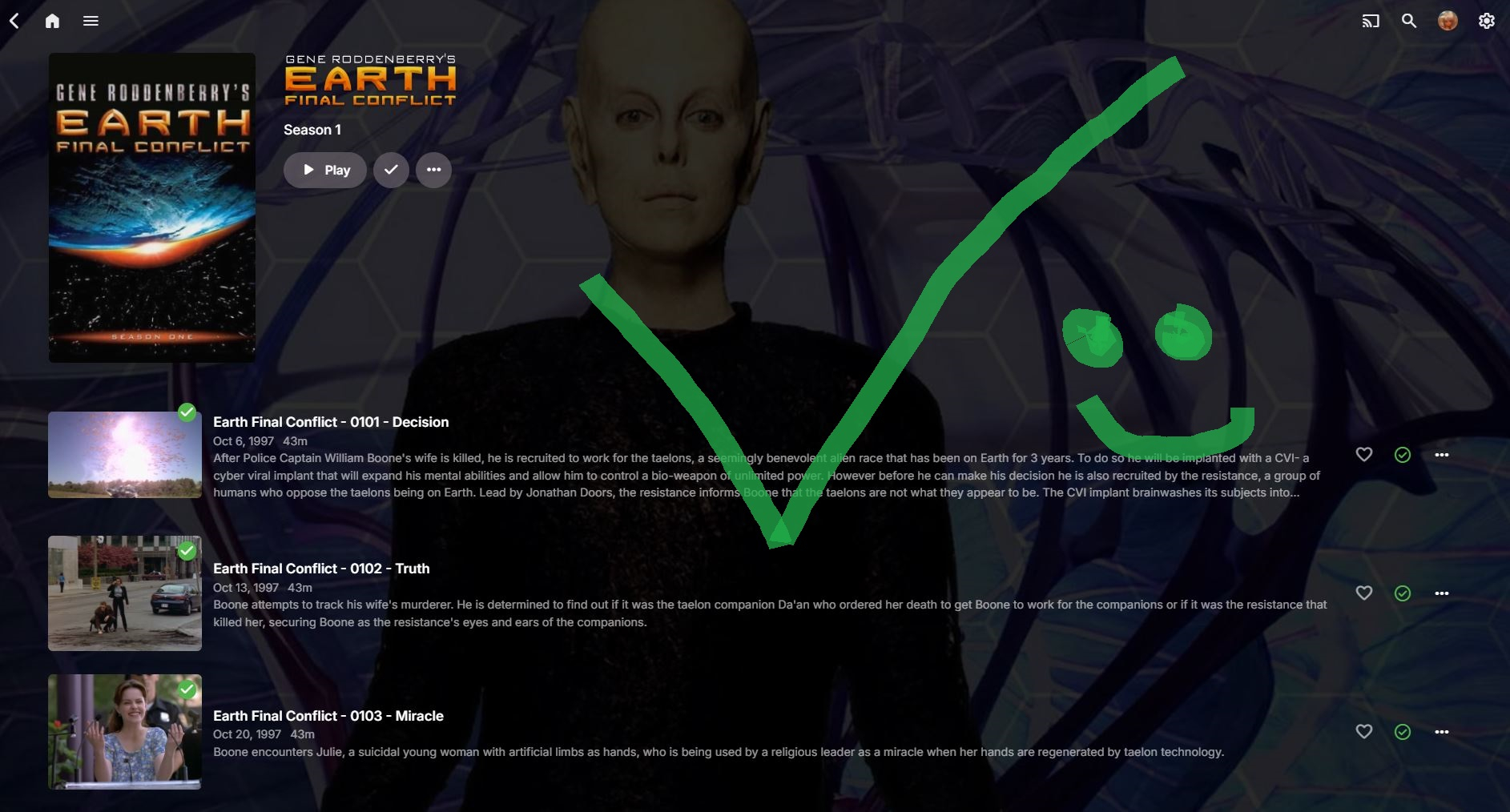
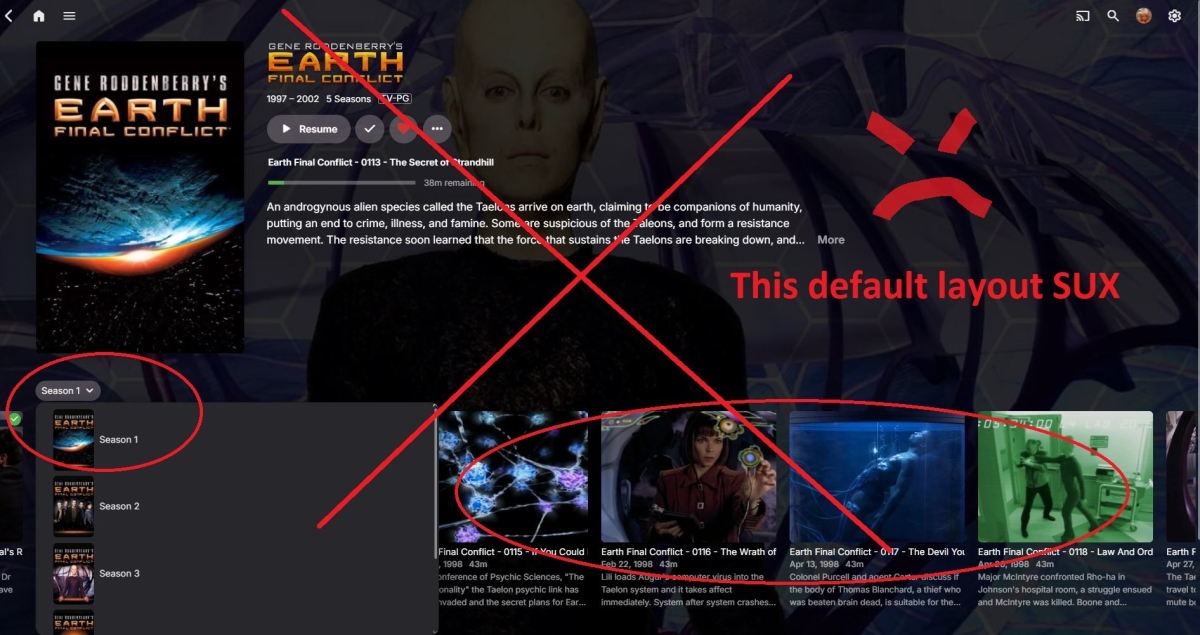
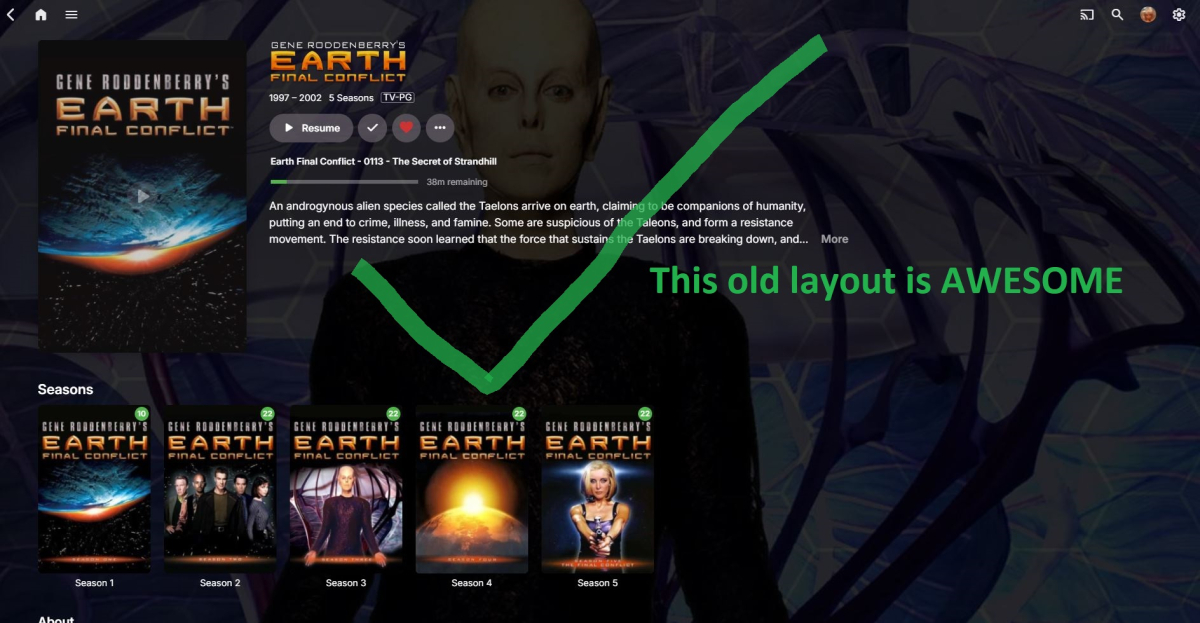
Ok, so I was able to revert back to "Folder Views" on my emby server admin account via the users display preference. But there seems to be no way to force or push legacy folder view to user accounts on the remote end. That mean's emby admins will have to go through every single user account and change the users display settings. (not good if you have a couple hundred users) Also having issues with end users not knowing how to "default Folder View" their layout, especially remote users using TV's with Fire Stick remotes (getting complaints of users not being able to navigate with the new layout on a TV remote) In short, the new layout sux, the old layout should be pushed by default.
 1 point
 -
It would be a first step that clients could incorporate CSS changes made on the server side like Jellyfin does, before rolling out a whole theming engine imo.1 point
-
OK yes you're right, sorry. We probe them for media info, but we don't currently utilize the other metadata. So that's something that we can look at improving.1 point
-
I do have Decades Collections, but they don't auto update, so...0 points
-
Ultro, Sure, your choice. I understand you would like Emby to work best with your setup and getting that done is a valid request. Does anyone get graphic subs to playback directly? I don't use those. If the graphic subs force an Emby transcoding, then it's your server that has to do it. Your comment says it's not beefy enough for 4K. So, hopefully, direct playback is possible. I was under the impression that graphic subs usually force a transcode. It takes about 30 seconds to 2 minutes to get the subs and make a new version media, without subs, for each 4K 2 hour video. It's not a transcoding level event. Of interest, is that all commerical streaming sites have already done this for all their content. They all do that automatically using some custom script.0 points