Leaderboard




Popular Content
Showing content with the highest reputation on 02/11/26 in all areas
-
I started my Plex server with almost no storage, so I heavily compressed everything just to make it fit. As my setup grew, the quality of my encodes improved, but the library I ended up with was a mix of old low‑bitrate files and newer high‑quality ones. I wanted a way to quickly spot which items still needed a proper upgrade. That turned into Totality, a desktop app I originally built for myself (with help from Claude). It now supports Plex, Jellyfin, Emby, Kodi, and local folders. Totality uses the metadata your servers have already collected. Then uses FFprobe, TMDB, and MusicBrainz to fill in the blanks. Multi‑server support Connects to Plex, Jellyfin, Emby, Kodi, and local folders, using existing server metadata whenever possible. Video quality analysis Resolution, HDR format, bitrate, codec efficiency, audio format, and quality scoring. Music quality analysis Four‑tier system from low‑bitrate lossy to hi‑res lossless. Collection completeness Movies: TMDB collection grouping, owned vs missing TV: Missing episodes, season breakdowns Music: MusicBrainz discographies, missing albums/tracks Local folder scanning FFprobe analysis, filename parsing, embedded metadata, and TMDB lookups only when needed. Wishlist Track movies, shows, and albums you want to add. Live monitoring & task queue Detects library changes and manages long‑running scans. Customizable UI Grid/list views, quality badges, themes, and real‑time search. If you’ve built your library over years of changing hardware, storage, and encoding habits, Totality might help you make sense of it again. Repo: https://github.com/bbidwell85/totality Please stress test, break, criticize, and critique. Happy to answer questions or hear what features would help others.2 points
-
Something weird happens now. first I did a USB flash and plugged it to a TV but nothing happens. I remembered that I have previous version installed from that topic (I call it White for the GH version and Black for the TV Store version), but it has been broken for sometime - as far as I understand version from the GH has some time restrictions. so I switched to the Samsung Smart Hub but accidentally launched Black instead of deleting it - and it runs fine, the version was 2.2.5. I deleted White version and replugged the USB flash - at this time new unattended installation launched and installed new White version (2.3.2). at this moment I have White and Black versions both are 2.3.2 and both works fine. I attached the log if it can assist you ti understand something more. embyserver.txt2 points
-
Hi yes correct. some number or counter of active things just a simple line like "Active Streams/Sessions 6 (4x Direct / 2x Transcode) something like this so i dont have to scroll and count how many user right now watching2 points
-
Nice hack. I just wish the devs would at least acknowledge the question. I don't think it's too much to ask for paying customers. There's got to be some reason DV files all play fine on Infuse on Apple TV but not Emby on Apple TV.2 points
-
Hi all I’m sharing my “REAL NVMe for Emby on Synology (DSM 7.x) using bind mounts” guide as a single HTML file (copy/paste friendly + clean UI). Context: - Synology NVMe used as SSD cache is NOT the same as a “real NVMe volume” for Emby ProgramData. - This method mounts the NVMe manually and then uses bind mounts so DSM/Emby “see” ProgramData in the usual path, while the data actually lives on NVMe. What this does (final layout): 1) NVMe physical mount: /dev/nvme0n1p1 -> /volumeNVME 2) Optional convenience access from DSM / File Station: /volumeNVME --bind--> /volume3/NVME 3) The important part (Emby ProgramData on NVMe): /volumeNVME/EmbyServer --bind--> /volume3/@appdata/EmbyServer Why it’s useful: - Metadata / database / transcoding-temp write I/O moves to NVMe (less HDD activity, less noise, faster UI and library operations). - Works with the native Emby Synology package paths (keeps /volume3/@appdata/EmbyServer as the “official” location). How to verify it’s REALLY using NVMe: - Don’t trust only `df -h` (DSM may not clearly show bind mounts). - Use `mount` plus a real write test: `echo NVME_TEST_OK > /volume3/@appdata/EmbyServer/test_nvme.txt` Then confirm it appears in: `/volumeNVME/EmbyServer/test_nvme.txt` Persistence: - After reboot, mounts usually need to be re-applied (I include a post-reboot command block). - An optional rc.d script is included, but DSM updates/reboots may break it. Manual re-mounting is safer. IMPORTANT / Disclaimer: - This is NOT officially supported by Synology. - It may break after DSM updates, reboots, or Emby package restarts. - Backup ProgramData first (step 0 in the guide). - A rollback procedure is included (unmount + restore ProgramData.HDD). I’m posting the HTML file itself. It contains all commands step by step, warnings, verification checks, and rollback instructions. Feel free to adapt it to your own volume names or device nodes. Hope it helps anyone who wants real NVMe I/O for Emby on Synology. Unofficial / not supported by Synology. guia.html1 point
-
I would suggest that the "allow media playback" could be expanded into two settings, "allow local media playback" and "allow remote media playback" I'll raise it in the feature requests to see if there is any interest. In the meantime as no transcoding is allowed if the remote user tries to playback direct they will soon realize their mistake as it really won't work over my slow upload broadband.1 point
-
For me it is working again too. Thanks a lot1 point
-
I finally got around to finishing this. Worked perfectly.1 point
-
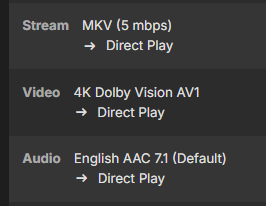
This appears to be fixed in the latest release, v3.5.29. that just hit github. Tried a few AV1 encodes files on my Fire Television. Good to go. Thank you for the very quick turn around on this. Most appreciated. https://github.com/MediaBrowser/Emby.Releases/raw/master/android/emby-android-google-armeabi-v7a-release.apk
 1 point
 -
The same thing happened to me: I wanted to define my local LAN as well as the VLAN I use when connecting via VPN and didn't take into account that Emby sees a different home LAN address as it is running in a container. Could easy fix this by editing the system.xml as mentioned above, but it'd be nice if a warning appeared when somebody changes this setting and doesn't add the servers correct home IP/subnet.1 point
-
HI, we are looking into that. Thanks.1 point
-
Hi, The previous short log I uploaded is post-update (from today’s server reboot). I had reproduced the black screen issue before retrieving and uploading it, so it should (but i doubt since it s really short) contain relevant traces, though it’s quite short. This new log is from before the update. It’s much larger and covers a longer period, so it may contain more traces of the black screen issue. Hope this helps, and let me know if you need me to capture a live log while reproducing the problem. PS : Please ignore any access permission errors related to the media library files — those were from tests, and all file permissions are correctly set. embyserver-63906350847.txt.anonymized1 point
-
I turned off "remember track selections" and then chose "clear saved track selections". That seemed to have resolved this. Though I'm not sure why doing that was required. Thanks for the replies!1 point
-
Hello Luke, I figured it out...when i was doing some batch video converting i used .mov versus .mp4. .mov is rotated 90degrees but .mp4 is not....so issue resolved. Apologize for the1 point
-
Update: I finally got it to work! I simply added a backslash at the end of the URL after /emby, after reinstalling the add-on several times, performing a factory reset with the add-on, and restarting my player several times. I don't really know why it worked all of a sudden, but after clicking Connect, it asked me for my username and password. That's such a relief. But now I'm facing the next challenge of finding a skin that looks similar to the Emby app on my TV..1 point
-
At the end of the day, it should be the same as in this thread. Other Auth solution but same purpose. Just in case you don't want to open the whole /emby path.1 point
-
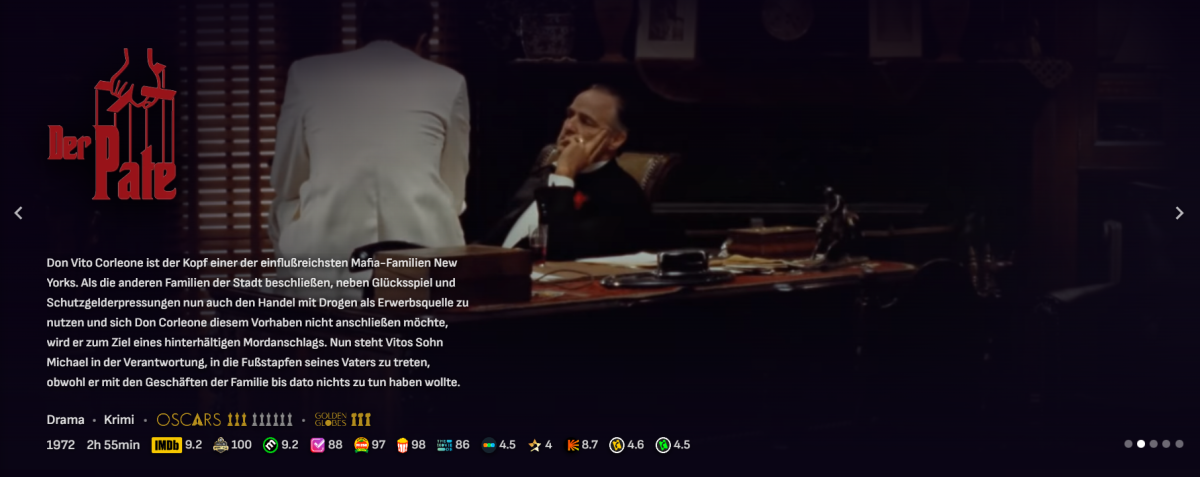
New version. Added Golden Globes Wins/Nominations via Wikidata SPARQL API + show trophys instead of text. The results are just as good as the data in wikidata, anyone can contribute.
 1 point
 -
Yes, that was a little annoying. You had to play an individual video to stop the process. Wasn't perfect but it worked. But if Mahinepua doesn't use that option, a thousand apologies from silly me. Anyway, I would really like to be able to play whole folder on shuffle, since I have music video mix libraries, on external player with equalizers and other small life's luxuries. Also my media is not on my local drive but multiple servers so it's not possible to use powerdvd, or whatever local users can use. Implement it, don't implement it, I'm out of here because bumpers are here to argue. Thank you.1 point
-
None of my machines are windows As long as you don't take away the 'hidden' functionality to enable unwatched sync only for the admin user (via the browser developer tools as above) I can work around it...1 point
-
No worries, it works great!1 point
-
1 point
-
@Luke: thanks.1 point
-
Hi, yes this is something that we plan to look at. Thanks.1 point
-
Hello there ! I am a Plex user who discovers this wonderful app! - The number of current streams and computer resources are not displayed in the dashboard, do you think that could be added? For example, if we have 10 current streams, we could display: Now Playing (10) - For CPU and RAM resources, you don't necessarily need a graph but at least display the percentage used by the application? - The messages that we can send to users do not last long enough, it would be nice to be able to customize the duration or to increase it a little. Thank you and thank you again for your work !1 point
-
Would love to see this become a plugin eventually. One of the last things I'm missing from my time with Plex, really, and it makes a huge difference in mixes and stuff. Symfonium hooks into it for Jellyfin and Plex, so I'm sure if we ever got the functionality in Emby it could be added.1 point
-
It turns out I only deleted the files, not the directories so I could search for ones with no flac files. Thanks for all the help1 point
-
falls jemand auch Probleme hat in den Dockereinstellungen von Emby in Unraid muss folgendes eingetragen werden sonst wird die iGpu nicht durchgereicht
 1 point
 -
For now at least we have some ability to update older models although the review process is separate and takes much longer.1 point
-
That's right. Thanks again @sa2000! Now, if you can get the devs to fix the TV channel config page in the next update ...1 point
-
Hi, thanks for sharing.1 point
-
Haha, true I’m an IT specialist, so I tend to give very detailed technical explanations—maybe a bit too verbose sometimes, but I like to make sure all the information is there for debugging!1 point
-
@visproductiondon't fight the AI1 point
-
Emby team is so slow to implement basic stuff. Paid users are not getting the best of it sadly... Please, spend a couple days on this feature maybe?1 point
-
When you have done that setup something like Radarr and Sonarr. If you accidentally happen to do this again. You can then use those tools to see what's missing.1 point
-
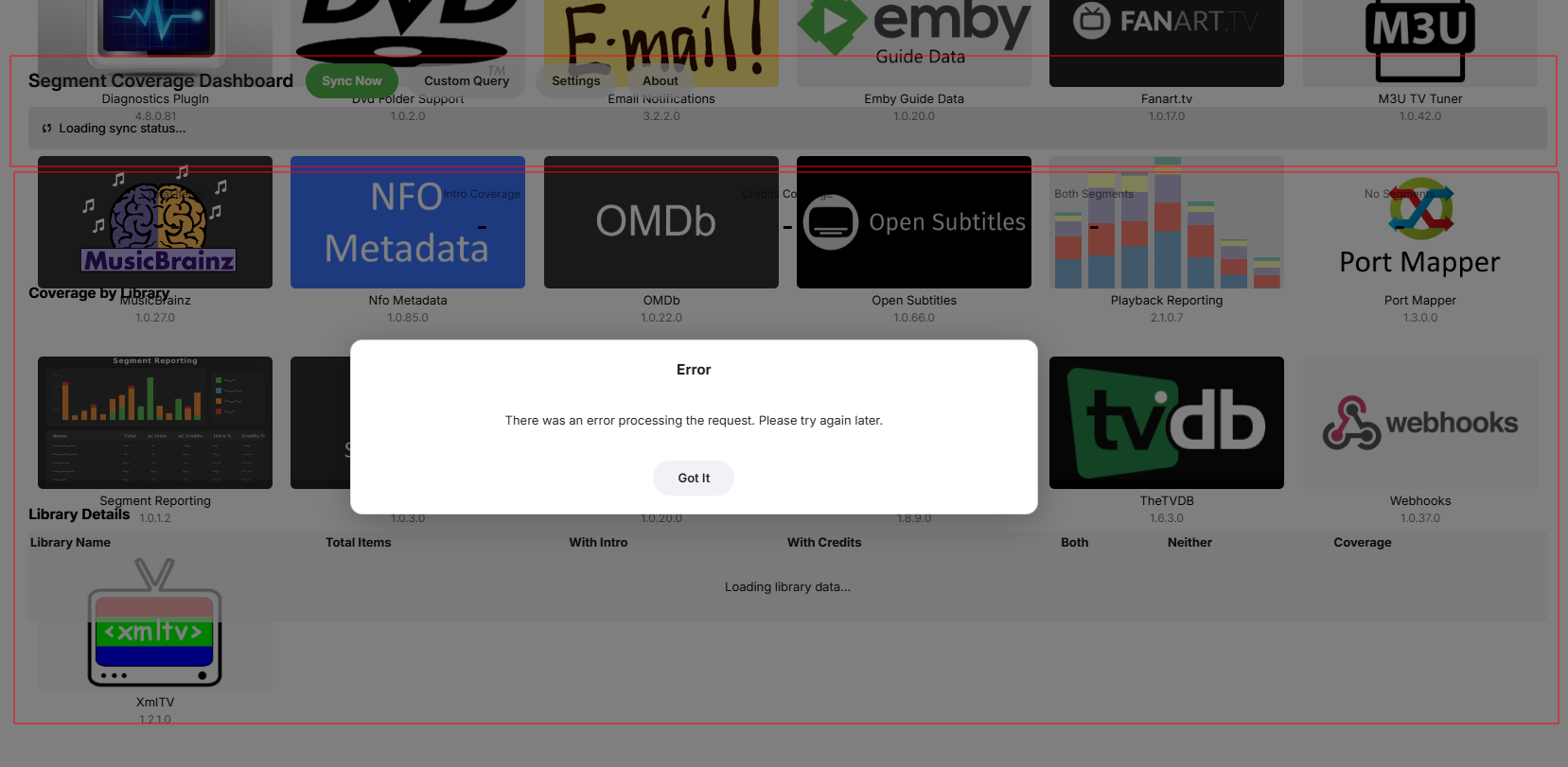
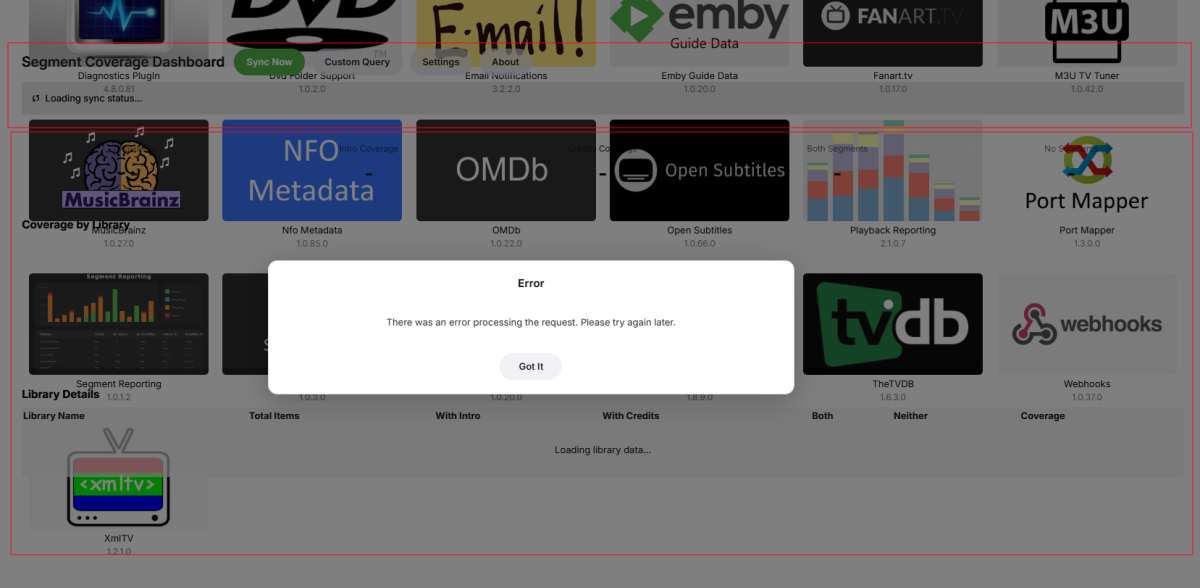
Just trying this beast I did run the scheduled task to sync. When clicking the plugin I get this error. And it looks like its running behind the plugin page. Using Edge, also tried in Firefox. Logs rotated with Debugging. embyserver (4).txt Guess there is something missing. *** Error Report *** Version: 4.9.3.0 Command line: /system/EmbyServer.dll -programdata /config -ffdetect /bin/ffdetect -ffmpeg /bin/ffmpeg -ffprobe /bin/ffprobe -restartexitcode 3 Operating system: Linux version 6.12.54-Unraid (root@Develop) (gcc (GCC) 15.2.0, GNU ld version 2.45-slack151) #1 SMP PREEMPT_DYNAMIC Tue Oct 21 15:58:46 PDT 2025 OS/Process: x64/x64 Framework: .NET 8.0.22 Runtime: system/System.Private.CoreLib.dll Processor count: 6 Data path: /config Application path: /system System.IO.FileNotFoundException: System.IO.FileNotFoundException: File not found: segment_dashboard.v1_0_1_2.v1_0_1_2.js File name: 'segment_dashboard.v1_0_1_2.v1_0_1_2.js' at Emby.Web.Api.WebAppService.Get(GetDashboardConfigurationPage request) at Emby.Server.Implementations.Services.ServiceHandler.ProcessRequestAsync(HttpListenerHost httpHost, IServerApplicationHost appHost, IRequest httpReq, IResponse httpRes, IStreamHelper streamHelper, RestPath restPath, String responseContentType, CancellationToken cancellationToken) at Emby.Server.Implementations.HttpServer.HttpListenerHost.RequestHandler(IRequest httpReq, RestPath restPath, String urlString, String localPath, String contentTypeInPath, CancellationToken cancellationToken) Source: Emby.Web TargetSite: System.Threading.Tasks.Task`1[System.Object] Get(Emby.Web.Api.GetDashboardConfigurationPage)
 1 point
 -
1 point
-
I actually didnt know that was even there, it works perfectly, thanks!. (I would still love to see this as a per user option from the server end, because its a touched buried, but great to have).1 point
-
It would be nice to be able to see the alternate name of a movie or A.K.A. somewhere in the movie description or near title. Also would be nice for it to show when you search for it as well.1 point
-
The HarmonyOS NEXT system is smoother than the Android system and will definitely become the third largest system on the mobile terminal. In order to obtain a better experience, we hope to make adaptations1 point
-
HI, I would follow the same convention as iOS, since the two apps share a lot of resources. We just haven't added support for this yet in Apple TV, but we can.1 point
-
Hi, yes this as well as original title are both possible for the future. Thanks.1 point






.thumb.jpg.e4b3f560d4d2fdb208641063c1ac46f0.jpg)