Leaderboard




Popular Content
Showing content with the highest reputation on 02/09/26 in all areas
-
Presumably.... Stick with version 4.9.1.90 if you want HW tonemapping. The 4.9.3 release didn't add anything significant.2 points
-
Just wanted to add my support for this feature request as well! My main use case would also be for watching movies in chronological order, like LoTR, the MCU, or Star Wars, as already mentioned. I think the fundamental logic would be if playback starts from within a playlist, it should track progress within that playlist. However, if a movie is played individually (outside the playlist), it of course shouldn't affect the progress of every playlist containing that movie. I can definitely appreciate how this may introduce a bunch of complexity regarding how to track progress of individual movies, versus when they are watched from within a playlist. Perhaps we could take inspiration from music players, where progress is often tracked relative to the context. If you play a song from a playlist, it tracks there. If you search for the song and play it directly, it starts fresh. Of course the difference here being that for movies you want to be able to go back to where you were in your playlist. Which makes drawing complete inspiration from music players less than ideal A good compromise for movies could be: Playback Position: Tracked only within the specific playlist context. Watched Status: If you finish it in a playlist, it marks the movie as watched everywhere, but not the other way around. I don't know. Perhaps the simplest approach would be to just have a clear distinction between the contexts, with no overlap whatsoever The whole "Continue Watching" part is more of a nice-to-have and isn't as important for me If we were to have it, though, I imagine that it would have to be styled slightly different to emphasize the fact that it is related to a playlist. Or at least have some text signifying the difference. Like there is between shows and movies. And perhaps the ability to mark a playlist as "Watched" as well, so we can clear the queue. Kind of like treating the playlist as an entity in itself. I imagine like we do for seasons of a show, where each episode would "simply" be a movie instead. Again, I can definitely appreciate that this isn't as simple as it might appear at first glance2 points
-
Hey Guys, I've spent a lot of time in the forums in the past discussing features. I'm a software designer by trade, but not a programmer. I've gotten pretty good with coding via AI aided tools over the last couple months and I'm ready to take a stab at building something the community here has been asking for a very long time. I have my basic setup laid out, but before I lock in my feature list, I wanted to get some feedback from the community before I lock things down for my target v1.0 Release. I do want to point that I am planning to make a basic version of this plugin and a paid version; so I would also like feedback on what things "you'd be willing to pay for. My "obvious target" is that the freeware version will only do the very basics and perhaps cap groups to three-ish; but I am looking for feedback on "what's fair" based upon what I am planning to add into this plugin (suggestions and credits I'll add in will be added to this document). Here's what I have so far: What is absolutely going to be in v1.0 First assume the following will be in v1.0 Every option Emby has for Individual Users Every option in User Preferences Every option in Device Options Features I am targeting for v1.0 and beyond: Local and remote configuration storage. This is so that owners/administrators can ensure the plugin's local configuration can't be tampered with. Owners/Administrators can also edit the remote JSON file to add/remove permissions on the fly. An addition UI for this may be implemented in the future; but unsure how I'd want to implement. JSON can be hosted just about anywhere as long as the server can see it. Just need a full URL for plugin to see it. Assigned Groups will provide permissions based on the highest permissive group. Backup Configuration (of course, making sure its on the checklist) Auto-assign new users to a user groups. Auto-save options (unlike current Emby system that requires you to hit save) Combine related controls into one unified interface. Main target is User Configuration and my own plugins in the future. Set firm "Community Devices" (IE Living Room TV vs Bed Room TV) Breakdown of data used by groups/users. Limits on how much data groups can use. Notifications options for: User Groups has been broke. User Groups has been attempted to be accessed without permission. Digests of users from user groups (IE how much TV is my kid watching) Set time constraints for groups. Will provide up to two warnings before final countdown; customizable. Will have parental override. By system Pin (eventually by device pin) By other users who have logged into/have access to the device. Set quality limits per user group. Set amount of time per cycle (days, weeks, months) a user can use your server. Set rewards required to stream media: IE Must watch X Educational videos on server before you can watch Entertainment Libraries. This is targeted for people using their server with kids in the house. Set Timed Libraries (Libraries/Genres can be available for certain time periods). "Horror" genre might not be available to some users after 9PM. Christmas Libraries/genre may only be available for the month of December. Require Subs for certain usergroups. For parents or ESL peoples trying to learn a new language. What I'm planning for the backlog for future releases: Sentinel Mode Usecase: Intended for parents using Emby as their main or pseudo main source for video entertainment in the household who may have overly tech savvy kids who might be tech savvy enough to think they could just delete the plugin folder and get access to other things. Will have added protection in case someone tries to alter/change the plugin by editing the files directly. Will have several forms of protected modes: Put Emby into maintenance mode until the owner/administrator logs in to review/fix/repair the problems. Attempts to repair the plugin by redownloading it and restoring the last known good configuration of. If fails, has option to: Make no changes to the system. Go into maintenance mode until the owner/administrator logs in to try to fix/repair the plugin. Attempt to redownload the plugin and restore last known good configuration. Stop the Emby process then delete Emby binaries and major resource folders (not metadata). Requires that you have backups enabled. May build a recovery system to go with this. Emergency Fallback Access for Owner/Administrator (relatively easy, but prefer not to "publish" the method for security reasons; so people, search engines or even AIs can't search the forum for the "quick fix") Hardware Group Manager (may be separate plugin with support built in for this one) Usecase: Intended to better help administrators manage what devices are who's and who has access to them. I've forked a version of Headscale so that Servers an easier time connecting to clients. This system would bypass Emby's MAC Address hiding and allow users to manage systems by MAC, HWID and GUID without needing access to the router. I'm purpose building this for simplicity with the expectation that Owner/Administrator of the server won't know much about their router. Assign Server to a Headscale Server Assign Devices to users/groups. Have a supervisor bypass code assigned per device. Assign Administrators/Users to devices. Assign a Device to a fixed IP. If Device doesn't connect through assigned IP, it won't have sever access. Can assign into pools (eg 192.168.1.*) I'm targeting to have this ready by the end of March 2026 (latest), perhaps much earlier if no one purposes a killer feature that has to be in v1.0. If something super amazing is suggested that needs to be in v1.0, I might need to adjust the time; but I already have the scaffolding done. If anyone wants to help me, please feel free to toss me a little bit of cash to help; I'll provide a perpetual and premium key to anyone who helps at this stage: https://www.paypal.com/ncp/payment/RYR8KA6NHMUSN1 point
-
4.9.1.90 (non beta) works. https://github.com/MediaBrowser/Emby.Releases/releases/tag/4.9.1.901 point
-
Other vote for app on VIDAA HiSense. I pay for premium subscription and keep this platform exluded is not tollerable in 2026.1 point
-
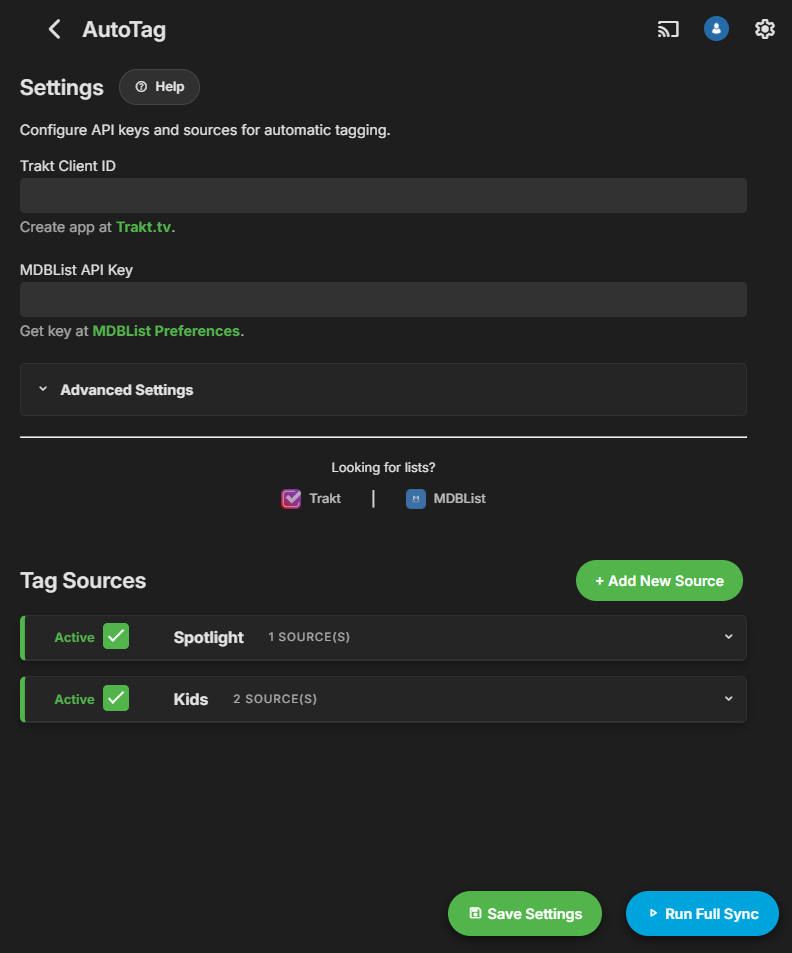
New release v1.3.2.0 Fail-Safe Protection: Implemented a new safety check. If the plugin fetches 0 items (due to internet downtime or API outages), the sync process now aborts immediately. This prevents your existing tags from being wiped when source lists are unreachable. IMDb Exclusive Matching: The matching logic now relies strictly on unique IMDb IDs (e.g., tt1234567). Why? This eliminates "ID collisions" where provider IDs (Trakt/MDBList) were mistaken for TMDB IDs, causing incorrect tagging. Note: While items missing an IMDb ID will be skipped, this ensures 100% tagging accuracy for your library. Improved UX: Newly added tag sources now appear at the top of the list for immediate access, eliminating the need to scroll down. Quick Start Guide: Added a built-in helper guide in the settings menu to help new users configure API keys and rules easily. https://github.com/soderlund91/AutoTag/releases/tag/v1.3.2.0 Latest UI screenshots: New entry/tag:
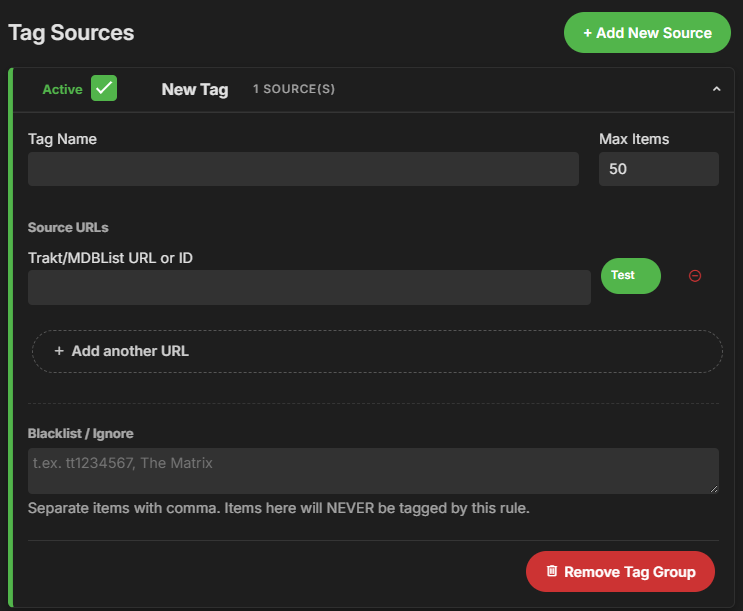 1 point
 -
Thanks all, just looking at migrating from Plex so doing a bit of a comparison currently. Biggest stumbling block seems to be music playlist functionality (I use music a lot).1 point
-
Yes Emby need's to improve. Its ether to dark "CPU" or to Color off "VAAPI" there are other options under VAAPI - OpenCL. If that works for you, try Mobius, still off but better. But the best solution would be to have a copy that does not need Tonemapping.1 point
-
Thanks, I think that helps. Colors maybe a bit weird just testing...1 point
-
This is a known issue in the current stable release: 4.9.3.01 point
-
Yes you are correct - it needs to actually refresh the 'root Parent' of the episode, which is the Show itself - the Plugin does not do this, it just Refreshes the episodes themselves. @TeamBMay be able to enhance it to give this option - but without suitable logic, it will refresh it on every episode which you probably don't want to do...1 point
-
I guess its the same as this issue.1 point
-
Might be edge that changed it to that, it has a weird habit of changing the URLs you copy to the header instead. Thanks for reporting.1 point
-
Hi, we are working on improving it. Thanks for the feedback.1 point
-
Hi, the playback correction feature will also do it without having to mess with the quality setting.1 point
-
Hi You write for the mdblist this description: Required for Popcorn-O-Meter (Rotten Tomatoes Audience Score) ratings. Get your free API key from mdblist.com/api Unfortunately this leads into an error page... But you can find in the doc of mdblist this: API key can be generated for free in mdblist.com preferences. Here - very at the bottom, you can find the point to generate your API key I don't know if it's different for you but at least for me it looks like that1 point
-
how many years does it take to add a simple line with The number of current streams ?1 point
-
Please add force transcode as an option, ideally both server side per account, and client side options. Playback and transcoding work well most of the time, but Ive run into quite a few edge cases over the years that this would have solved. Worked for me as well, thanks.1 point
-
@sh0rtyyour reaction reminds me that I owe you an apology. The popcorn o meter rating was an idea from your script. Didn't know mdblist had a free API for that. So better late than ever, many thanks! For those curious, he has made a brilliant spotlight widget that can be found at:1 point
-
I never even though about this. Importing my karaoke collection into Emby. I'll 1+ this as well.1 point
-
Thanks a bunch. I looked everywhere except for that exact spot while inside of the folder.1 point
-
Yes, you're right, it will play then. Nevertheless, I find it rather cumbersome. Having series-season-episode-play control, all with the directional pad, would be much more intuitive.1 point
-
I've been playing around with the plugin and wanted to add a few individual streams from here:https://github.com/iptv-org/iptv But I can only get a maximum quality of 480p. This cannot be changed to a higher setting. However, the sample streams all have a minimum quality of 720p/1080p. Do I need to configure something else? But it seems to only happen with streams that offer different qualities. Am I right? Here are 2 examples: More qualities: https://lotus.stingray.com/manifest/cmusic-cme004-montreal/samsungtvplus/master.m3u8 Output from mpv: Video --vid=1 (h264 640x360 29.970fps) (1021 kbps) Video --vid=2 (h264 842x474 29.970fps) (1751 kbps) Video --vid=3 (h264 1280x720 29.970fps) (3291 kbps) (+) Video --vid=4 (h264 1920x1080 29.970fps) (5711 kbps) Video --vid=5 (h264 256x144 29.970fps) (211 kbps) Audio --aid=1 --alang=eng (aac 2ch 48000Hz) (1021 kbps) Audio --aid=2 --alang=eng (aac 2ch 48000Hz) (1751 kbps) Audio --aid=3 --alang=eng (aac 2ch 48000Hz) (3291 kbps) (+) Audio --aid=4 --alang=eng (aac 2ch 48000Hz) (5711 kbps) Audio --aid=5 --alang=eng (aac 2ch 48000Hz) (211 kbps) One quality:https://online.tvimpact.live/hls/dancetv.m3u8 Output from mpv: (+) Video --vid=1 (h264 1920x1080 25.000fps) (+) Audio --aid=1 (aac 2ch 48000Hz)1 point
-
Thank you ! Do you know how this plugin works exactly ? I've just tried it with a 180 days lookback which gives me a table of episodes which will be included in the next refresh task. But this will only refresh the episode metadata, right ? My issue concerns a show's metadata, specifically its end date, so I don't think that this plugin will ever update a show's end status when it's ended, am I correct ?1 point
-
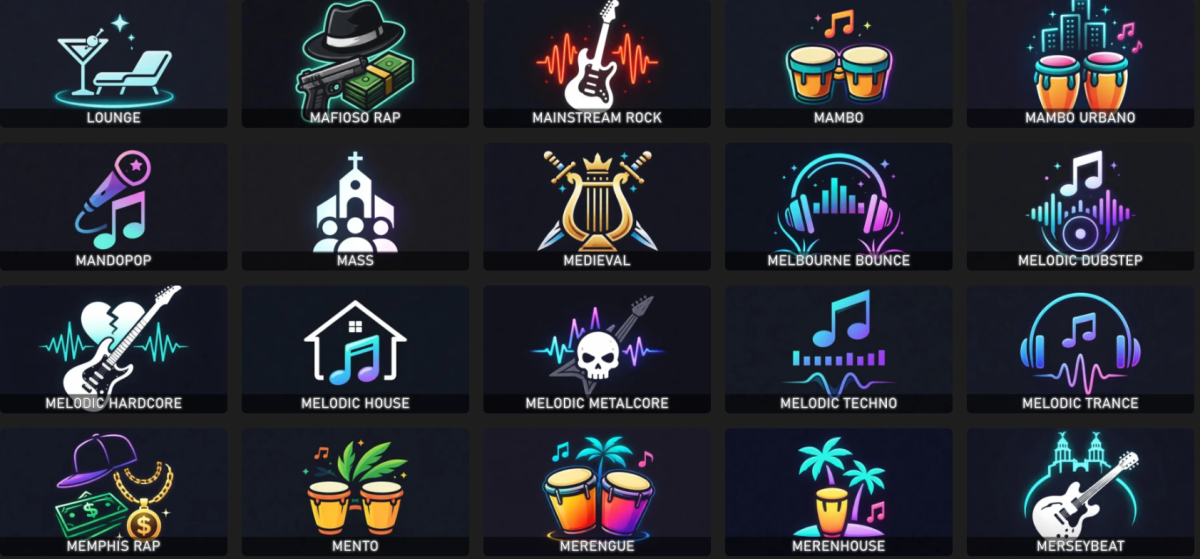
When reorganizing my music library, I decided to recreate all the music genre images using some AI scripts. I'm sharing the package with you in case you find it useful. For each genre, there's a square folder version and a thumb version with the genre text imprinted on it. Alternatively, there's also the original version without the text. Samples: musicgenres.rar
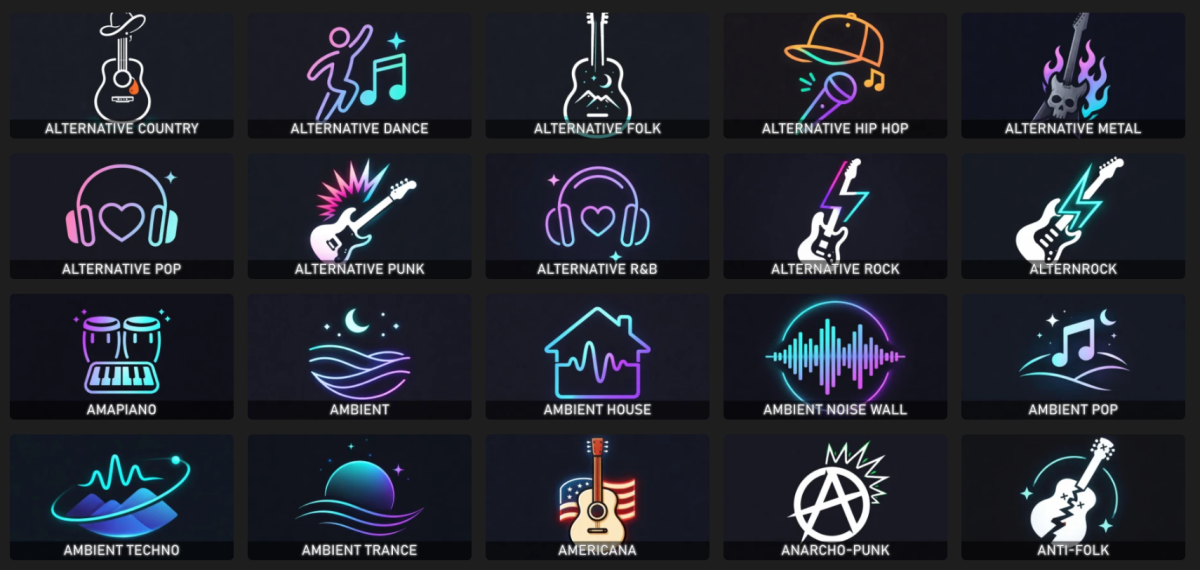
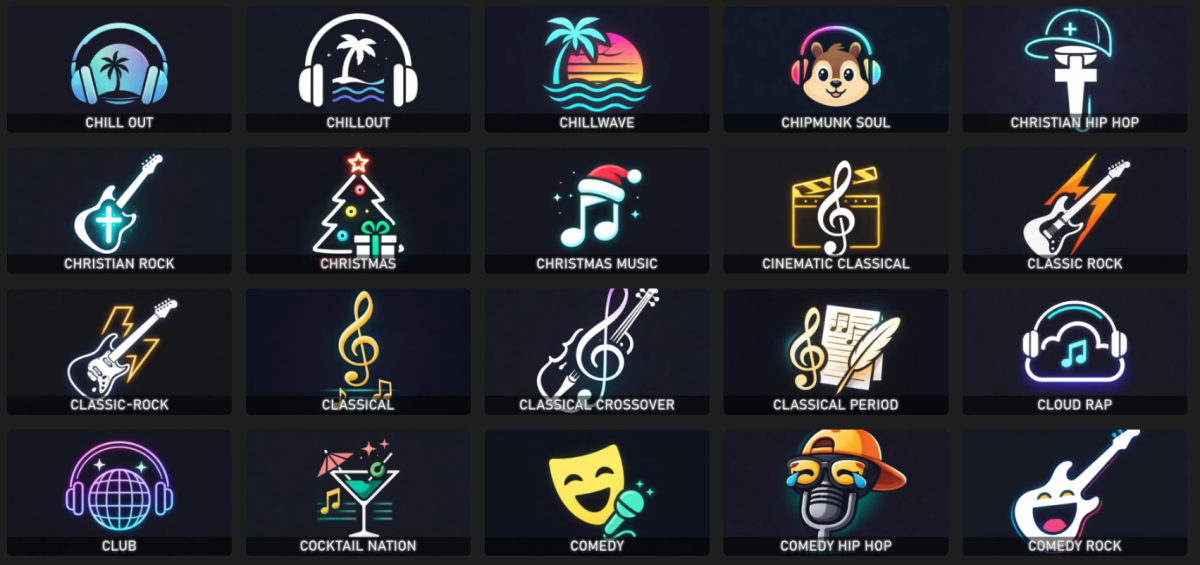
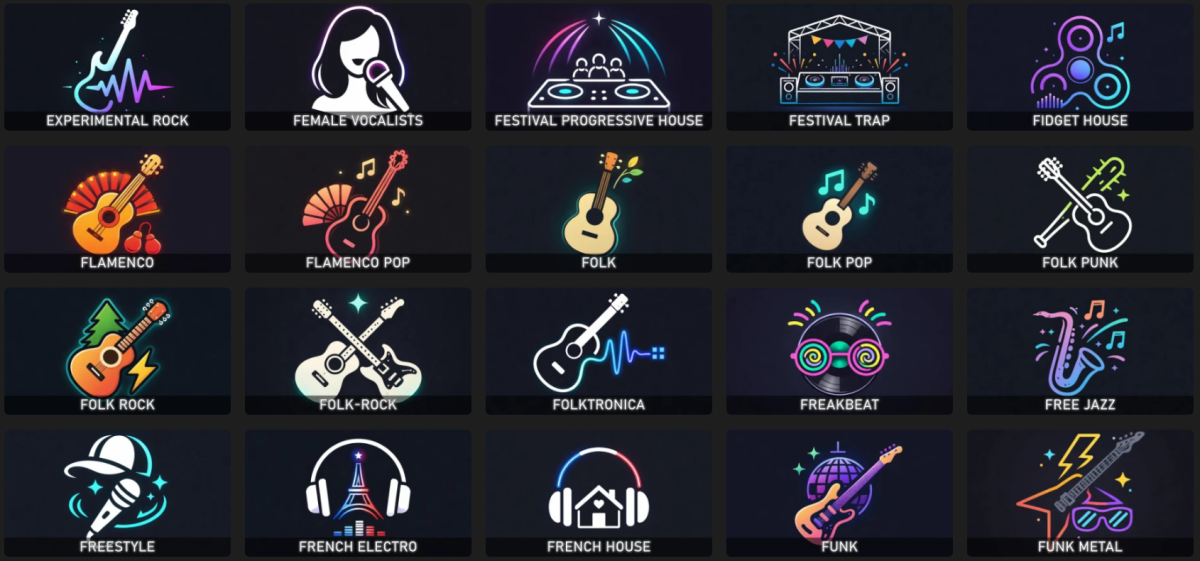
 1 point
 -
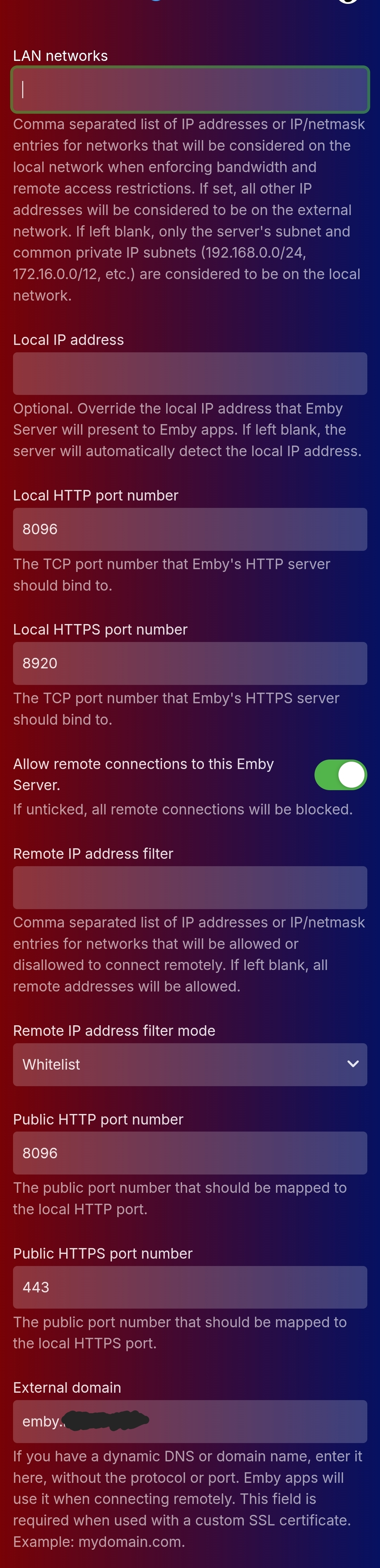
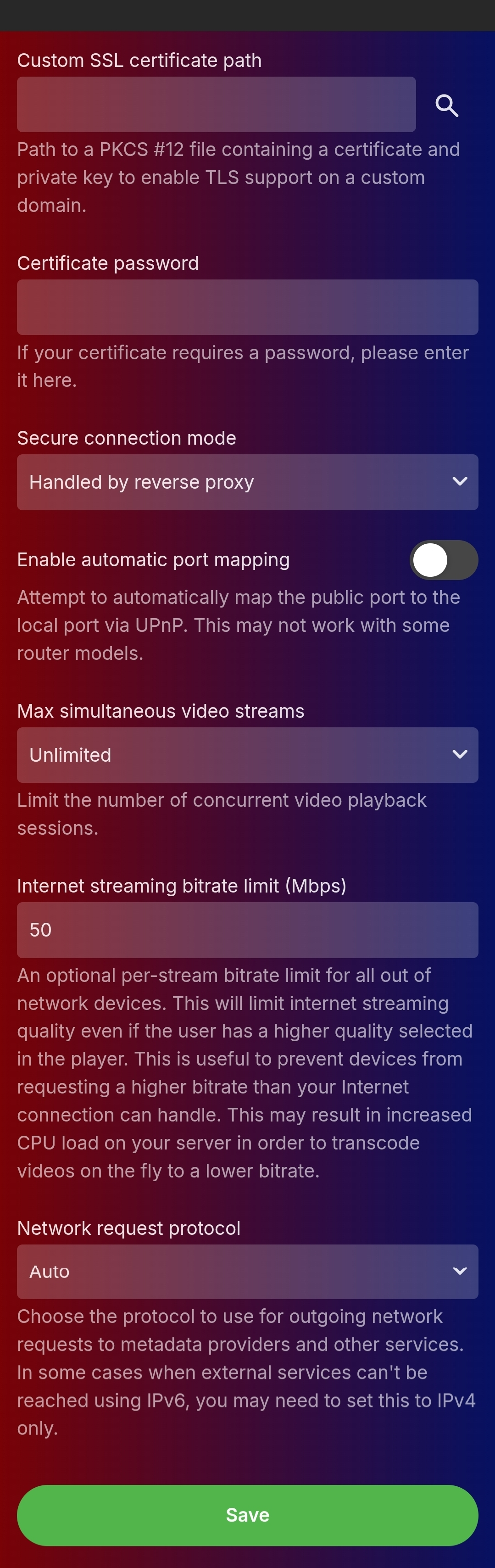
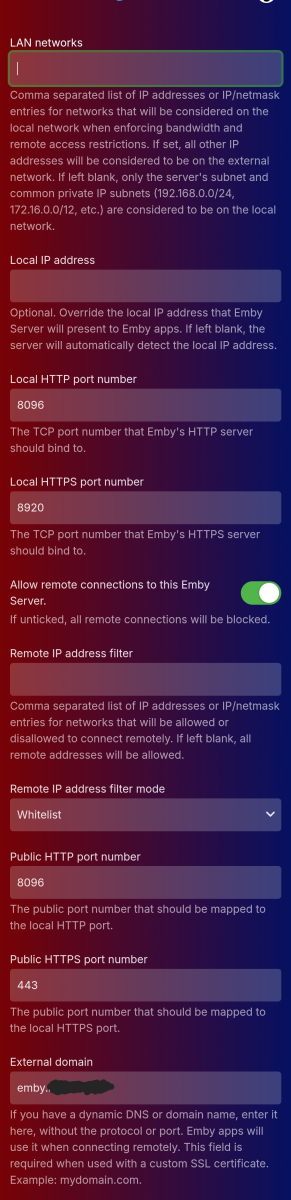
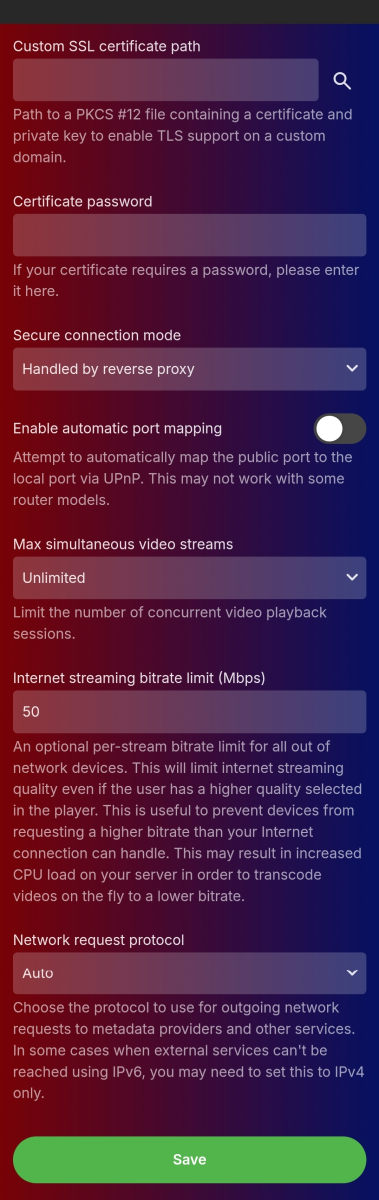
This is now fixed, I don't know if there needed to be some propagation in Emby Connect somewhere but both the apps and the web access are now working. Two changes made: Remove the URL redirect in Name cheap DNS settings which was redirecting "emby"(.mydomain.net) to "https://emby.mydomain.net" Changed the port that the NAS is listening for inbound calls on from 443 to something else (in my case 44333) - so that the router port forwards from 443 inbound through to 44333 on the NAS, and the NAS's reverse proxy takes anything incoming from 44333 and routes it through to 8096 on the Emby server. I'm guessing that maybe something was contending for 443 on the NAS? It's worked that way before though, but meh not bothered now it's ok. @Luke just FYI yes these were correct and haven't changed throughout, attached are the settings (not on the laptop atm so mobile screenshots sorry)
 1 point
 -
Try this Plugin - it attempts to tackle the very problem your are describing with Stale metadata needing a refresh. However, sometimes, metadata is updated very late (and would fall outside of what you specified in this plugin) - when a show is 'cancelled' late for example - it may need a complete refresh, as emby is not going to know it needs an update until you query it ..1 point
-
thats it been a week and the folder is still populated. i disabled firewall but also the daily checks and scans. everything seems fine.1 point
-
I did delete the two shows after we watched them last night, not really thinking that would be a problem after looking at the information shared. Hopefully they will be able to add the episode and season check. thank you everyone for your help... John1 point
-
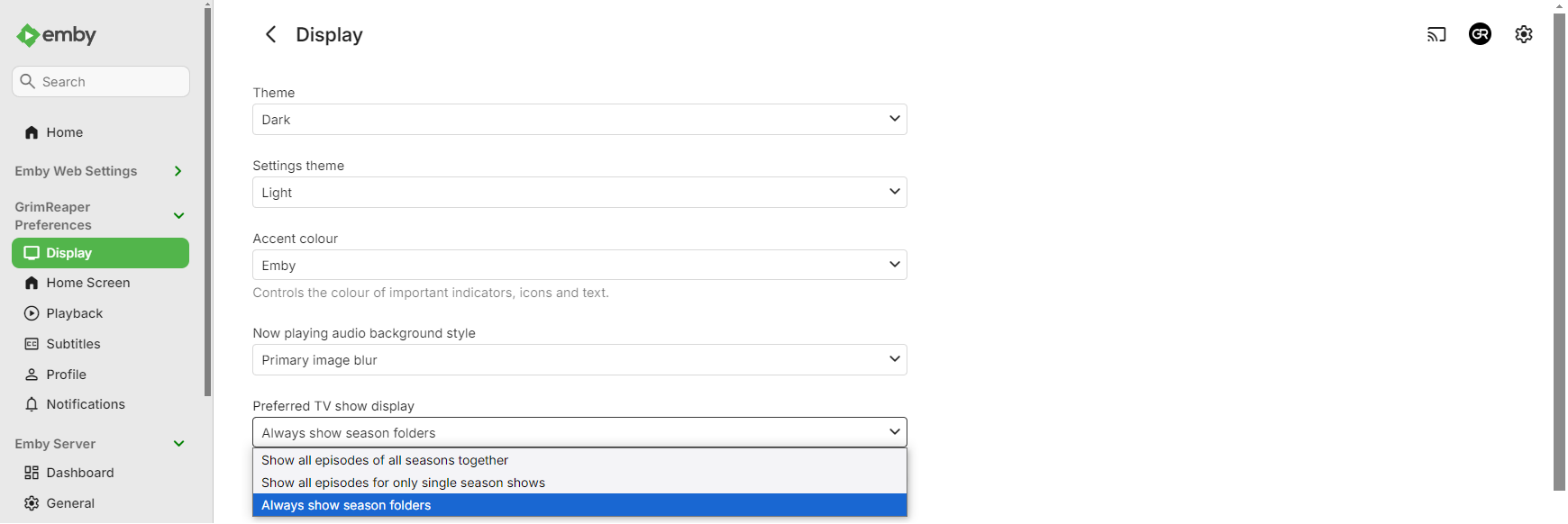
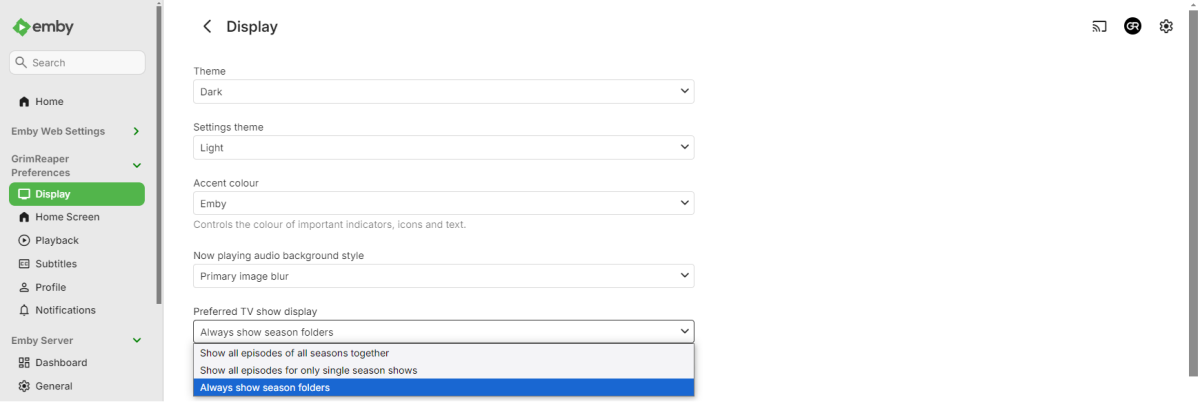
Select "Always show season folders" under your user's Display preferences.
 1 point
 -
Just popping in to say tested latest v12 with Kodi v22 nightly. All working well. Good stuff. Might be nice if you included the file source URL in the 1st post. Took me a while to work that one out https://kodi.emby.media1 point