Leaderboard




Popular Content
Showing content with the highest reputation on 02/04/26 in all areas
-
Nice AI generated write up. Are you a bot, first time poster4 points
-
I need some people to test a beta version. I have changed the detection a bit, it should now be MUCH faster and more precise when using hash detection but i need more testing done with it. Please note: that single episode detection is disabled when using hash detection, this is because it needs as many episodes as possible to do a comparison with. It's well worth is it for the extra precision and speed, you will se! WARNING!! WARNING!! WARNING!! This is a beta and bugs might happen! EmbyCredits.dll3 points
-
I don't think so but that's not a bad idea. @sa20003 points
-
We are coming up on 3 years since this request was proposed by the OP. That seems long enough to "think a little more broadly" and admit that no use-case will cover ALL Emby users, and may not even cover a majority of Emby users, but it will cover the ones that have the knowledge to enter SMTP server information into some fields, which I would argue would be a significant portion of the userbase. Most of us host our servers in homelabs, so know how to tinker with the technical. I'm not sure why we're stuck on paralysis by analysis for this one particular issue, which is fundamental to many of us for a service we host and share with family/friends. If someone wants it bad enough, they will figure out the technical aspects to get an SMTP connection working, which is a trivial task with many modern mail hosting services.2 points
-
@softworkzCan you please increase the ffmpeg version number to lets say 15, so people think they have always the latest and greatest?!2 points
-
If you have Emby server installed on the same machine it could sound like you have some kind of Kodi plugin using the same port as Emby.2 points
-
I use the latest Emby Windows App frequently, and it works fine most of the time. However, it fairly frequently hangs when starting. By this, I mean it displays the animated logo but then, instead of showing the normal home screen, it displays a fixed Emby logo and freezes. I can see no way to exit the app except to force it to close via Alt-F4 or Task Manager, etc. I have looked at the logs and they don't seem very helpful. I turned on debug logging, and here is a sample of one of the resulting logs from such a hung session. 2026-02-04 14:10:15.777 Info Application: App details Name: Emby Windows Version: 2.234.2.0 Device Name: HTPC-2 Device Id: bf3ca858-f3e8-8b24-abb9-2fbf61d6f286 Package: EmbyMedia.EmbyTheater_svmepx4c03f7m Data Path: C:\Users\Steve\AppData\Local\Packages\EmbyMedia.EmbyTheater_svmepx4c03f7m\LocalState\data Log Path: C:\Users\Steve\AppData\Local\Packages\EmbyMedia.EmbyTheater_svmepx4c03f7m\LocalCache\logs Webroot: C:\Program Files\WindowsApps\EmbyMedia.EmbyTheater_2.234.2.0_x64__svmepx4c03f7m\web OS Info:: Microsoft Windows NT 10.0.26200.0 6.0.36 OS/App:: 64bit/64bit 2026-02-04 14:10:16.143 Info MainWindow: MainWindow.Load: AppWindow.IsVisible: False 2026-02-04 14:10:16.193 Info Application: ApplicationStateMonitorWinUI.Window_Activated 2026-02-04 14:10:16.200 Info Application: ApplicationStateMonitorWinUI.Window_VisibilityChanged: Visible=True 2026-02-04 14:10:16.202 Info MainWindow: AppWindow_Visible Fired - AppWindow.IsVisible: True 2026-02-04 14:10:16.202 Info MainWindow: AppWindow_Visible: DidVisibilityChange == true 2026-02-04 14:10:16.243 Info MainWindow: AppWindow_Visible: Invoke LoadWebView 2026-02-04 14:10:16.246 Info MainWindow: LoadWebView: Before EnsureCoreWebView2Async 2026-02-04 14:10:16.249 Info MainWindow: WebView2X: Start Init 2026-02-04 14:10:16.326 Info MainWindow: WebView2X: Fixed runtime path: C:\Program Files\WindowsApps\EmbyMedia.EmbyTheater_2.234.2.0_x64__svmepx4c03f7m\WebView2\x64 2026-02-04 14:10:16.349 Debug SuperThemeInteropController: QuantizationTimer_Fired: Enter 2026-02-04 14:10:16.350 Debug SuperThemeInteropController: CreateStatusInfo: Enter 2026-02-04 14:10:16.381 Info MainWindow: WebView2X: Window Handle: 4196474 2026-02-04 14:10:16.701 Info MainWindow: LoadWebView: After EnsureCoreWebView2Async 2026-02-04 14:10:16.707 Info MainWindow: LoadWebView: WebViewAdapterWinUI created 2026-02-04 14:10:17.122 Info MainWindow: LoadWebView: CoreWebView2.Navigate 2026-02-04 14:10:17.561 Debug WebViewAdapterWinUI: CoreWebView2_WebResourceRequested: WebResourceRequested: file:///C:/Program%20Files/WindowsApps/EmbyMedia.EmbyTheater_2.234.2.0_x64__svmepx4c03f7m/web/index.html?autostart=false 2026-02-04 14:10:17.568 Debug WebViewAdapterWinUI: CoreWebView2_WebResourceRequested: WebResourceRequested: file:///C:/Program%20Files/WindowsApps/EmbyMedia.EmbyTheater_2.234.2.0_x64__svmepx4c03f7m/web/modules/fonts/material-icons/mi_2024_05.woff2 2026-02-04 14:10:17.568 Debug WebViewAdapterWinUI: CoreWebView2_WebResourceRequested: WebResourceRequested: file:///C:/Program%20Files/WindowsApps/EmbyMedia.EmbyTheater_2.234.2.0_x64__svmepx4c03f7m/web/apploader.js 2026-02-04 14:10:17.571 Debug WebViewAdapterWinUI: CoreWebView2_WebResourceRequested: WebResourceRequested: file:///C:/Program%20Files/WindowsApps/EmbyMedia.EmbyTheater_2.234.2.0_x64__svmepx4c03f7m/web/modules/alameda/alameda.js 2026-02-04 14:10:17.571 Debug WebViewAdapterWinUI: CoreWebView2_WebResourceRequested: WebResourceRequested: file:///C:/Program%20Files/WindowsApps/EmbyMedia.EmbyTheater_2.234.2.0_x64__svmepx4c03f7m/web/modules/themes/logowhite.png 2026-02-04 14:10:17.574 Debug WebViewAdapterWinUI: CoreWebView2_WebResourceRequested: WebResourceRequested: file:///C:/Program%20Files/WindowsApps/EmbyMedia.EmbyTheater_2.234.2.0_x64__svmepx4c03f7m/web/app.js 2026-02-04 14:10:25.898 Info MainWindow: AnimationWindow_ShowLogo invoked 2026-02-04 14:10:25.906 Info MainWindow: AnimationWindow_AnimationHidden invoked 2026-02-04 14:10:42.732 Info Application: Disposing ServiceManager 2026-02-04 14:10:42.733 Info Application: Disposing ApplicationStateMonitorWinUI 2026-02-04 14:10:42.733 Info Application: Disposing ConnectionManager 2026-02-04 14:10:42.734 Info Application: Disposing FeatureProvider 2026-02-04 14:10:42.735 Info Application: Disposing FeatureProvider I have many logs from such hung sessions, and they are all very similar to this. The app doesn't crash, so there is no associated crashdump. It's just stuck. Note that sometimes it will fail like this several times in a row and then suddenly load just fine without my doing anything to intervene. On a few occasions, the app has appeared to crash during the creation of the animated logo. I am attaching a crashdump that I believe is associated with one such failure. This is much less frequent than the hung sessions. Note that I still also have the older Emby Theater installed, and it never has any issues like this. Indeed, once the new app starts successfully, it works just fine too. These are running on a very capable and up-to-date Windows 11 machine dedicated as a home theater PC. I have a separate dedicated Windows 11 machine running the server. I would appreciate any assistance ending this annoyance. Thanks Emby.Client.WinUI.exe.5868.dmp1 point
-
Thanks for a wonderful program. Now can i play MKV, ISO, Video_TS, Bd_folder and BD iso on my Samsung TV, from the EMBY server on a Windows PC I can stream musik MP3 and FLAC to my Denon AVR from my phone. Record TV works fine I have delete Plex. The last thing i use KODI to is play SACD.ISO and SACD-DSD files That will be grat if EMBY can that, and i can delete KODI, and use EMBY to all. Best Regard Niels1 point
-
If they logout then they will have to reauthenticate and you will see it again. So yes this was changed although it didn't happen recently. I'm pretty sure it's been a couple years since we did that. The problem before is that it was just filling the activity log needlessly every time restart an app, load a new browser tab, etc.1 point
-
Oh yep, just verified. That put the mobile app into the same folder view as the desktop app. Thank you so much.1 point
-
OK yes storing multiple titles is certainly possible. Thanks.1 point
-
Maybe your proxy is configured correctly. Did they actually login and authenticate? That's when you would see that activity. If they authenticated in the past and they're just returning to that previous session, then you won't see it.1 point
-
For me this version is a lot faster compared to previous1 point
-
Im really glad you agree, hope it is not difficult to do and can be in next update1 point
-
Haven’t had time to check this for a while. Yes in the admin control panel it does show. But when checking today it works in home assistant as well. Done an update between so I don’t know if that solved something or if it was just in need of a restart1 point
-
Hi, should be in the near future. Thanks.1 point
-
I would tent to say your are right. But It's always been a cost / benefit. 10 Years ago I went down the road you describe, but cost was to high for me. So I later opted for unRaid, with 90 day parity check ups. And 1 thing that has always been I my minde is the "bad batch". Newer buy the same drive model from the same vender. Newer use the same drive mode / batch nr. for parity drive as your data drives. Always check the batch nr. when buying new drives, if you have it, don't repeat it.1 point
-
Maybe ai can help resolve this argument...1 point
-
Hello +1 for this option!1 point
-
@sydlexiusThanks for the list of, well to me foreign letters Will come in use.1 point
-
No; the same status. Need your help1 point
-
Okay, I understand that this is a setting from development team and user cant set it. But it would be nice if someone thought about it, because the current setting does not make sense. Most qualit rips on the internet are around 40-60Mb/s, which then does not give you much opportunity to transcode movies to something smaller in 4K only to 1080p. Honestly, transcoding anything above 40 is very unrealistic. 4K-120 to 4k-200 is quite unusable. Maybe for some test cases at most. Not for users caeses.1 point
-
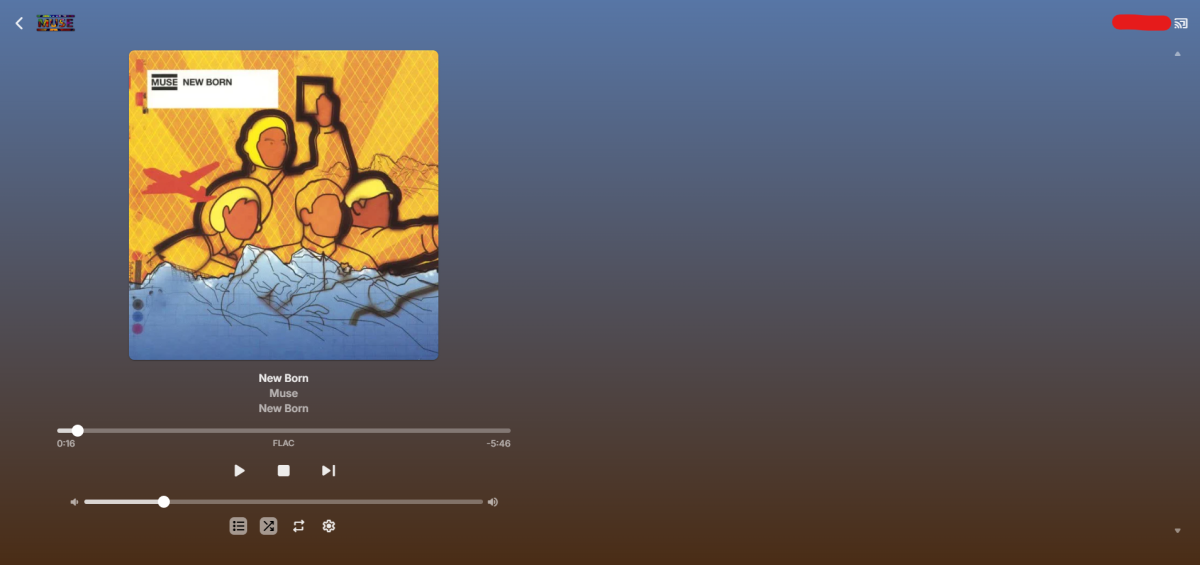
@Luke Steps to reproduce: 1. Start casting from Google Chrome (Windows/Android/shouldn't matter) 2. Go to your Music library and click on "Songs" in the navigation 3. In the list of all songs, click either "Play" or "Shuffle" When casting, clicking Play or Shuffle (you might have to wait a couple of seconds) will result in a playlist with only a single (the first?) song. EDIT: Casting an entire album seems to work fine. I suspect this has something to do with the amount of items (more than 3000 in this case). EDIT 2: Playing/shuffling an artistwith 94 tracks seems to work okay-ish as well. Noticably slower than casting just an album. EDIT 3: Playing/shuffling an artist with +/- 290 tracks also results in a playlist with only one song: embyserver.txt Looks like there's a hard limit somewhere.
 1 point
 -
Not even close to what I said and you damn well know it. Not even remotely true, but you know that before you posted.1 point
-
Yes… but not always. It is so very random and clearing data on the NAS is not very easy ( of if I want to be sure that is the actual issue at hand ) Pretty sure it is not a real Emby issue, so you guys can ignore this.1 point
-
Hi Luke, thanks for your feedback. It would be great if you could optimize this a bit more. Changing all future and possibly older entries via the metadata is very tedious.1 point
-
I was going to create another post about my issue instead of clogging up the main linux thread but I think this thread is related and probably answers my question. Most of the details are in my post in the other thread. When I use MPV as an external player, emby wants stay on top so the video ends up in the background. I set the --ontop flag in the arguments which puts MPV on top when a video is playing but it doesn't have focus. Any keyboard/IR remote commands are picked up by emby instead. If I take emby out of full screen, MPV will be on top but emby minimises and when I close MPV, emby stays minimised. I was hoping to use this thing as a media player with an IR remote. I have a mini wireless keyboard with a small trackpad on it that will kind of make it all work as I can use the mouse to close MPV or pause etc but it's pretty janky to use. I think at this point I'll probably run it maximised but not fullscreen, set a key command on the remote to run a script that closes mpv and maximises emby. Point is, I was going to make a post to see if anyone had some kind of solution but based on this thread it's just emby being a prick, always wanting attention. Tried out the beta and they have removed the ability to set an external player, you can see why that doesn't work for me from my other post I Iinked. It runs slow as balls and has the same issue (video plays in the background) which can be alt-tabbed to but then you can't close it. I guess it wouldn't be Linux if you didn't have to solve 10 problems just to get a video to play and it's still barely functional. edit:MPV does have an option to force focus but it's for MAC's only. I tried it anyway and it just causes an error.1 point
-
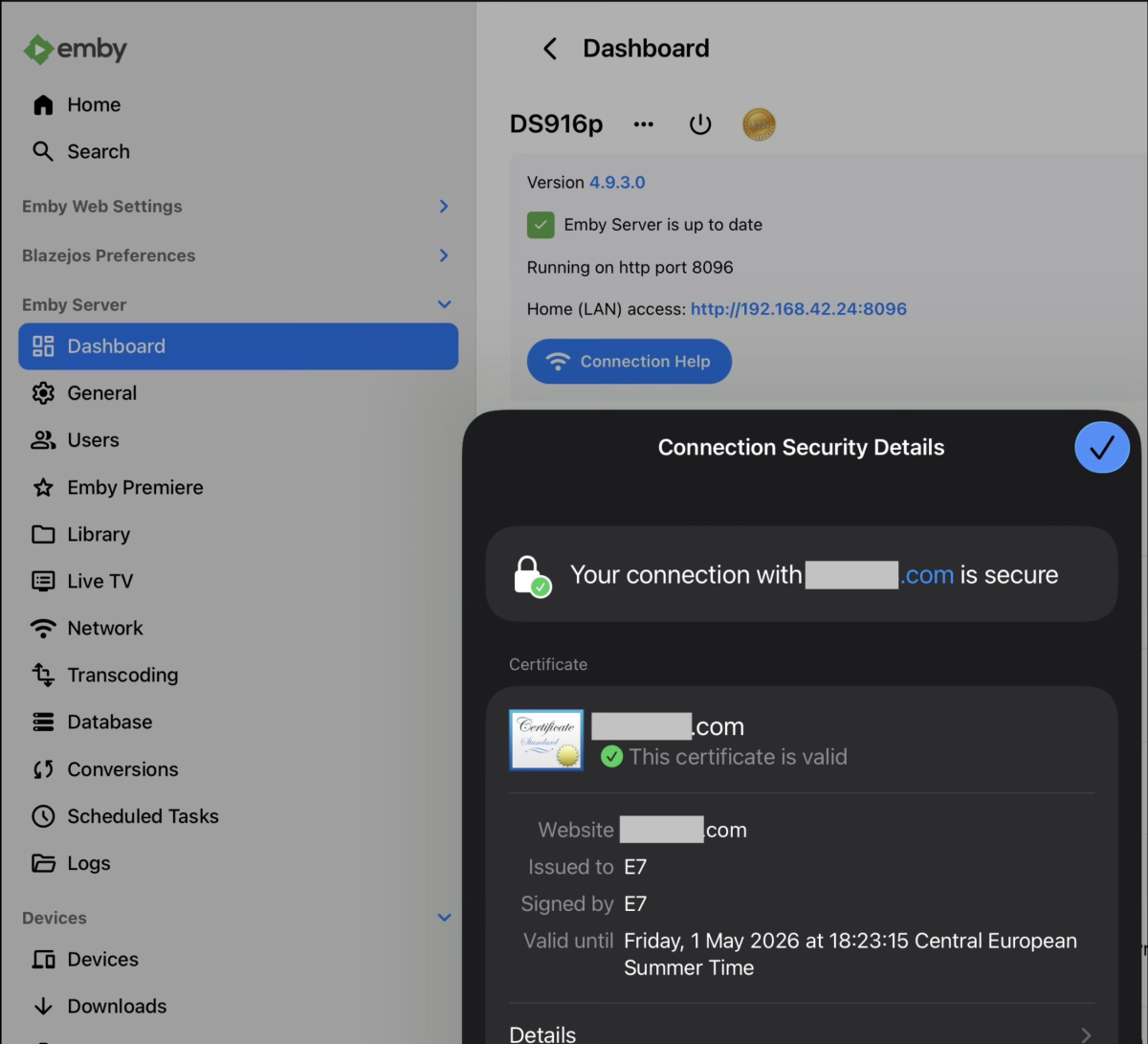
Hi All, I’m running my Emby on pretty old DSM 916+ behind my domain, it works flawlessly and I love it. Only issue I had was every 3 months my SSL cert had to be manually renewed, so I would export it from DSM (which has auto renewal) and import it on my Emby for convenient and secure remote use for me and my friends. With very helpful tips from chatgpt I’ve bypassed the manual SSL cert renewal task, and now my Emby is running only locally, while I still can watch videos via secure remote connection. I’m sharing here in case others find it useful - I’m 10x more pleased with my Emby than with any other streaming service. The connection flow is the following: Emby app over the Internet -> my domain:Emby custom port -> my ext IP -> my NAS DSM local IP: DSM custom port -> Login portal /Advanced / reverse proxy and add rule: Description: emby Source: https://your_domain:emby_port Destination: http://localhost:8086 - (default Emby port) Important note: remote access on Emby must be entirely disabled, otherwise it’s a conflict. Another fwd must be done on your router, to fwd all incoming connections on your emby port to your NAS IP on the same port. Now my Emby server “thinks” it’s running only on local network, while it is securely accessible from the Internet. I’m covering my domain address because it’s private use only.
 1 point
 -
Verified rollback to 4.9.1.0-beta fixed my subtitle issue, let me know if there's a newer version that's an option.1 point
-
HI, yes this change was made based on user feedback, although I think we can improve on it further.1 point
-
None were checked?! Works now... I didn't disable them though? Maybe one of the updates removed them??1 point
-
This does indeed seem to be an improvement! I've had a few stubborn series that I tried adding custom keywords to; sometimes it worked, some didn't. For what it's worth, here's some keywords I've experimented with: director narration original picture painting prop design Released by script storyboard ufotable © おわり キャラクターデザイン シリーズ構成 スタッフ プロップデザイン プロデューサー 主演 作画監督 制作委員会 協力 原作 原画 提供 撮影 撮影監督 無断転載を禁じます 絵コンテ・演出 編集 美術監督 美術設定1 point
-
New version up (v2.0.2.0) at yocksers/EmbyCredits Github. Added: OCR detection now supports much better Japanese detection. (Requires latest EmbyCredit tesseract docker). Episode comparison. The first episode time stamps (user configurable will now be compared and the search window will be narrowed to fit that to save detection time. With comparison enabled if a video fails detection the plugin will try the file again and widen the search window. Added Time Stamp button has been added to Dry Runs. OCR detection with hash fallback and hash detection with OCR fallback has been added. Audio fingerpint detection. Changed: Minor ui changes. Small improvements to detections to improve accuracy. Fixed: Some memory leaks have been identified and fixed. Known bugs: Intel QSV doesn't work, this will require Emby to update FFmpeg. FOR JAPANESE TO WORK YOU WILL HAVE TO UPDATE THE TESSERACT DOCKER!! Because of the way many anime shows stylize the text it might fail on some shows, i have added various methods to negate it but sadly not much i can do beyond what has already been done. I recommend using hash detection for anime. If any one has any ideas to how to improve end credits detection, specially in anime, please report them to me and i will look into it! Same with just general ideas for the plugin. As always a special thanks to @Neminemfor the help with testing and bug hunting!!1 point
-
This is a matter of privacy rather than security - your whole machine isn't compromised by an image being downloadable. Sure, it matters - but it's not always the most important thing. Also, I believe that there is more than one Emby developer, so the fact that one person may be actively working on the images issue doesn't mean that the work of another cannot be presented in a beta. Paul1 point
-
i thought i was the only one experiencing this.... dispatcher --> emby takes wayy to long for the stream to start1 point
-
Oh, good grief. I saw on Reddit someone else had this problem with Synology-Tailscale-Emby and what they did was uninstall and reinstall the Android app. This worked. I can now turn off port forwarding on the router and Emby. And also no longer need upnp. Thanks for your attention. Docker users may still want network ability on the Save/Restore screen, but it is no longer a priority for me as I have uninstalled it. Roger1 point
-
You do know how ridiculous your comment looks and sounds, right? I stated that AI isn't needed for either of those features. Not making a decision for anyone including myself just stating the facts. It's like a thread on another forum claiming they need AI to create a English audio track for a movie that's in another language. Not even remotely true. They may want to us AI to create that audio track, but they do not need to use AI to create it. I have over 250 TV series and movies that someone took the time to create English audio tracks for and not one of them was done using AI.1 point
-
Would be nice as currently it's just a nightmare to edit a playlist as I need to get the player opened in one window and when I find a track I want to delete go to an other tab to find the track and remove it from the playlist1 point
-
Hurra, Problem mit dem entscheidenden Hinweis von Eigeplackter gelöst.. Als die unterschiedlichen Konfigurations-Oberfächen der Ordner photo (Übernahme von DS216) und Ordner music (neu angelegt auf DS225+) sichtbar wurden, gab es ja bereits die Befürchtung dass hier noch einmal was in der Ordnerstruktur getan werden muss. Und der Link von Eigeplackter https://www.synoforum.com/threads/new-user-cant-browse-photo-over-smb-but-other-users-can.10305/?utm_source=copilot.com#post-51253 beinhaltet ja auch den kompletten Ablauf zur einfachen Replikation des originalen Ordners photo. Die erweiterten Dateifreigaben waren für emby nicht erforderlich. Die Bibliothek Heimvideo und Fotos wurde nun auch korrekt erstellt. Die über SSH zugewiesene Zugehörigkeit von emby zur Administratoren-Gruppe (welche an der Oberfläche nicht sichtbar ist!) werde ich wieder entfernen. Sollte es dabei zu Komplikationen kommen, werden diese hier aktualisiert. Nochmals vielen Dank an alle Mithelfenden beim der Problemlösung. Diese Community ist sehr hilfreich.1 point
-
This is working now.1 point
-
You do not need AI for that. Just like you don't need AI to create subtitles or an alternate audio track.1 point
-
EXACTLY this NO ONE WANTS AI.1 point
-
Figured it out. Added an external player /usr/bin/mpv arguments: --ontop --no-border {path} Now I just need to reconfigure the ir remote to interact with mpv as well as emby which shouldn't be too hard. Happy days!1 point
-
8th gen is extremely long in the tooth (8 years old) and unless you are getting it for free, I would say it is no longer worth it. Try to get at least a 12th gen, as Alder Lake is phenomenal for what it provides. I personally use a laptop with a smashed screen as my Emby server, with my UNRAID server in the basement. You can easily pick up an i5-1235u laptop for about $200 USD on eBay (this is just an example). I use a usb-c 2.5gbit network card on mine. Laptop sips power while it does transcodes and use about 25-30 watts when it's at full bore. It's usually idle at about 4-5 watts. 16GB of ram is plenty.1 point
-
Hi, yes this is a reasonable thing to add options for.1 point
-
I can't imagine any LLM or prediction AI features I would even want in Emby. If one comes along, a plugin would suffice. But if it were put into base Emby, having an "on" switch (anything like this should be opt-in IMO) would be fine with me.1 point
-
It's would be fun to see issues postes, when someone wants to try something like this on there RaspberryPI1 point
-
Not sure if you find any solution, but I have found one that works with renovate. I had this before: emby: image: emby/embyserver:latest After I started renovate and it was changed automatically to this: emby: image: emby/embyserver:latest@sha256:50284133433841756686a8da2bb3122a7e2944546d74297f12dc700a731e5e26 This is the part in "renovate.json" that I use now and it seems to work: { "matchPackageNames": ["emby/embyserver"], "matchDatasources": ["docker"], "versioning": "docker", "pinDigests": true, "automerge": false } I hope it helps someone who looks for same solutions.1 point
-
Well we could have a page to allow them to handle the reset process on their own without having to send them a new password. Then you only need to give them the link, which you would have to handle. to actually send them something you’re talking about a generalized means for an admin to communicate with users, which could be used for other purposes. That’s a whole separate discussion but I would consider that step two of this.1 point
-
With RT shills being as they are, I wouldn't mind seeing user reviews instead, reckon it'd still be a nice feature addition. Edit: Roamed a bit, this one seems decent: https://www.filmcrave.com/api.php Though, I'm a bit unclear what's free and what ain't? Although stated "FilmCrave API is free and allows for commercial use". At least they seem open for collaboration. Edit2: They even have review taglines: Wrong Turn (2021) - "The real Wrong Turn was going into that theatre".1 point