
Leaderboard



.thumb.png.f4cb0545e98b51fd9b00e427622ab761.png)
Popular Content
Showing content with the highest reputation on 01/29/26 in all areas
-
Hi! With the new BETA 4.10.0.1 release we can now customize the home screen (freaking awesome!). I made a simple script with help of ChatGPT that looks at a Trakt list and compare it to your library. If the movie/show is in your library it will give that item a tag of your choosing. When the movie is no longer in the Trakt list the tag will be removed from that movie. This will be really useful for the new home screen customization to create a dynamic homescreen. I'm no coder so if anyone want to develop this furher please do! And maybe help me develop it into an actual plugin? https://github.com/soderlund91/emby-tag/tree/main2 points
-
Opensubtitles.org is shutting down for good. Opensubtitles.com will be the forward option. Emby already made the transition. So this is a notice for all not using the Emby plugin. OpenSubtitles.org API - Final Shutdown Notice - OpenSubtitles forum2 points
-
Before I installed the dll file, there was no webstreams.xml file under /var/lib/emby/config. After I installed the dll, the file was created. I don't know if I needed to, but I went ahead and renamed that webstreams.xml file to webstreams.xml.bak then let the WebStreams plugin recreate it. I don't know if that had any affect on my results or not. So after some trial-and-error, I think I figured out how to get the correct TV Episodes metadata. I had to figure out the right options to add in Customize Field Mapping. Here's my breakdown and what worked for me. YMMV. Content Type > TV Episodes (retrieve Metadata) Customize Field Mapping Display Name > Stream ID Genre > blank Series Name > Group Title Overview > blank Tag > blank Studio > blank External ID > Name External ID Type > TheTVDB These settings yielded the results I was looking for, as you can see below. This makes my life so much easier. Great job on this plugin! Keep up the awesome work!
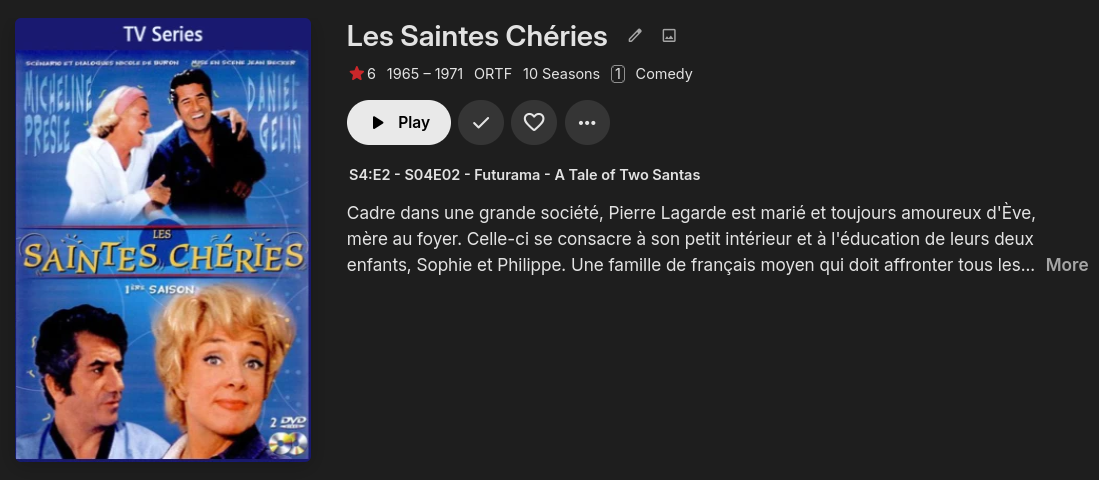
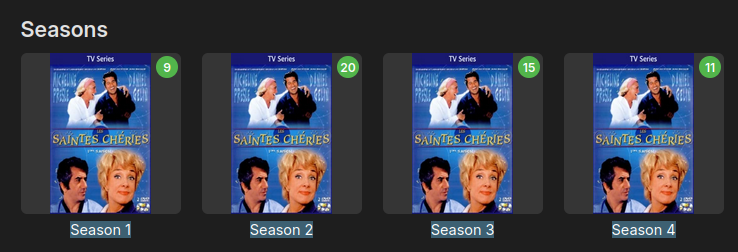
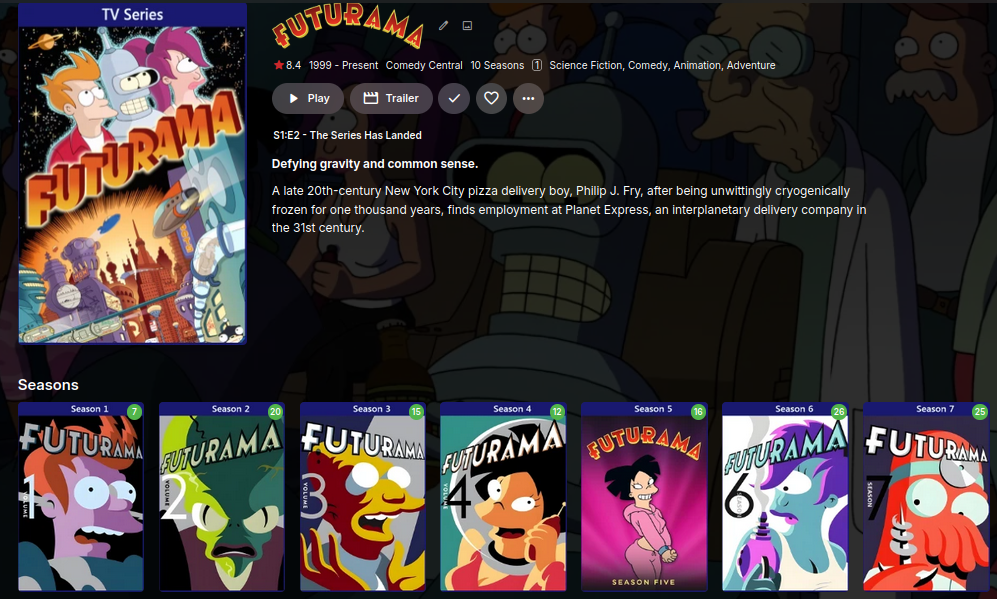
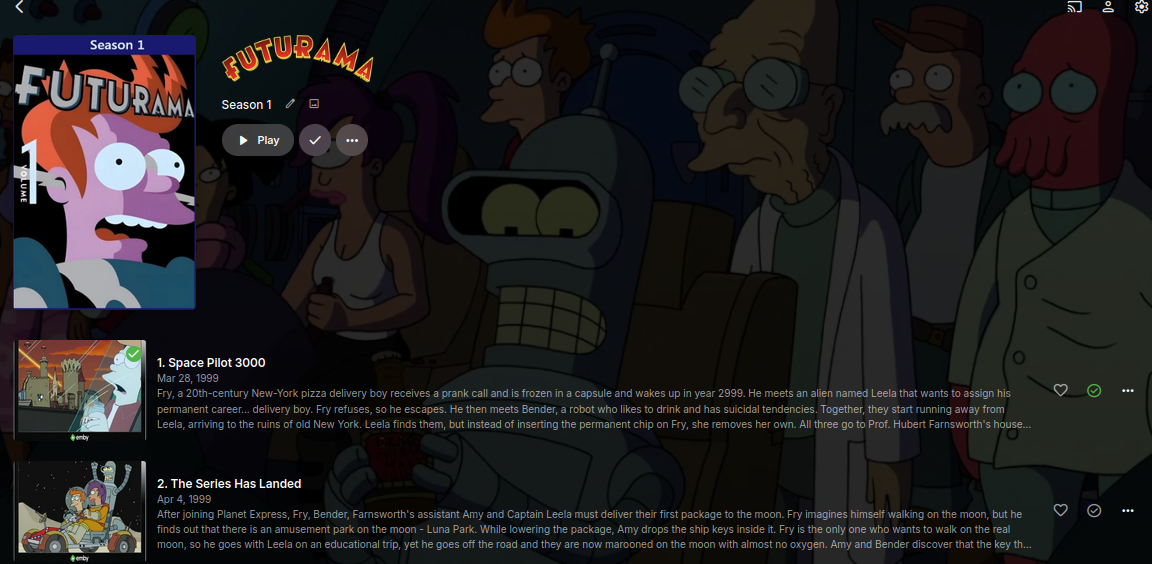 2 points
 -
The general consensus seems to be that Bazarr offers high quality subtitle services. There are many discussions about Bazarr workarounds and such. I believe integrating the automatic and manual subtitle searching to send search commands directly to Bazarr would be a cleaner integration. This would also tie Bazarr right into the Emby apps through the existing subtitle search options. The remaining integration would be Bazarr -> Emby file notification. There are a few options for this: Custom post-processing: Instructions to set this up could be automatically documented on a per-server basis, generating a "custom post-processing" command string that plugs into Bazarr Unclear if the below works as intended (or at all) /usr/bin/curl -sG -X POST http://<HOST>:<PORT>/webhook/Library/Media/Scan?api_key=<API-KEY>&FolderPath={directory} Webhook: There is a webhook option, but I have not had luck finding good documentation Unclear if the below works as intended (or at all) http(s)://<HOST>:<PORT> Apprise: Looks like it needs apprise to also be installed and configured? Not ideal, as it requires another 3rd party system. Also does not seem to accept an API Key, so password is insecure emby://<USER>:<PASSWORD>@<HOST>:<PORT> Thanks2 points
-
Hi all, I'm the proud owner of a new LG OLED which looks asbolutely stunning. Since I do plan to keep using it for quite long I am quite concerned about burn-in. I have all the built-in protection enabled but when watching HDR content on emby the subtitles are always blinding me at full brightness. The OLED of my friend already had burn-in there after two years. Therefore it would be pretty cool if I could sett the subtiltes to be a bit dimmer when watching HDR content. Thanks for the awesome app!1 point
-
I believe a nice added feature is to have the ability to timeout partially watched shows automatically. Being able to set an expiration of resume point on titles. My kids love to watch videos but never seem to finish then, so they have a ton of titles that have resume points. What would be a nice addon would be the ability to either set the resume point to expire after X number of days. By default the resume point will be kept indefinitely. Adding in, let's say, "30" will then set all the resume points last set 30 days ago to expire and the resume point data be removed from the title for the user. This should be a global setting that applies to all users in the system. Wording of the feature can be different. Thanks, \ above11 point
-
Please add a setting for subtitle opacity, as it looks so much better on HDR TVs. Otherwise it's much too bright and hurt your eyes.1 point
-
Tested on a couple of Shield TVs and Fire TV sticks. I'd say this is a very good improvement. The only files it does struggle with (but still much better than before) are HDR10+ videos.1 point
-
Thank you, I understand that this concerns version 3.5.28, so it would indeed be useful to perform an update again.1 point
-
in the meantime LG TV App 1.0.50 found it's way to the 2024 models Navigation bug semms to be solved Thanx Emby-Team1 point
-
Thanks Luke I didn't have to make a new thread and could've just tested it myself the next time I was up at my step-mom's place, but decided to ask anyway. And when I say ages ago, I think this was like 8 years ago lol I apologize for wasting your time, but also thank you for indulging me.1 point
-
I've been playing around with the Missing Episodes feature and tried to order the "latest" episode first using the following search: /emby/Shows/Missing?IncludeItemTypes=Episode&Fields=BasicSyncInfo%2CCanDelete%2CCanDownload%2CPrimaryImageAspectRatio%2CProductionYear%2CStatus%2CEndDate%2CPremiereDate%2CUserDataPlayCount&StartIndex=0&SortBy=PremiereDate&SortOrder=Descending&Recursive=true&GroupItemsIntoCollections=true&Limit=50&EnableTotalRecordCount=false&UserId=d7c676b8cd1c4fd1839b52963e3c86a7&X-Emby-Client=Emby+Web&X-Emby-Device-Name=Google+Chrome+Windows&X-Emby-Device-Id=XXX&X-Emby-Client-Version=4.9.3.14&X-Emby-Token=XXX&X-Emby-Language=en Specifically "&SortBy=PremiereDate&SortOrder=Descending". Using any type of SortOrder doesn't seem to work on this endpoint, on none of the fields. The Metadata Manager itself uses the following by default: "&SortBy=SeriesSortName,ParentIndexNumber,IndexNumber,SortName&SortOrder=Ascending" but changing that to Descending doesn't seem to do much either. Being able to sort the Missing Episodes table would also be a great QoL addition. I'm also pretty sure most people aren't even aware of this feature at all and with some care it could be the feature to break through on users on the other platforms that don't have this feature.1 point
-
To be able to configure times for the thumbnails to be generated other than "10 seconds" or "chapters". According to this previous post the issue stems from using frames, rather than timestamp to render the previews: Nowadays it would be better off to use time (seconds/ms) in conjunction with something like ffmpeg: https://trac.ffmpeg.org/wiki/Create a thumbnail image every X seconds of the video Apparently `ffmpeg -i input.flv -vf fps=X out%d.png` has a ready to use command to do exactly this and I suppose these generated images could later be bundled into a bif?1 point
-
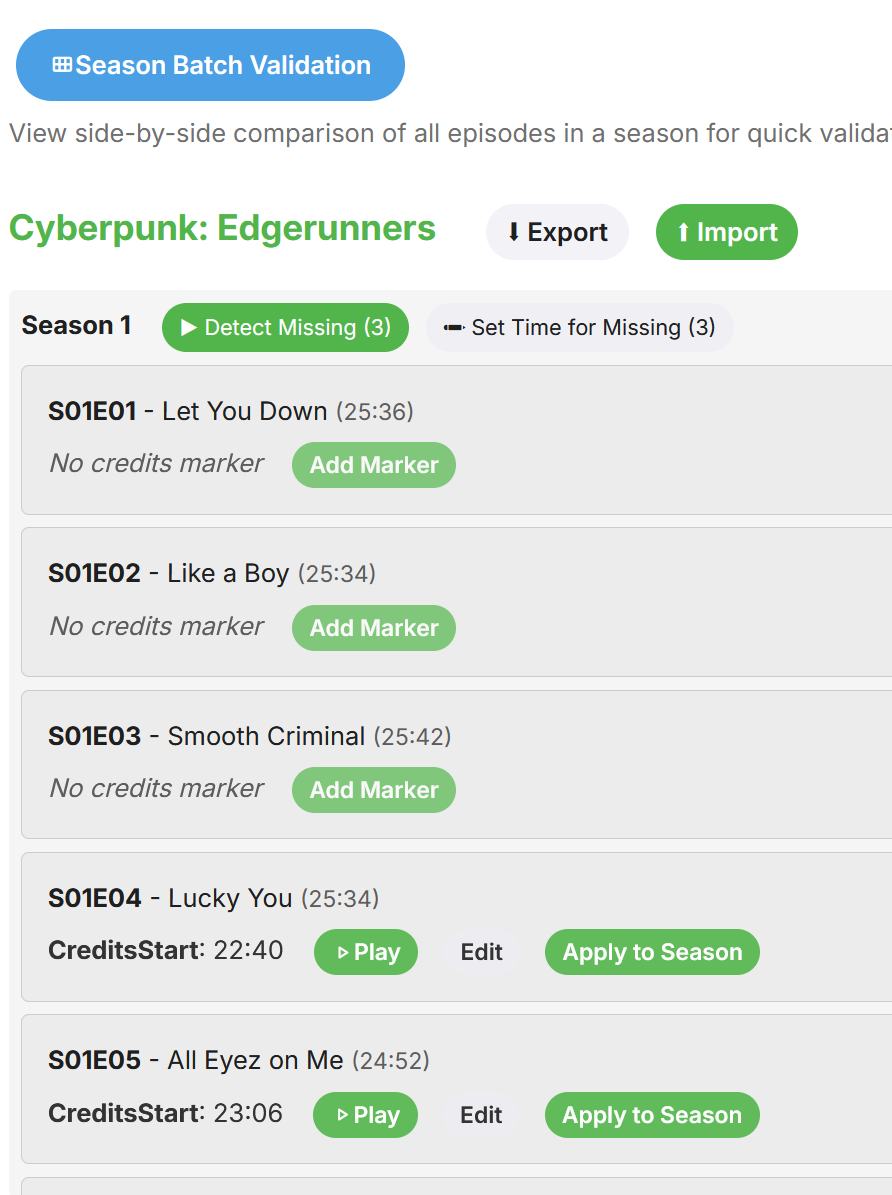
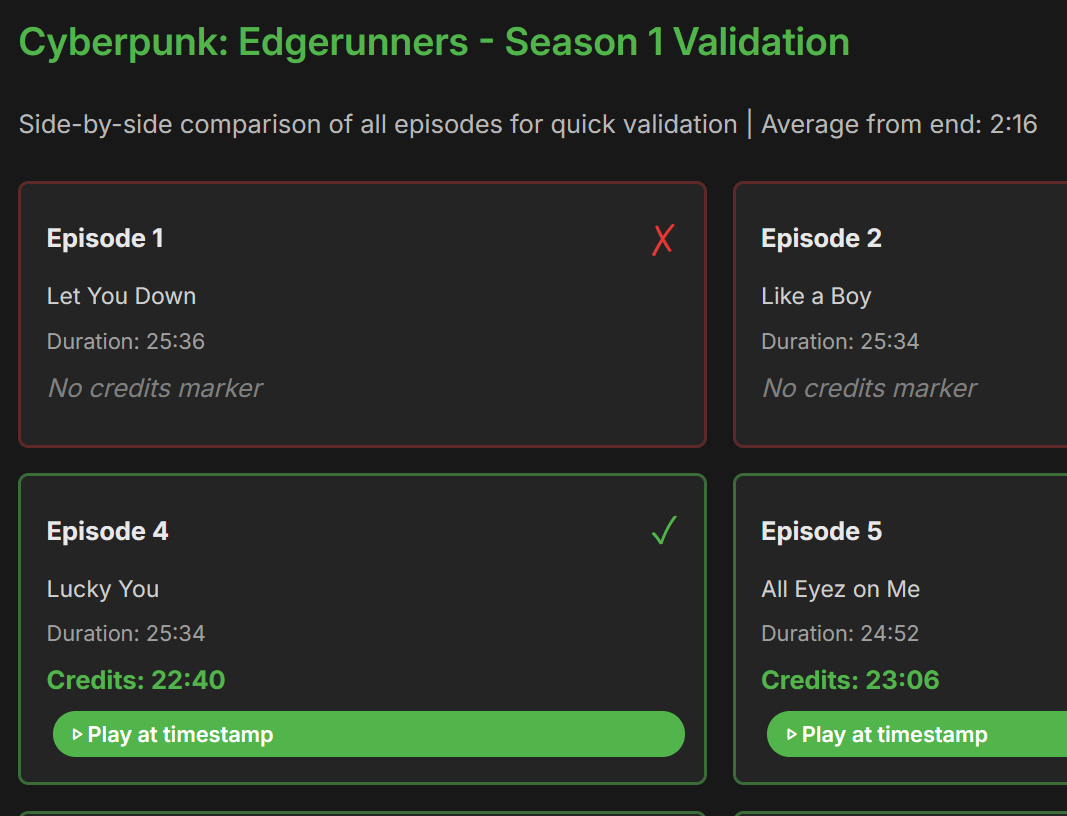
Guess this is what you mean. It's not done yet but soon.
 1 point
 -
This is why I still keep things separate. Just makes it easier to keep certain libraries and items away from users who can't play them properly. Hope this gets solved for those who intend to use it.1 point
-
It would be nice to have an option similar to this in Kodi, where you can set diffrent birghtness for the whole UI (including subtitles) when in HDR mode. Even better if there would be choice to either dim only UI, only subtitles or both (plus an option to disable dimming). Right now, not only subtitles are very bright, but a lot of UI elements that appear during pause or seeking as well. For now, adding an option to quickly access subtitle settings from playback UI (just as it was recently added to Android app) and making sure there are darker subtitle colors to choose from (such as grey or darker white) would still help a lot. But still, something like Kodi would be preferable, as it could fix UI being to bright in HDR and users wouldn't have to manually switch colors between SDR and HDR. Also mentioned here.1 point
-
I've been wanting this little detail / feature for years. I'm sure it used to be there at some point. I've only recently googled and found this thread. It's been quite funny to skim through a good few years of discussion 2019 - 2026 and see a resolution in a couple of minutes . I look forward to this update. Also, long time no speak Luke. Hope things are still going well for you.1 point
-
I reinstalled the Emby Windows app, and the Premiere status is now correct.1 point
-
Hi, thank you very much, please keep me informed1 point
-
It seems like the stuttering is gone. But still no subtitles.1 point
-
Ah okay grand. Thank you Luke - I'll let you know when it gets pushed out. Thanks, Jack1 point
-
Thank you for testing. So it seems that for now the solution is to either downgrade to previous stable or update to beta and use that Diagnostic Plugin workaround.1 point
-
Hi @LukeThanks, it looksl like that helps. Regards.1 point
-
This is true. There's endless tweak potential in the entire lot. Most hard set things are going to be bad at some level. Utility of that really depends on size. I get more stuff coming in than I do spam, mostly added by people who aren't me (I'm just the storage enthusiast/hoarder) so this would help highlight the roughly 1:20 things I might care about. Also helps keep the list fresh. Preferences aren't really going to change much, and if everything is equal, you're eventually getting to having the same recommendations week after week. Same weightings, roughly the same collection, same basic interests, same/similar results. On a side note, I found when I moved away from OpenAI to a locally hosted model, I saw a large uptick in variety in everyone's recommendations. Prior to that it was fairly similar for everyone. And because it's a less moral model, it was able to give me useful advice on how to argue for a Tarantino day at a kindergarten. OpenAI just tried to make me feel like I was a bad person for even suggesting the idea. As if I wanted a priest rather than an enabler.1 point
-
Who is they? Emby is a piece of software, not a service provider. No one related to this community would have sent you a server link with username and password. I suggest you directly contact the person who sent you that email. They are unrelated to this community. No one here can help you with your 4K issue. As a reference, please read: Quick Start so that you are fully aware of what Emby is and is not. Thanks.1 point
-
When I made the change of forcing subtitle burn in on the server side, things started working but I saw it was low res (720p) at a very low mbps. I then realized this setting specification was from a previous troubleshooting session, that I simply had forgotten to revert. Changing it to 1080p 60mbps, and even testing 4k 200mbps worked fine. I believe this only indicates that the resolution and what you described is unrelated to the playback issue. Simply I had the resolution/quality setting set that way client side and forgot to revert. Transcoding shouldn't be necessary from my understanding. The files I have contain a lot of complex ASS subtitle files, it seems that may be causing an issue in someway---- which is odd since other windows devices can process them fine. To be noted that the only windows devices ive tested with success have a dedicated GPU. Also yes, this is a local device.1 point
-
我是通过ssh进行修改1 point
-
I would also love an updated guide on all the methods as a lot of the methods messages are scattered about and is sometimes confusing to read!1 point
-
I disabled it because it takes a long time to scan the library; it can hang at 98 percent for 24 hours. Now I only use Kinopoisk.1 point
-
Hey, I actually like the episode posters. I get it, they're only edited manually. Thanks.1 point
-
Silly I should have thought to look for this -- but you're right. There was a setting, it seems like that just got reset to 3 minutes after the LG OS upgrade. I moved it to 10m. That should allow the Emby screensaver to kick in before the screen goes idle.1 point
-
You are welcome, love to hear people are happy with the plugin. Also many, many thanks for the donation!! It will help pay for my coffee addiction.1 point
-
I've been messing around with the server again. No idea what I did, but now it suddenly works. Crazy...1 point
-
It seems to be working after testing the initial file I used as an example. There was a little stutter 2x when it first started playing, then worked just fine after that. Thank you!1 point
-
Thanks, title updated for accuracy.1 point
-
You can rename your drive but not the Drive letter assignments. StableBit uses your existing drive letters. I mean you could, but you would have to reconnect it to the pool1 point
-
You should be able to rename them whatever you want, I wouidnt change the logical drive assignment as they will probably drop off the pool.1 point
-
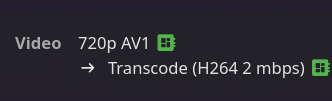
@SamES Actually just testing them now, on both models, they are now being transcoded server-side. Server is running version 4.9.3.0 ATV clients running version 2.0.3 (2) No flickering or display problems that were previously occurring now that transcoding is happening on the server. I did update the server to the current stable version when that released at some point after reporting this issue.
 1 point
 -
@rechigoI believe you asked for the added functions. Enjoy!1 point
-
Perhaps you are confused. No one here would have given you a server. Emby Server is the software that you would have installed and configured with your own media files, none of that is supplied to you here. If someone provided you access to their server, you will need to contact them separately. Emby is not affiliated with that.1 point
-
General info. The last version has at least one issue when closing progress bar. Will be fixed in next version, it's only an (annoying) visual issue.1 point
-
@LukeOkay, great. Yes, as soon as I've tested it, I'll give you an update. Just a quick update regarding the GPU transcoding: Since the new update, I had to adjust the GIDLIST in the Docker configuration from 2 to 44, 105. Previously, the logs showed 'Driver: empty' because the container lacked the necessary permissions to access the hardware interface. After updating the group IDs, transcoding is stable again, which I verified via SSH using intel_gpu_top. I assume this permission requirement is a known issue for Docker setups on this platform.1 point
-
Thanks ,that did the trick. i really appreciate it, strange that this App AndroidTv 2.1.23g crashing my server though.1 point
-
We’ll add it to the bottom of detail screens. Thanks.1 point
-
Hallo Luke, zur Vollständigkeit: Ich habe ein Request erstellt: Topic kann geschlossen werden.1 point
-
Hi, there isn’t, but that’s not a bad idea. Thanks.1 point
-
For the Emby server it's under Manage Server -> Logs -> Settings.1 point
-
Hi Thanks for the inspiration and the link. If I understood correctly, it goes in a similar direction, but they’re still two different things. My goal is to make documents visible and usable. A combination might be helpful. For example, a folder called 'Extras' could also display documents. M1 point
-
Kodi has an option to cap the GUI at a certain nit level (which the user can set). That seems the best approach. Only altering the subtitles would still leave the OSD way too bright.1 point
-
What are you talking about? This would be a completely optional feature. What is the world makes you think anyone here is suggesting otherwise?1 point




















.thumb.png.1ddf135ad99a72646a26d671a28ffe35.png)





