Leaderboard




Popular Content
Showing content with the highest reputation on 01/21/26 in all areas
-
To me it is broken it’s slow tuning is a huge huge dowside. WMC 20 years ago could change channels in a second and here we are around 8 seconds. So we are going backwards. The only reason I am with Emby as WMC doesn’t work with newer windows and you can’t install win 7 on newer PC so you are stuck.Emby is the best of OK bunch.3 points
-
Just wanted to share this Ratings Sync plugin. Seems to work well. I'm not the author nor associated with them. Just thought folks would find it useful.2 points
-
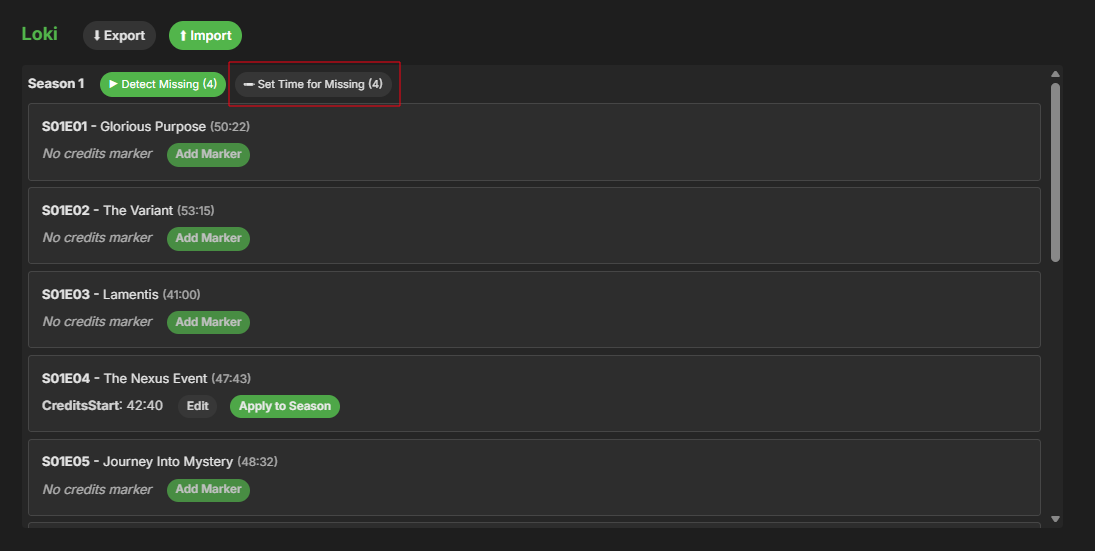
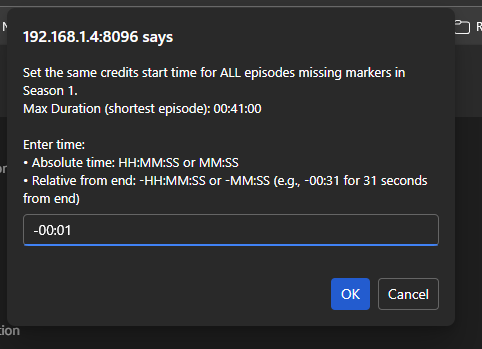
@sydlexiuswhen I identify those, I do this. That will put a marker at duration -1 sec on all episodes in that season.
 2 points
 -
Regardless of him being a troll or not, the matter still stands. 2FA would be a nice extra security layer to add to our servers.2 points
-
Between the 2nd or 3rd Apocalypse's Horseman2 points
-
Not sure I get your point @BillOatman, just because you don't use it, we should change? I use Emby for Live OTA TV as my daily driver, and I'm just asking for an already completed project ready for public beta testing to be released. Why is that an issue for you, if you don't use it?2 points
-
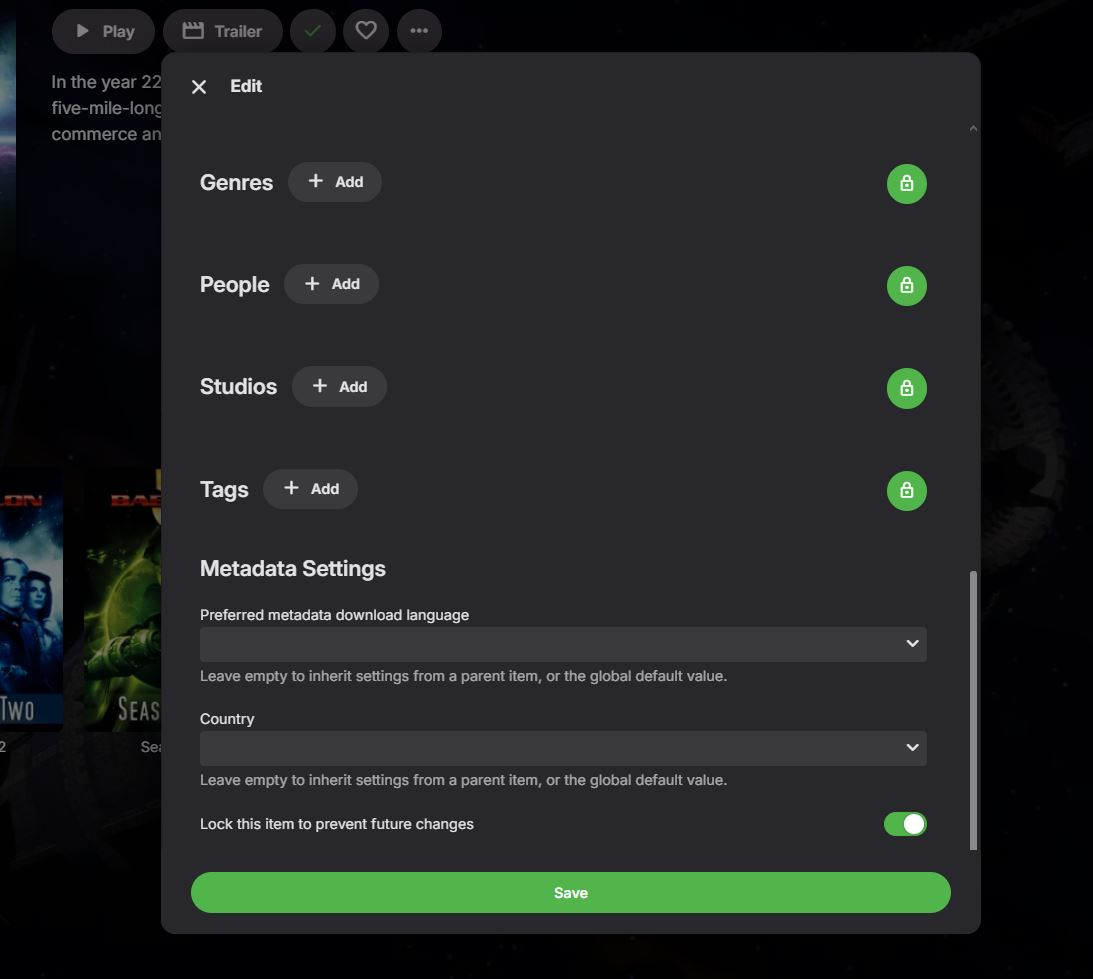
@DarWun Yes, I completely edit all the metadata myself and lock the settings to prevent emby from auto filling or changing the info. It's very time consuming, but I don't like the way emby renames the files and adds episode numbers in front of them. I also strip out all the other info that emby adds when you have it do the metadata scrapper search. I have emby display exactly how the actual file name is stored on the file server. It would be a nice "Premiere" option to allow permanently disabling features you don't want. @Luke

 2 points
 -
I'd really like to have 2 Factor Authentication added to the login screen. It's just this (optional) extra layer of security to help secure the server (which, especially if people use camera uploads) contains pretty private data. There are for every type of programming language quite a few libraries available, so implementation on a server shouldn't be too hard to realise1 point
-
Emby for LG 1.0.50 has been released. Here are the highlights: Resolve playback error on some 2018-2019 models Merge Movies and Shows into a new Movies & Shows tab in mixed content libraries1 point
-
Does Windows Emby Server now natively support these tuners without the need for WinTV? Thanks1 point
-
I have two GPUs, an embedded intel GPU on the CPU, and an external nVidia card. The client is Name: Emby Windows Version: 2.234.2.0 Would it be possible to add the "GPU in use" in the screen? I was having a problem with "skipping" and it turns out the intel GPU cant keep up with a 4k direct play stream. Adding a custom setting in my system settings, so Emby gets the nVidia, fixed the problem. However, it took a while to realize the gpu was the issue (nothing was showing up in any log). I found the issue in the App Settings->Display Control and I saw that screen was tied to the intel GPU. In the stats for nerds, if it listed "Rendering on display: Display 0" as well as "Rendering via GPU: Intel xxx "" I would have realized earlier what was a potential cause. Once I selected the correct GPU, all skipping goes away with direct play. Thanks.1 point
-
I don't think you can access the previous versions and they probably won't install anyway as Samsung adds a fixed expiry date of 30 days for those packages which is why we need to regularly update the USB installs. I know for sure that the RWI error is not from the package. From past experience with others that have had this issue, if uninstalling all Emby versions and cycling power hasn't resolved it then a full TV reset is probably the only option.1 point
-
@yockerAny possibility to add the ability to set a flag to skip episodes/seasons/series? I just checked some of my content that's re-running, and they truly lack end-credits.1 point
-
The backup task's problem is resolved for me . Thanks @yocker1 point
-
I have millions of files, I don't want a million extra nfo files polluting my drives. I'm already considering myself insane for formatting each and every entry as described and even separating subs. It's also beside the point: the data is available in IMVDB, in the exact item Emby has associated to each entry even.1 point
-
Also the new version is up on Release EmbyCredits v1.6.3 · yocksers/EmbyCredits1 point
-
So.. GPU accel tesseract was a bust, turns out the tesseract it self didn't support GPU. So you can all go back to the old docker one (Not necessary though since the GPU one will still work without problems.) Instead i will add some instructions on how to optimize the tesseract to fit your CPUs better in the next version.1 point
-
You cherry picked that comment though. If you had read his subsequent post, you would have seen this; "To me it is broken it’s slow tuning is a huge huge downside".1 point
-
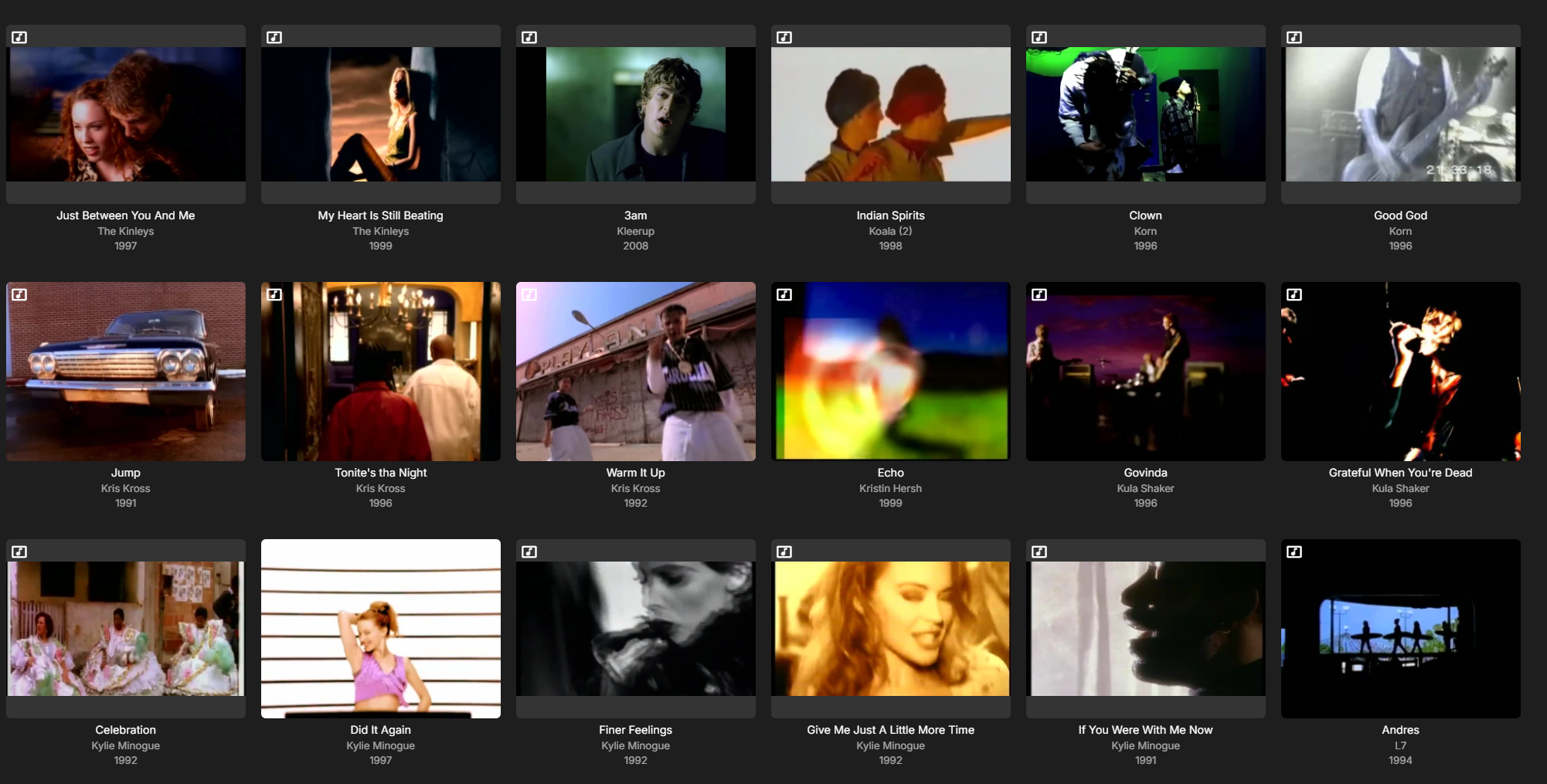
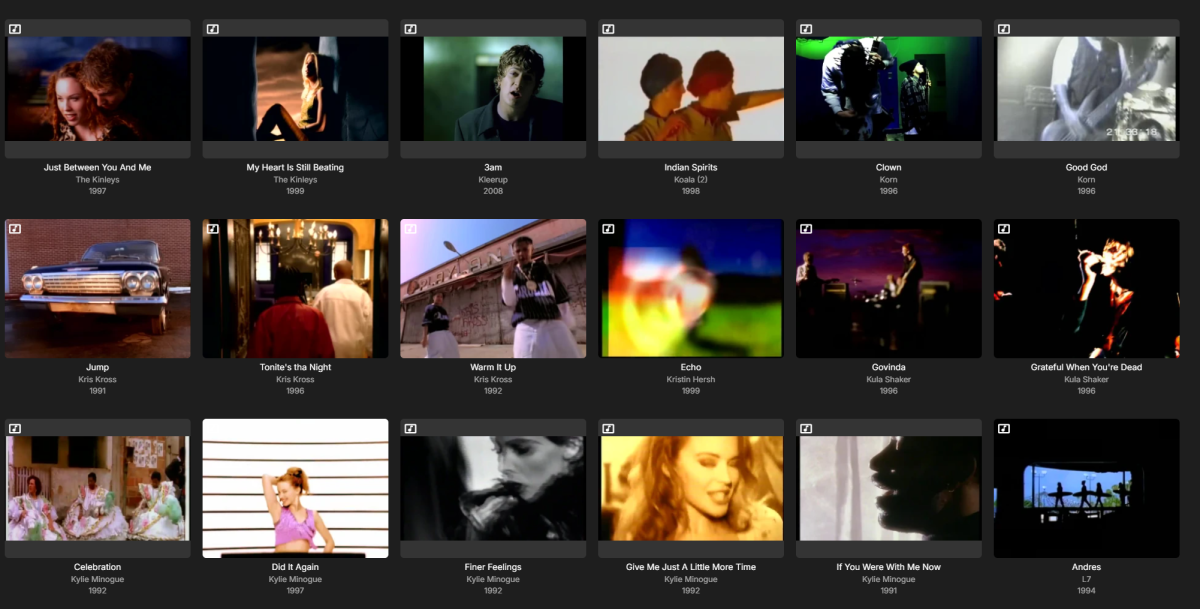
My library looks like this now, with years, artists and titles.
 1 point
 -
Cheers, Reverted back to an older version of server and indeed it's working again. Kinda forgot I also updated the server. I will be waiting for the new server release, thanks1 point
-
Not sure how libraries are working if you disable the service they are being shared on. There are many older topics where smb has always had issues like this on some setups and Luke always suggested.1 point
-
So that answer is even more concerning @ebr. The project was ready "a few years ago" (your quote), but now it's not because management's decision was to sit on it? Very nice!1 point
-
I disagree. His point was that it should be expected that software like this has 2fa built in. It never even occurred to him that it wouldn't be.1 point
-
you can also use this plugin to save you metadata to media folders.1 point
-
I asked an AI engine if there were any problems with 4.9.3.0. It came back with; Common Bugs in Emby Server 4.9.3.0 User Interface Issues Media Layout Changes: Many users have reported that the update has altered the media layout unexpectedly. The new layout can be confusing, especially for those using remote controls on TVs. Default View Settings: Users are experiencing difficulties reverting to the old "Folder View." Changes made on the server side do not apply to user accounts on different devices, requiring manual adjustments for each user. User Configuration Problems Local Device Storage: User configurations are stored locally on devices, meaning that changes made on the server do not propagate to all devices. This can lead to inconsistencies in user experience across different platforms. Difficulty in Navigation: Some users have noted that the new layout is not user-friendly, particularly for those using devices like Fire Stick remotes, leading to complaints about navigation issues. Feature Requests Server-Side Layout Control: There is a demand for a feature that allows server administrators to enforce a specific layout for all users. This would simplify management, especially for larger user bases. Recommendations for Users Adjust User Settings: To revert to the old layout, navigate to Emby Server -> Users -> (select user) -> Edit this user's profile -> Display -> Set Preferred TV Show display to "Always show season folders." Feedback to Developers: Users are encouraged to provide feedback regarding these issues to help improve future updates and features. So I have to edit this on all the users, potentially on multiple devices. Why on earth would you make a decision to change the GUI without consulting the customer base? I am very reluctant to make this upgrade, as the skill level of my users is somewhat non technical. On the next upgrade, give us server side control, that way we can choose what layout we want. Remember Emby is a business, and customer service is paramount, or you'll go the way of Novell. (Who you probably haven't heard of, but they had 80% of the server market, were technically superior to the competition, but ignored their customer base and went their own way)1 point
-
rather it seems those posts are forwarded directly to /dev/null1 point
-
ive turned off smb service and firewall. almost 24hrs since i did recovery and folder still populated1 point
-
What I personally found easiest when swapping drives an whatnot, is to make the Library folders unreachable. For example: having a Movies library with the folder X:/Media/Movies I would rename that folder to X:/Media/Movies-old on the drive (Emby can't find it anymore). Next I would mount the new drive, move the contents and add the movied folder back into Emby or just add a new folder if that's necessary. So: 1) Rename existing folder (Emby can't scan it, internal error but entries remaind) 2) Move folder contents to new folder 3) Restore folder or add new folder is the location has changed 4) Delete the old folder This "should" work, but maybe it's best to test it locally first before moving terabytes of data. Also: removing entire drives and reassigning them with the same drive letter has worked just fine since I changed servers last week. No loss in data there, if the paths remain the same.1 point
-
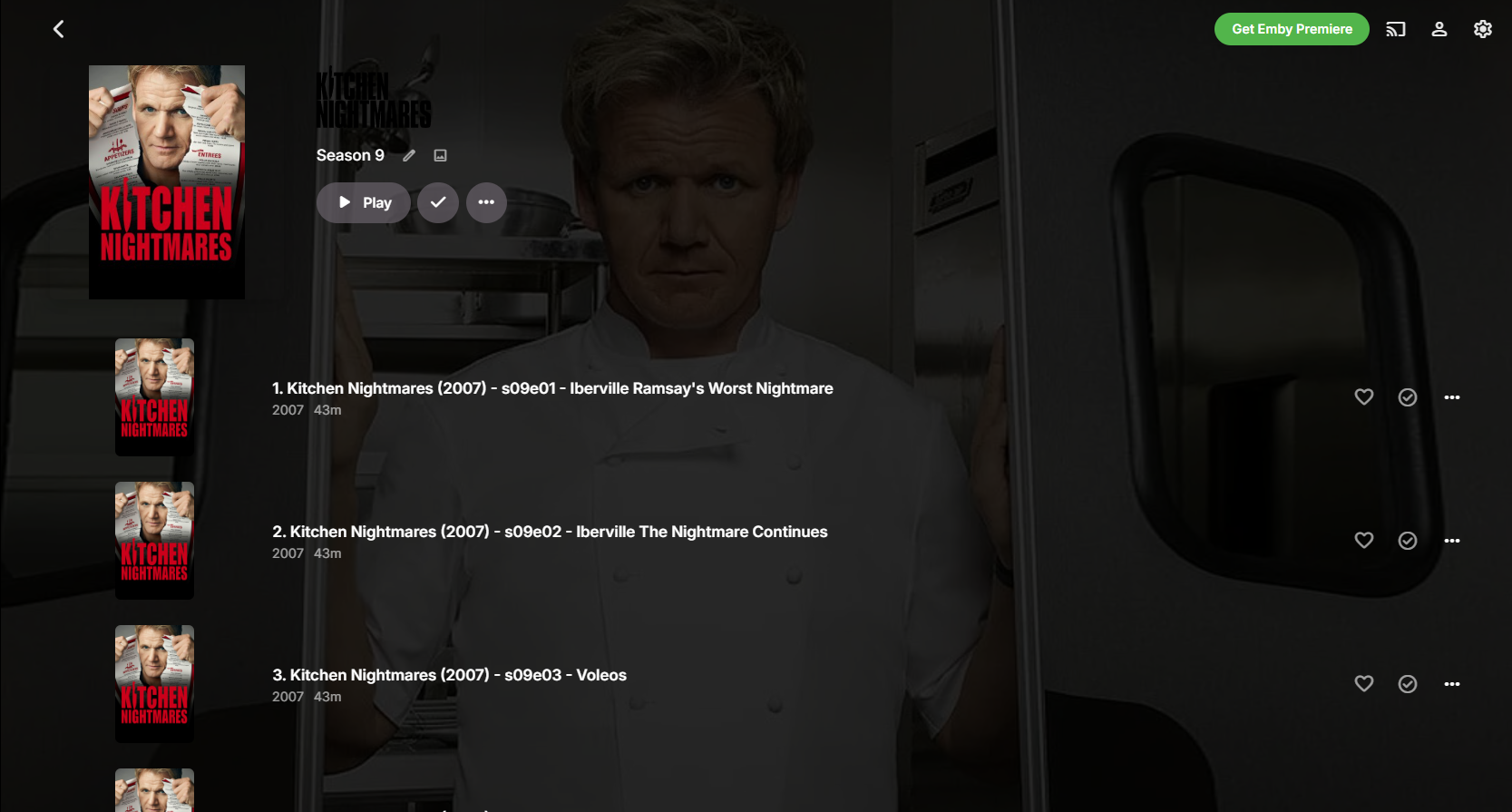
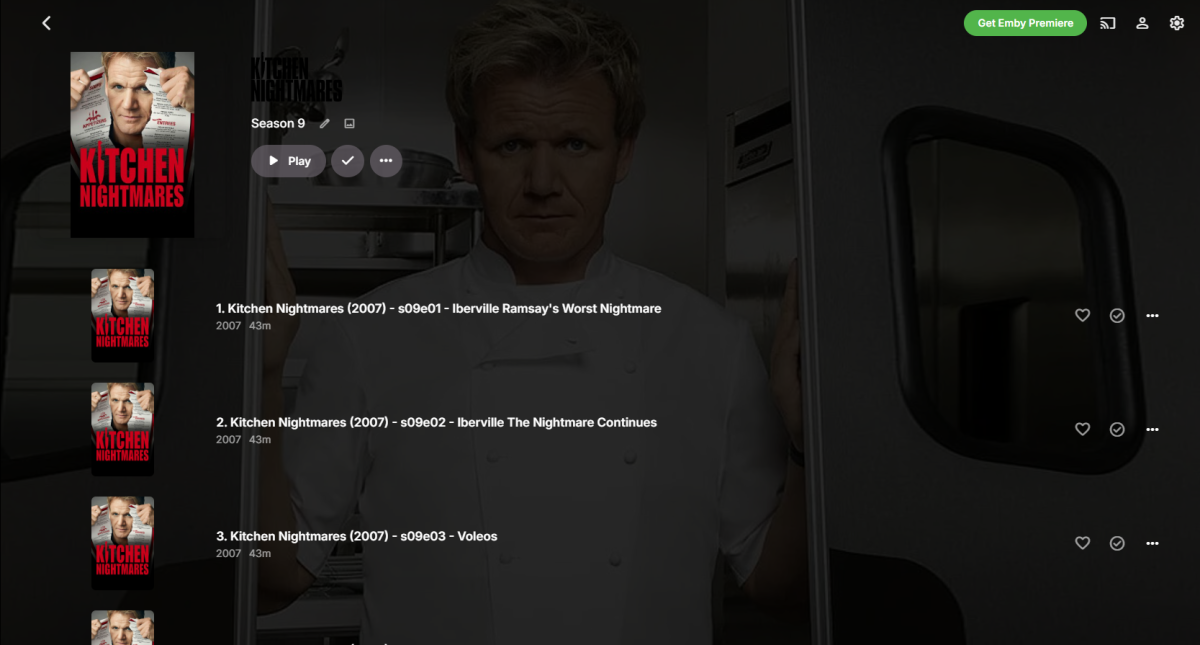
@GHynsonthat generally means your show / season / episode isn't identified at all. Or do mean that you WANT your episodes to be formatted as if they're unidentified? Identified items should look something like this: These are all automatically identified items. It looks to me like something else is up with your data. As an example, unidentified items look like this:

 1 point
 -
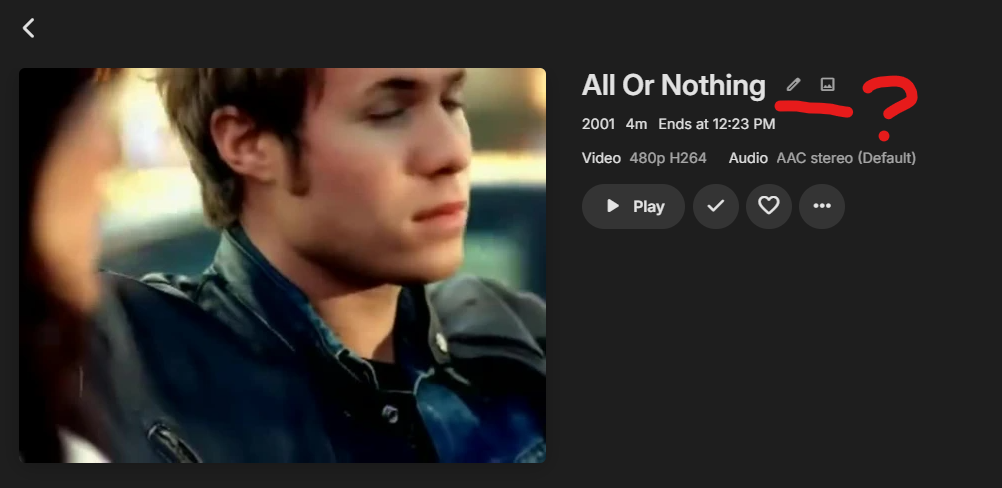
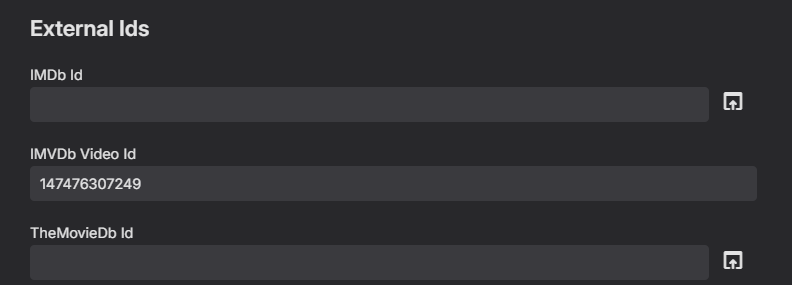
Hooking into this functionality, I gave IMVDB a try as well. It seems that whenever an IMVDB identification is found, the artist becomes hidden/disappears from the overview: The artist field is also empty, but this item seems to contain that info on the IMVDB side: https://imvdb.com/video/o-town/all-or-nothing. Scrolling through this list is now a pain because there's no way to check which artist the video is associated to unless the image contains a band member (I'm not memorizing every band's members lol) or by viewing the original filename which is in this case "O-Town - All or Nothing.mp4" Any idea what might be going on here?
 1 point
 -
I have updated, I have not tried to recreate as of yet. I will do this soon. By clicking the back button in the upper left. When I retest with 4.9.3 I will try different methods and report back if it still does it.1 point
-
Maybe a few points for clarification. My Emby instance is currently publicly accessible via an HTTPS domain managed by a Caddy reverse proxy. When I enter this domain URL into the "Server URL" field in Aperture, everything works fine, including the "Open in Emby" links. However, this configuration forces all communication between Aperture and Emby to travel over the internet—traveling from Aperture to the router, through my ISP, to a DNS resolver, and back through the router to Caddy. Ideally, Aperture and Emby should communicate locally to avoid the unnecessary overhead and latency of this NAT hairpinning/round trip. That's why I suggested adding an optional "External Server URL" field to be used specifically for constructing the "Open in Emby" links, while allowing the primary connection to remain local.1 point
-
I just created an account to post here about the absurdity of this not existing yet. I purchases premiere so I could migrate from Plex to Emby, but I didn't realize until too late that 2FA is not even an option for an admin. I was so focused on evaluating the other features, recreating libraries, testing the apps, etc. I really like Emby, but I will not be able to use it until 2FA is added as an option. I'm not going to put my data at risk because adding 2FA to an internet exposed application is not a priority for this team. I don't need it for normal users, but admin accounts 100% need it. I guess at the end of the day, the Emby team already received my money for a lifetime license, so why would they care? I guess I'll just power down my Emby LXC and stick with Plex until this feature is added. Honestly pretty annoyed at this whole thing.1 point
-
I think that if you move the media and then add the new folder to the library and then and only then rescan the library you will keep the custom metadata you have. That works for me but I use very very little custom modifications so I might have just missed things that were lost on my last move, more than 4 years ago. Be sure to turn off the automatic scans of the library and the real time monitoring before you move anything and add the folders before you turn the monitoring back on. I, probably, will be unable to follow up on this for at least a day but there are many others that can help better than I.1 point
-
I’ve only tested a few titles but it seems way better. I think you also fixed the issue I was having with titles completely erring out instead of loading.1 point
-
As far i a understand OpenCV it wouldn't be a good fit. It's at most on par with tesseract for text recognition for much more GPU usage. Only benefit i can think off, scrolling text recognition or looking for special things in scenes. Tesseract can already recognize scrolling text if trained correctly. Something that could maybe be fun to use it for would be chapter creation for videos without chapters. Not something i want to make but still.. Good suggestion though and please correct me if i wrong about it because i must admit my knowledge is limited about OpenCV.1 point
-
Good news everyone! (Finally got to say that). I found a version of the tesseract with GPU support so have edited it slightly to add the clean up function and uploaded it. It will now support Intel, AMD and Nvidia GPUs. https://hub.docker.com/repository/docker/yock1/embycreditocr-gpu/general Still working on the GPU support in the plugin, will need a break after this as i'm starting to see code on the walls and i'm not sure if i'm not imagining it or if i actually drew it for real.1 point
-
Not really a discussion, as I recall - people kept complaining, and the devs kept not taking their complaints on board. Paul1 point
-
Sorry - Not sure how to do that - but the website app.emby.media all of a sudden just started working again. Thanks1 point
-
Hi Luke, this problem seems to be fixed in the LG App 1.0.50. Do you still need the android app log?1 point
-
@ALLSTAR1986due to certbot being deprecated the next best thing for Windows (11) is win-acme which works even easier in my case. All I had to do using win-acme is configure the certificate once manually (don't forget to allow it through Firewall and to actually store the pfx) Then using scheduled task you can create a Powershell script to stop Emby, renew the certificates (it will check itself so this can run daily) and start Emby again. net stop EmbyServer C:\win-acme\wacs.exe --renew --baseuri "https://acme-v02.api.letsencrypt.org/" net start EmbyServer Before I used ZeroSLL but that was a pain and required new DNS-records every so often. This method is way cleaner imo. Not trying to be an ad, but I was pretty suprised with how well it worked within Windows 11 https://www.win-acme.com/.1 point
-
Right on, sorry I missed that! Love the install script with built-in rollback options, installed the Beta and the OSD is back.1 point
-
No policy groups for users, and having to select and change user settings for each user one at a time is a major achievement!1 point
-
I agree but people would complain if the devs suddenly changed the look of Emby. It would have to be with themes like njmckenzie96 said if it was to change. Would love better themes or even better the possibility to make custom themes. Also Emby feels a little too closed, opening it a little would allow for a lot of new fun plugins.1 point
-
I totally agree that the edit icons don't look the best BUT I also use them both very regularly in the web app. So... The icons can easily be hidden with CSS (which I realize the OP has done something similar already): button.btnDetailEdit.btnEditMetadata.secondaryText.flex-shrink-zero.paper-icon-button-light { display: none; } button.btnDetailEdit.btnEditImages.secondaryText.flex-shrink-zero.paper-icon-button-light { display: none; } But, even better still, the icons can be initially hidden and then made to reappear when the cursor hovers over them: button.btnDetailEdit.btnEditMetadata.secondaryText.flex-shrink-zero.paper-icon-button-light { opacity: 0; transition: opacity 0.3s ease; } button.btnDetailEdit.btnEditMetadata.secondaryText.flex-shrink-zero.paper-icon-button-light:hover { opacity: 1; } button.btnDetailEdit.btnEditImages.secondaryText.flex-shrink-zero.paper-icon-button-light { opacity: 0; transition: opacity 0.3s ease; } button.btnDetailEdit.btnEditImages.secondaryText.flex-shrink-zero.paper-icon-button-light:hover { opacity: 1; } I prefer the second option myself - the detail pages look less cluttered, but the shortcuts are still there if needed.1 point
-
I would like to add my opinion on this by linking my post that was marked as duplicate. Generally, I don't think it is that helpful to set the default version depending on size or quality. I stated it in the linked post, most of the time, I have two MP4 files, a subbed and a dubbed version, and this leads to inconsistencies with the default version being set by Emby. I would like to have an option to set a string or something that is recognized in the file name to be set as default version, like in the first post of this thread stated. And because I read a discussion regarding "Auto" setting for video internet quality: "Auto" does not work properly. I use the web client in Chromium Edge (connection not local) and when the setting for video internet quality is on "Auto", even a 720p 1 Mbps MP4 file is streamed with a "reduced bitrate", while this does not happen when I set the internet quality to "4K - 40 Mbps". I already disabled the ability to transcode a video for my users because that lead to quality problems as well (lower resolutions being played on auto), but with video transcoding disabled and the internet quality set to "4K - 40 Mbps", my videos are being directly played without transcoding and without bitrate reduction. By the way, these problems do not occur on the android app.1 point
-
+1 for this feature. I create at least 2 versions of a movie from my purchased DVDs, Blurays and UHDs ... DVD = 1 version = SD (480p AAC) Bluray = 2 versions = HD (720p AC3) + FHD (1080p DTS) 4K = 1 version = UHD (2160p Atmos) ... which are named as follows in the movie folder ... Movie Name (YEAR) - SD.mp4 Movie Name (YEAR) - HD.mp4 Movie Name (YEAR) - FHD.mkv Movie Name (YEAR) - UHD.mkv ... and which direct play on all my devices and for friends across the internet ... ... which is why I do it. It would be great, if I could specify the default version of 'HD' (if it exists) otherwise 'the only one version found'. Just thought - even better, would be the ability to specify in which order they are prioritised (based on the correct file naming convention). e.g. HD FHD SD UHD Please give it this idea some consideration and keep up the great work. Regards, Paully1 point
-
As far as I can see, point 2 here has not been addressed at all in the rest of the thread, nor in the software. In my case, I have a lot of videos in two versions (original vs director's cut, or subbed vs dubbed) and sometimes even three. None of them are the same original in different encodings, and in any case transcoding is not an issue for me. It would be nice to be able to select to disable the quality selection logic, so that then the default was just the first option alphabetically (I don't mind putting a number at the front of the selection string to order them).1 point
-
Yes my problem here is on the local network (hard wired connection). I have some files that are 4k HDR 10 bit which some devices can't play natively. Emby will attempt to transcode this file which kills the server. To over come this I have both a 4k version and a 1080p version of these files however it will still default to the 4k version and some users aren't aware you need to change the resolution before pressing play (keeping it simple is always better imo) As was the original intention with this feature request, it would be good to get the option to set a "default" resolution to play if direct play isn't possible but the device is local on the network. This is the only test case here that emby doesn't seem to cover1 point
-
Seconding this. I would like to set 1080 to default so users have to select 4k. Currently they are playing the 4k file when they want 1080 or 720 because they forget about the drop down.1 point