Leaderboard




Popular Content
Showing content with the highest reputation on 01/19/26 in all areas
-
This new view really sucks ball. Whoever designed it should be taken out and thrashed. It was bad enough when it was only for single season episodes but I see it now applies to everything. I really really really don't understand how you people intentionally screw up anything that works. Unreal.
 2 points
 -
Hi. What do you mean by "replicate"? There is no need to have multiple copies of the media as long as both servers have access to the media location. They can both point to that location. Just be wary of things like saving metadata to the media folders. Be sure only one of them is doing that.2 points
-
New version up (5.43.2) on yocksers/EmbyIcons Gitrhub Added: Icon use statistic to the Icon Manager. Support for video original language icons. If you use and like the plugin then please consider donating a coffee at: Donate me a coffee This is by no means necessary in anyway but very much appreciated!2 points
-
If you watch a movie and have to download a subtitle, often there is a required subset to make the playback with subtitle proper. The intention is now, that you setup the offset, but it will be kept per movie and downloaded subtitle (please note that new versions of a subtitlecould be downloaded). Expected function: Next time starting the same movie wiht the yame subtitle, the offset from last time is automatically applied.1 point
-
1 point
-
That's part of why I made it easy to mark shows unwatched from Aperture so I can undo their wreckage... and my wife is not innocent in any of this either!!!1 point
-
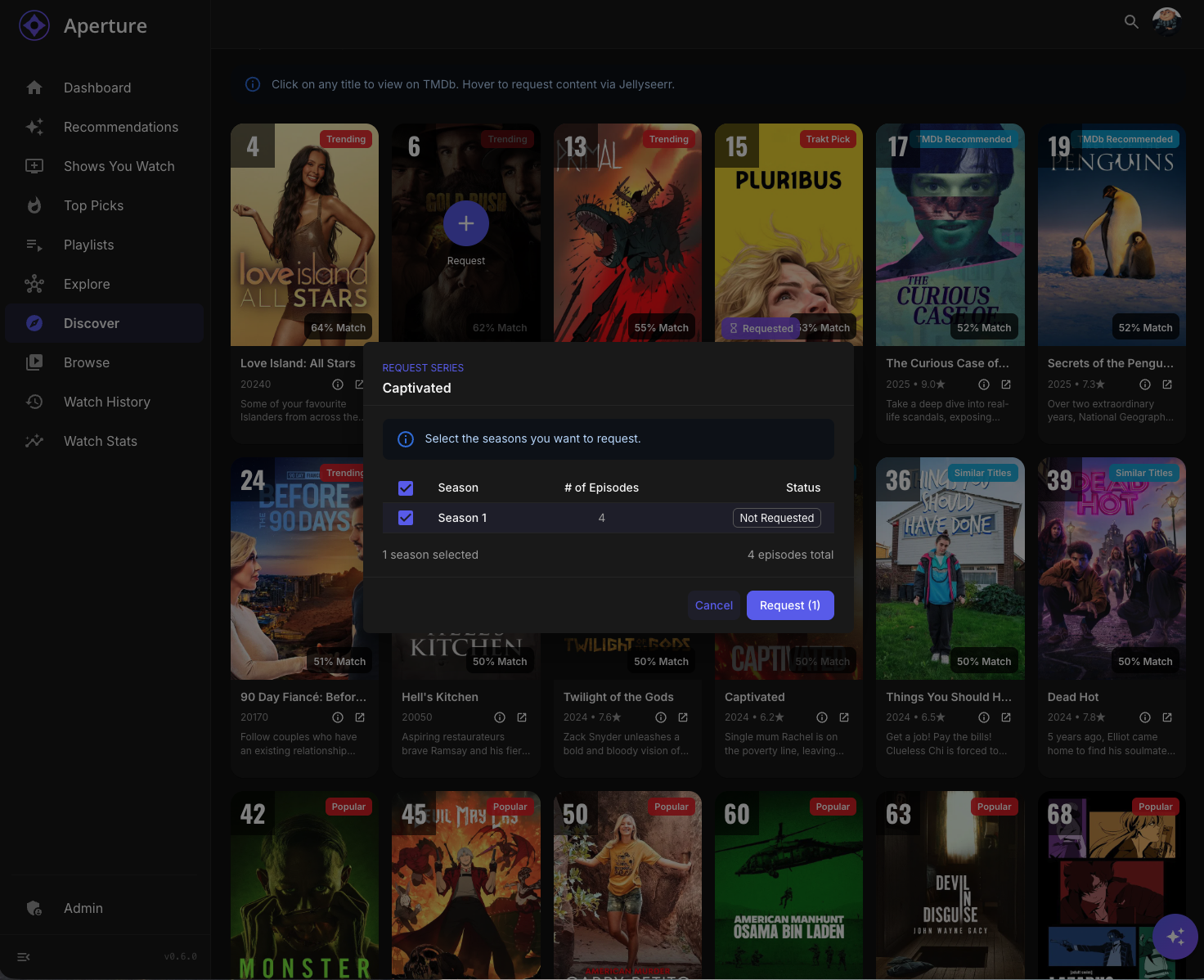
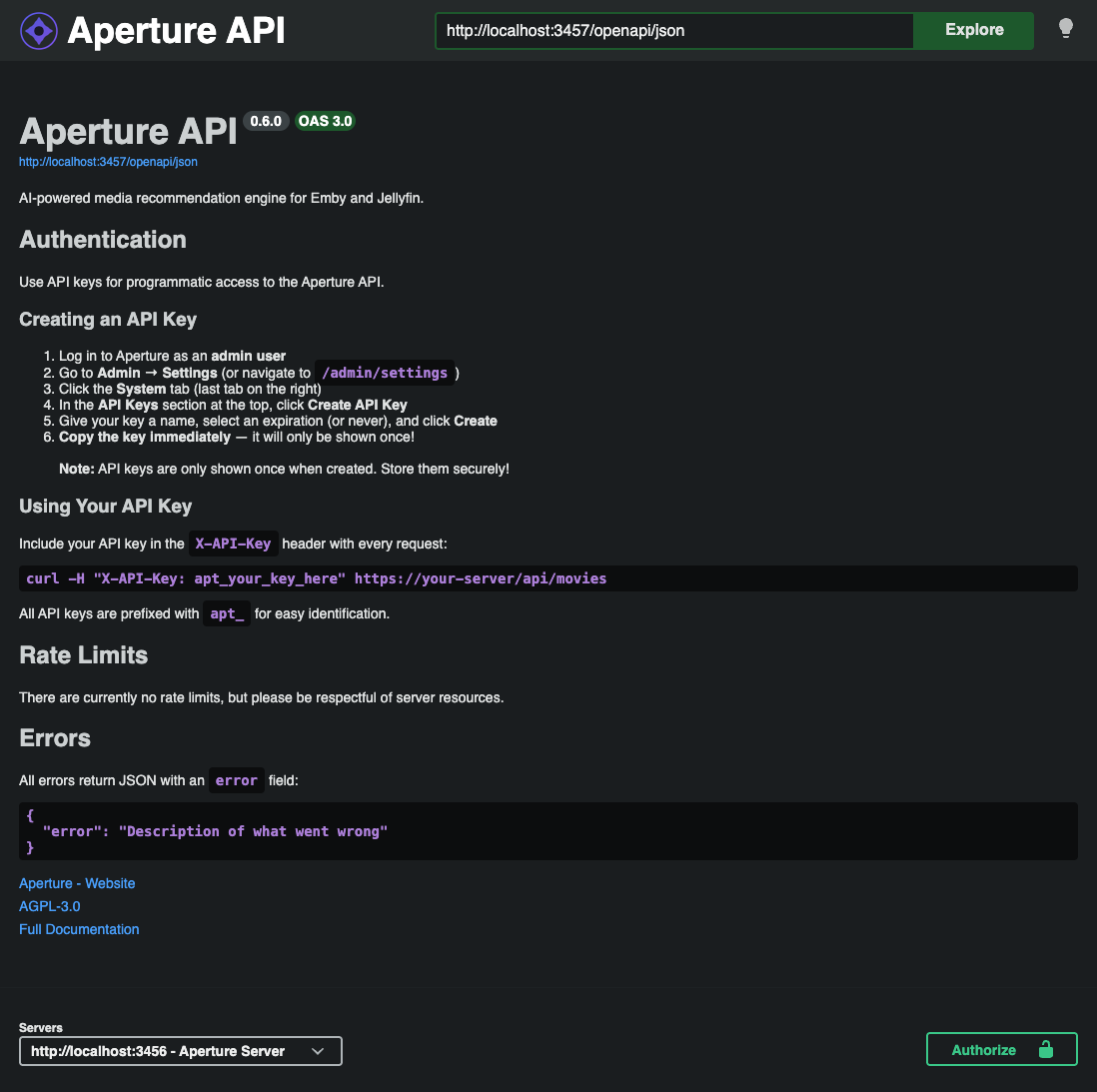
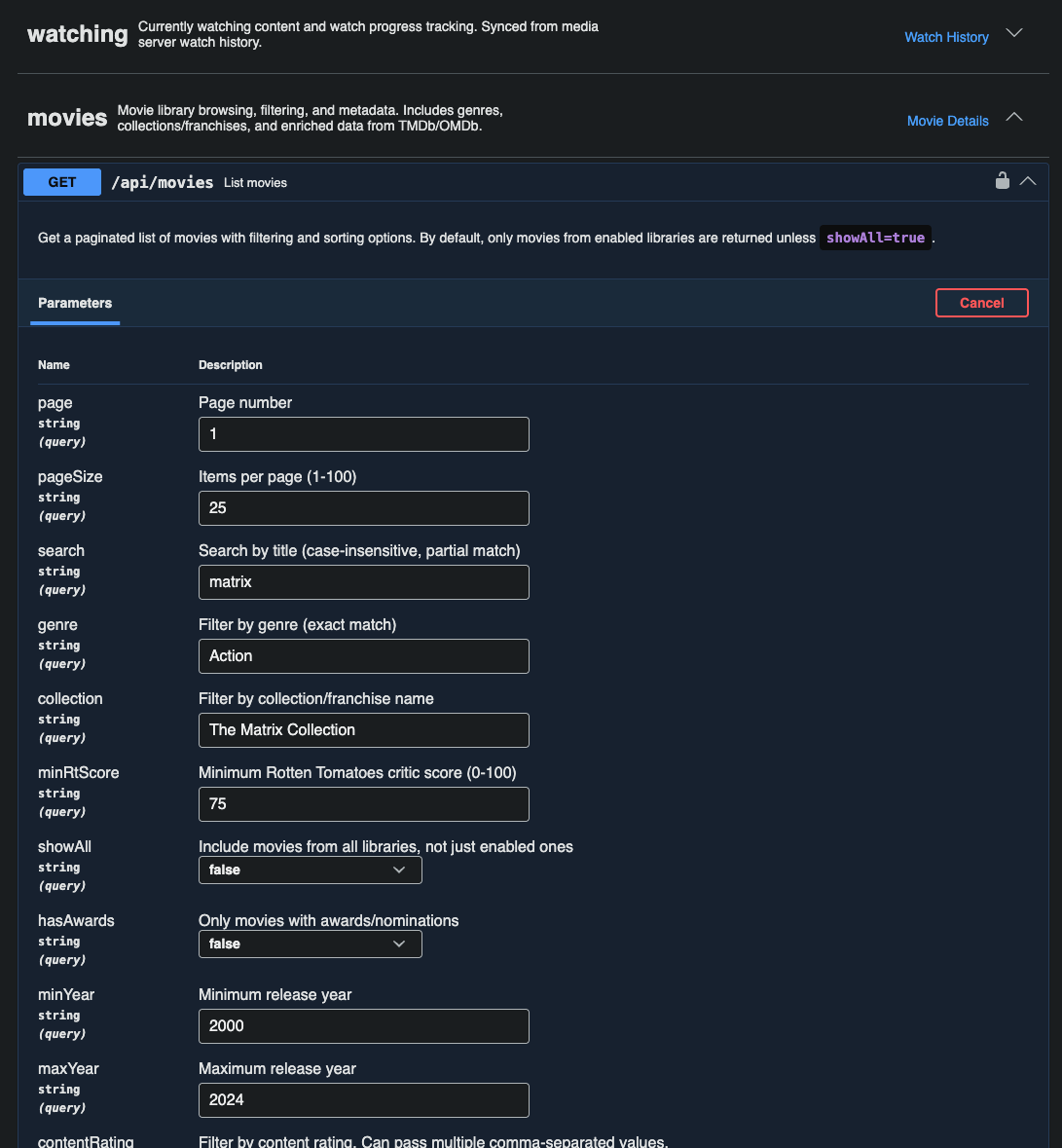
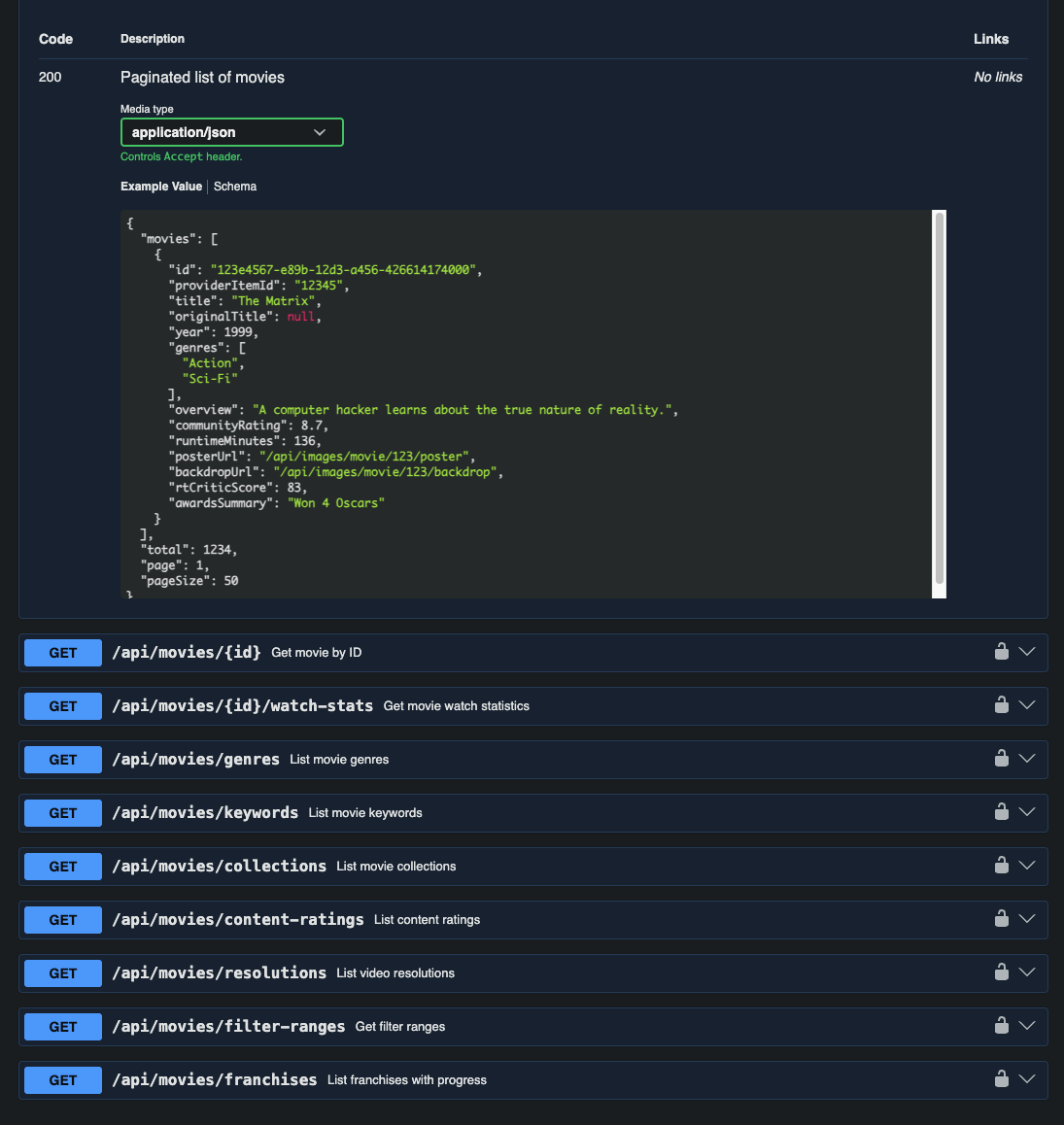
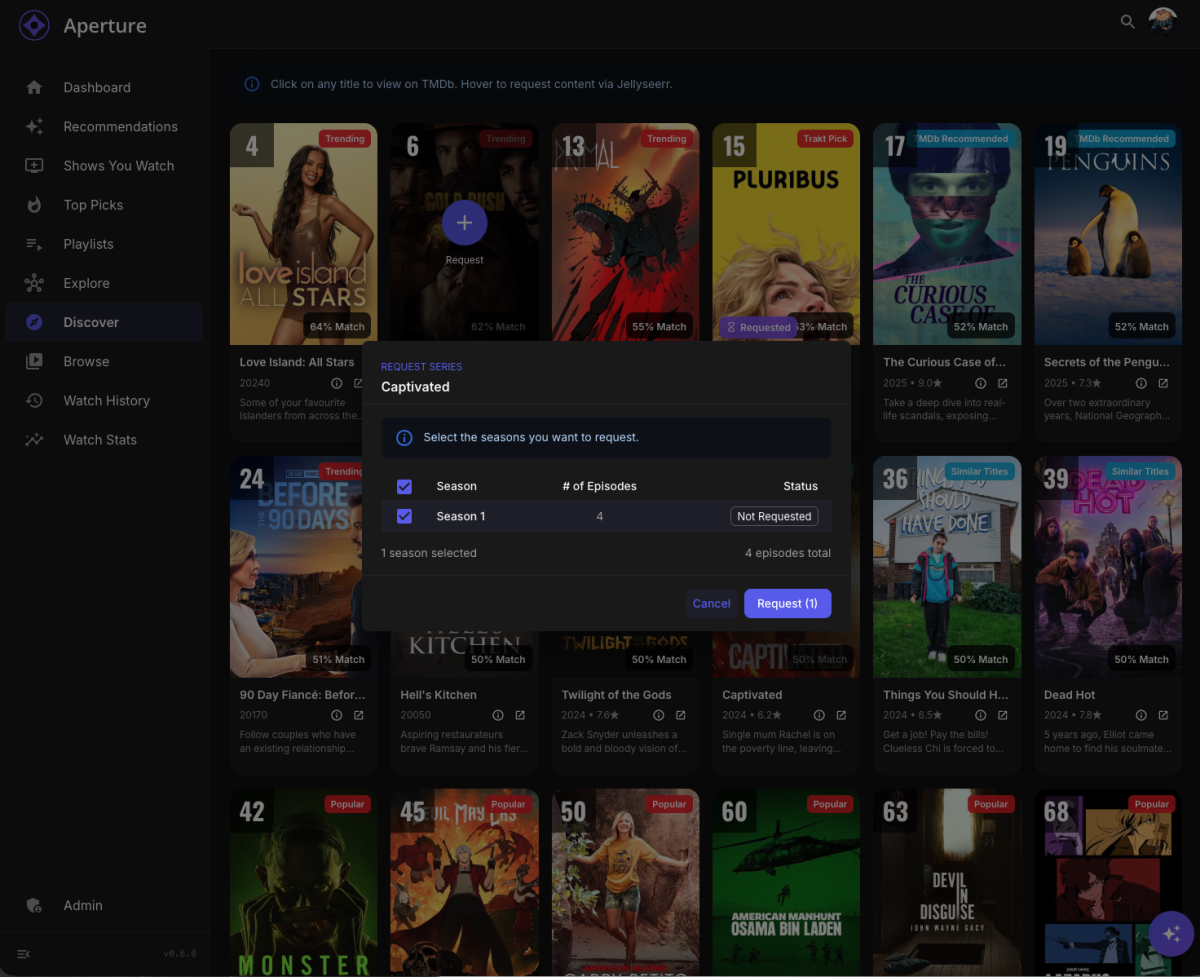
Aperture v0.6.0 Release Notes This is a major release packed with new features including API key authentication, hybrid discovery with lazy enrichment, API architecture improvements, and an important license change. We've completely reorganized the API for better maintainability and added comprehensive OpenAPI documentation. License Change: MIT → AGPL-3.0 Aperture is now licensed under the GNU Affero General Public License v3.0. What This Means You can still use Aperture freely for personal use You can modify and self-host Aperture Source code remains open and auditable If you modify Aperture and provide it as a network service, you must release your source code under AGPL-3.0 This change protects the project from proprietary forks while keeping it fully open source. The AGPL-3.0 is OSI-approved and widely used by projects like Nextcloud and Grafana. API Key Authentication New feature: Programmatic API access with API keys! You can now create API keys for external integrations, scripts, and automation. This enables building custom tools that interact with Aperture. Features Admin UI — Manage keys in Settings → System → API Keys Secure storage — Keys are SHA-256 hashed in the database Flexible expiration — Never expire, or 7/30/60/90/180/365 days Usage tracking — last_used_at timestamp for security monitoring Easy identification — Keys use apt_ prefix (e.g., apt_abc123...) Revocation — Soft delete with audit trail Usage Include the API key in your requests: curl -H "X-API-Key: apt_your_key_here" https://your-aperture/api/movies Creating API Keys Navigate to Settings → System Scroll to API Keys section Click Create API Key Choose a name and expiration period Copy the key (shown only once!) Discovery: Hybrid Mode with Lazy Enrichment Discovery has been completely overhauled for dramatically better performance and filter coverage. Lazy Enrichment (60-80% Faster Generation) Not all candidates need full metadata upfront: Enrichment Level What's Fetched When Basic (all candidates) Poster, language, genres Always Full (top 75-150) Cast, crew, runtime, keywords On-demand This reduces TMDb API calls by 60-80% during discovery generation. Dynamic Expansion When you apply restrictive filters (language, genre, year), Discovery now automatically fetches more content to maintain ~50 results: Filter reduces results below 20 candidates Aperture queries TMDb with your active filters New candidates are merged and re-ranked Results expand seamlessly in the UI Scaled Candidate Pools Parameter Before After Candidates per source 50 200 Total candidates 200 1,000 Enriched candidates 75 150 This ensures you always have plenty of recommendations, even with strict filters. Jellyseerr: Season Selection for TV Series When requesting TV series through Jellyseerr, you can now select specific seasons instead of requesting the entire show. A new modal appears when requesting a series, letting you: View all available seasons Select one or more seasons to request See which seasons are already available API Architecture Overhaul The entire API has been reorganized from monolithic route files into a modular, maintainable structure: New Structure routes/ ├── movies/ │ ├── index.ts # Route registration │ ├── schemas.ts # OpenAPI schemas │ ├── types.ts # TypeScript interfaces │ └── handlers/ # Individual endpoint handlers │ ├── list.ts │ ├── detail.ts │ ├── filters.ts │ └── ... ├── series/ ├── settings/ ├── recommendations/ └── ... Benefits Better maintainability — Each domain is self-contained Comprehensive OpenAPI docs — Visit /openapi for full API documentation Type safety — Shared types prevent inconsistencies Easier testing — Handlers can be tested in isolation Swagger UI Branding The OpenAPI documentation at /openapi now features: Aperture logo in the header "Aperture API" branding Correct GitHub links to documentation and repository AGPL-3.0 license information Collapsed tag sections by default for easier navigation Discovery: Shared Candidate Pool Multi-user Discovery now uses a shared candidate pool for dramatically improved efficiency: How It Works Shared enrichment — TMDb data is fetched once and stored in a shared pool User-specific scoring — Each user's candidates are scored against their taste profile Reduced API calls — Eliminates duplicate TMDb requests across users Performance Gains Scenario Before After 5 users, 100 candidates each 500 TMDb calls ~100 TMDb calls API rate limit risk High Low Database Schema New discovery_candidate_pool table stores shared candidate data with full TMDb metadata. Fixed: Playlist Navigation Using Wrong ID The Problem Clicking a poster in the similarity playlist modal navigated to the wrong page (e.g., /movies/12345 instead of the correct Aperture UUID). The Cause The getGraphPlaylistItems function was returning the media server item ID (Jellyfin/Emby ID) instead of the Aperture UUID. The Fix Enhanced getGraphPlaylistItems to: Fetch items from media server Look up Aperture UUIDs by matching provider_item_id Return items with correct Aperture UUIDs and media type Update Instructions For Docker Users # Pull the latest image docker compose pull # Restart with new version docker compose up -d Database migrations will be applied automatically on startup. Migration Notes License Change If you have forked Aperture or are providing it as a service, please review the AGPL-3.0 license terms. API Changes The API endpoints themselves have not changed — only the internal organization. All existing integrations should continue to work without modification. New endpoints: GET /api/api-keys — List API keys (admin only) POST /api/api-keys — Create API key (admin only) DELETE /api/api-keys/:id — Delete API key (admin only) POST /api/api-keys/:id/revoke — Revoke API key (admin only) POST /api/discovery/:mediaType/expand — Dynamically expand discovery results Database Migrations Three new migrations run automatically on startup: 0096_discovery_enrichment.sql — Adds is_enriched column to discovery candidates 0097_api_keys.sql — Creates API keys table 0098_discovery_pool.sql — Creates shared discovery pool table
 1 point
 -
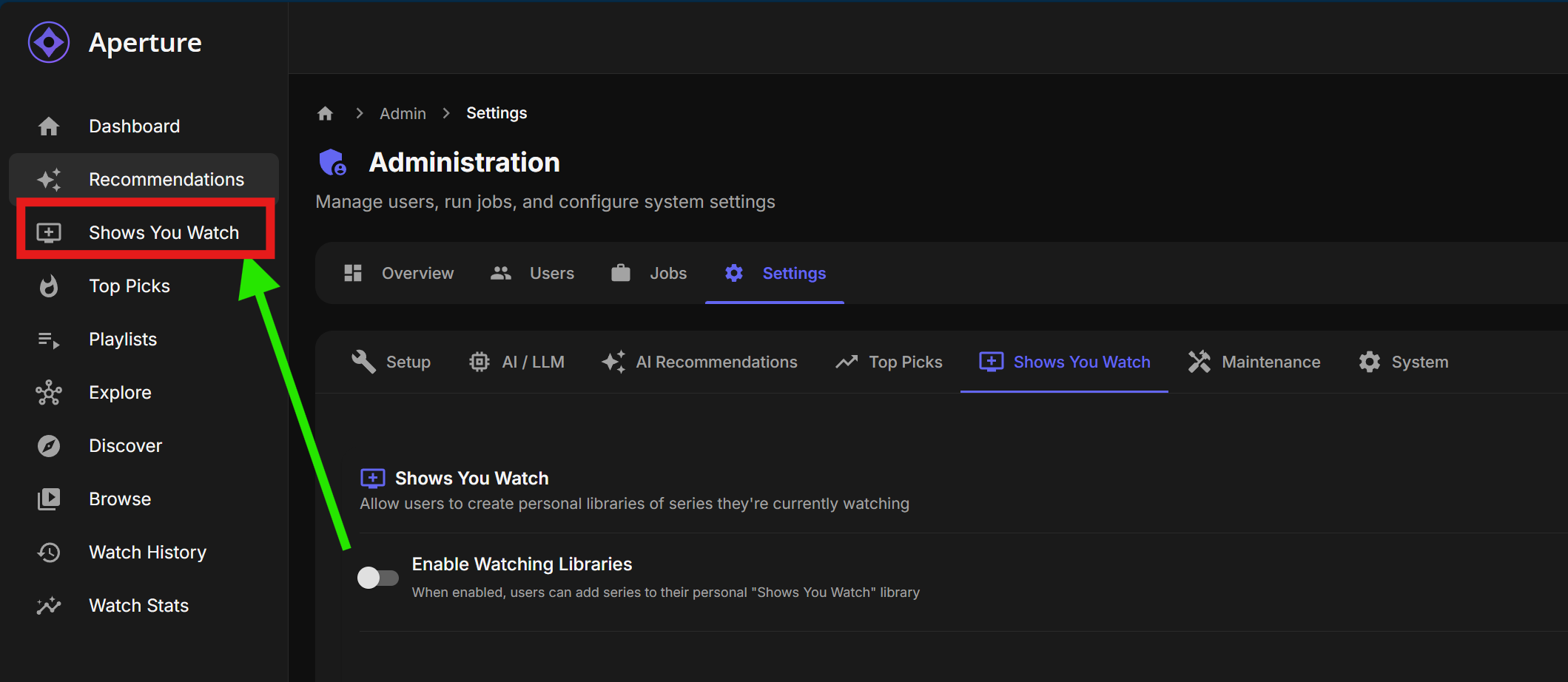
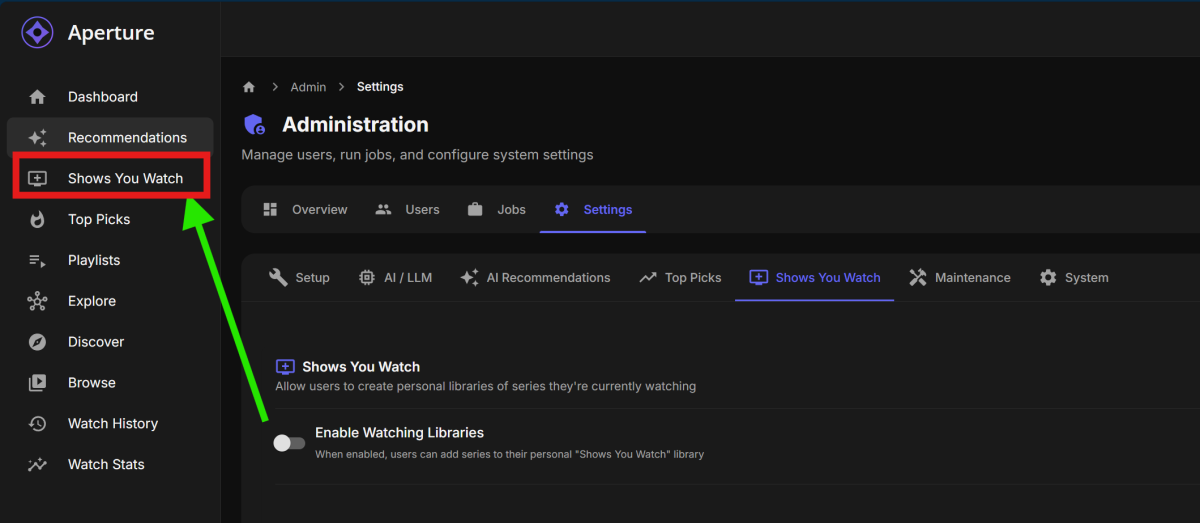
Minor UX suggestion: If "Shows You Watch" feature is disabled, hide the relevant sidebar selection
 1 point
 -
I have both my Synology NAS and me MacOS with libraries pointing to the same folder. It is a new library I created for testing purposes. It is set up with Legacy Scanning for both servers. The MacOS correctly flattens the single item folders to Media Items. The exact same folder in Synology is still presenting as nested folders. Here is visual side by side I posted earlier. To me, it really doesn’t seem like it is folder contents.1 point
-
awesome thank you so much. i couldnt figure out where it was to change it or if it existed at all since i didnt change it to begin with. not sure why it was auto changed either. but i appreciate the quick and accurate response to fix my problem. thanks again1 point
-
I would consult with @TeamB I believe he attempted that very thing with PlaybackReporting and found it not worth it.1 point
-
This is my suggestion. It will take you maybe an hour to setup and you're done.1 point
-
The Emby/Aperture user watch history would certainly help with the collaborative filtering direction. And it can be optional in Aperture were you can opt-in for the Aperture collective watching or stick to your userbase1 point
-
I can certainly do that. My goal is to provide options. Top picks from: TMDB: Popular Trakt: Trending MDBLists: choose your own lists Emby: collective user watch history Aperture: collective community based emby watch history.1 point
-
If you edit genre in emby itself I believe it locks itself automatically and stays that way. If you edit nfo manually I think you need to run either Scan Library or Scan Metadata Folder but this will not lock the genres and will change should you ever hit refresh metadata for this series (or had it set to refresh i.e. every month in library settings). What I did, i didnt delete unnecessary genres one by one, i just added the given genre (Biography or Sci-Fi) tp the show that had at least of it's episodes under that genre. Believe it was much faster that way.1 point
-
Looking good with 2.8.2, thanks.1 point
-
This should be fixed in 2.8.2, now in the catalog.1 point
-
That is an oversight from my side. I have forgotten to explain that settings must be saved or Emby rebooted before the plugin sees new icons added.1 point
-
Or better yet Remux the subs out that you don't want1 point
-
I was having trouble connecting with my phone remotely when i was near ny local network when someone said that was becaus wfi conflicted withit. Turned off wifi on phone (with phone sim on ) and tried again pitting in my remote ip in chrome browser and it worked.. FYI I aslos installed the emby player and found this works either way with or without wifi on or off.1 point
-
New PUBLIC TESTING version available 12.4.3: Delta changelog 12.4.2 -> 12.4.3 Fix date issue @DarWun Please try this version1 point
-
I think I got it? I think it was due to mounting both the iGPU and dGPU1 point
-
I am thinking about opt-in for a share your emby watch history with other Aperture users as a way to get more top pick variation and potentially other community level enhancement. All anonymized of course1 point
-
Did. You can lend your support here:1 point
-
Hi @quickmic. I just updated to E4K v12.4.2. Library scan on reboot after the plugin is installed still fails for the TV library. The scan of the library starts, but it ends after only one series is scanned. I removed that series from my library (based on what series shown on the screen when the scan ended) to see if the scan would complete. After doing so, the scan still failed. I've attached two kodi logs. The old log is from the initial scan. The second is from the scan completed after I had removed the series I thought might be problematic. kodi.old.log kodi.log1 point
-
# Emby v2 – Major Update Version **v2** introduces a new **User Interface** alongside the existing admin interface, allowing premium owners to share their subscription with friends and family through the new **Watch Pass** system. This update transforms Emby into a full media management ecosystem where administrators maintain full control while sharing access through a simple, feature-rich interface. --- ## Watch Pass – Premium Sharing System The **Watch Pass** allows **Admin Premium owners** to share their subscription with friends/family. Added users get access to a dedicated **User Interface**. **Plans:** - **Watch Pass – 5 Users**: Share premium access with up to 5 users - **Watch Pass – Unlimited**: Share premium access with unlimited users **How it works:** 1. Admin Premium owners purchase a Watch Pass subscription (5 users or unlimited) 2. Owner adds friends/family to their Watch Pass list via **User Management** 3. Added users automatically gain access to the **User Interface** 4. Users can browse media, make requests, and track their activity 5. Owner retains full control over access --- ## Dual Interface System **Administrator Interface (Unchanged):** - Full server management and monitoring - Complete control over users, devices, and settings - Advanced analytics and statistics - Library management - **User Management** with Watch Pass integration **User Interface (New):** - Streamlined dashboard optimized for media consumption - Personal media player with viewing history - Request system for movies/TV shows (Seerr/Jellyseerr integration) - Issue tracking for reporting problems - Locked features clearly indicated with "Watch Pass Required" - Clean separation from admin functionality --- ## Switch UI Mode (Owner Feature) Exclusively for **Admin Premium owners** with an active Watch Pass: - Switch between Admin and User modes from the User Management screen - Experience the app as users see it - Requirements: - Owner must add themselves to the Watch Pass list first - Button is disabled with guidance if not added - Switch back to Admin mode seamlessly - Badge indicators show current mode (Admin/User) --- ## Media, Requests & Issues (User Features) Users in the Watch Pass enjoy: - Comprehensive media browsing with metadata and artwork - Request movies and TV shows through Seerr/Jellyseerr - Track request status (pending, approved, available) - Report issues for episodes or movies - View personal watch history and recommendations - Responsive, entertainment-focused interface --- ## Premium System Overview **For Administrators:** 1. **Admin Premium** (one-time purchase) - Full administrative features - Complete server control 2. **Watch Pass Subscription** (optional) - 5 users or unlimited - Share premium access - Manage users through interface **For Users:** - Free access when added to a Watch Pass - No separate subscription required - Full access to User Interface features --- ## Technical Improvements - Performance optimizations - Enhanced error handling - Improved navigation and transitions - Tutorial system for new users - Avatar loading with fallback support - Multi-selection for batch operations - Responsive design for multiple screen sizes --- ## UI/UX Enhancements - Modern Material 3 design - Animated mascot with premium accessories - Premium badges for status - Contextual help messages for locked features - Smooth animations and transitions - Dark mode optimized --- ## Summary Version 2 is a major step in sharing and enjoying your Emby server. Admin Premium owners can extend their subscription via **Watch Pass** while keeping full control. The new **User Interface** delivers an outstanding experience focused on discovering and enjoying content.1 point
-
Thanks. Great news.1 point
-
ADULT ADHD IS REAL!!!1 point
-
Hi, this has been identified as an issue in the server and we’ll be getting an update out soon to resolve it. Thanks.1 point
-
@UltimateOne You say " login attempts on a handful of my user accounts" Are those user accounts showing when remote? If they are disable that, NOW. Are you using Emby standart port's? Change them to something not known. Read this Secure Your Server | Emby Documentation And pay attention to the details, and how you might put your self at risk. If a bot / script kiddy scan the internet for open Emby ports, they will try to hack it. If you have user names showing on login screen, they have half the login. And will try to brute force the password. Have a good read through on these postes.1 point
-
Well, okay. A voice in the wilderness.... Then could an equalizer be made in applications for Android, Android TV and others that run on hardware that cannot install sound correction applications (equalizers)? Let it not be on the server side. My projector has a built-in equalizer, but when I watch or listen to something from Emby it does not correct/change any frequencies! So, the fact that some devices have an equalizer does not solve the problem of fine-tuning the sound and getting the most out of the Emby application. I do not want Plex I do not want Kodi! I want and love EMBY!1 point
-
c'est bon cela refonctionne merci1 point
-
Where did you get that generalization that IPTV users are "keeping Live TV going" @emveepee? I'm an OTA user and yes, my HD Homeruns are older, but I'm waiting for the FCC decision before buying new equipment. In any case, a purportedly much better Live TV experience that is ready to go into public beta is being held for way too long!1 point
-
Hi, it's great to see Emby using Blog posts to highlight new releases. Let's have more of this please! However, based upon the comments above... it would be even better if some of the main UI additions and changes could be explained in more detail beyond one line bullet points. This wouldn't necessarily be for every minor bug fix, but just more info on the newer functionality for those not aware of what has been going on with beta releases and not regularly following the community forums. I don't think this should be a task for the Emby technical developers though. They have enough to do with their time. This task should be a fundamental function of marketing support team members, to fully understand the new features, and explain them in a non-technical way, as official Emby info, for everyone to easily reference. Ultimately this should also lead to updates of knowledge base documentation. Otherwise many questions will continue to arise through random forum posts, taking even more valuable time away from ongoing development effort. Thanks for considering.1 point
-
+1 for being a terrible idea to enforce this as a default view for all users. A lot of defaults in Emby are not ideal (eg. sort by title) and it's a shame that there is still not a feature for admins to change such settings for all users in one go. Having to enter to each user profile > preferences and make changes is time consuming.1 point
-
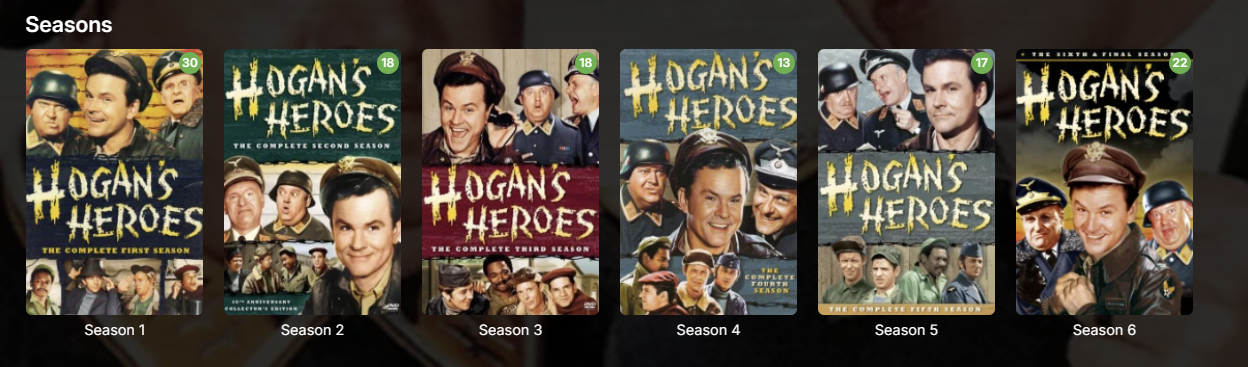
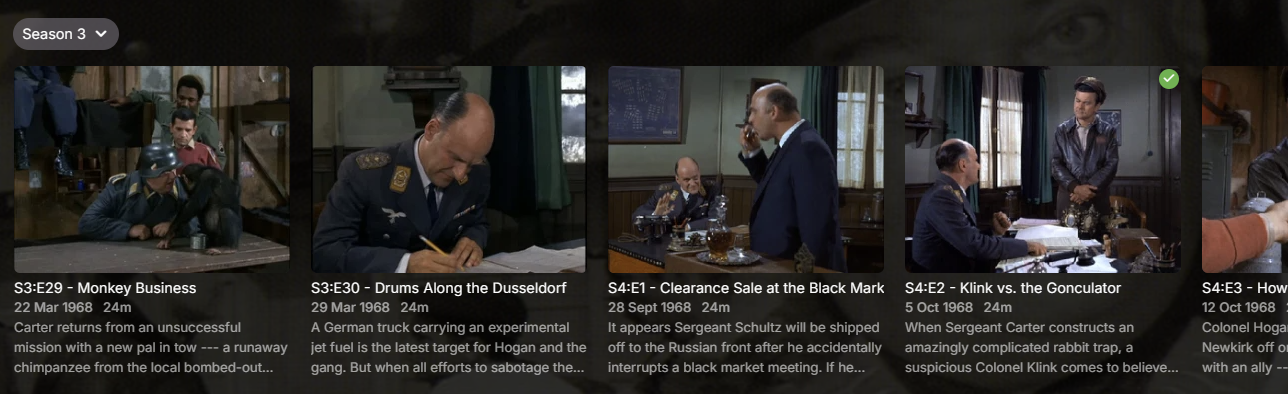
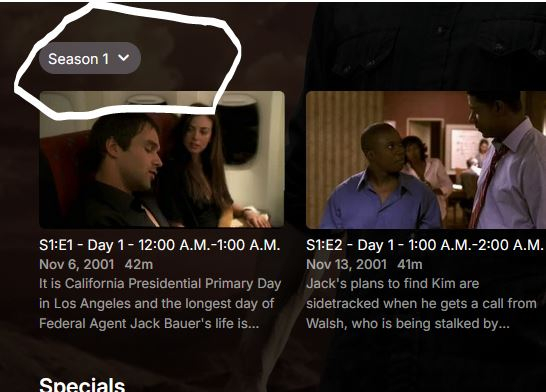
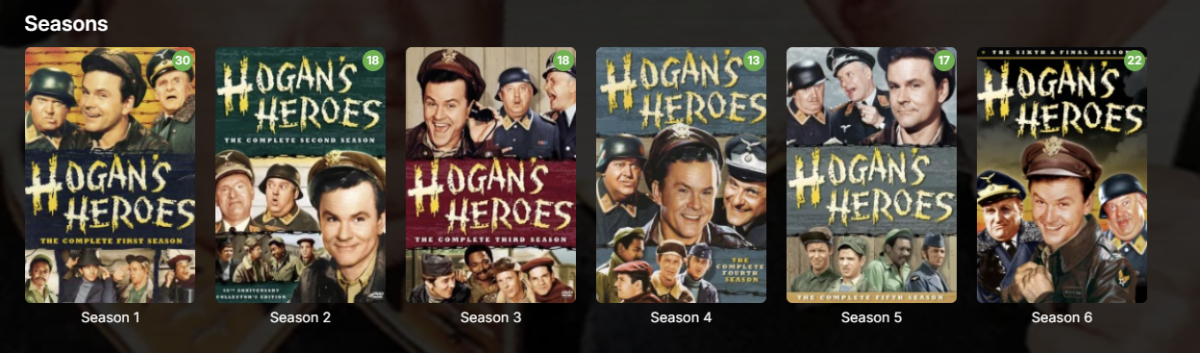
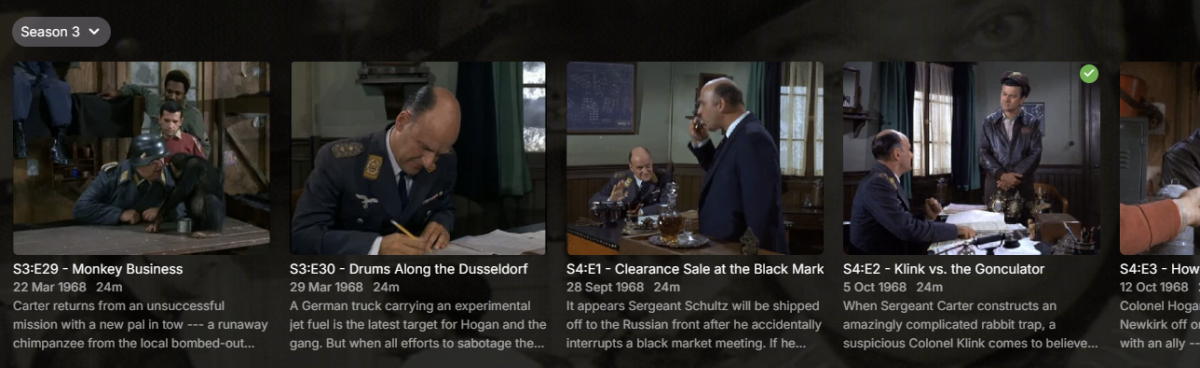
I'm not sure what kind of attitude that is. My streaming ecosystem is Emby and that's essentially all we use, so I couldn't give a rat's about what Netflix does. Clearly this attitude means you intentionally forced this behaviour on users for whatever reason, yet it's clearly missing from the release notes: Nowhere there does it say you've changed this behaviour and nowhere is it made easy to revert for all users, hence this thread. I fail to see how you feel this: is a better experience than this: Especially with that tiny Season 3 drop-down which is so easy to miss and obliterates the pretty season cover art many of us curate. It's worse with a mouse. If I want to look at all episodes in Season 4, in the old view, I click Season 4 then I can scroll with my mouse. I can't scroll with my mouse with this new behaviour and instead must click, click, click all the way to what I want. Considering how you seem to approach most feedback in these forums, I don't expect you to revert this unwelcome behaviour and will have to suck it up. I will, however, request you be more upfront next time and include major forced behavioural changes in the release notes so we're aware of it. Ideally, there should be a way for users (not Luke et al.) to apply our standard configuration to all users as well, without having to sign into each user account individually.
 1 point
 -
Way better for sure, I can confirm that is 30-40% faster in general.1 point
-
This post contains status info on the 4 Kodi add-ons that support Emby playback in Kodi. Kodi Media Source Info There are two main ways for Kodi to display media items: From its internal database using native c/c++ (Syncing) As a list of ListItems generated by an add-on in Python querying an external server (Dynamic) There are advantages and disadvantages with both of there when dealing with external sources. From the internal DB (Syncing) Pros Uses the native Kodi internal display mechanisums Fast access and display, as fast as it is ever going to get All local data from the local DB Other Kodi add-ons can use the data form the DB Cons Can be problematic to sync data to and from external sources Keeping data in sync, data can get out of sync Large data changes or constantly changing data on the external source will cause lots of sync triggers Getting syncing correct is not trivial As a list of ListItems generated by an add-on (Dynamic) Pros No DB sync task is needed Data is loaded from external source when it is needed (like a web page) Data will always be the latest from the external source Changes on the external source show up immediately on next request Cons Add-on (Python) data processing is not as fast or local DB and c++ code External server query speed becomes part of the delay in displaying items Other add-ons can not access items Add-ons use different approaches: EmbyCon :- uses only dynamic add-on generated views Emby for Kodi :- uses a combination of DB sync and dynamic Emby Next Gen :- uses a combination of DB sync and dynamic Kodi MediaImport :- uses only syncing Add-On status: EmbyCon Status : Maintained by community members (TeamB) Kodi 18 : Stable Kodi 19 : Stable Source : https://github.com/faush01/plugin.video.embycon Emby for Kodi Status : Not supported, end of life Kodi 18 : Stable Kodi 19 : Not Supported Source : https://github.com/MediaBrowser/plugin.video.emby Emby Next Gen Status : Maintained by Team Emby (quickmic) Kodi 18, 19 : Not Supported Kodi 20, 21 : Stable and Beta Source : https://github.com/MediaBrowser/plugin.video.emby/tree/next-gen-dev-python3 Kodi MediaImport Status : Maintained by Kodi team and Emby community (Montellese, LongMan) Kodi 18: Not Supported Kodi 19: Beta, under active development from Kodi team member Source : https://github.com/Montellese/mediaimporter.emby1 point
-
Having a watch later list can be very useful. I imagine I'm not the only one who spends a lot of time finding something to watch and see a few things that I might want to watch at some point in the future but forget about them if they are not in a list somewhere. Yes you can create playlists, use Favorites or some external list keeping service but they are all more involved than they need to be. Something similar to Favorites in functionality but with the ability to remove items from "Watch Later" automatically after you are done watching them would be nice. And add what you want to "Watch Later" with an easy to access button similar to favorites. Easily accessible, easy to add and remove items. (Very similar to favorites) Removes items after you are done watching them. It should not be affected by a previous watch status, as in if you have watched something before you should still be able to use this functionality.1 point
-
Could you please add automatic SSL certificate renewal to Emby? I have an ASUSTOR NAS and now I've had to manually integrate the certificate again. I've heard that Plex, for example, automatically renews the certificate from the NAS system, and I would really like to see something similar for Emby.0 points
-
No. If I did, and that were in fact the issue, then that would require me to do this to virtually *all* my videos. If that's the case, than I will regrettably have to go back to Plex. All the videos I have issues with skipping ahead and back, play just fine there. I was hoping there was a setting, or settings I might try to mitigate this issue. Since there apparently is not, then I won't waste any more of your time. Thanks for trying.0 points
-
Hi, yes the update is still in LG review. Thanks.0 points