Leaderboard




Popular Content
Showing content with the highest reputation on 01/14/26 in all areas
-
I've see that chatter. I think the actual issue is that some older docs from Dolby were actually targeted at commercial space instead of home. That just isn't correct. As I said, it is all about the angles - which means their exact placement depends on the ceiling height. You cannot make a blanket statement for every room. Plus, it is critical that you get the proper spacing (again, with angles) between your main bed layer and the Atmos layer so that your brain doesn't merge the two. They have to be far enough apart to make you perceive the sound from where it is supposed to be. IMO this is the best description of proper layout:3 points
-
The client device must be able to reach mb3admin.com to verify the license.2 points
-
Surround really is an egoistic thing, all those speakers just so it can be perfect for one person in the perfect place. Stereo is much more group friendly. I find that with modern surround amplifiers that it's rather hard to not get very good sound out of them with the calibration that they have. While i hate Sony i admit their calibration in the newest amplifiers gives very good calibrations thanks to their 2 microphone setup and the sound is very excellent because of it. Denon and Marantz have third party calibration methods that are praised for their sound. Personally i think the standard calibration works great and use that (less hassle). Lastly the obligatory.. Don't go for what others think is the best, go with what YOU think is best. You will enjoy your sound experience much more that way!2 points
-
Thats the only reason why I occasionally fire up Kodi, for the themes - well the Copacetic one anyway.2 points
-
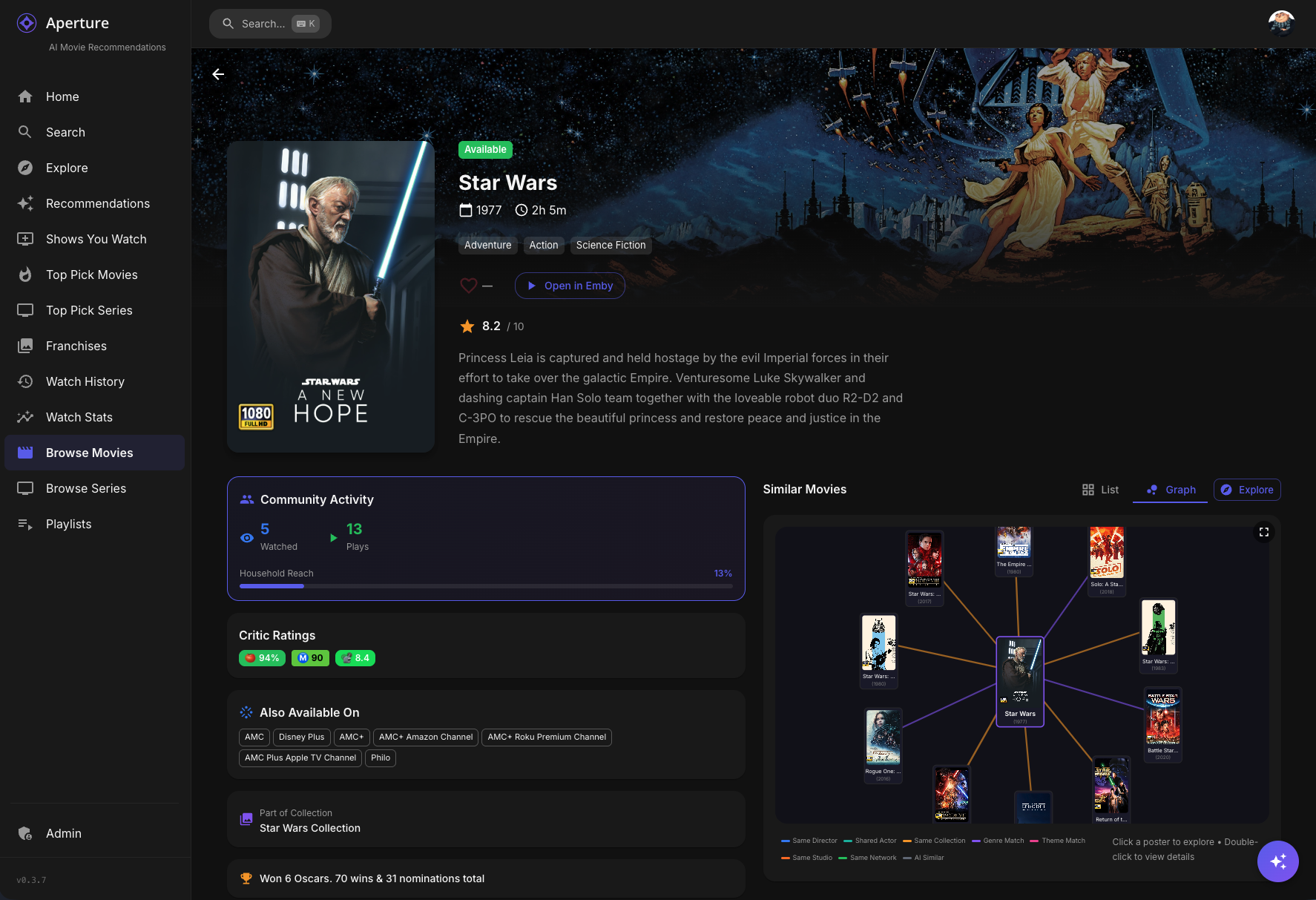
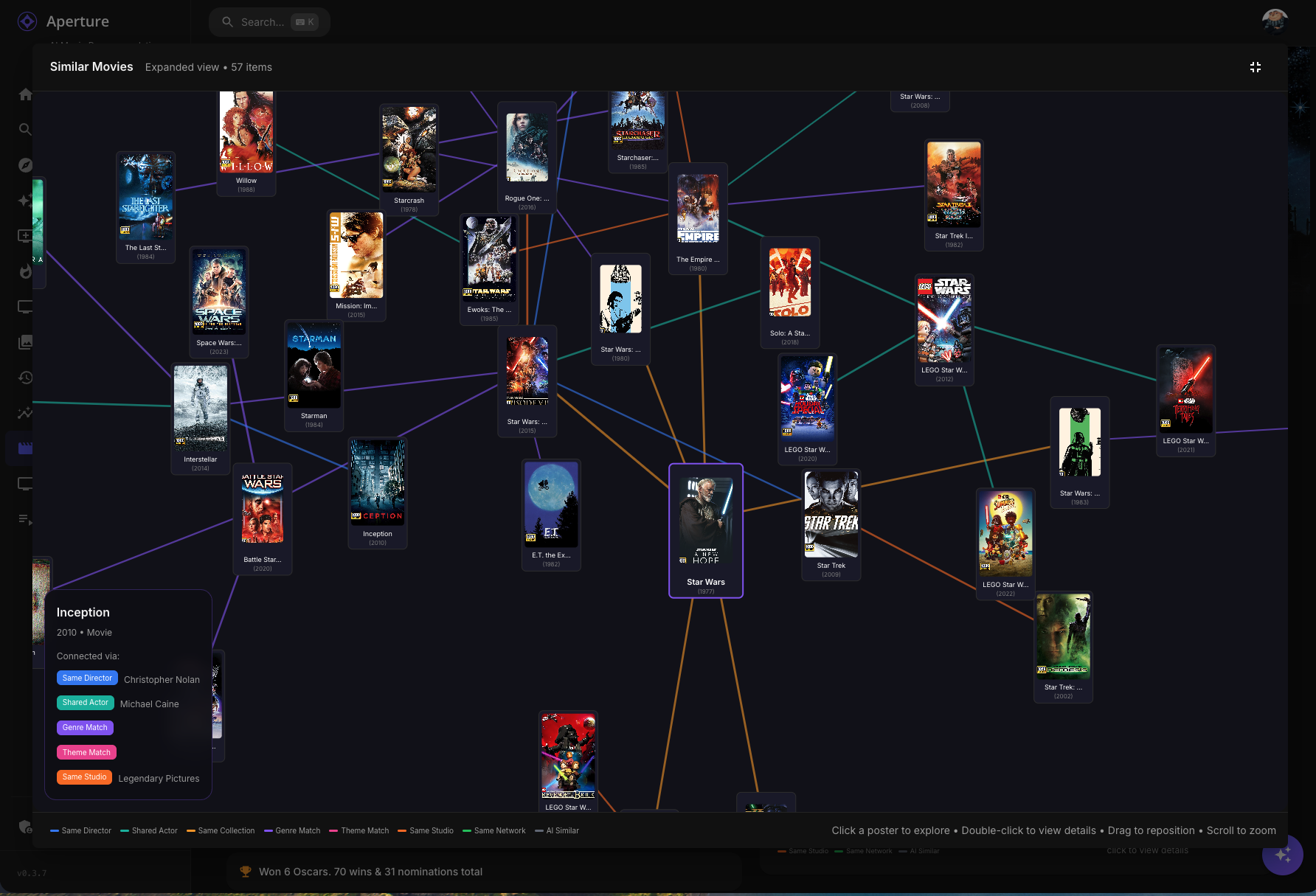
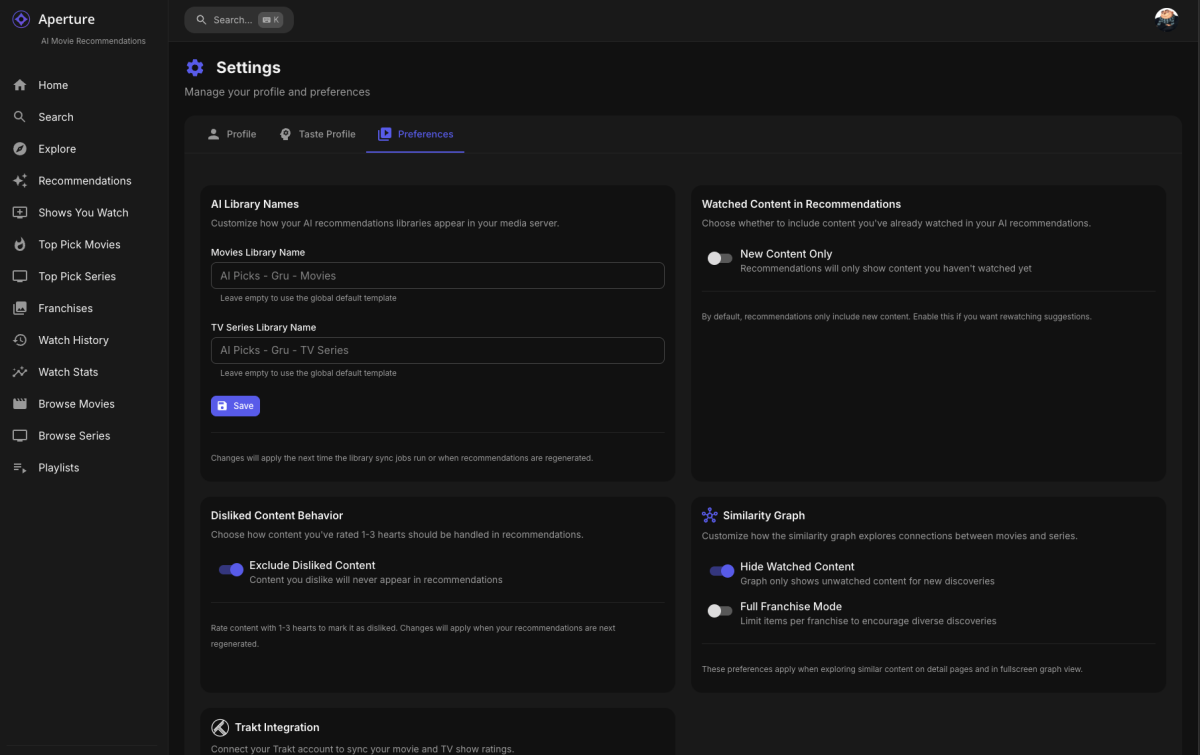
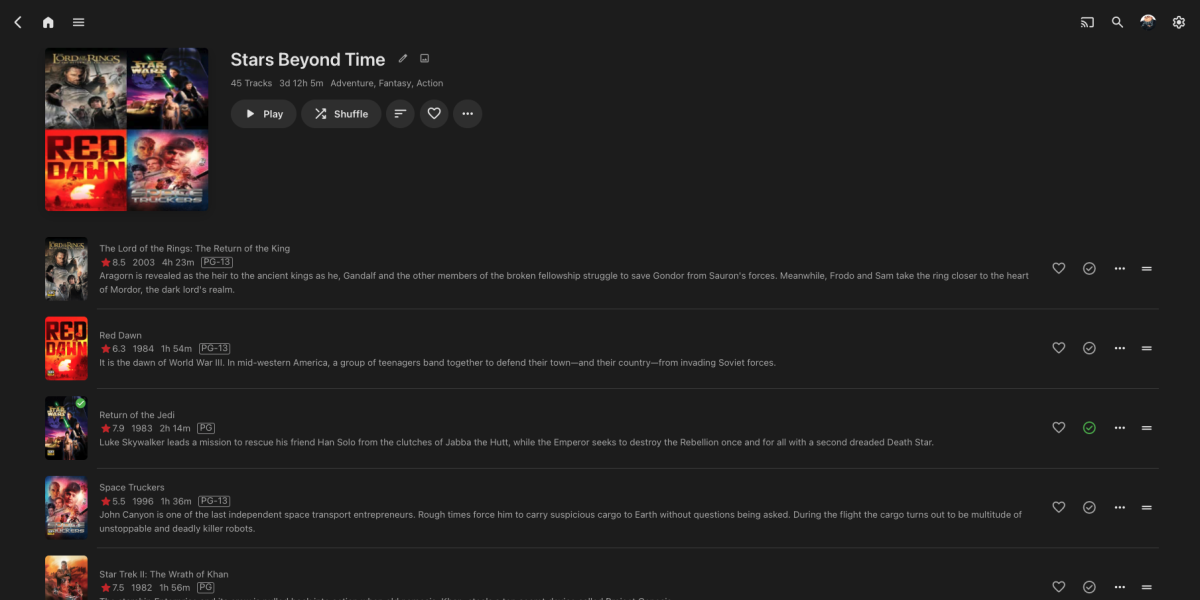
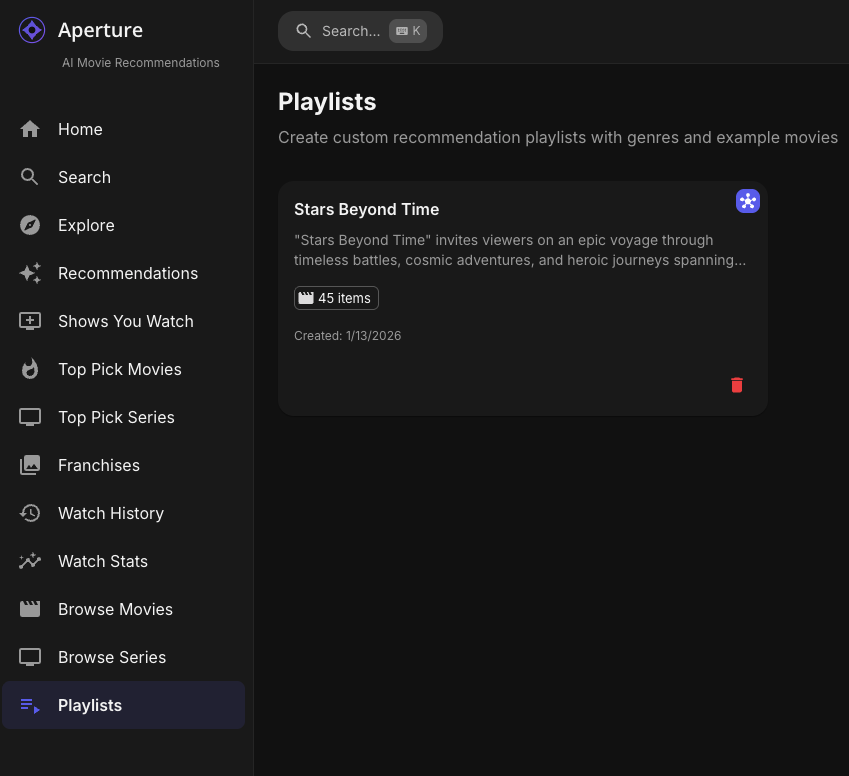
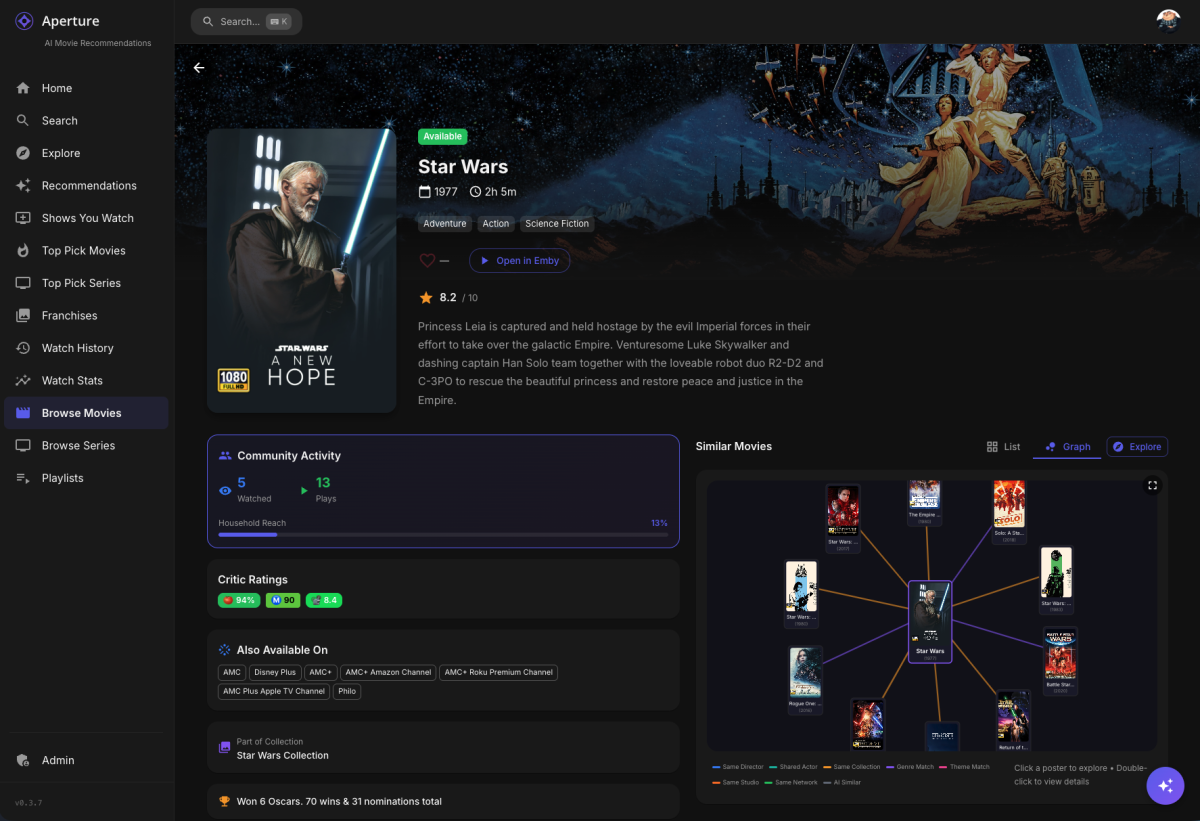
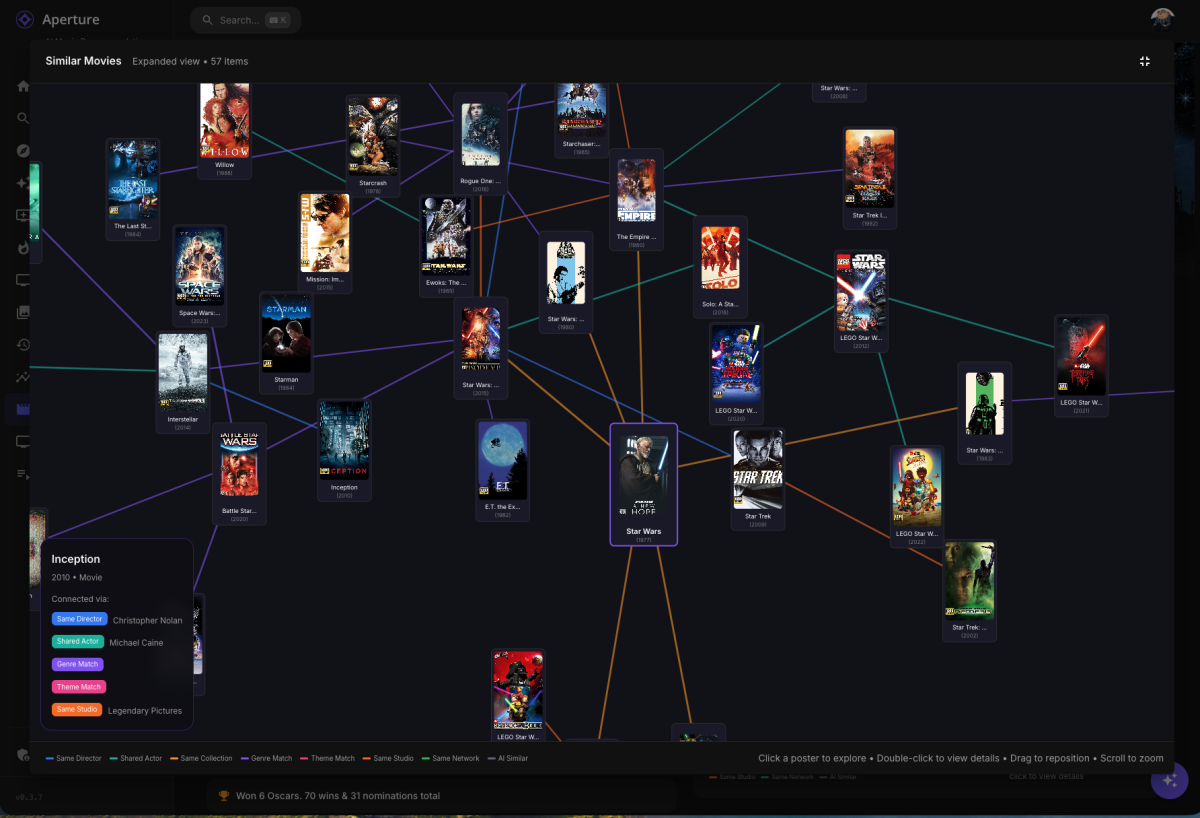
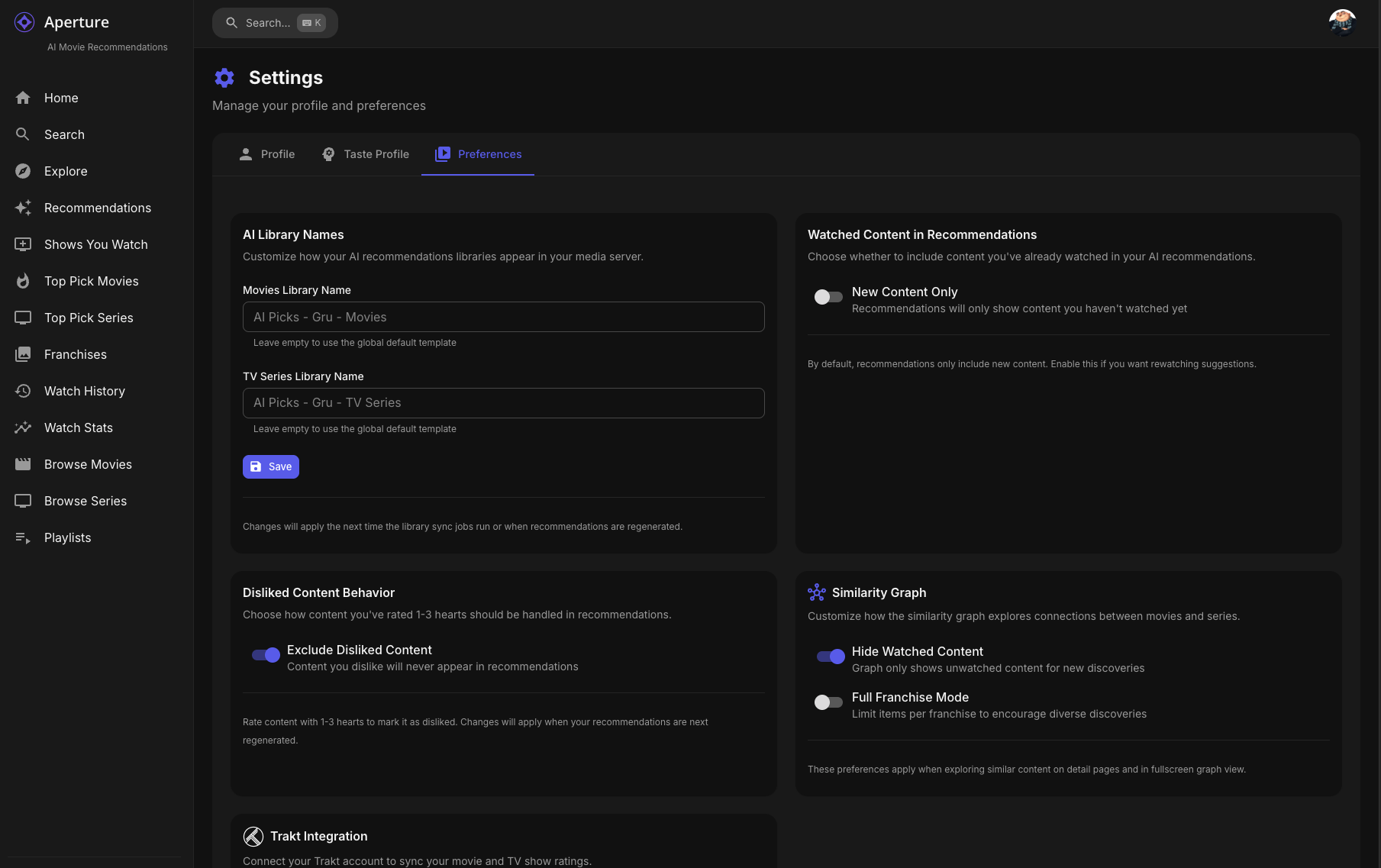
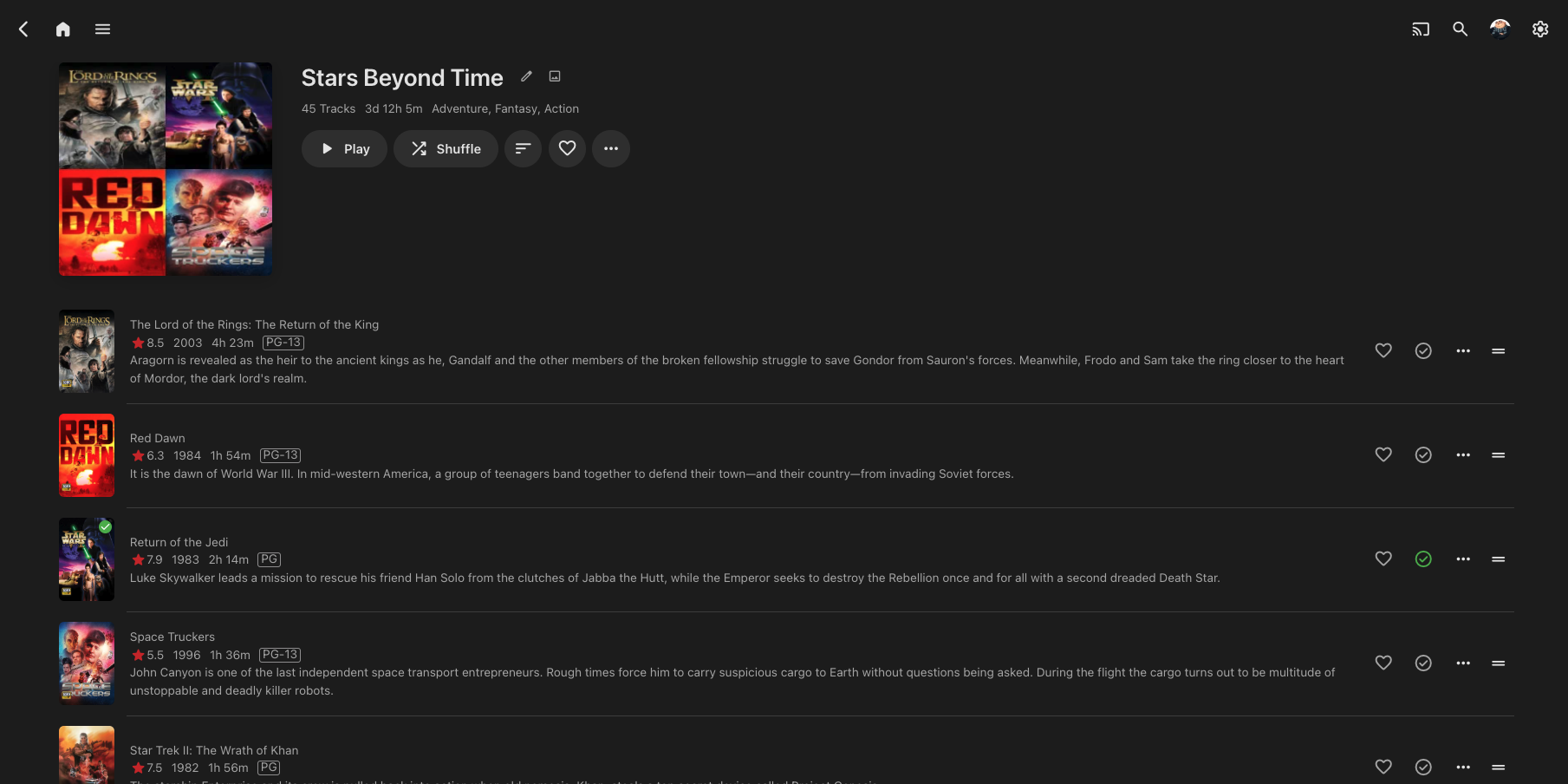
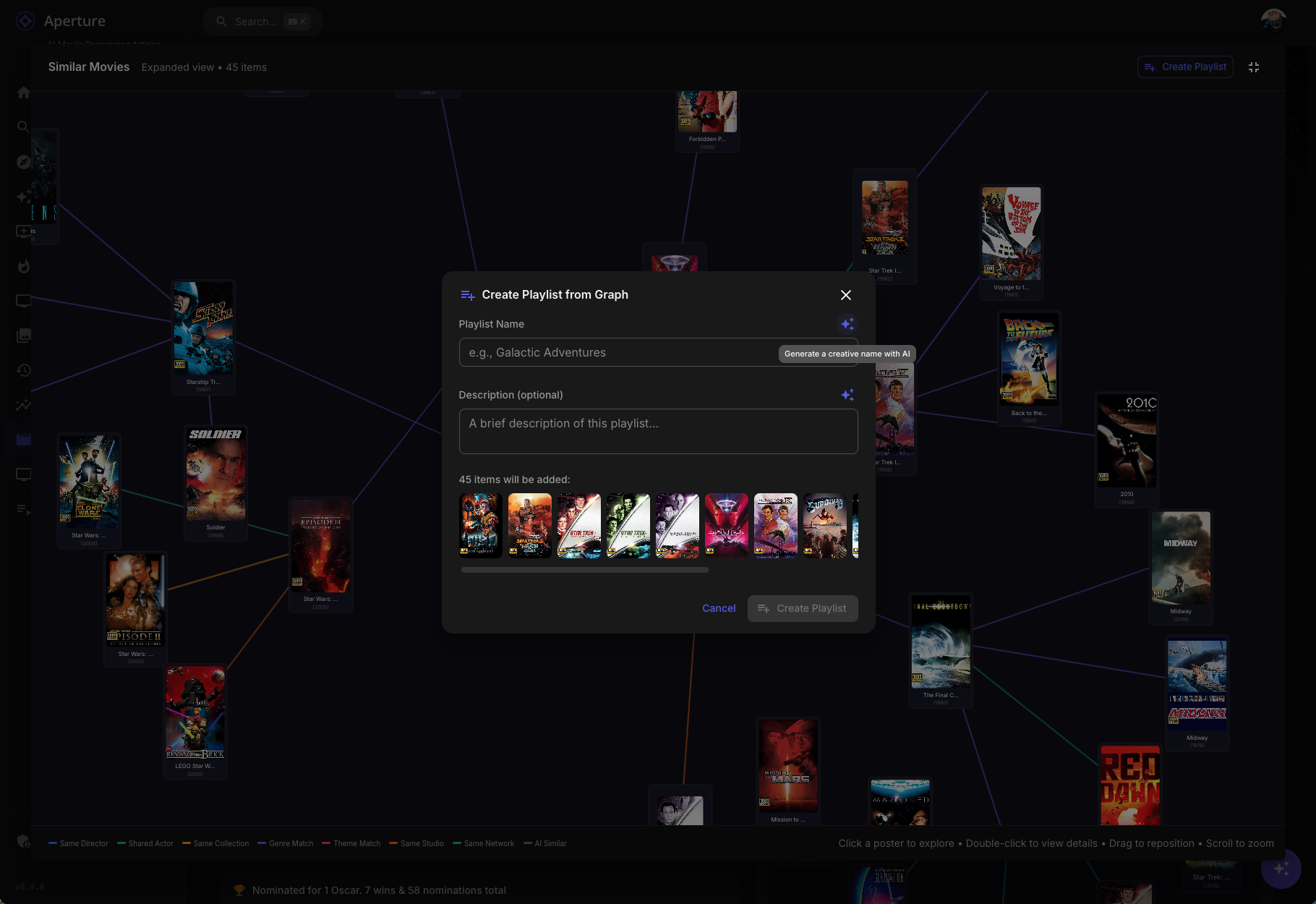
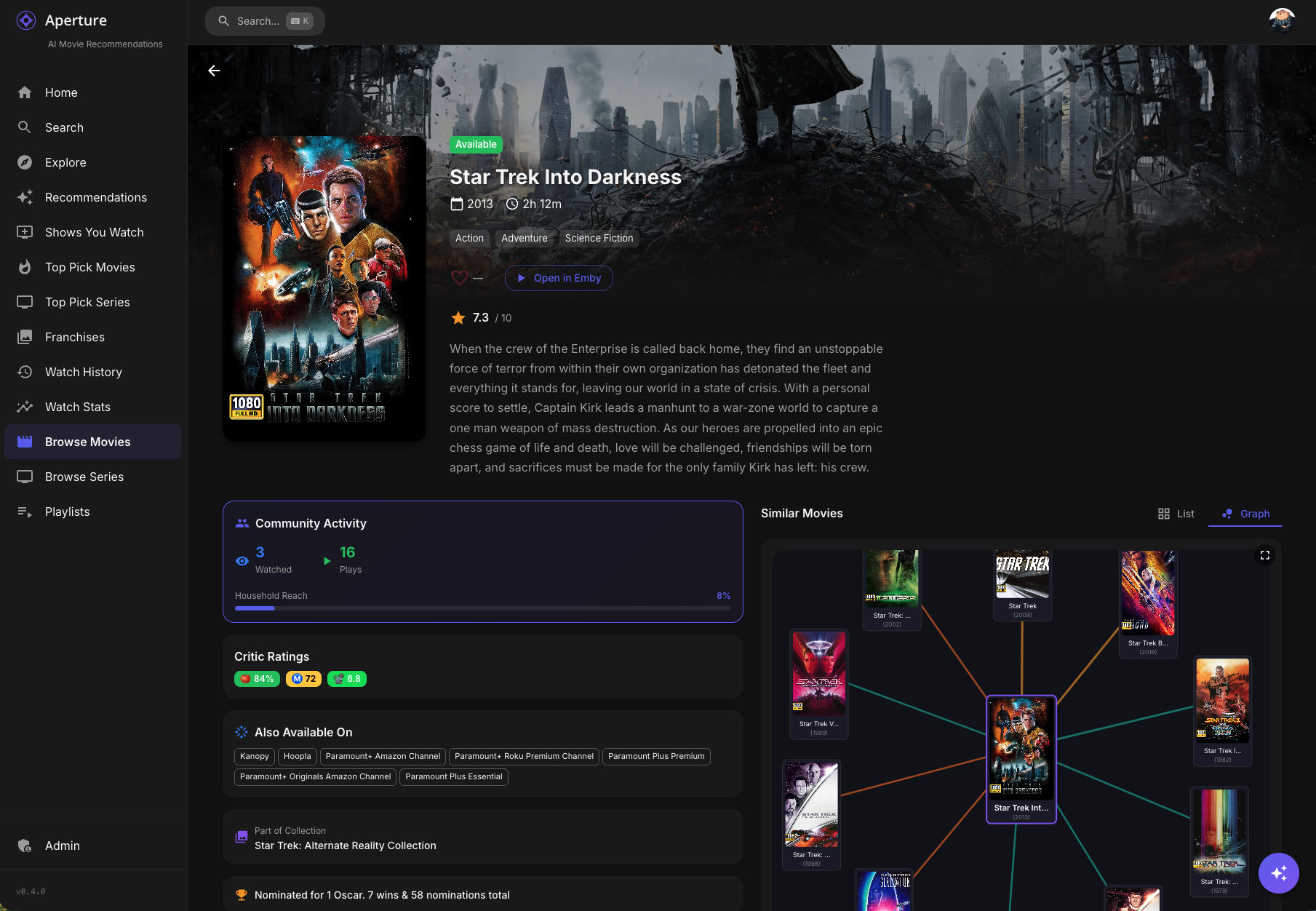
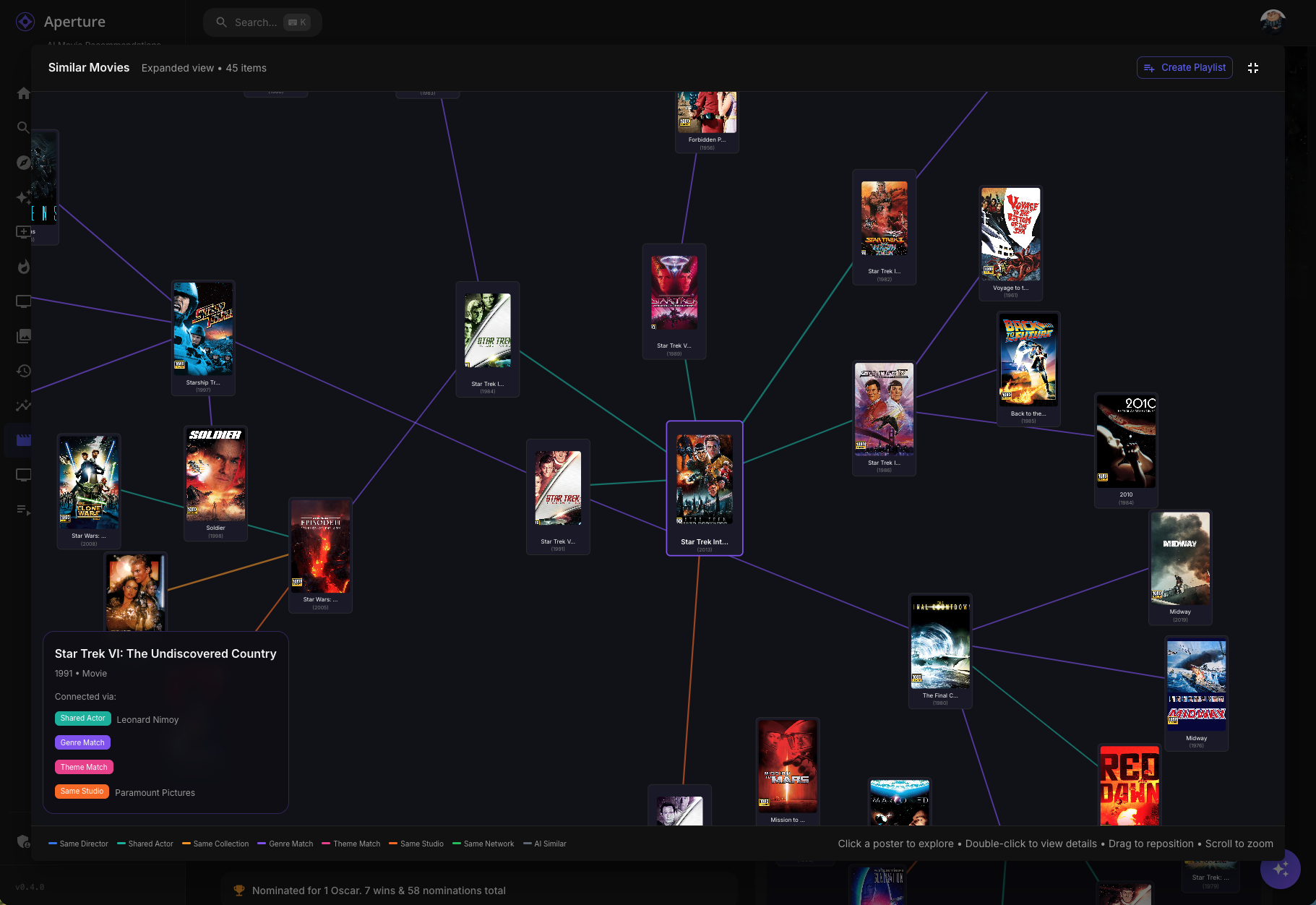
Aperture v0.4.1 Release Notes Hey everyone! This is a major feature release introducing Similarity Graphs — a new interactive way to explore connections between movies and series in your library. Plus, you can now create playlists directly from your graph explorations! Similarity Graphs Discover how your movies and series are connected through directors, actors, genres, collections, and more with our new interactive graph visualization. What It Does On any movie or series detail page, you'll now see a Graph tab alongside the traditional list view of similar content. This graph displays: Poster nodes — Each movie/series is shown as its actual poster Color-coded connections — Lines between posters show why they're related: Blue — Same director Teal — Shared actors Gold — Same collection/franchise Purple — Shared genres Pink — Shared keywords/themes Orange — Same studio Green — Same network (TV) 🩶 Gray — Vector similarity (AI-detected) Emerald — AI Discovery (bubble breaker) Interactive Features Click any poster to refocus the graph on that item (rabbit-hole exploration!) Double-click to navigate to that movie/series detail page Drag posters to rearrange the layout Scroll to zoom in and out Hover on connections to see detailed relationship info Breadcrumb navigation tracks your exploration path Fullscreen Mode Click the fullscreen button to expand the graph for immersive exploration: Graph expands to 3 levels deep — see connections of connections of connections More items displayed (up to 35 nodes) Create Playlist button to save your discoveries Same drag/zoom/click interactions Smart Bubble Breaking The graph is smart about preventing you from getting stuck in a franchise bubble: Collection Limits The graph won't show all 26 James Bond films — it intelligently limits items per franchise Larger franchises get slightly higher limits to stay representative This encourages discovery of diverse content AI-Powered Escape When the graph detects you're stuck in a bubble (too many items from the same collection), it calls the AI to suggest thematically similar content from different franchises: These AI discoveries appear with emerald green connections They're semantically related but offer fresh perspectives Example: If exploring Star Wars, AI might suggest Dune, Battlestar Galactica, or Foundation Connection Validation The graph validates connections to prevent weird matches: Title pattern detection — Catches when movies match only because they both have "Return of..." in the title Genre gating — Requires at least one shared genre for a valid connection Collection diversity — Prevents unrelated franchises from chaining together Graph Playlists Turn your graph explorations into playlists that sync to your media server! Creating a Playlist Open a similarity graph and go fullscreen Explore until you have a nice collection of related content Click Create Playlist Choose a name (or click for AI-generated name) Add a description (or click for AI-generated description) Click Create What Happens Playlist is created in Emby/Jellyfin with all the graph items Description/overview syncs to your media server A record is saved in Aperture for tracking Graph playlists appear on the Playlists page with a hub icon badge Managing Graph Playlists View all playlists (both channel-based and graph-based) on the Playlists page Delete with a confirmation dialog (no more accidental browser confirms!) Graph playlists show their source item and item count Similarity Graph Preferences New user preferences to customize your graph experience: Hide Watched Content (Default: ON) When enabled, movies and series you've already watched won't appear in the similarity graph. This helps you discover new content rather than seeing things you've already seen. Full Franchise Mode (Default: OFF) When enabled, the collection limits are disabled and you can see entire franchises in the graph. Useful when you want to explore all entries in a series like James Bond, Marvel, or Star Trek. Access these settings: User Settings → Preferences tab → Similarity Graph section Getting Started Update to v0.4.0 which will run database migrations Navigate to any movie or series detail page You will see the Graph tab to see the similarity visualization Explore! Click posters to dive deeper, double-click to visit detail pages Go fullscreen for the full experience with playlist creation Migration Notes Three new database migrations will run automatically: 0072_similarity_validation_cache.sql 0073_graph_playlists.sql 0074_similarity_preferences.sql No manual intervention required. Enjoy exploring your library in a whole new way! Let me know if you have any feedback or run into issues.
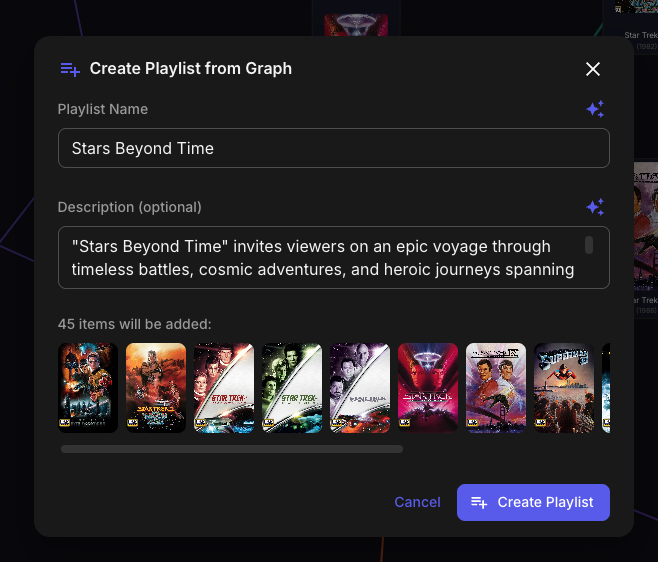
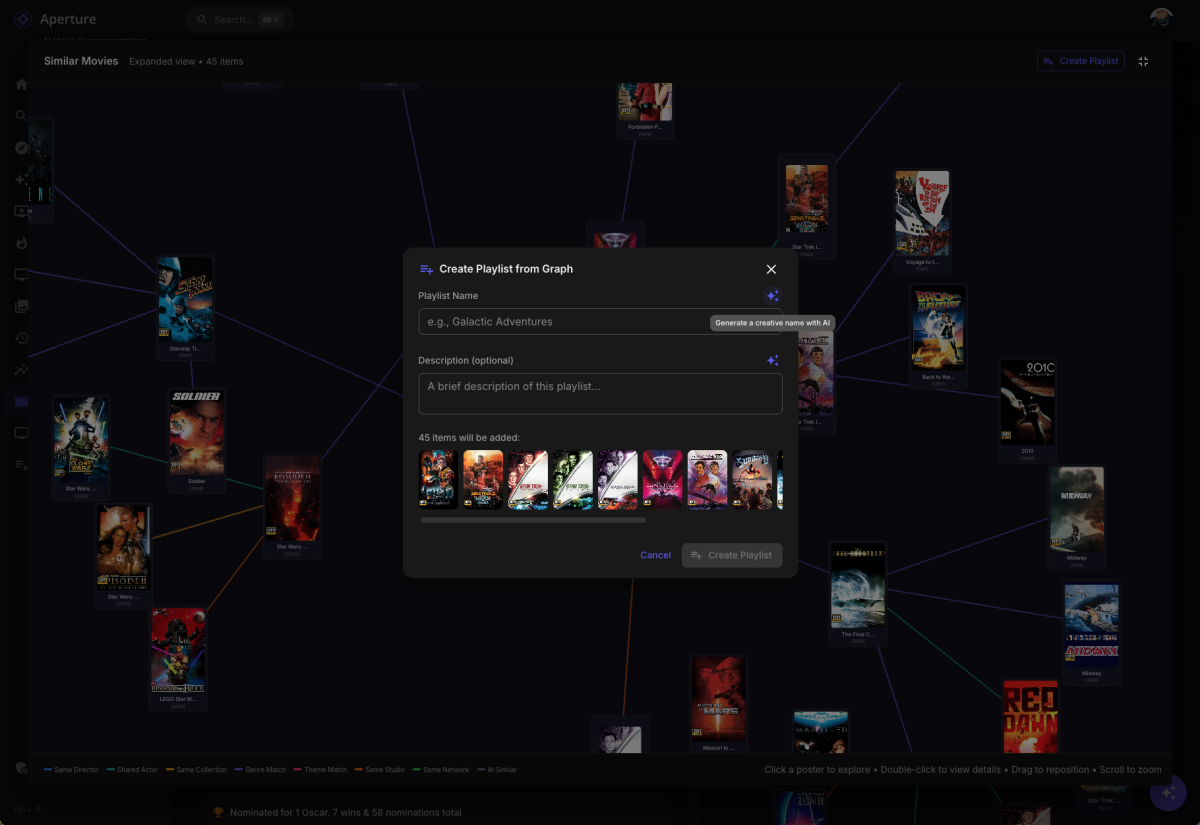
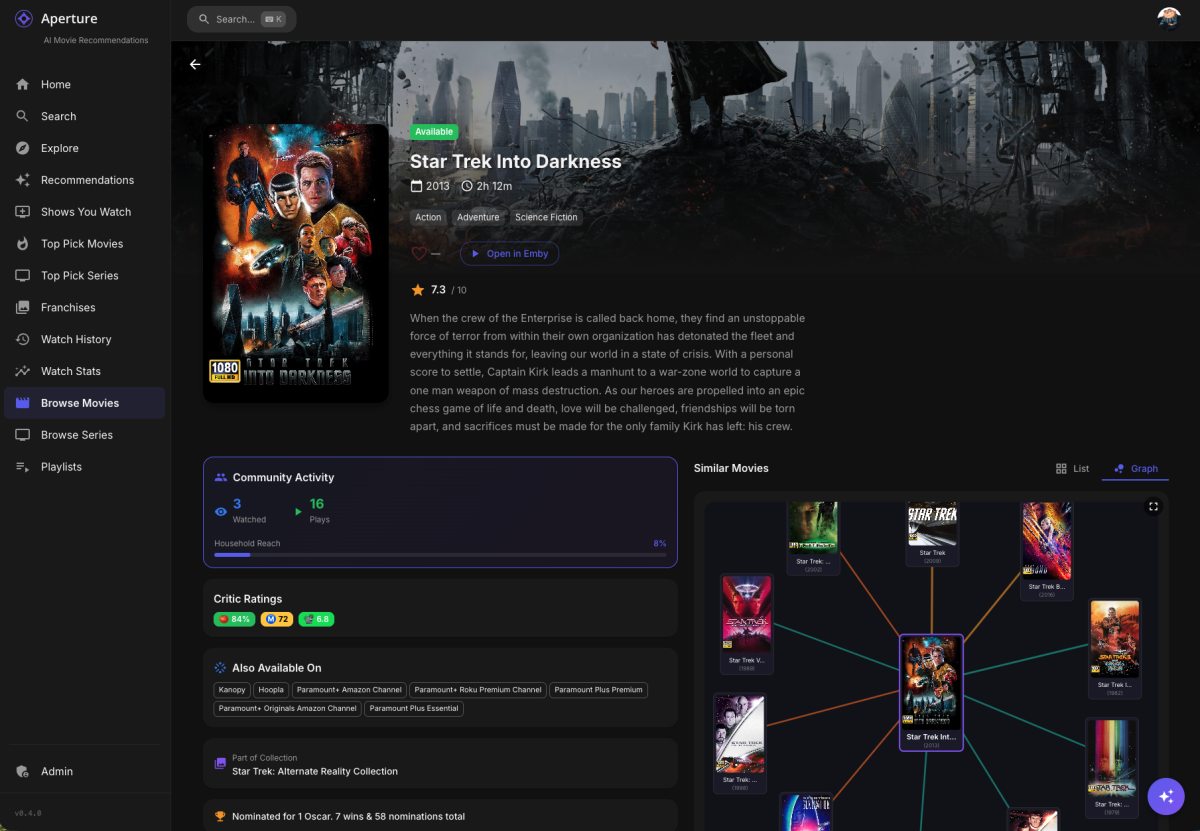
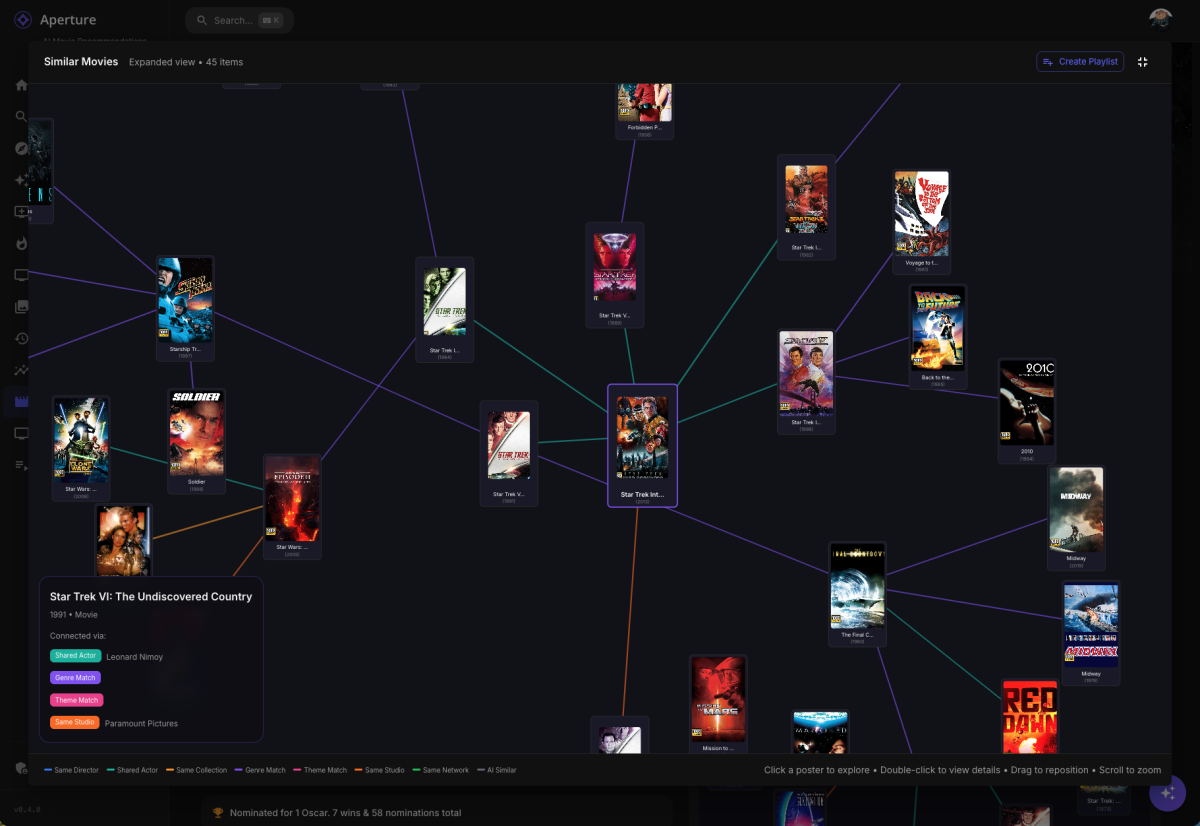 2 points
 -
Watching Eye is a plugin designed to give you granular control over your server's streaming environment. It's the perfect tool for managing user watch time, monitoring server performance, and ensuring a smooth viewing experience for everyone. Key Features: Watch Time Limiter: Set daily, weekly, monthly, and even yearly watch time limits for specific users. Create global watch time rules that apply to all users, with the option to exclude certain individuals. Establish specific time windows during which users are allowed to watch content, perfect for parental controls. Transcode Notifications and Blocking: Receive instant notifications when a user's stream starts transcoding, helping you identify potential playback issues. Proactively block transcodes based on video resolution or container format to conserve server resources. Customize notification messages to inform users why their video is transcoding and suggest solutions. Playback Control and Monitoring: Automatically stop streams that have been paused for an extended period,. Keep a detailed log of transcoding events and when users reach their watch time limits. Download on Githuib - WatchingEye.1 point
-
First and foremost: 1. This is heavily vibe-coded with the help of Claude Sonnet 4.5 and just a proof of concept (though it's fully functional on my side)! 2. Tested with stable Server 4.9.1.80 on a 1080p-Screen 3. Pretty sure that the code is not the best and shpuld be reviewed by anyone with good js-Skills. 4. This Banner just works on the Web Client. I hope one of the experienced devs here can make more out of it, e.g. a Plugin. Perhaps something like that can be incorporated as a menu option by Emby itself in the future. What the Spotlight does: On every Homepage load the Spotlight takes 10 items (Movies/TV Shows) from 50 latest Releases in the library and displays them as a slideshow. Banner is clickable to get to the item detail screen. Ratings are also included. Download from: https://github.com/v1rusnl/EmbySpotlight 20251005-1807-48.9352916.mp4.b64639dcb41419847c7795874d16a84b.mp41 point
-
I want to use URLs like the following for the IPTV with DASH-Steams (MPD-files). The benefit of this URLs is that I can shift the time, e.g. when I missed the beginning of a TV show etc. #EXTINF:-1 tvg-name="Das Erste HD" tvg-id="DasErste.de" group-title="Vollprogramm" tvg-logo="https://raw.githubusercontent.com/jnk22/kodinerds-iptv/master/logos/tv/daserstehd.png",Das Erste HD #KODIPROP:inputstreamaddon=inputstream.adaptive #KODIPROP:inputstream.adaptive.manifest_type=mpd http://daserste-live.ard-mcdn.de/daserste/replay/dash/de/manifest.mpd This is currently not working, so I use files like the follwing instead of MPD-files: #EXTINF:-1 tvg-name="Das Erste HD" tvg-id="DasErste.de" group-title="IPTV-DE" tvg-logo="https://raw.githubusercontent.com/jnk22/kodinerds-iptv/master/logos/tv/daserstehd.png",Das Erste HD https://daserste-live.ard-mcdn.de/daserste/live/hls/de/master.m3u8 => It would be nice if DASH-Stream (MPD-file) Support could be added. I attached basic files for the IPTV DASH.m3u Normal.m3u1 point
-
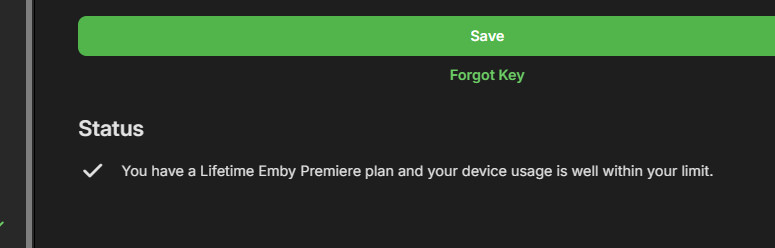
What would you expect it to say about your usage if you're not a member? It looks like this: Paul
 1 point
 -
@Hypnotic01If you look at VirtualTV in the plugin catalog, there's a Dev version 2.1.7.3 that you have to select manually. Please try if that version improves your situation.1 point
-
Thanks for following up.1 point
-
Ok, so I solved my own problem. Well, I should say, ChatGPT was able to guide me to solve my own problem. I am using CentOS, and there is a firewall running under the hood. Check firewall status sudo systemctl status firewalld List currently open ports sudo firewall-cmd --list-ports Open your ports permanently sudo firewall-cmd --add-port=41738/tcp --permanent sudo firewall-cmd --add-port=49173/tcp --permanent sudo firewall-cmd --reload Once I reloaded, I tried accessing again and voilà ... it works again!1 point
-
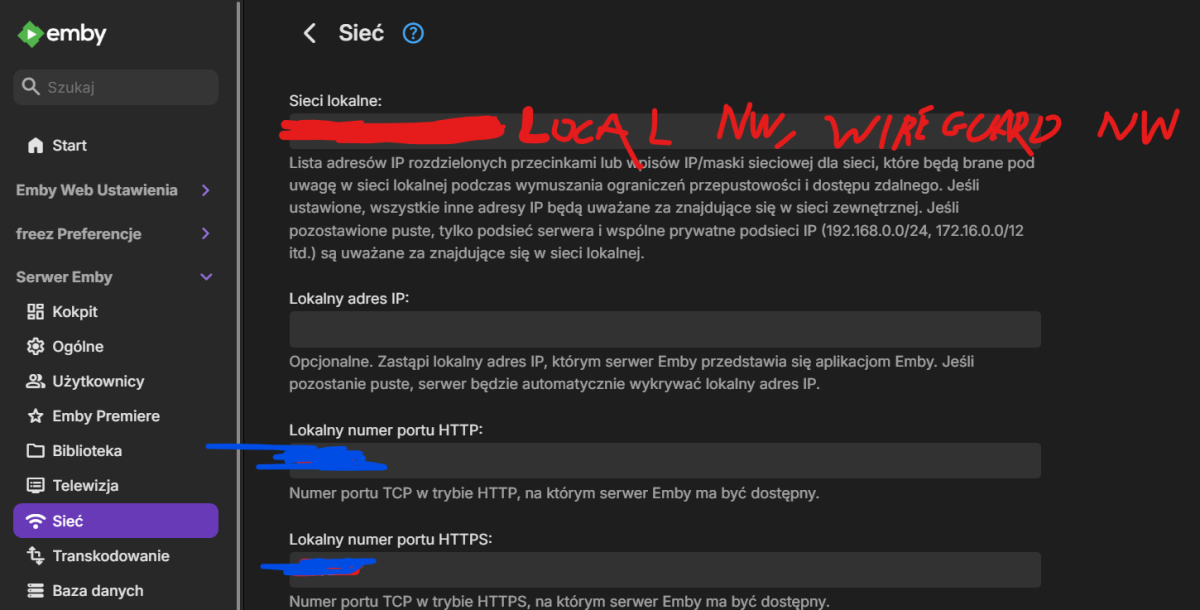
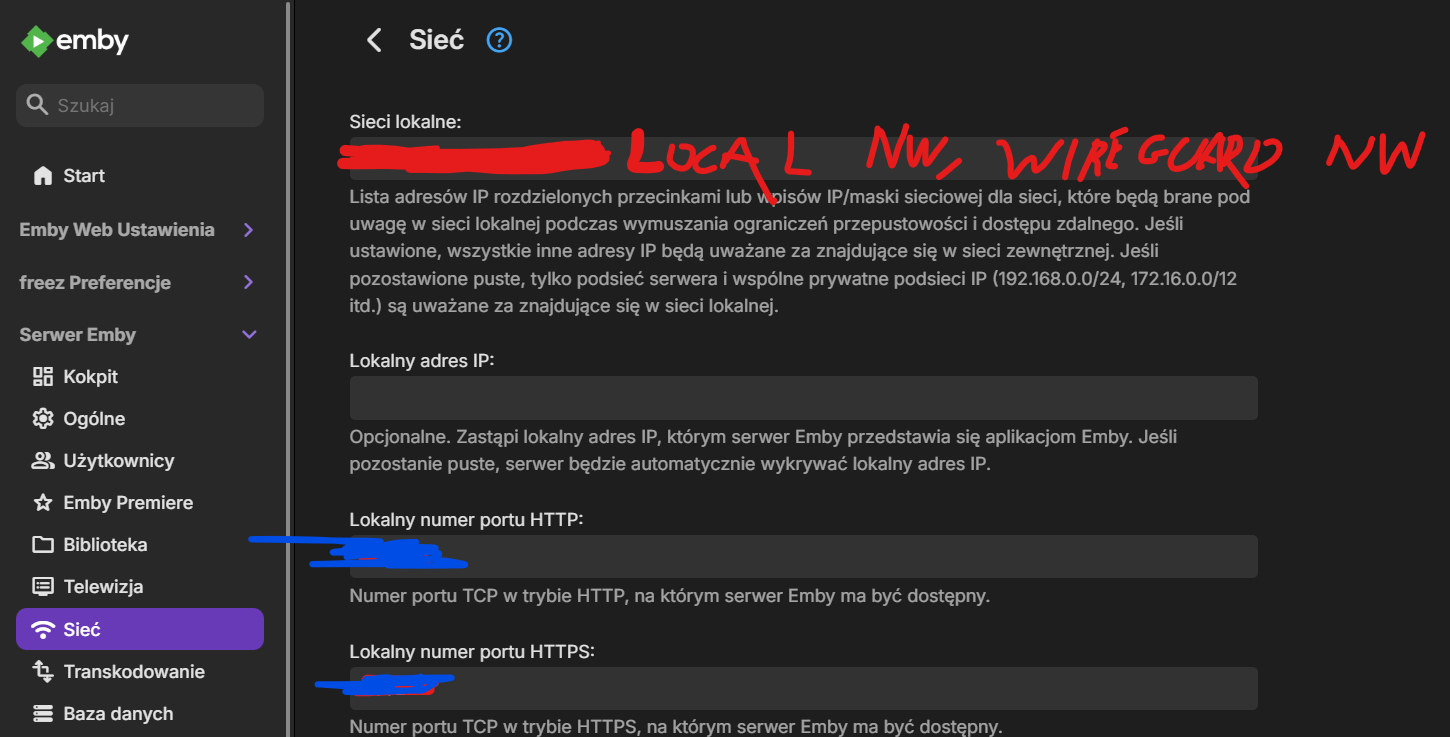
OK, so that wasn't all, it started to work but only for a short time, the other thing is that I had a problem also using http without SSL. But I managed it anyway. This should help to You guys too. The full fix below: 1. Wireguard Settings a) if You don't use split tunnel: I just needed to add MTU size in the [Interface] section: MTU=1280 b) If You would like to use SPLIT Tunne: - Change the MTU like in point a) MTU=1280 - In the allowed IPs use not only local Network address but also Wireguard NW: AllowedIPs = 192.x.x.x/24, 198.x.x.x/24 2. Emby Server Settings 2a. Server Settings 2b. Network 2c. Local Network (1st text field) It will resolve the problem if You use Emby only locally and over VPN Tunnel. Hope that someone will find it helpfull
 1 point
 -
just noticed the server IP address changed to 192.168.1.15 - I would suggest that you make sure the server has a DHCP Reservation for the Mac Address in the router to stop it changing Last time it was 192.168.1.14 The two local network IP addresses being detected now are 10.32.0.6 (the vpn one) and 192.168.1.15 2026-01-14 17:58:01.247 Info NetworkManager: networkInterface: Ethernet enp2s0, Speed: 1000000000, Description: enp2s0 2026-01-14 17:58:01.248 Info NetworkManager: GatewayAddresses: 192.168.1.1,192.168.1.1 2026-01-14 17:58:01.251 Info NetworkManager: UnicastAddresses: 192.168.1.15,fe80::7270:fcff:fe08:f32%2 2026-01-14 17:58:01.251 Info NetworkManager: networkInterface: Loopback lo, Speed: -1, Description: lo 2026-01-14 17:58:01.251 Info NetworkManager: GatewayAddresses: 2026-01-14 17:58:01.251 Info NetworkManager: UnicastAddresses: 127.0.0.1,::1 2026-01-14 17:58:01.251 Info NetworkManager: networkInterface: Unknown tun0, Speed: -1, Description: tun0 2026-01-14 17:58:01.251 Info NetworkManager: GatewayAddresses: 10.32.0.5,10.32.0.5,10.32.0.5 2026-01-14 17:58:01.251 Info NetworkManager: UnicastAddresses: 10.32.0.6,fe80::eaa2:c914:dcc7:2286%4 Looking at the logs. Please let me have the database and logs if the mounted movies libraries folders disappear again /mnt/wd_black/Downloads/plex_media/Films /mnt/wd_black/plex_media/Films/LiveAction1 point
-
@cochize1 there are two different movies in your screenshot: the older cartoon from 2002 and the new live action one from 2025. This seems to be working as intended, these are actually two different movies. Clicking on the 2025 Lilo & Stitch should cause the 2025 version to show. Clicking on the 2002 Lilo i Stich should cause the 2002 version (with your multiversion) to show.1 point
-
It works with the beta version ! Thanks Neminem1 point
-
Got it thanks Luke!1 point
-
I "reinstalled" Emby now it it is working fine. Would like to know how to preven this from happening again UPS or not.1 point
-
Hi, @Luke, your answer came quick, and it hit the bull's eye. Thanks a lot! Which I still find strange as I did not have to change any permissions on the movie folder (it was already set to read only for emby and this worked like a charm), but on the music folder... Thanks and kind regards Daniel1 point
-
Install the Diagnostic plugin and add this: This fixed the problems i had any anything that had with Chrome Cast in Emby.1 point
-
I shall try again. Always have had problems with it or the server saving the email attached. But just tried again and it appears to be working now. Thanks!1 point
-
TvNext in beta is great ! /s1 point
-
That was the fear after all of my searching. Thanks for the update though, still love the product and I'll hope that makes it in soon!1 point
-
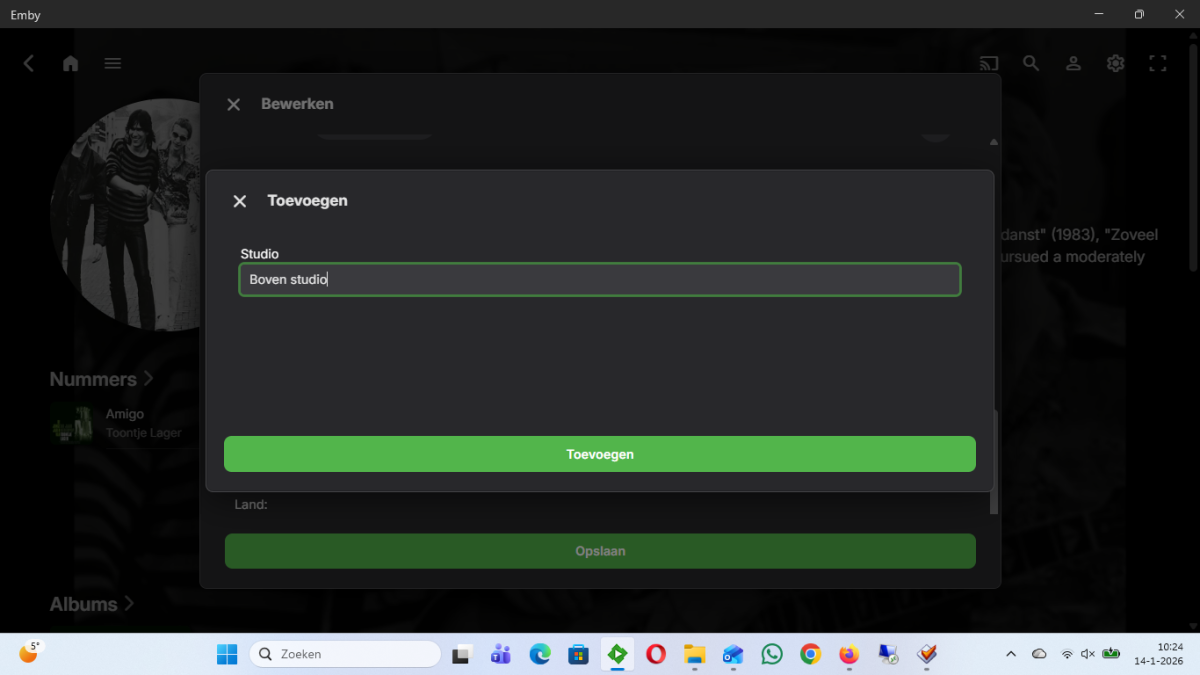
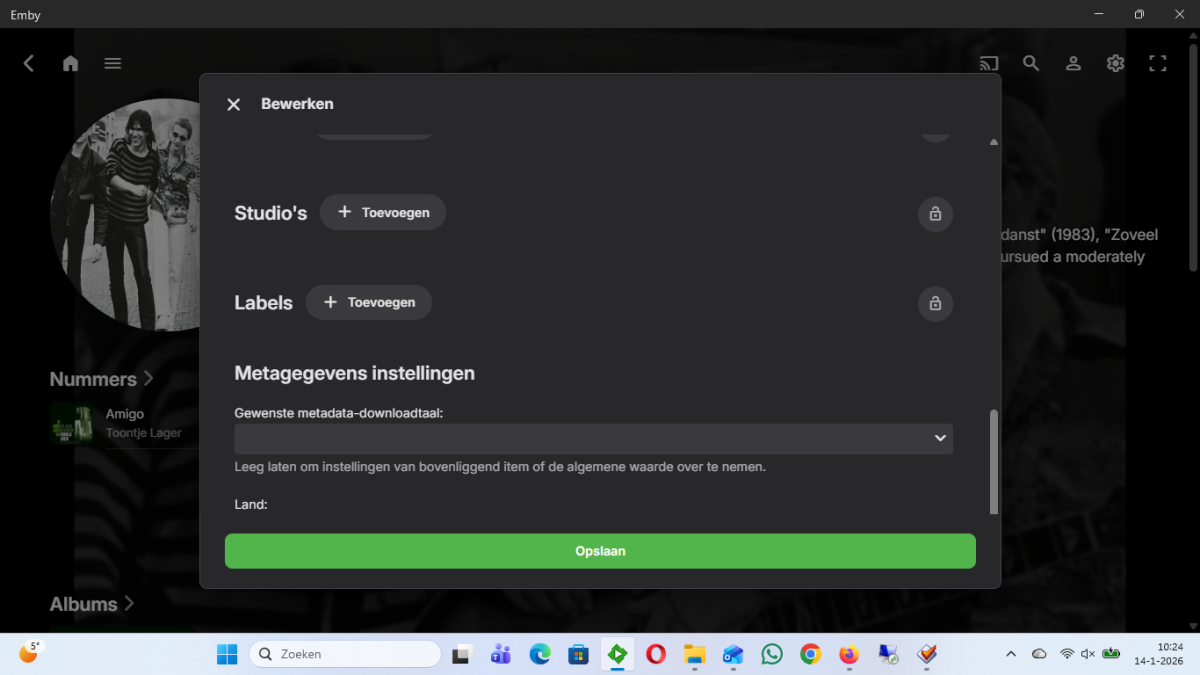
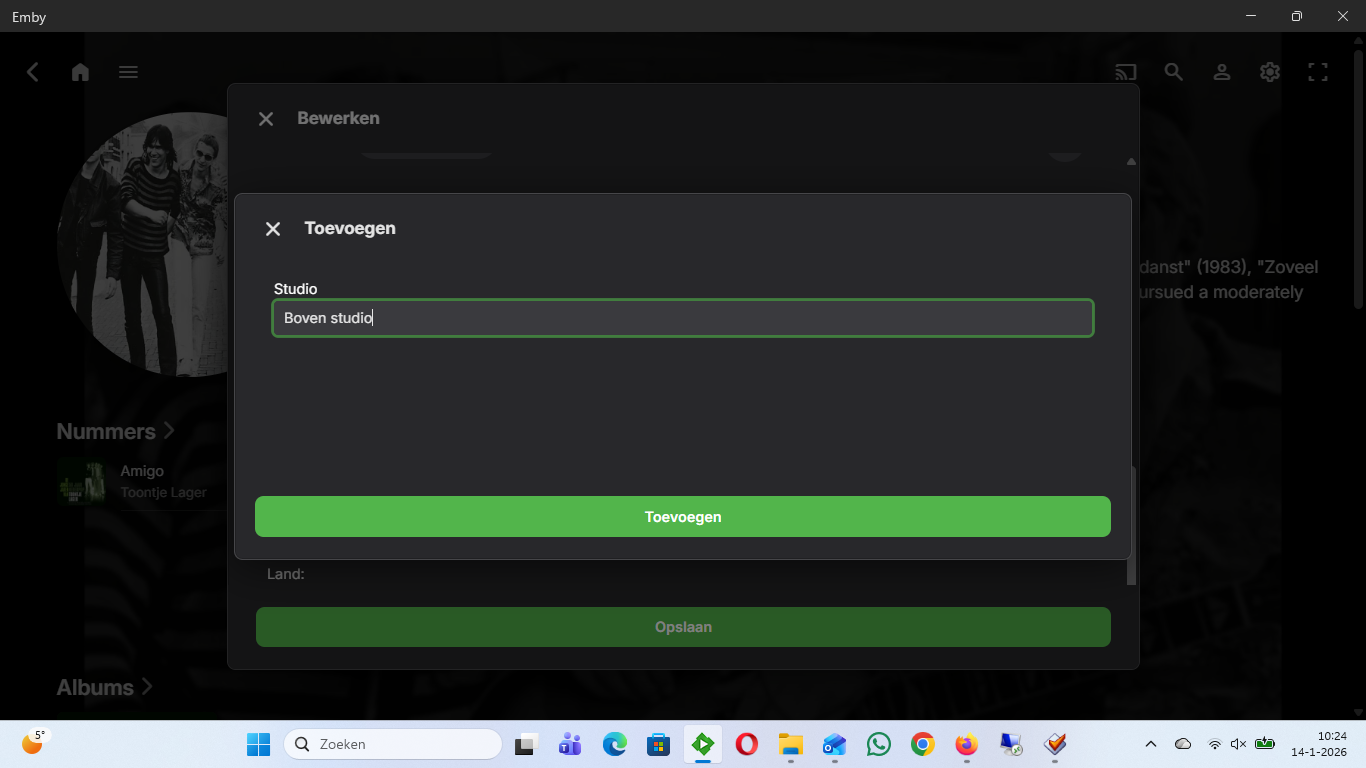
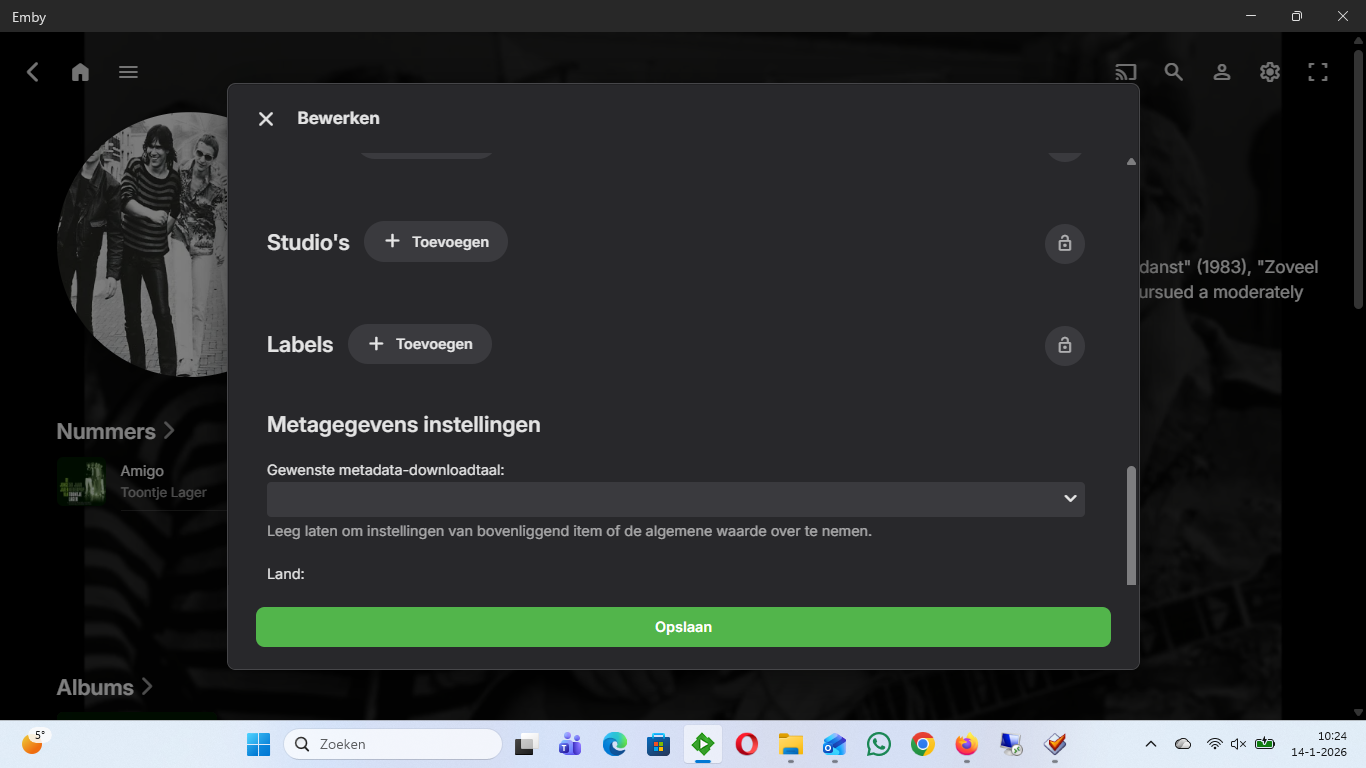
I did some checking on you remark. I do not find Top2000 in the field Studios. If I try to fill the field Studios in Emby the field stays empty even after twice save 'Opslaan' (dutch) = 'Save' (english). So this is a bug in the system.
 1 point
 -
It is library.deleted and library.new. The item is in the body as Item Now I am running into a problem. The deleted event returns a lot of blank fields. In my case, I need ProviderIds. That object is empty for me.1 point
-
I’ve run into something similar with Android TV clients behind a Synology reverse proxy. It does work, but Android TV seems to be a bit more sensitive than mobile or browser clients when it comes to how Emby is exposed. One thing that helped in my case was making sure Emby knows it’s sitting behind a reverse proxy — setting Secure connection mode to Handled by reverse proxy and double-checking the external domain and HTTPS port in the network settings. If those aren’t right, some Android TV apps struggle to connect even though everything else works. Also worth checking how Synology is forwarding headers. Its reverse proxy setup is convenient, but it can behave slightly differently than a standard nginx config. Some people have better luck with split DNS so local devices don’t loop back out through the proxy. In short, it’s usually not an Emby bug — just a mix of Android TV being picky and the proxy needing a bit of fine-tuning. Once the external URL and proxy handling are correct, it tends to work reliably. sneaker residential proxies1 point
-
@Hypnotic01 I just tested mine on AppleTV with version 2.0.3 (2) and it seems to be working on my setup. You mention it happening with only a handful of files, so I was wondering, are the ones it's not playing in AV1 format? I ask because I seen your message on the VirtualTV thread about flickering video and audio but no picture so I was wondering if it could be related to this issue... Just trying to help troubleshoot1 point
-
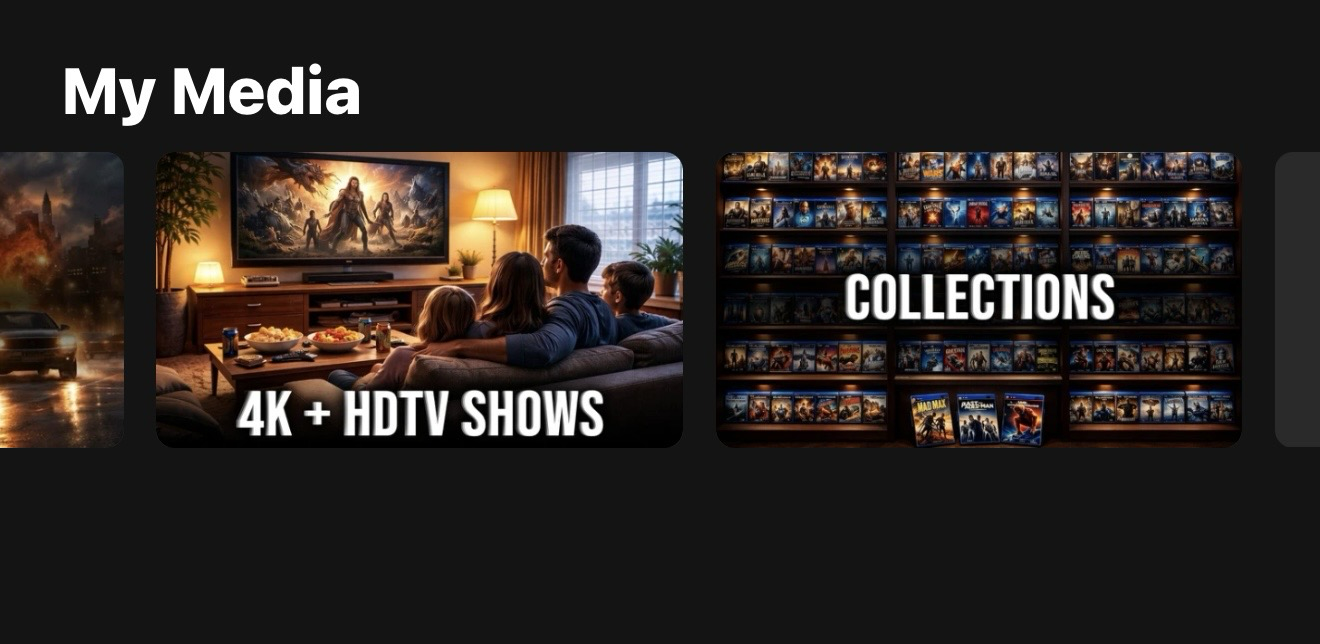
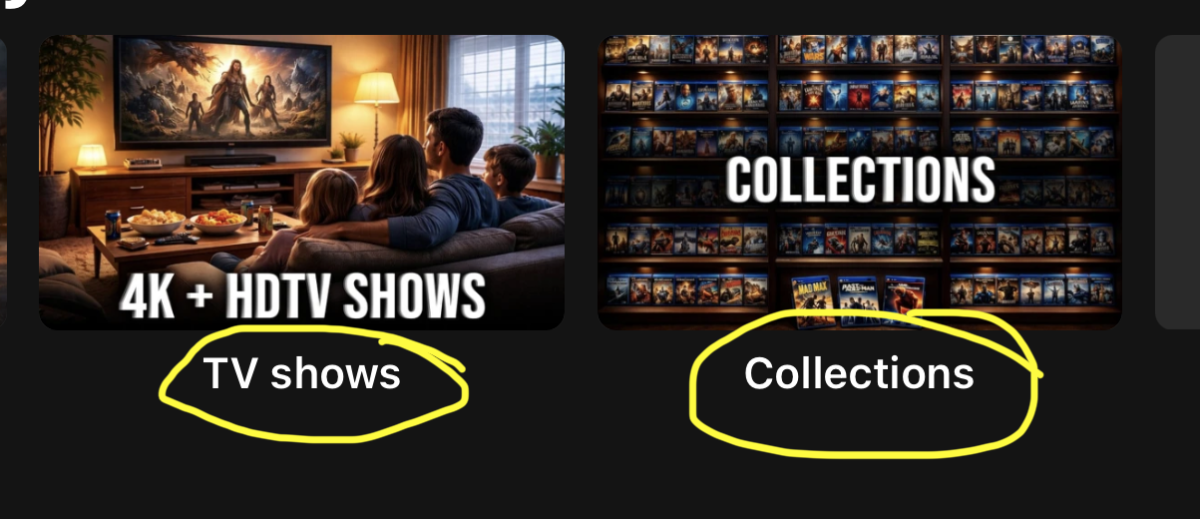
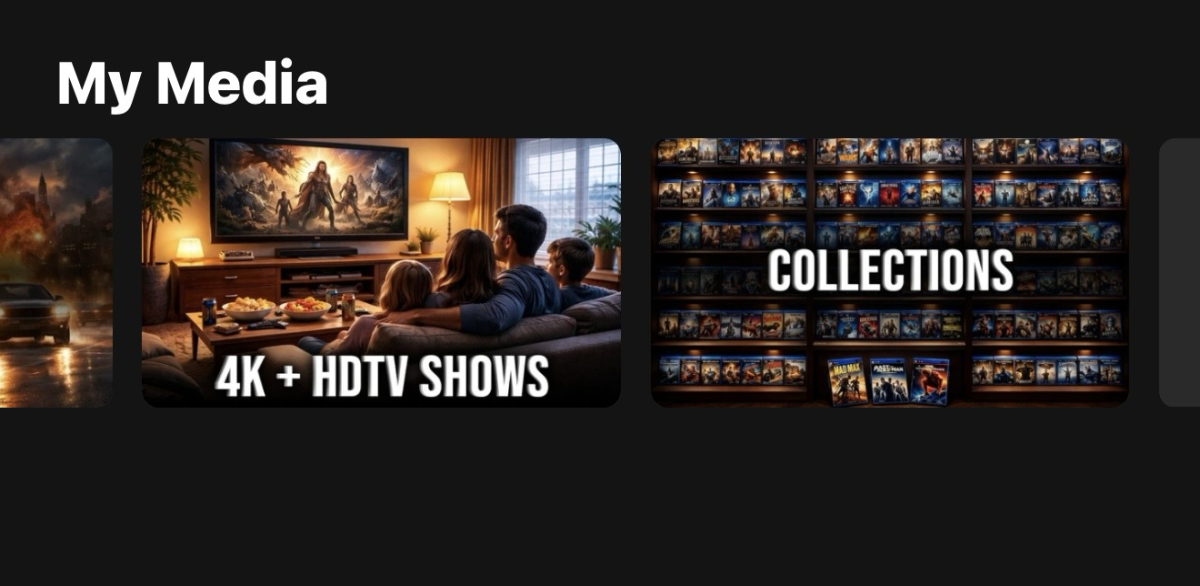
In the Web OS players, you can enter custom CSS to hide the labels at the bottom of each Library, as illustrated in the attached image. Can you please add an admin or user option to hide those so that the only labels describing each individual library are illustrated from the library poster for a cleaner UI look? With this being an Admin or User setting option, it can either be done on the appbox server level or the user level in order to alter that UI.
 1 point
 -
This should be fixed in the latest version in the catalog.1 point
-
Uh, using Infuse for 3 yeasrs now and it's AWESOME. Best media app I've ever used on any platform.1 point
-
A little sneak peek into what's coming: Similarity Graphs
 1 point
 -
Hi, the update is still in LG review. Thanks.1 point
-
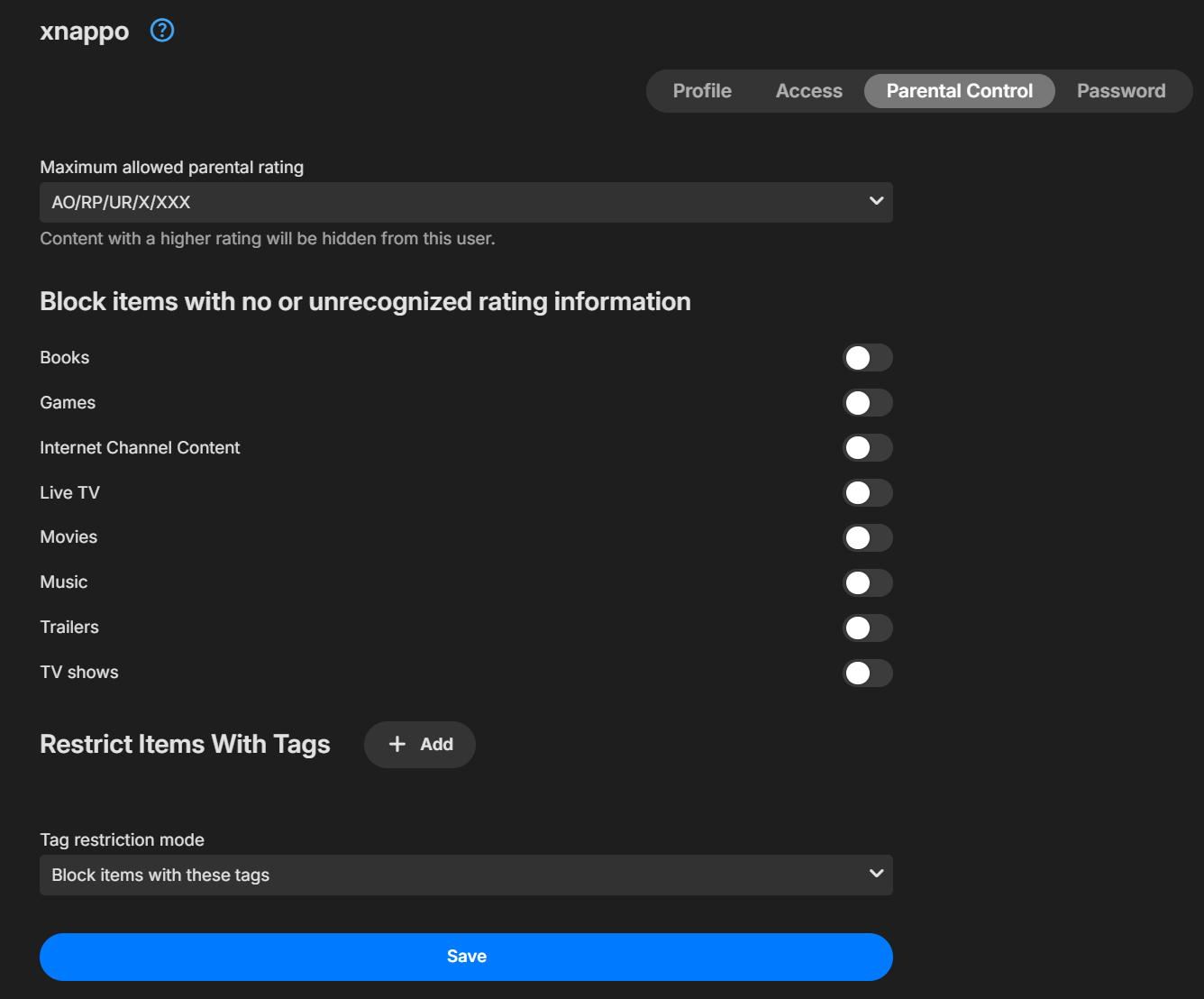
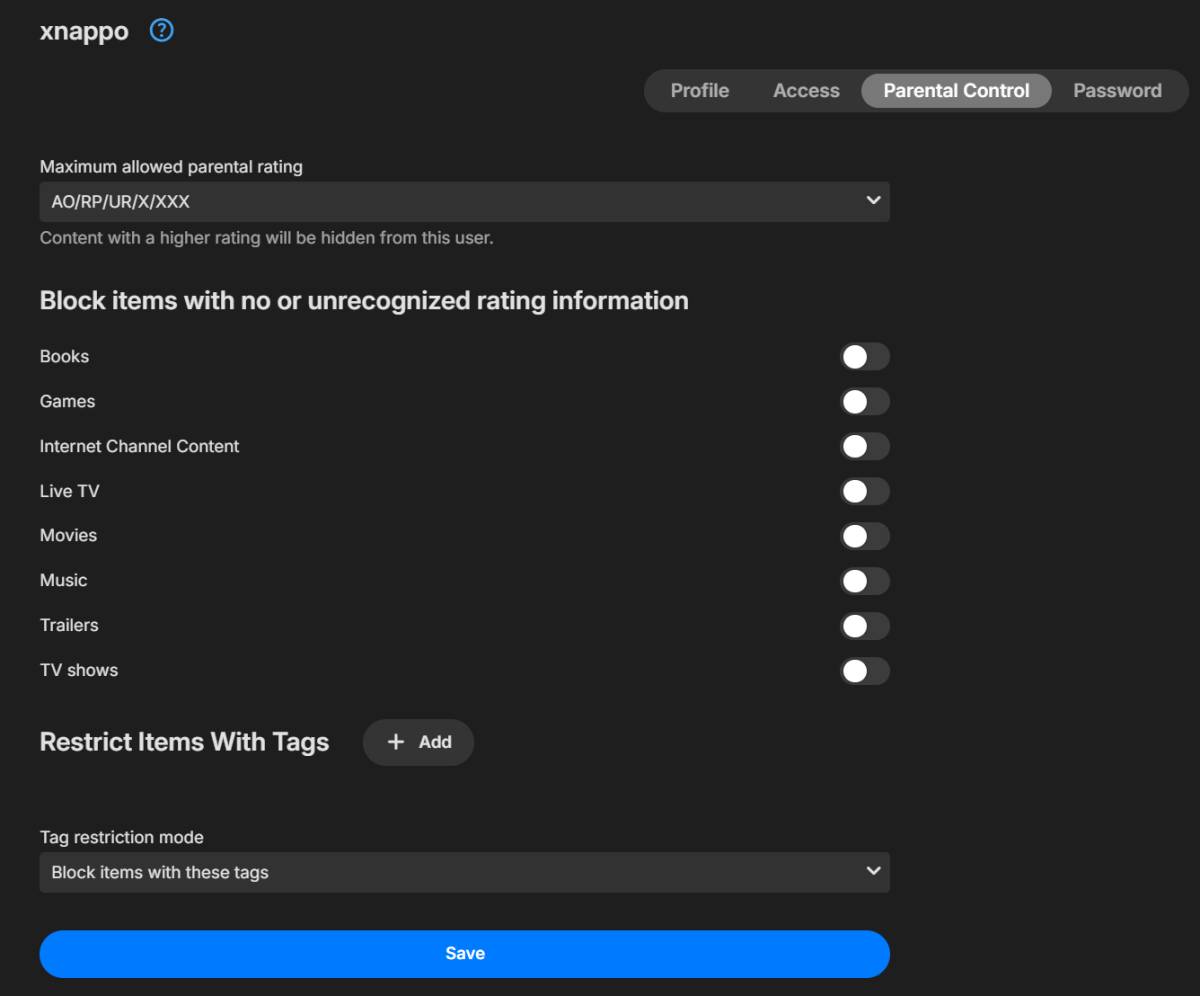
I was going to get annoyed, because I already said I did not, but that was it - with a caveat! It was set like this: Note that unrecognized was set to NOT block. This item is setting a rating of '16' which I suppose wasn't recognized. I am guessing that in my previous cases, why it fixed it to turn off TVDB then back on is the rating was set to a recognized type by another service that did not get overriden when I turned it back on. Setting the rating to 'BLANK' fixed it. Please check the code on the 'unrecognized' option guys - but *THANK YOU* for the support in finding the problem.
 1 point
 -
There were some issues with seeking when music was being transcoded. It has no effect on whether transcoding happens or not.1 point
-
Hi. Apologies for the disruption. The update is still in LG review.1 point
-
LG users, we are still waiting, 18 days without an EMBY1 point
-
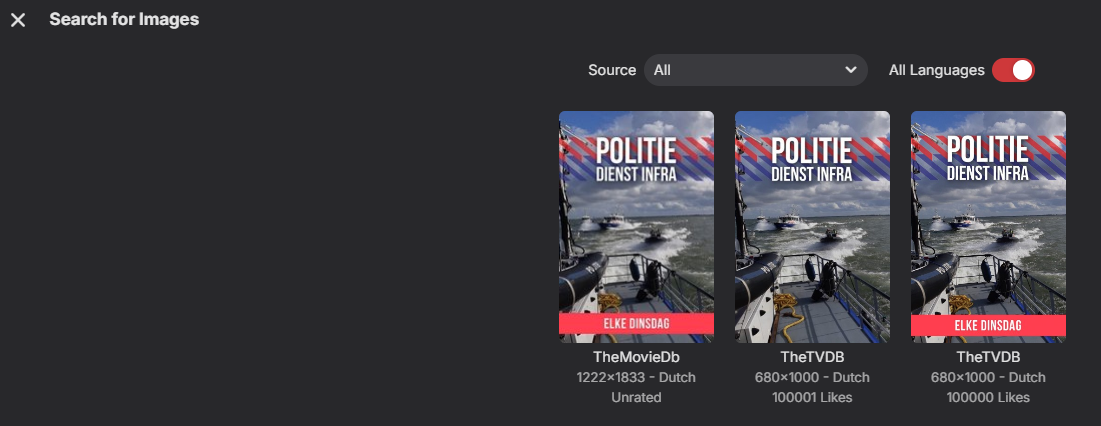
Hello, I have alot of Dutch TV shows. 9 out of 10 times there isnt a cover available in English but only in Dutch. Would it be possible, when there are no English images found that it automatically downloads one from the original language? Because only when i enable all languages it finds covers. See attachment. Thank you in advance!
 1 point
 -
Hi. Have you tried setting up Emby Connect ?1 point
-
No policy groups for users, and having to select and change user settings for each user one at a time is a major achievement!1 point
-
LG users still waiting!!1 point
-
Plugin Enhancement Proposal 1. Streamlining Category Organization The current titles (Movie Theme Songs, Movie Theme Videos, TV Theme Videos, Theme Songs) are somewhat redundant and could be more intuitively organized. I suggest grouping them by Media Type or Content Type to create a cleaner interface. Example of suggested structure: Themes Movie Videos Themes Movie Audios Themes TV Videos Themes TV Audios 2. Selective Folder Processing I would like the ability to manually select specific multimedia folders for the plugin to process. Goal: Instead of scanning the entire library, the user should be able to choose which directories to target. This would improve performance and give users better control over their metadata.1 point
-
This x 1,000! @ebryour point about prioritization of resources is of course correct, but there are very few users here who understand why Emby dev team isn't prioritizing basic usability issues in video and music, before spending time on nice-but-tangential functionality. A rock-solid, secure, smoothly-functioning platform is going to attract a lot more new, paying users than adding and polishing quirky, non-critical functions like photo galleries and ebook reading.1 point
-
Might be interesting to have a look at this (if you haven't already) - could be interesting to see if thats similar to what you had in mind.1 point
-
I have been working on this for a while now and want to see if there is any interest at all for something like it. Anyone familiar with Unraids plugin named "Fix common problems" will instantly know what this is intended to do, for those that don't, the idea is to scan logs for errors in the Emby logs, show and if common known problem explain them and show a solution to the problem. The plugin is far from complete and might take a long time to finish (if it gets finished at all, no promises at all!!) because of all the possible problems that the plugin needs to recognize. Right now all it can do is find problems and report that the problem is there. I would just like to know if there is any interest in this before i use more time working on it.1 point
-
Digged a bit in a similar thought and ended up playing with NVIDIAs superresolution tool from their Maxine (Video Effects) SDK. This is quite nice and runs on GPU in realtime. You can have this in MPC-HC with their own renderer too, but there it's for playback only. You can expect results like NVIDIAs upscaling on their Shield. Not in the league with properly configured Topaz AI or some Waifu-stuff, but a visible increase of quality in motion. Depends on source-material of course, but I have interesting results with DVD-material. So yeah, this is something I'd like to see too. Having a beefy PC with proper GPU in the emby server and some clients that have a fast connection and 4k-capatibilites screams for doing something with low-quality/SD-content bevore delivering it to the client. Because why not? A GPU-solution, leveraging NVIDIA's RTX Super Resolution would be great, but so far I haven't found an ffmpeg-patch that adds support for this.1 point
-
Hi, yes the update is still in LG review. Thanks.0 points



















.thumb.png.1ddf135ad99a72646a26d671a28ffe35.png)