Leaderboard




Popular Content
Showing content with the highest reputation on 01/11/26 in all areas
-
It was me all along. Sigh. I recently transferred everything over to new storage and I must have accidentally started a copy from /Television *into* /Television on the new drive, creating /Television/Television/24 and empty folders for all the other series. So, if you're reading this because of a similar problem, check the path to your files!3 points
-
I tried the other app and set it to remember users, now it works. Thx2 points
-
Fixed with removing and adding rights for all apps and user inside synology. Also fixed with the last emby server version :4.9.3.02 points
-
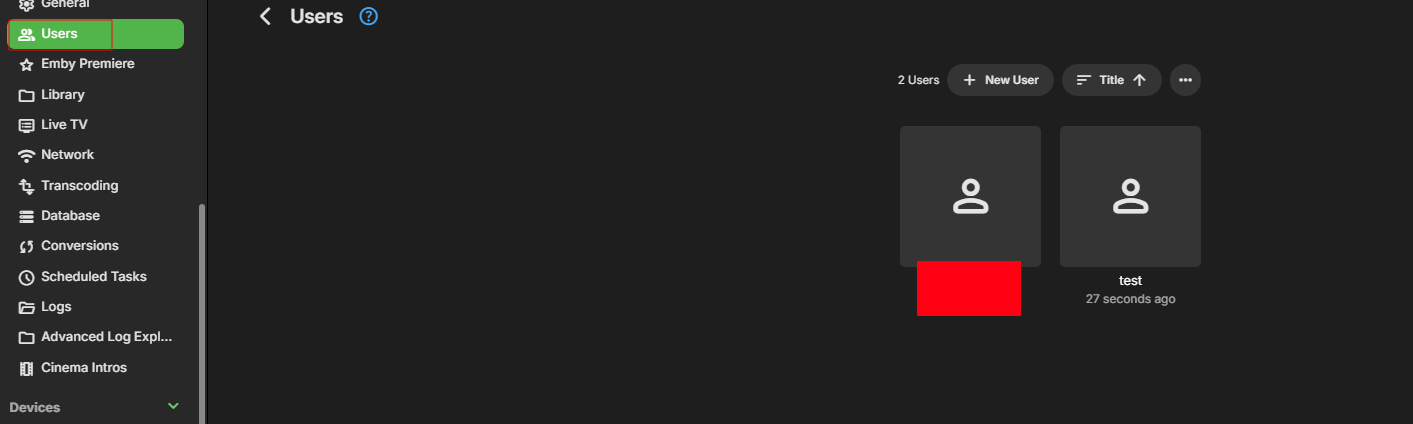
Yes go to users. Click on user to edit. Then click marked in red. Click marked in red. Click and select "Always show season folders". That it. Now rinse and repeat on all your users.
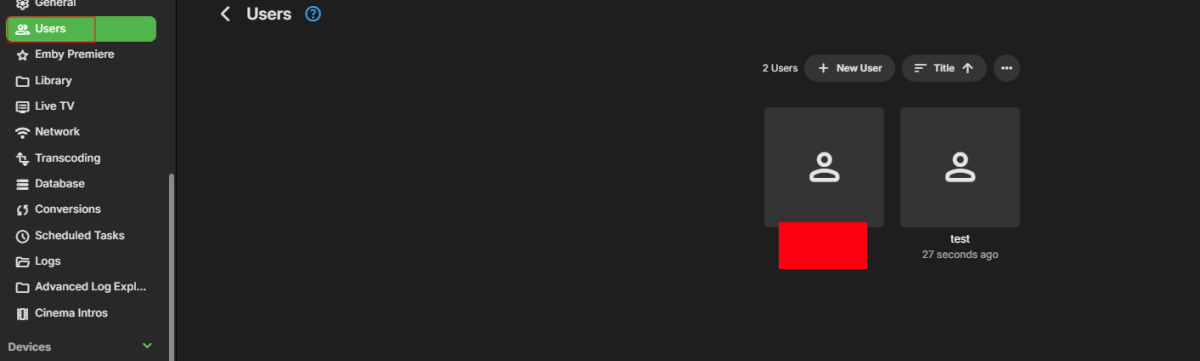
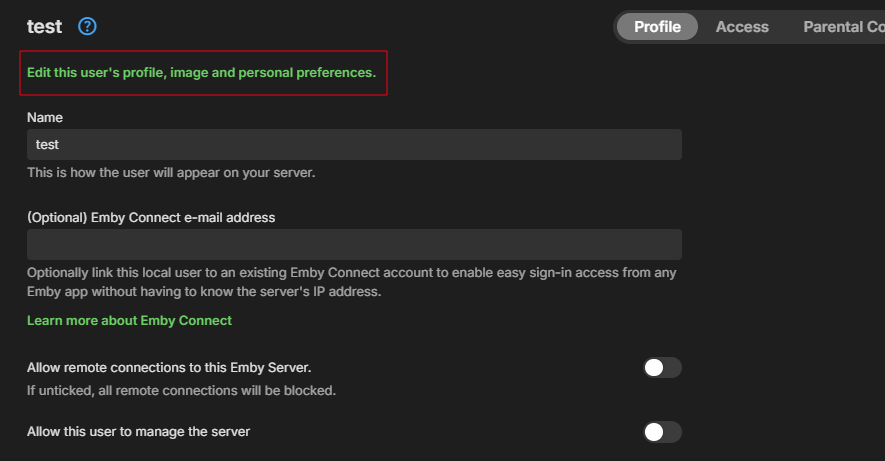
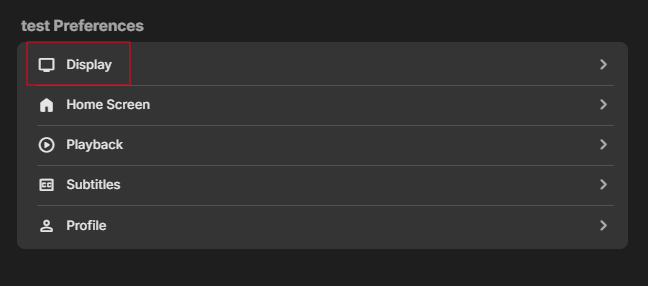
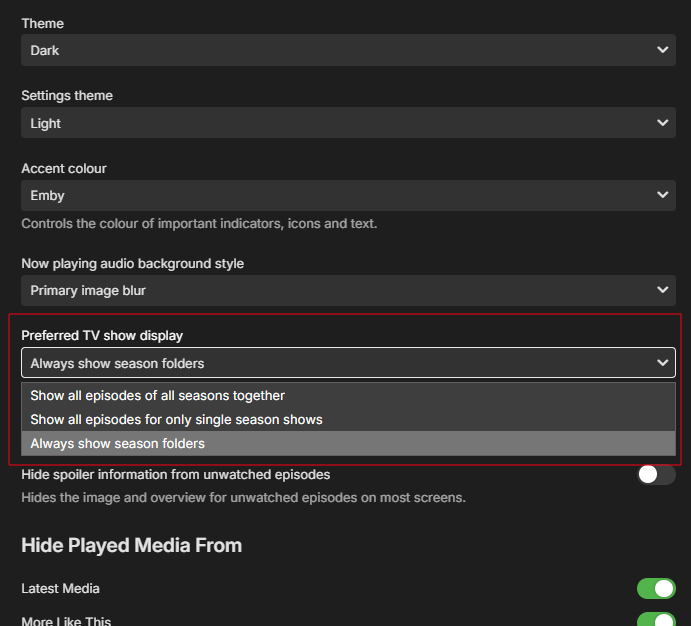 2 points
 -
I will be working on a backup/restore of the database to provide for easy migrations and not having to re-sync and rerun embeddings on large libraries in a future version.2 points
-
Just got home from a christmas dinner and checked, you are correct. I will fix it tomorrow when i'm... More my self.2 points
-
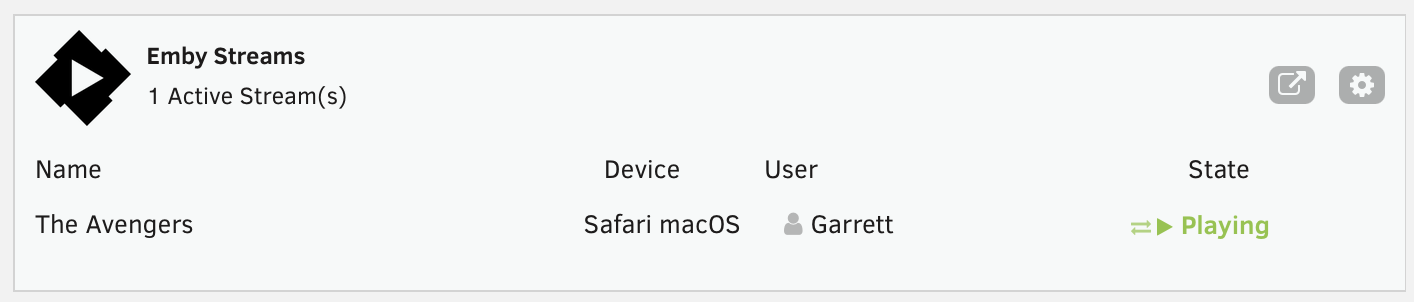
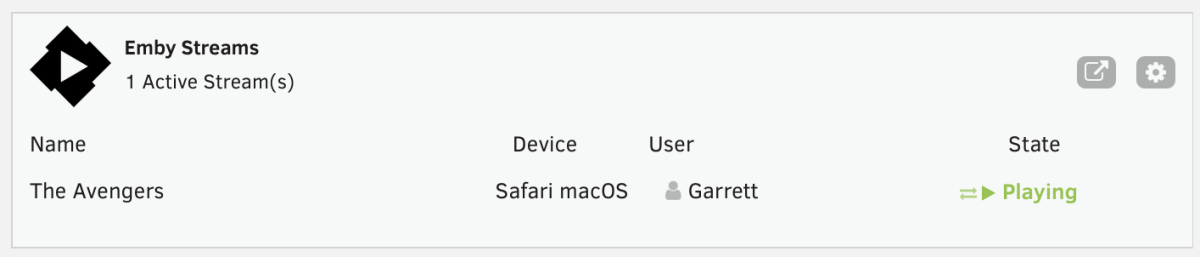
This is a simple Unraid plugin that adds a widget to the Unraid dashboard. The widget will show: All active streams The user streaming The device it is streaming on And the current state with icons indicating normal playback or transcoding. I don't have plans to really expand the feature set, except to maybe change the current state to the current streams timestamp or progress. Otherwise the current state really meets my needs but I'm open to feedback and suggestions. If I get enough feedback, I'll work on packaging it correctly and submitting to the Unraid Community Apps store. As of now, you manually install the plugin by going to Plugins > Install Plugin > and pasting the url for the plg file. You can click on the cog on the widget or in the installed plugins list, click the emby icon to go to the settings page. You'll need to enter the server ip, port, api key and choose a refresh rate. It currently defaults to 5 seconds. https://github.com/gthrift/unraid-embystreams/tree/main
 1 point
 -
Hi, yes that should be fine and they don't be duplicated internally.1 point
-
Awesome, thanks!1 point
-
Hello, I would also like to chime in on this topic as someone who loves Emby and recently purchased a license as a result. I have to agree with the criticism of slow startup times of both the Windows app and the Xbox app - closing the Windows app is also annoyingly slow. When I launch the Emby app on Xbox, it takes nearly 2-3x as long as launching any other app, even my wife comments on how slow it is. If my understanding is correct, the fast-start option will only work on the premise that you're pre-launching and constantly running processes in the background so you don't have to wait for those processes when the GUI is launched. If that is the case, I don't personally see that as a satisfactory long-term solution, respectfully. Without knowing the technical details, would it not be possible to cache required resources so the GUI can be launched "instantly" and be responsive like any other program? Then use clever progress visuals (bars, spinning circles, gradient rolls across asset placeholders) to indicate that assets/resources are loading while maintaining at least the illusion that the start process was snappy. As an example, expected behavior for me would be: - Launch app > see white/grey background where GUI will be drawn instantly > see emby sidebar on the left and the four settings options at the top right. - At this point, all the media tiles could have rolling gradients to signal that they are loading and I would understand that most functions would be unresponsive or locked, or perhaps it is simply a progress bar, spinning circle, or a combination of them depending on how much time is required to load. Perhaps the settings button would be functional during this time. - Media tiles (ideally cached after connecting to a server) could be populated progressively or all at once, hovering over them ideally produce the normal result even if there is still loading to be done - At this point, if more loading is still necessary, clicking on a media tile should produce a spinning circle until assets are fully ready to go. I hate to feel so nitpicky about the whole thing, but for many people it's jarring to experience so much front-loading when the expectation is a snappy response. If it's technically possible without too much work, I really do think a little bit of manipulating us would go a long way to our satisfaction in this case. I do think the background process option would work for some, but for others like me, process bloat isn't a good option. Finally, I would appreciate something similar for the Xbox to help shave down the launch time. I realize that Xbox hardware is on the way out so even a quick and dirty hack would be fantastic. Thanks for making such great software!1 point
-
Aweseome!!! Thank you very much!1 point
-
This sounds like something that is really up my avenue and could be the reason that I swap from Plex to Emby finally 2 questions though: 1. Do the recommendations show up on the homescreen or is it just within the library view? 2. Is it possible to get this running on a different server to the Emby server? For example a VPS external to my Emby server? The VPS would be using a reverse proxy such as Traefik.1 point
-
When can we expect M4 Mac Mini Hardware Acceleration?1 point
-
Thank you for the log. I'm not really clear on what those OMDB API errors mean, I have definitely seen errors with their API before pretty commonly but I haven't seen that specifically. It is likely secondary to the issue here. Based on your log it is listening on both 8096 and 8920 successfully, otherwise there would be an error here. 2026-01-11 13:45:41.195 Info App: Adding HttpListener prefix http://+:8096/ 2026-01-11 13:45:41.195 Info App: Adding HttpListener prefix https://+:8920/ Additionally based on your log your system has the following addresses: The 192 address is likely your main connection to your router, and the 10 address is a point to point with your NAS since it has no gateway address and your library paths are for 10.10.10.1. I also see it's a Windows device. This means that from the Windows device itself you should be able to access all of the below addresses, since based on my understanding it will listen on ALL addresses, and the "Local IP address" field under Network is only used to ensure that the correct local IP is advertised to client apps if you have multiple IPs. http://localhost:8096 http://192.168.1.160:8096 http://10.10.10.2:8096 https://localhost:8920 https://192.168.1.160:8920 https://10.10.10.2:8920 Please confirm if all of these work - you would see a certificate error on 8920 for the CN not matching, but that's okay. To be clear, while all of these should work, the important one should be 192.168.1.160 on both 8096 and 8920. If both ports are working for the 192 address then please try it from another device on your local network as well, since that should also work.1 point
-
Hi yes it does.1 point
-
Yes. It solved itself about 24hrs later. Dont know why it took that time1 point
-
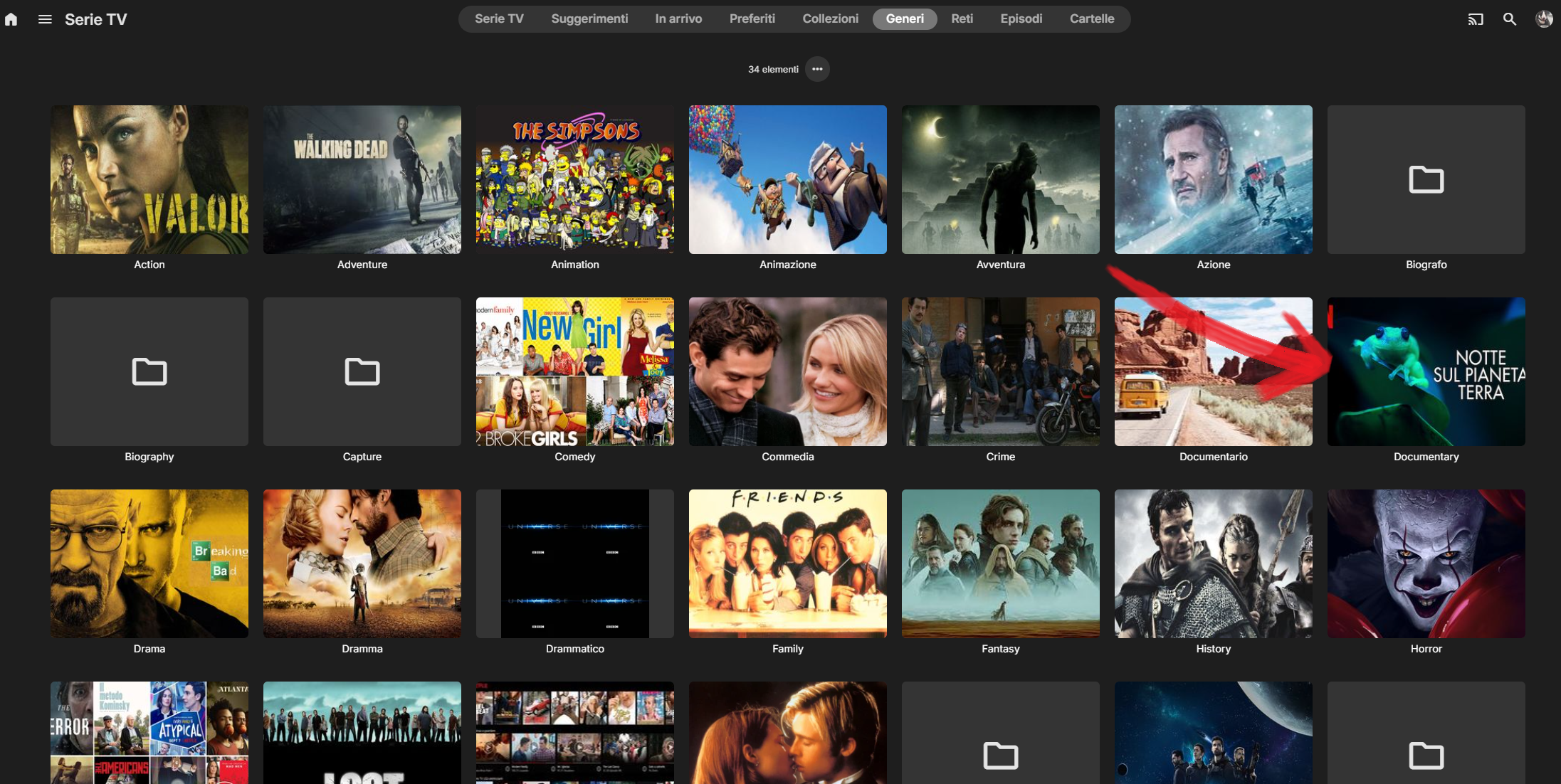
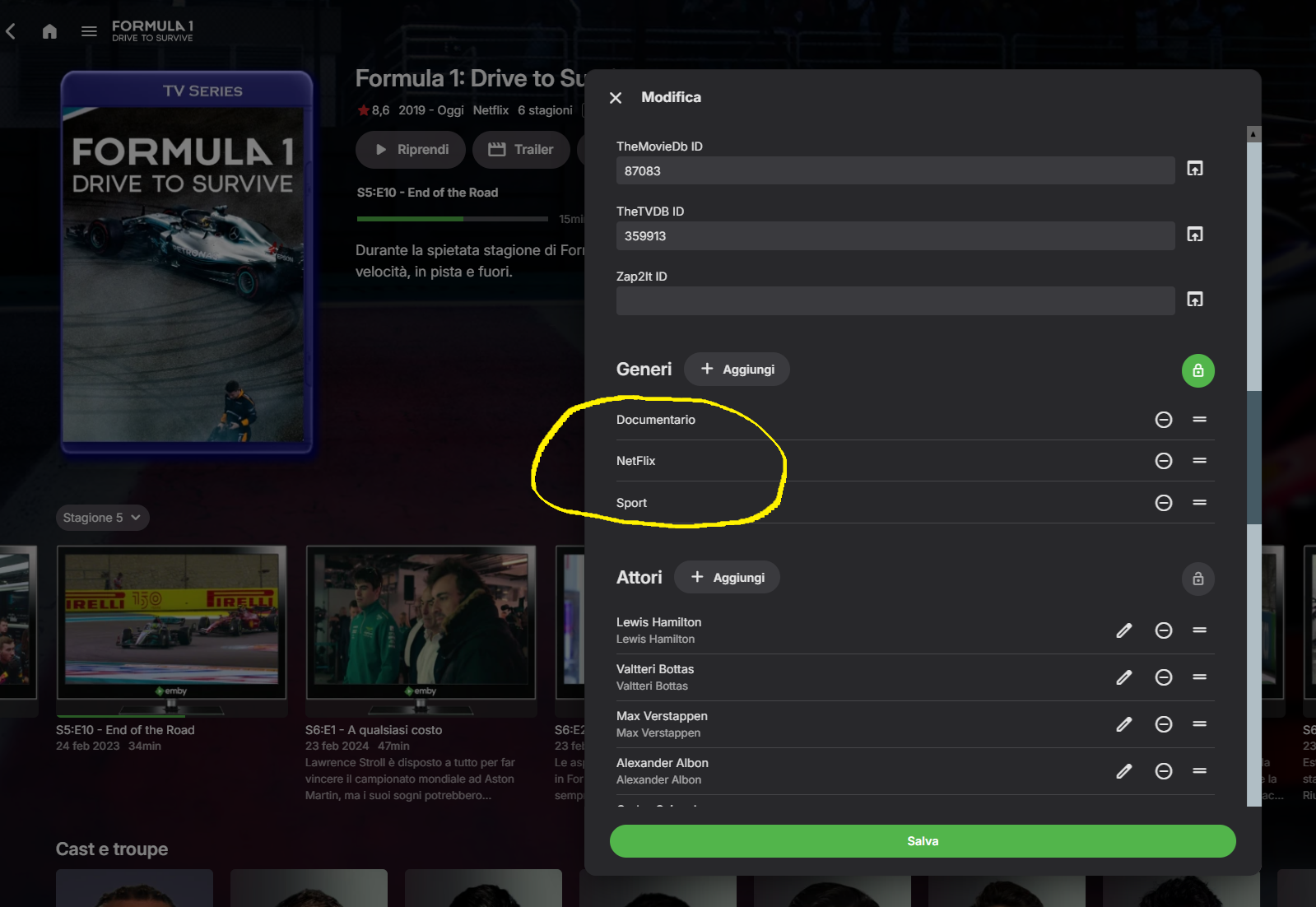
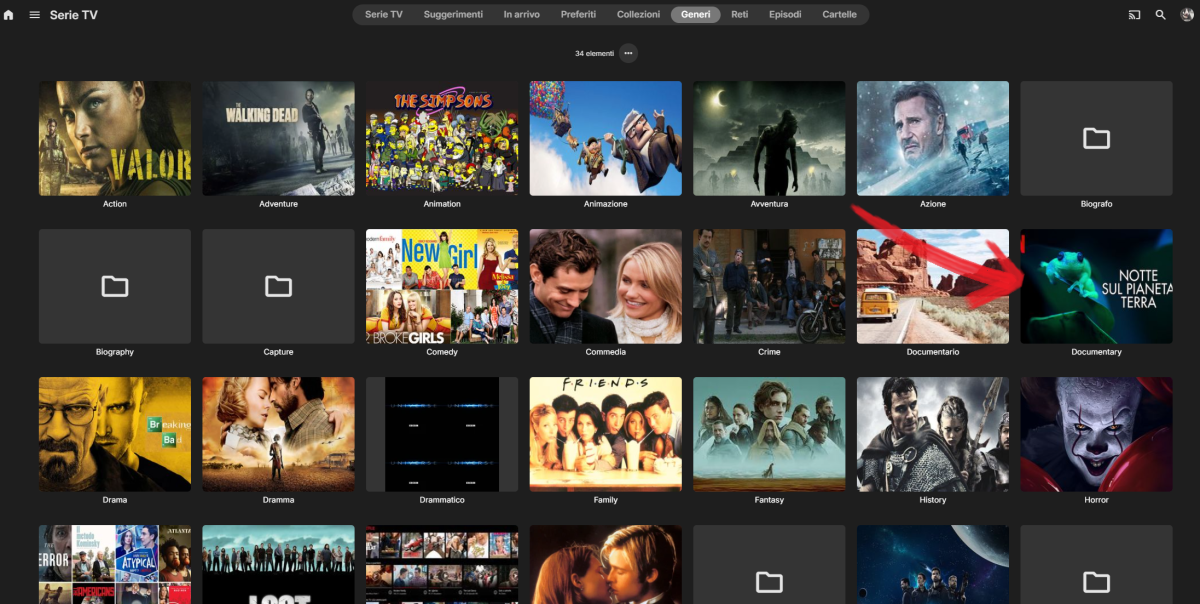
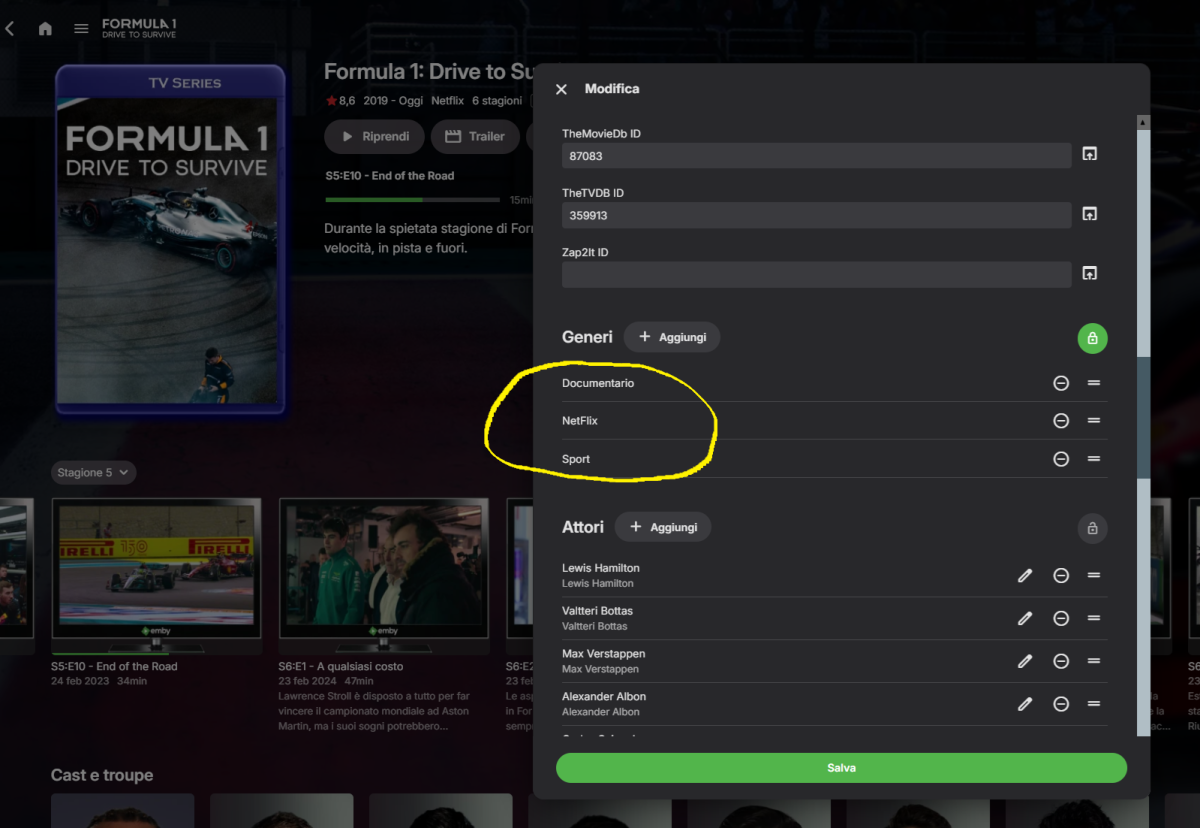
I verify again with different case: - screenshot 01 where appear this generes "Documetary" callod "Notte sul Pianeta terra". This Tvseries or movie not exist on my nas. I play cliking on video arrow and play Tvseries "Formula 1 Drvi to survive" ??????? - scrrenshot 02 i click on TVseries "Formula 1 Drvi to survive" and not Documentary genres appear. I delete anyway all genres and it appears the same !!!!! I hope staff solve this BUG Thank Hispa
 1 point
 -
What an odd statement- it works absolutely great with a remote, I've been using one with it for over a decade. I1 point
-
Thank you, Neminem. Much easier than signing in as the user. Still annoying but manageable.1 point
-
Managed to resolve the issue on my own. ChatGPT read the error and found a similar topic here on the forum, the problem was with the embedded DVD subtitles. It recommended me to OCR them to srt format with SubtitleEdit or remux and remove them. I opted for the latter and added some matching external srt files. Problem solved.1 point
-
Restored now with the recent update; thank you so much
 1 point
 -
It seemed to be just that day, I checked fresh ports and it also was not listed, next day both have it. Might be a build lag but strange that quarterly was first.1 point
-
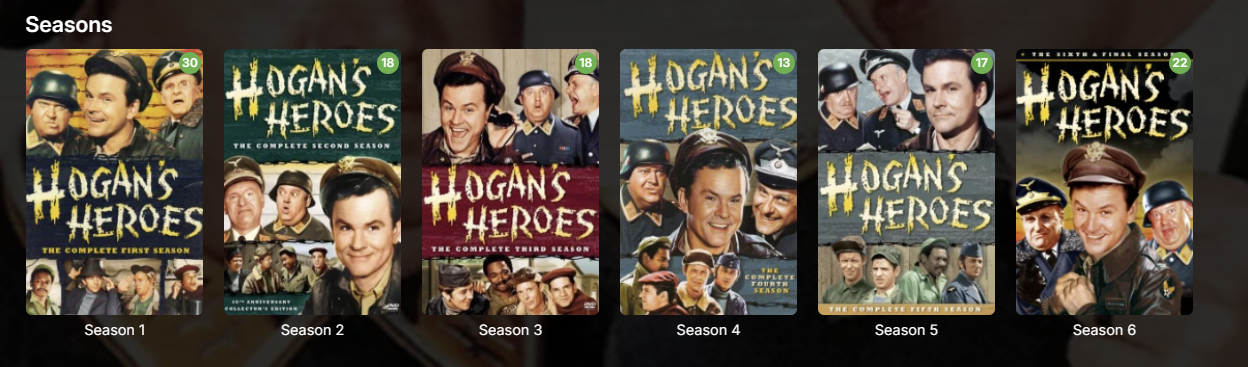
It updated to 4.9.3.0 on 01/09/26 from 4.9.1.90 on 11/11/25. I promise you the Seasons were shown individually up to then. I work on it 8-10 hours a day 7 days a week. You guys should be paying me I'm on it so much. It looks like I'm not the only one to get blindsided.1 point
-
Here is some more info.1 point
-
I posited on the other thread, but here it is again: I have a development server running on Mac OS and 4.9.3 appears to have fixed the issue. BUT...I installed 4.9.3 on my Synology NAS (DSM 7.2+) and I have not seen the issue resolved (I was previously running 4.9.1.80). I made sure to select the "Legacy" scanning option for my Mixed Content and Movie libraries. I re-scanned the libraries, but all the movie folders continue to be treated like Folders and not individual media items. I even created new Mixed Content and Movie libraries with new files (with Legacy scan selected) but the behavior still acts like individual folders and not collapsed Media items. I wasn't sure if other people had installed 4.9.3 on Synology and observed the same behavior.1 point
-
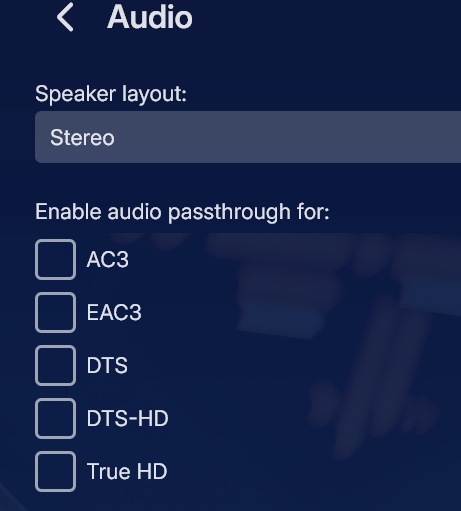
I unchecked these and working now would have appreciate an answer from Luke. but...
 1 point
 -
Ok a lot of rework to support more configurations. Please be patient as I try and streamline things here.1 point
-
Well look at it tomorrow. Thanks for reporting it!1 point
-
Aperture v0.2.1 Release Notes Hey everyone! I'm excited to release Aperture v0.2.1 with a brand new feature that many of you have been asking for. New Feature: Shows You Watch The headline feature of this release is Shows You Watch — a new way to track the series you're currently following and never miss an episode. How It Works Mark series as "Watching" — From any series page, recommendations list, or search results, you can now toggle a series to your watching list Dedicated Watching Page — A new page shows all your tracked series with upcoming episode information Dashboard Integration — See your upcoming episodes right on the dashboard in a new "Shows You Watch" carousel STRM Library Support — Optionally sync your watching list to a dedicated STRM library in Emby/Jellyfin, separate from your AI recommendations Settings Head to Settings → Shows You Watch to configure: Enable/disable the watching STRM library Set your library name and path Configure sync preferences Bug Fixes Setup Wizard: Fixed library filtering to exclude Aperture-created libraries from selection Setup Wizard: Jobs can now run during initial setup without requiring an active session Libraries: Fixed an issue with libraries that have no collection type set Error Handling: Improved error messages (no more unhelpful 400 errors) UI Improvements Job Cards: Switched to 2-column layout to prevent content truncation on the jobs page Franchises Page: Improved layout and organization MediaCarousel: Simplified and optimized carousel component Removed unused Awards page Upgrade Instructions docker pull ghcr.io/dgruhin-hrizn/aperture:0.2.1 Or use latest: docker pull ghcr.io/dgruhin-hrizn/aperture:latest Database migrations will run automatically on startup. Feedback Let me know what you think of the new Shows You Watch feature! I'd love to hear how you're using it and any suggestions for improvements. Happy streaming!1 point
-
I t would be helpful for the people who run this site if everyone's PC info was down at the bottom like that , maybe it would not i don't know ,just an idea1 point
-
si sirve de algo yo tenia server ubuntu server 22.04 actualice a 24.04 con update de emby 4.9.3.0 y mejoro bastante en tv lg1 point
-
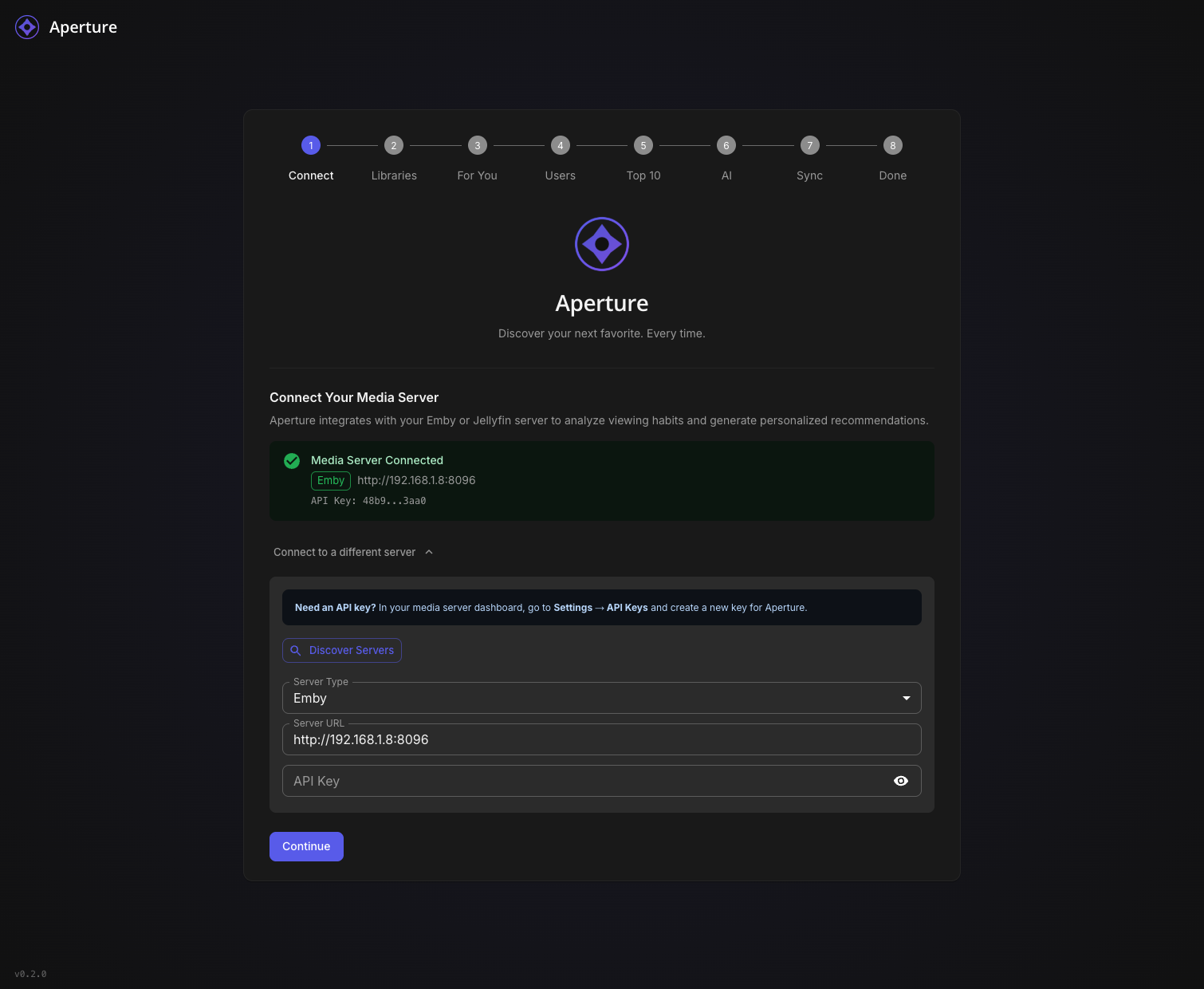
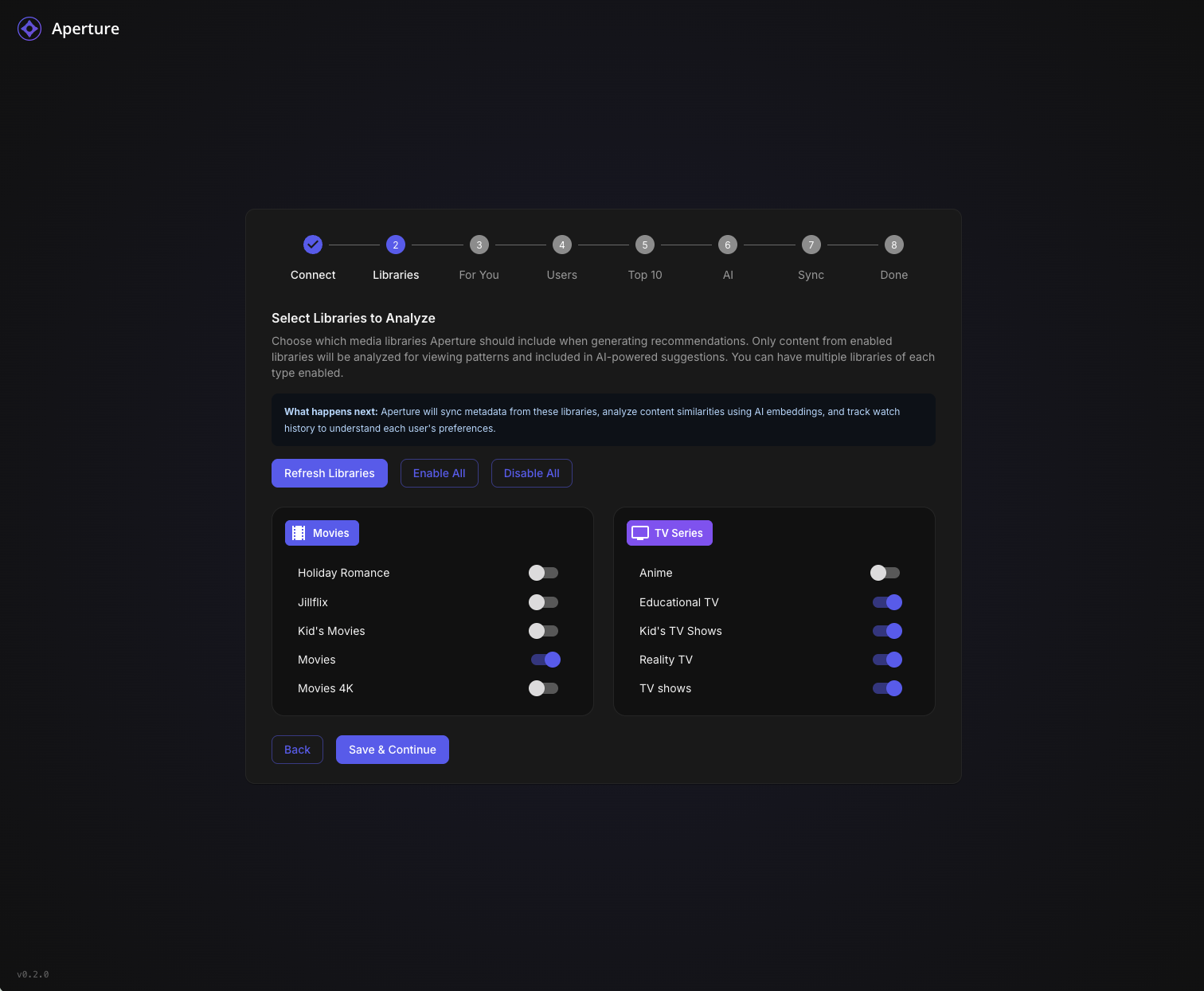
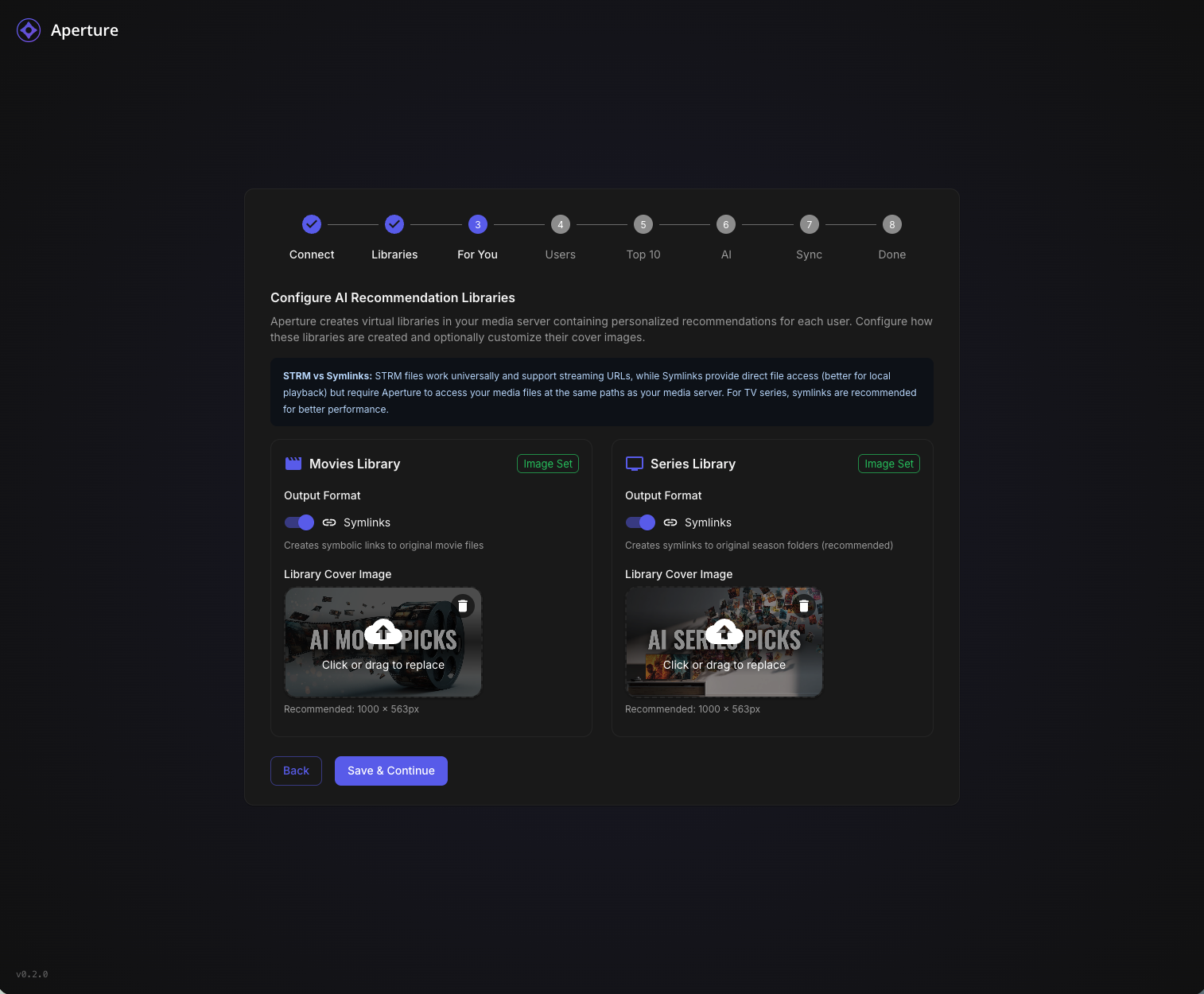
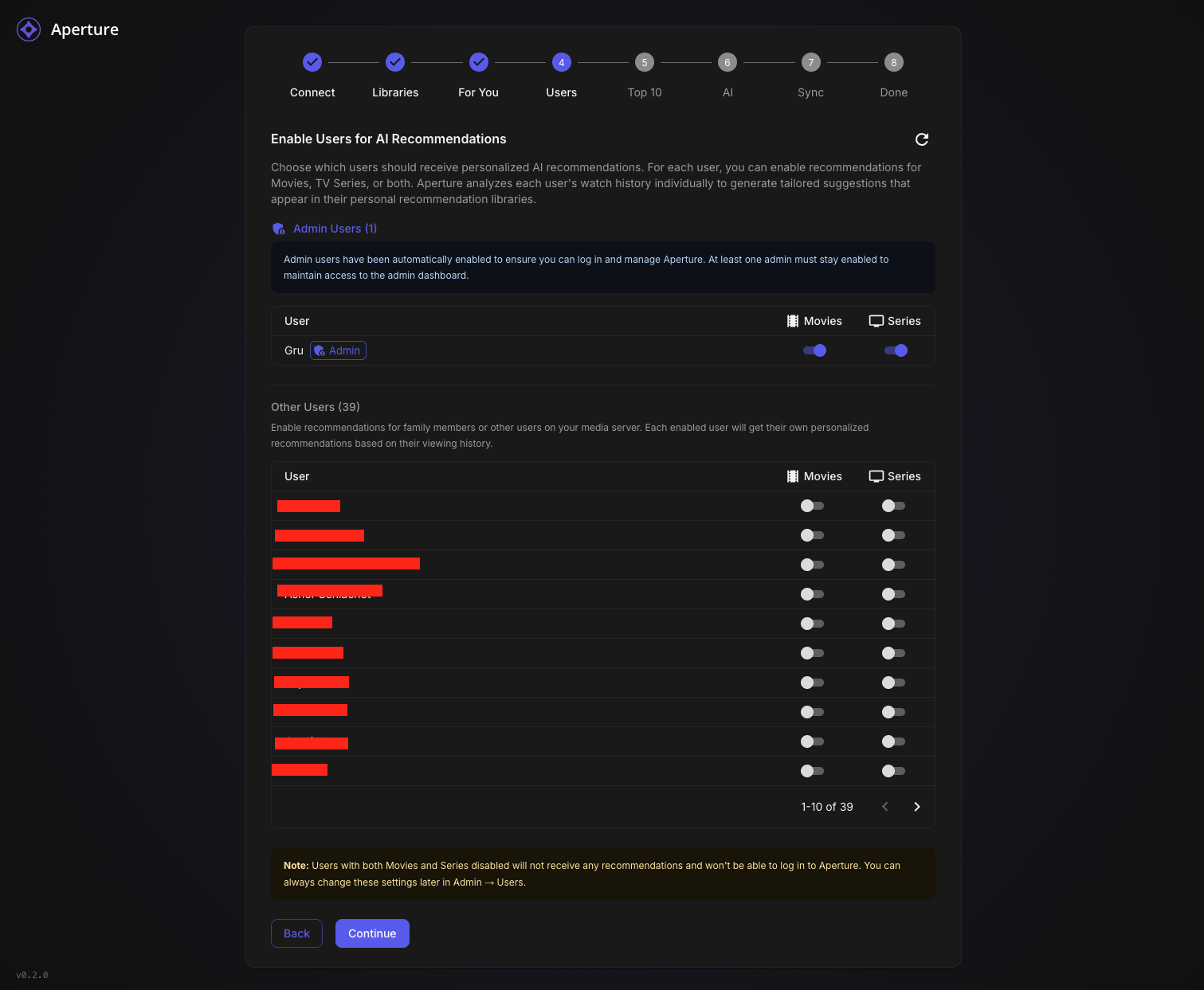
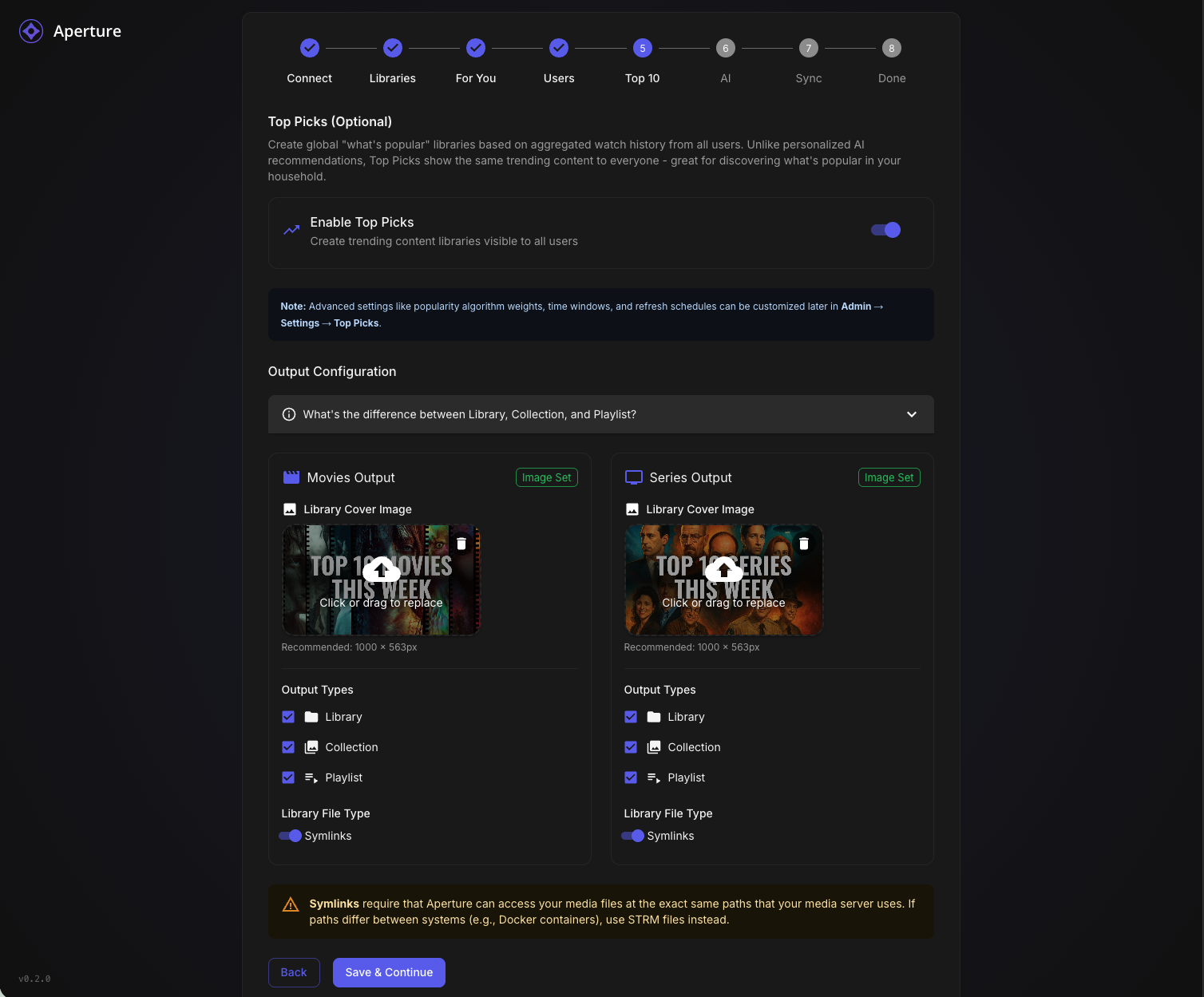
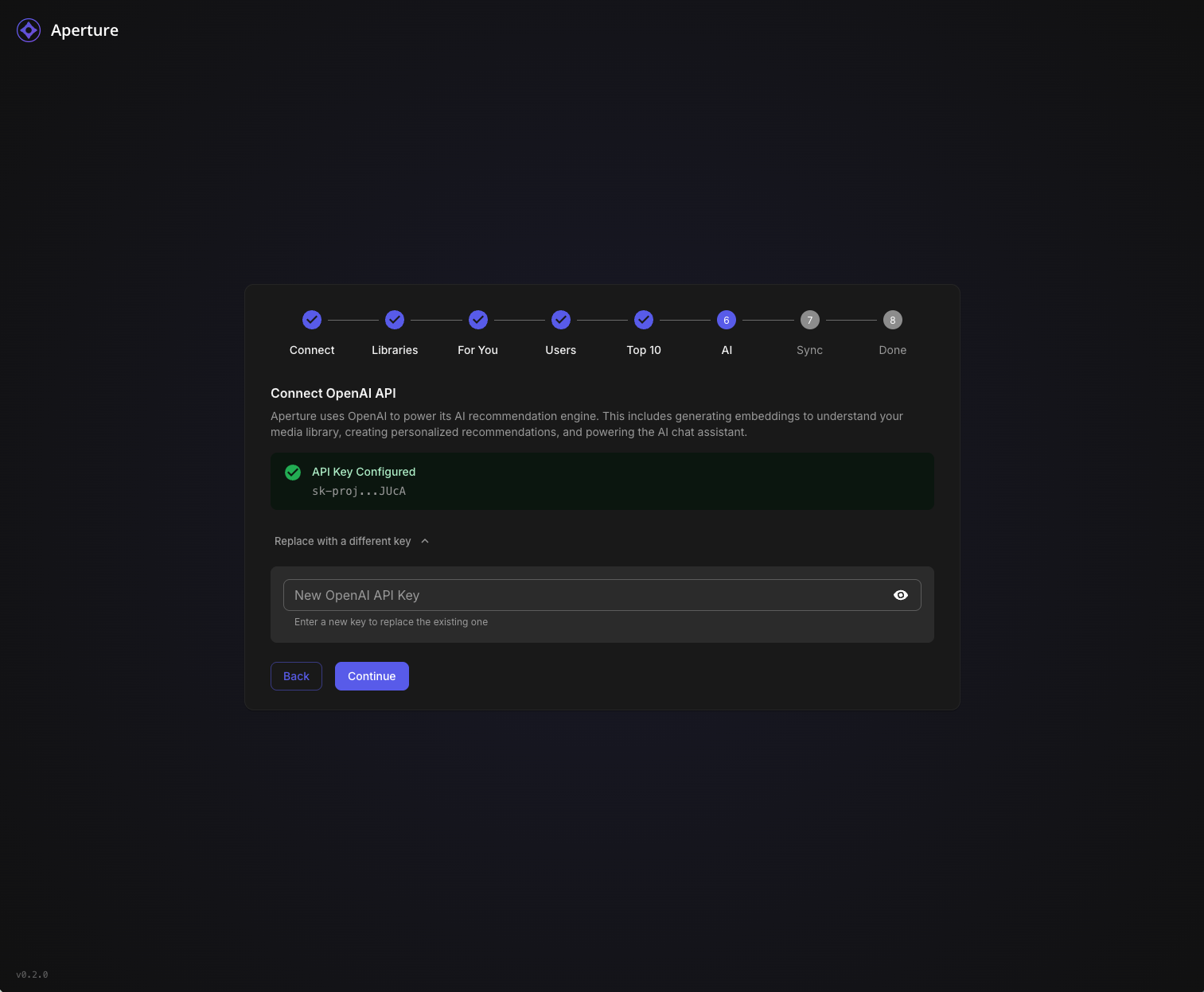
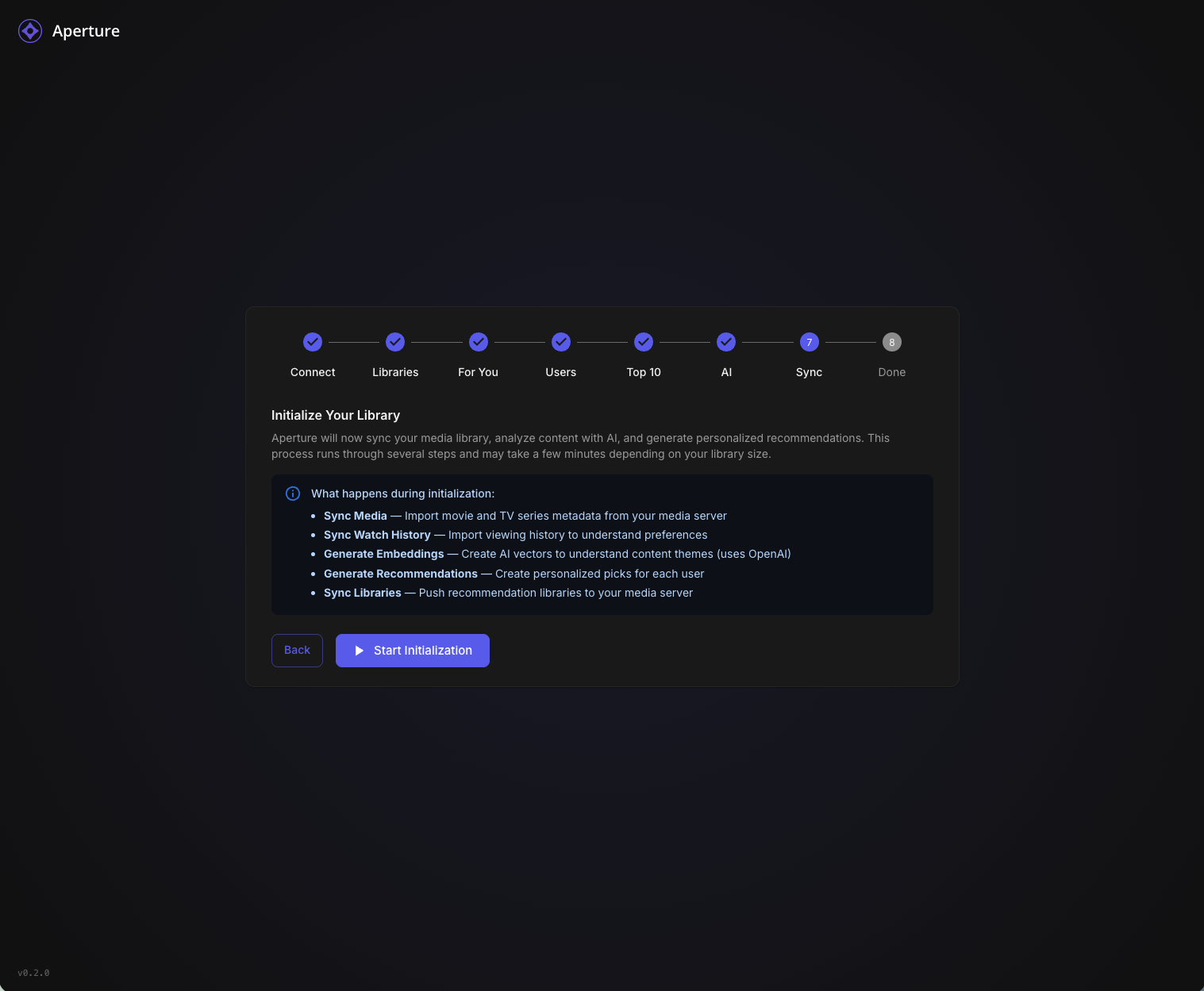
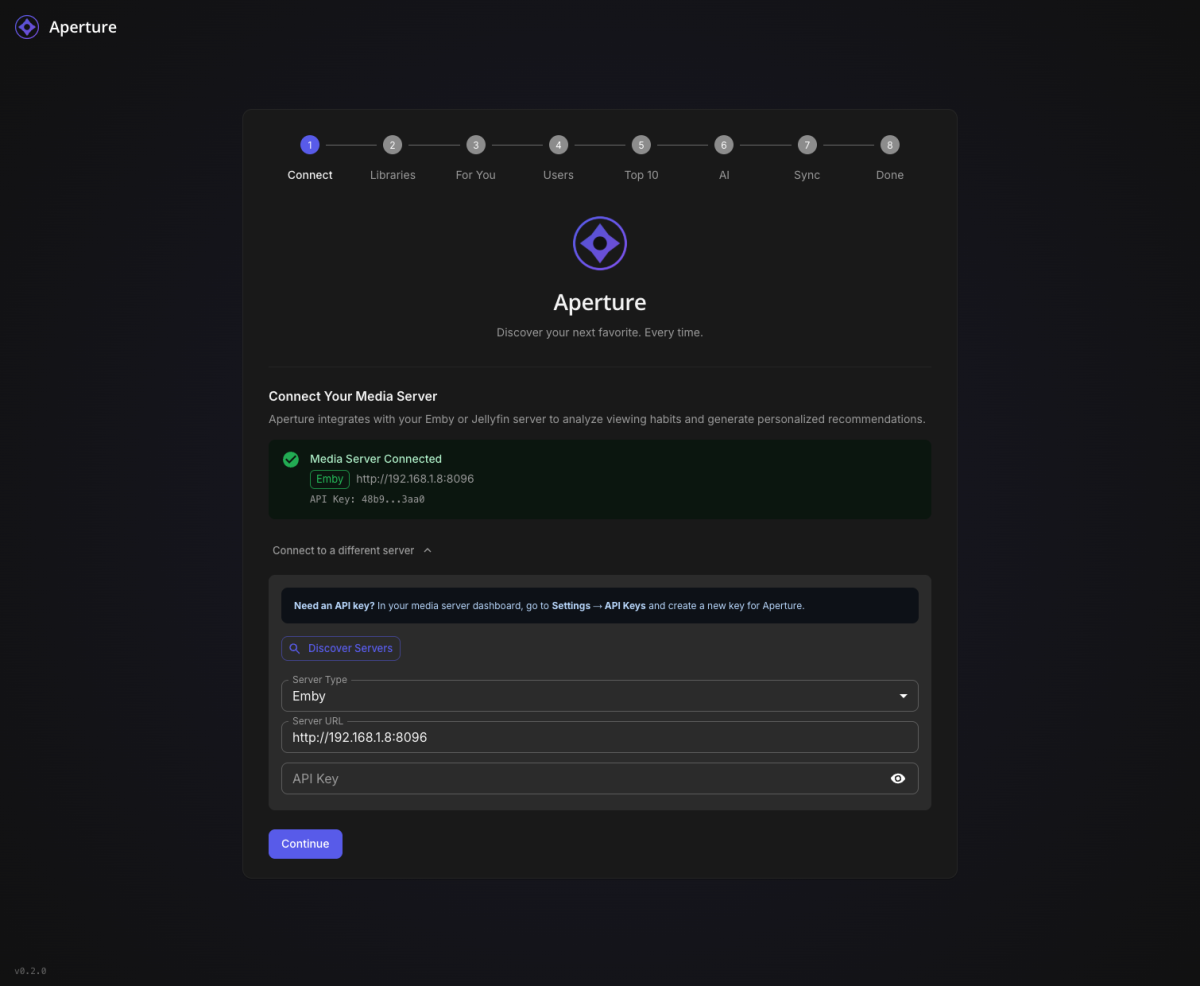
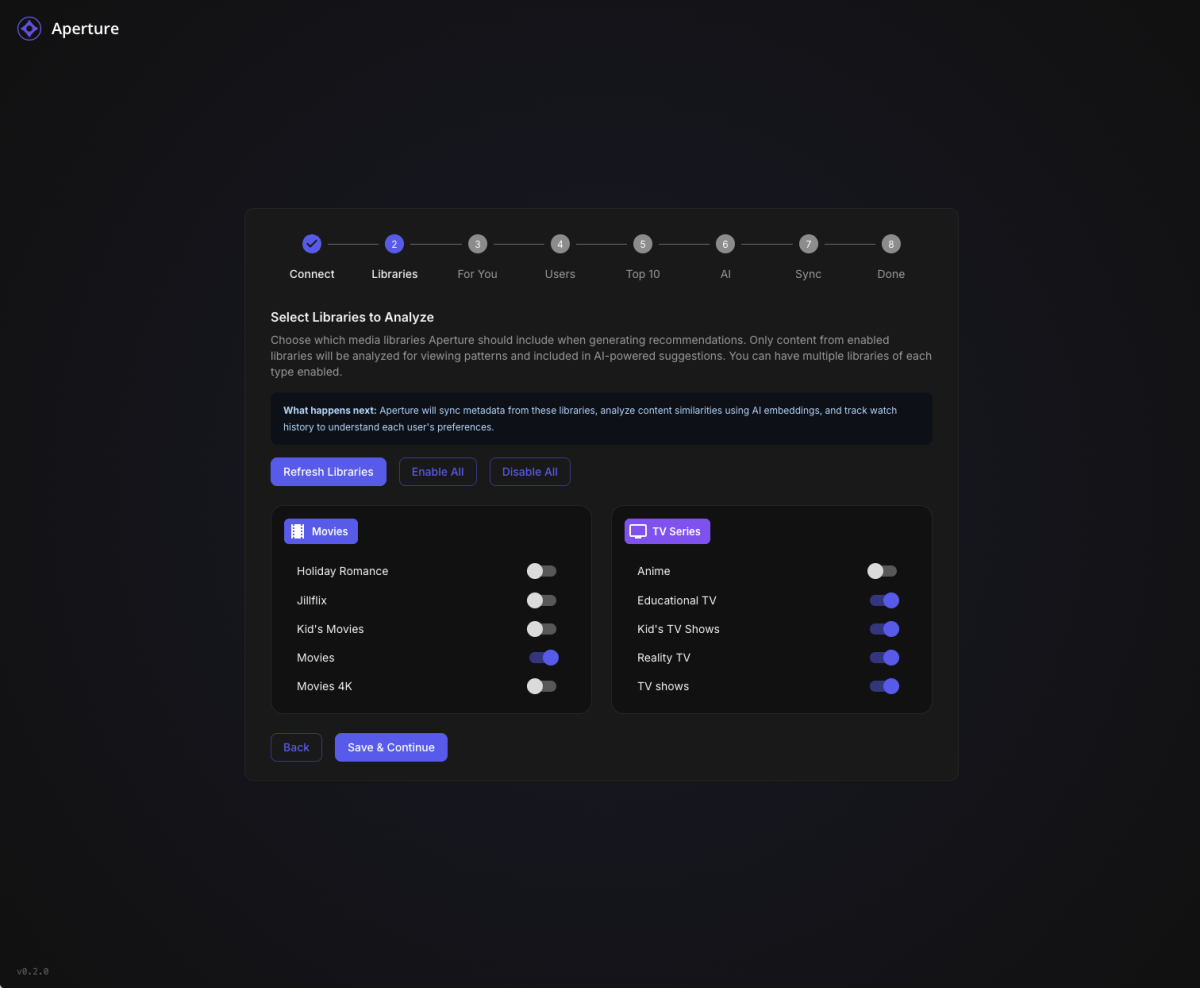
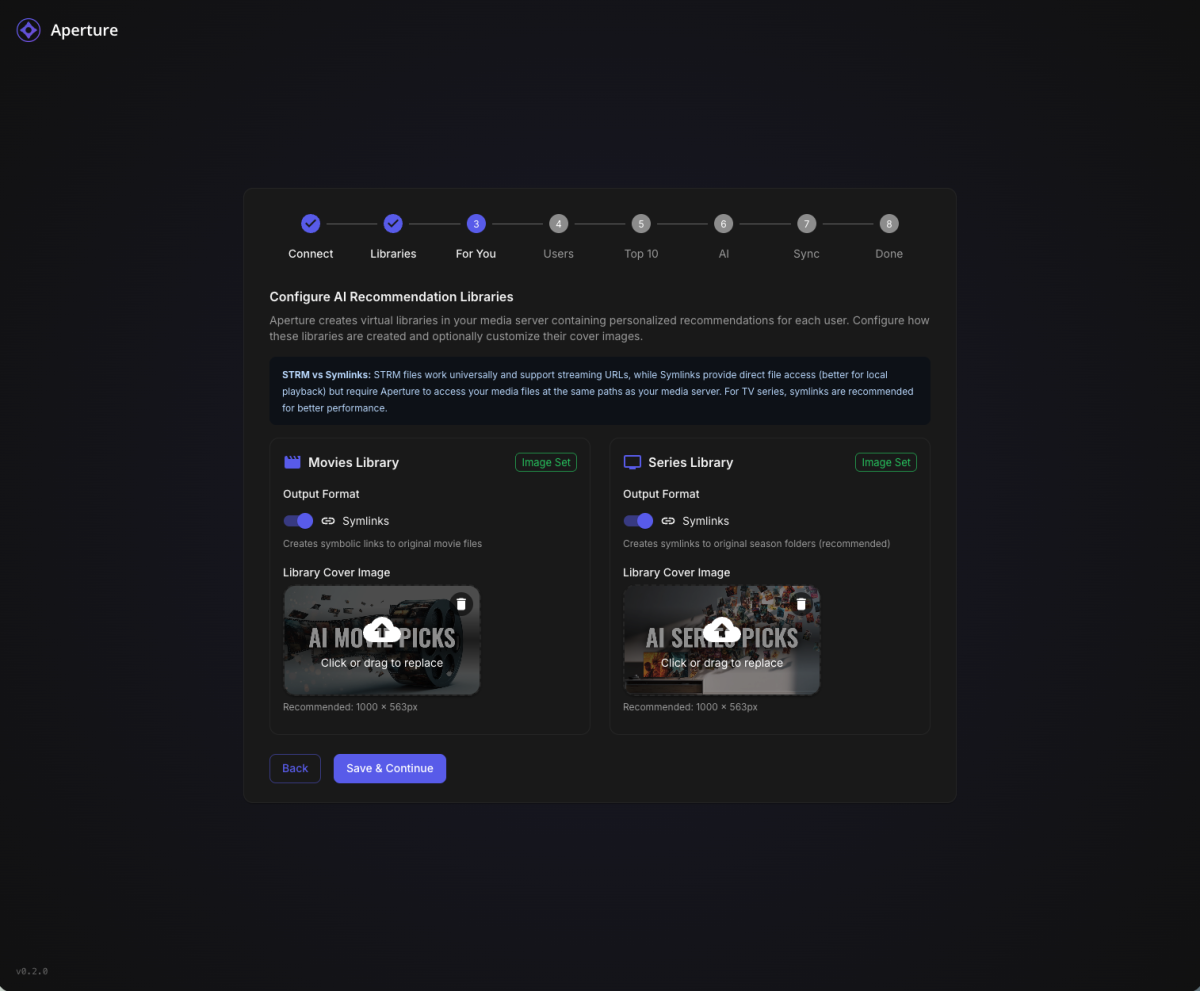
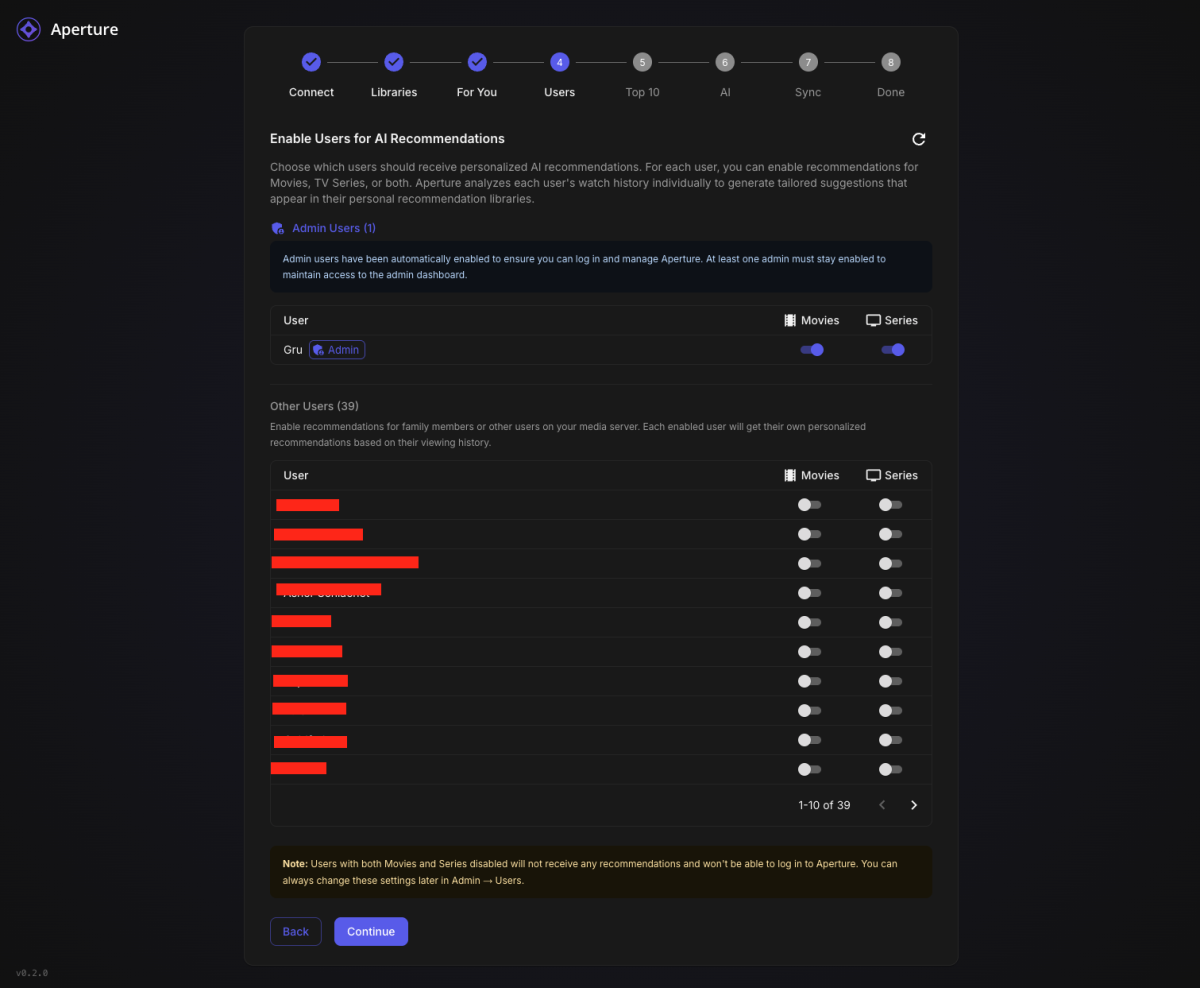
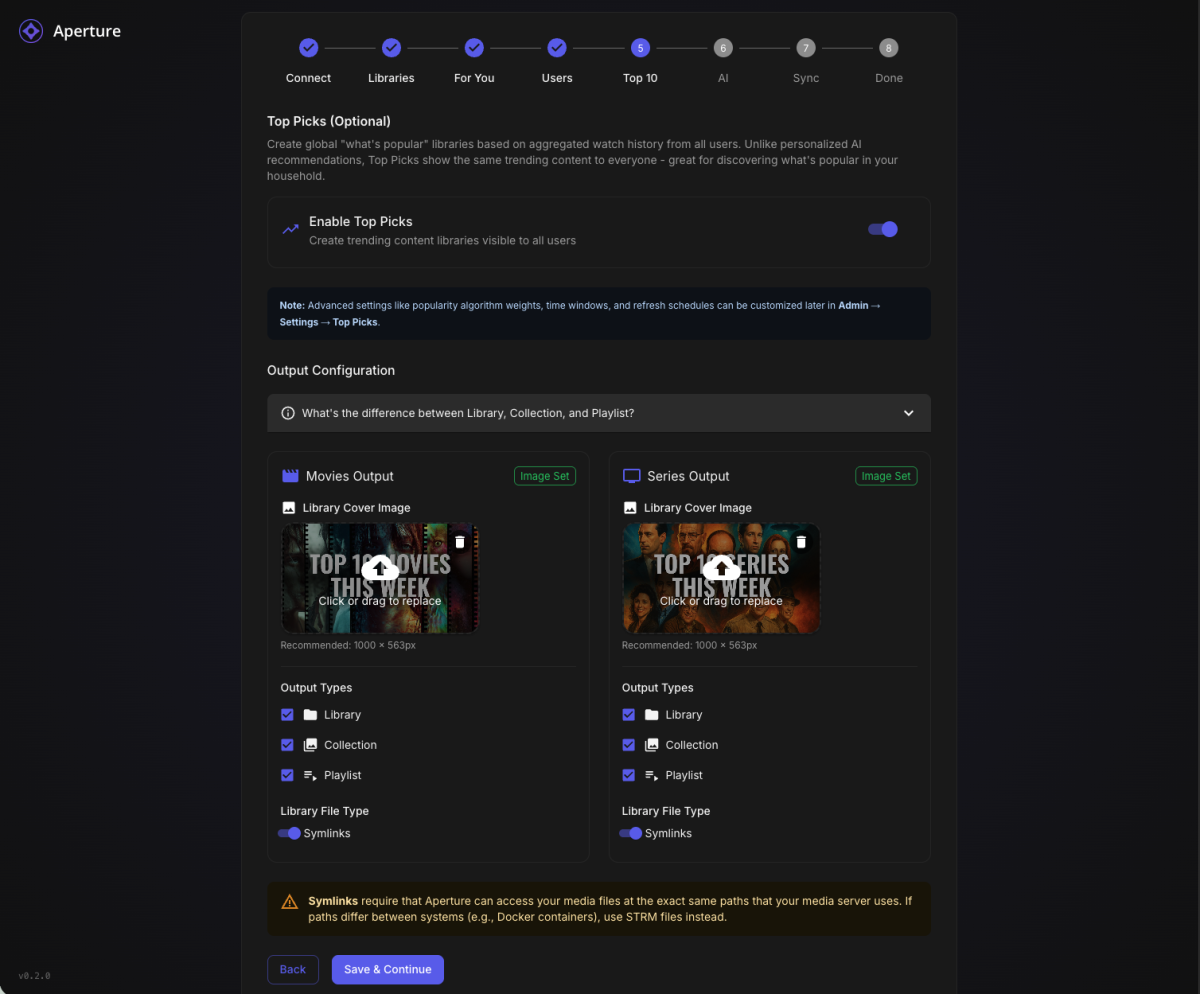
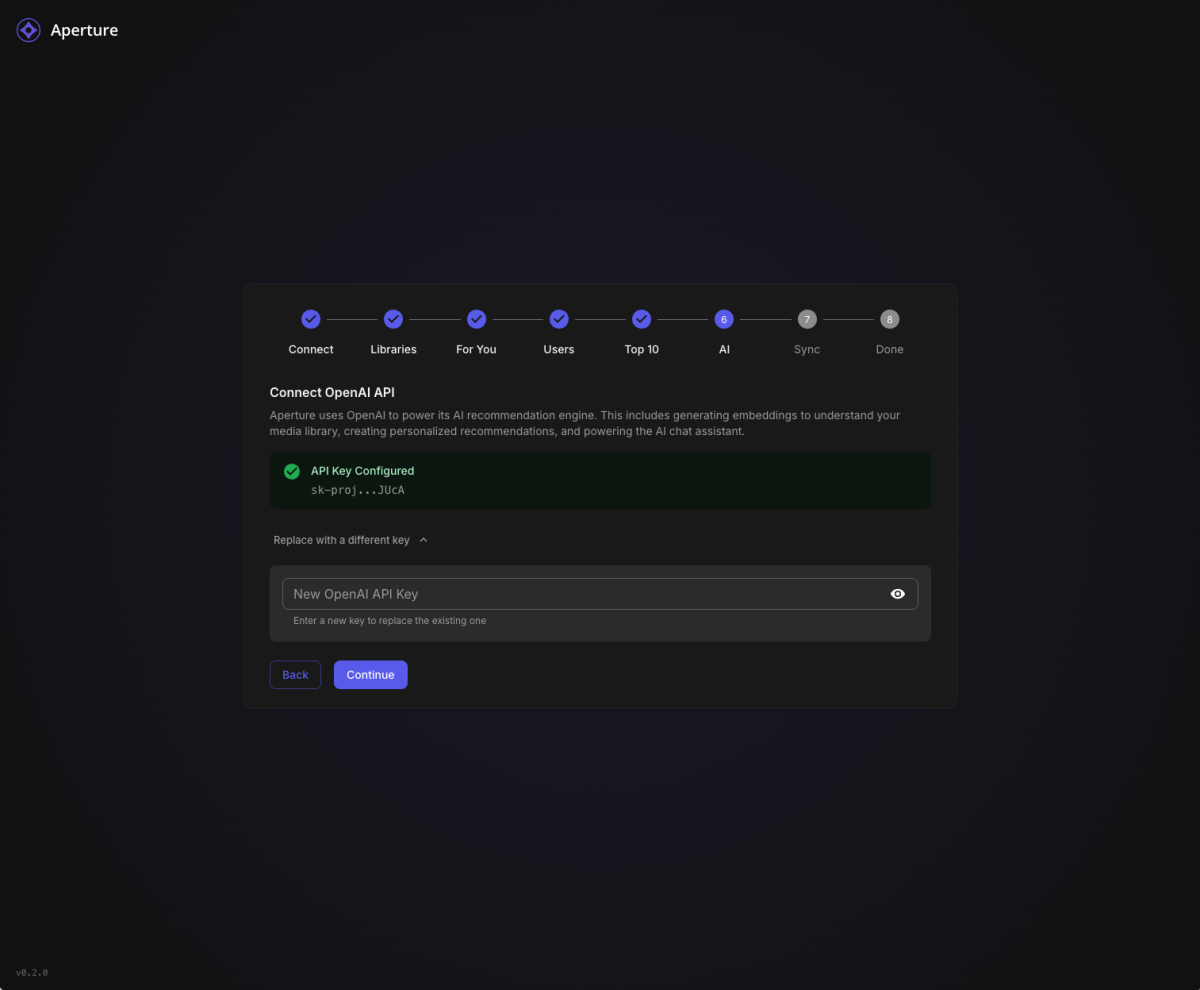
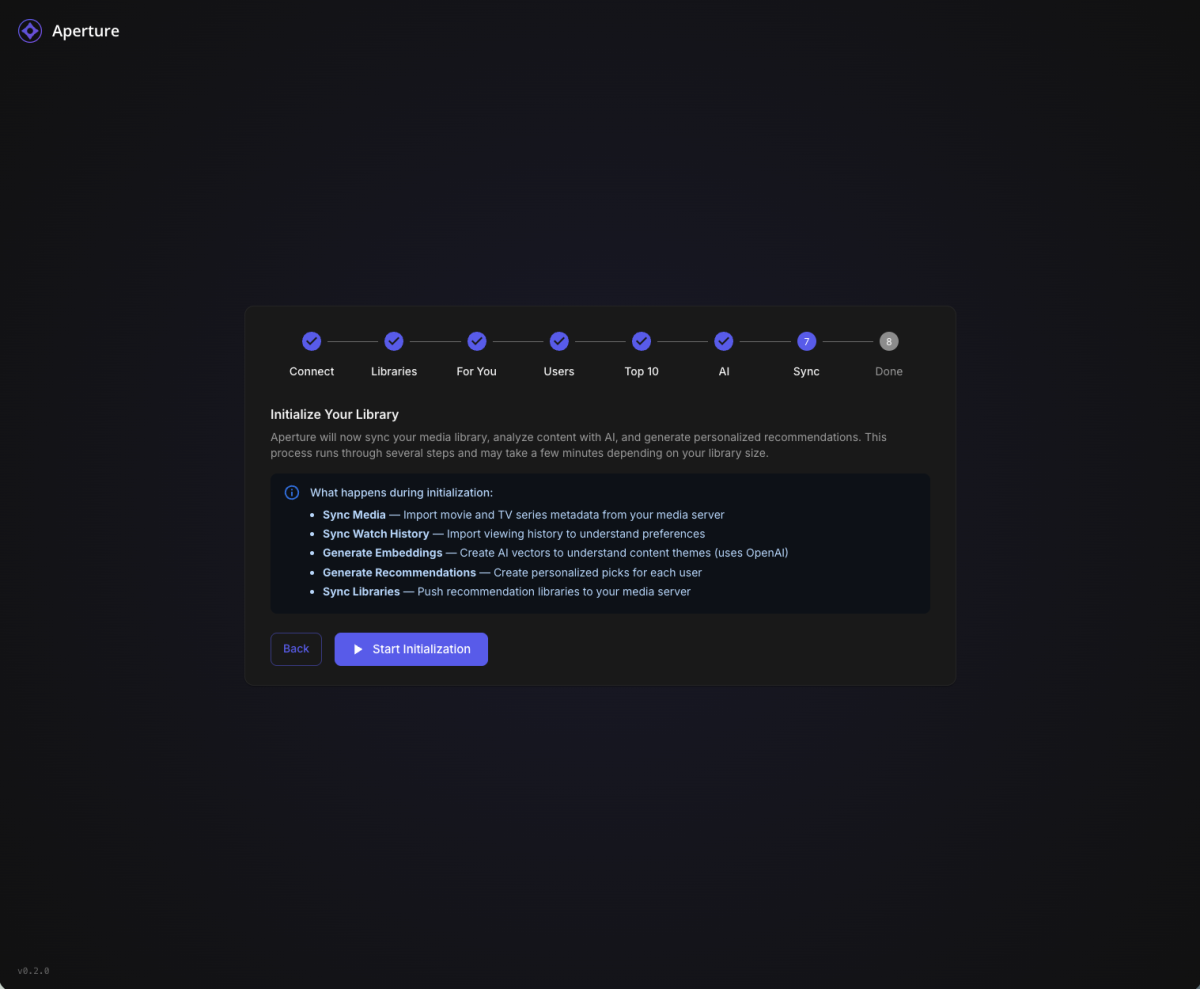
Aperture v0.2.0 - New Setup Wizard & Fresh Start Recommended TL;DR: Version 0.2.0 introduces a completely redesigned Setup Wizard that makes first-time configuration a breeze. If you're not too deep into your current setup, we recommend starting fresh. What's New in 0.2.0 Brand New Setup Wizard The biggest addition in this release is a guided, step-by-step setup experience that walks you through everything: Connect - Auto-discover your Emby/Jellyfin server on your network, or enter details manually Libraries - Select which libraries to scan (Aperture-created libraries are now hidden automatically) For You - Configure your personalized "AI Picks" recommendation libraries with custom cover images Users - Enable users for AI recommendations (admins are auto-enabled) Top 10 - Set up global popularity-based picks for your household AI - Connect your OpenAI API key with clear step-by-step instructions Sync - Run initial sync jobs with live progress tracking and detailed logs Done - You're ready to discover your next favorite! Other Improvements Resumable Setup - If you close the wizard, it picks up where you left off Admin Re-run - Access the wizard anytime from Admin Settings to reconfigure Better Library Filtering - Aperture-managed libraries (AI Picks, Top Picks) are automatically hidden from selection Live Job Progress - Watch sync jobs run in real-time with item counts and a live log viewer Default Library Images - Beautiful default cover art for your AI recommendation libraries Fresh Start Recommended If you're early in your Aperture journey and haven't invested significant time configuring things, we recommend starting fresh with this release. The new wizard handles everything the old manual process did, but better. How to Start Over Option 1: Docker Compose (Recommended) # Stop everything docker compose down # Remove the database volume (THIS DELETES ALL DATA) docker volume rm aperture_postgres_data # Pull the latest images docker compose pull # Start fresh docker compose up -d Option 2: Keep Database, Reset Setup If you want to keep your synced media data but re-run the wizard: -- Connect to your database and run: DELETE FROM setup_progress; UPDATE system_settings SET setup_complete = false WHERE id = 1; Then navigate to your Aperture URL and the wizard will appear. Upgrade Notes The setup wizard is only shown when setup hasn't been completed Existing users with completed setups will see the normal login page Admins can access the wizard anytime via Admin Settings → Setup → Re-run Setup Wizard Bug Fixes Fixed static file serving issues in Docker deployments Fixed OpenAI client initialization at startup Improved permission handling for Docker bind mounts Better error messages throughout the application Getting the Update Docker Compose: docker compose pull docker compose up -d From Source: git pull pnpm install pnpm build Questions? Drop a comment below if you run into any issues with the new setup wizard. We're here to help! Happy discovering! Aperture v0.2.0 - "Discover your next favorite. Every time."
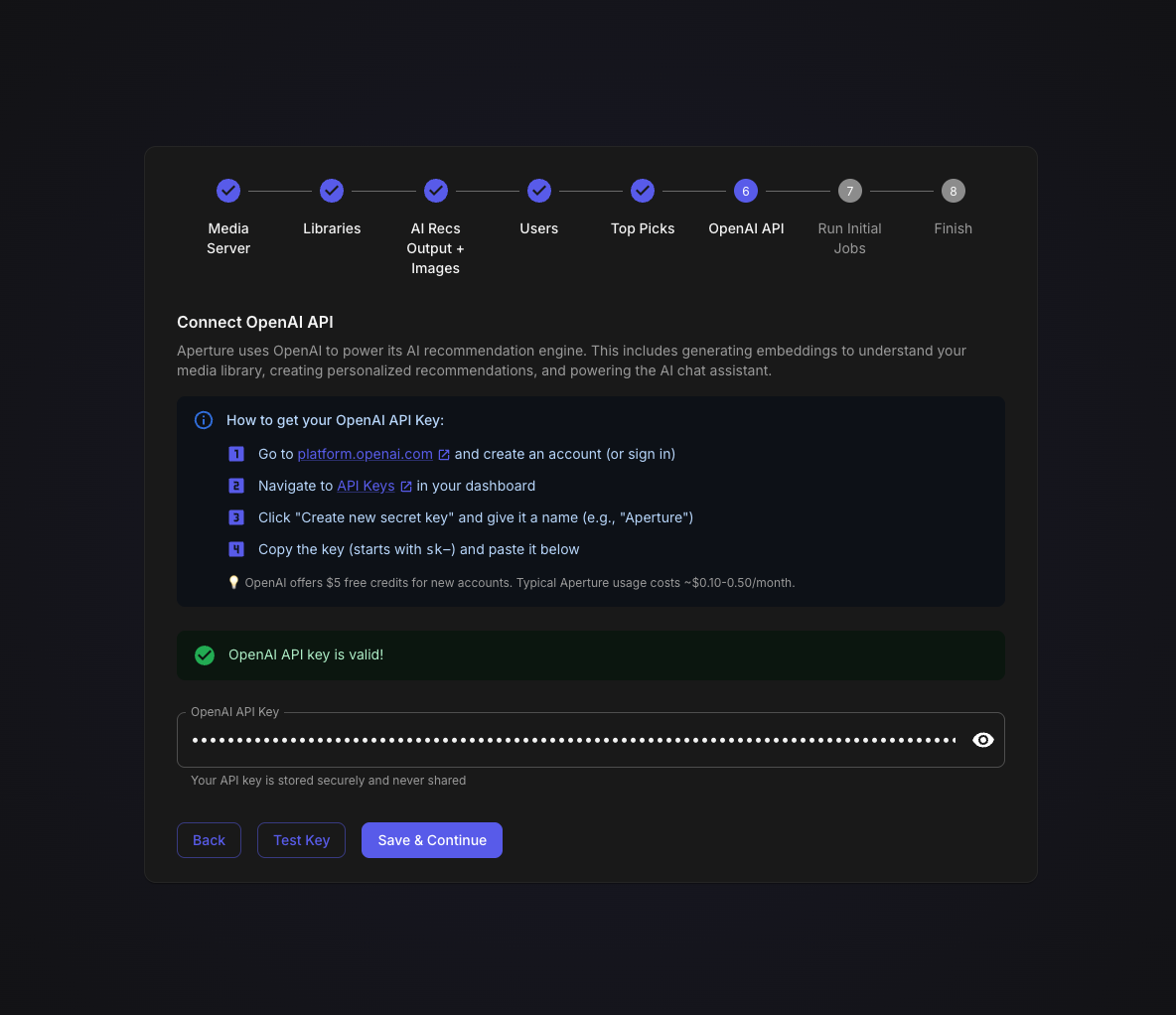
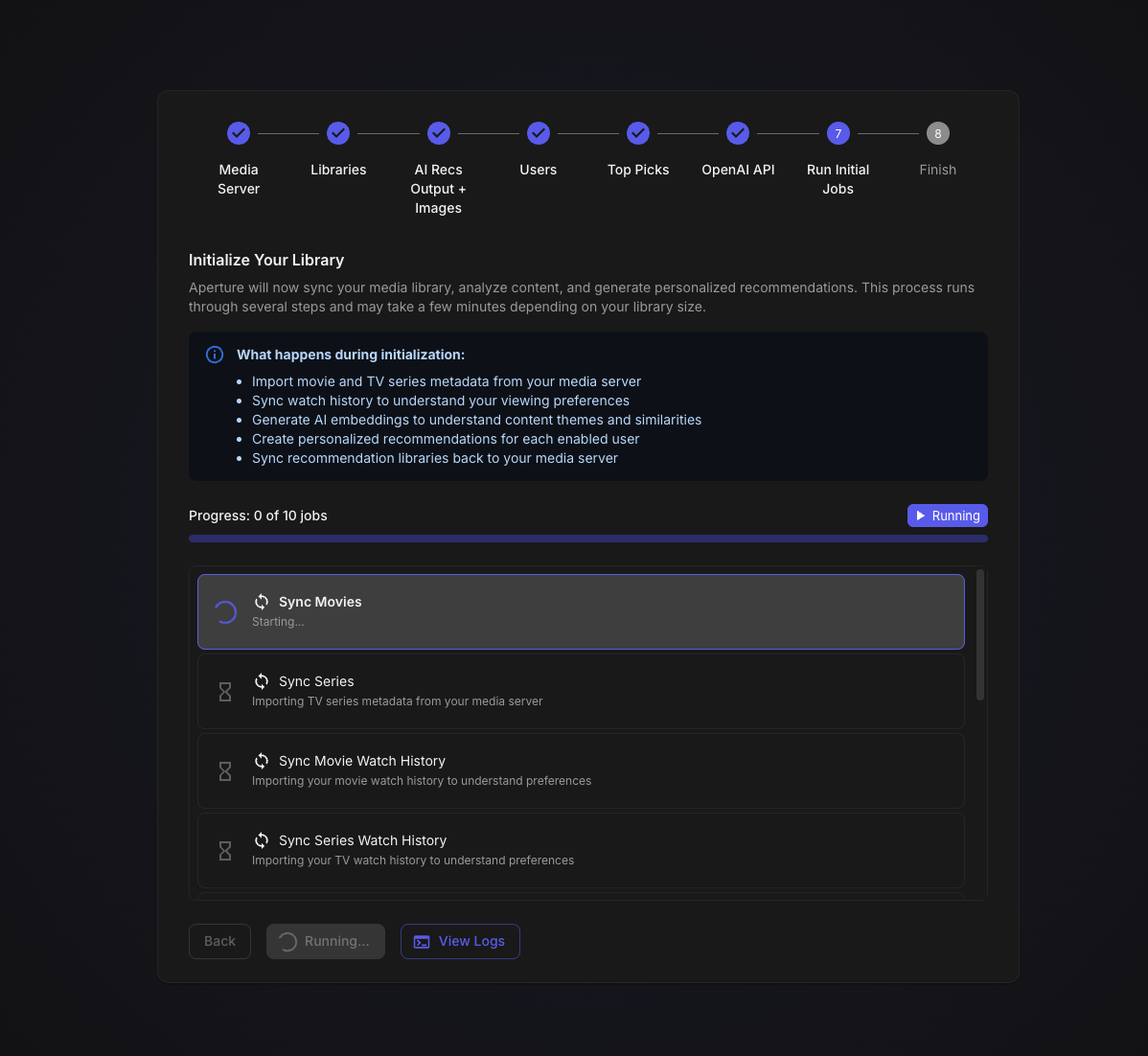 1 point
 -
@softworkzThank you, I will do that; if I notice anything I will mention it.1 point
-
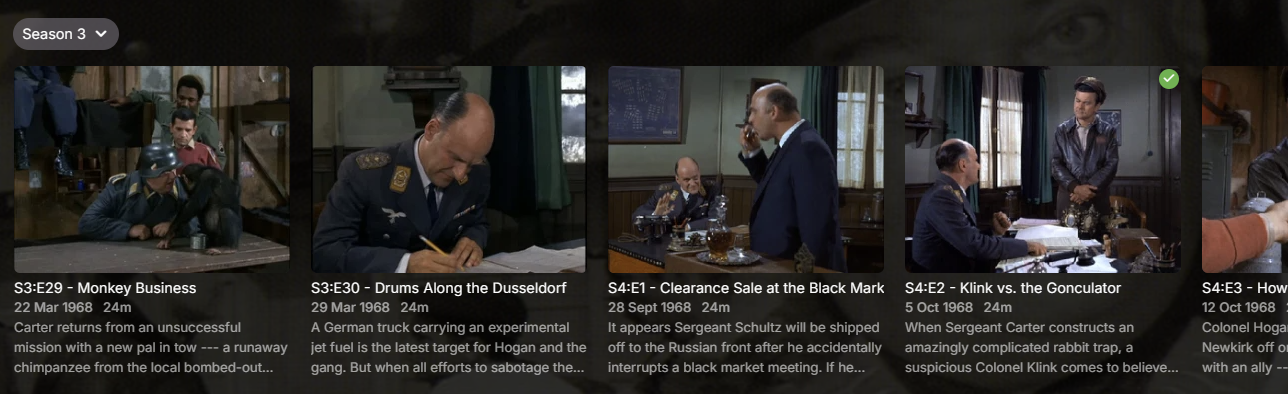
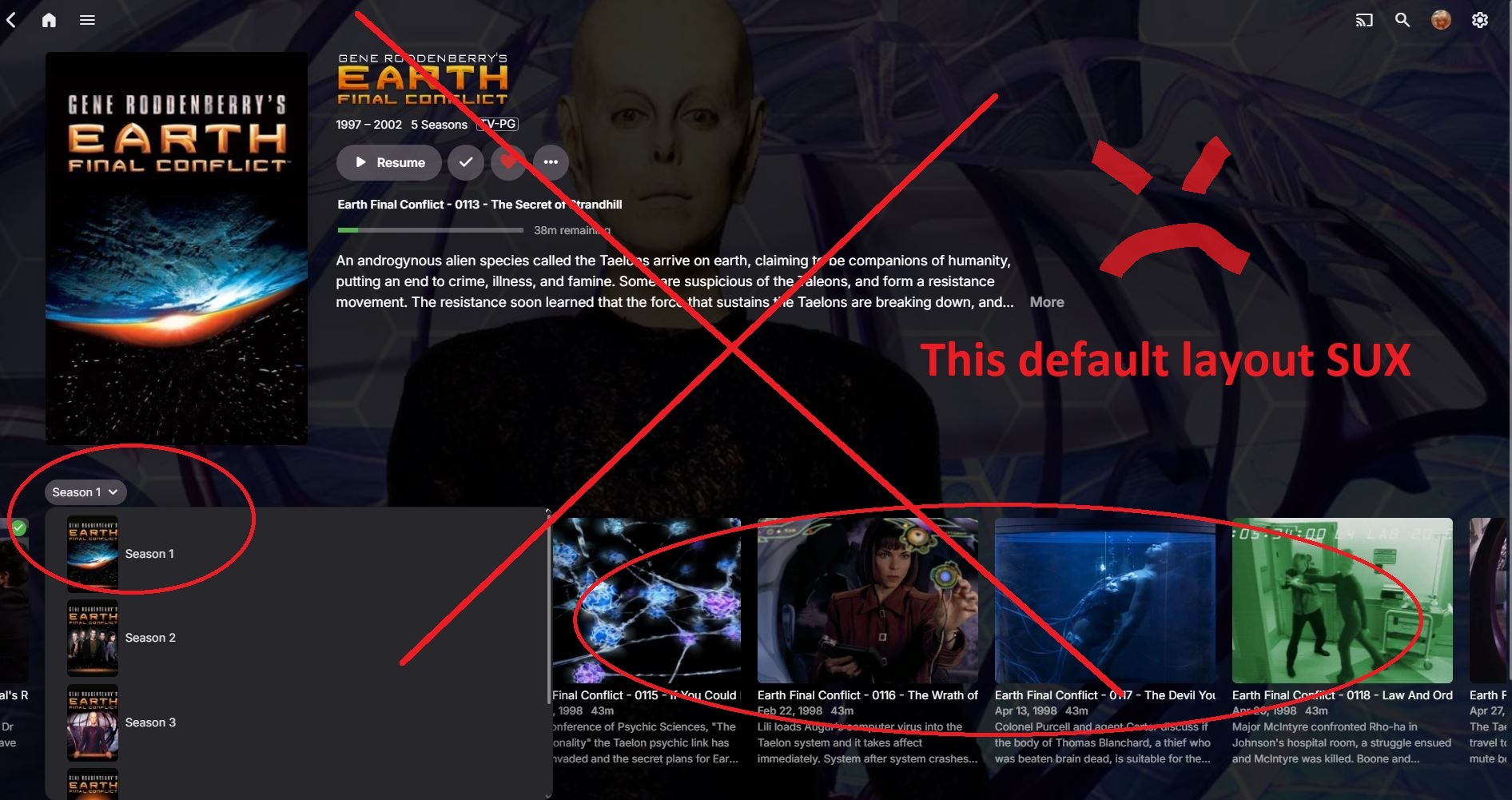
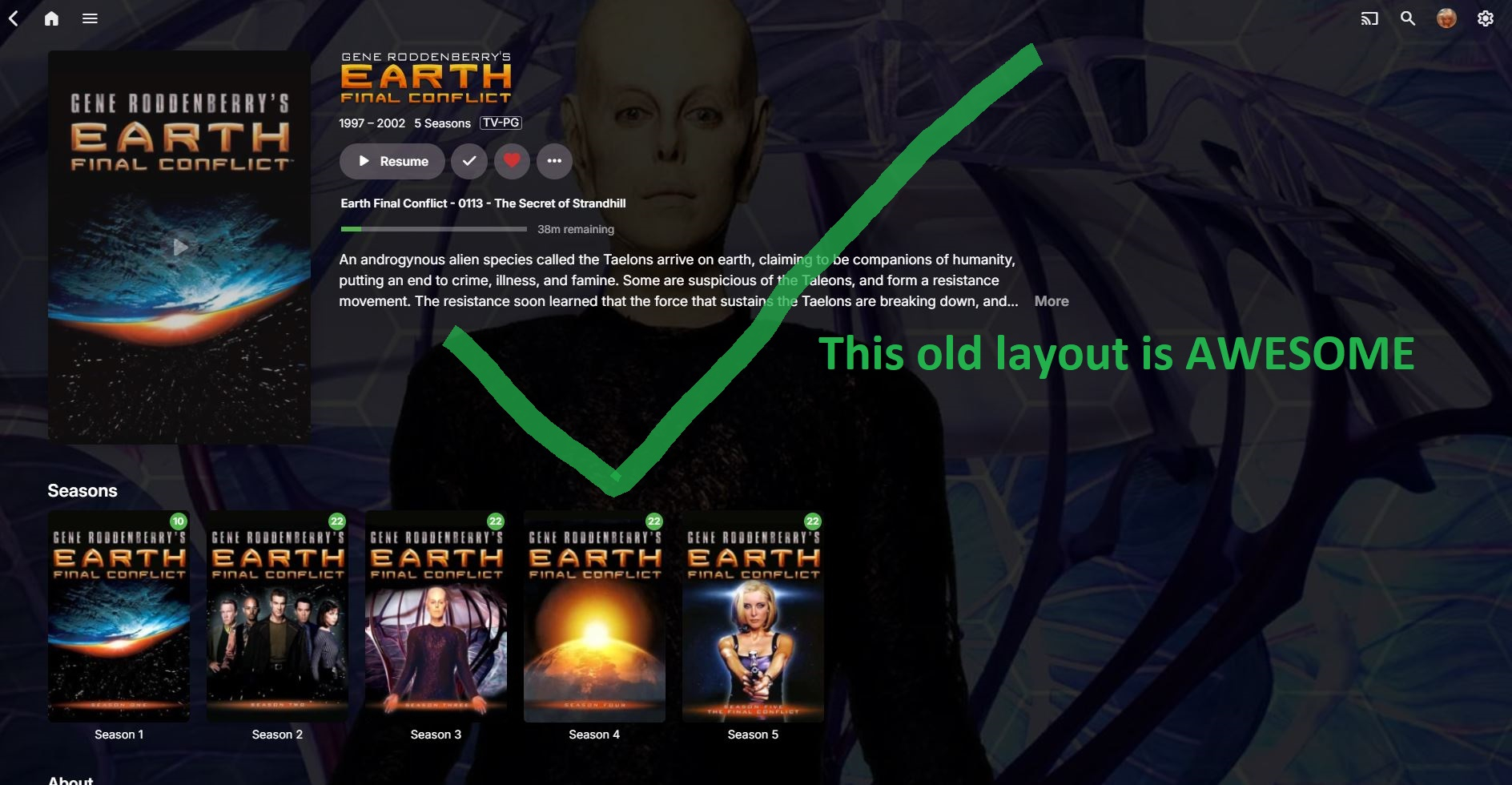
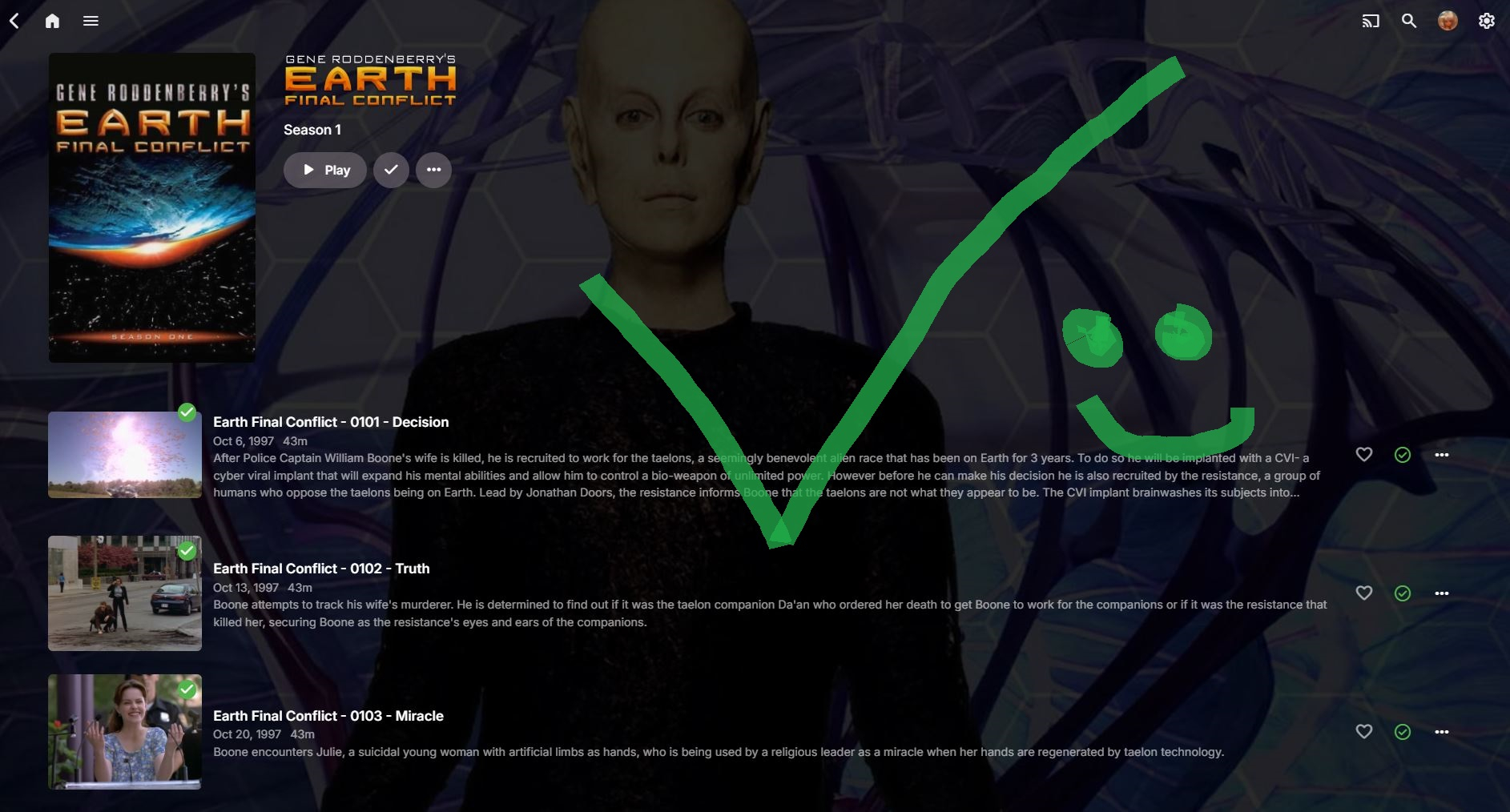
I'm not sure what kind of attitude that is. My streaming ecosystem is Emby and that's essentially all we use, so I couldn't give a rat's about what Netflix does. Clearly this attitude means you intentionally forced this behaviour on users for whatever reason, yet it's clearly missing from the release notes: Nowhere there does it say you've changed this behaviour and nowhere is it made easy to revert for all users, hence this thread. I fail to see how you feel this: is a better experience than this: Especially with that tiny Season 3 drop-down which is so easy to miss and obliterates the pretty season cover art many of us curate. It's worse with a mouse. If I want to look at all episodes in Season 4, in the old view, I click Season 4 then I can scroll with my mouse. I can't scroll with my mouse with this new behaviour and instead must click, click, click all the way to what I want. Considering how you seem to approach most feedback in these forums, I don't expect you to revert this unwelcome behaviour and will have to suck it up. I will, however, request you be more upfront next time and include major forced behavioural changes in the release notes so we're aware of it. Ideally, there should be a way for users (not Luke et al.) to apply our standard configuration to all users as well, without having to sign into each user account individually.
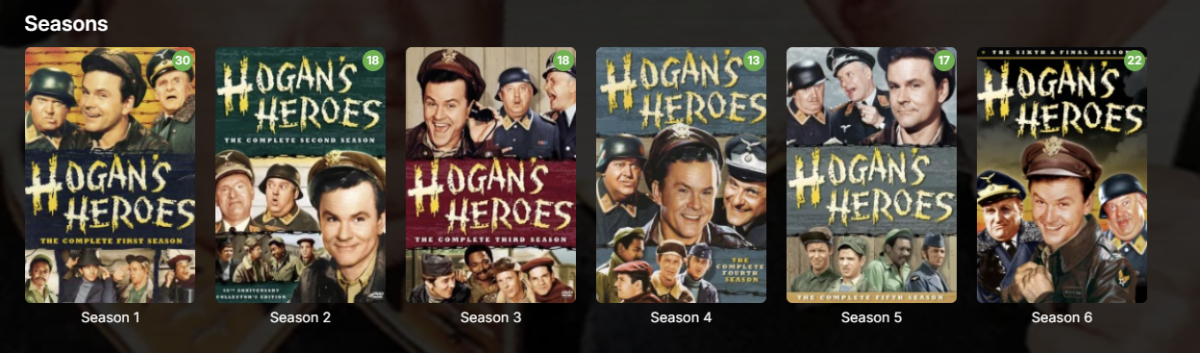
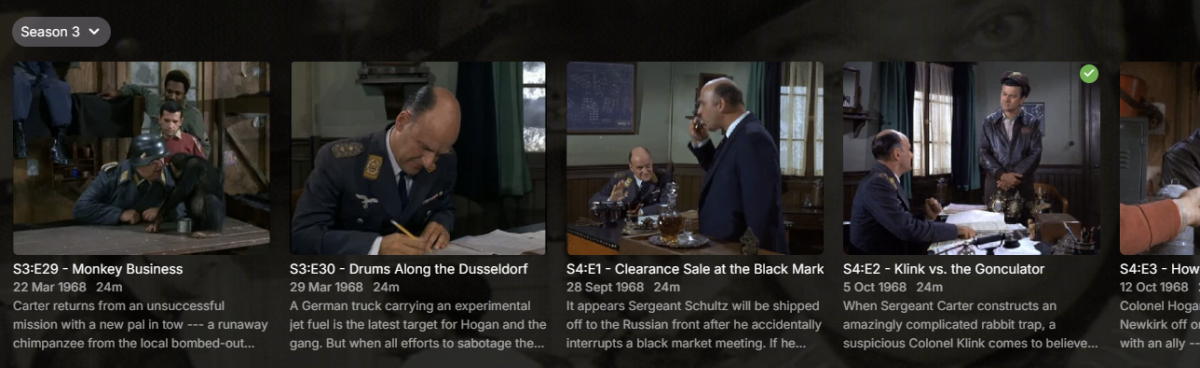 1 point
 -
Ok, so I was able to revert back to "Folder Views" on my emby server admin account via the users display preference. But there seems to be no way to force or push legacy folder view to user accounts on the remote end. That mean's emby admins will have to go through every single user account and change the users display settings. (not good if you have a couple hundred users) Also having issues with end users not knowing how to "default Folder View" their layout, especially remote users using TV's with Fire Stick remotes (getting complaints of users not being able to navigate with the new layout on a TV remote) In short, the new layout sux, the old layout should be pushed by default.
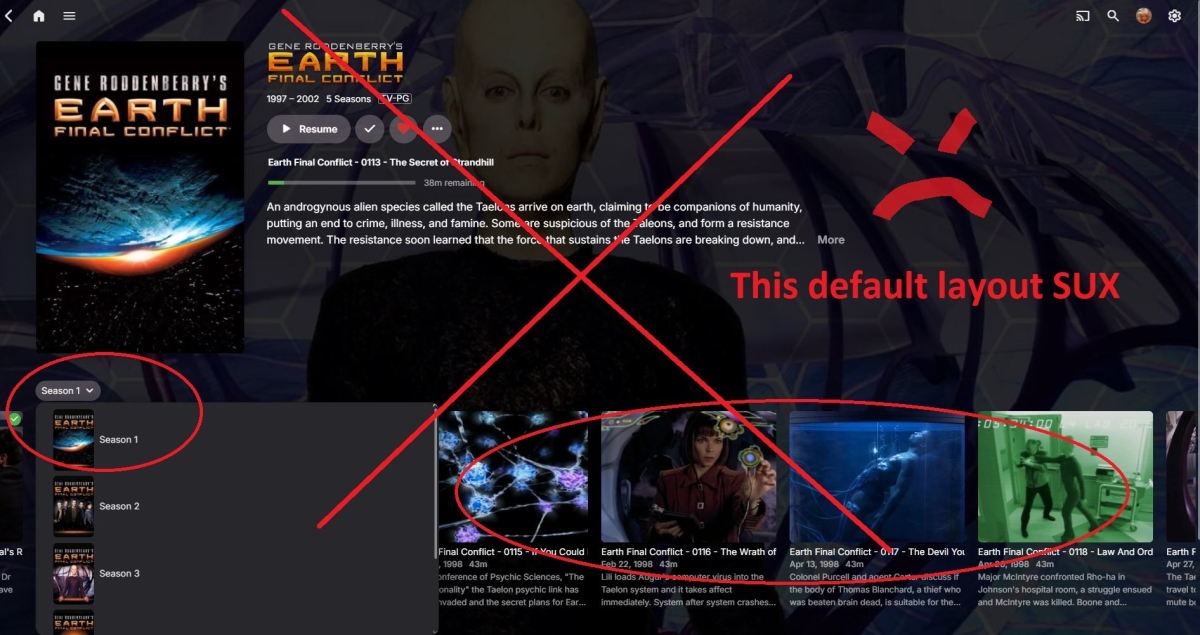
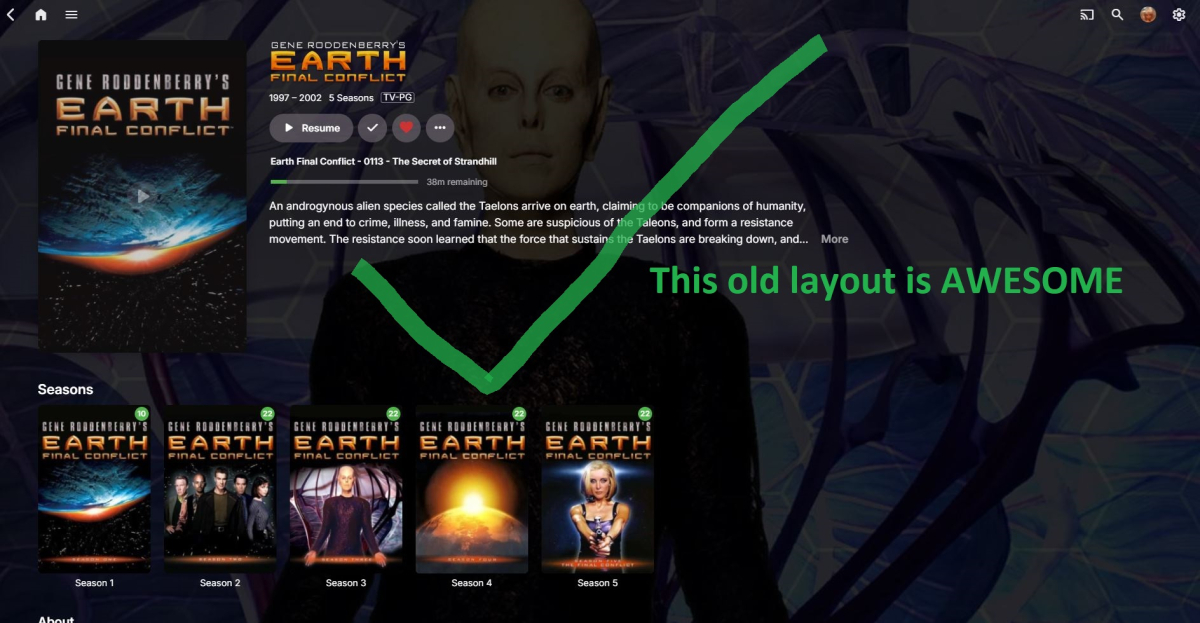
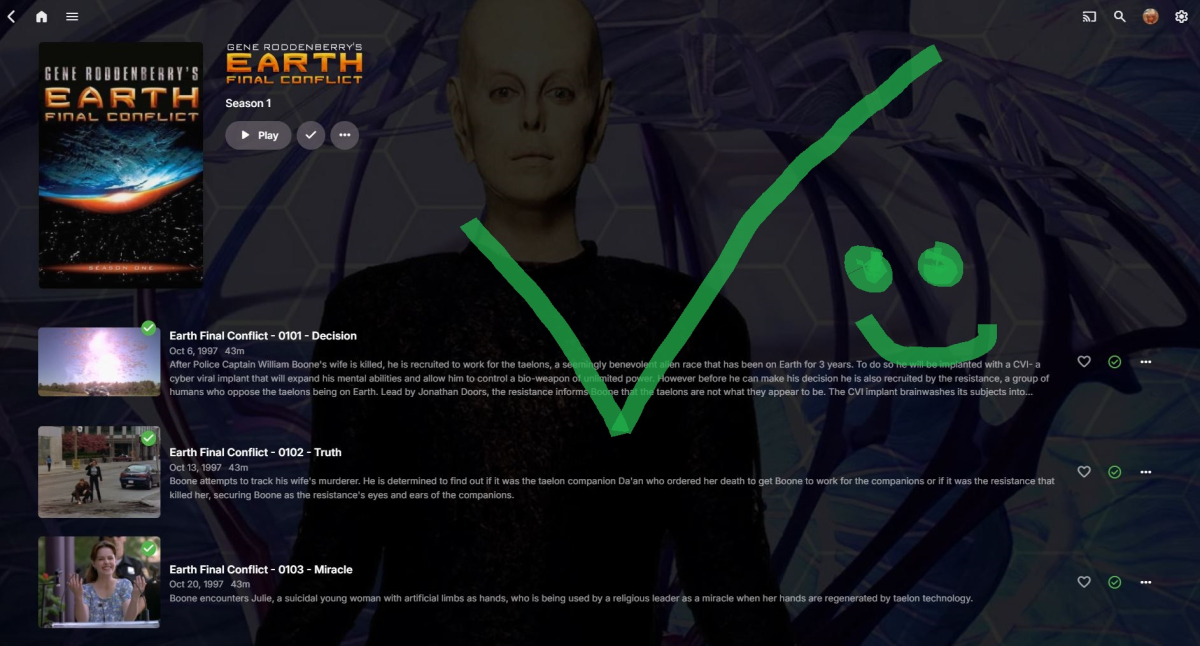 1 point
 -
Sorry dont have file anymore found another solution which is much better and working fine with emby1 point
-
I would also be very interested in a 360° viewer. I have drone footage taken with DJI that I would like to have in my library and then view it directly by dragging it.1 point
-
New version up (v5.42.7) Added: 1. Support for FPS icons, use for example fps.23.976.png or jpg in the custom user icons folder. Download it at yocksers/EmbyIcons github. @MagicDoubleMYou asked for it!1 point
-
Code with AI as your assistant and coding is fast. Anyone coding without leveraging AI is just wasting time at this point.1 point
-
Agreed... had no clue about beta providing this. Prob should have been an official release. Maybe intentional to push folks to the emby android version. On either case thank you both for posting this information. Looks like trailers working again. Just to reiterate though for the emby devs... Right now tbe ux experience is far superior on Android TV than android version, atleast.on my shield TV with 85" TV. The way resolution is and even responsiveness. If emby strategy moves forward without fixing this without the android TV version... Based on user responses this will be bad news bear for the emby community.1 point
-
Hello i have a timeout error when downloading my m3u url (big file: 200Mb): "The request was canceled due to the configured HttpClient.Timeout of 10 seconds elapsing." How to extend timeout? Thanks1 point
-
Do you Know, how many times / when it will be available ? We’re waiting from few years1 point
-
it's a bit of an old post, but just wanted to enhance the list of (current) media centers that support 4K UHD ISO reproduction Infuse (no menus though) Dune HD (all new models, both realtek and amlogic) Zidoo (all new models, both realtek and amlogic) R-volution (all new models, both realtek and amlogic)) Zapitti (though this one is not really current) Oppo 203/205 with JB (or any player with Oppo/Mediatek firmware) Personally i use: Living Room (4K Samsung QN85A 65) Ugoos AM6B+ with Kodi --> It's cheap and has full Dolby Vision support (which most players can't support), Supports 3D MVC as well (wich many can't do).. such a powerful little box. Home Theater (4K+3D JVC NP5 Projector) Oppo 203 JB with Emby --> Emby (served from an Unraid docker) is only used forUI/Cataloguing purposes, the ISO is then "casted" to the Oppo when i play it from Emby. This is a real certified 4K UHD player s it offers you everything you can wish (perfect menus, perfect DV, perfect 3D... etc..) I also have Infuse, Zidoo and DuneHD (several models), which work fine but I don't really use them...1 point
-
Hi Guys, I recently moved from Kodi with MySQL for lack of proper multi user management and server side support, I have to say I'm impressed with Emby. Together with the Kodi Plugin it really takes the solution to a whole new level, count me in among the supporters! One feature I would like to see is the ability to recommend movies or shows to other users: I share my Library with close friends and family but it is a big library so they are always calling me to recommend them a movie to watch. It would be really cool if after watching a movie I can click a Recommend button and choose the users I think would like the movie, then it is displayed on their suggested movies at the top with the name of the user who recommended it... Sorry if there is something like this is already there, I am new to the interface and don't fully know it but could not find such feature... Thanks!1 point