Leaderboard




Popular Content
Showing content with the highest reputation on 12/28/25 in all areas
-
I'm a little worried that if i put it in the catalog that it would make even more use it for their paid piracy service servers. It seems to be a rather popular plugin for them and i don't want it to be too easy for them to find the plugin, though i guess the cat is out of the bag on it anyway. If people really want this and perhaps my other plugins there then i will for sure think about it.2 points
-
I'm happy with what you gave me that works. I am not comfortable messing with that 101 address that doesnzt work. Izm just gonna let sleeping dogs lie.2 points
-
Enable And it will be portable.2 points
-
Just a heads up. It seems the tesseract server that this plugin was made to work with did not have a clean up function and did not clean up any used images. Because of this a lot of images were left behind taking up space. I went through the docker container and added a clean up function so that won't happen. Sadly because the container isn't mine i can't just update the code but have to push my own docker container. So i strongly advice anyone reading this to change the docker to yock1/embycreditocr instead!!! The guide has been updated to reflect this. I'm sorry for this, but i was recommend that container and never thought more about it until @Neminemdiscovered the problem (many, many thanks!!). I REPEAT: Please use yock1/embycreditocr as docker container instead.2 points
-
has to be smart playlists for me. they are rocking my world right now...... oh hang on, they never got delivered2 points
-
Luke, what's wrong with your thinking? All the posts above show that the thing stops working when updated to 1.0.49. If there is no update, it works! What kind of log do you need?! Suggestions like rollback apparently fall on deaf ears? The situation hasn't been working for the whole weekend, and you're talking about forwarding logs? Come on. Install Jellyfin or Plex - apparently that will be the only solution.2 points
-
I don't understand why you want logs from everyone, when we all write to you that after the Emby update the application no longer works on LG TV?! It's clear that this is a bad update, so please, downgrade to the previous version until you get things working. Before you put something into production, test it, please. The fact that we all have the same error means that the thing wasn't even tested before you released the update.2 points
-
Watching Eye is a plugin designed to give you granular control over your server's streaming environment. It's the perfect tool for managing user watch time, monitoring server performance, and ensuring a smooth viewing experience for everyone. Key Features: Watch Time Limiter: Set daily, weekly, monthly, and even yearly watch time limits for specific users. Create global watch time rules that apply to all users, with the option to exclude certain individuals. Establish specific time windows during which users are allowed to watch content, perfect for parental controls. Transcode Notifications and Blocking: Receive instant notifications when a user's stream starts transcoding, helping you identify potential playback issues. Proactively block transcodes based on video resolution or container format to conserve server resources. Customize notification messages to inform users why their video is transcoding and suggest solutions. Playback Control and Monitoring: Automatically stop streams that have been paused for an extended period,. Keep a detailed log of transcoding events and when users reach their watch time limits. Download on Githuib - WatchingEye.1 point
-
Or the least achievement. And what do you want for 2026? Discuss.1 point
-
Hi, apologies. He meant no offense. I hope we have been able to help you sufficiently, and we will always be here when you need us.1 point
-
Thanks! I did read that post. I'll follow the new instructions to change the container as soon as the scan that is currently in progress finishes.1 point
-
I'll provide logs shortly. But I know why the plugin didn't seem to be working for me. I'm fairly certain it was due to the default settings for "Search Start Position (% fallback) OCR Search Start" (default 65%) and "Max Analysis Duration (seconds) Max Duration" (default 600). I took a look at the images in the working folder, and I noticed that the final image scan was not a credit image. It was from a few minutes before the end credits. The default settings are not providing enough time for credits to appear. For a 43minute long episode, the scan starts at 28 minutes (0.65x43). OCR Images are captured for 10 minutes past that point based on the Max Analysis Duration setting of 600seconds. The end credits for most 43minute long episodes in my library show up past that point. I increased the Max Analysis Duration to 4980seconds. Now end credits are being detected for the one series I have tested. As to why I chose 4980seconds for the Max Analysis Duration, the Max Analysis Duration setting description says "Set to 0 for unlimited". Unfortunately I was unable to do that. I would set it to "0" and click save. After doing so the setting reverted to 600 instead of remaining 0.1 point
-
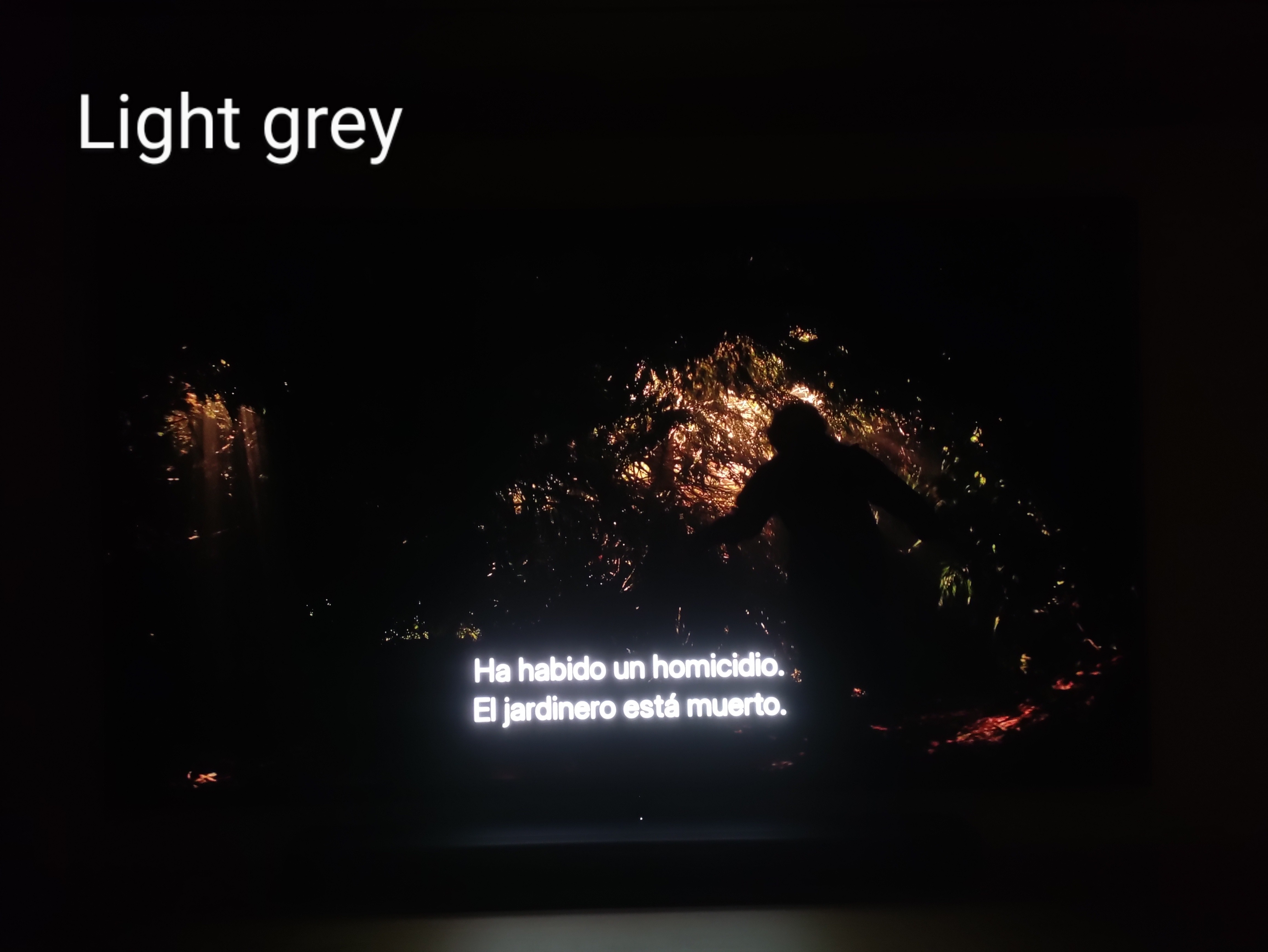
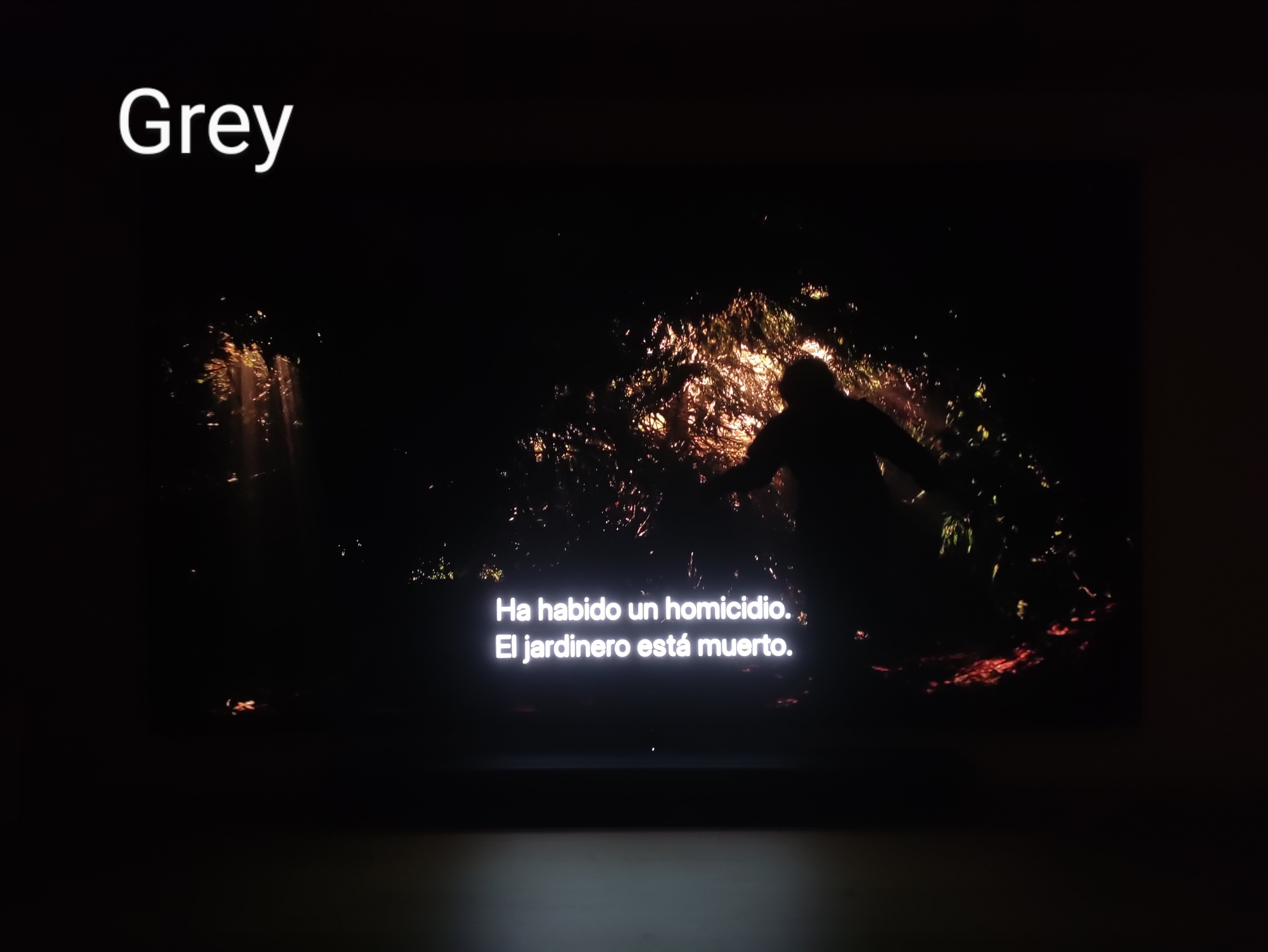
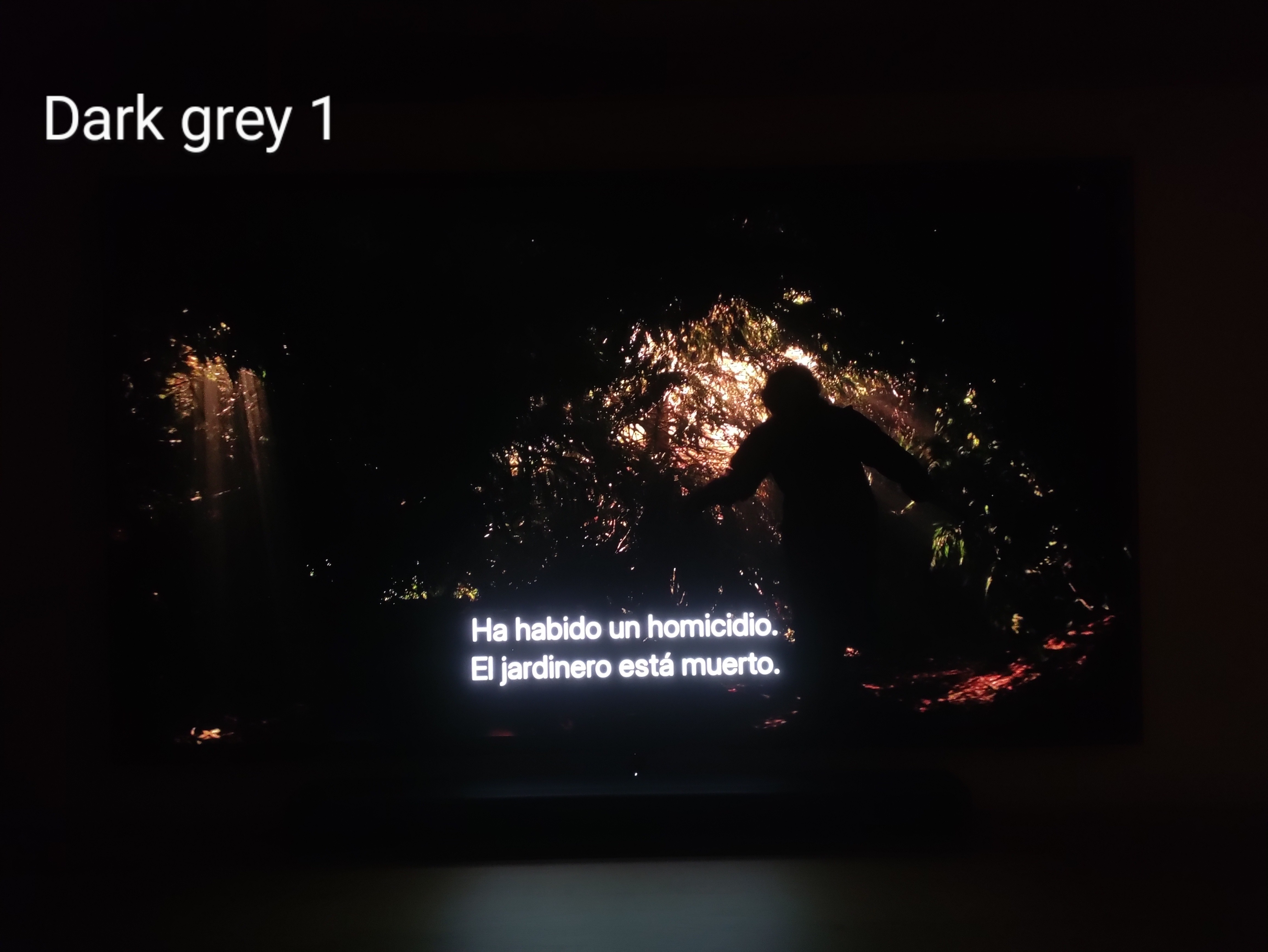
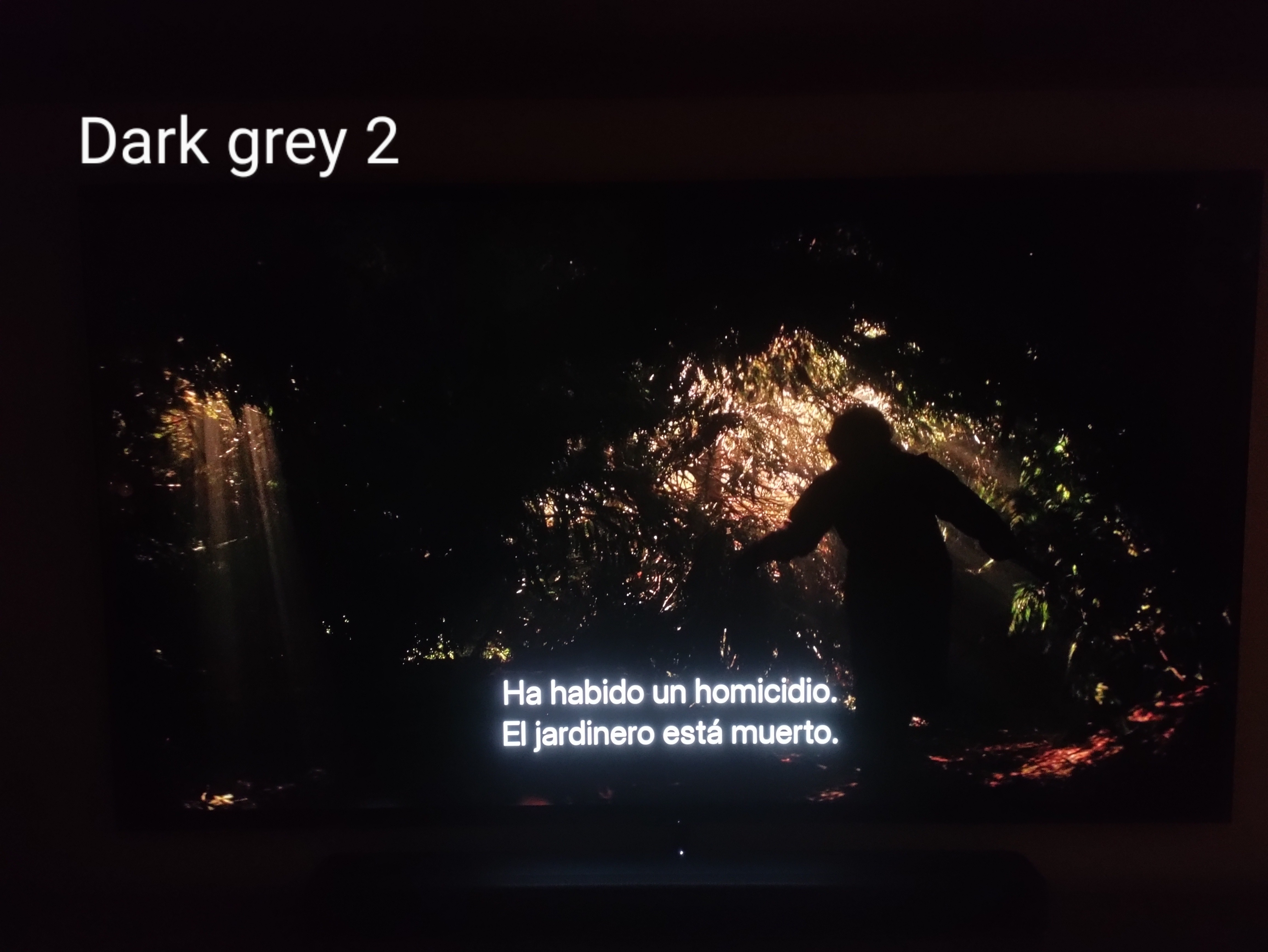
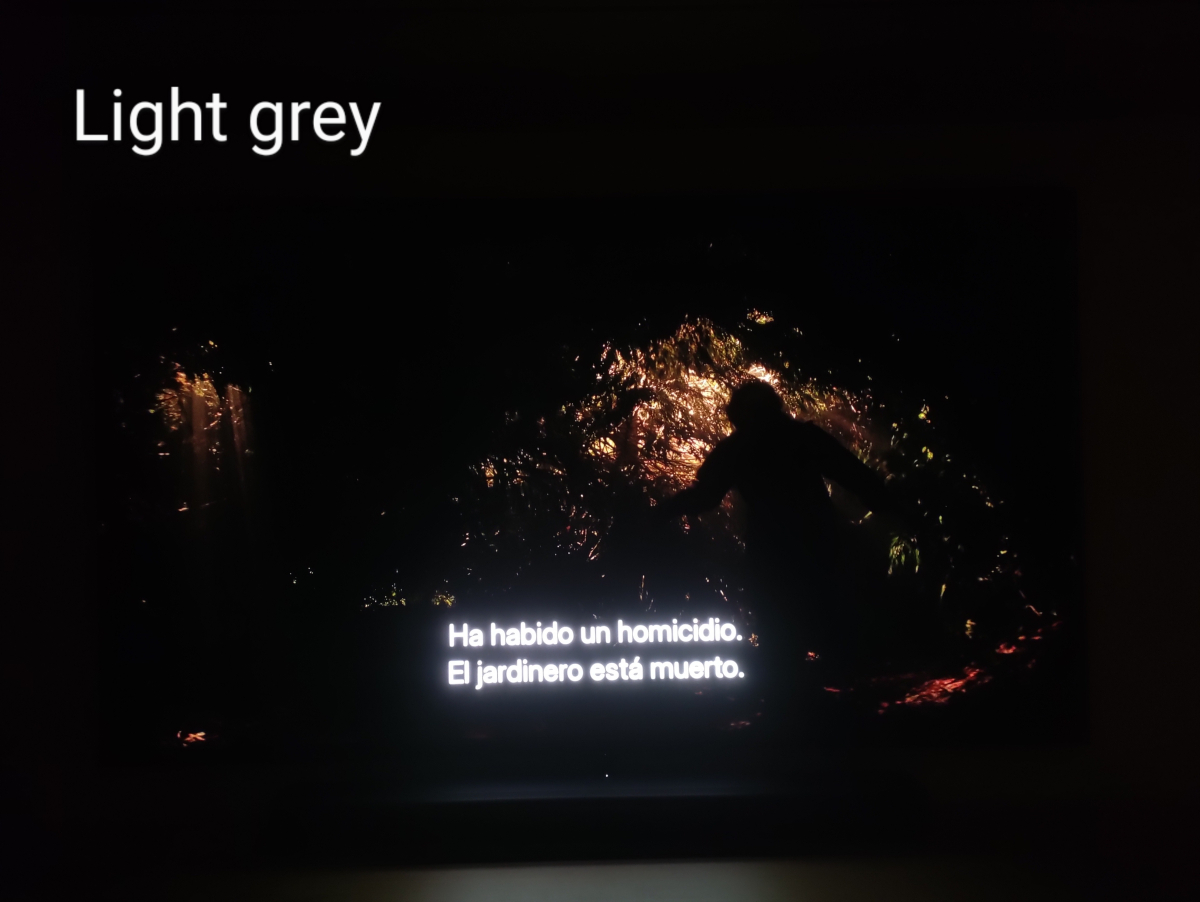
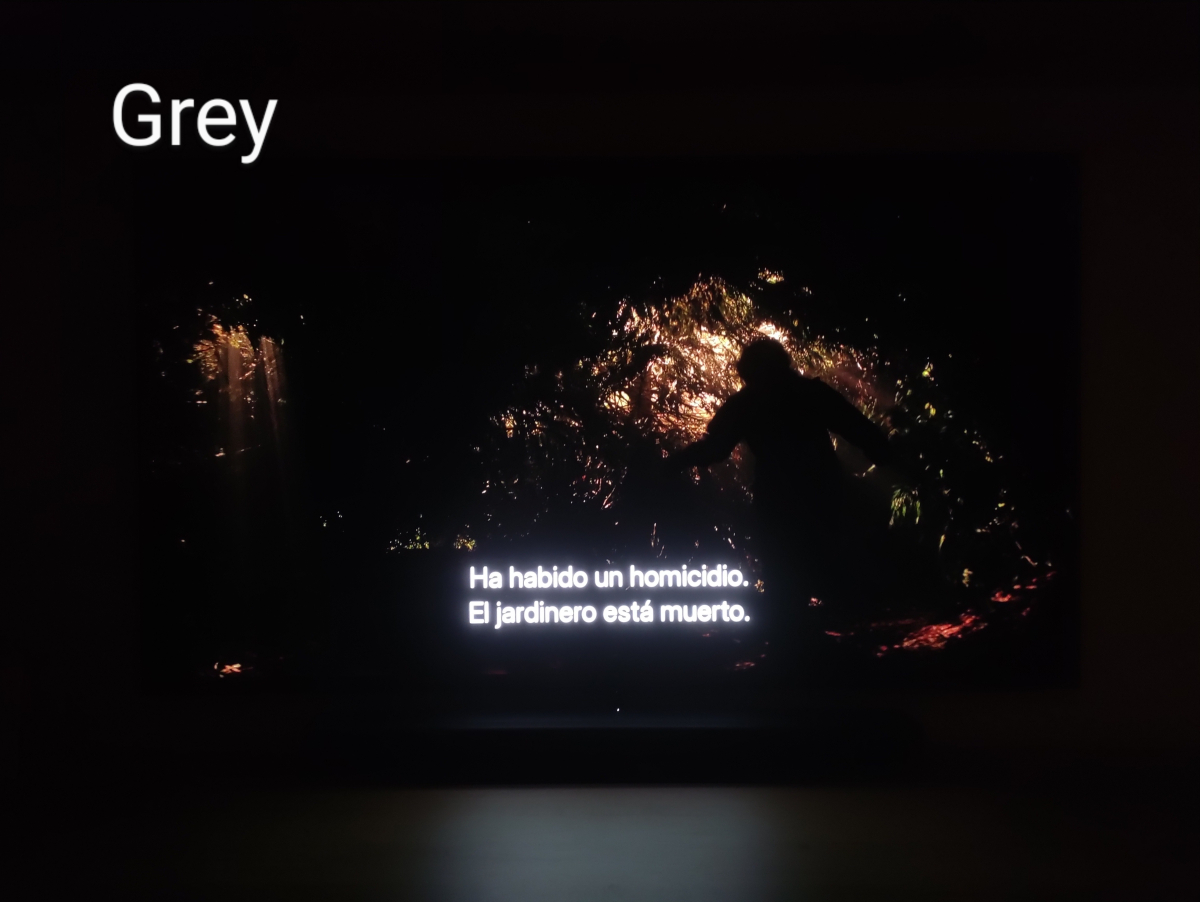
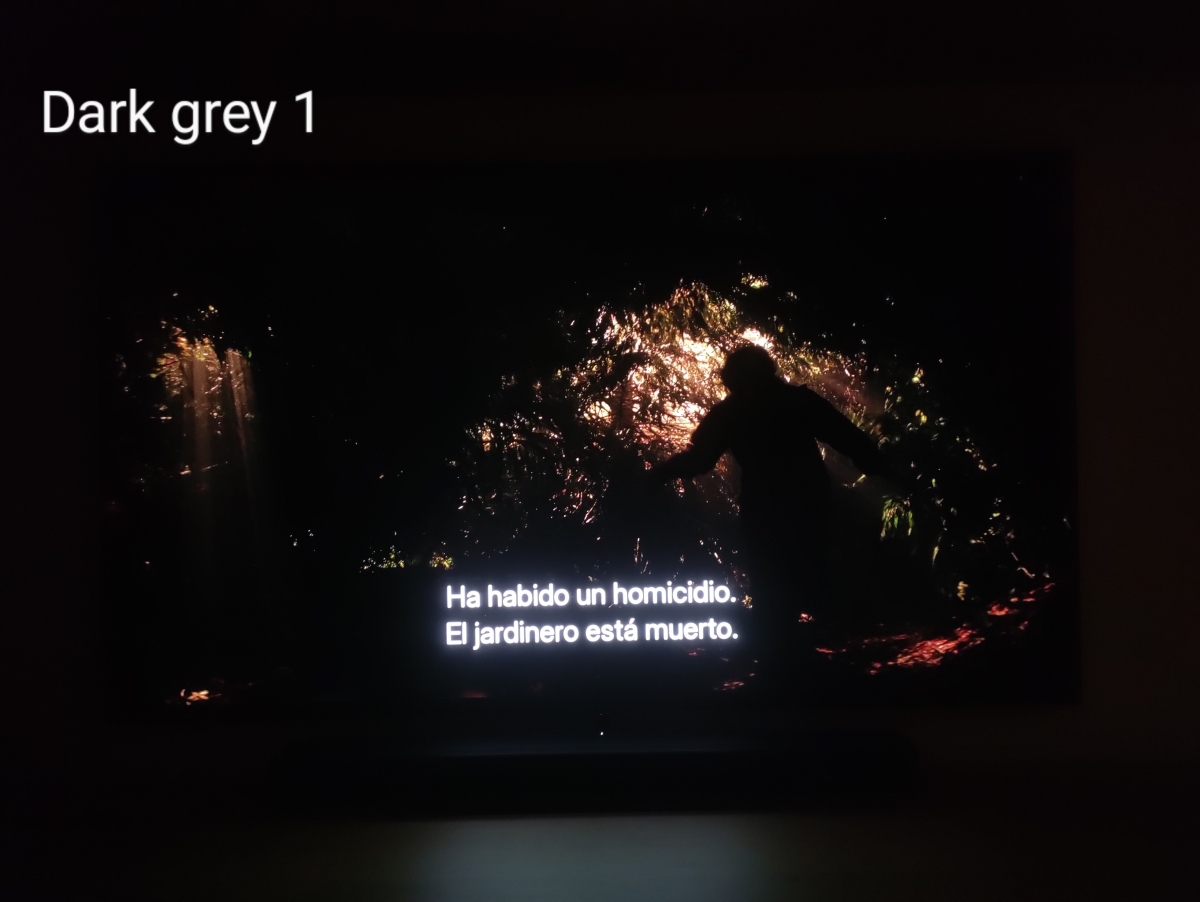
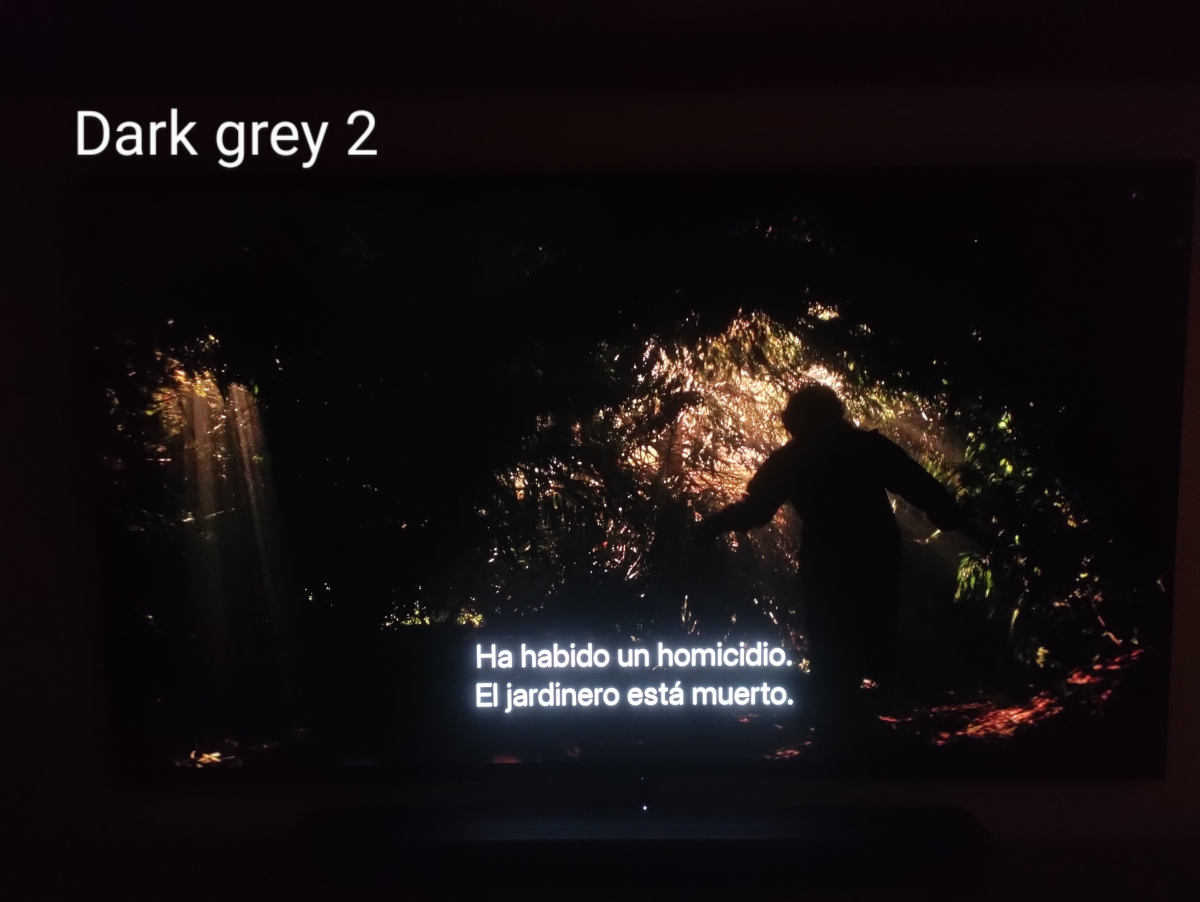
Thank you for your reply. I’m attaching images using an external subtitle file in .srt format. The subtitles range from white to dark gray 2, so you can see that the difference is minimal when playing HDR content — in this case, Dolby Vision. If you need more images or additional data, I’ll be happy to provide them. Thank you!

 1 point
 -
Hi, we are still working on it. Thanks.1 point
-
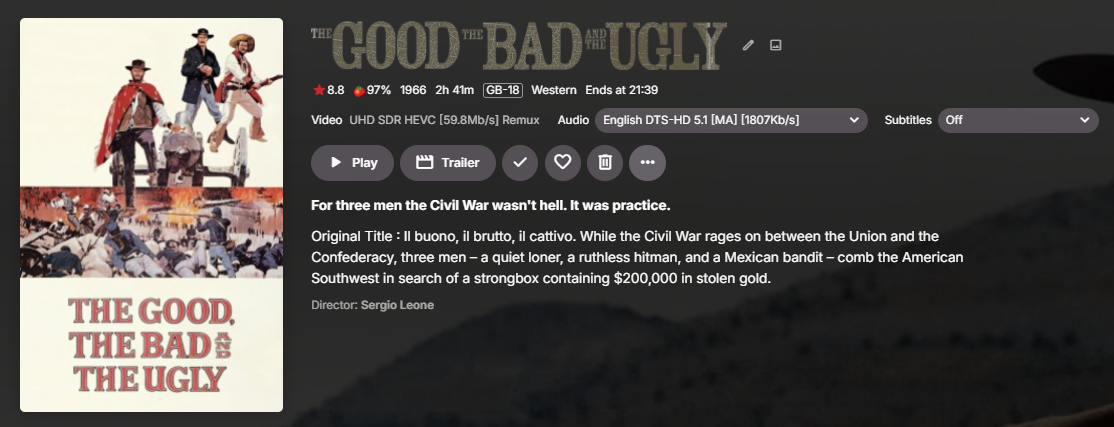
it's not in the Catalog no as I don't want to officially support it - but it's in the Plugin thread if you want the DLL. It's still in development tbh, but I'm waiting for the SmartViews before I spend any more time on it. Yes, the Plugin updates the MKV directly with the new video & audio title, so after a metadata refresh, the new titles are automatically updated with the options you selected in the plugin (see below) - these translate to all the Apps very well - although the AndroidTV app has limited display space, so sometimes the end of the info is cut short, but the bonus of the AndroidTV App is it picks up details in the title as highlighted info - such as Atmos for example. None of the other apps do this currently. Using the UHD SDR Example In the AndroidTV App (using DD5.1) It will also get all HDR/DV etc as well as Atmos, DTS-X etc - It will only use what you specify - so if you want to keep it very short, then you can do so :- Official Plugin thread is here : tbh - it needs an update .. haha.
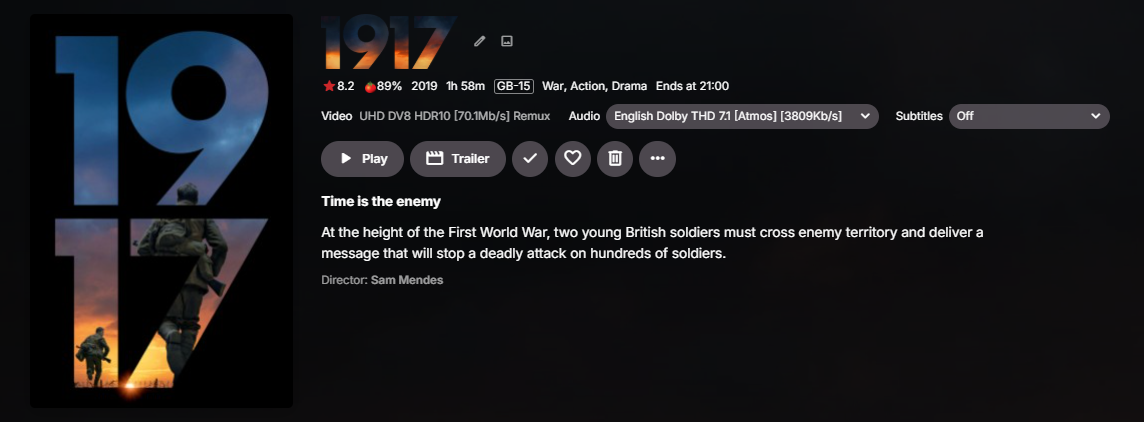
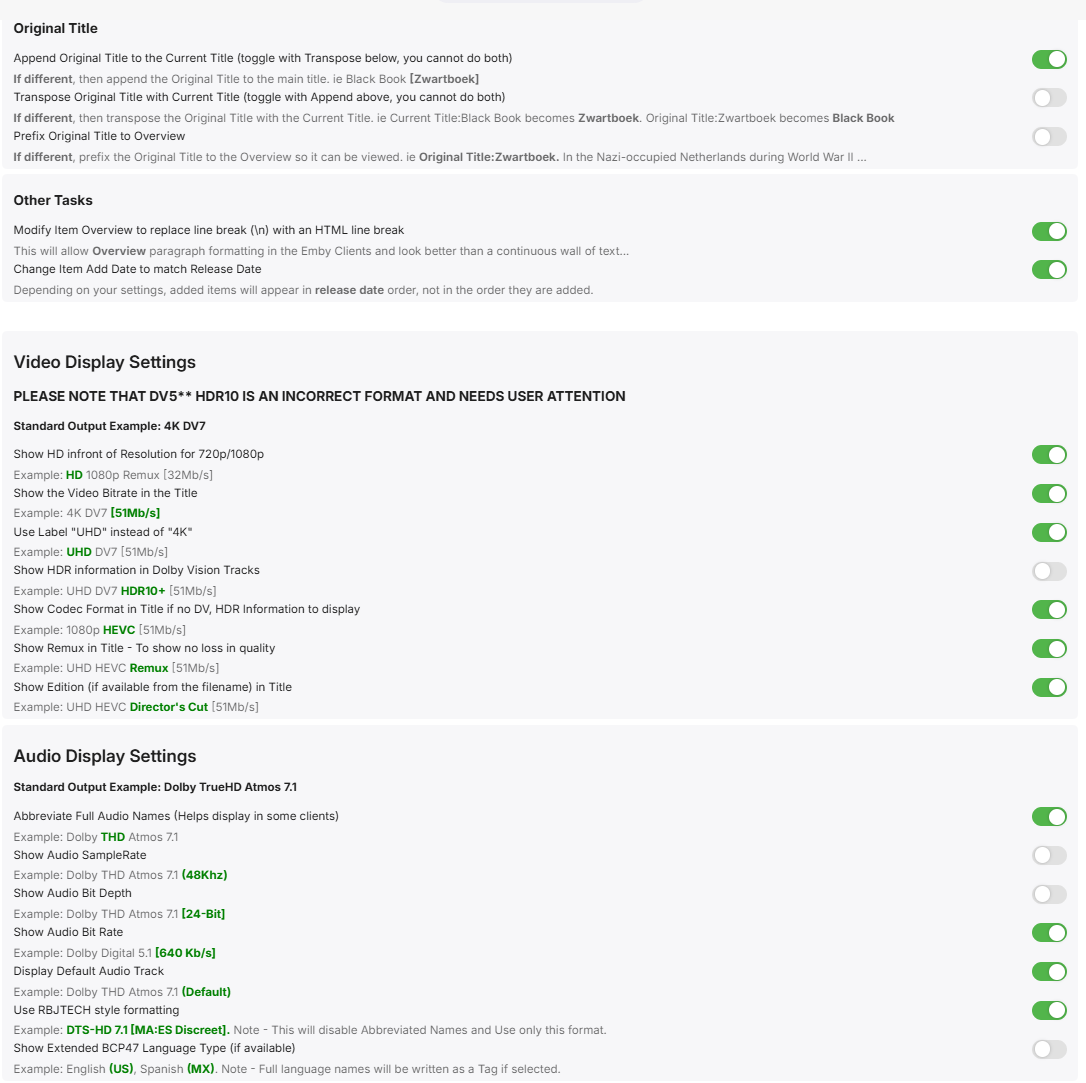
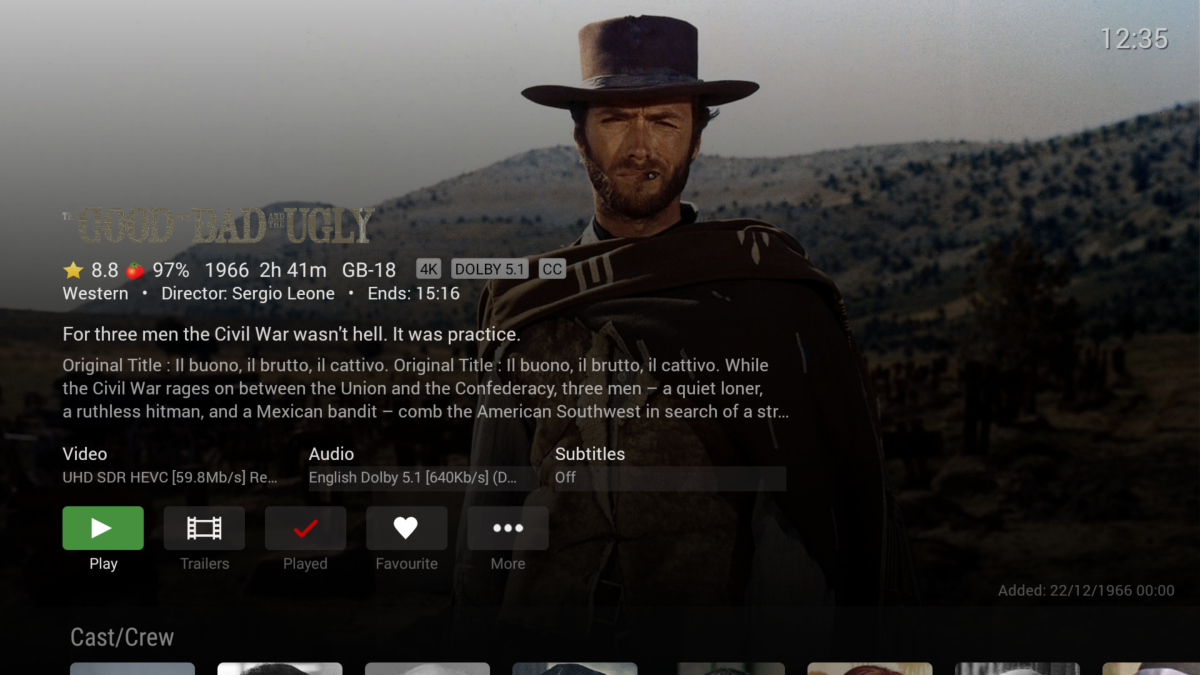 1 point
 -
And I just found this tool that can inform me of over use and more connorgallopo/Tracearr: Tracearr is a streaming access manager for Plex, Jellyfin and Emby servers. It answers the question every server owner eventually asks: "Who's actually using my server, and are they sharing their login?"1 point
-
not as huge fan of plugins as if the server crashes or has issues i cant pinpoint problem, but ill take a look at this. thx1 point
-
This plugin might do it.1 point
-
Now that your server is stable one way to find out if any of the changes were a solution is by removing them to see what happens. If the problems in the Emby container stay gone then you can pretty much chalk it up to the random reboots. Another thing you mentioned was boot order for the VMs. Does this include a hard dependency so others won't boot until TrueNAS is running? The suggestion to use bind propagation with your container volumes was hoping it could detect changes in the NFS mounts. In case the host was somehow losing and regaining connectivity to the NFS shares.1 point
-
Think of your network like a row of houses in a gated community. Every time you come to the gate you're asked "What's your number?" and you say "I don't know" so they say "Okay go to house 20". The next day you show up and they ask again "What your number?" and you say "I don't know" so they say "Okay go to house 15" because they don't remember that you were previously in house 20 last time, that's called a DHCP lease - you were given an address, and only you will get that address for a period of time, usually 24 hours. But if you show up to the gate and you say "I am house 20" that is authoritative and you will always be house 20. That's the same thing as setting a static IP on your devices, it's not asking your DHCP server (in your router) for an address, it's telling it what its address is. It should not hand out 20 to anyone else, and if someone else shows up saying "I am house 20" that is an IP conflict. If you've asked the people at the gate to order food for you they know the order is coming from house 20, so when the delivery comes to the gate and they ask who it's for, they say house 20, and it gets delivered to you. When using DHCP, it's the people at the gate who are in charge of where you go, and ensuring that everything that is for you gets to you once you've been told where to go, and where you've been told to go won't necessarily be the same every time, like after your router reboots it may forget what it assigned you, and your client could tell it "well last time you told me 20, can I have 20?" and your router could decide to give you 20, or it could decide to give you 15. When using a static address, you're saying where you will go, and they are only responsible for ensuring that everything that is for you gets to you. In this case, the IP address being shown for the server is in a completely different subnet, and never appeared in the server logs, so I don't see why it's coming up. I could see getting a different address on the same subnet, but not an entirely different one, that's like going to the gated community down the main street. I don't know what your network looks like but I doubt it's complex enough to have more than one subnet unless you have more than 1 router, and even that still shouldn't change that what is presented on your dashboard is the same thing that is advertised to Emby client apps and the same details used by Emby Connect. Anyway, there's no reason to use Emby Connect for your local devices, all you need is the server IP.1 point
-
After putty delete finished it corrected itself thank you for assistance1 point
-
No bypass ? No way to downgrade ourselves ? It's not our tv we dont own shit, LG locks everything.... With Android we would be able to download an apk from the many archive on the web and install it.1 point
-
I have ordered one Ugoos AM9 64bit with Amlogic S905X5 SOC.1 point
-
Yep, lowering in client playback quality low enough to force transcode allows seek to work correctly so there is just something slightly off with initial encodings to me.1 point
-
Maybe force transcoding in the diagnostics plugging to test Happys theory1 point
-
With some testing, to me this is a file issue, as I downloaded the two samples above and they failed but a simple remux (-c copy) corrected the issue and file would seek. So can only guess android client player is less tolerant than other players that it worked in.1 point
-
Ensure both content folder is in the same library and have the option enabled. But clients automatically choose a version and would require user to select version before playback.
 1 point
 -
That would be fine if it wasn't for the spinning blue wheel of doom that accompanied it...1 point
-
OK Thanks. I tried the snap version in the meantime. Installs but won't launch (/snap/emby-theater/x1/bin/emby-theater: 14: exec: desktop-launch: not found)1 point
-
In the future maybe. It would require different settings than for TV shows because movies tend to have much longer credits. So i need to add those settings. I will look into it when the bug causing some people to have problems is ironed out.1 point
-
I hate "closed", proprietary operating systems. You're always heteronomously at the mercy of others, can't even roll back or sideload. That's why I never ever will abandon PC and Raspberry, devices I have full access and root over and take the TV as what it should be: A dumb monitor, who can't spy and can't dominate me. Even if I should hose the whole system and there's no backup, I can reinstall the OS in minutes, Windows a bit longer...1 point
-
LG TV Model OLED55B42LA - 55 inch LG OLED AI B4 Smart TV 20241 point
-
If you can't understand those extremely simple directions, I am sorry, there is absolutely no hope for you. Your system is currently setup with DHCP, which means your router will drop it after a certain period of time and renew the ip address, which means your computer will get a new address and your current system of accessing the server will no longer work as it will be pointing to where the computer is not. Please take the time to learn this and understand it. It is imperative.1 point
-
Hi, this has been resolved for the next release of the server. Thanks.1 point
-
1 point
-
Hello everyone. I just wanted to show my support for Emby. I switched to Emby due to much better playback support than plex. I honestly prefer the look of plex but if it struggles with DV content and converting DTS (which my device won’t play) then who cares if it looks better. Emby is so good and I’m so thankful to have it.1 point
-
I don't use Emby Connect so I don't know how valid this will be, but after you sign in to Emby Connect try to delete the server that you see there, there should be a 3 dot menu in the bottom right or tap+hold for context menu, then add server with the address previously provided Host 192.168.68.133 Port 8096. Can maybe also try to remove your email from your User profile and add it back and see if that makes it update, but I would try deleting the one that appears and readding with the correct details first.1 point
-
You can do the same with any port # you want, like this: server { listen xxxxx ssl; # xxxxx is any port ssl_certificate /my/fullchain.pem; ssl_certificate_key /my/privkey.pem; error_page 497 301 =307 https://$host:$server_port$request_uril server_name mysite.com # using this won't get rejected return 444; location / { proxy_pass http://192.168.0.4:8096; # <-- to suit your setup …. Other settings …. } } A higher unused Port # is less likely to be scanned. (your users will need to use your custom port #) I also do Geo-blocking.1 point
-
Hi, it won’t be in the next few days but we are working on it. Thanks.1 point
-
Would be nice, if themes can be extracted by skip intro markers, when no actual theme is available. thanks1 point
-
If you place a reverse proxy in-front of Emby, it can be set to drop all traffic except those that use the correct domain name. In nginx, that would look something like: ssl_certificate /your/cert.pem ssl_certificate_key /your/cert.key server { listen ssl 443; default_server; return 444; #444 = drop connection with no response } server { listen ssl 443; server_name yourdomain.example; #only respond to this name proxy_pass localhost:8096; } And because this listens to port 443, you will no longer need to specify a port when connecting, just type the domain name. You will however have to forward port 443 instead of 8096, and tell apps like Emby For Android to use 443.1 point
-
https://github.com/SecretNest/FileWatcherForEmby Here is the app I wrote. I tested on my computer with some adding / removing files. ARM64 is not tested yet. "Tester" are welcomed lol.1 point
-
Browser video players can't choose between internal audio tracks, so as soon as you try to change tracks, that triggers a transcode. The fact that one is working and one is not probably has nothing to do with ac3 vs aac and has more to do with the browser having trouble direct playing the file, but then being able to play the server transcoding output when you change tracks.1 point
-
Hi, Merry Christmas! App version 3.5.16 is still having this issue.1 point
-
I also think it’s very suitable. However, in TMDB’s Simplified Chinese language version(tv/300822), there’s a guy who uploaded an entry following the anime’s broadcast order. I’m using it now for perfect scraping—it’s been a huge help. But I don’t know how long this entry will last (before, other people did the same, but their entries were deleted by the admins not long after). Thank you for your advice.1 point
-
Since we can now detect end credits, or manually add them in other cases, it would be nice to see this, rather than an automatic percentage/time remaining, trigger the "next episode" popup and decide whether an episode is resumable or not. Even better if it could expand to movies for the latter point.1 point
-
"More like this" will recommendations are made based on multiple media libraries,I don't like this, I prefer him to only recommend similar ones in the current media library, otherwise I would rather turn it off. What should I do?
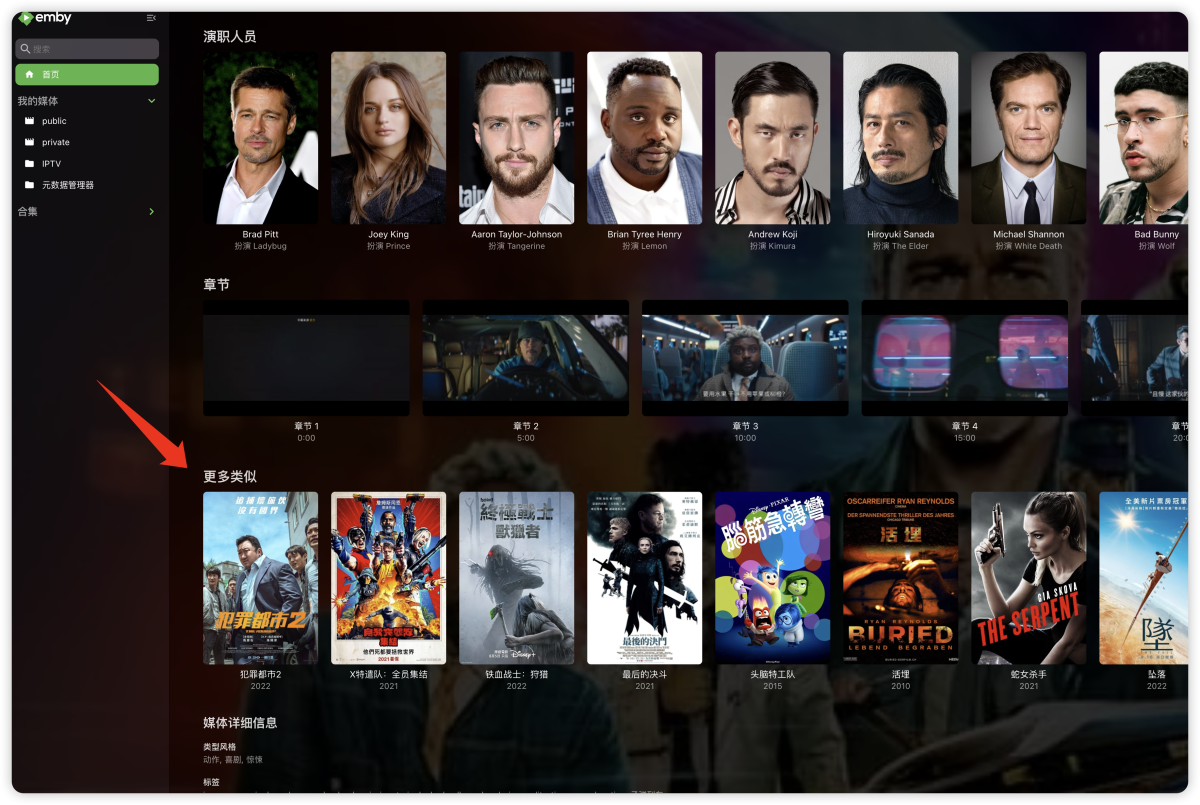 1 point
 -
It would be great to have an option to rewatch tv series. Some times it's hard to tell what was the last episode watched if the entire show has been marked as watched. It occurs to me that this can be done with a counter that can differentiate if the numbers of plays is odd or pair showing a different color marker on each episode accordingly, so if the entire show has been watched again all episode should have the same color.1 point
-
Feature Request. A present I have several user accounts setup for family members. When we sit down together to watch a movie we currently log into one account (Mostly mine), so obviously only this account gets the watched status. What happens then is everyone uses my account because there's isn't up-to date and it's "just easier". This results in my account telling me I've watched something when I haven't... I would like the ability to log into my account and select/deselect which other users are present so that when a movie/TV episode is watched together, their watched statuses are updated accordingly? The next time you log in again all other users would have been deselected. It could be implemented so each user account can do this, or only select user accounts can. Even a special "Family" user account, or multiple viewers button as long as everyone's watched status is correct. Even just ticking the users present on the login screen before login into an account.1 point
-
1 point