Leaderboard




Popular Content
Showing content with the highest reputation on 12/16/25 in all areas
-
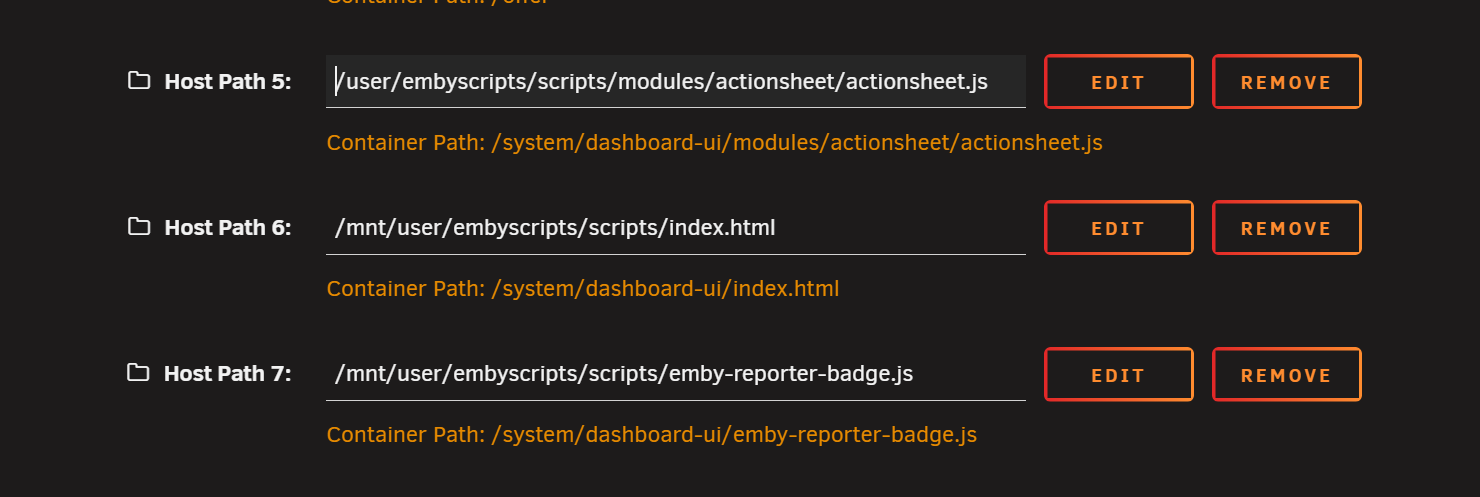
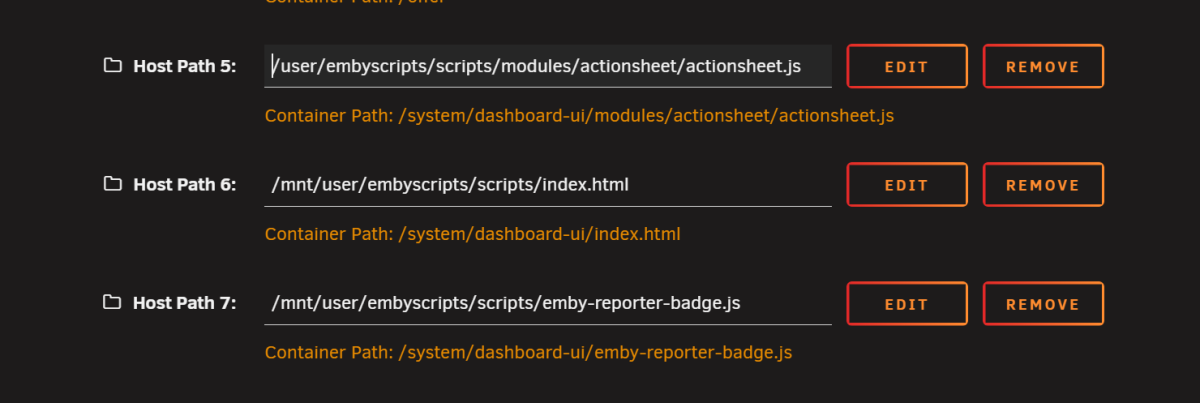
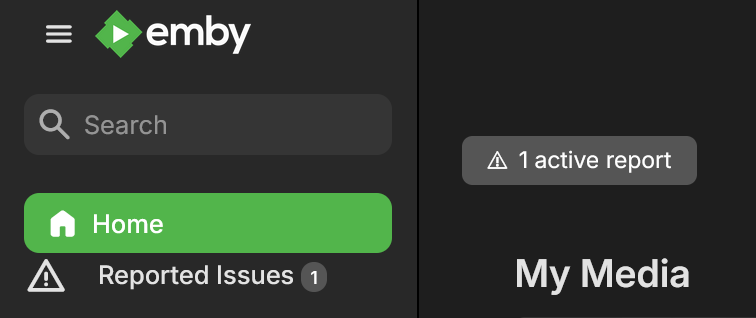
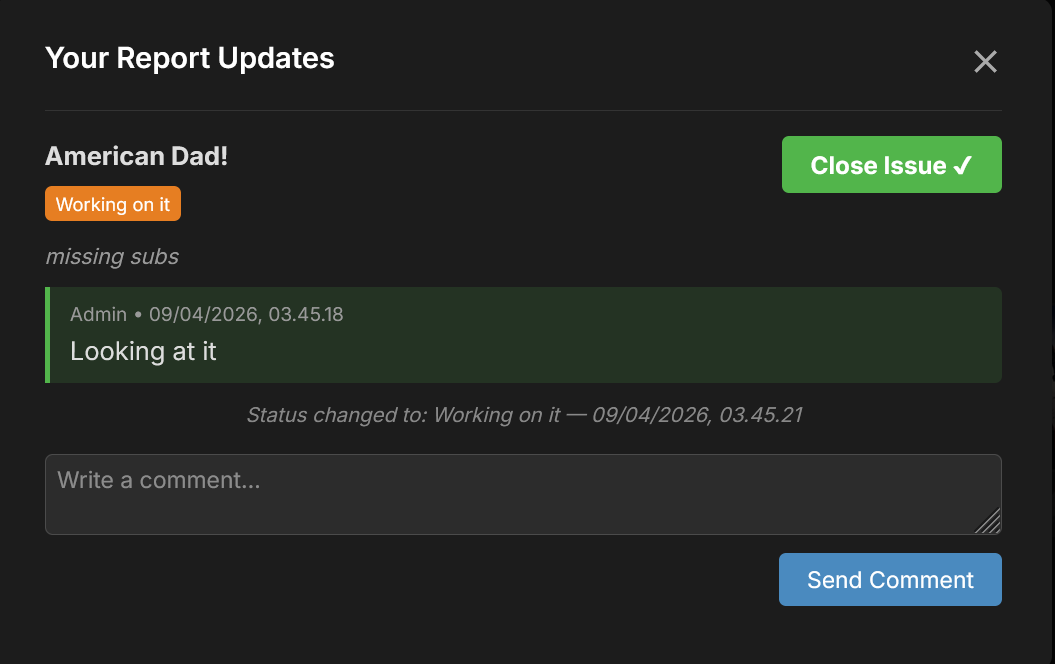
Latest version can be found at yocksers/EmbyReporter: Report issues in Emby I have had this plugin running for a nearly half a year now for my own use and have decided to share it. It enables users to report issues with videos. This is done by right clicking a video and pressing the "report issue" in the context menu. It also adds a menu and a small notification badge in the menu and top of the main page. Pressing either will open a chat where the user can communicate with the admin. It does this by injecting a two scripts in Emby. The plugin does this for you when you click the "install client script", clicking the "remove client script" restores the files back to normal. A backup of the files will be created when installing the scripts. Note: This only works for Windows and some Linux installs of Emby, for Docker see the bottom of this post. The plugin can also be set to send notifications through Emby with forexample Pushover so you get notifications on you phone or other devices when a report is made by a user. In the settings there is a log of the reports made so reports made can easily be seen. Limitations: This only works in the webclient and not the apps. For Docker installs of Emby the plugin is supplied with some scripts that needs to be bound in the Docker compose. Place the script file on your system and make 3 bindings in the docker compose. For example: Change the host path accordingly do where you placed the files.


 2 points
 -
Already there... created by you :2 points
-
EmbyWatch - A brilliant app built by a community user! One of the best things about the Emby community is the creativity that comes from it. Every so often, one of our users takes their love for media servers to the next level and builds something that makes life easier for the rest of us. Today, we’re excited to share EmbyWatch, a brand-new Android app developed by community member @asgard25It is an an incredible example of what happens when passion and innovation meet. A User-Built Tool, Made for Admins What makes this story special is that EmbyWatch wasn’t created by a company or a professional app studio. It was created by one of YOU! — just someone who wanted to make managing a server more intuitive and accessible from anywhere. Want to be even more impressed? This is only the second Android app that asgard25 has developed! EmbyWatch is designed to help server admins and advanced users keep track of what’s happening on their Emby setup in real time. It’s not about playback or browsing media, it’s about giving you the tools to monitor, manage, and control your server, all from your phone. Powerful Features at a Glance EmbyWatch brings a surprising amount of functionality for such a young app. Here’s what it can do: Real-time monitoring: See who’s watching what, where they’re streaming from, and how much bandwidth they’re using — all live. User management: View your users, check activity history, and even send messages directly to connected users. Device overview: Identify every connected client, from smart TVs to mobile apps, with connection times and device info. Library insights: Quickly review all your media libraries with detailed counts and metadata. Task control: Run or schedule maintenance tasks like library scans and metadata updates remotely. Plugin visibility: See your installed plugins and available updates. Logs and server details: Access logs, CPU load, uptime, and more — wherever you are. Notifications and widgets: Stay informed with live alerts and optional Android widgets for quick monitoring. For anyone managing a shared server, EmbyWatch feels like having a live dashboard in your pocket. A True Example of Community Ingenuity We love seeing users like asgard25 take their experience with Emby and turn it into something that benefits everyone. EmbyWatch really is a reflection of how open and flexible the Emby ecosystem can be when people put their ideas into action. This project shows exactly what makes our community special, a shared passion for improving and creating! So whether you’re managing your own home setup or running a multi-user server, EmbyWatch offers a simple, powerful way to stay connected to your system. Huge thanks to asgard25 for sharing EmbyWatch with the community and for showing what’s possible when creativity meets passion. We’re proud to see our users building tools like this that make Emby not just a media server, but a thriving ecosystem shaped by its fans. If you’re an admin or an advanced user, check out EmbyWatch on Google Play and see how it can make managing your server easier than ever. We can’t wait to see what asgard25 — and others in our amazing community — build next.1 point
-
New plugin: MetaExtractor. From the idea of @GrimReaper Github page: https://github.com/yocksers/MetaExtractor This plugin is designed to extract metadata and artwork from server's metadata folder/db for Movies, TV shows, Seasons and episodes. It can be configured to extract precisely the metadata you want plus all the artwork. The metadata and artwork will be extracted as an NFO file named the same as the video the data was extracted from and appropriate image type(s), and be will placed in the media directory. It can also backup and restore intro skip markers in videos. This is so you no longer have to wait for Emby to finish scanning intro markers on videos when/if you have for example migrated your server. The data will be extracted to a json file in a location chosen by the user. Installation: Download the latest version here or from Github. Stop your Emby Server. Copy the .dll file into your Emby Plugins folder: Windows: \Users\<User>\AppData\Roaming\Emby-Server\programdata\plugins Linux: /var/lib/emby/plugins Docker: /config/plugins (depending on your mapping) Start Emby Server. Go to Dashboard -> Plugins to verify it is loaded. Lastest version: 17. Devember 2025 - v1.0.4.0 If you like and use the plugin and feel generous you can donate a coffee at: https://buymeacoffee.com/yockser This is absolutely not required as i'm happy as long as people like the plugin. Big thanks to @GrimReaperfor the idea and help with the plugin! If you also have ideas for the plugin then please share and i will look into implementing them if possible. MetaExtractor.dll1 point
-
Since we can now detect end credits, or manually add them in other cases, it would be nice to see this, rather than an automatic percentage/time remaining, trigger the "next episode" popup and decide whether an episode is resumable or not. Even better if it could expand to movies for the latter point.1 point
-
Please make it possible to create the backup as compressed archive, like *.tgz or *.zip. This makes is much easier to copy the backup to other places, without the need to copy hundred of files.1 point
-
Yes - see my submitted diagnostics the two airings are clearly set as s05e01 and s05e021 point
-
New version is up (1.0.4.0) Added: Intro Skip backup and restore functions. Custom filename option for artwork. Added file browser for folder selections. Changed: Removed save button as settings now auto save. Download here or on Github: MetaExtractor: Extract metadata from Emby. MetaExtractor.dll1 point
-
OK yes I think this would be a good thing to add then.1 point
-
I think that should work. Cheers!1 point
-
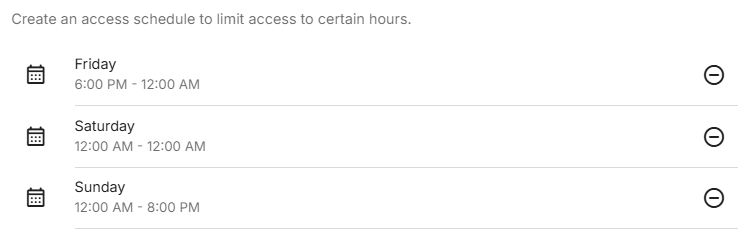
Okay, it looks like it's my ignorance at fault. I do see the two instances of 12am in the dropdown list. I was actually trying to select 12am for the start time and 12am for the end time, but i think my issue was that i was selecting the same 12am instance value for both start and end times and getting an error about the ending time needing to be greater than the starting time. So your response was very helpful. Considering your input, i was able to create the following access schedule So i think this will give me what i'm looking for. Thank you for your help!
 1 point
 -
Managed to reproduce the problem. Suspect it was because both episodes were named the same "Italy" Diagnostics referred to the development team1 point
-
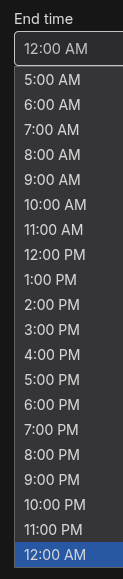
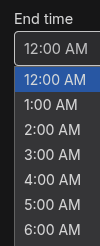
Not sure why you'd only see until 11pm, I see a 12am at the top and the bottom of the list so using the 12am at the bottom would be the whole day. Can you share a screenshot of the list of times on your end?
 1 point
 -
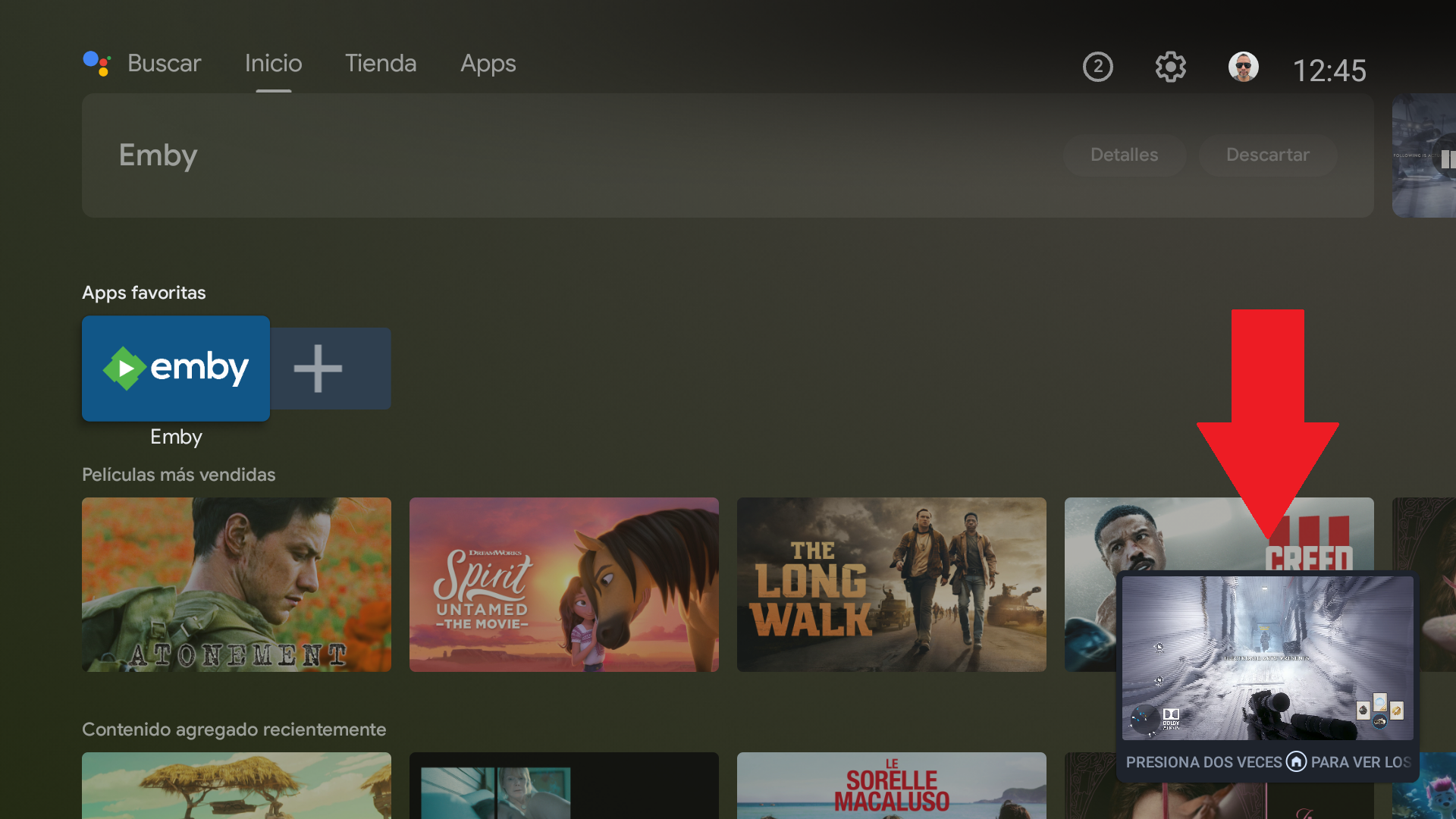
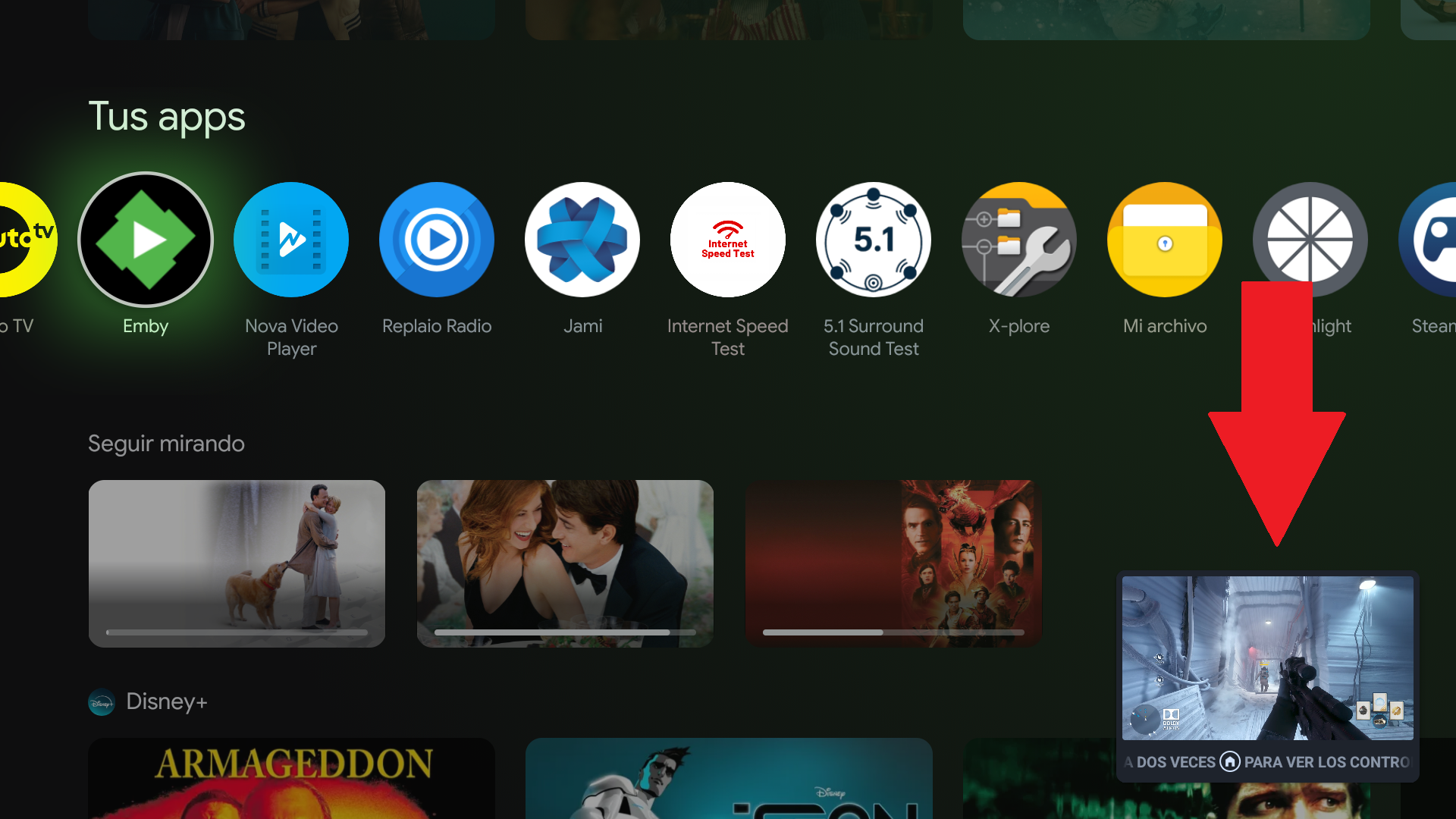
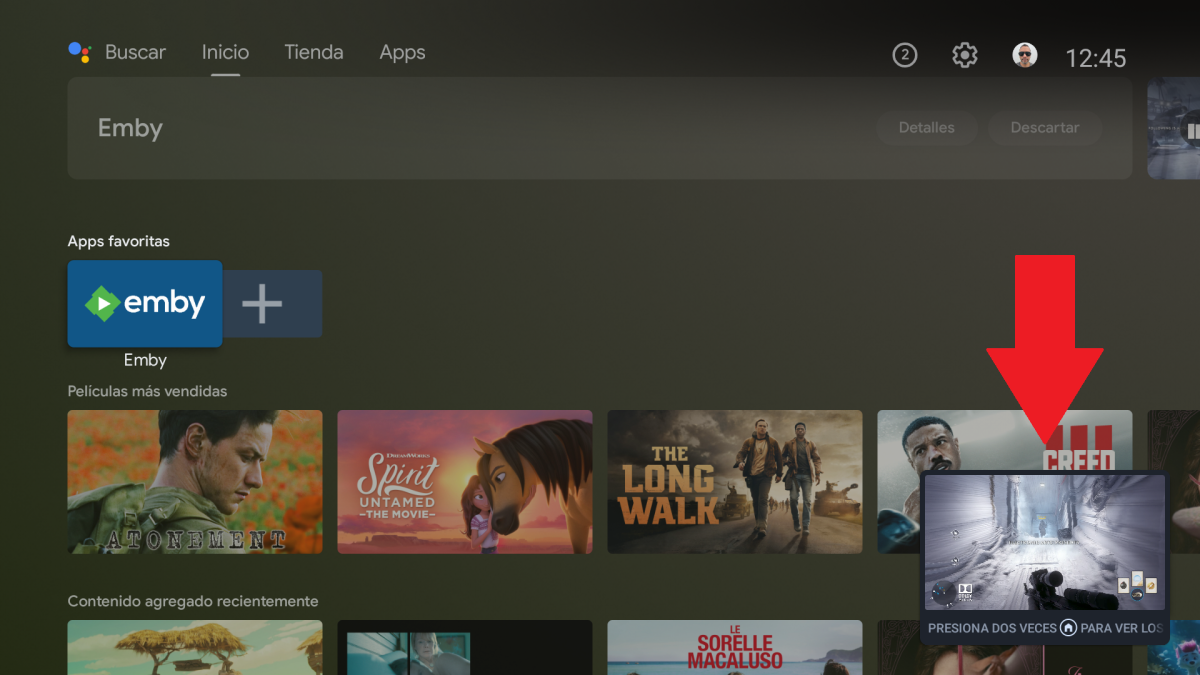
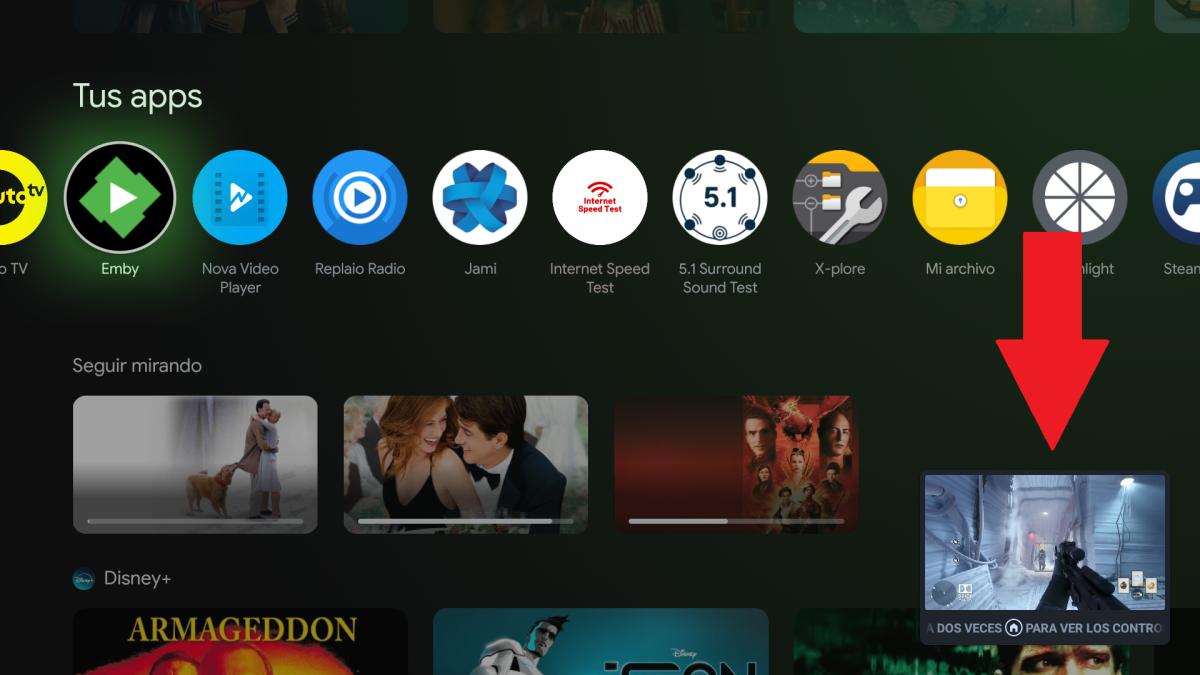
I believe you should mark this as completed since Picture in Picture works on the Android TV UI and on the Google TV UI as shown below:
 1 point
 -
Sorry. Everything is ok. The versions that I add weren’t in right format. Problem solved.1 point
-
It seems to me that you are running a network setup which is beyond your capabilities to manage. Perhaps you have a friend, or (cliché!) a nephew, who might be able to help you learn how to run it effectively. Trying to teach you through this forum seems to be largely ineffective. Paul1 point
-
Confirmed theme media playback is working in 12.3.7. Thanks!1 point
-
Really? That's how the back button works in most applications that have them. Its taking you back to where you just were. That's no different in any of the other Emby apps, correct? You might want to turn on the "Are you still watching" feature in the app to minimize this. Yes, the basic UI and the internal Roku player have different progress indicators. The function pretty much identically, however. The only difference is visual. We can probably update the UI one but, honestly, I've kinda liked knowing when the Roku player is actually loading something. We can look at adding this to the detail screen. The main issue with these operations from the list and grid screens is that the Roku doesn't really have a good "context menu" paradigm like most other platforms. The Roku UI stresses simplicity. We can definitely look at improving this.1 point
-
Keine Ahnung warum, aber jetzt scheint es zu funktionieren. Konnte keinen Clienten auswählen. Habe zig mal Refresh gemacht, nichts - Server neu gestartet - nichts. Hab das vor ein paar Tagen schon gemacht. Und vorhin geschaut, und ich konnte wieder Clienten auswählen.1 point
-
The http 555 errors have been showing up in Kodi recently too for some XC users from different providers. No user or provider is offering any explanation what the error means.1 point
-
New BETA version available 12.3.6: Delta changelog 12.3.6 -> 12.3.7 improve database performance for some queries add pragma page_size = 65536 when executing database vaccum Update Chinese language fix themes fix image file extensions fix SongArtists Sortnames fix hybrid nodes for MusicArtists1 point
-
Hello, up to my knowledgee this is not possible as the OS is not saved on a single drive only. Also you should head for the synology community forum for this question as this is not emby specific information that is needed here. You have questions regarding the setup / import of drives for DSM, therefore you may find better guidance over there.1 point
-
Not always a choice.. IPv6 has been pushed to home users for well over a decade. After IANA exhausted IPv4 in 2011, ISPs began large-scale residential IPv6 deployments around 2012–2014. Today, IPv6 with a global unicast prefix is standard on many consumer connections, largely due to IPv4 address scarcity and reliance on CGNAT In any case, this is going too far off topic. Back on track, the main point is that this issue has been reported for over five years. The developers are aware of it, have acknowledged and confirmed it, and ultimately chose not to address it, instead continuing to push an inferior app as discussed over the last 98 pages.1 point
-
Devs would have comment more as only thing per logs that stands out is browser console as server log is not showing anything unless a new log shows something different. https://mb3admin.com/admin/service/registration/getStatus 401 (Unauthorized)1 point
-
I understand that the root cause sits in a third party library, and that rewriting image handling isn’t trivial. That’s a fair technical explanation. What’s harder to reconcile is the timeline. This issue has been known, acknowledged, and repeatedly discussed since around 2020. That’s roughly five years where the outcome for users has effectively been: “use a different app.” At some point, that stopped being a workaround and becomes the de facto resolution. No one is arguing that a full rewrite is easy. But over a multi-year span, decisions still get made, either to: replace a blocking dependency, rework the affected path incrementally, or officially deprecate the app and state it clearly. Instead, the Android TV app remains available, largely unchanged, with known blocking issues that prevent some users from using it at all, through no fault of their own. From the outside, it doesn’t feel like an active decision so much as indefinite deferral. So while the explanation makes sense technically, it doesn’t really change the user impact or the broader concern. After five years, this isn’t about whether something is easy or hard anymore, it’s about whether it’s something the project intends to resolve or not. Clarity on that would honestly go a long way.1 point
-
4.9.4.1-beta would have been the perfect time to show users a commitment to fixing this. Just saying...1 point
-
Yes certainly.1 point
-
Hi, mind adding Brazil to the request?1 point
-
I will find another way to break it.1 point
-
Google took me to many examples. Modified this one css snow @import url("https://fonts.googleapis.com/css?family=Merienda+One"); .backgroundContainer { &:before, &:after { content: ""; position: fixed; top: -3000%; bottom: 0; right: 0; left: 0; background-color: rgba(black, 0.01); background-image: url(http://www.freepngimg.com/download/winter_snow/4-2-white-snow-png.png); background-size: 30%; -webkit-animation-name: MOVE-BG; -webkit-animation-duration: 500s; -webkit-animation-timing-function: linear; -webkit-animation-iteration-count: infinite; } } .backgroundContainer { &:before { filter: blur(4px); opacity: 0.8; top: -2500%; background-size: 60%; animation-duration: 400s; } &:after { filter: blur(2px); opacity: 0.8; top: -2000%; background-image: url(https://laviwebfiles.com/stage/codepen/4-2-white-snow-png.png); background-size: 70%; animation-duration: 300s; } } @-webkit-keyframes MOVE-BG { from { transform: translateY(0); } to { transform: translateY(70%); } } So it really depends on exactly what you want.
 1 point
 -
Hi, Emby community! I would like to introduce EDCM, the Emby Dynamic Collections Manager. This tool is a companion to Emby to automatically create and update Emby Collections based on rule sets. For example, to automatically create a collection for all TV shows from HBO with a rating of 8 and above, the following ruleset can be created: [Highly Rated HBO Series] Type=Series Studios = HBO MinCommunityRating = 8 This will find any library items matching the specified criteria and add them to a collection named 'Highly Rated HBO Series'. If new shows are added to your library that match the requirements, they will to the collection automatically. All rules from the Get Items API endpoint are supported. Currently, EDCM is very much an alpha release, but no calls are made that are dangerous to your library or Emby itself, so I invite you to give it a go and let me know your thoughts. Any feedback is appreciated! Check out my EDCM GitHub repository on how to install and run it. I have created a ~70mb Docker image, ready to go! I hope you enjoy1 point
-
Ultra-Mega-Hyper Important Disclaimer That Probably No One Will Read But I’m Putting It Here Anyway Because Lawyers Exist Somewhere By using this plugin, hereafter referred to as “The Plugin,” “That Thing,” “This Questionable Creation,” or “Whatever This Ends Up Doing,” you (the user, consumer, unwitting participant, or accidental clicker) hereby acknowledge, accept, and spiritually embrace that I, the creator, architect, and occasional button-presser responsible for this digital contraption, am in no way, shape, form, dimension, wavelength, or parallel universe accountable for anything that may occur as a result of its usage, misusage, unusage, attempted usage, theoretical usage, imaginary usage, or usage performed by your cat walking across your keyboard. This includes, but is not limited to: Software malfunction Hardware malfunction Emotional malfunction Existential crises Unexplained cosmic anomalies Your toaster developing sentience Your computer spontaneously achieving enlightenment The summoning of ancient digital deities The sudden urge to reorganize your sock drawer. Your left nipple suddenly talking to you. Be the next clown president of the US. And any other consequences, intended, unintended, or vaguely adjacent For absolute clarity, I make no guarantees—not about performance, usefulness, entertainment value, structural integrity, moral correctness, cosmic alignment, ergonomic suitability, or general adherence to known laws of physics. I don’t claim what the plugin does, why it does it, how it does it, or whether it does anything at all. For all you know, it might be powered by vibes, confusion, or the distant screams of outdated JavaScript. By proceeding, you accept full and total responsibility, culpability, liability, accountability, and any other words ending in “-ility” that suggest you’re on the hook for whatever happens. You agree that any risks taken are at your own risk, including risks you didn’t know were risks until they became risks, and risks that only theoretically exist in obscure academic papers no one has read. In summary: I made the thing. You chose to run the thing. Whatever happens, that’s a you thing. If the plugin works as you want it to then i do take full appreciation, glory, promotion to ruler of the world, pay raises and donations. Thank you for your understanding, cooperation, and bravery.1 point
-
Expand Assets on the link above. Download the correct APK.
 1 point
 -
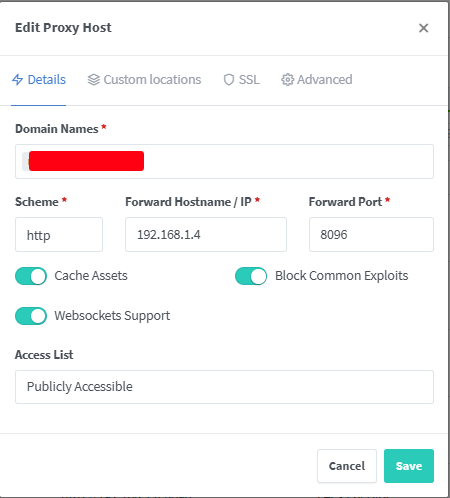
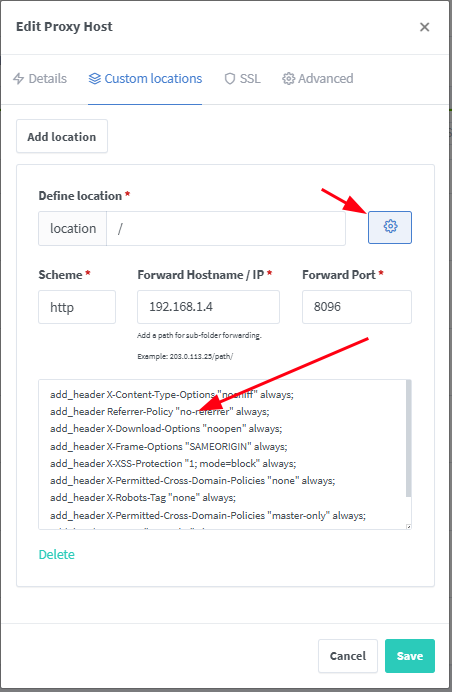
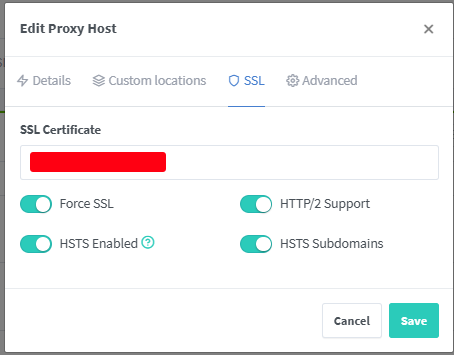
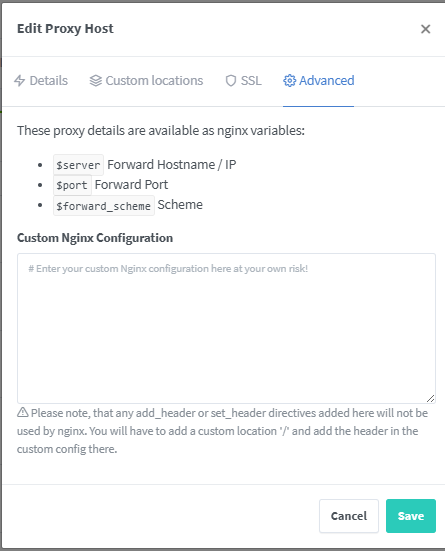
Here is some hints, on how I got it working with NPM. I use awsome.domain.com add_header X-Content-Type-Options "nosniff" always; add_header Referrer-Policy "no-referrer" always; add_header X-Download-Options "noopen" always; add_header X-Frame-Options "SAMEORIGIN" always; add_header X-XSS-Protection "1; mode=block" always; add_header X-Permitted-Cross-Domain-Policies "none" always; add_header X-Robots-Tag "none" always; add_header X-Permitted-Cross-Domain-Policies "master-only" always; add_header Pragma "no-cache" always; add_header Cache-Control "no-store" always; Its not pretty and its not secure in anyway, I only get a B, something about "Content Security Policy (CSP)" that I never could get working in the NPM webui. but it works for me.
 1 point
 -
very much disagree. i wouldnt want concerts and documentaries showing up in my movie library and i would want them linked to the relevant artist within my music library. emby even supports this - i have 2 music video libraries. one for songs and another for concerts because i want emby to use imvdb as the metadata provider for songs and tmdb for concerts. i agree with the requests @silverbeetle is making1 point
-
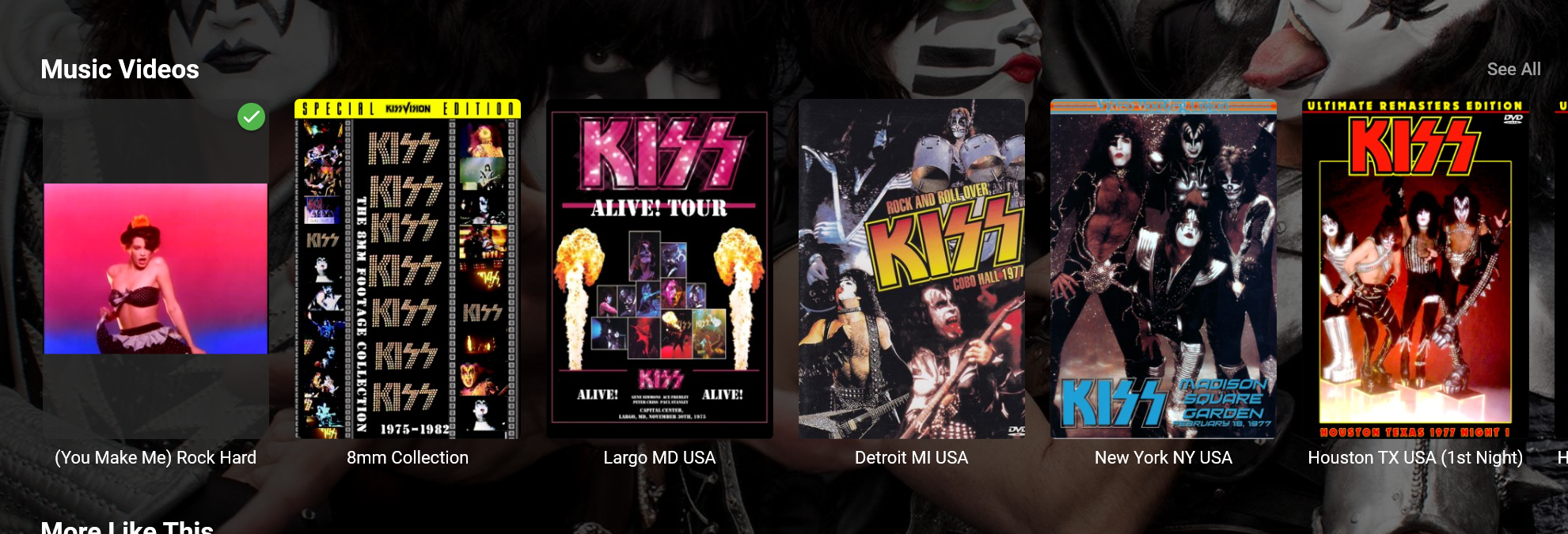
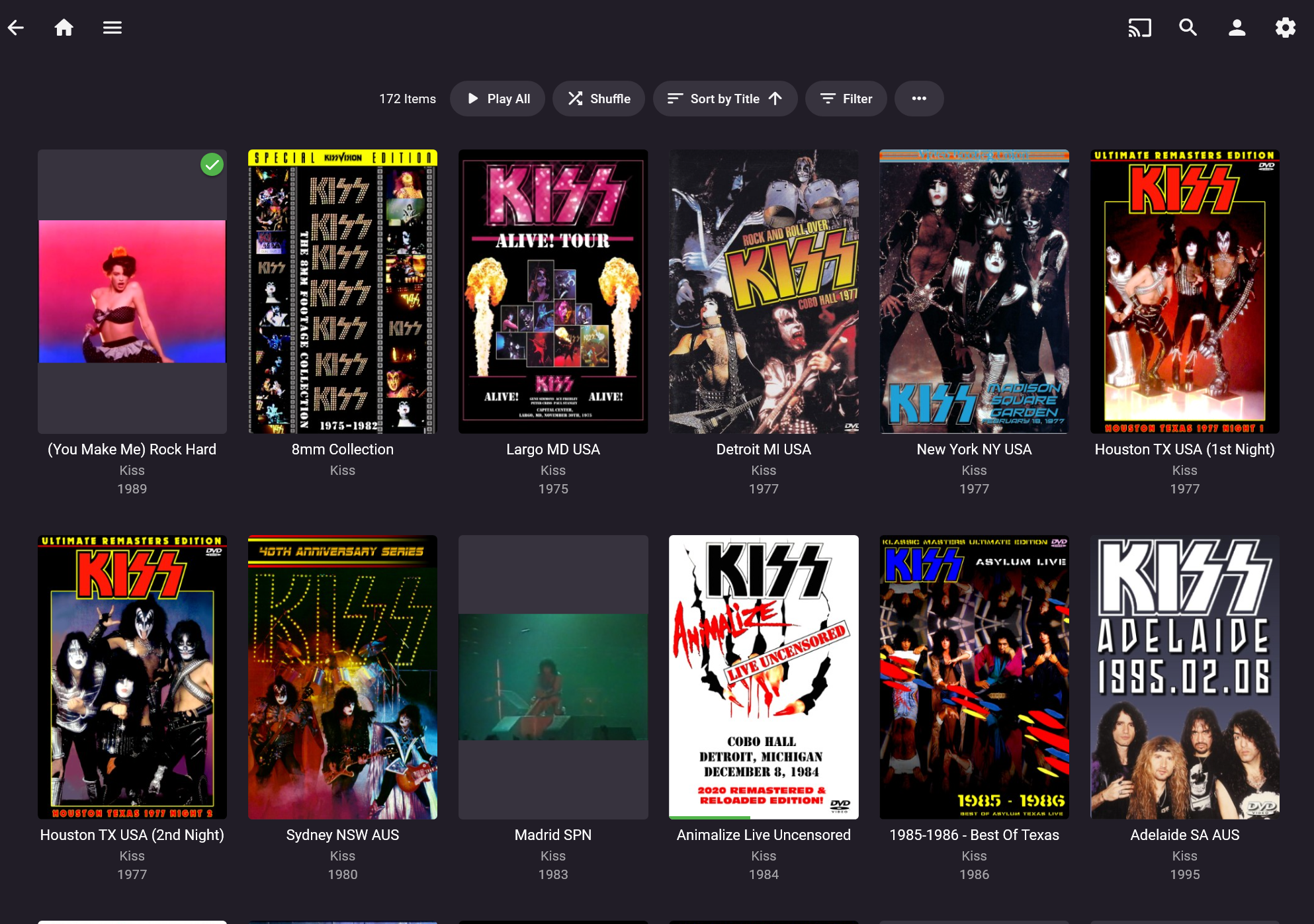
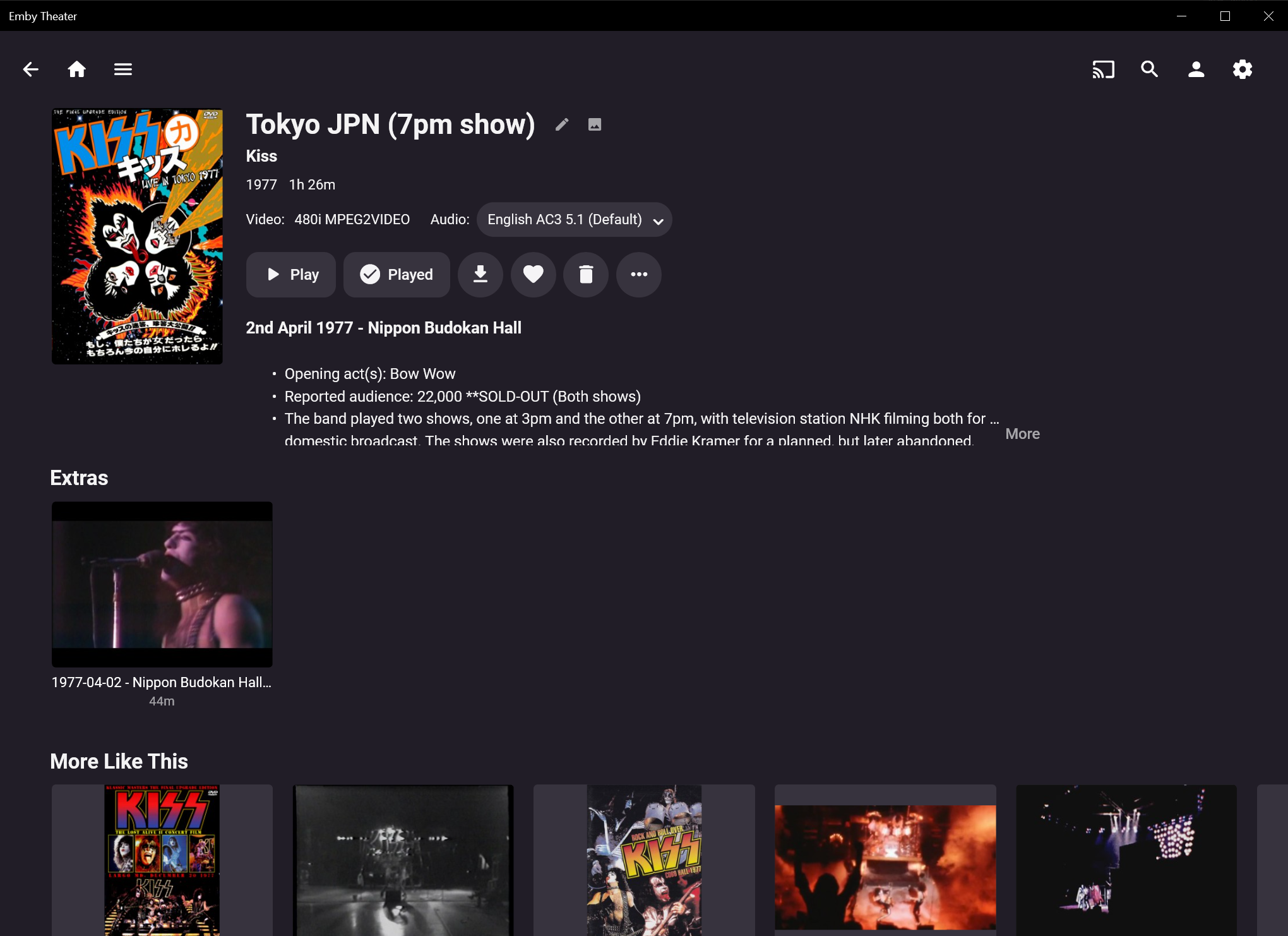
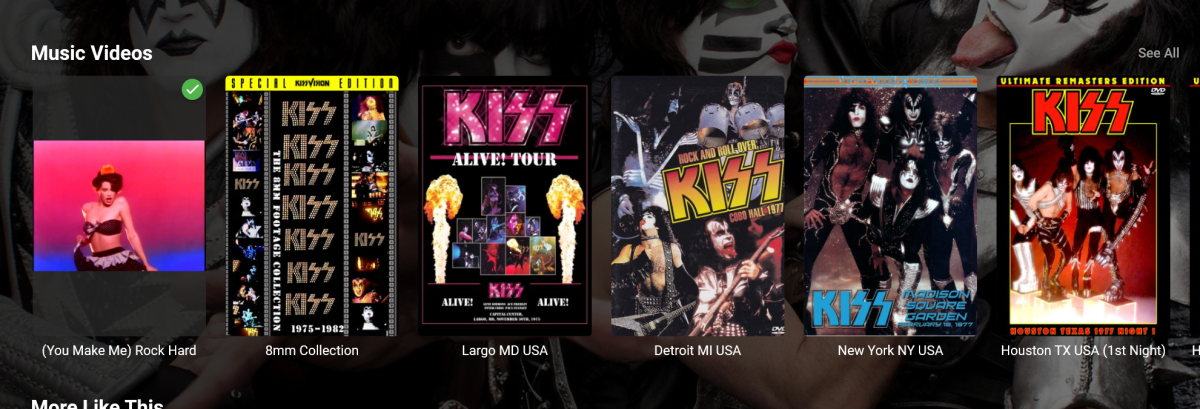
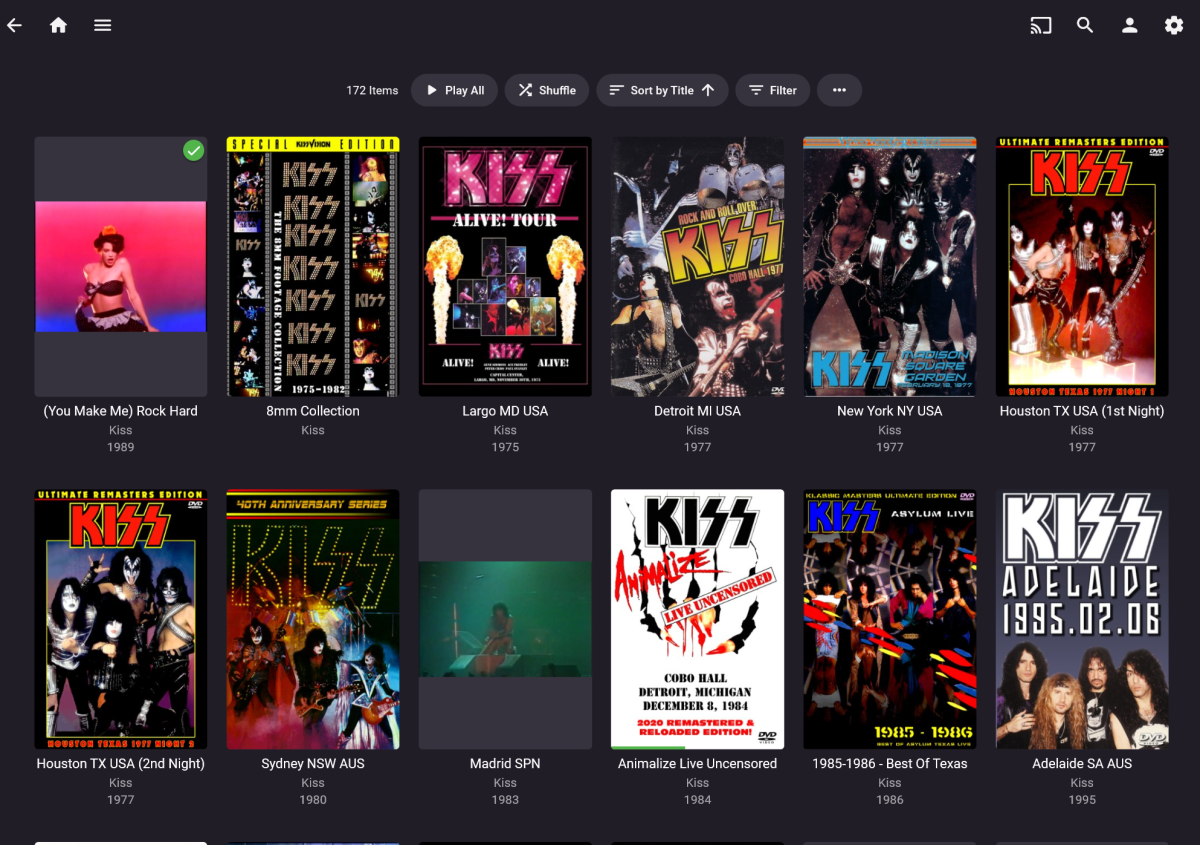
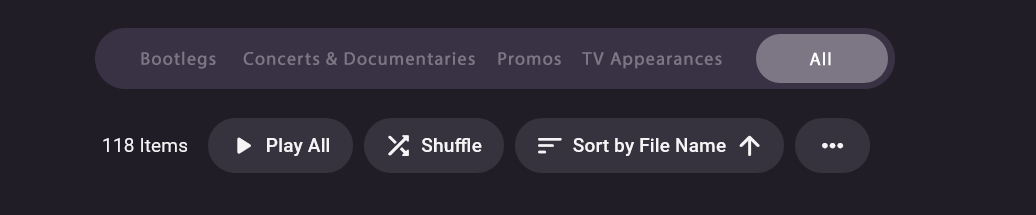
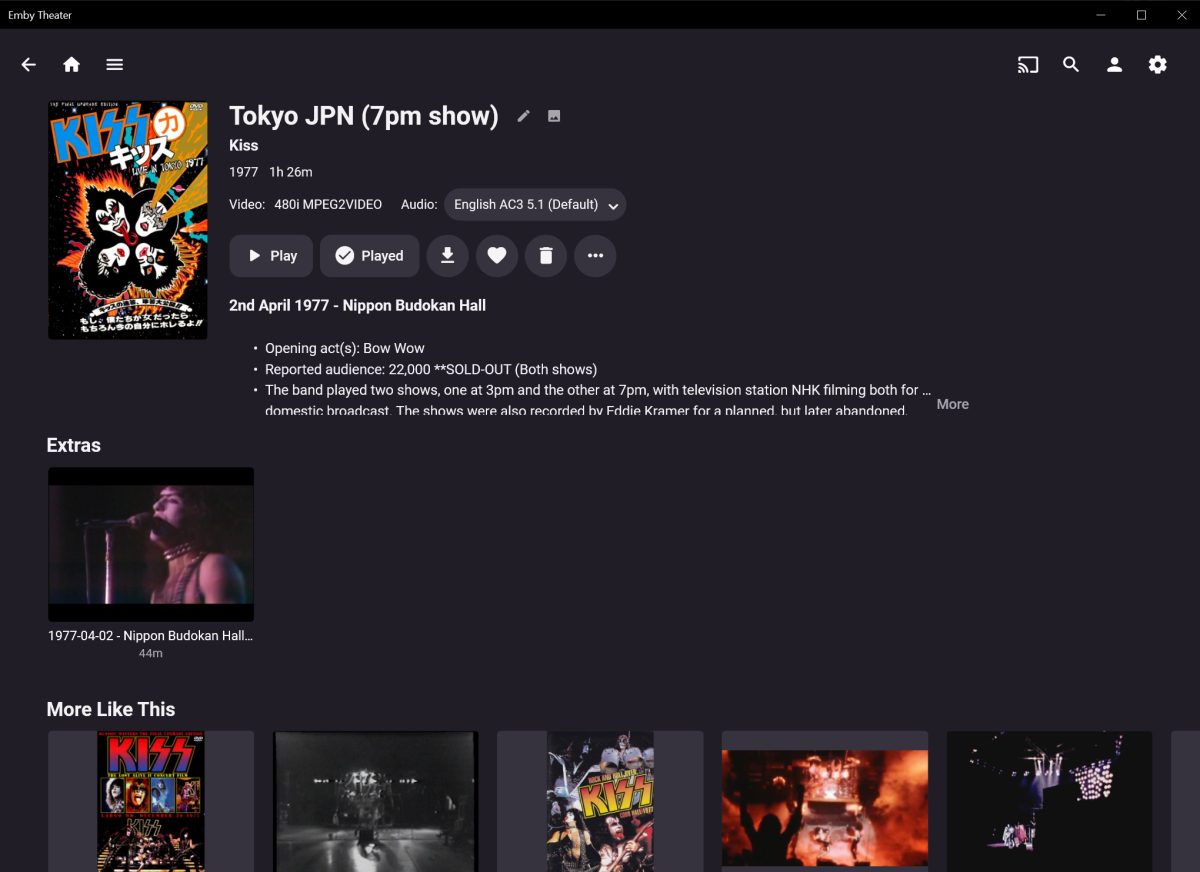
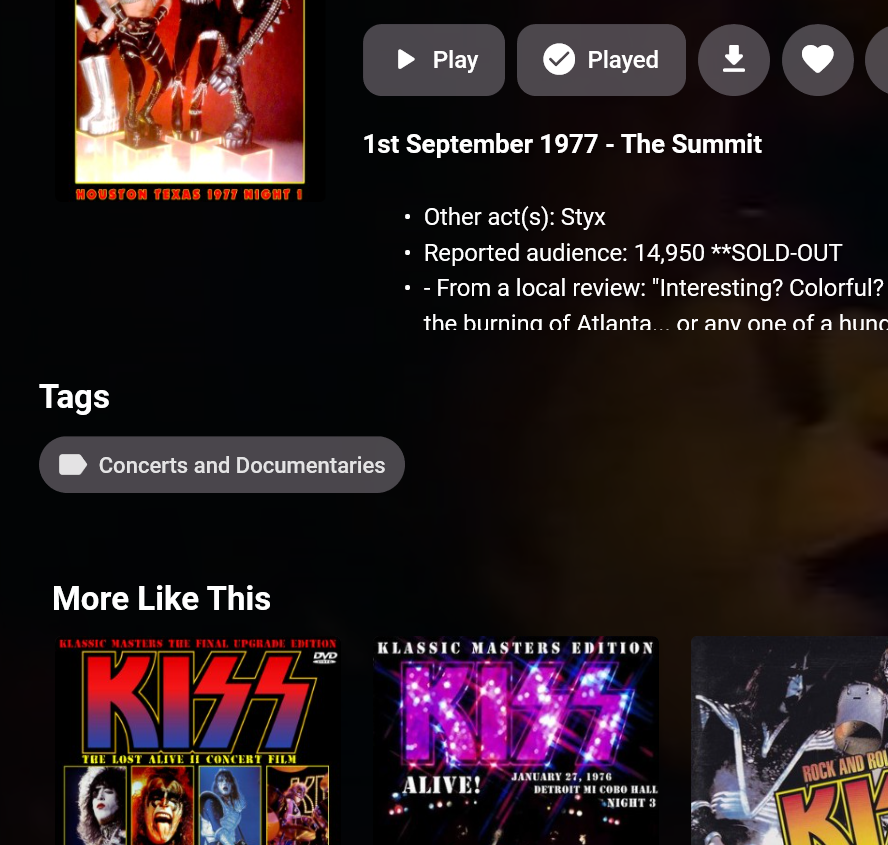
The music video experience is close to being great but there are some missteps that drive me insane. I'll step through my experience as briefly as possible but I want to give a good amount of detail. I'll focus primarily on Emby Theater Windows here but I'd want a consistent experience on Android too whether that's mobile or TV/Chromecast. Artist page view The artist page has nice artist branding with logo and background. It has a selection of videos that I've tagged and a 'View All' link which is great. It needs the year beneath the thumbnails or should be a configurable option to display. You could consider a toggle navigation at the top to go between 'All' (default), 'Music' or 'Video' to quickly focus this view. With this scenario, if 'Video' was selected here you would see the 'View all' experience... 'View all' Videos page The view all page loses the artist branding which is a shame as it's a nice touch. We now have the year displaying below thumbnails which is great. The big problem here is it lacks structure which is a real headache for large artist collections. I structure my folders like this: Music Videos - Artist - Bootlegs - Concerts and Documentaries - Promos - TV Appearances Adding in some sort of category navigation that is easily accessible would be a god send, here's a quick mockup for consideration: It's also important to remember the last selection here too, be it the sorting which is a big one (eg sorted by date ASC would be a great default) and which category you were last in. A nice to have would be configuration per category to be able to show 'Release date' for Concerts, 'Year' for single music video promos. Even a subheading. Selected video view Once I select a video, the artist branding has gone again. My biggest gripe here is there are no chapters displayed... and I swear it used to be there at one point. I've managed to wrangle the meta data to show what I think makes sense. I had to put the full date with venue information in the tagline as text, I tried to use release date as the concert date but that didn't display. A nice to have would be a subheading option to pull this important info up with the heading. I used the overview section to put some fun facts about the show using html UL and LI tags... this from memory didn't display correctly on Android TV which showed the actual HTML. Workaround 1 - Folders I used the 'Folders' view as a work around for the lack of categorisation but once you click that artist name you're back in the Artist view above which makes this route frustrating. I'd much prefer to have the above issues addressed then even think about this workaround. Workaround 2 - Tags I tried working with Tags as an alternative which looked promising BUT clicking the tag causes you to lose context of the artist. It could still be useful... say if you clicked a 'Promos' tag, you'll get all the traditional single song music videos (Music Promos) of all artists, a scenario where mixing up artists makes sense... but then I'd want to the option to filter by genre... going from Fleetwood Mac to Slayer could be jarring Food for thought I mentioned one inconsistency above with the Chromecast/Android TV experience vs Theatre... I think there may have been some other differences... please look out for these inconsistencies Summary I love Emby, there are so many great things about it and it's so close to be amazing for music video. I truly hope you'll consider some of these suggestions to improve the UX. I'm more then happy adjust tagging or whatever it takes, I and I'm sure many others would love to get this right. And this could help other areas too like Family videos with showing dates, categorisation... *shrug*
 1 point