Leaderboard




Popular Content
Showing content with the highest reputation on 12/07/25 in all areas
-
Man, this is superdope!
 2 points
 -
The most bizarre quirky way to fix the problem (this literally should be in the settings panel - rather than the "make a new library" text). Appreciate the headsup on the API (never even noticed it lurking at the bottom). Still no idea why this got borked during the server update, but at least I know now how to repair it. Thanks for the speedy replies.1 point
-
Found the problem, i compiled it as a debug version and not release version so all the debug messages are shown. Should be working now without the messages. Edit: To anyone reading this, i'm am not the developer or maintainer of this plugin. I just ran it through an AI to fix it, nothing more. SmartPlaylist.dll1 point
-
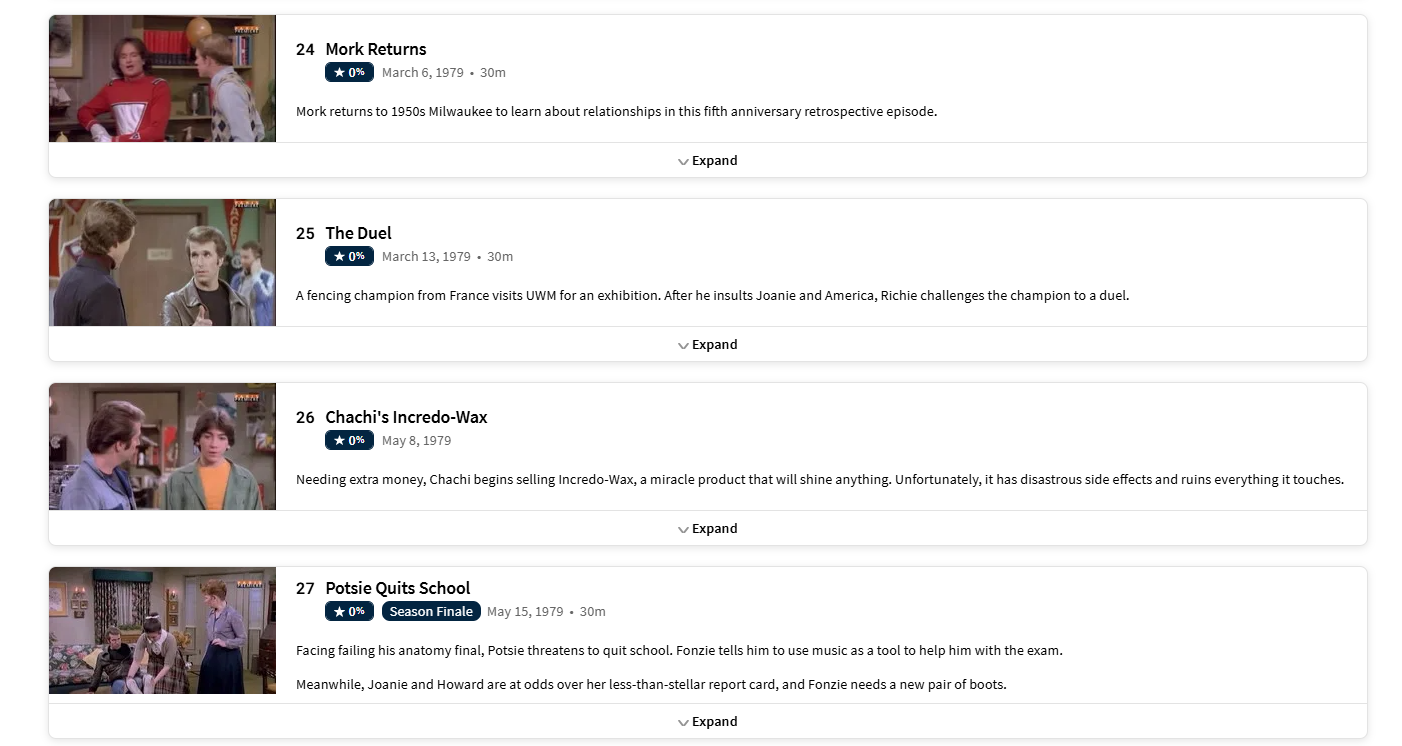
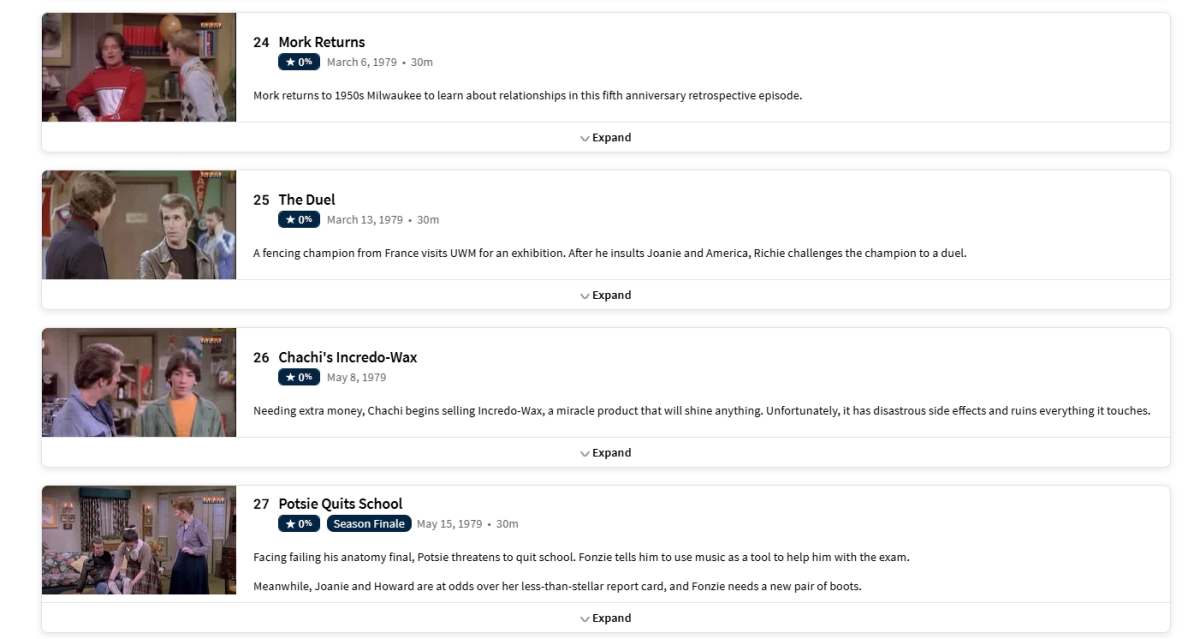
Found the episode here. Happy Days - Mork Returns: The Happy Days 5th Anniversary Special - TheTVDB.com1 point
-
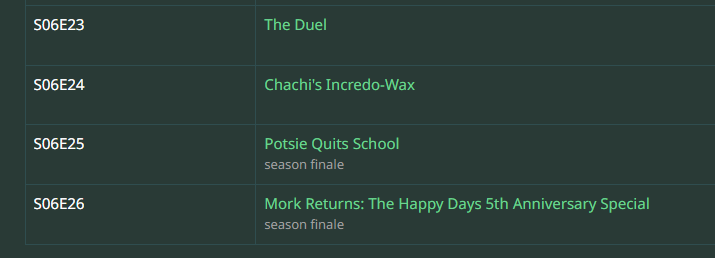
Not much anyone can do if providers list it differently as TVDB list it as a Special Happy Days - Mork Returns: The Happy Days 5th Anniversary Special - TheTVDB.com Or as also shown DVD order shows it as S06E26 (but changing to DVD order may mess up others as have not compared all) But TMDB list it as S06E24 So you could change library provider order (TMDB, TVDB) Refresh Metadata on this Series and Lock metadata on show then change provider order back.
 1 point
 -
It works, however CPU usage is still very high for some reason. Plex HW transcoding works as supposed on the same machine. When installing on Unraid, don't forget to add /dev/dri/ device, as it's not part of the default template. Hope, this helps.1 point
-
What is that? Do you mean an "Intel Processor N150" or an "Intel N150 CPU"? If so, it is supported as of 4.9.2.2-beta or later for Linux; not sure about UnRaid. I have it working: HW transcoding on 4.9.2.7-beta on Proxmox 8.x.x. Note, most of my streaming is direct play, and I haven't really tested/stressed it with more than two simultaneous transcodes, but I doubt it will handle much more and may struggle with some types of subtitles.1 point
-
Hi, is currently no support for nfo files for audio anyway. But you could make it a video library. You would just get the video UI during playback.1 point
-
I used several from here: https://github.com/tv-logo/tv-logos1 point
-
I had this issue and fixed it by disabling HEVC encoding on the server1 point
-
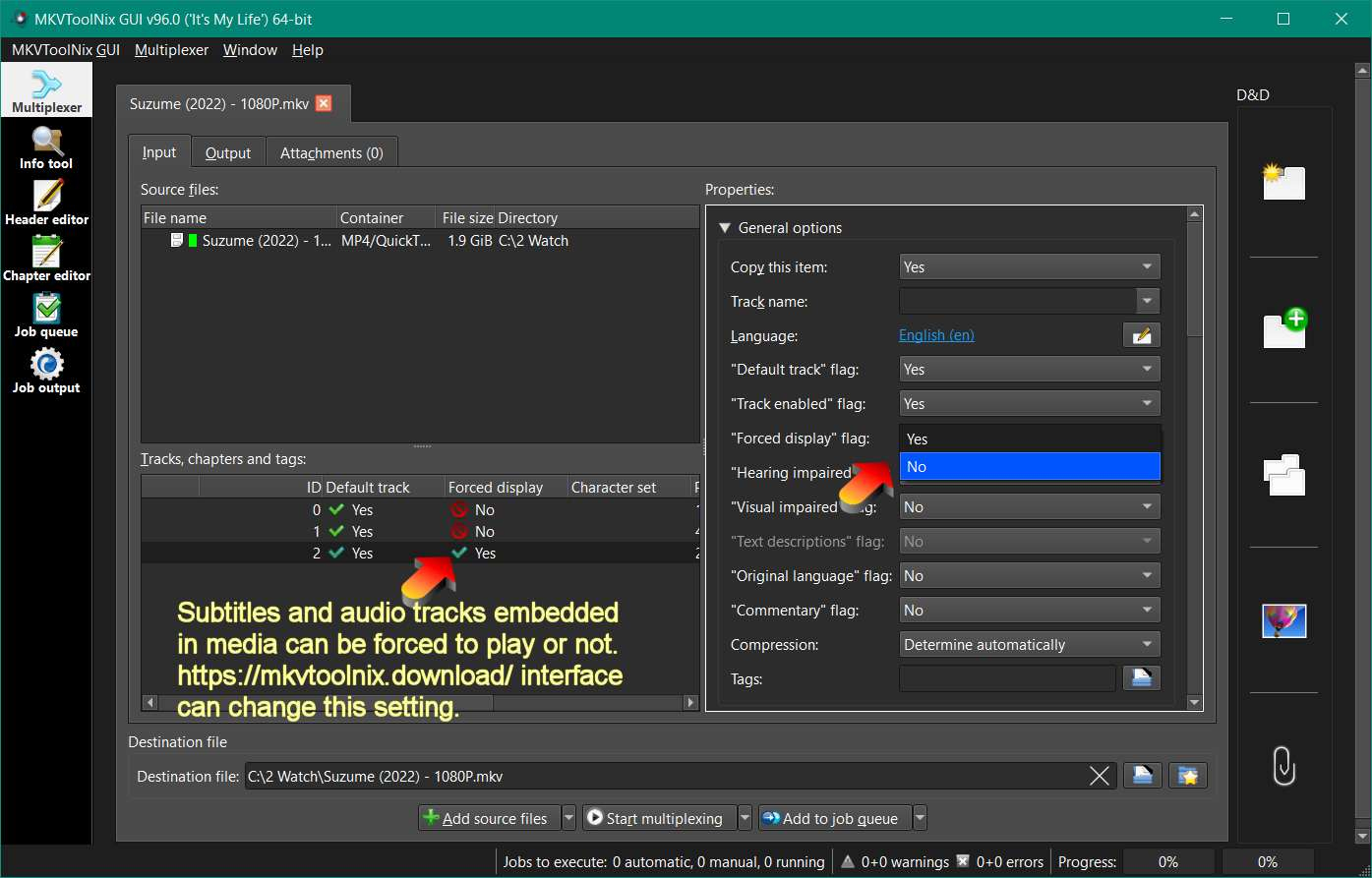
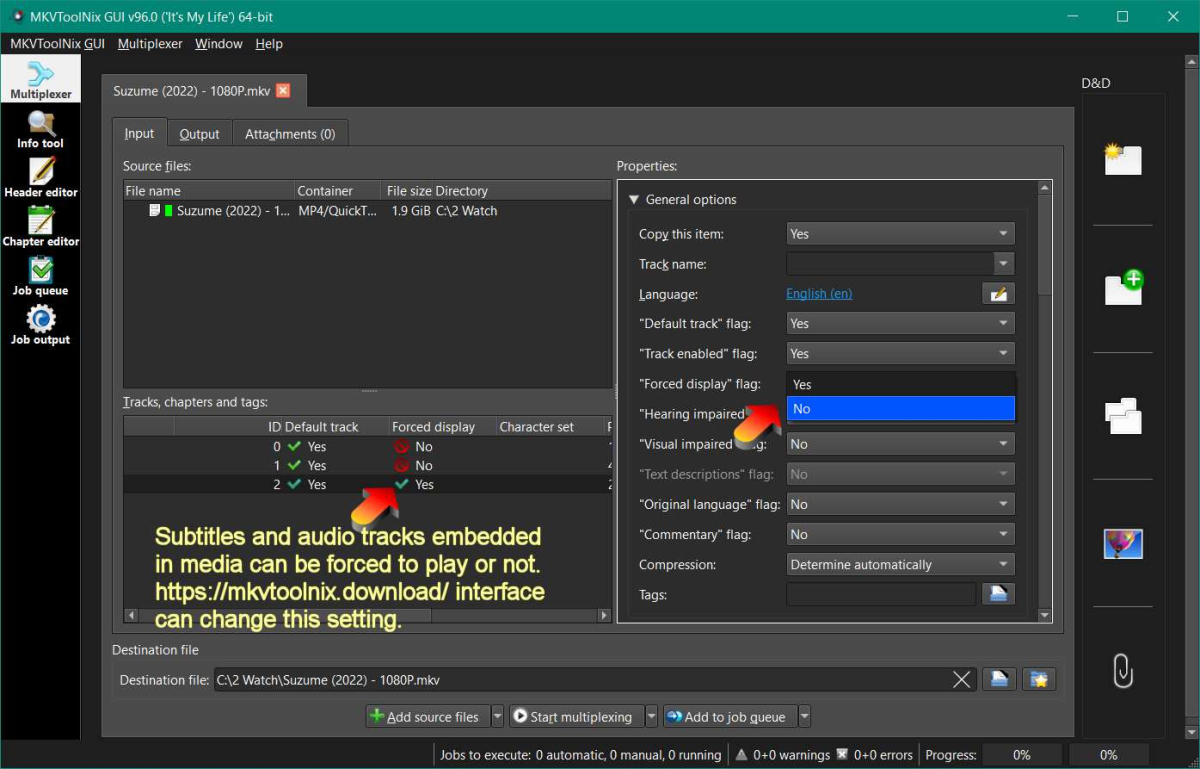
SL, I believe your media embedded subtitles are tagged as 'forced' to play inside each media file. Separated subtitles in their own files can be flipped easily, from appearing automatically (forced) or not, by just adding .default before the extension to the file name. Without the default the sub would need to be selected by the user for each media. Some_foreign_media (2022) - 1080P.mp4 Some_foreign_media (2022) - 1080P.en.default.srt Some_foreign_media (2022) - 1080P.fr.srt When this forced flag is embedded inside the media file, it often takes precendent and forces a subtitle to appear. Getting rid of this behavior can be tricky. I think that different players handle these forced commands differently. Cancelling subs for every possible player may require multiple code to check every possible player settings and turn each one off, depending on which player the user is using. I suspect this is true, but I haven't tested it. Yes, Emby doing this automatically for every player and connectio would be nice. In my opinion you are asking Emby code to jump through hoops to fix a setting in a media file, from outside the file and turning subtitles off. Any code fix from Emby can quite likely fail, every time some new TV app is released or even a mobile / web browser is updated. Emby would be watching and trying to change it from the outside, instead changing the setting inside the media file. This is not an optimized fix, it's more like a patch that will probably fail with new player software is updated from TV, mobile or web. I am not sure that this is true and I have not seen the code. I just suspect this is a problem. The better fix: The media file can be edited to turn off this forced subtitle behavior and with a 3rd party app / software. You could do it for 1000 media files in any subdirectory, all at once, with a click of 'Enter' or a 'Start' button. When you fix the media files, the subtitles will not appear, ever again, until the user turns them on per media. Ffmpeg or MKVtoolsnix can both make these adjustments to media files in bulk. You just have to set it up with the correct 'for' and 'if' ffmpeg function or mkvtools job queue. Yes, it's more complex and uses outside software. Once you have a script ready to go, it should work in any folder and subfolder easily. Here are some links discussing these options. It would be a good idea to include, check all subdirectories, if you want to change all media files embedded subtitle flags to off at the same time. https://stackoverflow.com/questions/65672037/disable-default-subtitle-track-with-ffmpeg This is a start. You still need a for all files in all subdirectories part to the script to handle multiple changes. ffmpeg -i video.mp4 -i audio_es.mp4 -i audio_en.mp4 -i subtitles.ass \ -map 0:v -map 1:a -map 2:a -map 3:s \ -metadata:s:a:0 language=spa \ -metadata:s:a:1 language=eng \ -metadata:s:s:0 language=spa \ -default_mode infer_no_subs \ -c copy result.mkv https://www.reddit.com/r/ffmpeg/comments/1fc0z53/just_change_the_subtitles_forced_flag/?rdt=48030 https://www.reddit.com/r/mkvtoolnix/comments/u79nx3/command_line_to_make_eng_subtitle_default_and/
 1 point
 -
Update, ended up being nothing to do with Emby at all! As part of further trouble shooting (read trying to find anything for my kids to watch on TV), I noticed no video streaming was working at all. Somehow the TV had local and internet access, but video was being blocked for some reason. This led me to the router. Restarted the router and everything is working again. Random! Long live the Android TV app!1 point
-
I replaced a DS918+ with the DXP4800Plus. Using UGOS, similar to DSM. I personally prefer UGOS to DSM.1 point
-
The best way I've found to ensure perfect matching every time is to include IDs from either imdb of TheMovieDB in the folder name. Depending on which Superman you're talking about that'd be: /movies/Superman (1978) [tmdbid=1924]/Superman (1978).mkv Or /movies/Superman (1941) [tmdbid=95414]/Superman (1941).mkv /movies/The Karate Kid (1984) [tmdbid=1885]/The Karate Kid (1984).mkv If you use tools like Radarr, you can change the 'Movie folder format' to include these automatically when importing media: {Movie Title} ({Release Year}) [tmdbid={TmdbId}]1 point
-
Still working on this? This is still an issue and I have to instruct everyone to just stop playback and resume as opposed to pausing.1 point
-
I would suggest to add the possibility to filter the library by languages, i.e. - Allow to filter for the audio and/or subtitle language. Regards Max ( Request taken from a former github issue: https://github.com/MediaBrowser/Emby/issues/1782#event-982356301 )1 point
-
From the Collection library standpoint, you will want to verify the library setting, up can only be refreshed from the api. Personally I enter the library and multi-select all and refresh search for missing.1 point