Leaderboard




Popular Content
Showing content with the highest reputation on 11/23/25 in all areas
-
As of EMBY server update to version 4.9 the folder view has change to a "windows explorer" like structure in which single item movies are not display as movies anymore but as folders. This is being discuss here: So the official request is to go back, or at least implement a legacy view, so we can have the folder view we've been having since the beguining of time. Thanks4 points
-
"Emby truly allows you to access your media your way!" - until it doesn't. So before Emby 4.9, movie folders were like this as if it were ONE media item: /Movies/ The Matrix (1999)/ The Matrix (1999).mkv poster.jpg fanart.jpg So Emby would collapse the folder into a single movie entry: ➡ The Matrix (1999) (no extra layers to click through) The folder itself behaved like the movie: It had a watched/played indicator It sorted like a movie It was displayed like a movie UI didn’t show a “folder level” Clicking it took you straight to the movie page This behaviour is what we users loved. After Emby 4.9 — “Literal folder structure” Emby now treats that same folder as an actual folder, not a movie. So the structure becomes literal: Movies (library) ↓ The Matrix (1999) (folder) ↓ Metadata container (fake folder that Emby adds) ↓ The Matrix (1999).mkv (the actual movie file) So on our screen we now see: Folder: The Matrix (1999) (not a movie!) Inside it: a NEW Emby-generated “metadata” item Inside that is the real movie file This adds a useless extra layer that: has no sort order has no watched state has no proper metadata cannot be configured slows navigation breaks folder-based setups (further) wrecks Android TV usability For years, Emby let power users organise libraries using: movie-per-folder nested folder collections custom artwork stored in folders deep directory structures And 4.9 broke all of it in one stroke by removing folder collapsing. We now have: a folder that is NOT a movie a metadata layer that is NOT a folder a movie file buried under both This seems to be an intentional “philosophical shift” in how Emby wants folder libraries to behave. They consider the new behaviour “more correct” from a metadata-architecture point of view, even if it destroys usability for people like me. This is the “literal folder behaviour” that 4.9 introduced — and it’s not optional.4 points
-
Hello The new version of the plugin is available on GitHub. This version is compatible with the official website APIs. Important: To use the plugin, you will need to go to the plugin settings page and set the API Key. This website uses an API key to control and limit the number of search and subtitle download requests. This plugin is only a connector to that service. Please visit https://subsource.net and create a user account. Then, at the bottom of the page of https://subsource.net/dashboard/profile, you can generate an API key for yourself. Emby.Subtitle.SubSource.dll3 points
-
Have not tried it yet but I think you cannot apply the CoverArt plugin with this change to the movie folder. As someone said WORSE THAN NETFLIX. At this point, IT'S A MUST that the devs say something about this so we, THE USERS, can do somenthing about it. Going back to 4.8 will have nearly desastrous effects because you have to delete your actual library and create it again (seems updating to 4.9 makes your library not campatible with 4.8 anymore) which means all your metadata (Manual changes, corrected errors in indentification, watch-not watch, ect..) will be LOST FOREVER. I've been making this changes for YEARS and YEARS. Staying in 4.9 means having to change the folder structure and NOT TO USE ANYMORE THE DEVS RECOMENDATION OF HAVING MOVIES IN IT'S OWN FOLDER. With a collection of more than 8.000 movies you can imagine how much work you have to put into this. If you have any other solution please say so. What it's NOT ACCEPTABLE is having to stay with this new folder view. So PLEASE DEVS, TELL US IF YOU ARE GOING TO ADRESS THIS OR NOT. I've opened an official request here So let your voice be heard and PLEASE DEVS, GIVE US AN ANSWER3 points
-
Hi, Thank you for the great product. It is a pleasure to use it. I have seen some posts but they are years ago regarding my request. Is there a plan to have notification (when adding movies, shows, live tv etc.) from the emby app ? This means to get a push message on my android phone, iphone, windows app, etc. With 3rd party software its not so cool. Thank you.2 points
-
I put my +1 on the top post, and just wanted to further comment that a fix which restores the original functionality is absolutely necessary to support my continued use of Emby. There is no workaround in the current system. The suggestions made by the devs so far are incomplete. To replace the functionality we used to have, we would need: recursive nested collections auto-create/auto-update/auto-delete collections based on folders (because manually making a collection for every folder and maintaining it is a ridiculous amount of work) combined Movie/TV tab for Mixed Library and other affected content types (@Luke at least seems to want to build this) the ability to hide individual collections from the "Collections" view (since right now, I only have about a dozen collections, which I actively use as an alternate navigation view to find content that spans folders, such as holiday titles, etc.) but I'm literally going to need a hundred collections to recreate the nested folder structure as nested collections to get them to display correctly in the Movies/TV combo tab. So some Collection-view related enhancements would be desirable to allow the Collection view to have any utility at all, otherwise it will simply be redundant to any other view. Alternately, the devs could keep the folder metadata layer that they insisted on stuffing into Folder View, provided that they also add a means of uncrippling the Folder metadata, by adding an option that single-title-folders would automatically inherit (and utilize!) all fields from their child title, and the UI would also be updated to allow "identification" and "edit metadata" actions on the folder level to propagate down into child single-title content. Meaning that it would work exactly the way it did before, just with an extra folder metadata layer which now has extra logic to automatic getting copied around, instead of being naturally collapsed. (It seems needlessly complicated compared to what we had, but if there is a reason we have to have a folder layer for single-title-folders, this is a way of making it functional instead of pointless.)2 points
-
Please please please. Just give us the option.2 points
-
It might (but not necessarily) be related to a recently introduced change in as how the collection folders are saved within \metadata folder. Few related topics here, here and here.2 points
-
New version (v1.0.1.1) up with added chapter support. All NFO info should be supported now, unless ofc. i forgot some more.2 points
-
Currently running server v4.9.1.90 When a user account is disabled and that user attempts to login, the user is given a pretty generic '403 forbidden' message and the attempt is reflected in the log file: 2025-11-22 22:32:58.038 Info UserManager: Authentication request for Test has succeeded. 2025-11-22 22:32:58.040 Error UserService-0HNH99HCGIG29:00000001: User Test is currently disabled. 2025-11-22 22:32:58.040 Info UserService-0HNH99HCGIG29:00000001: http/1.1 Response 403 to host1 Time: 10ms. POST http://host0/emby/Users/authenticatebyname?..... However there is no indication of this in the server dashboard. Nothing in 'alerts' nor in 'activity'. Can we add an alert, noting it as a failed login attempt (for notification purposes), or even as a separate event with its own notification options?2 points
-
Is there plans on the roadmap for OpenID. I have searched but not found any indication this is in development. With many admins taking up SSO through Authelia or Authentik to enhance security it would be great for Emby to support it. One of the easier open standards is OpenID which the aforementioned support. Users could continue to use LDAP if they wish while others can use the arguably better SSO experience.1 point
-
would you mind enabling rockchip (such as: nanopi r4s、nanopi r5s) to get hwaccel in ffmpeg. by adding: --enable-rkmpp --enable-nonfree1 point
-
I have a couple of media folders holding football and basketball games I've recorded. I recently came accross a metadata website for sports called http://thesportsdb.com. Would it be possible to add a field like the other metadata fields to pull information from that site to fill in fanart, description, dates, etc.? Ii'm not sure if it would require a new media "type" folder called sports, similar to tv and movies. I've linked a couple pages, the first is the API for returning information from the db. http://www.thesportsdb.com/forum/viewtopic.php?f=6&t=5 The second is example json (I believe) data http://www.thesportsdb.com/api/v1/json/1/searchteams.php?t=Cleveland%20Indians1 point
-
Hi, that sounds like a reasonable thing to add.1 point
-
Another vote for reverting this or making the old way at least an option. The new way is useless in Folder View. Since I have 2 movie libraries, one still behaves the old way and one the new, the old way code is still there somewhere (structure-wise both libraries are identical ultimately ending with a single folder with a single movie, ie Radarr layout).1 point
-
I resolved the issue. I had enabled the "Lock this item to prevent future changes" on the series itself. Once I turned that off it started working again. Weird that it would prevent Emby from finding missing episodes.1 point
-
I haven't watched that file all the way through, but without subtitles it does play further than 5 seconds. Thank You!1 point
-
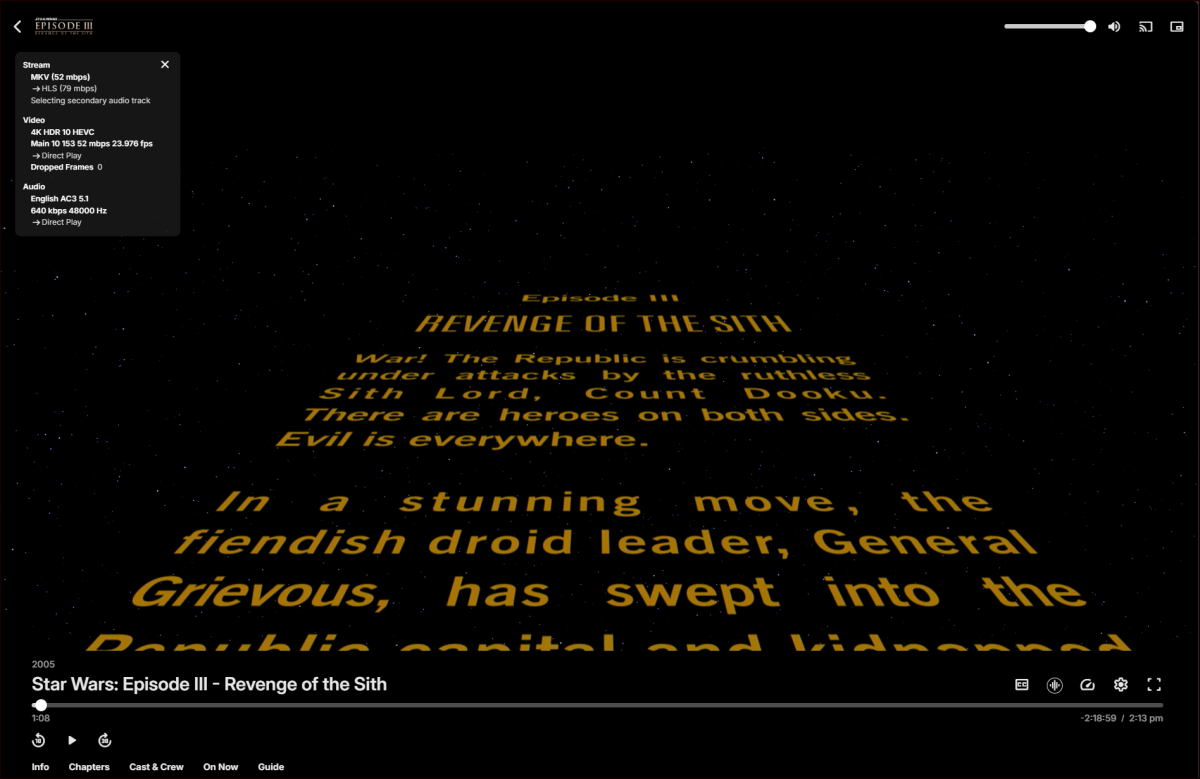
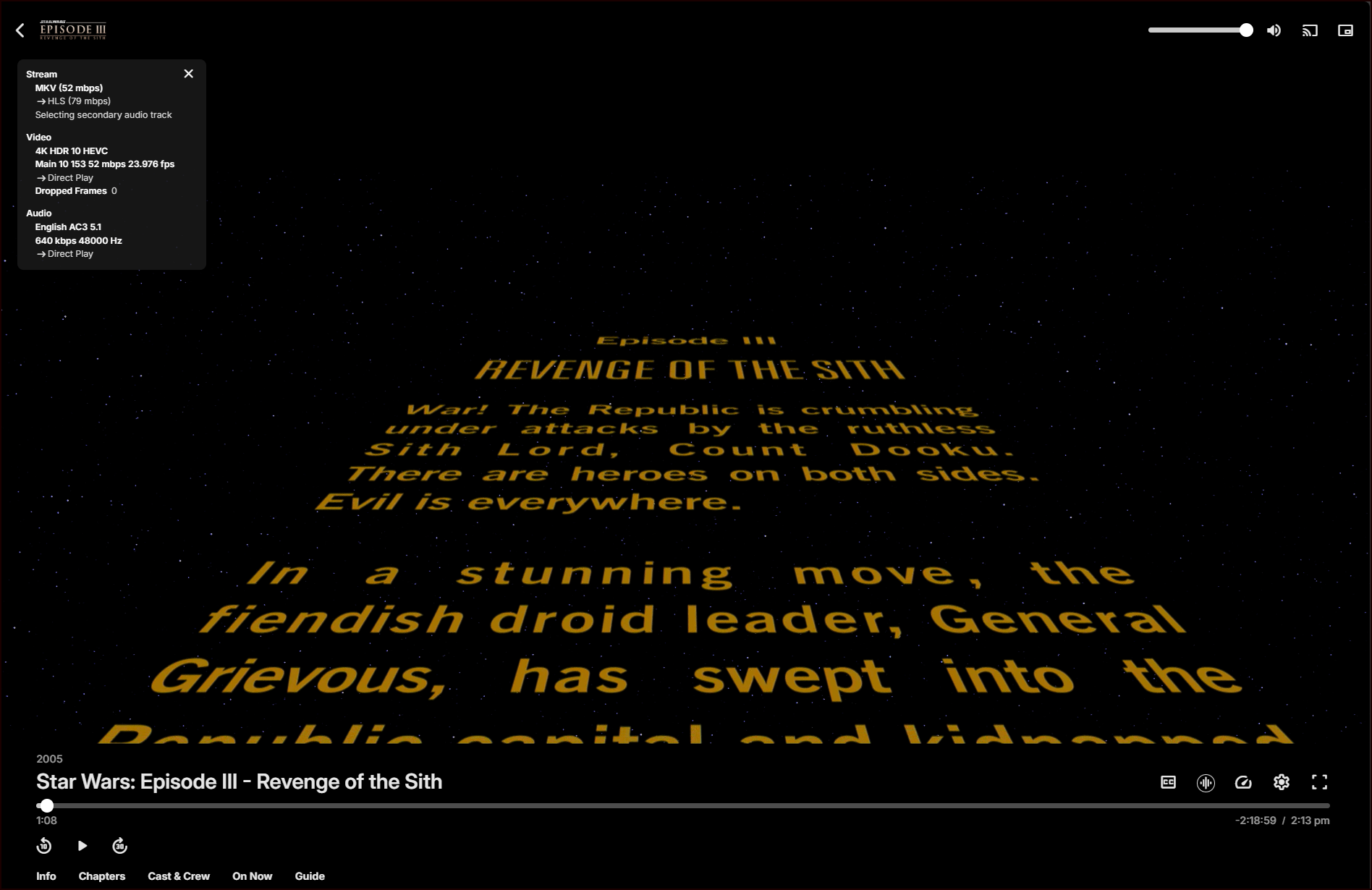
Actually I don't need to do that, I just need to select one of the other audio tracks on the title page in Emby. So, I selected the AC3 5.1 audio track which ends up being DirectPlay in Edge and the issue disappears. No more stall.
 1 point
 -
android might have no solution to add chapter freely so I think it's time to add some similar features for android system1 point
-
This right? Emby for Android TV/Fire TV and Emby for Roku Logs These apps have the option to send an app log to us electronically. You enter the settings page and turn on the "Debug Options". Now there will be a new tile on your home page settings row (or menu option on the user menu at the top) labelled "Send Log". Reproduce your problem and then use this button to send the log. Then add the following information to your report in the forum: Exactly what you were doing and what happened. Include the name of whatever you played if it is a playback problem The time you sent the log (in Eastern Time please - UTC -5) The name of the Emby user on the local server that was logged in at the time I’ve sent in the post after, I did solve the problem about the playback more or less, have some little problems with the remote connection. Trying to assign a static Ip on the server at the moment.1 point
-
One would think that Bluetooth would actually introduce latency problems as it's actually a pretty latency heavy protocol. That plus manufactures usually cheap out on the Bluetooth part (*cough* Onkyo) usually just makes it worse.1 point
-
Thanks for the info, I'll try those and see how it effects palyback.1 point
-
Is TMDB meta-provider still enabled in your Collections library (Settings>Library tab), in case server update disabled it? If it is, try unchecking/unticking it and then checking/ticking it back on, see how does that compare.1 point
-
Thanks for starting this post to consolidate everything. It would be nice to have a path forward. For the sake of documenting the full record, this has also has been discussed here: And here: And here: And most likely a bunch of other places, too.1 point
-
Custom CSS applies only to local Web app, no other client apps.1 point
-
ebr gave you a link to the instructions on how to send logs from the AndroidTV app in his first post.1 point
-
Your library images issue is not related to these threads, it’s a plugin issue. I’m away from my main computer in the next few days, but I will make an update soon.1 point
-
@quickmic Thanks for adding random context menu works great.1 point
-
Well the key needs to go into your own server. So you need to install your server on your own hardware. Without the sever you can not use your key.1 point
-
1 point
-
I sideloaded the 2.1.28 version from the apk onto my Nvidia Shield and can confirm it fixed the error 15 on the trailers playing, everything seems to be working great1 point
-
I sideloaded the 2.1.28 version from the apk onto my Nvidia Shield and can confirm it fixed the error 15 on the trailers, I found the link posted by @ebrin a different thread and it worked just fine.1 point
-
For Solo Leveling you're not seeing it as it's a season folder (S01) - Each TV show needs to have its own folder, having season folders only is not supported. TV Naming Etiher rename that folder (dumping "S01") or create series folder and movie it within. As for ReZero, that one appears correctly named, without server log it's s hard to tell what's happening. You could try: 1) Move ReZero folder out of your Anime root 2) Scan media library to clear the db 3) Run Rotate log file scheduled task 4) Delete existing NFO files from ReZero folder (if any) 5) Move it back under Anime folder 6) Scan media library 7) Post server log1 point
-
Hopefully, the developers will bring back this functionality as it was in version 4.8. In the meantime, those of us who have been lucky enough to recover and work with version 4.8 will have to stick with it.1 point
-
Here is how I name my media Folder : Fearless (2006) {TmdbId-7549} Media : Fearless (2006) {TmdbId-7549} - Director's Cut.mkv Fearless (2006) {TmdbId-7549} - Theatrical Release.mkv Fearless (2006) {TmdbId-7549} - Unrated.mkv Adding Year and tmdbid will help Emby identify the movie. With only Fearless in search you get this. Fearless — The Movie Database (TMDB)1 point
-
I think this is a failed change that takes away such a good feature1 point
-
Oh I must have missed that. There goes the hope it was a bug and will be fixed for movies then! It’s not a deal breaker for me as much as others, but I do like browsing by folders sometimes and this takes away functionality.1 point
-
I have been working on this for a while now and want to see if there is any interest at all for something like it. Anyone familiar with Unraids plugin named "Fix common problems" will instantly know what this is intended to do, for those that don't, the idea is to scan logs for errors in the Emby logs, show and if common known problem explain them and show a solution to the problem. The plugin is far from complete and might take a long time to finish (if it gets finished at all, no promises at all!!) because of all the possible problems that the plugin needs to recognize. Right now all it can do is find problems and report that the problem is there. I would just like to know if there is any interest in this before i use more time working on it.1 point
-
How would I then watch my local trailer1 point
-
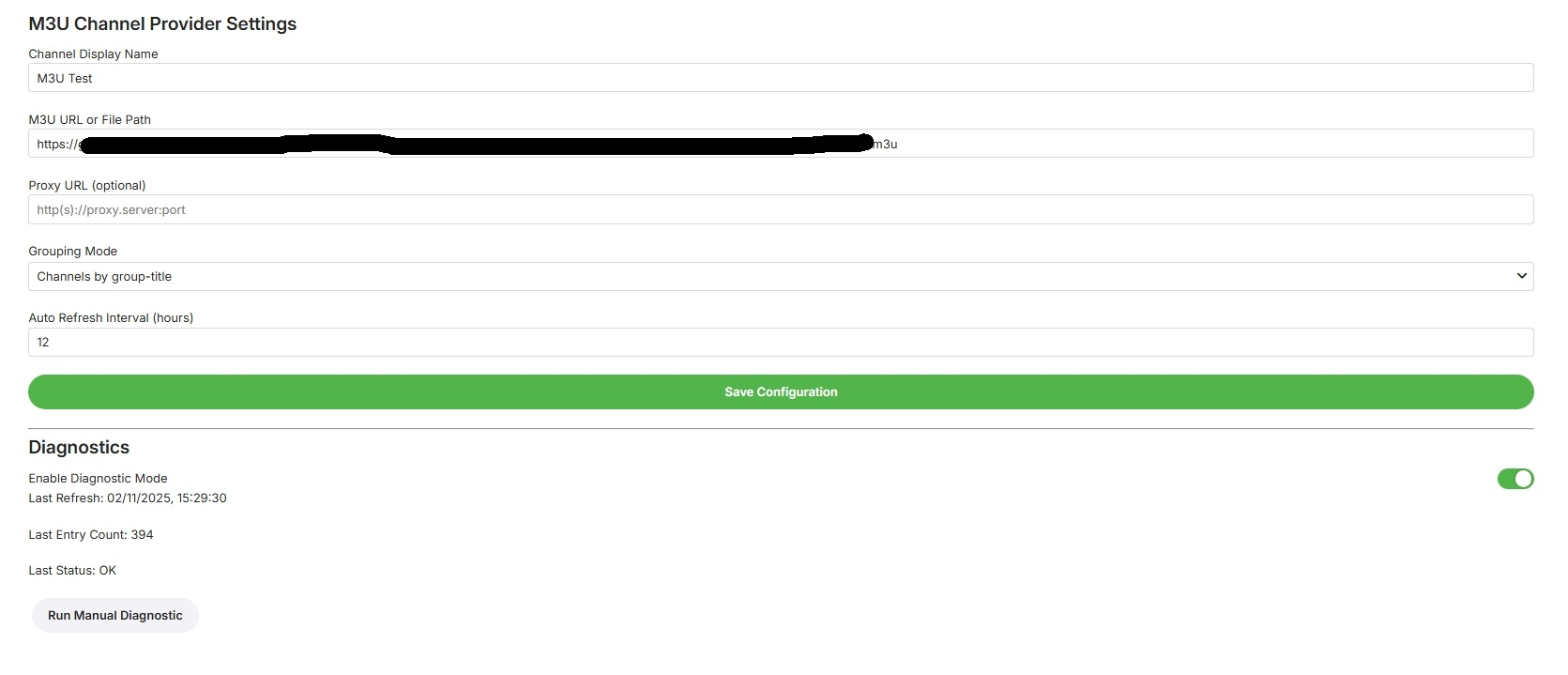
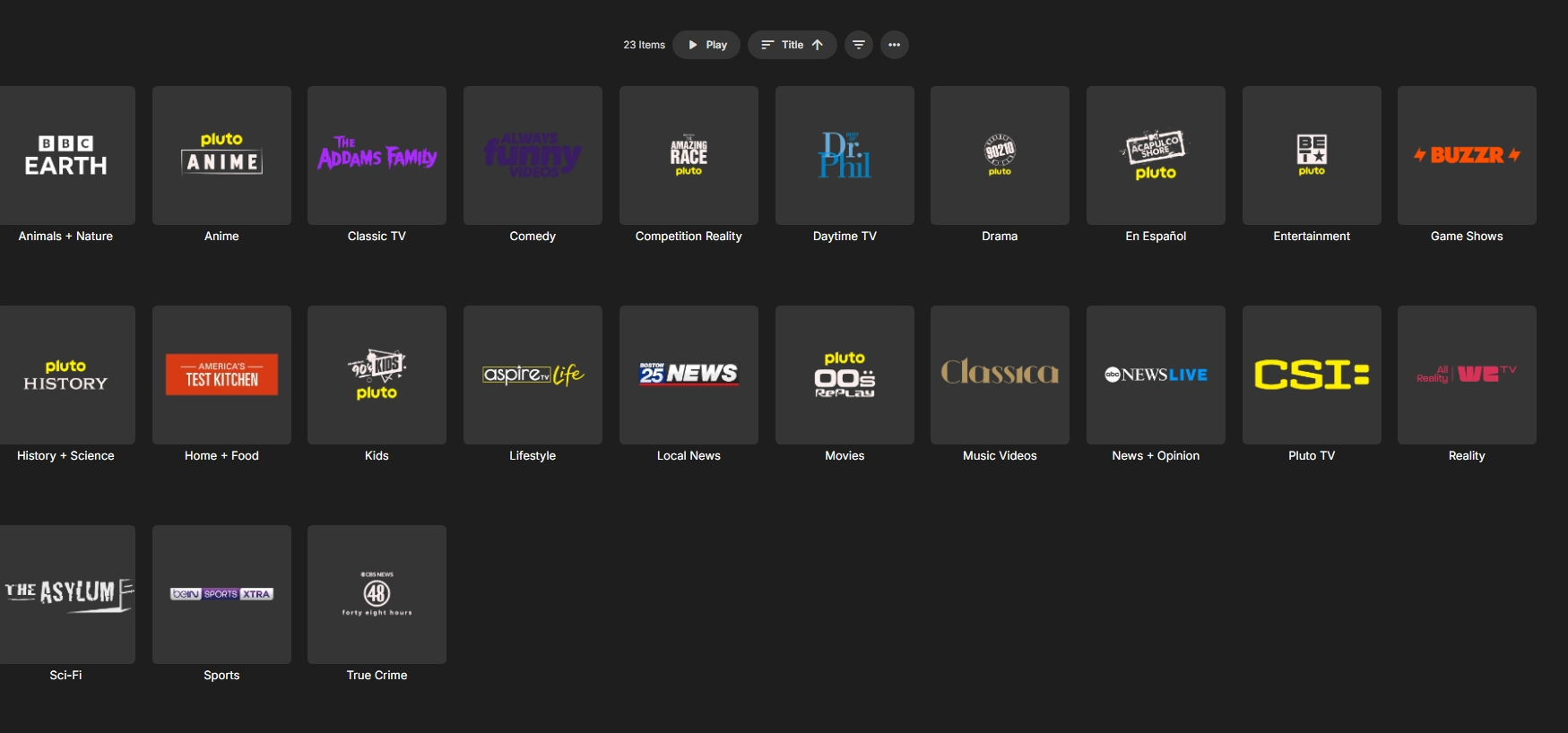
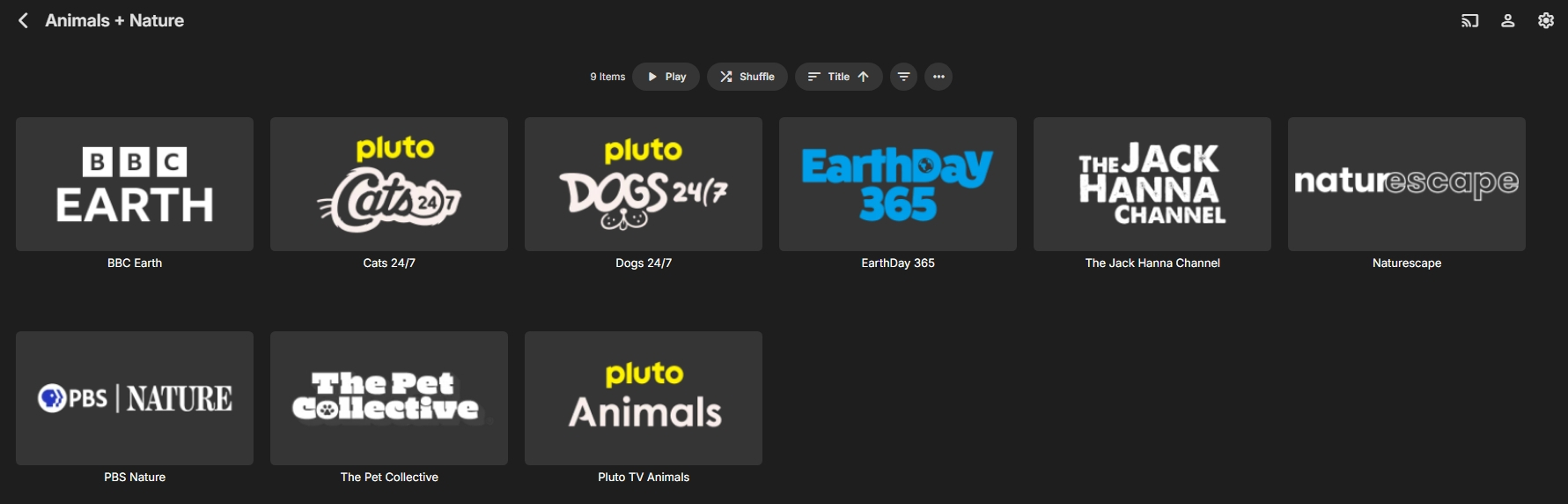
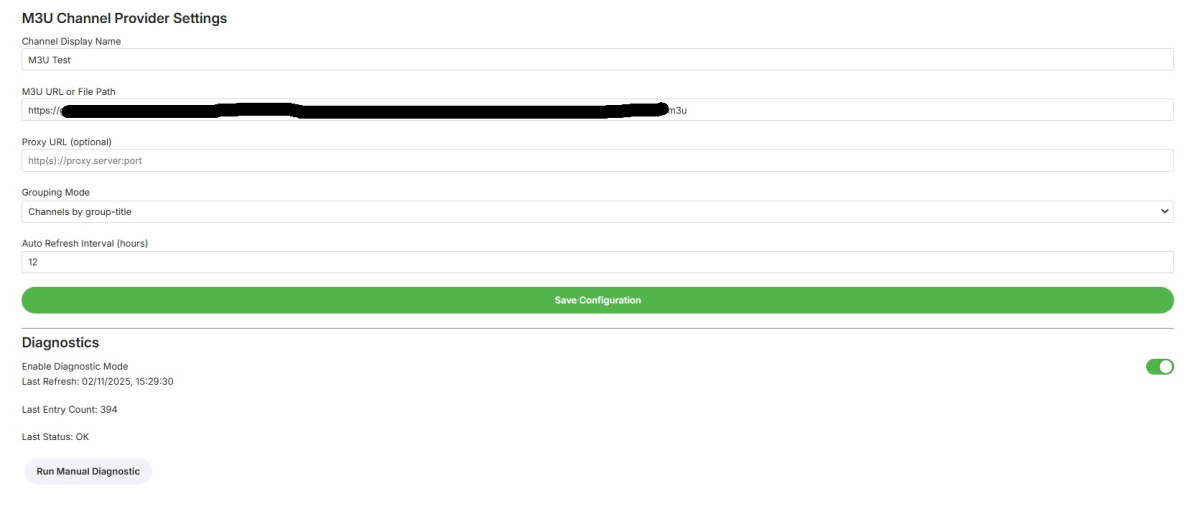
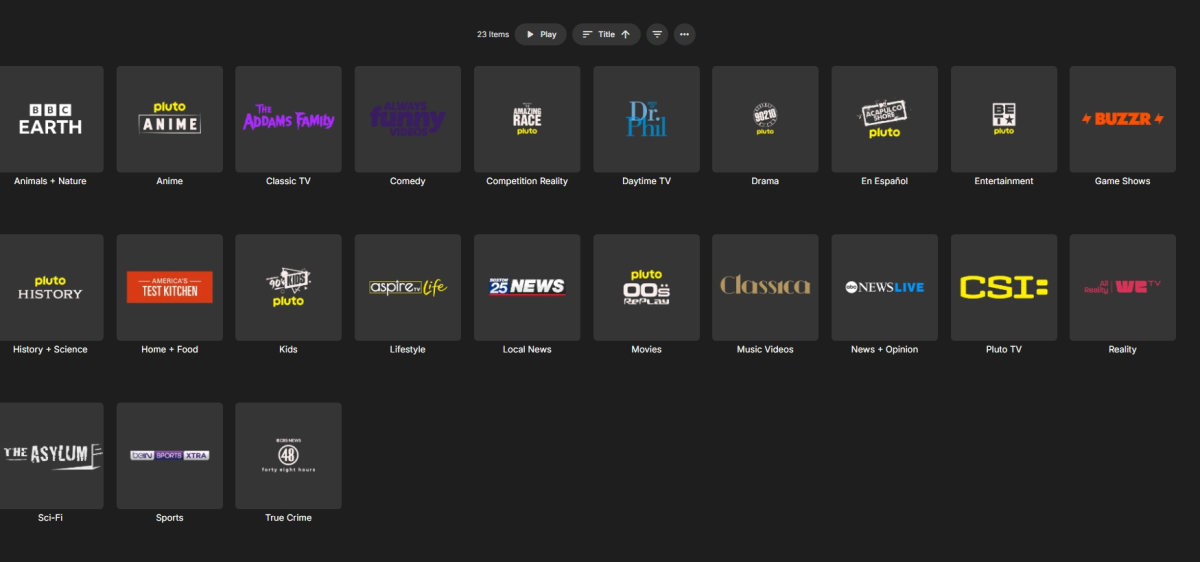
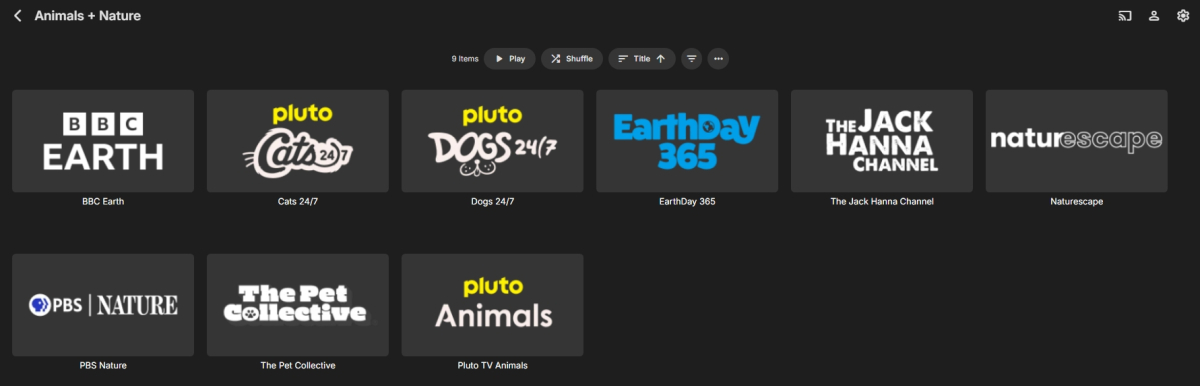
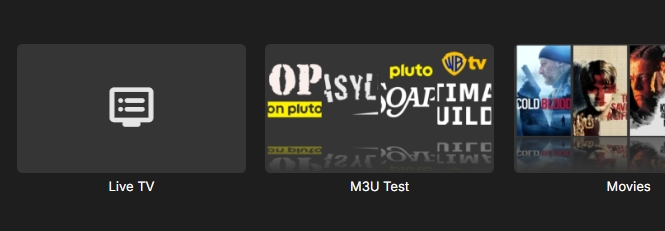
This example is pluto tv, however this does not fix the playback stalls in pluto, the images are for an example, these are grouped by "group-title" You can use for any m3u files This is a simple m3u parser, it doesn't have support for multipage (tabulated pages) downloads. No EPG support. server required 4.8.11 or above (probably wont work on older versions) Refresh internet channels in Scheduled Tasks to populate or update manually, otherwise it will update on schedule. Emby.Plugins.M3uChannelProvider.dll
 1 point
 -
It has been figured out meanwhile. It's planned for the future Also planned.1 point
-
Dolby Vision Profile 5 (pure DV) cannot be transcoded.1 point
-
Sorry but what does that actually mean? It has always worked before so what is different now? What is the point of having a database of ready images if you cannot access them?1 point
-
Thanks for the tip in the other thread Luke about the setting under "Display" that turns this problem off but I just found a new problem and don't know if I should post it here or somewhere else. Under "Edit Images" there is no longer the ability to search for currently available ones, only the option to delete what is there or add one manually. I did not change any settings just installed the update so what is going on?1 point
-
This is stupid. I couldn't use the beta because it had other problems with my setup so I had no clue this [redacted] was done. Problem is the last stable is effed up with all kinds of little [redacted] you won't fix so it's the lesser of two evils. This is a giant waste of productivity and ADDS NOTHING. Whoever thought this [redacted] up really needs good spanking. Folder view has worked perfectly forever. There was no reason to touch it. I have lots of folders and this just makes this release a [redacted]. All the other stuff looks nice but this kills it all in one fell swoop. This will waste my time EVERY DAY.1 point
-
What? Why on earth would you add another layer I have to click through for no reason? What is it's purpose other than to be annoying?1 point
-
Ok, what's this folder view BS and how do I turn it off? That seems to be the problem and I don't understand the purpose of "folder view" to begin with.1 point
-
Many Emby apps now have a setting that allows you to configure the long press action during video playback. We will add the playback speed menu as one of the options that you can pick, so that long pressing the OK button during playback will pull up the playback speed menu. Thanks.1 point
-
One of the nice things about MBC is that empty TV folders (after the latest show is deleted) are hidden. This makes Emby look very smart. I know @@ebr wants to get rid of this feature from MBC as he sees that this is better as a server feature that can be applied to all clients. I agree. So what does it take to get this useful feature into the Emby server? I'm hoping that asking nicely is enough, I'm also hoping that enough other users consider this feature useful enough ot include in the server. How about it, @@Luke?1 point
-
This has to be the worst idea I've ever seen!! There is a place for this and that's the admin dashboard.. For heavens sake please forget this or put to the bottom of the pile, never to be seen again! Stupid.. Stupid.. people..1 point














.thumb.png.f4cb0545e98b51fd9b00e427622ab761.png)