Leaderboard




Popular Content
Showing content with the highest reputation on 11/20/25 in all areas
-
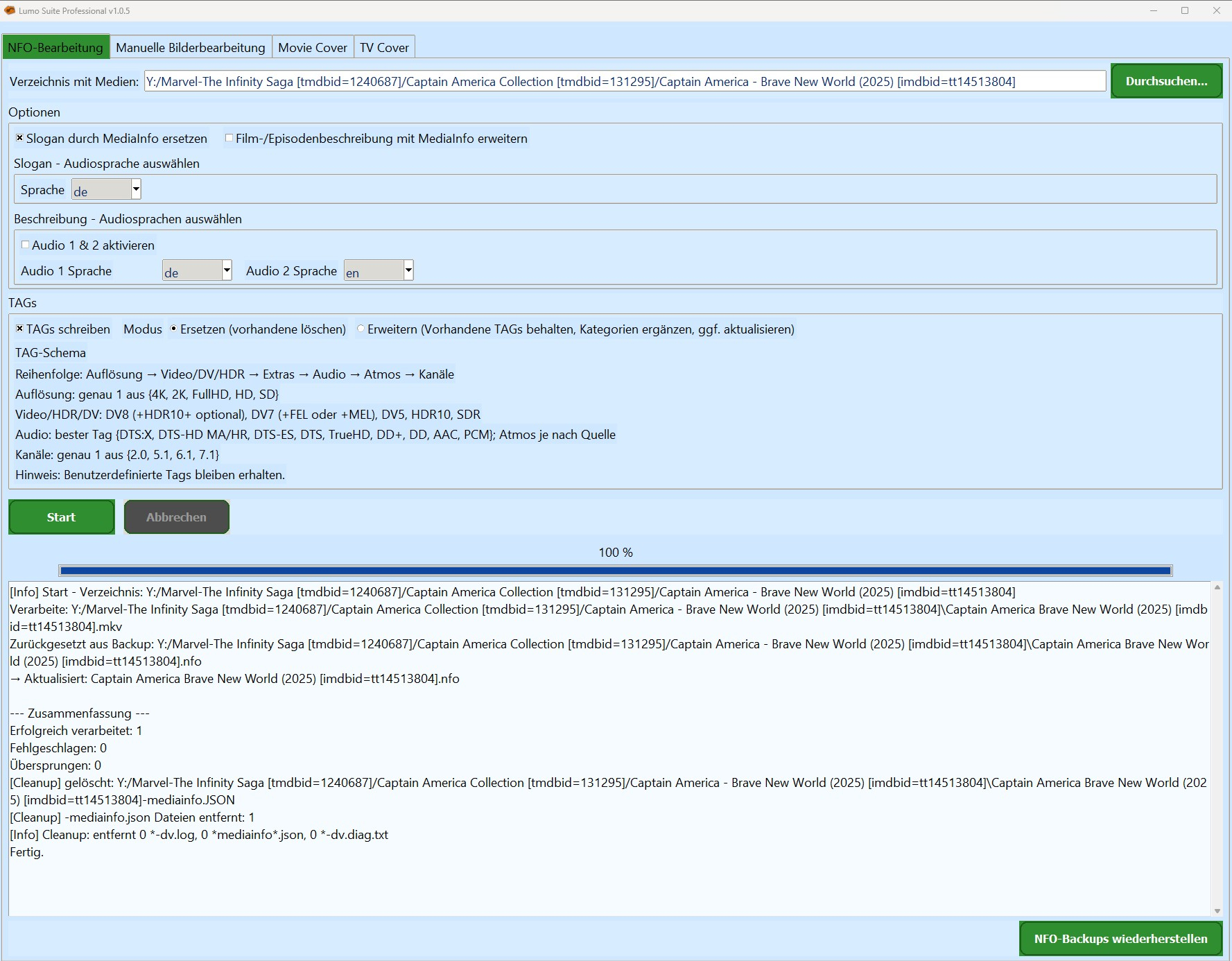
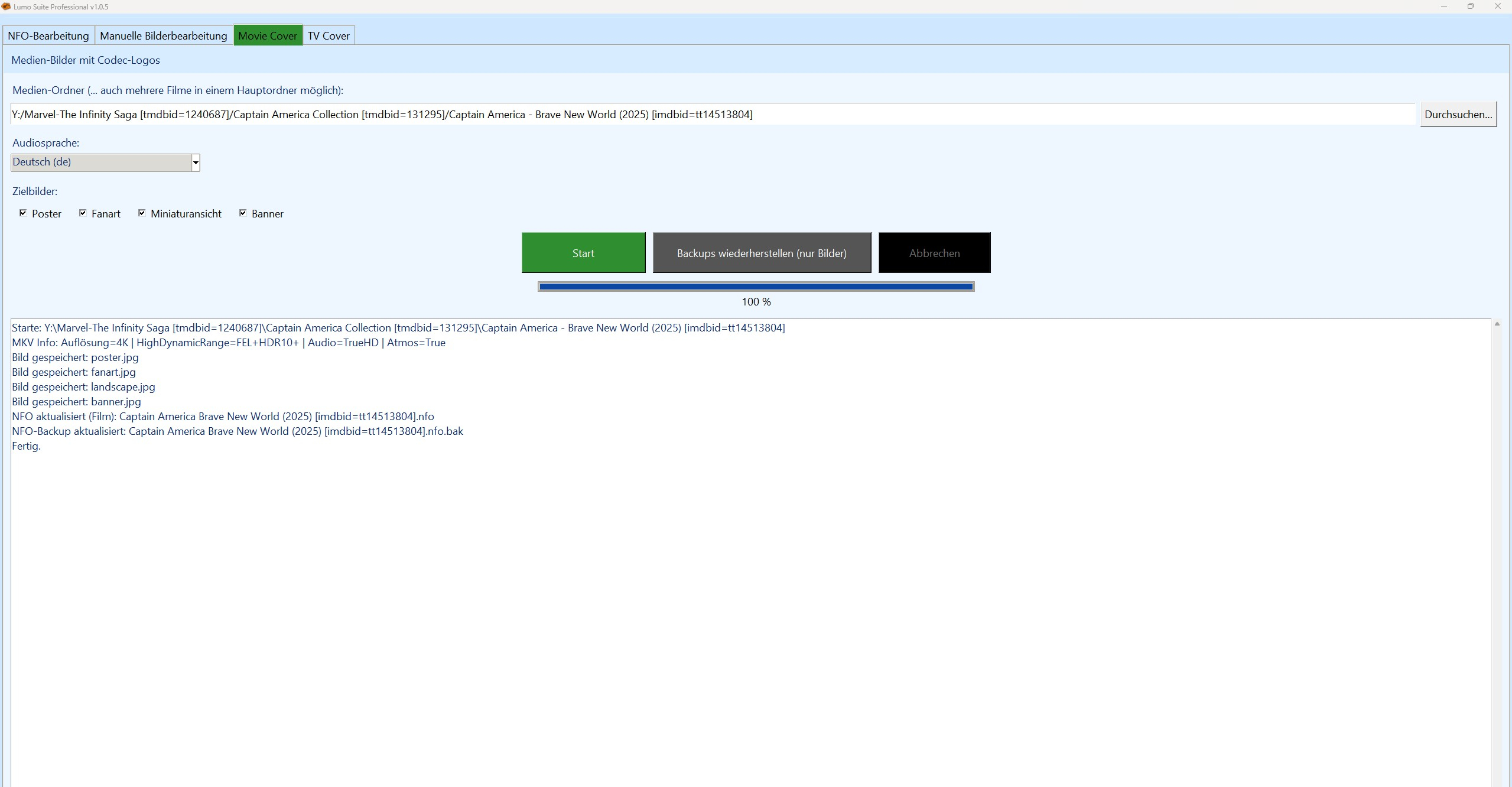
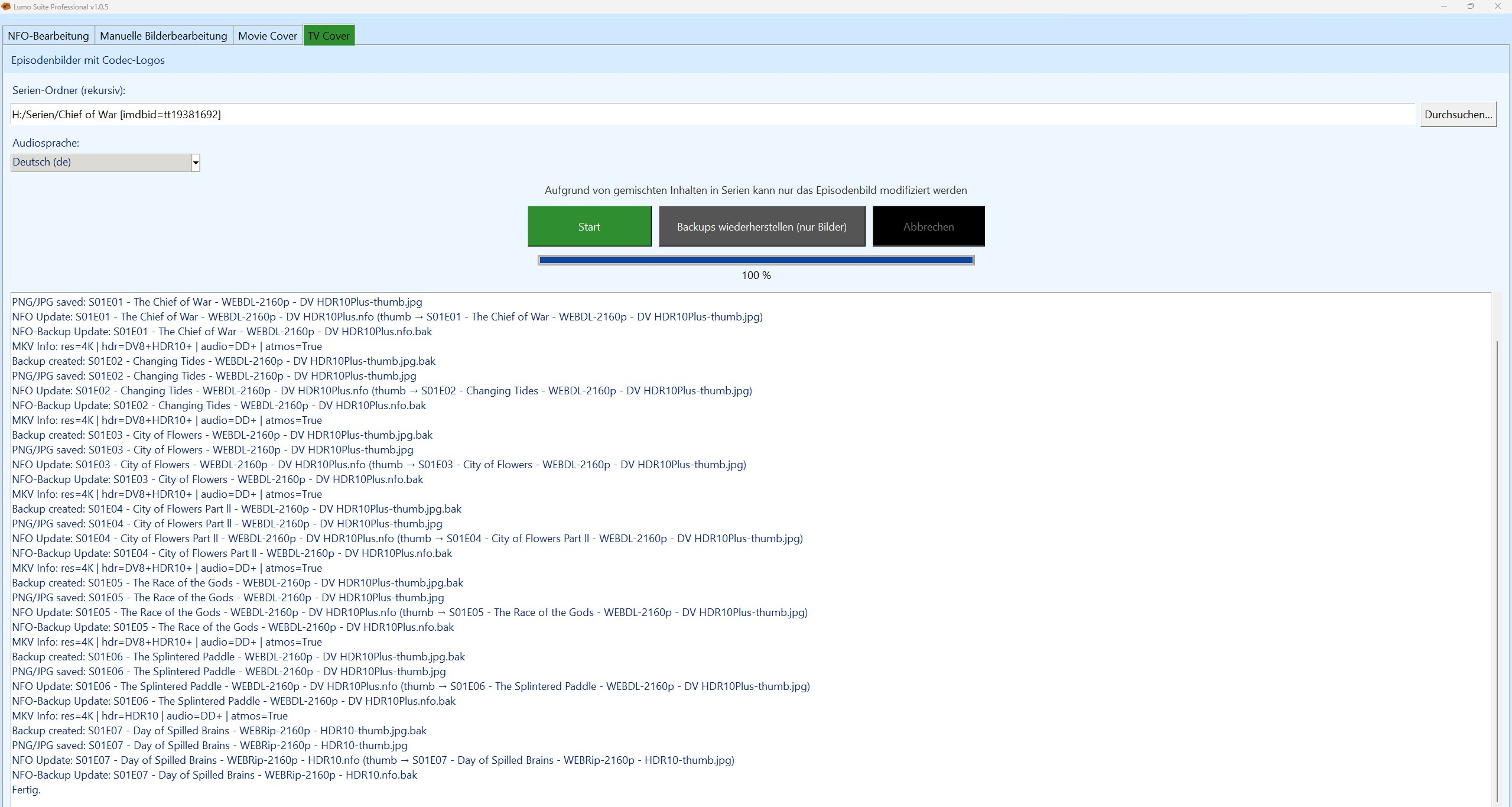
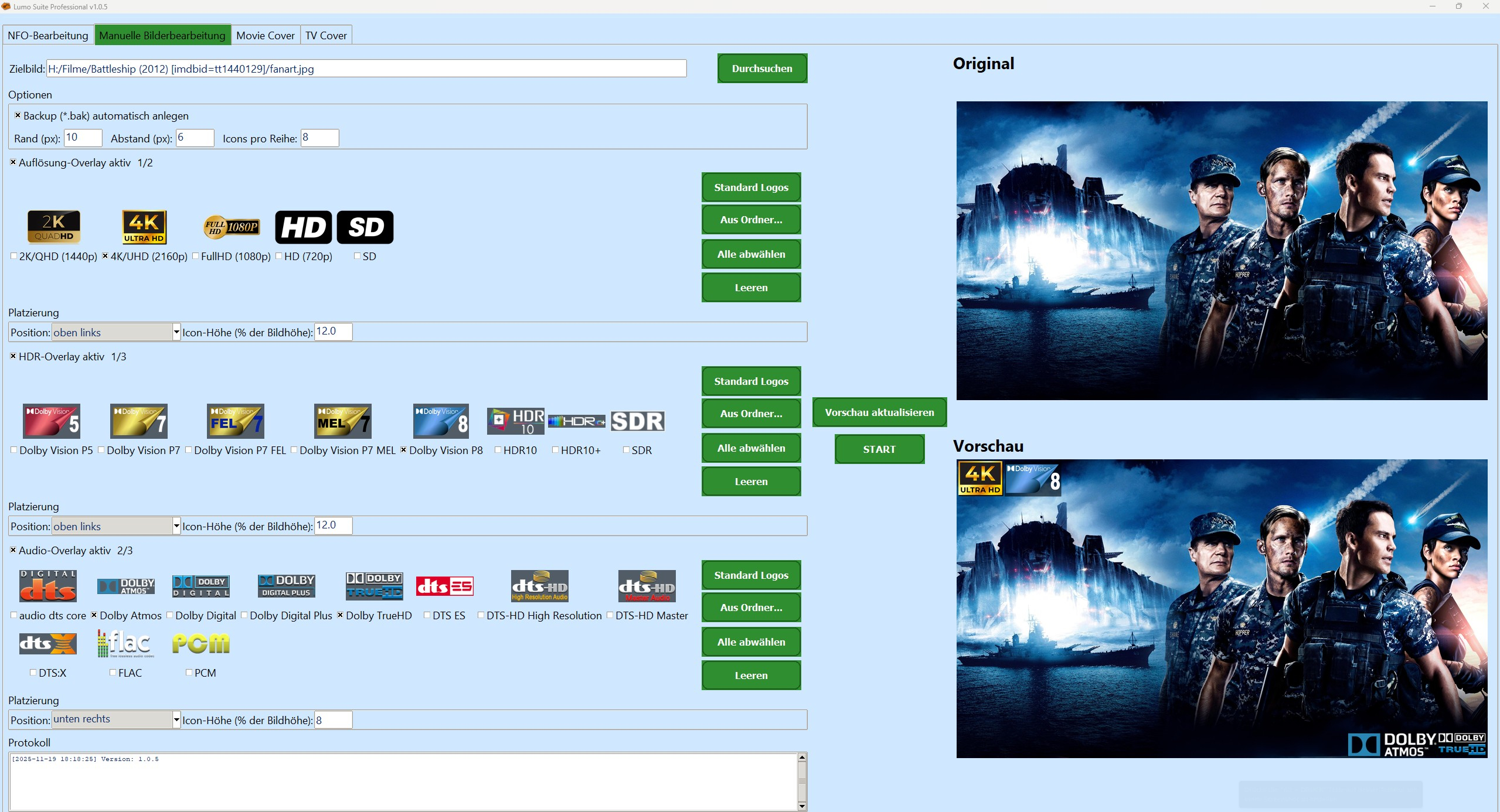
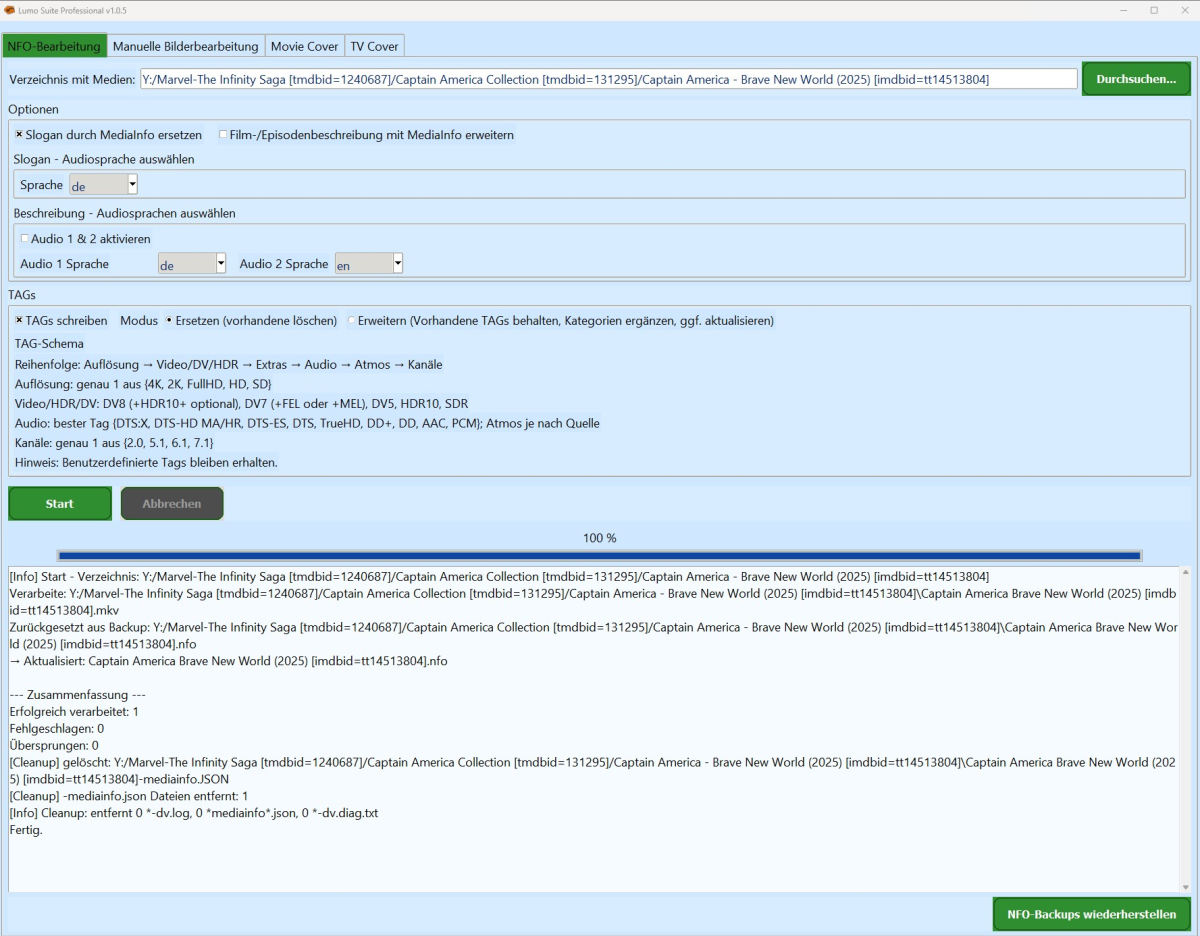
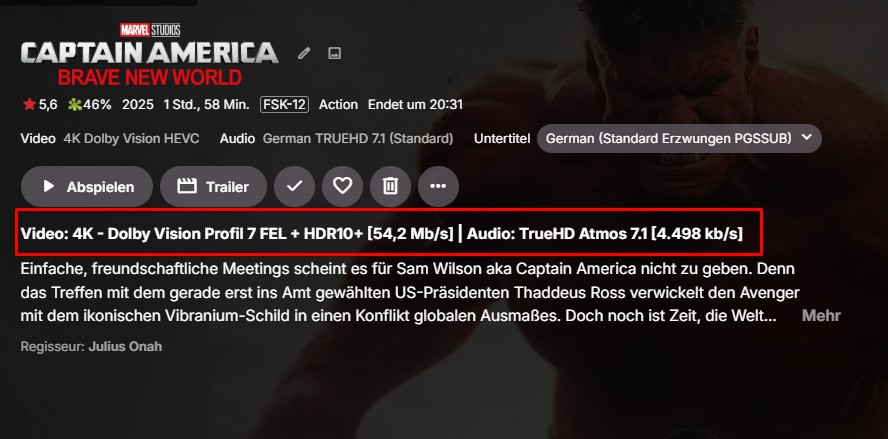
Hallo zusammen, ich schraube seit geraumer Zeit an einem Projekt, das für alle interessant sein dürfte, die ihre Film- und Serienbibliothek nicht mehr dem Zufall, Scraper-Launen oder halbgaren Cloud-Lösungen überlassen wollen: Media Lumo Professional – eine sehr bewusst „oldschool gedachte“, aber technisch knallharte Lösung für die lokale Aufbereitung von Medienbibliotheken. Wenn du dich bei Begriffen wie NFO, MediaInfo, HDR, NAS, Dolby Vision eher wohler fühlst als bei „Gefällt mir“-Buttons, bist du hier im richtigen Thread. Was ist Media Lumo Professional? Media Lumo Professional ist im Kern eine Processing-Engine für deine vorhandene Sammlung: liest deine Video-Dateien mit Tools wie MediaInfo aus baut daraus konsistente .nfo-Dateien versorgt deine Media-Server (Emby, Jellyfin, Kodi & Co.) mit sauberen Daten kümmert sich um Artwork (Poster, Fanarts, etc.) Wichtig: Lumo Professional ist kein Server, kein Watcher, kein Daemon. Du startest es gezielt, wenn du: neue Filme/Serien durchziehen willst eine bestehende Sammlung aufräumen willst technische Daten und NFOs „geradeziehen“ möchtest. Key Features 1. Designed für große Libraries, nicht für 30 Filme mehrere hundert Filme mehrere tausend Episoden NAS/Server + dedizierte Player Genau dieses Szenario ist der Sweet Spot. Getrennte Pipelines für: Movies TV / Episoden Klare Logik pro Content-Typ, keine One-Size-Fits-All-Kompromisse. 2. Technische Metadaten sind First-Class-Citizen Media Lumo Professional denkt zuerst in: Auflösung: 1080p, 2160p, etc. HDR-Formate: HDR10, ggf. Dolby Vision (abhängig vom Source) Audio: Sprachen, Kanäle, Formate Diese Infos landen gezielt und reproduzierbar in den NFOs. Wenn du z. B. eine Datei von Full HD auf 4K ersetzt, kann Lumo Professional die technischen Einträge in den NFOs entsprechend nachziehen – ohne dass du jede Datei von Hand anfassen musst. 3. NFO-Management auf Autisten-Level Die NFO-Logik ist so gedacht, wie wir Nerds ticken: NFOs werden regelbasiert erzeugt und angepasst, nicht einfach „blind überschrieben“. Formatwechsel (1080p → 4K, SDR → HDR) werden gezielt in den Metadaten abgebildet. Ziel: Media-Server bekommen immer den echten Stand der Datei, nicht den „ungefähren“. Wenn dein Emby/Jellyfin/Kodi später Quatsch anzeigt, soll es nicht an den Lumo-NFOs liegen. 4. Artwork-Pipeline Media Lumo Professional kümmert sich um: Poster Fanarts ggf. zusätzliche Grafiken, je nach Setup Orientiert an realen Heimkino-Setups: große TVs Media-Player (Shield, Zidoo, Dune etc.) NAS-Backends Im Fokus steht strukturiertes, konsistentes Artwork, nicht „zufällig irgendwas aus dem Netz ziehen“. 5. Klassisch gedacht: Windows, lokal, keine Cloud-Abhängigkeit Fokus aktuell: Windows (Workstation, Heimkino-PC, Server) Externe Tools wie MediaInfo & DV-Tools sind als fester Bestandteil mitgedacht Ziel: Endanwender sollen perspektivisch keine separate Python- oder Tool-Installation brauchen Philosophie: Lieber ein solides, lokal kontrollierbares Setup als eine weitere „smarte“ Cloud-Lösung, die morgen ihr Geschäftsmodell ändert. Für wen ist das gedacht? Heimkino-Freaks mit echten Sammlungen Leute, die Emby / Jellyfin / Kodi & Co. nicht nur „klicken“, sondern verstehen User mit: NAS im Keller eigenem Server / Workstation dedizierten Media-Playern dem Drang, dass Metadaten stimmen müssen, nicht nur „gut genug“ sind Wenn dir Worte wie „Metadatenkonsistenz“, „Batch-Lauf“ und „Logfile“ gefallen: du bist Zielgruppe. Projektstatus & Ausrichtung Ganz wichtig: Das hier ist kein Release-Thread und kein „hier ist der Download“-Post. Aktueller Stand: fortgeschrittene Entwicklung, aber bewusst noch nicht für die breite Masse freigegeben Fokus auf: Stabilität reproduzierbare Ergebnisse sinnvolle Abläufe bei großen Bibliotheken Ich will erst dann Builds nach außen geben, wenn ich sagen kann: „Das hier ist nicht nur Bastelbude, sondern standfest genug für Leute, die einfach nur ihr Heimkino bedienen wollen.“ Roadmap weitere Verfeinerung der NFO- und Metadaten-Logik Optimierungen für sehr große Libraries (Performance, Durchlaufzeiten) saubere Log-Verwaltung (rotierende Logs, Limits, Aufräum-Strategien) mittelfristig: Optionen für plattformübergreifende Nutzung geplant (z. B. via Docker-Szenarien) Feintuning von Dolby-Vision-/HDR-Workflows FAQ F: Ist das ein Cloud-Dienst? A: Nein. Cloud ist hier kein Feature, sondern ein Anti-Feature. Alles läuft lokal, deine Daten bleiben bei dir. F: Läuft das mit Emby/Jellyfin/Kodi zusammen? A: Ja, genau dafür ist es gedacht: Media Lumo Professional erzeugt/aktualisiert NFOs & Artwork, die diese Systeme einlesen können. Der Media-Server bleibt, Lumo sitzt davor und macht die Daten sauber. F: Läuft da im Hintergrund ständig irgendwas? A: Nein. Lumo Professional hat keine eingebaute Watcher-Logik. Du startest es bewusst, wenn du etwas bearbeiten, aktualisieren oder aufräumen willst. F: Ist das Programm nur in deutsch? A: Aktuell ja. Je nachdem, wie Lumo Suite Professional ankommt, wird es auch noch eine englische Fassung geben. F: Kann ich das schon irgendwo runterladen? A: Aktuell nein – bewusst. Der Fokus liegt im Moment auf internen Tests und Härtung. Sobald eine Version da ist, die sich für externe Tester eignet, gibt es hier im Thread ein klares Update.
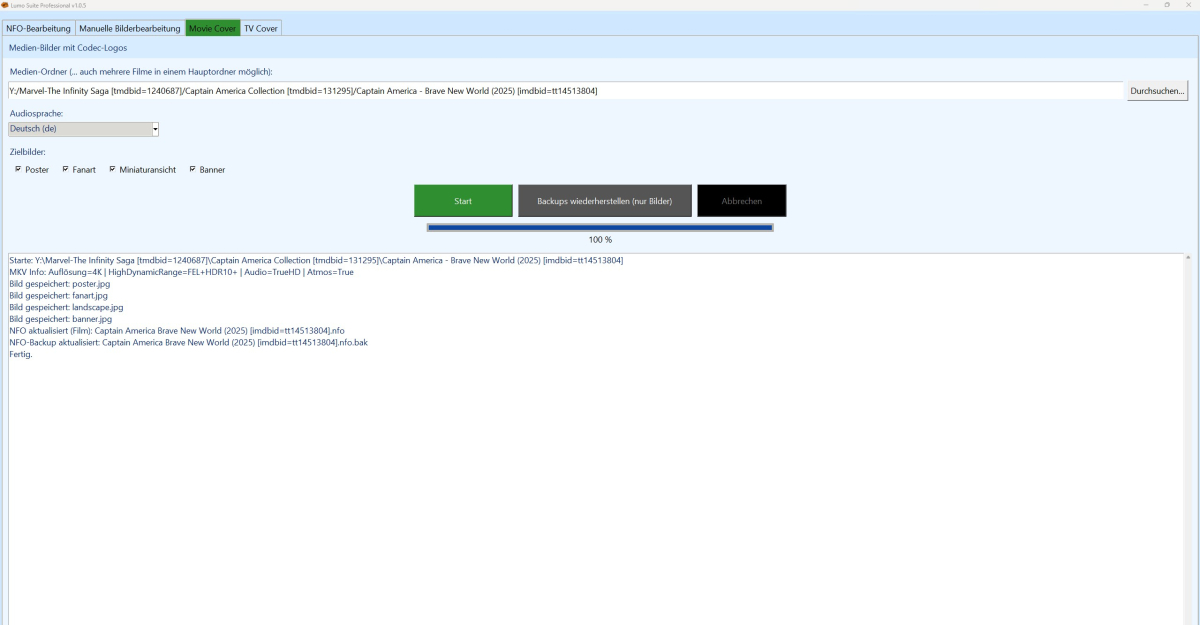




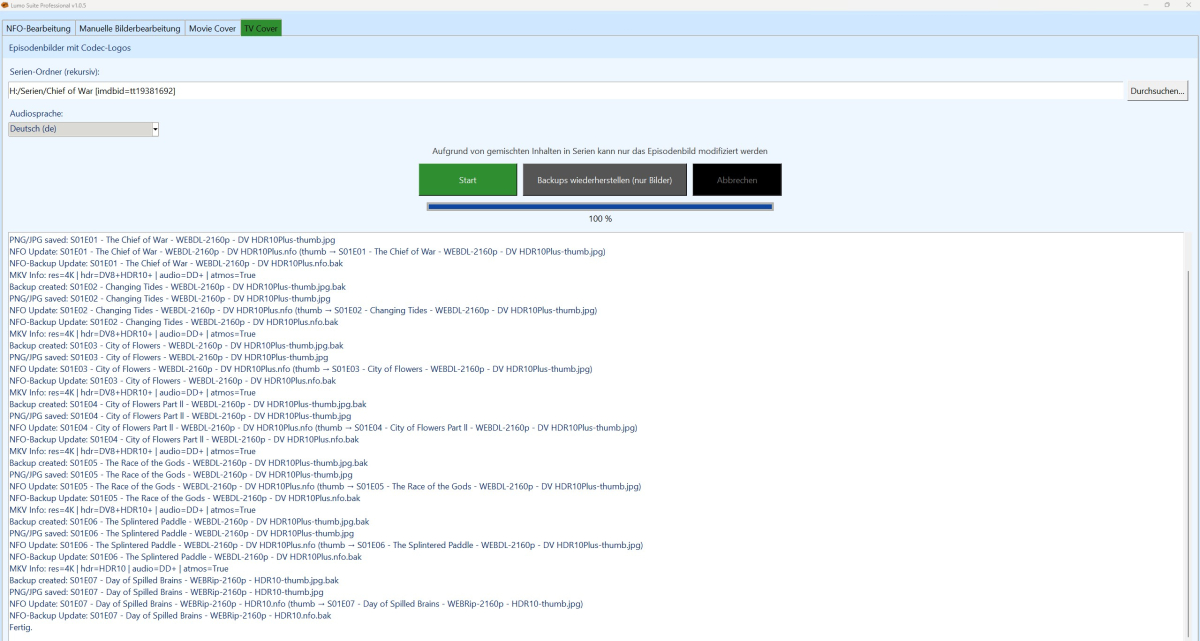

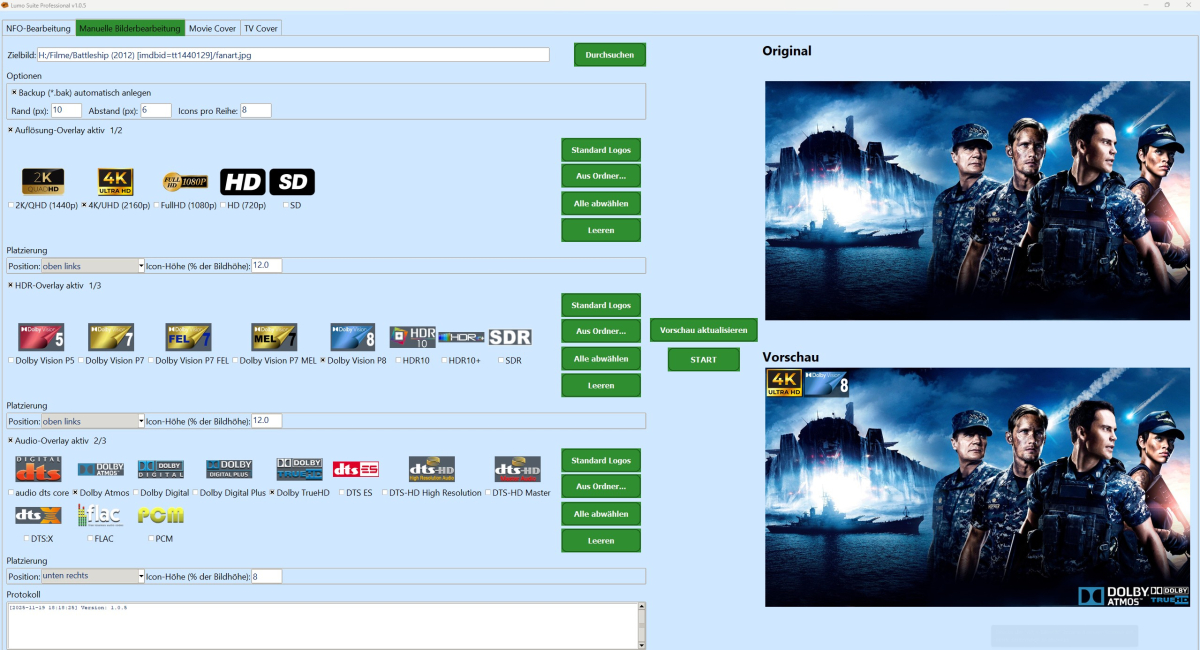 2 points
 -
just checked. working awesome, thank you so much for the quick fix! waiting for black friday discount to buy premiere life time!2 points
-
Not my place to say, but something is cooking by a community member there, give it a few days...2 points
-
2 points
-
That did the trick! Samsung's can sure be finicky about recognizing a USB stick for a side-load, but when they did 2 Tizen TVs now render both title & image. Thanks, Luke & team - resolved.2 points
-
Sorry I didn't reply sooner - just in case someone else has the same issue I had to delete the entire Premier Key , then click save Then re-enter the key and click save That fixed it. I kept trying to save the proper key without first deleting what Emby (I guess) believed to be an old or bad key2 points
-
Can we get the ability to create read only API keys? Or even better, the ability to control the scope of each API key eg similar to user permissions. As an example use case, I have set up Jellyseerr which links in to emby via the API to read media, users, sync libraries etc to function. However it needs no ability to write and modify my emby settings and configuration (*as far as i know from my limited current experience with it). If my jellyseerr were to be compromised eg through a vulnerability in a dependency or the jellyseerr code itself (supply chain attacks are getting ever more common) then the attacker would have full access to the emby server via the read / write API key and could attack my emby server from that. I understand that this is likely a niche request from a security conscious user but it would be a real bonus to emby imo2 points
-
I moved from Plex to Emby and even though I think Emby is superior in its flexibility there are some things I like better with Plex, especially in terms of its looks. This theme is trying to fix that by making it a bit more similar to Plex but with some, in my opinion, improvements. The CSS is attached to this post for anyone interested and below are some screens to show it off Good to know I only use Chrome so I can't guarantee this CSS works as expected in other browsers. If you want the sidebar menu to look like in the screens, make sure to pin the sidebar. Watched badge/banderoll is inverted which means that the badge will not be shown if media have been watched, like in Plex. For desired look, please use the "Dark" theme for both Theme & Settings theme in the display settings. Emby-Stable-style-v3.6.txt





 1 point
 -
Hello, I have been using Emby for a few years now and I must say that it works great ! Thanks to all the team. However, using it every day, I am regularly confronted with a problem of subtitles not being available on the OpenSubtitles or Addic7ed platforms with Emby, often I find them on small French sites (I think the problem must be present for other languages too ). I'm using Emby on a remote server and there are several of us accessing it, everything is done through the web browser (reverse nginx). I decided to set up a "web file browser" (github\filebrowser) to be able to manually copy the subtitle to the location of the video, rename it with the: 'name of the video.fr.srt' then in Emby on the desired video use the option "Update metadata" then F5 so that the subtitle is available but it's tedious. Would it be possible to have a button to upload a subtitle manually from a file available locally on the PC ? Sincerely, Romain.1 point
-
Hey all! Sorry for the long delay on our side. We've been hard at work on getting our app curation and templating system built. That recently launched at the end of Q3 and we have expanded the team to curate even more apps in an upcoming update. I've included Emby on the short list for that update which should be coming in December! Thanks again for your patience and I look forward to experimenting more with Emby myself very soon!!1 point
-
Hi. We are looking into it. Thanks:1 point
-
I'll spin up to checkpoint in the weekend and retreive the log1 point
-
That would be amazing Luke, thanks so much for responding. Also, thanks filski for making my comment, but much more understandable. Albums like this one: https://musicbrainz.org/release/4f3d6a15-3762-4803-8699-57f70a556917 are an issue in my collection if I want to find them using the genre menu, as it gets split between the many individual artists. Personally, since all my music is in fully tagged albums I always use 'album artist' and never artist. But I'm sure plenty of people never touch the 'album artist' tag, so probably having both is the best way. Thanks again!1 point
-
OK. I guess we would have to add album artists to that screen then.1 point
-
Hi, have you updated to Emby Server 4.9.1.90? has that helped?1 point
-
cached by my nginx proxy cache using this cache configuration location ~* /emby/Items/.*/Images/(Primary|Backdrop|Logo|Art|Banner|Thumb|Disc|Chapter)|/ChapterImages/|\.bif$1 point
-
Hi Luke -- If you click on a music genre, you currently get Artists / Albums, with no option of making that Album Artists / Albums. The problem then being that you get lots of contributing artists in the list, or 'Album Artist & XYX'.1 point
-
Ein Linux auf jeden Fall. Wenn es guten Absatz und Umsatz findet - dann kann es auch eine MacOS Version geben.1 point
-
Not sure if you find any solution, but I have found one that works with renovate. I had this before: emby: image: emby/embyserver:latest After I started renovate and it was changed automatically to this: emby: image: emby/embyserver:latest@sha256:50284133433841756686a8da2bb3122a7e2944546d74297f12dc700a731e5e26 This is the part in "renovate.json" that I use now and it seems to work: { "matchPackageNames": ["emby/embyserver"], "matchDatasources": ["docker"], "versioning": "docker", "pinDigests": true, "automerge": false } I hope it helps someone who looks for same solutions.1 point
-
Usually (very) slow syncs is an indicator, that not all metadata are loaded on server side. Then starting sync the server tries to load the missing data as the plugin requests all metadata. This should be a one time only "issue". Actually, you can trigger it on the server directly as well (without the plugin sync). -> Server library "Refresh metadata"1 point
-
Just following up to make sure you were able to replicate this behaviour and I'm not just going crazy. Thanks @Luke1 point
-
No link. As stated: I just wanted to stop you before losing your custom edits as a solution might be not too far off.1 point
-
Not sure what triggers it to be visible but I guess something like this. div.view-home-home div.homeSectionsContainer div.scrollSlider div.verticalSection:nth-child(2) {display: none;} On my systems it is the second child and already hidden per Emby code, but code above will hide it when not hidden by default.
 1 point
 -
There you go, pretty sure these have been collected when the server was clogging. embyserver (2).txt embyserver (1).txt embyserver.txt1 point
-
Hopefully, those are SmartViews.1 point
-
The Roku player is the only one I'm aware of that is this strict with the flags. Most other players on all the other platforms, we can force the proper subs.1 point
-
This issue was resolved with 2.0.2 (3). Thank you! One minor issue is when resuming in-progress recordings on the Apple TV, the only option is to play from the beginning. While on other apps, there is a resume option.1 point
-
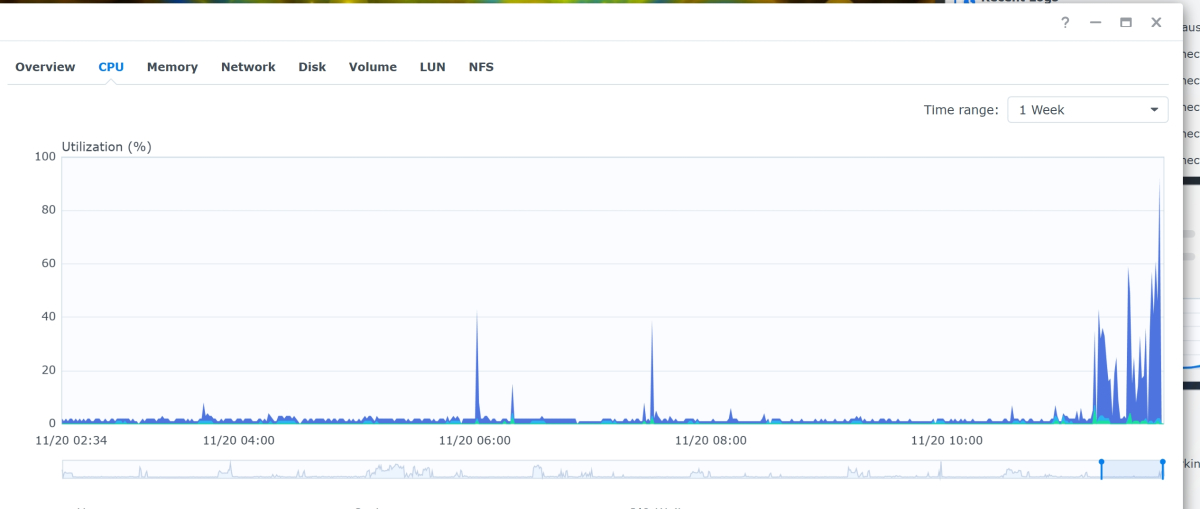
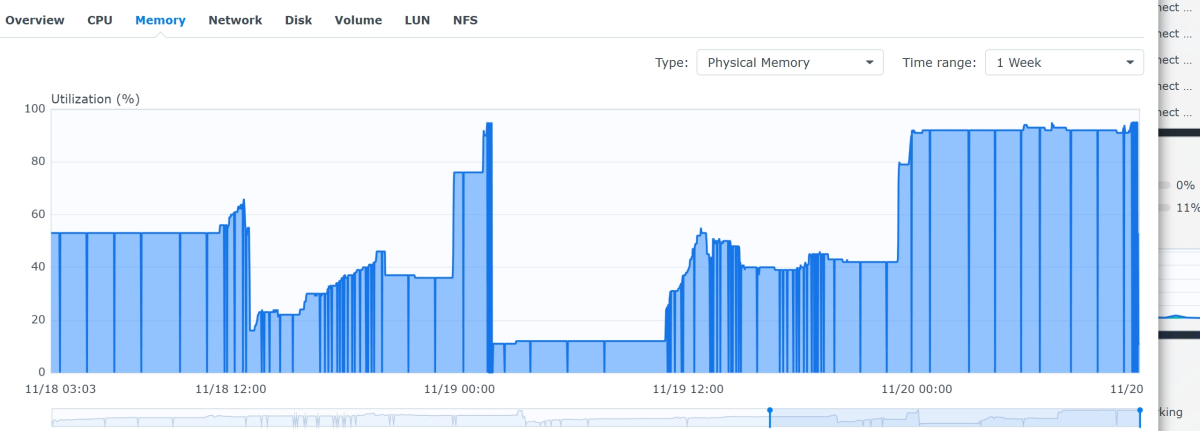
Hi there guys. It happened again. I send another log maybe it will help you. syslog_2025-11-20-12_14_7.html

 1 point
 -
genau derzeit nutz ich TinymediaManager und das kostet ja auch was jährlich1 point
-
Geplant ist eine jährliche Lizenz mit 15 Euro für Professional und 25 Euro/Jahr für Ultimate, wobei dann Professional auch im Preis dabei ist.1 point
-
Hallo Luke, das entfernen und wieder eintragen des Key hat das Problem behoben. Komisch ich hatte das auch schon mal probiert da ging es nicht. Dieses mal habe ich es im Privaten Fenster der Browsers gemacht wegen des hinweises in der Problemlösung, das wars. Vielen dank für die Hilfe DeepL: Hello Luke, Removing and re-entering the key solved the problem. Strange, I had already tried that once before and it didn't work. This time I did it in the browser's private window because of the note in the troubleshooting guide, and that was it. Thank you very much for your help.1 point
-
Then you have arrived at the wrong location. The is the Emby support forum and Emby provides no content or pirate TV.1 point
-
Yeah db size might have something to do with it (maybe in combination with inefficient sql querying?), mine is nearing 4.5GB. Edit: The emby server install is on an NVME drive, all the music files are spread between 4 HDD (combined into a single virtual volume using drivepool) 2025-11-19 19-48-34 - Trim.mp41 point
-
OK we'll take a look at it. Thanks.1 point
-
Fair enough, but you've responded yourself there: it shouldn't be exposed in the UI. As I wasn't worrying but curious why does server behave directly opposite to what I've told it to. What does worry me, though, is junk folders being left behind. That really should be handled more gracefully.1 point
-
Hi, sounds like you need to configure the VM to pass it through ?1 point
-
Seems good now. I shut it down, removed the files, started up and forced a transcode session. Was recreated gracefully shortly after I stopped playback.1 point
-
You were right, it was when I played video. But that setting did the trick. Thanks for the reply!1 point
-
Hi, yes he's just linking you to an existing topic so that we can keep the relevant discussion in one place. Thanks.1 point
-
Yeah i found that as well after having reinstalled my test server. Was hoping to fix it before any one ran into the problem, i just missed it by 15 minutes i see. This version should work. Many thanks for reporting the problem!! WatchingEye.dll1 point
-
Yes. Notice the green line is very short for the amount they have played back, yet the red line has completed entirely. This is because a remux is much faster, doesn't need to throttle, and doesn't really increase the size of the file by very much. It isn't technically transcoding. The streams are being played directly. Only the container has been changed. It says "Reducing bitrate" for the transcode reason which is probably correct that it was going to do that. Then it realized the restrictions on the user after giving that message. That it cannot transcode and the best it can do is the remux. You are correct in your understanding. The message doesn't understand yet that it will be restricted from transcoding on top of their bitrate quality selection. It just shows that their bitrate selection on the app is lower than the bitrate of the media item and gives that message. When really it is _both_ the bitrate _and_ the fact they cannot transcode. Which means their lower bitrate was not taken into account since the restriction to not transcode takes priority. The message while correct isn't applied in this instance.1 point
-
I have been working on this for a while now and want to see if there is any interest at all for something like it. Anyone familiar with Unraids plugin named "Fix common problems" will instantly know what this is intended to do, for those that don't, the idea is to scan logs for errors in the Emby logs, show and if common known problem explain them and show a solution to the problem. The plugin is far from complete and might take a long time to finish (if it gets finished at all, no promises at all!!) because of all the possible problems that the plugin needs to recognize. Right now all it can do is find problems and report that the problem is there. I would just like to know if there is any interest in this before i use more time working on it.1 point
-
plugin.service.emby-next-gen-12.3.4 中文更新1 point
-
My guess is that folder view is now the only initial option is because the other ones don't show you everything in the library, which could easily be an issue. I know that in the past you could still choose in the mixed libraries, but I always chose Folders for exactly that reason - if I wanted to view the movies and shows separately I would have made separate libraries!. Paul1 point
-
Hi, try refreshing the metadata on the movie or series that is linking to the person(s) in question and see if that helps.0 points