Leaderboard




Popular Content
Showing content with the highest reputation on 11/19/25 in all areas
-
I have been working on this for a while now and want to see if there is any interest at all for something like it. Anyone familiar with Unraids plugin named "Fix common problems" will instantly know what this is intended to do, for those that don't, the idea is to scan logs for errors in the Emby logs, show and if common known problem explain them and show a solution to the problem. The plugin is far from complete and might take a long time to finish (if it gets finished at all, no promises at all!!) because of all the possible problems that the plugin needs to recognize. Right now all it can do is find problems and report that the problem is there. I would just like to know if there is any interest in this before i use more time working on it.4 points
-
I fixed it by mounting the old server backup path to the new one and restored the users states from there. That worked for me! I only had to set all the user passwords again, and profile pictures are not there either, but that's not a big deal... Thank you all for your help!2 points
-
It doesn't seem to matter anymore. Randomly releases will hitch for no real reason, or audio desyncs, I've cleared cache, even did a system format of the Shield, changed all the HDMI Cables. But it just doesn't matter. Randomly, for no reason at all, a release that is direct playing will just pause in the Android App. But then, if I switch over to the AndroidTV App - It just works. But occasionally I will get some hitching. It is a direct connection to my media server via Ethernet cable. This does not happen in Plex, or Jellyfin. Both play files flawlessly and without issue. However, I paid for Emby Premiere and use it so my friends can enjoy my media server, and over the years it has only gotten worse support. Sometimes when I start a file, Emby itself will just crash and re-load, then I play it again and it just works. It also has issues with needing to burn in ASS/SSA subtitles for formatting or when they display, I get huge slowdowns and the videos can stutter like mad. Plex direct plays them without issue. My PC is running a 5800X3D and a 5090. I am running the latest builds of Emby Server. I don't want to use Plex or Jellyfin, as Plex is riddled with ads and nonsense features I do not want and Jellyfin just isn't what I want. I paid for Emby. I've been trying to ignore these issues for years, but it's becoming very difficult lately when I get people complaining to me about why movies are freezing or skipping. What is going on with Emby Development? There's been basic features requested for 5 years that still aren't implemented, like selecting a series audio / subtitle track en masse. I'm going to have use Plex for playing movies I guess though because it's just become too annoying. And no, log files will not help. Over the years, I've posted logfiles for you, given you samples of the media I was trying to play and nothing comes of it.1 point
-
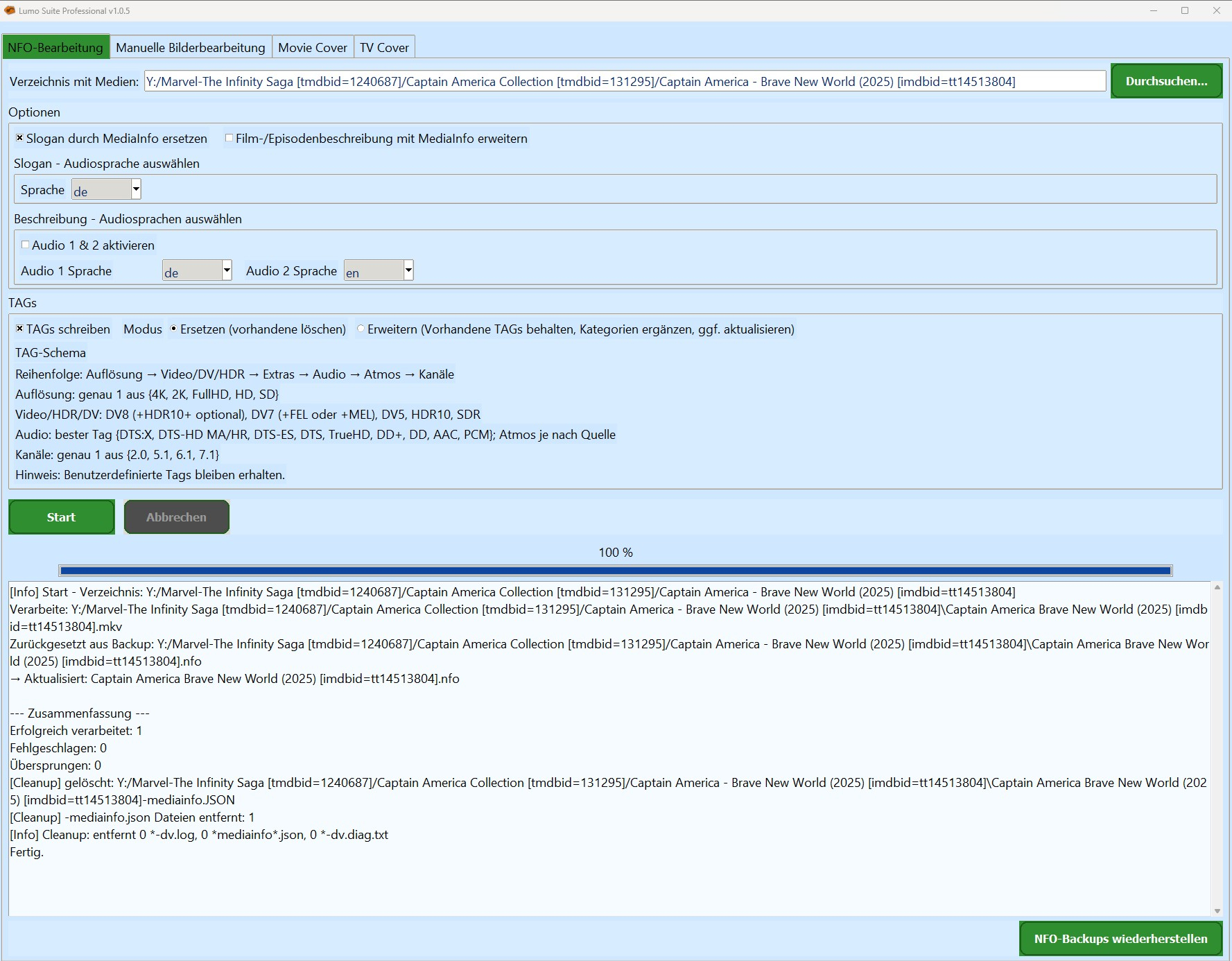
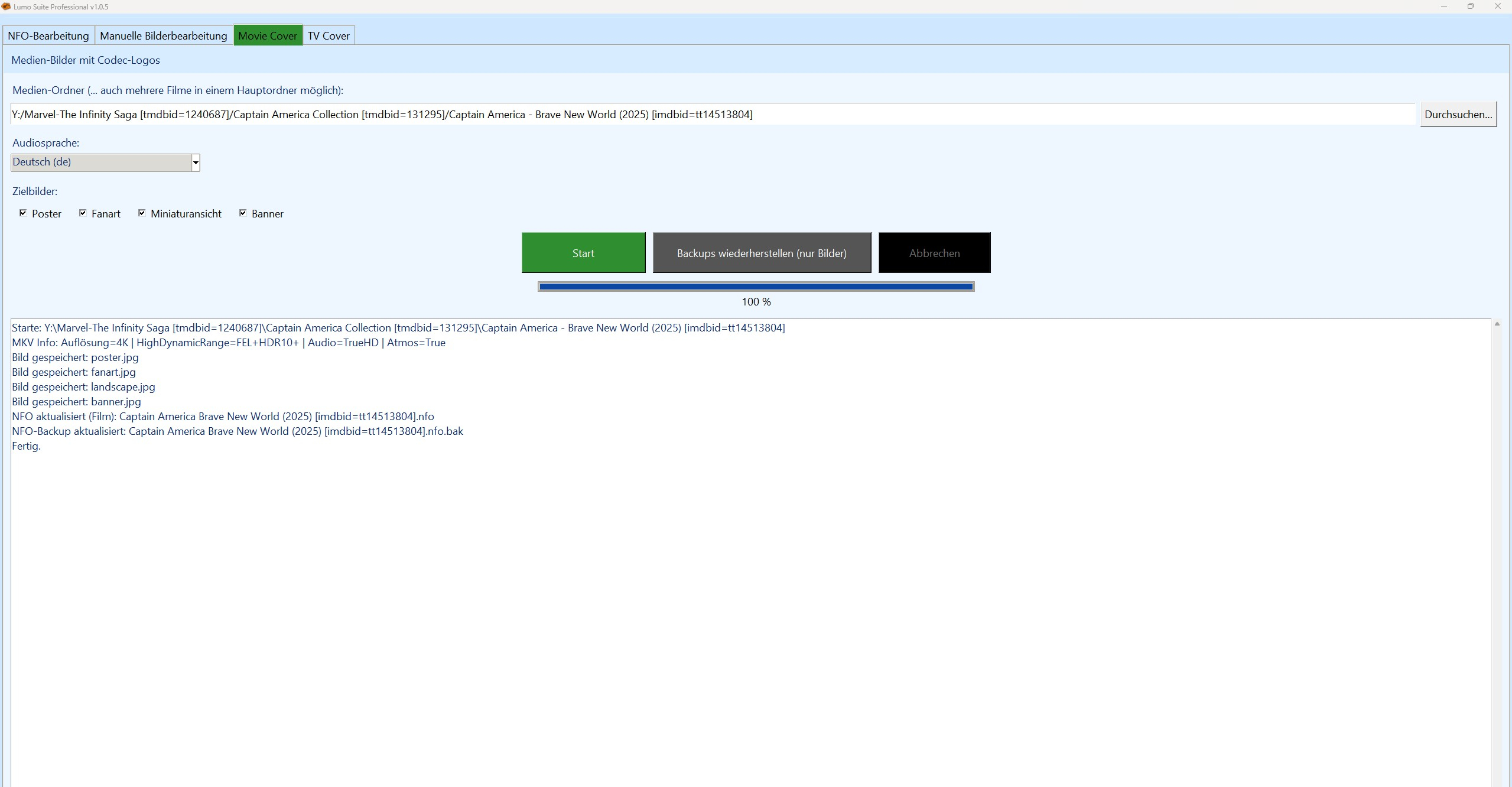
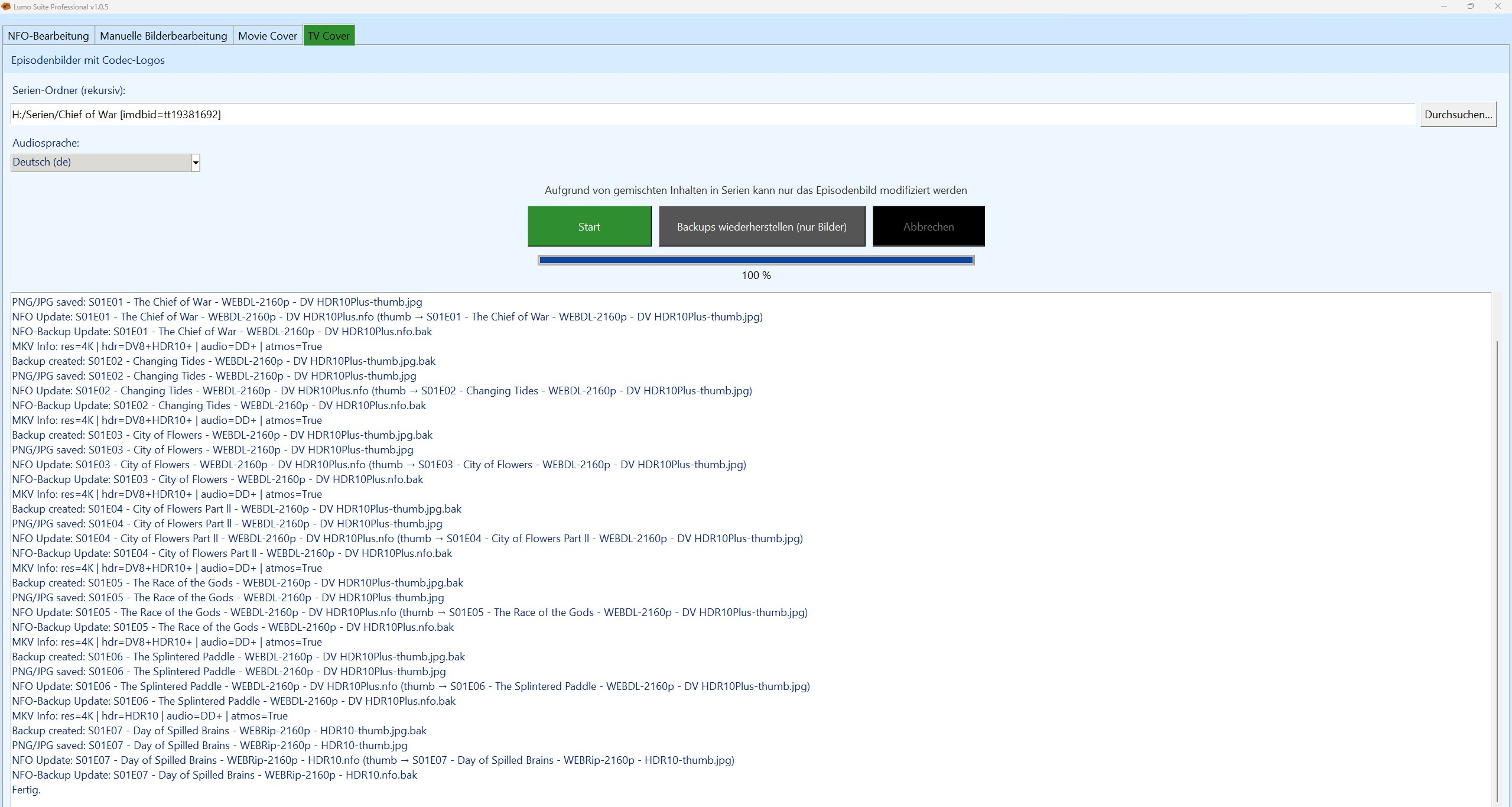
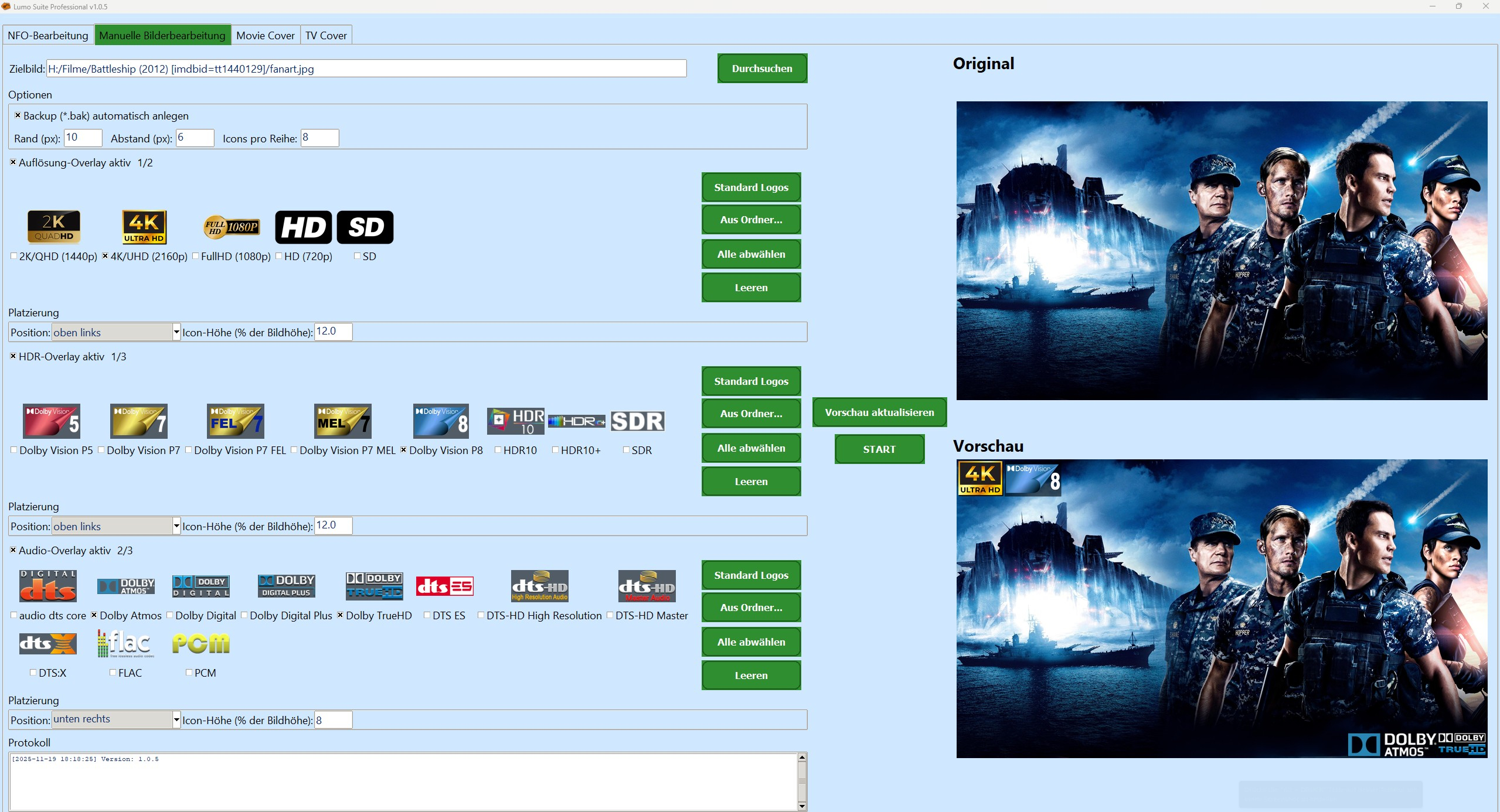
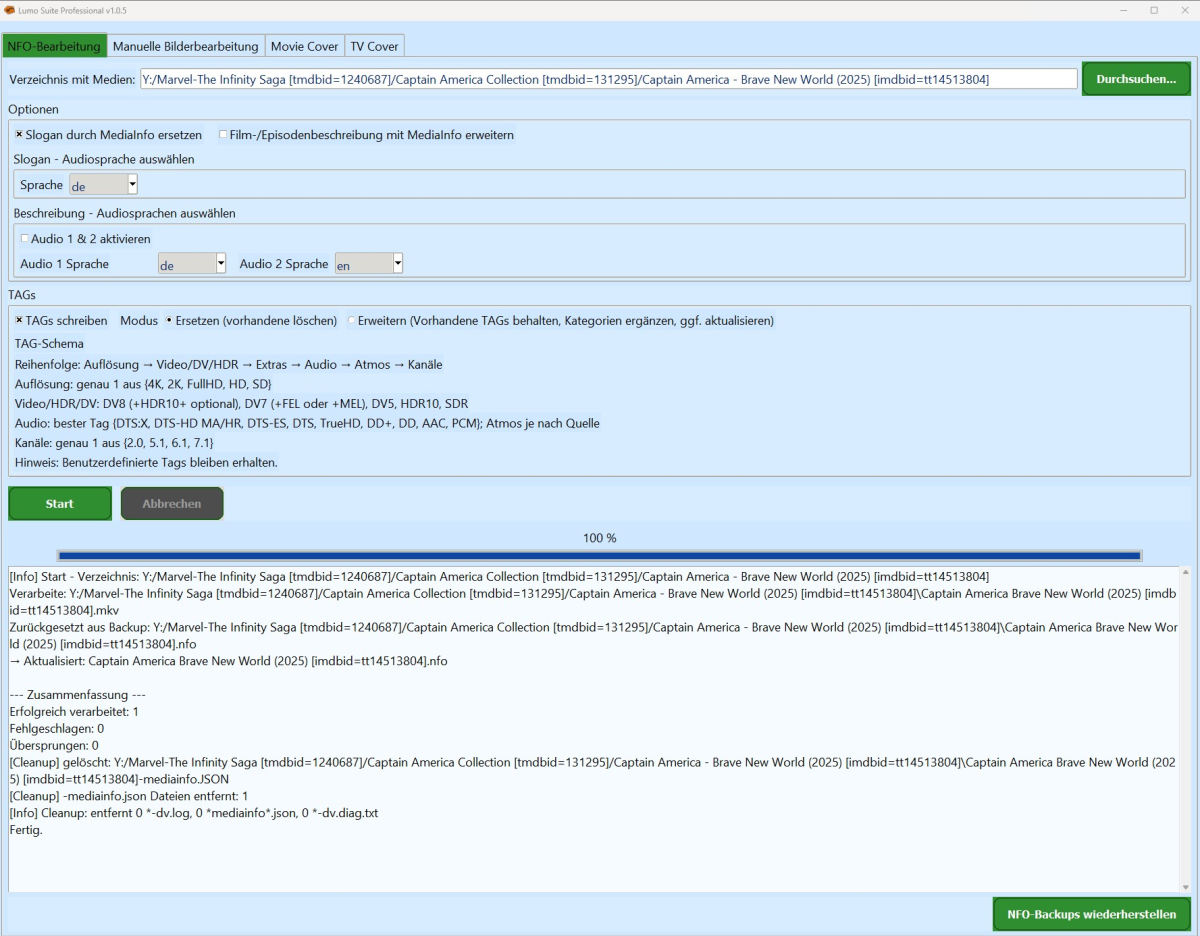
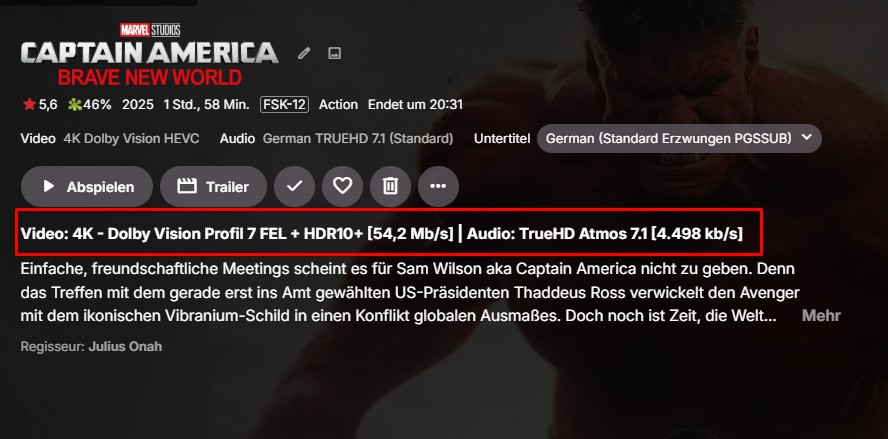
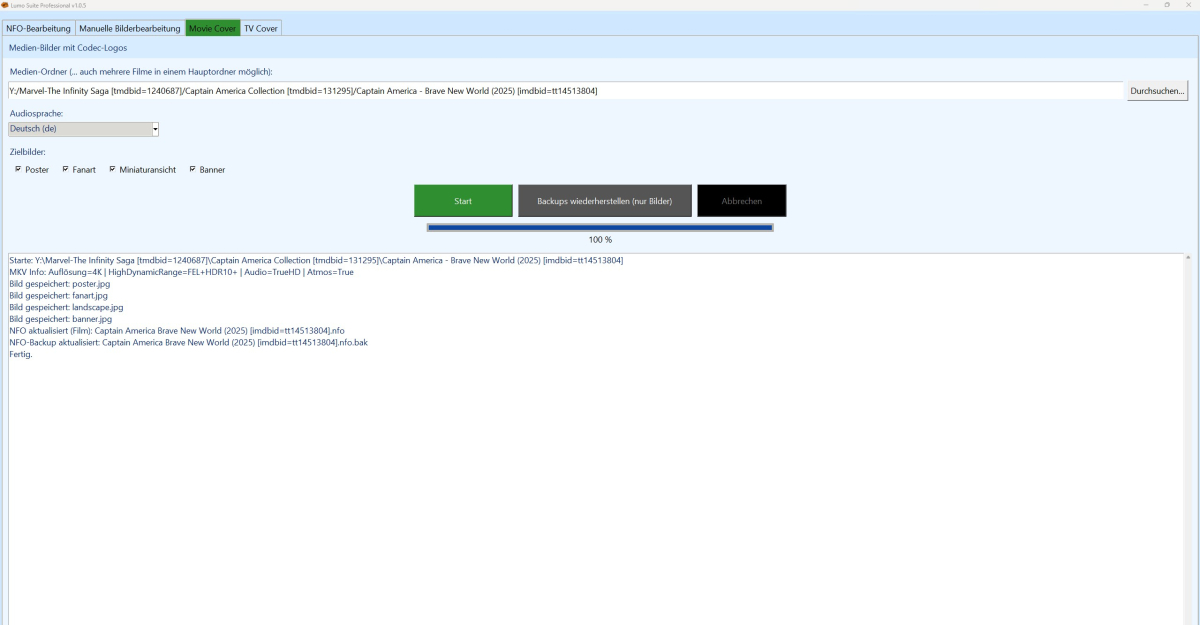
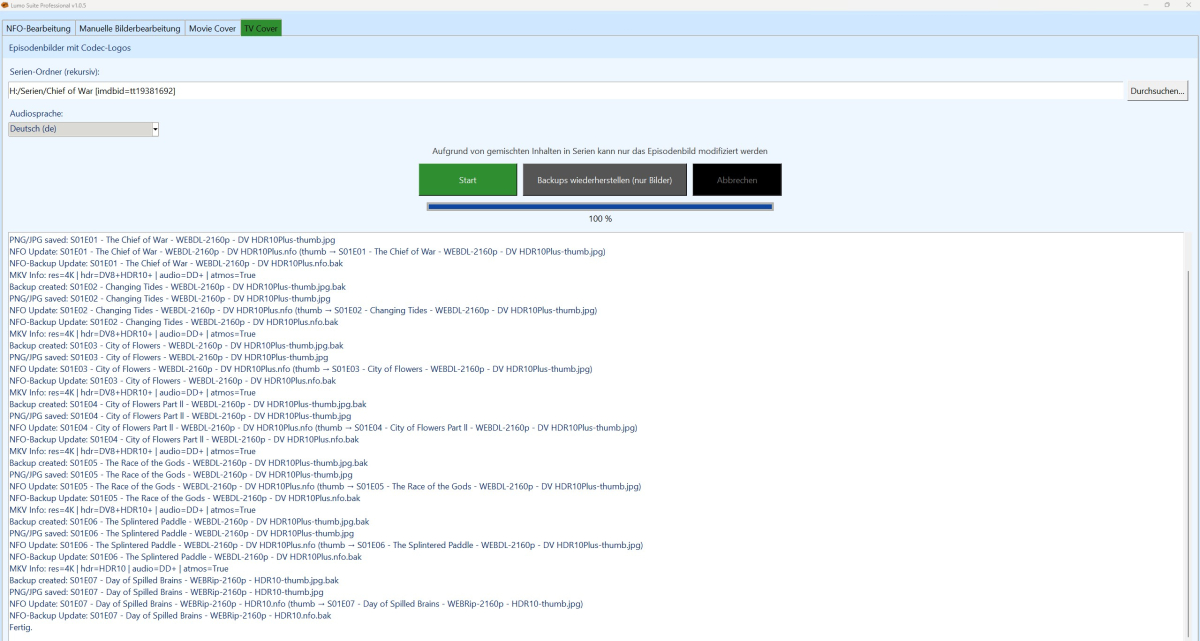
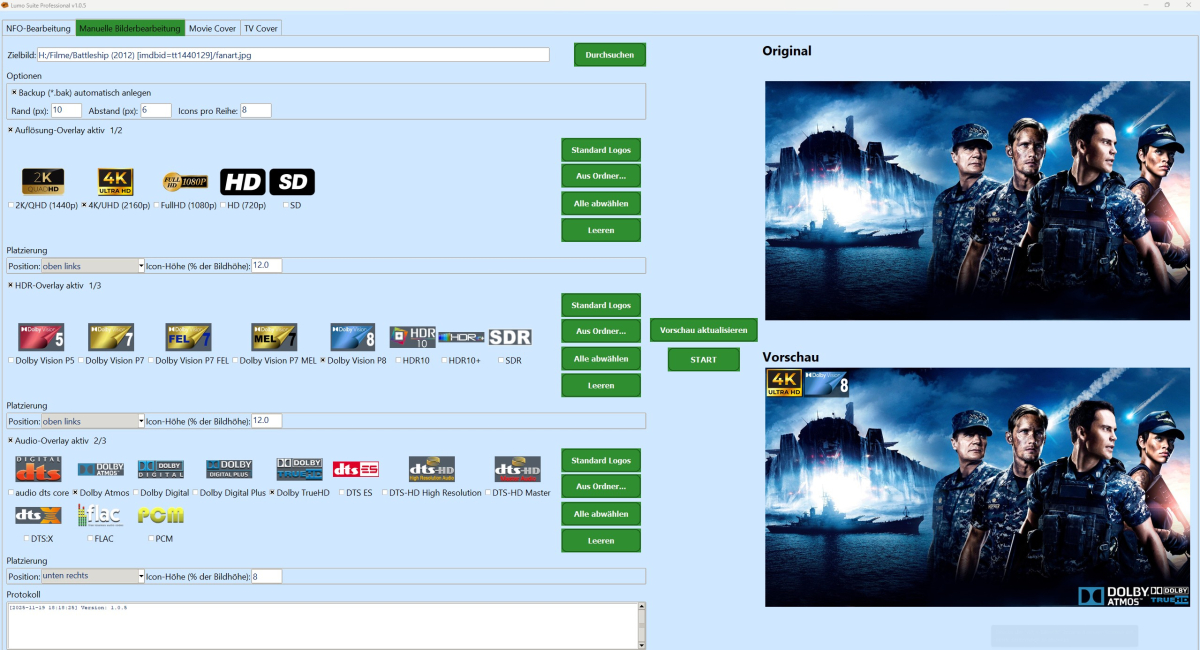
Hallo zusammen, ich schraube seit geraumer Zeit an einem Projekt, das für alle interessant sein dürfte, die ihre Film- und Serienbibliothek nicht mehr dem Zufall, Scraper-Launen oder halbgaren Cloud-Lösungen überlassen wollen: Media Lumo Professional – eine sehr bewusst „oldschool gedachte“, aber technisch knallharte Lösung für die lokale Aufbereitung von Medienbibliotheken. Wenn du dich bei Begriffen wie NFO, MediaInfo, HDR, NAS, Dolby Vision eher wohler fühlst als bei „Gefällt mir“-Buttons, bist du hier im richtigen Thread. Was ist Media Lumo Professional? Media Lumo Professional ist im Kern eine Processing-Engine für deine vorhandene Sammlung: liest deine Video-Dateien mit Tools wie MediaInfo aus baut daraus konsistente .nfo-Dateien versorgt deine Media-Server (Emby, Jellyfin, Kodi & Co.) mit sauberen Daten kümmert sich um Artwork (Poster, Fanarts, etc.) Wichtig: Lumo Professional ist kein Server, kein Watcher, kein Daemon. Du startest es gezielt, wenn du: neue Filme/Serien durchziehen willst eine bestehende Sammlung aufräumen willst technische Daten und NFOs „geradeziehen“ möchtest. Key Features 1. Designed für große Libraries, nicht für 30 Filme mehrere hundert Filme mehrere tausend Episoden NAS/Server + dedizierte Player Genau dieses Szenario ist der Sweet Spot. Getrennte Pipelines für: Movies TV / Episoden Klare Logik pro Content-Typ, keine One-Size-Fits-All-Kompromisse. 2. Technische Metadaten sind First-Class-Citizen Media Lumo Professional denkt zuerst in: Auflösung: 1080p, 2160p, etc. HDR-Formate: HDR10, ggf. Dolby Vision (abhängig vom Source) Audio: Sprachen, Kanäle, Formate Diese Infos landen gezielt und reproduzierbar in den NFOs. Wenn du z. B. eine Datei von Full HD auf 4K ersetzt, kann Lumo Professional die technischen Einträge in den NFOs entsprechend nachziehen – ohne dass du jede Datei von Hand anfassen musst. 3. NFO-Management auf Autisten-Level Die NFO-Logik ist so gedacht, wie wir Nerds ticken: NFOs werden regelbasiert erzeugt und angepasst, nicht einfach „blind überschrieben“. Formatwechsel (1080p → 4K, SDR → HDR) werden gezielt in den Metadaten abgebildet. Ziel: Media-Server bekommen immer den echten Stand der Datei, nicht den „ungefähren“. Wenn dein Emby/Jellyfin/Kodi später Quatsch anzeigt, soll es nicht an den Lumo-NFOs liegen. 4. Artwork-Pipeline Media Lumo Professional kümmert sich um: Poster Fanarts ggf. zusätzliche Grafiken, je nach Setup Orientiert an realen Heimkino-Setups: große TVs Media-Player (Shield, Zidoo, Dune etc.) NAS-Backends Im Fokus steht strukturiertes, konsistentes Artwork, nicht „zufällig irgendwas aus dem Netz ziehen“. 5. Klassisch gedacht: Windows, lokal, keine Cloud-Abhängigkeit Fokus aktuell: Windows (Workstation, Heimkino-PC, Server) Externe Tools wie MediaInfo & DV-Tools sind als fester Bestandteil mitgedacht Ziel: Endanwender sollen perspektivisch keine separate Python- oder Tool-Installation brauchen Philosophie: Lieber ein solides, lokal kontrollierbares Setup als eine weitere „smarte“ Cloud-Lösung, die morgen ihr Geschäftsmodell ändert. Für wen ist das gedacht? Heimkino-Freaks mit echten Sammlungen Leute, die Emby / Jellyfin / Kodi & Co. nicht nur „klicken“, sondern verstehen User mit: NAS im Keller eigenem Server / Workstation dedizierten Media-Playern dem Drang, dass Metadaten stimmen müssen, nicht nur „gut genug“ sind Wenn dir Worte wie „Metadatenkonsistenz“, „Batch-Lauf“ und „Logfile“ gefallen: du bist Zielgruppe. Projektstatus & Ausrichtung Ganz wichtig: Das hier ist kein Release-Thread und kein „hier ist der Download“-Post. Aktueller Stand: fortgeschrittene Entwicklung, aber bewusst noch nicht für die breite Masse freigegeben Fokus auf: Stabilität reproduzierbare Ergebnisse sinnvolle Abläufe bei großen Bibliotheken Ich will erst dann Builds nach außen geben, wenn ich sagen kann: „Das hier ist nicht nur Bastelbude, sondern standfest genug für Leute, die einfach nur ihr Heimkino bedienen wollen.“ Roadmap weitere Verfeinerung der NFO- und Metadaten-Logik Optimierungen für sehr große Libraries (Performance, Durchlaufzeiten) saubere Log-Verwaltung (rotierende Logs, Limits, Aufräum-Strategien) mittelfristig: Optionen für plattformübergreifende Nutzung geplant (z. B. via Docker-Szenarien) Feintuning von Dolby-Vision-/HDR-Workflows FAQ F: Ist das ein Cloud-Dienst? A: Nein. Cloud ist hier kein Feature, sondern ein Anti-Feature. Alles läuft lokal, deine Daten bleiben bei dir. F: Läuft das mit Emby/Jellyfin/Kodi zusammen? A: Ja, genau dafür ist es gedacht: Media Lumo Professional erzeugt/aktualisiert NFOs & Artwork, die diese Systeme einlesen können. Der Media-Server bleibt, Lumo sitzt davor und macht die Daten sauber. F: Läuft da im Hintergrund ständig irgendwas? A: Nein. Lumo Professional hat keine eingebaute Watcher-Logik. Du startest es bewusst, wenn du etwas bearbeiten, aktualisieren oder aufräumen willst. F: Ist das Programm nur in deutsch? A: Aktuell ja. Je nachdem, wie Lumo Suite Professional ankommt, wird es auch noch eine englische Fassung geben. F: Kann ich das schon irgendwo runterladen? A: Aktuell nein – bewusst. Der Fokus liegt im Moment auf internen Tests und Härtung. Sobald eine Version da ist, die sich für externe Tester eignet, gibt es hier im Thread ein klares Update.





 1 point
 -
@brian5678can you be more specific? Are your loading issues more than just from the search page? If you are having slowness/loading issues in other places can you create a separate thread and include log files for those, so they can be tracked properly by the devs?1 point
-
I just changed it and it works fine. It probably changed in the recent update. Thanks for the help!1 point
-
Hi, we'll take a look at this. Thanks.1 point
-
hi, how have you configured the quality setting in the app?1 point
-
Softworkx already knows what the issue is and its on the list of things to fix for one of the next beta rounds. To be clear its not an Emby bug but an ffmpeg and mpv issue that a couple of unofficial mpv plex builds have found a workaround for. As Emby uses mpv its guilt by association. In the interim just use the modified mpv.dll build I gave you or PCM output. To be honest I always thought passthrough to the receiver was the best option, but unless your using atmos and dts:x channels I'm now leaning towards PCM as audio levels seem to remain consistant across all formats.1 point
-
thanks for confirming @Luke- it's a feature I use a lot so thanks for the help1 point
-
Yes, sure. I'll give it a go with debug enable this weekend, should have some spare time then.1 point
-
Hi, we'll take a look at it. Thanks.1 point
-
Seems good now. I shut it down, removed the files, started up and forced a transcode session. Was recreated gracefully shortly after I stopped playback.1 point
-
You were right, it was when I played video. But that setting did the trick. Thanks for the reply!1 point
-
Yeah i found that as well after having reinstalled my test server. Was hoping to fix it before any one ran into the problem, i just missed it by 15 minutes i see. This version should work. Many thanks for reporting the problem!! WatchingEye.dll1 point
-
I'd like to report another bug. I just set up the plugin for the first time on my production instance since I finally updated it to 4.9.1.90 and I also ran into this issue when I was using my test system too but figured maybe it was a fluke so I didn't mention it. It looks like the first time you use the plugin the files WatchingEye.Logging.json and WatchingEye.WatchTime.json don't exist yet, so it can't update them. There's only the tmp files in the plugins/configuration directory. I figured out the path based on the code since it doesn't actually state it in the error. Fixed like so: touch WatchingEye.Logging.json WatchingEye.WatchTime.json ; chown emby:emby WatchingEye.Logging.json WatchingEye.WatchTime.json1 point
-
Ah, yes... that did it. Thanks!1 point
-
Thanks Luke! Let me know what I can do to help test or provide samples.1 point
-
Could this be an HDMI issue? It happens to me as well... Having worked for a big cable company for two decades, we would occasionally find that certain model cable boxes would have black screen/flickering issues which were often fixed with a newer version HDMI cable. https://en.wikipedia.org/wiki/HDMI#Versions Negotiations happen between devices over the HDMI interface, and a cable that doesn't support the bandwidth necessary can cause all sorts of issues like this. I'm going to upgrade my HDMI cable and see if this stops for me. I'll report back in a few weeks. I will say that it only happens with Emby though. I've never had it happen with any other app on the device, but it's still worth a shot. I'll give it a try. It seems relevant because after the device shuffle from the post above the problem went away for them. That tells me some cables were swapped around, which screams HDMI version mismatch between devices and cables. I'll update what I find...1 point
-
1 point
-
Why is “Random” not an available sort option when using that button? It is for libraries. I have a number of collections that are basically just a form of watchlist, like the Sight & Sound Top 250, or the 1,001 Movies You Must See Before You Die. I'd love to be able to just filter them so it only shows films in the collection that I haven't watched (which is also not an option at present), and then sort them by Random to pick something to watch.1 point
-
@rdf52CSS will NOT show up on your Roku.1 point
-
I have sent you a message.1 point
-
After copying the Emby installation to the new machine (and before starting Emby) turn off the old machine, or change its name and IP address if you're keeping it connected, and then give the new machine the former name and IP of the old one. Then start Emby. If you do it right, nothing will notice the difference (I did exactly this myself only last week or so). Paul1 point
-
Thank thank u thank you so much sir @pwhodges Really helped me to solve the issue..! Thanks sir1 point
-
@Luke Just checking back on this since it’s been a week, several other users obviously have the same concerns, and your only reply here clearly showed a misunderstanding the issue reported. This is a real issue for anyone using PIN protection, and it doesn’t seem like it’s getting acknowledged. Could you please address this directly so we know whether it’s being taken seriously?1 point
-
In connection with this - https://emby.media/community/index.php?/topic/79229-43022-screensaver-options/ It would be nice if the Photo library screensaver can be restricted to only use a certain folder, so that you can just, say, show images of your trip to Kazakhstan, without them being intermingled with images of your broken motorcycle sprocket / widget.1 point
-
Please add options to select libraries for the screen saver, I would also like this and it makes sense that it won't scrape every JPG file globally. Thank you1 point
-
Yes for me everithing is fine now. Thanks for your support1 point
-
Excellent! I have tested 1.5.4.0 and the web client and Windows app were showing the confirmation dialogue whereas in the android client it's showing the toast notification. That works perfectly. Thank you!1 point
-
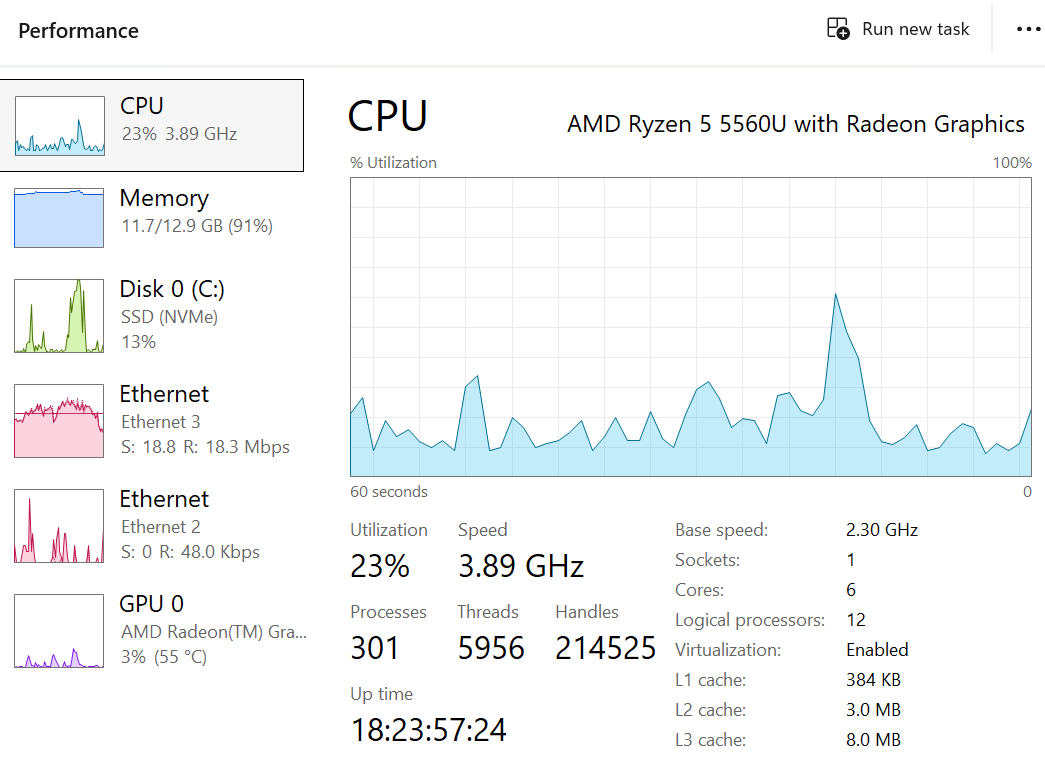
Just a quick list of my system - 1 single low powered Beelink unit ($300 US$ about) (4W to 30W usage) Trying to keep power to a minimum while have large storage options Running a ryzen 5 - 5560u cpu in a micro pc with built in radeon graphics / 16 GB RAM / 500 GB NVME for OS No monitor - but an hdmi stub connector - allowing remote control simulating a console Asustor AS6706 (Qty 3) with > 300 TB available storage in raid 5 configurations (2W to 45W) each unit the nice thing is 1 unit may run while the other are idle No pictures as its in my crawlspace but here is system running EMBY streaming to LG at 4K directplay & playing hidef audio through roon to the kef setup Running windows 11 Pro used via rdp for cleaning media/moving files to storage units Running hyper-v with a 4 GB OpenSuse VM for media cleaning Running ROON for High def audio too: NAD BlueOS - with triangle speaker / REL Subwoofer BlueOS Powernode -- KEF LS50 speakers & KEF KC62 Suwoofer BlueOS - pulse speakers Sonos AMP v2 (multiple) - for deck speakers & garden speakers outside (AMPS in crawlspace) - long cable runs Sonos S1's TCL nxtpaper 11 plus for audio control of roon - besides phone roon remote to cell phones while in cars (playing home audio in cars) roon - about 10 TB local hidef music also connected to Qobuz - raided nvme in one 6706 unit Running Media Browser (Since 2010) LG 65" TV with sonos sound bar Sony 65" TV with surround and subs - paradigm reference hope you find it interesting I used to run old used servers & storage but with this config I tried to save on power and space and be green - but have my cake too letting storage units go to sleep when not used - I am using < 10W when idle - probably about 60W when streaming to one TV from one storage unit Thanks to Emby crew for proving me years of fun
 1 point
 -
@Lessaj It should be fixed now. Problem was that i had misunderstood how the toast system works in Emby. Basically the confirmation button appears when you give the timeout a value of 0 but if you do that in any of the clients they think the message should stay up for that amount of time making them disappear instantly. I added some checks for what client used and based on that send a timeout of 0 or 30 when using confirmation button. In short, confirmation button will only work in web clients but at least the messages should show in other clients now. Again thanks for reporting and i hope it works fully for you now! WatchingEye.dll1 point
-
You have .embyignore at the wrong level, you need to move it one level up. To hide a folder, you need to place it in the root and its contents should be name(s) od the folder(s) you'd want ignored. In you example, you'd put .embyignore file containing /!ALT_LR under 2001 A Space Odyssey (1968) folder. No, but because you have .embyignore folder with "*" within: Excluding Files & Folders1 point
-
Not exactly. I'm seeing a bit of the opposite behavior in practice. The native player is failing to direct play and converting it. Stream MP4 (78 mbps) HLS (116 mbps) Converting video to compatible codec Recovering from playback error The MPV player is not transcoding the MKV according to the server but it still feels like it has the "green tint" or just in general darker than it should be in some scenes.1 point
-
yeah sure, hope it will be support without any changes in codes like the electron ones, because it's best addition for those with handheld UMPC owner out there, by adding emby on their handheld1 point
-
That is what should already be happening. In your case because this is a livestream other variables come into play. The server might try to kill the session and something is holding up that process. The logs would show what that is. The server believes the session is still attached to an active encoding. If this was transcoding and you just remove the session it doesn't stop the active encoding that is still eating up one of your tuner slots and dumping TS slices into your temporary transcoding folder. Whatever is hanging up the logic that removes the session needs to be understood what that is. I am sure in the logs it will show the attempts to remove that session are failing. Since you have experienced this and can replicate it the next time you can discover this if you can submit logs from as close to that time as possible. Then we should be able to deduce how or why this is happening and figure it out. NOTE: You cannot stop a session on the Roku being watched remotely. The Roku does not allow an external IP address to access the ECP (https://developer.roku.com/docs/developer-program/dev-tools/external-control-api.md) port. This means you cannot cast or remote control that Roku. I do agree some kind of "bouncer" needs to be implemented that would stop their session and force their playback to stop. Like, you don't want to rudely throw them off your server, but you want whatever it is they are playing to stop right now. I understand the issue entirely. We are working towards a better solution.1 point
-
It was disabled somehow for me as well. Reenabled and it is working fine on my shield. Thanks all. Also, that option being in "General Display" might not be the best place. Maybe something under audio instead, since this is strictly audio related, I believe.1 point
-
I think the emby dev's should hire you!1 point
-
I was ill the past weeks, I'll see that I can make the logs in the next days.1 point
-
Yes the reported issue was fixed in 4.9.1.36 webstreams * Fix playback of audio items1 point
-
I haven't read everything to understand, but my comment still stands. At least in the browser, that base url points to html and not an audio stream.1 point
-
HI, yes this is something we are planning on adding. Thanks.1 point
-
They let me know they're going to do some testing and they'll get back to me.1 point
-
Just had the current release installed on tablet for testing. Are you referring to Theme sounds or Theme music (latter is halfway/three-quarters scrolled down). Sorry, yah the greyed out one was Sound not Songs. So yes, you have to scroll down further, and my issue was twofold as it was disabled, and the next option theme volume was only 30% so I never heard the themes on my tablet I was testing on. @BillOatmanPlease verify both those options on 2.1.23g.1 point
-
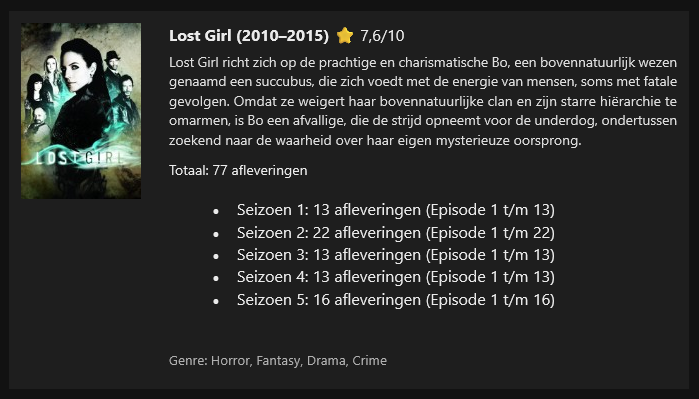
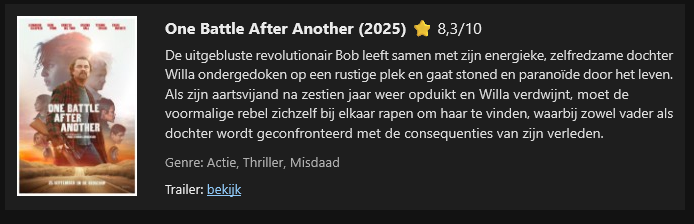
I don’t use Emby’s built-in notifications myself, because when I add new content, users tend to experience those notifications as spam. I’ve created a PowerShell script that uses the API key to query Emby and separates the new content into movies and series/TV shows. The genre is included, and for movies only I added a trailer option—if a trailer is available, it will be shown.Emby new content by week.ps1I also added the IMDb rating, and if that rating is unavailable, the script falls back to Rotten Tomatoes. When I upload multiple seasons with episodes, they are grouped together. The PowerShell script is triggered by a scheduled task, (windows pc) which in my case runs once per week at 15:55, because my weekly cycle runs from 16:00 to 16:00 the following week. The script has been tested in both Gmail and the Outlook client. I’ve attached the script and two examples. text in my screenshot is dutch In the script, you only need to fill in the URL, API key, and your mail settings at the top, and the recipients at the bottom.
 1 point
 -
It would be nice if a user's stream was continuous between devices . Example: If I am listening to music on my phone then I log into the web UI, my stream would move to the web UI. Then if I close the web UI and later in the day I open the app on my phone again, the same stream would continue. Same concept with videos...1 point
-
Thanks for following up.1 point
-
Hi, we'll have to take a look at that. But yes that's why it is marked as experimental. Thanks.1 point
-
Yikes five years on this one? I guess my request to fix the AC3 to AAC audio conversion will never happen then, because it's only been 8 months for that one. I hate that they give us these annoying generic answers to everything on here.1 point
-
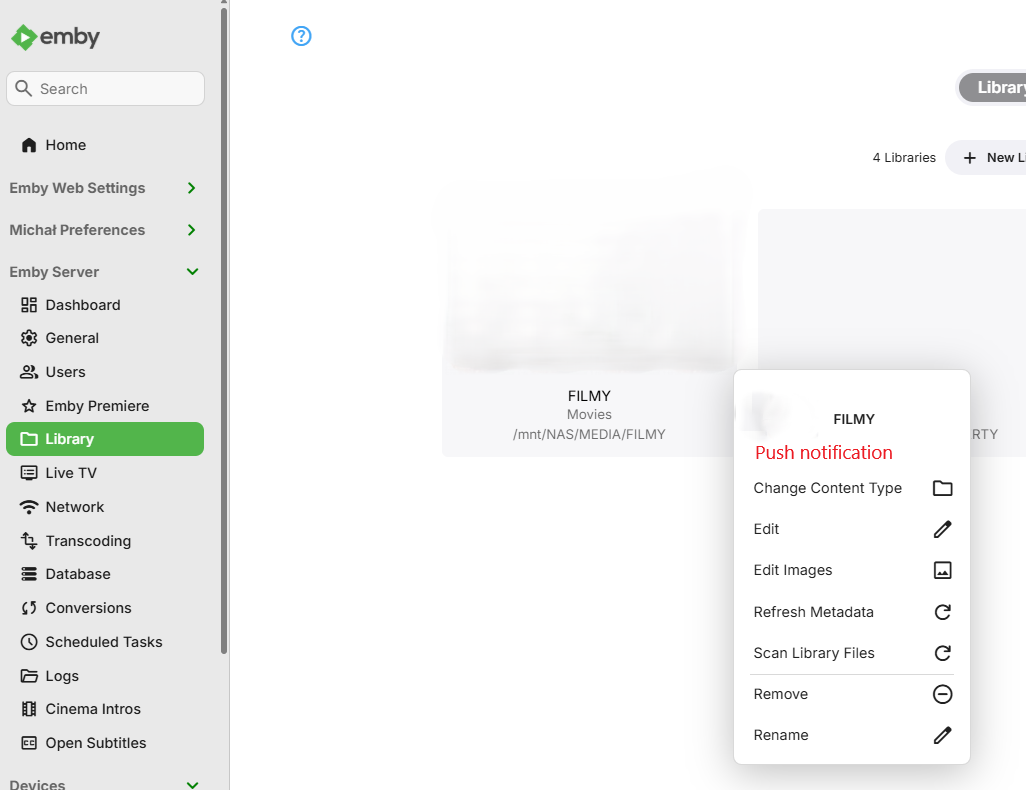
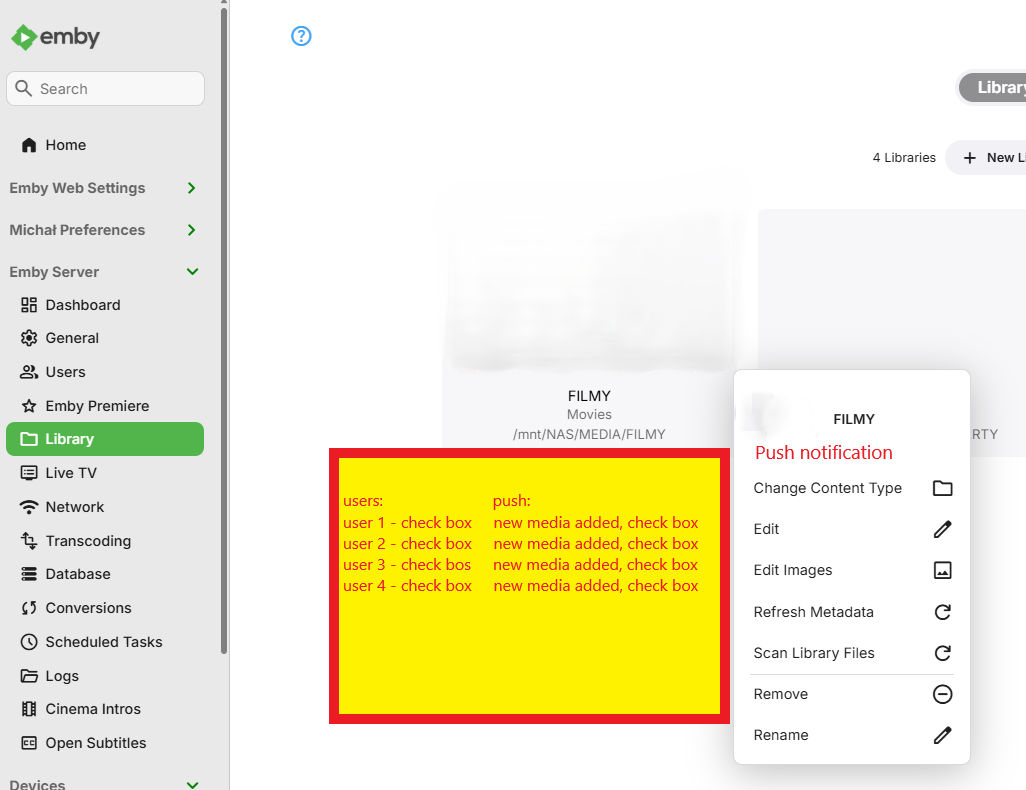
Hi, It seems that the simplest solution to get started will be to add push notifications from the library level for a given media library. A drop-down menu allows you to select a user and uncheck what to receive notifications about new media.
 1 point