Leaderboard




Popular Content
Showing content with the highest reputation on 11/17/25 in all areas
-
Hi, first of all, thank you for the great WatchingEye plugin – it’s really helpful for us as parents to reasonably limit Emby usage. I have a use case that I currently can’t configure with the existing options. At the moment, I can only enable/disable whole days and define a single time window that applies to all selected days. What I would like to do is configure different time windows depending on the day of the week. In my case, for example: Sunday to Thursday: allowed playback from 07:00 to 20:00 Friday and Saturday: allowed playback from 07:00 to 23:00 With the current implementation I can select the days, but I cannot define different time ranges for “school days” vs. “weekend”. It would be awesome if a future version could support something like “time window per day” or separate time windows for each weekday. This would make WatchingEye even more flexible and useful for families. Thanks a lot for your time and for your work on this plugin! Best regards, Roman2 points
-
It is back to working normally. Thanks for pinging on discord @Happy2Playand thanks @Kodefor quickly resolving (again) as well.2 points
-
So we're now at beta version 4.9.2.6 and still no TVNext feature addition! Come on @Lukeand @ebr!2 points
-
Delete the file device.txt and restart Emby server. It'll generate a new one and that should fix it.2 points
-
HI, DTS-X and Atmos detection will be coming when we update our ffmpeg build. This will be happening on the server beta channel in the near future, thanks.2 points
-
Yeah, it's likely a combination of features in the new app causing the problem and the workarounds are no more than that. For some reason the devs still haven't acknowledged the problems and their response is to state how they think the app should work, not how it's actually working. This isn't helpful but that seems to be the usual approach whenever someone points out that the new Android app hasn't reached feature parity with the ATV app. There are other platforms, like Roku, for which they stated it wasn't an option available to the app and "proper exit" was the only way to avoid runaway sessions. But we know that the AndroidTV app can close cleanly with the Home button so the new Android app should be able to do the same. You also posted in this thread so you know the Home/Exit thing seems to affect more than PIP and session timeouts.2 points
-
Another way to get to release notes is by clicking the version number in your server dashboard.1 point
-
1 point
-
I use MusicBrainz for everything. Great software. Hopefully, we can get the underlying issue resolved once and for all. If the server stores one album image of 1 MB it can use that for all the tracks. If I attach that image to all the tracks individually, it becomes a lot less efficient for storage. I'd much rather see the server side take care of this, rather than tagging thousands of files.1 point
-
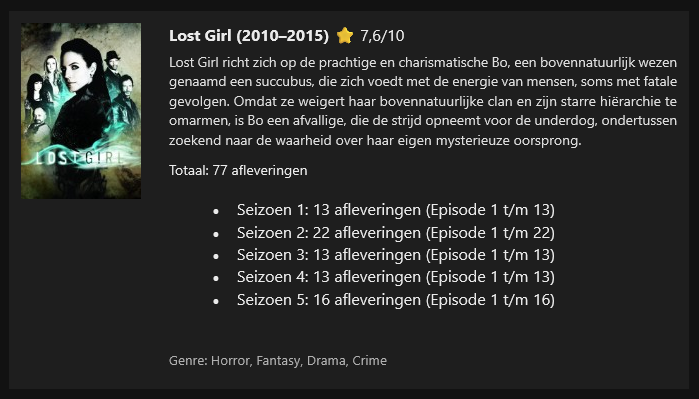
I don’t use Emby’s built-in notifications myself, because when I add new content, users tend to experience those notifications as spam. I’ve created a PowerShell script that uses the API key to query Emby and separates the new content into movies and series/TV shows. The genre is included, and for movies only I added a trailer option—if a trailer is available, it will be shown.Emby new content by week.ps1I also added the IMDb rating, and if that rating is unavailable, the script falls back to Rotten Tomatoes. When I upload multiple seasons with episodes, they are grouped together. The PowerShell script is triggered by a scheduled task, (windows pc) which in my case runs once per week at 15:55, because my weekly cycle runs from 16:00 to 16:00 the following week. The script has been tested in both Gmail and the Outlook client. I’ve attached the script and two examples. text in my screenshot is dutch In the script, you only need to fill in the URL, API key, and your mail settings at the top, and the recipients at the bottom.
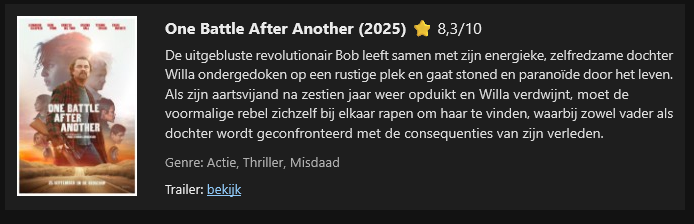 1 point
 -
I might have set the notifications to fire too early, i will look into it at the same time as the other request.1 point
-
I'm back after some more testing and I have some feedback for an issue I'm having with the plugin, maybe I can adjust some of the configuration options to resolve this otherwise I'm not really sure why it's happening. I performed my initial testing with the web client for convenience and once I was happy with how it was configured and the wording of the messages I started testing on Android and Windows. With regards to the Transcode Notification when I use the web client, Windows, or Android, it seems like everything is working properly - I'm seeing the toast messages as expected, I do not have the confirmation button enabled and don't think it's necessary for this category so I didn't test for any changes in behaviour with that enabled. Where I started having issues is with the Resolution Blocking notification. In the web client it doesn't matter if I have the confirmation button enabled or not, it always comes up with a dialogue where I have to press okay, but this is working properly otherwise - I assume with confirmation button disabled that it should show a toast message like the Transcode Notifications do. When I was testing Android and Windows I'm seeing the message appear very briefly and then it automatically dismisses, like a fraction of a second after playback stops. I only had it stay on screen one time on my Shield where I had to confirm, otherwise I just see it flash briefly. Again, having the confirmation button enabled or disabled makes no difference.1 point
-
The main view for each Genre in music libraries would be more useful if the "Artist" view option were instead "Album Artist," since the former includes every musician who is credited in any role on any song tagged with a particular genre, while "Album Artist" is the more useful category to scroll through and select from. (Similar to "Album" being more commonly used than "Song" in that context). It'd be fine to include both, but please at least add "Album Artist" to each Genre's main screen
 1 point
 -
Hi, well now we can finally submit to Amazon for review. Thanks. @hatharry1 point
-
Thank you so much for your quick reply and for considering this feature! I really appreciate that you’re willing to look into it, even though it requires some redesign. Take all the time you need – I’m already very happy with the plugin as it is, and this would just be a great enhancement on top. Thanks again for your work on WatchingEye!1 point
-
Love to hear you like the plugin and thank you too! It will require me to redesign some things so might take some time but i will look into it asap.1 point
-
Bingo!1 point
-
Yes, that's a quirk in Emby that I and others have also been pressing them to fix. I haven't used it but you might find this useful for Linux: https://picard.musicbrainz.org/downloads/.1 point
-
Because I use Linux exclusively, and have thousands and thousands of music tracks. In most cases, the album art would be just fine, but that isn't what "now playing" is using...1 point
-
Dang, had me going...I got a reply email and I thought 2:39 support was implimented now and was about to do a backflip1 point
-
Popping in late to throw my hand up as another 2.39 screen user. Would love to see this implemented, it's my most missed feature since ditching kodi as a front end and using the native emby app.1 point
-
Pinged Discord channel again to see check on the issue.1 point
-
Added a related feature request to preserve the custom track artwork, since if we add custom track images, this problem goes away. Maybe a background task that writes album artwork for each track if no custom track image already exists?1 point
-
By web app, you mean in a web browser? I get the same behavior. Just viewing the album page shows what is on the server, which is clear. But if I click and enter the now playing window, it's very low resolution and unreadable. But for a song where I specified an image on the server for a specific track, it's clear and using the specified art. So it's not just the Apple TV using low resolution for now playing. I never play music in the browser using "Now Playing", but there you have it... On a large TV screen, this makes the "Now Playing" artwork atrocious.
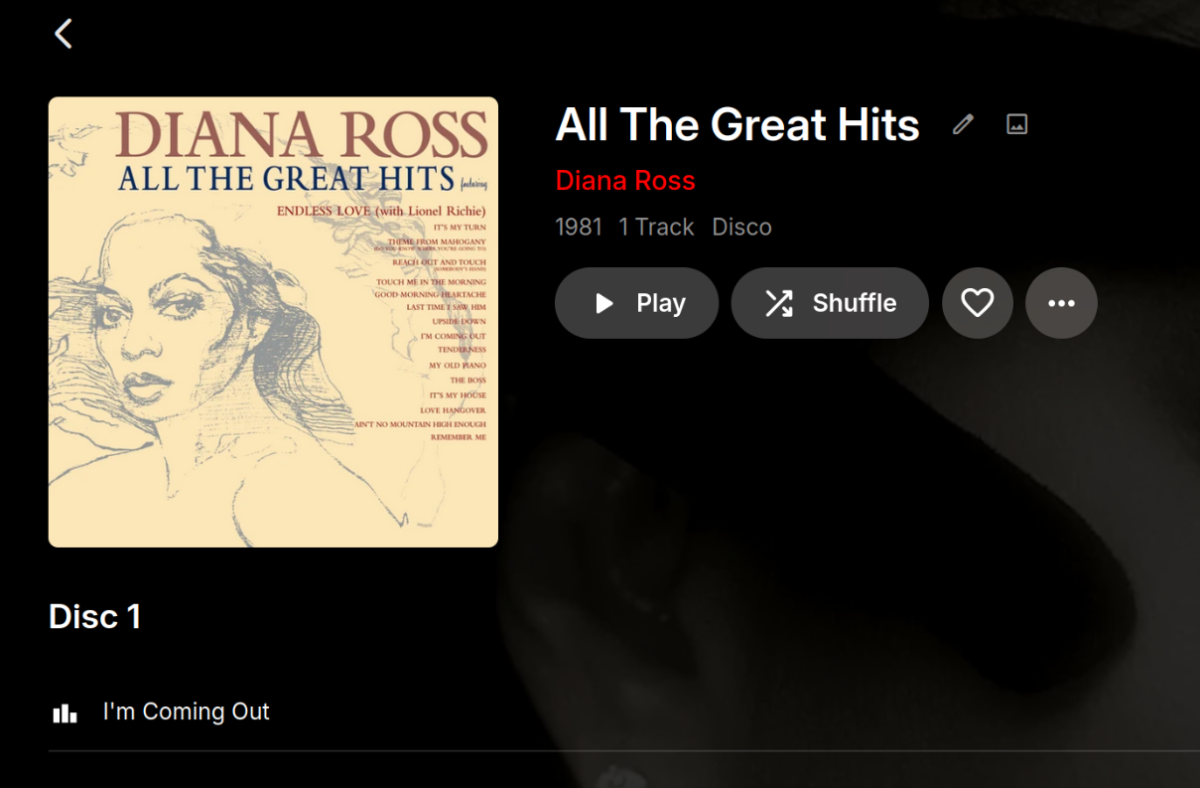
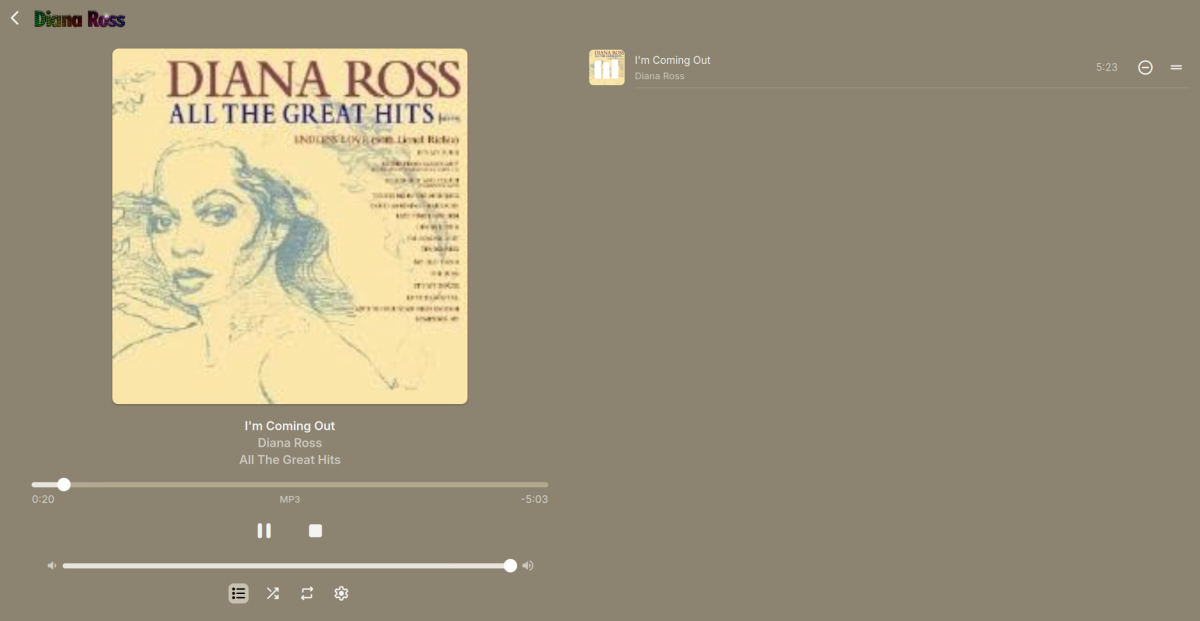
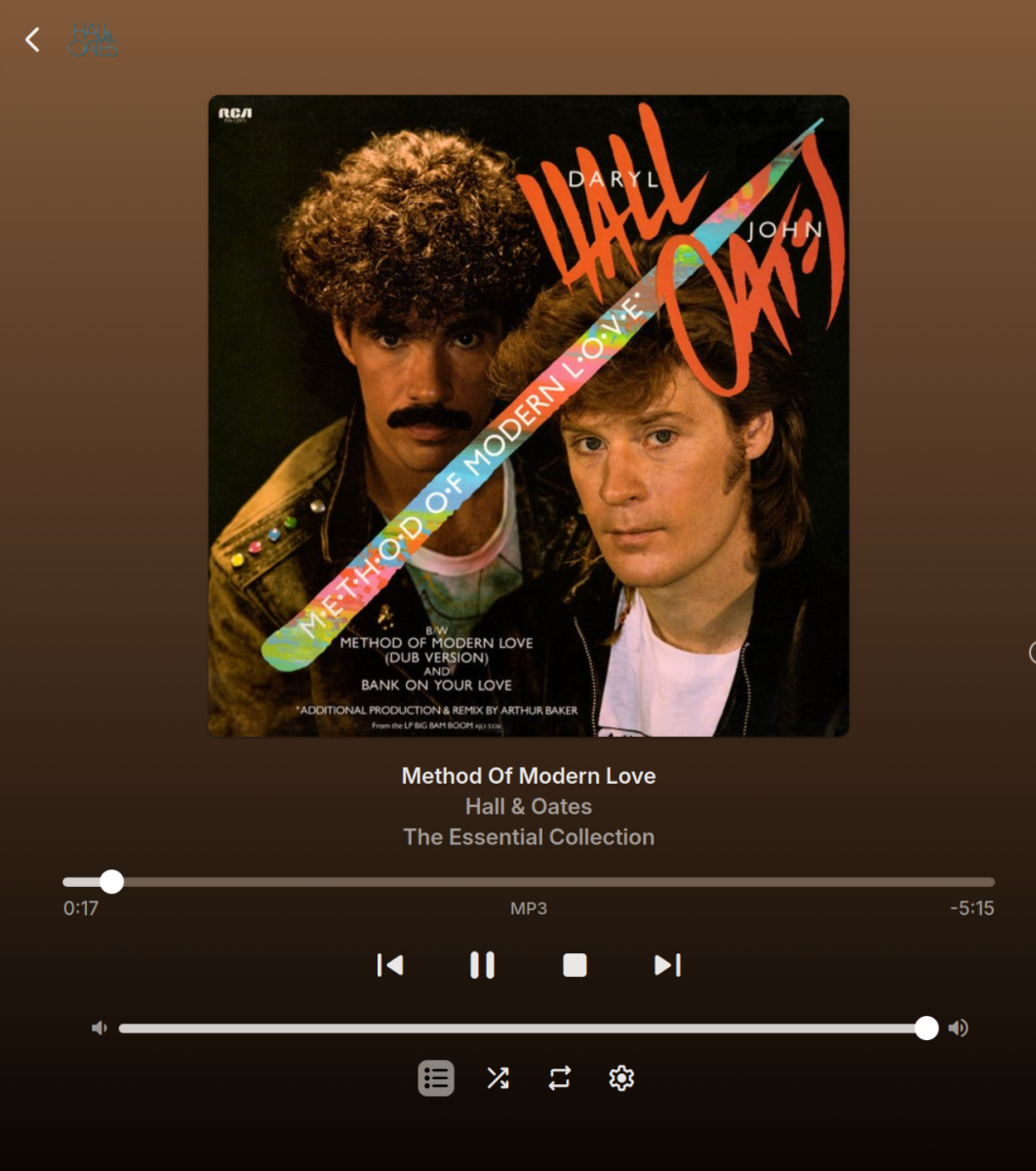 1 point
 -
HI, yes we are working on improving this. Thanks.1 point
-
Sorry from where? What version?
 1 point
 -
What is the status regarding this feature? If emby should be really useful for audio as well it would need such a function as resume or continue to play for audio.1 point
-
I've seen issues with the audio/video going out of sync on recordings, but it's usually resolved by using the "skip back" button to rewind 10 seconds for me. If you're setting up a new system that's going to heavily rely on live TV though you may want to look into other options. If you take a few minutes to skim through this thread that was started almost 3 years now, you can see the Emby devs seem to have very little interest in live TV anymore and it's been several years now since there were any significant changes to that part of the system. If you want something that really prioritizes live TV and DVR, Channels DVR is awesome and designed around HDHomeRun hardware. It’s actively developed, super stable, and their devs are very engaged with users when issues come up.1 point
-
Bonjour, @Tophe1215 : en ce qui me concerne j'ai installé mon serveur Emby sur un Raspberry PI et pour le SSL j'ai configuré l'obtention du certificat via Let's Encrypt. Je n'ai pas cherché mais j'imagine qu'il existe un équivalent pour Windows ? Ça ne te coûterait rien et le certificat serait automatiquement mis à jour... @+1 point
-
ANOTHER SUGGESTION: If you DO consider incorporating a "native" e-book reader into EMBY (the possibility has been mentioned elsewhere) to save users from having to download the file first & open on on their own reader, consider configuring the reader as an optional plug-in. I imagine that the various book formats would require their own reader, and trying to create a universal one for EMBY may be a bit of a challenge. Having a reader plug-in for each of the major e-book types would simplify the programmers efforts (I imagine there are specific reader types in open source that could be modified to suit EMBY), and users could download only the specific readers they require for their content. The only extra step on the programmers part would be a sub-routine to identify the file type being opened first, then to open the appropriate reader plug-in, or suggest which one the user should download, if they haven't already.1 point
-
This is the point of my suggestion: to add that currently lacking functionality. If there WAS an overview field in the metadata, a description COULD be presented at the top of the displayed folder with it's files/other folders, for content that benefits from multiple layers of folders & sub-folders, in this example, various articles rendered as PDFs, which ARE a "consumable" content in EMBY.1 point
-
Totally agree. @GrimReaperand I had this exact discussion a while back in this same thread. I know I can change metadata providers, or manually edit the genres, but doing this to the level I would prefer is tedious, and would further defeat the purpose of having the Genre View available for any of viewers that might actually want to navigate my content using a Netflix-style approach. I too really prefer the 1:1: title navigation that Folder View offers. Emby needs to be fixed to accommodate both approaches like it used to. I think that my library (generally a family-oriented collection of titles, and probably smaller than most of the long-time users here--but still large enough that rebuilding the entire thing when the metadata gets whacked is very undesirable) is just better organized when I control the categories. I have no desire to grow my library to a massive size or abdicate management of the whole thing to Radarr. But the dev's current approach seems to be geared only towards those types of users. Granted, there are ways of separating libraries to keep children's content separate from the other media, but my kids are now old enough that I don't mind keeping anything that isn't explicitly rated-R in our main library so it is all readily available in one place. And I can easily categorize things by having a folder for "Children's Shows", etc., to group together all of the really kiddie stuff that they have outgrown. It's nicely organized from the file system perspective, and in the future if they have kids of their own (or just want to rewatch for childhood nostalgia), I can just give them a single folder with all of their old titles that they used to watch when they were little. Pulling out a particular category of such titles using the now exclusively-supported approach of a flat folder structure would be an absolute pain in the neck. Meanwhile, Genre View is largely a wreck, which I do edit from time to time when it gets really unwieldy. But the online providers are just setup way too broadly in general. I'll add a few more examples to your list above: "Muppets Take Manhattan" shows up in "Romance" "Bluey" and "Peanuts" appears alongside "Seinfeld" and "Friends" in comedy. "Star Trek" TV shows are both "Action", "Adventure", "Drama" (and some are "Mystery") when in reality no person in their right mind would ever need or want to find it anywhere other than "Science Fiction". Meanwhile, the "Ice Age" short "No Time For Nuts" gets a "Science Fiction" designation because the plot involves time travel, but there's no reason this needs to be categorized any differently than all of the other Ice Age titles. *** You may be hosed if you upgraded a month ago and the backups have already rotated out, but there is some means of salvaging your setup on a temporary basis if you still have a backup of your pre-upgrade database. See the various posts above.1 point
-
no problem hopefully smooth sailing from now on, also found one of the programs that's causing issues. Privacy badger, it's generally for blocking trackers, but for some reason It's locked out updates.1 point
-
Actually kinda infuriating, i just tried the "fix" here of "Auto open single items in folder view" but it's not great. ...like someone said it doesnt show folders as played. Kinda lame. Btw, the reason I insist on folder view is because i categorize my movies by genre. When I'm in folder view the movie/genre relationship is 1-to-1. I have a single folder for "Super Hero Movies". But if I try to use the movies tab the same movies show up in multiple places. Super Hereos show up in "Action" Snoopy Movies show up in "Comedy" Documentaries show up in "music" It means if i'm browsing for a movie, no matter what I do, I see the same movies multiple times. It's worse than Netflix.1 point
-
This problem does suck real bad. For the past month I thought my daughter just screwed something up with the display settings and havent taken the time to see if i could fix it until today. Came here to report it and found thread1 point
-
It's neither, based on discussion in another thread, that's just a new way of saving collections folders: I'd assume you're just caught in the transition phase: any new auto-collection will automatically be saved as <collectionfoldername>-tmdbid, whereas any change to existing collections (manual edit, metadata refresh) will create additional -tmdbid folder. Over time, they should all get that suffix (based on changes/edits you make).1 point
-
The combined Movie/Show tab does not replace the functionality that we used to have in Folder View, unless you also implement nested collections (on a recursive basis, to accommodate any number of levels of nested collections). And then we would might as well ask now for you to start building some sort of scan function which would automatically create collections based on titles that are grouped in the same folder. Otherwise you are asking the compulsive file system curators to spend hours manually creating Collections to replicate what Folder View used to do implicitly. I'm mildly concerned to find that you did get feedback on this change in beta and glossed over the real issue: And I'm further peeved that you knew you were going to make a subset of users unhappy with this change, but ultimately went ahead anyway.1 point
-
Server was just compromised today ... 2FA is a must in 2025!1 point
-
What is the harm in restoring Folder View to give everyone flexibility in folder organization? While I readily admit that my folder organization by my own custom pseudo-genres is slightly redundant, I really like the fact that it offers me two related but distinct ways (Folder View and Genre View) to navigate my library. Other people have pointed to folder structure based on Director names, or Decades, both of which make a lot of sense for organization. And I prefer this view to literally anything else. My mixed library has content that is neither Movies nor TV (random viral kiddie music videos, for example) and @Luke's collapsed Movie/Show tab is going to force me to literally add a collection for every folder in the library. This is just obtuse, given that the titles already exist in a folder, and my kids were all quite happy navigating this content using Folder View. And I'm not going to segregate every single dinky little piece of non-movie/non-tv content out into a separate library. For me, the real underlying issue is my ability to keep related titles located adjacently in my file system. If I wanted to make a backup copy of a particular collection of titles to loan to someone, I want to just be able to pull a single folder (and subfolders) onto a portable hard drive and be done. I don't want to go hunting around for up to two dozen titles scattered around in a flat file structure. Organizing things on my terms allows me to know what I have, know what I might want to add, and I can manage it easily. It seems to me that the power users and decision-makers here are making decisions to cater to those with massive libraries and/or users of Radarr. Maybe this is the majority of users. But I don't understand why both groups can't co-exist. Could someone link to the enhancement post that started this entire thing? Something about the folder icon not being big enough and confusing people? I still don't understand why this change is considered to be a good idea, and I totally agree with @halitayarcithat this change is fixing something that wasn't broken. And it makes things more confusing by treating folders with movies different than folders with tv shows:1 point
-
No, the pop-up box on the Shield (shown below) actually fits on the screen and the menu items shift up as you scroll down the list because they all don't fit in the smaller box. Whereas the box on the Samsung shown above is bigger and extends past the screen so the items don't shift up. Which causes items at the bottom of the screen to not be readable as they're chopped off. So, I believe the box on Samsung needs to be made smaller (the box on Android will only fit 4 lines before the menu items have to shift up when scrolling down) so that it fits on the screen and the menu items need to shift up when scrolling down like it does on Android. Otherwise, you would have to shift the whole box up to fit the screen which may cover up some text.
 1 point
 -
@Luke having to view purely just movies or TV shows defeats the object of having a mixed folder in the first place. I’ve mentioned before that a default view of both would resolve this issue for me, but the question was simply why don’t movies show metadata in the folder view when the TV shows do.1 point
-
I was wrong when I said: I still had HEVC VAAPI decoder enabled when I did the test. I repeated the tests with that disbaled and no VAAPI setting ticked, and I can see that hevc_qsv works fine on 4.8.11.0 This is now being looked into1 point
-
Thanks, Luke. I had an idea and I think I may have resolved the issue on my end because OF COURSE I did after asking the question here. FWIW, it seems that Emby has a low tolerance for errors in IPTV streams. That's not really on Emby or any of its developers, though. I think it might just be a hazard of using IPTV streams that Emby has no control over. I seem to have mitigated the issue by passing the IPTV streams through Threadfin (using the VLC buffer), then passing that to Emby as an emulated HDHomerun. This way, Threadfin/VLC deal with the errors in the IPTV stream and pass a "clean" stream to Emby through the emulated HDHomerun interface. Thank you for producing and still supporting Emby. I paid for my license back when this software was still called Media Browser, and the continued development and support of this software is a sterling example of software development/support done right.1 point
-
le mot de passe n'était pas reconnu. j'ai fait changé la clé privée pour un nouveau certificat et encore une fois le mot de passe non reconnu dans emby. donc je suis passé en reverse DNS chez OVH (j'y ai déjà le nom de domaine) via leur API. en tout cas cela semble fonctionner correctement. j'ai bien le HTTPS et l'accès à distance.1 point
-
I have resolved it myself. In case anyone else has the issue. The settings in the collections plugin had disabled themselves. In the settings I went to Library's the clicked on the Collections plugin. Under 'Collection Metadata Downloaders' 'TheMovieDb' had become unticked. Under 'Collection Image Fetchers' everything was unticked. I reticked all and saved and now it all works.1 point
-
EmbyWatch - A brilliant app built by a community user! One of the best things about the Emby community is the creativity that comes from it. Every so often, one of our users takes their love for media servers to the next level and builds something that makes life easier for the rest of us. Today, we’re excited to share EmbyWatch, a brand-new Android app developed by community member @asgard25It is an an incredible example of what happens when passion and innovation meet. A User-Built Tool, Made for Admins What makes this story special is that EmbyWatch wasn’t created by a company or a professional app studio. It was created by one of YOU! — just someone who wanted to make managing a server more intuitive and accessible from anywhere. Want to be even more impressed? This is only the second Android app that asgard25 has developed! EmbyWatch is designed to help server admins and advanced users keep track of what’s happening on their Emby setup in real time. It’s not about playback or browsing media, it’s about giving you the tools to monitor, manage, and control your server, all from your phone. Powerful Features at a Glance EmbyWatch brings a surprising amount of functionality for such a young app. Here’s what it can do: Real-time monitoring: See who’s watching what, where they’re streaming from, and how much bandwidth they’re using — all live. User management: View your users, check activity history, and even send messages directly to connected users. Device overview: Identify every connected client, from smart TVs to mobile apps, with connection times and device info. Library insights: Quickly review all your media libraries with detailed counts and metadata. Task control: Run or schedule maintenance tasks like library scans and metadata updates remotely. Plugin visibility: See your installed plugins and available updates. Logs and server details: Access logs, CPU load, uptime, and more — wherever you are. Notifications and widgets: Stay informed with live alerts and optional Android widgets for quick monitoring. For anyone managing a shared server, EmbyWatch feels like having a live dashboard in your pocket. A True Example of Community Ingenuity We love seeing users like asgard25 take their experience with Emby and turn it into something that benefits everyone. EmbyWatch really is a reflection of how open and flexible the Emby ecosystem can be when people put their ideas into action. This project shows exactly what makes our community special, a shared passion for improving and creating! So whether you’re managing your own home setup or running a multi-user server, EmbyWatch offers a simple, powerful way to stay connected to your system. Huge thanks to asgard25 for sharing EmbyWatch with the community and for showing what’s possible when creativity meets passion. We’re proud to see our users building tools like this that make Emby not just a media server, but a thriving ecosystem shaped by its fans. If you’re an admin or an advanced user, check out EmbyWatch on Google Play and see how it can make managing your server easier than ever. We can’t wait to see what asgard25 — and others in our amazing community — build next. View the full article1 point
-
English subs added for Titlovi.com. Vote counts updated and providers reorganized highest-to-lowest vote count.1 point
-
Sorry for necromancing this thread but Im hoping to see Titlovi added to subtitles sites, any chance thats happening soon?1 point
-
Totally agree, we should be able to restore the previous play queue on any device (specific to that device), regardless of the music/audio books distinction. We've actually already done the work for this in some apps, however it's only used in certain contexts (android auto, carplay, etc). So I'll put this on the short term to do list to apply it everywhere.1 point
-
You do not seem to understand how the open source business model works. Maybe you also found out that it simply does not work for your product and thus decided to close the source now. This is a shame but if its the only thing that appears to make sense to you economically its understandable. You might have wanted to run a couple more calculations on what brings in money to your project and how you think that closing the source is going to increase those revenue sources. There has been a steady downward spiral ever since the move to dotnet core regarding the openness of Emby and its sad to see that this is the final conclusion you arrived at. I also find it sad that Emby apparently hasn't really been leveraging the potential of open source i.e. community contributions since you do not appear to care for them by closing the source. Essentially you didn't have the sort of engagement with the developer community that you would have wanted in order to really push the benefits of an open source project. I also wonder what you mean by "protect your developments" etc. open source software is about leveraging the community to decrease development investments and engage users. You lose that completely now. I wonder whether there has been any other company that basically took Emby and also sold some addon for it? Else if you are afraid of competing with basically a project that is identical to Emby Core then you have a problem anyway.... Seeing as how there are a lot of commercially successful completely open source projects that also pay core developers there appears to be something off with your business model, either on the expense or the income side. But as I said, maybe this home entertainment server market is not big enough, or your extra offerings not interesting enough, to make it viable economically. I would really like to see you make the switchover for the people that want to continue the open source route as easy as possible by clarifying the license on all components of the last open version of Emby Core, even though that might not be in your commercial interests it would certainly improve your standing at least a bit in their eyes. Hence once again I refer to this issue: https://github.com/MediaBrowser/Emby.Common/issues/11 point